Reduce Cost, Time, and Risk –
eDiscovery and Records Management
in SharePoint
Don Miller
Vice President of Sales
Concept Searching
donm@conceptsearching.com
Twitter @conceptsearch
David Tappan
SharePoint Consultant
C/D/H
davidt@cdh.com
Twitter @cdhtweetstech
Expert Speakers
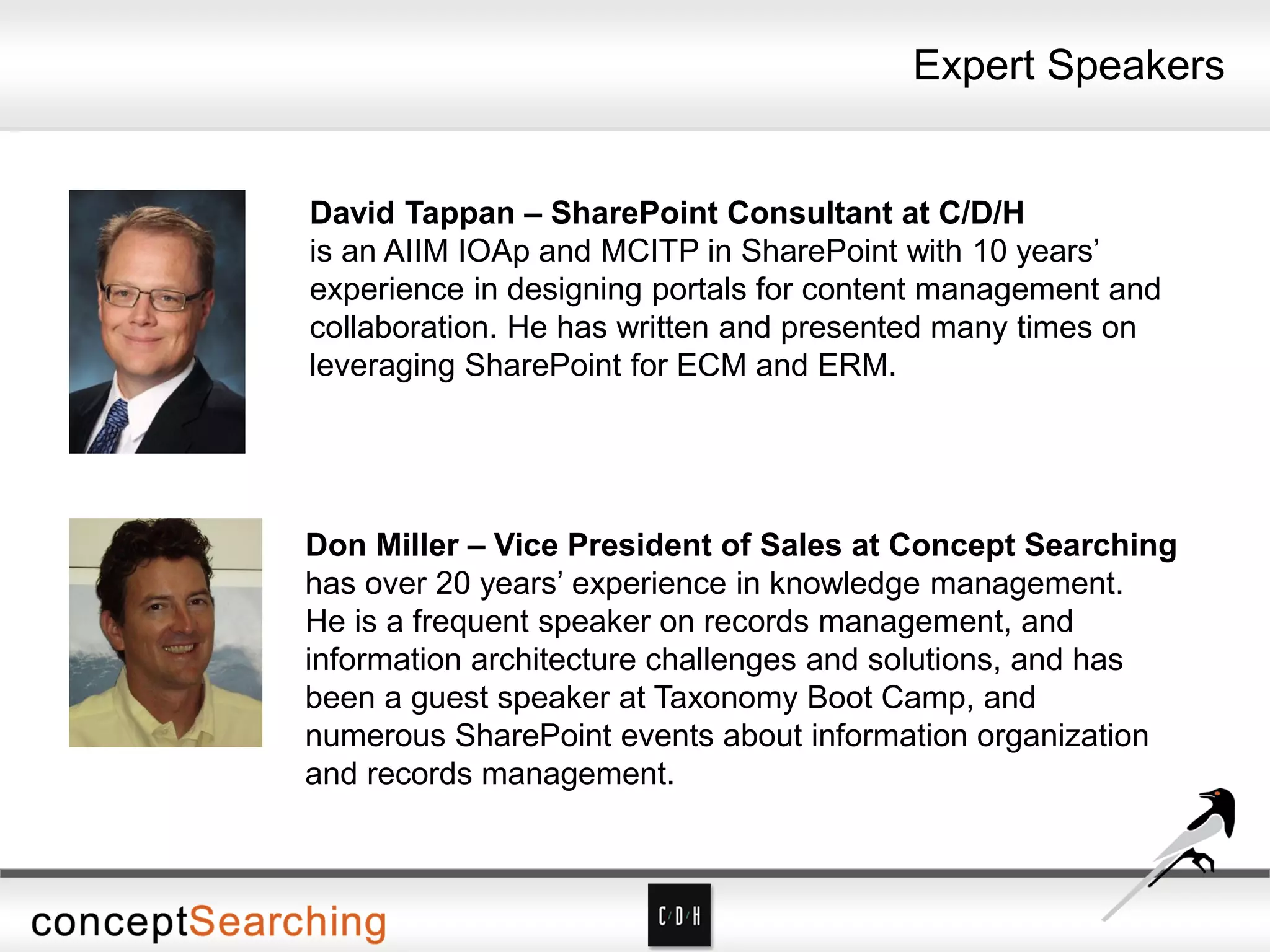
David Tappan – SharePoint Consultant at C/D/H
is an AIIM IOAp and MCITP in SharePoint with 10 years’
experience in designing portals for content management and
collaboration. He has written and presented many times on
leveraging SharePoint for ECM and ERM.
Don Miller – Vice President of Sales at Concept Searching
has over 20 years’ experience in knowledge management.
He is a frequent speaker on records management, and
information architecture challenges and solutions, and has
been a guest speaker at Taxonomy Boot Camp, and
numerous SharePoint events about information organization
and records management.
Agenda
• Introductions
• C/D/H
• Background on built-in ERM and eDiscovery capabilities in SharePoint
• Records Management/eDiscovery Tips and Pitfalls
• Concept Searching
• Corporate Memory
• It’s a Behavior Issue
• Our Approach and Technologies
• Demonstration
• Next Steps
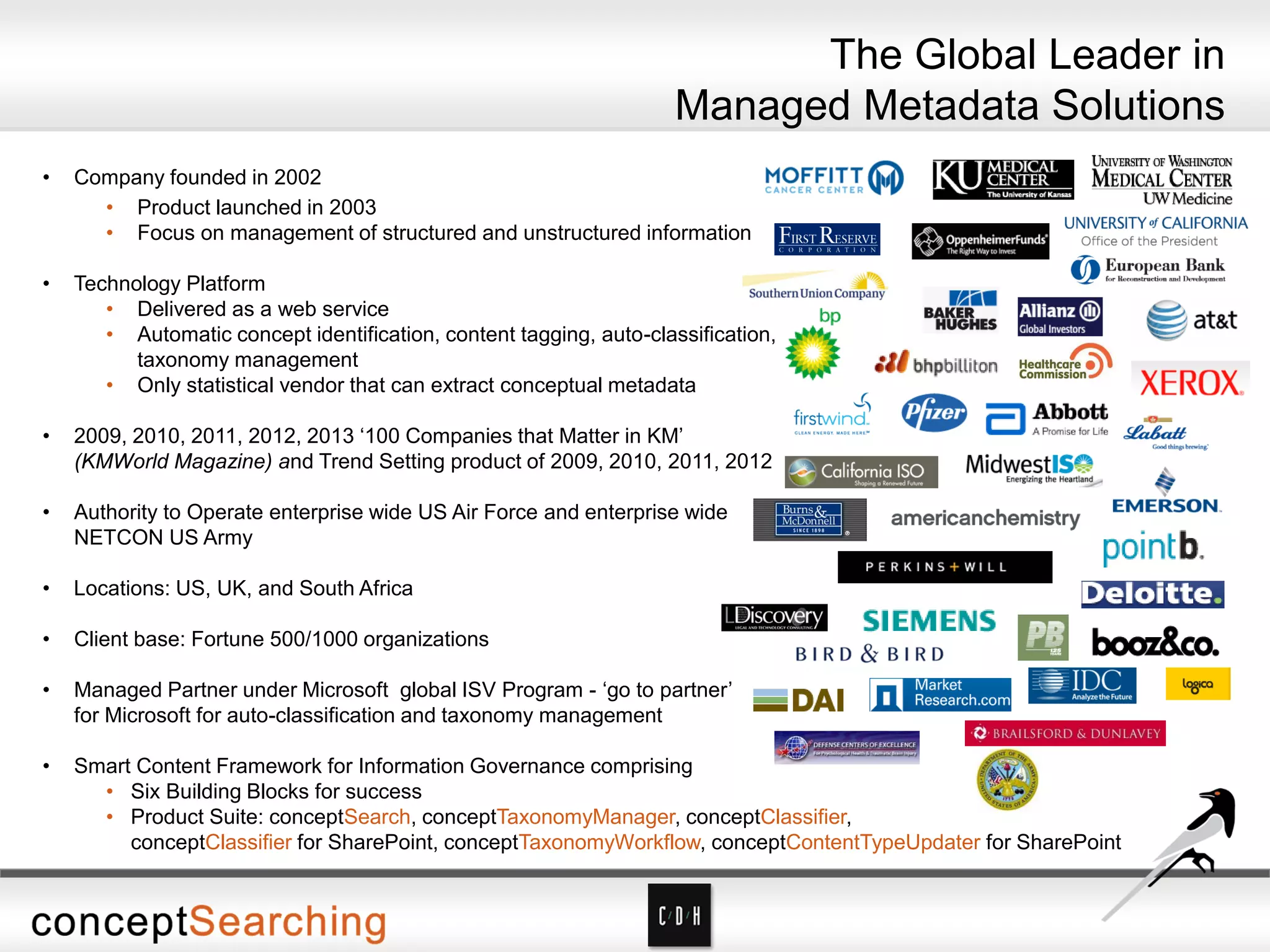
• Company founded in 2002
• Product launched in 2003
• Focus on management of structured and unstructured information
• Technology Platform
• Delivered as a web service
• Automatic concept identification, content tagging, auto-classification,
taxonomy management
• Only statistical vendor that can extract conceptual metadata
• 2009, 2010, 2011, 2012, 2013 ‘100 Companies that Matter in KM’
(KMWorld Magazine) and Trend Setting product of 2009, 2010, 2011, 2012
• Authority to Operate enterprise wide US Air Force and enterprise wide
NETCON US Army
• Locations: US, UK, and South Africa
• Client base: Fortune 500/1000 organizations
• Managed Partner under Microsoft global ISV Program - ‘go to partner’
for Microsoft for auto-classification and taxonomy management
• Smart Content Framework for Information Governance comprising
• Six Building Blocks for success
• Product Suite: conceptSearch, conceptTaxonomyManager, conceptClassifier,
conceptClassifier for SharePoint, conceptTaxonomyWorkflow, conceptContentTypeUpdater for SharePoint
The Global Leader in
Managed Metadata Solutions
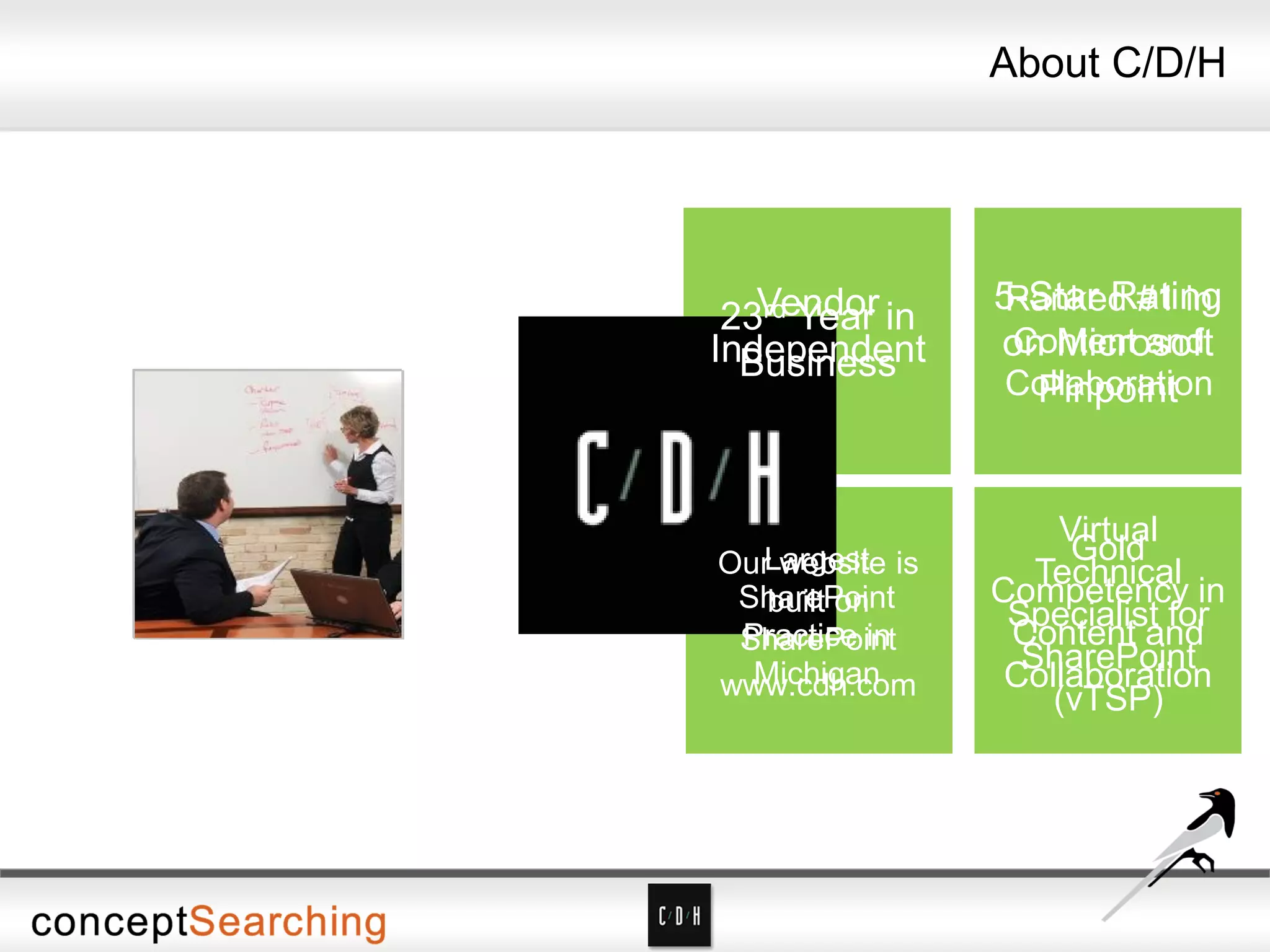
About C/D/H
About C/D/H
Non-reseller
Vendor
Independent
5-Star Rating
on Microsoft
Pinpoint
Gold
Competency in
Content and
Collaboration
23rd Year in
Business
Ranked #1 in
Content and
Collaboration
Virtual
Technical
Specialist for
SharePoint
(vTSP)
Largest
SharePoint
Practice in
Michigan
Our website is
built on
SharePoint
www.cdh.com
• ECM
• Content type syndication
• Managed Metadata
• Metadata default values by location
• Document Set content types
• ERM
• Unique document IDs
• Multi-stage retention and disposition
• File Plans (Content Organizer)
• In-place records
• Send to Records Center and optionally leave a link
• eDiscovery
• Legal Holds – but must be executed site by site
• In-place holds on items
About SharePoint 2010 ECM, ERM and eDiscovery
• ECM
• Drag and drop filing
• Bulk editing
• ERM
• Site-based retention and disposition
• eDiscovery
• eDiscovery Center = Enterprise-wide holds
• Exchange and Lync included
• eDiscovery export from SharePoint, Exchange, Lync, and file
shares.
• Site holds
• Content can be changed while held (careful!)
What’s New in SharePoint 2013 ECM, ERM and eDiscovery
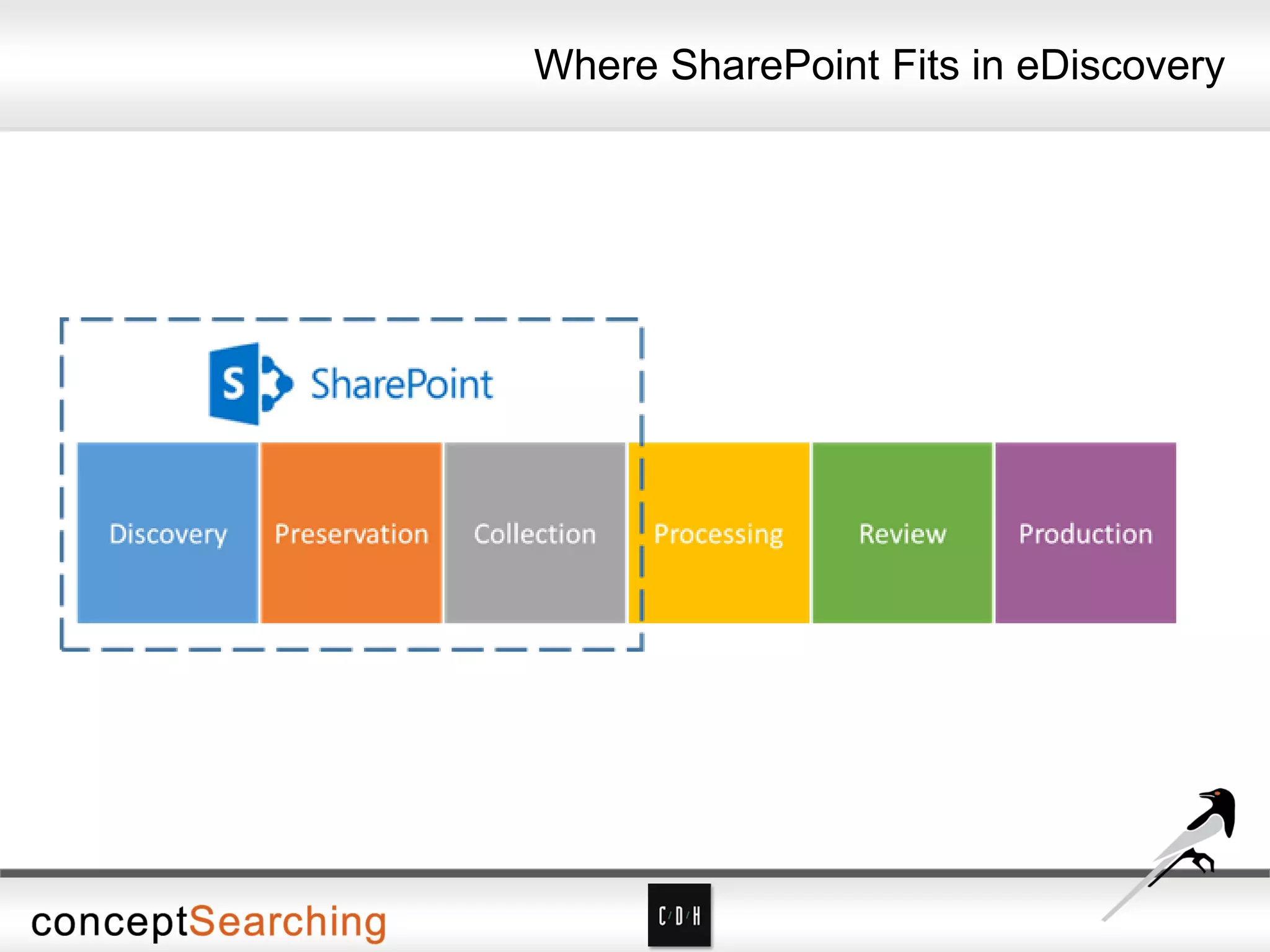
Where SharePoint Fits in eDiscovery
The Expensive Part
Attorney Processing and Review: Attorneys
determine which content will be provided to opposing
counsel.
“Discovery accounts for about 35% of total litigation
costs in the US…and is one of the top drivers for
moving email and documents into third party
archiving solutions. Given the growth of this area,
pure-play discovery software and discovery-enabled
are expected to be a $2.1b business by 2013”
Gartner
eDiscovery – The Rules
• If you have the requested information, you must produce it
• If you might have the requested information, you must find out – no
matter how difficult that is
• Responsive content that you can’t produce must have been
destroyed as part of a normal pre-defined business process – or you
are open to charges of spoliation
• Normal destruction processes must be suspended if a discovery
request is pending or imminent
• To use your own records in your defense, you must be able to show
they haven’t been altered from the time they became a record
(which may be from the time they were created)
• To claim attorney-client privilege on content, you must show
processes that reliably keep the information from being seen by
anyone else
What is Records Management?
The systematic control of records for their
entire life cycle
What is a Record?
A record is any evidence of what an organization does.
This can include but is not limited to:
• Contracts
• Correspondence
• Financial statements
• Personnel files
• Work product/Intellectual Property
Why Do Records Need to be Preserved or Destroyed?
• Preserved:
• Regulatory compliance
• Knowledge management
• Process consistency
• Destroyed
• Privacy of personal information
• Lowering costs of storage and administration
• (shhh!) Lowering eDiscovery risk!
Systematic Control
Predefined policies and procedures covering:
• Document types (including record types)
• Classification/metadata
• Planned storage locations
• File access/security
• File lifecycle or disposition
Other Elements of Control
• Identifying who is responsible and accountable for managing
records
• Communicating policies and procedures effectively
• Creating enterprise-wide classification schemas (taxonomies)
• Balancing complete and strict processes with usability
considerations
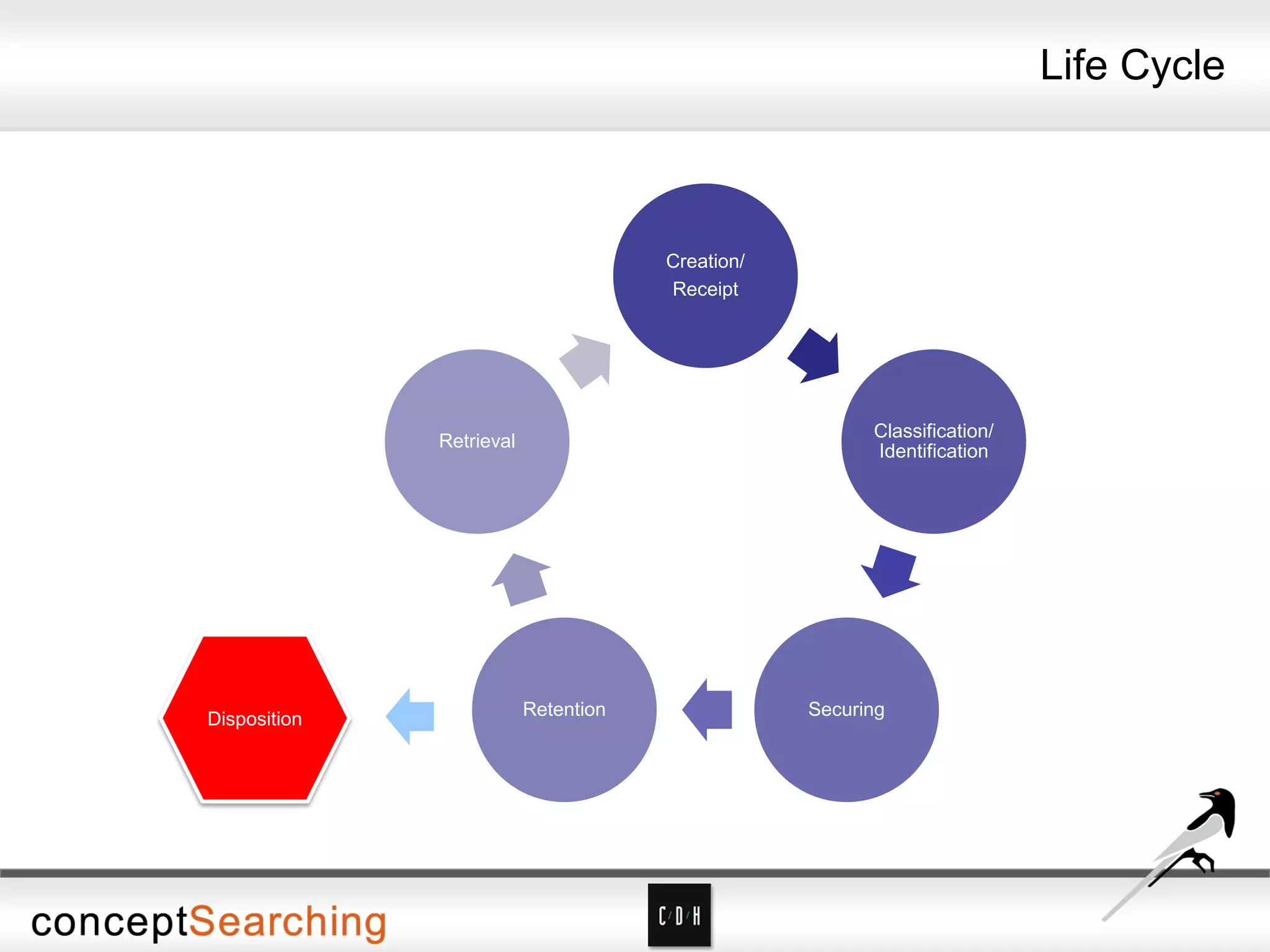
Life Cycle
Creation/
Receipt
Classification/
Identification
SecuringRetention
Retrieval
Disposition
Challenges to Control
• Most document repositories can’t provide some or all of the
Elements of Control, so identifying the right repository is key
• Since most organizations in practice will have multiple repositories,
integration is key – whether through automation or user interface
• Users will look for ways not to comply with processes, so a
four-pronged strategy is needed:
• Automation wherever possible
• Forceful communication of policies
• Simple user interfaces for classification and declaration of records
• Answering the “what’s in it for me” question
ERM Tips
• Keeping too much is as costly as keeping too little
• ERM is about control, not access
• eRecords archives ≠ Backups
• Content determines whether something is a record, not where it is
stored or how it is transported e.g. email
• Policies are more important than technology – although technology
is a critical enabler
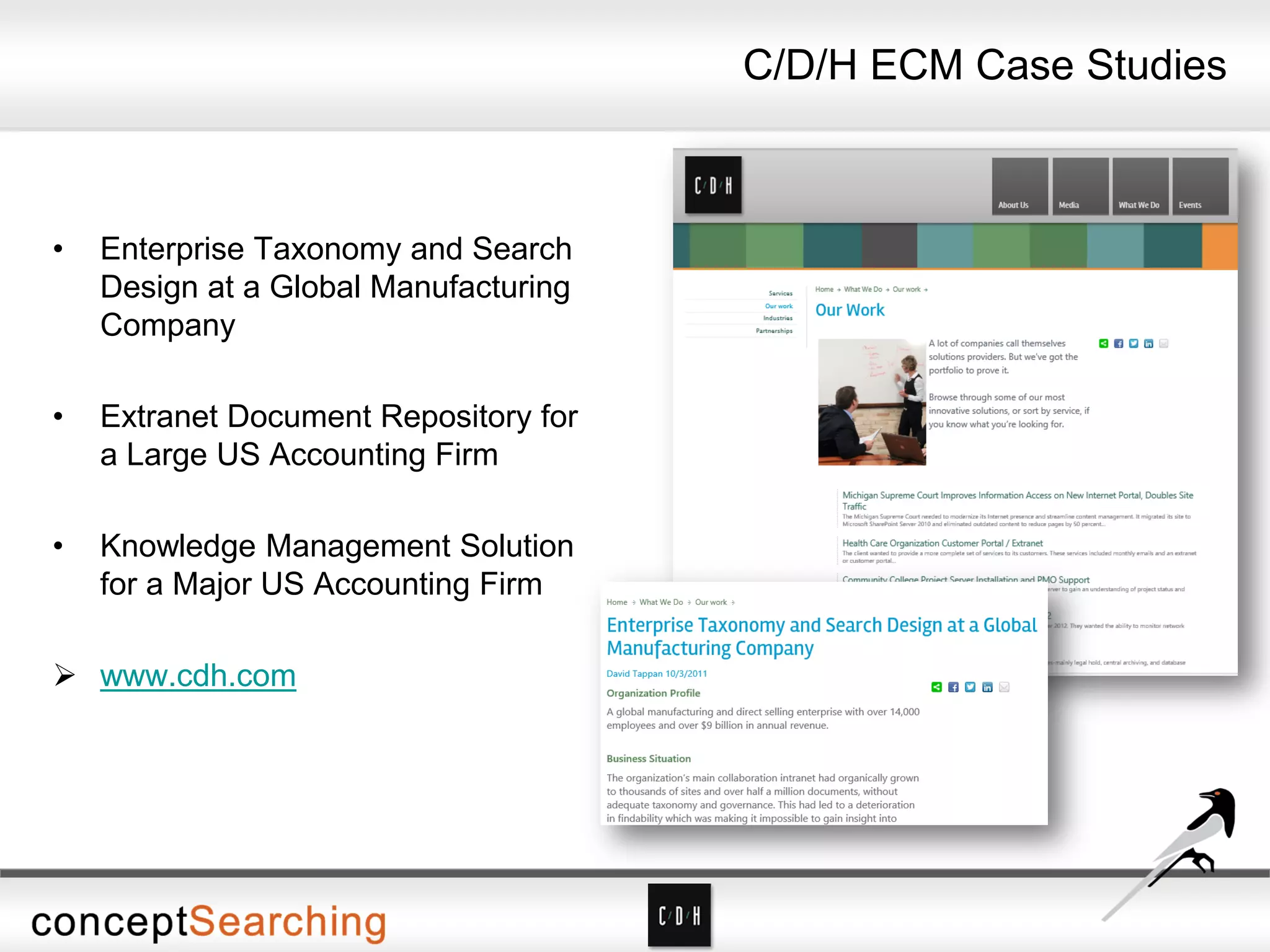
• Enterprise Taxonomy and Search
Design at a Global Manufacturing
Company
• Extranet Document Repository for
a Large US Accounting Firm
• Knowledge Management Solution
for a Major US Accounting Firm
 www.cdh.com
C/D/H ECM Case Studies
Protecting Corporate Memory
• Perceptions
• Low priority
• Responsibility of small group of specialists
• Failure looks like
• End user adoption
• Difficult interfaces, complex processes, and disparate tools
• Lack of integration with overall information governance plan
• Lack of policy enforcement
• Widespread non-compliance issues
• Success looks like
• Suits the organization’s workflow
• Easily adaptable by end users
• Easily integrated into end users’ daily activities
• Transparent
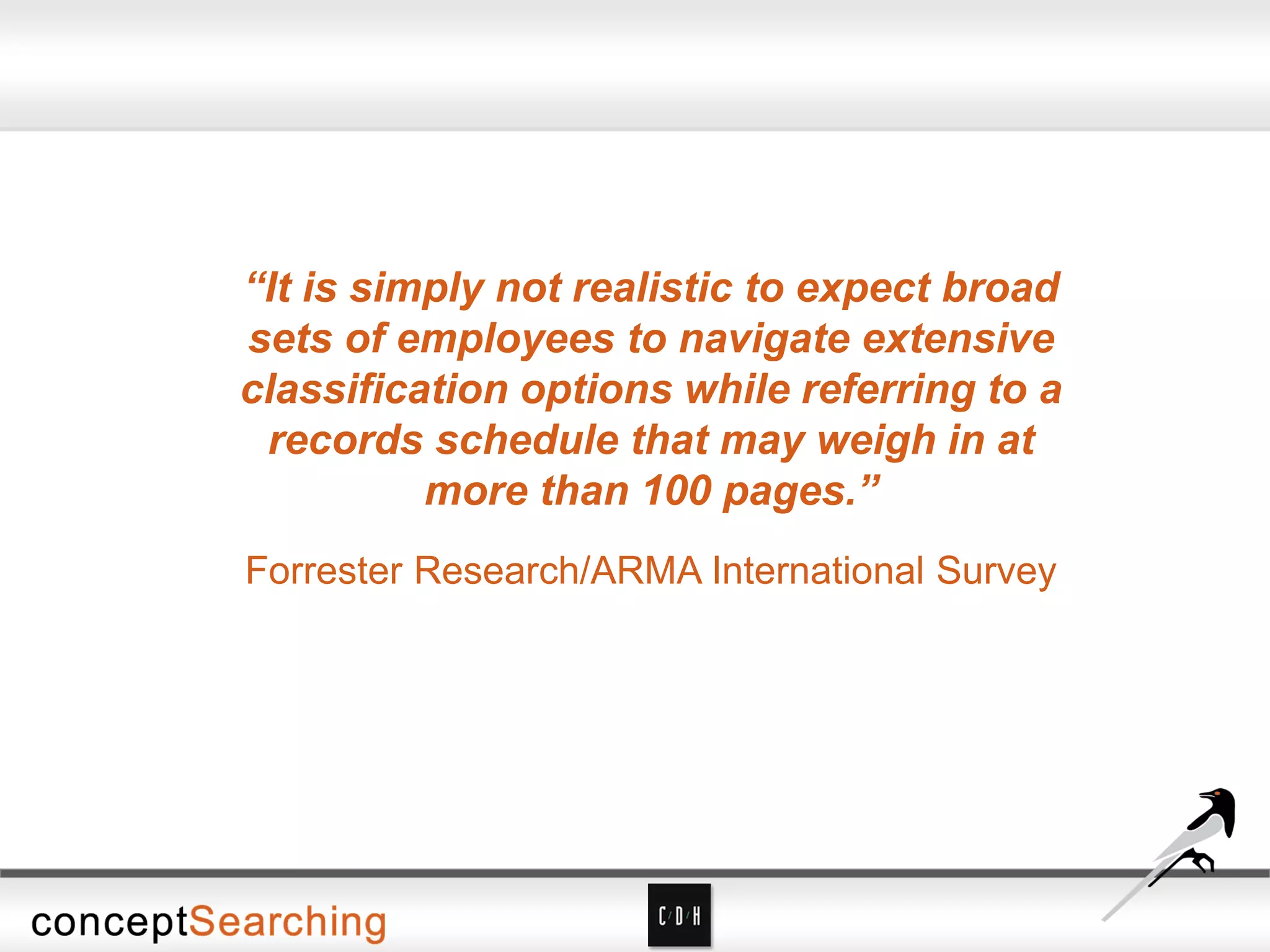
“It is simply not realistic to expect broad
sets of employees to navigate extensive
classification options while referring to a
records schedule that may weigh in at
more than 100 pages.”
Forrester Research/ARMA International Survey
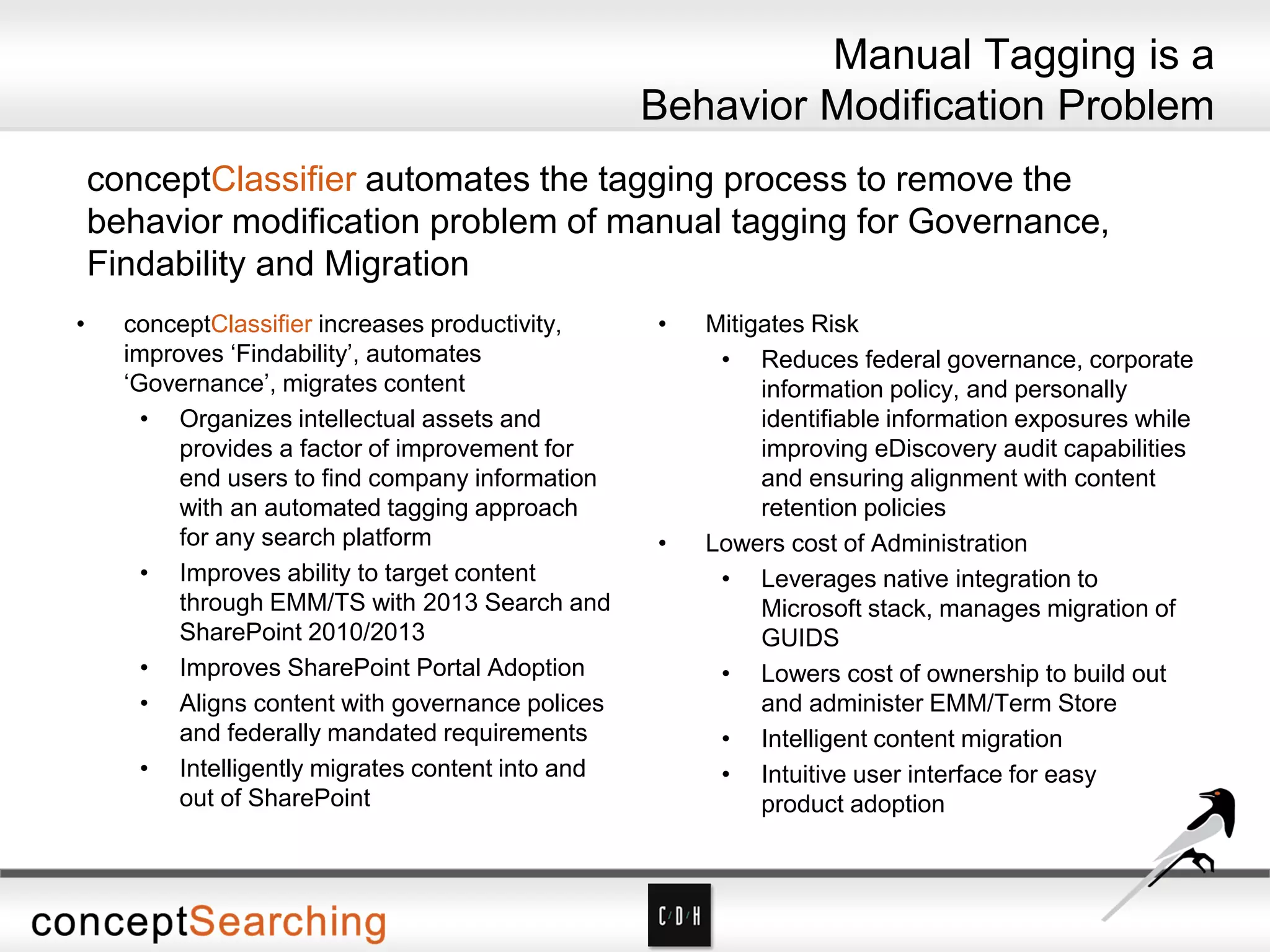
Manual Tagging is a
Behavior Modification Problem
conceptClassifier automates the tagging process to remove the
behavior modification problem of manual tagging for Governance,
Findability and Migration
• conceptClassifier increases productivity,
improves ‘Findability’, automates
‘Governance’, migrates content
• Organizes intellectual assets and
provides a factor of improvement for
end users to find company information
with an automated tagging approach
for any search platform
• Improves ability to target content
through EMM/TS with 2013 Search and
SharePoint 2010/2013
• Improves SharePoint Portal Adoption
• Aligns content with governance polices
and federally mandated requirements
• Intelligently migrates content into and
out of SharePoint
• Mitigates Risk
• Reduces federal governance, corporate
information policy, and personally
identifiable information exposures while
improving eDiscovery audit capabilities
and ensuring alignment with content
retention policies
• Lowers cost of Administration
• Leverages native integration to
Microsoft stack, manages migration of
GUIDS
• Lowers cost of ownership to build out
and administer EMM/Term Store
• Intelligent content migration
• Intuitive user interface for easy
product adoption
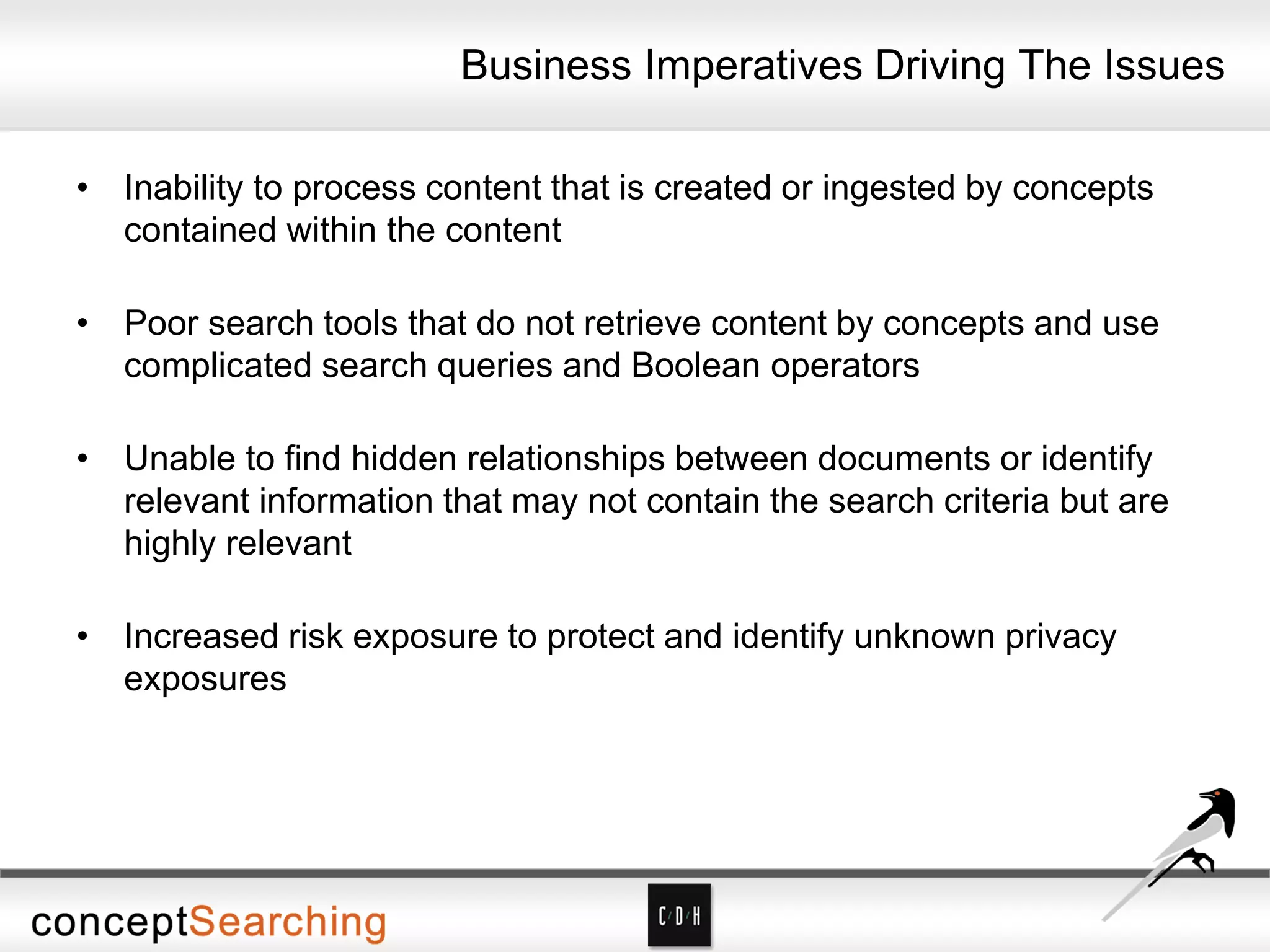
Business Imperatives Driving The Issues
• Inability to process content that is created or ingested by concepts
contained within the content
• Poor search tools that do not retrieve content by concepts and use
complicated search queries and Boolean operators
• Unable to find hidden relationships between documents or identify
relevant information that may not contain the search criteria but are
highly relevant
• Increased risk exposure to protect and identify unknown privacy
exposures
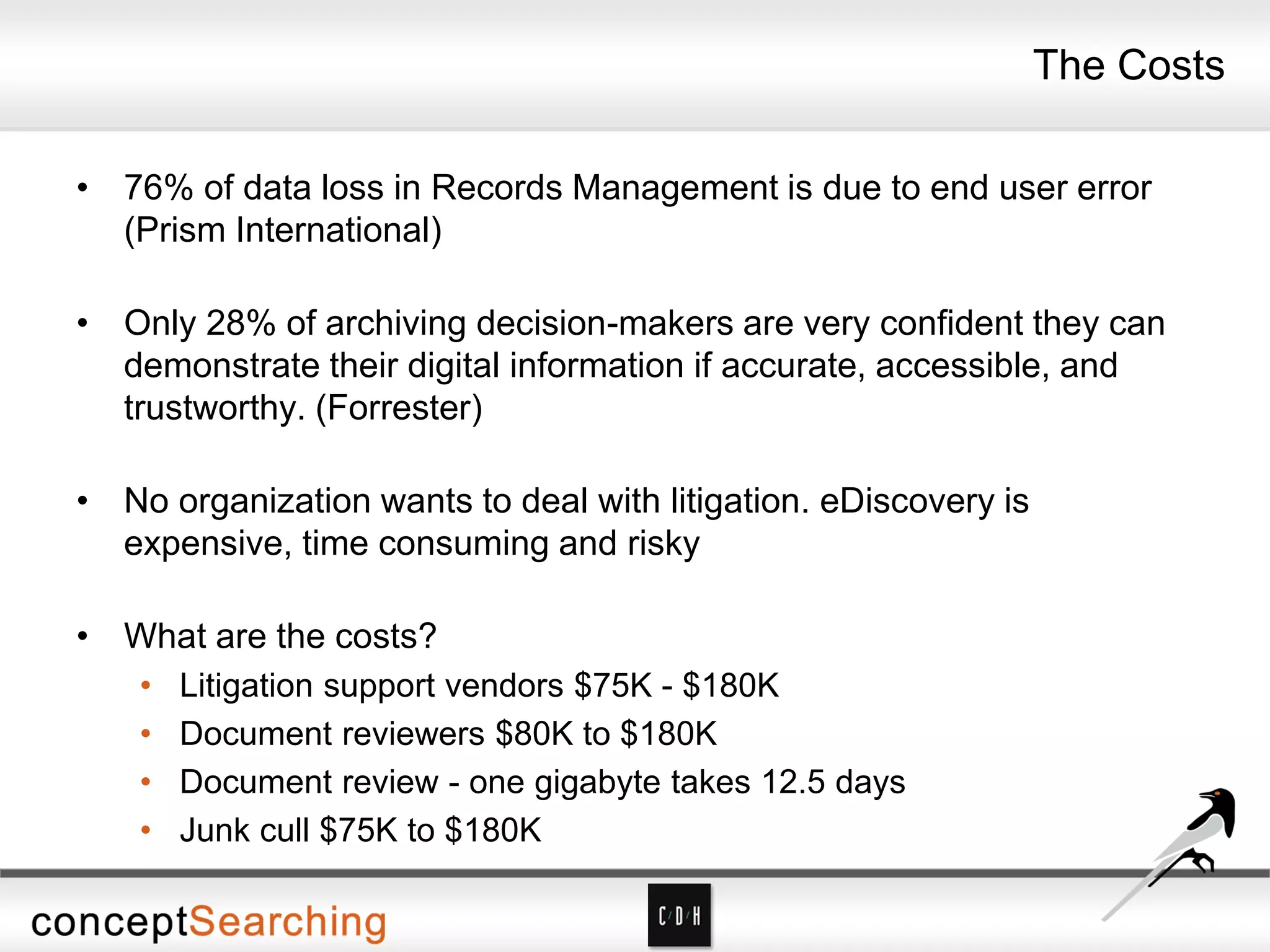
The Costs
• 76% of data loss in Records Management is due to end user error
(Prism International)
• Only 28% of archiving decision-makers are very confident they can
demonstrate their digital information if accurate, accessible, and
trustworthy. (Forrester)
• No organization wants to deal with litigation. eDiscovery is
expensive, time consuming and risky
• What are the costs?
• Litigation support vendors $75K - $180K
• Document reviewers $80K to $180K
• Document review - one gigabyte takes 12.5 days
• Junk cull $75K to $180K
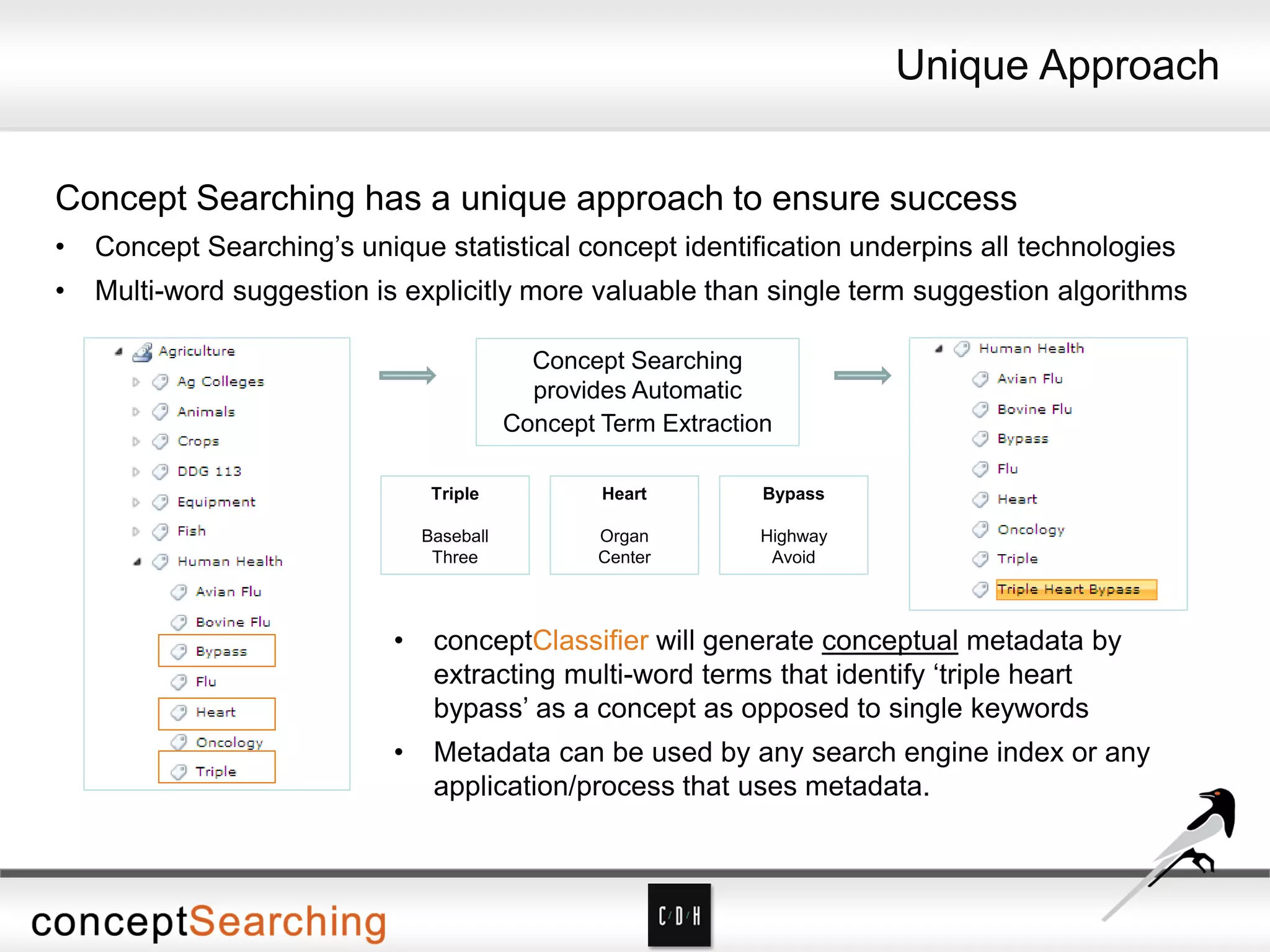
• Concept Searching’s unique statistical concept identification underpins all technologies
• Multi-word suggestion is explicitly more valuable than single term suggestion algorithms
Concept Searching has a unique approach to ensure success
• conceptClassifier will generate conceptual metadata by
extracting multi-word terms that identify ‘triple heart
bypass’ as a concept as opposed to single keywords
• Metadata can be used by any search engine index or any
application/process that uses metadata.
Concept Searching
provides Automatic
Concept Term Extraction
Triple
Baseball
Three
Heart
Organ
Center
Bypass
Highway
Avoid
Unique Approach
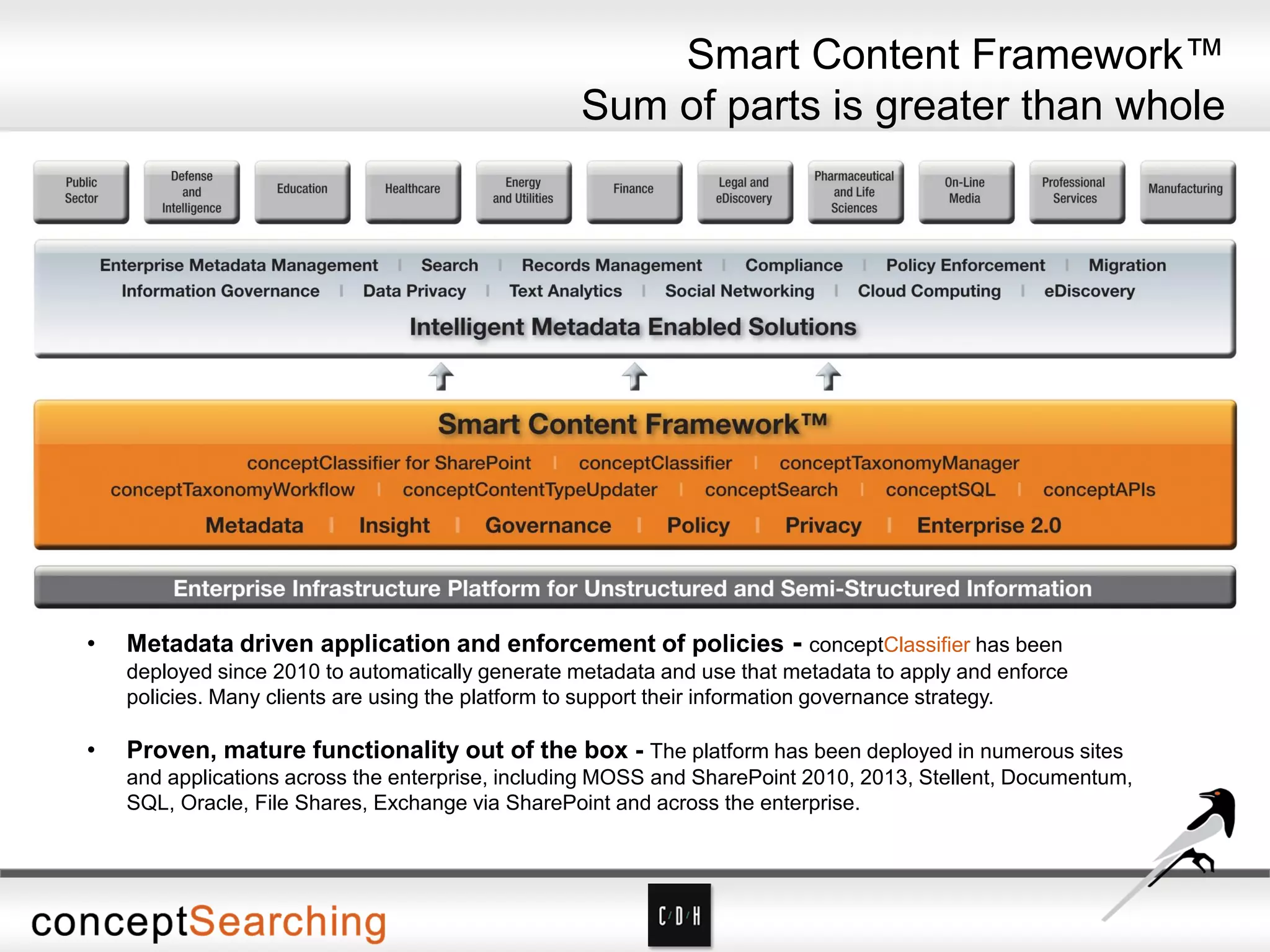
• Metadata driven application and enforcement of policies - conceptClassifier has been
deployed since 2010 to automatically generate metadata and use that metadata to apply and enforce
policies. Many clients are using the platform to support their information governance strategy.
• Proven, mature functionality out of the box - The platform has been deployed in numerous sites
and applications across the enterprise, including MOSS and SharePoint 2010, 2013, Stellent, Documentum,
SQL, Oracle, File Shares, Exchange via SharePoint and across the enterprise.
Smart Content Framework™
Sum of parts is greater than whole
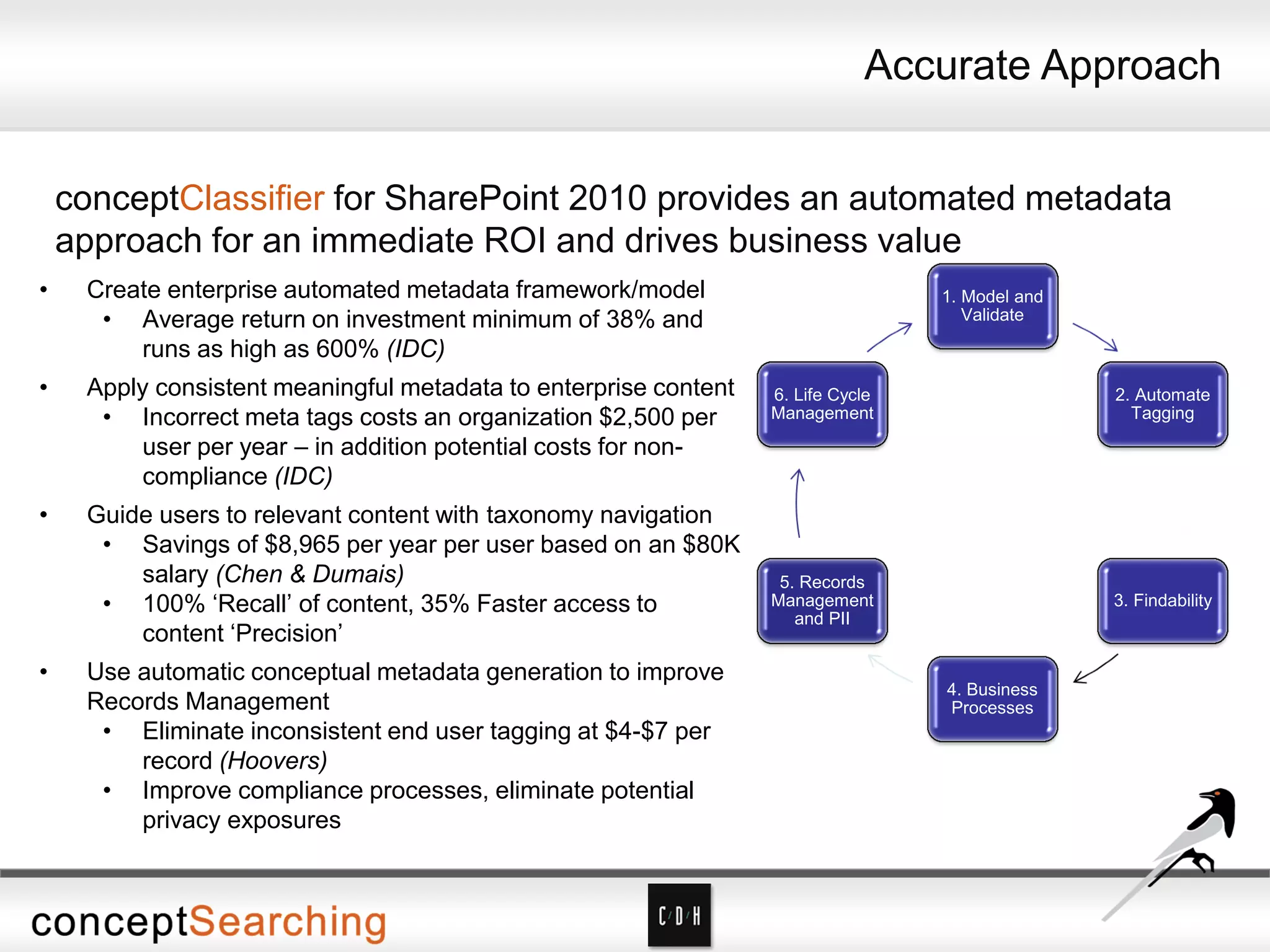
• Create enterprise automated metadata framework/model
• Average return on investment minimum of 38% and
runs as high as 600% (IDC)
• Apply consistent meaningful metadata to enterprise content
• Incorrect meta tags costs an organization $2,500 per
user per year – in addition potential costs for non-
compliance (IDC)
• Guide users to relevant content with taxonomy navigation
• Savings of $8,965 per year per user based on an $80K
salary (Chen & Dumais)
• 100% ‘Recall’ of content, 35% Faster access to
content ‘Precision’
• Use automatic conceptual metadata generation to improve
Records Management
• Eliminate inconsistent end user tagging at $4-$7 per
record (Hoovers)
• Improve compliance processes, eliminate potential
privacy exposures
1. Model and
Validate
2. Automate
Tagging
3. Findability
4. Business
Processes
5. Records
Management
and PII
6. Life Cycle
Management
conceptClassifier for SharePoint 2010 provides an automated metadata
approach for an immediate ROI and drives business value
Accurate Approach
Concept Searching
Demonstration
What’s the End Result?
• Concept Searching’s expertise in semantic metadata generation,
auto-classification, and taxonomy management, and C/D/H’s
experience in designing, developing and deploying powerful Microsoft
SharePoint intranet, extranet, and public web solutions
• Intelligent metadata-enabled solutions to address key challenges in
enterprise search across disperse boundaries, records management,
data privacy, migration, and content management in secure and
complex environments
For a comprehensive demo of the combined solution and discussion of
expected ROI, please contact Don Miller at Concept Searching
or David Tappan at C/D/H
Thank You
Don Miller
Vice President of Sales
Concept Searching
donm@conceptsearching.com
Twitter @conceptsearch
David Tappan
SharePoint Consultant
C/D/H
davidt@cdh.com
Twitter @cdhtweetstech

Reduce Cost, Time, and Risk – eDiscovery and Records Management in SharePoint

  • 1.
    Reduce Cost, Time,and Risk – eDiscovery and Records Management in SharePoint Don Miller Vice President of Sales Concept Searching donm@conceptsearching.com Twitter @conceptsearch David Tappan SharePoint Consultant C/D/H davidt@cdh.com Twitter @cdhtweetstech
  • 2.
    Expert Speakers David Tappan– SharePoint Consultant at C/D/H is an AIIM IOAp and MCITP in SharePoint with 10 years’ experience in designing portals for content management and collaboration. He has written and presented many times on leveraging SharePoint for ECM and ERM. Don Miller – Vice President of Sales at Concept Searching has over 20 years’ experience in knowledge management. He is a frequent speaker on records management, and information architecture challenges and solutions, and has been a guest speaker at Taxonomy Boot Camp, and numerous SharePoint events about information organization and records management.
  • 3.
    Agenda • Introductions • C/D/H •Background on built-in ERM and eDiscovery capabilities in SharePoint • Records Management/eDiscovery Tips and Pitfalls • Concept Searching • Corporate Memory • It’s a Behavior Issue • Our Approach and Technologies • Demonstration • Next Steps
  • 4.
    • Company foundedin 2002 • Product launched in 2003 • Focus on management of structured and unstructured information • Technology Platform • Delivered as a web service • Automatic concept identification, content tagging, auto-classification, taxonomy management • Only statistical vendor that can extract conceptual metadata • 2009, 2010, 2011, 2012, 2013 ‘100 Companies that Matter in KM’ (KMWorld Magazine) and Trend Setting product of 2009, 2010, 2011, 2012 • Authority to Operate enterprise wide US Air Force and enterprise wide NETCON US Army • Locations: US, UK, and South Africa • Client base: Fortune 500/1000 organizations • Managed Partner under Microsoft global ISV Program - ‘go to partner’ for Microsoft for auto-classification and taxonomy management • Smart Content Framework for Information Governance comprising • Six Building Blocks for success • Product Suite: conceptSearch, conceptTaxonomyManager, conceptClassifier, conceptClassifier for SharePoint, conceptTaxonomyWorkflow, conceptContentTypeUpdater for SharePoint The Global Leader in Managed Metadata Solutions
  • 5.
    About C/D/H About C/D/H Non-reseller Vendor Independent 5-StarRating on Microsoft Pinpoint Gold Competency in Content and Collaboration 23rd Year in Business Ranked #1 in Content and Collaboration Virtual Technical Specialist for SharePoint (vTSP) Largest SharePoint Practice in Michigan Our website is built on SharePoint www.cdh.com
  • 6.
    • ECM • Contenttype syndication • Managed Metadata • Metadata default values by location • Document Set content types • ERM • Unique document IDs • Multi-stage retention and disposition • File Plans (Content Organizer) • In-place records • Send to Records Center and optionally leave a link • eDiscovery • Legal Holds – but must be executed site by site • In-place holds on items About SharePoint 2010 ECM, ERM and eDiscovery
  • 7.
    • ECM • Dragand drop filing • Bulk editing • ERM • Site-based retention and disposition • eDiscovery • eDiscovery Center = Enterprise-wide holds • Exchange and Lync included • eDiscovery export from SharePoint, Exchange, Lync, and file shares. • Site holds • Content can be changed while held (careful!) What’s New in SharePoint 2013 ECM, ERM and eDiscovery
  • 8.
    Where SharePoint Fitsin eDiscovery
  • 9.
    The Expensive Part AttorneyProcessing and Review: Attorneys determine which content will be provided to opposing counsel. “Discovery accounts for about 35% of total litigation costs in the US…and is one of the top drivers for moving email and documents into third party archiving solutions. Given the growth of this area, pure-play discovery software and discovery-enabled are expected to be a $2.1b business by 2013” Gartner
  • 10.
    eDiscovery – TheRules • If you have the requested information, you must produce it • If you might have the requested information, you must find out – no matter how difficult that is • Responsive content that you can’t produce must have been destroyed as part of a normal pre-defined business process – or you are open to charges of spoliation • Normal destruction processes must be suspended if a discovery request is pending or imminent • To use your own records in your defense, you must be able to show they haven’t been altered from the time they became a record (which may be from the time they were created) • To claim attorney-client privilege on content, you must show processes that reliably keep the information from being seen by anyone else
  • 11.
    What is RecordsManagement? The systematic control of records for their entire life cycle
  • 12.
    What is aRecord? A record is any evidence of what an organization does. This can include but is not limited to: • Contracts • Correspondence • Financial statements • Personnel files • Work product/Intellectual Property
  • 13.
    Why Do RecordsNeed to be Preserved or Destroyed? • Preserved: • Regulatory compliance • Knowledge management • Process consistency • Destroyed • Privacy of personal information • Lowering costs of storage and administration • (shhh!) Lowering eDiscovery risk!
  • 14.
    Systematic Control Predefined policiesand procedures covering: • Document types (including record types) • Classification/metadata • Planned storage locations • File access/security • File lifecycle or disposition
  • 15.
    Other Elements ofControl • Identifying who is responsible and accountable for managing records • Communicating policies and procedures effectively • Creating enterprise-wide classification schemas (taxonomies) • Balancing complete and strict processes with usability considerations
  • 16.
  • 17.
    Challenges to Control •Most document repositories can’t provide some or all of the Elements of Control, so identifying the right repository is key • Since most organizations in practice will have multiple repositories, integration is key – whether through automation or user interface • Users will look for ways not to comply with processes, so a four-pronged strategy is needed: • Automation wherever possible • Forceful communication of policies • Simple user interfaces for classification and declaration of records • Answering the “what’s in it for me” question
  • 18.
    ERM Tips • Keepingtoo much is as costly as keeping too little • ERM is about control, not access • eRecords archives ≠ Backups • Content determines whether something is a record, not where it is stored or how it is transported e.g. email • Policies are more important than technology – although technology is a critical enabler
  • 19.
    • Enterprise Taxonomyand Search Design at a Global Manufacturing Company • Extranet Document Repository for a Large US Accounting Firm • Knowledge Management Solution for a Major US Accounting Firm  www.cdh.com C/D/H ECM Case Studies
  • 20.
    Protecting Corporate Memory •Perceptions • Low priority • Responsibility of small group of specialists • Failure looks like • End user adoption • Difficult interfaces, complex processes, and disparate tools • Lack of integration with overall information governance plan • Lack of policy enforcement • Widespread non-compliance issues • Success looks like • Suits the organization’s workflow • Easily adaptable by end users • Easily integrated into end users’ daily activities • Transparent
  • 21.
    “It is simplynot realistic to expect broad sets of employees to navigate extensive classification options while referring to a records schedule that may weigh in at more than 100 pages.” Forrester Research/ARMA International Survey
  • 22.
    Manual Tagging isa Behavior Modification Problem conceptClassifier automates the tagging process to remove the behavior modification problem of manual tagging for Governance, Findability and Migration • conceptClassifier increases productivity, improves ‘Findability’, automates ‘Governance’, migrates content • Organizes intellectual assets and provides a factor of improvement for end users to find company information with an automated tagging approach for any search platform • Improves ability to target content through EMM/TS with 2013 Search and SharePoint 2010/2013 • Improves SharePoint Portal Adoption • Aligns content with governance polices and federally mandated requirements • Intelligently migrates content into and out of SharePoint • Mitigates Risk • Reduces federal governance, corporate information policy, and personally identifiable information exposures while improving eDiscovery audit capabilities and ensuring alignment with content retention policies • Lowers cost of Administration • Leverages native integration to Microsoft stack, manages migration of GUIDS • Lowers cost of ownership to build out and administer EMM/Term Store • Intelligent content migration • Intuitive user interface for easy product adoption
  • 23.
    Business Imperatives DrivingThe Issues • Inability to process content that is created or ingested by concepts contained within the content • Poor search tools that do not retrieve content by concepts and use complicated search queries and Boolean operators • Unable to find hidden relationships between documents or identify relevant information that may not contain the search criteria but are highly relevant • Increased risk exposure to protect and identify unknown privacy exposures
  • 24.
    The Costs • 76%of data loss in Records Management is due to end user error (Prism International) • Only 28% of archiving decision-makers are very confident they can demonstrate their digital information if accurate, accessible, and trustworthy. (Forrester) • No organization wants to deal with litigation. eDiscovery is expensive, time consuming and risky • What are the costs? • Litigation support vendors $75K - $180K • Document reviewers $80K to $180K • Document review - one gigabyte takes 12.5 days • Junk cull $75K to $180K
  • 25.
    • Concept Searching’sunique statistical concept identification underpins all technologies • Multi-word suggestion is explicitly more valuable than single term suggestion algorithms Concept Searching has a unique approach to ensure success • conceptClassifier will generate conceptual metadata by extracting multi-word terms that identify ‘triple heart bypass’ as a concept as opposed to single keywords • Metadata can be used by any search engine index or any application/process that uses metadata. Concept Searching provides Automatic Concept Term Extraction Triple Baseball Three Heart Organ Center Bypass Highway Avoid Unique Approach
  • 26.
    • Metadata drivenapplication and enforcement of policies - conceptClassifier has been deployed since 2010 to automatically generate metadata and use that metadata to apply and enforce policies. Many clients are using the platform to support their information governance strategy. • Proven, mature functionality out of the box - The platform has been deployed in numerous sites and applications across the enterprise, including MOSS and SharePoint 2010, 2013, Stellent, Documentum, SQL, Oracle, File Shares, Exchange via SharePoint and across the enterprise. Smart Content Framework™ Sum of parts is greater than whole
  • 27.
    • Create enterpriseautomated metadata framework/model • Average return on investment minimum of 38% and runs as high as 600% (IDC) • Apply consistent meaningful metadata to enterprise content • Incorrect meta tags costs an organization $2,500 per user per year – in addition potential costs for non- compliance (IDC) • Guide users to relevant content with taxonomy navigation • Savings of $8,965 per year per user based on an $80K salary (Chen & Dumais) • 100% ‘Recall’ of content, 35% Faster access to content ‘Precision’ • Use automatic conceptual metadata generation to improve Records Management • Eliminate inconsistent end user tagging at $4-$7 per record (Hoovers) • Improve compliance processes, eliminate potential privacy exposures 1. Model and Validate 2. Automate Tagging 3. Findability 4. Business Processes 5. Records Management and PII 6. Life Cycle Management conceptClassifier for SharePoint 2010 provides an automated metadata approach for an immediate ROI and drives business value Accurate Approach
  • 28.
  • 29.
    What’s the EndResult? • Concept Searching’s expertise in semantic metadata generation, auto-classification, and taxonomy management, and C/D/H’s experience in designing, developing and deploying powerful Microsoft SharePoint intranet, extranet, and public web solutions • Intelligent metadata-enabled solutions to address key challenges in enterprise search across disperse boundaries, records management, data privacy, migration, and content management in secure and complex environments For a comprehensive demo of the combined solution and discussion of expected ROI, please contact Don Miller at Concept Searching or David Tappan at C/D/H
  • 30.
    Thank You Don Miller VicePresident of Sales Concept Searching donm@conceptsearching.com Twitter @conceptsearch David Tappan SharePoint Consultant C/D/H davidt@cdh.com Twitter @cdhtweetstech