
© Concept Searching 2016
Coexist or Integrate?
How Add-ins Deliver an Integrated Environment to Manage
Unstructured Content from Diverse Repositories and
Environments, and Benefit Your Bottom Line
Steve Mann
Vice President of Sales
Concept Searching
stevem@conceptsearching.com
www.conceptsearching.com
marketing@conceptsearching.com
Twitter @conceptsearch
© Concept Searching 2016
Agenda
• Welcome
• Who we are
• What we do
• Add-ins
• Types
• Trends
• Characteristics
• Process improvements
• Add-ins vs SharePoint applications
• Justification and benefits
• Questions
© Concept Searching 2016
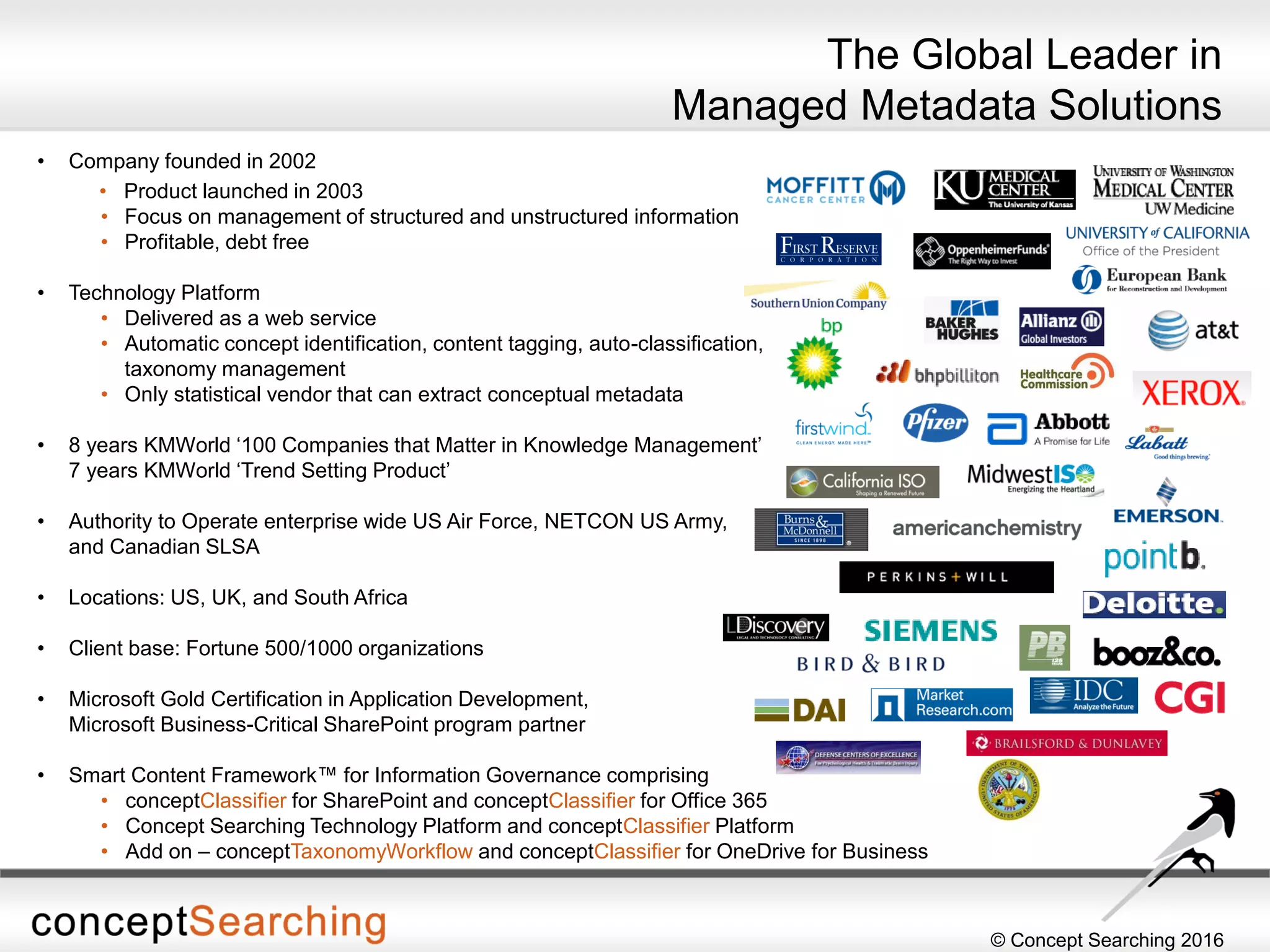
• Company founded in 2002
• Product launched in 2003
• Focus on management of structured and unstructured information
• Profitable, debt free
• Technology Platform
• Delivered as a web service
• Automatic concept identification, content tagging, auto-classification,
taxonomy management
• Only statistical vendor that can extract conceptual metadata
• 8 years KMWorld ‘100 Companies that Matter in Knowledge Management’
7 years KMWorld ‘Trend Setting Product’
• Authority to Operate enterprise wide US Air Force, NETCON US Army,
and Canadian SLSA
• Locations: US, UK, and South Africa
• Client base: Fortune 500/1000 organizations
• Microsoft Gold Certification in Application Development,
Microsoft Business-Critical SharePoint program partner
• Smart Content Framework™ for Information Governance comprising
• conceptClassifier for SharePoint and conceptClassifier for Office 365
• Concept Searching Technology Platform and conceptClassifier Platform
• Add on – conceptTaxonomyWorkflow and conceptClassifier for OneDrive for Business
The Global Leader in
Managed Metadata Solutions
© Concept Searching 2016
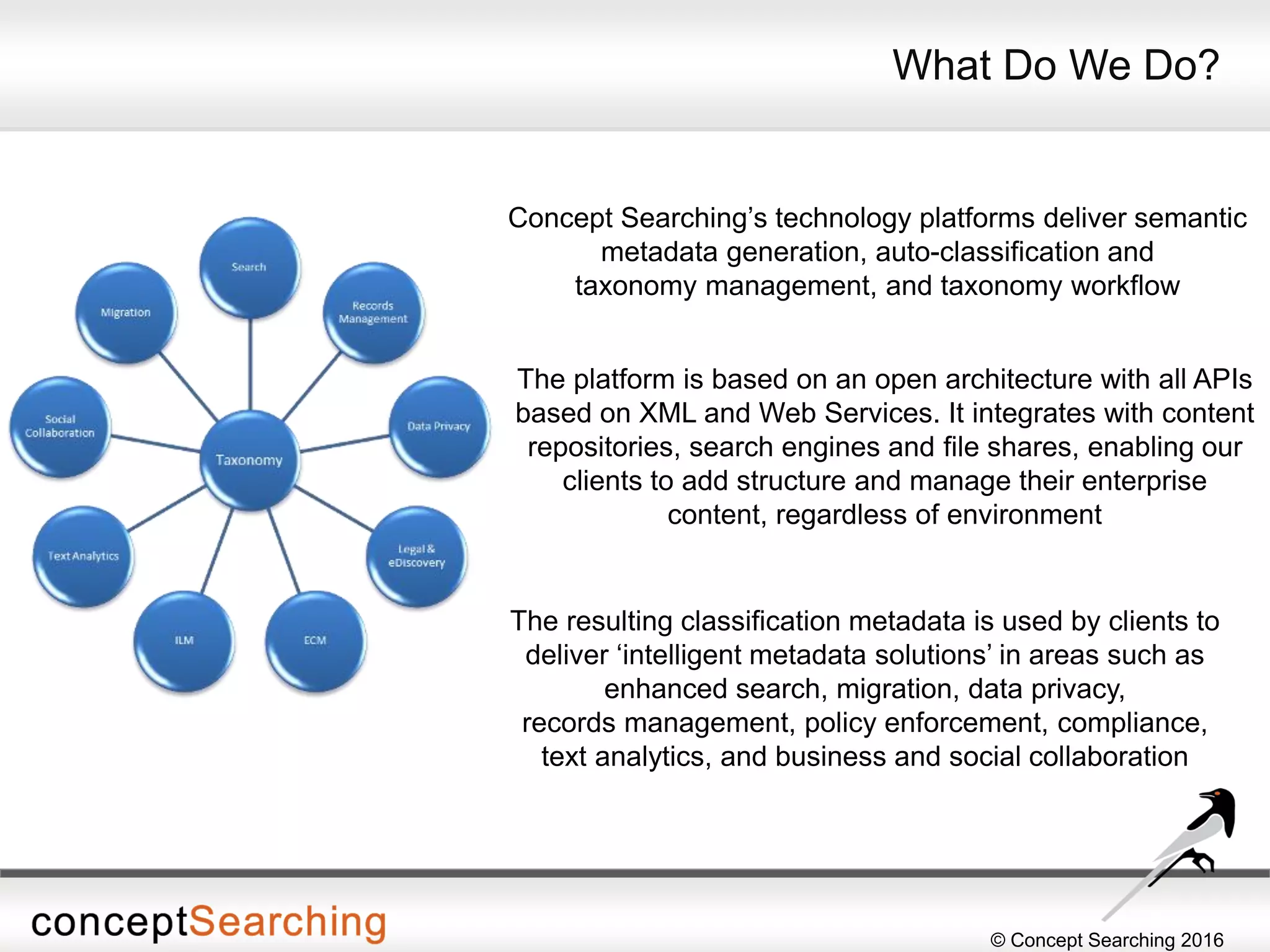
Concept Searching’s technology platforms deliver semantic
metadata generation, auto-classification and
taxonomy management, and taxonomy workflow
What Do We Do?
The resulting classification metadata is used by clients to
deliver ‘intelligent metadata solutions’ in areas such as
enhanced search, migration, data privacy,
records management, policy enforcement, compliance,
text analytics, and business and social collaboration
The platform is based on an open architecture with all APIs
based on XML and Web Services. It integrates with content
repositories, search engines and file shares, enabling our
clients to add structure and manage their enterprise
content, regardless of environment
© Concept Searching 2016
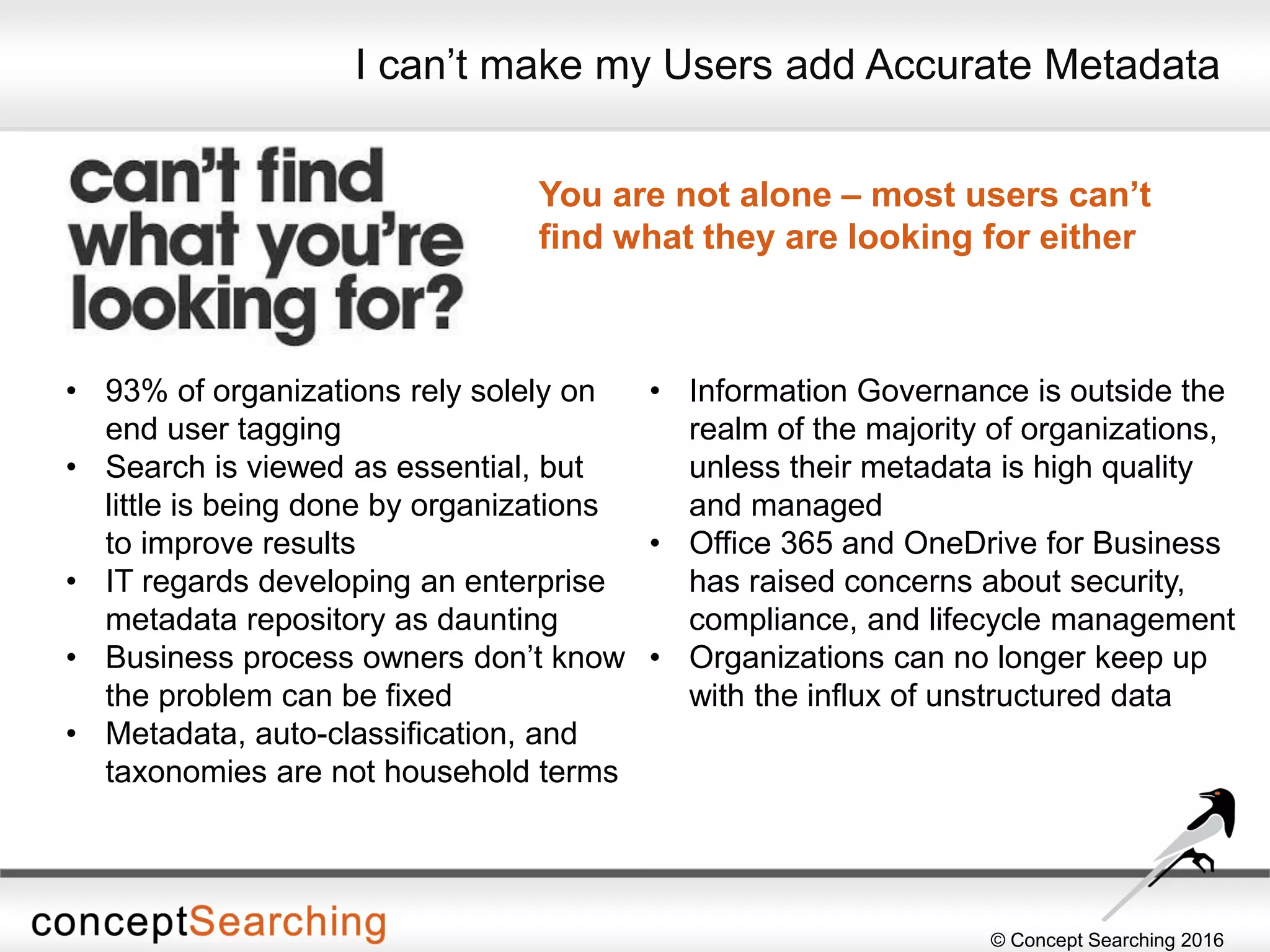
I can’t make my Users add Accurate Metadata
You are not alone – most users can’t
find what they are looking for either
• 93% of organizations rely solely on
end user tagging
• Search is viewed as essential, but
little is being done by organizations
to improve results
• IT regards developing an enterprise
metadata repository as daunting
• Business process owners don’t know
the problem can be fixed
• Metadata, auto-classification, and
taxonomies are not household terms
• Information Governance is outside the
realm of the majority of organizations,
unless their metadata is high quality
and managed
• Office 365 and OneDrive for Business
has raised concerns about security,
compliance, and lifecycle management
• Organizations can no longer keep up
with the influx of unstructured data
© Concept Searching 2016
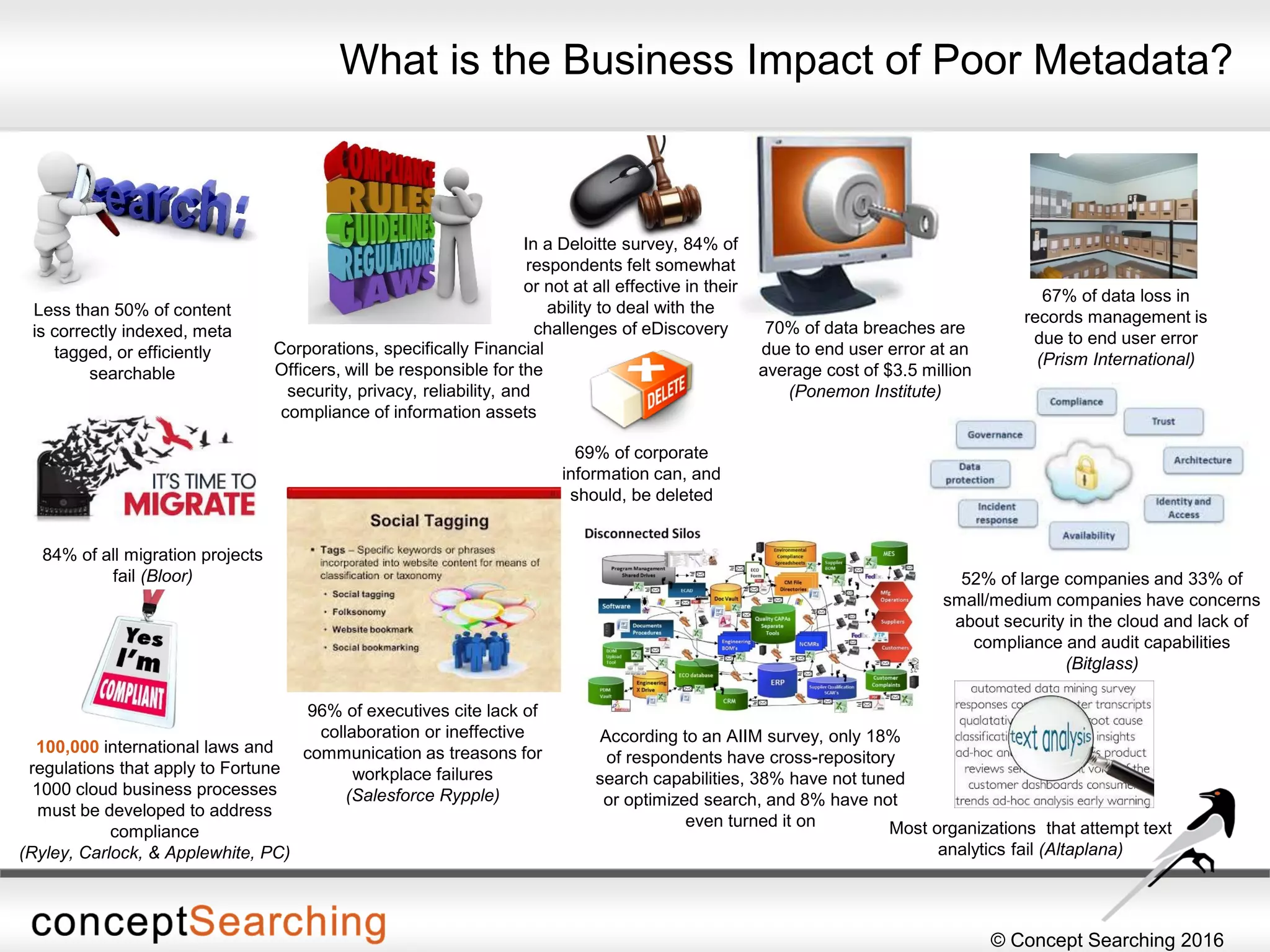
52% of large companies and 33% of
small/medium companies have concerns
about security in the cloud and lack of
compliance and audit capabilities
(Bitglass)
What is the Business Impact of Poor Metadata?
Corporations, specifically Financial
Officers, will be responsible for the
security, privacy, reliability, and
compliance of information assets
Less than 50% of content
is correctly indexed, meta
tagged, or efficiently
searchable
67% of data loss in
records management is
due to end user error
(Prism International)
70% of data breaches are
due to end user error at an
average cost of $3.5 million
(Ponemon Institute)
69% of corporate
information can, and
should, be deleted
100,000 international laws and
regulations that apply to Fortune
1000 cloud business processes
must be developed to address
compliance
(Ryley, Carlock, & Applewhite, PC)
In a Deloitte survey, 84% of
respondents felt somewhat
or not at all effective in their
ability to deal with the
challenges of eDiscovery
84% of all migration projects
fail (Bloor)
According to an AIIM survey, only 18%
of respondents have cross-repository
search capabilities, 38% have not tuned
or optimized search, and 8% have not
even turned it on
96% of executives cite lack of
collaboration or ineffective
communication as treasons for
workplace failures
(Salesforce Rypple)
Most organizations that attempt text
analytics fail (Altaplana)
© Concept Searching 2016
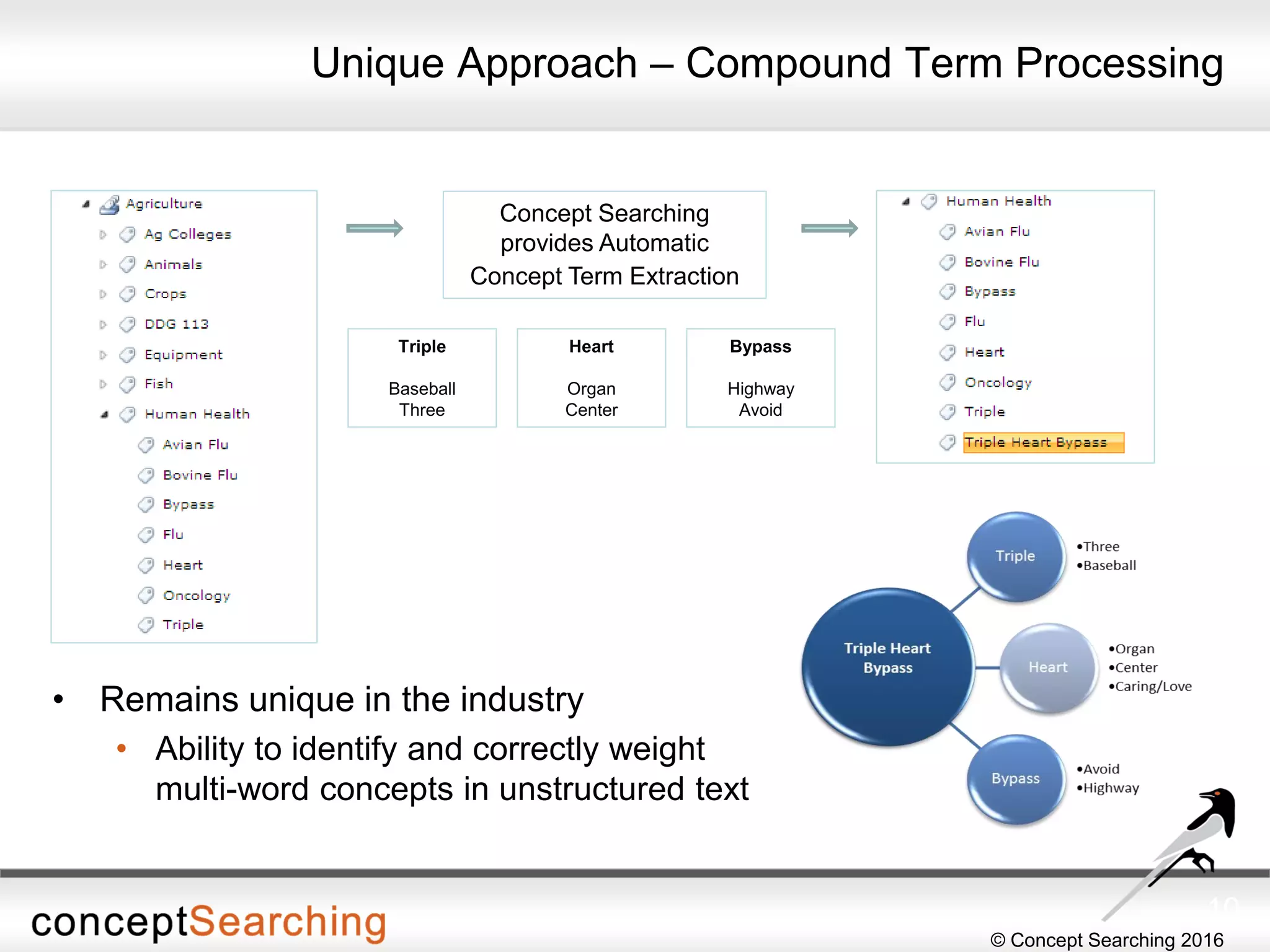
Unique Approach – Compound Term Processing
• Remains unique in the industry
• Ability to identify and correctly weight
multi-word concepts in unstructured text
10
Concept Searching
provides Automatic
Concept Term Extraction
Triple
Baseball
Three
Heart
Organ
Center
Bypass
Highway
Avoid
© Concept Searching 2016
Couple leading edge software with Microsoft technology enhancements
to SharePoint and it becomes a win-win for business and IT
© Concept Searching 2016
What is an Add-in?
• SharePoint Add-ins are self-contained extensions of SharePoint
websites that you create and run without custom code on the
SharePoint server
• All SharePoint Add-ins are self-contained pieces of functionality
• Add-ins don't have custom code that runs on the SharePoint server
• Business logic in a SharePoint Add-in can access SharePoint data
through one of the several client APIs included in SharePoint
• Almost all major types of SharePoint components can be part of a
SharePoint Add-in
• The SharePoint websites where SharePoint Add-ins are installed, and
from which users launch them, are called host webs
© Concept Searching 2016
Add-ins and SharePoint Websites
• SharePoint Add-ins can fit into a SharePoint website in several ways
• As an immersive full-page experience
• As part of a webpage, using a special kind of control called an add-in part
• As UI commands that extend ribbons and menus
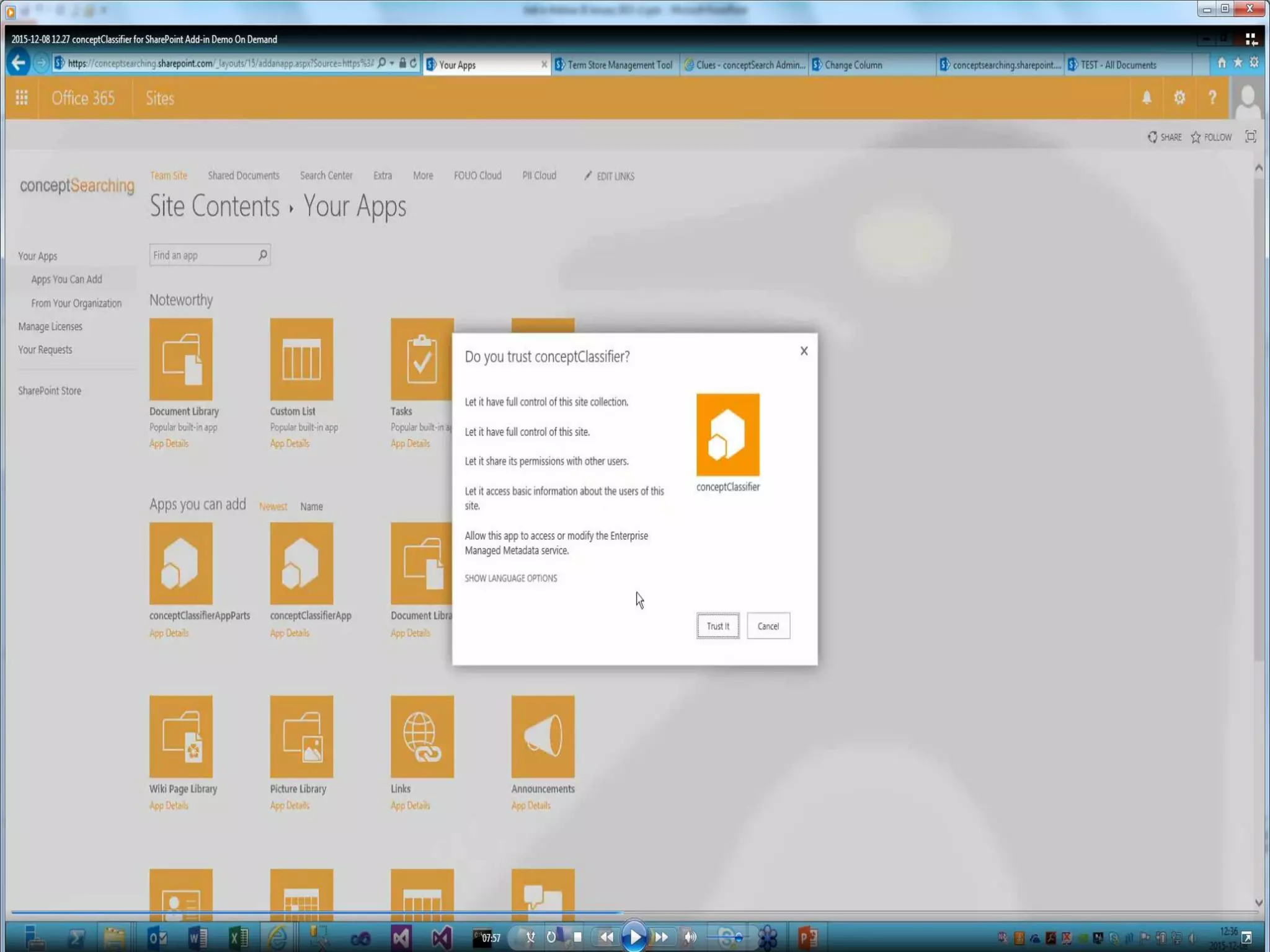
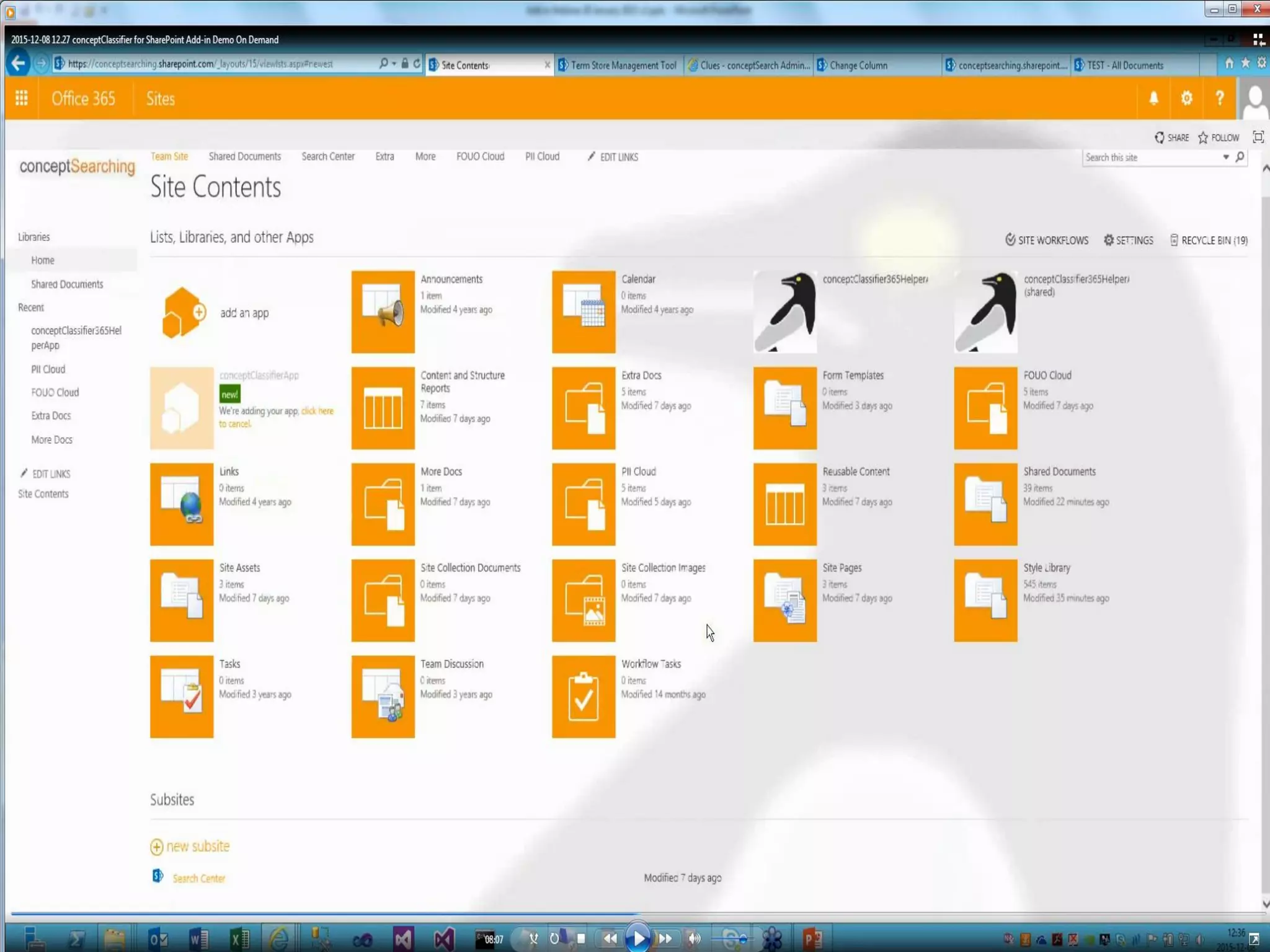
• All SharePoint Add-ins that users install get a tile on the Site Contents
page of the SharePoint website – clicking the tile runs the add-in
• A SharePoint Add-in is configured using an add-in manifest – an XML file
that declares the add-in’s basic properties
• You distribute SharePoint Add-ins in add-in packages that always include
at least the add-in manifest – add-in packages can also include Office
Add-ins
© Concept Searching 2016
Why Consider Add-ins?
• Why should I care?
• SharePoint Online (Office 365) does not support farm models – if you are
planning to customize SharePoint you will need an add-in
• What does an add-in buy you?
• Greatly reduces the risk of impacting the performance of SharePoint
Server farms
• Improves the stability and reduces the operational cost of the SharePoint
Server farm
• Can scale out the application without scaling out the entire SharePoint
Server farm
• Does not require dedicated farms for customizations due to application
isolation
• Does not require downtime for SharePoint to deploy updates
• More flexible deployment patterns to improve agility and reduce time
to market for the business and end users
© Concept Searching 2016
What are the Advantages of Add-ins?
• Allow customers/SIs to leverage standard web development skills over
much harder to obtain SharePoint development skills that have
traditionally been employed
• Will run in both SharePoint Server and SharePoint Online
• Give administrators the safest SharePoint extensions
• Maximize flexibility in developing future upgrades
• Integrate cloud-based resources in simplified and more flexible ways
• Enable your extension to have permissions that are distinct from the
permissions of the user who is running the add-in
• Enable you to use cross-platform standards, including HTML, REST,
OData, JavaScript, and OAuth
© Concept Searching 2016
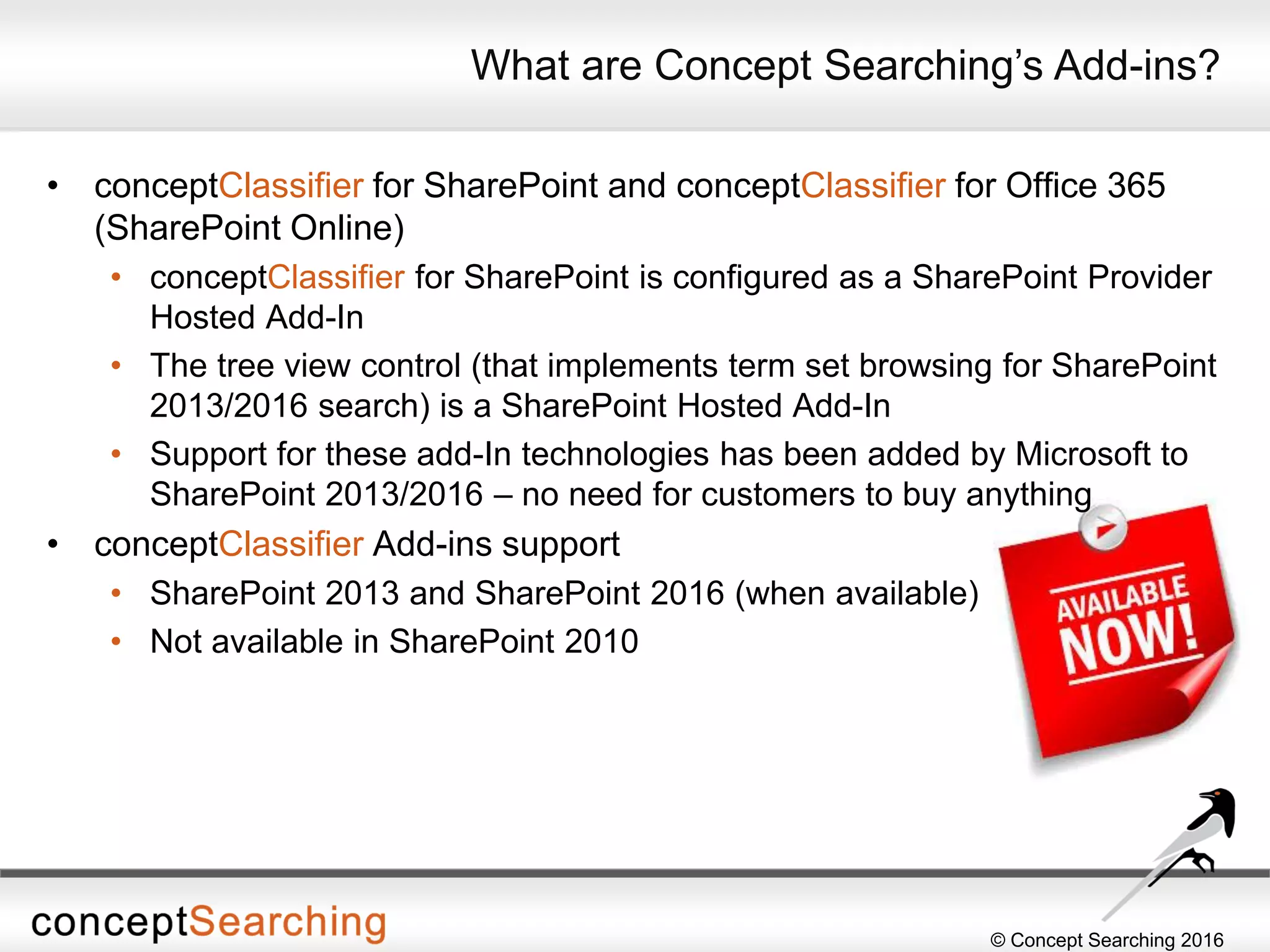
• conceptClassifier for SharePoint and conceptClassifier for Office 365
(SharePoint Online)
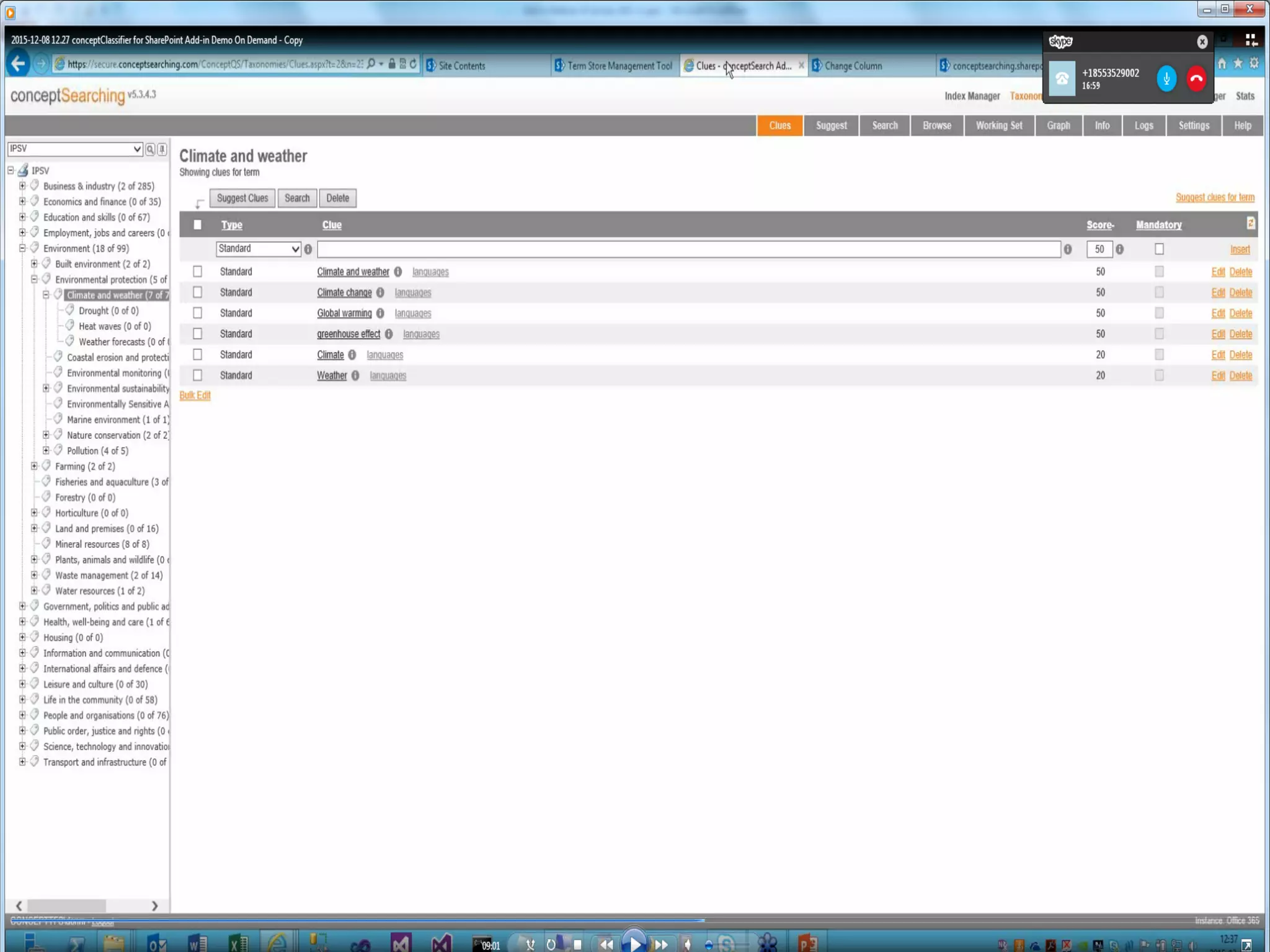
• conceptClassifier for SharePoint is configured as a SharePoint Provider
Hosted Add-In
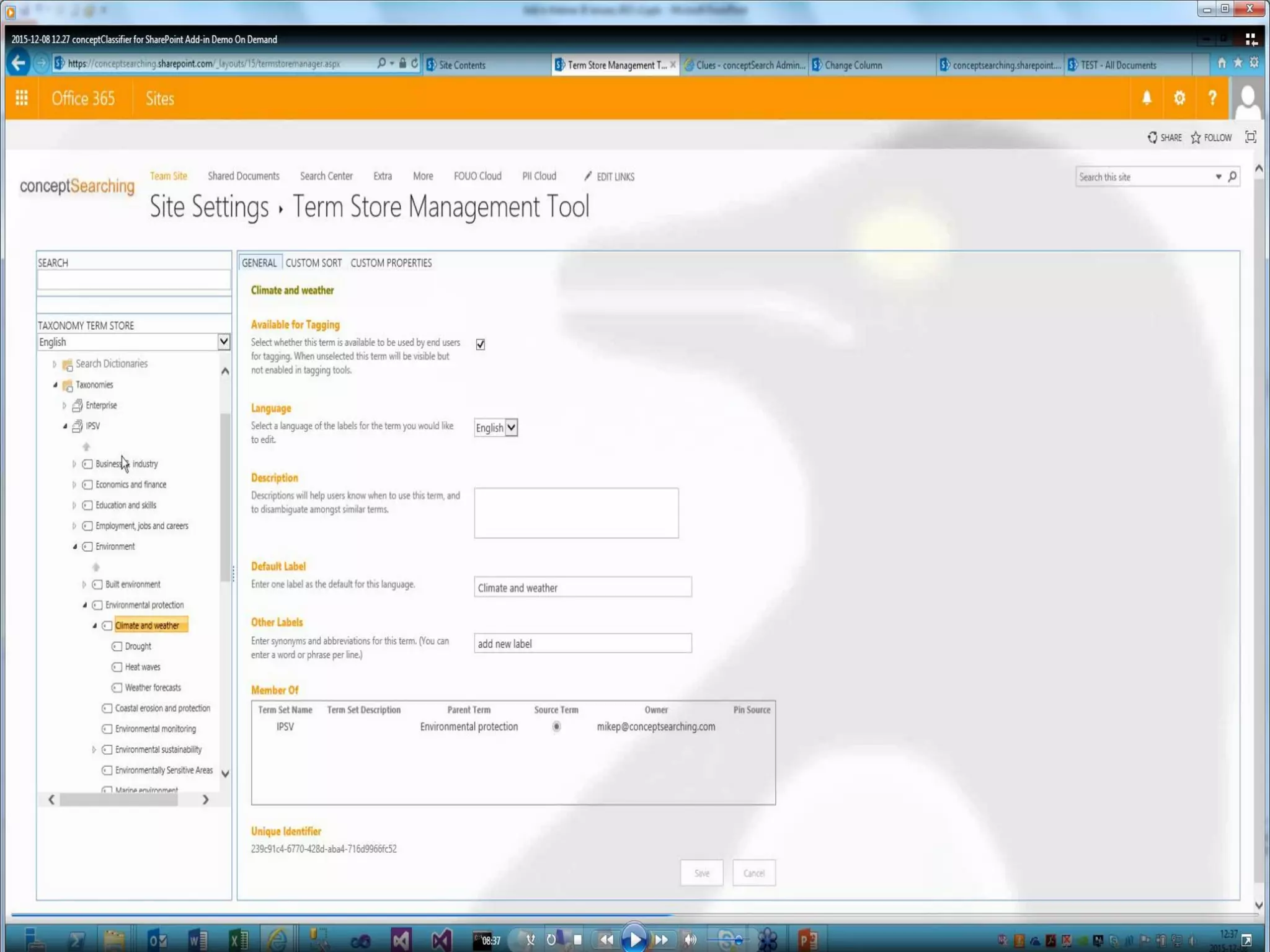
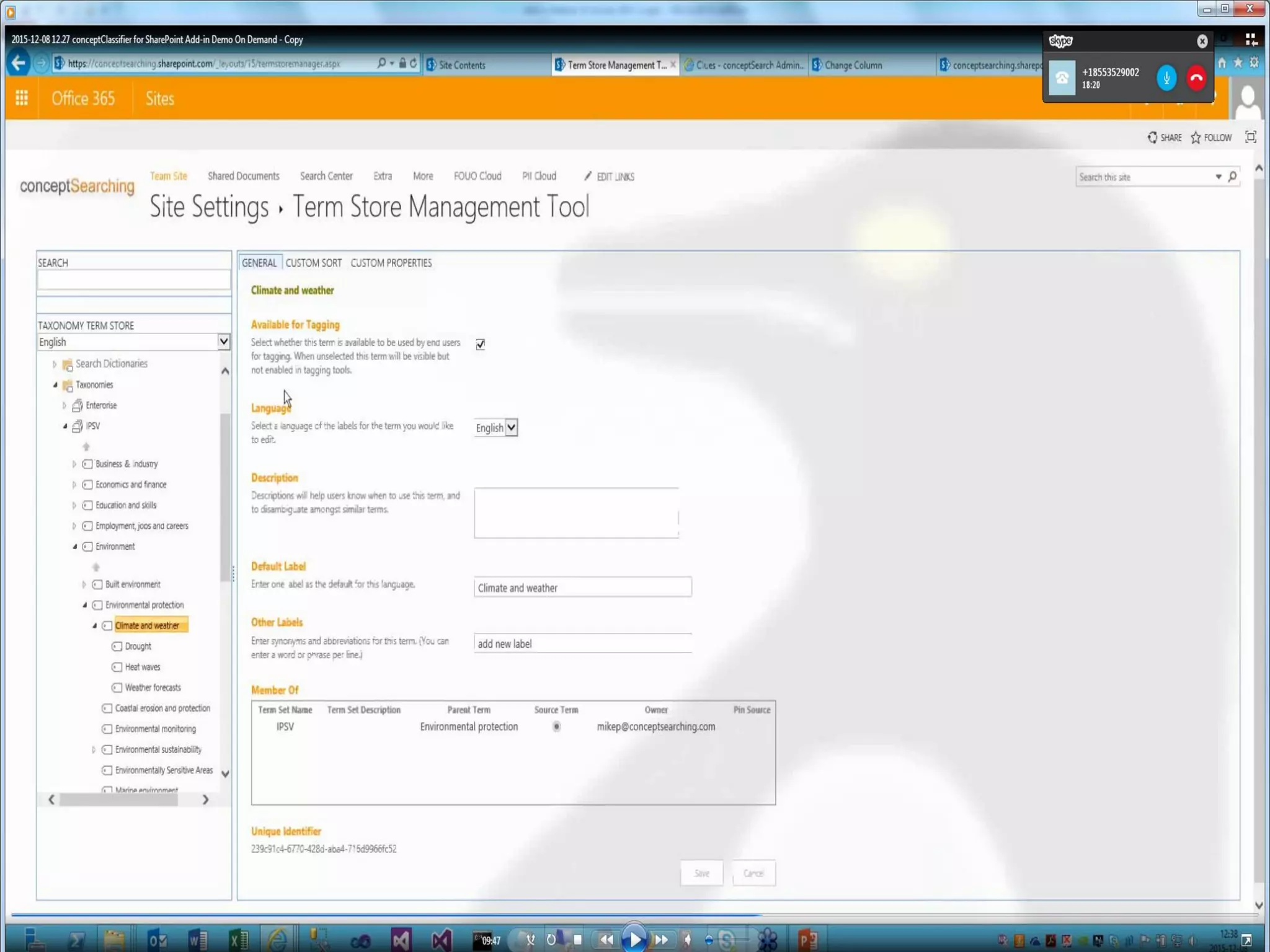
• The tree view control (that implements term set browsing for SharePoint
2013/2016 search) is a SharePoint Hosted Add-In
• Support for these add-In technologies has been added by Microsoft to
SharePoint 2013/2016 – no need for customers to buy anything
• conceptClassifier Add-ins support
• SharePoint 2013 and SharePoint 2016 (when available)
• Not available in SharePoint 2010
What are Concept Searching’s Add-ins?
© Concept Searching 2016
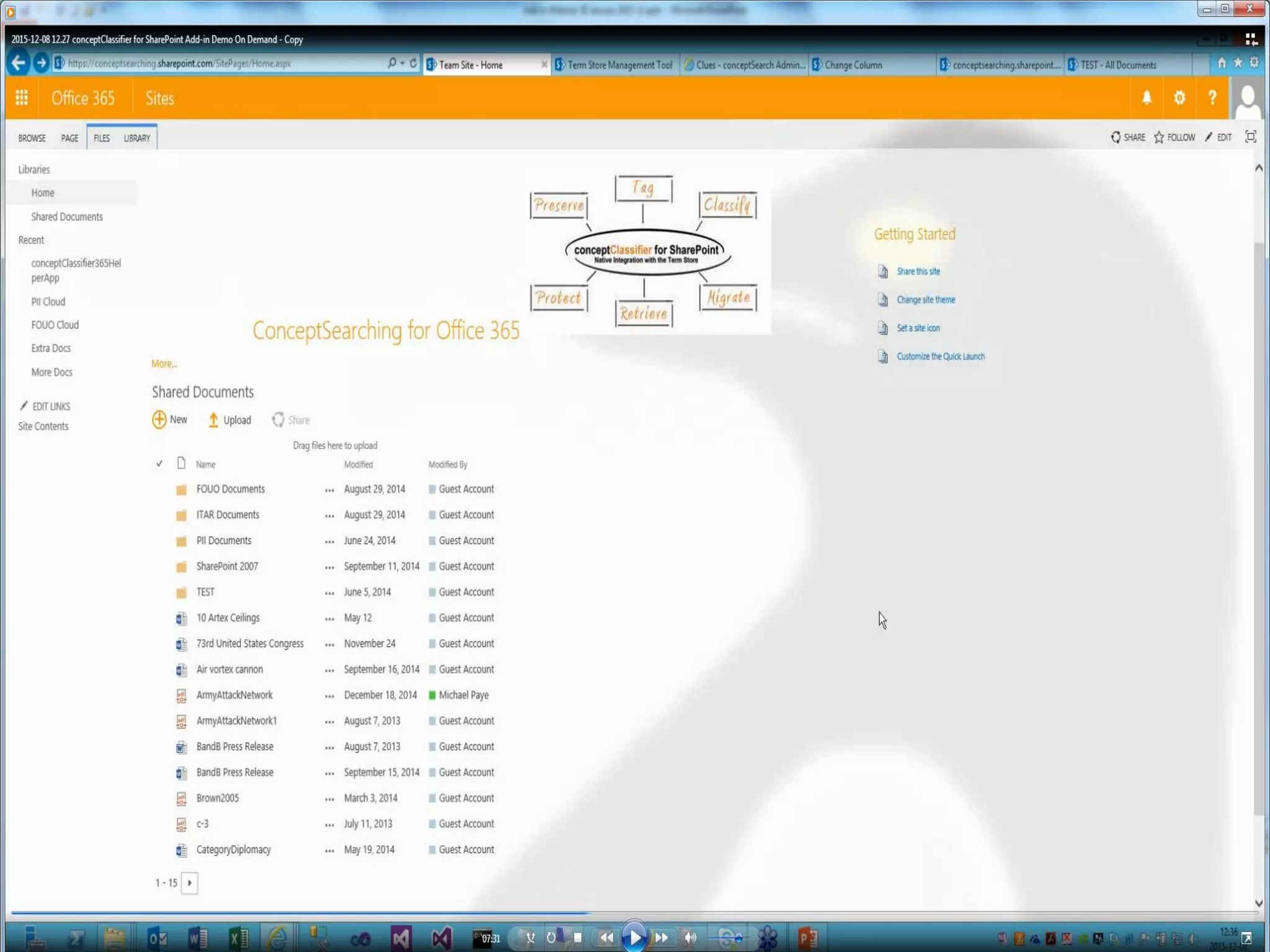
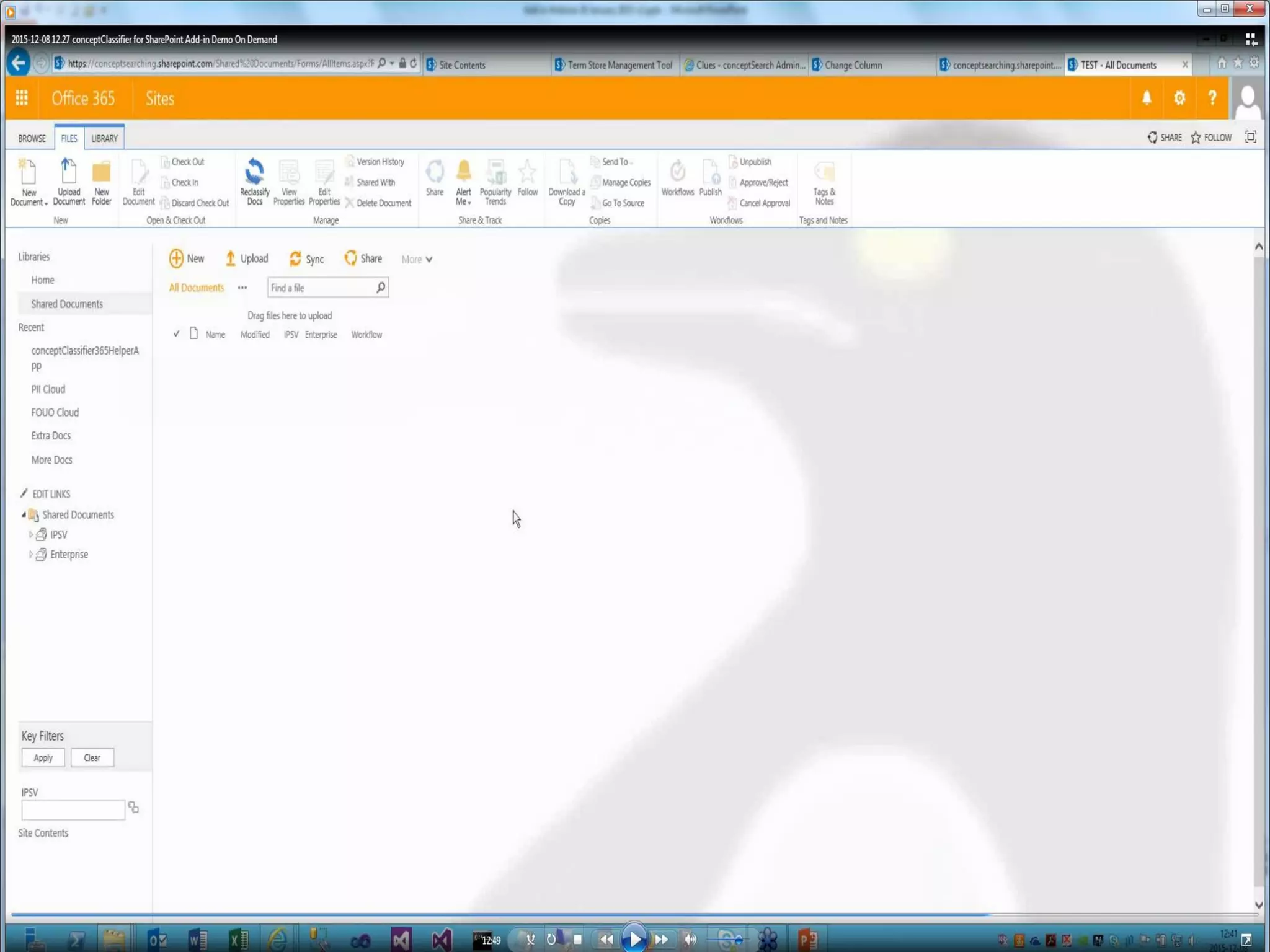
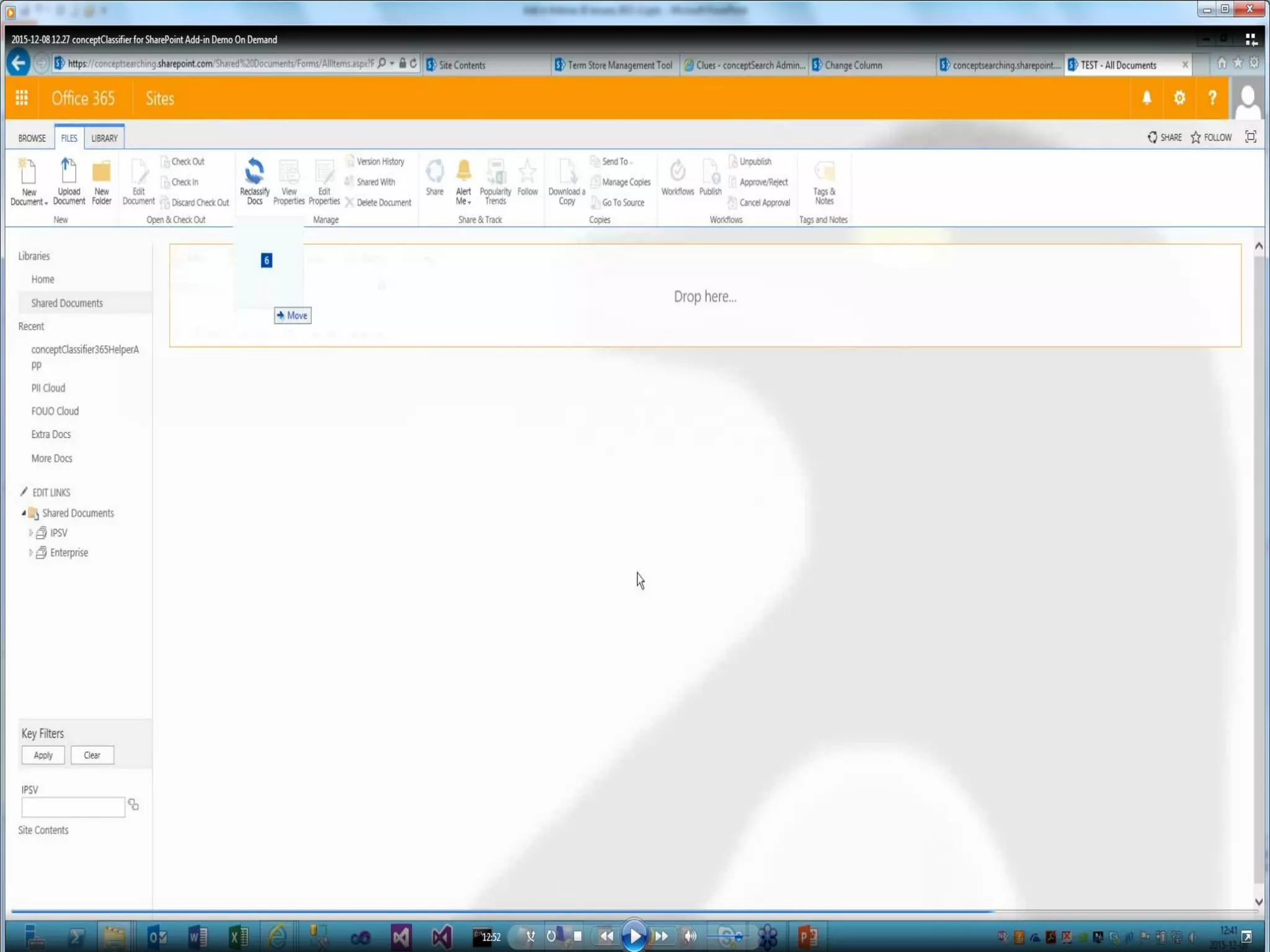
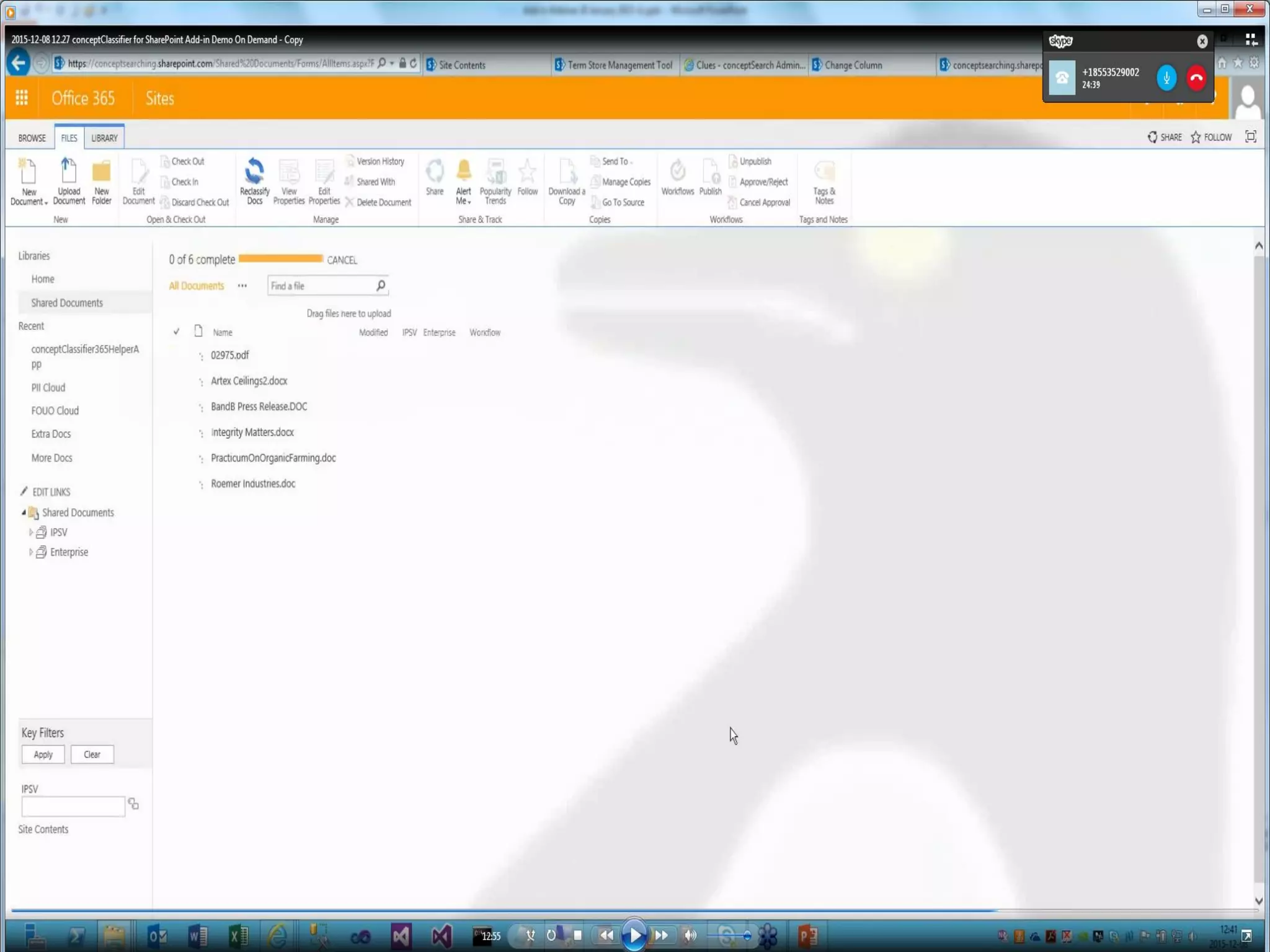
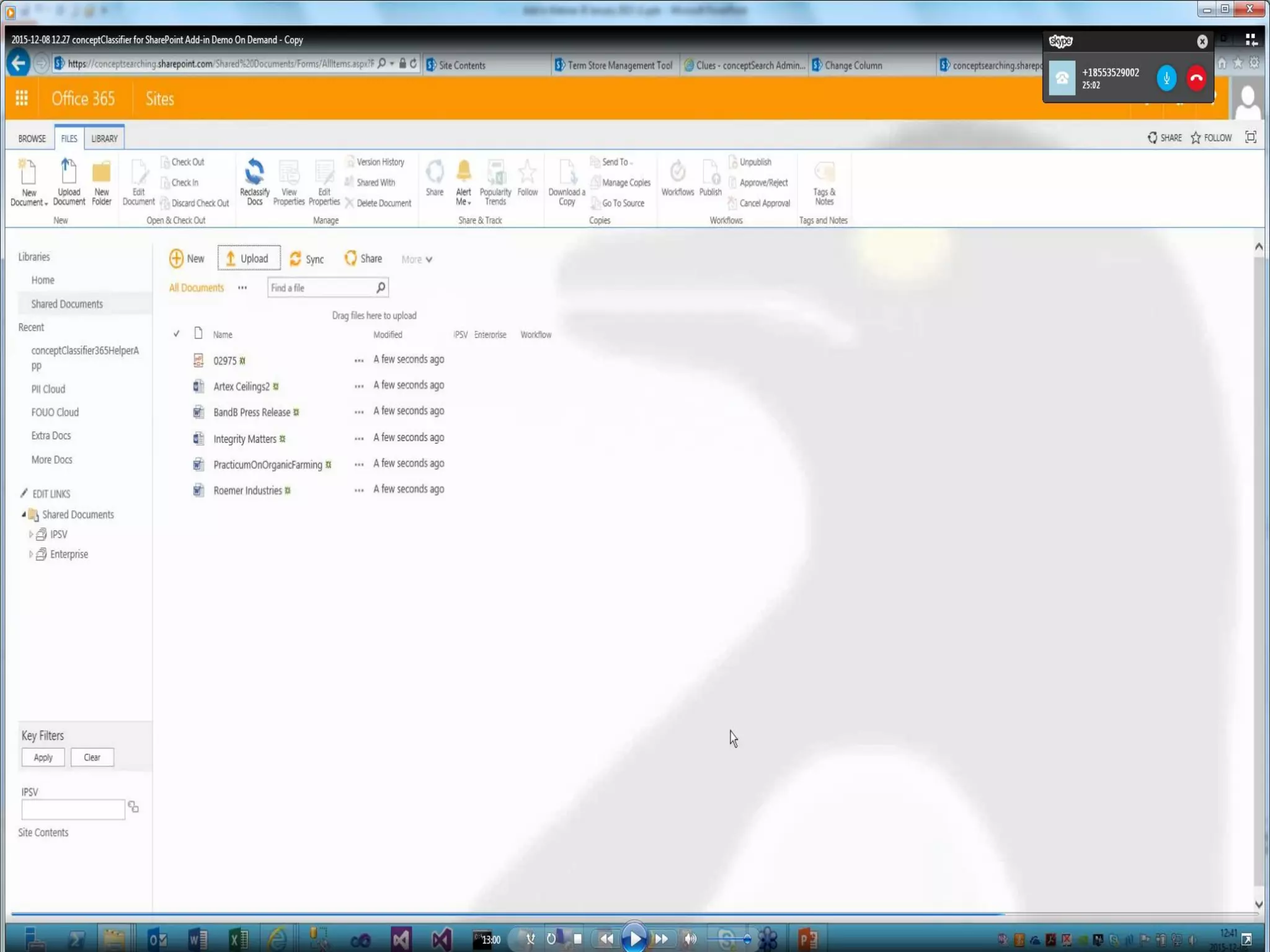
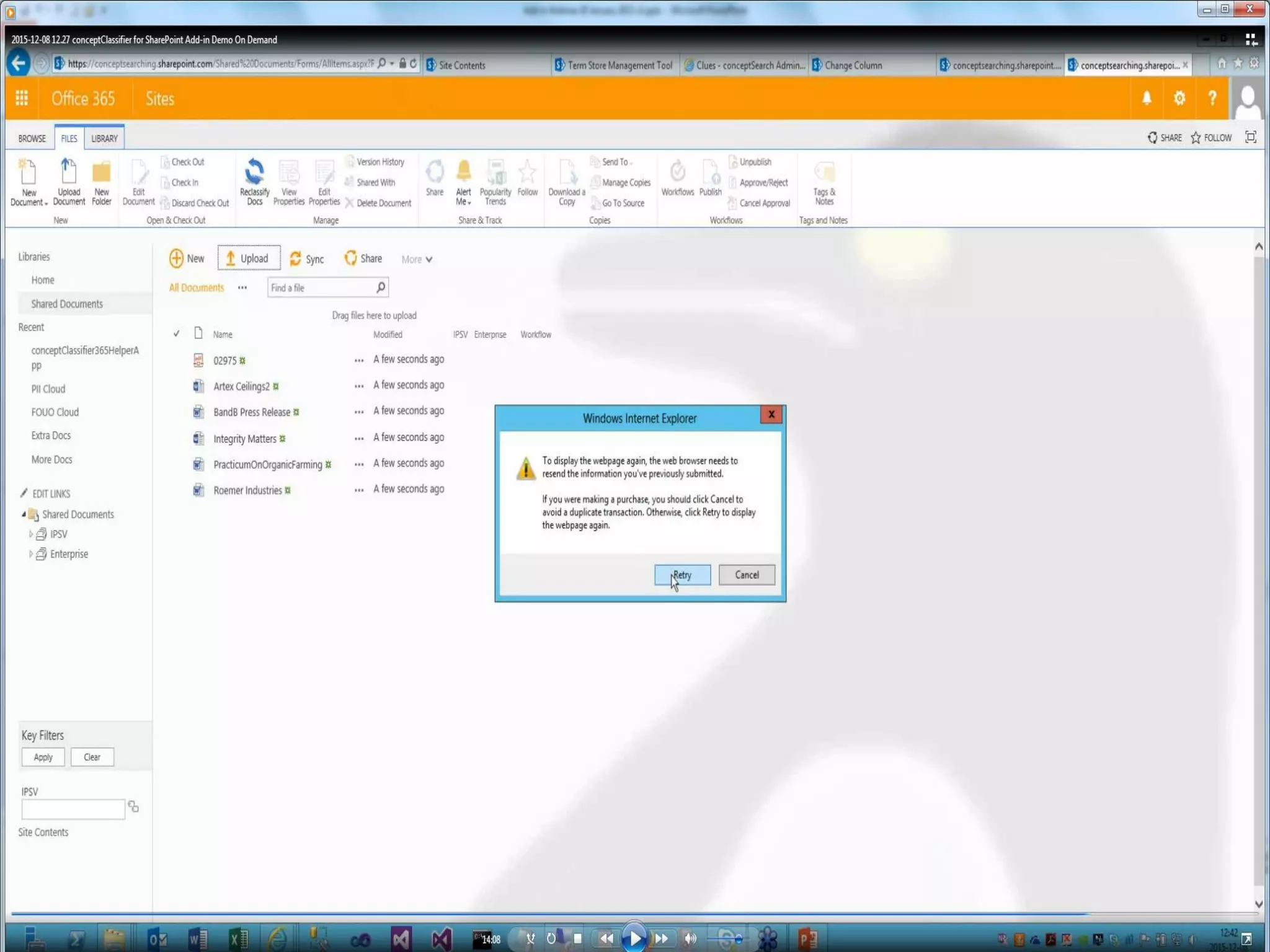
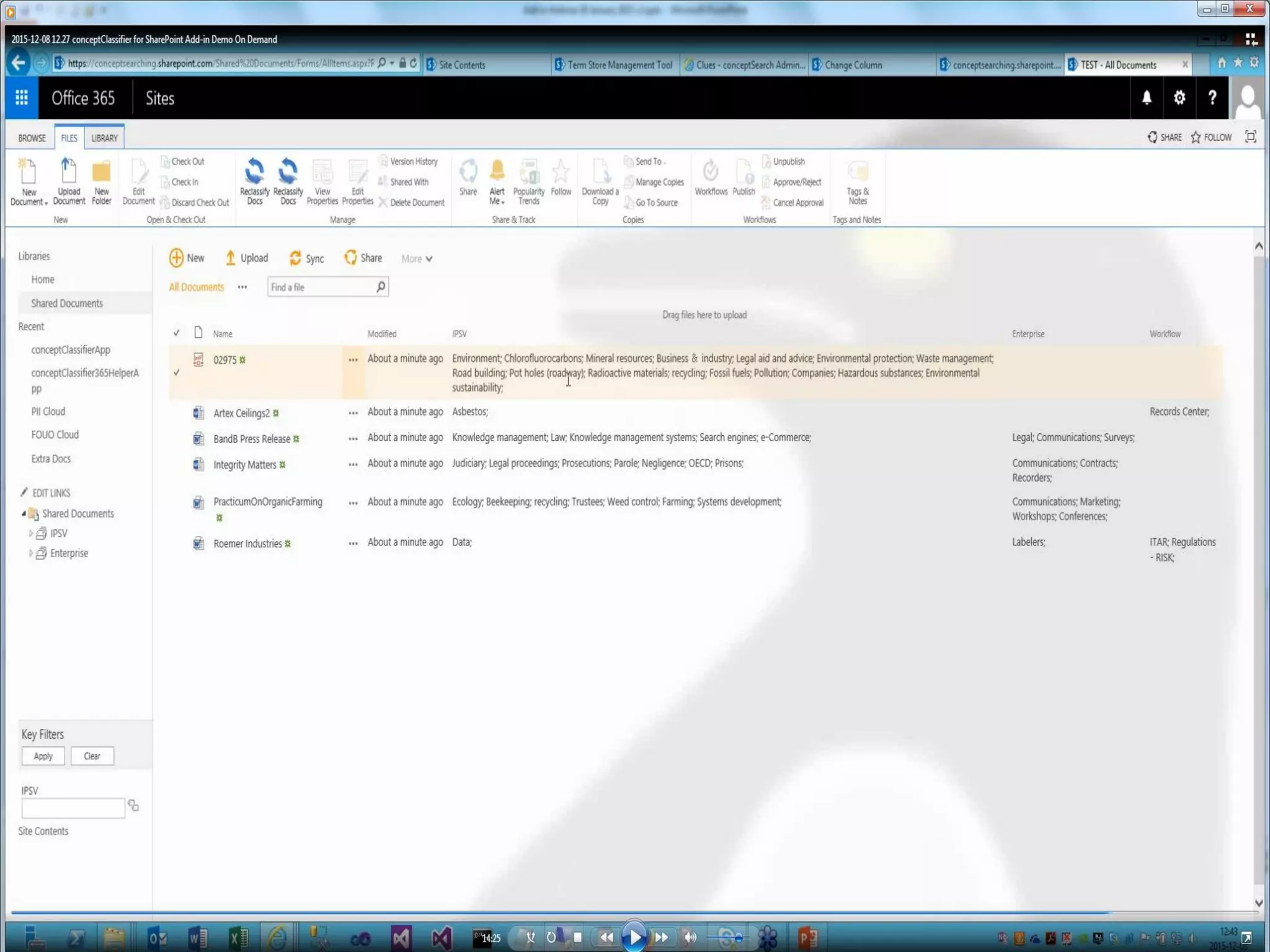
See How It Works
© Concept Searching 2016
Benefits
• Speed of processing in the SharePoint on-premises environment and
SharePoint Online is significantly faster
• Requires no SharePoint resources, representing a major advantage,
specifically in the SharePoint Online environment
• Requires less configuration, as SharePoint sources
do not require user credentials to be defined
• Rapid implementation and ease of management
by Subject Matter Experts or IT teams
• Preserves the modified user name and date when
adding metadata to SharePoint content
• Supports diverse environments – not tied to SharePoint
© Concept Searching 2016
Questions?
© Concept Searching 2016
Thank You
Steve Mann
Vice President of Sales
Concept Searching
stevem@conceptsearching.com
www.conceptsearching.com
marketing@conceptsearching.com
Twitter @conceptsearch

Coexist or Integrate? How Add-ins Deliver an Integrated Environment to Manage Unstructured Content from Diverse Repositories and Environments, and Benefit Your Bottom Line

  • 1.
    © Concept Searching2016 Coexist or Integrate? How Add-ins Deliver an Integrated Environment to Manage Unstructured Content from Diverse Repositories and Environments, and Benefit Your Bottom Line Steve Mann Vice President of Sales Concept Searching stevem@conceptsearching.com www.conceptsearching.com marketing@conceptsearching.com Twitter @conceptsearch
  • 2.
    © Concept Searching2016 Agenda • Welcome • Who we are • What we do • Add-ins • Types • Trends • Characteristics • Process improvements • Add-ins vs SharePoint applications • Justification and benefits • Questions
  • 3.
    © Concept Searching2016 • Company founded in 2002 • Product launched in 2003 • Focus on management of structured and unstructured information • Profitable, debt free • Technology Platform • Delivered as a web service • Automatic concept identification, content tagging, auto-classification, taxonomy management • Only statistical vendor that can extract conceptual metadata • 8 years KMWorld ‘100 Companies that Matter in Knowledge Management’ 7 years KMWorld ‘Trend Setting Product’ • Authority to Operate enterprise wide US Air Force, NETCON US Army, and Canadian SLSA • Locations: US, UK, and South Africa • Client base: Fortune 500/1000 organizations • Microsoft Gold Certification in Application Development, Microsoft Business-Critical SharePoint program partner • Smart Content Framework™ for Information Governance comprising • conceptClassifier for SharePoint and conceptClassifier for Office 365 • Concept Searching Technology Platform and conceptClassifier Platform • Add on – conceptTaxonomyWorkflow and conceptClassifier for OneDrive for Business The Global Leader in Managed Metadata Solutions
  • 4.
    © Concept Searching2016 Concept Searching’s technology platforms deliver semantic metadata generation, auto-classification and taxonomy management, and taxonomy workflow What Do We Do? The resulting classification metadata is used by clients to deliver ‘intelligent metadata solutions’ in areas such as enhanced search, migration, data privacy, records management, policy enforcement, compliance, text analytics, and business and social collaboration The platform is based on an open architecture with all APIs based on XML and Web Services. It integrates with content repositories, search engines and file shares, enabling our clients to add structure and manage their enterprise content, regardless of environment
  • 5.
    © Concept Searching2016 I can’t make my Users add Accurate Metadata You are not alone – most users can’t find what they are looking for either • 93% of organizations rely solely on end user tagging • Search is viewed as essential, but little is being done by organizations to improve results • IT regards developing an enterprise metadata repository as daunting • Business process owners don’t know the problem can be fixed • Metadata, auto-classification, and taxonomies are not household terms • Information Governance is outside the realm of the majority of organizations, unless their metadata is high quality and managed • Office 365 and OneDrive for Business has raised concerns about security, compliance, and lifecycle management • Organizations can no longer keep up with the influx of unstructured data
  • 6.
    © Concept Searching2016 52% of large companies and 33% of small/medium companies have concerns about security in the cloud and lack of compliance and audit capabilities (Bitglass) What is the Business Impact of Poor Metadata? Corporations, specifically Financial Officers, will be responsible for the security, privacy, reliability, and compliance of information assets Less than 50% of content is correctly indexed, meta tagged, or efficiently searchable 67% of data loss in records management is due to end user error (Prism International) 70% of data breaches are due to end user error at an average cost of $3.5 million (Ponemon Institute) 69% of corporate information can, and should, be deleted 100,000 international laws and regulations that apply to Fortune 1000 cloud business processes must be developed to address compliance (Ryley, Carlock, & Applewhite, PC) In a Deloitte survey, 84% of respondents felt somewhat or not at all effective in their ability to deal with the challenges of eDiscovery 84% of all migration projects fail (Bloor) According to an AIIM survey, only 18% of respondents have cross-repository search capabilities, 38% have not tuned or optimized search, and 8% have not even turned it on 96% of executives cite lack of collaboration or ineffective communication as treasons for workplace failures (Salesforce Rypple) Most organizations that attempt text analytics fail (Altaplana)
  • 7.
    © Concept Searching2016 Unique Approach – Compound Term Processing • Remains unique in the industry • Ability to identify and correctly weight multi-word concepts in unstructured text 10 Concept Searching provides Automatic Concept Term Extraction Triple Baseball Three Heart Organ Center Bypass Highway Avoid
  • 8.
    © Concept Searching2016 Couple leading edge software with Microsoft technology enhancements to SharePoint and it becomes a win-win for business and IT
  • 9.
    © Concept Searching2016 What is an Add-in? • SharePoint Add-ins are self-contained extensions of SharePoint websites that you create and run without custom code on the SharePoint server • All SharePoint Add-ins are self-contained pieces of functionality • Add-ins don't have custom code that runs on the SharePoint server • Business logic in a SharePoint Add-in can access SharePoint data through one of the several client APIs included in SharePoint • Almost all major types of SharePoint components can be part of a SharePoint Add-in • The SharePoint websites where SharePoint Add-ins are installed, and from which users launch them, are called host webs
  • 10.
    © Concept Searching2016 Add-ins and SharePoint Websites • SharePoint Add-ins can fit into a SharePoint website in several ways • As an immersive full-page experience • As part of a webpage, using a special kind of control called an add-in part • As UI commands that extend ribbons and menus • All SharePoint Add-ins that users install get a tile on the Site Contents page of the SharePoint website – clicking the tile runs the add-in • A SharePoint Add-in is configured using an add-in manifest – an XML file that declares the add-in’s basic properties • You distribute SharePoint Add-ins in add-in packages that always include at least the add-in manifest – add-in packages can also include Office Add-ins
  • 11.
    © Concept Searching2016 Why Consider Add-ins? • Why should I care? • SharePoint Online (Office 365) does not support farm models – if you are planning to customize SharePoint you will need an add-in • What does an add-in buy you? • Greatly reduces the risk of impacting the performance of SharePoint Server farms • Improves the stability and reduces the operational cost of the SharePoint Server farm • Can scale out the application without scaling out the entire SharePoint Server farm • Does not require dedicated farms for customizations due to application isolation • Does not require downtime for SharePoint to deploy updates • More flexible deployment patterns to improve agility and reduce time to market for the business and end users
  • 12.
    © Concept Searching2016 What are the Advantages of Add-ins? • Allow customers/SIs to leverage standard web development skills over much harder to obtain SharePoint development skills that have traditionally been employed • Will run in both SharePoint Server and SharePoint Online • Give administrators the safest SharePoint extensions • Maximize flexibility in developing future upgrades • Integrate cloud-based resources in simplified and more flexible ways • Enable your extension to have permissions that are distinct from the permissions of the user who is running the add-in • Enable you to use cross-platform standards, including HTML, REST, OData, JavaScript, and OAuth
  • 13.
    © Concept Searching2016 • conceptClassifier for SharePoint and conceptClassifier for Office 365 (SharePoint Online) • conceptClassifier for SharePoint is configured as a SharePoint Provider Hosted Add-In • The tree view control (that implements term set browsing for SharePoint 2013/2016 search) is a SharePoint Hosted Add-In • Support for these add-In technologies has been added by Microsoft to SharePoint 2013/2016 – no need for customers to buy anything • conceptClassifier Add-ins support • SharePoint 2013 and SharePoint 2016 (when available) • Not available in SharePoint 2010 What are Concept Searching’s Add-ins?
  • 14.
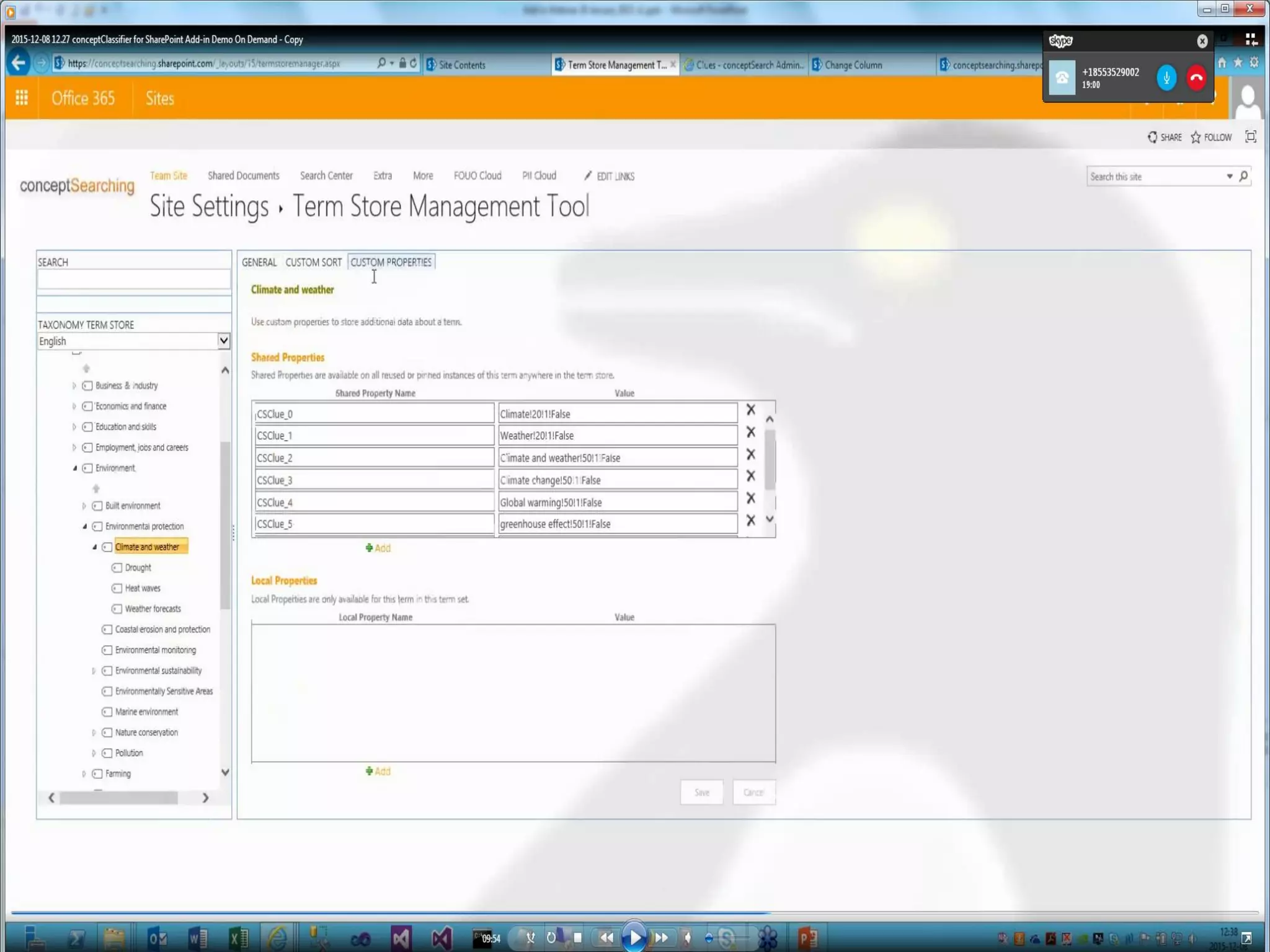
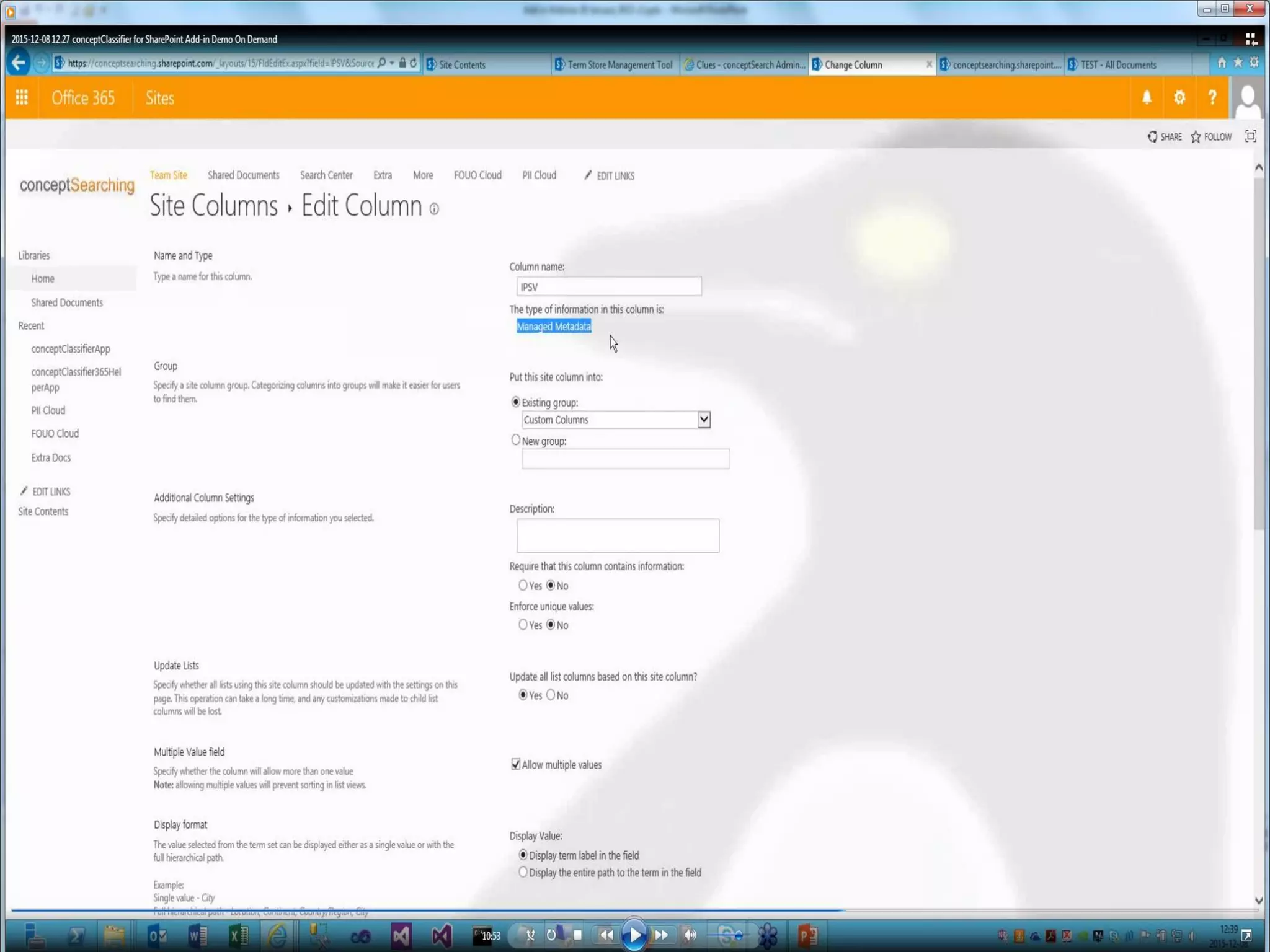
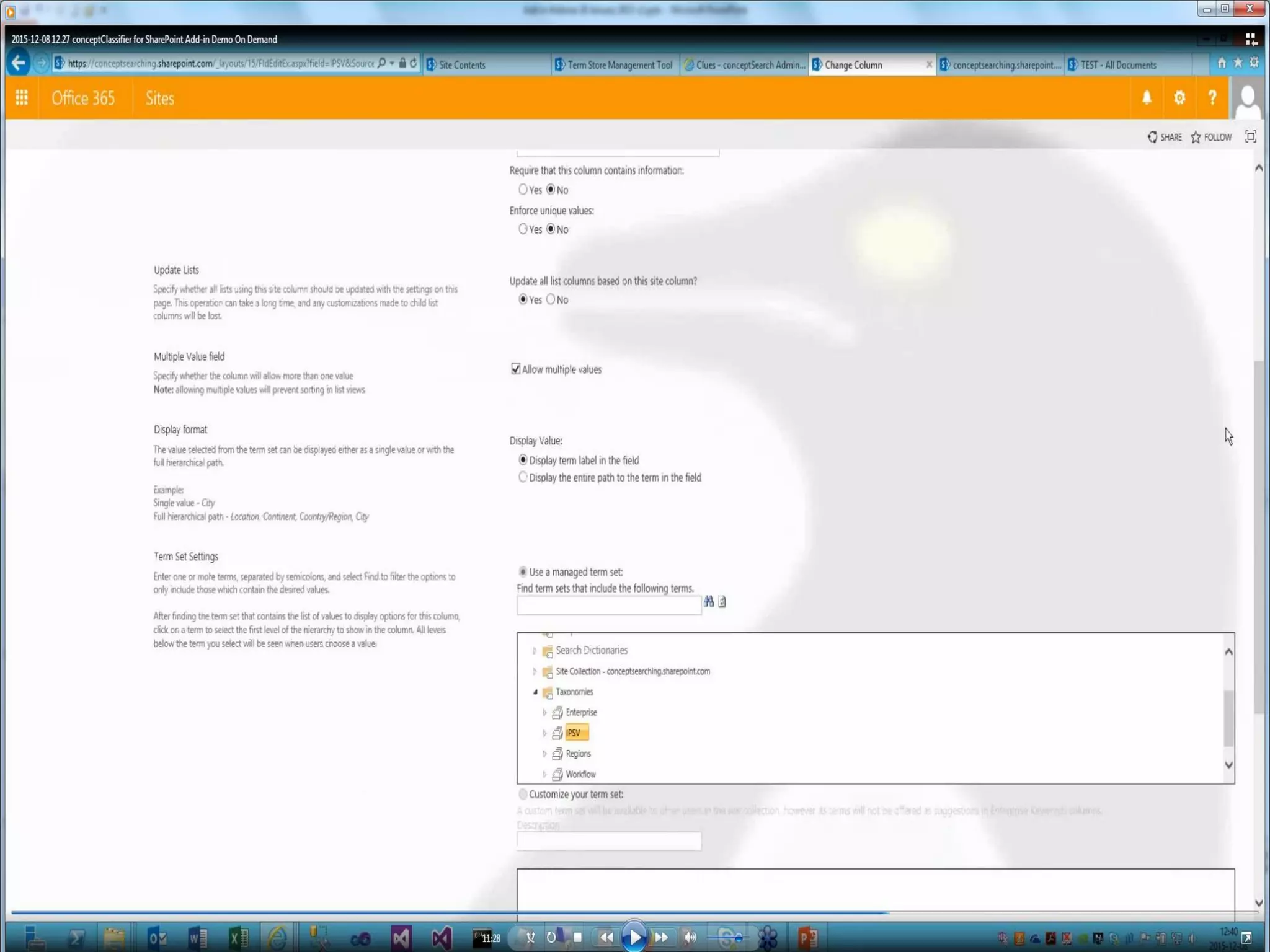
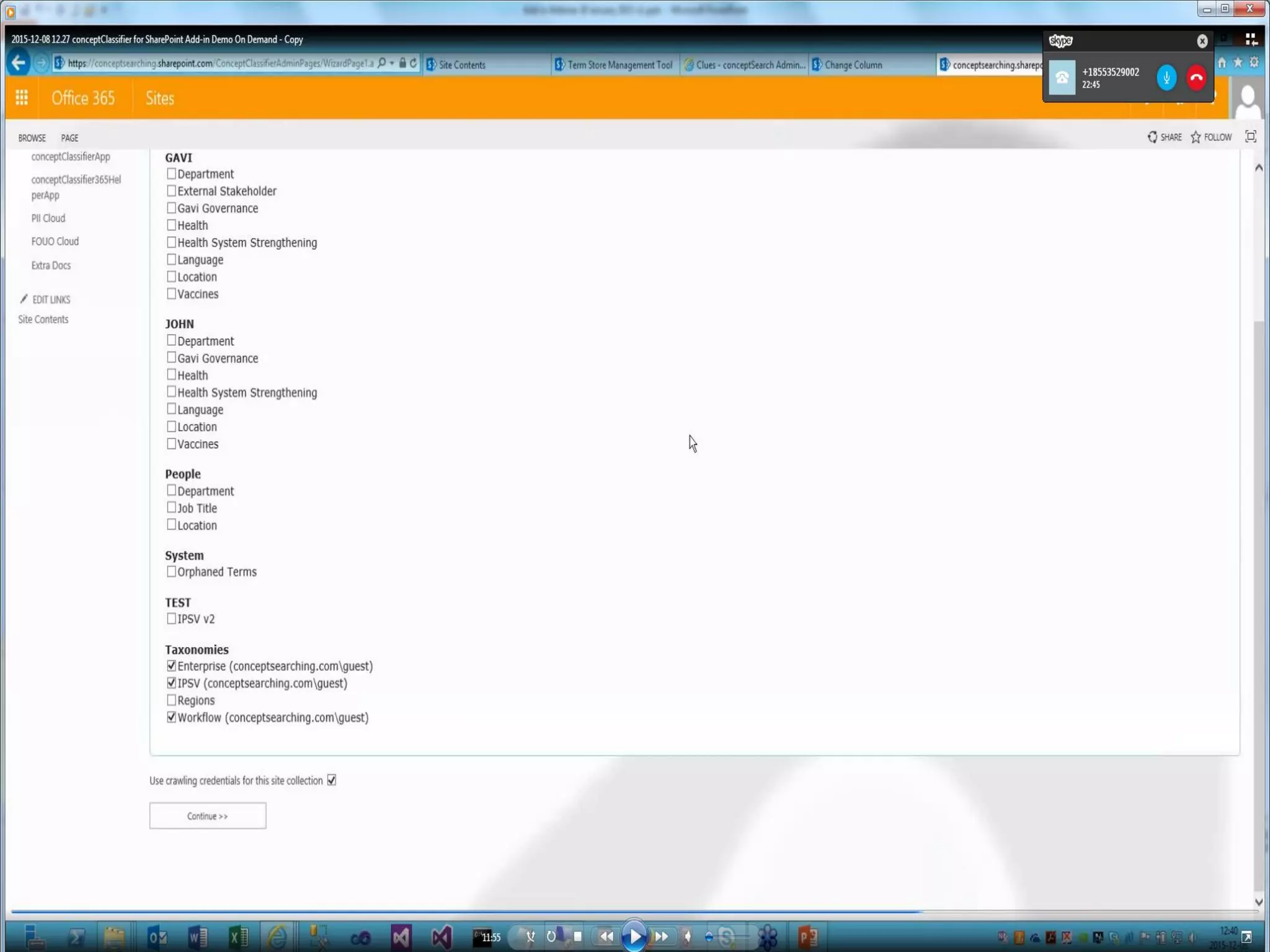
    © Concept Searching2016 See How It Works
  • 15.
  • 16.
  • 17.
  • 18.
  • 19.
  • 20.
  • 21.
  • 22.
  • 23.
  • 24.
  • 25.
  • 26.
  • 27.
  • 28.
  • 29.
  • 30.
  • 31.
    © Concept Searching2016 Benefits • Speed of processing in the SharePoint on-premises environment and SharePoint Online is significantly faster • Requires no SharePoint resources, representing a major advantage, specifically in the SharePoint Online environment • Requires less configuration, as SharePoint sources do not require user credentials to be defined • Rapid implementation and ease of management by Subject Matter Experts or IT teams • Preserves the modified user name and date when adding metadata to SharePoint content • Supports diverse environments – not tied to SharePoint
  • 32.
    © Concept Searching2016 Questions?
  • 33.
    © Concept Searching2016 Thank You Steve Mann Vice President of Sales Concept Searching stevem@conceptsearching.com www.conceptsearching.com marketing@conceptsearching.com Twitter @conceptsearch