PLATINUM)SPONSORS)

GOLD)SPONSORS)

SILVER)SPONSORS)

Saturday, May 4, 13
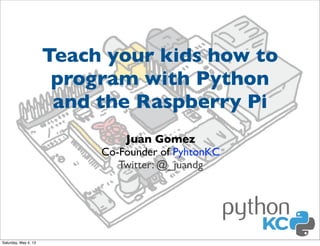
Teach your kids how to
program with Python
and the Raspberry Pi
Juan Gomez
Co-Founder of PyhtonKC
Twitter: @_juandg

Saturday, May 4, 13
May the 4th be with you!
Saturday, May 4, 13
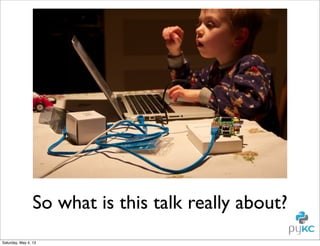
So what is this talk really about?
Saturday, May 4, 13
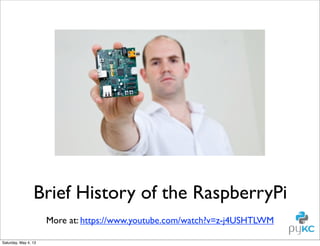
Brief History of the RaspberryPi
More at: https://www.youtube.com/watch?v=z-j4USHTLWM
Saturday, May 4, 13
Saturday, May 4, 13
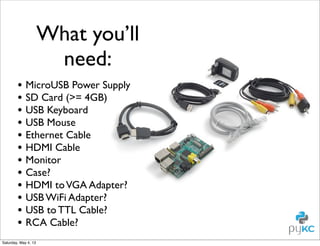
What you’ll
need:
• MicroUSB Power Supply
• SD Card (>= 4GB)
• USB Keyboard
• USB Mouse
• Ethernet Cable
• HDMI Cable
• Monitor
• Case?
• HDMI to VGA Adapter?
• USB WiFi Adapter?
• USB to TTL Cable?
• RCA Cable?
Saturday, May 4, 13
How do you teach
kids?

Saturday, May 4, 13
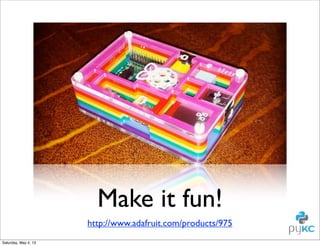
Make it fun!
http://www.adafruit.com/products/975
Saturday, May 4, 13
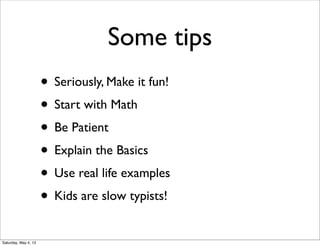
Some tips
• Seriously, Make it fun!
• Start with Math
• Be Patient
• Explain the Basics
• Use real life examples
• Kids are slow typists!
Saturday, May 4, 13
How do I set it up?

Saturday, May 4, 13
Saturday, May 4, 13
Disclaimer
• This an intro to Python for YOU, not your
kids.

• The kids version is at: https://github.com/
mechanicalgirl/young-coders-tutorial

Saturday, May 4, 13
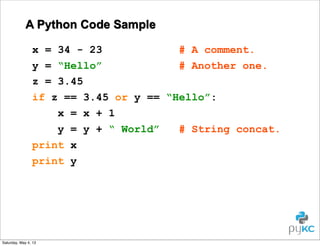
A Python Code Sample
x = 34 - 23
# A comment.
y = “Hello”
# Another one.
z = 3.45
if z == 3.45 or y == “Hello”:
x = x + 1
y = y + “ World”
# String concat.
print x
print y

Saturday, May 4, 13
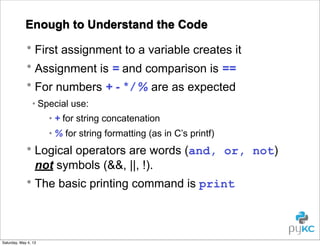
Enough to Understand the Code
• First assignment to a variable creates it
• Assignment is = and comparison is ==
• For numbers + - * / % are as expected
• Special use:
• + for string concatenation
• % for string formatting (as in C’s printf)

• Logical operators are words (and, or, not)
not symbols (&&, ||, !).
• The basic printing command is print

Saturday, May 4, 13
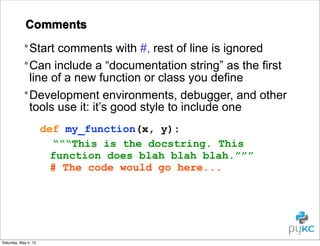
Comments
• Start comments with #, rest of line is ignored
• Can include a “documentation string” as the first
line of a new function or class you define
• Development environments, debugger, and other
tools use it: it’s good style to include one
def my_function(x, y):
“““This is the docstring. This
function does blah blah blah.”””
# The code would go here...

Saturday, May 4, 13
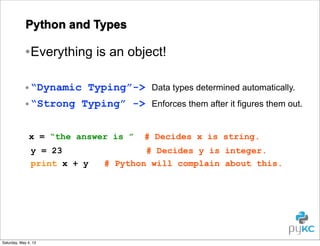
Python and Types

• Everything is an object!
• “Dynamic Typing”->
• “Strong Typing” ->
x = “the answer is ”
y = 23
print x + y

Saturday, May 4, 13

Data types determined automatically.
Enforces them after it figures them out.

# Decides x is string.

# Decides y is integer.
# Python will complain about this.
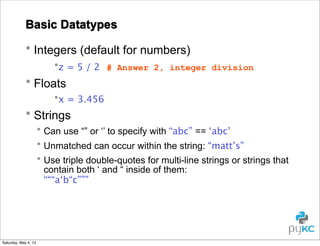
Basic Datatypes
• Integers (default for numbers)
•z = 5 / 2 # Answer 2, integer division

• Floats
•x = 3.456

• Strings
• Can use “” or ‘’ to specify with “abc” == ‘abc’
• Unmatched can occur within the string: “matt’s”
• Use triple double-quotes for multi-line strings or strings that
contain both ‘ and “ inside of them:
“““a‘b“c”””

Saturday, May 4, 13
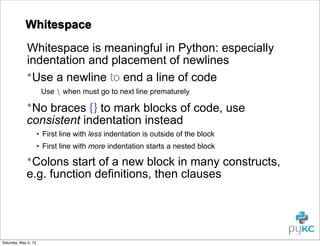
Whitespace
Whitespace is meaningful in Python: especially
indentation and placement of newlines
•Use a newline to end a line of code
Use  when must go to next line prematurely

•No braces {} to mark blocks of code, use
consistent indentation instead
• First line with less indentation is outside of the block
• First line with more indentation starts a nested block

•Colons start of a new block in many constructs,
e.g. function definitions, then clauses

Saturday, May 4, 13
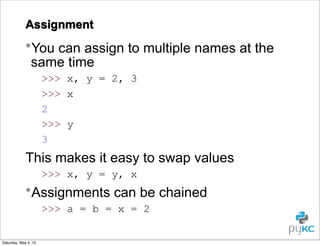
Assignment

•You can assign to multiple names at the
same time
>>> x, y = 2, 3
>>> x
2
>>> y
3

This makes it easy to swap values
>>> x, y = y, x

•Assignments can be chained
>>> a = b = x = 2
Saturday, May 4, 13
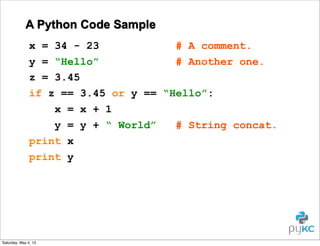
A Python Code Sample
x = 34 - 23
# A comment.
y = “Hello”
# Another one.
z = 3.45
if z == 3.45 or y == “Hello”:
x = x + 1
y = y + “ World”
# String concat.
print x
print y

Saturday, May 4, 13
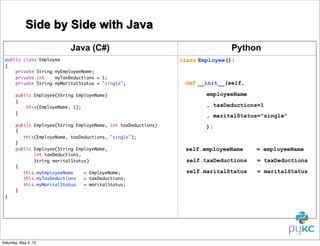
Side by Side with Java
Java (C#)
public class Employee
{
private String myEmployeeName;
private int
myTaxDeductions = 1;
private String myMaritalStatus = "single";

Python
class Employee():

def __init__(self,

public Employee(String EmployeName)
{
this(EmployeName, 1);
}

employeeName

public Employee(String EmployeName, int taxDeductions)
{
this(EmployeName, taxDeductions, "single");
}
public Employee(String EmployeName,
int taxDeductions,
String maritalStatus)
{
this.myEmployeeName
= EmployeName;
this.myTaxDeductions
= taxDeductions;
this.myMaritalStatus
= maritalStatus;
}

):

}

Saturday, May 4, 13

, taxDeductions=1
, maritalStatus="single"

self.employeeName

= employeeName

self.taxDeductions

= taxDeductions

self.maritalStatus

= maritalStatus
Life is Short
(You Need Python)
- Bruce Eckel (Thinking in C++)

Saturday, May 4, 13
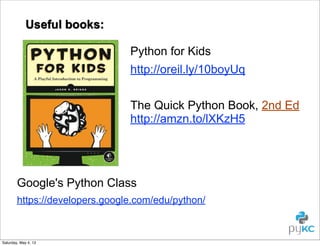
Useful books:
Python for Kids
http://oreil.ly/10boyUq
The Quick Python Book, 2nd Ed
http://amzn.to/lXKzH5

Google's Python Class
https://developers.google.com/edu/python/

Saturday, May 4, 13
Let’s start by writing
text based games

Saturday, May 4, 13
Saturday, May 4, 13
A Skeleton
• Let’s start with the most basic pygame program
template.py
1
2
3
4
5
6
7
8
9
10
11
12
13
14
15
16
17

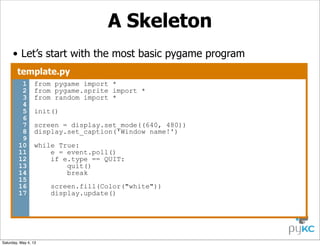
from pygame import *
from pygame.sprite import *
from random import *
init()
screen = display.set_mode((640, 480))
display.set_caption('Window name!')
while True:
e = event.poll()
if e.type == QUIT:
quit()
break

Saturday, May 4, 13

screen.fill(Color("white"))
display.update()
Surface
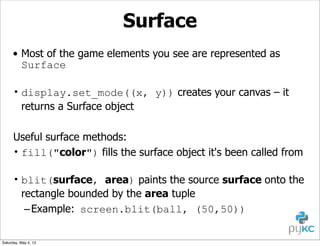
• Most of the game elements you see are represented as
Surface
• display.set_mode((x, y)) creates your canvas – it
returns a Surface object
Useful surface methods:
• fill("color") fills the surface object it's been called from
• blit(surface, area) paints the source surface onto the
rectangle bounded by the area tuple
– Example: screen.blit(ball, (50,50))
Saturday, May 4, 13
Rect
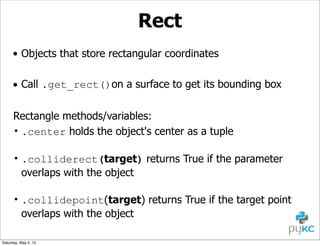
• Objects that store rectangular coordinates
• Call .get_rect()on a surface to get its bounding box
Rectangle methods/variables:
• .center holds the object's center as a tuple
• .colliderect(target) returns True if the parameter
overlaps with the object
• .collidepoint(target) returns True if the target point
overlaps with the object
Saturday, May 4, 13
Media
• Loading an image:
– img = image.load("file.gif").convert()

• Getting a bounding rectangle:
– img_rect = img.get_rect()

• Loading and playing a sound file:
– mixer.Sound("file.wav").play()

Saturday, May 4, 13
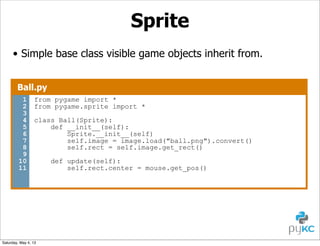
Sprite
• Simple base class visible game objects inherit from.
Ball.py
1
2
3
4
5
6
7
8
9
10
11

from pygame import *
from pygame.sprite import *
class Ball(Sprite):
def __init__(self):
Sprite.__init__(self)
self.image = image.load("ball.png").convert()
self.rect = self.image.get_rect()

Saturday, May 4, 13

def update(self):
self.rect.center = mouse.get_pos()
Using Sprites
• They're just objects: initialize them
– ball = Ball()

• Create a group of sprites in main
– sprites = RenderPlain(sprite1, sprite2)

• Groups know how to draw and update
– sprites.update()
– sprites.draw(surface)

Saturday, May 4, 13
Events
• User input such as clicking, moving mouse or key presses
• Add more branches to test the result of event.poll()
• Events to test for:
– QUIT
– MOUSEBUTTONDOWN
– JOYBUTTONDOWN

• Testing for the letter ‘d’ being pressed using KEYDOWN
if e.type == KEYDOWN:
if e.key == K_d:
…

Saturday, May 4, 13
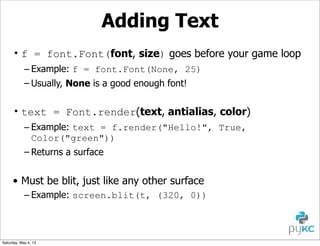
Adding Text
• f = font.Font(font, size) goes before your game loop
– Example: f = font.Font(None, 25)
– Usually, None is a good enough font!

• text = Font.render(text, antialias, color)
– Example: text = f.render("Hello!", True,
Color("green"))
– Returns a surface

• Must be blit, just like any other surface
– Example: screen.blit(t, (320, 0))

Saturday, May 4, 13
Let’s dissect a game!

Saturday, May 4, 13
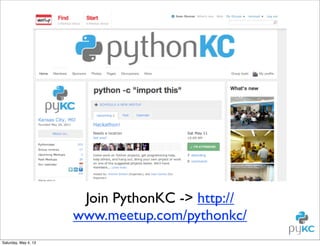
Join PythonKC -> http://
www.meetup.com/pythonkc/
Saturday, May 4, 13
Thanks!
Juan Gomez
Co-Founder of PyhtonKC
Twitter: @_juandg

Saturday, May 4, 13
PLATINUM)SPONSORS)

GOLD)SPONSORS)

SILVER)SPONSORS)

Saturday, May 4, 13

Teach your kids how to program with Python and the Raspberry Pi

  • 1.
  • 2.
    Teach your kidshow to program with Python and the Raspberry Pi Juan Gomez Co-Founder of PyhtonKC Twitter: @_juandg Saturday, May 4, 13
  • 3.
    May the 4thbe with you! Saturday, May 4, 13
  • 4.
    So what isthis talk really about? Saturday, May 4, 13
  • 5.
    Brief History ofthe RaspberryPi More at: https://www.youtube.com/watch?v=z-j4USHTLWM Saturday, May 4, 13
  • 6.
  • 7.
    What you’ll need: • MicroUSBPower Supply • SD Card (>= 4GB) • USB Keyboard • USB Mouse • Ethernet Cable • HDMI Cable • Monitor • Case? • HDMI to VGA Adapter? • USB WiFi Adapter? • USB to TTL Cable? • RCA Cable? Saturday, May 4, 13
  • 8.
    How do youteach kids? Saturday, May 4, 13
  • 9.
  • 10.
    Some tips • Seriously,Make it fun! • Start with Math • Be Patient • Explain the Basics • Use real life examples • Kids are slow typists! Saturday, May 4, 13
  • 11.
    How do Iset it up? Saturday, May 4, 13
  • 12.
  • 13.
    Disclaimer • This anintro to Python for YOU, not your kids. • The kids version is at: https://github.com/ mechanicalgirl/young-coders-tutorial Saturday, May 4, 13
  • 14.
    A Python CodeSample x = 34 - 23 # A comment. y = “Hello” # Another one. z = 3.45 if z == 3.45 or y == “Hello”: x = x + 1 y = y + “ World” # String concat. print x print y Saturday, May 4, 13
  • 15.
    Enough to Understandthe Code • First assignment to a variable creates it • Assignment is = and comparison is == • For numbers + - * / % are as expected • Special use: • + for string concatenation • % for string formatting (as in C’s printf) • Logical operators are words (and, or, not) not symbols (&&, ||, !). • The basic printing command is print Saturday, May 4, 13
  • 16.
    Comments • Start commentswith #, rest of line is ignored • Can include a “documentation string” as the first line of a new function or class you define • Development environments, debugger, and other tools use it: it’s good style to include one def my_function(x, y): “““This is the docstring. This function does blah blah blah.””” # The code would go here... Saturday, May 4, 13
  • 17.
    Python and Types •Everything is an object! • “Dynamic Typing”-> • “Strong Typing” -> x = “the answer is ” y = 23 print x + y Saturday, May 4, 13 Data types determined automatically. Enforces them after it figures them out. # Decides x is string. # Decides y is integer. # Python will complain about this.
  • 18.
    Basic Datatypes • Integers(default for numbers) •z = 5 / 2 # Answer 2, integer division • Floats •x = 3.456 • Strings • Can use “” or ‘’ to specify with “abc” == ‘abc’ • Unmatched can occur within the string: “matt’s” • Use triple double-quotes for multi-line strings or strings that contain both ‘ and “ inside of them: “““a‘b“c””” Saturday, May 4, 13
  • 19.
    Whitespace Whitespace is meaningfulin Python: especially indentation and placement of newlines •Use a newline to end a line of code Use when must go to next line prematurely •No braces {} to mark blocks of code, use consistent indentation instead • First line with less indentation is outside of the block • First line with more indentation starts a nested block •Colons start of a new block in many constructs, e.g. function definitions, then clauses Saturday, May 4, 13
  • 20.
    Assignment •You can assignto multiple names at the same time >>> x, y = 2, 3 >>> x 2 >>> y 3 This makes it easy to swap values >>> x, y = y, x •Assignments can be chained >>> a = b = x = 2 Saturday, May 4, 13
  • 21.
    A Python CodeSample x = 34 - 23 # A comment. y = “Hello” # Another one. z = 3.45 if z == 3.45 or y == “Hello”: x = x + 1 y = y + “ World” # String concat. print x print y Saturday, May 4, 13
  • 22.
    Side by Sidewith Java Java (C#) public class Employee { private String myEmployeeName; private int myTaxDeductions = 1; private String myMaritalStatus = "single"; Python class Employee(): def __init__(self, public Employee(String EmployeName) { this(EmployeName, 1); } employeeName public Employee(String EmployeName, int taxDeductions) { this(EmployeName, taxDeductions, "single"); } public Employee(String EmployeName, int taxDeductions, String maritalStatus) { this.myEmployeeName = EmployeName; this.myTaxDeductions = taxDeductions; this.myMaritalStatus = maritalStatus; } ): } Saturday, May 4, 13 , taxDeductions=1 , maritalStatus="single" self.employeeName = employeeName self.taxDeductions = taxDeductions self.maritalStatus = maritalStatus
  • 23.
    Life is Short (YouNeed Python) - Bruce Eckel (Thinking in C++) Saturday, May 4, 13
  • 24.
    Useful books: Python forKids http://oreil.ly/10boyUq The Quick Python Book, 2nd Ed http://amzn.to/lXKzH5 Google's Python Class https://developers.google.com/edu/python/ Saturday, May 4, 13
  • 25.
    Let’s start bywriting text based games Saturday, May 4, 13
  • 26.
  • 27.
    A Skeleton • Let’sstart with the most basic pygame program template.py 1 2 3 4 5 6 7 8 9 10 11 12 13 14 15 16 17 from pygame import * from pygame.sprite import * from random import * init() screen = display.set_mode((640, 480)) display.set_caption('Window name!') while True: e = event.poll() if e.type == QUIT: quit() break Saturday, May 4, 13 screen.fill(Color("white")) display.update()
  • 28.
    Surface • Most ofthe game elements you see are represented as Surface • display.set_mode((x, y)) creates your canvas – it returns a Surface object Useful surface methods: • fill("color") fills the surface object it's been called from • blit(surface, area) paints the source surface onto the rectangle bounded by the area tuple – Example: screen.blit(ball, (50,50)) Saturday, May 4, 13
  • 29.
    Rect • Objects thatstore rectangular coordinates • Call .get_rect()on a surface to get its bounding box Rectangle methods/variables: • .center holds the object's center as a tuple • .colliderect(target) returns True if the parameter overlaps with the object • .collidepoint(target) returns True if the target point overlaps with the object Saturday, May 4, 13
  • 30.
    Media • Loading animage: – img = image.load("file.gif").convert() • Getting a bounding rectangle: – img_rect = img.get_rect() • Loading and playing a sound file: – mixer.Sound("file.wav").play() Saturday, May 4, 13
  • 31.
    Sprite • Simple baseclass visible game objects inherit from. Ball.py 1 2 3 4 5 6 7 8 9 10 11 from pygame import * from pygame.sprite import * class Ball(Sprite): def __init__(self): Sprite.__init__(self) self.image = image.load("ball.png").convert() self.rect = self.image.get_rect() Saturday, May 4, 13 def update(self): self.rect.center = mouse.get_pos()
  • 32.
    Using Sprites • They'rejust objects: initialize them – ball = Ball() • Create a group of sprites in main – sprites = RenderPlain(sprite1, sprite2) • Groups know how to draw and update – sprites.update() – sprites.draw(surface) Saturday, May 4, 13
  • 33.
    Events • User inputsuch as clicking, moving mouse or key presses • Add more branches to test the result of event.poll() • Events to test for: – QUIT – MOUSEBUTTONDOWN – JOYBUTTONDOWN • Testing for the letter ‘d’ being pressed using KEYDOWN if e.type == KEYDOWN: if e.key == K_d: … Saturday, May 4, 13
  • 34.
    Adding Text • f= font.Font(font, size) goes before your game loop – Example: f = font.Font(None, 25) – Usually, None is a good enough font! • text = Font.render(text, antialias, color) – Example: text = f.render("Hello!", True, Color("green")) – Returns a surface • Must be blit, just like any other surface – Example: screen.blit(t, (320, 0)) Saturday, May 4, 13
  • 35.
    Let’s dissect agame! Saturday, May 4, 13
  • 36.
    Join PythonKC ->http:// www.meetup.com/pythonkc/ Saturday, May 4, 13
  • 37.
    Thanks! Juan Gomez Co-Founder ofPyhtonKC Twitter: @_juandg Saturday, May 4, 13
  • 38.