Internet-of-Things (IoT)
Summer Engineering Program 2018
University of Notre Dame
LAB COMPONENT
Setting Up Python
Jupyter Notebook:
https://jupyter.readthedocs.io/en/latest/install.ht
ml
IDLE: Integrated Development and Learning
Environment
Python 101
• Unlike C/C++ or Java, Python statements do not
end in a semicolon
• In Python, indentation is the way you indicate
the scope of a conditional, function, etc.
• Look, no braces!
• Python is interpretive, meaning you don’t have
to write programs
• You can just enter statements into the Python
environment and they’ll execute
Python 101
• As in every language, a variable is the name of a
memory location
• Python is weakly typed, i.e., you don’t declare
variables to be a specific type
• A variable has the type that corresponds to the value
you assign to it
• Variable names begin with a letter or an underscore
and can contain letters, numbers, and underscores
• Python has reserved words that you can’t use as
variable names
Python 101
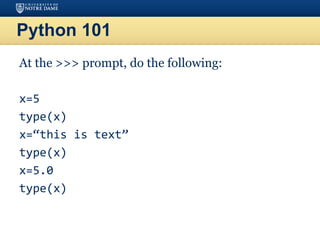
At the >>> prompt, do the following:
x=5
type(x)
x=“this is text”
type(x)
x=5.0
type(x)
Python 101
• You’ve already seen the print statement
• You can also print numbers with formatting
– [flags][width][.precision]type
– print (”pi: {0:8.2f}”.format(3.141592))
• These are identical to Java or C format specifiers
Python 101
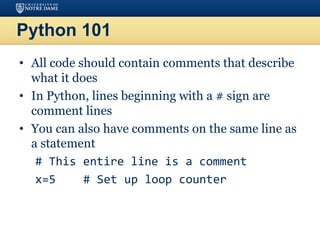
• All code should contain comments that describe
what it does
• In Python, lines beginning with a # sign are
comment lines
• You can also have comments on the same line as
a statement
# This entire line is a comment
x=5 # Set up loop counter
Python 101
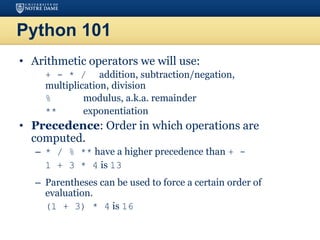
• Arithmetic operators we will use:
– + - * / addition, subtraction/negation,
multiplication, division
– % modulus, a.k.a. remainder
– ** exponentiation
• Precedence: Order in which operations are
computed.
– * / % ** have a higher precedence than + -
1 + 3 * 4 is 13
– Parentheses can be used to force a certain order of
evaluation.
(1 + 3) * 4 is 16
Python 101
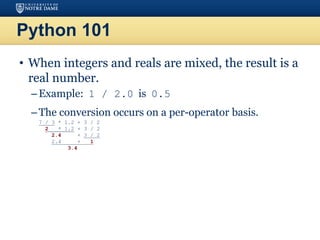
• When integers and reals are mixed, the result is a
real number.
–Example: 1 / 2.0 is 0.5
–The conversion occurs on a per-operator basis.
– 7 / 3 * 1.2 + 3 / 2
– 2 * 1.2 + 3 / 2
– 2.4 + 3 / 2
– 2.4 + 1
– 3.4
Python 101
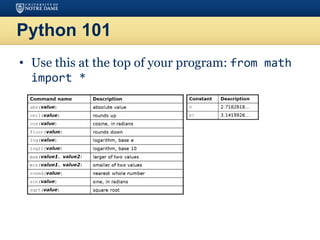
• Use this at the top of your program: from math
import *
Python 101
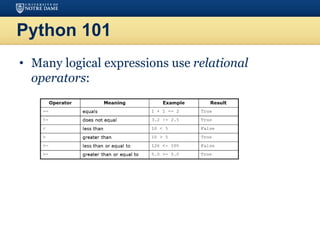
• Many logical expressions use relational
operators:
Python 101
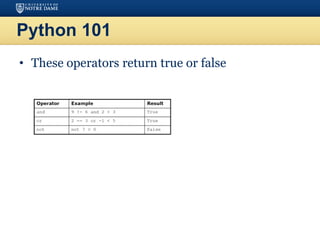
• These operators return true or false
Python 101
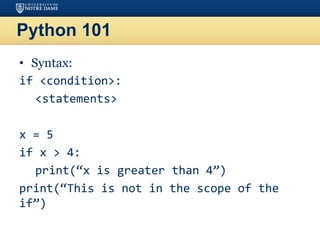
• Syntax:
if <condition>:
<statements>
x = 5
if x > 4:
print(“x is greater than 4”)
print(“This is not in the scope of the
if”)
Python 101
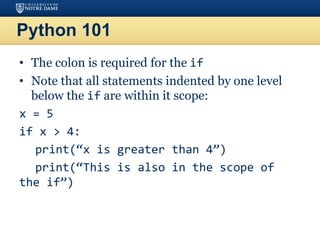
• The colon is required for the if
• Note that all statements indented by one level
below the if are within it scope:
x = 5
if x > 4:
print(“x is greater than 4”)
print(“This is also in the scope of
the if”)
Python 101
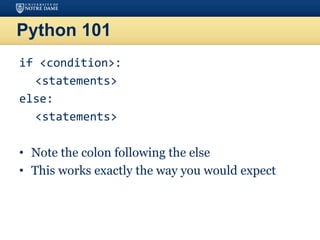
if <condition>:
<statements>
else:
<statements>
• Note the colon following the else
• This works exactly the way you would expect
Python 101
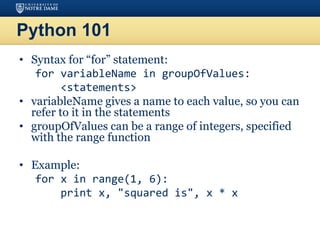
• Syntax for “for” statement:
for variableName in groupOfValues:
<statements>
• variableName gives a name to each value, so you can
refer to it in the statements
• groupOfValues can be a range of integers, specified
with the range function
• Example:
for x in range(1, 6):
print x, "squared is", x * x
Python 101
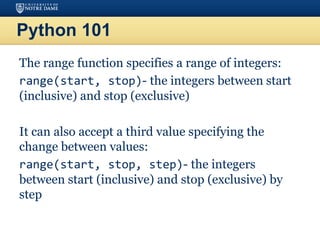
The range function specifies a range of integers:
range(start, stop)- the integers between start
(inclusive) and stop (exclusive)
It can also accept a third value specifying the
change between values:
range(start, stop, step)- the integers
between start (inclusive) and stop (exclusive) by
step
Python 101
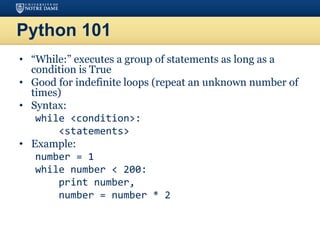
• “While:” executes a group of statements as long as a
condition is True
• Good for indefinite loops (repeat an unknown number of
times)
• Syntax:
while <condition>:
<statements>
• Example:
number = 1
while number < 200:
print number,
number = number * 2
Exercise
• Write a Python program to compute and display
the first 16 powers of 2, starting with 1
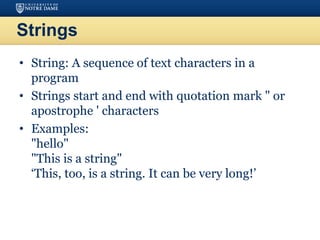
Strings
• String: A sequence of text characters in a
program
• Strings start and end with quotation mark " or
apostrophe ' characters
• Examples:
"hello"
"This is a string"
‘This, too, is a string. It can be very long!’
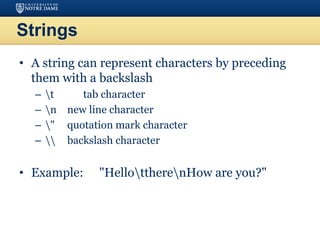
Strings
• A string can represent characters by preceding
them with a backslash
– t tab character
– n new line character
– " quotation mark character
–  backslash character
• Example: "HellottherenHow are you?"
Strings
• As with other languages, you can use square
brackets to index a string as if it were an array:
name = “Arpita Nigam”
print(name, “starts with “, name[0])
Strings
• len(string) - number of characters in a
string
• str.lower(string) - lowercase version of a string
• str.upper(string) - uppercase version of a string
• str.isalpha(string) - True if the string has
only alpha chars
• Many others: split, replace, find, format, etc.
• Note the “dot” notation: These are static methods
Byte Arrays and Strings
• Strings are Unicode text and not mutable
• Byte arrays are mutable and contain raw bytes
• For example, reading Internet data from a URL
gets bytes
• Convert to string:
cmd = response.read()
strCmd = str(cmd)
Other Built-In Types
• Tuples, lists, sets, and dictionaries
• They all allow you to group more than one item
of data together under one name
• You can also search them
Tuples
• Unchanging sequences of data
• Enclosed in parentheses:
tuple1 = (“This”, “is”, “a”, “tuple”)
print(tuple1)
• This prints the tuple exactly as shown
print(tuple1[1])
• Prints “is” (without the quotes)
Lists
• Changeable sequences of data
• Lists are created by using square brackets:
breakfast = [ “coffee”, “tea”, “toast”, “egg”
]
• You can add to a list:
breakfast.append(“waffles”)
breakfast.extend([“cereal”, “juice”])
Dictionaries
• Groupings of data indexed by name
• Dictionaries are created using braces
sales = {}
sales[“January”] = 10000
sales[“February”] = 17000
sales[“March”] = 16500
food = {"ham" : "yes", "egg" : "yes", "spam" :
"no"}
food
food[“ham”]
food[“egg”] = ‘no’
Sets
• Sets are similar to dictionaries in Python, except
that they consist of only keys with no associated
values
• Essentially, they are a collection of data with no
duplicates
• They are very useful when it comes to removing
duplicate data from data collections.
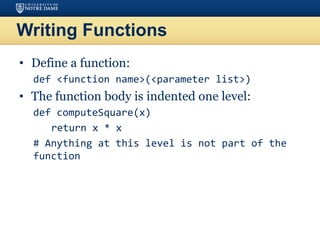
Writing Functions
• Define a function:
def <function name>(<parameter list>)
• The function body is indented one level:
def computeSquare(x)
return x * x
# Anything at this level is not part of the
function
Error Handling
• Use try/except blocks, similar to try/catch:
fridge_contents = {“egg”:8, “mushroom”:20,
“pepper”:3, “cheese”:2, “tomato”:4,
“milk”:13}
try:
if fridge_contents[“orange juice”] > 3:
print(“Let’s have some juice!”)
except KeyError:
print(“Awww, there is no orange juice.”)
Error Handling
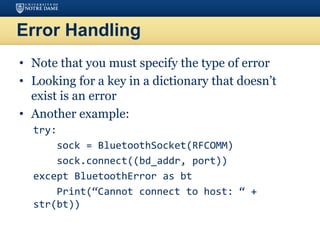
• Note that you must specify the type of error
• Looking for a key in a dictionary that doesn’t
exist is an error
• Another example:
try:
sock = BluetoothSocket(RFCOMM)
sock.connect((bd_addr, port))
except BluetoothError as bt
Print(“Cannot connect to host: “ +
str(bt))
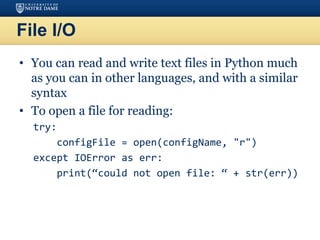
File I/O
• You can read and write text files in Python much
as you can in other languages, and with a similar
syntax
• To open a file for reading:
try:
configFile = open(configName, "r")
except IOError as err:
print(“could not open file: “ + str(err))
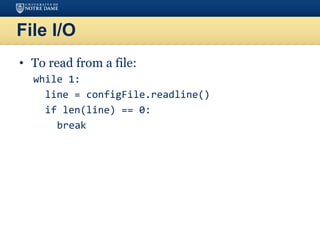
File I/O
• To read from a file:
while 1:
line = configFile.readline()
if len(line) == 0:
break
File I/O
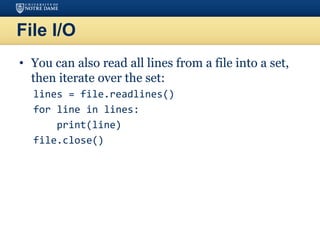
• You can also read all lines from a file into a set,
then iterate over the set:
lines = file.readlines()
for line in lines:
print(line)
file.close()
File I/O
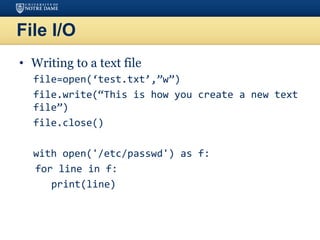
• Writing to a text file
file=open(‘test.txt’,”w”)
file.write(“This is how you create a new text
file”)
file.close()
with open('/etc/passwd') as f:
for line in f:
print(line)
Assignment 1: Task 1
stock = { "banana": 6,
"apple": 0,
"orange": 32,
"pear": 15 }
prices = { "banana": 4,
"apple": 2,
"orange": 1.5,
"pear": 3 }
Write a function “Rechnung” (bill) that takes a list of foods (e.g.,
["banana", "orange", "apple"]) as input and computes the total
price (only for items in stock) and adjusts the stock accordingly.
Write the bill computation as function that takes one parameter
(list of foods).
Assignment 1: Task 2
Continue Task 1 by writing the shopping list into a
newly created file, each item in a new line. Then
write a second program that reads the file in a
loop, line by line and prints each line.
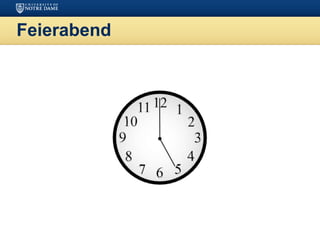
Feierabend

IoT-Week1-Day1-Lab.pptx

  • 1.
    Internet-of-Things (IoT) Summer EngineeringProgram 2018 University of Notre Dame LAB COMPONENT
  • 2.
    Setting Up Python JupyterNotebook: https://jupyter.readthedocs.io/en/latest/install.ht ml IDLE: Integrated Development and Learning Environment
  • 3.
    Python 101 • UnlikeC/C++ or Java, Python statements do not end in a semicolon • In Python, indentation is the way you indicate the scope of a conditional, function, etc. • Look, no braces! • Python is interpretive, meaning you don’t have to write programs • You can just enter statements into the Python environment and they’ll execute
  • 4.
    Python 101 • Asin every language, a variable is the name of a memory location • Python is weakly typed, i.e., you don’t declare variables to be a specific type • A variable has the type that corresponds to the value you assign to it • Variable names begin with a letter or an underscore and can contain letters, numbers, and underscores • Python has reserved words that you can’t use as variable names
  • 5.
    Python 101 At the>>> prompt, do the following: x=5 type(x) x=“this is text” type(x) x=5.0 type(x)
  • 6.
    Python 101 • You’vealready seen the print statement • You can also print numbers with formatting – [flags][width][.precision]type – print (”pi: {0:8.2f}”.format(3.141592)) • These are identical to Java or C format specifiers
  • 7.
    Python 101 • Allcode should contain comments that describe what it does • In Python, lines beginning with a # sign are comment lines • You can also have comments on the same line as a statement # This entire line is a comment x=5 # Set up loop counter
  • 8.
    Python 101 • Arithmeticoperators we will use: – + - * / addition, subtraction/negation, multiplication, division – % modulus, a.k.a. remainder – ** exponentiation • Precedence: Order in which operations are computed. – * / % ** have a higher precedence than + - 1 + 3 * 4 is 13 – Parentheses can be used to force a certain order of evaluation. (1 + 3) * 4 is 16
  • 9.
    Python 101 • Whenintegers and reals are mixed, the result is a real number. –Example: 1 / 2.0 is 0.5 –The conversion occurs on a per-operator basis. – 7 / 3 * 1.2 + 3 / 2 – 2 * 1.2 + 3 / 2 – 2.4 + 3 / 2 – 2.4 + 1 – 3.4
  • 10.
    Python 101 • Usethis at the top of your program: from math import *
  • 11.
    Python 101 • Manylogical expressions use relational operators:
  • 12.
    Python 101 • Theseoperators return true or false
  • 13.
    Python 101 • Syntax: if<condition>: <statements> x = 5 if x > 4: print(“x is greater than 4”) print(“This is not in the scope of the if”)
  • 14.
    Python 101 • Thecolon is required for the if • Note that all statements indented by one level below the if are within it scope: x = 5 if x > 4: print(“x is greater than 4”) print(“This is also in the scope of the if”)
  • 15.
    Python 101 if <condition>: <statements> else: <statements> •Note the colon following the else • This works exactly the way you would expect
  • 16.
    Python 101 • Syntaxfor “for” statement: for variableName in groupOfValues: <statements> • variableName gives a name to each value, so you can refer to it in the statements • groupOfValues can be a range of integers, specified with the range function • Example: for x in range(1, 6): print x, "squared is", x * x
  • 17.
    Python 101 The rangefunction specifies a range of integers: range(start, stop)- the integers between start (inclusive) and stop (exclusive) It can also accept a third value specifying the change between values: range(start, stop, step)- the integers between start (inclusive) and stop (exclusive) by step
  • 18.
    Python 101 • “While:”executes a group of statements as long as a condition is True • Good for indefinite loops (repeat an unknown number of times) • Syntax: while <condition>: <statements> • Example: number = 1 while number < 200: print number, number = number * 2
  • 19.
    Exercise • Write aPython program to compute and display the first 16 powers of 2, starting with 1
  • 20.
    Strings • String: Asequence of text characters in a program • Strings start and end with quotation mark " or apostrophe ' characters • Examples: "hello" "This is a string" ‘This, too, is a string. It can be very long!’
  • 21.
    Strings • A stringcan represent characters by preceding them with a backslash – t tab character – n new line character – " quotation mark character – backslash character • Example: "HellottherenHow are you?"
  • 22.
    Strings • As withother languages, you can use square brackets to index a string as if it were an array: name = “Arpita Nigam” print(name, “starts with “, name[0])
  • 23.
    Strings • len(string) -number of characters in a string • str.lower(string) - lowercase version of a string • str.upper(string) - uppercase version of a string • str.isalpha(string) - True if the string has only alpha chars • Many others: split, replace, find, format, etc. • Note the “dot” notation: These are static methods
  • 24.
    Byte Arrays andStrings • Strings are Unicode text and not mutable • Byte arrays are mutable and contain raw bytes • For example, reading Internet data from a URL gets bytes • Convert to string: cmd = response.read() strCmd = str(cmd)
  • 25.
    Other Built-In Types •Tuples, lists, sets, and dictionaries • They all allow you to group more than one item of data together under one name • You can also search them
  • 26.
    Tuples • Unchanging sequencesof data • Enclosed in parentheses: tuple1 = (“This”, “is”, “a”, “tuple”) print(tuple1) • This prints the tuple exactly as shown print(tuple1[1]) • Prints “is” (without the quotes)
  • 27.
    Lists • Changeable sequencesof data • Lists are created by using square brackets: breakfast = [ “coffee”, “tea”, “toast”, “egg” ] • You can add to a list: breakfast.append(“waffles”) breakfast.extend([“cereal”, “juice”])
  • 28.
    Dictionaries • Groupings ofdata indexed by name • Dictionaries are created using braces sales = {} sales[“January”] = 10000 sales[“February”] = 17000 sales[“March”] = 16500 food = {"ham" : "yes", "egg" : "yes", "spam" : "no"} food food[“ham”] food[“egg”] = ‘no’
  • 29.
    Sets • Sets aresimilar to dictionaries in Python, except that they consist of only keys with no associated values • Essentially, they are a collection of data with no duplicates • They are very useful when it comes to removing duplicate data from data collections.
  • 30.
    Writing Functions • Definea function: def <function name>(<parameter list>) • The function body is indented one level: def computeSquare(x) return x * x # Anything at this level is not part of the function
  • 31.
    Error Handling • Usetry/except blocks, similar to try/catch: fridge_contents = {“egg”:8, “mushroom”:20, “pepper”:3, “cheese”:2, “tomato”:4, “milk”:13} try: if fridge_contents[“orange juice”] > 3: print(“Let’s have some juice!”) except KeyError: print(“Awww, there is no orange juice.”)
  • 32.
    Error Handling • Notethat you must specify the type of error • Looking for a key in a dictionary that doesn’t exist is an error • Another example: try: sock = BluetoothSocket(RFCOMM) sock.connect((bd_addr, port)) except BluetoothError as bt Print(“Cannot connect to host: “ + str(bt))
  • 33.
    File I/O • Youcan read and write text files in Python much as you can in other languages, and with a similar syntax • To open a file for reading: try: configFile = open(configName, "r") except IOError as err: print(“could not open file: “ + str(err))
  • 34.
    File I/O • Toread from a file: while 1: line = configFile.readline() if len(line) == 0: break
  • 35.
    File I/O • Youcan also read all lines from a file into a set, then iterate over the set: lines = file.readlines() for line in lines: print(line) file.close()
  • 36.
    File I/O • Writingto a text file file=open(‘test.txt’,”w”) file.write(“This is how you create a new text file”) file.close() with open('/etc/passwd') as f: for line in f: print(line)
  • 37.
    Assignment 1: Task1 stock = { "banana": 6, "apple": 0, "orange": 32, "pear": 15 } prices = { "banana": 4, "apple": 2, "orange": 1.5, "pear": 3 } Write a function “Rechnung” (bill) that takes a list of foods (e.g., ["banana", "orange", "apple"]) as input and computes the total price (only for items in stock) and adjusts the stock accordingly. Write the bill computation as function that takes one parameter (list of foods).
  • 38.
    Assignment 1: Task2 Continue Task 1 by writing the shopping list into a newly created file, each item in a new line. Then write a second program that reads the file in a loop, line by line and prints each line.
  • 39.