
App Indexing 
Blurring the Lines Between your App and your Website 
Juan Gomez
Intro 
Who am I? 
• Mobile Engineer at Eventbrite 
• Previously at OneLouder Apps 
• Android & Python Developer
Agenda 
• Implementing Deep Linking on your App 
• Including your app in the App Indexing Program 
• Surfacing your app’s content on Search 
Autocomplete.
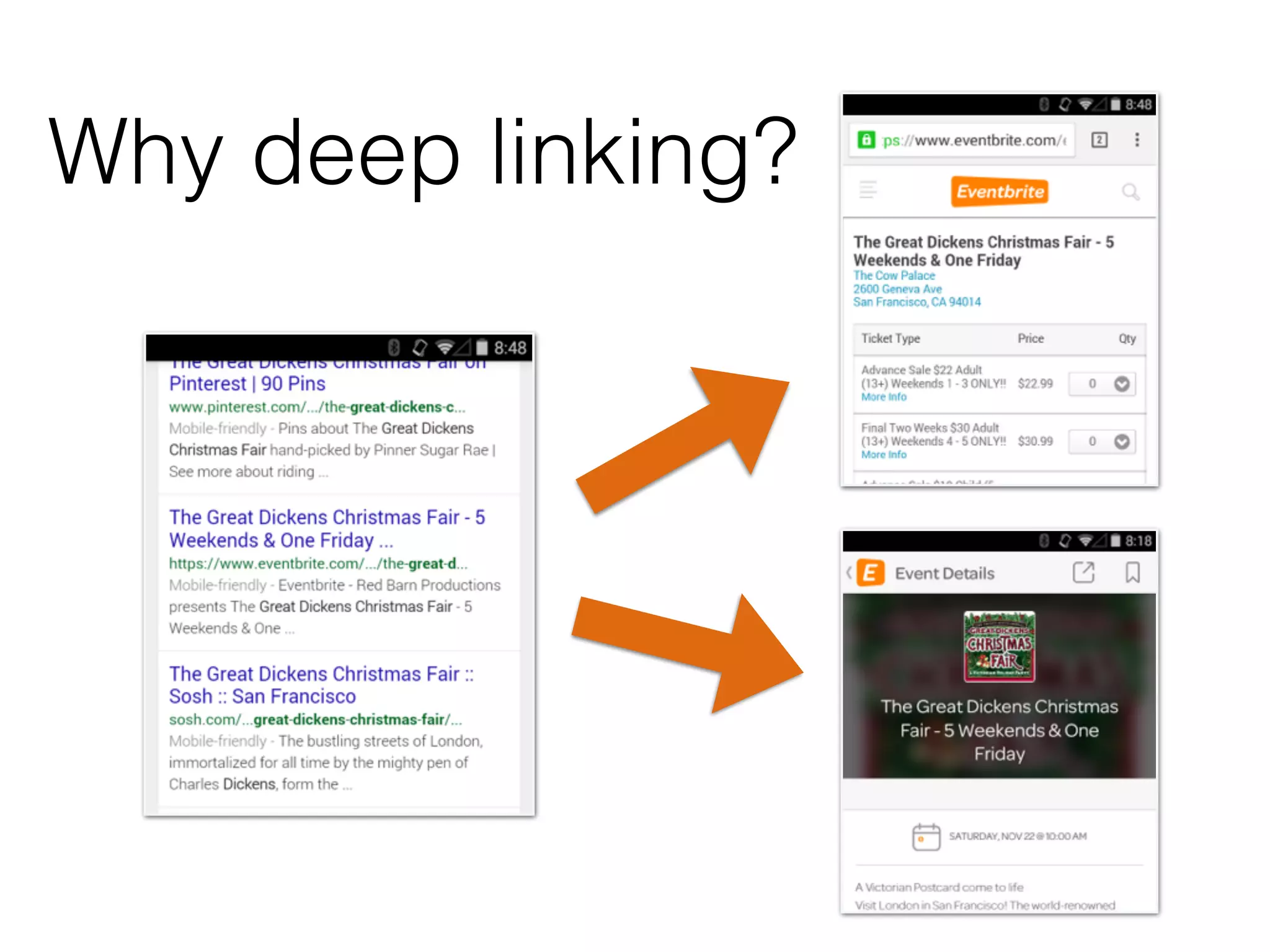
Why deep linking?
Deep Linking Checklist 
1. Identify deep links 
2. Add Intent Filter to Android App 
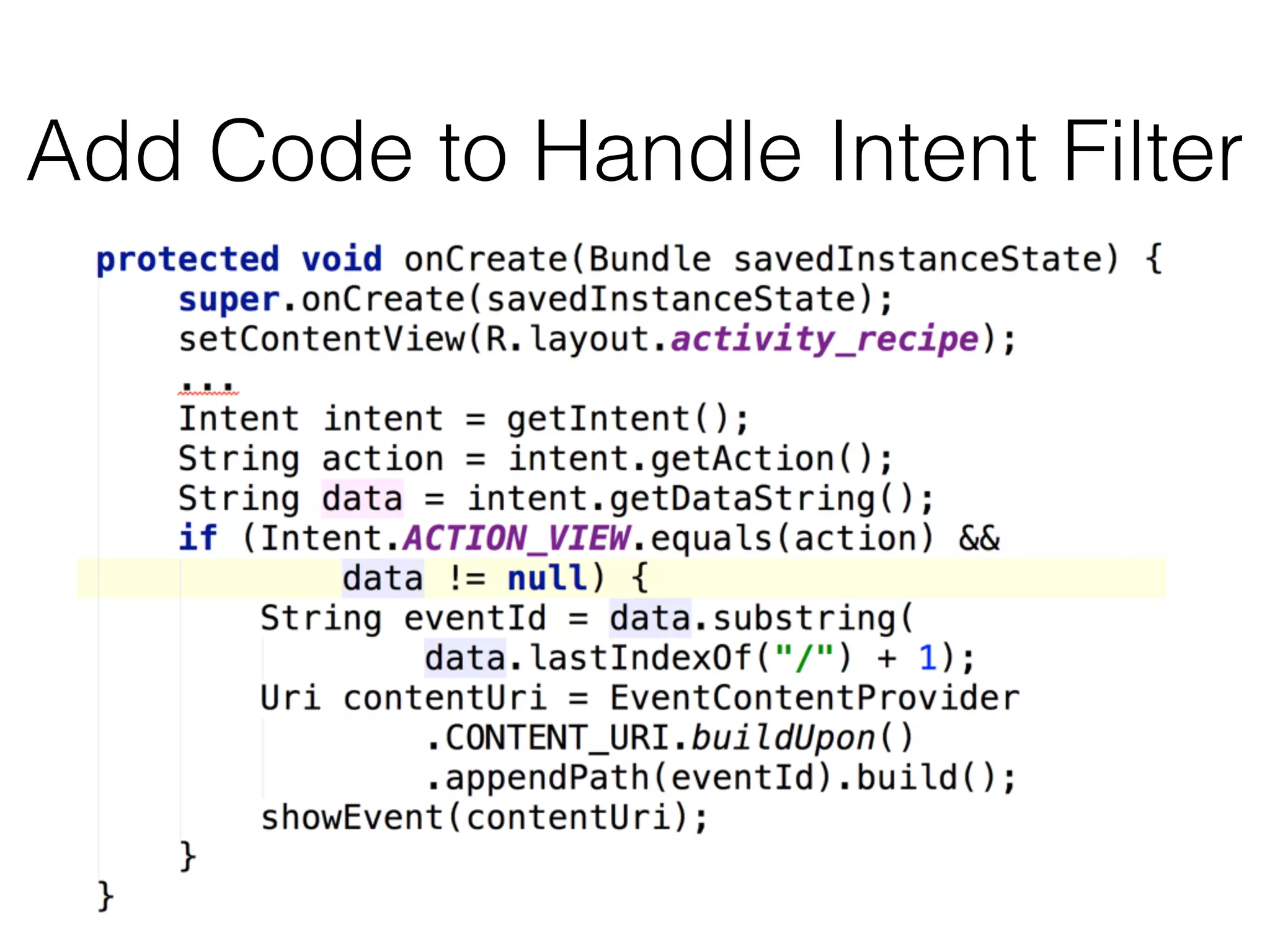
3. Add Code to Handle Intent Filter 
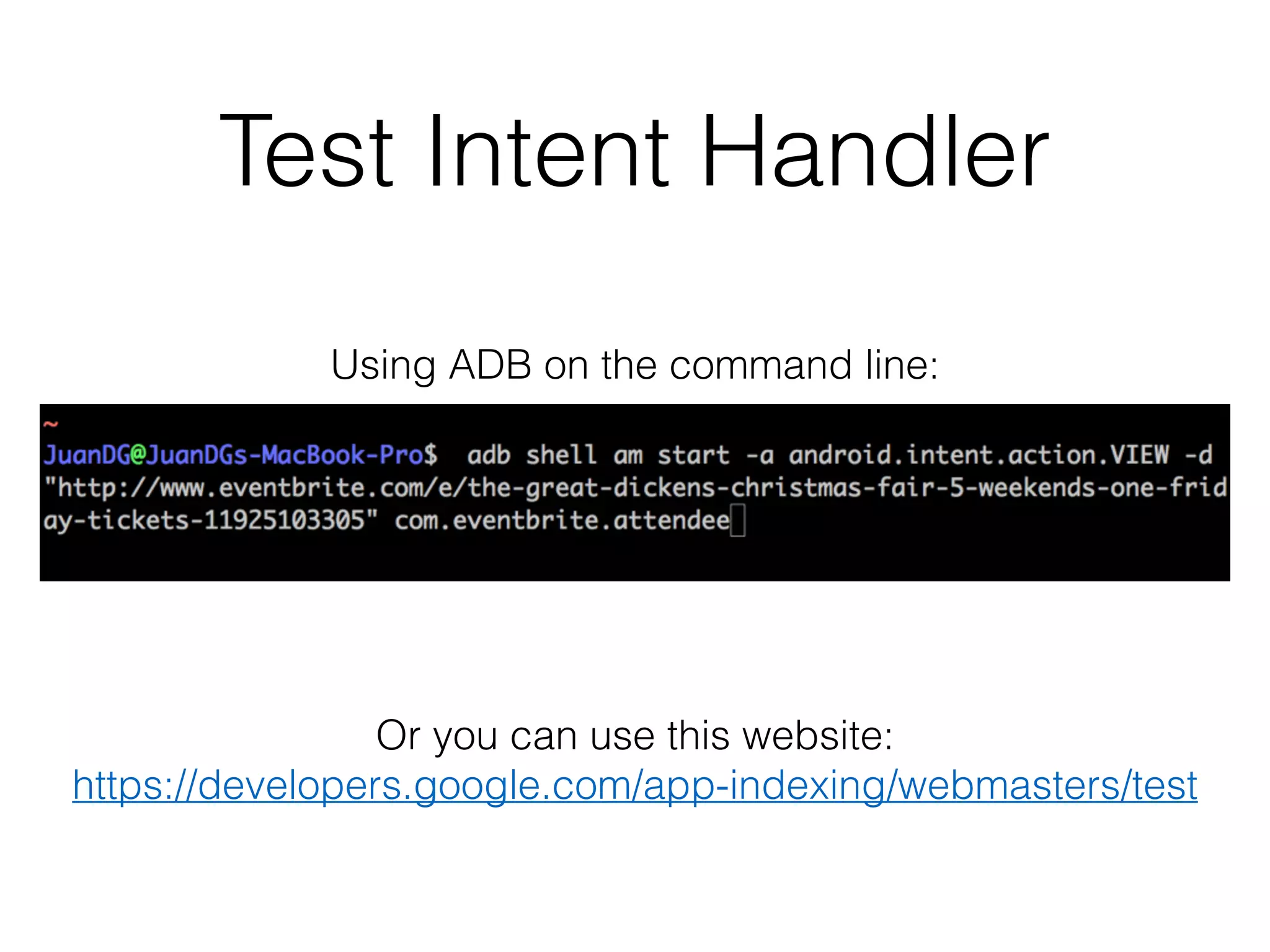
4. Test Intent Handler
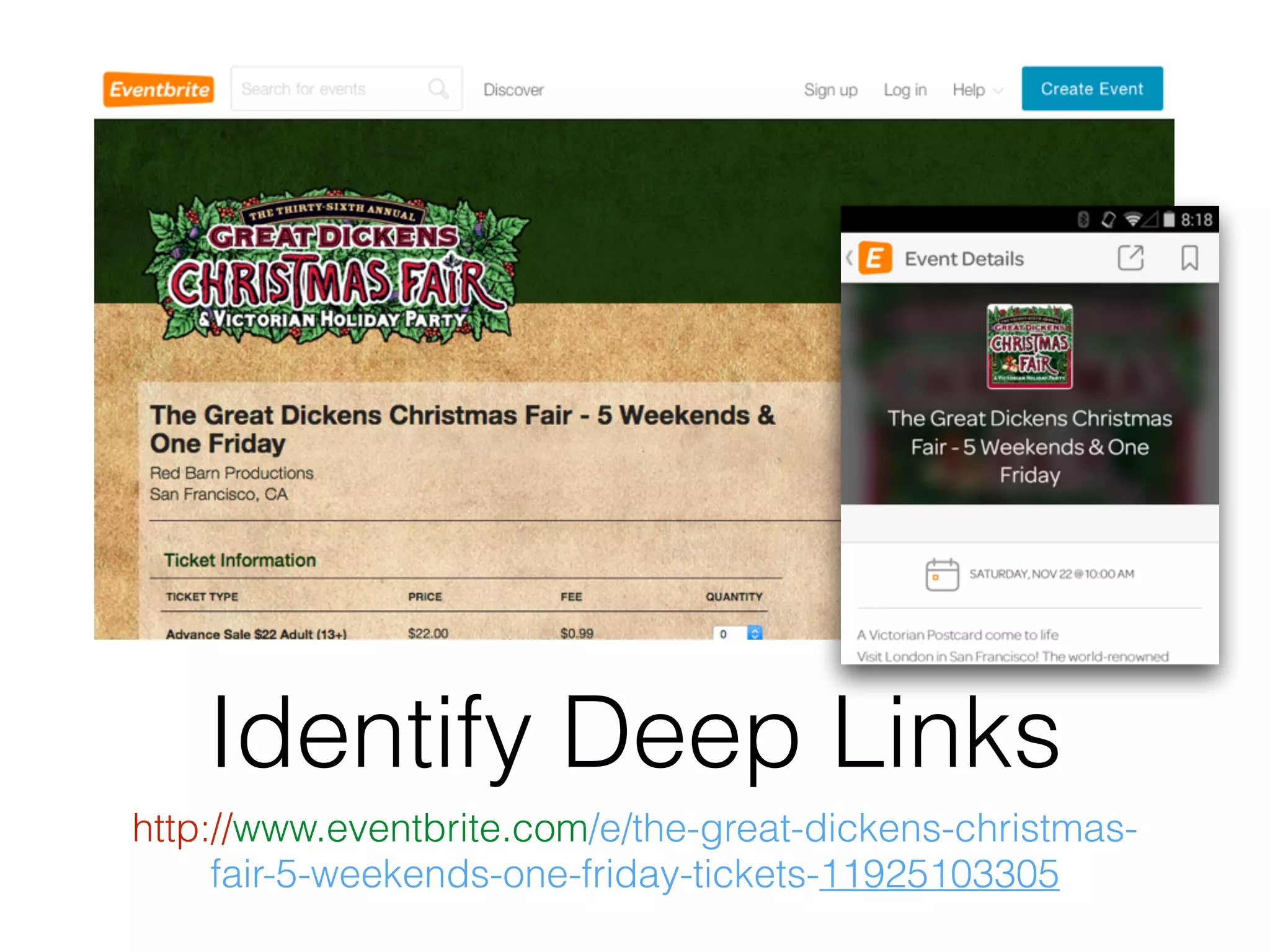
Identify Deep Links 
http://www.eventbrite.com/e/the-great-dickens-christmas-fair- 
5-weekends-one-friday-tickets-11925103305
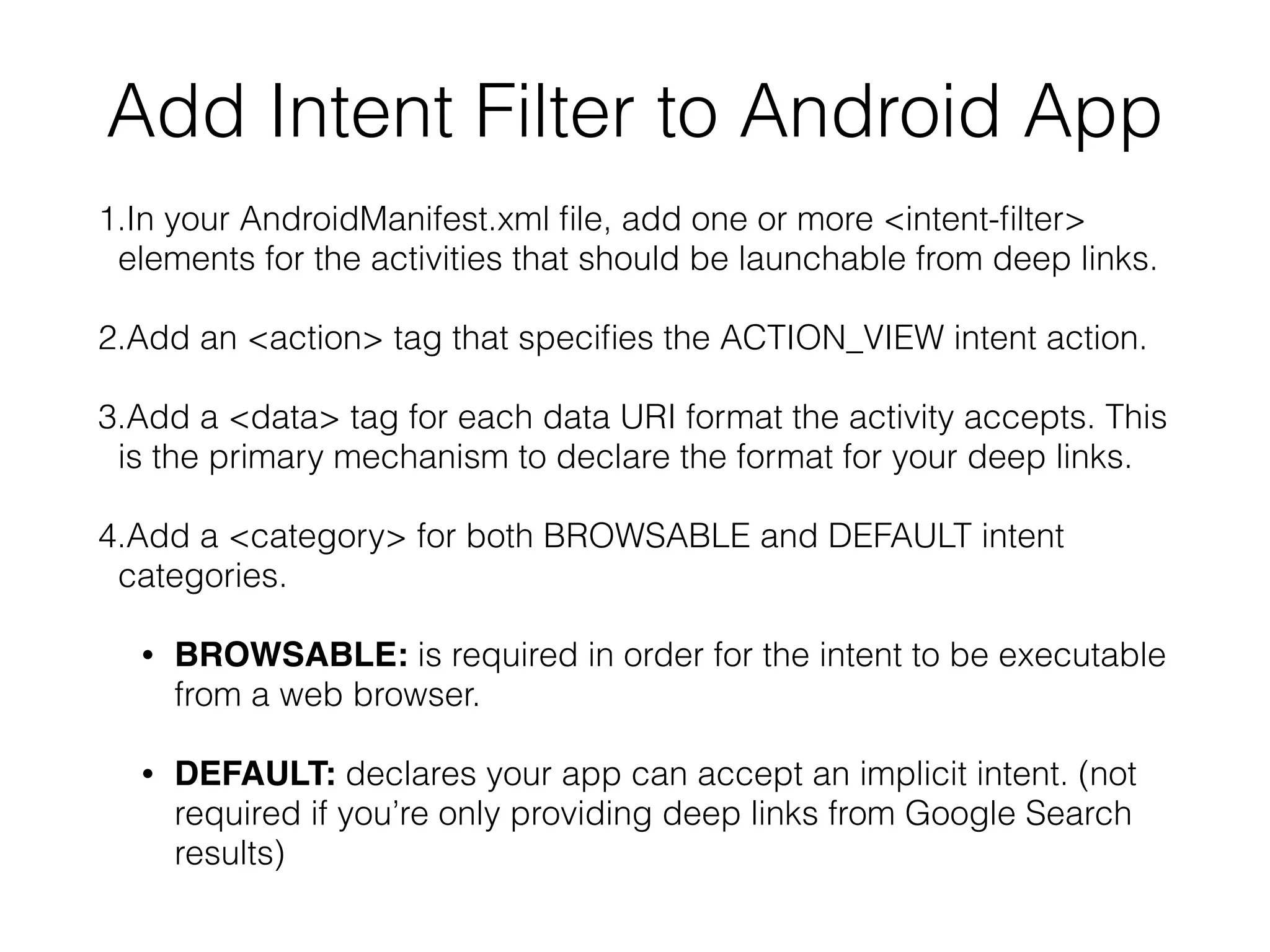
Add Intent Filter to Android App 
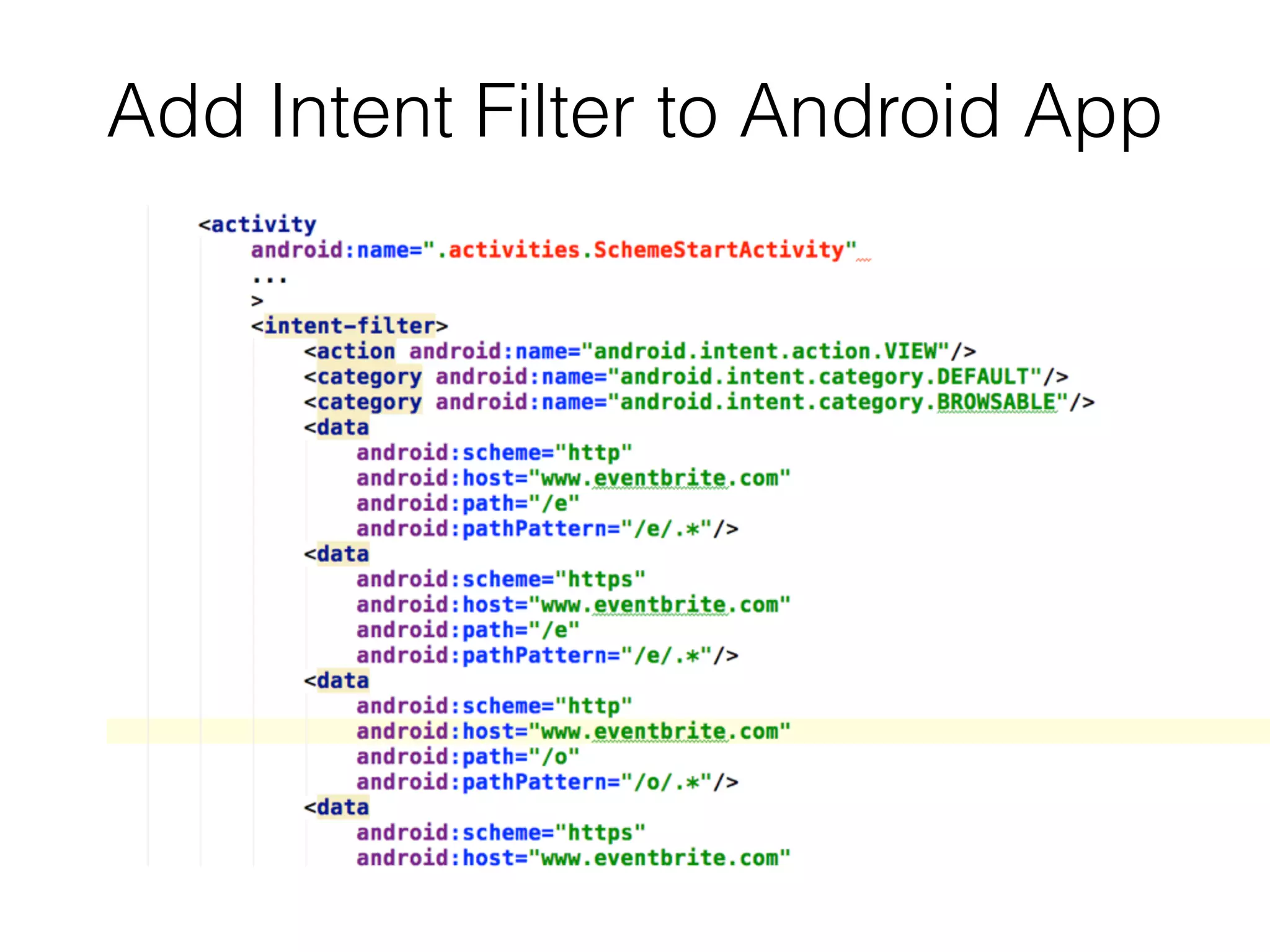
1.In your AndroidManifest.xml file, add one or more <intent-filter> 
elements for the activities that should be launchable from deep links. 
2.Add an <action> tag that specifies the ACTION_VIEW intent action. 
3.Add a <data> tag for each data URI format the activity accepts. This 
is the primary mechanism to declare the format for your deep links. 
4.Add a <category> for both BROWSABLE and DEFAULT intent 
categories. 
• BROWSABLE: is required in order for the intent to be executable 
from a web browser. 
• DEFAULT: declares your app can accept an implicit intent. (not 
required if you’re only providing deep links from Google Search 
results)
Add Intent Filter to Android App
Add Code to Handle Intent Filter
Test Intent Handler 
Using ADB on the command line: 
Or you can use this website: 
https://developers.google.com/app-indexing/webmasters/test
Success!
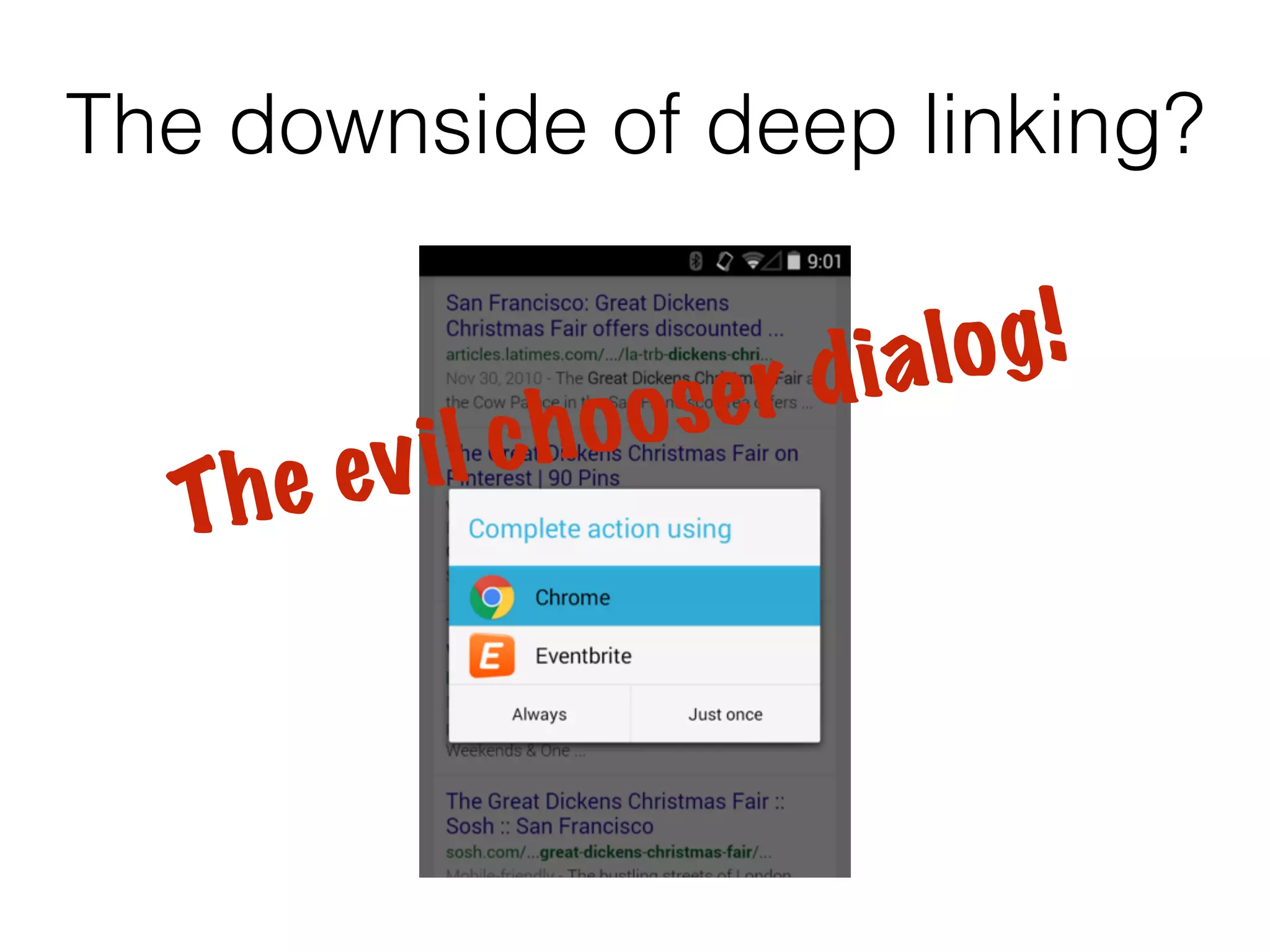
The downside of deep linking? 
T h e ev i l c h o o s e r d i a l o g !
App Indexing Checklist 
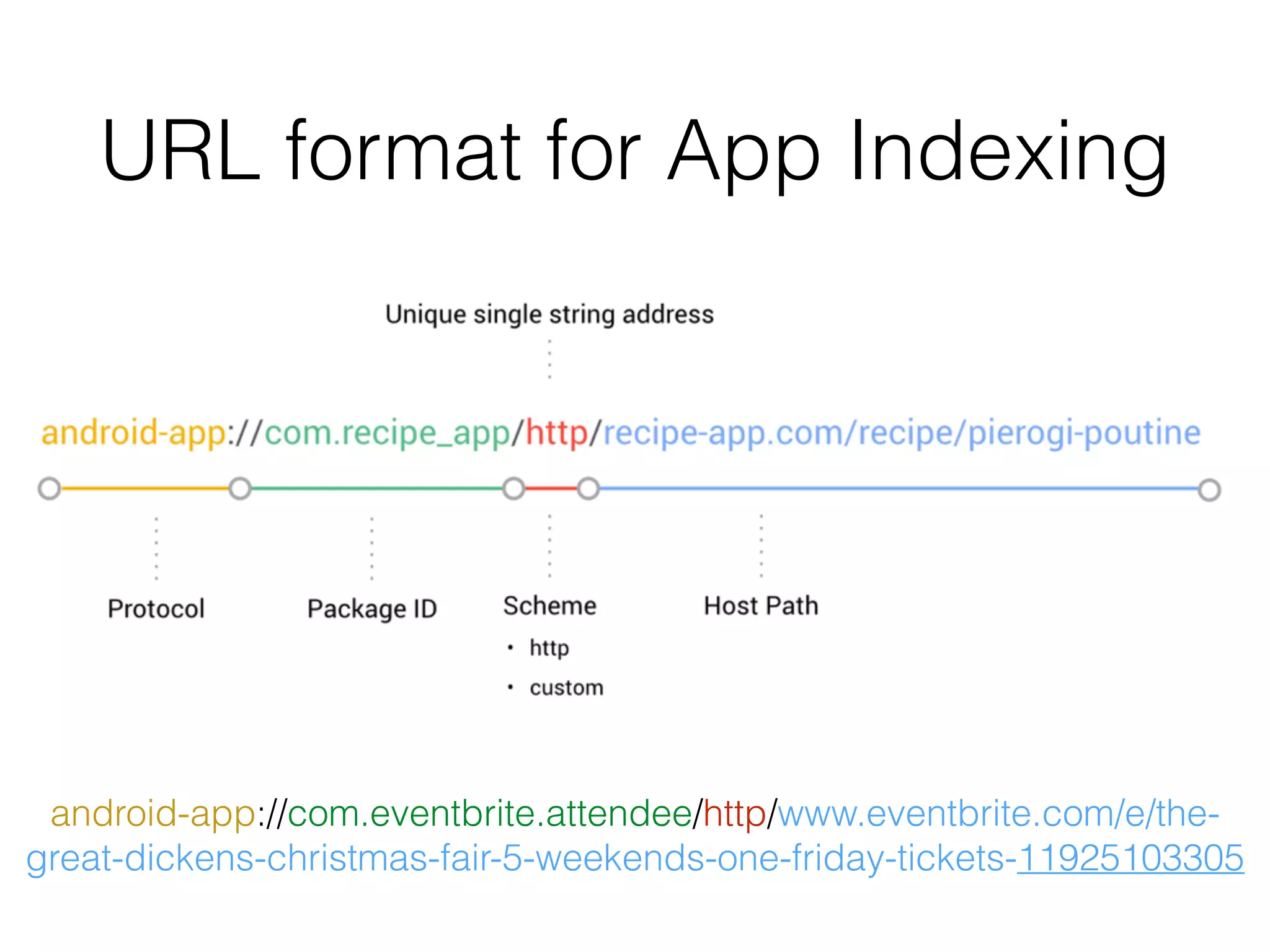
1. Create URL format for App Indexing 
2. Add App Indexing Markup to your website 
3. Connect your app using Google Play Console 
4. Verify Your App in Webmaster Tools
URL format for App Indexing 
android-app://com.eventbrite.attendee/http/www.eventbrite.com/e/the-great- 
dickens-christmas-fair-5-weekends-one-friday-tickets-11925103305
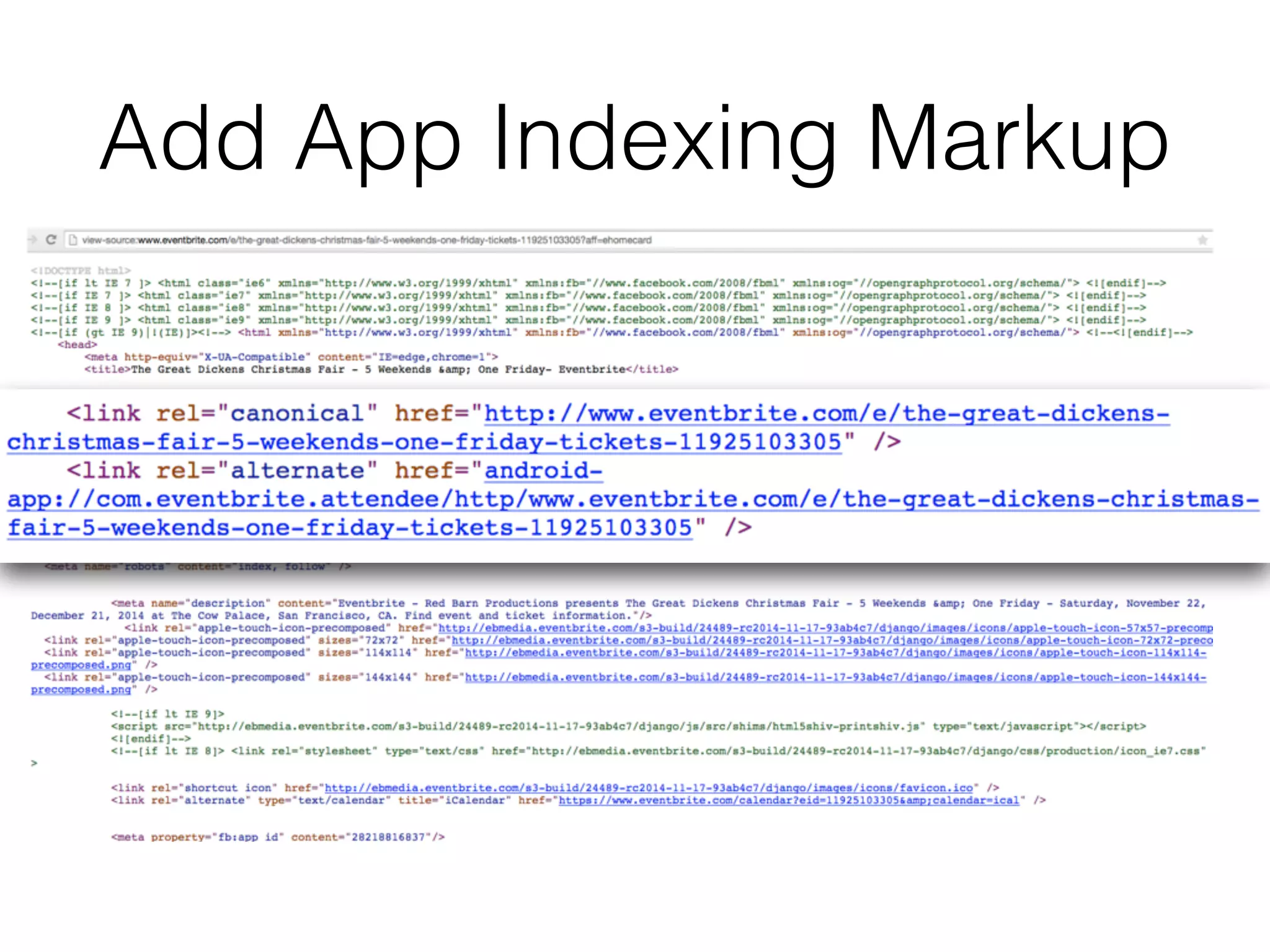
Add App Indexing Markup 
• For each of the deep links identified earlier, we 
need to add additional markup. 
• This markup allows the Google crawler to use deep 
links to send users to your Android app. 
• For most modern web application frameworks, this 
should only involve changing a single template.
Add App Indexing Markup
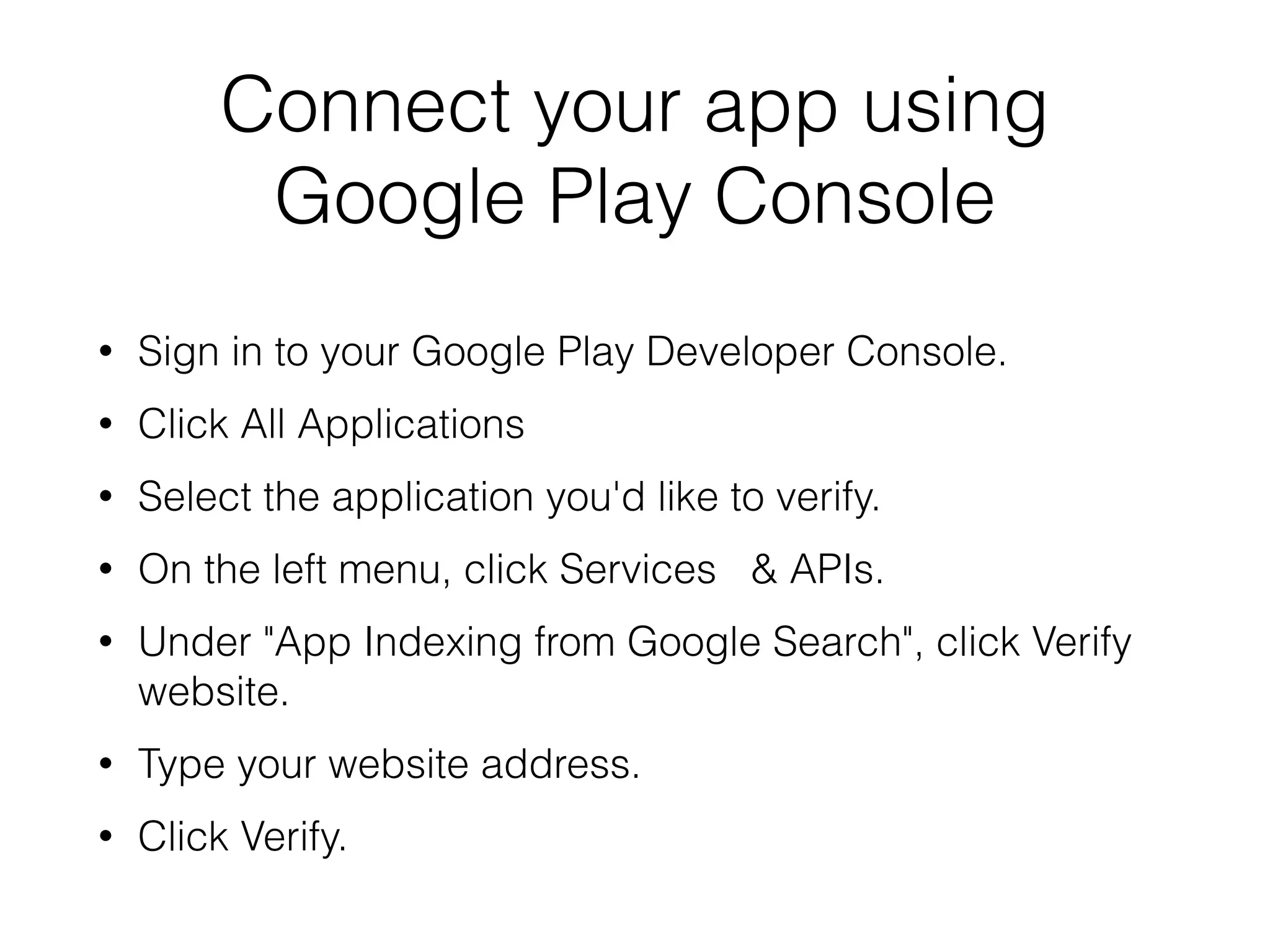
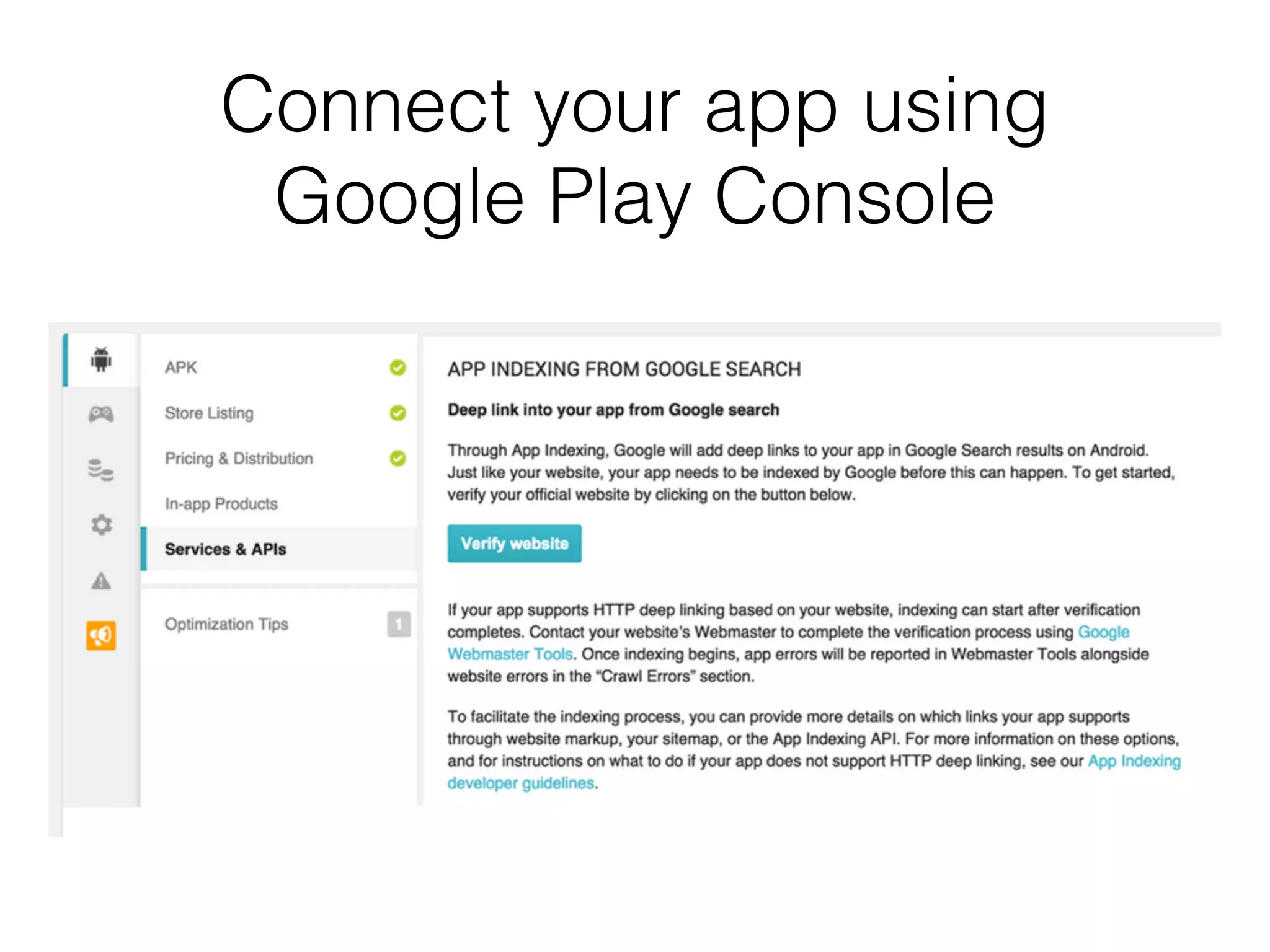
Connect your app using 
Google Play Console 
• Sign in to your Google Play Developer Console. 
• Click All Applications 
• Select the application you'd like to verify. 
• On the left menu, click Services & APIs. 
• Under "App Indexing from Google Search", click Verify 
website. 
• Type your website address. 
• Click Verify.
Connect your app using 
Google Play Console
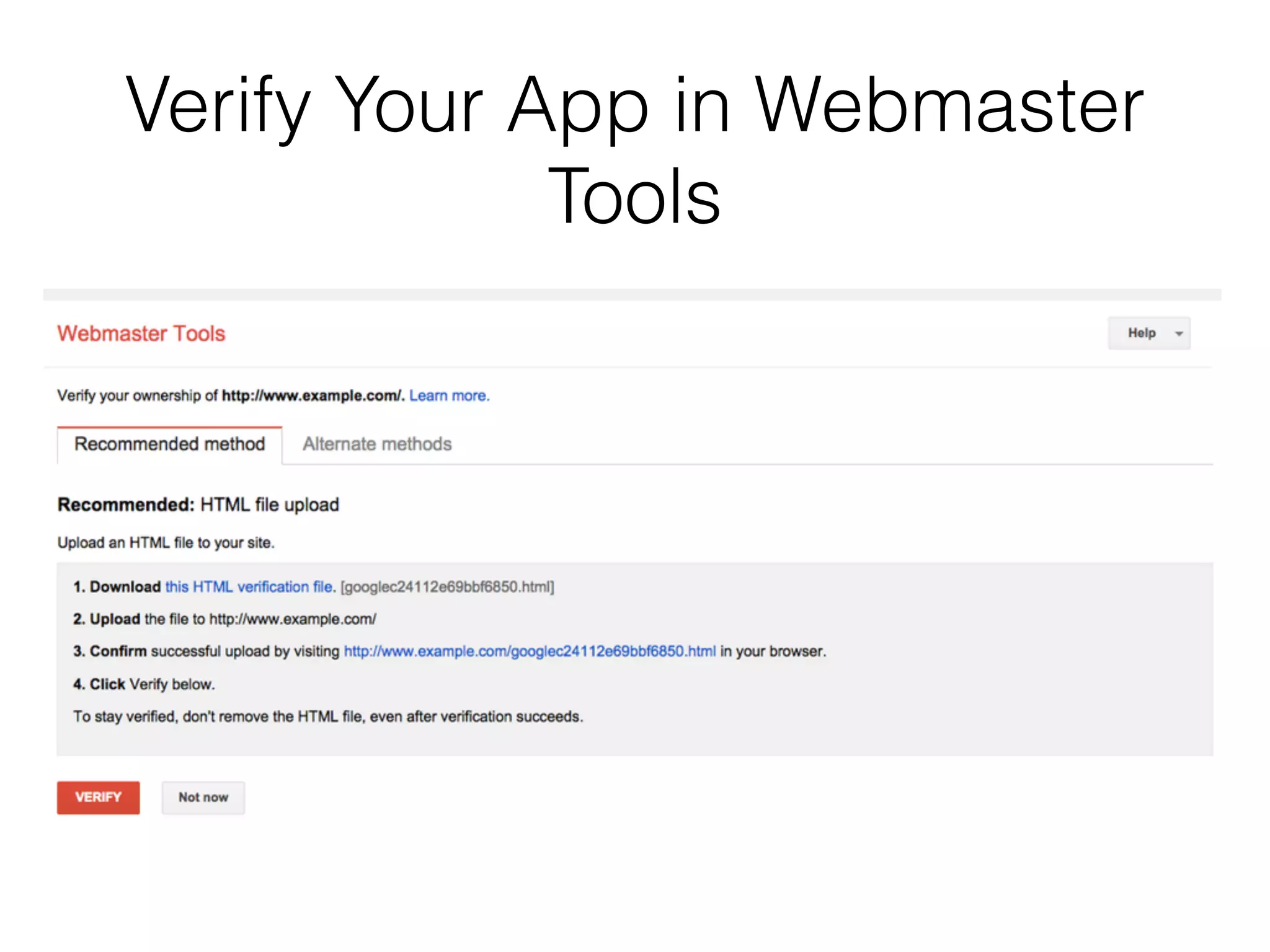
Verify Your App in Webmaster 
Tools 
• Go to Google Webmaster Tools. 
• On the left menu, click All Messages. 
• Open the verification request message (example: 
"Google Play: Link http://www.yourwebsite.com to 
Android application com.yourpackage.name"). 
• Click Approve the request. 
• Review the information in the dialog. 
• Click Approve
Verify Your App in Webmaster 
Tools
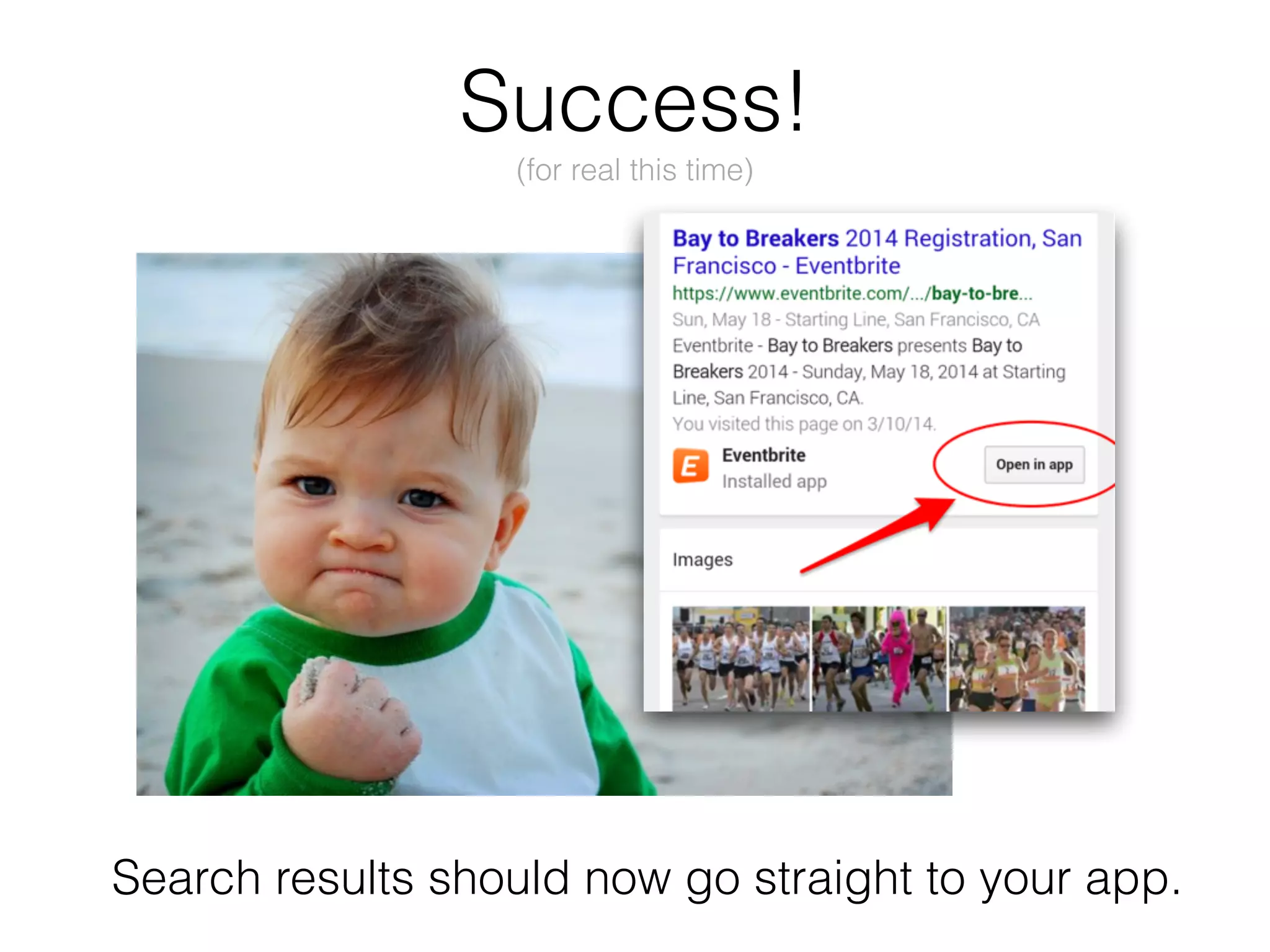
Success! 
(for real this time) 
Search results should now go straight to your app.
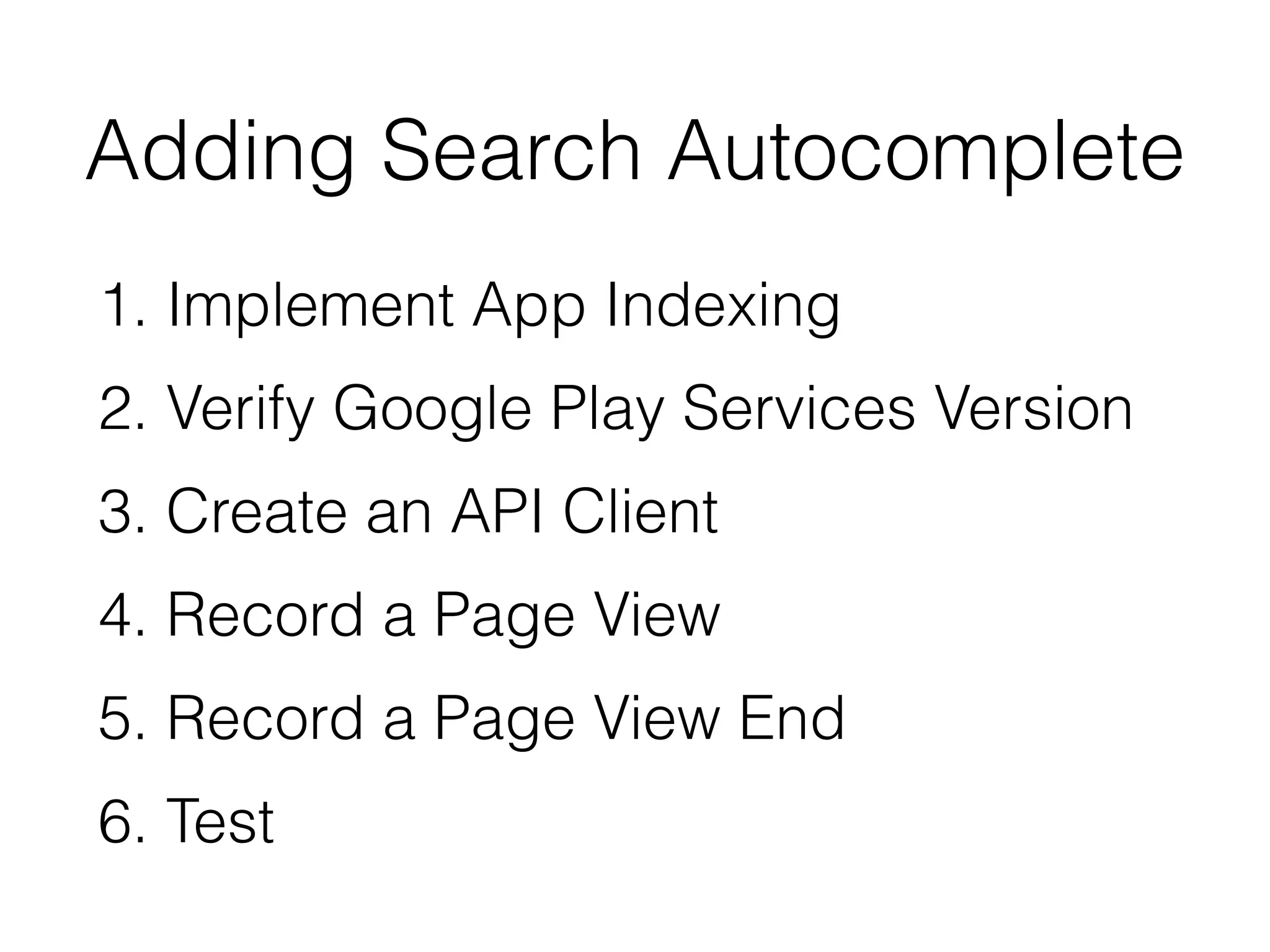
Adding Search Autocomplete 
1. Implement App Indexing 
2. Verify Google Play Services Version 
3. Create an API Client 
4. Record a Page View 
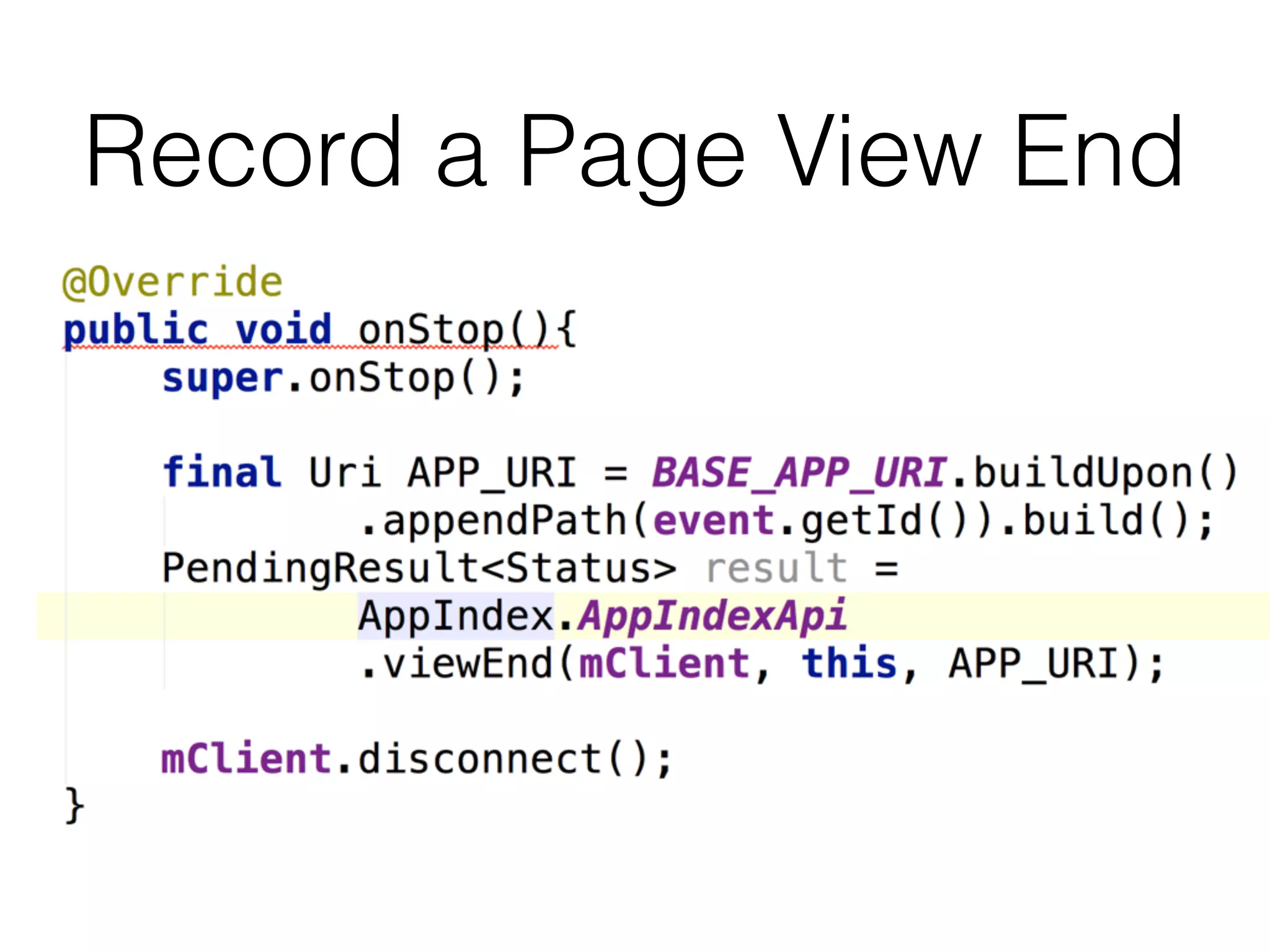
5. Record a Page View End 
6. Test
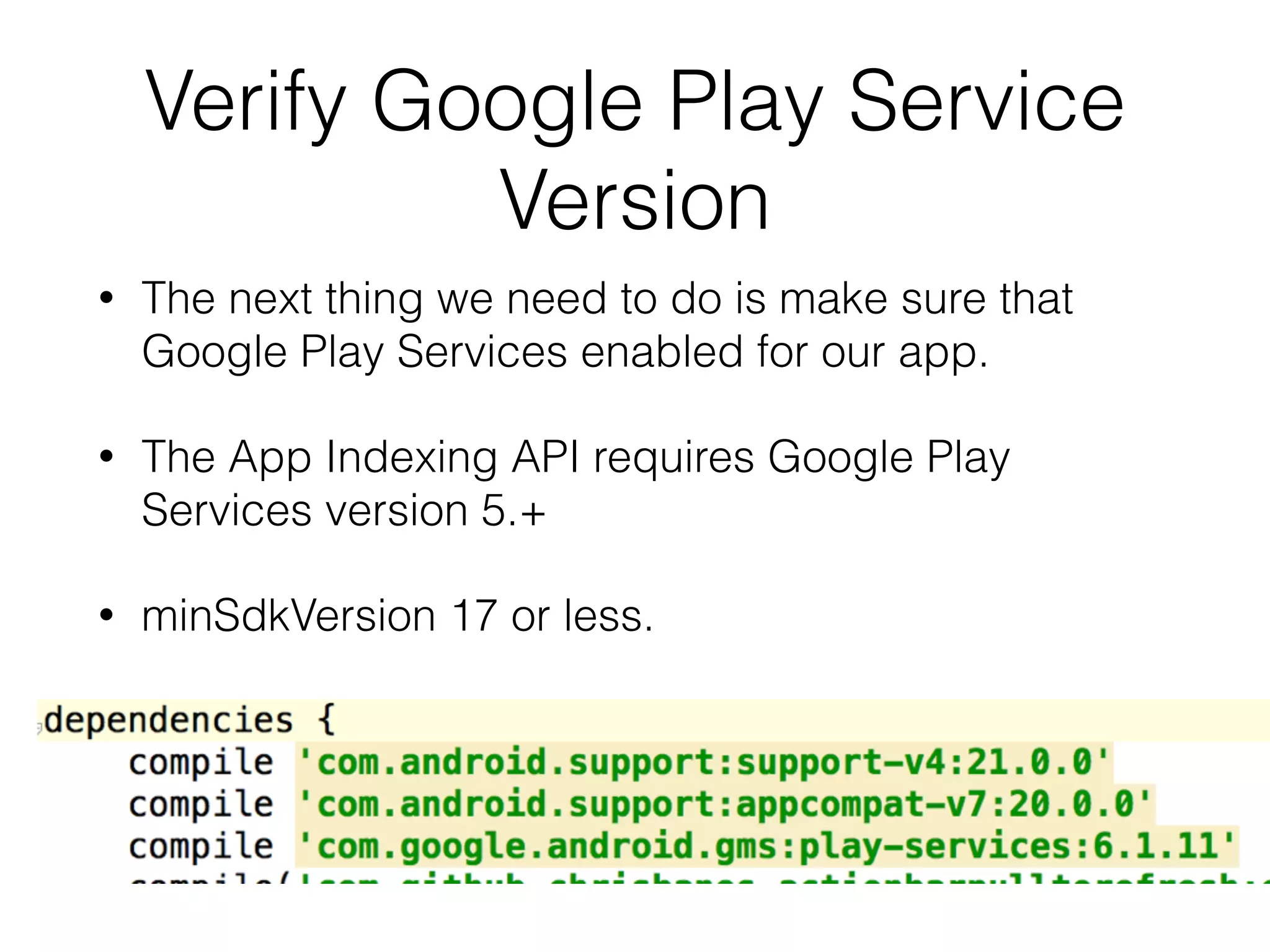
Verify Google Play Service 
Version 
• The next thing we need to do is make sure that 
Google Play Services enabled for our app. 
• The App Indexing API requires Google Play 
Services version 5.+ 
• minSdkVersion 17 or less.
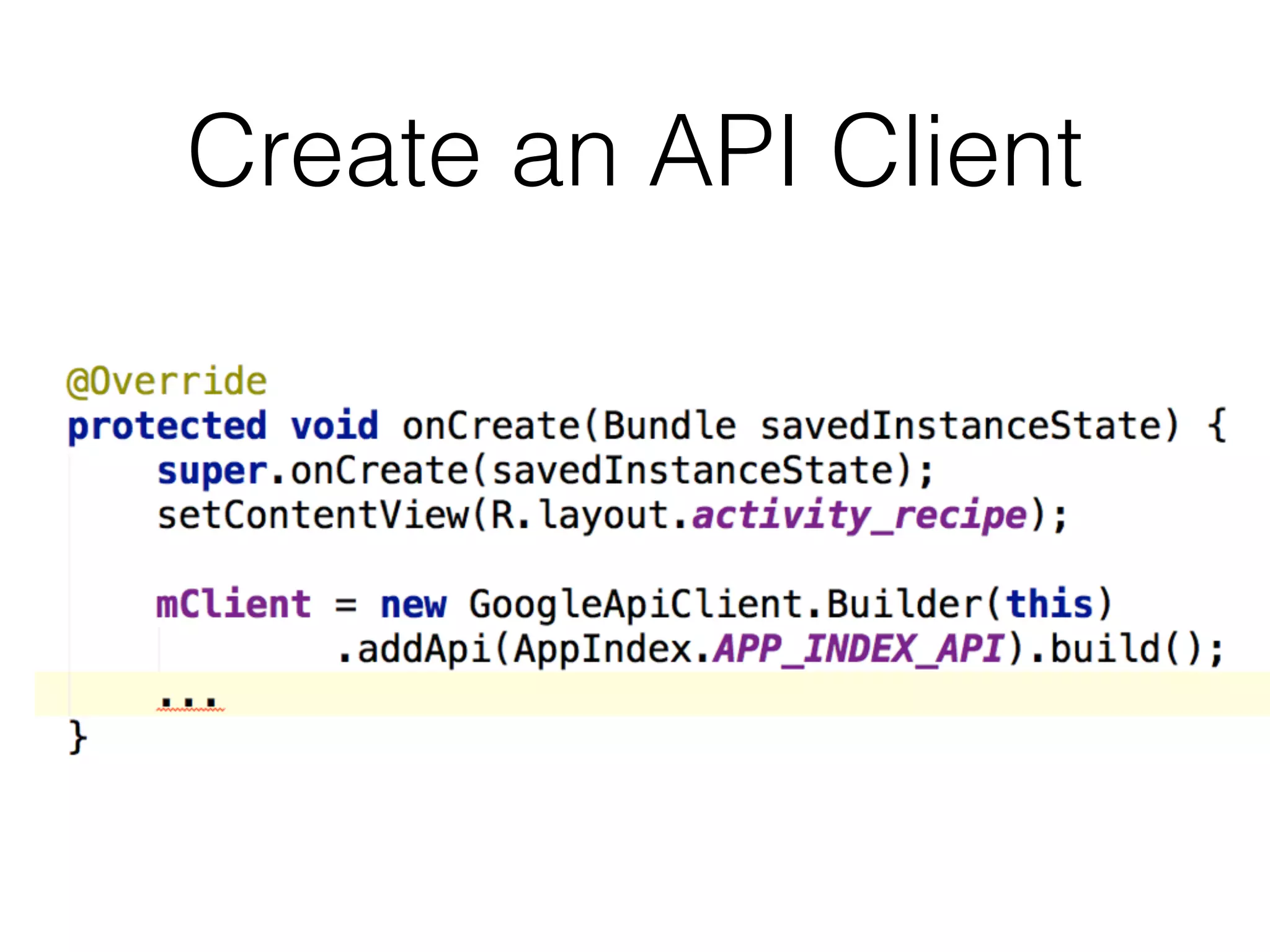
Create an API Client
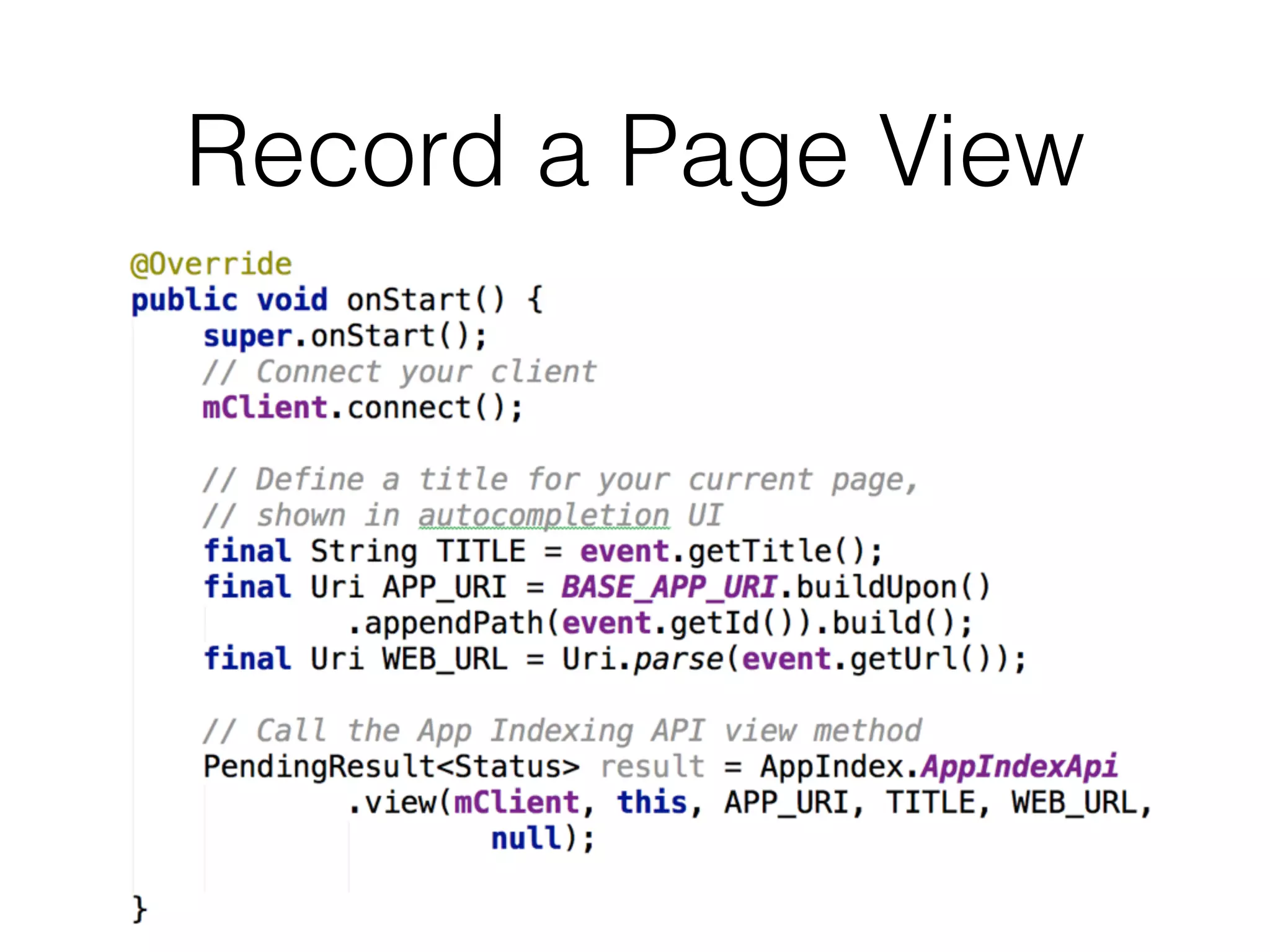
Record a Page View
Record a Page View End
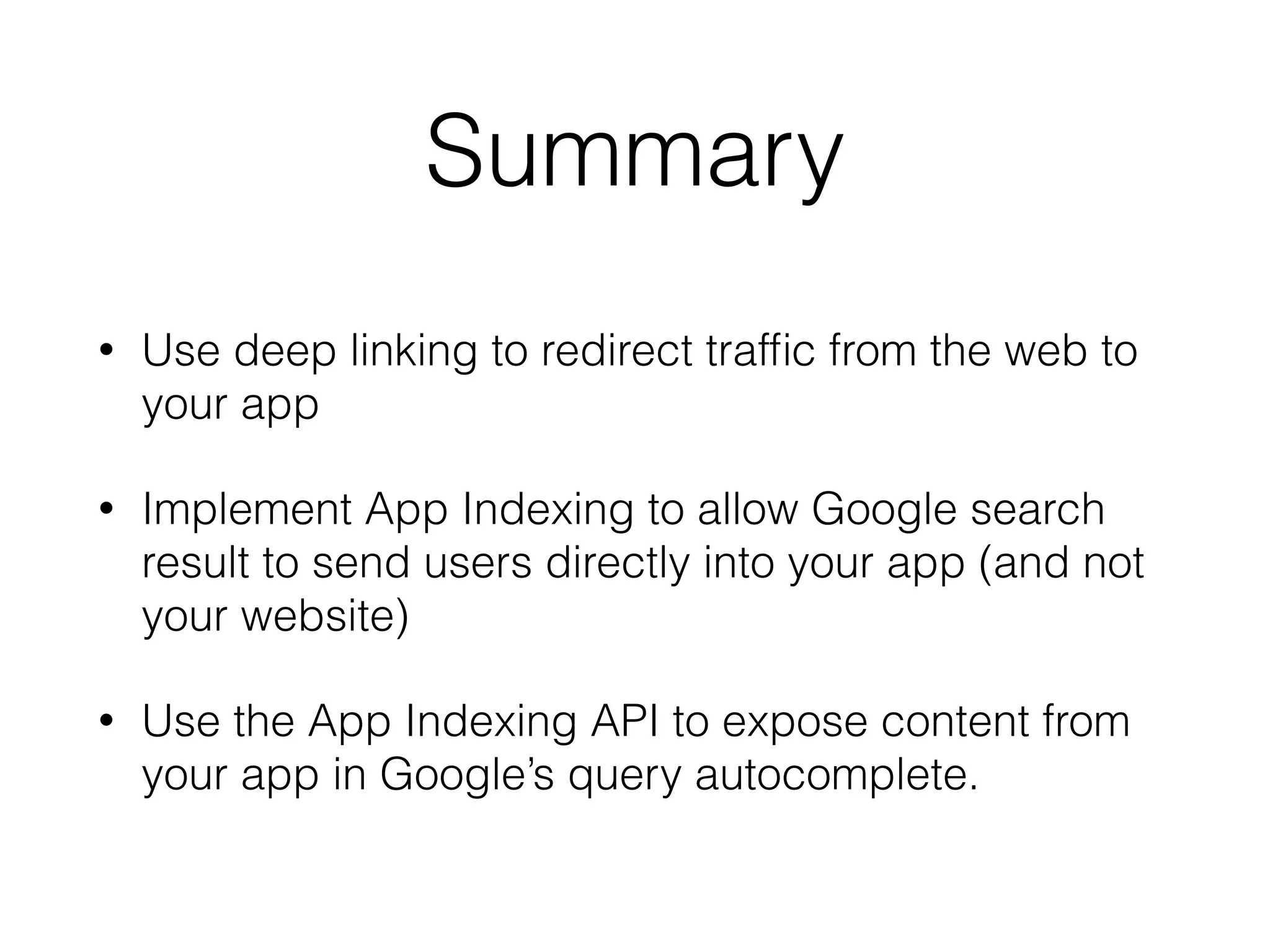
Summary 
• Use deep linking to redirect traffic from the web to 
your app 
• Implement App Indexing to allow Google search 
result to send users directly into your app (and not 
your website) 
• Use the App Indexing API to expose content from 
your app in Google’s query autocomplete.
Useful links 
• https://developers.google.com/app-indexing/ 
• https://www.youtube.com/watch?v=Xh_W82JgOms 
• https://www.youtube.com/watch?v=UjLJoMWSXts
Thank You! 
Twitter: @_juandg 
Email: jgomez@eventbrite.com 
Lanyrd: lanyrd.com/profile/juandg/

App Indexing: Blurring the Lines Between Your Website and App

  • 1.
    App Indexing Blurringthe Lines Between your App and your Website Juan Gomez
  • 2.
    Intro Who amI? • Mobile Engineer at Eventbrite • Previously at OneLouder Apps • Android & Python Developer
  • 3.
    Agenda • ImplementingDeep Linking on your App • Including your app in the App Indexing Program • Surfacing your app’s content on Search Autocomplete.
  • 4.
  • 5.
    Deep Linking Checklist 1. Identify deep links 2. Add Intent Filter to Android App 3. Add Code to Handle Intent Filter 4. Test Intent Handler
  • 6.
    Identify Deep Links http://www.eventbrite.com/e/the-great-dickens-christmas-fair- 5-weekends-one-friday-tickets-11925103305
  • 7.
    Add Intent Filterto Android App 1.In your AndroidManifest.xml file, add one or more <intent-filter> elements for the activities that should be launchable from deep links. 2.Add an <action> tag that specifies the ACTION_VIEW intent action. 3.Add a <data> tag for each data URI format the activity accepts. This is the primary mechanism to declare the format for your deep links. 4.Add a <category> for both BROWSABLE and DEFAULT intent categories. • BROWSABLE: is required in order for the intent to be executable from a web browser. • DEFAULT: declares your app can accept an implicit intent. (not required if you’re only providing deep links from Google Search results)
  • 8.
    Add Intent Filterto Android App
  • 9.
    Add Code toHandle Intent Filter
  • 10.
    Test Intent Handler Using ADB on the command line: Or you can use this website: https://developers.google.com/app-indexing/webmasters/test
  • 11.
  • 12.
    The downside ofdeep linking? T h e ev i l c h o o s e r d i a l o g !
  • 13.
    App Indexing Checklist 1. Create URL format for App Indexing 2. Add App Indexing Markup to your website 3. Connect your app using Google Play Console 4. Verify Your App in Webmaster Tools
  • 14.
    URL format forApp Indexing android-app://com.eventbrite.attendee/http/www.eventbrite.com/e/the-great- dickens-christmas-fair-5-weekends-one-friday-tickets-11925103305
  • 15.
    Add App IndexingMarkup • For each of the deep links identified earlier, we need to add additional markup. • This markup allows the Google crawler to use deep links to send users to your Android app. • For most modern web application frameworks, this should only involve changing a single template.
  • 16.
  • 17.
    Connect your appusing Google Play Console • Sign in to your Google Play Developer Console. • Click All Applications • Select the application you'd like to verify. • On the left menu, click Services & APIs. • Under "App Indexing from Google Search", click Verify website. • Type your website address. • Click Verify.
  • 18.
    Connect your appusing Google Play Console
  • 19.
    Verify Your Appin Webmaster Tools • Go to Google Webmaster Tools. • On the left menu, click All Messages. • Open the verification request message (example: "Google Play: Link http://www.yourwebsite.com to Android application com.yourpackage.name"). • Click Approve the request. • Review the information in the dialog. • Click Approve
  • 20.
    Verify Your Appin Webmaster Tools
  • 21.
    Success! (for realthis time) Search results should now go straight to your app.
  • 22.
    Adding Search Autocomplete 1. Implement App Indexing 2. Verify Google Play Services Version 3. Create an API Client 4. Record a Page View 5. Record a Page View End 6. Test
  • 23.
    Verify Google PlayService Version • The next thing we need to do is make sure that Google Play Services enabled for our app. • The App Indexing API requires Google Play Services version 5.+ • minSdkVersion 17 or less.
  • 24.
  • 25.
  • 26.
    Record a PageView End
  • 27.
    Summary • Usedeep linking to redirect traffic from the web to your app • Implement App Indexing to allow Google search result to send users directly into your app (and not your website) • Use the App Indexing API to expose content from your app in Google’s query autocomplete.
  • 28.
    Useful links •https://developers.google.com/app-indexing/ • https://www.youtube.com/watch?v=Xh_W82JgOms • https://www.youtube.com/watch?v=UjLJoMWSXts
  • 29.
    Thank You! Twitter:@_juandg Email: jgomez@eventbrite.com Lanyrd: lanyrd.com/profile/juandg/