Quick Start for Computer Literates

RASBERRY PI QUICK START

                                     1
USER NAME AND PASSWORD

 User Name:___________________
 Password: raspberry


   Case is important!


                                  2
MAGIC WORD

 The magic word is sudo
 This gives your commands super powers


                                          3
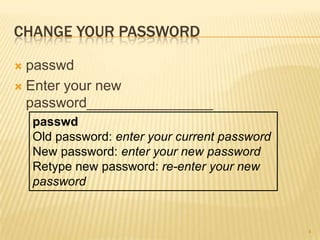
CHANGE YOUR PASSWORD

 passwd
 Enter your new
  password________________
    passwd
    Old password: enter your current password
    New password: enter your new password
    Retype new password: re-enter your new
    password


                                                4
RECOVERING A LOST PASSWORD

 This can be done
 Handle on a case to case basis

 Worst case is a reformat of the SD card


                                            5
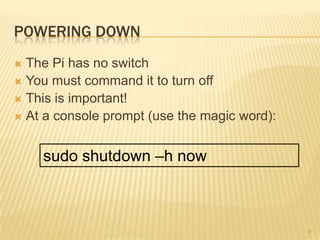
POWERING DOWN
 The Pi has no switch
 You must command it to turn off
 This is important!
 At a console prompt (use the magic word):


    sudo shutdown –h now


                                              6
SET UP—YOURS COME PRE-SETUP

 Plug SD card—this is the all the software!
 The Wifi and Wireless Keyboard/Mouse
  (WKM) should be plugged in, the WKM
  should be on the lower USB port so you can
  see the Wifi light blink
 Plug in HDMI

 Last, plug in the power


                                               7
NOTES

 Use the separate power supply that comes
  with your Pi
 A computer USB port will not provide enough
  power to run a Pi
 A powered USB hub can be used for more
  USB ports


                                            8
THIS IS LINUX…

 Much of Linux happens in a console window
  or shell
 Tour of the console shell…


                                              9
PENGUINS…

   penguinspuzzle


                     10
HOW TO…
 Arrow keys to move.
 Spacebar to switch penguins. (Only possible if
  you have fed the baby penguins with a fish.)
 U to undo a move.
 R to reset the level.
 Z to zoom out for a wider angle view.
 N to skip to the next level.
 P to change to the previous level.
 Escape to quit.


                                                   11
NOTES ON THE GRAPHICAL INTERFACE

 The graphical interface is Lighweight X11
  Desktop Environment, or LXDE
 The Linux our Pi’s use is the latest ( Oct 28,
  2012)
     Raspian, an optimized version of Debian
     http://www.raspbian.org/


                                                   12
JUST SO YOU REMEMBER ABOUT THE PI…

   There are two Text Editors
     Leafpad

     Nano

   There are three Internet Browsers
     Midori  (featured with a short cut)
     NetSurf (start menu)

     Dillo (start menu)


                                            13
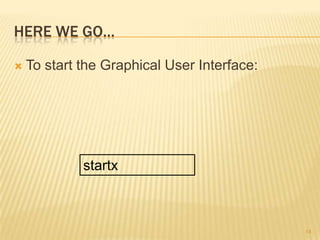
HERE WE GO…

   To start the Graphical User Interface:


             startx


                                             14
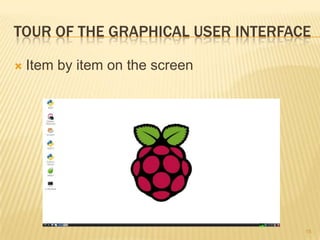
TOUR OF THE GRAPHICAL USER INTERFACE

   Item by item on the screen


                                   15
IMPORTANT WEB SITES

 http://www.raspberrypi.org/ -- the home
  page
 http://www.raspberrypi.org/quick-start-
  guide -- more details than in this PowerPoint
 http://www.themagpi.com/ -- A free and fun
  magazine all about Pi’ing


                                              16
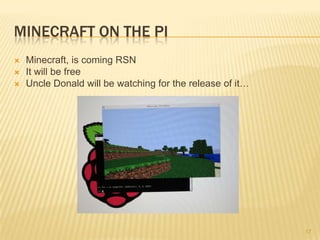
MINECRAFT ON THE PI
   Minecraft, is coming RSN
   It will be free
   Uncle Donald will be watching for the release of it…


                                                           17
QUESTIONS?

 We have gone over the bare minimum basics
 Never be afraid to ask!


                                          18

Rasberry pi class

  • 1.
    Quick Start forComputer Literates RASBERRY PI QUICK START 1
  • 2.
    USER NAME ANDPASSWORD  User Name:___________________  Password: raspberry  Case is important! 2
  • 3.
    MAGIC WORD  Themagic word is sudo  This gives your commands super powers 3
  • 4.
    CHANGE YOUR PASSWORD passwd  Enter your new password________________ passwd Old password: enter your current password New password: enter your new password Retype new password: re-enter your new password 4
  • 5.
    RECOVERING A LOSTPASSWORD  This can be done  Handle on a case to case basis  Worst case is a reformat of the SD card 5
  • 6.
    POWERING DOWN  ThePi has no switch  You must command it to turn off  This is important!  At a console prompt (use the magic word): sudo shutdown –h now 6
  • 7.
    SET UP—YOURS COMEPRE-SETUP  Plug SD card—this is the all the software!  The Wifi and Wireless Keyboard/Mouse (WKM) should be plugged in, the WKM should be on the lower USB port so you can see the Wifi light blink  Plug in HDMI  Last, plug in the power 7
  • 8.
    NOTES  Use theseparate power supply that comes with your Pi  A computer USB port will not provide enough power to run a Pi  A powered USB hub can be used for more USB ports 8
  • 9.
    THIS IS LINUX… Much of Linux happens in a console window or shell  Tour of the console shell… 9
  • 10.
    PENGUINS…  penguinspuzzle 10
  • 11.
    HOW TO…  Arrowkeys to move.  Spacebar to switch penguins. (Only possible if you have fed the baby penguins with a fish.)  U to undo a move.  R to reset the level.  Z to zoom out for a wider angle view.  N to skip to the next level.  P to change to the previous level.  Escape to quit. 11
  • 12.
    NOTES ON THEGRAPHICAL INTERFACE  The graphical interface is Lighweight X11 Desktop Environment, or LXDE  The Linux our Pi’s use is the latest ( Oct 28, 2012)  Raspian, an optimized version of Debian  http://www.raspbian.org/ 12
  • 13.
    JUST SO YOUREMEMBER ABOUT THE PI…  There are two Text Editors  Leafpad  Nano  There are three Internet Browsers  Midori (featured with a short cut)  NetSurf (start menu)  Dillo (start menu) 13
  • 14.
    HERE WE GO…  To start the Graphical User Interface: startx 14
  • 15.
    TOUR OF THEGRAPHICAL USER INTERFACE  Item by item on the screen 15
  • 16.
    IMPORTANT WEB SITES http://www.raspberrypi.org/ -- the home page  http://www.raspberrypi.org/quick-start- guide -- more details than in this PowerPoint  http://www.themagpi.com/ -- A free and fun magazine all about Pi’ing 16
  • 17.
    MINECRAFT ON THEPI  Minecraft, is coming RSN  It will be free  Uncle Donald will be watching for the release of it… 17
  • 18.
    QUESTIONS?  We havegone over the bare minimum basics  Never be afraid to ask! 18