Question 4
ROLE AND USE OF NEW MEDIA TECHNOLOGIES
Blogger
 We used blogger.com as a
collaborative e-portfolio in our group
throughout the planning, construction
and evaluation. For example we
researched music videos that inspired
us and posted an analysis on the blog
to show how it has furthered has
concept.
We also used blogger to discuss ideas that inspired us by using
the comment facility. This allowed us to communicate with each
other efficiently.
Blogger was also useful in neatly displaying our ideas, making it
easier for people to understand. This is an example of web 2.0.
Audience Research
 To collate audience research, we
used SurveyMonkey.com. This
allowed us to gather as much results
as possible, as it is a very quick and
easy survey, which meant people
were more open to completing it.
Survey Monkey was useful as it gave us a clear idea of what was
good about our concept, and what needed improving. It was also a
useful tool in effectively communicating with our audience.
The website also gave us visual evidence of our answers, as
the site automatically creates graphs of your answers. This
makes it easier to collate as it is already done for you.
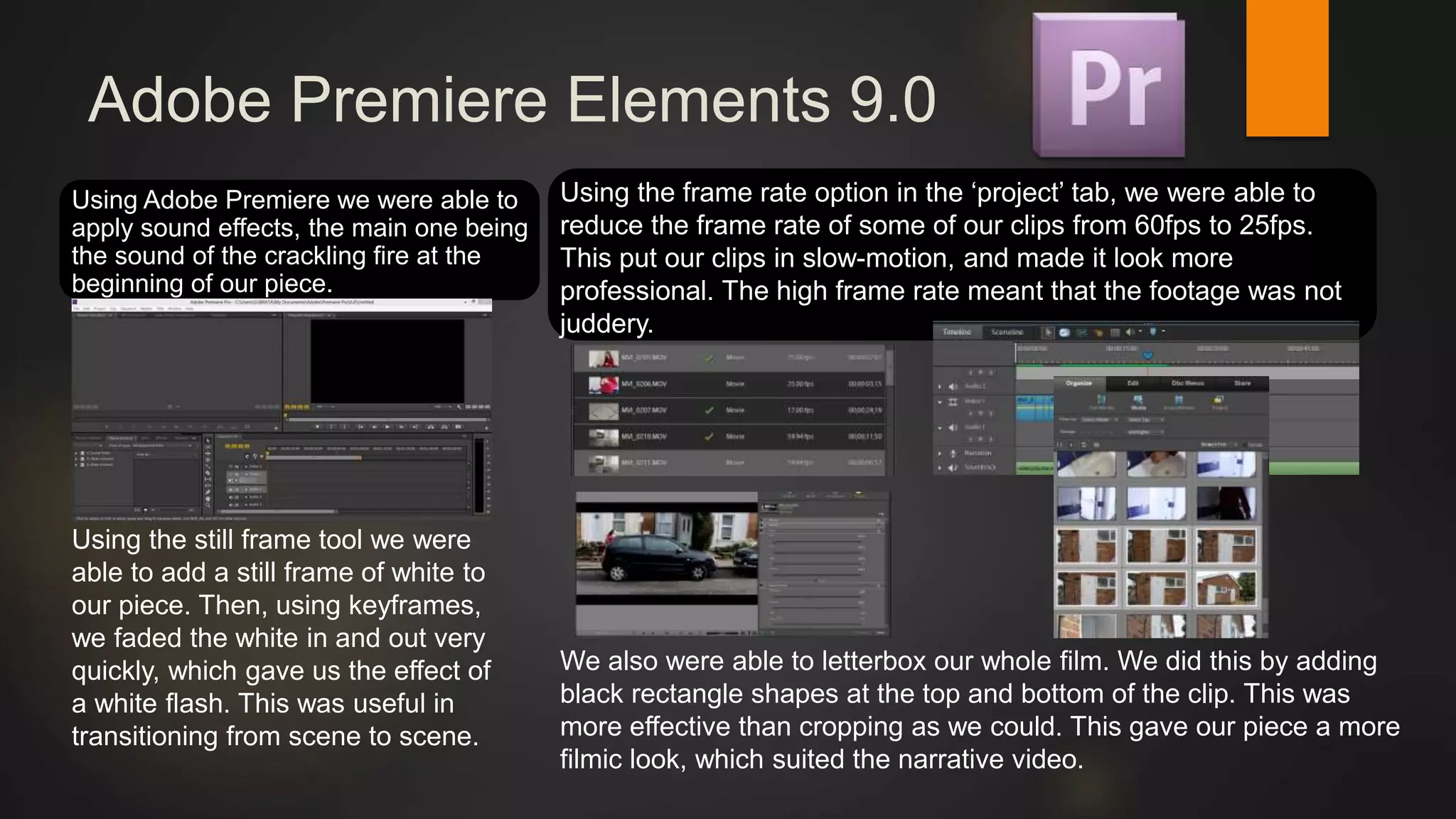
Adobe Premiere Elements 9.0
Using Adobe Premiere we were able to
apply sound effects, the main one being
the sound of the crackling fire at the
beginning of our piece.
We also were able to letterbox our whole film. We did this by adding
black rectangle shapes at the top and bottom of the clip. This was
more effective than cropping as we could. This gave our piece a more
filmic look, which suited the narrative video.
Using the frame rate option in the ‘project’ tab, we were able to
reduce the frame rate of some of our clips from 60fps to 25fps.
This put our clips in slow-motion, and made it look more
professional. The high frame rate meant that the footage was not
juddery.
Using the still frame tool we were
able to add a still frame of white to
our piece. Then, using keyframes,
we faded the white in and out very
quickly, which gave us the effect of
a white flash. This was useful in
transitioning from scene to scene.
Facebook
 Facebook was useful in communicating with each other. This was done by
creating a group chat that allowed us to message each other all at the
same time.
Photoshop
 We used photoshop to adjust the image controls of our main digipak and
magazine advertisement images. We did this by selecting the layer and
then going to image, and then adjustments.
We also used photoshop to
crop the images and place
them in the correct positions.
Photoshop was also used to add titles
onto our magazine advertisement, such
as the release date and the review.
Final Cut Pro X
 Due to the limited tools available in Premiere, we decided to do our colour
grading in Final Cut Pro X. This was done using their colour correction tool,
which we created a preset colour grade on, then applied it to every clip,
tweaking it depending on the clip.
Challenges
 As the name of the artist was out
of focus on our magazine
advertisement, we had to correct
it using the paintbrush tool in
photoshop. This made the name
bolder, therefore making it
clearer.

Question 4 ccc

  • 1.
    Question 4 ROLE ANDUSE OF NEW MEDIA TECHNOLOGIES
  • 2.
    Blogger  We usedblogger.com as a collaborative e-portfolio in our group throughout the planning, construction and evaluation. For example we researched music videos that inspired us and posted an analysis on the blog to show how it has furthered has concept. We also used blogger to discuss ideas that inspired us by using the comment facility. This allowed us to communicate with each other efficiently. Blogger was also useful in neatly displaying our ideas, making it easier for people to understand. This is an example of web 2.0.
  • 3.
    Audience Research  Tocollate audience research, we used SurveyMonkey.com. This allowed us to gather as much results as possible, as it is a very quick and easy survey, which meant people were more open to completing it. Survey Monkey was useful as it gave us a clear idea of what was good about our concept, and what needed improving. It was also a useful tool in effectively communicating with our audience. The website also gave us visual evidence of our answers, as the site automatically creates graphs of your answers. This makes it easier to collate as it is already done for you.
  • 4.
    Adobe Premiere Elements9.0 Using Adobe Premiere we were able to apply sound effects, the main one being the sound of the crackling fire at the beginning of our piece. We also were able to letterbox our whole film. We did this by adding black rectangle shapes at the top and bottom of the clip. This was more effective than cropping as we could. This gave our piece a more filmic look, which suited the narrative video. Using the frame rate option in the ‘project’ tab, we were able to reduce the frame rate of some of our clips from 60fps to 25fps. This put our clips in slow-motion, and made it look more professional. The high frame rate meant that the footage was not juddery. Using the still frame tool we were able to add a still frame of white to our piece. Then, using keyframes, we faded the white in and out very quickly, which gave us the effect of a white flash. This was useful in transitioning from scene to scene.
  • 5.
    Facebook  Facebook wasuseful in communicating with each other. This was done by creating a group chat that allowed us to message each other all at the same time.
  • 6.
    Photoshop  We usedphotoshop to adjust the image controls of our main digipak and magazine advertisement images. We did this by selecting the layer and then going to image, and then adjustments. We also used photoshop to crop the images and place them in the correct positions. Photoshop was also used to add titles onto our magazine advertisement, such as the release date and the review.
  • 7.
    Final Cut ProX  Due to the limited tools available in Premiere, we decided to do our colour grading in Final Cut Pro X. This was done using their colour correction tool, which we created a preset colour grade on, then applied it to every clip, tweaking it depending on the clip.
  • 8.
    Challenges  As thename of the artist was out of focus on our magazine advertisement, we had to correct it using the paintbrush tool in photoshop. This made the name bolder, therefore making it clearer.