Evaluation Question
1
BY NATHAN BROWN
HOW DID YOU USE MEDIA TECHNOLOGIES IN THE CONSTRUCTION AND RESEARCH,
PLANNING AND EVALUATION STAGES?
Apple MAC & PC
 Throughout the A2 process I switched between using both Apple Macs and Windows desktops.
Whilst at school I mainly used Macs as they were more efficient at loading Adobe software and
executing commands. But whilst at home I didn’t have access to a Apple Mac and had to settle
for an above average Windows PC.
 My experience with Apple Macs prior to this task was limited and only had about a year of using
them. However, as the year progressed I became quite competent when operating them. Because
of this, I don’t believe I learnt anything extremely new throughout the A2 process apart from
trying my hand with iMovie which I found to be tedious and chose to use Sony Vegas Pro 13
instead. Editing software like Photoshop and online programs like Prezi hasn’t changed since last
year so I haven’t had to adapt or learn anything new in that respect.
 I did encounter problems with using the Apple Macs and Safari as it wouldn’t log me in properly
if I was still logged on on a Windows PC and some of my work wouldn’t always get saved
properly.
Blogger
 After using Blogger during my AS media coursework and becoming quite accustomed to its various
features, I thought it was only right I used this year as well. Something that annoyed me last year was
the layout of my posts, but this year I found that I can change the view/layout and now everything is
much more organised in the “Flip card” view.
 Blogger works as a kind of society or social media site so it was useful having my work showcased to
an audience with an interest in film. It also meant when I asked for feedback on social media my
blogger audience could be the first to be notified and respond.
 Just as my audience found my posts informative I did theirs. Looking at Blogger’s film reviewers and
teacher pages that advised people on how to structure their posts was very helpful when carrying out
research. Also, a lot of film posters weren’t available on Google Images but certain blogs were
dedicated to archiving posters. This meant I was able to find old Coming of Age posters, like 16
Candles, and Psychological posters, like Fight Club.
 The HTML feature allowed me to upload my teaser trailer and other online presentations to my blog
for my audience to directly see. This meant it reached a larger audience than it initially would.
 Blogger was also helpful when I had missed out on doing a piece of work because of illness, as it
includes a feature of manually setting the date of a post so the flow of reading and time scale doesn’t
get confusing. Here’s a video of me carrying this out:
 Date Correction Video Link
YouTube
 I was both part of the YouTube audience and the creators. I was not only posting my own teaser
trailer draft content, but also viewing professional and student teaser trailers. I did this for
research and when evaluating my own products against industry standard ones. With YouTube’s
video interface I could accurately pause, rewind and fast forward when evaluating a clip to see
conventions and techniques that were used. An example if this was being able to identify that
Pulp Fiction trailer didn’t conform to a linear structure or Ferdinand de Saussure's structuralism
theory.
 As I only knew the basic features of Sony Vegas Pro13, which is an extensively detailed program, I
was able to use YouTube to research different techniques and tutorials of how to create different
effects. This knowledge meant I could not only conform to professional conventions but also
develop them and make simple effects, like my sliding frames, seem effective at story telling.
 YouTube videos are viewed over a billion times a day, so having posted my teaser trailer drafts I
was able to see the audience’s reaction through comments and likes and dislikes on the video.
Prezi/Slideshare/Emaze
 Last year I noticed that I had extensively over used the pre-installed software of PowerPoint as it
was compatible on both Macs and Windows PC’s. This year I wanted to make my presentation
more exciting and interactive. So, I used a range of different online presentation tools.
 Just like blogger, they were also used by teachers and media theorists to post their tips or
findings which I found helpful when developing conventions and challenging them. For example
the Slide share post “Theory and Theorist For Media Studies A2” was always open when
evaluating my own products and decrypting my own encoded content.
 When presenting my posts I was able to be creative and use various features to keep my
audience entertained and wanting more. This also helped make sure the feedback I got was
insightful and not just at a glance changes.
Photoshop
 Having used Photoshop even prior to my AS tasks it has been hard for me to learn any new skills.
However, Adobe release new updates and tips on their website which help me keep up to date
and able to use Photoshop as effectively as possible.
 Photoshop was only used in the construction of my ancillary products but has played a massive
part in reflecting the premise of the teaser trailer and my encoding specific messages in certain
aspects. For example the reflection of the image of Nicole onto the broken mirror was done using
Photoshop tools and shows that although Nicole’s smile and life seem perfect she has her cracks
and is broken on the inside, but only the audience can see this.
 As I don’t have access to Microsoft Word at home I had to turn to Photoshop to create planning
posts like the questionnaire’s. Photoshop was also brilliant whilst creating mock ups as it has a
variety of shapes and you can manipulate them in a multitude of ways.
Sony Vegas Pro 13
 Sony Vegas Pro 13 is the closest I could get to industry professional video editing software. This
allowed me to edit my videos in ways I didn’t think possible, meaning my shot planning could be
more creative and visually pleasing. As I had only briefly used the software before, I used a lot of
online tutorials when it came to new features or fine tuning something.
 Before delving too deep into filming or research I created my first draft of Perspective in Sony
Vegas pretty quickly, as long as you know what you want to do its pretty simple to find out how
to do it, this also allowed me to shows my media class mates a taster of what was to come and it
received a lot of positive feedback.
 Sony Vegas is an example of how the technology used for A2 is a big setup from AS. The main
focus for AS was Photoshop which I could complete everything with, but this time round I not
only had to edit pictures but moving images. This is something I wasn’t too familiar with but Sony
Vegas made it easier to adjust.
Nikon D3500
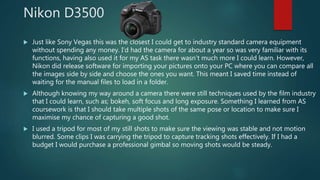
 Just like Sony Vegas this was the closest I could get to industry standard camera equipment
without spending any money. I’d had the camera for about a year so was very familiar with its
functions, having also used it for my AS task there wasn’t much more I could learn. However,
Nikon did release software for importing your pictures onto your PC where you can compare all
the images side by side and choose the ones you want. This meant I saved time instead of
waiting for the manual files to load in a folder.
 Although knowing my way around a camera there were still techniques used by the film industry
that I could learn, such as; bokeh, soft focus and long exposure. Something I learned from AS
coursework is that I should take multiple shots of the same pose or location to make sure I
maximise my chance of capturing a good shot.
 I used a tripod for most of my still shots to make sure the viewing was stable and not motion
blurred. Some clips I was carrying the tripod to capture tracking shots effectively. If I had a
budget I would purchase a professional gimbal so moving shots would be steady.
Web 2.0
Web 2.0 is the term given to the internet and how it connects people. This theory links in with
audiences being more active now a days in searching out for media they take pleasure in
reading/viewing. It states the web is a platform that the user controls and can assert their creativity
through it.
Web 2.0 includes a social element where the audience produce and distribute content freely, with
the aim to share it and often reuse it. This has resulted in the birth of a more ‘participatory culture’,
and has seen the web move from a communication model of ‘one-to-many’, to a ‘many-to-many’
model.
I think that this theory can be applied to my final pieces because I have used industry standard
software (Adobe Photoshop and Sony Vegas Pro 13), meaning that I’m not sitting back and letting
the ‘professionals’ create a music video for me, I’m using my initiative and creating a teaser trailer
for myself which I then shared on the web with resources I sought out myself.
The web was very handy whilst completing research as it covered everything I needed to know,
whether it was a theory or a Sony Vegas tutorial the web actively had it available for free. The web
also let me evaluate my own workings and conventions against those of fellow media students and
industry professionals.

A2 evaluation question 4

  • 1.
    Evaluation Question 1 BY NATHANBROWN HOW DID YOU USE MEDIA TECHNOLOGIES IN THE CONSTRUCTION AND RESEARCH, PLANNING AND EVALUATION STAGES?
  • 2.
    Apple MAC &PC  Throughout the A2 process I switched between using both Apple Macs and Windows desktops. Whilst at school I mainly used Macs as they were more efficient at loading Adobe software and executing commands. But whilst at home I didn’t have access to a Apple Mac and had to settle for an above average Windows PC.  My experience with Apple Macs prior to this task was limited and only had about a year of using them. However, as the year progressed I became quite competent when operating them. Because of this, I don’t believe I learnt anything extremely new throughout the A2 process apart from trying my hand with iMovie which I found to be tedious and chose to use Sony Vegas Pro 13 instead. Editing software like Photoshop and online programs like Prezi hasn’t changed since last year so I haven’t had to adapt or learn anything new in that respect.  I did encounter problems with using the Apple Macs and Safari as it wouldn’t log me in properly if I was still logged on on a Windows PC and some of my work wouldn’t always get saved properly.
  • 3.
    Blogger  After usingBlogger during my AS media coursework and becoming quite accustomed to its various features, I thought it was only right I used this year as well. Something that annoyed me last year was the layout of my posts, but this year I found that I can change the view/layout and now everything is much more organised in the “Flip card” view.  Blogger works as a kind of society or social media site so it was useful having my work showcased to an audience with an interest in film. It also meant when I asked for feedback on social media my blogger audience could be the first to be notified and respond.  Just as my audience found my posts informative I did theirs. Looking at Blogger’s film reviewers and teacher pages that advised people on how to structure their posts was very helpful when carrying out research. Also, a lot of film posters weren’t available on Google Images but certain blogs were dedicated to archiving posters. This meant I was able to find old Coming of Age posters, like 16 Candles, and Psychological posters, like Fight Club.  The HTML feature allowed me to upload my teaser trailer and other online presentations to my blog for my audience to directly see. This meant it reached a larger audience than it initially would.  Blogger was also helpful when I had missed out on doing a piece of work because of illness, as it includes a feature of manually setting the date of a post so the flow of reading and time scale doesn’t get confusing. Here’s a video of me carrying this out:  Date Correction Video Link
  • 4.
    YouTube  I wasboth part of the YouTube audience and the creators. I was not only posting my own teaser trailer draft content, but also viewing professional and student teaser trailers. I did this for research and when evaluating my own products against industry standard ones. With YouTube’s video interface I could accurately pause, rewind and fast forward when evaluating a clip to see conventions and techniques that were used. An example if this was being able to identify that Pulp Fiction trailer didn’t conform to a linear structure or Ferdinand de Saussure's structuralism theory.  As I only knew the basic features of Sony Vegas Pro13, which is an extensively detailed program, I was able to use YouTube to research different techniques and tutorials of how to create different effects. This knowledge meant I could not only conform to professional conventions but also develop them and make simple effects, like my sliding frames, seem effective at story telling.  YouTube videos are viewed over a billion times a day, so having posted my teaser trailer drafts I was able to see the audience’s reaction through comments and likes and dislikes on the video.
  • 5.
    Prezi/Slideshare/Emaze  Last yearI noticed that I had extensively over used the pre-installed software of PowerPoint as it was compatible on both Macs and Windows PC’s. This year I wanted to make my presentation more exciting and interactive. So, I used a range of different online presentation tools.  Just like blogger, they were also used by teachers and media theorists to post their tips or findings which I found helpful when developing conventions and challenging them. For example the Slide share post “Theory and Theorist For Media Studies A2” was always open when evaluating my own products and decrypting my own encoded content.  When presenting my posts I was able to be creative and use various features to keep my audience entertained and wanting more. This also helped make sure the feedback I got was insightful and not just at a glance changes.
  • 6.
    Photoshop  Having usedPhotoshop even prior to my AS tasks it has been hard for me to learn any new skills. However, Adobe release new updates and tips on their website which help me keep up to date and able to use Photoshop as effectively as possible.  Photoshop was only used in the construction of my ancillary products but has played a massive part in reflecting the premise of the teaser trailer and my encoding specific messages in certain aspects. For example the reflection of the image of Nicole onto the broken mirror was done using Photoshop tools and shows that although Nicole’s smile and life seem perfect she has her cracks and is broken on the inside, but only the audience can see this.  As I don’t have access to Microsoft Word at home I had to turn to Photoshop to create planning posts like the questionnaire’s. Photoshop was also brilliant whilst creating mock ups as it has a variety of shapes and you can manipulate them in a multitude of ways.
  • 7.
    Sony Vegas Pro13  Sony Vegas Pro 13 is the closest I could get to industry professional video editing software. This allowed me to edit my videos in ways I didn’t think possible, meaning my shot planning could be more creative and visually pleasing. As I had only briefly used the software before, I used a lot of online tutorials when it came to new features or fine tuning something.  Before delving too deep into filming or research I created my first draft of Perspective in Sony Vegas pretty quickly, as long as you know what you want to do its pretty simple to find out how to do it, this also allowed me to shows my media class mates a taster of what was to come and it received a lot of positive feedback.  Sony Vegas is an example of how the technology used for A2 is a big setup from AS. The main focus for AS was Photoshop which I could complete everything with, but this time round I not only had to edit pictures but moving images. This is something I wasn’t too familiar with but Sony Vegas made it easier to adjust.
  • 8.
    Nikon D3500  Justlike Sony Vegas this was the closest I could get to industry standard camera equipment without spending any money. I’d had the camera for about a year so was very familiar with its functions, having also used it for my AS task there wasn’t much more I could learn. However, Nikon did release software for importing your pictures onto your PC where you can compare all the images side by side and choose the ones you want. This meant I saved time instead of waiting for the manual files to load in a folder.  Although knowing my way around a camera there were still techniques used by the film industry that I could learn, such as; bokeh, soft focus and long exposure. Something I learned from AS coursework is that I should take multiple shots of the same pose or location to make sure I maximise my chance of capturing a good shot.  I used a tripod for most of my still shots to make sure the viewing was stable and not motion blurred. Some clips I was carrying the tripod to capture tracking shots effectively. If I had a budget I would purchase a professional gimbal so moving shots would be steady.
  • 9.
    Web 2.0 Web 2.0is the term given to the internet and how it connects people. This theory links in with audiences being more active now a days in searching out for media they take pleasure in reading/viewing. It states the web is a platform that the user controls and can assert their creativity through it. Web 2.0 includes a social element where the audience produce and distribute content freely, with the aim to share it and often reuse it. This has resulted in the birth of a more ‘participatory culture’, and has seen the web move from a communication model of ‘one-to-many’, to a ‘many-to-many’ model. I think that this theory can be applied to my final pieces because I have used industry standard software (Adobe Photoshop and Sony Vegas Pro 13), meaning that I’m not sitting back and letting the ‘professionals’ create a music video for me, I’m using my initiative and creating a teaser trailer for myself which I then shared on the web with resources I sought out myself. The web was very handy whilst completing research as it covered everything I needed to know, whether it was a theory or a Sony Vegas tutorial the web actively had it available for free. The web also let me evaluate my own workings and conventions against those of fellow media students and industry professionals.