
QR Code
By RAJAT SHARMA
     1PE11MCA40
What are QR (quick Response) codes

 •      A QR code is a matrix barcode readable by
     smartphones, mobile devices with cameras (new
     iPod Touch) and more
 •       Typically seen as white squares with
     black geometric shapes (also multi-color
     codes and logos)
 •       Information such as text, a URL or other
     data can be easily encoded using a QR Code
     generator
 •   Users point their device, scan, and are quickly
     taken to the encoded data
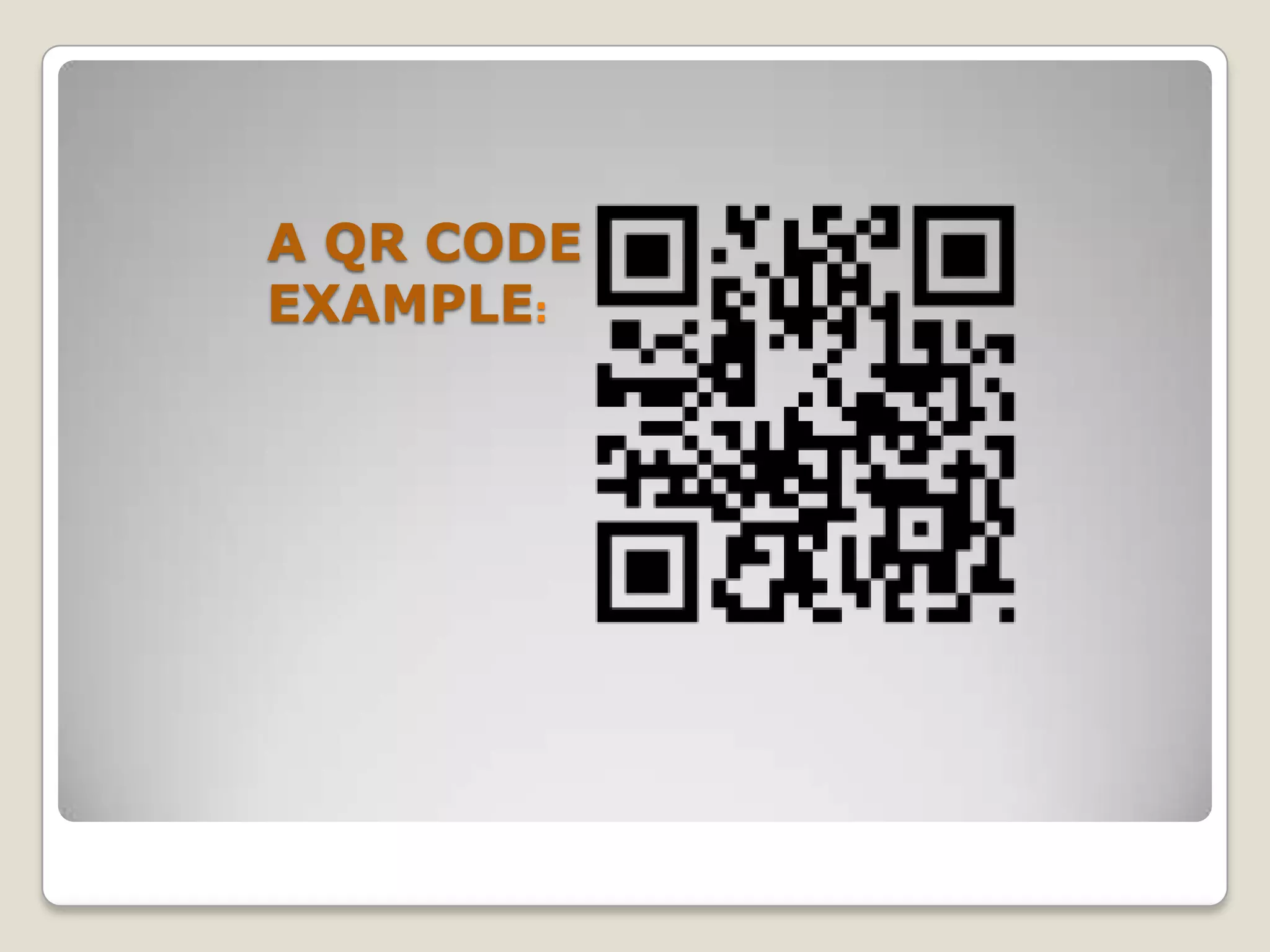
A QR CODE
EXAMPLE:
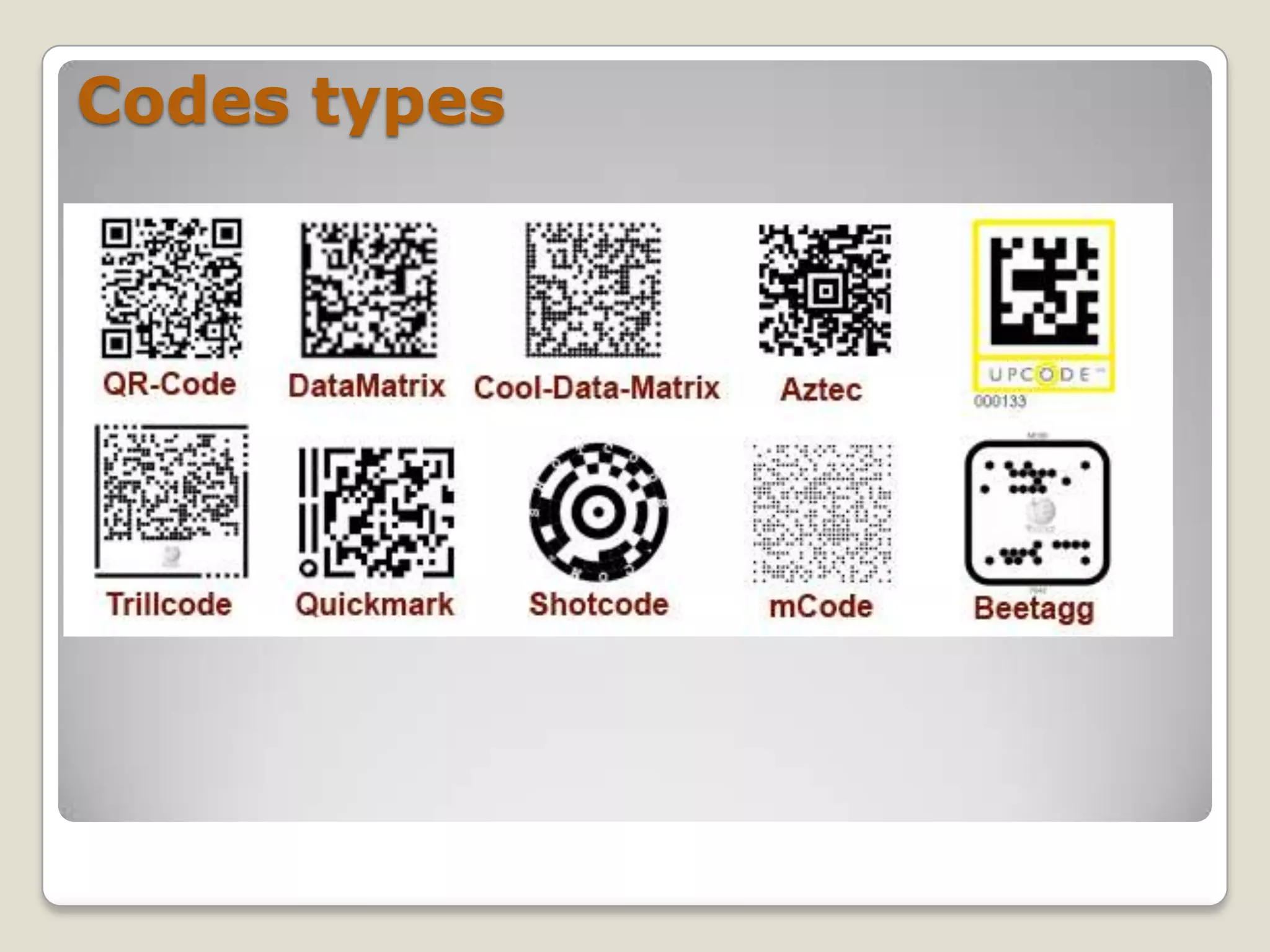
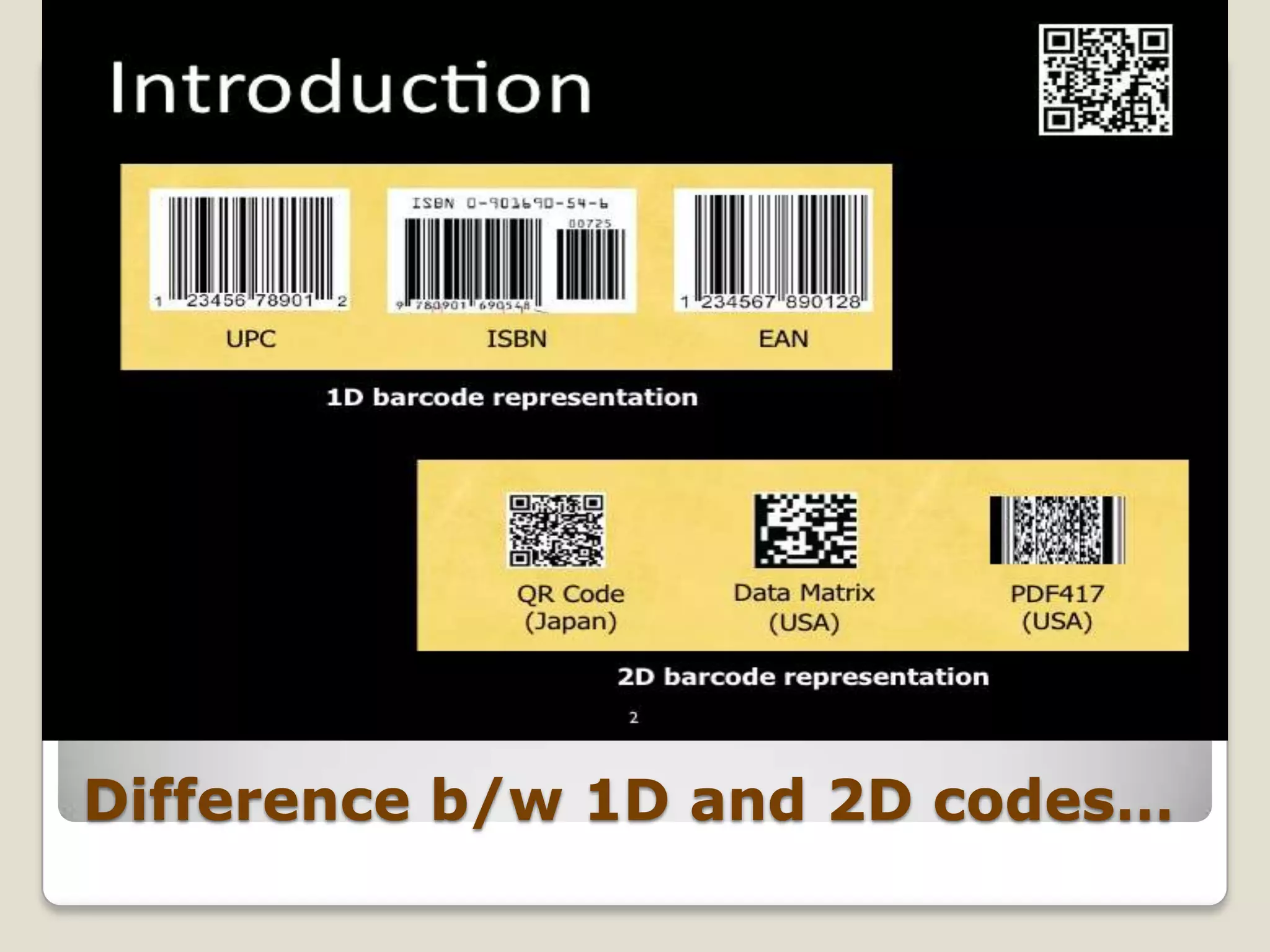
Codes types
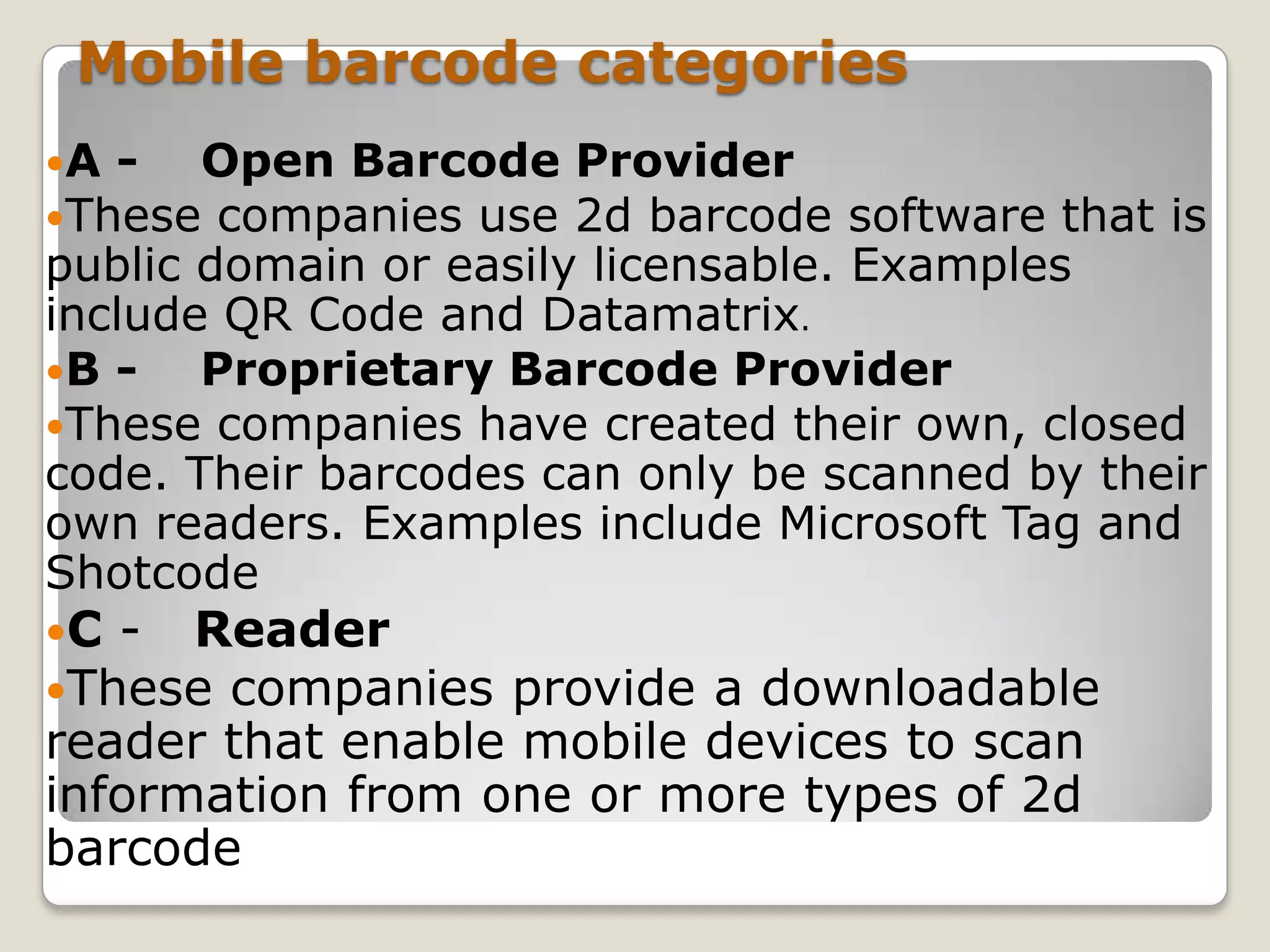
Difference b/w 1D and 2D codes…
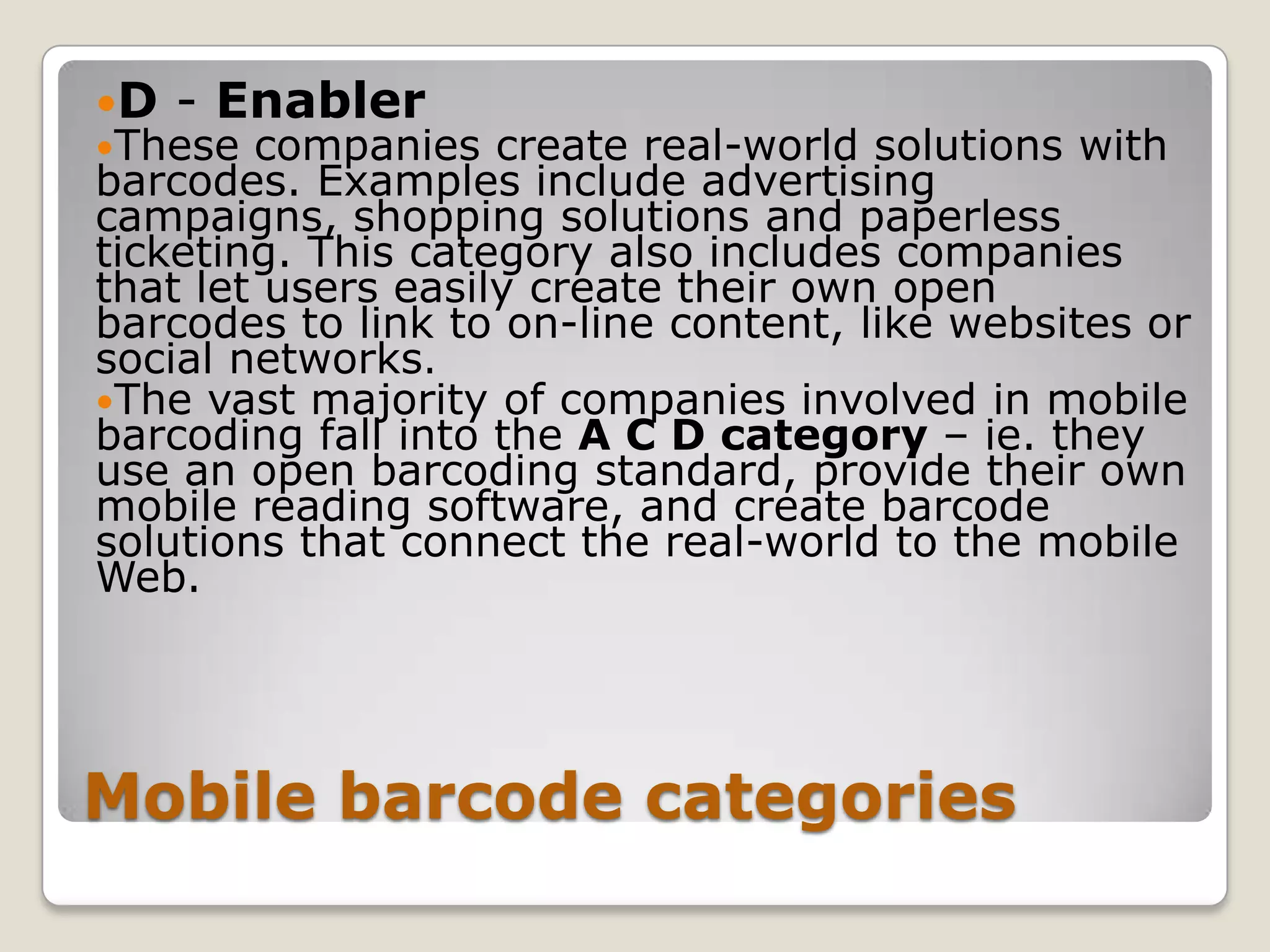
Mobile barcode categories
A -  Open Barcode     Provider
These companies use   2d barcode software that is
public domain or easily licensable. Examples
include QR Code and Datamatrix.
B -   Proprietary Barcode Provider
These companies have created their own, closed
code. Their barcodes can only be scanned by their
own readers. Examples include Microsoft Tag and
Shotcode
C - Reader
These companies  provide a downloadable
reader that enable mobile devices to scan
information from one or more types of 2d
barcode
D   - Enabler
These  companies create real-world solutions with
barcodes. Examples include advertising
campaigns, shopping solutions and paperless
ticketing. This category also includes companies
that let users easily create their own open
barcodes to link to on-line content, like websites or
social networks.
The vast majority of companies involved in mobile
barcoding fall into the A C D category – ie. they
use an open barcoding standard, provide their own
mobile reading software, and create barcode
solutions that connect the real-world to the mobile
Web.


Mobile barcode categories
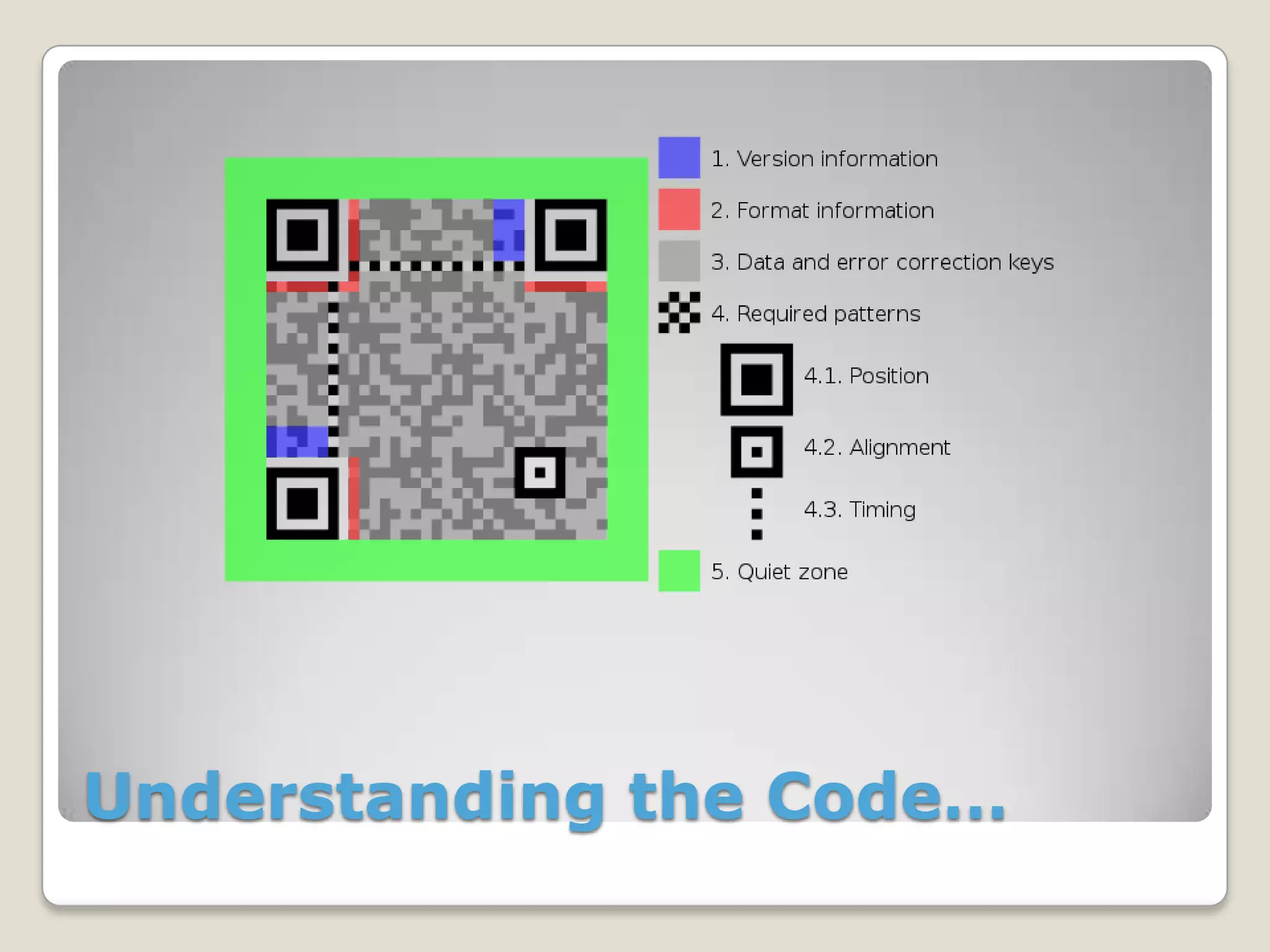
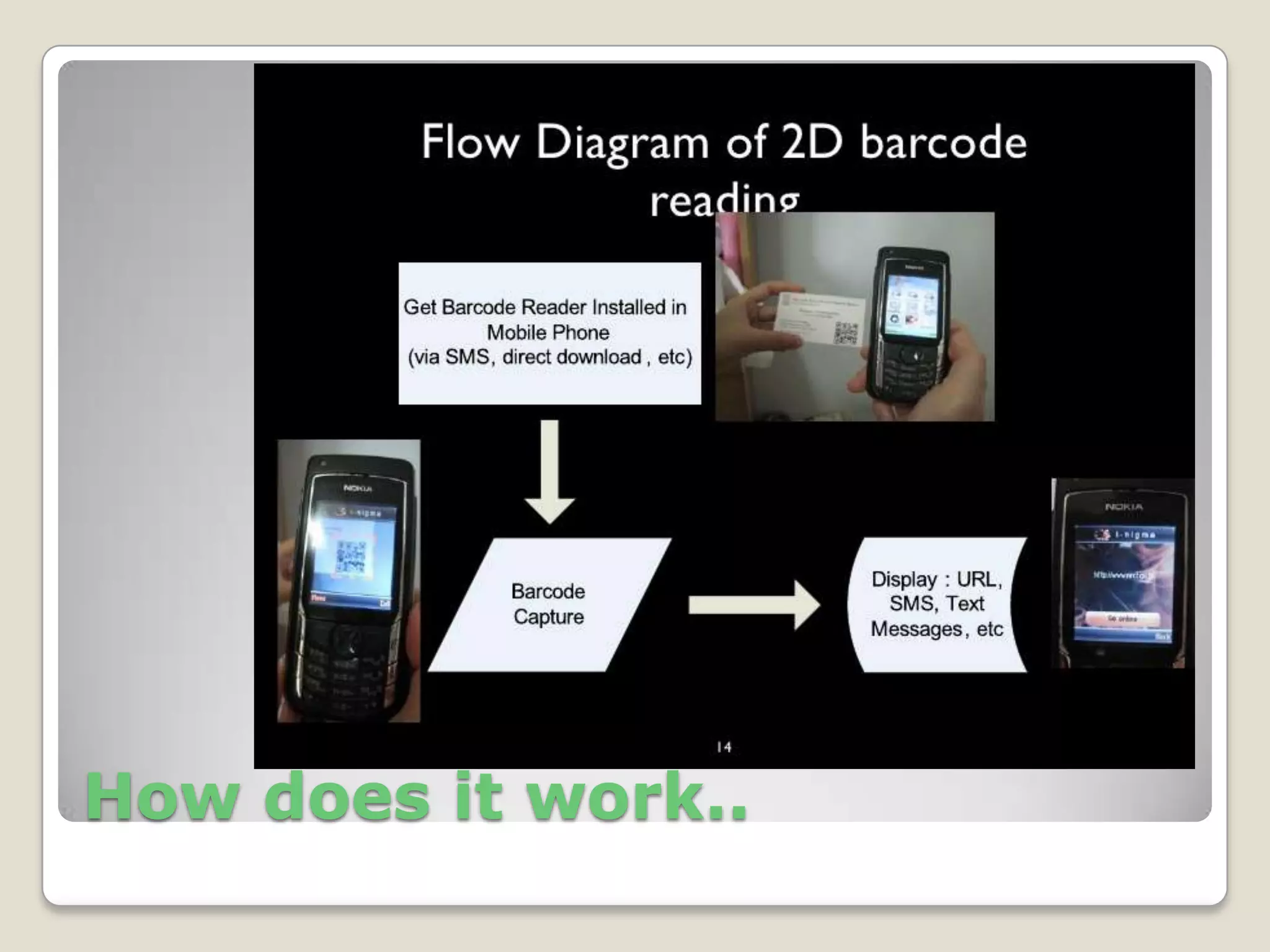
Understanding the Code…
How does it work..
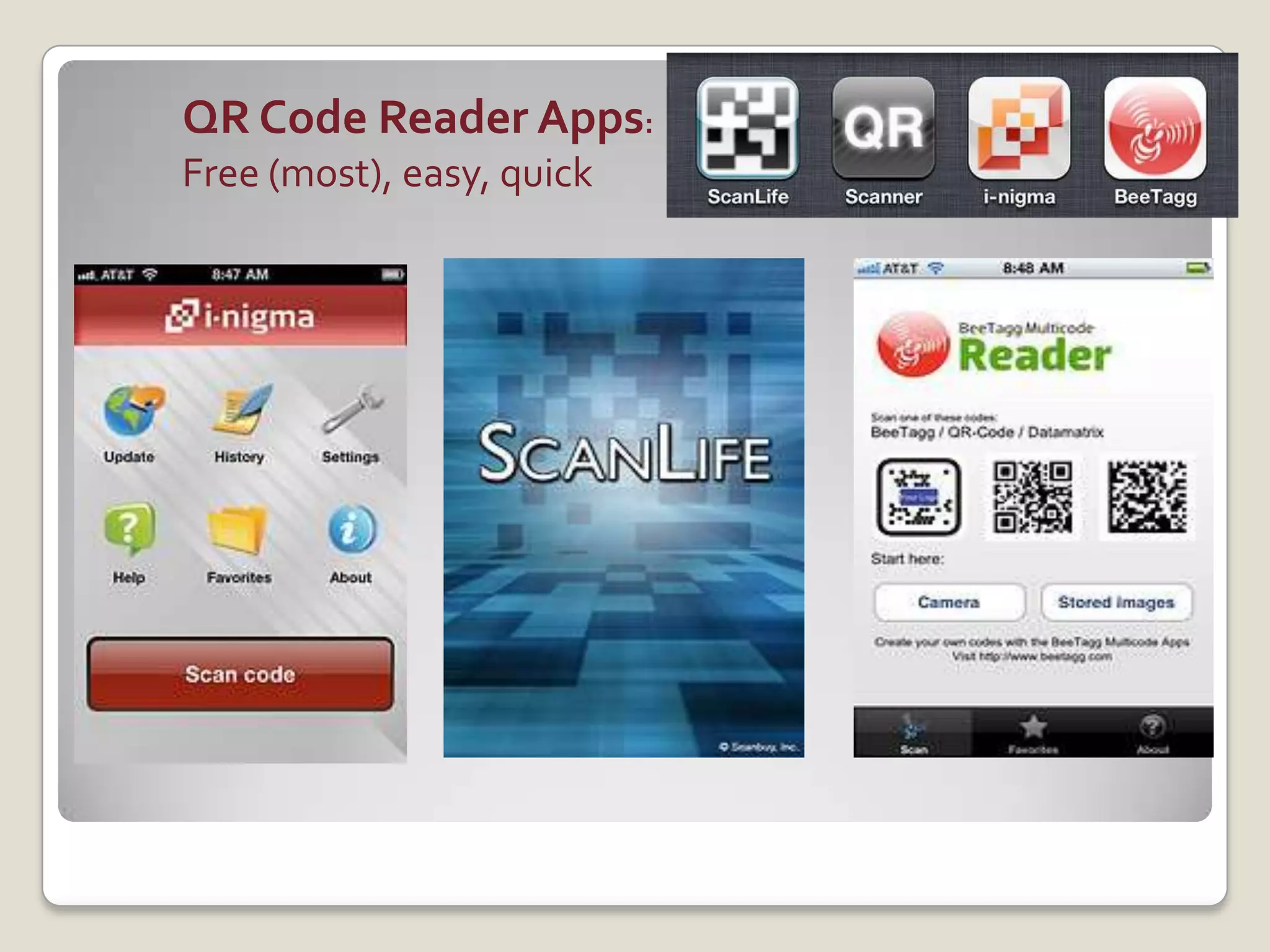
QR Code Reader Apps:
Free (most), easy, quick
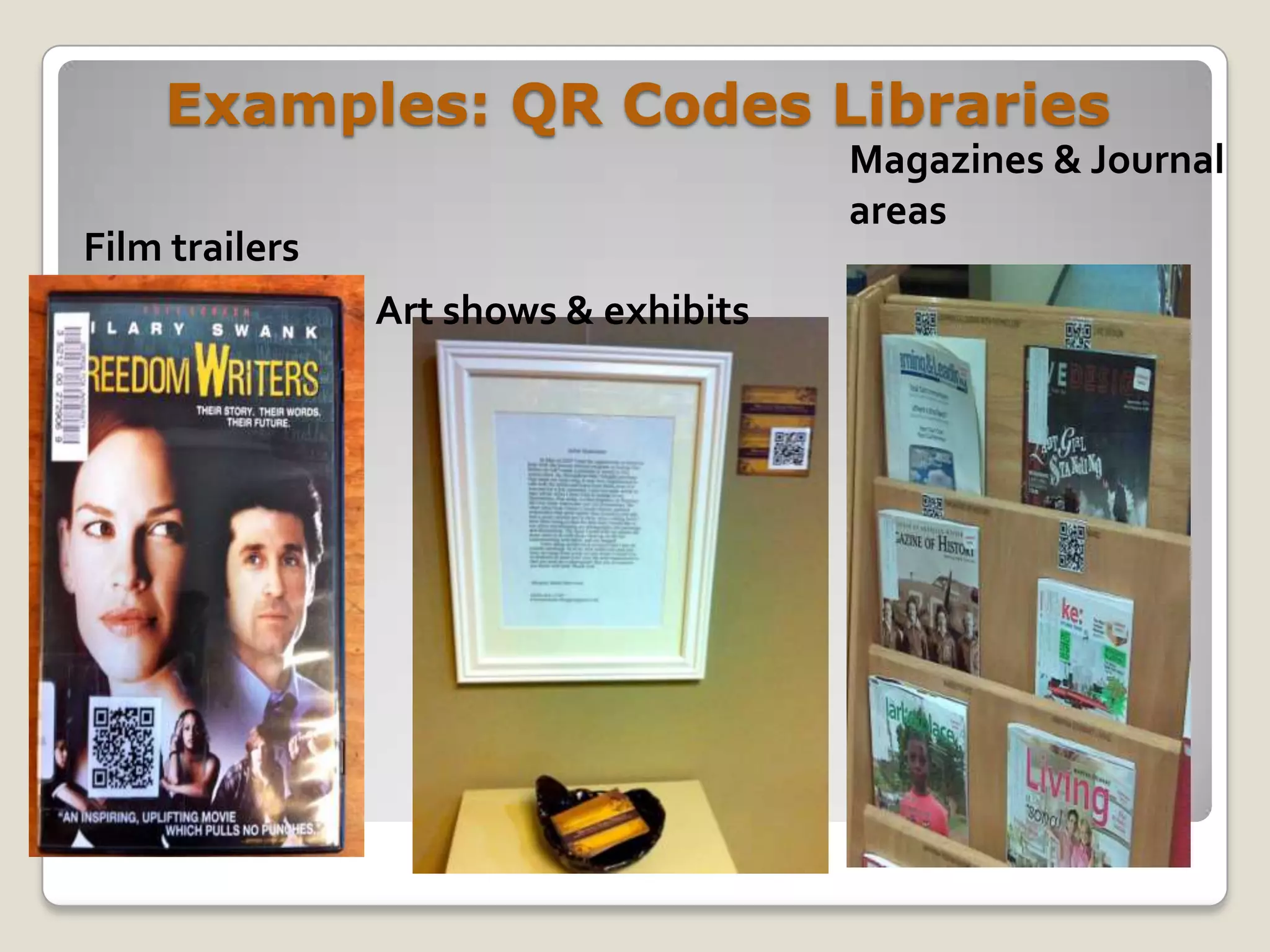
Examples: QR Codes Libraries
                                       Magazines & Journal
                                       areas
Film trailers
                Art shows & exhibits
Uses of QR Codes
…..
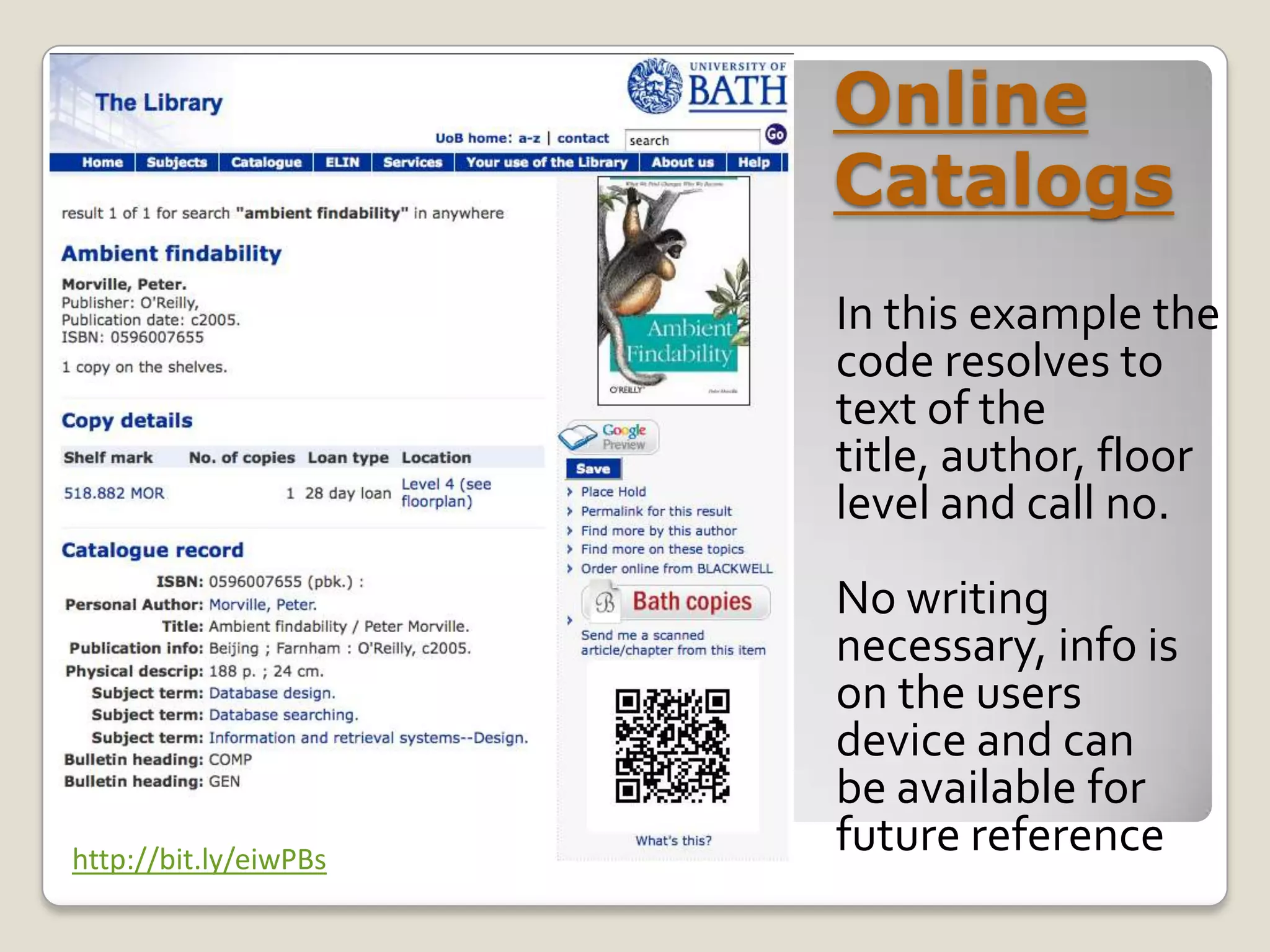
Online
                       Catalogs
                       In this example the
                       code resolves to
                       text of the
                       title, author, floor
                       level and call no.
                       No writing
                       necessary, info is
                       on the users
                       device and can
                       be available for
http://bit.ly/eiwPBs
                       future reference
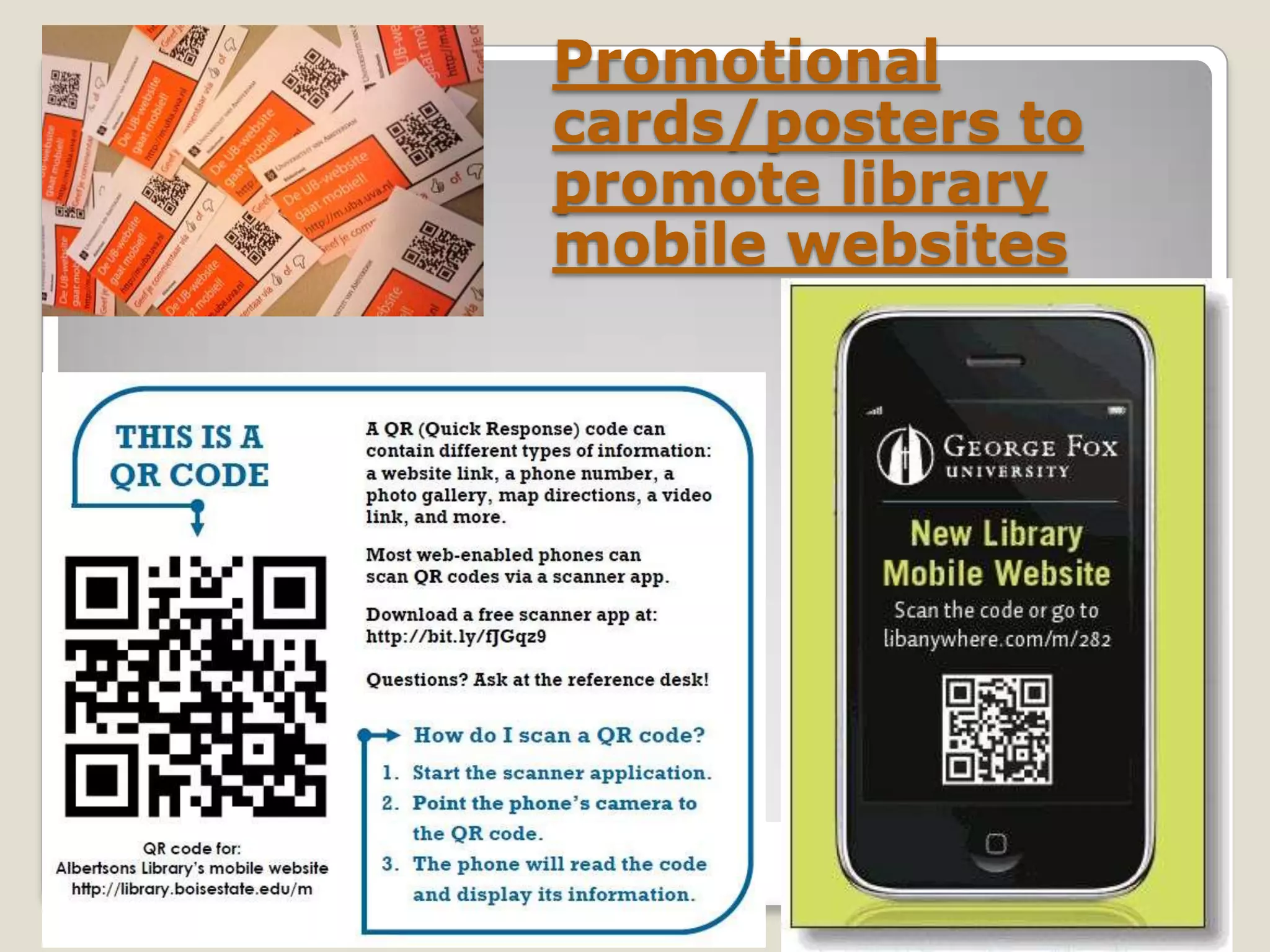
Promotional
cards/posters to
promote library
mobile websites
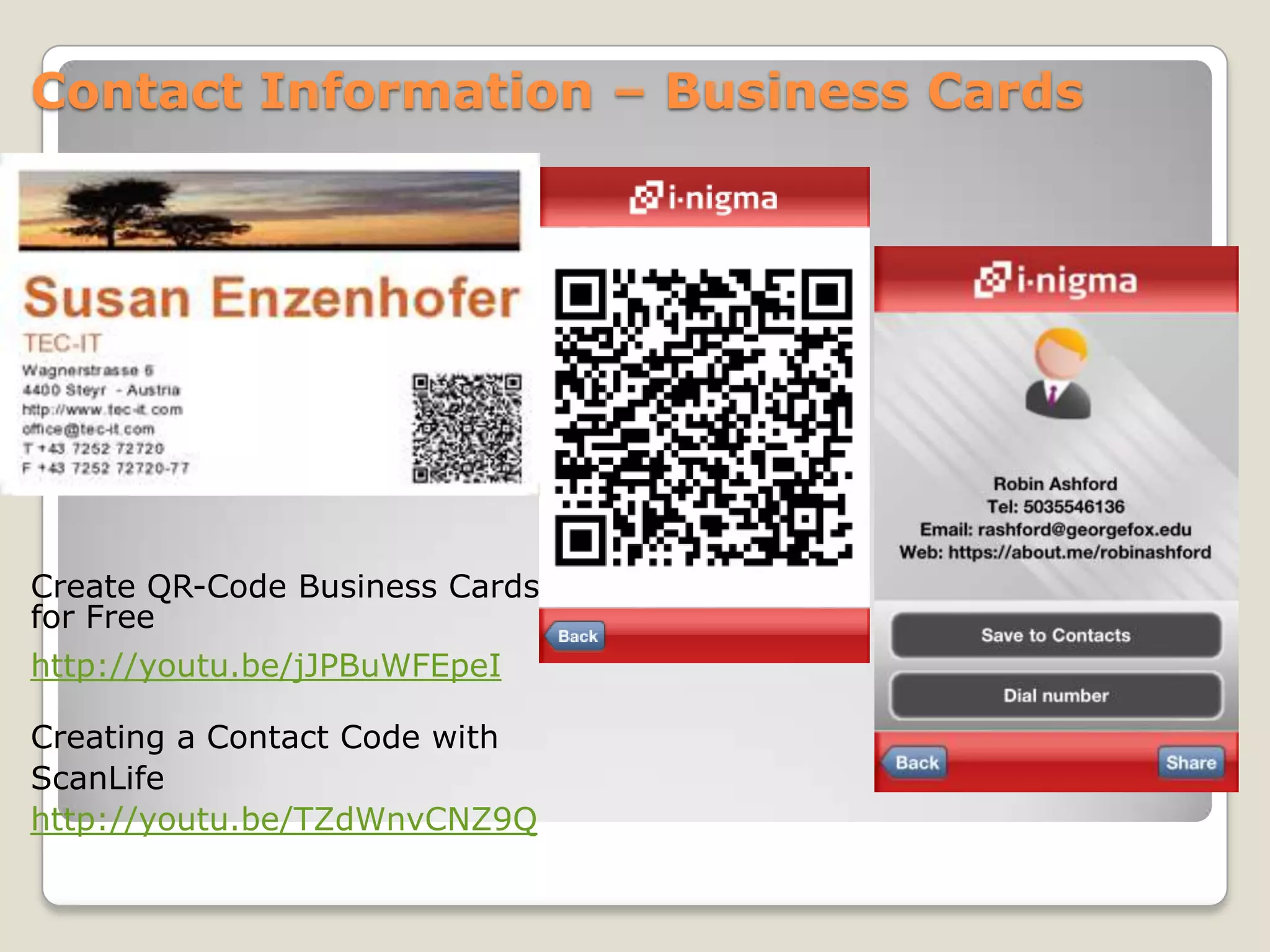
Contact Information – Business Cards


Create QR-Code Business Cards
for Free
http://youtu.be/jJPBuWFEpeI

Creating a Contact Code with
ScanLife
http://youtu.be/TZdWnvCNZ9Q
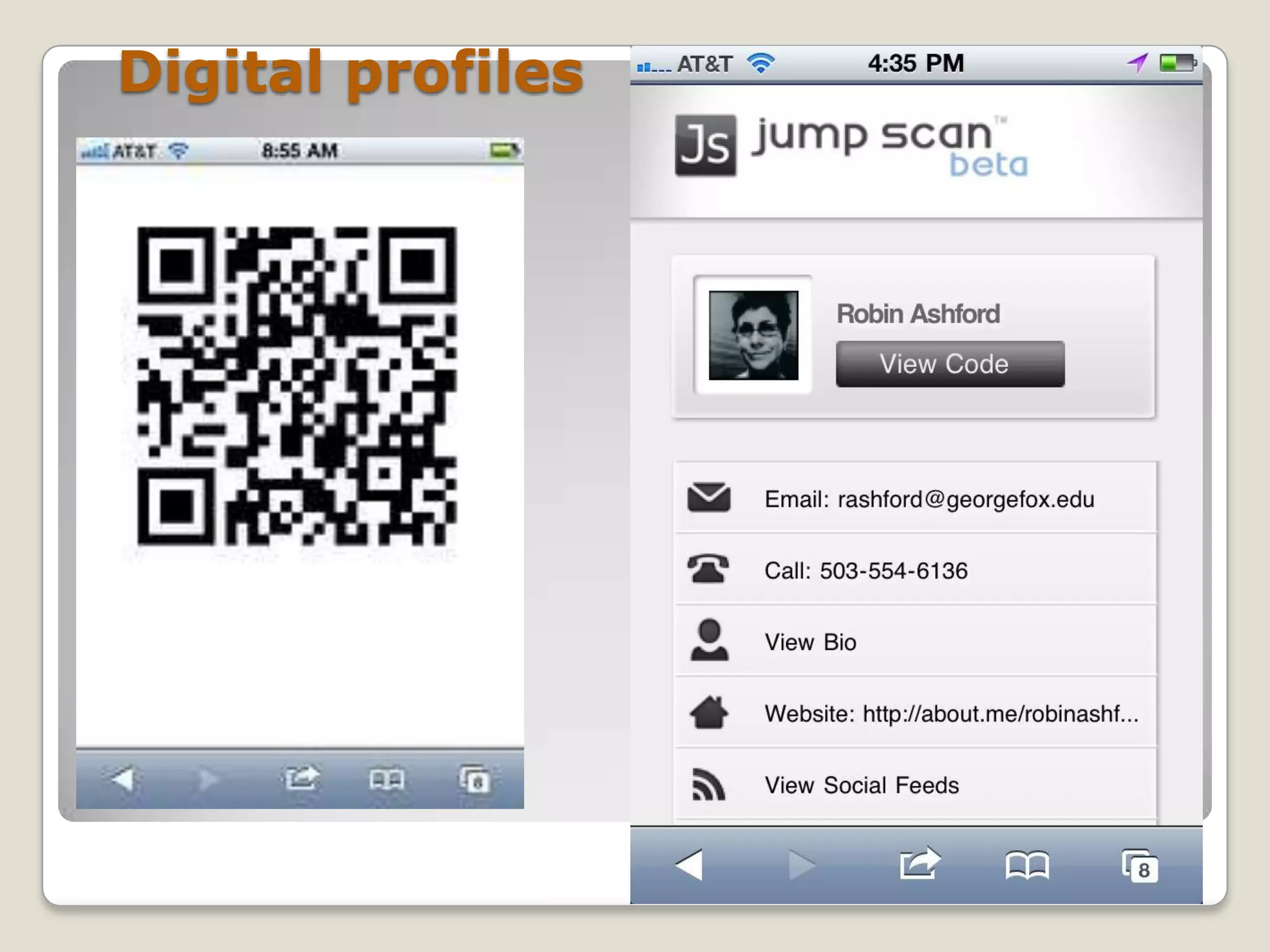
Digital profiles
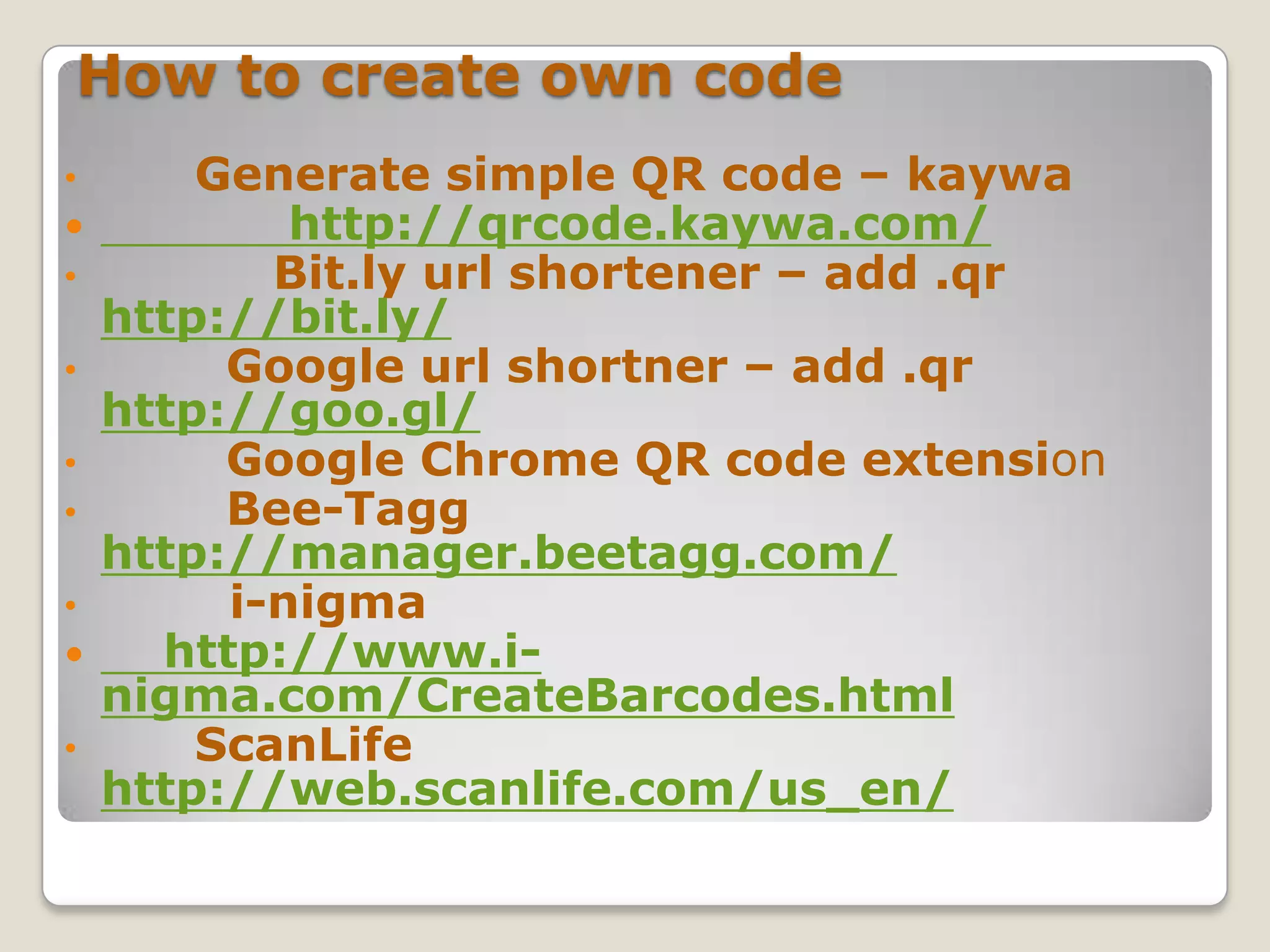
How to create own code
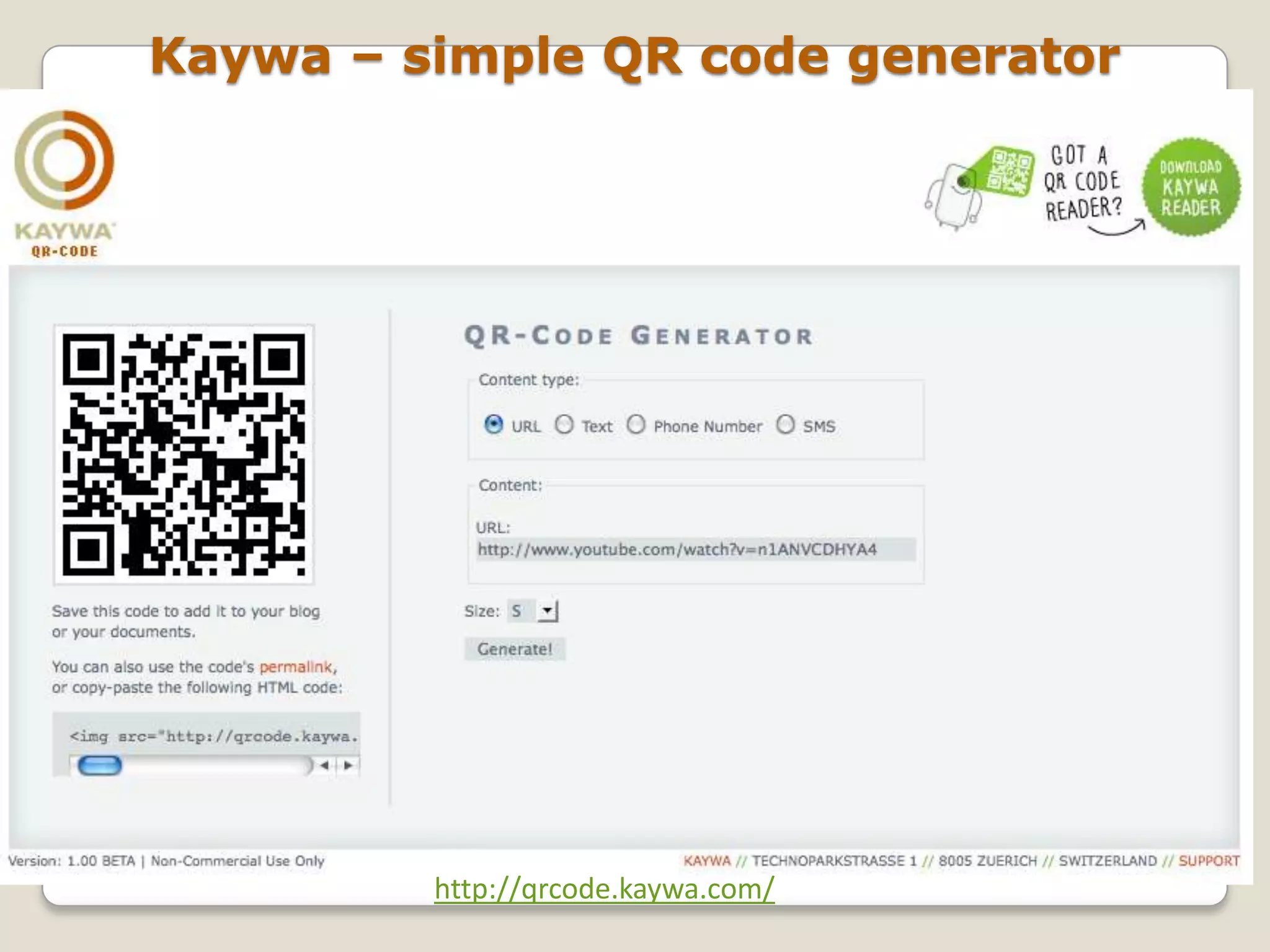
•       Generate simple QR code – kaywa
           http://qrcode.kaywa.com/
•          Bit.ly url shortener – add .qr
    http://bit.ly/
•        Google url shortner – add .qr
    http://goo.gl/
•        Google Chrome QR code extension
•        Bee-Tagg
    http://manager.beetagg.com/
•        i-nigma
     http://www.i-
    nigma.com/CreateBarcodes.html
•       ScanLife
    http://web.scanlife.com/us_en/
Kaywa – simple QR code generator


         http://qrcode.kaywa.com/
Codes can also be read:

    1.Without a smart or feature
phone.

   2.On a PC/MAC
  desktop/netbook/laptop
computer with webcam.
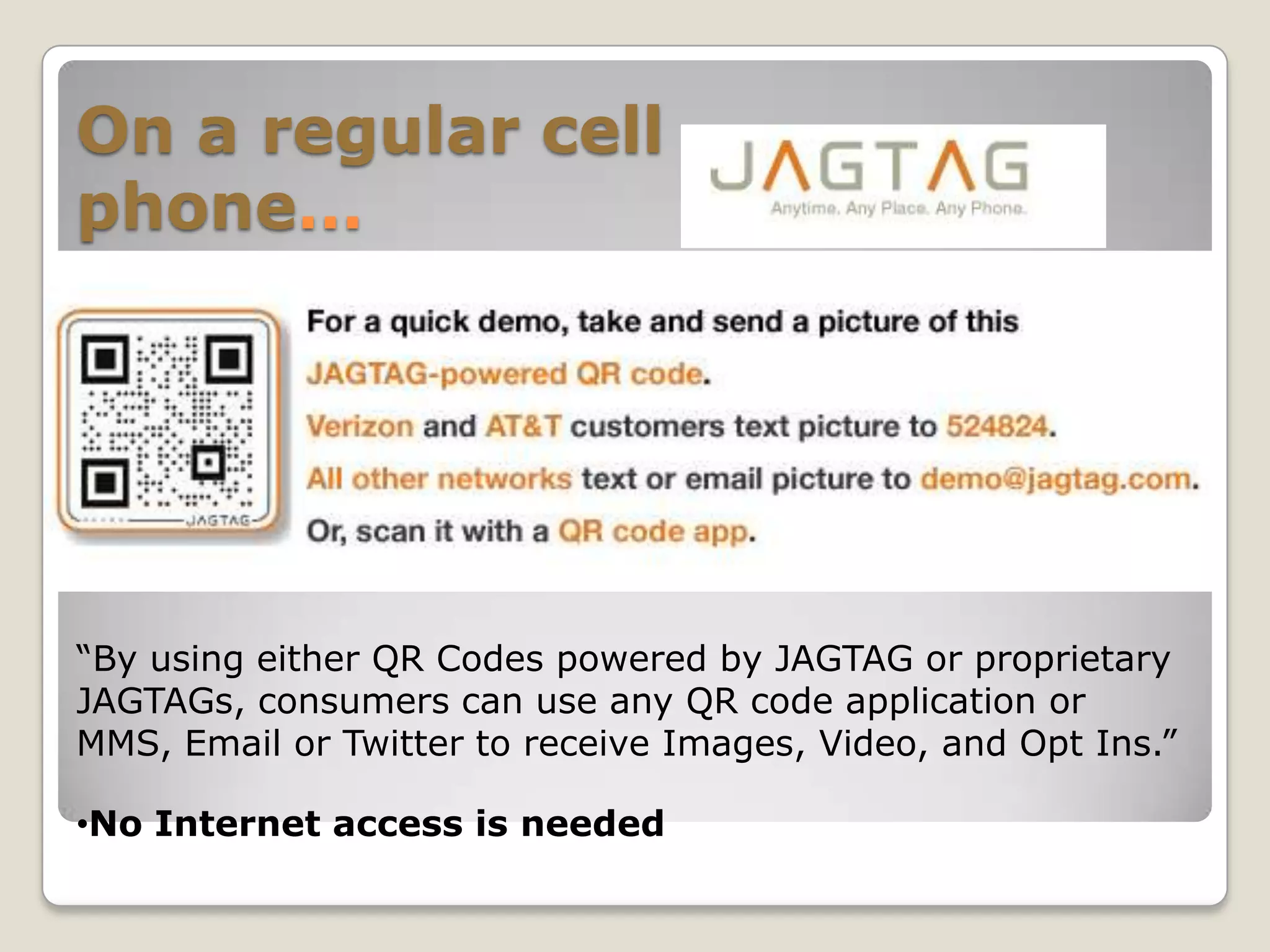
On a regular cell
phone…


“By using either QR Codes powered by JAGTAG or proprietary
JAGTAGs, consumers can use any QR code application or
MMS, Email or Twitter to receive Images, Video, and Opt Ins.”

•No Internet access is needed
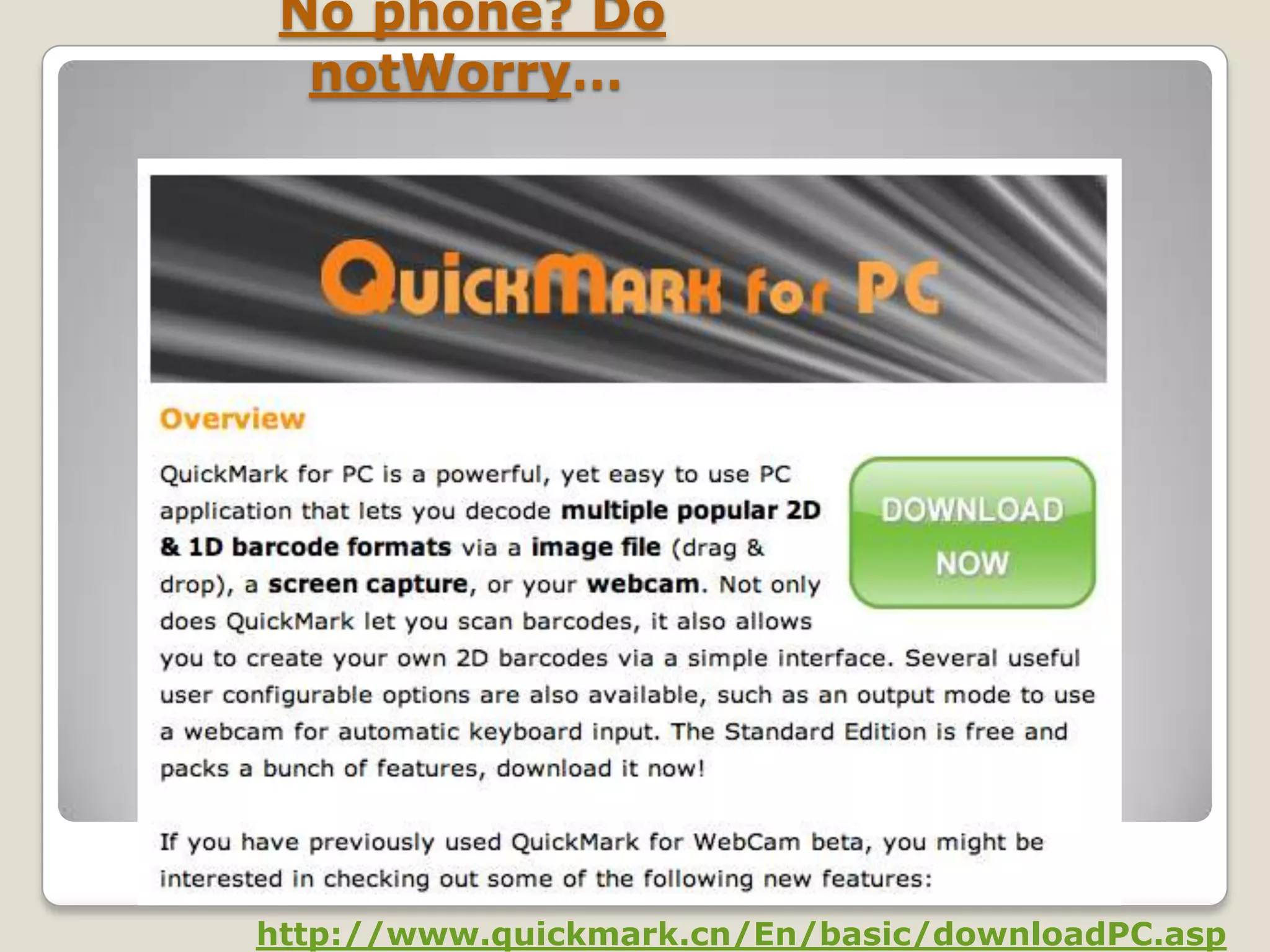
No phone? Do
  notWorry…


http://www.quickmark.cn/En/basic/downloadPC.asp
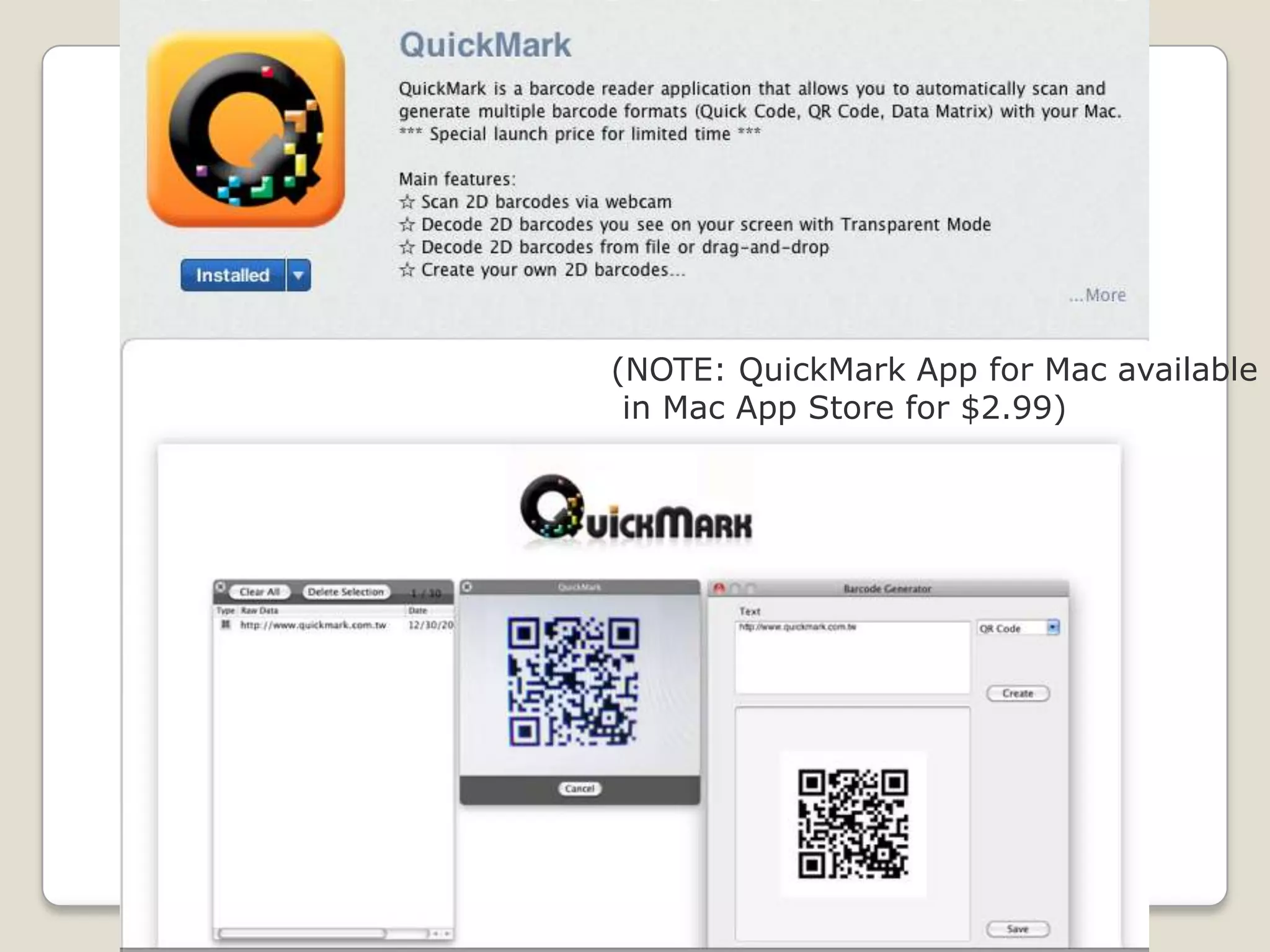
(NOTE: QuickMark App for Mac available
 in Mac App Store for $2.99)
QR Code Challenges

•       Not everyone owns internet
enabled device
•       Lack of standards
•       Websites not yet mobilized
•        Poor implementation of QR codes
•        Not the prettiest (barcode graffiti)
•        Need for education and promotion
•        Privacy issues
•        Overuse
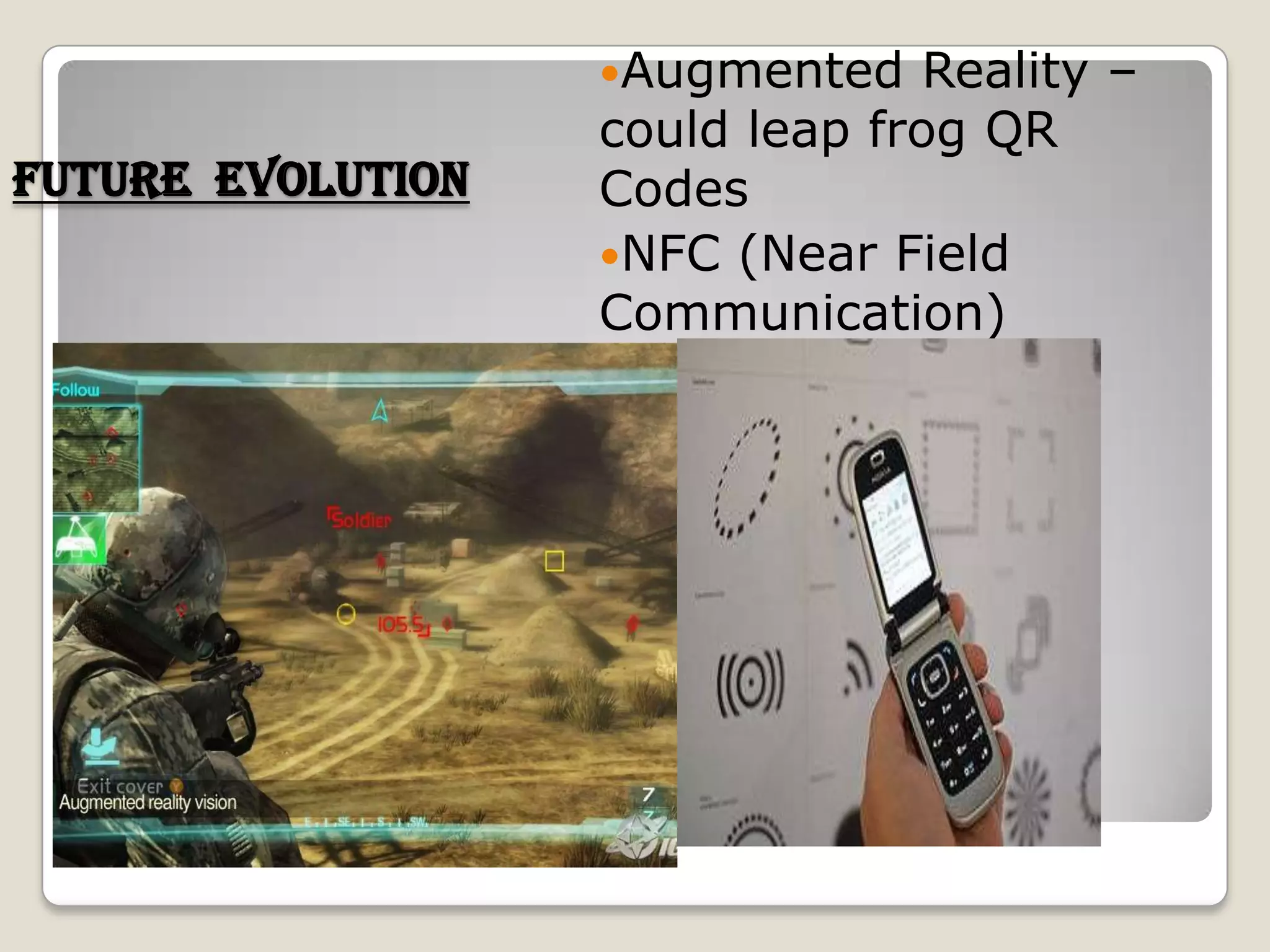
Augmented    Reality –
                   could leap frog QR
Future evolution   Codes
                   NFC (Near Field
                   Communication)
Thank You!!!

Qr code

  • 1.
    QR Code By RAJATSHARMA 1PE11MCA40
  • 2.
    What are QR(quick Response) codes • A QR code is a matrix barcode readable by smartphones, mobile devices with cameras (new iPod Touch) and more • Typically seen as white squares with black geometric shapes (also multi-color codes and logos) • Information such as text, a URL or other data can be easily encoded using a QR Code generator • Users point their device, scan, and are quickly taken to the encoded data
  • 3.
  • 4.
  • 5.
    Difference b/w 1Dand 2D codes…
  • 6.
    Mobile barcode categories A- Open Barcode Provider These companies use 2d barcode software that is public domain or easily licensable. Examples include QR Code and Datamatrix. B - Proprietary Barcode Provider These companies have created their own, closed code. Their barcodes can only be scanned by their own readers. Examples include Microsoft Tag and Shotcode C - Reader These companies provide a downloadable reader that enable mobile devices to scan information from one or more types of 2d barcode
  • 7.
    D - Enabler These companies create real-world solutions with barcodes. Examples include advertising campaigns, shopping solutions and paperless ticketing. This category also includes companies that let users easily create their own open barcodes to link to on-line content, like websites or social networks. The vast majority of companies involved in mobile barcoding fall into the A C D category – ie. they use an open barcoding standard, provide their own mobile reading software, and create barcode solutions that connect the real-world to the mobile Web. Mobile barcode categories
  • 8.
  • 9.
  • 10.
    QR Code ReaderApps: Free (most), easy, quick
  • 11.
    Examples: QR CodesLibraries Magazines & Journal areas Film trailers Art shows & exhibits
  • 12.
    Uses of QRCodes …..
  • 13.
    Online Catalogs In this example the code resolves to text of the title, author, floor level and call no. No writing necessary, info is on the users device and can be available for http://bit.ly/eiwPBs future reference
  • 14.
  • 15.
    Contact Information –Business Cards Create QR-Code Business Cards for Free http://youtu.be/jJPBuWFEpeI Creating a Contact Code with ScanLife http://youtu.be/TZdWnvCNZ9Q
  • 16.
  • 17.
    How to createown code • Generate simple QR code – kaywa  http://qrcode.kaywa.com/ • Bit.ly url shortener – add .qr http://bit.ly/ • Google url shortner – add .qr http://goo.gl/ • Google Chrome QR code extension • Bee-Tagg http://manager.beetagg.com/ • i-nigma  http://www.i- nigma.com/CreateBarcodes.html • ScanLife http://web.scanlife.com/us_en/
  • 18.
    Kaywa – simpleQR code generator http://qrcode.kaywa.com/
  • 19.
    Codes can alsobe read: 1.Without a smart or feature phone. 2.On a PC/MAC desktop/netbook/laptop computer with webcam.
  • 20.
    On a regularcell phone… “By using either QR Codes powered by JAGTAG or proprietary JAGTAGs, consumers can use any QR code application or MMS, Email or Twitter to receive Images, Video, and Opt Ins.” •No Internet access is needed
  • 21.
    No phone? Do notWorry… http://www.quickmark.cn/En/basic/downloadPC.asp
  • 22.
    (NOTE: QuickMark Appfor Mac available in Mac App Store for $2.99)
  • 23.
    QR Code Challenges • Not everyone owns internet enabled device • Lack of standards • Websites not yet mobilized • Poor implementation of QR codes • Not the prettiest (barcode graffiti) • Need for education and promotion • Privacy issues • Overuse
  • 24.
    Augmented Reality – could leap frog QR Future evolution Codes NFC (Near Field Communication)
  • 25.