 Multi-purpose (Web, GUI, Scripting,
etc.)
 Object Oriented
 Interpreted
 Strongly typed and Dynamically
typed
 Focus on readability and
productivity
 Python was developed by Guido van
Rossum in the late (1980’s) and its
implementation begins in December
(1989) at the National Research Institute
for Mathematics and Computer Science
in the Netherlands.
 Python is derived from many other
languages, including ABC, Modula-3, C,
C++, Algol-68, Smalltalk, and Unix shell
and other scripting languages.
 Python 1.0 released in 1994
 Python 2.0 released in 2000
 Python 3.0 released in 2008
 Python 2.7 is the recommended version
 Web applications
 Servers
 Information security
 Artificial intelligence
 Data science
 Mathematics
 Video games
 Robots.
 PyDev with Eclipse
 Komodo
 Emacs
 Vim
 TextMate
 Gedit
 Idle
 PIDA (Linux)(VIM Based)
 NotePad++ (Windows)
 BlueFish (Linux)
 No type when declaring a variable:
 JAVA:-
int x = 1;
x = (int) x / 2;
 PYTHON:-
x = 1
x = x / 2
 Some programming languages will kill
you with parentheses , brackets ,
braces , comas and colons.
 But with PYTHON you spend less time
in syntax and more time
programming.
 This means at the end of each line,
a semicolon is not needed and curly braces
({ }) are not used to group code.
FOR EXAMPLE :-
 if True:
print “condition true"
print “input is true"
 The combined effect makes Python a very
easy to read language.
 For example : swap x and y
 JAVA:-
int temp = x ;
x = y ;
y = temp ;
 PYTHON:-
x , y = y , x
 JAVA:-
string name = “john” ;
system.out.println (name) ;
 PYTHON:-
name = “john”
print (“name”)
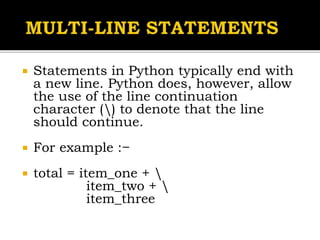
 Statements in Python typically end with
a new line. Python does, however, allow
the use of the line continuation
character () to denote that the line
should continue.
 For example :−
 total = item_one + 
item_two + 
item_three
 Statements contained within the [], {},
or () brackets do not need to use the
line continuation character.
 For example −
 days = ['Monday', 'Tuesday',
'Wednesday', 'Thursday', 'Friday']
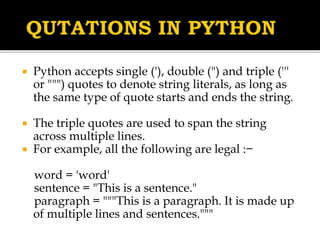
 Python accepts single ('), double (") and triple ('''
or """) quotes to denote string literals, as long as
the same type of quote starts and ends the string.
 The triple quotes are used to span the string
across multiple lines.
 For example, all the following are legal :−
word = 'word'
sentence = "This is a sentence."
paragraph = """This is a paragraph. It is made up
of multiple lines and sentences."""
 A hash sign (#) that is not inside a string
literal begins a comment. All characters after
the # and up to the end of the physical line
are part of the comment and the Python
interpreter ignores them.
# First comment
print "Hello, Python!"
# second comment
 This produces the following output :−
 Hello, Python!
 The semicolon ( ; ) allows multiple
statements on the single line given
that neither statement starts a new
code block. Here is a sample of using
the semicolon :−
import sys ; x=10 ; print (‘x’)
 Python allows you to assign a single
value to several variables
simultaneously. For example :−
a = b = c = 1
 Here, an integer object is created with
the value 1, and all three variables
are assigned to the same memory
location.
 You can also assign multiple objects to
multiple variables.
For example :−
a,b,c = 1,2,"john“
 Here, two integer objects with values 1
and 2 are assigned to variables a and b
respectively, and one string object with
the value "john" is assigned to the
variable c.
 The following line of the program displays on the
prompt, the statement saying
 “Press the enter key to exit”,
and waits for the user to take action :−
input(“Press the enter key to exit.")
 Once the user presses the key, the program
ends.
 This is a nice trick to keep a console window
open until the user is done with an application.
 The simplest way to produce output is using
the print statement where you can pass zero or
more expressions separated by commas. This
function converts the expressions you pass into
a string and writes the result to standard output
as follows :−
 print (“Python is really a great language,”, “isn't it?”)
 This produces the following result on your
standard screen :−
 Python is really a great language, isn't it?
 The input function reads one line from
standard input and returns it as a string
str = input("Enter your input: ");
print "Received input is : ", str
 This prompts you to enter any string and it
would display same string on the screen.
When I typed "Hello Python", its output is
like this :−
Enter your input: Hello Python
Received input is : Hello Python

Python programming lanuguage

  • 2.
     Multi-purpose (Web,GUI, Scripting, etc.)  Object Oriented  Interpreted  Strongly typed and Dynamically typed  Focus on readability and productivity
  • 3.
     Python wasdeveloped by Guido van Rossum in the late (1980’s) and its implementation begins in December (1989) at the National Research Institute for Mathematics and Computer Science in the Netherlands.  Python is derived from many other languages, including ABC, Modula-3, C, C++, Algol-68, Smalltalk, and Unix shell and other scripting languages.
  • 4.
     Python 1.0released in 1994  Python 2.0 released in 2000  Python 3.0 released in 2008  Python 2.7 is the recommended version
  • 5.
     Web applications Servers  Information security  Artificial intelligence  Data science  Mathematics  Video games  Robots.
  • 6.
     PyDev withEclipse  Komodo  Emacs  Vim  TextMate  Gedit  Idle  PIDA (Linux)(VIM Based)  NotePad++ (Windows)  BlueFish (Linux)
  • 8.
     No typewhen declaring a variable:  JAVA:- int x = 1; x = (int) x / 2;  PYTHON:- x = 1 x = x / 2
  • 9.
     Some programminglanguages will kill you with parentheses , brackets , braces , comas and colons.  But with PYTHON you spend less time in syntax and more time programming.
  • 10.
     This meansat the end of each line, a semicolon is not needed and curly braces ({ }) are not used to group code. FOR EXAMPLE :-  if True: print “condition true" print “input is true"  The combined effect makes Python a very easy to read language.
  • 11.
     For example: swap x and y  JAVA:- int temp = x ; x = y ; y = temp ;  PYTHON:- x , y = y , x
  • 12.
     JAVA:- string name= “john” ; system.out.println (name) ;  PYTHON:- name = “john” print (“name”)
  • 13.
     Statements inPython typically end with a new line. Python does, however, allow the use of the line continuation character () to denote that the line should continue.  For example :−  total = item_one + item_two + item_three
  • 14.
     Statements containedwithin the [], {}, or () brackets do not need to use the line continuation character.  For example −  days = ['Monday', 'Tuesday', 'Wednesday', 'Thursday', 'Friday']
  • 15.
     Python acceptssingle ('), double (") and triple (''' or """) quotes to denote string literals, as long as the same type of quote starts and ends the string.  The triple quotes are used to span the string across multiple lines.  For example, all the following are legal :− word = 'word' sentence = "This is a sentence." paragraph = """This is a paragraph. It is made up of multiple lines and sentences."""
  • 16.
     A hashsign (#) that is not inside a string literal begins a comment. All characters after the # and up to the end of the physical line are part of the comment and the Python interpreter ignores them. # First comment print "Hello, Python!" # second comment  This produces the following output :−  Hello, Python!
  • 17.
     The semicolon( ; ) allows multiple statements on the single line given that neither statement starts a new code block. Here is a sample of using the semicolon :− import sys ; x=10 ; print (‘x’)
  • 18.
     Python allowsyou to assign a single value to several variables simultaneously. For example :− a = b = c = 1  Here, an integer object is created with the value 1, and all three variables are assigned to the same memory location.
  • 19.
     You canalso assign multiple objects to multiple variables. For example :− a,b,c = 1,2,"john“  Here, two integer objects with values 1 and 2 are assigned to variables a and b respectively, and one string object with the value "john" is assigned to the variable c.
  • 20.
     The followingline of the program displays on the prompt, the statement saying  “Press the enter key to exit”, and waits for the user to take action :− input(“Press the enter key to exit.")  Once the user presses the key, the program ends.  This is a nice trick to keep a console window open until the user is done with an application.
  • 21.
     The simplestway to produce output is using the print statement where you can pass zero or more expressions separated by commas. This function converts the expressions you pass into a string and writes the result to standard output as follows :−  print (“Python is really a great language,”, “isn't it?”)  This produces the following result on your standard screen :−  Python is really a great language, isn't it?
  • 22.
     The inputfunction reads one line from standard input and returns it as a string str = input("Enter your input: "); print "Received input is : ", str  This prompts you to enter any string and it would display same string on the screen. When I typed "Hello Python", its output is like this :− Enter your input: Hello Python Received input is : Hello Python