IT Automation Software for System Administrators
James	
  Sweeny
james.sweeny@puppetlabs.com
Puppet	
  Labs,	
  Inc.
Professional	
  Services
A User’s Introduction to PuppetDB
2
What is PuppetDB
*The*	
  datastore	
  for	
  informaBon	
  generated	
  by	
  
Puppet
3
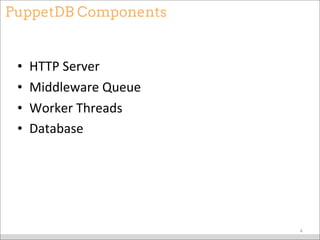
PuppetDB Components
• HTTP	
  Server
• Middleware	
  Queue
• Worker	
  Threads
• Database
4
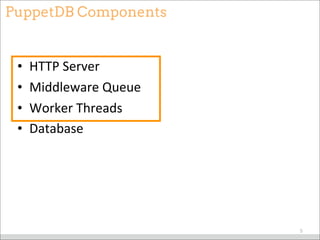
PuppetDB Components
• HTTP	
  Server
• Middleware	
  Queue
• Worker	
  Threads
• Database
5
Yes,it runs in a JVM
• WriMen	
  in	
  Clojure
• And	
  yes,	
  it’s	
  fast.
6
Lots of Data
7
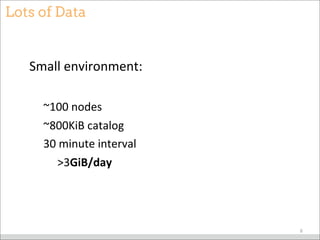
Lots of Data
Small	
  environment:
~100	
  nodes
~800KiB	
  catalog
30	
  minute	
  interval


  >3GiB/day
8
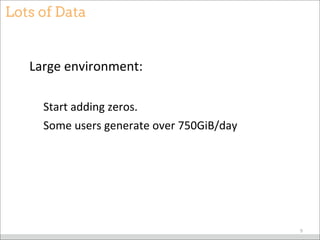
Lots of Data
Large	
  environment:
Start	
  adding	
  zeros.
Some	
  users	
  generate	
  over	
  750GiB/day
9
Puppet Data
• Facts
• Catalogs
• Reports
• Exported	
  Resources
10
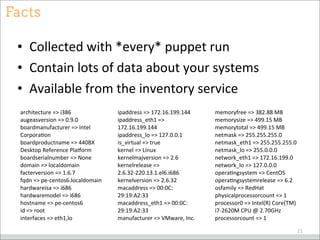
Facts
• Collected	
  with	
  *every*	
  puppet	
  run
• Contain	
  lots	
  of	
  data	
  about	
  your	
  systems
• Available	
  from	
  the	
  inventory	
  service
11
architecture	
  =>	
  i386
augeasversion	
  =>	
  0.9.0
boardmanufacturer	
  =>	
  Intel	
  
CorporaBon
boardproductname	
  =>	
  440BX	
  
Desktop	
  Reference	
  Plaeorm
boardserialnumber	
  =>	
  None
domain	
  =>	
  localdomain
facterversion	
  =>	
  1.6.7
fqdn	
  =>	
  pe-­‐centos6.localdomain
hardwareisa	
  =>	
  i686
hardwaremodel	
  =>	
  i686
hostname	
  =>	
  pe-­‐centos6
id	
  =>	
  root
interfaces	
  =>	
  eth1,lo
ipaddress	
  =>	
  172.16.199.144
ipaddress_eth1	
  =>	
  
172.16.199.144
ipaddress_lo	
  =>	
  127.0.0.1
is_virtual	
  =>	
  true
kernel	
  =>	
  Linux
kernelmajversion	
  =>	
  2.6
kernelrelease	
  =>	
  
2.6.32-­‐220.13.1.el6.i686
kernelversion	
  =>	
  2.6.32
macaddress	
  =>	
  00:0C:
29:19:A2:33
macaddress_eth1	
  =>	
  00:0C:
29:19:A2:33
manufacturer	
  =>	
  VMware,	
  Inc.
memoryfree	
  =>	
  382.88	
  MB
memorysize	
  =>	
  499.15	
  MB
memorytotal	
  =>	
  499.15	
  MB
netmask	
  =>	
  255.255.255.0
netmask_eth1	
  =>	
  255.255.255.0
netmask_lo	
  =>	
  255.0.0.0
network_eth1	
  =>	
  172.16.199.0
network_lo	
  =>	
  127.0.0.0
operaBngsystem	
  =>	
  CentOS
operaBngsystemrelease	
  =>	
  6.2
osfamily	
  =>	
  RedHat
physicalprocessorcount	
  =>	
  1
processor0	
  =>	
  Intel(R)	
  Core(TM)	
  
i7-­‐2620M	
  CPU	
  @	
  2.70GHz
processorcount	
  =>	
  1
Catalogs
• StaBc	
  configuraBon	
  of	
  every	
  Puppet	
  run
• What	
  the	
  node	
  *should*	
  be
12
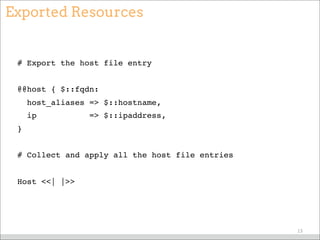
Exported Resources
# Export the host file entry
@@host { $::fqdn:
host_aliases => $::hostname,
ip => $::ipaddress,
}
# Collect and apply all the host file entries
Host <<| |>>
13
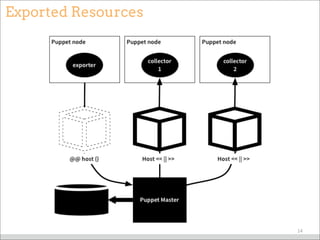
Exported Resources
14
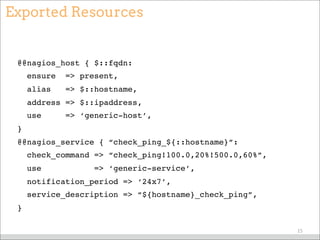
Exported Resources
@@nagios_host { $::fqdn:
ensure => present,
alias => $::hostname,
address => $::ipaddress,
use => ‘generic-host’,
}
@@nagios_service { “check_ping_${::hostname}”:
check_command => “check_ping!100.0,20%!500.0,60%”,
use => ‘generic-service’,
notification_period => ‘24x7’,
service_description => “${hostname}_check_ping”,
}
15
Exported Resources
Nagios_host <<||>> ~> Service[‘nagios’]
Nagios_service <<||>> ~> Service[‘nagios’]
16
Exported Resources - Removing
# puppet node deactivate <node name> [<another node>, ...]
17
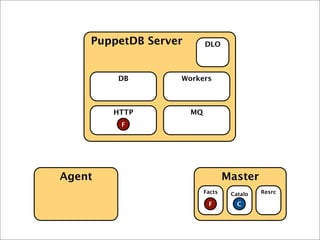
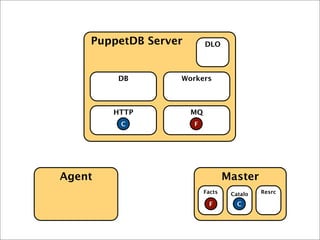
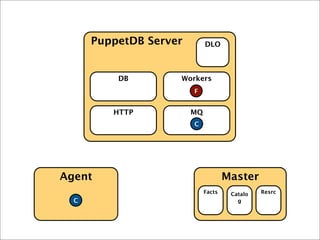
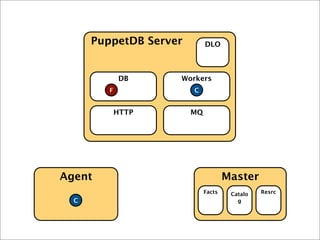
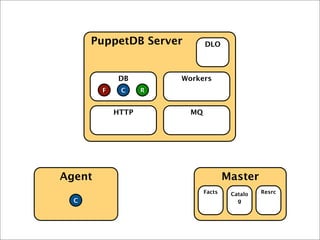
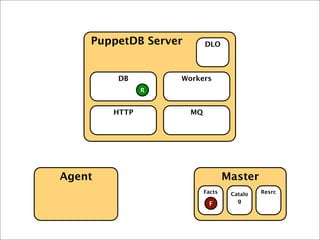
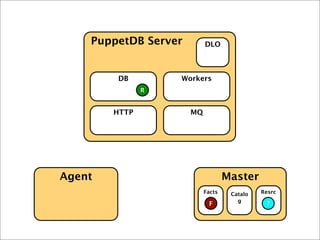
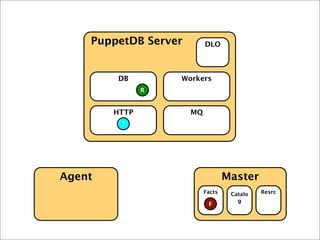
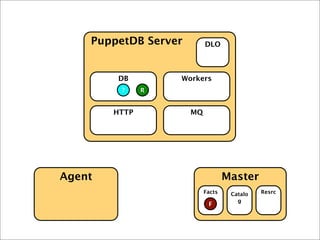
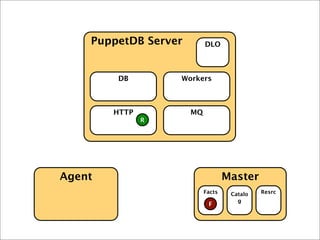
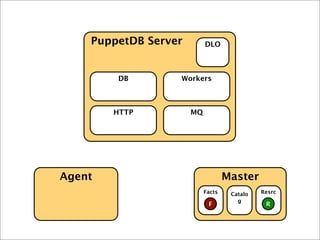
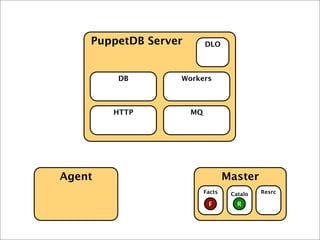
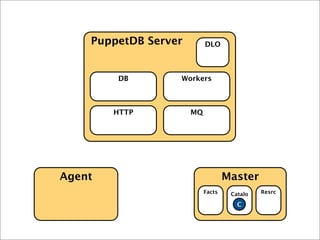
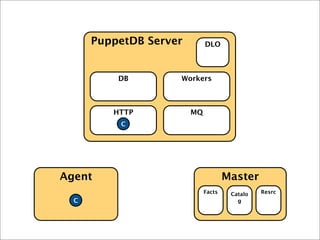
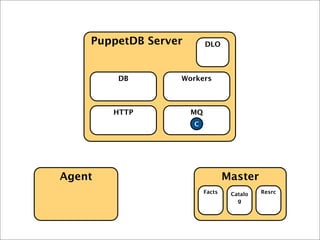
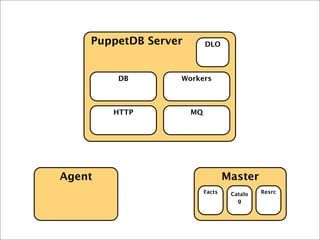
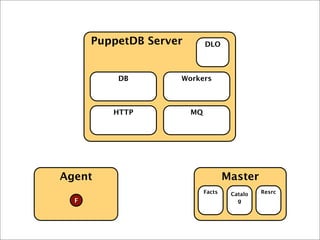
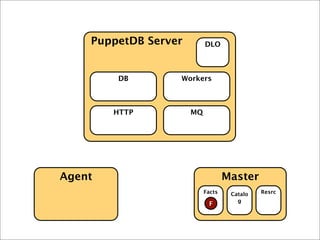
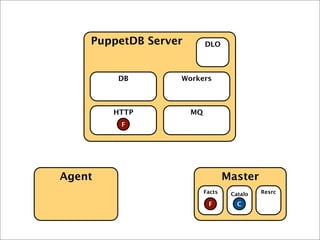
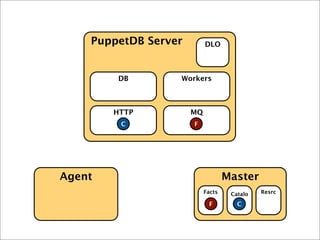
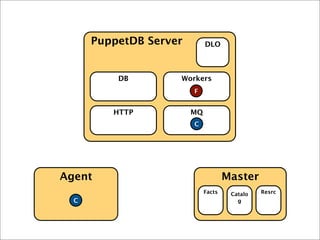
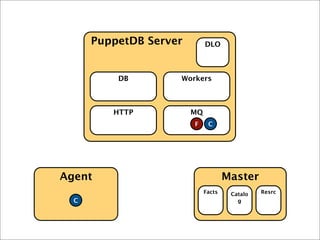
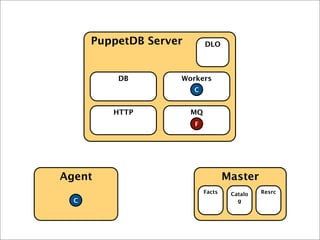
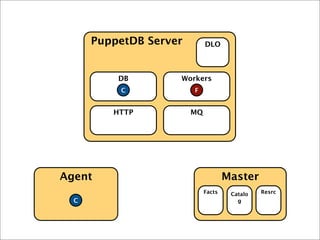
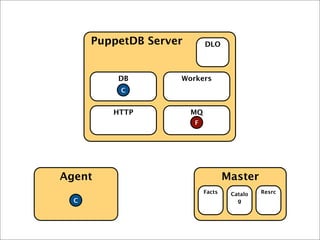
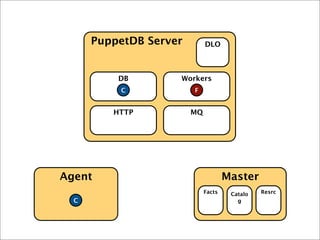
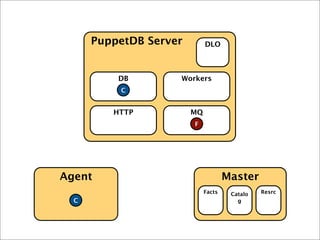
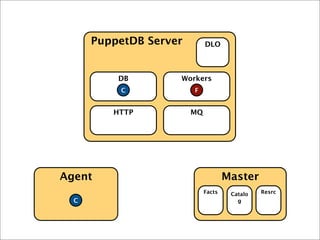
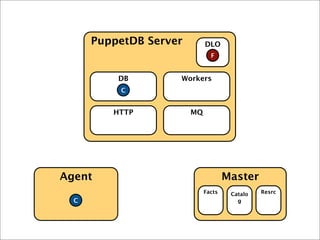
Exporting Resources
18
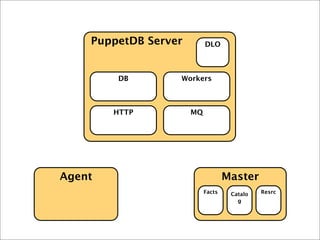
Agent Master
PuppetDB Server
HTTP MQ
DB Workers
DLO
Facts Catalo
g
Resrc
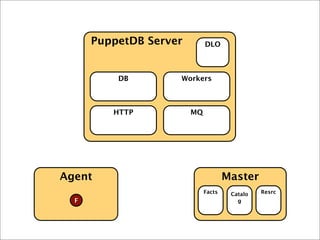
Agent Master
PuppetDB Server
HTTP MQ
DB Workers
DLO
Facts
F
Catalo
g
Resrc
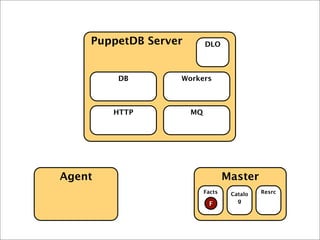
Agent Master
PuppetDB Server
HTTP MQ
DB Workers
DLO
Facts
F
Catalo
g
Resrc
F
Agent Master
PuppetDB Server
HTTP MQ
DB Workers
DLO
Facts
F
Catalo
g
Resrc
CF C
Agent Master
PuppetDB Server
HTTP MQ
DB Workers
DLO
Facts
F
Catalo
g
Resrc
F C
C
Agent Master
PuppetDB Server
HTTP MQ
DB Workers
DLO
Facts
F
Catalo
g
Resrc
C
C
R
Agent Master
PuppetDB Server
HTTP MQ
DB Workers
DLO
Facts
F
Catalo
g
Resrc
C
C
Agent Master
PuppetDB Server
HTTP MQ
DB Workers
DLO
Facts
F
Catalo
g
Resrc
C
C R
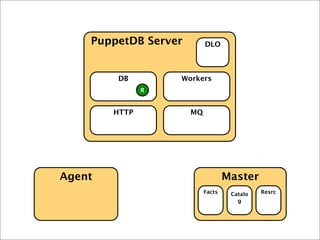
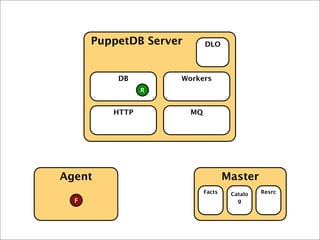
Resource Collection
27
Agent Master
PuppetDB Server
HTTP MQ
DB Workers
DLO
Facts Catalo
g
Resrc
R
Agent Master
PuppetDB Server
HTTP MQ
DB Workers
DLO
Facts
F
Catalo
g
Resrc
R
Agent Master
PuppetDB Server
HTTP MQ
DB Workers
DLO
Facts
F
Catalo
g
Resrc
F
R
F
Agent Master
PuppetDB Server
HTTP MQ
DB Workers
DLO
Facts Catalo
g
Resrc
?F
R
Agent Master
PuppetDB Server
HTTP MQ
DB Workers
DLO
Facts Catalo
g
Resrc
?
R
F
Agent Master
PuppetDB Server
HTTP MQ
DB Workers
DLO
Facts Catalo
g
Resrc
? R
F
Agent Master
PuppetDB Server
HTTP MQ
DB Workers
DLO
Facts Catalo
g
Resrc
R
F
Agent Master
PuppetDB Server
HTTP MQ
DB Workers
DLO
Facts Catalo
g
Resrc
RF
Agent Master
PuppetDB Server
HTTP MQ
DB Workers
DLO
Facts Catalo
g
Resrc
RF
Agent Master
PuppetDB Server
HTTP MQ
DB Workers
DLO
Facts Catalo
g
Resrc
CC
Agent Master
PuppetDB Server
HTTP MQ
DB Workers
DLO
Facts Catalo
g
Resrc
C
C
Agent Master
PuppetDB Server
HTTP MQ
DB Workers
DLO
Facts Catalo
g
Resrc
C
Failure and the DLO
40
Agent Master
PuppetDB Server
HTTP MQ
DB Workers
DLO
Facts Catalo
g
Resrc
Agent Master
PuppetDB Server
HTTP MQ
DB Workers
DLO
Facts
F
Catalo
g
Resrc
Agent Master
PuppetDB Server
HTTP MQ
DB Workers
DLO
Facts
F
Catalo
g
Resrc
F
Agent Master
PuppetDB Server
HTTP MQ
DB Workers
DLO
Facts
F
Catalo
g
Resrc
CF C
Agent Master
PuppetDB Server
HTTP MQ
DB Workers
DLO
Facts
F
Catalo
g
Resrc
F C
C
Agent Master
PuppetDB Server
HTTP MQ
DB Workers
DLO
Facts
F
Catalo
g
Resrc
C
C
Agent Master
PuppetDB Server
HTTP MQ
DB Workers
DLO
Facts
F
Catalo
g
Resrc
C
C
Agent Master
PuppetDB Server
HTTP MQ
DB Workers
DLO
Facts
F
Catalo
g
Resrc
C
C
Agent Master
PuppetDB Server
HTTP MQ
DB Workers
DLO
Facts
F
Catalo
g
Resrc
C
C
Agent Master
PuppetDB Server
HTTP MQ
DB Workers
DLO
Facts
F
Catalo
g
Resrc
C
C
Agent Master
PuppetDB Server
HTTP MQ
DB Workers
DLO
Facts
F
Catalo
g
Resrc
C
C
Agent Master
PuppetDB Server
HTTP MQ
DB Workers
DLO
Facts
F
Catalo
g
Resrc
C
C
Agent Master
PuppetDB Server
HTTP MQ
DB Workers
DLO
Facts
F
Catalo
g
Resrc
C
C
Agent Master
PuppetDB Server
HTTP MQ
DB Workers
DLO
Facts
F
Catalo
g
Resrc
C
C
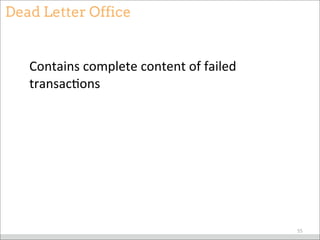
Dead Letter Office
Contains	
  complete	
  content	
  of	
  failed	
  
transacBons
55
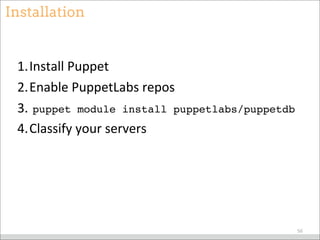
Installation
1.Install	
  Puppet
2.Enable	
  PuppetLabs	
  repos
3.	
  puppet module install puppetlabs/puppetdb
4.Classify	
  your	
  servers
56
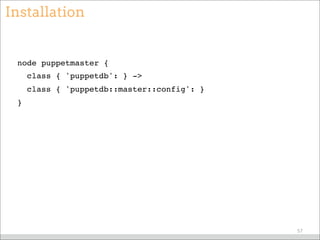
Installation
node puppetmaster {
class { 'puppetdb': } ->
class { 'puppetdb::master::config': }
}
57
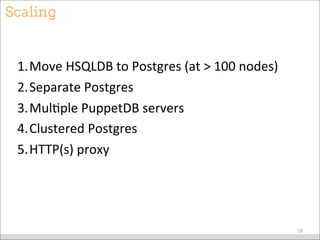
Scaling
1.Move	
  HSQLDB	
  to	
  Postgres	
  (at	
  >	
  100	
  nodes)
2.Separate	
  Postgres
3.MulBple	
  PuppetDB	
  servers
4.Clustered	
  Postgres
5.HTTP(s)	
  proxy
58
Querying
59
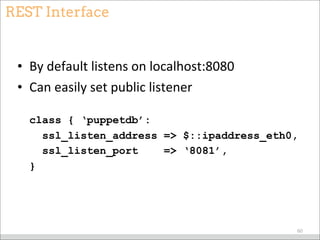
REST Interface
• By	
  default	
  listens	
  on	
  localhost:8080
• Can	
  easily	
  set	
  public	
  listener
class { ‘puppetdb’:
ssl_listen_address => $::ipaddress_eth0,
ssl_listen_port => ‘8081’,
}
60
REST Interface
• Queries	
  are	
  processed	
  immediately
• Commands	
  are	
  queued
61
REST Interface
• Responses	
  are	
  JSON
• Differ	
  by	
  query	
  type
62
Querying Facts
• /v2/fact_names
[ "architecture", "augeasversion",
"boardmanufacturer",
"boardproductname",...]
63
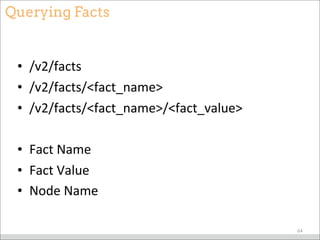
Querying Facts
• /v2/facts
• /v2/facts/<fact_name>
• /v2/facts/<fact_name>/<fact_value>
• Fact	
  Name
• Fact	
  Value
• Node	
  Name
64
Querying Facts
[ {
"certname" : "my_host.example.com",
"name" : "architecture",
"value" : "x86_64"
}, {
"certname" : "my_host.example.com",
"name" : "augeasversion",
"value" : "0.10.0"
}, ...
]
65
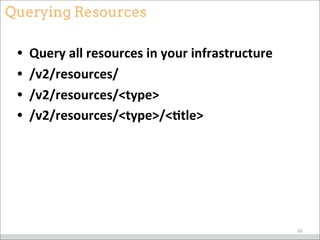
Querying Resources
• Query	
  all	
  resources	
  in	
  your	
  infrastructure
• /v2/resources/
• /v2/resources/<type>
• /v2/resources/<type>/<9tle>
66
Querying Resources
[ {
"parameters" : {
"ensure" : "running",
"enable" : true
},
"sourceline" : 139,
"sourcefile" : "/etc/puppetlabs/puppet/modules/puppetdb/
manifests/server.pp",
...
"title" : "pe-puppetdb",
"type" : "Service",
"certname" : "puppetdb"
}, ... ]
67
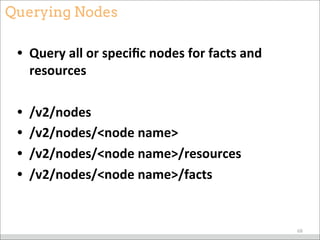
Querying Nodes
• Query	
  all	
  or	
  specific	
  nodes	
  for	
  facts	
  and	
  
resources
• /v2/nodes
• /v2/nodes/<node	
  name>
• /v2/nodes/<node	
  name>/resources
• /v2/nodes/<node	
  name>/facts
68
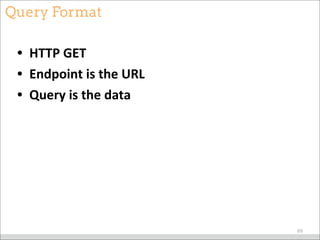
Query Format
• HTTP	
  GET
• Endpoint	
  is	
  the	
  URL
• Query	
  is	
  the	
  data
69
Query Format
http://localhost:8080
/v2
/endpoint
query=[“=”, ”certname”, “my_host.com”]
70
Query Format
[
"and",
["=", "type", "Service"],
["=", "title", "httpd"]
]
71
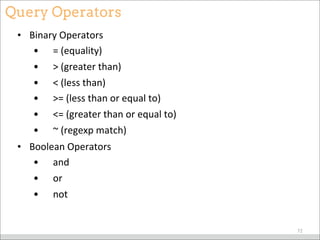
Query Operators
• Binary	
  Operators
• 	


  =	
  (equality)
• 	


  >	
  (greater	
  than)
• 	


  <	
  (less	
  than)
• 	


  >=	
  (less	
  than	
  or	
  equal	
  to)	
  
• 	


  <=	
  (greater	
  than	
  or	
  equal	
  to)	
  
• 	


  ~	
  (regexp	
  match)
• Boolean	
  Operators
• 	


  and	
  
• 	


  or	
  	
  
• 	


  not	
  
72
Query Example
curl -G 
-H ‘Accept: application/json’ 
http://localhost:8080/v2/resources 
--data-urlencode 
‘query=[“=”,“sourcefile”,“/etc/puppet/manifests/site.pp”]’
73
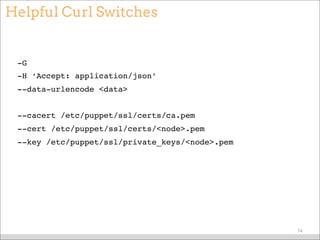
Helpful Curl Switches
-G
-H ‘Accept: application/json’
--data-urlencode <data>
--cacert /etc/puppet/ssl/certs/ca.pem
--cert /etc/puppet/ssl/certs/<node>.pem
--key /etc/puppet/ssl/private_keys/<node>.pem
74
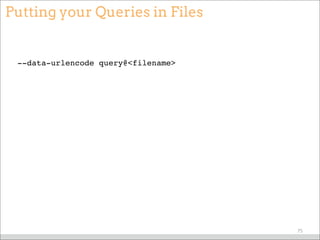
Putting your Queries in Files
--data-urlencode query@<filename>
75
Helpful Filters
/v2/resources/User
["~","sourcefile","/opt/puppet/share/puppet/modules"]
/v2/resources
[
"and",
["=", "exported", true],
["=", "certname", "exporter.example.com"]
]
76
dalen/puppetdbquery
puppet query nodes '(Package["mysql-server"])'
puppet query nodes '(architecture=amd64)'
77
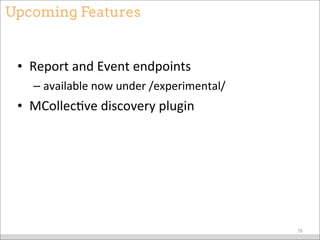
Upcoming Features
• Report	
  and	
  Event	
  endpoints
– available	
  now	
  under	
  /experimental/
• MCollecBve	
  discovery	
  plugin
78
Brief Tour
79
Other Resources
• hMp://docs.puppetlabs.com/puppetdb
• hMp://github.com/puppetlabs/puppetdb
• hMp://projects.puppetlabs.com/projects/
puppetdb
• #puppet	
  on	
  freenode
80
james.sweeny@puppetlabs.com
supercow	
  on	
  irc.freenode.net
@jsween_y	
  on	
  TwiMer	
  
81

PuppetDB: A Single Source for Storing Your Puppet Data - PUG NY