Infrastructure Coders

Mcollective: An introduction to the marionette.


                                    Melbourne 06-06-2012
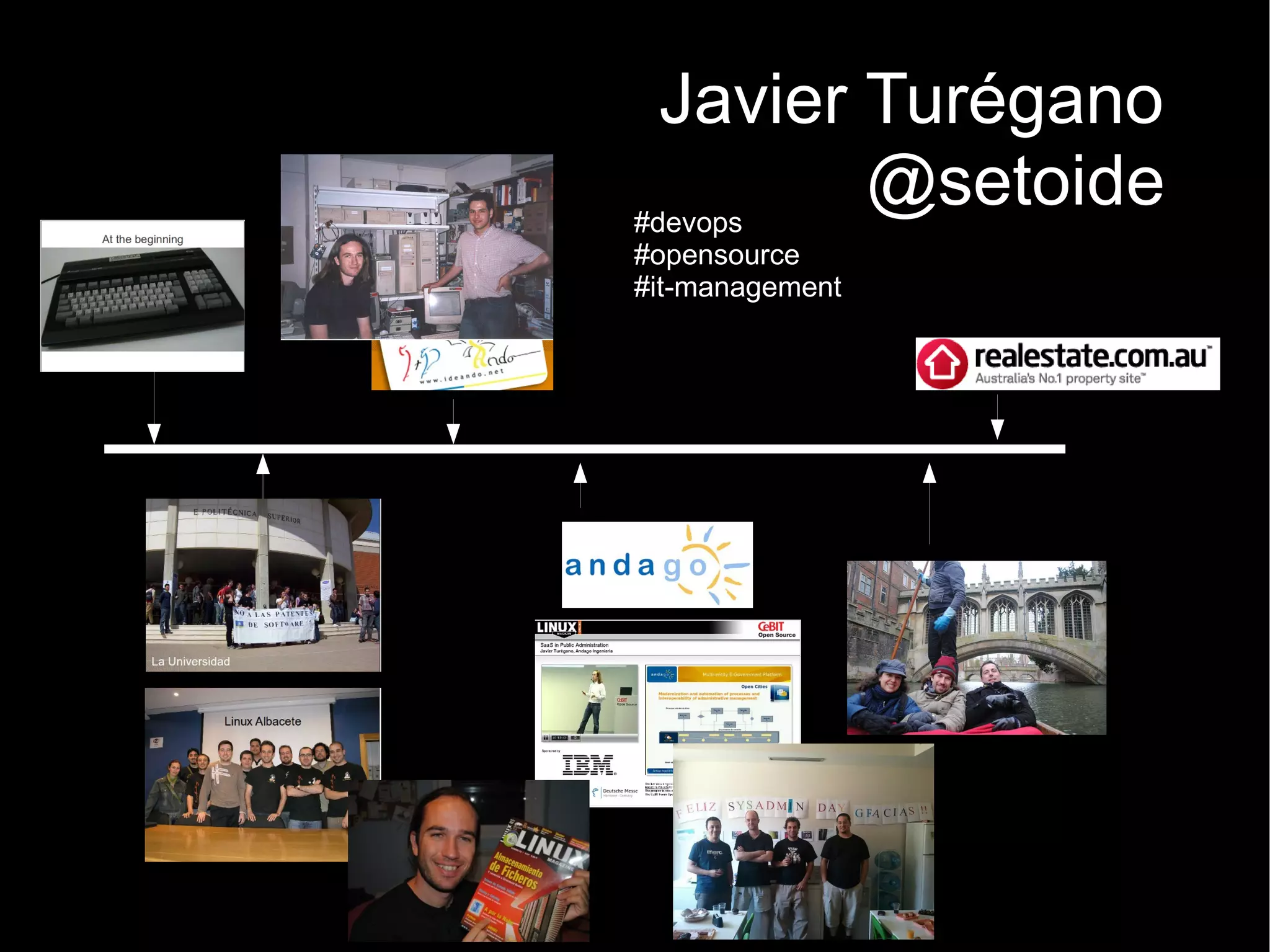
Javier Turégano
#devops
         @setoide
#opensource
#it-management
Disclaimer
Not mcollective Ninja
Why do we need orchestration?
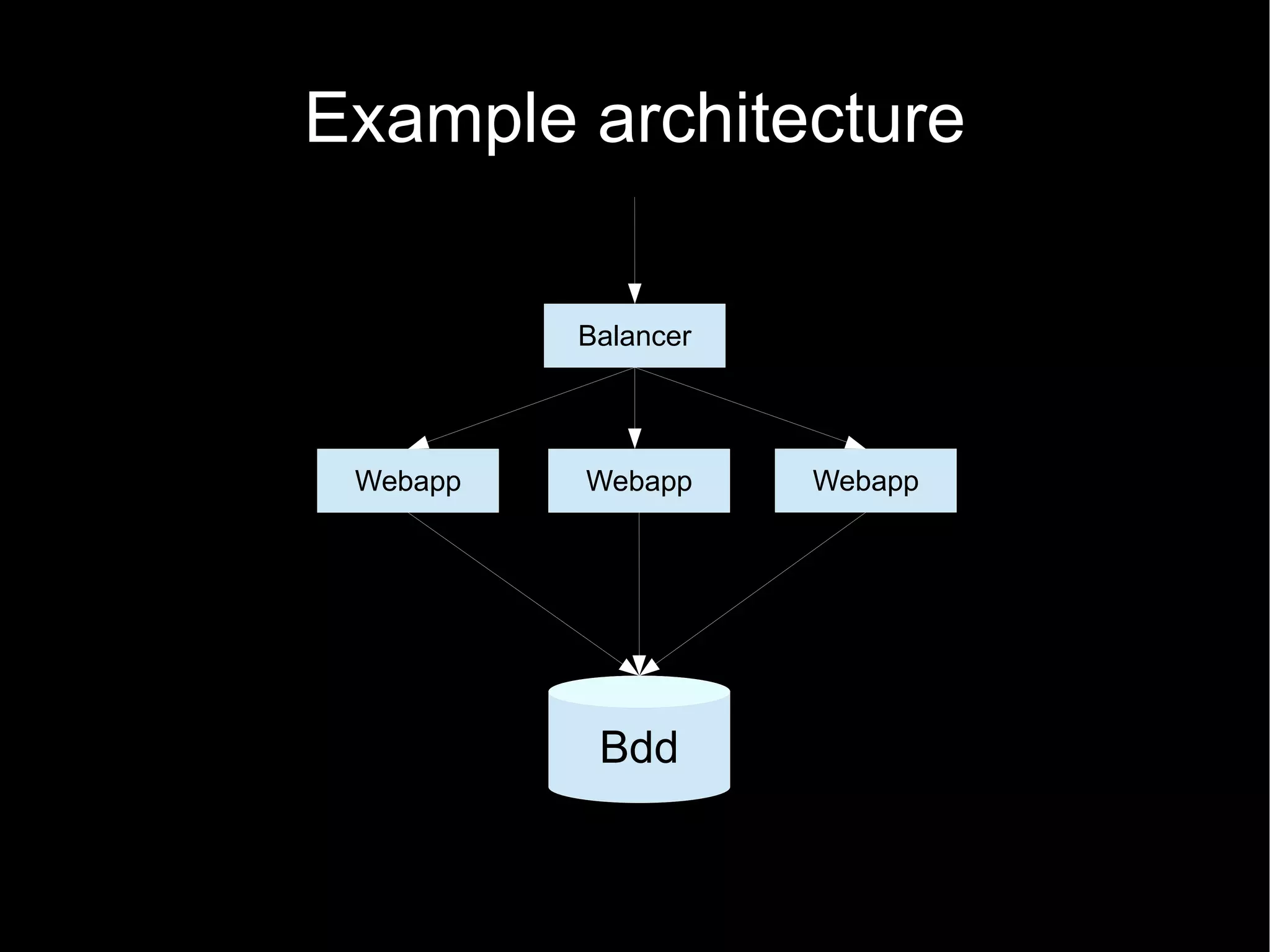
Example architecture

          Balancer


 Webapp   Webapp     Webapp


           Bdd
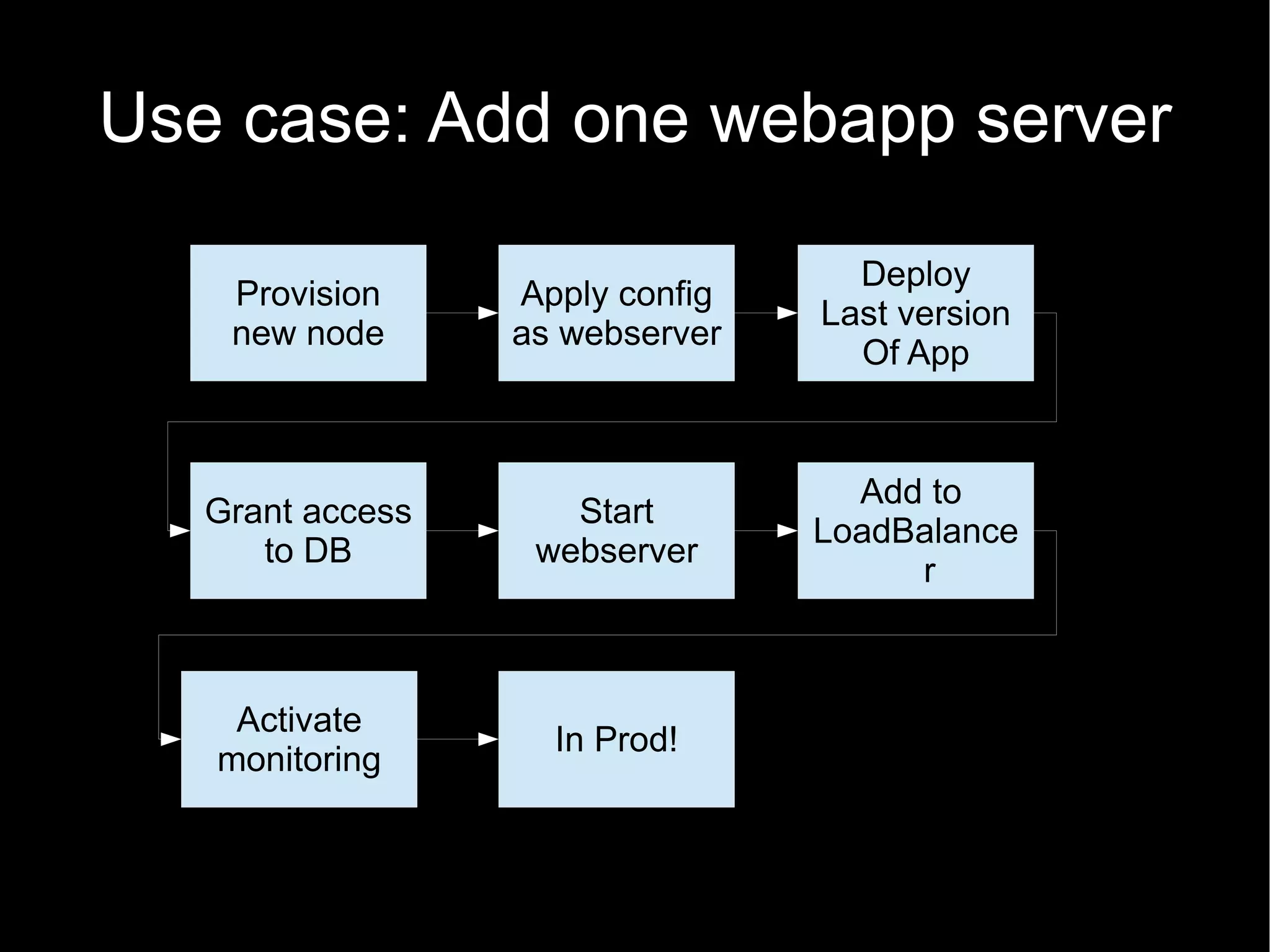
Use case: Add one webapp server

                                   Deploy
    Provision     Apply config
                                 Last version
    new node      as webserver
                                   Of App


                                   Add to
   Grant access      Start
                                 LoadBalance
      to DB        webserver
                                      r


    Activate
                    In Prod!
   monitoring
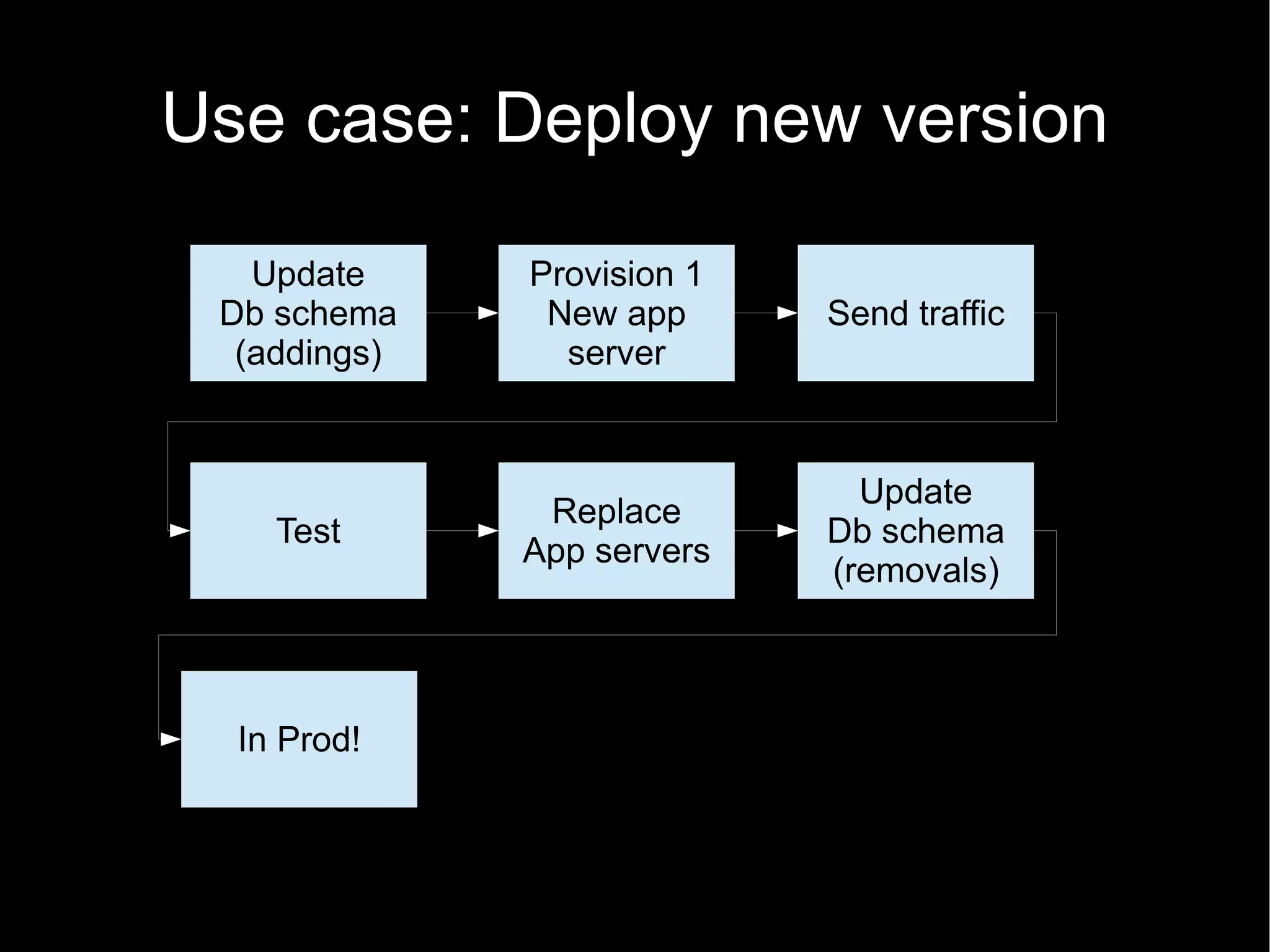
Use case: Deploy new version

   Update     Provision 1
 Db schema     New app      Send traffic
  (addings)     server


                              Update
               Replace
    Test                    Db schema
              App servers
                            (removals)


  In Prod!
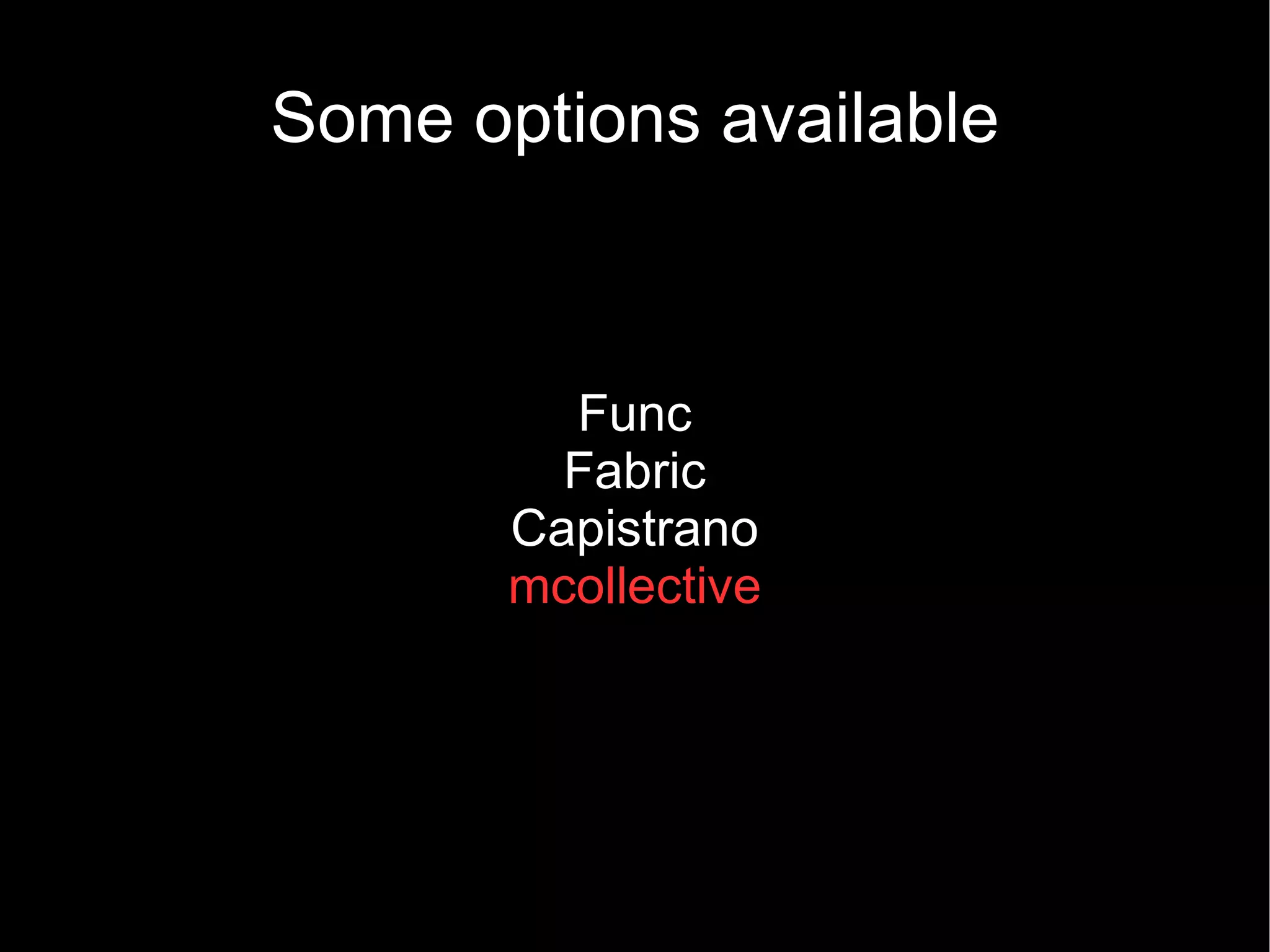
Some options available


         Func
         Fabric
       Capistrano
       mcollective
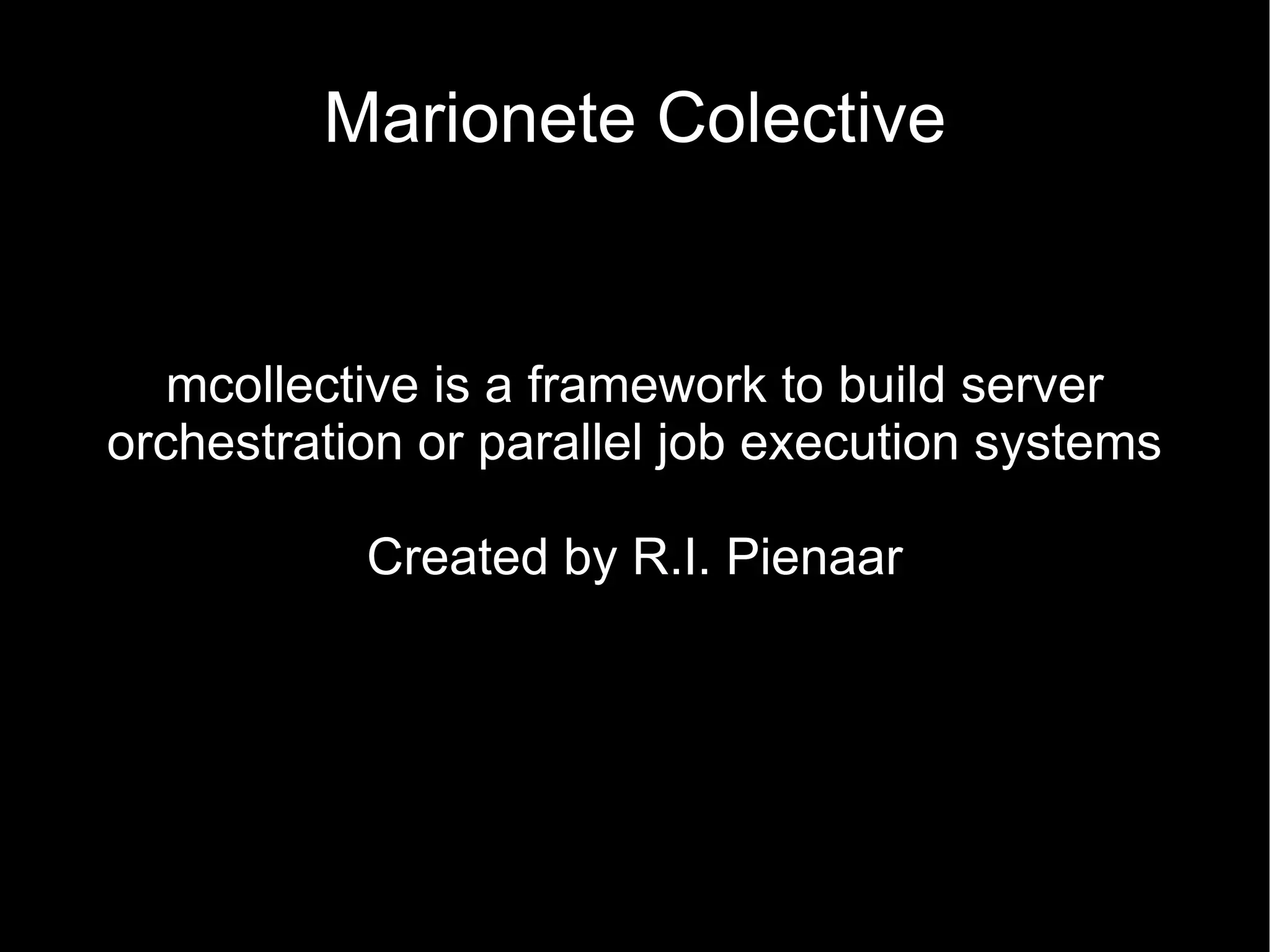
Marionete Colective


   mcollective is a framework to build server
orchestration or parallel job execution systems

           Created by R.I. Pienaar
Is it better than an SSH loop?

Asynchronous/Event driven
Scalable
RIP Hostnames – use facts, classes.
Modular (security, middleware, agents)
Auto discovery
De-centralized inventory
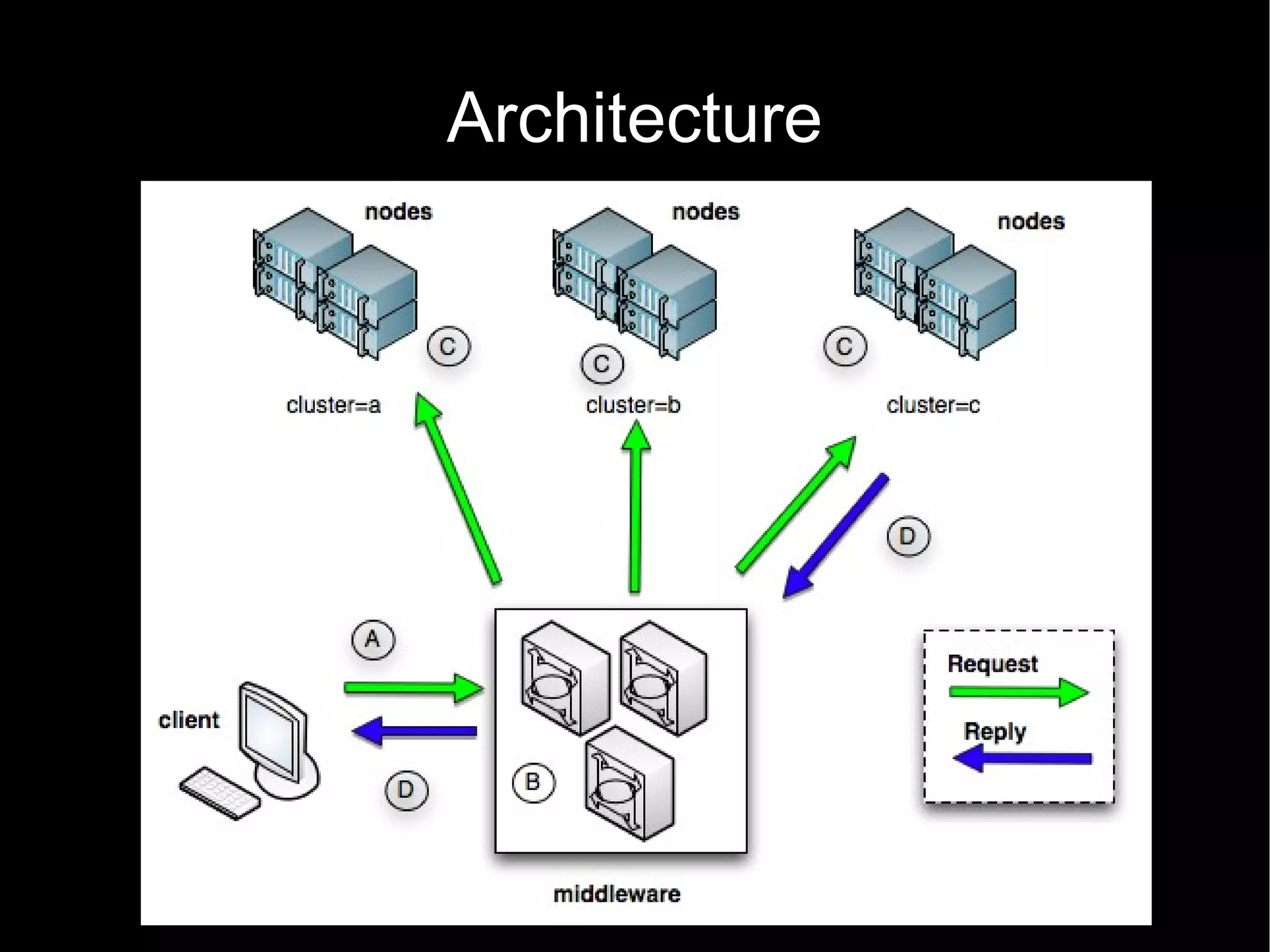
Architecture
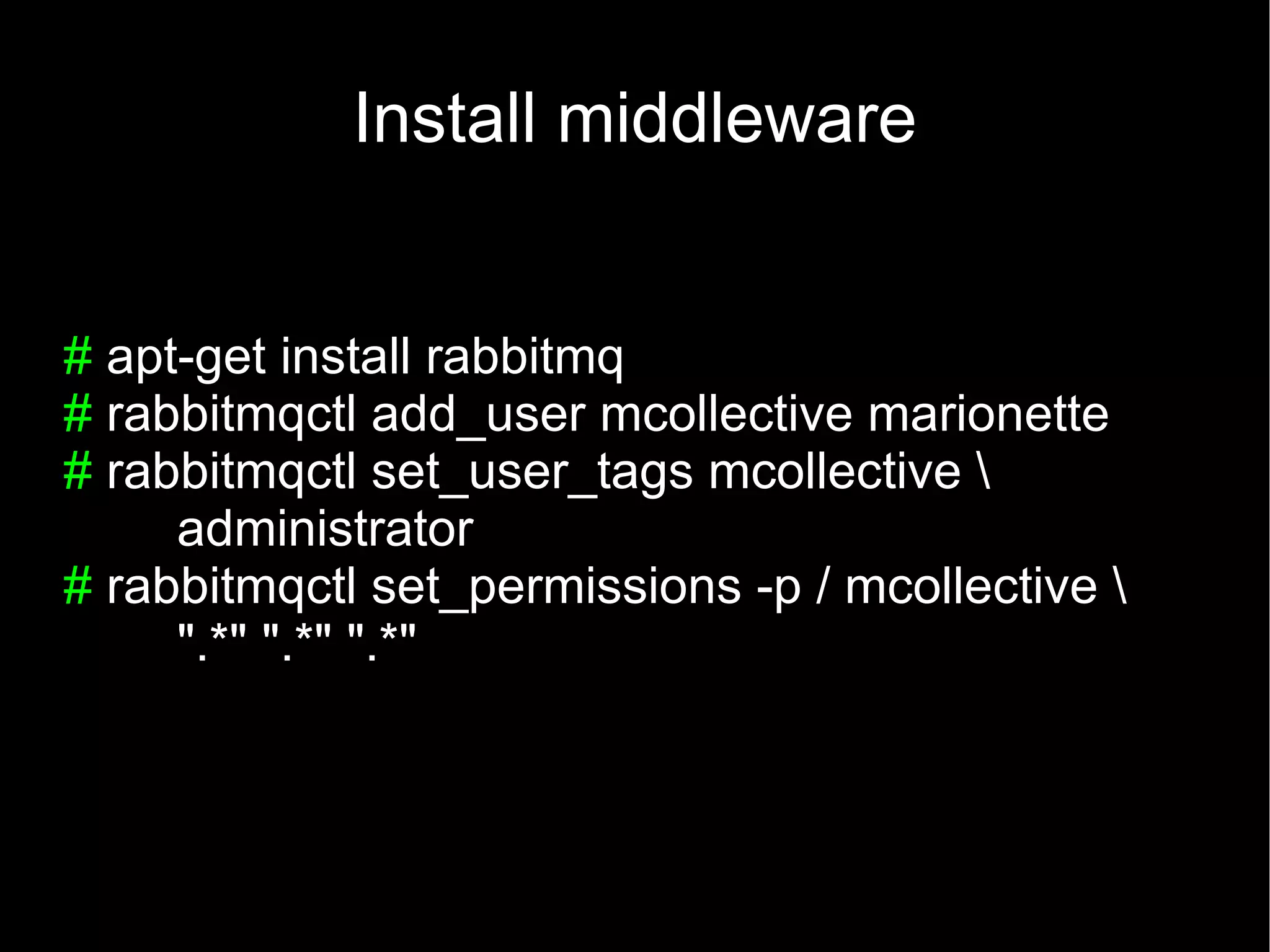
Install middleware


# apt-get install rabbitmq
# rabbitmqctl add_user mcollective marionette
# rabbitmqctl set_user_tags mcollective 
     administrator
# rabbitmqctl set_permissions -p / mcollective 
     ".*" ".*" ".*"
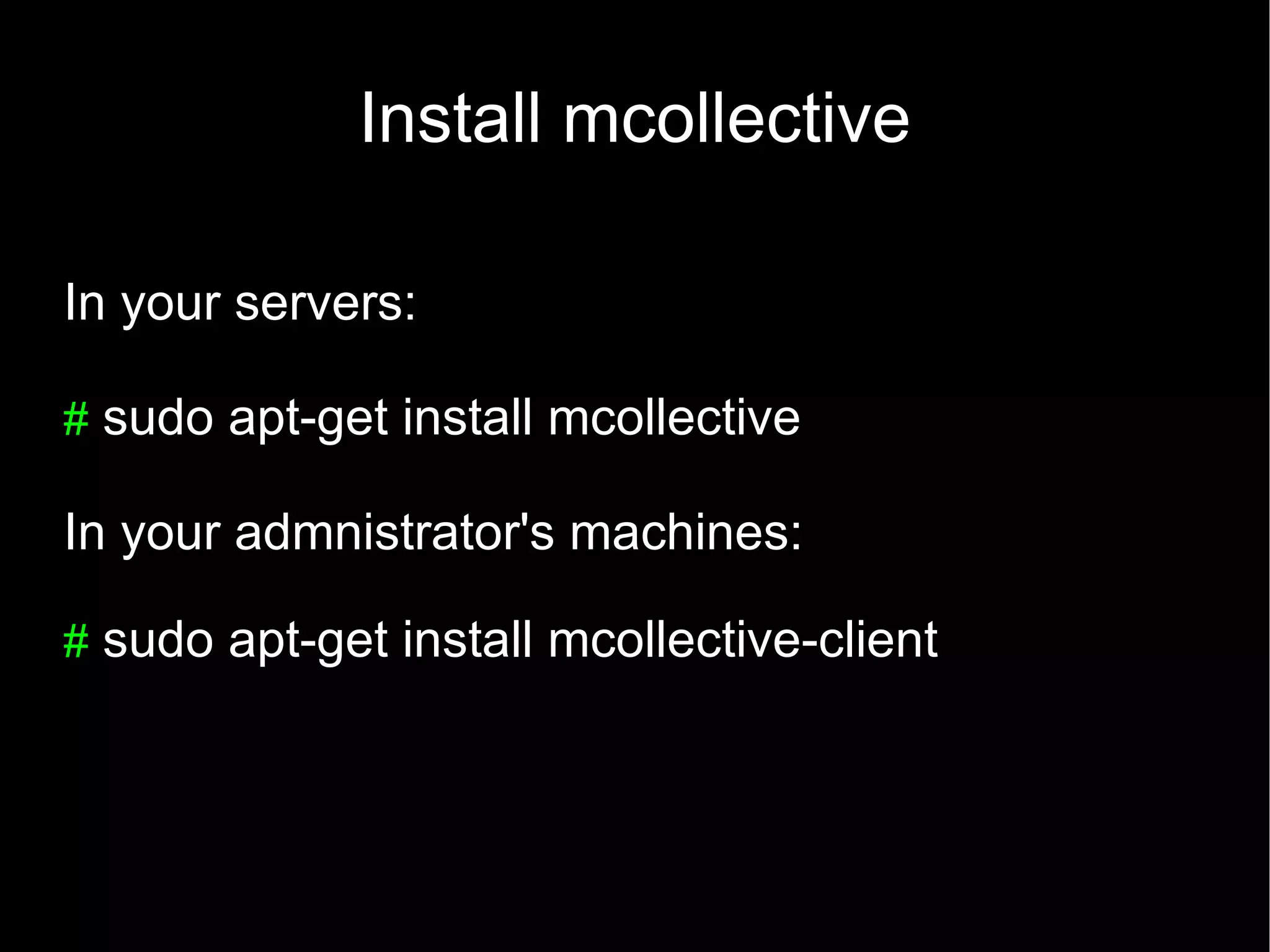
Install mcollective

In your servers:

# sudo apt-get install mcollective

In your admnistrator's machines:

# sudo apt-get install mcollective-client
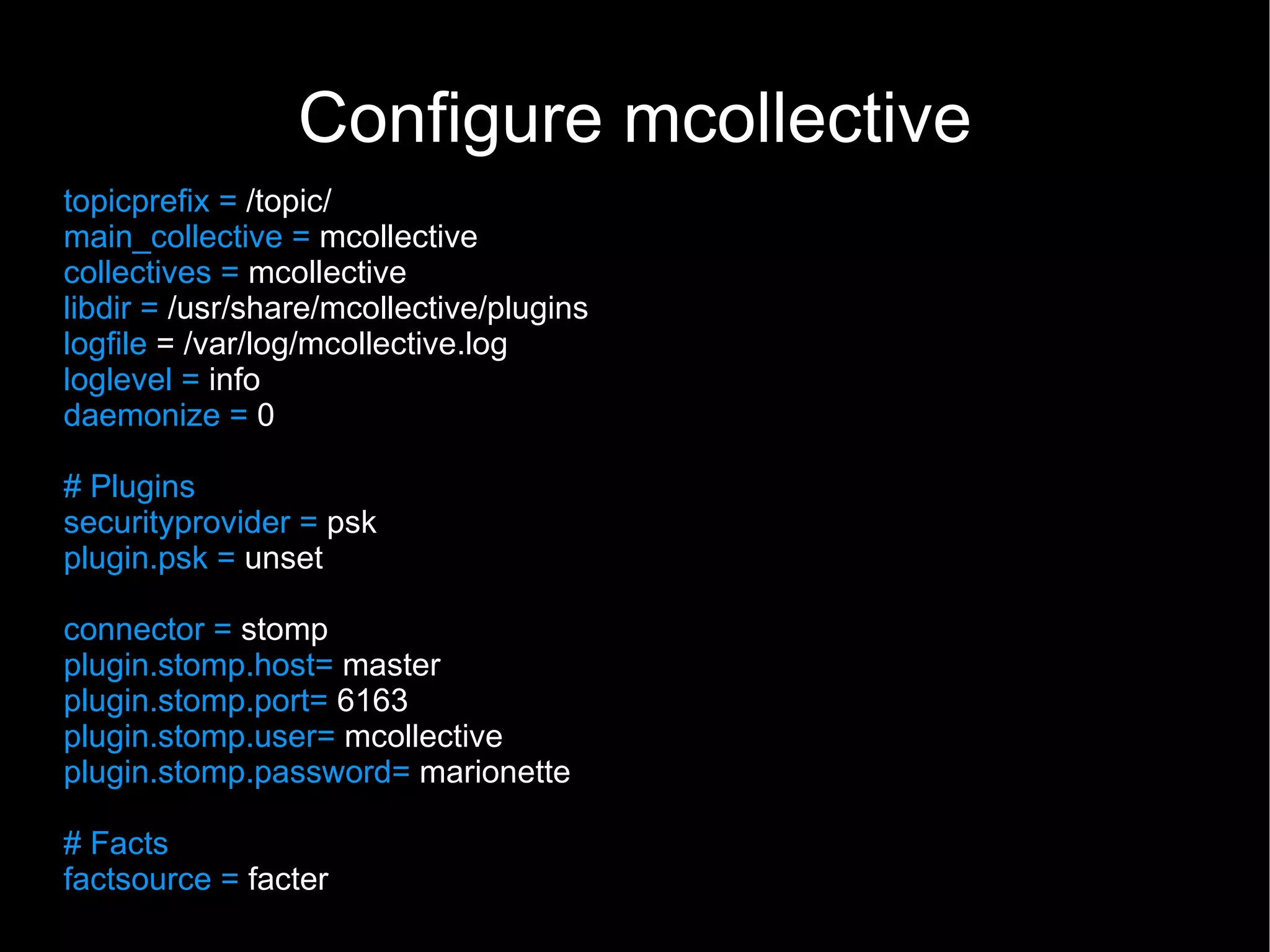
Configure mcollective
topicprefix = /topic/
main_collective = mcollective
collectives = mcollective
libdir = /usr/share/mcollective/plugins
logfile = /var/log/mcollective.log
loglevel = info
daemonize = 0

# Plugins
securityprovider = psk
plugin.psk = unset

connector = stomp
plugin.stomp.host= master
plugin.stomp.port= 6163
plugin.stomp.user= mcollective
plugin.stomp.password= marionette

# Facts
factsource = facter
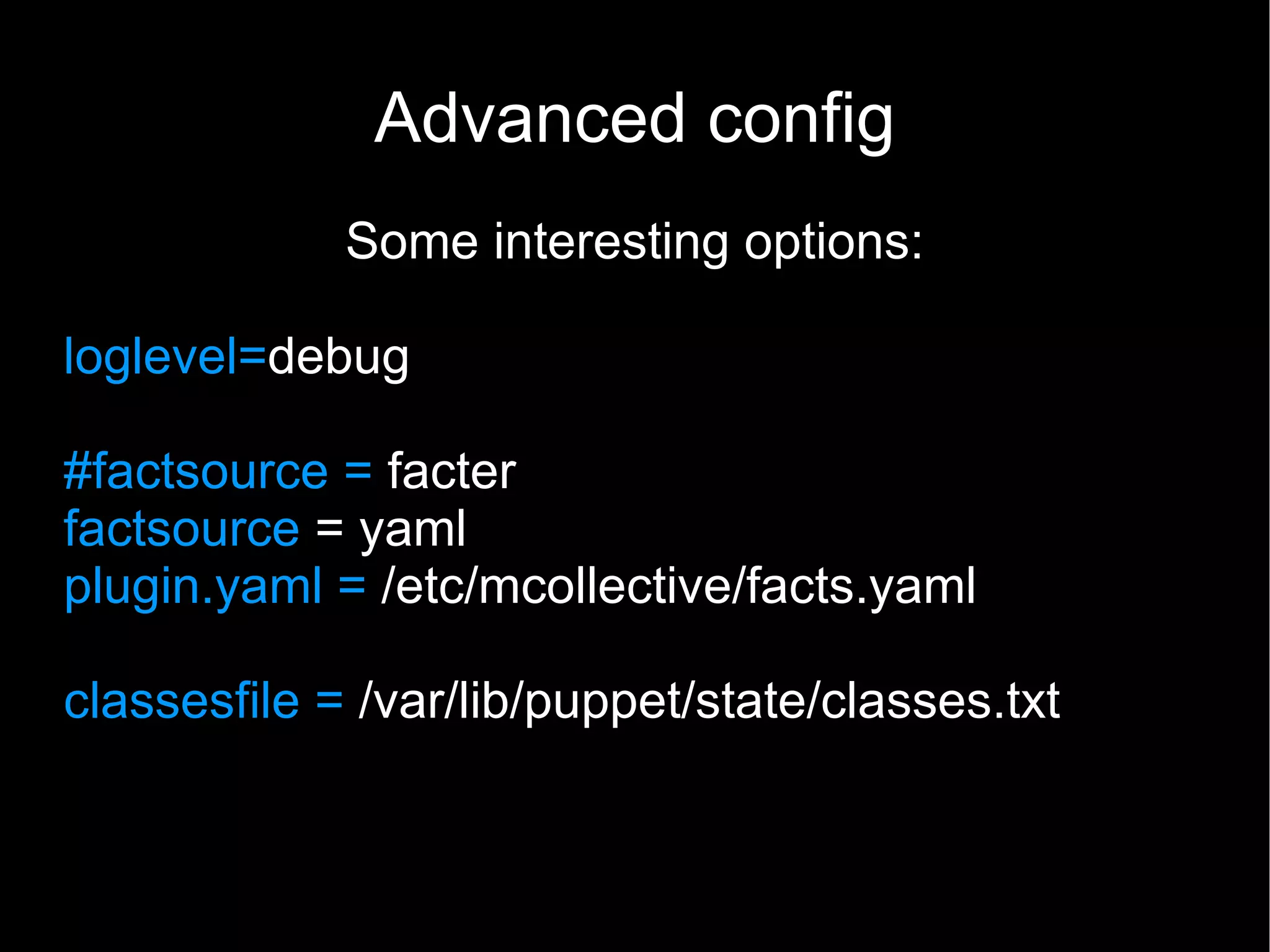
Advanced config
             Some interesting options:

loglevel=debug

#factsource = facter
factsource = yaml
plugin.yaml = /etc/mcollective/facts.yaml

classesfile = /var/lib/puppet/state/classes.txt
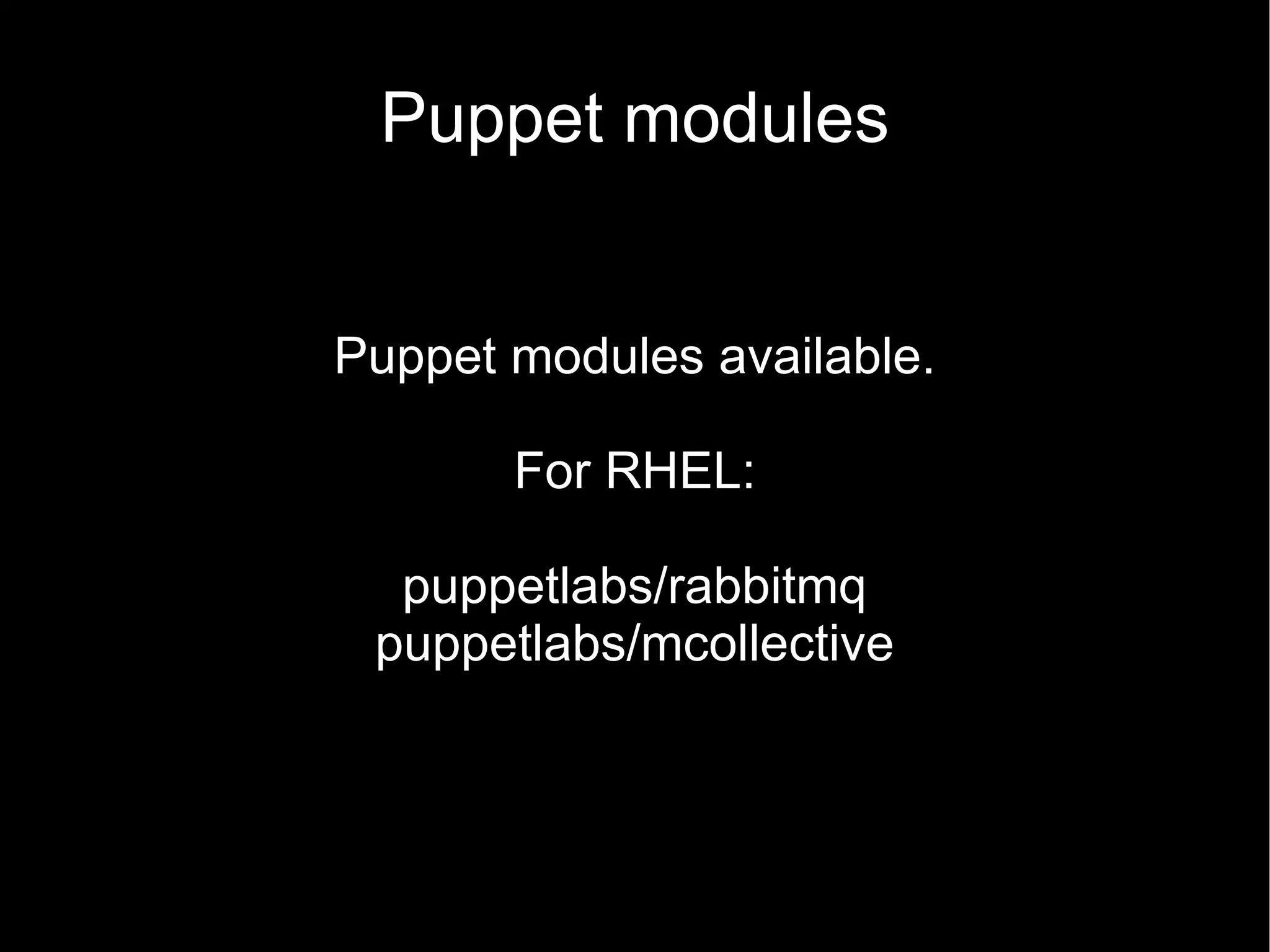
Puppet modules


Puppet modules available.

       For RHEL:

  puppetlabs/rabbitmq
 puppetlabs/mcollective
DEMO TIME!
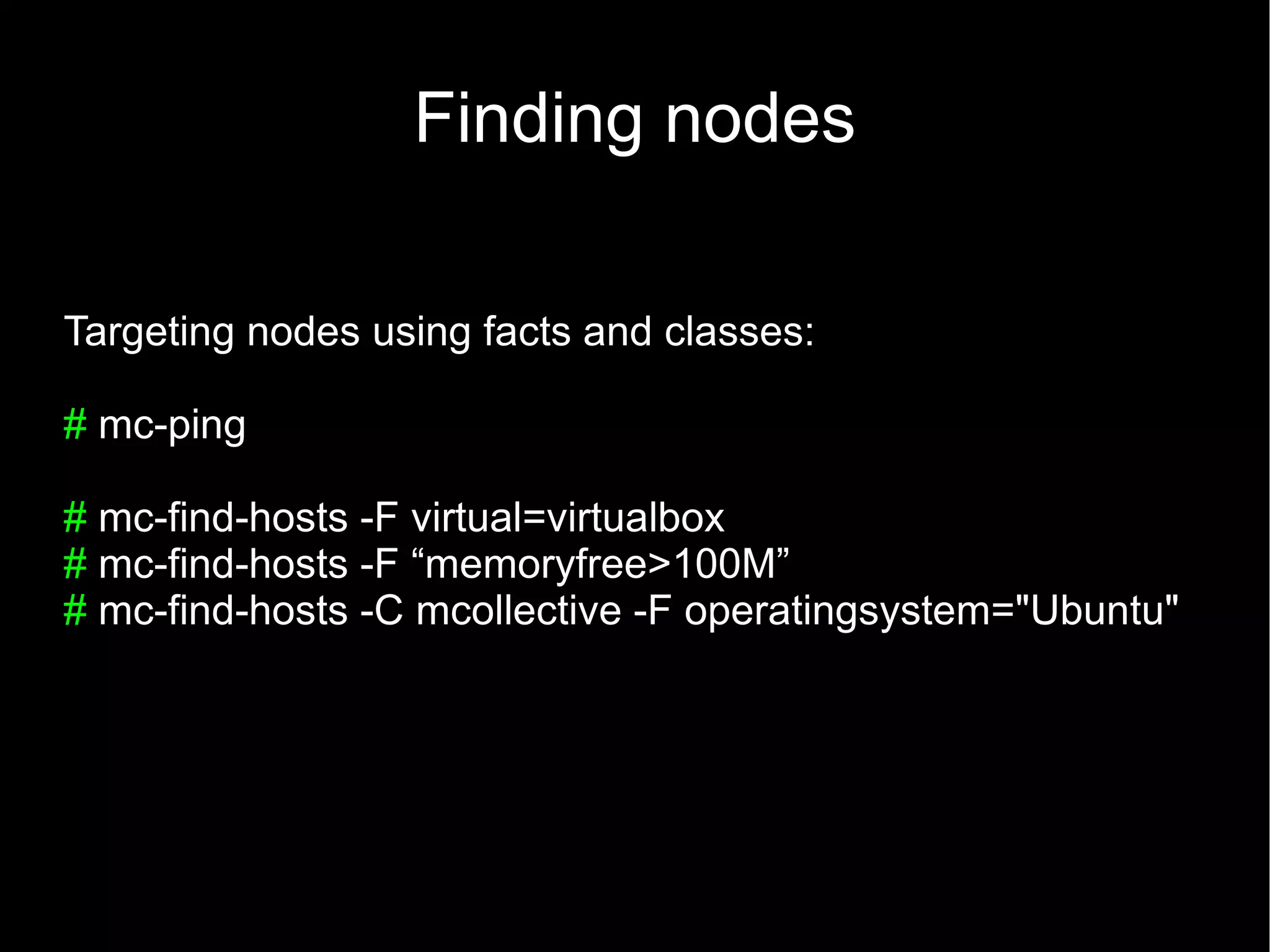
Finding nodes

Targeting nodes using facts and classes:

# mc-ping

# mc-find-hosts -F virtual=virtualbox
# mc-find-hosts -F “memoryfree>100M”
# mc-find-hosts -C mcollective -F operatingsystem="Ubuntu"
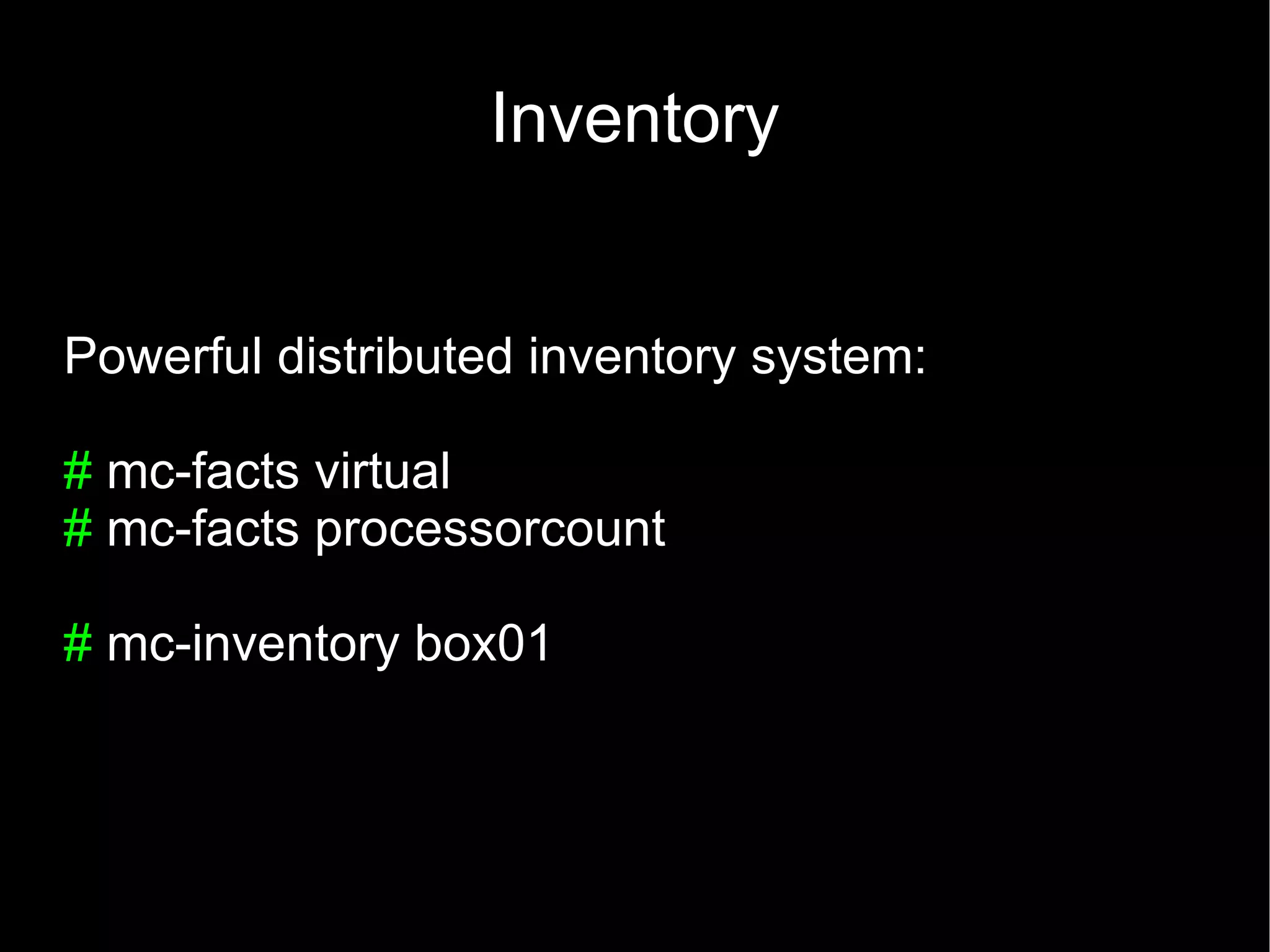
Inventory


Powerful distributed inventory system:

# mc-facts virtual
# mc-facts processorcount

# mc-inventory box01
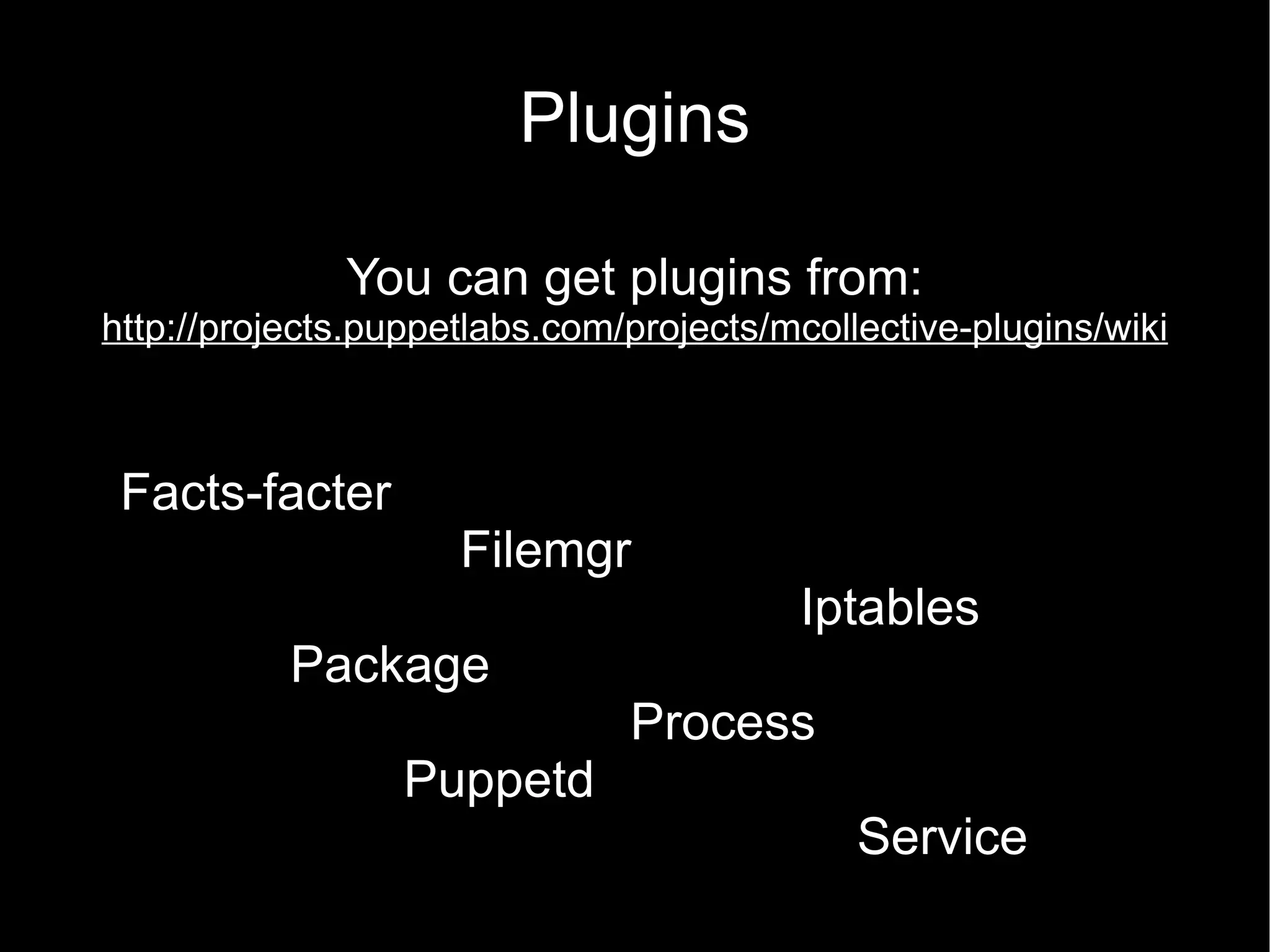
Plugins

              You can get plugins from:
http://projects.puppetlabs.com/projects/mcollective-plugins/wiki


 Facts-facter
                     Filemgr
                                         Iptables
           Package
                               Process
                  Puppetd
                                             Service
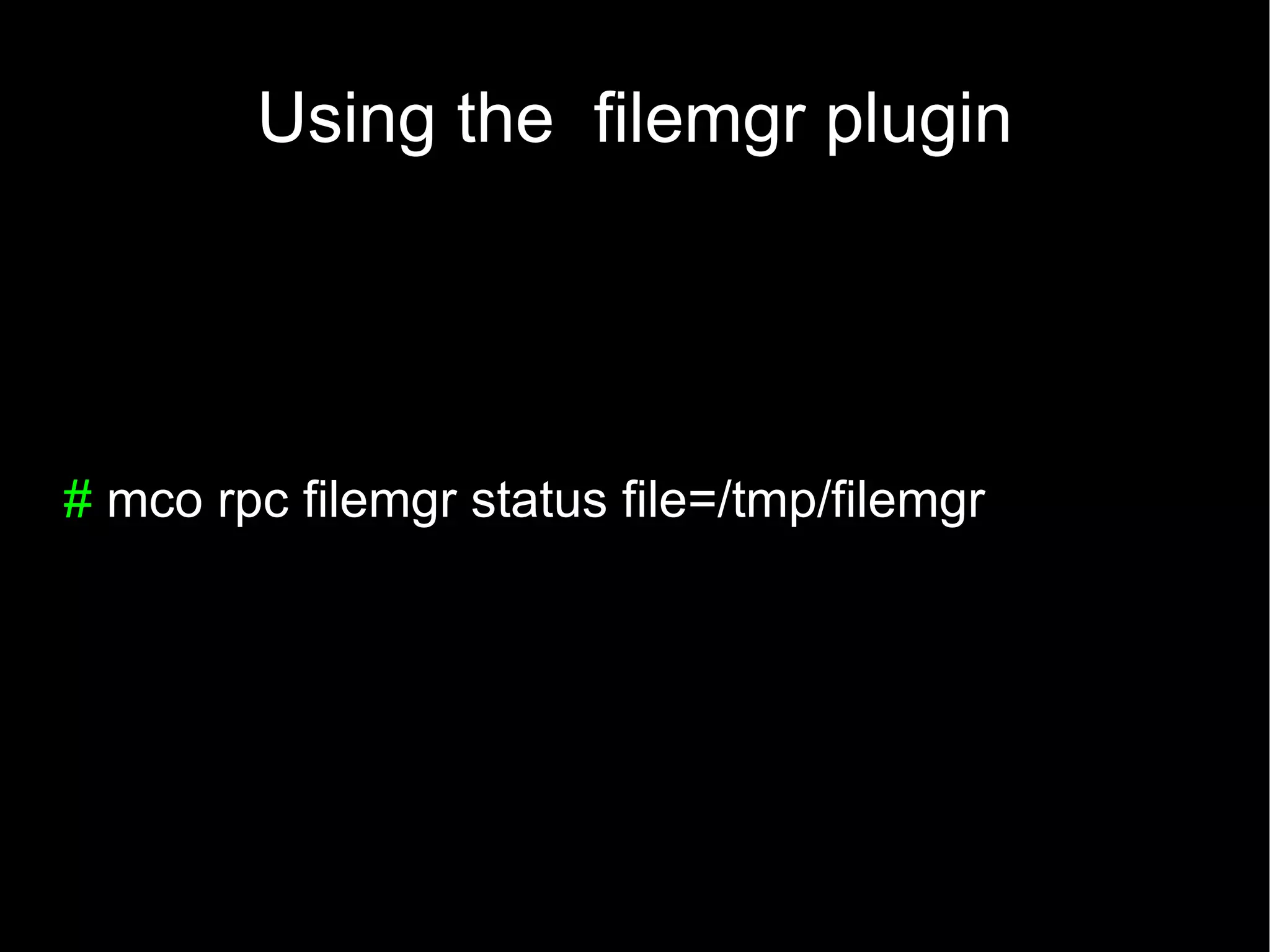
Using the filemgr plugin


# mco rpc filemgr status file=/tmp/filemgr
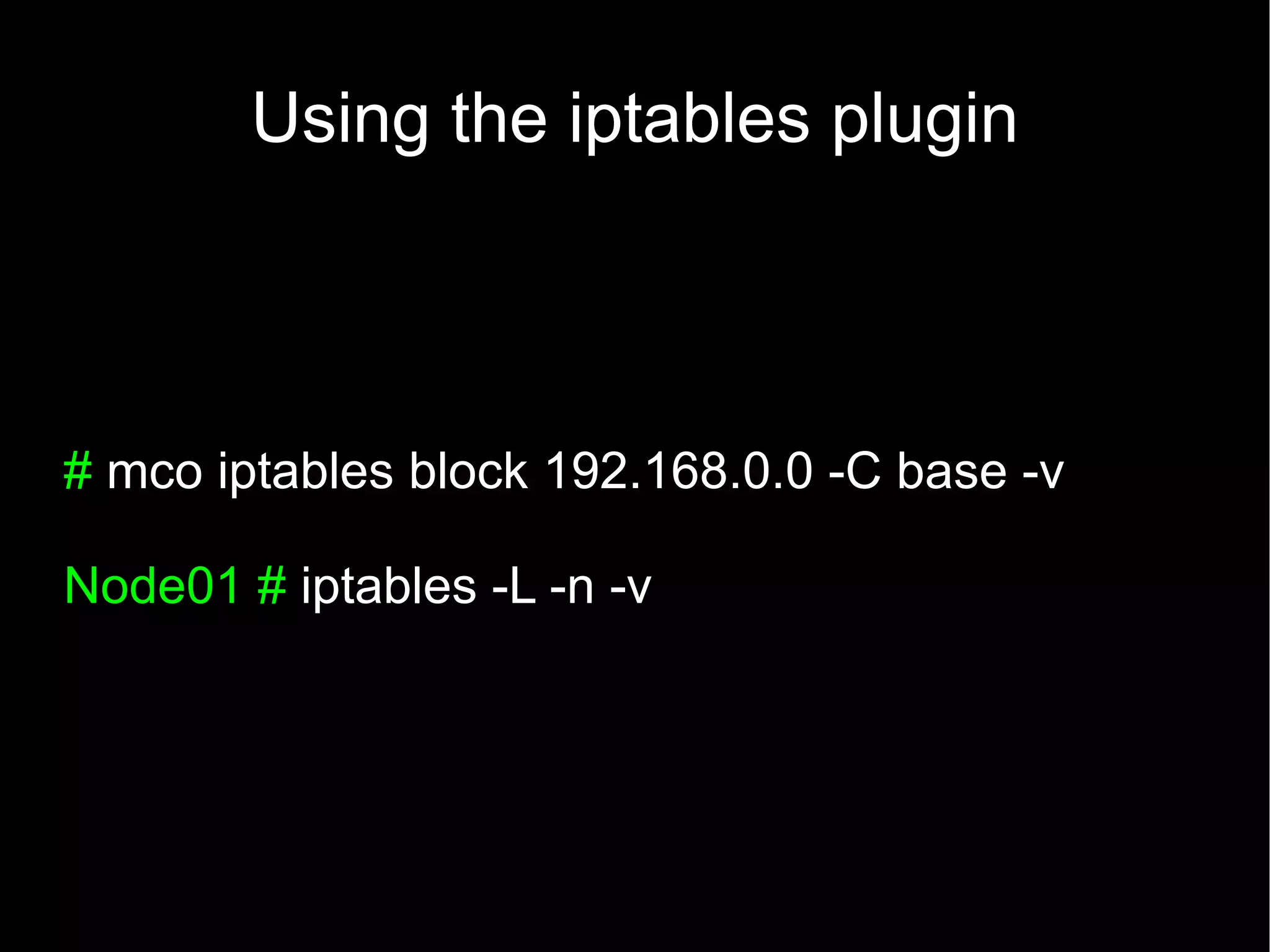
Using the iptables plugin


# mco iptables block 192.168.0.0 -C base -v

Node01 # iptables -L -n -v
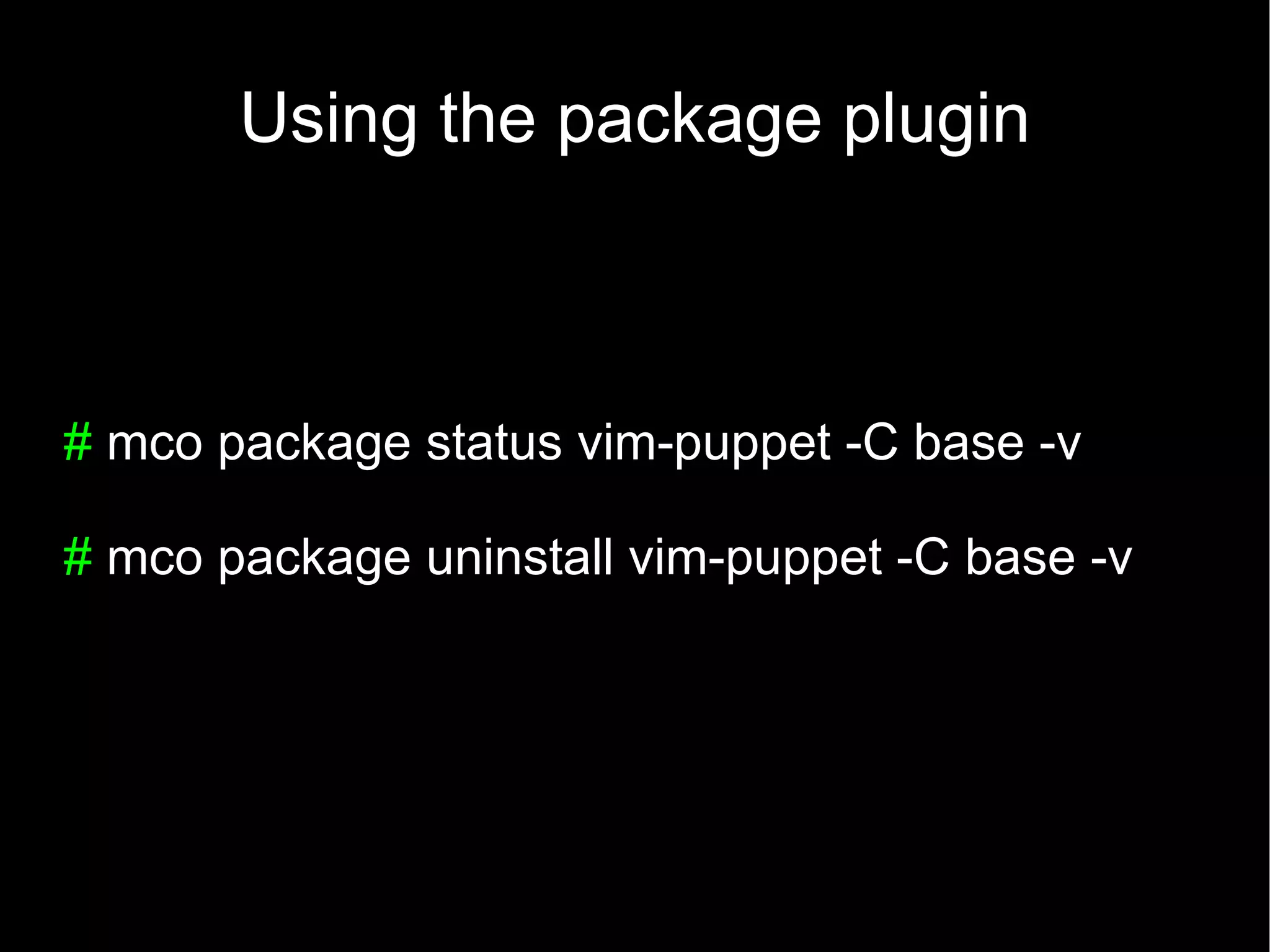
Using the package plugin


# mco package status vim-puppet -C base -v

# mco package uninstall vim-puppet -C base -v
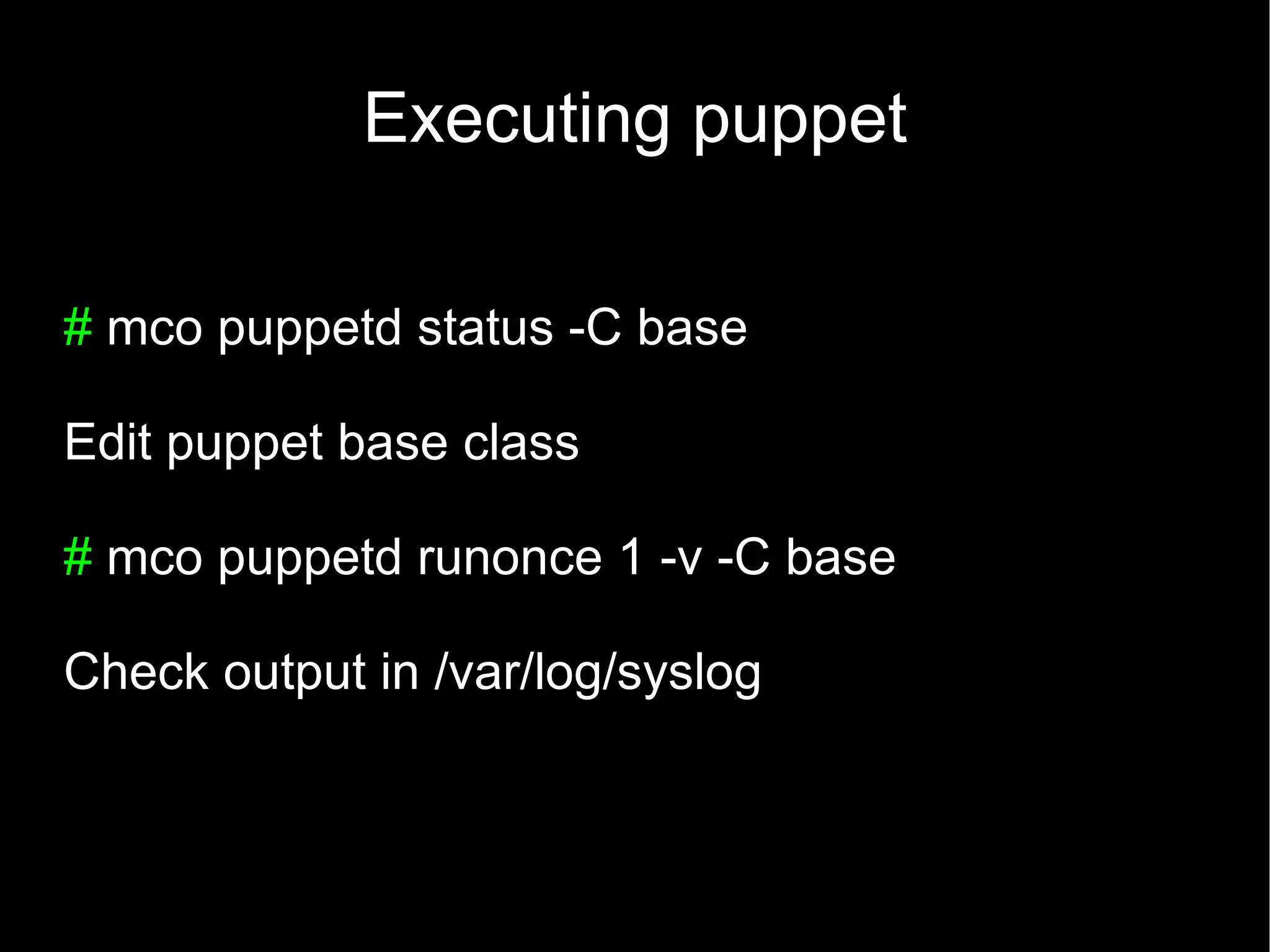
Executing puppet

# mco puppetd status -C base

Edit puppet base class

# mco puppetd runonce 1 -v -C base

Check output in /var/log/syslog
RIP
Hosnames


 QUESTIONS?
Images

     http://www.flickr.com/photos/ag2r/3783369226/

http://www.flickr.com/photos/31348155@N03/5584078173/

http://www.flickr.com/photos/61927538@N00/205992050/

http://www.flickr.com/photos/safari_vacation/5842069535

Mcollective introduction

  • 1.
    Infrastructure Coders Mcollective: Anintroduction to the marionette. Melbourne 06-06-2012
  • 2.
    Javier Turégano #devops @setoide #opensource #it-management
  • 3.
  • 4.
    Why do weneed orchestration?
  • 6.
    Example architecture Balancer Webapp Webapp Webapp Bdd
  • 7.
    Use case: Addone webapp server Deploy Provision Apply config Last version new node as webserver Of App Add to Grant access Start LoadBalance to DB webserver r Activate In Prod! monitoring
  • 8.
    Use case: Deploynew version Update Provision 1 Db schema New app Send traffic (addings) server Update Replace Test Db schema App servers (removals) In Prod!
  • 10.
    Some options available Func Fabric Capistrano mcollective
  • 11.
    Marionete Colective mcollective is a framework to build server orchestration or parallel job execution systems Created by R.I. Pienaar
  • 12.
    Is it betterthan an SSH loop? Asynchronous/Event driven Scalable RIP Hostnames – use facts, classes. Modular (security, middleware, agents) Auto discovery De-centralized inventory
  • 13.
  • 14.
    Install middleware # apt-getinstall rabbitmq # rabbitmqctl add_user mcollective marionette # rabbitmqctl set_user_tags mcollective administrator # rabbitmqctl set_permissions -p / mcollective ".*" ".*" ".*"
  • 15.
    Install mcollective In yourservers: # sudo apt-get install mcollective In your admnistrator's machines: # sudo apt-get install mcollective-client
  • 16.
    Configure mcollective topicprefix =/topic/ main_collective = mcollective collectives = mcollective libdir = /usr/share/mcollective/plugins logfile = /var/log/mcollective.log loglevel = info daemonize = 0 # Plugins securityprovider = psk plugin.psk = unset connector = stomp plugin.stomp.host= master plugin.stomp.port= 6163 plugin.stomp.user= mcollective plugin.stomp.password= marionette # Facts factsource = facter
  • 17.
    Advanced config Some interesting options: loglevel=debug #factsource = facter factsource = yaml plugin.yaml = /etc/mcollective/facts.yaml classesfile = /var/lib/puppet/state/classes.txt
  • 18.
    Puppet modules Puppet modulesavailable. For RHEL: puppetlabs/rabbitmq puppetlabs/mcollective
  • 19.
  • 20.
    Finding nodes Targeting nodesusing facts and classes: # mc-ping # mc-find-hosts -F virtual=virtualbox # mc-find-hosts -F “memoryfree>100M” # mc-find-hosts -C mcollective -F operatingsystem="Ubuntu"
  • 21.
    Inventory Powerful distributed inventorysystem: # mc-facts virtual # mc-facts processorcount # mc-inventory box01
  • 22.
    Plugins You can get plugins from: http://projects.puppetlabs.com/projects/mcollective-plugins/wiki Facts-facter Filemgr Iptables Package Process Puppetd Service
  • 23.
    Using the filemgrplugin # mco rpc filemgr status file=/tmp/filemgr
  • 24.
    Using the iptablesplugin # mco iptables block 192.168.0.0 -C base -v Node01 # iptables -L -n -v
  • 25.
    Using the packageplugin # mco package status vim-puppet -C base -v # mco package uninstall vim-puppet -C base -v
  • 26.
    Executing puppet # mcopuppetd status -C base Edit puppet base class # mco puppetd runonce 1 -v -C base Check output in /var/log/syslog
  • 27.
  • 28.
    Images http://www.flickr.com/photos/ag2r/3783369226/ http://www.flickr.com/photos/31348155@N03/5584078173/ http://www.flickr.com/photos/61927538@N00/205992050/ http://www.flickr.com/photos/safari_vacation/5842069535