Paper prototyping 
webinar 
Moscow 
Maksim Gaponov
About presenter 
www.luxoft.com 
Maksim Gaponov 
Agile Coach, 
Luxoft Russia
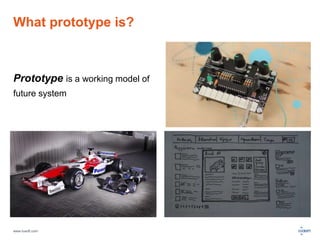
What prototype is? 
Prototype is a working model of 
future system 
www.luxoft.com
What prototypes are used for? 
 Know more about a product 
 Get feedback 
 Get information about possible problems during production 
 Get an ability to change something before production 
www.luxoft.com
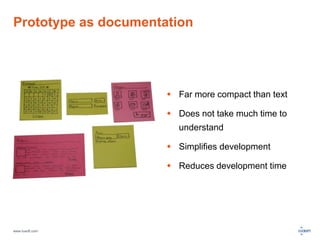
Prototype as documentation 
www.luxoft.com 
 Far more compact than text 
 Does not take much time to 
understand 
 Simplifies development 
 Reduces development time
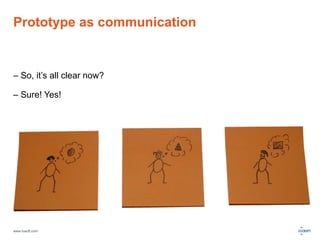
Prototype as communication 
– So, it’s all clear now? 
– Sure! Yes! 
www.luxoft.com
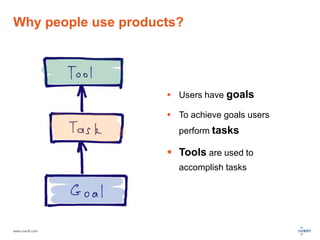
Why people use products? 
www.luxoft.com 
 Users have goals 
 To achieve goals users 
perform tasks 
 Tools are used to 
accomplish tasks
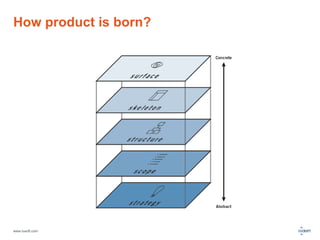
How product is born? 
www.luxoft.com
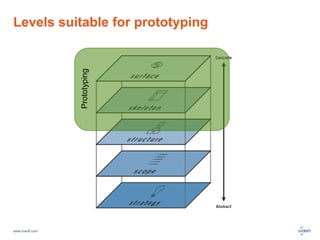
Levels suitable for prototyping 
www.luxoft.com 
Prototyping
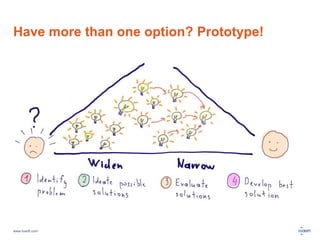
Have more than one option? Prototype! 
www.luxoft.com
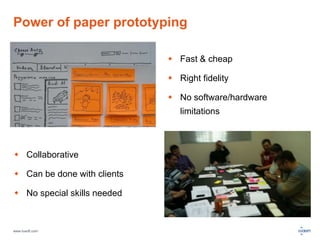
Power of paper prototyping 
www.luxoft.com 
 Fast & cheap 
 Right fidelity 
 No software/hardware 
limitations 
 Collaborative 
 Can be done with clients 
 No special skills needed
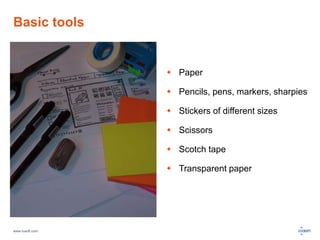
Basic tools 
www.luxoft.com 
 Paper 
 Pencils, pens, markers, sharpies 
 Stickers of different sizes 
 Scissors 
 Scotch tape 
 Transparent paper
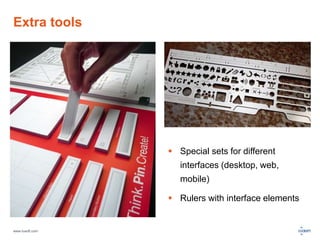
Extra tools 
www.luxoft.com 
 Special sets for different 
interfaces (desktop, web, 
mobile) 
 Rulers with interface elements
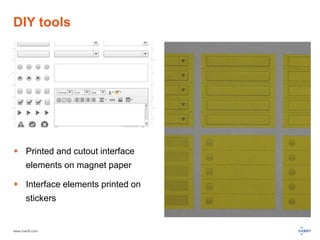
DIY tools 
 Printed and cutout interface 
elements on magnet paper 
 Interface elements printed on 
stickers 
www.luxoft.com
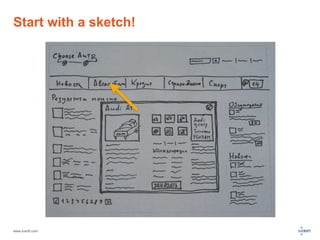
Start with a sketch! 
www.luxoft.com
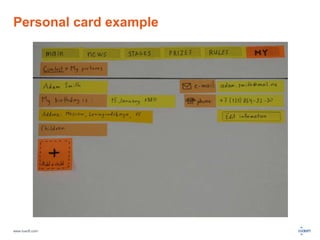
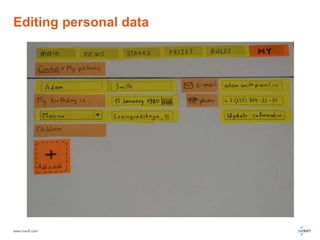
Personal card example 
www.luxoft.com
Editing personal data 
www.luxoft.com
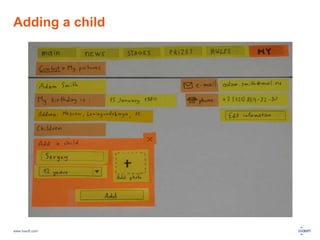
Adding a child 
www.luxoft.com
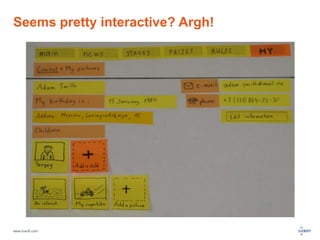
Seems pretty interactive? Argh! 
www.luxoft.com
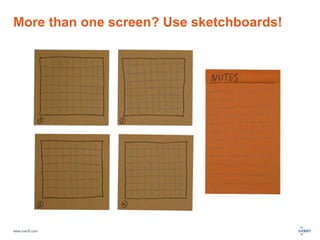
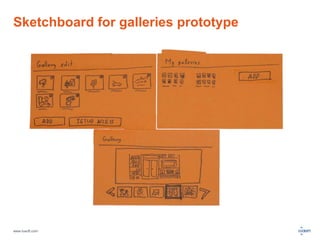
More than one screen? Use sketchboards! 
www.luxoft.com
Sketchboard for galleries prototype 
www.luxoft.com
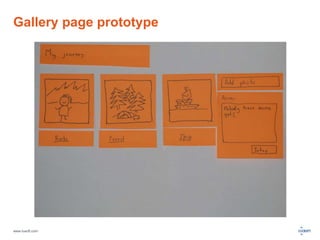
Gallery page prototype 
www.luxoft.com
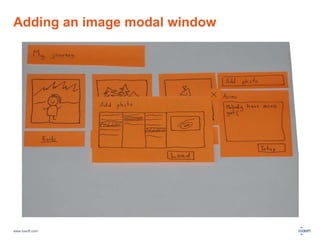
Adding an image modal window 
www.luxoft.com
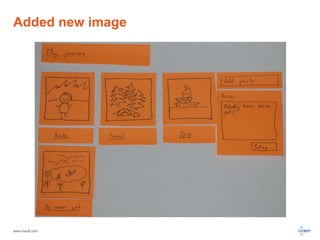
Added new image 
www.luxoft.com
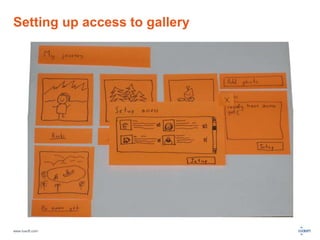
Setting up access to gallery 
www.luxoft.com
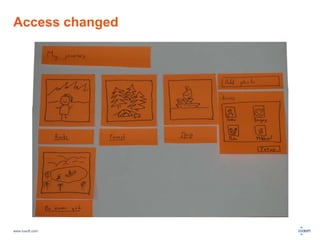
Access changed 
www.luxoft.com
Testing a prototype 
How to prepare for testing 
 Decide what exactly you want to 
test 
 Prepare scenarios 
 Think about interactions 
www.luxoft.com 
Keep in mind 
 Wrong people lead to wrong 
results 
 Moderation should be moderate
Running a test 
People needed 
 User 
 Moderator 
 Watcher 
www.luxoft.com 
Test phases 
 Set the stage 
 Test prototype 
 Get feedback
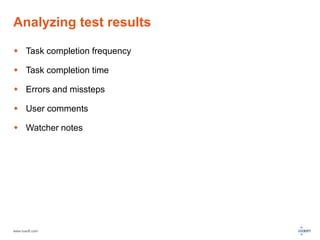
Analyzing test results 
 Task completion frequency 
 Task completion time 
 Errors and missteps 
 User comments 
 Watcher notes 
www.luxoft.com
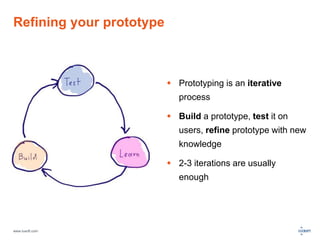
Refining your prototype 
www.luxoft.com 
 Prototyping is an iterative 
process 
 Build a prototype, test it on 
users, refine prototype with new 
knowledge 
 2-3 iterations are usually 
enough
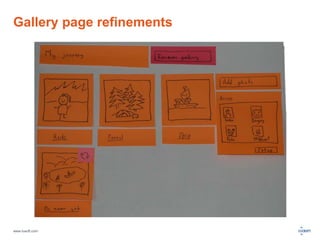
Gallery page refinements 
www.luxoft.com
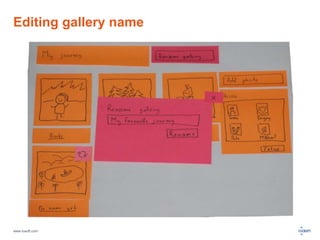
Editing gallery name 
www.luxoft.com
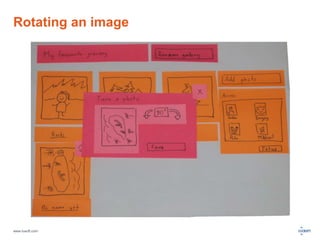
Rotating an image 
www.luxoft.com
Further reading 
• Prototyping by Todd Zaki Warfel 
• Paper Prototyping: The Fast and Easy Way to Design and Refine 
User Interfaces by Carolyn Snyder 
• Sketching User Experiences: Getting the Design Right and the 
Right Design by Bill Buxton 
• The Elements of User Experience: User-Centered Design for the 
Web and Beyond by Jesse James Garrett 
www.luxoft.com
Thanks! 
www.luxoft.com

Prototype that first

Editor's Notes

  • #3 There is pretty much material to cover on the topic, so some points will be touched very lightly
  • #4 © http://www.model-space.com
  • #9 Model works good for whole projects and small features It is essential to keep in mind that every following layers affects the range of product decisions that can be made You should always check spreading influence of decisions that a being made on one level of product, especially on middle levels During meetings it is essential to keep discussion only on one level of model
  • #10 Different prototyping methods for different levels Paper prototyping is not the best option for surface level – high fidelity needed to test design solutions Prototyping can be also used to form a strategy level, Lean Startup approach is all about that, but it’s a topic for a dedicated webinar 
  • #11 Some decisions are very easy to made: Standard things like registration forms Legally regulated forms Etc But some decisions are not so clear: Some users agree with one solution, some with completely another Team members propose different solutions We are not sure what solution will have best market fit This method is called “Design thinking” This method is also very good at finding the best solution, not polishing a satisfactory one No we are ready to dive into paper prototyping world
  • #12 Also power prototyping is versatile. You can prototype web interface as well as ATM terminal There are weaknesses too, of course: It’s difficult to hold paper prototyping sessions in distributed teams or to pass the result form Moscow to New York Some imagination is essential Design solutions cannot be tested
  • #13 Hands and your imagination also 
  • #15 You can prepare tools by yourself: There are tons of interface widgets sets over the web, you can download them and print on a magnet paper or stickers Ok, we are ready to start prototyping! But what to start with?
  • #16 Well, it may be easier to say, than do. Here is a simple technique for kicking-off: Take a piece of paper enough for several sketches Give yourself a small amount of time (10 minutes max) Make as many sketches as you can Choose the best one after the time is over
  • #28 There are very many variants of testing a prototype
  • #29 It’s very important how people feel themselves during testing
  • #32 Through testing sessions we often had 2 questions: Can I rename gallery on a gallery page? What if I need to rotate an image?