Hasil Pembelajaran
• Pelajar dapat menjelaskan definisi Open Source dan
Proprietary Software.
• Pelajar dapat mengetahui kelebihan dan kelemahan
perisian.
• Pelajar dapat mengenalpasti perbezaan di antara Open
Source dan Proprietary Software.
Proprietary & Open Source Software
Disediakan Oleh :
Yanti Aryani binti Khalil
220367
Disediakan untuk :
Dr Abdul Hamid Busthami Nur
DifferencesStudent Activity
Definition
Definition
Video
Proprietary SoftwareOpen Source Software
Open Source vs Proprietary
Open Source Software
Free to use and which provides the original source code
used to create it so that advanced users can modify it to
make it work better for them.
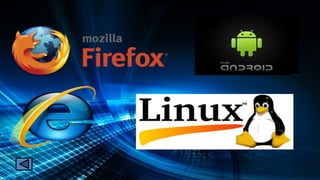
Examples : Linux, GIMP, Blender, Inkspace, Mozilla
Firefox, OpenOffice.org & Peazip.
Example
Proprietary Software (Closed Source)
The company that developed the software owns the software and
no one may duplicate it or distribute it without that company’s
permission.
Users have to pay to the software company if they want to use it.
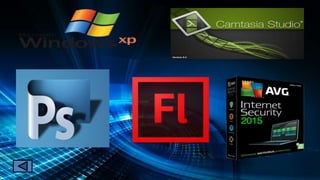
Examples : Adobe Photoshop, Adobe Flash, Windows 7.
Example
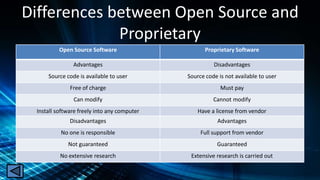
Differences between Open Source and
Proprietary
Open Source Software Proprietary Software
Advantages Disadvantages
Source code is available to user Source code is not available to user
Free of charge Must pay
Can modify Cannot modify
Install software freely into any computer Have a license from vendor
Disadvantages Advantages
No one is responsible Full support from vendor
Not guaranteed Guaranteed
No extensive research Extensive research is carried out
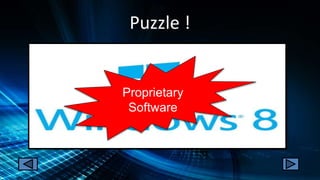
Puzzle !
Proprietary
Software
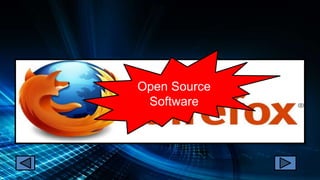
Open Source
Software
Proprietary
Software

Proprietary & open source software

  • 1.
    Hasil Pembelajaran • Pelajardapat menjelaskan definisi Open Source dan Proprietary Software. • Pelajar dapat mengetahui kelebihan dan kelemahan perisian. • Pelajar dapat mengenalpasti perbezaan di antara Open Source dan Proprietary Software.
  • 2.
    Proprietary & OpenSource Software Disediakan Oleh : Yanti Aryani binti Khalil 220367 Disediakan untuk : Dr Abdul Hamid Busthami Nur
  • 3.
  • 4.
  • 5.
    Open Source vsProprietary
  • 6.
    Open Source Software Freeto use and which provides the original source code used to create it so that advanced users can modify it to make it work better for them. Examples : Linux, GIMP, Blender, Inkspace, Mozilla Firefox, OpenOffice.org & Peazip. Example
  • 8.
    Proprietary Software (ClosedSource) The company that developed the software owns the software and no one may duplicate it or distribute it without that company’s permission. Users have to pay to the software company if they want to use it. Examples : Adobe Photoshop, Adobe Flash, Windows 7. Example
  • 10.
    Differences between OpenSource and Proprietary Open Source Software Proprietary Software Advantages Disadvantages Source code is available to user Source code is not available to user Free of charge Must pay Can modify Cannot modify Install software freely into any computer Have a license from vendor Disadvantages Advantages No one is responsible Full support from vendor Not guaranteed Guaranteed No extensive research Extensive research is carried out
  • 11.
  • 12.
  • 13.