
Project Management For
IT-Related Projects
Bob Hughes
Topics
1. Projects and Project Work
2. Project Planning
3. Monitoring and Control
4. Change Control and Management
5. Quality
6. Estimating
7. Risk
8. Project Organisation
1. Projects and Project Work
1.1 Projects
1.2 Successful Projects
1.3 Project Management
1.4 System development life cycle
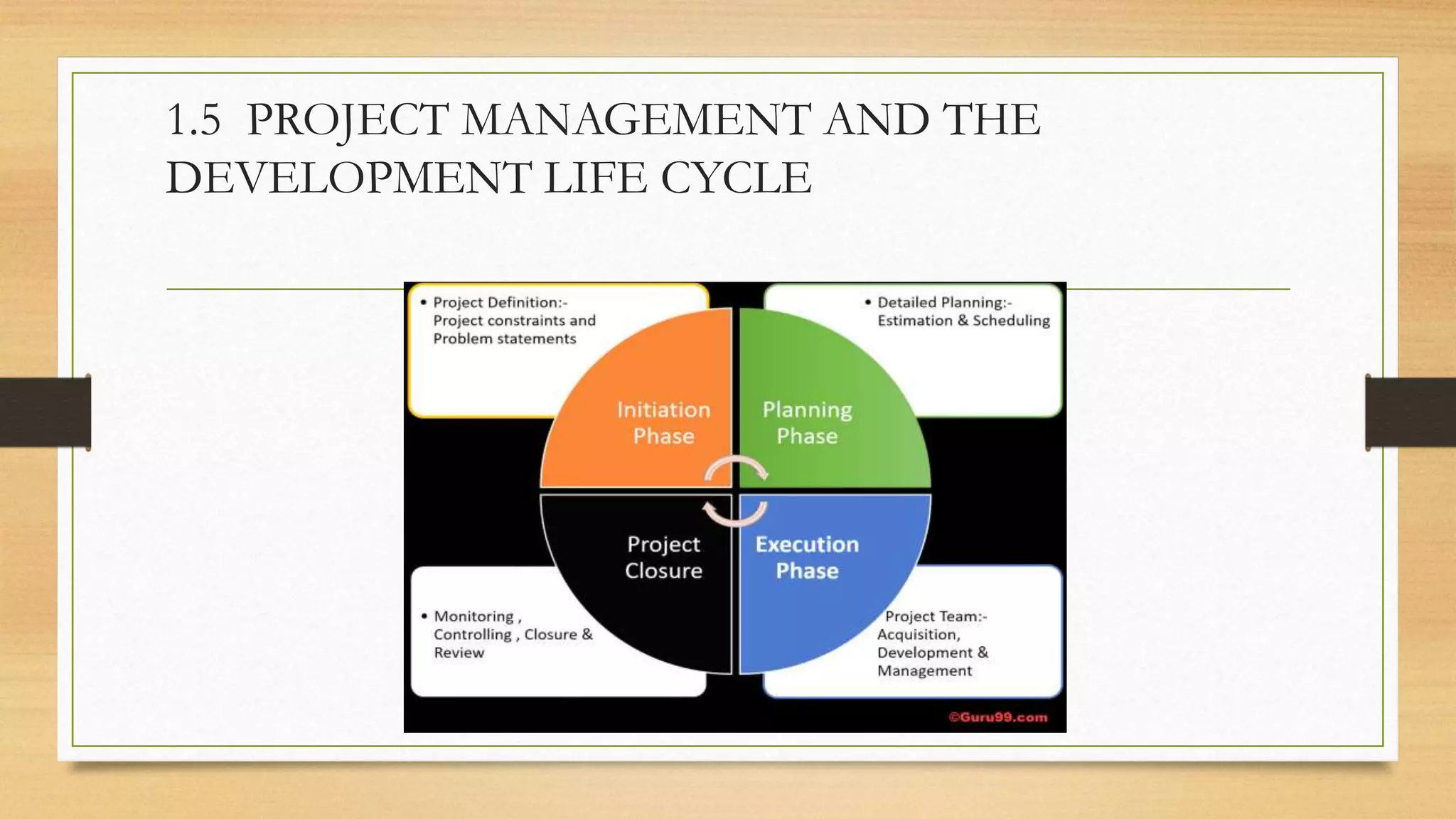
1.5 Project management and the development life cycle
1.6 Elements of project management
1.7 Development process models
1.8 The project Plan
1.9 The Business Case
1.10 Implementation Strategies
1.11 Post-implementation review
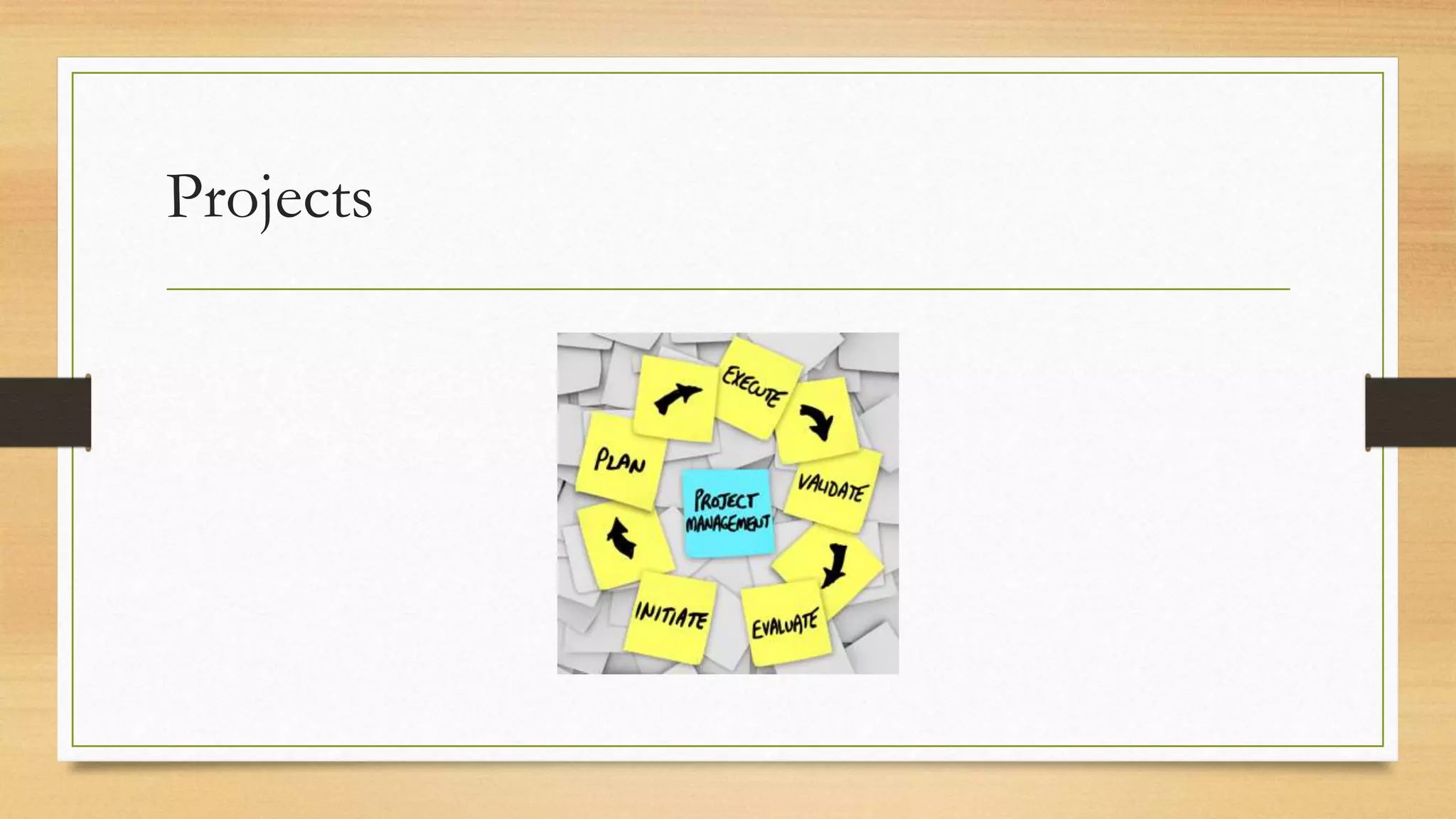
1.1 Projects
A project may be defined as a group of related activities carried out to achieve
a specific objective. Examples of projects include building a bridge, making a
film and re-organising a company. We will be focusing on projects that
implement new information technology (IT) applications within organisations.
These are technical but also involve changing the organisation in some way
Projects
If the proposal is accepted by the organisation, the project that emerges
should have the following attributes:
• A defined start point
• A set of objectives
• A set of outputs or deliverables, which allow the objectives to be satisfied
• A date by which the objectives should be met and a budget setting the maximum
allowable cost of the project.
• A unique purpose – routine activities are not projects.
• Benefits for the organisation which justify carrying out the project, and which are:
ideally, measurable; greater than the costs.
1.2 Successful Projects
To be successful, a project should:
• enable the stated objectives to be achieved;
• be delivered on time and within budget;
• Deliver a system that performs to agreed specifications, including those
relating to quality;
• Satisfy the project sponsor and other interested parties. The term stakeholder
refers to anyone who has an interest in the project
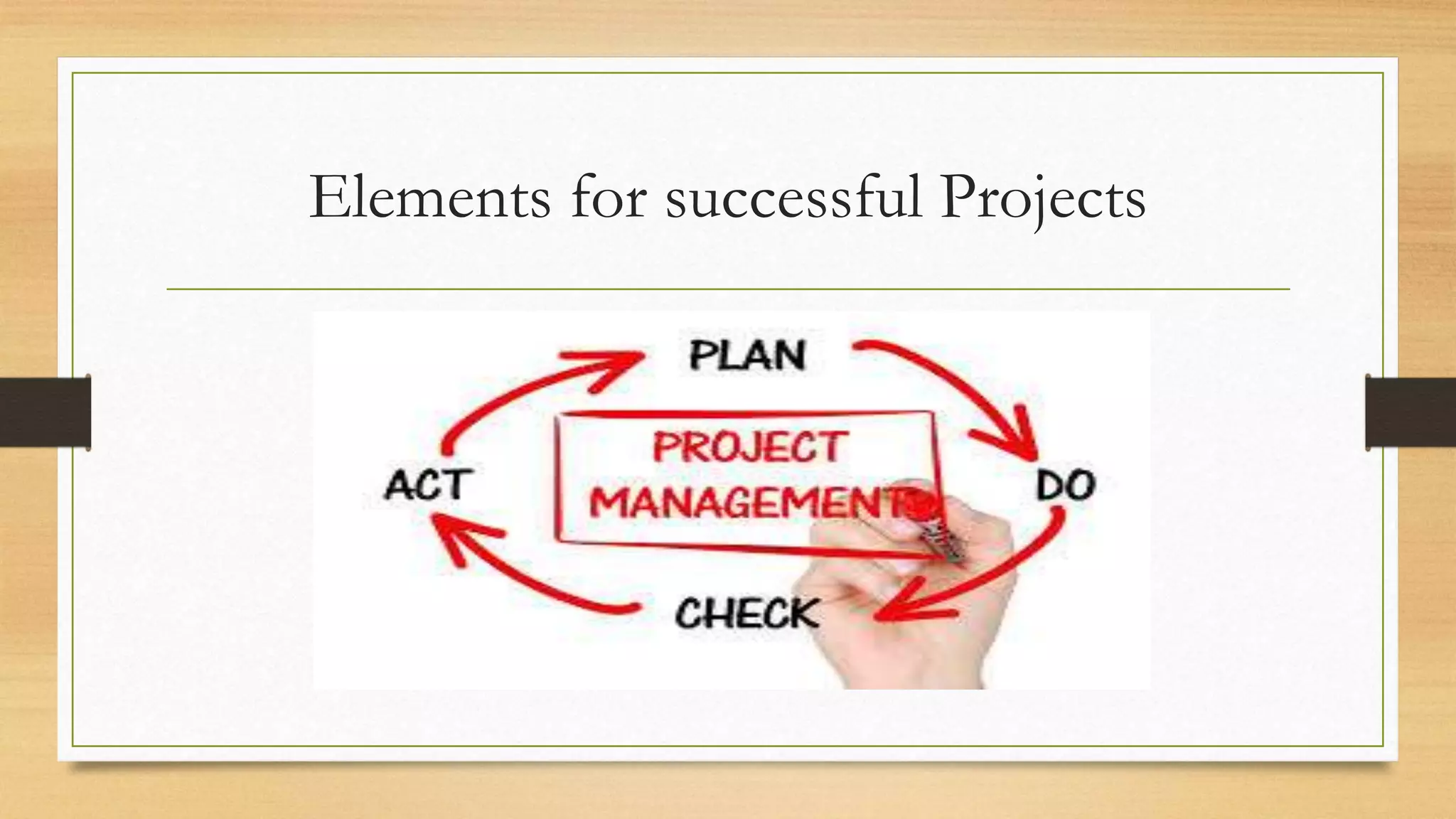
Elements for successful Projects
Summary
For developing the project at a specified cost, within a specified time, to
meet a specified business requirement. These three specifications are closely
linked and any change to one will affect the others. The project objectives
which relate to cost, time and the degree to which requirements are satisfied
(‘scope’) are often called the ‘iron triangle’.
1.3 Project Management
For achieving the Project outcomes the first step is good planning. Having produced good plans,
monitoring and effective control of the project is needed to fulfil the plans and achieve the agreed
objectives. Someone has to take responsibility for controlling the work in accordance with the plans. This
is the role of the project manager.
A successful project cannot be guaranteed, but certain things will contribute to success, such as:
• Clearly defined responsibilities
• Clear objectives and scope:
• Control:
• Change procedures:
• Reporting and communication
Project management
A project management method is a set of processes used to run a project in a
controlled and, therefore, predictable fashion. The design and development
procedures by which the objectives of the project are satisfied – for example,
the use of object-oriented analysis – constitute the development methods.
There are various project management methods which complement the
development methods that can be used – a well-known one in the UK is
PRINCE2
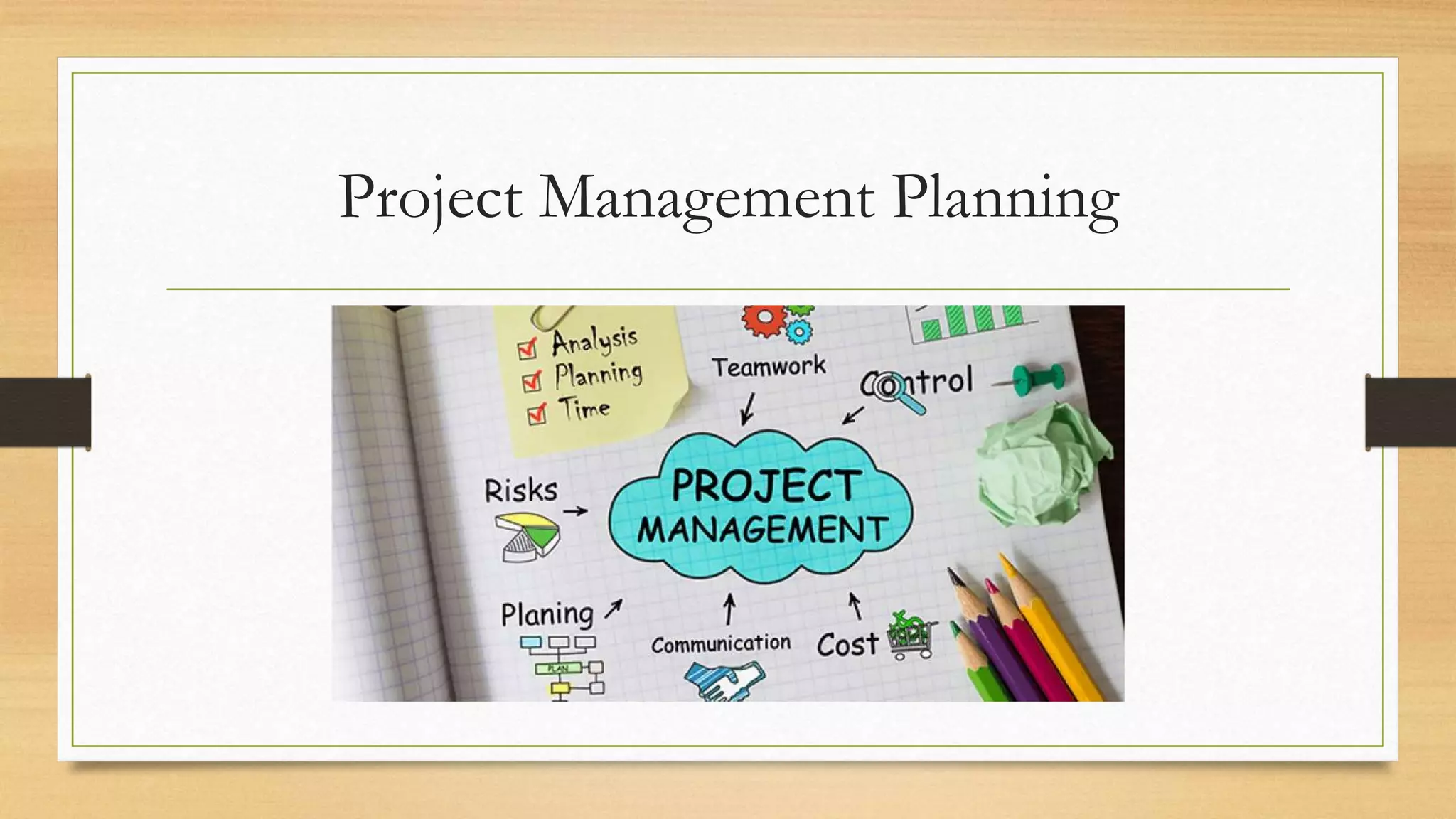
Project Management Planning
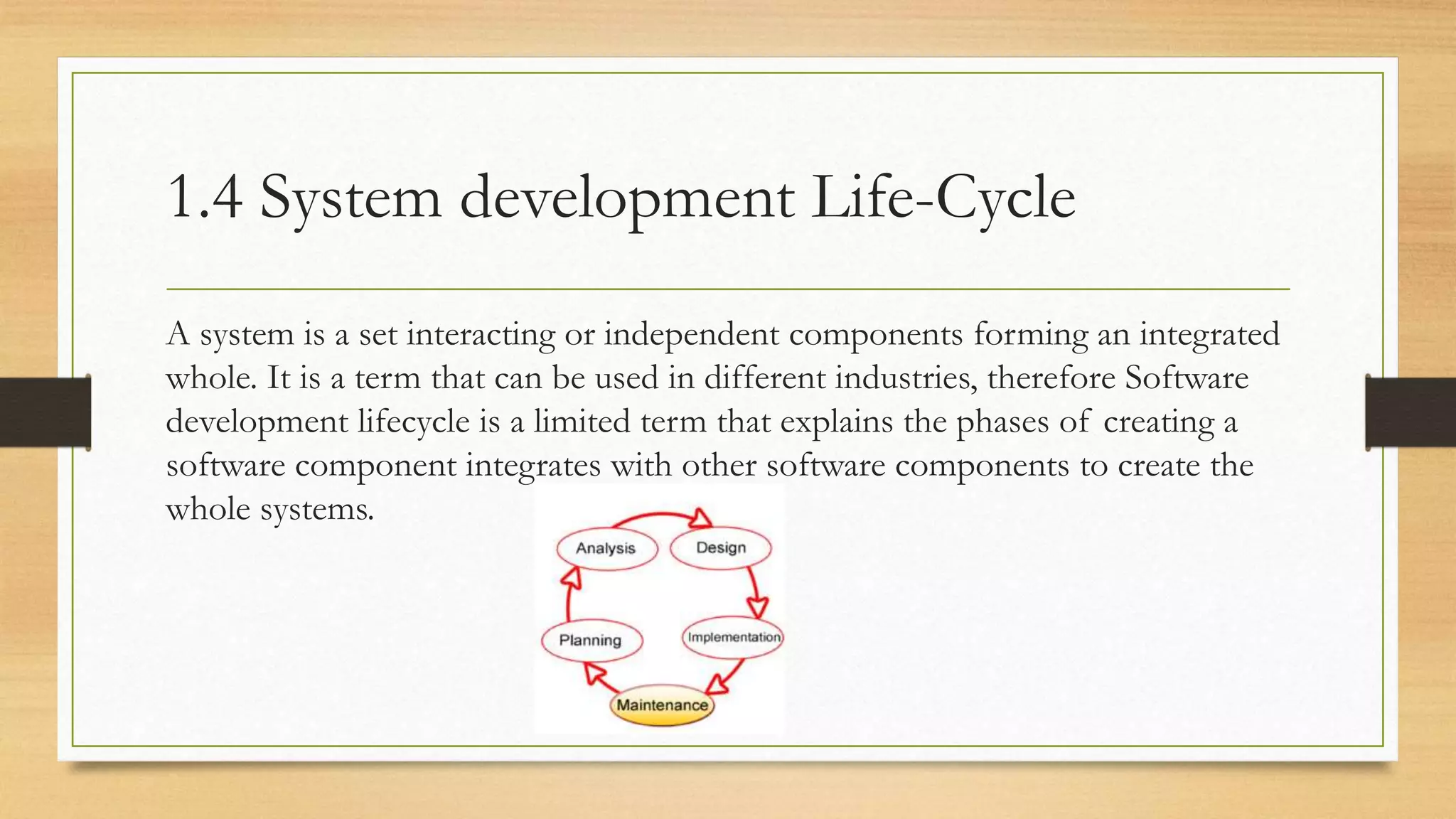
1.4 System development Life-Cycle
A system is a set interacting or independent components forming an integrated
whole. It is a term that can be used in different industries, therefore Software
development lifecycle is a limited term that explains the phases of creating a
software component integrates with other software components to create the
whole systems.
System development life cycle (SDLC) that applies to IT
projects:
• Initiation;
• Identification of the business case;
• Project set-up;
• Requirements elicitation and analysis;
• Design;
• Construction;
• Acceptance testing;
• Implementation/installation;
• Review and maintenance.
Each process creates one or more tangible products or deliverables. Delivery of the
products of each process can act as a milestone at which we can judge the progress and
continuing viability of the project.
1.4.1 Initiation
The objective of project initiation is to decide the most appropriate way to
respond to a request for some work to be done, taking into account any
business or technical strategies that the host organisation might have.
The initiation process checks that a problem or opportunity really exists and
decides whether the proposed change appears to be desirable, and whether a
project is the best way to implement the change.
1.4.2 Identification of the Business Case
The business case or feasibility study assesses whether the proposed development is practical in
terms of the balance of costs and benefits, the technical requirements and the organisation’s
information system objectives.
The benefits being greater than the costs – factors influencing the decision about the appropriate
option include:
• Budget constraints: the benefits may be greater than the estimated costs, but does the
organisation have the resources to pay for the investment?
• Technical constraints: can the proposed project be completed with the
technology currently available?
• Time constraints: can the proposed project be completed in the available time?
• Organisational constraints: can the organisation cope with the changes that the new
development will demand?
1.4.3 Project Set-Up
Based on the recommendation of the business case report, the organisation
will decide whether to go ahead with the full project. At this point a group
variously called the steering committee, project board or project
management board is set up to oversee the project in the organisation’s
interests. A project manager needs to be appointed and an initial project team
set up to start work.
1.4.4 Requirements elicitation and analysis
This phase defines the requirements of the new system in detail and identifies each business transaction. Some
work on identifying requirements will already have been done when the business case was being identified. The
elicitation or gathering of requirements could involve:
• interviewing users and their managers;
• examining documentation describing the current operations;
• analysing operational records created by the current system;
• observation of work practices;
• joint application development (JAD) sessions – where groups of stakeholders and business analysts meet
in intensive (usually day-long) sessions to identify and agree detailed requirements;
• Questionnaire surveys.
At the end of this phase, some form of requirements statement is produced. This describes what the final
system should be able to accomplish and lists all the major features of the end product. It forms the basis of the
contract between the customer for the new system and the developers.
1.4.5 Design
If it is decided to build a new system, rather than buying a ready-made or off-theshelf
application, then a design phase is needed. This activity translates the business
specification for the automated parts of the system into a design specification of the
computer processes and data stores that will be needed.
Where a new application is to be built, the elements to be designed include: •
• Inputs;
• Outputs;
• Processing;
• Data and information structures.
1.4.6 Construction
This process has the objective of designing, coding and testing software and
ensuring effective integration between different software components.
1.4.7 Acceptance testing
In Section we suggested that test cases to ensure that the requirements had
been met should be outlined at the requirements analysis stage. These can now
be used to check the delivered system. This testing could be carried out by
knowledgeable representatives of the users and IT support staff before its
implementation as an operational system. It is inevitable that during this stage,
the user will uncover problems that the developer has been unable to detect.
These acceptance-testing activities may overlap with implementation.
1.4.8 Implementation/installation
Here the project reaches fruition. Hardware that has been purchased is
delivered and installed. Software is installed, users trained, and the initial
content of databases set up. There are various strategies for implementation.
1.4.9 Project closure
Although we have put this after implementation/installation, a project could have been abandoned
at an earlier stage because its business case was no longer valid.
In the case of successful project completion, certain tasks will need to be done on closure, including:
• Sign-off of acceptance documents by the project sponsor – this may be conditional on other key
stakeholders giving approval first;
• Handing over responsibility for maintenance and support to a permanent team; • closing
down accounts relating to the project;
• The project manager writing a lessons learnt report;
• Releasing and re-allocating project resources, including the project team and the project manager;
• Arranging publicity to tell the outside world about the project’s success.
1.4.10 Review and maintenance
At an agreed interval after the system has been made operational, a post-
implementation review should be carried out by a business analyst who was not
involved in the original project. The review checks that the operational system
has actually delivered the benefits envisaged in the original feasibility report.
1.5 PROJECT MANAGEMENT AND THE
DEVELOPMENT LIFE CYCLE
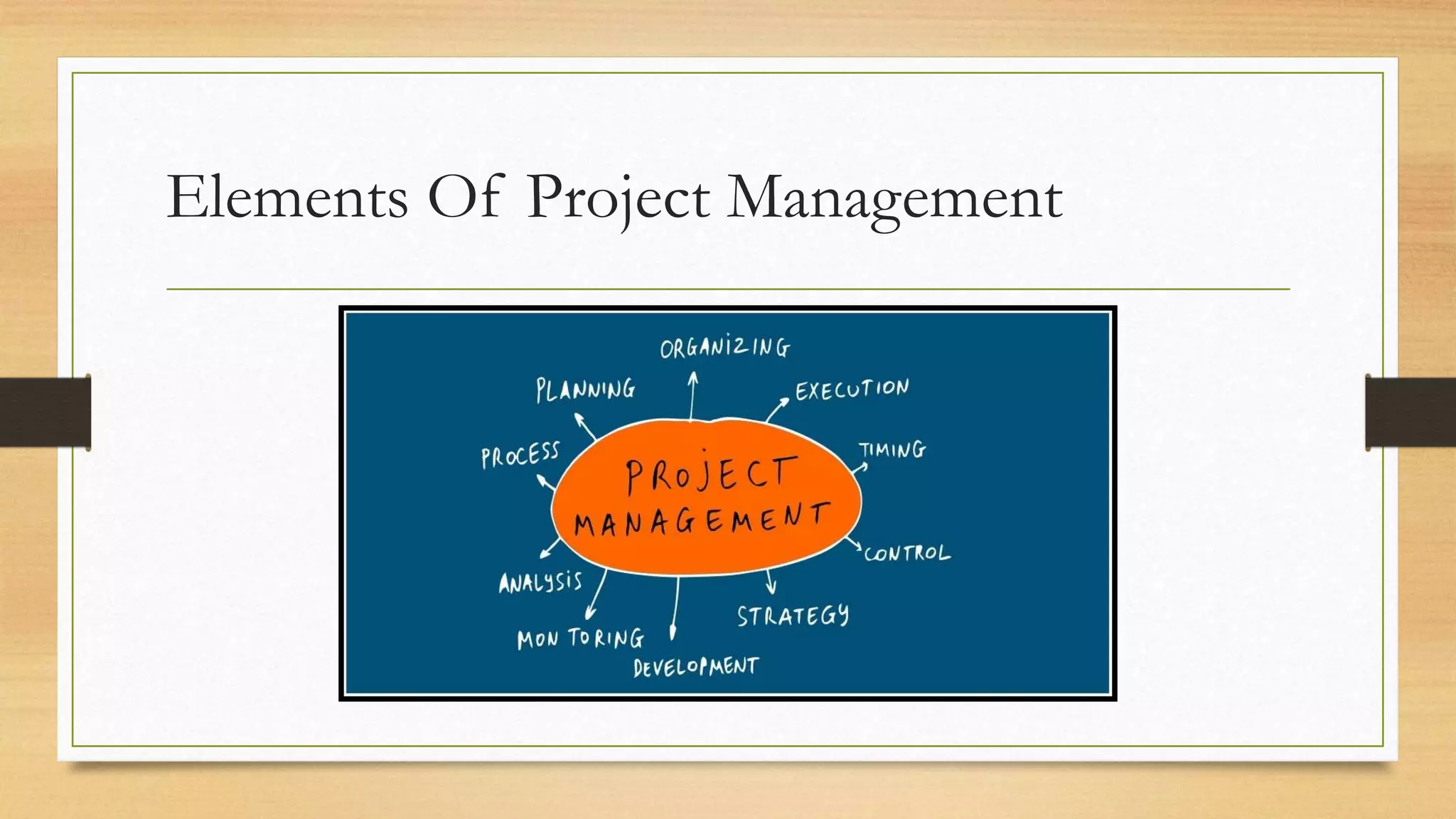
1.6 ELEMENTS OF PROJECT MANAGEMENT
The motivation behind consolidating or splitting up development processes is to ensure
controllability of work. In addition, the project manager has to tailor project management
procedures to maintain control over the project, while avoiding excessive management
bureaucracy.
The processes that need to be tailored relate to the following:
• Planning and estimating;
• Monitoring and control;
• Issue management;
• change control;
• risk management;
• project assurance;
• project organisation;
• business change management.
Elements Of Project Management
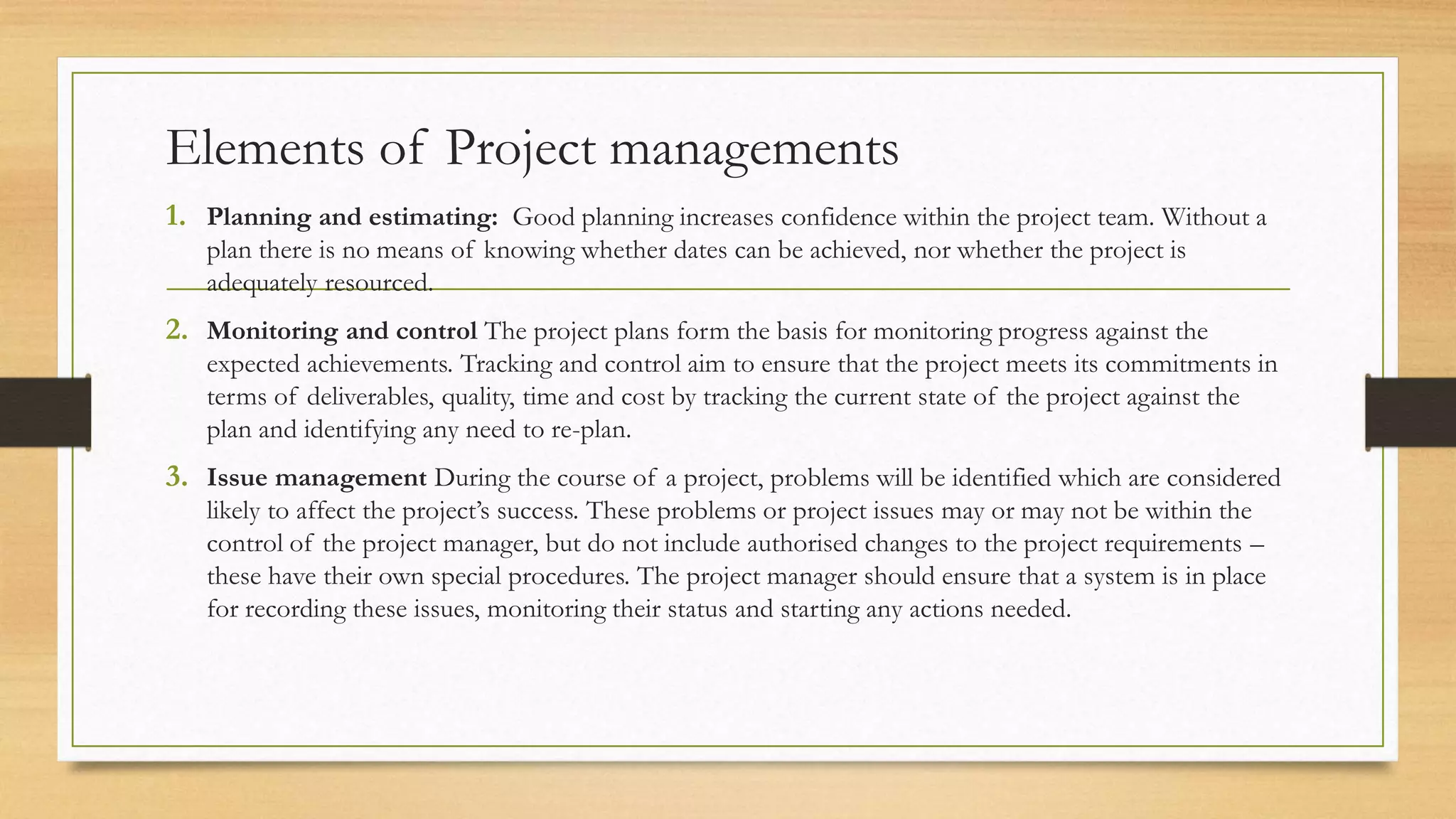
Elements of Project managements
1. Planning and estimating: Good planning increases confidence within the project team. Without a
plan there is no means of knowing whether dates can be achieved, nor whether the project is
adequately resourced.
2. Monitoring and control The project plans form the basis for monitoring progress against the
expected achievements. Tracking and control aim to ensure that the project meets its commitments in
terms of deliverables, quality, time and cost by tracking the current state of the project against the
plan and identifying any need to re-plan.
3. Issue management During the course of a project, problems will be identified which are considered
likely to affect the project’s success. These problems or project issues may or may not be within the
control of the project manager, but do not include authorised changes to the project requirements –
these have their own special procedures. The project manager should ensure that a system is in place
for recording these issues, monitoring their status and starting any actions needed.
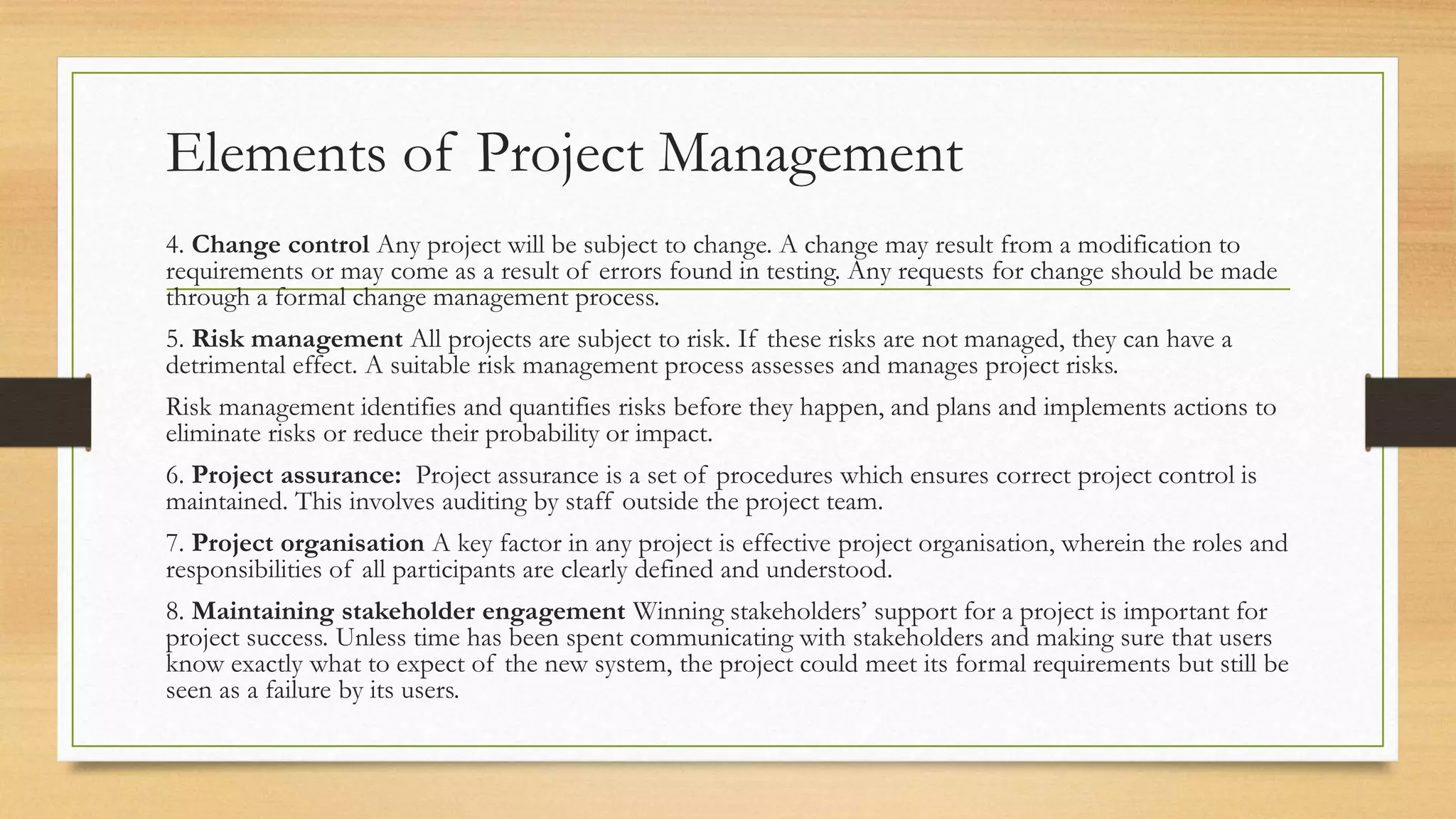
Elements of Project Management
4. Change control Any project will be subject to change. A change may result from a modification to
requirements or may come as a result of errors found in testing. Any requests for change should be made
through a formal change management process.
5. Risk management All projects are subject to risk. If these risks are not managed, they can have a
detrimental effect. A suitable risk management process assesses and manages project risks.
Risk management identifies and quantifies risks before they happen, and plans and implements actions to
eliminate risks or reduce their probability or impact.
6. Project assurance: Project assurance is a set of procedures which ensures correct project control is
maintained. This involves auditing by staff outside the project team.
7. Project organisation A key factor in any project is effective project organisation, wherein the roles and
responsibilities of all participants are clearly defined and understood.
8. Maintaining stakeholder engagement Winning stakeholders’ support for a project is important for
project success. Unless time has been spent communicating with stakeholders and making sure that users
know exactly what to expect of the new system, the project could meet its formal requirements but still be
seen as a failure by its users.
1.7 DEVELOPMENT PROCESS MODELS
Effective development methods have certain characteristics. They are made up of an
overall set of techniques and activities from which team members working on a new
project of a particular type can select the most appropriate subset. The method should
never require a task that does not produce something useful to the project.
1.7.1 Waterfall model
1.7.2 Agile project practices
1.7.3 Incremental model
1.7.4 Iterative model
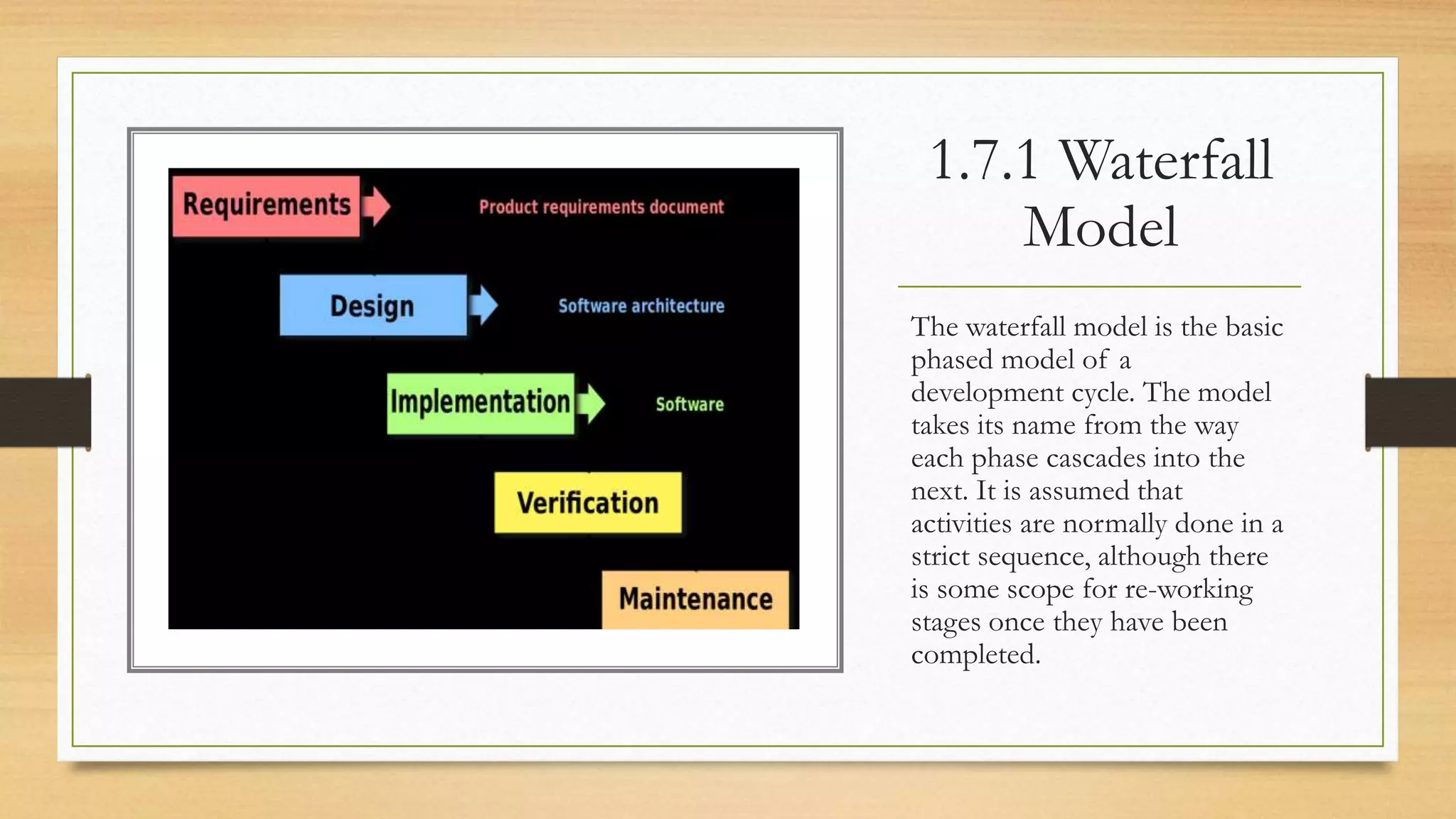
1.7.1 Waterfall
Model
The waterfall model is the basic
phased model of a
development cycle. The model
takes its name from the way
each phase cascades into the
next. It is assumed that
activities are normally done in a
strict sequence, although there
is some scope for re-working
stages once they have been
completed.
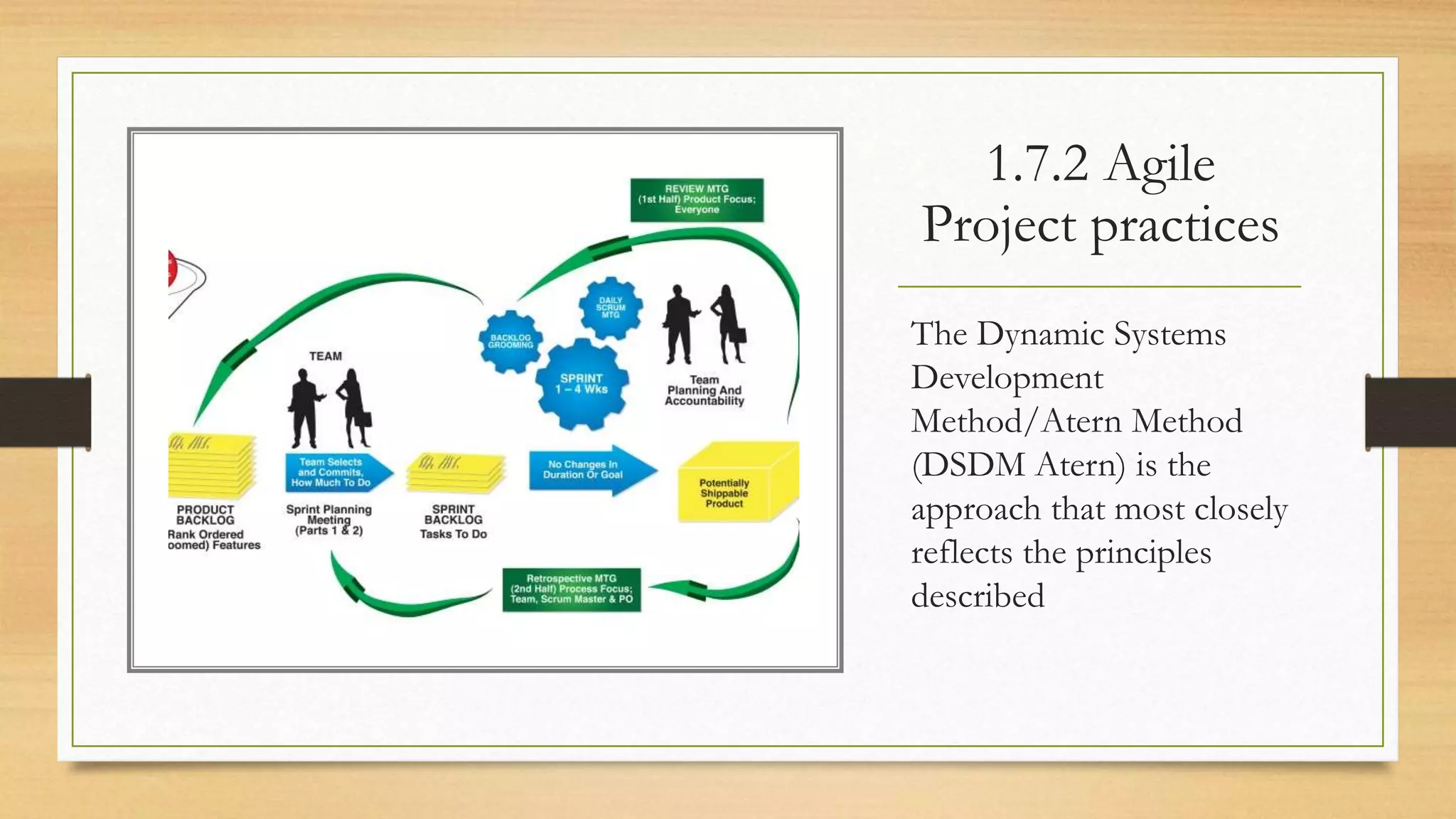
1.7.2 Agile
Project practices
The Dynamic Systems
Development
Method/Atern Method
(DSDM Atern) is the
approach that most closely
reflects the principles
described
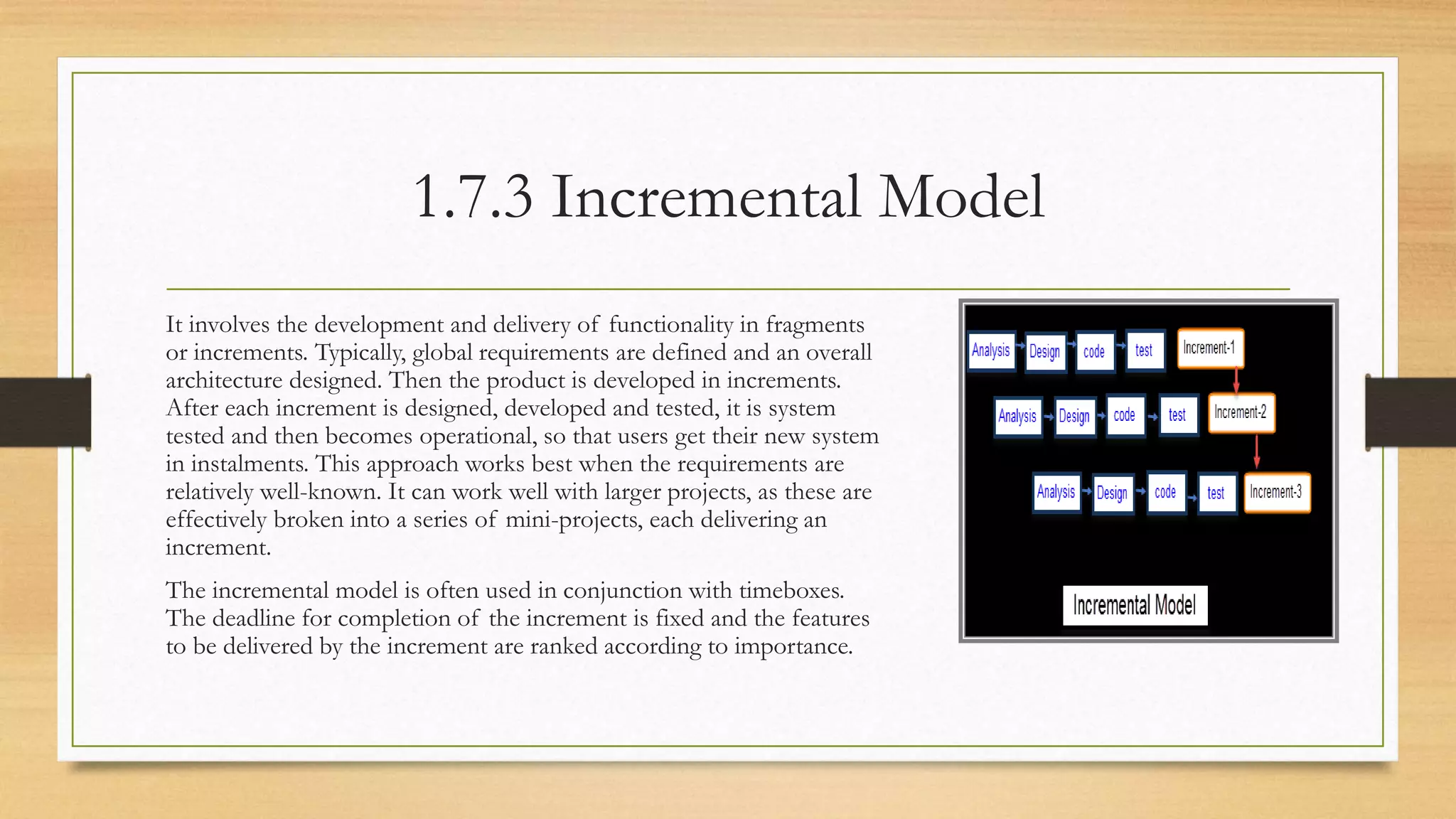
1.7.3 Incremental Model
It involves the development and delivery of functionality in fragments
or increments. Typically, global requirements are defined and an overall
architecture designed. Then the product is developed in increments.
After each increment is designed, developed and tested, it is system
tested and then becomes operational, so that users get their new system
in instalments. This approach works best when the requirements are
relatively well-known. It can work well with larger projects, as these are
effectively broken into a series of mini-projects, each delivering an
increment.
The incremental model is often used in conjunction with timeboxes.
The deadline for completion of the increment is fixed and the features
to be delivered by the increment are ranked according to importance.
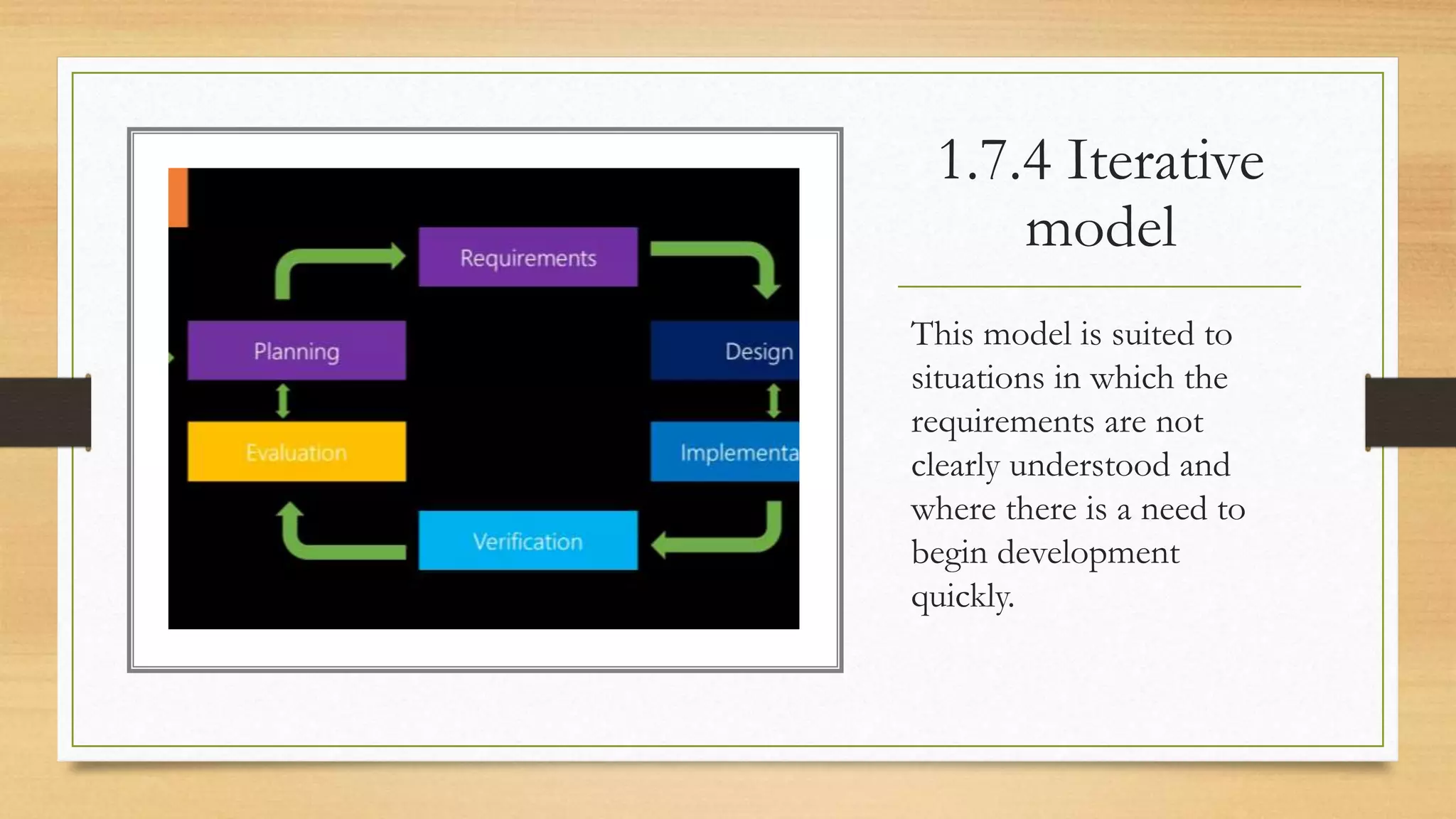
1.7.4 Iterative
model
This model is suited to
situations in which the
requirements are not
clearly understood and
where there is a need to
begin development
quickly.
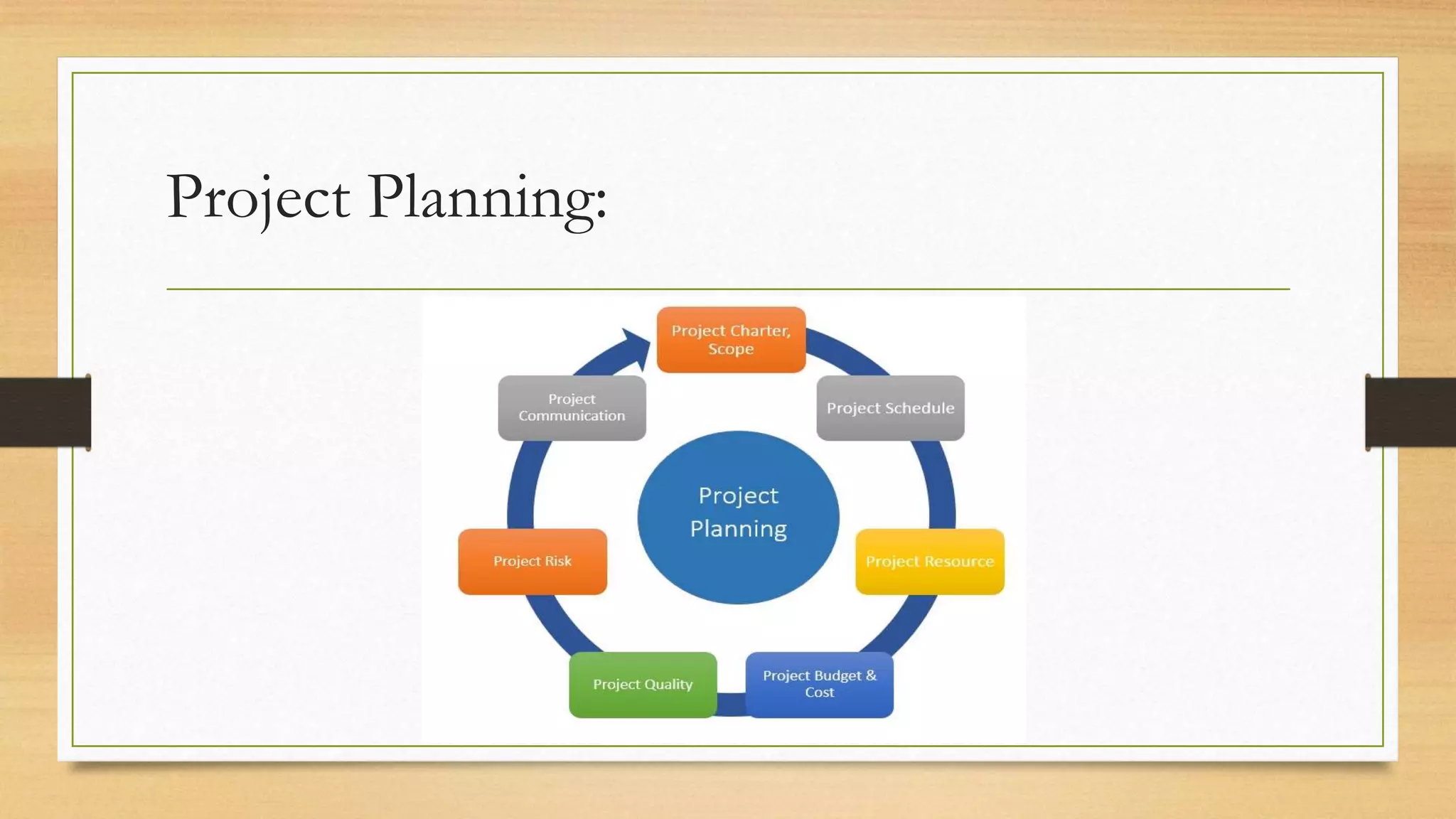
1.8 Project Plan
• The project plan is a set of documents that co-ordinates all the various
project processes, bringing together all the planning documents used to
manage and control the project. It is not cast in stone and will be amended as
necessary during the lifetime of the project. The plan defines the project’s
scope, schedule and cost, as well as the supporting processes related to risk,
procurement, human resources, communication and quality.
Project Planning:
1.8.1 Project initiation document
Project initiation document A good starting point is the preparation of a project
initiation document (PID) or project management plan. It has the following key
elements. •
• An introduction, which describes: the project background; the document’s
purpose; the business justification for the project, including a brief summary of
costs and benefits
• Project goals, objectives and deliverables
• A project organisation chart which names: the project sponsor(s); the project
manager; any sub-project or stage managers
1.8.2 Schedule planning
Scheduling is a key project planning technique and must take place prior to the start of
work. The resources required and the consequent costs will depend on the schedule
decided for the work. Effective scheduling requires:
• a definition of requirements that is agreed and unambiguous;
• a careful breakdown of work;
• the creation of a coherent and internally consistent schedule which shows when
activities will start and end and the resources that they will need;
• careful monitoring of progress against the schedule.
1.8.2
It is the responsibility of the project manager to make sure these requirements
are fulfilled. Schedules will generally be produced at several levels of detail:
• project level, at which the project steering committee or board reviews plans
and progress and takes decisions;
• phase/stage level, at which project or stage managers break down the main
stages of the project into activities which are then allocated to teams;
• activity level, at which team leaders allocate work to team members so that
activities allocated to the team can be completed.
1.8.3 Cost Planning
Effective cost planning helps:
• decision-making and control, by allowing the costs of alternative actions to
be assessed;
• prompt and up-to-date collection of progress information;
• integration of expenditure projections into the project plan.
Cost planning should be done at the same levels as schedule planning; that is, at
project, phase/stage and activity level
1.8.4 Resource Planning
A resource plan will help the project manager identify the skills needed for the
project and when they are needed.
A useful communication tool for the project manager is the responsibility
assignment matrix (RAM), a simple matrix showing individuals associated with
the project on one axis and the activities for which they are responsible on the
other. By plotting tasks against staff on a matrix and labelling each person’s
assignments, it provides a quick and easy view of who is responsible for each
task.
1.8.5 Communication Planning
Stakeholders, including the project team, have varying needs for
communication about the project. These needs and the means by which they
may be satisfied are recorded in a communication plan. The communication
plan includes, among other things:
• The flows of communication during the project;
• How various communication tools will be used;
• What meetings will be held with what attendees, and at what times.
1.8.6 Quality planning
Quality criteria can be applied both to project deliverables and to the processes
by which the deliverables are created. It is possible to check that the end
products have the required qualities, and also that the processes that created
them were the correct ones. Because the importance of quality often gets lost
among deadline pressures and budget cuts, the project manager should
emphasise it throughout the entire project life cycle, from planning to
completion.
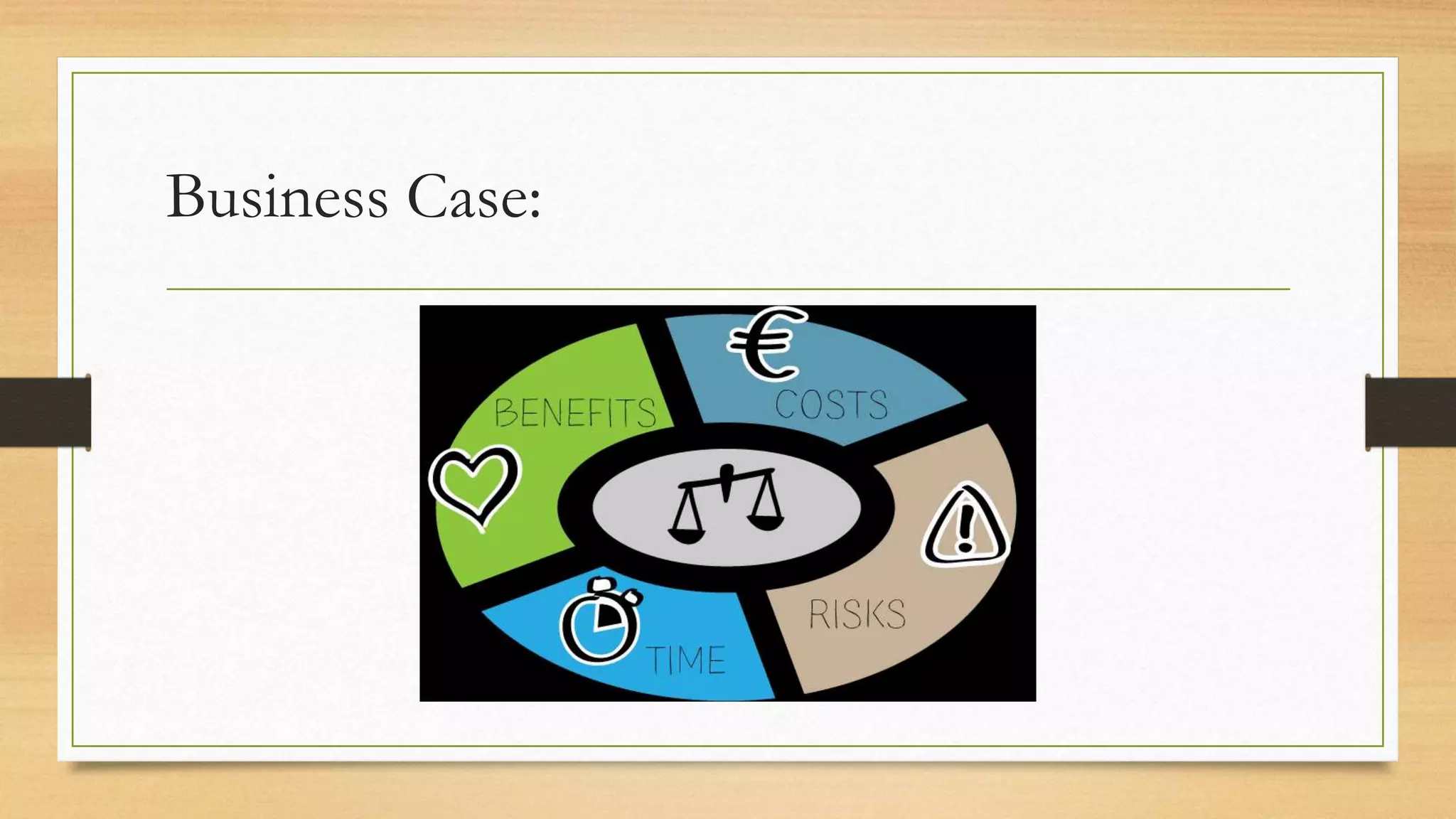
1.9 Business Case
This is a key document for any project.The proposal for a project may be
triggered in a variety of ways. Once a proposal has been made, senior
management will decide whether to go ahead with a proposal by using a
combination of qualitative and quantitative criteria, as no single method gives
enough information.
A more persuasive reason for going ahead with a project, however, is often
financial justification, where two of the most common quantitative financial
criteria are net present value and payback period
Business Case:
1.9.1 Net Present Value
• The financial business case is based on the calculation of whether the value of the benefits
produced by the project exceeds the money spent on developing and installing the system
and eventual costs of operation. The net present value technique looks at the benefits of
having money sooner rather than later. Because money in hand can be invested to make
more money, the earlier you bring money into the organisation, the more it is worth.
• The net present value of a project is the sum of the net present value of each annual cash
flow for the delivered project.
• The net present value technique allows an organisation to estimate the value of money
earned several years into the future and can be used to compare the expected results of
investing in different projects with leaving money in a bank at a specified rate of interest.
1.9.2 PayBack Period
• The number of years before the project’s cumulative future cash flows equal
the initial investment.
• Decision Rule: Accept projects whose payback period is less than a manager
determined cut-off.
1.10 Implementation Strategies
There will come a time when it is necessary to convert from the old method of
working to the new one brought about by the implementation of the new
system. The project team, in consultation with the users, will recommend to the
project board or steering committee the most suitable changeover method for
the project, which may include installing IT equipment, software applications or
both. The following options may be considered.
Direct changeover, Parallel-running, Phased take-on, Pilot changeover
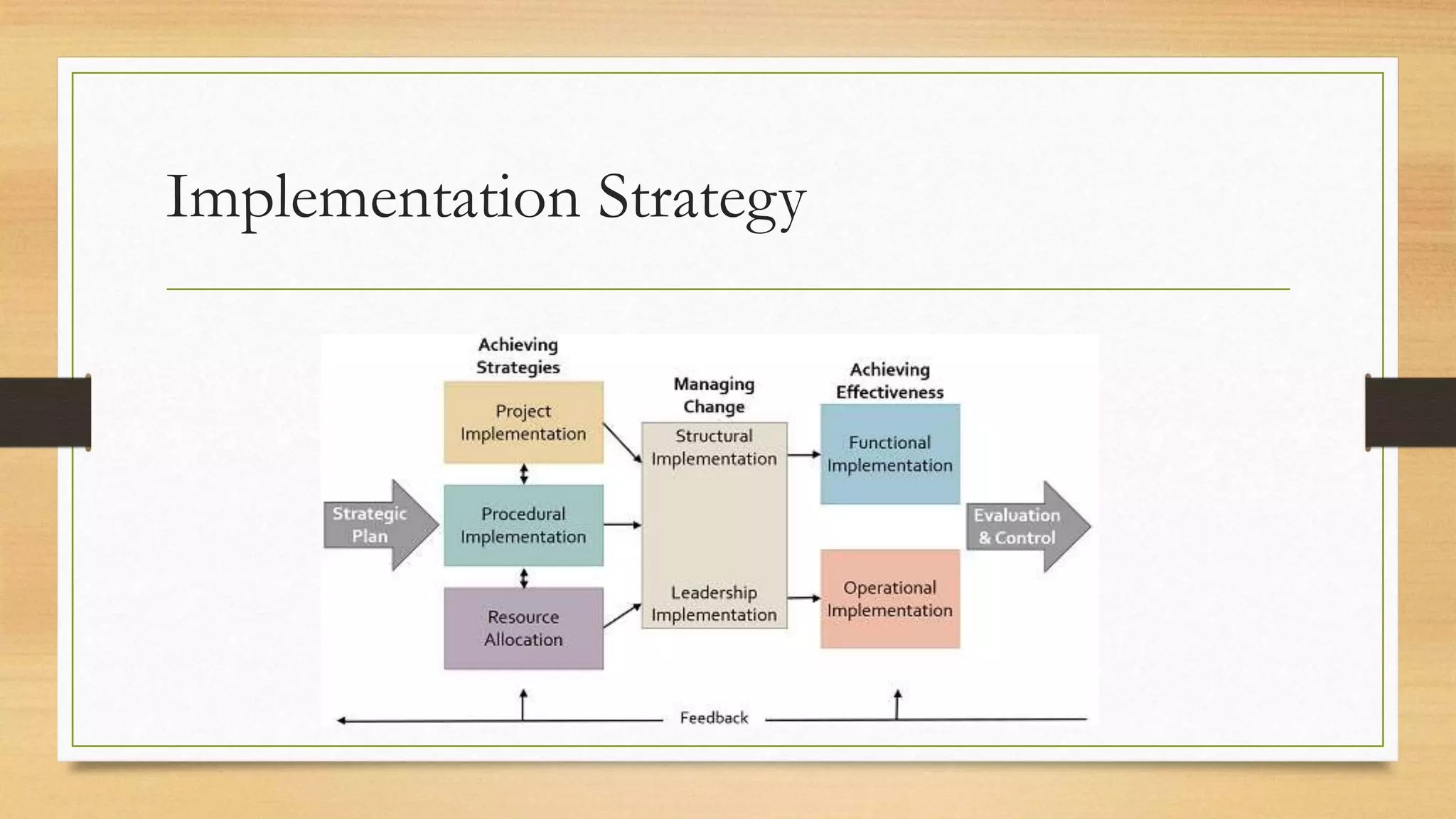
Implementation Strategy
1.10 Implementation Strategies
• Direct Changeover: In this case, the old system is discarded and immediately replaced by
the new one.
• Parallel-running: This involves running the old and new systems together for a period of
time using the same inputs and comparing the related outputs – so it serves as a
continuation of the testing process.
• Phased take-on The phased approach breaks the system into components that will be
introduced in sequence. It helps minimise risks but can delay the implementation of the
entire integrated system. However it does present the opportunity to allow users to learn
one system component at a time. It also fits neatly with incremental delivery.
• Pilot changeover: this is a risk-reducing approach. With pilot changeover the entire new
system is introduced to just one business unit or location
1.11POST-IMPLEMENTATION REVIEW
The post-implementation review (PIR), or project evaluation review, is usually
scheduled to take place some 6 to 12 months after the sign-off of the project. Its
objective is to review the implemented system in terms of its contribution to business
objectives, its usability, operating costs and reliability. It considers the following:
• whether the business and system requirements have been met;
• cost and benefit performance;
• operational performance;
• controls, auditability, security and contingency;
• ease of use.
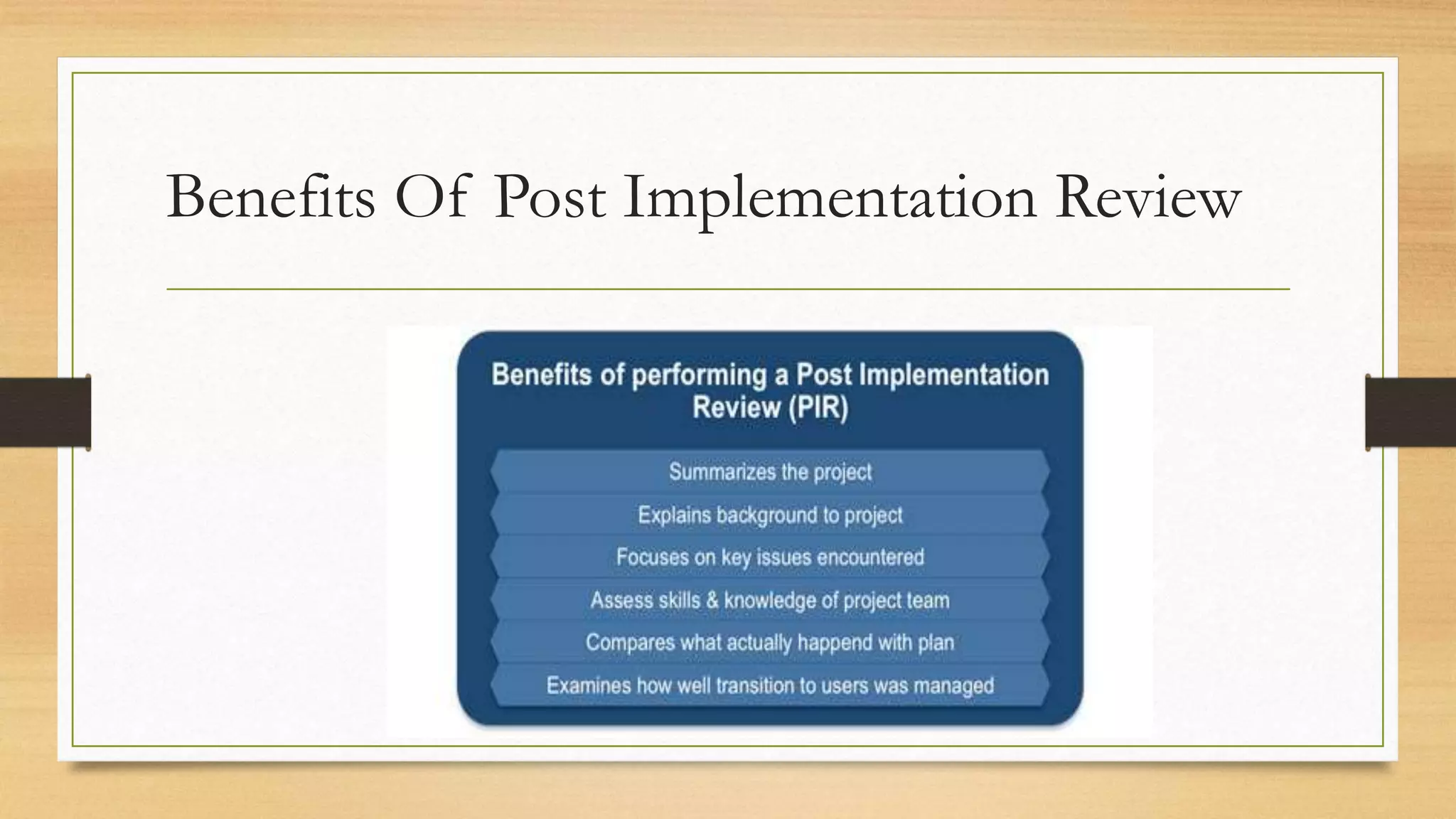
Benefits Of Post Implementation Review
SAMPLE QUESTIONS
1. Which of the following is NOT a characteristic of a
project? (a) Ongoing nature (b) Uniqueness (c) Clear objectives
(d) Integration of interrelated tasks and resources
2. Which of the following is NOT managed by the project
manager? (a) Time, cost and scope (b) The project team (c) The
project sponsor (d) Expectations of the stakeholders
3. Which of the following tools indicates who is responsible
for what? (a) A responsibility assignment matrix (b) A resource
levelling chart (c) An activity network chart (d) A resource
histogram
4. With which one of the following does the calculation of
the payback period provide the organisation? (a) An
assessment of how quickly an implemented system will produce a
profit (b) How much future income from an implemented project
will be worth in present day terms (c) The discount rate that
would give a payback with a net present value of zero (d) The
overall income that the implemented system should produce, less
any initial investment
2. Project Planning
Topics
2.1 Introduction
2.2 Approaches to Planning
2.3 Product Flow diagram
2.4 Activity Planning
2.5 Resource Allocation
2.6 using Software tools for planning
2.1 INTRODUCTION
In this chapter we describe the main steps in producing an initial plan for a
project. You will recall from Chapter 1 that before the detailed planning of a
project starts, the business case for the project should have been set out. This
shows how the value of the proposed IT application’s benefits are expected to
outweigh the costs of developing and managing it. The overall objectives of
the project, which define the successful outcomes of the project, have also
been identified and have been agreed by the main participants in the project.
2.2 APPROACHES TO PLANNING
There are two approaches to identifying the components of a project: productbased
and work- or activity-based.
2.2.1 Product-based planning
With the product-based approach, detailed planning usually begins with identifying the
project deliverables: that is, the products that will be created by the project and
delivered to the client.
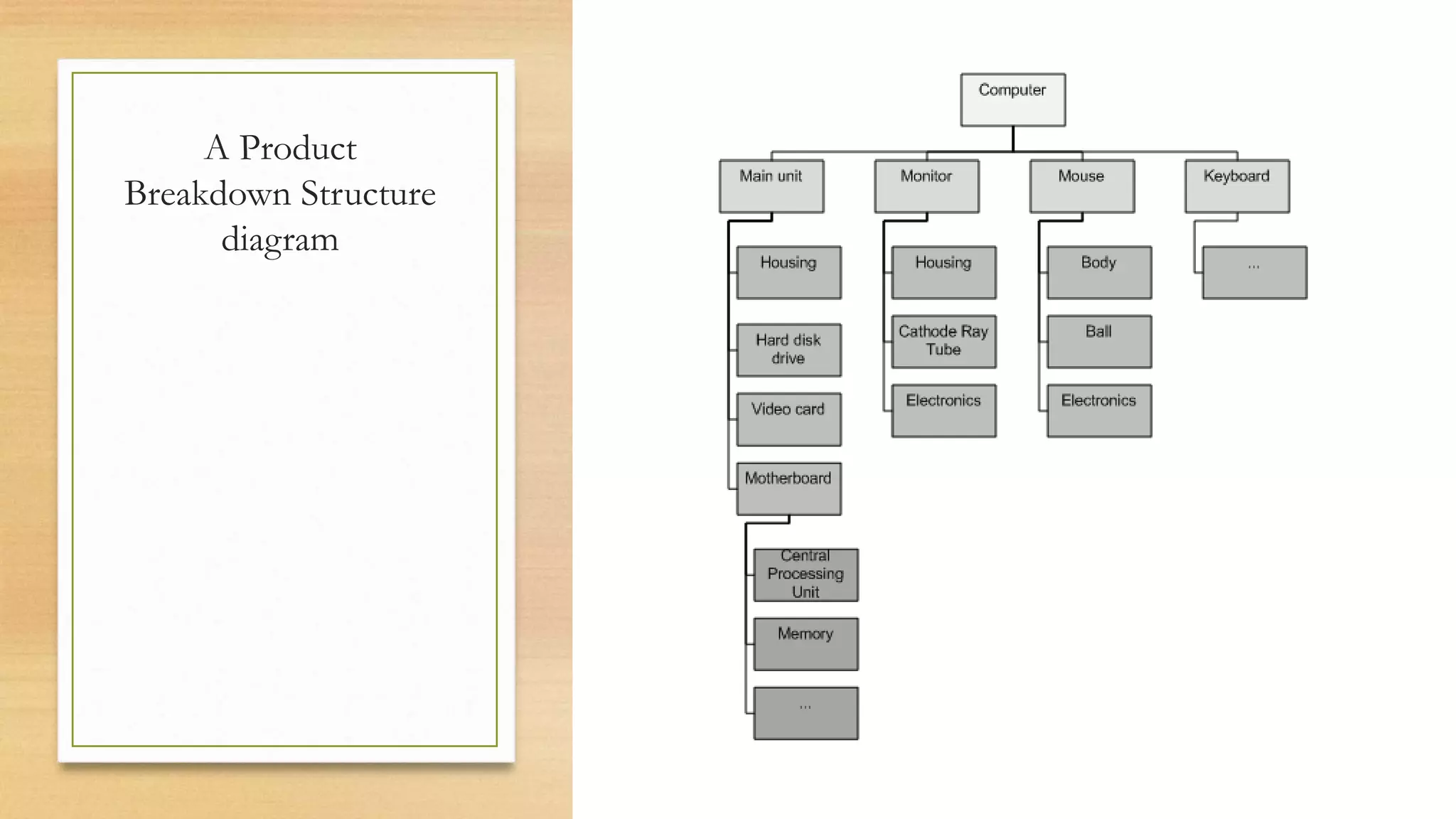
The deliverable and intermediate products can be written simply as a list of products,
but sometimes they are shown in a product breakdown structure diagram.
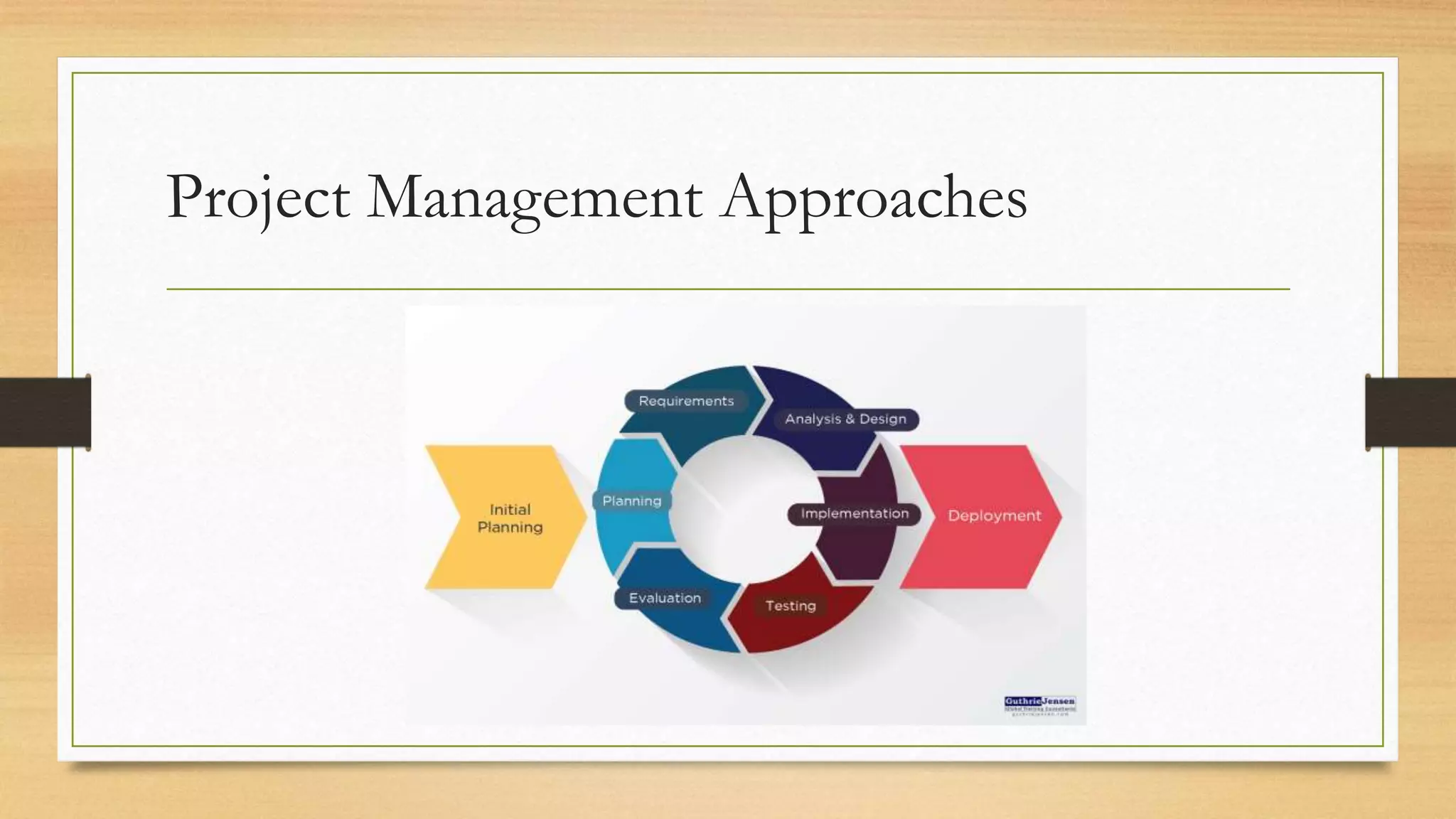
Project Management Approaches
For each product, the following should be
documented:
• The identity of the product, for example ‘acceptance test plan’. •
• A description of the product, for example ‘a plan of the test cases and the results that the
users expect the application to produce’. •
• The product or products that have to exist before this one can be created: that is, those it is
derived from. For example, the acceptance test plan is stated to be derived from the
requirements specification, which describes the main transactions of the application. •
• The components that make up the product – in the case of an acceptance test plan, the
main sections in the document. •
• The format of the product – for example, that it is a word-processed document or a
spreadsheet or a piece of software. •
• The quality criteria that explain how the product will be judged as satisfactory – for
example, the acceptance test plan being reviewed against the requirements specification.
2.2.2 Work and product breakdown structures
An alternative method of planning is the work- or activity-based approach, which
identifies the required work activities or tasks in a work breakdown structure (WBS).
In this case, the intermediate products related to setting up the Canal Dreams
ebooking project listed above would be replaced by activities such as:
• analysing/redesigning business processes;
• designing web interfaces;
• redesigning network architecture;
• specifying software;
• planning acceptance tests;
• reporting progress.
A Product
Breakdown Structure
diagram
2.3 Product Flow
Diagram
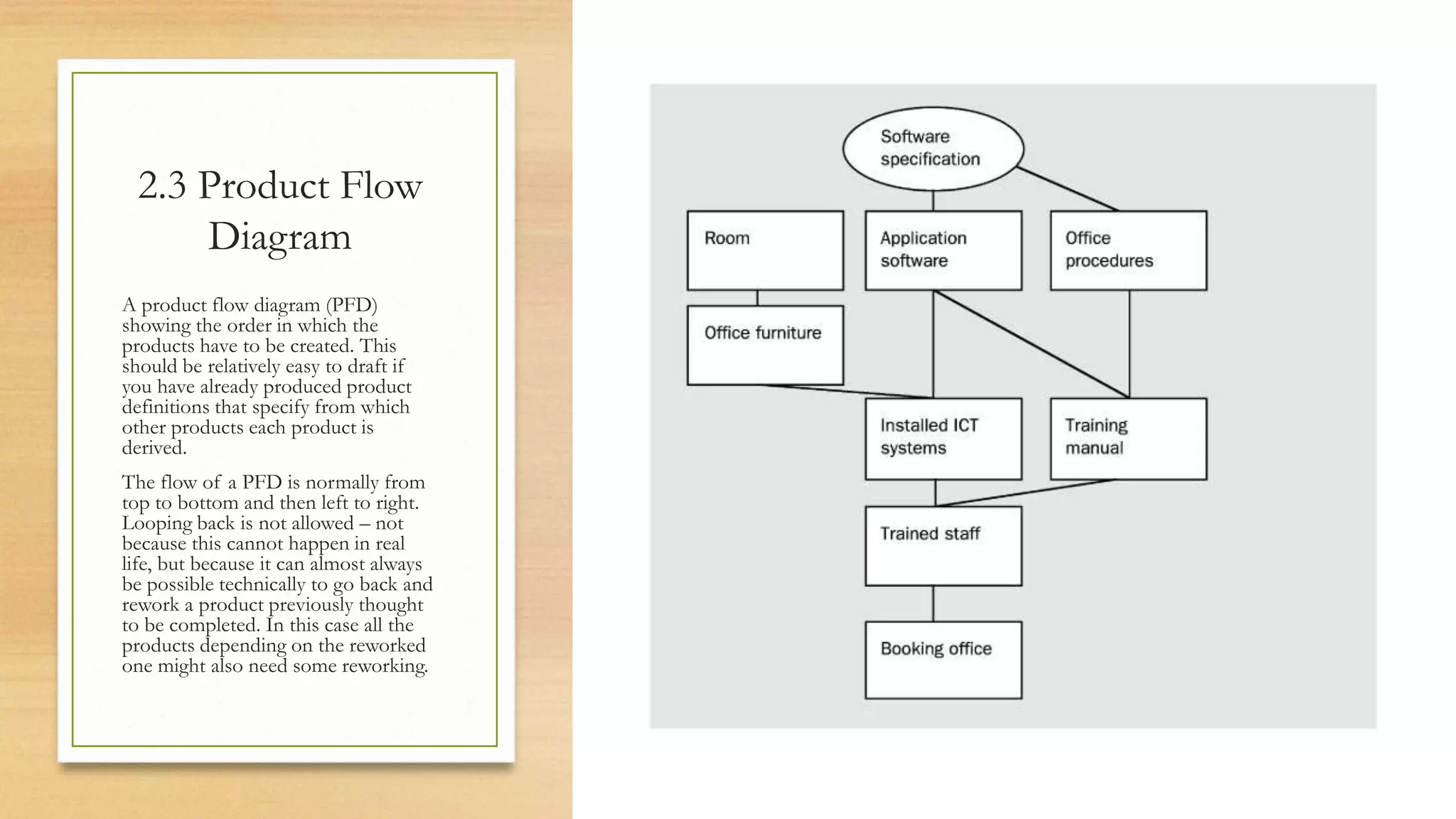
A product flow diagram (PFD)
showing the order in which the
products have to be created. This
should be relatively easy to draft if
you have already produced product
definitions that specify from which
other products each product is
derived.
The flow of a PFD is normally from
top to bottom and then left to right.
Looping back is not allowed – not
because this cannot happen in real
life, but because it can almost always
be possible technically to go back and
rework a product previously thought
to be completed. In this case all the
products depending on the reworked
one might also need some reworking.
2.4 Activity Planning
Whether a product flow diagram has been drawn up or whether the planner has
simply drawn up a list of activities, the next step is to draw up an activity
network. This shows the activities needed and the order in which they are to be
carried out.
Activity network diagram
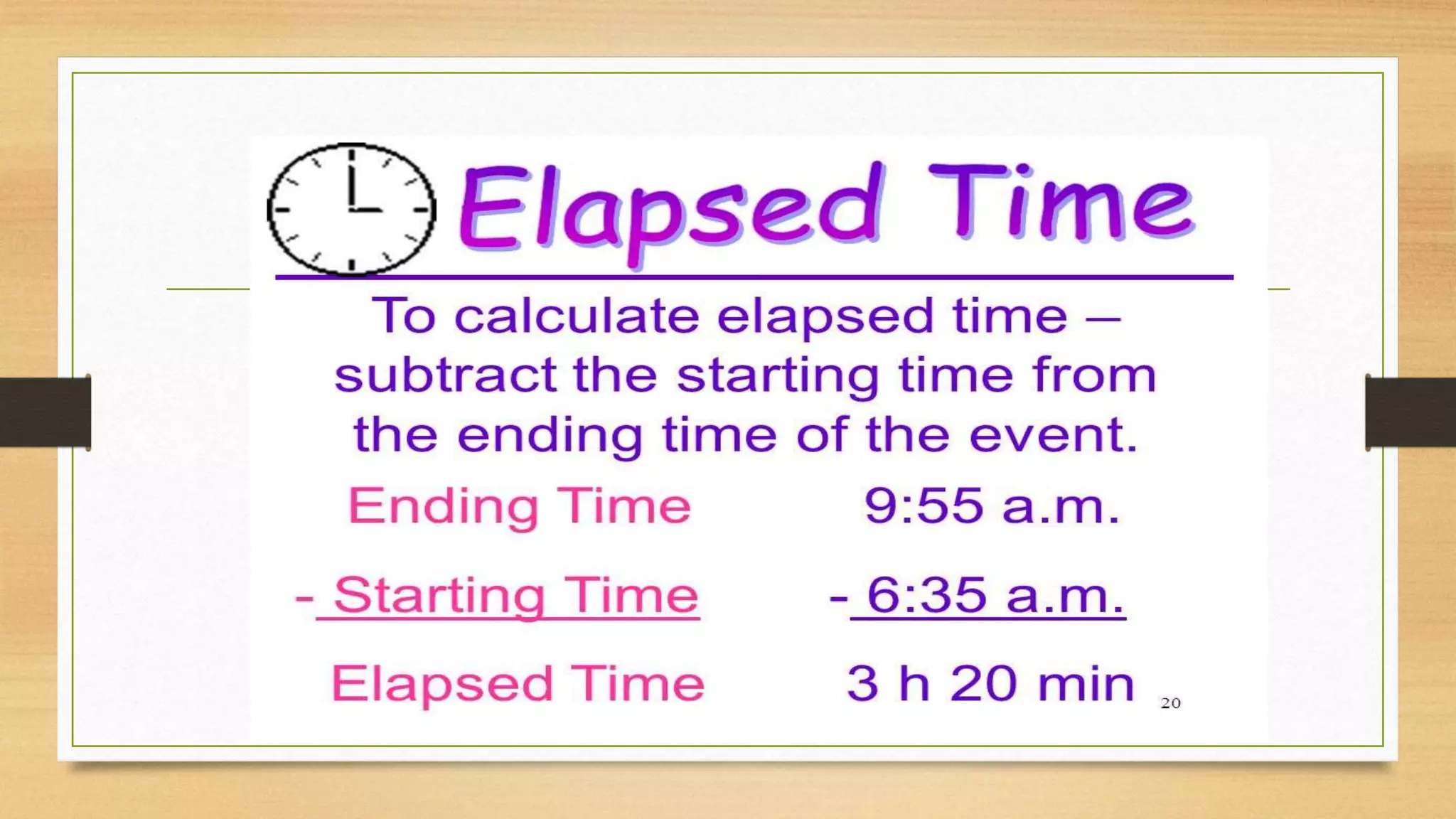
Estimating elapsed time
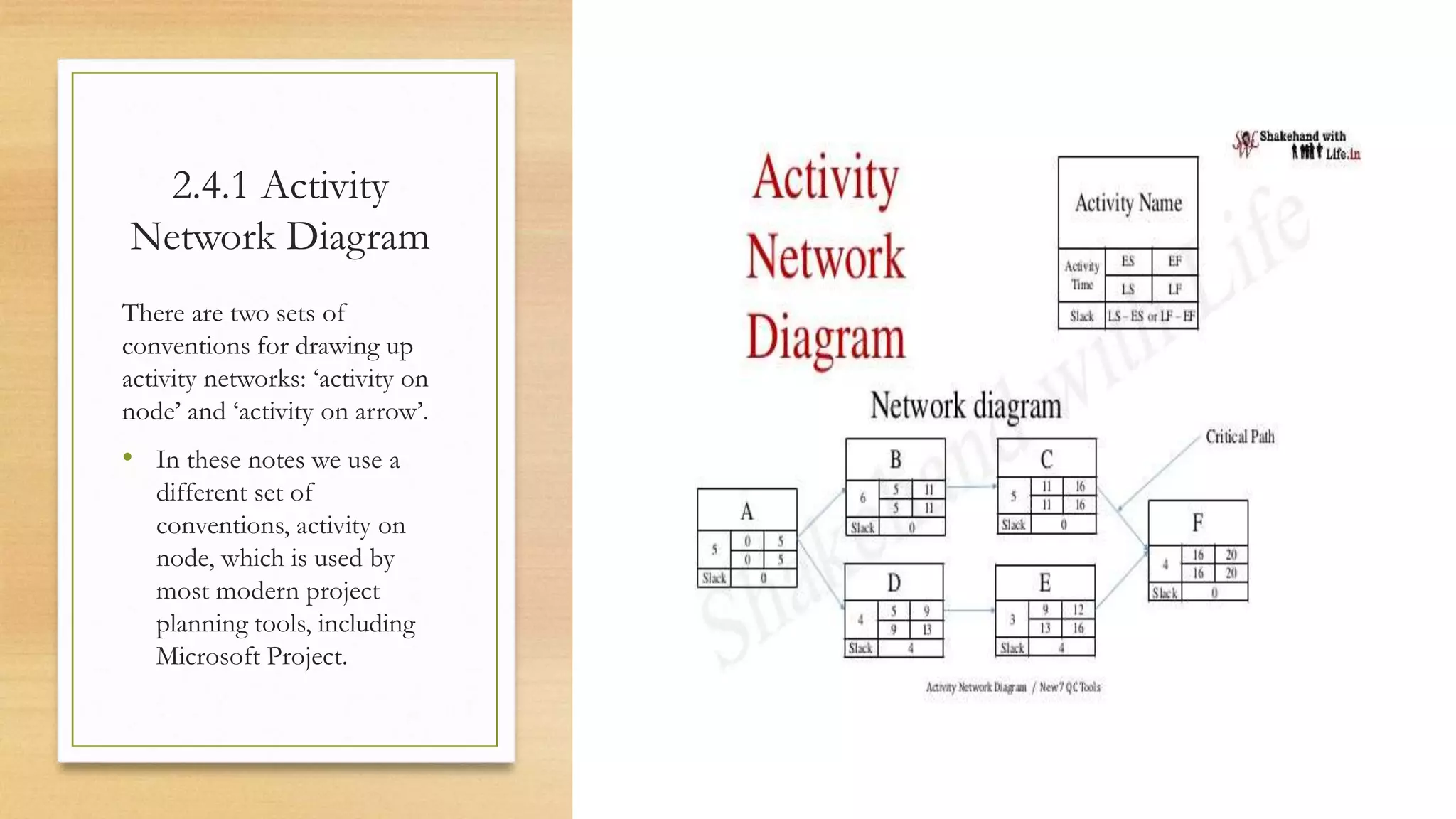
2.4.1 Activity
Network Diagram
There are two sets of
conventions for drawing up
activity networks: ‘activity on
node’ and ‘activity on arrow’.
• In these notes we use a
different set of
conventions, activity on
node, which is used by
most modern project
planning tools, including
Microsoft Project.
2.4.2 Estimating elapsed time
Having identified the activities and the order in which they have to be worked
on, we now need to estimate how long we think each activity is likely to take.
Note that we are concerned here about elapsed times. This is the time from the
start of an activity to the finish.
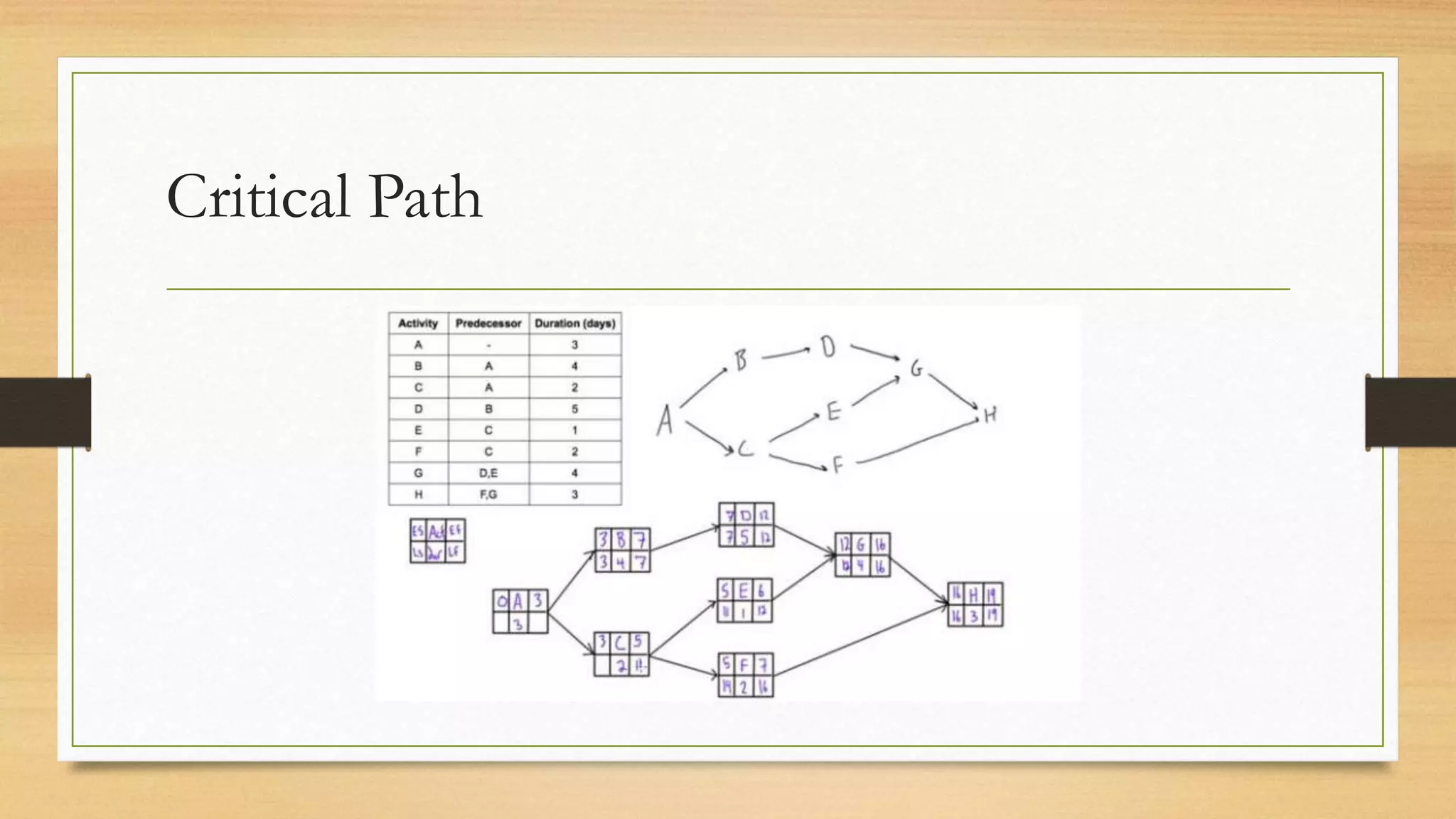
Critical Path
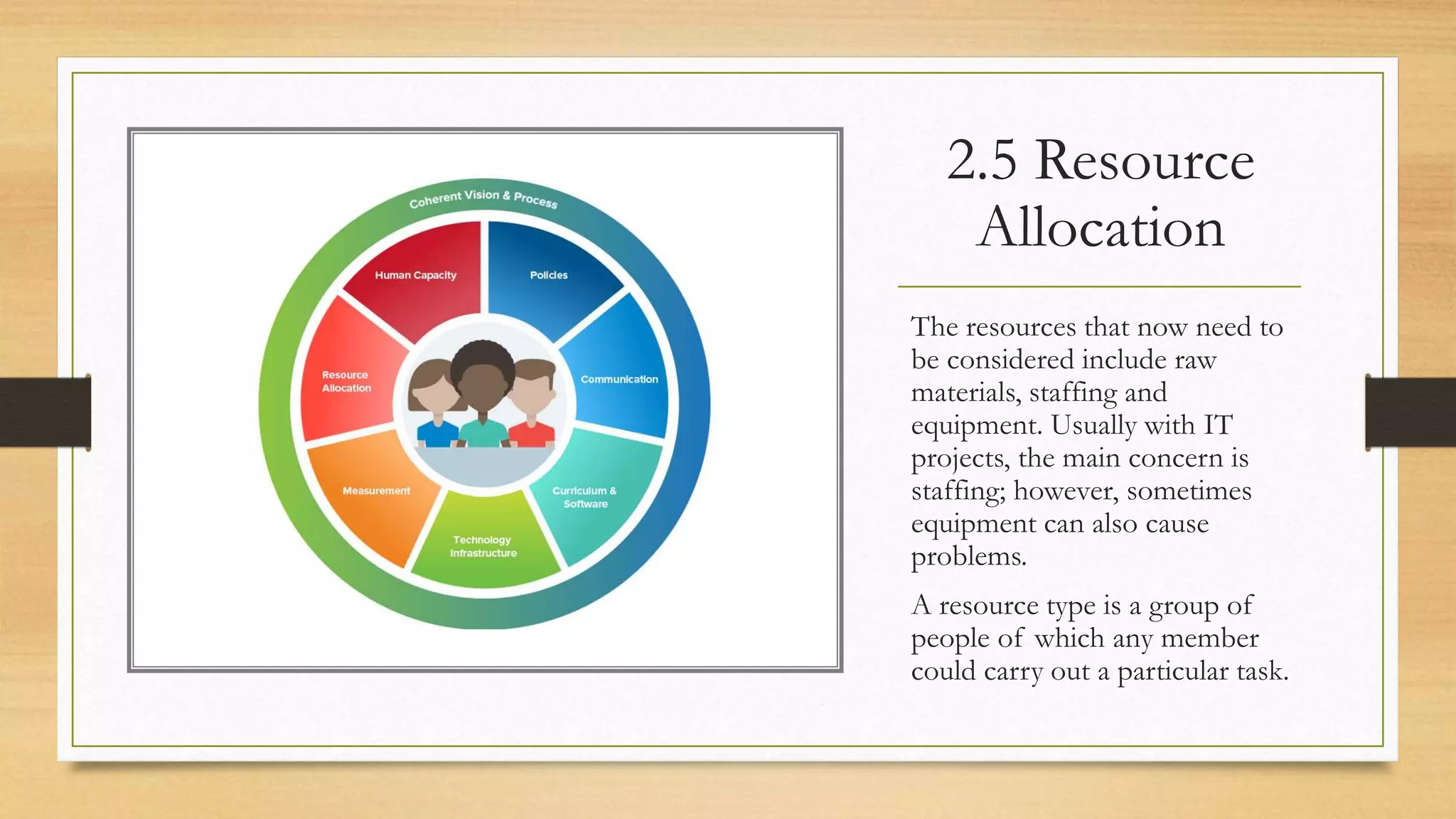
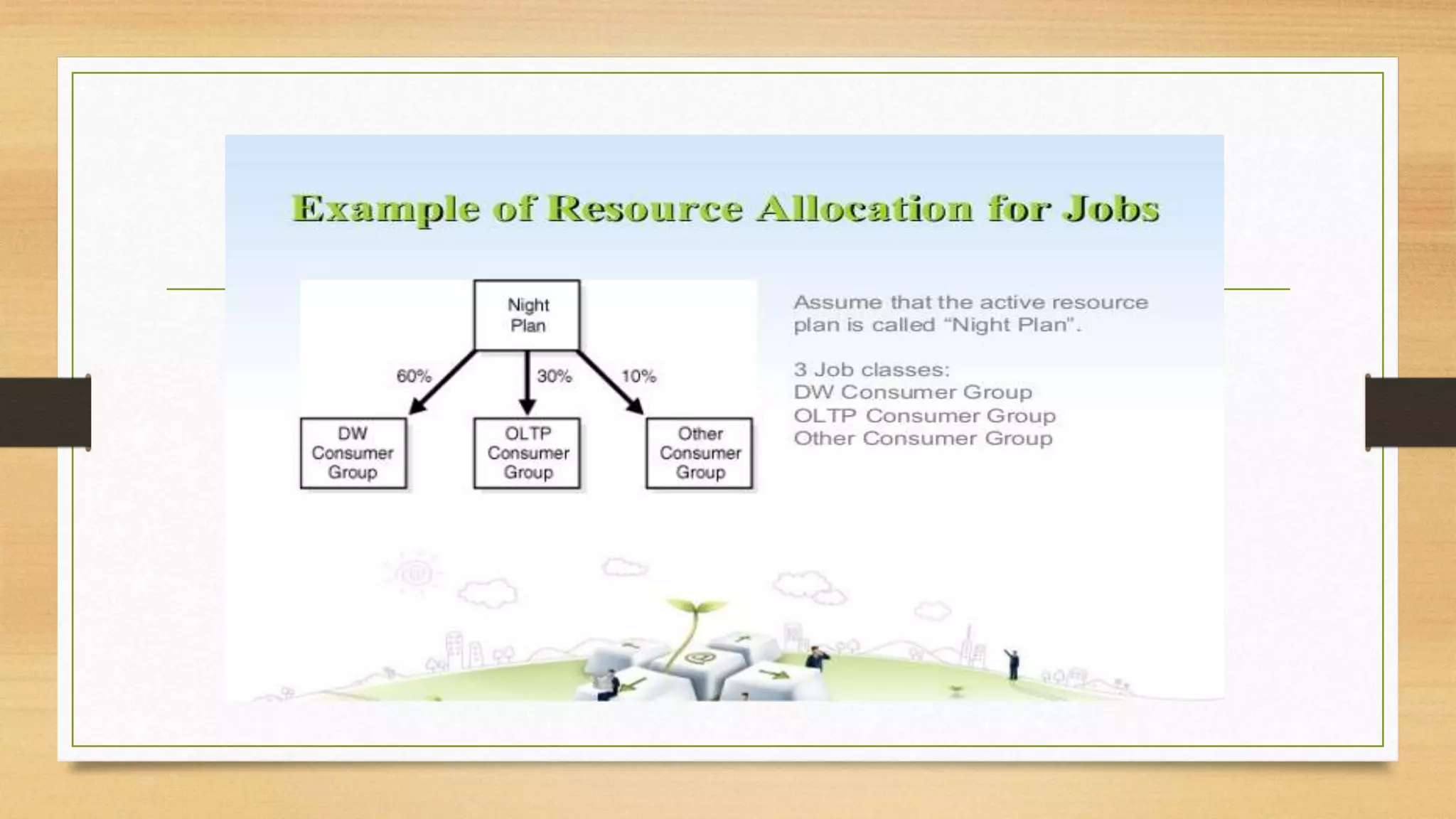
2.5 Resource
Allocation
The resources that now need to
be considered include raw
materials, staffing and
equipment. Usually with IT
projects, the main concern is
staffing; however, sometimes
equipment can also cause
problems.
A resource type is a group of
people of which any member
could carry out a particular task.
2.6 USING SOFTWARE TOOLS FOR
PLANNING
• In this chapter it has been assumed that all the planning, and calculation of
the consequences of particular planning decisions, will be done by hand with
no computer assistance. It will be a relief for most people to know that there
are software packages that will carry out most of the calculations for you.
Examples of these are Microsoft Project and Oracle Primavera.
• The advantage of using a software tool is that it is easy to make changes to
the plan and see what the consequences of the changes will be.
3. Monitoring And
Control
Topics
3.1 Introduction
3.2 The Project Control life Cycle
3.3 Monitoring Progress
3.4 Applying Control
3.5 Purpose and Types of reporting meetings
3.6 Taking corrective action
3.7 Graphical representation of progress information
3.1 Introduction
Chapter 1 described the typical stages of a project that implements an
information system. The importance of controlling the project to ensure that it
conforms to the plan was stressed. In Chapter 2, the way in which the plan for
a particular project is created was explained. This chapter explores the means
by which a project is monitored and controlled so that it broadly fulfils its plan.
The mechanism for this is the project control life cycle.
3.2 THE PROJECT CONTROL LIFE
CYCLE
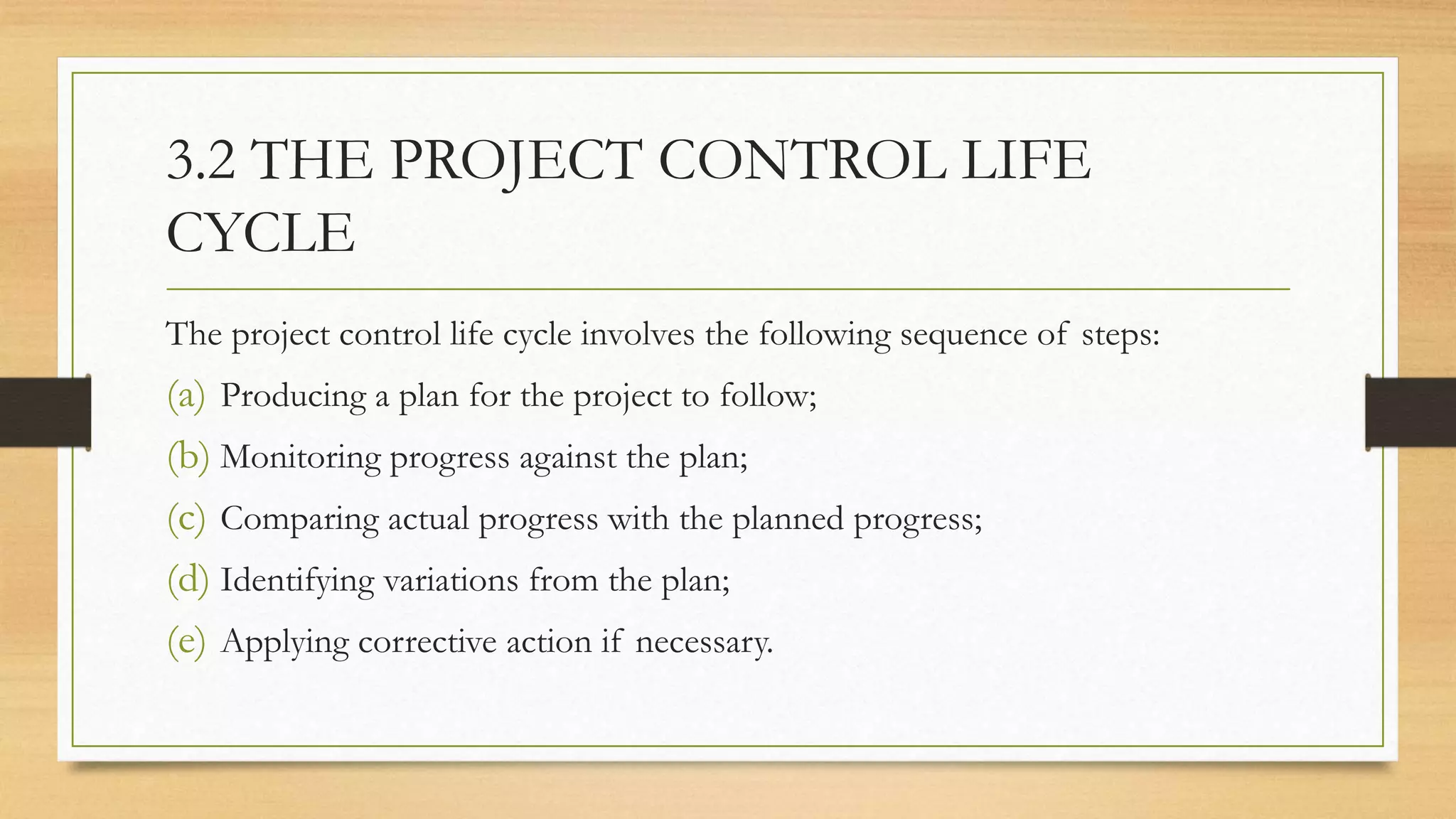
The project control life cycle involves the following sequence of steps:
(a) Producing a plan for the project to follow;
(b) Monitoring progress against the plan;
(c) Comparing actual progress with the planned progress;
(d) Identifying variations from the plan;
(e) Applying corrective action if necessary.
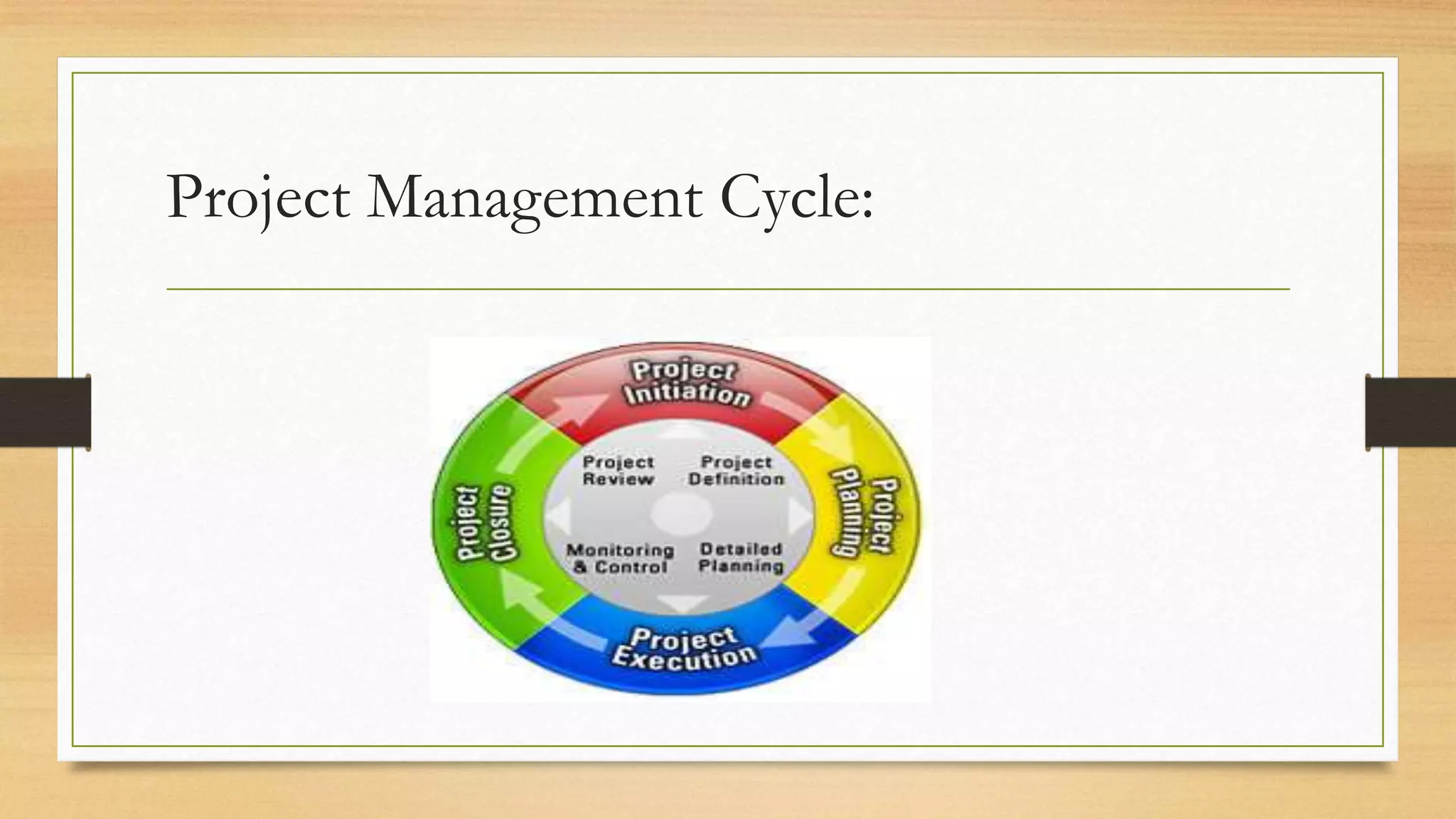
Project Management Cycle:
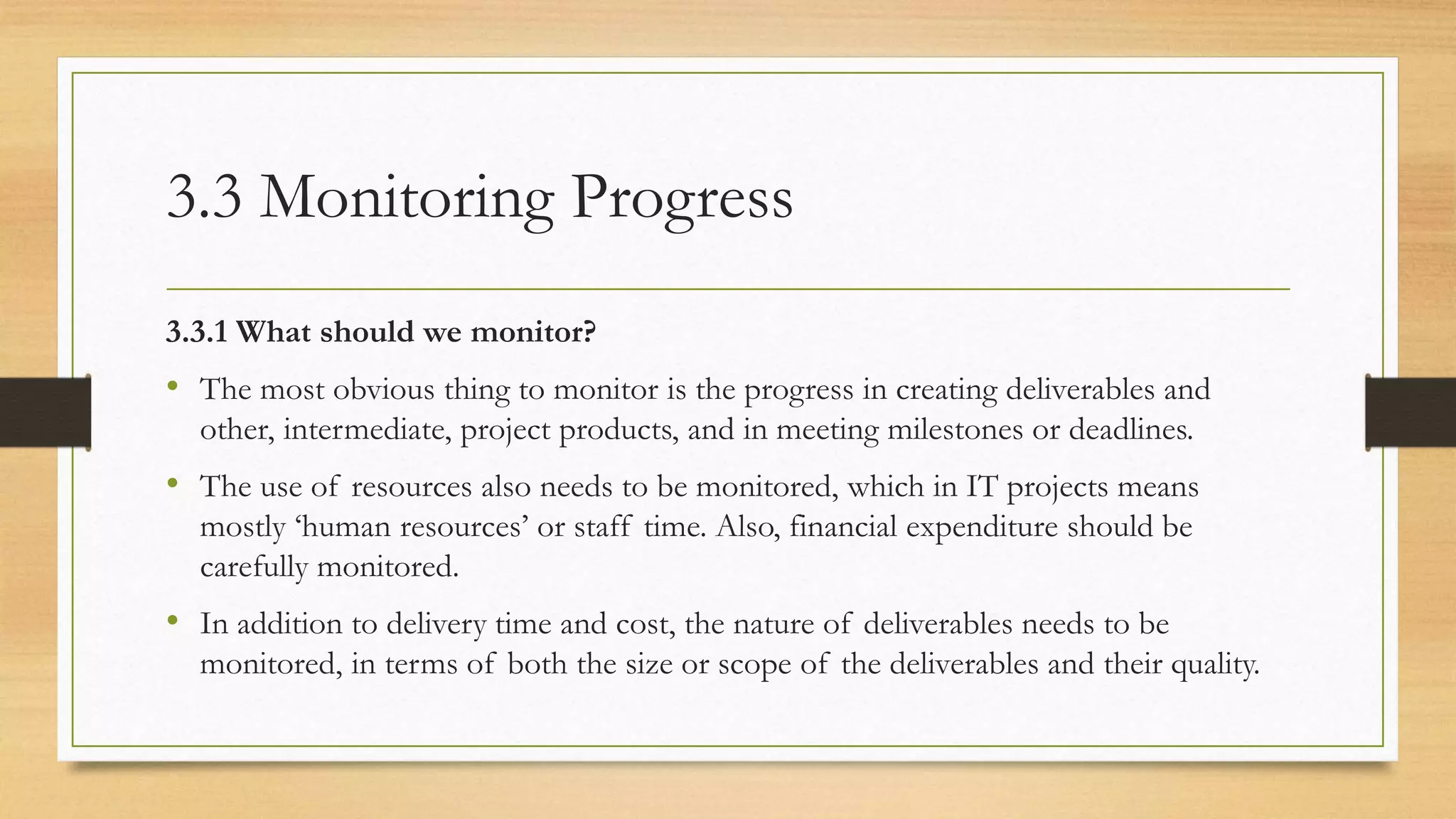
3.3 Monitoring Progress
3.3.1 What should we monitor?
• The most obvious thing to monitor is the progress in creating deliverables and
other, intermediate, project products, and in meeting milestones or deadlines.
• The use of resources also needs to be monitored, which in IT projects means
mostly ‘human resources’ or staff time. Also, financial expenditure should be
carefully monitored.
• In addition to delivery time and cost, the nature of deliverables needs to be
monitored, in terms of both the size or scope of the deliverables and their quality.
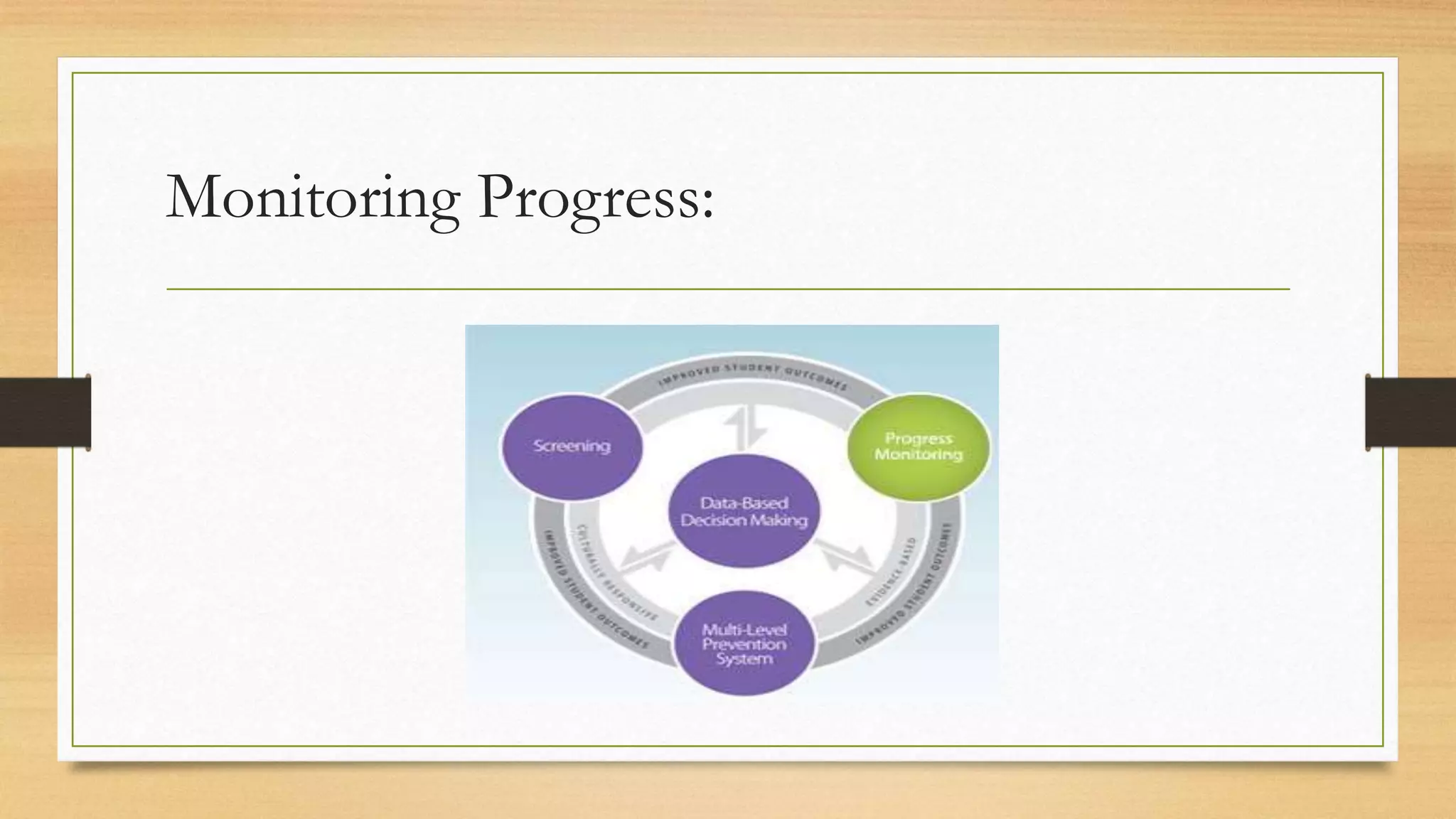
Monitoring Progress:
3.3.2 How should we monitor?
• It is important to use both formal and informal methods of project monitoring.
• Formal monitoring methods include the use of written reports, email and
progress meetings. The frequency, format and content of these communications
should be laid down at the start of a project in a project initiation document or its
equivalent.
The advantage of formal monitoring methods is that routines can be established so
that people periodically focus on progress and commit themselves in writing.
The disadvantage is that preparing reports can be seen as an unproductive overhead.
Staff need to be convinced of the value of reporting.
Informal Monitoring
Many phrases can describe informal monitoring: keeping one’s ear to the
ground, management by walking about, open door policy. All of these indicate
that the manager has an awareness of what team members are experiencing.
Project managers need ways of maintaining good informal lines of
communication with all project staff. This enables progress and problems to be
communicated more quickly than with more formal methods. However, a
pitfall to avoid is the alienation of team members by over-supervision.
3.4 Applying Control
• There is no point in monitoring without control. This is done through the
reporting cycle. The reporting cycle defined in the project initiation document
identifies who should be producing progress reports, with what frequency and to
whom they are sent. Remember that reporting is an overhead. Reports should
therefore be concise, contain only relevant information and be circulated only to
those who need them.
• The reporting structure refers to the people involved in a project at different
management levels. Generally progress reporting starts at the level at which work is
actually done and progresses up through a hierarchy. The report to the project
board or steering committee is sometimes referred to as a highlight report.
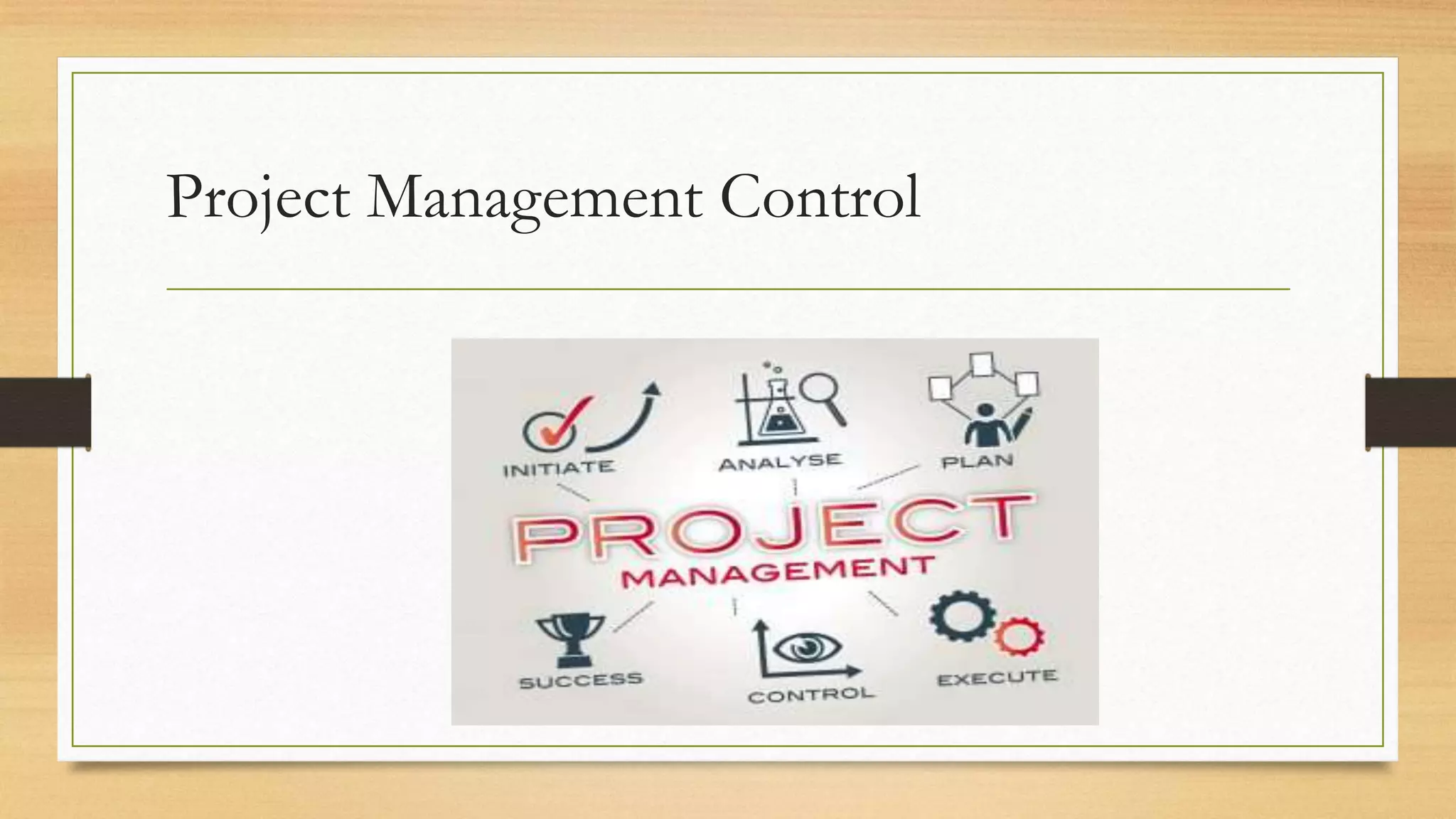
Project Management Control
3.5 PURPOSE AND TYPES OF
REPORTING MEETINGS
3.5.1 Team meetings: These are usually attended by team members, the team leader and
possibly the project manager. A weekly frequency is usually appropriate. (In some agile projects
there may even be daily ‘stand-up’ meetings). A report from the team leader to the project
manager will be prepared. A typical agenda would include the following:
• each individual team member’s progress against their plans;
• reasons for variances;
• expected progress – which looks forward to what each team member is going to do;
• current problems or issues;
• possible future problems – this may involve reviewing the risks that have been recorded in
the project risk register which could affect this part of the project.
Reporting Meeting Purpose:
Reporting Meetings
• It is important that all those attending have a reason for attending and a
contribution to make. These meetings are often referred to as checkpoint
meetings and the progress report produced in this case is a checkpoint
report. (In an agile project, a backlog list identifying tasks completed and
those to still to be done would be updated.) As issues are identified they may
be recorded in an issues log, which will be updated as they are resolved.
3.5.2 Project Board Meeting
• Project boards may have different names in different organisations – for
example, steering committees or project management boards. These
meetings will be attended by board members and the project manager, with
secretarial support perhaps provided by a project support office.
• The frequency of meetings is typically monthly but the exact timing depends
on the project size: larger projects may have fewer and less frequent top-level
meetings, but more meetings of managers at intermediate levels.
• A report from the project manager to the board is written and circulated
prior to the meeting. This highlight report is condensed from the
checkpoint reports produced in the preceding team meetings.
The highlight report typically includes the
following information:
• details of the progress of the project against the plan;
• current milestones achieved;
• deliverables completed;
• resource usage;
• reasons for any deviation from the plan;
• new issues and unresolved issues;
• changes to risk assessments;
• plans for the next period and products to be delivered;
• graphical representations of progress information.
3.5.3 Programme board/steering committee
meetings
Organisations sometimes group projects into programmes, where a number of
projects all contribute to a set of over-arching objectives. In these cases a
programme board may be set up, to which individual project boards would
report. These boards would have less frequent, less detailed meetings related to
programme management, but essentially a similar agenda to those of the
project boards. These would have more of a business focus than a project
focus.
3.6 TAKING CORRECTIVE ACTION
The project manager’s role is to manage on a day-to-day basis, applying minor
corrections as required. However, corrections of a more major nature will need to be
referred to higher authority.
• This is the reason for allocating a tolerance within which the project manager has
authority to make changes or apply corrective action.
• If a situation occurred in which the project was expected to overrun by more than
two and a half weeks, this would be an exception. In this case, you would need to
prepare an exception report for submission to a special meeting of the project
board. This exception report would probably outline a number of options designed
to correct the overrun and the board would decide how to proceed.
An exception report typically includes the
following information:
• Background;
• Reasons why the exception arose;
• Options;
• Risks;
• Exception plans showing how the project plans need to be amended in order to
implement the suggested options
• Amended business case;
• Recommendations.
3.6 TAKING CORRECTIVE ACTION
• Work harder, longer or faster: This is the most obvious approach and often appeals to
more aggressive managers. However, although it may work to solve a short-term problem or
to meet a critical deadline, it will fail if used too much. Staff will become tired, stressed and
then demotivated. If overtime is paid, then project costs will increase, but not by as much as
if the next option is used.
• Increase resources: This needs to be carefully considered, particularly in software
development. Resources in this context mean people; adding more does not usually increase
productivity and often decreases it. The introduction of more staff involves a period of
induction while they familiarise themselves with the work. The current staff will inevitably
be involved in this process and the overall effect could even be to delay progress. An
exception report and plan would be needed if the additional costs would go beyond the
tolerances that have been agreed for the project.
3.6 TAKING CORRECTIVE ACTION
• Replan: Although some project activities have consumed more staff effort or taken longer
than planned, others may have taken less effort or time.
• Extend the time Scale: Extending the deadline is often seen as weak management or as
allowing the project to get out of control, but can be the most sensible option. It will,
however, often increase costs as staff are allocated to the project for longer.
• Reduce the project scope: This is an attractive option which also needs negotiation with
management and drafting of an exception plan. Deliverables may be removed from the plan
or delayed until after the planned project end date. This does not affect the originally
planned cost or duration of the project, but the value of benefits to the user may be
reduced.
• Terminate the project If no acceptable alternative can be found, this may be the only
remaining sensible action. Terminating the project would be justified if it is clear that the
remaining costs of the project will exceed the projected value of its benefits when delivered.
Despite this, terminating the project may be politically unacceptable.
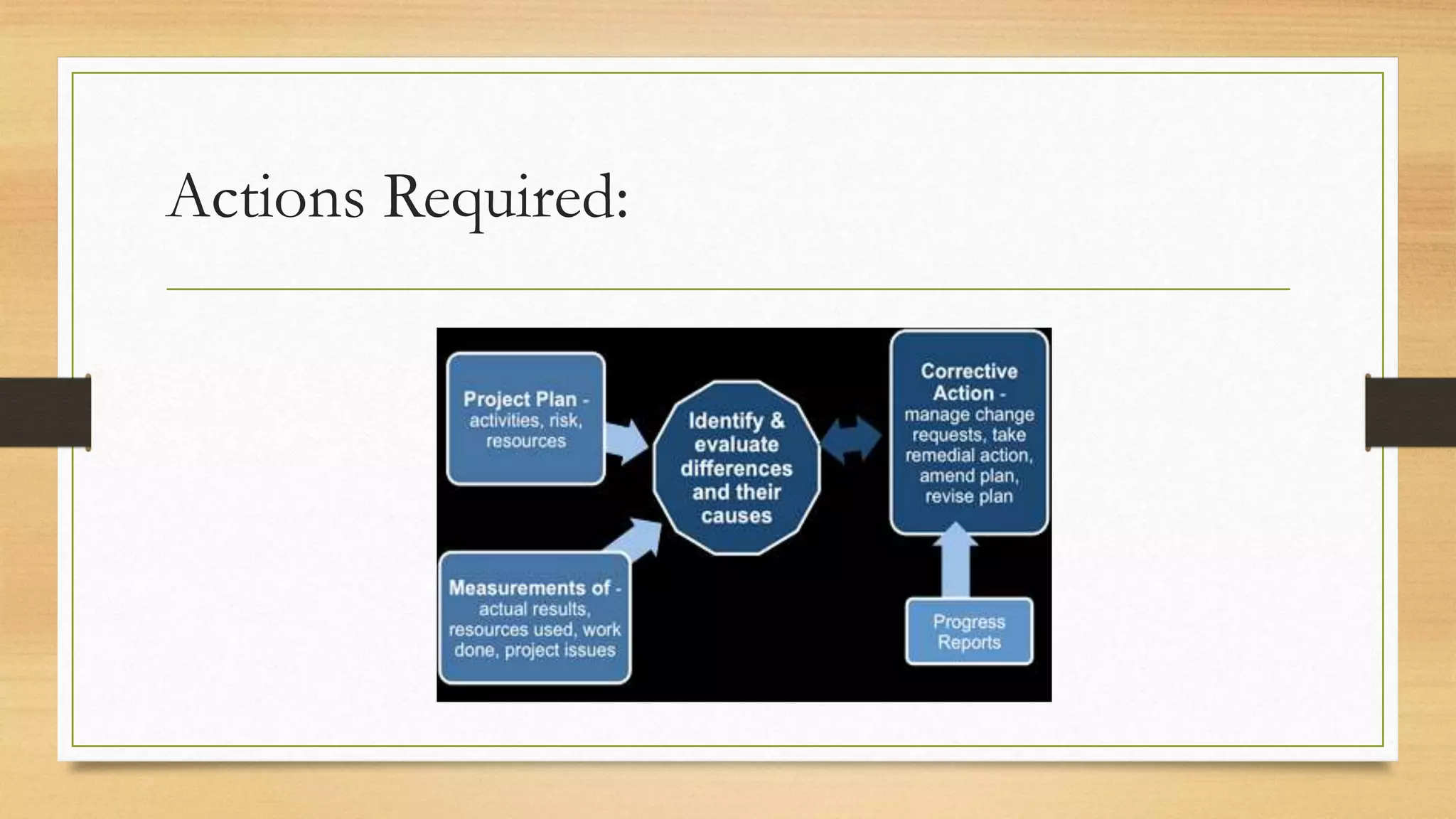
Actions Required:
3.7 GRAPHICAL REPRESENTATION OF
PROGRESS INFORMATION
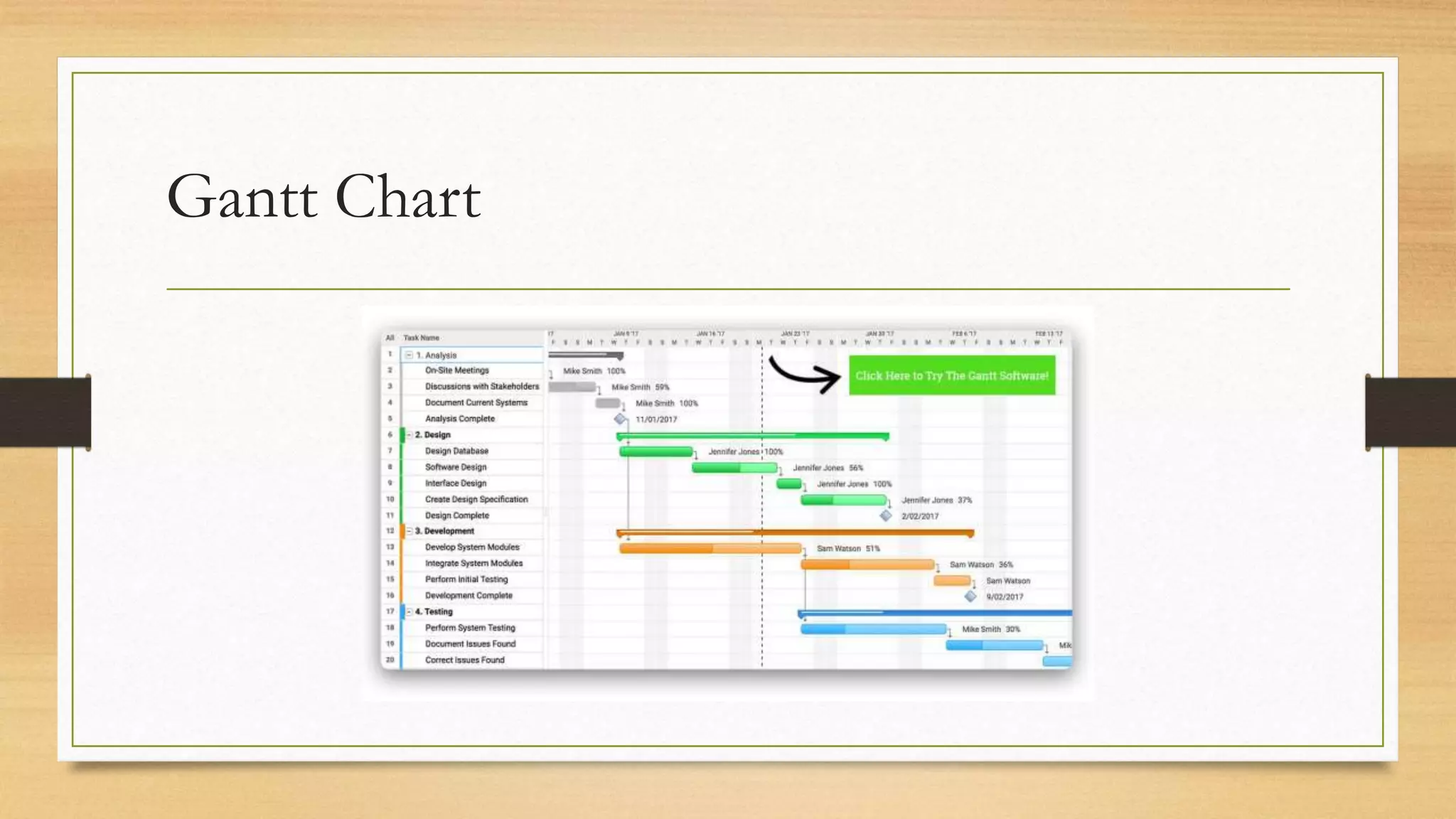
3.7.1 Gantt chart
Progress information can be shown on a Gantt chart by putting a bar through
an activity box showing the estimated percentage completion. Figure 3.1 shows
the Gantt chart that was produced, updated to show the actual situation at the
of the project. At this point the following information could be reported.
We need to compare the current situation with the original plan. To do this, the
details on the Gantt chart are baselined – that is, a snapshot is taken of the
schedule at a key point. There can be several of these, but an important
baseline will be the final agreed schedule at the start of the project.
Gantt Chart
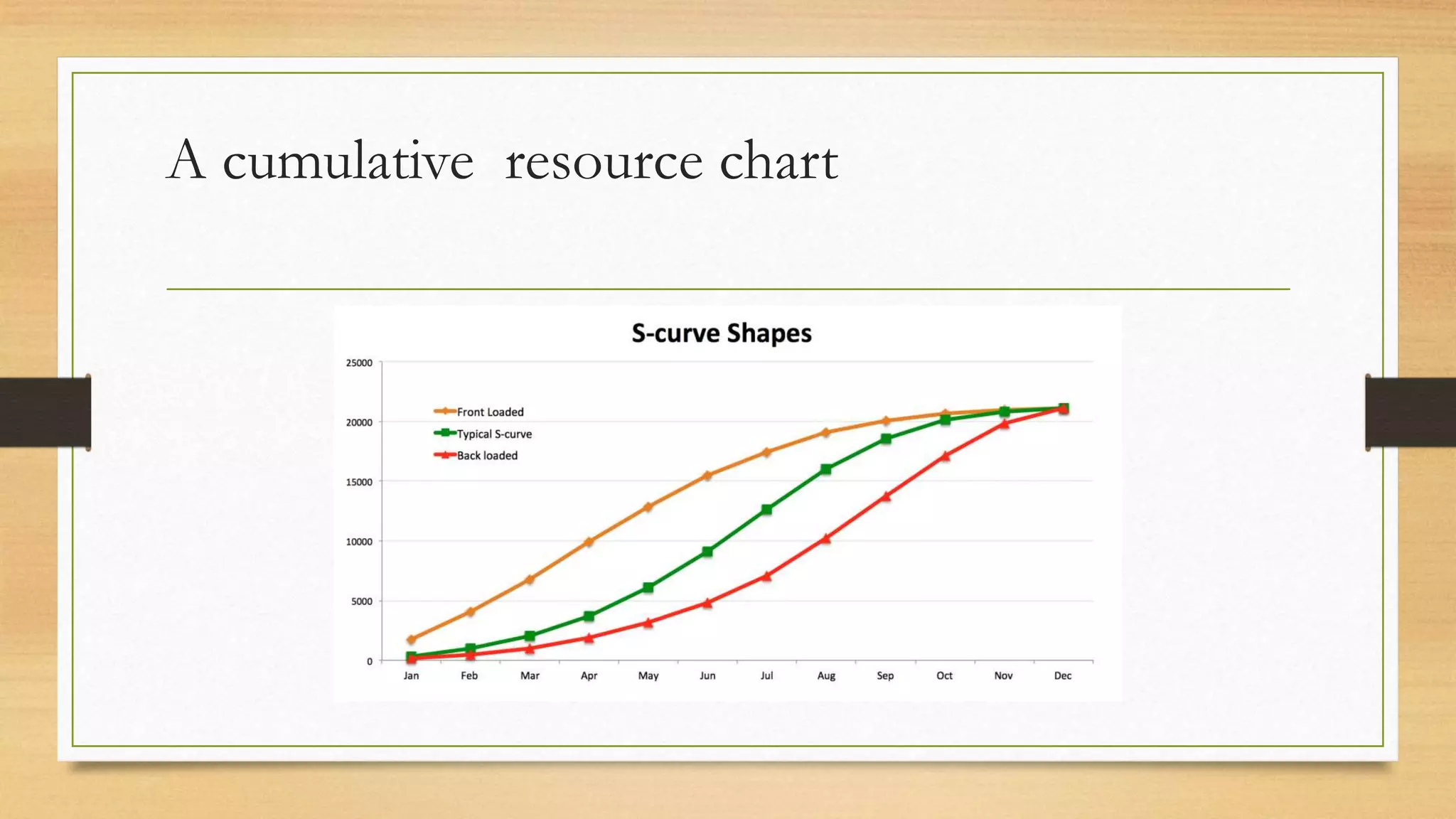
3.7.2 Cumulative resource chart
• A cumulative resource chart can be used to present resource usage details.
This is sometimes called an S-curve chart, because the pattern of activity is
that a project starts with a relatively low number of staff at the planning and
requirements gathering stage. As the project progresses, more and more staff
are needed as the development and implementation activities multiply.
• These charts normally have two sets of data points: one showing the
expenditure that was planned and the other the actual expenditure.
A cumulative resource chart
The traditional S-curve chart does not show
any of the following:
• whether the project is ahead or behind schedule;
• whether the project is getting value for money;
• whether problems are over or just beginning.
3.7.3 Earned value analysis
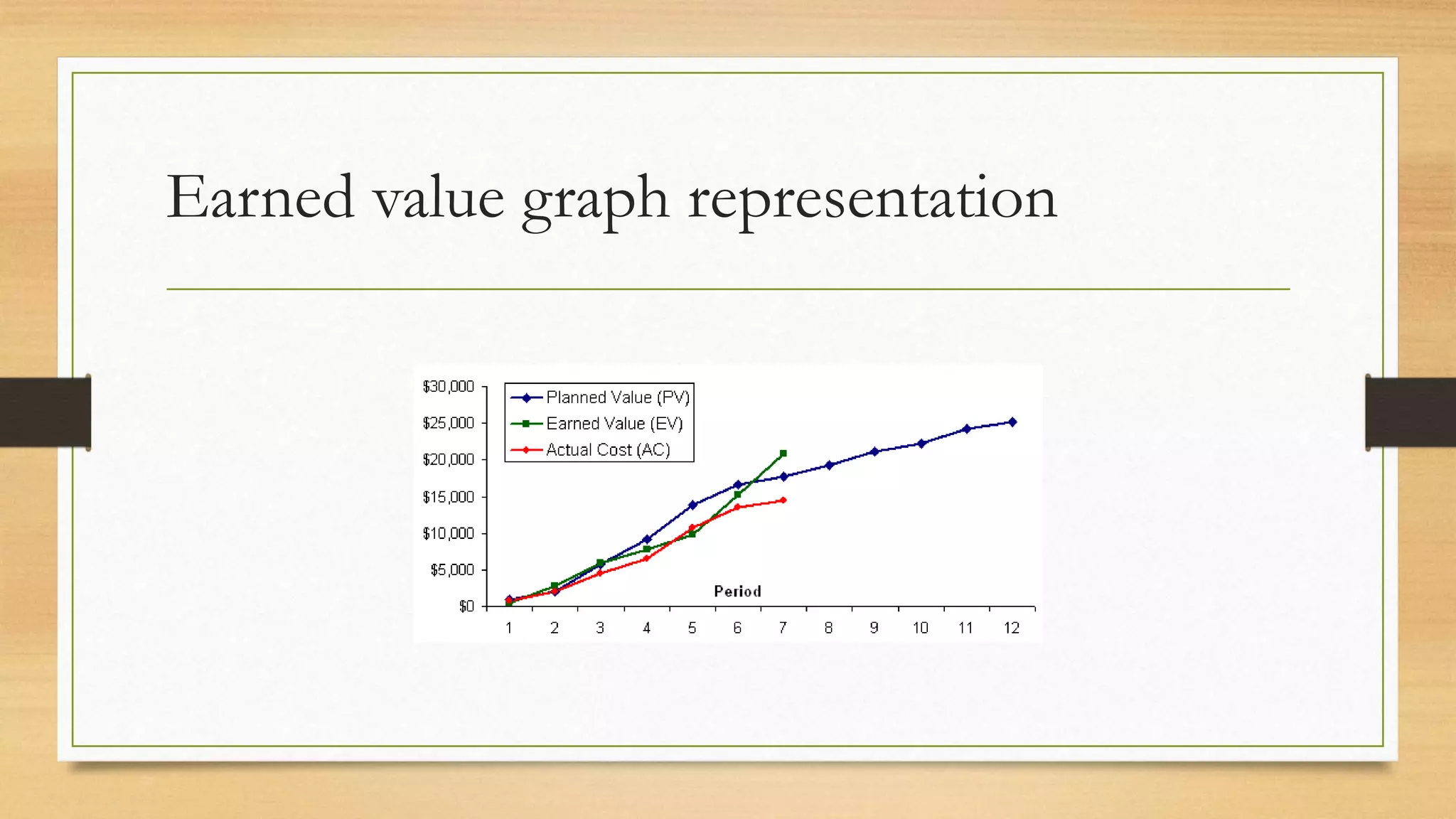
• Earned value analysis (EVA) shows the budget that was originally allocated
to items of work that have been completed. When the work is finished, we
can say that this value has been ‘earned’. If an external supplier is involved
and had a contract with fixed prices to be paid on delivery of various
products, they would see these payments as earned value.
• Please note that candidates for the BCS Professional Certification (formerly
ISEB) Foundation Certificate are not expected to know the details of how
earned value is calculated.
Earned value graph representation
Sample Questions
1. Which of the following would you most expect to see in a routine report from a project
manager to a project board? (a) Costs and benefits (b) Progress against plan (c) Configuration
status information (d) Current activity
2. Which of the following is not involved in collecting progress information? (a) Team
progress meetings (b) Timesheets (c) Comparing planned and actual costs (d) Informal monitoring
3. Which of the following would be most likely to give rise to an exception report? (a) A new
issue being raised (b) A proposal to make a change to a deliverable (c) The unexpected loss of a key
team member (d) Project tolerance being exceeded
4. What is the purpose of earned value analysis? (a) Assessing progress (b) Collecting progress
information (c) Estimating the required effort (d) Calculating benefits
ANSWERS TO SAMPLE QUESTIONS
1. (b) 2. (c) 3. (d) 4 (a)
4. CHANGE CONTROL
AND MANAGEMENT
Topics
4.1 Introduction
4.2 Definition of Change
4.3 Change management roles and responsibilities
4.4 The Change management process
4.5 Configuration management
4.1 Introduction
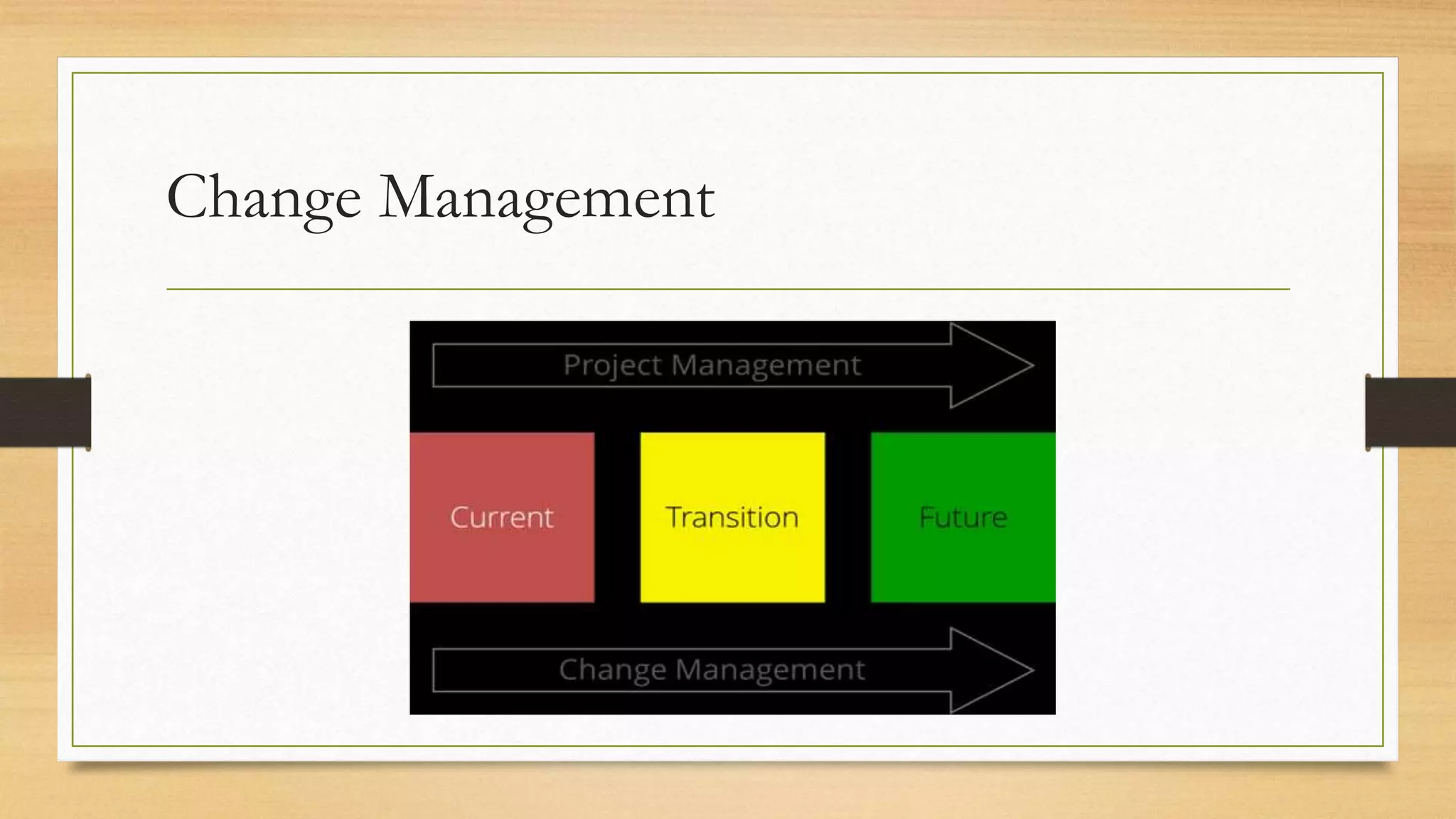
• Change management is a major concern to organisations: business changes
have many implications outside the narrow confines of IT development,
including their impact on staffing levels and on the skills and responsibilities
required of employees.
• The project manager’s skill lies in controlling those changes so that minimal
disruption is caused to the planned objectives of time, cost and quality.
Change management ensures modifications to any aspect of the project are
only accepted after a formal review of their impact upon the project as a
whole.
4.2 DEFINITION OF CHANGE
A baselined plan may be regarded as an agreed plan against which variations will be
measured. Any change can also be seen as a potential change to a baselined plan. For
projects, the baselines include:
• the agreed scope and quality of work
• the agreed schedule;
• the agreed cost.
For example, if the scope of the work is expanded, then the cost will also have to be
increased. Cost or scheduled duration could be reduced by decreasing the functionality
in the IT application that is to be delivered.
Change Management
Variations on these baselines can be categorised
as follows:
• Changes of scope: This type of variation generally originates outside the project,
usually by the user changing the requirements or by the cost or time constraints of
the project changing.
• Development changes: This type of variation originates within the project and
includes changes which are routinely carried out as part of the normal process of
developing and refining a product. Typically, this can be something as simple as an
adjustment to a screen layout.
• Faults: This type of variation also originates within the project and is caused by the
project team making an error. For example, errors in coding may result in erroneous
results being produced.
4.3 CHANGE MANAGEMENT ROLES
AND RESPONSIBILITIES
It is important to clarify the various roles and responsibilities within change management. We
are going to use a very specific set of terms here to identify and explain the various roles and
responsibilities.
• The project manager oversees the process and ensures that all requests for change (RFCs)
are handled appropriately. In most cases, the project manager also has the role of change
manager.
• The change requestor recognises a need for a change to the project and formally
communicates this requirement to the change manager, by completing the RFC form.
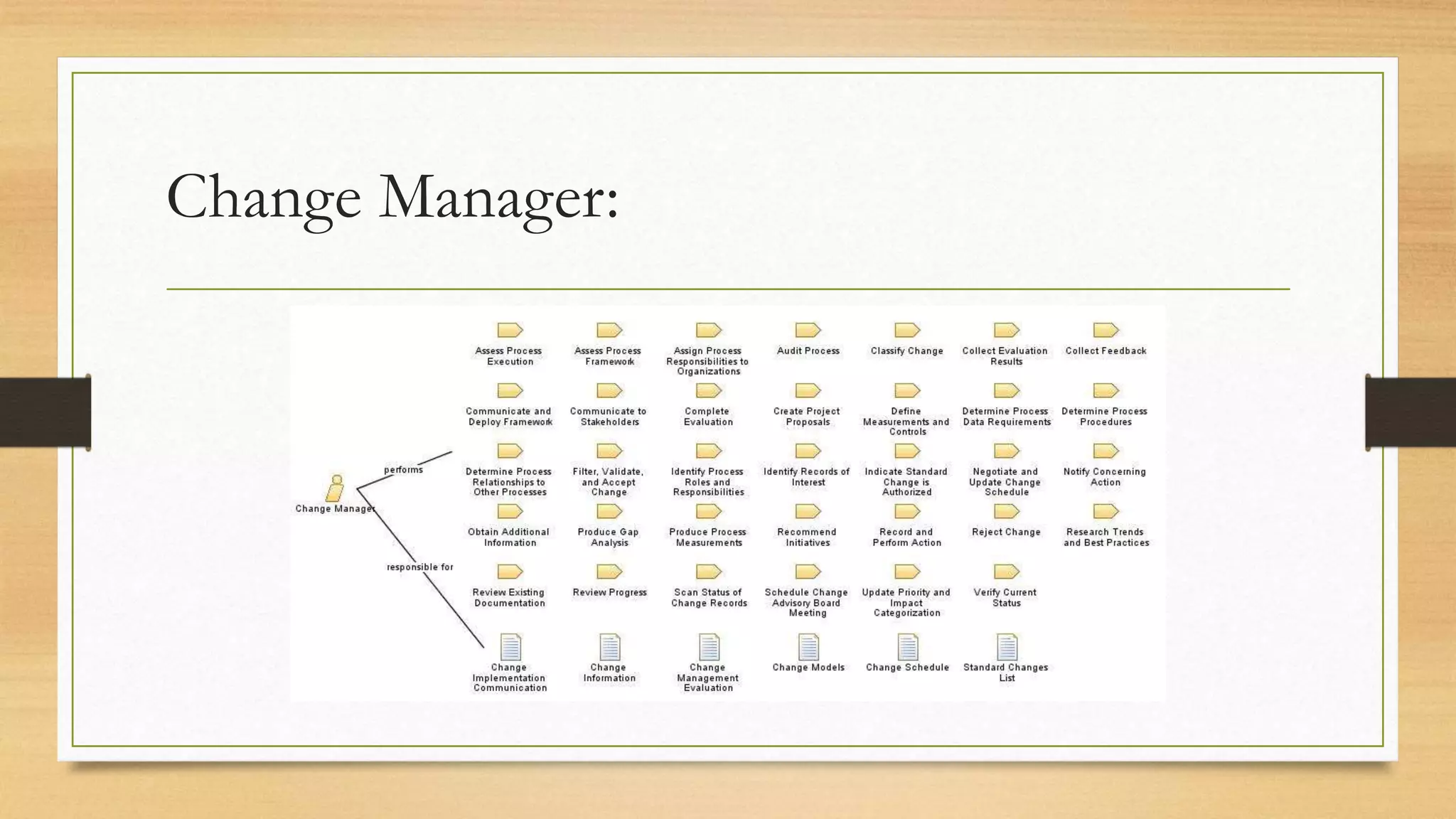
• The change manager (likely to be the project manager) is responsible for logging RFCs in
the change register. The change manager also decides whether or not a feasibility study is
required for the change.
Change Manager:
• The change feasibility group appointed above investigates the feasibility of a proposed change. It is
responsible for researching how the change may be implemented and assessing the costs, benefits and
impact of each option. Its findings are documented in a feasibility study report. If the staff who are
carrying out the feasibility study are also project team members, then there is a risk that project
activities may be delayed.
• The change control board (CCB) decides whether to accept or reject the RFC forwarded by the
change manager. The CCB is responsible for:
 reviewing all RFCs forwarded by the change manager; approving or rejecting each RFC based on its
merits;
 resolving change conflict,
 where several changes overlap;
 resolving problems that may arise from any change;
 approving the change implementation timetable.
• The change implementation group carries out the change. It is usually made up of staff from the
project team.
4.4 THE CHANGE MANAGEMENT
PROCESS
We have already outlined some of the processes involved in implementing a change
• submission and receipt of change requests;
• review and logging of change requests;
• determination of the feasibility of change requests;
• approval of change requests (or rejection or putting on hold);
• implementation and closure of change requests.
It is likely that there will be a change register which is used to track the progress of an
RFC through the change management process.
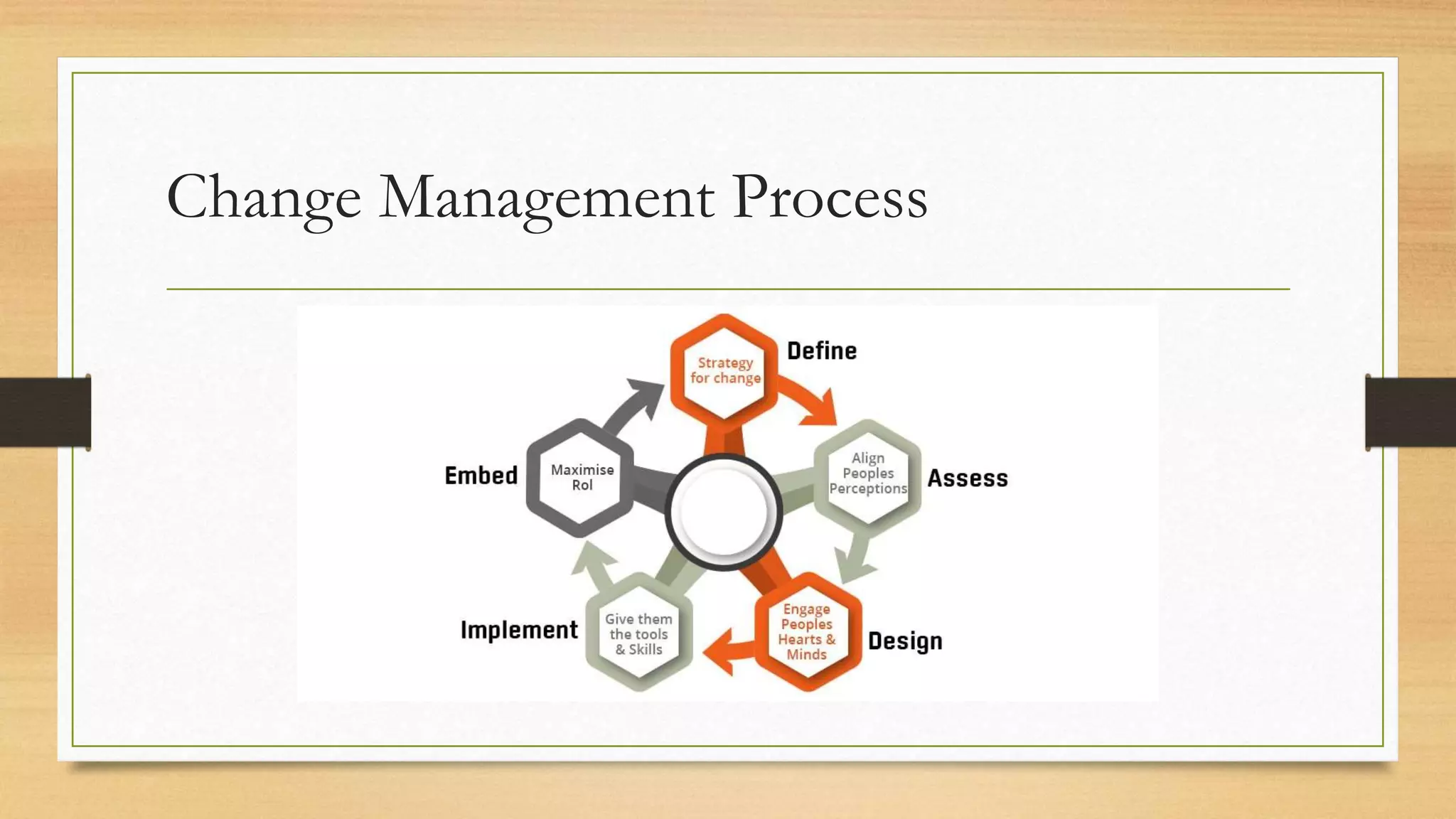
Change Management Process
4.4.1 Submit request for change
In the Canal Dreams ebooking enhancement project, the project manager has been
allocated the role of change manager. The office manager of the current bookings call
centre is selected to act as change requestor. Requests for change can come from
anyone but are all passed to the change requestor, who, in consultation with colleagues,
decides whether the requested change is desirable from the users’ point of view. If
they decide that there is a genuine need, a request for a change is submitted to the
change manager. The RFC provides a summary of the change required, including:
• a description of the change needed;
• the reasons for change, including the business implications;
• the benefits of change;
• supporting documentation.
4.4.2 Review request for change
The change manager reviews the RFC and decides the nature and scope of the
feasibility study/impact analysis required for the CCB to assess the full impact
of the change. In the Canal Dreams ebooking enhancement project, one
request was to add the sale of holiday insurance to the online booking system.
On receiving the RFC, the change manager sees that it is difficult to assess the
scope of the change as some of the details of the requirement are still unclear.
The impact of the change on the existing design also needs to be carefully
considered. The change manager opens an RFC entry in the change register
and records that a feasibility study is required.
4.4.3 Assess feasibility of change
Once the change has been logged, an assessment must be made of its feasibility and impact upon
the project in terms of time, cost and quality. For small changes, a team member may assess the
impact of the change in a relatively informal manner. For major changes, the feasibility study could
involve several people and last for some time. Different change options will be investigated and
reported on. The change feasibility study will culminate in definition of the:
• change requirements;
• change options;
• costs and benefits;
• risks and issues;
• change impact;
• recommendations and plan.
4.4.4 Approve request for change
A project may have a range of levels at which changes can be reviewed and approved:
• Team leaders may be allowed to accept changes that will not require additional resources and
which do not affect other baselined products.
• The project manager may be allowed to decide upon changes which have a minor impact on
project objectives within a tolerance level which has been agreed with the steering committee or
project board.
• The CCB decides upon changes which will have a larger impact upon project objectives, but are
constrained by any limitations on the budget available for changes.
• Some changes may be particularly large, but have compelling reasons for their adoption. These
changes may need resources not envisaged in the original plans. In these cases, an exception
report will need to be produced for consideration by the steering committee/project board.
Whatever the level of review, the change needs to be recorded and reported.
The CCB will do one of the following:
• reject the change;
• request more information related to the change;
• approve the change as requested;
• approve the change subject to specified conditions;
• put the change on hold.
4.4.5 Implement request for change
This involves the complete implementation of the change, including any
additional testing that may be required. On completion, the change will be
signed off in the change register. Where the additional work has been carried
out by an external supplier, additional invoices for the additional work will be
raised by the supplier. Additional payments would not be made, however, where
the change was to correct an error made by the supplier.
4.5 CONFIGURATION MANAGEMENT
• The change control system described above is needed to ensure that an endless sequence of
changes does not undermine the business case for the project. Once a change has been
agreed, there are further problems, such as ensuring that all documents and other products
of the project are modified to reflect the change.
• A project has a wealth of documents that relate to each phase of the project, along with
software objects such as database structures and code segments. A very basic need is
therefore for a central project repository or library where master copies of all documents
and software objects are stored. Another basic requirement is that there should be a system
of version numbers for all products so that successive baselines can be identified. These
requirements mean that it is essential for one or more people involved in the project to take
up a role variously called project or configuration librarian or configuration manager.
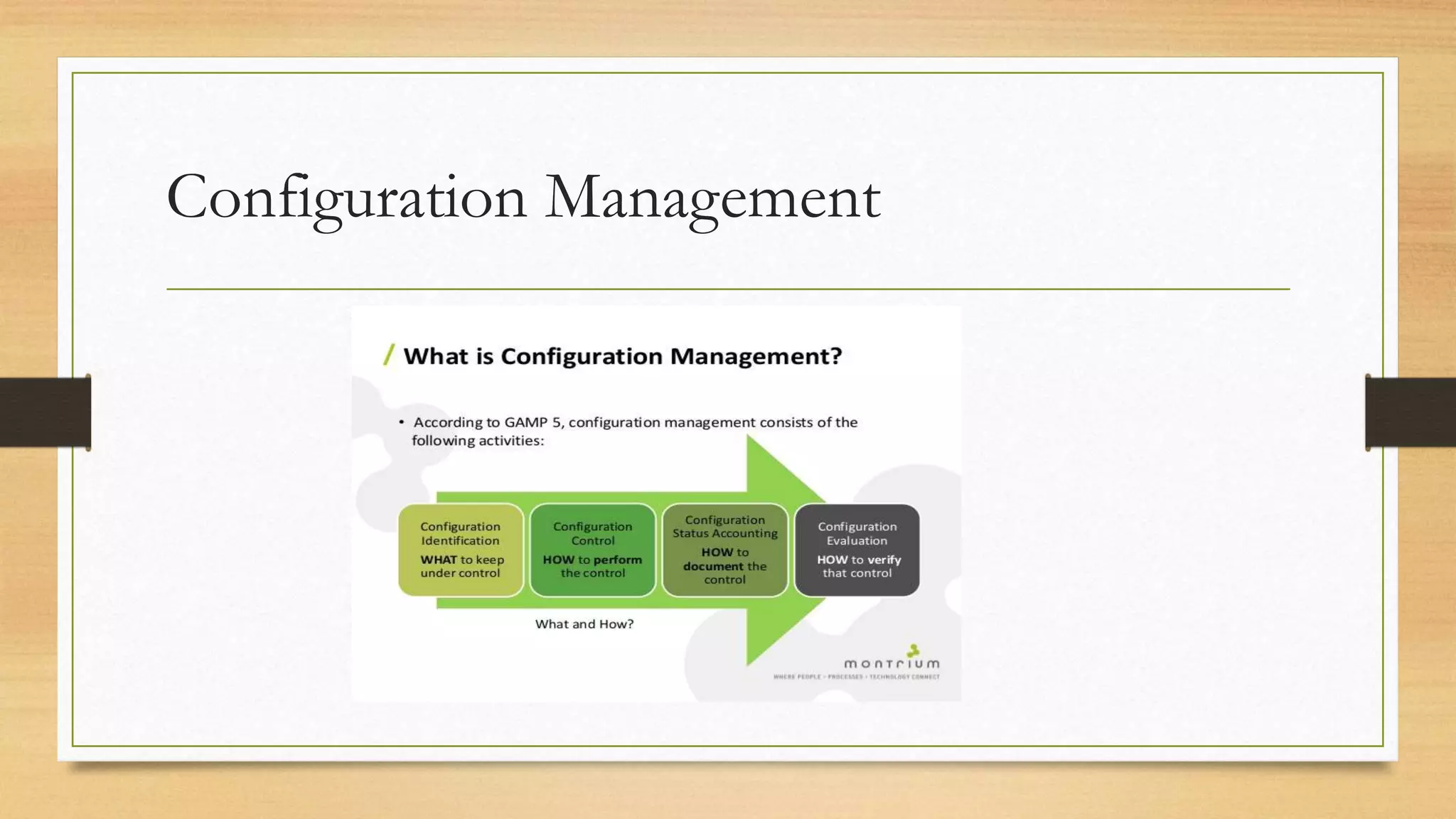
• Configuration management has three major elements: • configuration item
identification; • configuration status accounting; • configuration control.
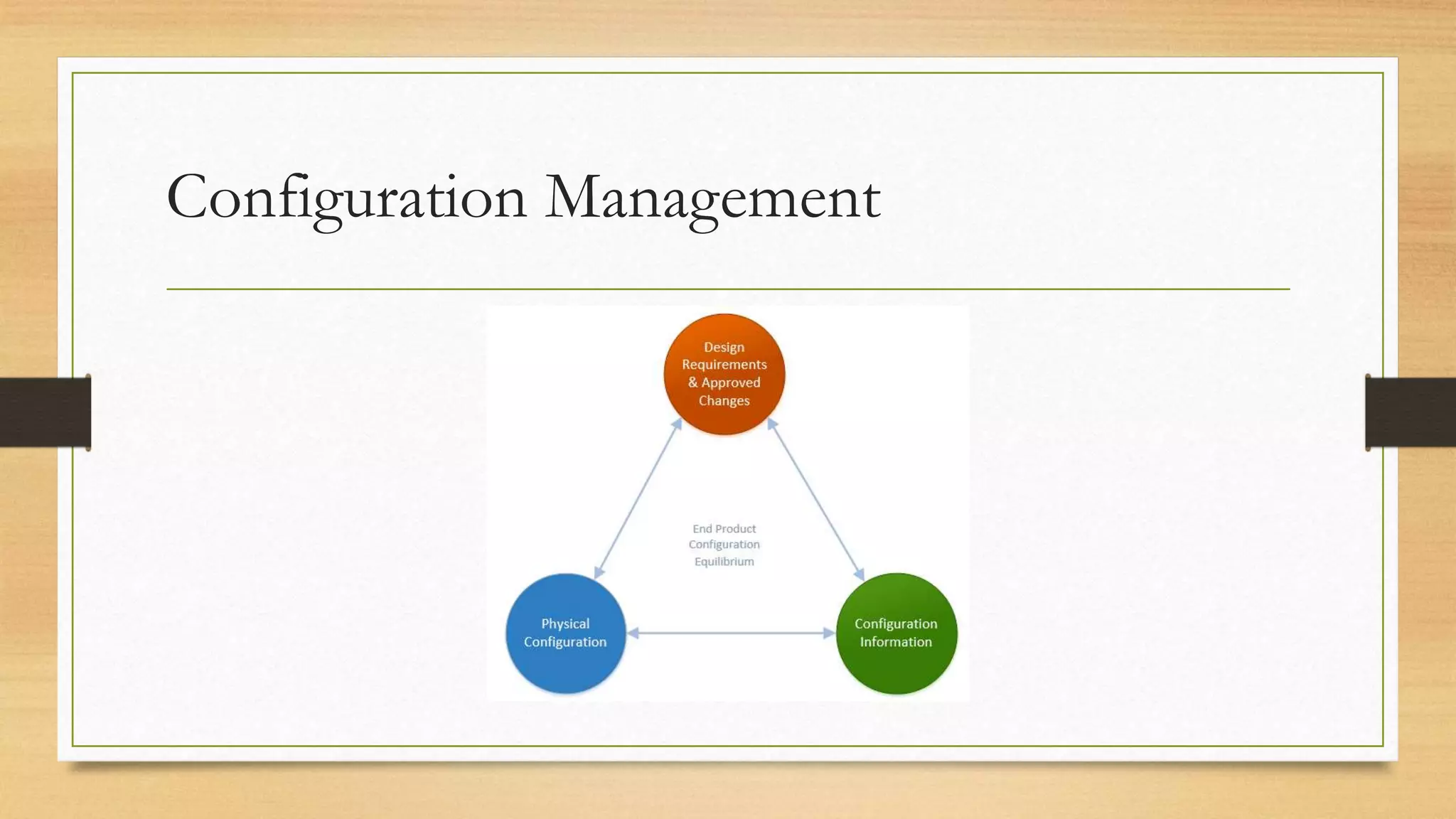
Configuration Management
4.5.1 Configuration item identification
The items which will be subject to the configuration management system (CMS) need to be identified. Typically
these are baselined specifications, design documents, software components, operational and support
documentation, and key planning documents such as schedules and budgets. Other items, such as IT equipment,
may also be subject to configuration management. These items will be defined as configuration items (CIs) and
their details will be recorded in a configuration management database (CMDB). Among the details recorded in
the CMDB for a configuration item are:
• a CI reference number;
• its current status;
• its version number;
• any larger configurations of which it is a part;
• any components that it has;
• other products that it is derived from;
• other products that are derived from it.
4.5.2 Configuration status accounting
After a change to a CI has been agreed, the project librarian sets the status of
the CI accordingly. This process is called configuration status accounting and it
maintains a continuous record of the status of the individual items which make
up the system.
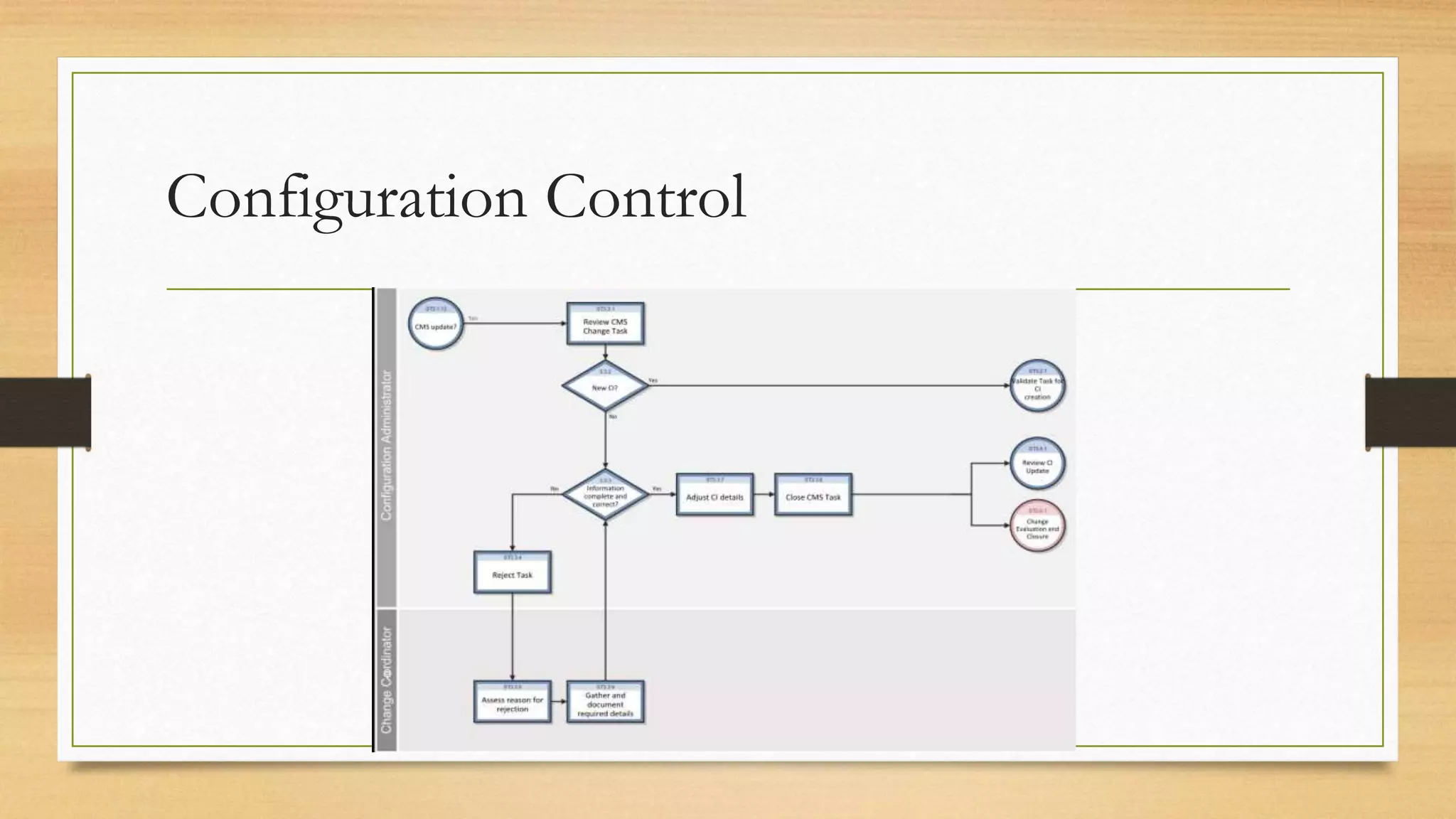
4.5.3 Configuration control
Configuration control ensures that due account is taken of the status of each CI.
• For example, when recording the change to add holiday insurance to the boat
booking transaction, the configuration librarian may access the CMDB to see the
current status of the software component. The librarian may find that the software
component is already booked out to a software developer who is implementing a
different approved change to the module. If the librarian were to release a copy of
the baselined code to a second developer to add holiday insurance, that would create
two different versions of the same software. The new change may be given to the
developer already working on the component or there may need to be a delay while
the first change is completed.
Configuration Management
Configuration Control
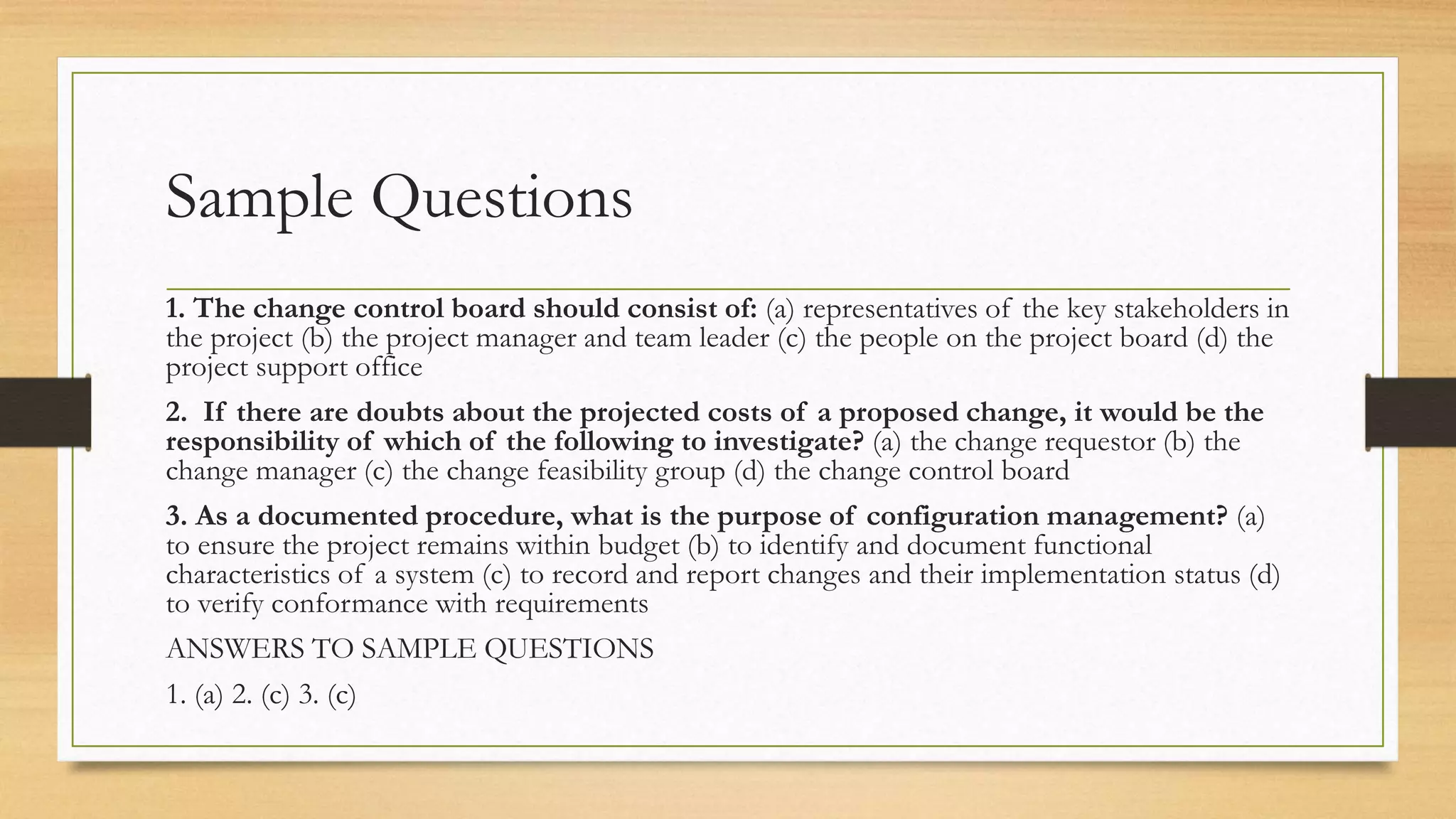
Sample Questions
1. The change control board should consist of: (a) representatives of the key stakeholders in
the project (b) the project manager and team leader (c) the people on the project board (d) the
project support office
2. If there are doubts about the projected costs of a proposed change, it would be the
responsibility of which of the following to investigate? (a) the change requestor (b) the
change manager (c) the change feasibility group (d) the change control board
3. As a documented procedure, what is the purpose of configuration management? (a)
to ensure the project remains within budget (b) to identify and document functional
characteristics of a system (c) to record and report changes and their implementation status (d)
to verify conformance with requirements
ANSWERS TO SAMPLE QUESTIONS
1. (a) 2. (c) 3. (c)
5. Quality
Topics
5.1 Introduction
5.2 Definitions of Quality
5.3 Quality characteristics
5.4 Quality criteria
5.5 Quality control versus quality assurance
5.6 Quality plan
5.7 Detecting defects
5.8 Dynamic Testing
5.9 Evaluating suppliers
5.10 ISO 9001:2008
5.11 Capability maturity models
5.1 Introduction
The key quality concern for IT projects is providing customers with the systems they need and
which meet their requirements at a price they can afford. In order to achieve this, quality needs
to be built into a product. It cannot be added to a product after it has been created – except
with great difficulty and cost. It is like trying to alter the foundations of a building once it is
complete. To build in quality requires a commitment from all parties to the project, from the
project sponsor through all the levels of management to the technical staff, customers, users
and the clerical support staff.
Quality is free. It’s not a gift, but it is free. What costs money are the unquality things –
all the actions that involve not doing the job right in the first place. (Philip B. Crosby, Quality is Free, Mentor,
1980).
5.2 DEFINITIONS OF QUALITY
• A dictionary definition of quality is ‘a degree or level of excellence’, as in the
phrase ‘high-quality goods’. We hope all the products of a project are of a
high quality.
• Another definition is ‘conformance to standard’. Within a project process
there will be certain standards to which those developing the system ought to
conform.
• The original international standard on quality, ISO 8402:1994, formally
defined quality as ‘the totality of features and characteristics of a product or
service which bear on its ability to satisfy stated or implied needs’.
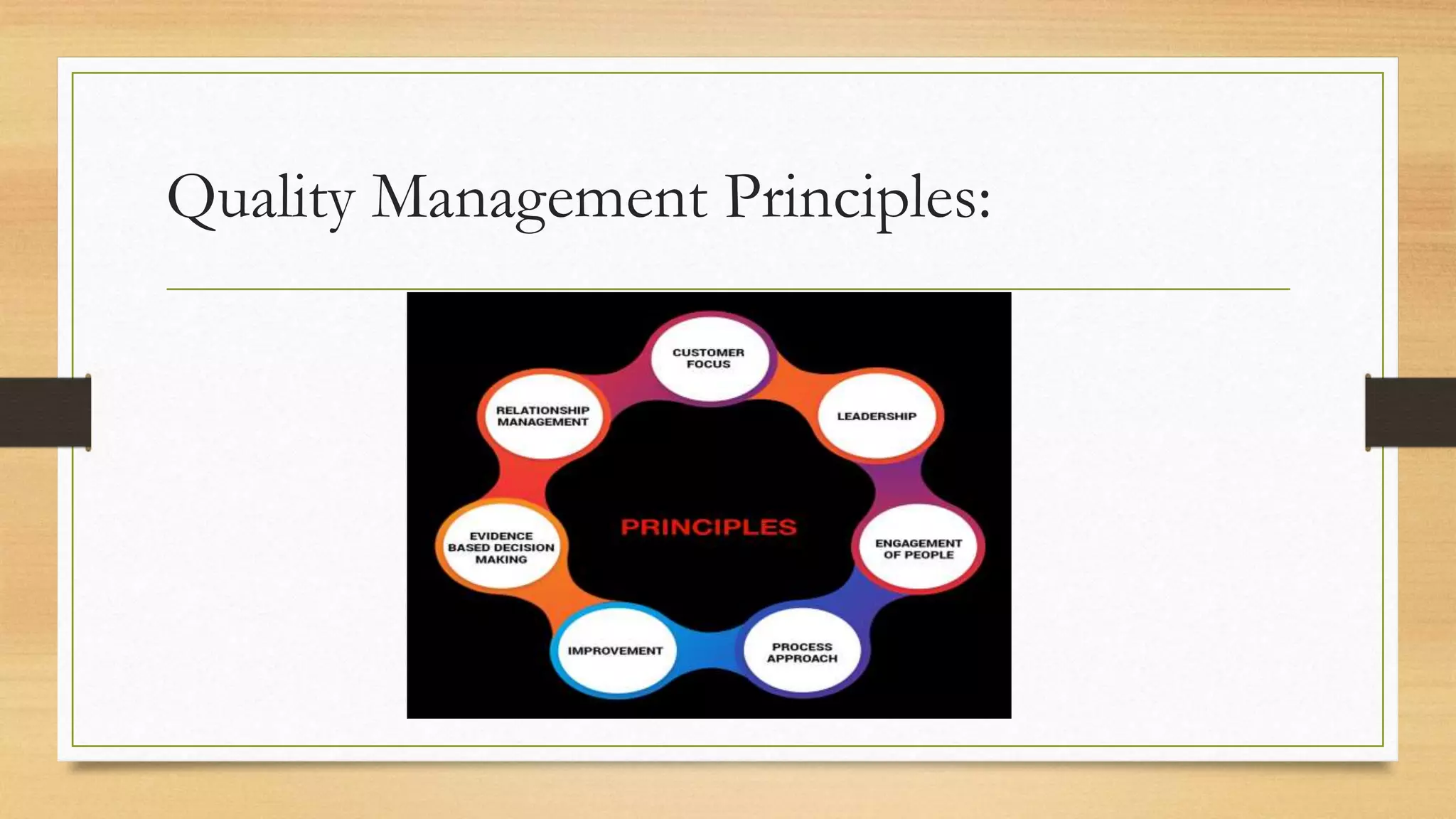
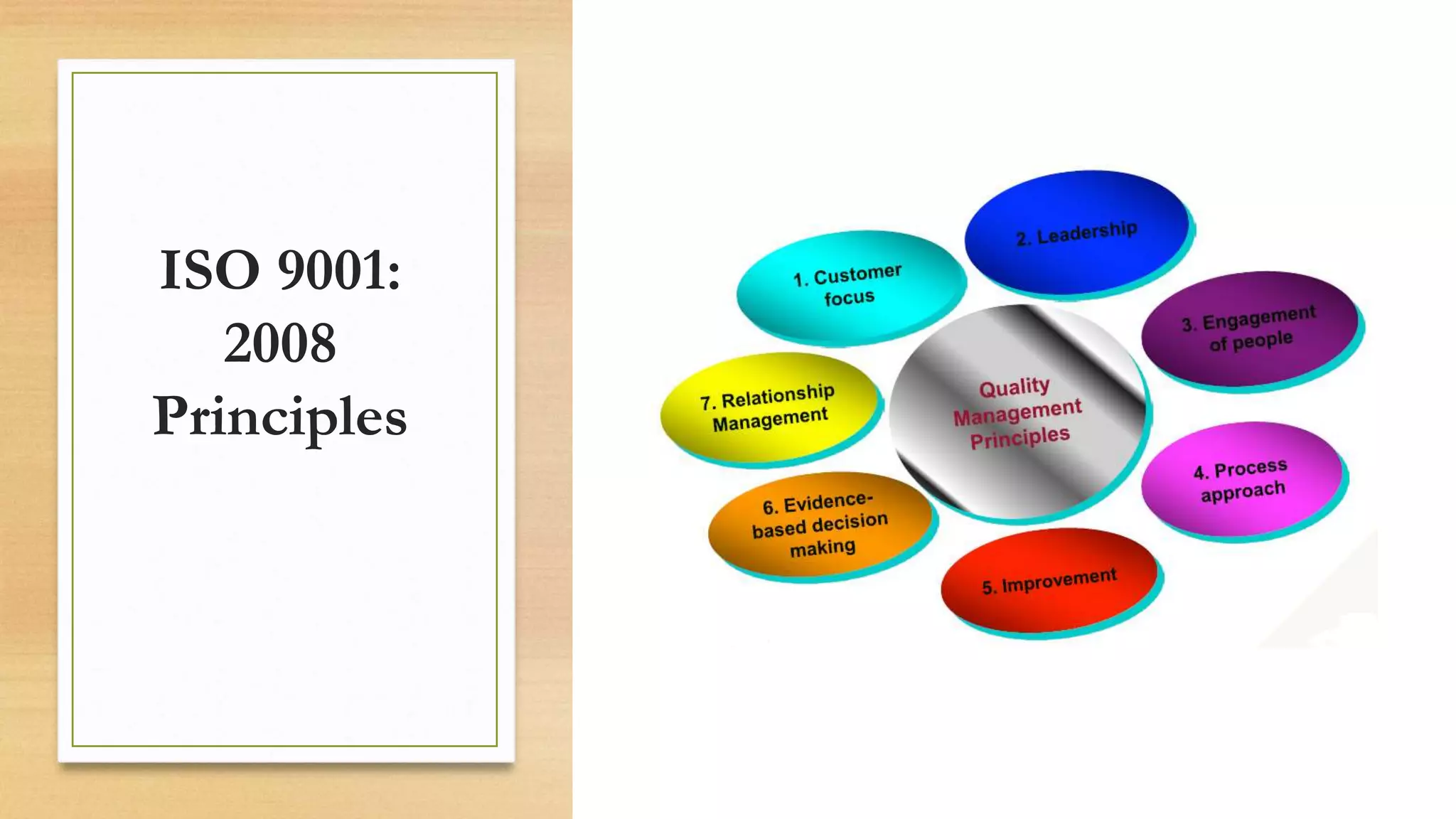
Quality Management Principles:
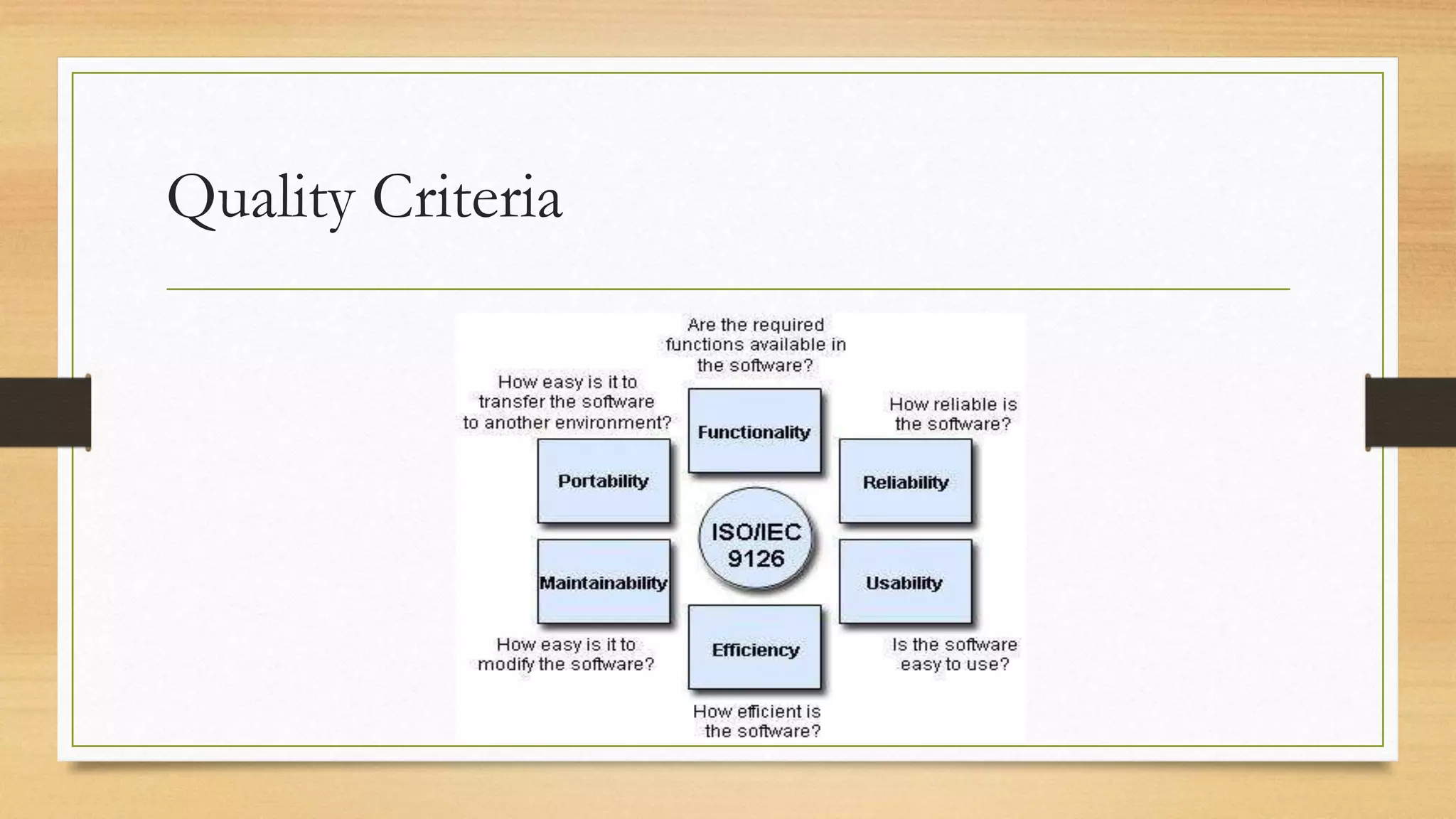
5.3 QUALITY CHARACTERISTICS
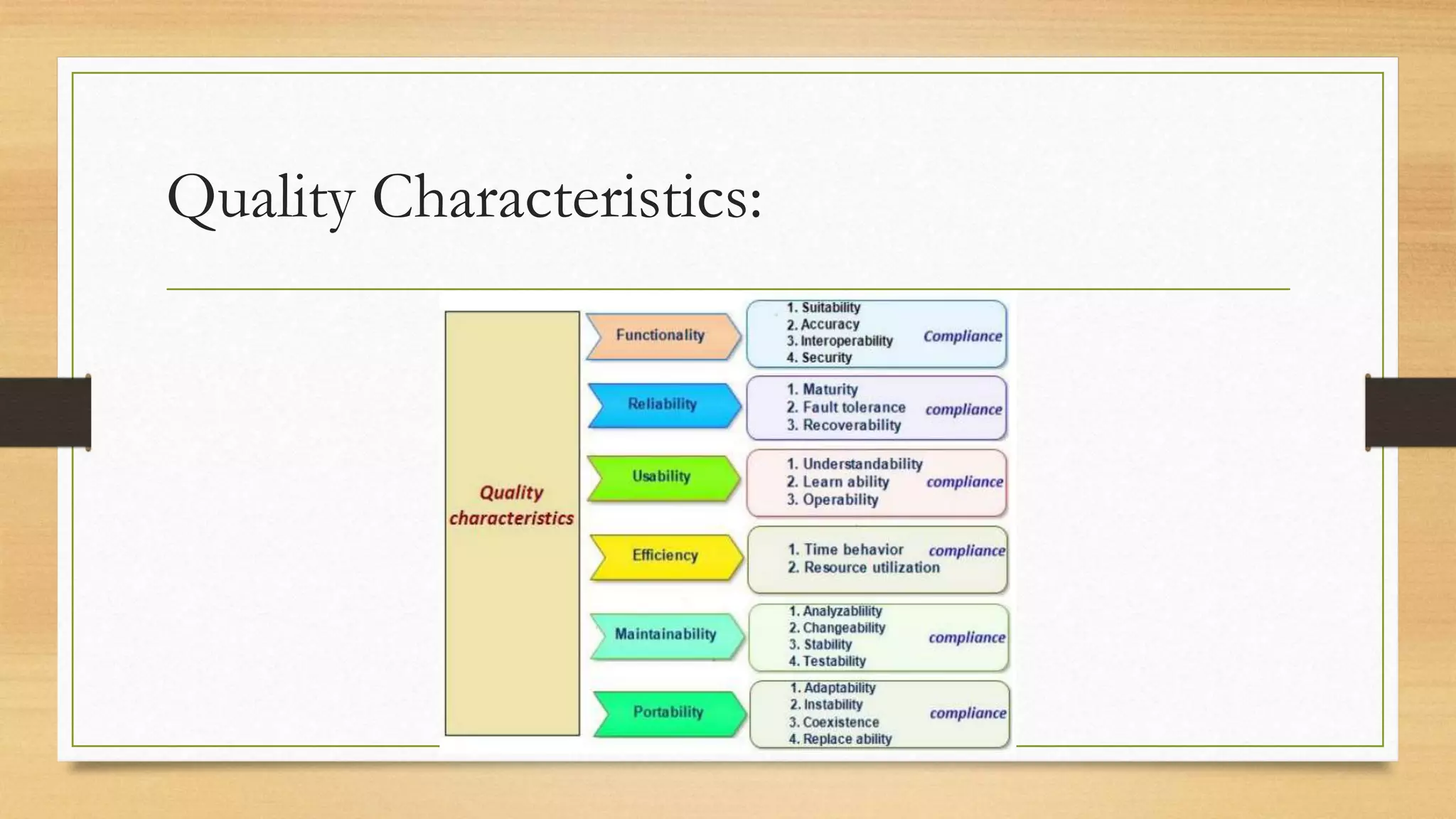
The definition of ‘fitness for purpose’ needs elaborating so that it can be applied practically. Another
international standard, ISO 9126-1:2001, seeks to define a set of standard characteristics by which software
quality can be measured. It specifies six high-level quality characteristics:
• Functionality: does the system as delivered meet the functional requirements of the user? Meeting user
expectations is more than just meeting a specification.
• Reliability: how often does the system break down and how long does it take to put right? Are the results it
produces consistent?
• Usability: is it straightforward to use? How much training is required for someone to be able to use it?
• Efficiency: what level of physical resources are required to operate the system?
• Maintainability: all software is subject to change; can this software application be modified easily and
without introducing unexpected errors?
• Portability: how easy is it to take the software from the particular platform on which it was developed to
another environment?
Quality Characteristics:
5.4 QUALITY CRITERIA
To ensure that quality is built into a product the level of quality required has to be
specified at the beginning, before the product is developed. The concept of a product
definition was introduced. Each product definition includes a section headed quality
criteria. The accurate completion of this section enables project team staff to check
the product is fit for purpose later on in the development cycle, by seeing whether it
meets the quality criteria specified.
In order to achieve this, the criteria themselves have to have three qualities:
• They must be specific.
• They must be measurable.
• They must be achievable.
Quality Criteria
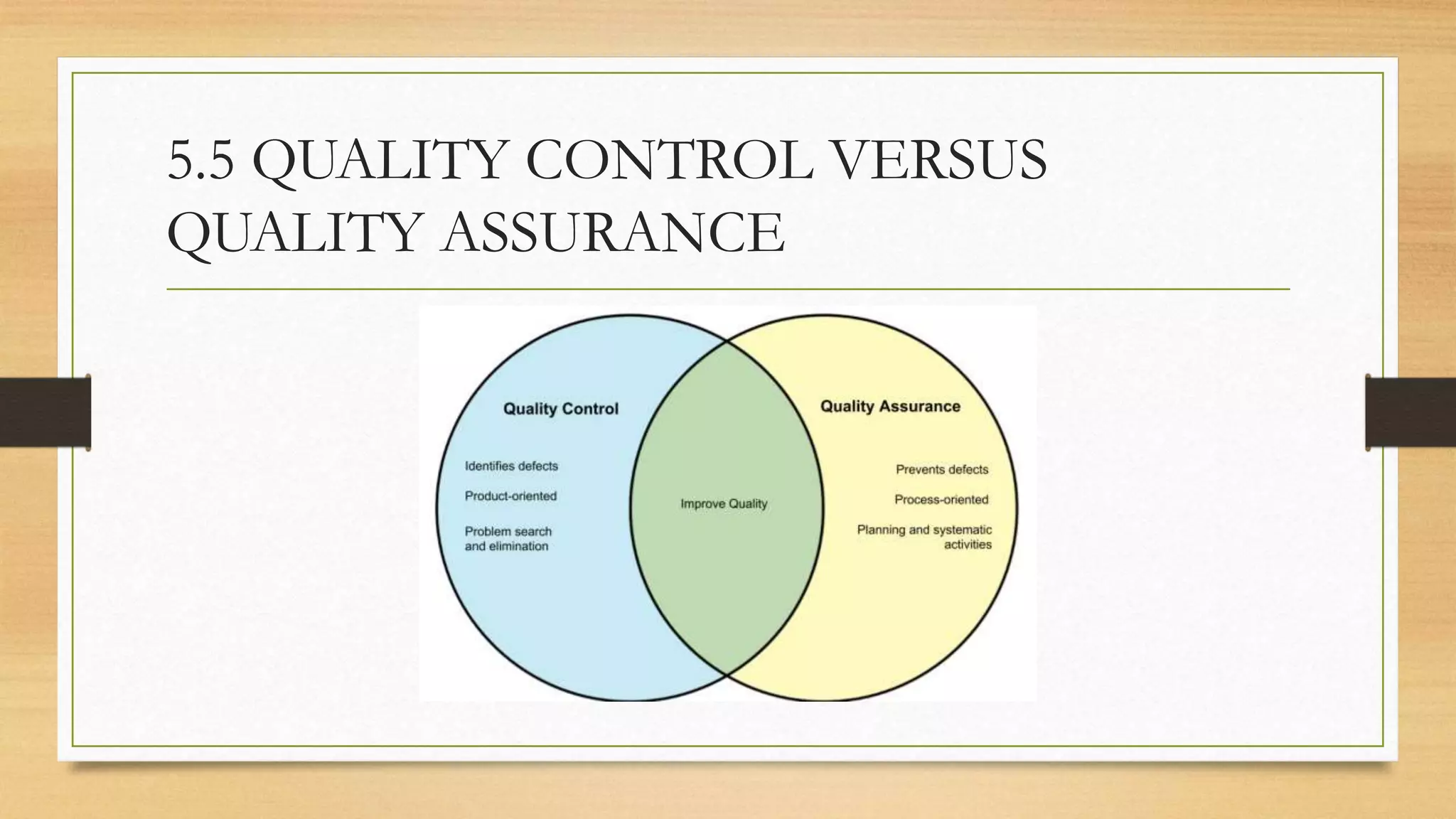
5.5 QUALITY CONTROL VERSUS
QUALITY ASSURANCE
• The quality framework is called the quality management system (QMS). It may be based
on the ISO 9001 series of standards (see Section 5.10). Within the QMS, there will be a
quality strategy and quality assurance processes. They have to be reviewed and, if necessary,
modified to meet the specific requirements of each new project.
A quality strategy defines the QMS and includes:
• procedures and standards for creating a project quality plan;
• a definition of quality criteria;
• quality control procedures;
• quality assurance procedures
• a statement of compliance with or allowed deviation from industry standards
• acceptance criteria;
• an allocation of responsibilities for defining or undertaking quality-related activities.
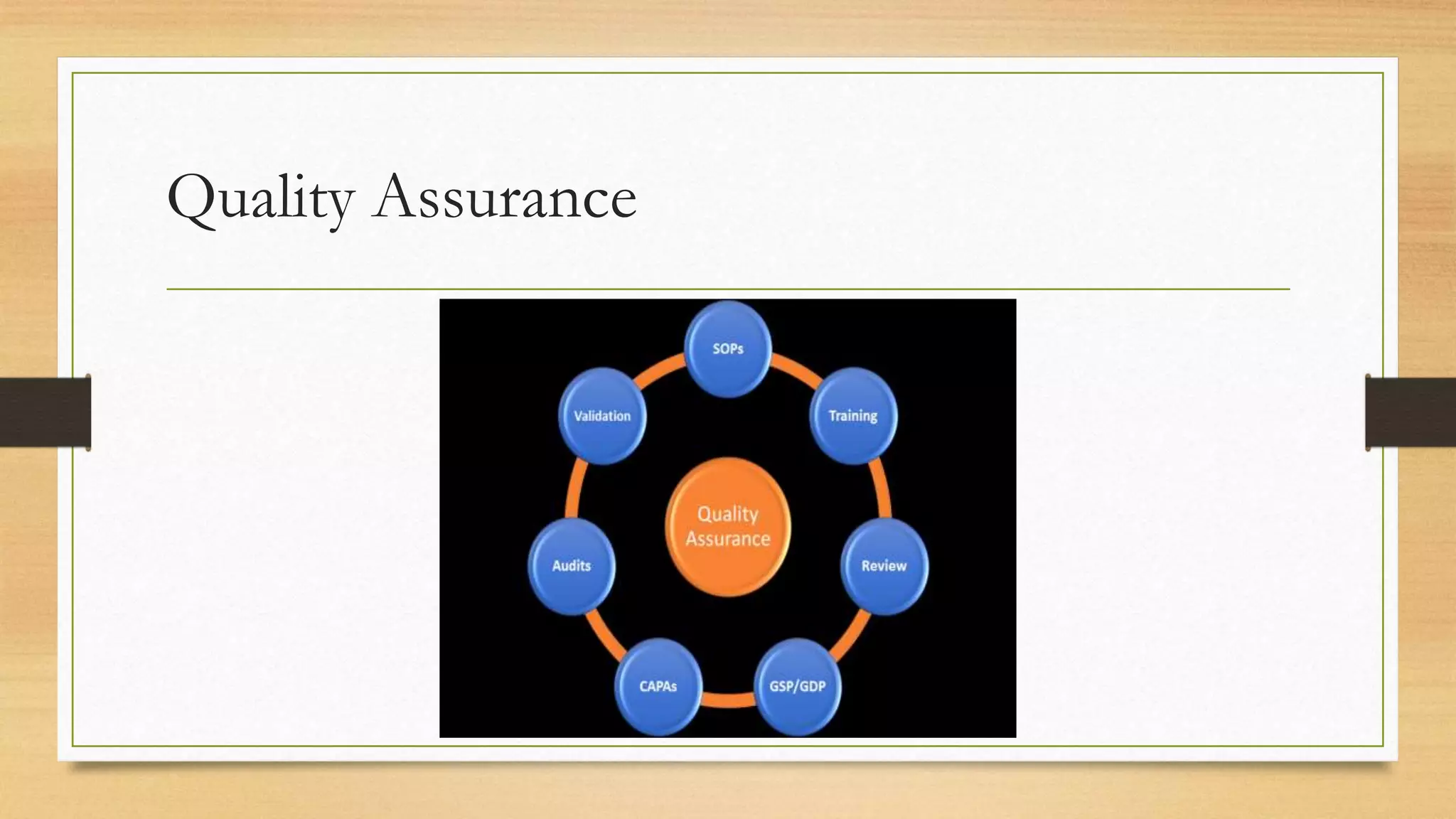
Quality Assurance:
• Quality assurance stands alongside reviews but is external to them. Quality
assurance is like an audit. It is designed to confirm that proper procedures
are in place and have been applied correctly. The difference between the two
can be illustrated by the following example.
• A metal rod must be 15mm in diameter (± 0.1mm). Control is achieved by
passing each rod through a measuring device which triggers rejection if the
rod is out of tolerance. Assurance is exercised by checking that the
measuring device is accurate and that all rods go through it.
Quality Assurance
5.6 QUALITY PLAN
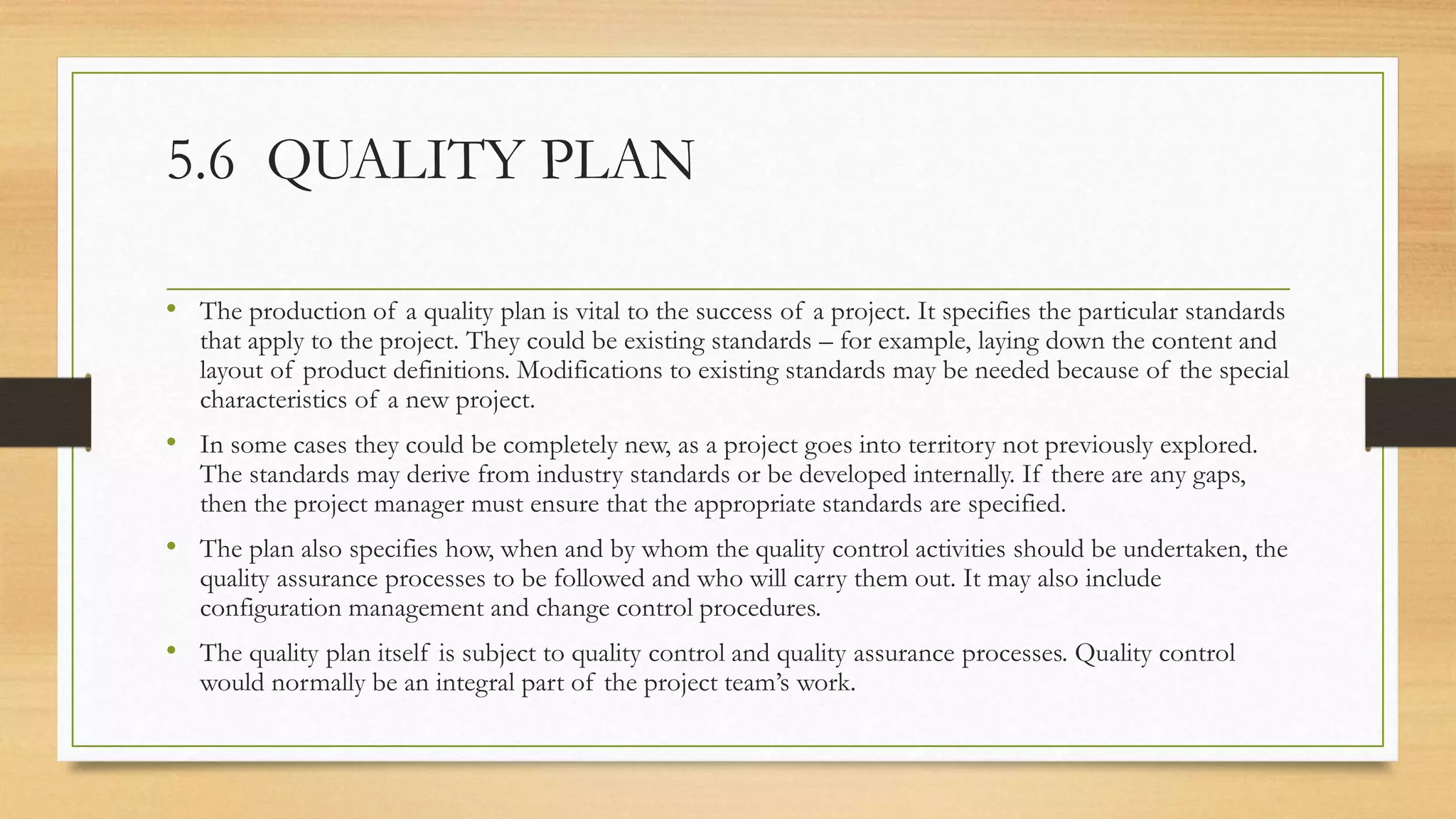
• The production of a quality plan is vital to the success of a project. It specifies the particular standards
that apply to the project. They could be existing standards – for example, laying down the content and
layout of product definitions. Modifications to existing standards may be needed because of the special
characteristics of a new project.
• In some cases they could be completely new, as a project goes into territory not previously explored.
The standards may derive from industry standards or be developed internally. If there are any gaps,
then the project manager must ensure that the appropriate standards are specified.
• The plan also specifies how, when and by whom the quality control activities should be undertaken, the
quality assurance processes to be followed and who will carry them out. It may also include
configuration management and change control procedures.
• The quality plan itself is subject to quality control and quality assurance processes. Quality control
would normally be an integral part of the project team’s work.
Project Quality Plan
5.7 DETECTING
DEFECTS
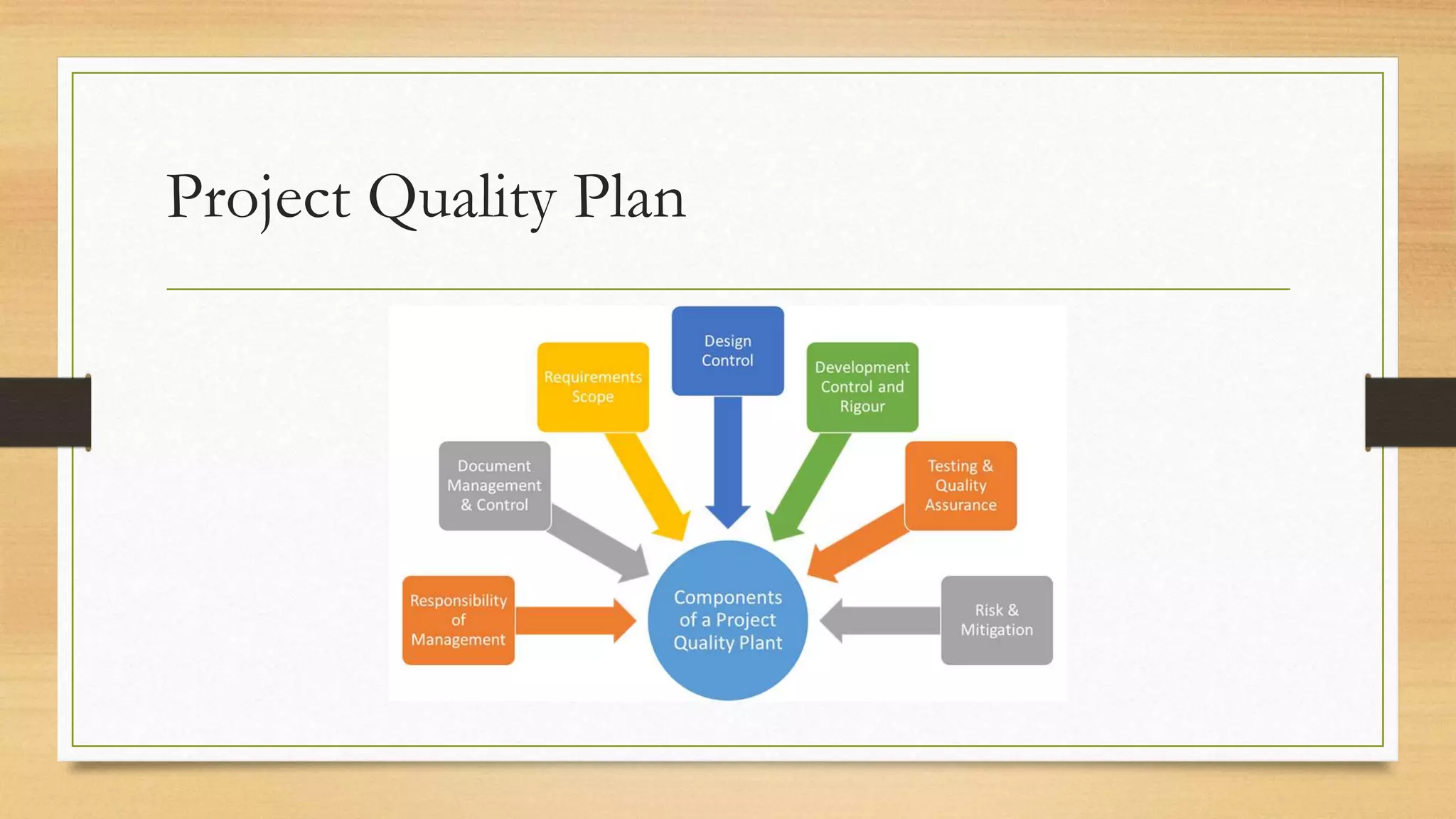
5.7.1 The V Model
• The V Model is a useful
model of the systems
development process in
which the solid lines
represent the forward
progress of the project
and the dotted lines
represent the way in which
quality control is
exercised.
5.7.2 Process requirements
Within a project, a product is the output from a process or activity. The qualities that
are required in a product are captured by following the correct processes that create
the product. This makes it necessary to specify for each stage, and within each stage
for each activity, the process requirements:
• Entry requirements state what must exist before the stage or activity can begin.
• Implementation requirements define how the process should be done.
Implementation requirements also specify the software tools that are to be used.
• Exit requirements indicate what should be in place for a successful sign-off of the
activity. The exit requirements for design documentation are that it: • is complete; •
has been reviewed; • meets the standards agreed; • covers all the requirements for
this component; • leaves no outstanding issues.
5.7.3 Defect removal process
Before a defect can be removed, it must be identified. This is relatively straightforward –
though more costly – in the later stages of development, when test cases can be run though the
system to see if they give the expected results (dynamic testing). In the earlier stages of a
project, different techniques have to be applied, such as:
• desk checking
• document review;
• peer review;
• inspection
• walkthrough;
• pair programming;
• static testing.
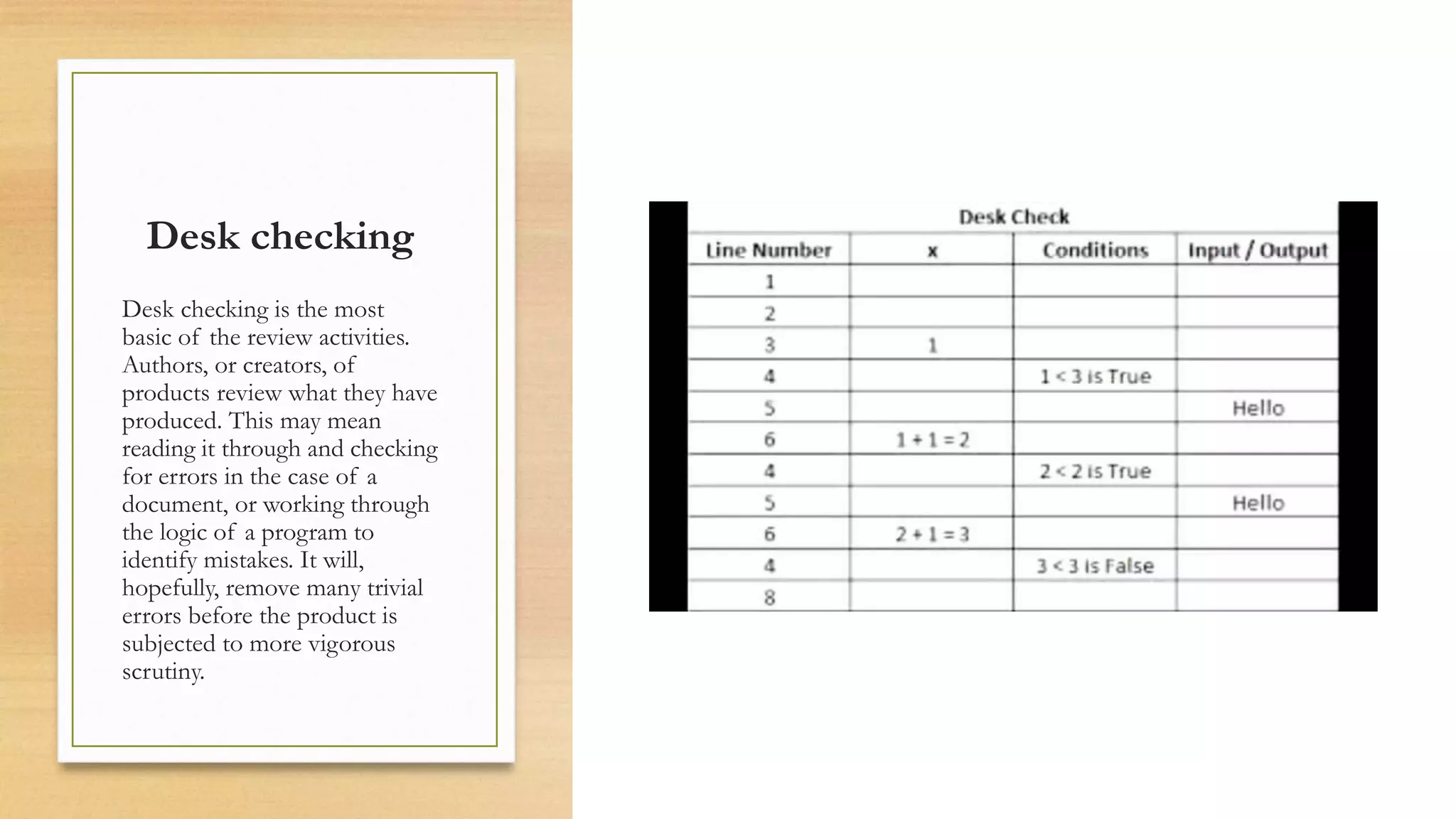
Desk checking
Desk checking is the most
basic of the review activities.
Authors, or creators, of
products review what they have
produced. This may mean
reading it through and checking
for errors in the case of a
document, or working through
the logic of a program to
identify mistakes. It will,
hopefully, remove many trivial
errors before the product is
subjected to more vigorous
scrutiny.
Document review
In a document review, one or
more people other than the
author read a document to
ensure that it meets the
specified quality criteria.
• For example, is it complete,
unambiguous, self-
consistent and consistent
with related documents? Is
it clear? Are all technical
terms properly used and
understood? Does it
conform to the agreed
layout?
Peer review
A peer review is a particular type of document review that is often carried out on a
design document or actual code. The author’s co-workers (or peers) examine copies of
the document and make comments about it. The issues considered include:
• Is the proposed design technically feasible?
• Is there an easier or better way to achieve the same objectives?
• Does the design conform to company standards for such processes?
• Can the design communicate with other parts of the system?
• Does the design cover all the requirements that should be included in this part?
• Are there any ambiguities?
Peer reviews can be done relatively informally within the project team.
Inspection
An inspection is a more formalised way of reviewing a product. Its purpose is to review the product in
order to identify defects in a planned, independent, controlled and documented manner. It is a process
with the following structure:
1. Preparation: setting up the review meeting, including the time, place and who is to attend;
distributing documentation – for example, the product and its description; reviewers annotating the
product, if it is a document, and recording defects.
2. Meeting: discussion of potential defects identified by reviewers which should confirm: whether
they are defects or not, but not seek to produce a solution; agreement of follow-up appropriate to
each defect.
3. Recording: follow-up actions and responsibilities; agreement of outcome and sign-off if
appropriate
4. Follow-up: advising the project manager of the outcome; planning remedial work; signing off
when complete.
There are four roles within this process:
(1) The moderator sets the agenda and controls the review process, ensures actions
and required results are agreed and, once the process is complete, signs off the
review.
(2) The author provides the reviewers with relevant product documentation, answers
questions about the product during the review and agrees actions to resolve
defects.
(3) Reviewers undertake the review, assessing the product against the quality criteria,
identifying potential defects and ensuring that the nature of any defect is clearly
understood by the author.
(4) The scribe takes notes of the agreed actions, who is to carry them out and who is
to check corrections. He or she confirms these details at the end of the meeting.
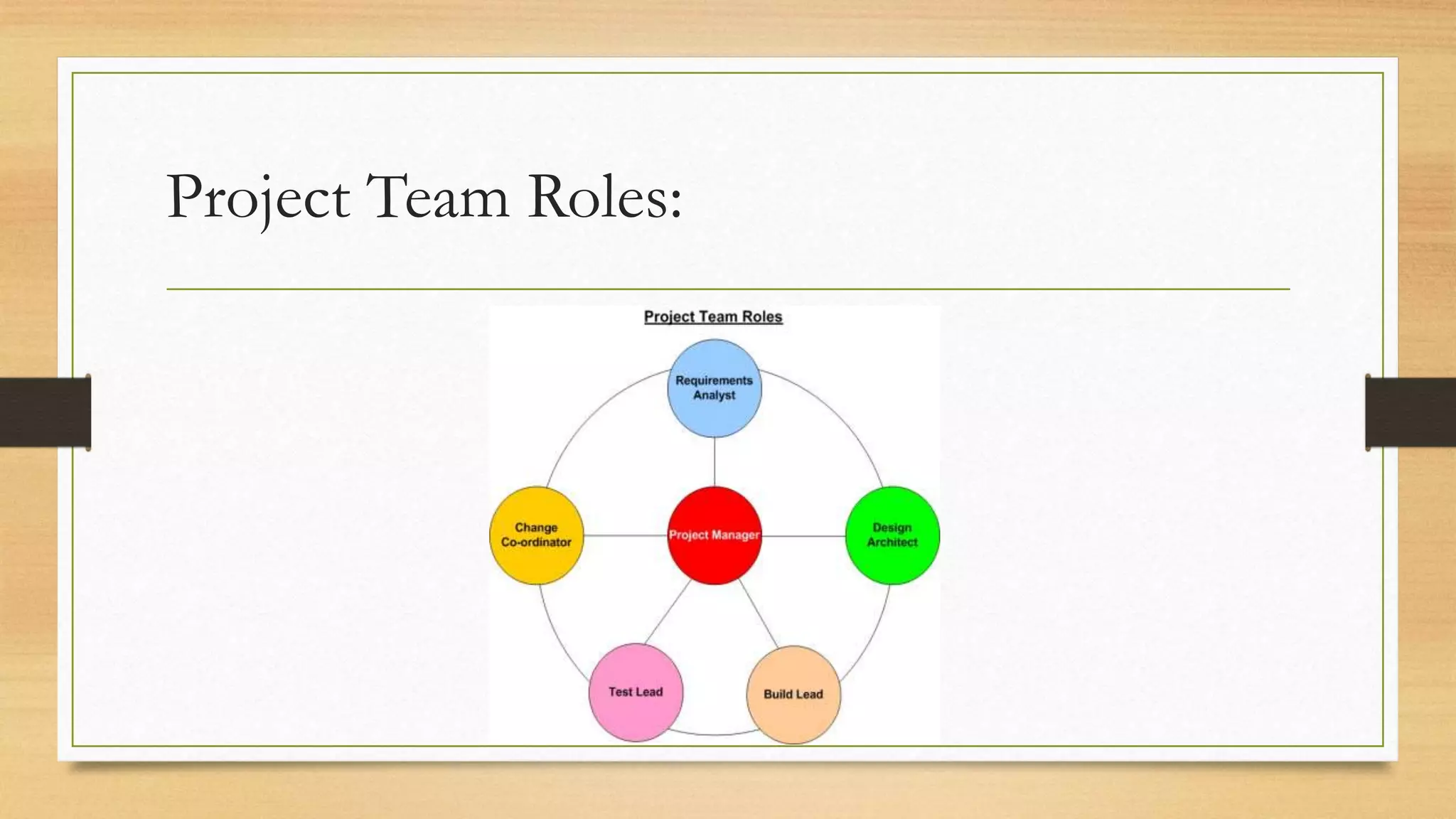
Project Team Roles:
Walkthrough
A walkthrough is a particular technique which can be used during an inspection or on
its own. The author takes the audience through the documents and they feed back
their comments on it. The audience may be drawn from both technical and user
groups, each of which would have a different view on the documents. For example, IT
infrastructure management staff may be concerned about the proposed system’s
impact on what they already manage. Again there would be a scribe to record any
actions agreed.
With peer reviews, inspections and walkthroughs, no attempt should be made during
the meeting to solve the problems identified. Problems should be recorded; the author
will then go away and seek to come up with a solution. The review can then be
repeated if it is felt that the changes required were of sufficient significance. An
alternative is for one person to be instructed to ensure that the necessary alterations
have been made.
Pair programming
The review techniques described above depend on copies of documents,
including code, being printed and additional reviewing activities being
scheduled. To avoid this, in agile development environments, code developers
sometimes work in pairs. The pair take turns to type in code at the workstation
while the other advises and checks on what is being entered. This is rather like a
real-time version of a peer review.
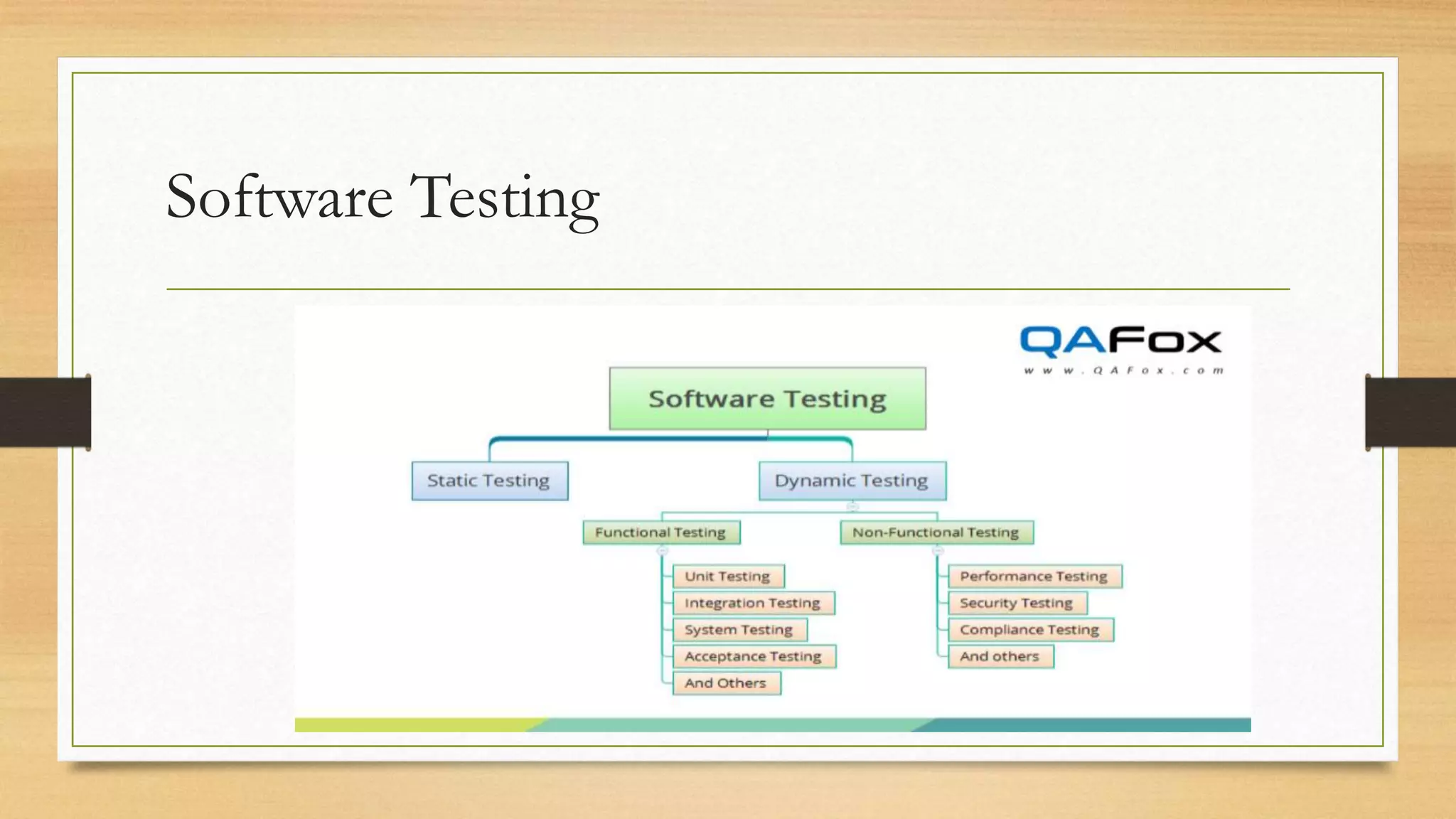
Software Testing
Static testing
Some software tools (programs) carry out static testing by analysing the structure of
the code. Such tools look at the branches and loops in a program and calculate a
measure of complexity. The more complex a software component is, the more difficult
it will be to maintain. In addition, dynamic analysis can identify code which is not
executed by the test data used. This is useful as it may show up a shortcoming in the
test data or unneeded code in the software.
All the above processes take place during the activities on the left-hand side of the V
model. The quality control processes on the right-hand side are dominated by dynamic
testing.
5.8 DYNAMIC TESTING
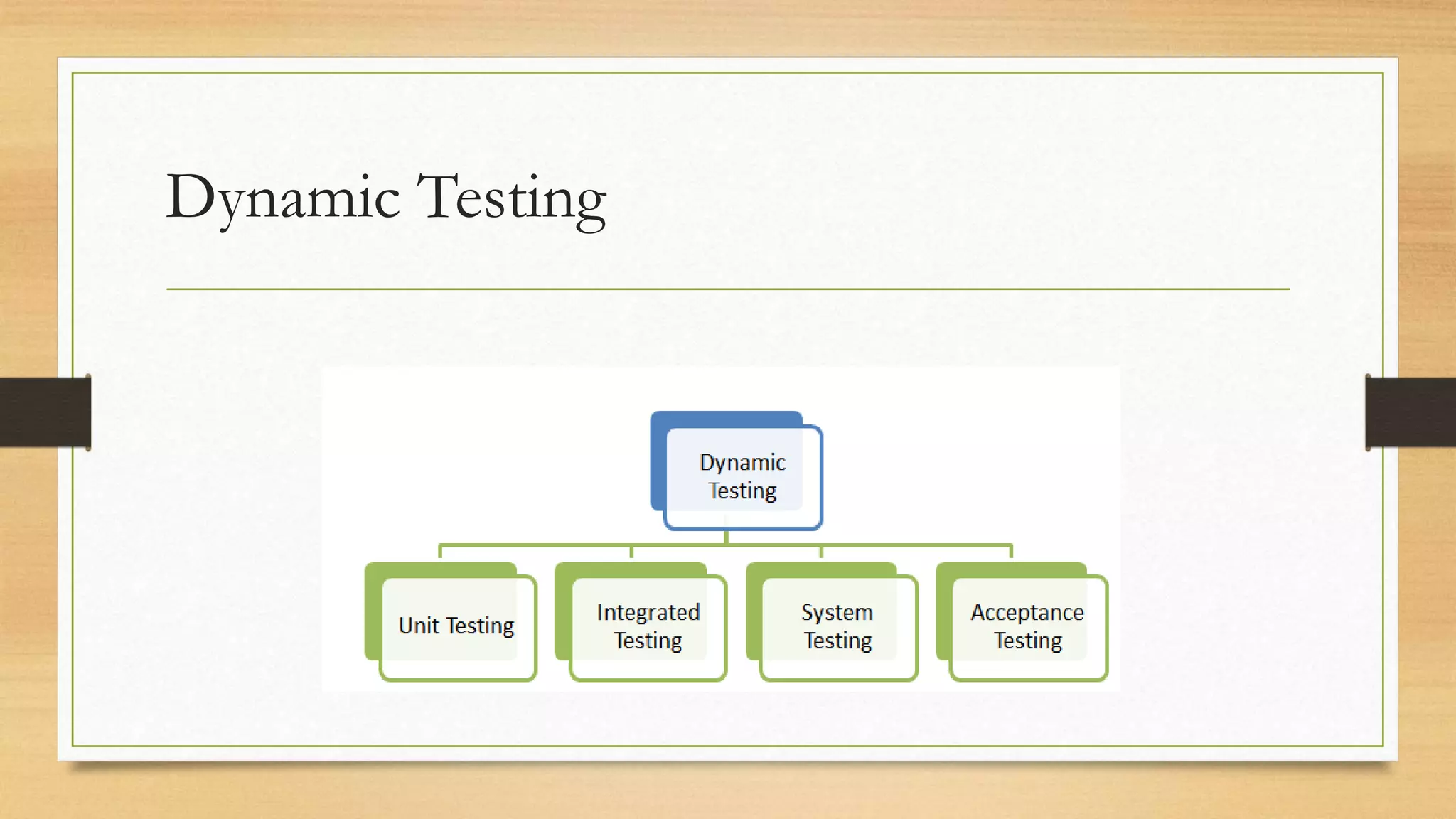
Dynamic testing is divided into various levels:
• unit;
• integration;
• systems;
• user acceptance;
• regression.
Dynamic Testing
Unit testing
Unit testing is the very basic testing to be carried out on a piece of software. Test data
for unit testing should be designed to cover the usual range of input expected for the
system. Each function that the software is expected to handle should be tested. The
test should take place not just once but in various combinations and different
sequences. Often problems lie in the combinations of data and transactions. Testing is
then extended to cover.
There are tools – commonly called test harnesses – which can simulate programs or
subroutines that supply data to or use data from the module under test. The test
harness can record data input and output and the routes through the program which
have been exercised. Automated tools can also simulate keyboard input and capture
and compare screen output with expected results.
Integration testing
Integration testing links a number of system components and runs them as a whole.
This checks that the units communicate properly with each other. The sorts of things
that come to light at this stage include:
• data items which are treated as being in different formats in different units;
• reference codes given different meanings by different authors;
• conditions set by one component that another cannot cope with.
Some of these can be avoided by the use of shared databases and database
management systems (DBMS), but transaction files which link different sub-systems
can still be mistakenly defined to have different formats in different places. As errors
are found they will be recorded and corrected. The integration test will then need to be
repeated.
Systems testing
Systems testing is the final stage in testing by the development professionals. It
involves running the whole system on the infrastructure that will be used when the
system is operational. It may sound just like a step up from integration testing but
there are many additional issues which must be addressed, for example:
• Does the system run on the infrastructure to be used for the final system?
• Are the response times within the tolerances set in the requirements specification?
• Can the system cope with the planned workloads?
• What is the effect of high loading on the system?
Again, there are tools to help. They can be used to simulate large numbers of users
and high volumes of data.
User acceptance testing
• User acceptance testing is the crucial test. Can the users operate the
system? Does it meet their expectations, not just their requirements? Users
should be involved in the development process from the beginning of the
project and should have had sight of how the system is working before this
point is reached so it now contains few surprises.
• Acceptance testing underlines the importance of having clear requirements
from the start. Users should have a well-defined acceptance test to guide
them as they test whether the system meets their expressed needs. Where
discrepancies are found, the fault must be recorded, the source of the
problem established and the system reworked and retested
Regression testing
• Regression testing is quite different from the earlier testing processes. Regression
testing needs to take place at each stage of testing. Whenever a fault is found and
the offending piece of software identified, it has to be corrected.
• Regression testing involves running an agreed set of test data through the system
again to confirm that the original error has been corrected and no further errors
have been introduced or uncovered.
• Regression testing is also needed whenever the system is changed, whether during
development or after implementation, as changes made to one part of a system can
adversely affect another. Regression testing can largely be automated by using a
standard set of test data and expected results.
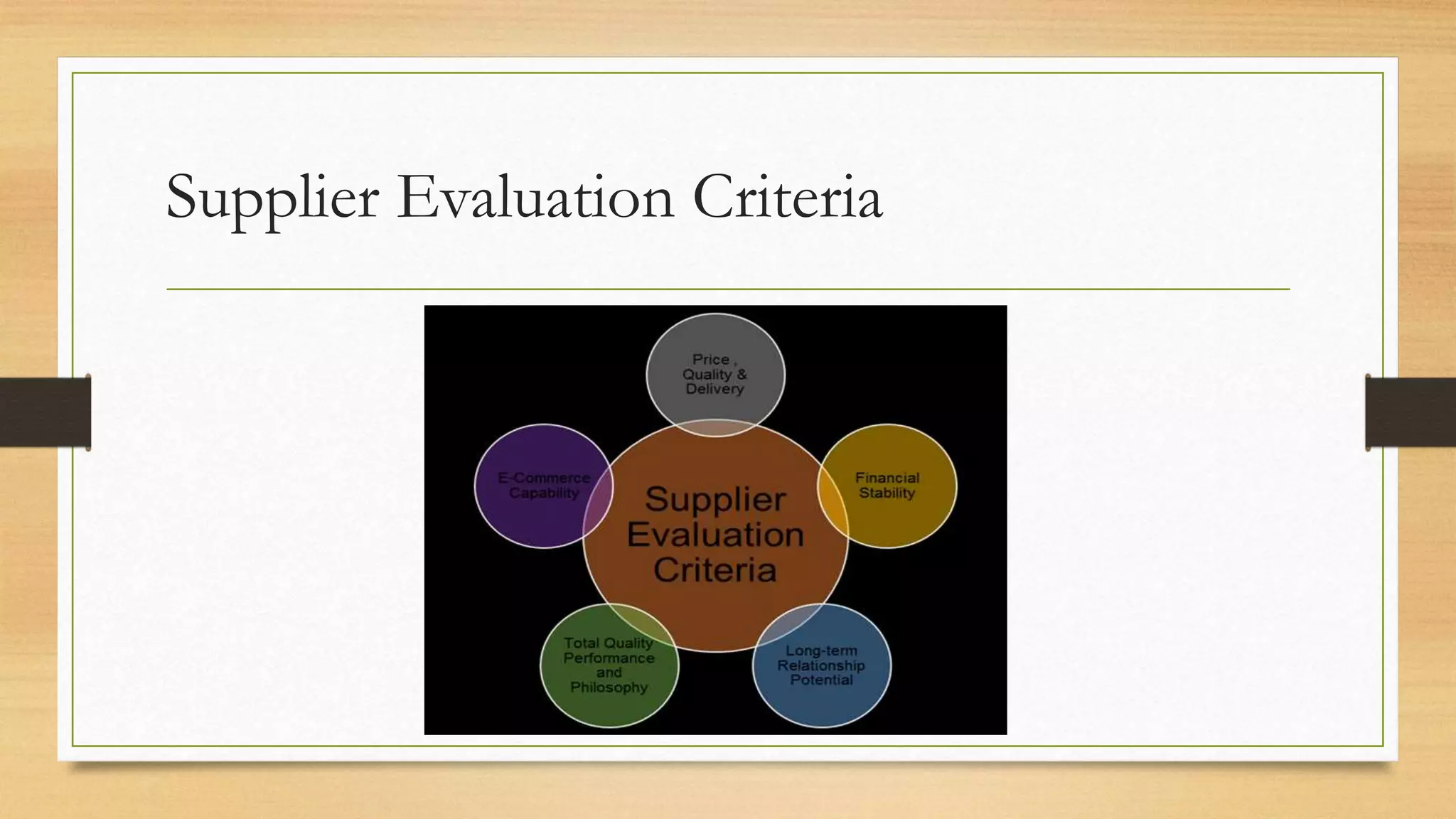
5.9 EVALUATING SUPPLIERS
It is usual these days for systems to be developed by third parties. It is therefore important to establish whether
those third party suppliers have the necessary quality procedures in place to ensure that the software to be
supplied is to the standard expected.
To do this one has to investigate the supplier, ask some searching questions, examine documentation and
perhaps undertake auditing of their processes. The types of questions to be asked include.
• Do they operate to ISO 9001 (the international standard for quality management systems)?
• How are their projects organised? (For example, do they follow PRINCE2, the standard for project
management procedures sponsored by the UK government?)
• Do they use a defined development methodology, such as the Dynamic System Development Method
(DSDM Atern)?
• How is quality control exercised?
• At what points are quality reviews held?
• Is there a quality assurance process?
• Is there a configuration management system in place?
• How are change requests handled?
Supplier Evaluation Criteria
5.10 ISO 9001:2008
ISO 9001:2008 is the international standard for
quality management and is specifically aimed at
producers and suppliers of any products and
services, not necessarily software. Organisations
are inspected and awarded ISO 9001 certification
by accredited auditors. This means that as a
potential client you can assume a particular
standard of quality management without having to
carry out detailed checks yourself.
ISO 9001:2008 is based on the following
principles:
• Customer focus: understanding and meeting or exceeding the customer requirements
• Leadership: providing this for the organisation to give it the purpose, unity and direction to
achieve quality objectives;
• People: involvement of staff at all levels of the organisations involved
• Process approach: attention to individual processes which produce intermediate or
deliverable products
• Systems approach to management: focusing on inter-related processes producing
deliverable products;
• Continual improvement;
• Factual approach to decision-making;
• Mutually beneficial client-supplier relationships.
ISO 9001:
2008
Principles
5.11 CAPABILITY MATURITY MODELS
In the discussion of ISO9001:2008, we assumed that the motivation was to
allow customers to assess potential suppliers. Sometimes, however, the
managers of a supplier organisation want to assess their own quality processes
to find ways of improving them. They want to gauge their current level of
effectiveness, but also identify what needs to be done to get it to a higher level.
This brings in the concept of maturity modes, where the organisation is
assessed as being at a particular level of process maturity.
On example of this is the capability maturity model (CMM) originally
developed by the Software Engineering Institute at Carnegie Mellon University
for the US Department of Defense. This comprises five levels.
1. Initial. Any organisation would be at this level by default. Good quality work may
be done, but customers cannot be sure that this is always the case.
2. Managed. Some basic project management and other systems are in place.
3. Defined. The way each task in software development is done is defined to enable
consistent good practice.
4. Quantifiably managed. Processes and their products are measured and
controlled – for example, the number of errors created in each process.
5. Optimising. The measurement data collected is analysed to find ways of
improving processes.
Sample Questions
1. Fitness for purpose’ defines which of the following? (a) The quality of the project
deliverables (b) The usability of the delivered IT application (c) The capability of the staff who will
implement the IT application (d) The capability of the staff who will use the system when it is
operational
2. User acceptance testing is an example of which of the following? (a) Project control (b)
Project monitoring (c) Quality control (d) Quality assurance
3. Which of the following is NOT a defined role in inspections? (a) The moderator (b) The
project manager (c) The scribe (d) The author
4. ISO 9001:2008 is a standard that defines which of the following? (a) Project management
standards (b) IT project deliverables (c) Quality management systems (d) Software testing procedures
ANSWERS TO SAMPLE QUESTIONS
1. (a) 2. (c) 3. (b) 4. (c)
6. Estimating
Topics
6.1 Introduction
6.2 What we estimate and why it is important
6.3 Expert judgement
6.4 Approaches to estimating
6.5 A parametric approach
6.6 Estimating by analogy
6.7 Checklist
6.1 Introduction
In Chapter 2, we explained how to draw up a plan for a project. One of the
things that we did was to allocate an estimated duration to each of the activities
to be carried out. This allowed us to calculate the overall duration of the
project and to identify when we would need to call upon the services of
individuals to carry out their tasks. In this chapter, we will explore further the
ways in which these estimates can be produced.
6.2 WHAT WE ESTIMATE AND WHY IT IS
IMPORTANT
6.2.1 Effort versus duration
• As well as estimating the time from the start to the end of an activity, it is
also necessary to assess the amount of effort needed. Duration should not
be confused with effort. For example, if it takes one worker two hours to
clear a car park of snow then, all other things being equal, it takes two
workers only one hour. In both cases, the effort is two hours but the activity
duration is two hours in one case and only one hour in the other. There can
be cases where the duration is longer.
Estimating Methods
6.2.2 The effects of over- and under-estimating
• If effort and duration are under-estimated, the project can fail because it has
exceeded its budget or has been delayed beyond its agreed completion date.
This may be so even when staff have worked efficiently and conscientiously.
Allocating less time and money than is really needed can also affect the
quality of the final project deliverables: team members may work hard to
meet deadlines but, as a consequence, produce sub-standard work.
6.2.3 Estimates and targets
Identifying the exact time it will take to do something is very difficult because,
if the same task is repeated a number of times, each instance of the task
execution is likely to have a slightly different duration. Take going to work by
car. It is unlikely that on any two days this will take exactly the same amount of
time. The journey time will vary because of factors such as weather conditions
and the pressure of traffic. This means that an estimate of effort or time is
really a most likely effort/time with a range of possibilities on each side of it.
Within this range of times we can choose a target
6.3 EXPERT JUDGEMENT
6.3.1 Using expert judgement
As a general rule, the best people to estimate effort are those who are experts in the
area. As a consequence, most guides to estimating identify expert opinion or expert
judgement as an estimating method.
The advantages of using expert judgement include the following:
• It involves the people with the best experience of similar work in the past and the
best knowledge of the work environment;
• The people who are most likely to be doing the work are involved with the
estimating process – they will be more motivated to meet the targets set if they have
had a hand in setting them in the first place.
Expert Judgement
There are, however, some balancing risks:
• The task to be carried out may be a new one of which there is no prior experience;
• Experts can be prone to human error – they may, for example, underestimate the
time that they would need to carry out a task in case a larger figure suggests that
they are less capable
• It can be difficult for the project planner to evaluate the quality of an estimate that
is essentially someone else’s guess;
• Large, complex tasks may require the expertise of several different specialists.
6.3.2 The Delphi approach
One method that attempts to improve the quality of expert judgement is the Delphi technique
which originated in the Rand corporation in the USA. There are different versions of this, but
the general principle is that a group of experts are asked to produce, individually and without
consulting others, an estimate supported by some kind of rationale. These are all forwarded to
a moderator who collates the replies and circulates them back to the group as a whole. Each
member of the group can now read the anonymous estimates and supporting rationales of the
other group members. They may now submit a revised opinion. Hopefully, the opinions of the
experts should converge on a consensus.
The justification for the technique is that it should lead to people’s views being judged on their
merits and undue deference will not be paid to more senior staff or the more dominant
personalities.
6.4 APPROACHES TO ESTIMATING
We are now going to discuss key approaches to estimating. However, first we
are going to explain the terms bottom-up and top-down. Note that these are
not specific estimating methods, but describe a way of grouping estimating
methods.
Bottom Up Approach
6.4.1 Bottom-up
• This method is also sometimes called analytical or activity-based estimating. Some
people (especially those who are or who have been software developers) find the
name ‘bottom-up’ confusing because the first part of the process is really top-down.
• A bottom-up estimate is recommended where you have no accurate historical
records of relevant past projects to guide you. A disadvantage of the method is that
it is very time-consuming as you have, in effect, to draw up a detailed plan of how
the project is to be carried out first. It could be argued that you are going to have to
do this anyway. However, it may be a very tedious and speculative task if you have
been asked for a rough estimate at the feasibility study stage of the project proposal.
6.4.2 Top-down
• With the top-down approach, we look for some overall characteristics of the
job to be done and, from these, produce a global effort estimate. This figure
is nearly always based on our knowledge of past cases.
• An example of top-down estimating is when house owners have to make
decisions about the sum for which they should insure their house.
6.5 A PARAMETRIC APPROACH
The base estimate created when using a top-down approach can be derived in a
number of ways. In estimating the costs of rebuilding a house, a parametric method
was used. This means that the estimate was based on certain variables or parameters
(for example, the number of storeys in the house and the number of bedrooms).
These parameters can be said to ‘drive’ the size of the house to be built: you would
expect a house with three storeys and five bedrooms to be physically bigger than a
bungalow with only two bedrooms. These parameters are therefore sometimes called
size drivers. You would also expect the three-storey building to need more work, or
effort, to build than the bungalow. These parameters are therefore also sometimes
called effort drivers.
6.5.1 Size drivers and productivity
Productivity drivers vary from activity to activity, but other drivers often include:
• the availability of tools to assist in the work;
• communication overheads, including the time it takes to get requirements clarified
and approved;
• the stability of the environment – that is, the extent to which the work has to cope
with changes to requirements or resources;
• the size of the project team: there is a tendency for larger jobs involving lots of
people to be less efficient than smaller ones because more time has to be spent on
management, planning and co-ordination at the expense of ‘real work’.
6.5.2 Function points
From this very brief explanation it can be seen that:
• the code is a very technical product – it would need a software expert to
estimate the number of lines of code;
• you will not know the exact number of lines of code until quite near the end
of the project; most other size drivers are known at the beginning, or at least
at an early stage, of the project.
6.5.3 An example of function point counting
Within the Canal Dreams ebooking system, there is a transaction which records the final payment
made by a customer for a booking for which they have already paid a deposit. There are three inputs
for a new payment:
• date;
• customer account reference
• amount.
There are four possible outputs from the transaction:
• payment reference, a number allocated automatically by the computer system;
• customer name;
• customer address;
• an error message.
6.6 ESTIMATING BY ANALOGY
The main steps with this method are as follows.
(a) Identify the key characteristics of the new project.
(b) Search for a previous project which has similar characteristics.
(c) Use the actual effort recorded for the previous project as the base estimate
for the new one.
(d) Identify the key differences between the old and the new projects (it is
unlikely that the old project is an exact match for the new one).
(e) Adjust the base estimate to take account of the identified differences.
Estimating
6.7 CHECKLIST
As a project planner you may often need to use the effort estimates produced by experts from
technical areas in which you are not knowledgeable. Are there any ways in which you can
realistically review these estimates? It may be possible to assess the plausibility of the estimates
by asking the estimator the questions below.
• What methods were used to produce the estimates?
• How is the relative size of the job measured (in other words, what are the size/ effort
drivers)?
• How much effort was assumed would be required for each unit of the size driver (in other
words, what productivity rates are you assuming)?
• Can a past project of about the same size be identified which had about the same effort? •
If a job with a comparable size cannot be identified, can past jobs which had similar
productivity rates be found?
7. Risk
Topics
7.1 Introduction
7.2 Risk Management
7.3 Identifying risks
7.4 Assessing the risk
7.5 Quantitative approaches to risk
7.6 The qualitative approach to project risk management
7.7 Deciding the appropriate actions
7.8 planning, monitoring and Control
7.9 Summary
7.1 Introduction
There are a number of definitions of risk, some embracing opportunities as well as threats.
Arguably, the most used is the definition provided in PRINCE2, the project management
standard sponsored by the UK government:
‘The chance of exposure to the adverse consequences of future events.’
The risks come from within the project, or they could be caused by external events. If an
adverse event has already occurred, this is not a risk but should be treated as a project issue –
that is, a problem that needs to be resolved.
External (or environmental) risks include: • government intervention; • cuts in
resources, including staff; • reduction in financial support; • increased competition from rivals;
• social developments.
Internal risks include: • staff changes; • lack of policies which can guide decision-
making; • increased scope of changes; • lack of developer experience; • sabotage.
7.2 RISK MANAGEMENT
Risk management is a continuous process throughout the life of the project.
However, before managers form any plans, they need to identify the risks and make
some decisions about them. A typical risk management framework. Major risks have to
be identified and then plans have to be made to deal with them. These plans include
activities that enable other activities to be undertaken in the event of a risk turning
into a real problem. For example, taking back-ups of important computer files allows
them to be restored if the originals are damaged. The project is then executed and is
monitored and controlled to see where risks have materialised and where appropriate
actions need to be initiated.
Risk Management Process
Risk management framework
7.3 IDENTIFYING RISKS
• Before the risk identification process begins, there will be a number of facts or
issues that are already known. These include particular views, trends or constraints
within the project development environment. It is worth examining these facts as
they often provide the causes of the risks that will eventually need to be managed.
• There are a number of aids to building the initial list of risks. Many risk textbooks,
application development documents and company standards provide prompt or
checklists containing a number of generic business and project risks that originate
from outside and inside the project. These can be used to determine which risks in
the list apply to the project. One well-known list of risks is Barry Boehm’s ‘Top Ten
Software Project Risks’:
(1) Personnel shortfalls – for example, developers not being familiar with the technologies needed for the project;
(2) Unrealistic schedules and budgets – in some cases this could be because not all essential requirements have been
identified;
(3) Developing the wrong functions and properties;
(4) Developing the wrong user interface;
(5) Gold-plating – this is development of software functionality that is not really needed and ends up not being used;
(6) Continuous stream of requirements changes;
(7) Shortfalls in externally furnished components;
(8) Shortfalls in externally performed tasks;
(9) Real-time performance shortfalls;
(10) Straining computer-science capabilities – current technologies and expertise are not sufficiently well developed to satisfy
the requirements and the project becomes effectively a research rather than a development project.
7.4 ASSESSING THE RISK
7.4.1 Risk evaluation criteria
We recognised that we may not be able to take action for all possible risks identified.
Therefore there is a need to prioritise the risks, but before this can happen there is a
need to evaluate the risk itself. The evaluation is based on two key criteria:
• the probability that the risk will occur;
• the impact that the risk will have, should it occur.
Together, risk and impact give an idea of the magnitude of the risk – the risk
exposure. A third factor is the proximity of the risk, which takes account of the fact
that the magnitude of the risk may vary throughout the project – for example, once
coding has been successfully completed some risks relating to coding disappear.
7.4.2 Risk exposure
We noted above that the impact, or severity, is the adverse effect that the risk
will have on the project should it materialise. This impact may be a longer
development time, a reduction in the scope of the deliverable, a reduction in
the performance of the deliverable, or an increase in the resources needed. The
scope and the performance are often combined as a reduction in quality. The
increased resources, both of materials and labour, are usually referred to as
increased costs. Should a risk occur, it may impact time, cost or quality, and of
course any impact will affect the business case.
7.4.3 Risk proximity
The proximity relates to the time period in the project when the risk may occur.
Risk evaluation may identify that a given risk is more likely to occur during a
particular activity, or that after a certain project milestone it will no longer be
applicable, or that the impact could change depending on when the risk occurs.
Risk Assessment: Methods & Approaches
7.5 QUANTITATIVE APPROACHES TO
RISK
Risk assessment can be quantitative – based on seemingly precise mathematical
values – or qualitative – based on broader management intuition.
Risk exposure = impact × probability
A risk reduction leverage can be calculated as follows:
Risk reduction leverage (RRL) = (REbefore − REafter) / cost of risk
reduction
There are a few problems with the practical application of
quantitative risk assessment, including the following:
• Unless you have a very large set of data about past occurrences of the particular risk,
identifying the probability of a risk may end up as little more than guesswork.
• In our simplistic example, the cost of the theft was exactly £20,000. In practice the amount
of damage can vary, and so this value could be guesswork. Where there is a large amount of
data about past occurrences of the risk it may be possible to produce a table showing the
probability of different ranges of cost – but this kind of information is unlikely to be
available to a project planner
• Quantitative risk exposure values are based on the principle that when risks actually occur,
the situation can be remedied by using resources put aside to meet possible losses. It
assumes that the remedies when risks occur can be partly paid for by resources put aside for
other risks that have not been used. However, this assumption does not hold where the loss
caused by a particularly large risk occurring is simply too large and would exhaust the fund.
The bankruptcy of the client organisation might be an example of these show-stoppers.
7.6 THE QUALITATIVE APPROACH TO PROJECT RISK
ASSESSMENT
7.6.1 Risk probability
While quantitative risk assessment requires access to data about past projects, there is a wider
range of approaches to obtaining qualitative assessments including interviewing experts or
stakeholders and brainstorming in a workshop. Various qualitative descriptions of probability
can be used to describe the probability of a risk occurring, such as ‘extremely likely’, ‘very
high’, ‘high’, ‘medium’,’ low’, ‘very low’ or ‘improbable’. Similar descriptions are used in the
qualitative assessment of the impact the risk will have on cost, quality or time.
Quantitative values can still be assessed but these will be expressed as being within a range –
for example, a 20–50 per cent probability of occurrence – and then be mapped to one of the
categories of the probability and the impact
7.6.2 Prioritising risks
Once the evaluations or risk probability and impact have taken place, the risks can be
prioritised to ensure that the risk management effort is placed where it is needed most. We
have already seen that where a quantitative approach has been taken, a risk exposure value can
be calculated. The bigger this value is, the more serious it is. However, this calculation cannot
be done if we have made qualitative assessments.
To aid decision making for qualitative assessment, a probability impact grid, sometimes known
as a summary risk profile, can be used (see Figure 7.2). In the grid the numbers uniquely
identify each risk. Some organisations will have three probability impact grids to cover the
impacts on time, cost and quality respectively. Other organisations combine them.
Organisations refine their understanding of the risk profiles over time and become able to
judge more accurately the threat of a risk and the action to be taken to deal with it.
7.7 DECIDING THE APPROPRIATE
ACTIONS
Uncertainty about a project due to the risks identified can be reduced by taking
mitigating action. Mitigation is defined as an action to reduce, transfer or
eliminate a risk. Any mitigating action chosen will consequently mean revisiting
the project schedule, the development costs, the functional scope and the
performance of the deliverables and updating them, if necessary, to take
account of the chosen action. In addition to the option of adopting one or
more mitigating actions for a given risk, the project team could decide to take
no action at all or to develop a contingency plan.
Deciding the appropriate actions to reduce the
Risk
7.7.1 Accepting the risk
The organisation could accept the risk and take no further action other than to
monitor it. It could be argued that taking no action is not, strictly speaking, a form of
mitigation, but it is mentioned here for the sake of completeness. This option could be
chosen if the risk probability is low, the impact is acceptable, or it is thought that none
of the other actions listed below would be appropriate. The actions might be rejected
because the cost of action outweighs the impact cost – the risk reduction leverage
measures this – or because it is not practical in the particular context. In the case of
the programmers’ Java inexperience, the cost of action was judged to exceed the cost
of the impact of the risk.
7.7.2 Preventing the risk
This is sometimes called 'risk avoidance'. The organisation could prevent the
risk from occurring by changing the activity in which the risk is embedded. In
the example above, where the programmers’ inexperience of the chosen
language is a risk, the risk might be prevented by deciding to develop the
application software in the language with which they are familiar.
7.7.3 Reducing the risk
The organisation could still take the planned action but reduce the probability
of the risk occurring or the impact of the risk. Again any reduction action will
take place before the expected risk occurs. In the above example, if it was
decided to reduce the possible impact on the project deadline, steps could be
taken to try to ensure that the development was not late despite the
inexperience of the programmers. For example, one or more specialists
experienced in the chosen language could be recruited to join the development
team to act as advisers to reduce technical misunderstandings of the features of
the ‘new’ programming language.
7.7.4 Transferring the risk
The organisation may take action to transfer the risk to another party. For
example, an organisation with inexperienced programmers could contract the
work out to a software house. If the software house was working to a fixed-
price contract then the problem of possible cost over-runs would be
transferred to them.
7.7.5 Contingency
Contingency planning might identify staff who could cover the role of a staff
member made unavailable in such circumstances. This action differs from other
actions as generally it only incurs costs if the risk materialises. As with all
actions, there will be costs associated with managing the risk. There may also be
costs associated with creating the conditions which would allow the
contingency action to take place, as is the case when back-ups of files have to
be taken to allow the contingency action of restoring files if they are corrupted.
Contingency
7.8 PLANNING, MONITORING AND
CONTROL
• In the paragraphs above, it has been assumed that the risk identification, risk assessment and
mitigating actions have occurred in the earlier stages of a project, during the project
planning. However, all of the processes described above will continue throughout the life of
the project, as new risks may be identified at any time, and there may also be secondary risks
that result from actions to reduce initial risks.
• The monitoring process is most likely to be a mixture of regular timed reviews and reviews
held after significant events, particularly the end of a project stage. It is important to have a
structured project risk plan to document the planning and to facilitate the monitoring and
control process. This will consist of a risk register, also known as a risk log, which lists all
the risks identified with the project.
• The risk owner is responsible for ensuring adequate management of the risk, including how
and at what intervals a risk will be monitored. If the nature of a risk changes during this
process, it may be necessary to revise earlier risk mitigation plans.
Executing, Monitoring and Controlling
7.9 SUMMARY
Managing risk is a continuous process. It involves identifying the risks and analysing
them to establish their probability, impact, proximity, exposure and priority. Remedial
actions need to be determined and plans produced to implement these actions,
followed by scheduled monitoring and appropriate control. The whole risk
management process needs to be made visible by adopting sound communication
mechanisms.
‘Murphy’s law’ states that ‘anything that can go wrong, will go wrong’. Undoubtedly
risks will occur in your project. Most of the risks that you will experience have already
been identified in previous projects. Learn the lessons from those. To ensure that those
risks have the least impact, you need to adopt structured risk management within your
overall project planning.
Sample Questions
1. Which of the following best defines a contingency action? (a) An activity that is planned to take place if
a risk materialises (b) An action taken at the start of a project which reduces the potential damage if a certain
risk does materialise (c) An agreement that the users accept a particular risk (d) An activity which prevents a risk
from materialising
2. What is maintenance of a risk log designed to do? (a) eliminate risk (b) save money (c) control risk (d)
prevent system development failure
3. Which of the lists below best identifies what is examined when a risk is assessed? (a) Probability,
proximity, owner (b) Impact, probability, team experience (c) Cost, benefit, business case (d) Probability,
proximity, impact
4. Which of the following is NOT an action that would mitigate a risk? (a) accept it (b) prevent it (c)
reduce it (d) transfer it
ANSWERS TO SAMPLE QUESTIONS
1. (a) 2. (c) 3. (d) 4. (a)
Logitrain in New Zealand

Project Management for IT-related Projects (Logitrain)

  • 1.
  • 2.
    Topics 1. Projects andProject Work 2. Project Planning 3. Monitoring and Control 4. Change Control and Management 5. Quality 6. Estimating 7. Risk 8. Project Organisation
  • 3.
    1. Projects andProject Work 1.1 Projects 1.2 Successful Projects 1.3 Project Management 1.4 System development life cycle 1.5 Project management and the development life cycle 1.6 Elements of project management 1.7 Development process models 1.8 The project Plan 1.9 The Business Case 1.10 Implementation Strategies 1.11 Post-implementation review
  • 4.
    1.1 Projects A projectmay be defined as a group of related activities carried out to achieve a specific objective. Examples of projects include building a bridge, making a film and re-organising a company. We will be focusing on projects that implement new information technology (IT) applications within organisations. These are technical but also involve changing the organisation in some way
  • 5.
  • 6.
    If the proposalis accepted by the organisation, the project that emerges should have the following attributes: • A defined start point • A set of objectives • A set of outputs or deliverables, which allow the objectives to be satisfied • A date by which the objectives should be met and a budget setting the maximum allowable cost of the project. • A unique purpose – routine activities are not projects. • Benefits for the organisation which justify carrying out the project, and which are: ideally, measurable; greater than the costs.
  • 7.
    1.2 Successful Projects Tobe successful, a project should: • enable the stated objectives to be achieved; • be delivered on time and within budget; • Deliver a system that performs to agreed specifications, including those relating to quality; • Satisfy the project sponsor and other interested parties. The term stakeholder refers to anyone who has an interest in the project
  • 8.
  • 9.
    Summary For developing theproject at a specified cost, within a specified time, to meet a specified business requirement. These three specifications are closely linked and any change to one will affect the others. The project objectives which relate to cost, time and the degree to which requirements are satisfied (‘scope’) are often called the ‘iron triangle’.
  • 10.
    1.3 Project Management Forachieving the Project outcomes the first step is good planning. Having produced good plans, monitoring and effective control of the project is needed to fulfil the plans and achieve the agreed objectives. Someone has to take responsibility for controlling the work in accordance with the plans. This is the role of the project manager. A successful project cannot be guaranteed, but certain things will contribute to success, such as: • Clearly defined responsibilities • Clear objectives and scope: • Control: • Change procedures: • Reporting and communication
  • 11.
    Project management A projectmanagement method is a set of processes used to run a project in a controlled and, therefore, predictable fashion. The design and development procedures by which the objectives of the project are satisfied – for example, the use of object-oriented analysis – constitute the development methods. There are various project management methods which complement the development methods that can be used – a well-known one in the UK is PRINCE2
  • 12.
  • 13.
    1.4 System developmentLife-Cycle A system is a set interacting or independent components forming an integrated whole. It is a term that can be used in different industries, therefore Software development lifecycle is a limited term that explains the phases of creating a software component integrates with other software components to create the whole systems.
  • 14.
    System development lifecycle (SDLC) that applies to IT projects: • Initiation; • Identification of the business case; • Project set-up; • Requirements elicitation and analysis; • Design; • Construction; • Acceptance testing; • Implementation/installation; • Review and maintenance. Each process creates one or more tangible products or deliverables. Delivery of the products of each process can act as a milestone at which we can judge the progress and continuing viability of the project.
  • 15.
    1.4.1 Initiation The objectiveof project initiation is to decide the most appropriate way to respond to a request for some work to be done, taking into account any business or technical strategies that the host organisation might have. The initiation process checks that a problem or opportunity really exists and decides whether the proposed change appears to be desirable, and whether a project is the best way to implement the change.
  • 16.
    1.4.2 Identification ofthe Business Case The business case or feasibility study assesses whether the proposed development is practical in terms of the balance of costs and benefits, the technical requirements and the organisation’s information system objectives. The benefits being greater than the costs – factors influencing the decision about the appropriate option include: • Budget constraints: the benefits may be greater than the estimated costs, but does the organisation have the resources to pay for the investment? • Technical constraints: can the proposed project be completed with the technology currently available? • Time constraints: can the proposed project be completed in the available time? • Organisational constraints: can the organisation cope with the changes that the new development will demand?
  • 17.
    1.4.3 Project Set-Up Basedon the recommendation of the business case report, the organisation will decide whether to go ahead with the full project. At this point a group variously called the steering committee, project board or project management board is set up to oversee the project in the organisation’s interests. A project manager needs to be appointed and an initial project team set up to start work.
  • 18.
    1.4.4 Requirements elicitationand analysis This phase defines the requirements of the new system in detail and identifies each business transaction. Some work on identifying requirements will already have been done when the business case was being identified. The elicitation or gathering of requirements could involve: • interviewing users and their managers; • examining documentation describing the current operations; • analysing operational records created by the current system; • observation of work practices; • joint application development (JAD) sessions – where groups of stakeholders and business analysts meet in intensive (usually day-long) sessions to identify and agree detailed requirements; • Questionnaire surveys. At the end of this phase, some form of requirements statement is produced. This describes what the final system should be able to accomplish and lists all the major features of the end product. It forms the basis of the contract between the customer for the new system and the developers.
  • 19.
    1.4.5 Design If itis decided to build a new system, rather than buying a ready-made or off-theshelf application, then a design phase is needed. This activity translates the business specification for the automated parts of the system into a design specification of the computer processes and data stores that will be needed. Where a new application is to be built, the elements to be designed include: • • Inputs; • Outputs; • Processing; • Data and information structures.
  • 20.
    1.4.6 Construction This processhas the objective of designing, coding and testing software and ensuring effective integration between different software components.
  • 21.
    1.4.7 Acceptance testing InSection we suggested that test cases to ensure that the requirements had been met should be outlined at the requirements analysis stage. These can now be used to check the delivered system. This testing could be carried out by knowledgeable representatives of the users and IT support staff before its implementation as an operational system. It is inevitable that during this stage, the user will uncover problems that the developer has been unable to detect. These acceptance-testing activities may overlap with implementation.
  • 22.
    1.4.8 Implementation/installation Here theproject reaches fruition. Hardware that has been purchased is delivered and installed. Software is installed, users trained, and the initial content of databases set up. There are various strategies for implementation.
  • 23.
    1.4.9 Project closure Althoughwe have put this after implementation/installation, a project could have been abandoned at an earlier stage because its business case was no longer valid. In the case of successful project completion, certain tasks will need to be done on closure, including: • Sign-off of acceptance documents by the project sponsor – this may be conditional on other key stakeholders giving approval first; • Handing over responsibility for maintenance and support to a permanent team; • closing down accounts relating to the project; • The project manager writing a lessons learnt report; • Releasing and re-allocating project resources, including the project team and the project manager; • Arranging publicity to tell the outside world about the project’s success.
  • 24.
    1.4.10 Review andmaintenance At an agreed interval after the system has been made operational, a post- implementation review should be carried out by a business analyst who was not involved in the original project. The review checks that the operational system has actually delivered the benefits envisaged in the original feasibility report.
  • 25.
    1.5 PROJECT MANAGEMENTAND THE DEVELOPMENT LIFE CYCLE
  • 26.
    1.6 ELEMENTS OFPROJECT MANAGEMENT The motivation behind consolidating or splitting up development processes is to ensure controllability of work. In addition, the project manager has to tailor project management procedures to maintain control over the project, while avoiding excessive management bureaucracy. The processes that need to be tailored relate to the following: • Planning and estimating; • Monitoring and control; • Issue management; • change control; • risk management; • project assurance; • project organisation; • business change management.
  • 27.
  • 28.
    Elements of Projectmanagements 1. Planning and estimating: Good planning increases confidence within the project team. Without a plan there is no means of knowing whether dates can be achieved, nor whether the project is adequately resourced. 2. Monitoring and control The project plans form the basis for monitoring progress against the expected achievements. Tracking and control aim to ensure that the project meets its commitments in terms of deliverables, quality, time and cost by tracking the current state of the project against the plan and identifying any need to re-plan. 3. Issue management During the course of a project, problems will be identified which are considered likely to affect the project’s success. These problems or project issues may or may not be within the control of the project manager, but do not include authorised changes to the project requirements – these have their own special procedures. The project manager should ensure that a system is in place for recording these issues, monitoring their status and starting any actions needed.
  • 29.
    Elements of ProjectManagement 4. Change control Any project will be subject to change. A change may result from a modification to requirements or may come as a result of errors found in testing. Any requests for change should be made through a formal change management process. 5. Risk management All projects are subject to risk. If these risks are not managed, they can have a detrimental effect. A suitable risk management process assesses and manages project risks. Risk management identifies and quantifies risks before they happen, and plans and implements actions to eliminate risks or reduce their probability or impact. 6. Project assurance: Project assurance is a set of procedures which ensures correct project control is maintained. This involves auditing by staff outside the project team. 7. Project organisation A key factor in any project is effective project organisation, wherein the roles and responsibilities of all participants are clearly defined and understood. 8. Maintaining stakeholder engagement Winning stakeholders’ support for a project is important for project success. Unless time has been spent communicating with stakeholders and making sure that users know exactly what to expect of the new system, the project could meet its formal requirements but still be seen as a failure by its users.
  • 30.
    1.7 DEVELOPMENT PROCESSMODELS Effective development methods have certain characteristics. They are made up of an overall set of techniques and activities from which team members working on a new project of a particular type can select the most appropriate subset. The method should never require a task that does not produce something useful to the project. 1.7.1 Waterfall model 1.7.2 Agile project practices 1.7.3 Incremental model 1.7.4 Iterative model
  • 31.
    1.7.1 Waterfall Model The waterfallmodel is the basic phased model of a development cycle. The model takes its name from the way each phase cascades into the next. It is assumed that activities are normally done in a strict sequence, although there is some scope for re-working stages once they have been completed.
  • 32.
    1.7.2 Agile Project practices TheDynamic Systems Development Method/Atern Method (DSDM Atern) is the approach that most closely reflects the principles described
  • 33.
    1.7.3 Incremental Model Itinvolves the development and delivery of functionality in fragments or increments. Typically, global requirements are defined and an overall architecture designed. Then the product is developed in increments. After each increment is designed, developed and tested, it is system tested and then becomes operational, so that users get their new system in instalments. This approach works best when the requirements are relatively well-known. It can work well with larger projects, as these are effectively broken into a series of mini-projects, each delivering an increment. The incremental model is often used in conjunction with timeboxes. The deadline for completion of the increment is fixed and the features to be delivered by the increment are ranked according to importance.
  • 34.
    1.7.4 Iterative model This modelis suited to situations in which the requirements are not clearly understood and where there is a need to begin development quickly.
  • 35.
    1.8 Project Plan •The project plan is a set of documents that co-ordinates all the various project processes, bringing together all the planning documents used to manage and control the project. It is not cast in stone and will be amended as necessary during the lifetime of the project. The plan defines the project’s scope, schedule and cost, as well as the supporting processes related to risk, procurement, human resources, communication and quality.
  • 36.
  • 37.
    1.8.1 Project initiationdocument Project initiation document A good starting point is the preparation of a project initiation document (PID) or project management plan. It has the following key elements. • • An introduction, which describes: the project background; the document’s purpose; the business justification for the project, including a brief summary of costs and benefits • Project goals, objectives and deliverables • A project organisation chart which names: the project sponsor(s); the project manager; any sub-project or stage managers
  • 38.
    1.8.2 Schedule planning Schedulingis a key project planning technique and must take place prior to the start of work. The resources required and the consequent costs will depend on the schedule decided for the work. Effective scheduling requires: • a definition of requirements that is agreed and unambiguous; • a careful breakdown of work; • the creation of a coherent and internally consistent schedule which shows when activities will start and end and the resources that they will need; • careful monitoring of progress against the schedule.
  • 39.
    1.8.2 It is theresponsibility of the project manager to make sure these requirements are fulfilled. Schedules will generally be produced at several levels of detail: • project level, at which the project steering committee or board reviews plans and progress and takes decisions; • phase/stage level, at which project or stage managers break down the main stages of the project into activities which are then allocated to teams; • activity level, at which team leaders allocate work to team members so that activities allocated to the team can be completed.
  • 40.
    1.8.3 Cost Planning Effectivecost planning helps: • decision-making and control, by allowing the costs of alternative actions to be assessed; • prompt and up-to-date collection of progress information; • integration of expenditure projections into the project plan. Cost planning should be done at the same levels as schedule planning; that is, at project, phase/stage and activity level
  • 41.
    1.8.4 Resource Planning Aresource plan will help the project manager identify the skills needed for the project and when they are needed. A useful communication tool for the project manager is the responsibility assignment matrix (RAM), a simple matrix showing individuals associated with the project on one axis and the activities for which they are responsible on the other. By plotting tasks against staff on a matrix and labelling each person’s assignments, it provides a quick and easy view of who is responsible for each task.
  • 42.
    1.8.5 Communication Planning Stakeholders,including the project team, have varying needs for communication about the project. These needs and the means by which they may be satisfied are recorded in a communication plan. The communication plan includes, among other things: • The flows of communication during the project; • How various communication tools will be used; • What meetings will be held with what attendees, and at what times.
  • 43.
    1.8.6 Quality planning Qualitycriteria can be applied both to project deliverables and to the processes by which the deliverables are created. It is possible to check that the end products have the required qualities, and also that the processes that created them were the correct ones. Because the importance of quality often gets lost among deadline pressures and budget cuts, the project manager should emphasise it throughout the entire project life cycle, from planning to completion.
  • 44.
    1.9 Business Case Thisis a key document for any project.The proposal for a project may be triggered in a variety of ways. Once a proposal has been made, senior management will decide whether to go ahead with a proposal by using a combination of qualitative and quantitative criteria, as no single method gives enough information. A more persuasive reason for going ahead with a project, however, is often financial justification, where two of the most common quantitative financial criteria are net present value and payback period
  • 45.
  • 46.
    1.9.1 Net PresentValue • The financial business case is based on the calculation of whether the value of the benefits produced by the project exceeds the money spent on developing and installing the system and eventual costs of operation. The net present value technique looks at the benefits of having money sooner rather than later. Because money in hand can be invested to make more money, the earlier you bring money into the organisation, the more it is worth. • The net present value of a project is the sum of the net present value of each annual cash flow for the delivered project. • The net present value technique allows an organisation to estimate the value of money earned several years into the future and can be used to compare the expected results of investing in different projects with leaving money in a bank at a specified rate of interest.
  • 47.
    1.9.2 PayBack Period •The number of years before the project’s cumulative future cash flows equal the initial investment. • Decision Rule: Accept projects whose payback period is less than a manager determined cut-off.
  • 48.
    1.10 Implementation Strategies Therewill come a time when it is necessary to convert from the old method of working to the new one brought about by the implementation of the new system. The project team, in consultation with the users, will recommend to the project board or steering committee the most suitable changeover method for the project, which may include installing IT equipment, software applications or both. The following options may be considered. Direct changeover, Parallel-running, Phased take-on, Pilot changeover
  • 49.
  • 50.
    1.10 Implementation Strategies •Direct Changeover: In this case, the old system is discarded and immediately replaced by the new one. • Parallel-running: This involves running the old and new systems together for a period of time using the same inputs and comparing the related outputs – so it serves as a continuation of the testing process. • Phased take-on The phased approach breaks the system into components that will be introduced in sequence. It helps minimise risks but can delay the implementation of the entire integrated system. However it does present the opportunity to allow users to learn one system component at a time. It also fits neatly with incremental delivery. • Pilot changeover: this is a risk-reducing approach. With pilot changeover the entire new system is introduced to just one business unit or location
  • 51.
    1.11POST-IMPLEMENTATION REVIEW The post-implementationreview (PIR), or project evaluation review, is usually scheduled to take place some 6 to 12 months after the sign-off of the project. Its objective is to review the implemented system in terms of its contribution to business objectives, its usability, operating costs and reliability. It considers the following: • whether the business and system requirements have been met; • cost and benefit performance; • operational performance; • controls, auditability, security and contingency; • ease of use.
  • 52.
    Benefits Of PostImplementation Review
  • 53.
    SAMPLE QUESTIONS 1. Whichof the following is NOT a characteristic of a project? (a) Ongoing nature (b) Uniqueness (c) Clear objectives (d) Integration of interrelated tasks and resources 2. Which of the following is NOT managed by the project manager? (a) Time, cost and scope (b) The project team (c) The project sponsor (d) Expectations of the stakeholders 3. Which of the following tools indicates who is responsible for what? (a) A responsibility assignment matrix (b) A resource levelling chart (c) An activity network chart (d) A resource histogram 4. With which one of the following does the calculation of the payback period provide the organisation? (a) An assessment of how quickly an implemented system will produce a profit (b) How much future income from an implemented project will be worth in present day terms (c) The discount rate that would give a payback with a net present value of zero (d) The overall income that the implemented system should produce, less any initial investment
  • 54.
  • 55.
    Topics 2.1 Introduction 2.2 Approachesto Planning 2.3 Product Flow diagram 2.4 Activity Planning 2.5 Resource Allocation 2.6 using Software tools for planning
  • 56.
    2.1 INTRODUCTION In thischapter we describe the main steps in producing an initial plan for a project. You will recall from Chapter 1 that before the detailed planning of a project starts, the business case for the project should have been set out. This shows how the value of the proposed IT application’s benefits are expected to outweigh the costs of developing and managing it. The overall objectives of the project, which define the successful outcomes of the project, have also been identified and have been agreed by the main participants in the project.
  • 57.
    2.2 APPROACHES TOPLANNING There are two approaches to identifying the components of a project: productbased and work- or activity-based. 2.2.1 Product-based planning With the product-based approach, detailed planning usually begins with identifying the project deliverables: that is, the products that will be created by the project and delivered to the client. The deliverable and intermediate products can be written simply as a list of products, but sometimes they are shown in a product breakdown structure diagram.
  • 58.
  • 59.
    For each product,the following should be documented: • The identity of the product, for example ‘acceptance test plan’. • • A description of the product, for example ‘a plan of the test cases and the results that the users expect the application to produce’. • • The product or products that have to exist before this one can be created: that is, those it is derived from. For example, the acceptance test plan is stated to be derived from the requirements specification, which describes the main transactions of the application. • • The components that make up the product – in the case of an acceptance test plan, the main sections in the document. • • The format of the product – for example, that it is a word-processed document or a spreadsheet or a piece of software. • • The quality criteria that explain how the product will be judged as satisfactory – for example, the acceptance test plan being reviewed against the requirements specification.
  • 60.
    2.2.2 Work andproduct breakdown structures An alternative method of planning is the work- or activity-based approach, which identifies the required work activities or tasks in a work breakdown structure (WBS). In this case, the intermediate products related to setting up the Canal Dreams ebooking project listed above would be replaced by activities such as: • analysing/redesigning business processes; • designing web interfaces; • redesigning network architecture; • specifying software; • planning acceptance tests; • reporting progress.
  • 61.
  • 62.
    2.3 Product Flow Diagram Aproduct flow diagram (PFD) showing the order in which the products have to be created. This should be relatively easy to draft if you have already produced product definitions that specify from which other products each product is derived. The flow of a PFD is normally from top to bottom and then left to right. Looping back is not allowed – not because this cannot happen in real life, but because it can almost always be possible technically to go back and rework a product previously thought to be completed. In this case all the products depending on the reworked one might also need some reworking.
  • 63.
    2.4 Activity Planning Whethera product flow diagram has been drawn up or whether the planner has simply drawn up a list of activities, the next step is to draw up an activity network. This shows the activities needed and the order in which they are to be carried out. Activity network diagram Estimating elapsed time
  • 64.
    2.4.1 Activity Network Diagram Thereare two sets of conventions for drawing up activity networks: ‘activity on node’ and ‘activity on arrow’. • In these notes we use a different set of conventions, activity on node, which is used by most modern project planning tools, including Microsoft Project.
  • 65.
    2.4.2 Estimating elapsedtime Having identified the activities and the order in which they have to be worked on, we now need to estimate how long we think each activity is likely to take. Note that we are concerned here about elapsed times. This is the time from the start of an activity to the finish.
  • 67.
  • 68.
    2.5 Resource Allocation The resourcesthat now need to be considered include raw materials, staffing and equipment. Usually with IT projects, the main concern is staffing; however, sometimes equipment can also cause problems. A resource type is a group of people of which any member could carry out a particular task.
  • 70.
    2.6 USING SOFTWARETOOLS FOR PLANNING • In this chapter it has been assumed that all the planning, and calculation of the consequences of particular planning decisions, will be done by hand with no computer assistance. It will be a relief for most people to know that there are software packages that will carry out most of the calculations for you. Examples of these are Microsoft Project and Oracle Primavera. • The advantage of using a software tool is that it is easy to make changes to the plan and see what the consequences of the changes will be.
  • 71.
  • 72.
    Topics 3.1 Introduction 3.2 TheProject Control life Cycle 3.3 Monitoring Progress 3.4 Applying Control 3.5 Purpose and Types of reporting meetings 3.6 Taking corrective action 3.7 Graphical representation of progress information
  • 73.
    3.1 Introduction Chapter 1described the typical stages of a project that implements an information system. The importance of controlling the project to ensure that it conforms to the plan was stressed. In Chapter 2, the way in which the plan for a particular project is created was explained. This chapter explores the means by which a project is monitored and controlled so that it broadly fulfils its plan. The mechanism for this is the project control life cycle.
  • 74.
    3.2 THE PROJECTCONTROL LIFE CYCLE The project control life cycle involves the following sequence of steps: (a) Producing a plan for the project to follow; (b) Monitoring progress against the plan; (c) Comparing actual progress with the planned progress; (d) Identifying variations from the plan; (e) Applying corrective action if necessary.
  • 75.
  • 76.
    3.3 Monitoring Progress 3.3.1What should we monitor? • The most obvious thing to monitor is the progress in creating deliverables and other, intermediate, project products, and in meeting milestones or deadlines. • The use of resources also needs to be monitored, which in IT projects means mostly ‘human resources’ or staff time. Also, financial expenditure should be carefully monitored. • In addition to delivery time and cost, the nature of deliverables needs to be monitored, in terms of both the size or scope of the deliverables and their quality.
  • 77.
  • 78.
    3.3.2 How shouldwe monitor? • It is important to use both formal and informal methods of project monitoring. • Formal monitoring methods include the use of written reports, email and progress meetings. The frequency, format and content of these communications should be laid down at the start of a project in a project initiation document or its equivalent. The advantage of formal monitoring methods is that routines can be established so that people periodically focus on progress and commit themselves in writing. The disadvantage is that preparing reports can be seen as an unproductive overhead. Staff need to be convinced of the value of reporting.
  • 79.
    Informal Monitoring Many phrasescan describe informal monitoring: keeping one’s ear to the ground, management by walking about, open door policy. All of these indicate that the manager has an awareness of what team members are experiencing. Project managers need ways of maintaining good informal lines of communication with all project staff. This enables progress and problems to be communicated more quickly than with more formal methods. However, a pitfall to avoid is the alienation of team members by over-supervision.
  • 80.
    3.4 Applying Control •There is no point in monitoring without control. This is done through the reporting cycle. The reporting cycle defined in the project initiation document identifies who should be producing progress reports, with what frequency and to whom they are sent. Remember that reporting is an overhead. Reports should therefore be concise, contain only relevant information and be circulated only to those who need them. • The reporting structure refers to the people involved in a project at different management levels. Generally progress reporting starts at the level at which work is actually done and progresses up through a hierarchy. The report to the project board or steering committee is sometimes referred to as a highlight report.
  • 81.
  • 82.
    3.5 PURPOSE ANDTYPES OF REPORTING MEETINGS 3.5.1 Team meetings: These are usually attended by team members, the team leader and possibly the project manager. A weekly frequency is usually appropriate. (In some agile projects there may even be daily ‘stand-up’ meetings). A report from the team leader to the project manager will be prepared. A typical agenda would include the following: • each individual team member’s progress against their plans; • reasons for variances; • expected progress – which looks forward to what each team member is going to do; • current problems or issues; • possible future problems – this may involve reviewing the risks that have been recorded in the project risk register which could affect this part of the project.
  • 83.
  • 84.
    Reporting Meetings • Itis important that all those attending have a reason for attending and a contribution to make. These meetings are often referred to as checkpoint meetings and the progress report produced in this case is a checkpoint report. (In an agile project, a backlog list identifying tasks completed and those to still to be done would be updated.) As issues are identified they may be recorded in an issues log, which will be updated as they are resolved.
  • 85.
    3.5.2 Project BoardMeeting • Project boards may have different names in different organisations – for example, steering committees or project management boards. These meetings will be attended by board members and the project manager, with secretarial support perhaps provided by a project support office. • The frequency of meetings is typically monthly but the exact timing depends on the project size: larger projects may have fewer and less frequent top-level meetings, but more meetings of managers at intermediate levels. • A report from the project manager to the board is written and circulated prior to the meeting. This highlight report is condensed from the checkpoint reports produced in the preceding team meetings.
  • 86.
    The highlight reporttypically includes the following information: • details of the progress of the project against the plan; • current milestones achieved; • deliverables completed; • resource usage; • reasons for any deviation from the plan; • new issues and unresolved issues; • changes to risk assessments; • plans for the next period and products to be delivered; • graphical representations of progress information.
  • 87.
    3.5.3 Programme board/steeringcommittee meetings Organisations sometimes group projects into programmes, where a number of projects all contribute to a set of over-arching objectives. In these cases a programme board may be set up, to which individual project boards would report. These boards would have less frequent, less detailed meetings related to programme management, but essentially a similar agenda to those of the project boards. These would have more of a business focus than a project focus.
  • 88.
    3.6 TAKING CORRECTIVEACTION The project manager’s role is to manage on a day-to-day basis, applying minor corrections as required. However, corrections of a more major nature will need to be referred to higher authority. • This is the reason for allocating a tolerance within which the project manager has authority to make changes or apply corrective action. • If a situation occurred in which the project was expected to overrun by more than two and a half weeks, this would be an exception. In this case, you would need to prepare an exception report for submission to a special meeting of the project board. This exception report would probably outline a number of options designed to correct the overrun and the board would decide how to proceed.
  • 89.
    An exception reporttypically includes the following information: • Background; • Reasons why the exception arose; • Options; • Risks; • Exception plans showing how the project plans need to be amended in order to implement the suggested options • Amended business case; • Recommendations.
  • 90.
    3.6 TAKING CORRECTIVEACTION • Work harder, longer or faster: This is the most obvious approach and often appeals to more aggressive managers. However, although it may work to solve a short-term problem or to meet a critical deadline, it will fail if used too much. Staff will become tired, stressed and then demotivated. If overtime is paid, then project costs will increase, but not by as much as if the next option is used. • Increase resources: This needs to be carefully considered, particularly in software development. Resources in this context mean people; adding more does not usually increase productivity and often decreases it. The introduction of more staff involves a period of induction while they familiarise themselves with the work. The current staff will inevitably be involved in this process and the overall effect could even be to delay progress. An exception report and plan would be needed if the additional costs would go beyond the tolerances that have been agreed for the project.
  • 91.
    3.6 TAKING CORRECTIVEACTION • Replan: Although some project activities have consumed more staff effort or taken longer than planned, others may have taken less effort or time. • Extend the time Scale: Extending the deadline is often seen as weak management or as allowing the project to get out of control, but can be the most sensible option. It will, however, often increase costs as staff are allocated to the project for longer. • Reduce the project scope: This is an attractive option which also needs negotiation with management and drafting of an exception plan. Deliverables may be removed from the plan or delayed until after the planned project end date. This does not affect the originally planned cost or duration of the project, but the value of benefits to the user may be reduced. • Terminate the project If no acceptable alternative can be found, this may be the only remaining sensible action. Terminating the project would be justified if it is clear that the remaining costs of the project will exceed the projected value of its benefits when delivered. Despite this, terminating the project may be politically unacceptable.
  • 92.
  • 93.
    3.7 GRAPHICAL REPRESENTATIONOF PROGRESS INFORMATION 3.7.1 Gantt chart Progress information can be shown on a Gantt chart by putting a bar through an activity box showing the estimated percentage completion. Figure 3.1 shows the Gantt chart that was produced, updated to show the actual situation at the of the project. At this point the following information could be reported. We need to compare the current situation with the original plan. To do this, the details on the Gantt chart are baselined – that is, a snapshot is taken of the schedule at a key point. There can be several of these, but an important baseline will be the final agreed schedule at the start of the project.
  • 94.
  • 95.
    3.7.2 Cumulative resourcechart • A cumulative resource chart can be used to present resource usage details. This is sometimes called an S-curve chart, because the pattern of activity is that a project starts with a relatively low number of staff at the planning and requirements gathering stage. As the project progresses, more and more staff are needed as the development and implementation activities multiply. • These charts normally have two sets of data points: one showing the expenditure that was planned and the other the actual expenditure.
  • 96.
  • 97.
    The traditional S-curvechart does not show any of the following: • whether the project is ahead or behind schedule; • whether the project is getting value for money; • whether problems are over or just beginning.
  • 98.
    3.7.3 Earned valueanalysis • Earned value analysis (EVA) shows the budget that was originally allocated to items of work that have been completed. When the work is finished, we can say that this value has been ‘earned’. If an external supplier is involved and had a contract with fixed prices to be paid on delivery of various products, they would see these payments as earned value. • Please note that candidates for the BCS Professional Certification (formerly ISEB) Foundation Certificate are not expected to know the details of how earned value is calculated.
  • 99.
    Earned value graphrepresentation
  • 100.
    Sample Questions 1. Whichof the following would you most expect to see in a routine report from a project manager to a project board? (a) Costs and benefits (b) Progress against plan (c) Configuration status information (d) Current activity 2. Which of the following is not involved in collecting progress information? (a) Team progress meetings (b) Timesheets (c) Comparing planned and actual costs (d) Informal monitoring 3. Which of the following would be most likely to give rise to an exception report? (a) A new issue being raised (b) A proposal to make a change to a deliverable (c) The unexpected loss of a key team member (d) Project tolerance being exceeded 4. What is the purpose of earned value analysis? (a) Assessing progress (b) Collecting progress information (c) Estimating the required effort (d) Calculating benefits ANSWERS TO SAMPLE QUESTIONS 1. (b) 2. (c) 3. (d) 4 (a)
  • 101.
  • 102.
    Topics 4.1 Introduction 4.2 Definitionof Change 4.3 Change management roles and responsibilities 4.4 The Change management process 4.5 Configuration management
  • 103.
    4.1 Introduction • Changemanagement is a major concern to organisations: business changes have many implications outside the narrow confines of IT development, including their impact on staffing levels and on the skills and responsibilities required of employees. • The project manager’s skill lies in controlling those changes so that minimal disruption is caused to the planned objectives of time, cost and quality. Change management ensures modifications to any aspect of the project are only accepted after a formal review of their impact upon the project as a whole.
  • 104.
    4.2 DEFINITION OFCHANGE A baselined plan may be regarded as an agreed plan against which variations will be measured. Any change can also be seen as a potential change to a baselined plan. For projects, the baselines include: • the agreed scope and quality of work • the agreed schedule; • the agreed cost. For example, if the scope of the work is expanded, then the cost will also have to be increased. Cost or scheduled duration could be reduced by decreasing the functionality in the IT application that is to be delivered.
  • 105.
  • 106.
    Variations on thesebaselines can be categorised as follows: • Changes of scope: This type of variation generally originates outside the project, usually by the user changing the requirements or by the cost or time constraints of the project changing. • Development changes: This type of variation originates within the project and includes changes which are routinely carried out as part of the normal process of developing and refining a product. Typically, this can be something as simple as an adjustment to a screen layout. • Faults: This type of variation also originates within the project and is caused by the project team making an error. For example, errors in coding may result in erroneous results being produced.
  • 107.
    4.3 CHANGE MANAGEMENTROLES AND RESPONSIBILITIES It is important to clarify the various roles and responsibilities within change management. We are going to use a very specific set of terms here to identify and explain the various roles and responsibilities. • The project manager oversees the process and ensures that all requests for change (RFCs) are handled appropriately. In most cases, the project manager also has the role of change manager. • The change requestor recognises a need for a change to the project and formally communicates this requirement to the change manager, by completing the RFC form. • The change manager (likely to be the project manager) is responsible for logging RFCs in the change register. The change manager also decides whether or not a feasibility study is required for the change.
  • 108.
  • 109.
    • The changefeasibility group appointed above investigates the feasibility of a proposed change. It is responsible for researching how the change may be implemented and assessing the costs, benefits and impact of each option. Its findings are documented in a feasibility study report. If the staff who are carrying out the feasibility study are also project team members, then there is a risk that project activities may be delayed. • The change control board (CCB) decides whether to accept or reject the RFC forwarded by the change manager. The CCB is responsible for:  reviewing all RFCs forwarded by the change manager; approving or rejecting each RFC based on its merits;  resolving change conflict,  where several changes overlap;  resolving problems that may arise from any change;  approving the change implementation timetable. • The change implementation group carries out the change. It is usually made up of staff from the project team.
  • 110.
    4.4 THE CHANGEMANAGEMENT PROCESS We have already outlined some of the processes involved in implementing a change • submission and receipt of change requests; • review and logging of change requests; • determination of the feasibility of change requests; • approval of change requests (or rejection or putting on hold); • implementation and closure of change requests. It is likely that there will be a change register which is used to track the progress of an RFC through the change management process.
  • 111.
  • 112.
    4.4.1 Submit requestfor change In the Canal Dreams ebooking enhancement project, the project manager has been allocated the role of change manager. The office manager of the current bookings call centre is selected to act as change requestor. Requests for change can come from anyone but are all passed to the change requestor, who, in consultation with colleagues, decides whether the requested change is desirable from the users’ point of view. If they decide that there is a genuine need, a request for a change is submitted to the change manager. The RFC provides a summary of the change required, including: • a description of the change needed; • the reasons for change, including the business implications; • the benefits of change; • supporting documentation.
  • 113.
    4.4.2 Review requestfor change The change manager reviews the RFC and decides the nature and scope of the feasibility study/impact analysis required for the CCB to assess the full impact of the change. In the Canal Dreams ebooking enhancement project, one request was to add the sale of holiday insurance to the online booking system. On receiving the RFC, the change manager sees that it is difficult to assess the scope of the change as some of the details of the requirement are still unclear. The impact of the change on the existing design also needs to be carefully considered. The change manager opens an RFC entry in the change register and records that a feasibility study is required.
  • 114.
    4.4.3 Assess feasibilityof change Once the change has been logged, an assessment must be made of its feasibility and impact upon the project in terms of time, cost and quality. For small changes, a team member may assess the impact of the change in a relatively informal manner. For major changes, the feasibility study could involve several people and last for some time. Different change options will be investigated and reported on. The change feasibility study will culminate in definition of the: • change requirements; • change options; • costs and benefits; • risks and issues; • change impact; • recommendations and plan.
  • 115.
    4.4.4 Approve requestfor change A project may have a range of levels at which changes can be reviewed and approved: • Team leaders may be allowed to accept changes that will not require additional resources and which do not affect other baselined products. • The project manager may be allowed to decide upon changes which have a minor impact on project objectives within a tolerance level which has been agreed with the steering committee or project board. • The CCB decides upon changes which will have a larger impact upon project objectives, but are constrained by any limitations on the budget available for changes. • Some changes may be particularly large, but have compelling reasons for their adoption. These changes may need resources not envisaged in the original plans. In these cases, an exception report will need to be produced for consideration by the steering committee/project board. Whatever the level of review, the change needs to be recorded and reported.
  • 116.
    The CCB willdo one of the following: • reject the change; • request more information related to the change; • approve the change as requested; • approve the change subject to specified conditions; • put the change on hold.
  • 117.
    4.4.5 Implement requestfor change This involves the complete implementation of the change, including any additional testing that may be required. On completion, the change will be signed off in the change register. Where the additional work has been carried out by an external supplier, additional invoices for the additional work will be raised by the supplier. Additional payments would not be made, however, where the change was to correct an error made by the supplier.
  • 118.
    4.5 CONFIGURATION MANAGEMENT •The change control system described above is needed to ensure that an endless sequence of changes does not undermine the business case for the project. Once a change has been agreed, there are further problems, such as ensuring that all documents and other products of the project are modified to reflect the change. • A project has a wealth of documents that relate to each phase of the project, along with software objects such as database structures and code segments. A very basic need is therefore for a central project repository or library where master copies of all documents and software objects are stored. Another basic requirement is that there should be a system of version numbers for all products so that successive baselines can be identified. These requirements mean that it is essential for one or more people involved in the project to take up a role variously called project or configuration librarian or configuration manager. • Configuration management has three major elements: • configuration item identification; • configuration status accounting; • configuration control.
  • 119.
  • 120.
    4.5.1 Configuration itemidentification The items which will be subject to the configuration management system (CMS) need to be identified. Typically these are baselined specifications, design documents, software components, operational and support documentation, and key planning documents such as schedules and budgets. Other items, such as IT equipment, may also be subject to configuration management. These items will be defined as configuration items (CIs) and their details will be recorded in a configuration management database (CMDB). Among the details recorded in the CMDB for a configuration item are: • a CI reference number; • its current status; • its version number; • any larger configurations of which it is a part; • any components that it has; • other products that it is derived from; • other products that are derived from it.
  • 121.
    4.5.2 Configuration statusaccounting After a change to a CI has been agreed, the project librarian sets the status of the CI accordingly. This process is called configuration status accounting and it maintains a continuous record of the status of the individual items which make up the system.
  • 122.
    4.5.3 Configuration control Configurationcontrol ensures that due account is taken of the status of each CI. • For example, when recording the change to add holiday insurance to the boat booking transaction, the configuration librarian may access the CMDB to see the current status of the software component. The librarian may find that the software component is already booked out to a software developer who is implementing a different approved change to the module. If the librarian were to release a copy of the baselined code to a second developer to add holiday insurance, that would create two different versions of the same software. The new change may be given to the developer already working on the component or there may need to be a delay while the first change is completed.
  • 123.
  • 124.
  • 125.
    Sample Questions 1. Thechange control board should consist of: (a) representatives of the key stakeholders in the project (b) the project manager and team leader (c) the people on the project board (d) the project support office 2. If there are doubts about the projected costs of a proposed change, it would be the responsibility of which of the following to investigate? (a) the change requestor (b) the change manager (c) the change feasibility group (d) the change control board 3. As a documented procedure, what is the purpose of configuration management? (a) to ensure the project remains within budget (b) to identify and document functional characteristics of a system (c) to record and report changes and their implementation status (d) to verify conformance with requirements ANSWERS TO SAMPLE QUESTIONS 1. (a) 2. (c) 3. (c)
  • 126.
  • 127.
    Topics 5.1 Introduction 5.2 Definitionsof Quality 5.3 Quality characteristics 5.4 Quality criteria 5.5 Quality control versus quality assurance 5.6 Quality plan 5.7 Detecting defects 5.8 Dynamic Testing 5.9 Evaluating suppliers 5.10 ISO 9001:2008 5.11 Capability maturity models
  • 128.
    5.1 Introduction The keyquality concern for IT projects is providing customers with the systems they need and which meet their requirements at a price they can afford. In order to achieve this, quality needs to be built into a product. It cannot be added to a product after it has been created – except with great difficulty and cost. It is like trying to alter the foundations of a building once it is complete. To build in quality requires a commitment from all parties to the project, from the project sponsor through all the levels of management to the technical staff, customers, users and the clerical support staff. Quality is free. It’s not a gift, but it is free. What costs money are the unquality things – all the actions that involve not doing the job right in the first place. (Philip B. Crosby, Quality is Free, Mentor, 1980).
  • 129.
    5.2 DEFINITIONS OFQUALITY • A dictionary definition of quality is ‘a degree or level of excellence’, as in the phrase ‘high-quality goods’. We hope all the products of a project are of a high quality. • Another definition is ‘conformance to standard’. Within a project process there will be certain standards to which those developing the system ought to conform. • The original international standard on quality, ISO 8402:1994, formally defined quality as ‘the totality of features and characteristics of a product or service which bear on its ability to satisfy stated or implied needs’.
  • 130.
  • 131.
    5.3 QUALITY CHARACTERISTICS Thedefinition of ‘fitness for purpose’ needs elaborating so that it can be applied practically. Another international standard, ISO 9126-1:2001, seeks to define a set of standard characteristics by which software quality can be measured. It specifies six high-level quality characteristics: • Functionality: does the system as delivered meet the functional requirements of the user? Meeting user expectations is more than just meeting a specification. • Reliability: how often does the system break down and how long does it take to put right? Are the results it produces consistent? • Usability: is it straightforward to use? How much training is required for someone to be able to use it? • Efficiency: what level of physical resources are required to operate the system? • Maintainability: all software is subject to change; can this software application be modified easily and without introducing unexpected errors? • Portability: how easy is it to take the software from the particular platform on which it was developed to another environment?
  • 132.
  • 133.
    5.4 QUALITY CRITERIA Toensure that quality is built into a product the level of quality required has to be specified at the beginning, before the product is developed. The concept of a product definition was introduced. Each product definition includes a section headed quality criteria. The accurate completion of this section enables project team staff to check the product is fit for purpose later on in the development cycle, by seeing whether it meets the quality criteria specified. In order to achieve this, the criteria themselves have to have three qualities: • They must be specific. • They must be measurable. • They must be achievable.
  • 134.
  • 135.
    5.5 QUALITY CONTROLVERSUS QUALITY ASSURANCE
  • 136.
    • The qualityframework is called the quality management system (QMS). It may be based on the ISO 9001 series of standards (see Section 5.10). Within the QMS, there will be a quality strategy and quality assurance processes. They have to be reviewed and, if necessary, modified to meet the specific requirements of each new project. A quality strategy defines the QMS and includes: • procedures and standards for creating a project quality plan; • a definition of quality criteria; • quality control procedures; • quality assurance procedures • a statement of compliance with or allowed deviation from industry standards • acceptance criteria; • an allocation of responsibilities for defining or undertaking quality-related activities.
  • 137.
    Quality Assurance: • Qualityassurance stands alongside reviews but is external to them. Quality assurance is like an audit. It is designed to confirm that proper procedures are in place and have been applied correctly. The difference between the two can be illustrated by the following example. • A metal rod must be 15mm in diameter (± 0.1mm). Control is achieved by passing each rod through a measuring device which triggers rejection if the rod is out of tolerance. Assurance is exercised by checking that the measuring device is accurate and that all rods go through it.
  • 138.
  • 139.
    5.6 QUALITY PLAN •The production of a quality plan is vital to the success of a project. It specifies the particular standards that apply to the project. They could be existing standards – for example, laying down the content and layout of product definitions. Modifications to existing standards may be needed because of the special characteristics of a new project. • In some cases they could be completely new, as a project goes into territory not previously explored. The standards may derive from industry standards or be developed internally. If there are any gaps, then the project manager must ensure that the appropriate standards are specified. • The plan also specifies how, when and by whom the quality control activities should be undertaken, the quality assurance processes to be followed and who will carry them out. It may also include configuration management and change control procedures. • The quality plan itself is subject to quality control and quality assurance processes. Quality control would normally be an integral part of the project team’s work.
  • 140.
  • 141.
    5.7 DETECTING DEFECTS 5.7.1 TheV Model • The V Model is a useful model of the systems development process in which the solid lines represent the forward progress of the project and the dotted lines represent the way in which quality control is exercised.
  • 142.
    5.7.2 Process requirements Withina project, a product is the output from a process or activity. The qualities that are required in a product are captured by following the correct processes that create the product. This makes it necessary to specify for each stage, and within each stage for each activity, the process requirements: • Entry requirements state what must exist before the stage or activity can begin. • Implementation requirements define how the process should be done. Implementation requirements also specify the software tools that are to be used. • Exit requirements indicate what should be in place for a successful sign-off of the activity. The exit requirements for design documentation are that it: • is complete; • has been reviewed; • meets the standards agreed; • covers all the requirements for this component; • leaves no outstanding issues.
  • 143.
    5.7.3 Defect removalprocess Before a defect can be removed, it must be identified. This is relatively straightforward – though more costly – in the later stages of development, when test cases can be run though the system to see if they give the expected results (dynamic testing). In the earlier stages of a project, different techniques have to be applied, such as: • desk checking • document review; • peer review; • inspection • walkthrough; • pair programming; • static testing.
  • 144.
    Desk checking Desk checkingis the most basic of the review activities. Authors, or creators, of products review what they have produced. This may mean reading it through and checking for errors in the case of a document, or working through the logic of a program to identify mistakes. It will, hopefully, remove many trivial errors before the product is subjected to more vigorous scrutiny.
  • 145.
    Document review In adocument review, one or more people other than the author read a document to ensure that it meets the specified quality criteria. • For example, is it complete, unambiguous, self- consistent and consistent with related documents? Is it clear? Are all technical terms properly used and understood? Does it conform to the agreed layout?
  • 146.
    Peer review A peerreview is a particular type of document review that is often carried out on a design document or actual code. The author’s co-workers (or peers) examine copies of the document and make comments about it. The issues considered include: • Is the proposed design technically feasible? • Is there an easier or better way to achieve the same objectives? • Does the design conform to company standards for such processes? • Can the design communicate with other parts of the system? • Does the design cover all the requirements that should be included in this part? • Are there any ambiguities? Peer reviews can be done relatively informally within the project team.
  • 147.
    Inspection An inspection isa more formalised way of reviewing a product. Its purpose is to review the product in order to identify defects in a planned, independent, controlled and documented manner. It is a process with the following structure: 1. Preparation: setting up the review meeting, including the time, place and who is to attend; distributing documentation – for example, the product and its description; reviewers annotating the product, if it is a document, and recording defects. 2. Meeting: discussion of potential defects identified by reviewers which should confirm: whether they are defects or not, but not seek to produce a solution; agreement of follow-up appropriate to each defect. 3. Recording: follow-up actions and responsibilities; agreement of outcome and sign-off if appropriate 4. Follow-up: advising the project manager of the outcome; planning remedial work; signing off when complete.
  • 148.
    There are fourroles within this process: (1) The moderator sets the agenda and controls the review process, ensures actions and required results are agreed and, once the process is complete, signs off the review. (2) The author provides the reviewers with relevant product documentation, answers questions about the product during the review and agrees actions to resolve defects. (3) Reviewers undertake the review, assessing the product against the quality criteria, identifying potential defects and ensuring that the nature of any defect is clearly understood by the author. (4) The scribe takes notes of the agreed actions, who is to carry them out and who is to check corrections. He or she confirms these details at the end of the meeting.
  • 149.
  • 150.
    Walkthrough A walkthrough isa particular technique which can be used during an inspection or on its own. The author takes the audience through the documents and they feed back their comments on it. The audience may be drawn from both technical and user groups, each of which would have a different view on the documents. For example, IT infrastructure management staff may be concerned about the proposed system’s impact on what they already manage. Again there would be a scribe to record any actions agreed. With peer reviews, inspections and walkthroughs, no attempt should be made during the meeting to solve the problems identified. Problems should be recorded; the author will then go away and seek to come up with a solution. The review can then be repeated if it is felt that the changes required were of sufficient significance. An alternative is for one person to be instructed to ensure that the necessary alterations have been made.
  • 151.
    Pair programming The reviewtechniques described above depend on copies of documents, including code, being printed and additional reviewing activities being scheduled. To avoid this, in agile development environments, code developers sometimes work in pairs. The pair take turns to type in code at the workstation while the other advises and checks on what is being entered. This is rather like a real-time version of a peer review.
  • 152.
  • 153.
    Static testing Some softwaretools (programs) carry out static testing by analysing the structure of the code. Such tools look at the branches and loops in a program and calculate a measure of complexity. The more complex a software component is, the more difficult it will be to maintain. In addition, dynamic analysis can identify code which is not executed by the test data used. This is useful as it may show up a shortcoming in the test data or unneeded code in the software. All the above processes take place during the activities on the left-hand side of the V model. The quality control processes on the right-hand side are dominated by dynamic testing.
  • 154.
    5.8 DYNAMIC TESTING Dynamictesting is divided into various levels: • unit; • integration; • systems; • user acceptance; • regression.
  • 155.
  • 156.
    Unit testing Unit testingis the very basic testing to be carried out on a piece of software. Test data for unit testing should be designed to cover the usual range of input expected for the system. Each function that the software is expected to handle should be tested. The test should take place not just once but in various combinations and different sequences. Often problems lie in the combinations of data and transactions. Testing is then extended to cover. There are tools – commonly called test harnesses – which can simulate programs or subroutines that supply data to or use data from the module under test. The test harness can record data input and output and the routes through the program which have been exercised. Automated tools can also simulate keyboard input and capture and compare screen output with expected results.
  • 157.
    Integration testing Integration testinglinks a number of system components and runs them as a whole. This checks that the units communicate properly with each other. The sorts of things that come to light at this stage include: • data items which are treated as being in different formats in different units; • reference codes given different meanings by different authors; • conditions set by one component that another cannot cope with. Some of these can be avoided by the use of shared databases and database management systems (DBMS), but transaction files which link different sub-systems can still be mistakenly defined to have different formats in different places. As errors are found they will be recorded and corrected. The integration test will then need to be repeated.
  • 158.
    Systems testing Systems testingis the final stage in testing by the development professionals. It involves running the whole system on the infrastructure that will be used when the system is operational. It may sound just like a step up from integration testing but there are many additional issues which must be addressed, for example: • Does the system run on the infrastructure to be used for the final system? • Are the response times within the tolerances set in the requirements specification? • Can the system cope with the planned workloads? • What is the effect of high loading on the system? Again, there are tools to help. They can be used to simulate large numbers of users and high volumes of data.
  • 159.
    User acceptance testing •User acceptance testing is the crucial test. Can the users operate the system? Does it meet their expectations, not just their requirements? Users should be involved in the development process from the beginning of the project and should have had sight of how the system is working before this point is reached so it now contains few surprises. • Acceptance testing underlines the importance of having clear requirements from the start. Users should have a well-defined acceptance test to guide them as they test whether the system meets their expressed needs. Where discrepancies are found, the fault must be recorded, the source of the problem established and the system reworked and retested
  • 160.
    Regression testing • Regressiontesting is quite different from the earlier testing processes. Regression testing needs to take place at each stage of testing. Whenever a fault is found and the offending piece of software identified, it has to be corrected. • Regression testing involves running an agreed set of test data through the system again to confirm that the original error has been corrected and no further errors have been introduced or uncovered. • Regression testing is also needed whenever the system is changed, whether during development or after implementation, as changes made to one part of a system can adversely affect another. Regression testing can largely be automated by using a standard set of test data and expected results.
  • 161.
    5.9 EVALUATING SUPPLIERS Itis usual these days for systems to be developed by third parties. It is therefore important to establish whether those third party suppliers have the necessary quality procedures in place to ensure that the software to be supplied is to the standard expected. To do this one has to investigate the supplier, ask some searching questions, examine documentation and perhaps undertake auditing of their processes. The types of questions to be asked include. • Do they operate to ISO 9001 (the international standard for quality management systems)? • How are their projects organised? (For example, do they follow PRINCE2, the standard for project management procedures sponsored by the UK government?) • Do they use a defined development methodology, such as the Dynamic System Development Method (DSDM Atern)? • How is quality control exercised? • At what points are quality reviews held? • Is there a quality assurance process? • Is there a configuration management system in place? • How are change requests handled?
  • 162.
  • 163.
    5.10 ISO 9001:2008 ISO9001:2008 is the international standard for quality management and is specifically aimed at producers and suppliers of any products and services, not necessarily software. Organisations are inspected and awarded ISO 9001 certification by accredited auditors. This means that as a potential client you can assume a particular standard of quality management without having to carry out detailed checks yourself.
  • 164.
    ISO 9001:2008 isbased on the following principles: • Customer focus: understanding and meeting or exceeding the customer requirements • Leadership: providing this for the organisation to give it the purpose, unity and direction to achieve quality objectives; • People: involvement of staff at all levels of the organisations involved • Process approach: attention to individual processes which produce intermediate or deliverable products • Systems approach to management: focusing on inter-related processes producing deliverable products; • Continual improvement; • Factual approach to decision-making; • Mutually beneficial client-supplier relationships.
  • 165.
  • 166.
    5.11 CAPABILITY MATURITYMODELS In the discussion of ISO9001:2008, we assumed that the motivation was to allow customers to assess potential suppliers. Sometimes, however, the managers of a supplier organisation want to assess their own quality processes to find ways of improving them. They want to gauge their current level of effectiveness, but also identify what needs to be done to get it to a higher level. This brings in the concept of maturity modes, where the organisation is assessed as being at a particular level of process maturity.
  • 167.
    On example ofthis is the capability maturity model (CMM) originally developed by the Software Engineering Institute at Carnegie Mellon University for the US Department of Defense. This comprises five levels. 1. Initial. Any organisation would be at this level by default. Good quality work may be done, but customers cannot be sure that this is always the case. 2. Managed. Some basic project management and other systems are in place. 3. Defined. The way each task in software development is done is defined to enable consistent good practice. 4. Quantifiably managed. Processes and their products are measured and controlled – for example, the number of errors created in each process. 5. Optimising. The measurement data collected is analysed to find ways of improving processes.
  • 168.
    Sample Questions 1. Fitnessfor purpose’ defines which of the following? (a) The quality of the project deliverables (b) The usability of the delivered IT application (c) The capability of the staff who will implement the IT application (d) The capability of the staff who will use the system when it is operational 2. User acceptance testing is an example of which of the following? (a) Project control (b) Project monitoring (c) Quality control (d) Quality assurance 3. Which of the following is NOT a defined role in inspections? (a) The moderator (b) The project manager (c) The scribe (d) The author 4. ISO 9001:2008 is a standard that defines which of the following? (a) Project management standards (b) IT project deliverables (c) Quality management systems (d) Software testing procedures ANSWERS TO SAMPLE QUESTIONS 1. (a) 2. (c) 3. (b) 4. (c)
  • 169.
  • 170.
    Topics 6.1 Introduction 6.2 Whatwe estimate and why it is important 6.3 Expert judgement 6.4 Approaches to estimating 6.5 A parametric approach 6.6 Estimating by analogy 6.7 Checklist
  • 171.
    6.1 Introduction In Chapter2, we explained how to draw up a plan for a project. One of the things that we did was to allocate an estimated duration to each of the activities to be carried out. This allowed us to calculate the overall duration of the project and to identify when we would need to call upon the services of individuals to carry out their tasks. In this chapter, we will explore further the ways in which these estimates can be produced.
  • 172.
    6.2 WHAT WEESTIMATE AND WHY IT IS IMPORTANT 6.2.1 Effort versus duration • As well as estimating the time from the start to the end of an activity, it is also necessary to assess the amount of effort needed. Duration should not be confused with effort. For example, if it takes one worker two hours to clear a car park of snow then, all other things being equal, it takes two workers only one hour. In both cases, the effort is two hours but the activity duration is two hours in one case and only one hour in the other. There can be cases where the duration is longer.
  • 173.
  • 174.
    6.2.2 The effectsof over- and under-estimating • If effort and duration are under-estimated, the project can fail because it has exceeded its budget or has been delayed beyond its agreed completion date. This may be so even when staff have worked efficiently and conscientiously. Allocating less time and money than is really needed can also affect the quality of the final project deliverables: team members may work hard to meet deadlines but, as a consequence, produce sub-standard work.
  • 175.
    6.2.3 Estimates andtargets Identifying the exact time it will take to do something is very difficult because, if the same task is repeated a number of times, each instance of the task execution is likely to have a slightly different duration. Take going to work by car. It is unlikely that on any two days this will take exactly the same amount of time. The journey time will vary because of factors such as weather conditions and the pressure of traffic. This means that an estimate of effort or time is really a most likely effort/time with a range of possibilities on each side of it. Within this range of times we can choose a target
  • 176.
    6.3 EXPERT JUDGEMENT 6.3.1Using expert judgement As a general rule, the best people to estimate effort are those who are experts in the area. As a consequence, most guides to estimating identify expert opinion or expert judgement as an estimating method. The advantages of using expert judgement include the following: • It involves the people with the best experience of similar work in the past and the best knowledge of the work environment; • The people who are most likely to be doing the work are involved with the estimating process – they will be more motivated to meet the targets set if they have had a hand in setting them in the first place.
  • 177.
  • 178.
    There are, however,some balancing risks: • The task to be carried out may be a new one of which there is no prior experience; • Experts can be prone to human error – they may, for example, underestimate the time that they would need to carry out a task in case a larger figure suggests that they are less capable • It can be difficult for the project planner to evaluate the quality of an estimate that is essentially someone else’s guess; • Large, complex tasks may require the expertise of several different specialists.
  • 179.
    6.3.2 The Delphiapproach One method that attempts to improve the quality of expert judgement is the Delphi technique which originated in the Rand corporation in the USA. There are different versions of this, but the general principle is that a group of experts are asked to produce, individually and without consulting others, an estimate supported by some kind of rationale. These are all forwarded to a moderator who collates the replies and circulates them back to the group as a whole. Each member of the group can now read the anonymous estimates and supporting rationales of the other group members. They may now submit a revised opinion. Hopefully, the opinions of the experts should converge on a consensus. The justification for the technique is that it should lead to people’s views being judged on their merits and undue deference will not be paid to more senior staff or the more dominant personalities.
  • 180.
    6.4 APPROACHES TOESTIMATING We are now going to discuss key approaches to estimating. However, first we are going to explain the terms bottom-up and top-down. Note that these are not specific estimating methods, but describe a way of grouping estimating methods.
  • 181.
  • 182.
    6.4.1 Bottom-up • Thismethod is also sometimes called analytical or activity-based estimating. Some people (especially those who are or who have been software developers) find the name ‘bottom-up’ confusing because the first part of the process is really top-down. • A bottom-up estimate is recommended where you have no accurate historical records of relevant past projects to guide you. A disadvantage of the method is that it is very time-consuming as you have, in effect, to draw up a detailed plan of how the project is to be carried out first. It could be argued that you are going to have to do this anyway. However, it may be a very tedious and speculative task if you have been asked for a rough estimate at the feasibility study stage of the project proposal.
  • 183.
    6.4.2 Top-down • Withthe top-down approach, we look for some overall characteristics of the job to be done and, from these, produce a global effort estimate. This figure is nearly always based on our knowledge of past cases. • An example of top-down estimating is when house owners have to make decisions about the sum for which they should insure their house.
  • 184.
    6.5 A PARAMETRICAPPROACH The base estimate created when using a top-down approach can be derived in a number of ways. In estimating the costs of rebuilding a house, a parametric method was used. This means that the estimate was based on certain variables or parameters (for example, the number of storeys in the house and the number of bedrooms). These parameters can be said to ‘drive’ the size of the house to be built: you would expect a house with three storeys and five bedrooms to be physically bigger than a bungalow with only two bedrooms. These parameters are therefore sometimes called size drivers. You would also expect the three-storey building to need more work, or effort, to build than the bungalow. These parameters are therefore also sometimes called effort drivers.
  • 185.
    6.5.1 Size driversand productivity Productivity drivers vary from activity to activity, but other drivers often include: • the availability of tools to assist in the work; • communication overheads, including the time it takes to get requirements clarified and approved; • the stability of the environment – that is, the extent to which the work has to cope with changes to requirements or resources; • the size of the project team: there is a tendency for larger jobs involving lots of people to be less efficient than smaller ones because more time has to be spent on management, planning and co-ordination at the expense of ‘real work’.
  • 186.
    6.5.2 Function points Fromthis very brief explanation it can be seen that: • the code is a very technical product – it would need a software expert to estimate the number of lines of code; • you will not know the exact number of lines of code until quite near the end of the project; most other size drivers are known at the beginning, or at least at an early stage, of the project.
  • 187.
    6.5.3 An exampleof function point counting Within the Canal Dreams ebooking system, there is a transaction which records the final payment made by a customer for a booking for which they have already paid a deposit. There are three inputs for a new payment: • date; • customer account reference • amount. There are four possible outputs from the transaction: • payment reference, a number allocated automatically by the computer system; • customer name; • customer address; • an error message.
  • 188.
    6.6 ESTIMATING BYANALOGY The main steps with this method are as follows. (a) Identify the key characteristics of the new project. (b) Search for a previous project which has similar characteristics. (c) Use the actual effort recorded for the previous project as the base estimate for the new one. (d) Identify the key differences between the old and the new projects (it is unlikely that the old project is an exact match for the new one). (e) Adjust the base estimate to take account of the identified differences.
  • 189.
  • 190.
    6.7 CHECKLIST As aproject planner you may often need to use the effort estimates produced by experts from technical areas in which you are not knowledgeable. Are there any ways in which you can realistically review these estimates? It may be possible to assess the plausibility of the estimates by asking the estimator the questions below. • What methods were used to produce the estimates? • How is the relative size of the job measured (in other words, what are the size/ effort drivers)? • How much effort was assumed would be required for each unit of the size driver (in other words, what productivity rates are you assuming)? • Can a past project of about the same size be identified which had about the same effort? • If a job with a comparable size cannot be identified, can past jobs which had similar productivity rates be found?
  • 191.
  • 192.
    Topics 7.1 Introduction 7.2 RiskManagement 7.3 Identifying risks 7.4 Assessing the risk 7.5 Quantitative approaches to risk 7.6 The qualitative approach to project risk management 7.7 Deciding the appropriate actions 7.8 planning, monitoring and Control 7.9 Summary
  • 193.
    7.1 Introduction There area number of definitions of risk, some embracing opportunities as well as threats. Arguably, the most used is the definition provided in PRINCE2, the project management standard sponsored by the UK government: ‘The chance of exposure to the adverse consequences of future events.’ The risks come from within the project, or they could be caused by external events. If an adverse event has already occurred, this is not a risk but should be treated as a project issue – that is, a problem that needs to be resolved. External (or environmental) risks include: • government intervention; • cuts in resources, including staff; • reduction in financial support; • increased competition from rivals; • social developments. Internal risks include: • staff changes; • lack of policies which can guide decision- making; • increased scope of changes; • lack of developer experience; • sabotage.
  • 194.
    7.2 RISK MANAGEMENT Riskmanagement is a continuous process throughout the life of the project. However, before managers form any plans, they need to identify the risks and make some decisions about them. A typical risk management framework. Major risks have to be identified and then plans have to be made to deal with them. These plans include activities that enable other activities to be undertaken in the event of a risk turning into a real problem. For example, taking back-ups of important computer files allows them to be restored if the originals are damaged. The project is then executed and is monitored and controlled to see where risks have materialised and where appropriate actions need to be initiated.
  • 195.
  • 196.
  • 197.
    7.3 IDENTIFYING RISKS •Before the risk identification process begins, there will be a number of facts or issues that are already known. These include particular views, trends or constraints within the project development environment. It is worth examining these facts as they often provide the causes of the risks that will eventually need to be managed. • There are a number of aids to building the initial list of risks. Many risk textbooks, application development documents and company standards provide prompt or checklists containing a number of generic business and project risks that originate from outside and inside the project. These can be used to determine which risks in the list apply to the project. One well-known list of risks is Barry Boehm’s ‘Top Ten Software Project Risks’:
  • 198.
    (1) Personnel shortfalls– for example, developers not being familiar with the technologies needed for the project; (2) Unrealistic schedules and budgets – in some cases this could be because not all essential requirements have been identified; (3) Developing the wrong functions and properties; (4) Developing the wrong user interface; (5) Gold-plating – this is development of software functionality that is not really needed and ends up not being used; (6) Continuous stream of requirements changes; (7) Shortfalls in externally furnished components; (8) Shortfalls in externally performed tasks; (9) Real-time performance shortfalls; (10) Straining computer-science capabilities – current technologies and expertise are not sufficiently well developed to satisfy the requirements and the project becomes effectively a research rather than a development project.
  • 199.
    7.4 ASSESSING THERISK 7.4.1 Risk evaluation criteria We recognised that we may not be able to take action for all possible risks identified. Therefore there is a need to prioritise the risks, but before this can happen there is a need to evaluate the risk itself. The evaluation is based on two key criteria: • the probability that the risk will occur; • the impact that the risk will have, should it occur. Together, risk and impact give an idea of the magnitude of the risk – the risk exposure. A third factor is the proximity of the risk, which takes account of the fact that the magnitude of the risk may vary throughout the project – for example, once coding has been successfully completed some risks relating to coding disappear.
  • 200.
    7.4.2 Risk exposure Wenoted above that the impact, or severity, is the adverse effect that the risk will have on the project should it materialise. This impact may be a longer development time, a reduction in the scope of the deliverable, a reduction in the performance of the deliverable, or an increase in the resources needed. The scope and the performance are often combined as a reduction in quality. The increased resources, both of materials and labour, are usually referred to as increased costs. Should a risk occur, it may impact time, cost or quality, and of course any impact will affect the business case.
  • 201.
    7.4.3 Risk proximity Theproximity relates to the time period in the project when the risk may occur. Risk evaluation may identify that a given risk is more likely to occur during a particular activity, or that after a certain project milestone it will no longer be applicable, or that the impact could change depending on when the risk occurs.
  • 202.
  • 203.
    7.5 QUANTITATIVE APPROACHESTO RISK Risk assessment can be quantitative – based on seemingly precise mathematical values – or qualitative – based on broader management intuition. Risk exposure = impact × probability A risk reduction leverage can be calculated as follows: Risk reduction leverage (RRL) = (REbefore − REafter) / cost of risk reduction
  • 204.
    There are afew problems with the practical application of quantitative risk assessment, including the following: • Unless you have a very large set of data about past occurrences of the particular risk, identifying the probability of a risk may end up as little more than guesswork. • In our simplistic example, the cost of the theft was exactly £20,000. In practice the amount of damage can vary, and so this value could be guesswork. Where there is a large amount of data about past occurrences of the risk it may be possible to produce a table showing the probability of different ranges of cost – but this kind of information is unlikely to be available to a project planner • Quantitative risk exposure values are based on the principle that when risks actually occur, the situation can be remedied by using resources put aside to meet possible losses. It assumes that the remedies when risks occur can be partly paid for by resources put aside for other risks that have not been used. However, this assumption does not hold where the loss caused by a particularly large risk occurring is simply too large and would exhaust the fund. The bankruptcy of the client organisation might be an example of these show-stoppers.
  • 205.
    7.6 THE QUALITATIVEAPPROACH TO PROJECT RISK ASSESSMENT 7.6.1 Risk probability While quantitative risk assessment requires access to data about past projects, there is a wider range of approaches to obtaining qualitative assessments including interviewing experts or stakeholders and brainstorming in a workshop. Various qualitative descriptions of probability can be used to describe the probability of a risk occurring, such as ‘extremely likely’, ‘very high’, ‘high’, ‘medium’,’ low’, ‘very low’ or ‘improbable’. Similar descriptions are used in the qualitative assessment of the impact the risk will have on cost, quality or time. Quantitative values can still be assessed but these will be expressed as being within a range – for example, a 20–50 per cent probability of occurrence – and then be mapped to one of the categories of the probability and the impact
  • 206.
    7.6.2 Prioritising risks Oncethe evaluations or risk probability and impact have taken place, the risks can be prioritised to ensure that the risk management effort is placed where it is needed most. We have already seen that where a quantitative approach has been taken, a risk exposure value can be calculated. The bigger this value is, the more serious it is. However, this calculation cannot be done if we have made qualitative assessments. To aid decision making for qualitative assessment, a probability impact grid, sometimes known as a summary risk profile, can be used (see Figure 7.2). In the grid the numbers uniquely identify each risk. Some organisations will have three probability impact grids to cover the impacts on time, cost and quality respectively. Other organisations combine them. Organisations refine their understanding of the risk profiles over time and become able to judge more accurately the threat of a risk and the action to be taken to deal with it.
  • 207.
    7.7 DECIDING THEAPPROPRIATE ACTIONS Uncertainty about a project due to the risks identified can be reduced by taking mitigating action. Mitigation is defined as an action to reduce, transfer or eliminate a risk. Any mitigating action chosen will consequently mean revisiting the project schedule, the development costs, the functional scope and the performance of the deliverables and updating them, if necessary, to take account of the chosen action. In addition to the option of adopting one or more mitigating actions for a given risk, the project team could decide to take no action at all or to develop a contingency plan.
  • 208.
    Deciding the appropriateactions to reduce the Risk
  • 209.
    7.7.1 Accepting therisk The organisation could accept the risk and take no further action other than to monitor it. It could be argued that taking no action is not, strictly speaking, a form of mitigation, but it is mentioned here for the sake of completeness. This option could be chosen if the risk probability is low, the impact is acceptable, or it is thought that none of the other actions listed below would be appropriate. The actions might be rejected because the cost of action outweighs the impact cost – the risk reduction leverage measures this – or because it is not practical in the particular context. In the case of the programmers’ Java inexperience, the cost of action was judged to exceed the cost of the impact of the risk.
  • 210.
    7.7.2 Preventing therisk This is sometimes called 'risk avoidance'. The organisation could prevent the risk from occurring by changing the activity in which the risk is embedded. In the example above, where the programmers’ inexperience of the chosen language is a risk, the risk might be prevented by deciding to develop the application software in the language with which they are familiar.
  • 211.
    7.7.3 Reducing therisk The organisation could still take the planned action but reduce the probability of the risk occurring or the impact of the risk. Again any reduction action will take place before the expected risk occurs. In the above example, if it was decided to reduce the possible impact on the project deadline, steps could be taken to try to ensure that the development was not late despite the inexperience of the programmers. For example, one or more specialists experienced in the chosen language could be recruited to join the development team to act as advisers to reduce technical misunderstandings of the features of the ‘new’ programming language.
  • 212.
    7.7.4 Transferring therisk The organisation may take action to transfer the risk to another party. For example, an organisation with inexperienced programmers could contract the work out to a software house. If the software house was working to a fixed- price contract then the problem of possible cost over-runs would be transferred to them.
  • 213.
    7.7.5 Contingency Contingency planningmight identify staff who could cover the role of a staff member made unavailable in such circumstances. This action differs from other actions as generally it only incurs costs if the risk materialises. As with all actions, there will be costs associated with managing the risk. There may also be costs associated with creating the conditions which would allow the contingency action to take place, as is the case when back-ups of files have to be taken to allow the contingency action of restoring files if they are corrupted.
  • 214.
  • 215.
    7.8 PLANNING, MONITORINGAND CONTROL • In the paragraphs above, it has been assumed that the risk identification, risk assessment and mitigating actions have occurred in the earlier stages of a project, during the project planning. However, all of the processes described above will continue throughout the life of the project, as new risks may be identified at any time, and there may also be secondary risks that result from actions to reduce initial risks. • The monitoring process is most likely to be a mixture of regular timed reviews and reviews held after significant events, particularly the end of a project stage. It is important to have a structured project risk plan to document the planning and to facilitate the monitoring and control process. This will consist of a risk register, also known as a risk log, which lists all the risks identified with the project. • The risk owner is responsible for ensuring adequate management of the risk, including how and at what intervals a risk will be monitored. If the nature of a risk changes during this process, it may be necessary to revise earlier risk mitigation plans.
  • 216.
  • 217.
    7.9 SUMMARY Managing riskis a continuous process. It involves identifying the risks and analysing them to establish their probability, impact, proximity, exposure and priority. Remedial actions need to be determined and plans produced to implement these actions, followed by scheduled monitoring and appropriate control. The whole risk management process needs to be made visible by adopting sound communication mechanisms. ‘Murphy’s law’ states that ‘anything that can go wrong, will go wrong’. Undoubtedly risks will occur in your project. Most of the risks that you will experience have already been identified in previous projects. Learn the lessons from those. To ensure that those risks have the least impact, you need to adopt structured risk management within your overall project planning.
  • 218.
    Sample Questions 1. Whichof the following best defines a contingency action? (a) An activity that is planned to take place if a risk materialises (b) An action taken at the start of a project which reduces the potential damage if a certain risk does materialise (c) An agreement that the users accept a particular risk (d) An activity which prevents a risk from materialising 2. What is maintenance of a risk log designed to do? (a) eliminate risk (b) save money (c) control risk (d) prevent system development failure 3. Which of the lists below best identifies what is examined when a risk is assessed? (a) Probability, proximity, owner (b) Impact, probability, team experience (c) Cost, benefit, business case (d) Probability, proximity, impact 4. Which of the following is NOT an action that would mitigate a risk? (a) accept it (b) prevent it (c) reduce it (d) transfer it ANSWERS TO SAMPLE QUESTIONS 1. (a) 2. (c) 3. (d) 4. (a)
  • 219.

Editor's Notes

  • #54 Answer: 1. a. 2. C. 3. a. 4. a