Programming the Real-world
      Introduction to SPOT


                                              Peng Deng

                                                 ∑ SUMLab
                             CSSE University of Melbourne
• Graduated from MEDC in 2008

• Research assistant in UniMelb
  – SensorWeb


• Software engineer in Daintree Networks
  – Implement wireless protocol decoder

                                           2
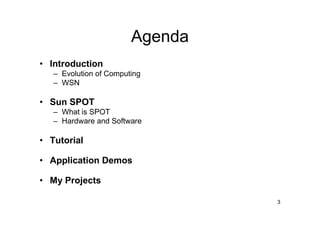
Agenda
• Introduction
   – Evolution of Computing
   – WSN

• Sun SPOT
   – What is SPOT
   – Hardware and Software

• Tutorial

• Application Demos

• My Projects

                                 3
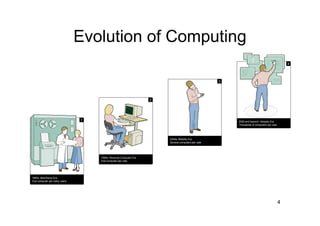
Evolution of Computing
                                                            4


                     2020 and beyond: Ubiquity Era
                     Thousands of computers per user.


                                                        4
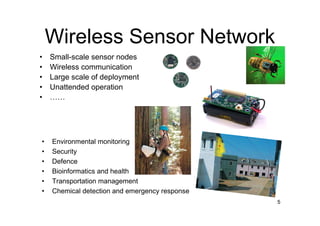
Wireless Sensor Network
•   Small-scale sensor nodes
•   Wireless communication
•   Large scale of deployment
•   Unattended operation
•   ……


•   Environmental monitoring
•   Security
•   Defence
•   Bioinformatics and health
•   Transportation management
•   Chemical detection and emergency response
                                                5
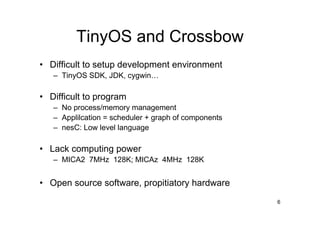
TinyOS and Crossbow
• Difficult to setup development environment
   – TinyOS SDK, JDK, cygwin…

• Difficult to program
   – No process/memory management
   – Applilcation = scheduler + graph of components
   – nesC: Low level language

• Lack computing power
   – MICA2 7MHz 128K; MICAz 4MHz 128K


• Open source software, propitiatory hardware
                                                      6
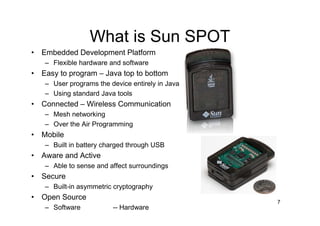
What is Sun SPOT
• Embedded Development Platform
   – Flexible hardware and software
• Easy to program – Java top to bottom
   – User programs the device entirely in Java
   – Using standard Java tools
• Connected – Wireless Communication
   – Mesh networking
   – Over the Air Programming
• Mobile
   – Built in battery charged through USB
• Aware and Active
   – Able to sense and affect surroundings
• Secure
   – Built-in asymmetric cryptography
• Open Source
                                                 7
   – Software           -- Hardware
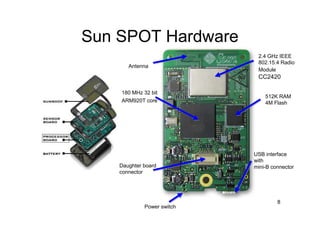
Sun SPOT Hardware
                             2.4 GHz IEEE
                             802.15.4 Radio
       Antenna
                             Module
                             CC2420

    180 MHz 32 bit
                                512K RAM
    ARM920T core                4M Flash


                            USB interface
                            with
    Daughter board          mini-B connector
    connector


                                     8
             Power switch
Sun SPOT Hardware [cont.]
       8 3-colors LEDs                                  Switches


       Light sensor                                      3-D
                                                         Accelerometer

        Analog in 4-5                                    Temperature
                                                         sensor and
                                                         A/D converter


         Digital I/O 0-3                                 Analog inputs


          Replicated switches   Digital I/O   "High" current outputs


                                                                9
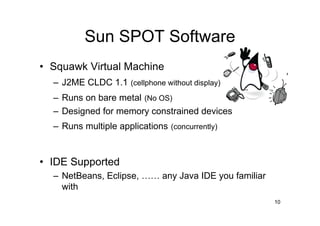
Sun SPOT Software
• Squawk Virtual Machine
  – J2ME CLDC 1.1 (cellphone without display)
  – Runs on bare metal (No OS)
  – Designed for memory constrained devices
  – Runs multiple applications (concurrently)


• IDE Supported
  – NetBeans, Eclipse, …… any Java IDE you familiar
    with
                                                      10
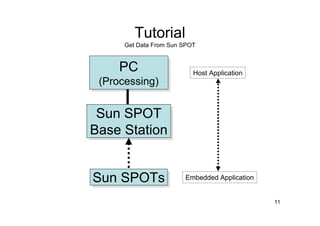
Tutorial
      Get Data From Sun SPOT


     PC
     PC                    Host Application
 (Processing)
  (Processing)

 Sun SPOT
 Sun SPOT
Base Station
Base Station


Sun SPOTs
Sun SPOTs               Embedded Application


                                               11
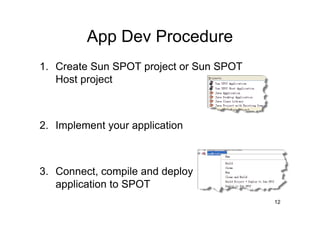
App Dev Procedure
1. Create Sun SPOT project or Sun SPOT
   Host project


2. Implement your application


3. Connect, compile and deploy
   application to SPOT
                                         12
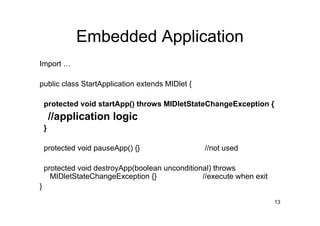
Embedded Application
Import …

public class StartApplication extends MIDlet {

    protected void startApp() throws MIDletStateChangeException {
        //application logic
    }

    protected void pauseApp() {}                  //not used

    protected void destroyApp(boolean unconditional) throws
      MIDletStateChangeException {}              //execute when exit
}
                                                                       13
Embedded Application
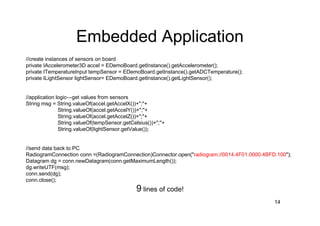
//create instances of sensors on board
private IAccelerometer3D accel = EDemoBoard.getInstance().getAccelerometer();
private ITemperatureInput tempSensor = EDemoBoard.getInstance().getADCTemperature();
private ILightSensor lightSensor= EDemoBoard.getInstance().getLightSensor();


//application logic—get values from sensors
String msg = String.valueOf(accel.getAccelX())+";"+
               String.valueOf(accel.getAccelY())+";"+
               String.valueOf(accel.getAccelZ())+";"+
               String.valueOf(tempSensor.getCelsius())+";"+
               String.valueOf(lightSensor.getValue());


//send data back to PC
RadiogramConnection conn =(RadiogramConnection)Connector.open("radiogram://0014.4F01.0000.4BFD:100");
Datagram dg = conn.newDatagram(conn.getMaximumLength());
dg.writeUTF(msg);
conn.send(dg);
conn.close();
                                              9 lines of code!
                                                                                              14
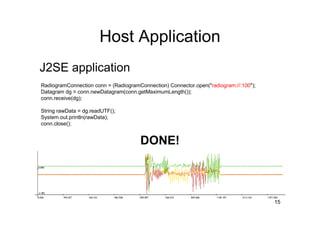
Host Application
J2SE application
RadiogramConnection conn = (RadiogramConnection) Connector.open("radiogram://:100");
Datagram dg = conn.newDatagram(conn.getMaximumLength());
conn.receive(dg);

String rawData = dg.readUTF();
System.out.println(rawData);
conn.close();


                                      DONE!


                                                                                       15
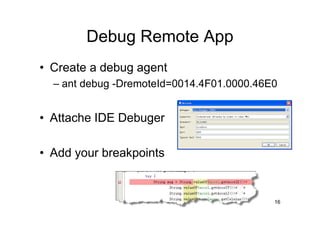
Debug Remote App
• Create a debug agent
  – ant debug -DremoteId=0014.4F01.0000.46E0


• Attache IDE Debuger

• Add your breakpoints


                                           16
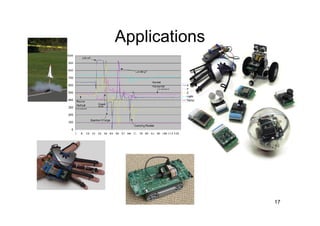
Applications


               17
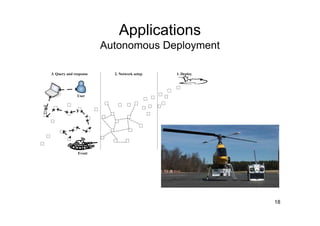
Applications
Autonomous Deployment


                        18
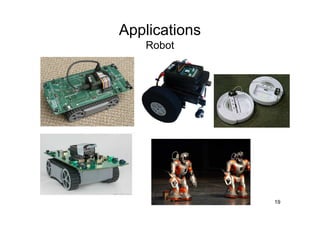
Applications
   Robot


               19
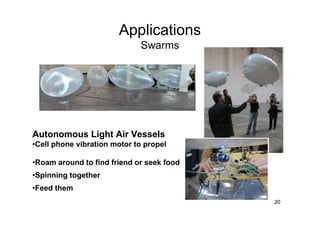
Applications
                             Swarms


Autonomous Light Air Vessels
•Cell phone vibration motor to propel

•Roam around to find friend or seek food
•Spinning together
•Feed them
                                           20
Applications
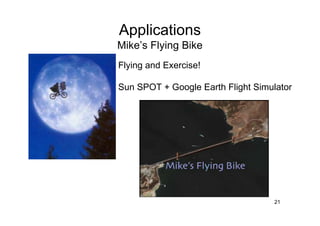
Mike’s Flying Bike
Flying and Exercise!

Sun SPOT + Google Earth Flight Simulator


                                   21
Applications
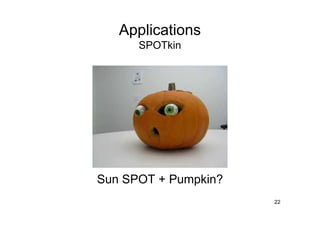
      SPOTkin


Sun SPOT + Pumpkin?
                      22
My Projects
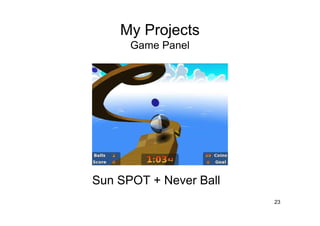
      Game Panel


Sun SPOT + Never Ball
                        23
My Projects
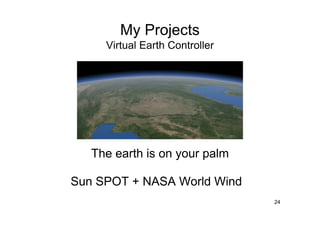
     Virtual Earth Controller


   The earth is on your palm

Sun SPOT + NASA World Wind
                                24
My Projects
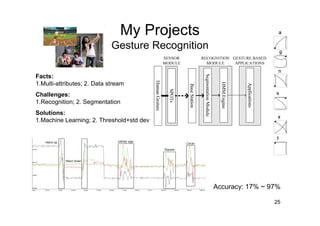
                             Gesture Recognition

Facts:
1.Multi-attributes; 2. Data stream
Challenges:
1.Recognition; 2. Segmentation
Solutions:
1.Machine Learning; 2. Threshold+std dev


                                                   Accuracy: 17% ~ 97%

                                                                    25
Q&A
Thank you

                               Peng Deng
                      Research Assistant
                     SUM Research Lab
            CSSE University of Melbourne


                  August 4, 2009       27

Programming The Real World

  • 1.
    Programming the Real-world Introduction to SPOT Peng Deng ∑ SUMLab CSSE University of Melbourne
  • 2.
    • Graduated fromMEDC in 2008 • Research assistant in UniMelb – SensorWeb • Software engineer in Daintree Networks – Implement wireless protocol decoder 2
  • 3.
    Agenda • Introduction – Evolution of Computing – WSN • Sun SPOT – What is SPOT – Hardware and Software • Tutorial • Application Demos • My Projects 3
  • 4.
    Evolution of Computing 4 2020 and beyond: Ubiquity Era Thousands of computers per user. 4
  • 5.
    Wireless Sensor Network • Small-scale sensor nodes • Wireless communication • Large scale of deployment • Unattended operation • …… • Environmental monitoring • Security • Defence • Bioinformatics and health • Transportation management • Chemical detection and emergency response 5
  • 6.
    TinyOS and Crossbow •Difficult to setup development environment – TinyOS SDK, JDK, cygwin… • Difficult to program – No process/memory management – Applilcation = scheduler + graph of components – nesC: Low level language • Lack computing power – MICA2 7MHz 128K; MICAz 4MHz 128K • Open source software, propitiatory hardware 6
  • 7.
    What is SunSPOT • Embedded Development Platform – Flexible hardware and software • Easy to program – Java top to bottom – User programs the device entirely in Java – Using standard Java tools • Connected – Wireless Communication – Mesh networking – Over the Air Programming • Mobile – Built in battery charged through USB • Aware and Active – Able to sense and affect surroundings • Secure – Built-in asymmetric cryptography • Open Source 7 – Software -- Hardware
  • 8.
    Sun SPOT Hardware 2.4 GHz IEEE 802.15.4 Radio Antenna Module CC2420 180 MHz 32 bit 512K RAM ARM920T core 4M Flash USB interface with Daughter board mini-B connector connector 8 Power switch
  • 9.
    Sun SPOT Hardware[cont.] 8 3-colors LEDs Switches Light sensor 3-D Accelerometer Analog in 4-5 Temperature sensor and A/D converter Digital I/O 0-3 Analog inputs Replicated switches Digital I/O "High" current outputs 9
  • 10.
    Sun SPOT Software •Squawk Virtual Machine – J2ME CLDC 1.1 (cellphone without display) – Runs on bare metal (No OS) – Designed for memory constrained devices – Runs multiple applications (concurrently) • IDE Supported – NetBeans, Eclipse, …… any Java IDE you familiar with 10
  • 11.
    Tutorial Get Data From Sun SPOT PC PC Host Application (Processing) (Processing) Sun SPOT Sun SPOT Base Station Base Station Sun SPOTs Sun SPOTs Embedded Application 11
  • 12.
    App Dev Procedure 1.Create Sun SPOT project or Sun SPOT Host project 2. Implement your application 3. Connect, compile and deploy application to SPOT 12
  • 13.
    Embedded Application Import … publicclass StartApplication extends MIDlet { protected void startApp() throws MIDletStateChangeException { //application logic } protected void pauseApp() {} //not used protected void destroyApp(boolean unconditional) throws MIDletStateChangeException {} //execute when exit } 13
  • 14.
    Embedded Application //create instancesof sensors on board private IAccelerometer3D accel = EDemoBoard.getInstance().getAccelerometer(); private ITemperatureInput tempSensor = EDemoBoard.getInstance().getADCTemperature(); private ILightSensor lightSensor= EDemoBoard.getInstance().getLightSensor(); //application logic—get values from sensors String msg = String.valueOf(accel.getAccelX())+";"+ String.valueOf(accel.getAccelY())+";"+ String.valueOf(accel.getAccelZ())+";"+ String.valueOf(tempSensor.getCelsius())+";"+ String.valueOf(lightSensor.getValue()); //send data back to PC RadiogramConnection conn =(RadiogramConnection)Connector.open("radiogram://0014.4F01.0000.4BFD:100"); Datagram dg = conn.newDatagram(conn.getMaximumLength()); dg.writeUTF(msg); conn.send(dg); conn.close(); 9 lines of code! 14
  • 15.
    Host Application J2SE application RadiogramConnectionconn = (RadiogramConnection) Connector.open("radiogram://:100"); Datagram dg = conn.newDatagram(conn.getMaximumLength()); conn.receive(dg); String rawData = dg.readUTF(); System.out.println(rawData); conn.close(); DONE! 15
  • 16.
    Debug Remote App •Create a debug agent – ant debug -DremoteId=0014.4F01.0000.46E0 • Attache IDE Debuger • Add your breakpoints 16
  • 17.
  • 18.
  • 19.
    Applications Robot 19
  • 20.
    Applications Swarms Autonomous Light Air Vessels •Cell phone vibration motor to propel •Roam around to find friend or seek food •Spinning together •Feed them 20
  • 21.
    Applications Mike’s Flying Bike Flyingand Exercise! Sun SPOT + Google Earth Flight Simulator 21
  • 22.
    Applications SPOTkin Sun SPOT + Pumpkin? 22
  • 23.
    My Projects Game Panel Sun SPOT + Never Ball 23
  • 24.
    My Projects Virtual Earth Controller The earth is on your palm Sun SPOT + NASA World Wind 24
  • 25.
    My Projects Gesture Recognition Facts: 1.Multi-attributes; 2. Data stream Challenges: 1.Recognition; 2. Segmentation Solutions: 1.Machine Learning; 2. Threshold+std dev Accuracy: 17% ~ 97% 25
  • 26.
  • 27.
    Thank you Peng Deng Research Assistant SUM Research Lab CSSE University of Melbourne August 4, 2009 27