Bare-Metal Container
--- Direct execution of a container image on a
remote machine with an optimized kernel ---
1
National Institute of Advanced Industrial
Science and Technology(AIST)
Kuniyasu Suzaki, Hidetaka Koie, Ryousei Takano
IEEE International Conferences on High Performance Computing and Communications (HPCC) 2016, Sydney
Contents
• Background of BMC
– Drawbacks of container, general kernel, and
accounting.
• What is BMC?
• Current implementation
• Evaluation
• Conclusions
2
Background of BMC 1/3
Drawback of Container
• Container technology (Docker) becomes popular.
– Docker offers an environment to customize an application easily.
– It looks like to be good for an application, but it is a server centric.
• It does not allow to change the kernel.
– Kernel options passed through /sys are not effective because Docker
uses union file system (AUFS or DeviceMapper), which prevents
options from reaching to the kernel.
• Some applications cannot run on Docker.
– DPDK on Docker does not work on some machines, because it
depends on “igb_uio” and “rte_kni” kernel modules.
• Some provider offers the kernel which can treat DPDK on Docker,
but it is case by case solution. It is not fundamental solution.
3
Background of BMC 1/3
Drawback of Container
• Container technology (Docker) becomes popular.
– Docker offers an environment to customize an application easily.
– It looks like to be good for an application, but it is a server centric.
• It does not allow to change the kernel.
– Kernel options passed through /sys are not effective because Docker
uses union file system (AUFS or DeviceMapper), which prevents
options from reaching to the kernel.
• Some applications cannot run on Docker.
– DPDK on Docker does not work on some machines, because it
depends on “igb_uio” and “rte_kni” kernel modules.
• Some provider offers the kernel which can treat DPDK on Docker,
but it is case by case solution. It is not fundamental solution.
4
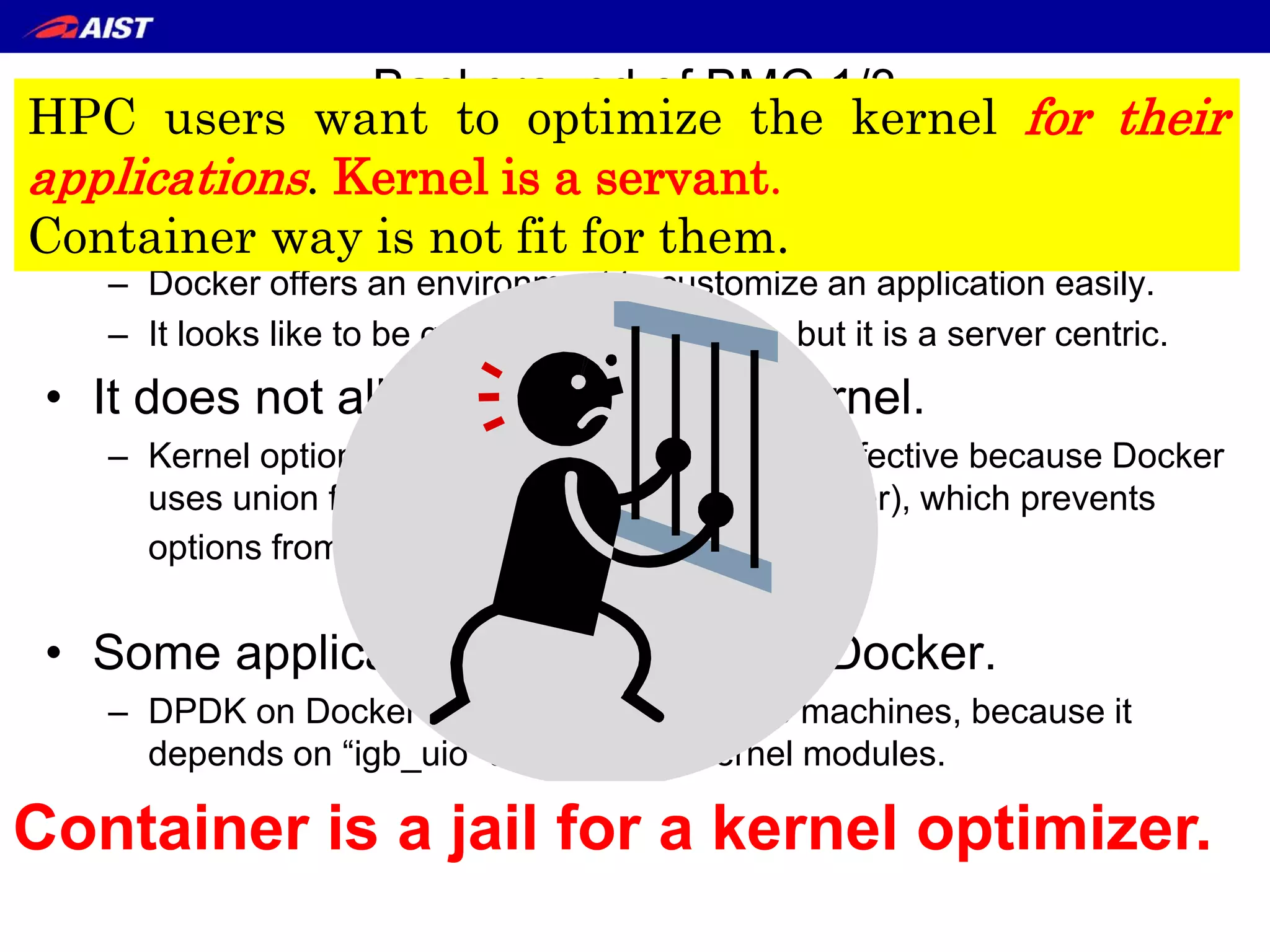
Container is a jail for a kernel optimizer.
Background of BMC 1/3
Drawback of Container
• Container technology (Docker) becomes popular.
– Docker offers an environment to customize an application easily.
– It looks like to be good for an application, but it is a server centric.
• It does not allow to change the kernel.
– Kernel options passed through /sys are not effective because Docker
uses union file system (AUFS or DeviceMapper), which prevents
options from reaching to the kernel.
• Some applications cannot run on Docker.
– DPDK on Docker does not work on some machines, because it
depends on “igb_uio” and “rte_kni” kernel modules.
• Some provider offers the kernel which can treat DPDK on Docker,
but it is case by case solution. It is not fundamental solution.
5
Container is a jail for a kernel optimizer.
HPC users want to optimize the kernel for their
applications. Kernel is a servant.
Container way is not fit for them.
Background of BMC 2/3
General kernel leads weak performance
• Arrakis[OSDI’14] showed that nearly 70% of network latency
was spent in the network stack in a Linux kernel.
• Many DB applications (e.g., Oracle, MongoDB) reduce the
performance by THP (Transparent Huge Pages) which is
enabled on most Linux distributions.
6
Background of BMC 2/3
General kernel leads weak performance
• Arrakis[OSDI’14] showed that nearly 70% of network latency
was spent in the network stack in a Linux kernel.
• Many DB applications (e.g., Oracle, MongoDB) reduce the
performance by THP (Transparent Huge Pages) which is
enabled on most Linux distributions.
7
It is not fundamental solution.
HPC users want to optimize the kernel for their
applications. Kernel is a servant.
Background of BMC 3/3
Power consumption for each application
• Current power measurement is coarse.
– PUE only shows usage of data-center scale.
– Current power consumption is theme for vender and
administrators
• Users have no incentive for low power.
– Current accounting is based on time consumption
8
Background of BMC 3/3
Power consumption for each application
• Current power measurement is coarse.
– PUE only shows usage of data-center scale.
– Current power consumption is theme for vender and
administrators
• Users have no incentive for low power.
– Current accounting is based on time consumption
9
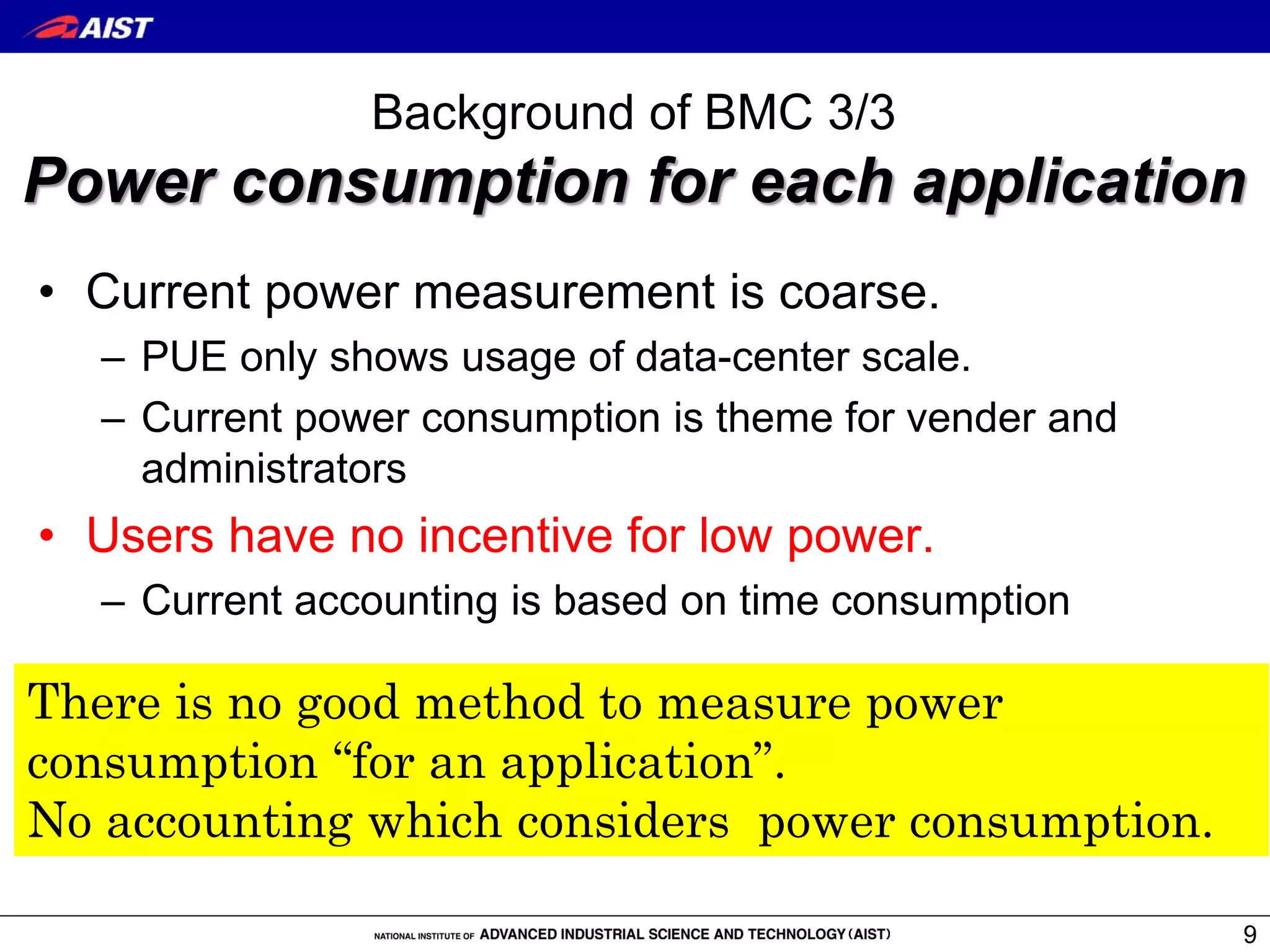
There is no good method to measure power
consumption “for an application”.
No accounting which considers power consumption.
What is BMC?
• BMC(Bare-Metal Container) runs a container
(Docker) image with a suitable Linux kernel on a
remote physical machine.
– Application on Container can change kernel settings and
machine which fit for application and extract the full
performance.
– It means the power is almost used for an application.
10
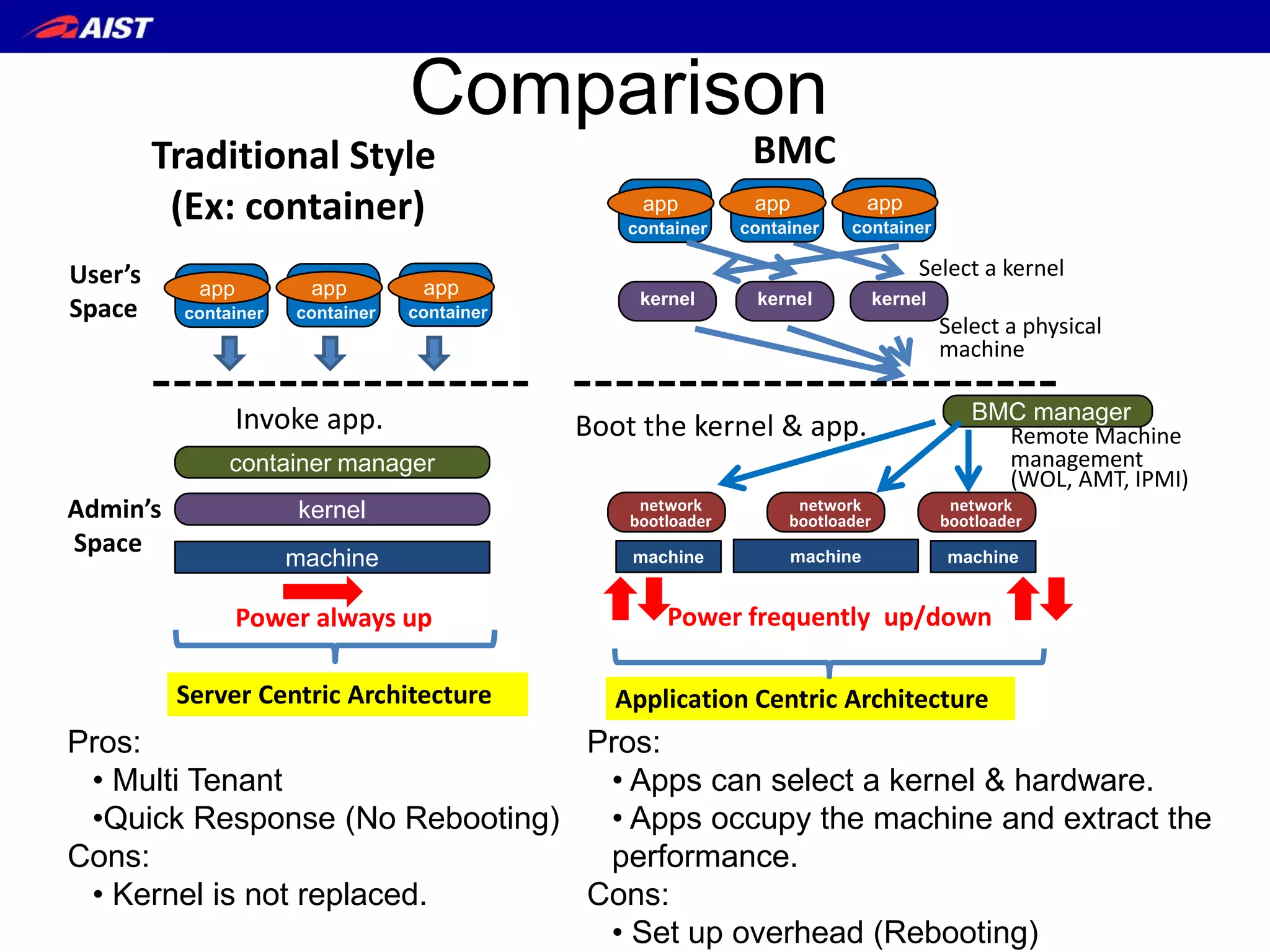
Application Centric Architecture
machine
kernel
container manager
Server Centric Architecture
Traditional Style
(Ex: container)
Invoke app.
Power always up
Admin’s
Space
User’s
Space
app
container
app
container
app
container
Comparison
Pros:
• Multi Tenant
•Quick Response (No Rebooting)
Cons:
• Kernel is not replaced.
Pros:
• Apps can select a kernel & hardware.
• Apps occupy the machine and extract the
performance.
Cons:
• Set up overhead (Rebooting)
Boot the kernel & app.
BMC
machine machine machine
kernel
app
container
kernel kernel
Application Centric Architecture
Select a kernel
Select a physical
machine
BMC manager
Remote Machine
management
(WOL, AMT, IPMI)
network
bootloader
network
bootloader
network
bootloader
Power frequently up/down
app
container
app
container
Node-1
Docker
Hub
BMC
Hub
BMC Manager
client
BMC Command
#bmc run “docker-img” “kernel” “initrd” “command”
HTTPS (apache)
iPXE script
kernel & initrd
kernel & initrd
IP address
(bmc-ID)
NFS mount or download to RAM FS
docker image
Docker Image
ssh
ssh pub-key
cloud-init
+ bmc tools (heatbeat)
+ sshd
+ ssh pub-key
iPXE
Power On (WOL, AMT, IPMI)
Platform authentication
Authenticate
Download iPXE script
Download kernel & initrd
NFS mount or download to RAM FS
request ssh connection
①
②③
④
⑤
Power Off (shutdown command, AMT, IPMI)
⑥
⑦
⑧
iPXE
Kernel & initrd
(IP3)
(MAC or IP1)
(IP2)
(Linux or IP1)
Procedure to execute BMC command
Remote Machine Boot Procedure
1. Power-on a node machine with Remote Machine
Management (WOL, Intel AMT, IPMI)
2. Network Boot Loader (iPXE)
– Get kernel and intird from a HTTP/HTTPS server.
3. The downloaded initrd mounts a Docker image.
• NFS mode
• RAM FS mode
4. Boot procedure in a Docker image
– Fortunately, Docker image keeps boot procedure.
5. SSH is connected from BMC command
– Run an application.
13
Remote Machine Management
WOL Intel AMT IPMI
Protocol
Magic Packet
(MAC address)
HTTPS
(IP address)
RMPC
(IP address)
Power-On ✔ ✔ ✔
Power-Off × ✔ ✔
Security × Password Password
Comment
Most PCs
have WOL.
High level Intel
machine
Server Machine
(Slow BIOS)
14
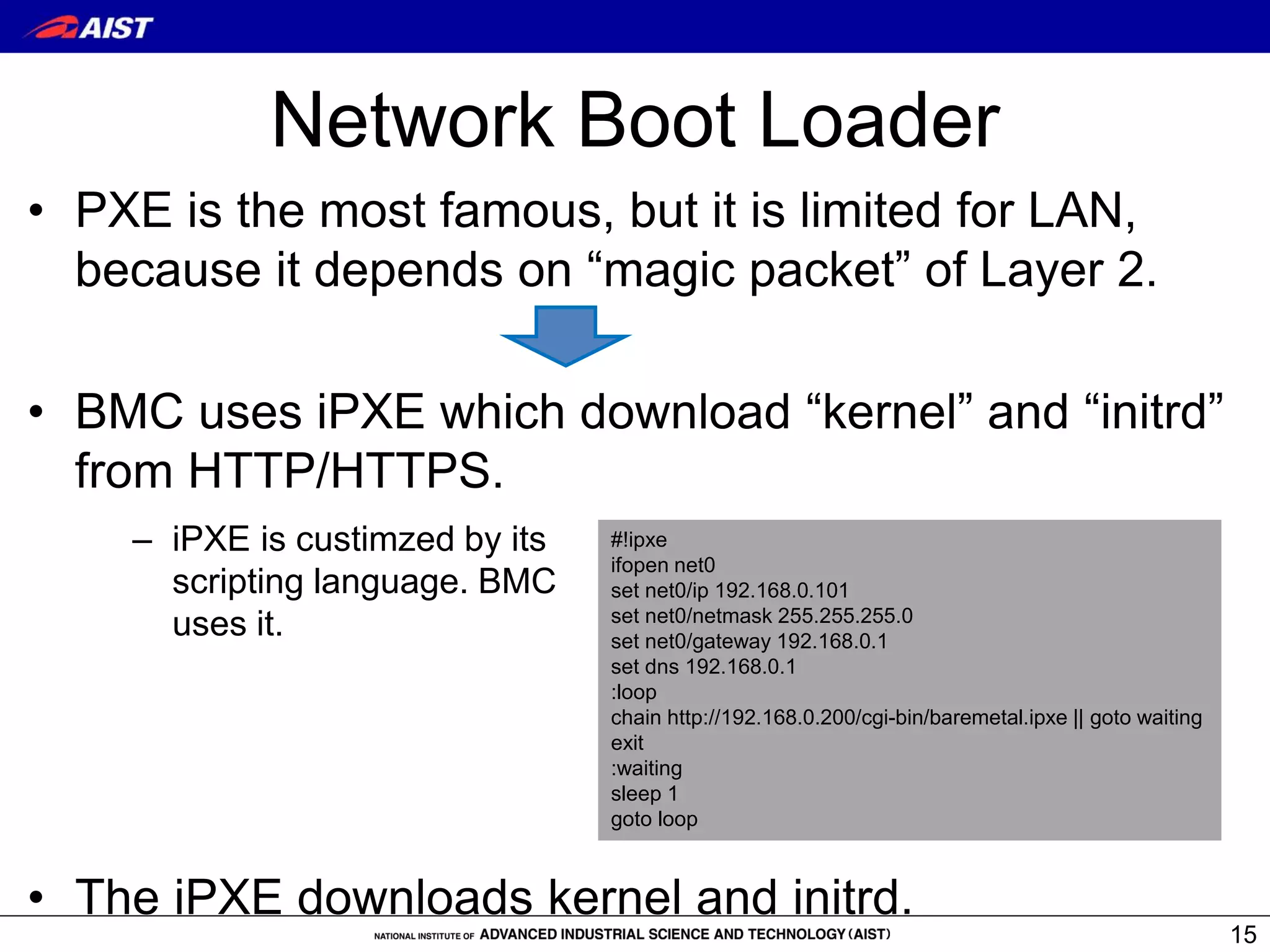
Network Boot Loader
• PXE is the most famous, but it is limited for LAN,
because it depends on “magic packet” of Layer 2.
• BMC uses iPXE which download “kernel” and “initrd”
from HTTP/HTTPS.
• The iPXE downloads kernel and initrd.
15
#!ipxe
ifopen net0
set net0/ip 192.168.0.101
set net0/netmask 255.255.255.0
set net0/gateway 192.168.0.1
set dns 192.168.0.1
:loop
chain http://192.168.0.200/cgi-bin/baremetal.ipxe || goto waiting
exit
:waiting
sleep 1
goto loop
– iPXE is custimzed by its
scripting language. BMC
uses it.
How to boot OS (Linux)
• The downloaded “initrd” is customized to mount an Docker
image. It offers 2 mount methods.
– NFS mode
• Download necessary data only and fast boot, but it needs to download data
to run applications after boot.
– RAMFS mode
• Download full disk image and slow boot, but application runs fast after boot.
• Boot procedure in the Docker image.
– An Docker image keeps boot procedure for each application because
each application package designed to include them.
– BMC utilizes these boot procedures to rum daemons, such as the SSH,
because an application in the Docker image is executed by remote
procedure calls from BMC manager.
16
Current Implementation
• Current BMC Manager is implemented with
shell script.
– 4500 LOC.
• Power consumed on each node is measured
by WattChecker.
• We have tried several machines as BMC
nodes.
– From Atom to Xeon.
– Application can select machine considering power
consumption.
17
Spec of Test Machines
Remote
machine
manage
ment
CPU,Core/thread,
Clock (Burst time),
Power
Logical
performance
GFLOPS
(Burst time)
Issue
date
Memory NIC
(queue)
Low Power
Intel NUC 5CPYH
WOL Celeron (N3050),2/2, 1.6
(2.16)GHz,8W
6.4
(8.6)
2015 8GB RealTek r8169
(1)
NotePC
Lenovo ThinkPAD
T430s
Intel AMT i7 (3520M)2/4,
2.9(3.6)GHz, 35W
46.4
(57.6)
2012 16GB
Intel e1000
(1)
DesktopPC
Dell Optiplex 960
Intel AMT Core 2Quad (Q9400)
4 /4, 2.66GHz,95W
42.656 2008 16GB
Intel e1000
(1)
Server
Dell PowerEdge
T410
IPMI Xeon (X5650)
6/12,2.66(3.06)GHz,95W
63.984
(73.44)
2010 8GB
Broadcom
NeXtreme II(8)
18
Boot performance
19
Network PowerTime
NFSRamFS
• They are BMC’s overhead.
• The performance improved by optimization must surpass the overhead.
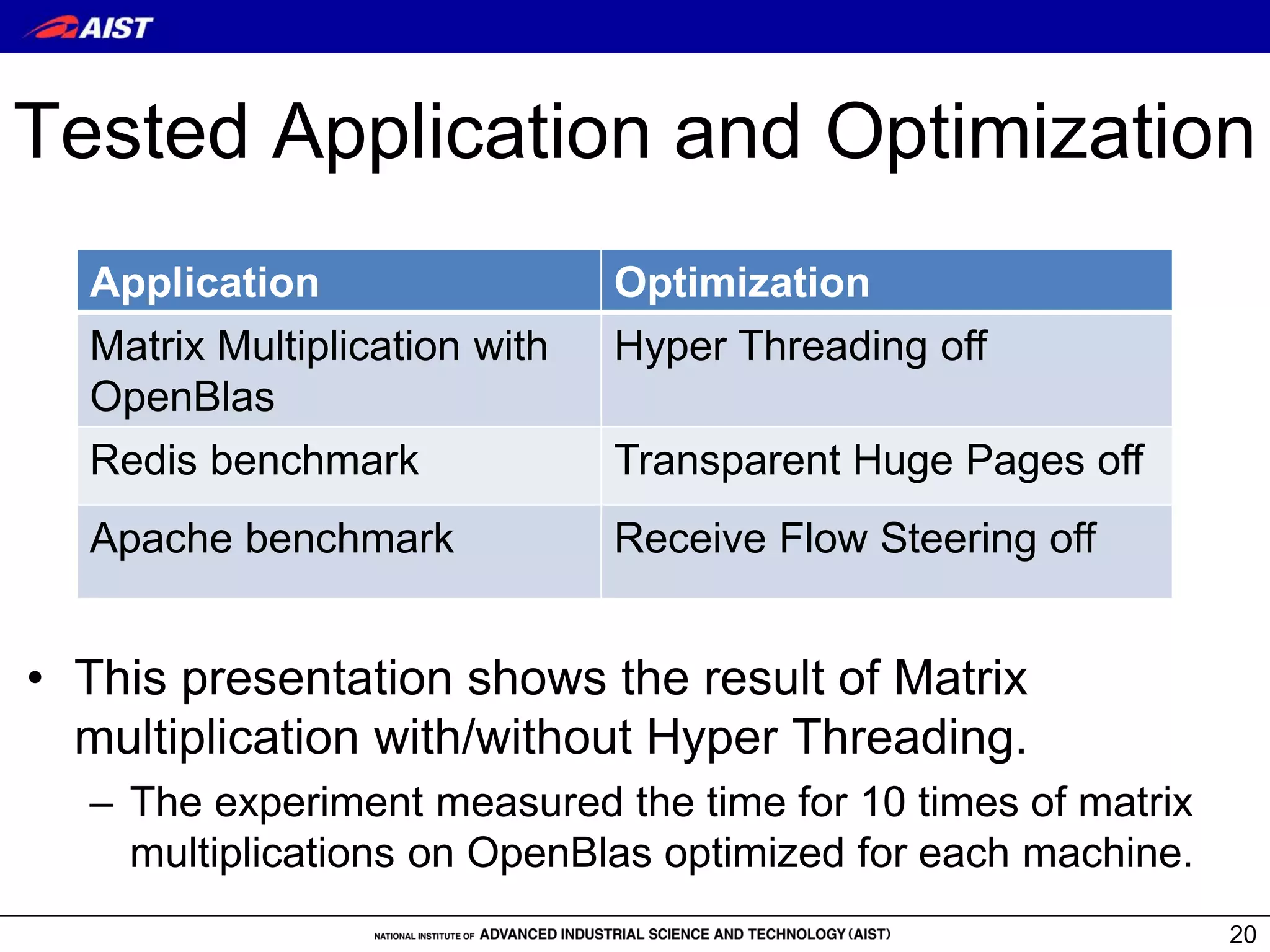
Tested Application and Optimization
• This presentation shows the result of Matrix
multiplication with/without Hyper Threading.
– The experiment measured the time for 10 times of matrix
multiplications on OpenBlas optimized for each machine.
20
Application Optimization
Matrix Multiplication with
OpenBlas
Hyper Threading off
Redis benchmark Transparent Huge Pages off
Apache benchmark Receive Flow Steering off
Performance Difference
10 times of matrix multiplications [12800:12800]
on OpenBlas optimized for each machine. .
21
Time (s) Power (j) GFLOPS
Power/
(GFLOPS
*time)
i7
HTT-on
961.4 55,315
43.8
(76.0%)
1.31
i7
HTT-off
827.1 45,364
50.9
(88.4%)
1.08
Xeon
HTT-on
945.6 211,908
44.6
(60.7%)
5.02
Xeon
HTT-off
698.9 151,760
60.5
(82.4%)
3.59
() shows the rate from
logical performance
• The results show no hyper threading were better.
Performance improvement which
compensates the boot overhead
Boot
overhead
Improvement
at [6400:6400]
Improvement
at [12800:12800]
Time (sec)
i7 35.4 15.9 134.3
Xeon 108.0 29.8 246.7
Power (joule)
i7 1,805.3 1,150 9,951
Xeon 11,274.5 6,792 60,148
22
• Overheads for time and power were compensated
before [12800:12800].
Related works
• Triton [Joyent’s product]
– Triton = Docker + SmartOS.
• In order to optimize, user needs to customize SmarOS.
• LinuxBIOS/BProc Cluster[HPCS’02]
– Testbed for kernel test. It is not so easy to implement
because it requires to replace BIOS.
• Shifter[Cray User Group’15]
– Translate Docker image for their environment.
– It does not allow to change the kernel.
• SLURM[ICDCN’14]
– Measure power consumption for an application. It
depends on function to measure power (Intel RAPL:
Running Average Power Limit, or CRAY machine).
23
Conclusions
• BMC (Bare-Metal Container) runs a container
(Docker) image with a suitable Linux kernel
on a remote physical machine.
• The overhead of BMC was compensated by
the improved performance of applications.
• Official HP: http://www.itri.aist.go.jp/cpc/research/bmc/
• Docker Image for BMC manager:
https://hub.docker.com/r/baremetalcontainer/
• Source Code: https://github.com/baremetalcontainer
24

”Bare-Metal Container" presented at HPCC2016

  • 1.
    Bare-Metal Container --- Directexecution of a container image on a remote machine with an optimized kernel --- 1 National Institute of Advanced Industrial Science and Technology(AIST) Kuniyasu Suzaki, Hidetaka Koie, Ryousei Takano IEEE International Conferences on High Performance Computing and Communications (HPCC) 2016, Sydney
  • 2.
    Contents • Background ofBMC – Drawbacks of container, general kernel, and accounting. • What is BMC? • Current implementation • Evaluation • Conclusions 2
  • 3.
    Background of BMC1/3 Drawback of Container • Container technology (Docker) becomes popular. – Docker offers an environment to customize an application easily. – It looks like to be good for an application, but it is a server centric. • It does not allow to change the kernel. – Kernel options passed through /sys are not effective because Docker uses union file system (AUFS or DeviceMapper), which prevents options from reaching to the kernel. • Some applications cannot run on Docker. – DPDK on Docker does not work on some machines, because it depends on “igb_uio” and “rte_kni” kernel modules. • Some provider offers the kernel which can treat DPDK on Docker, but it is case by case solution. It is not fundamental solution. 3
  • 4.
    Background of BMC1/3 Drawback of Container • Container technology (Docker) becomes popular. – Docker offers an environment to customize an application easily. – It looks like to be good for an application, but it is a server centric. • It does not allow to change the kernel. – Kernel options passed through /sys are not effective because Docker uses union file system (AUFS or DeviceMapper), which prevents options from reaching to the kernel. • Some applications cannot run on Docker. – DPDK on Docker does not work on some machines, because it depends on “igb_uio” and “rte_kni” kernel modules. • Some provider offers the kernel which can treat DPDK on Docker, but it is case by case solution. It is not fundamental solution. 4 Container is a jail for a kernel optimizer.
  • 5.
    Background of BMC1/3 Drawback of Container • Container technology (Docker) becomes popular. – Docker offers an environment to customize an application easily. – It looks like to be good for an application, but it is a server centric. • It does not allow to change the kernel. – Kernel options passed through /sys are not effective because Docker uses union file system (AUFS or DeviceMapper), which prevents options from reaching to the kernel. • Some applications cannot run on Docker. – DPDK on Docker does not work on some machines, because it depends on “igb_uio” and “rte_kni” kernel modules. • Some provider offers the kernel which can treat DPDK on Docker, but it is case by case solution. It is not fundamental solution. 5 Container is a jail for a kernel optimizer. HPC users want to optimize the kernel for their applications. Kernel is a servant. Container way is not fit for them.
  • 6.
    Background of BMC2/3 General kernel leads weak performance • Arrakis[OSDI’14] showed that nearly 70% of network latency was spent in the network stack in a Linux kernel. • Many DB applications (e.g., Oracle, MongoDB) reduce the performance by THP (Transparent Huge Pages) which is enabled on most Linux distributions. 6
  • 7.
    Background of BMC2/3 General kernel leads weak performance • Arrakis[OSDI’14] showed that nearly 70% of network latency was spent in the network stack in a Linux kernel. • Many DB applications (e.g., Oracle, MongoDB) reduce the performance by THP (Transparent Huge Pages) which is enabled on most Linux distributions. 7 It is not fundamental solution. HPC users want to optimize the kernel for their applications. Kernel is a servant.
  • 8.
    Background of BMC3/3 Power consumption for each application • Current power measurement is coarse. – PUE only shows usage of data-center scale. – Current power consumption is theme for vender and administrators • Users have no incentive for low power. – Current accounting is based on time consumption 8
  • 9.
    Background of BMC3/3 Power consumption for each application • Current power measurement is coarse. – PUE only shows usage of data-center scale. – Current power consumption is theme for vender and administrators • Users have no incentive for low power. – Current accounting is based on time consumption 9 There is no good method to measure power consumption “for an application”. No accounting which considers power consumption.
  • 10.
    What is BMC? •BMC(Bare-Metal Container) runs a container (Docker) image with a suitable Linux kernel on a remote physical machine. – Application on Container can change kernel settings and machine which fit for application and extract the full performance. – It means the power is almost used for an application. 10 Application Centric Architecture
  • 11.
    machine kernel container manager Server CentricArchitecture Traditional Style (Ex: container) Invoke app. Power always up Admin’s Space User’s Space app container app container app container Comparison Pros: • Multi Tenant •Quick Response (No Rebooting) Cons: • Kernel is not replaced. Pros: • Apps can select a kernel & hardware. • Apps occupy the machine and extract the performance. Cons: • Set up overhead (Rebooting) Boot the kernel & app. BMC machine machine machine kernel app container kernel kernel Application Centric Architecture Select a kernel Select a physical machine BMC manager Remote Machine management (WOL, AMT, IPMI) network bootloader network bootloader network bootloader Power frequently up/down app container app container
  • 12.
    Node-1 Docker Hub BMC Hub BMC Manager client BMC Command #bmcrun “docker-img” “kernel” “initrd” “command” HTTPS (apache) iPXE script kernel & initrd kernel & initrd IP address (bmc-ID) NFS mount or download to RAM FS docker image Docker Image ssh ssh pub-key cloud-init + bmc tools (heatbeat) + sshd + ssh pub-key iPXE Power On (WOL, AMT, IPMI) Platform authentication Authenticate Download iPXE script Download kernel & initrd NFS mount or download to RAM FS request ssh connection ① ②③ ④ ⑤ Power Off (shutdown command, AMT, IPMI) ⑥ ⑦ ⑧ iPXE Kernel & initrd (IP3) (MAC or IP1) (IP2) (Linux or IP1) Procedure to execute BMC command
  • 13.
    Remote Machine BootProcedure 1. Power-on a node machine with Remote Machine Management (WOL, Intel AMT, IPMI) 2. Network Boot Loader (iPXE) – Get kernel and intird from a HTTP/HTTPS server. 3. The downloaded initrd mounts a Docker image. • NFS mode • RAM FS mode 4. Boot procedure in a Docker image – Fortunately, Docker image keeps boot procedure. 5. SSH is connected from BMC command – Run an application. 13
  • 14.
    Remote Machine Management WOLIntel AMT IPMI Protocol Magic Packet (MAC address) HTTPS (IP address) RMPC (IP address) Power-On ✔ ✔ ✔ Power-Off × ✔ ✔ Security × Password Password Comment Most PCs have WOL. High level Intel machine Server Machine (Slow BIOS) 14
  • 15.
    Network Boot Loader •PXE is the most famous, but it is limited for LAN, because it depends on “magic packet” of Layer 2. • BMC uses iPXE which download “kernel” and “initrd” from HTTP/HTTPS. • The iPXE downloads kernel and initrd. 15 #!ipxe ifopen net0 set net0/ip 192.168.0.101 set net0/netmask 255.255.255.0 set net0/gateway 192.168.0.1 set dns 192.168.0.1 :loop chain http://192.168.0.200/cgi-bin/baremetal.ipxe || goto waiting exit :waiting sleep 1 goto loop – iPXE is custimzed by its scripting language. BMC uses it.
  • 16.
    How to bootOS (Linux) • The downloaded “initrd” is customized to mount an Docker image. It offers 2 mount methods. – NFS mode • Download necessary data only and fast boot, but it needs to download data to run applications after boot. – RAMFS mode • Download full disk image and slow boot, but application runs fast after boot. • Boot procedure in the Docker image. – An Docker image keeps boot procedure for each application because each application package designed to include them. – BMC utilizes these boot procedures to rum daemons, such as the SSH, because an application in the Docker image is executed by remote procedure calls from BMC manager. 16
  • 17.
    Current Implementation • CurrentBMC Manager is implemented with shell script. – 4500 LOC. • Power consumed on each node is measured by WattChecker. • We have tried several machines as BMC nodes. – From Atom to Xeon. – Application can select machine considering power consumption. 17
  • 18.
    Spec of TestMachines Remote machine manage ment CPU,Core/thread, Clock (Burst time), Power Logical performance GFLOPS (Burst time) Issue date Memory NIC (queue) Low Power Intel NUC 5CPYH WOL Celeron (N3050),2/2, 1.6 (2.16)GHz,8W 6.4 (8.6) 2015 8GB RealTek r8169 (1) NotePC Lenovo ThinkPAD T430s Intel AMT i7 (3520M)2/4, 2.9(3.6)GHz, 35W 46.4 (57.6) 2012 16GB Intel e1000 (1) DesktopPC Dell Optiplex 960 Intel AMT Core 2Quad (Q9400) 4 /4, 2.66GHz,95W 42.656 2008 16GB Intel e1000 (1) Server Dell PowerEdge T410 IPMI Xeon (X5650) 6/12,2.66(3.06)GHz,95W 63.984 (73.44) 2010 8GB Broadcom NeXtreme II(8) 18
  • 19.
    Boot performance 19 Network PowerTime NFSRamFS •They are BMC’s overhead. • The performance improved by optimization must surpass the overhead.
  • 20.
    Tested Application andOptimization • This presentation shows the result of Matrix multiplication with/without Hyper Threading. – The experiment measured the time for 10 times of matrix multiplications on OpenBlas optimized for each machine. 20 Application Optimization Matrix Multiplication with OpenBlas Hyper Threading off Redis benchmark Transparent Huge Pages off Apache benchmark Receive Flow Steering off
  • 21.
    Performance Difference 10 timesof matrix multiplications [12800:12800] on OpenBlas optimized for each machine. . 21 Time (s) Power (j) GFLOPS Power/ (GFLOPS *time) i7 HTT-on 961.4 55,315 43.8 (76.0%) 1.31 i7 HTT-off 827.1 45,364 50.9 (88.4%) 1.08 Xeon HTT-on 945.6 211,908 44.6 (60.7%) 5.02 Xeon HTT-off 698.9 151,760 60.5 (82.4%) 3.59 () shows the rate from logical performance • The results show no hyper threading were better.
  • 22.
    Performance improvement which compensatesthe boot overhead Boot overhead Improvement at [6400:6400] Improvement at [12800:12800] Time (sec) i7 35.4 15.9 134.3 Xeon 108.0 29.8 246.7 Power (joule) i7 1,805.3 1,150 9,951 Xeon 11,274.5 6,792 60,148 22 • Overheads for time and power were compensated before [12800:12800].
  • 23.
    Related works • Triton[Joyent’s product] – Triton = Docker + SmartOS. • In order to optimize, user needs to customize SmarOS. • LinuxBIOS/BProc Cluster[HPCS’02] – Testbed for kernel test. It is not so easy to implement because it requires to replace BIOS. • Shifter[Cray User Group’15] – Translate Docker image for their environment. – It does not allow to change the kernel. • SLURM[ICDCN’14] – Measure power consumption for an application. It depends on function to measure power (Intel RAPL: Running Average Power Limit, or CRAY machine). 23
  • 24.
    Conclusions • BMC (Bare-MetalContainer) runs a container (Docker) image with a suitable Linux kernel on a remote physical machine. • The overhead of BMC was compensated by the improved performance of applications. • Official HP: http://www.itri.aist.go.jp/cpc/research/bmc/ • Docker Image for BMC manager: https://hub.docker.com/r/baremetalcontainer/ • Source Code: https://github.com/baremetalcontainer 24