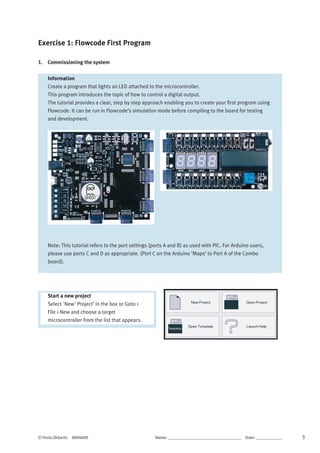
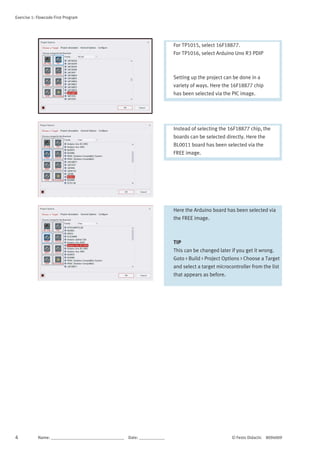
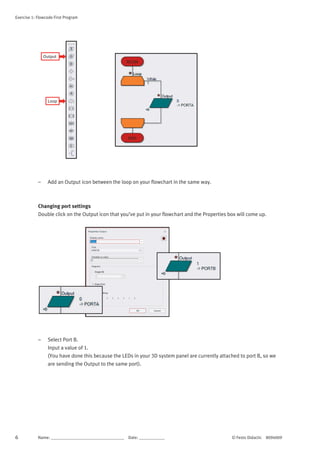
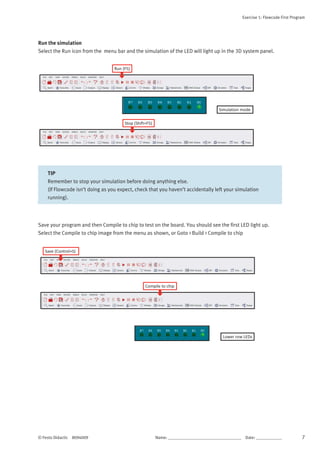
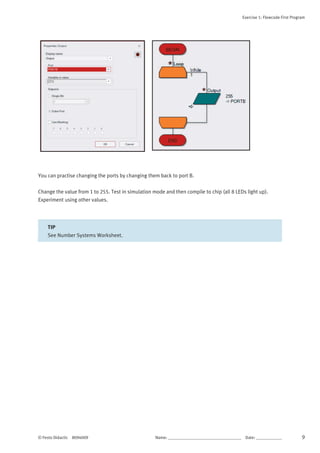
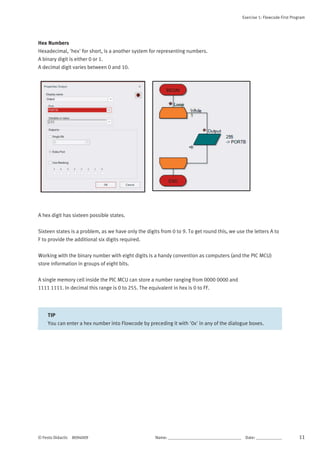
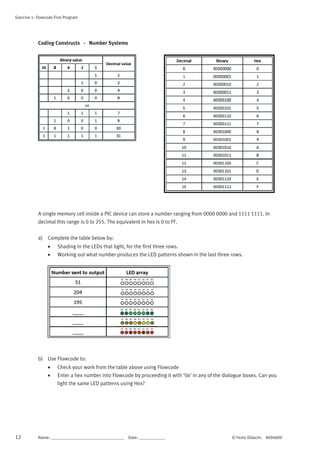
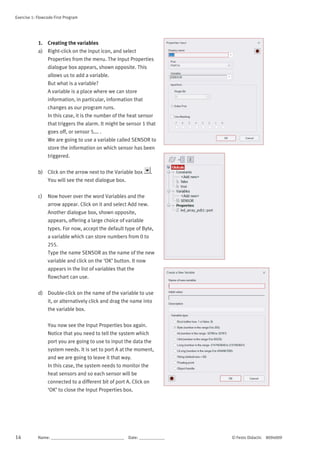
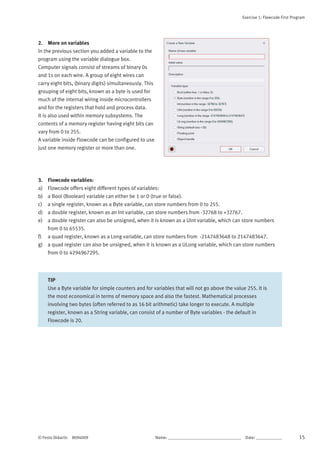
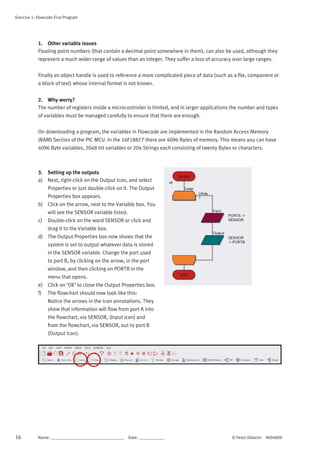
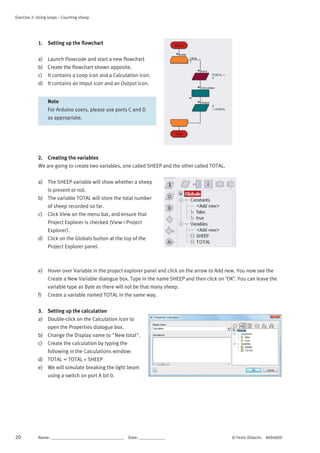
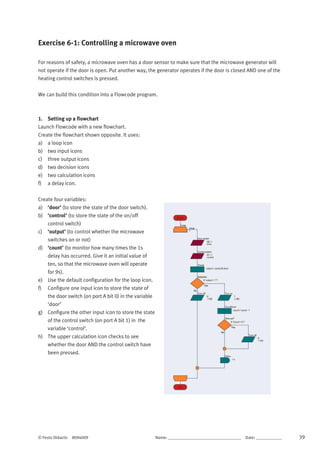
The document provides instructions for creating a first program in Flowcode to light an LED connected to a microcontroller. It guides the user through starting a new project, selecting a target microcontroller, adding an LED array to the 3D panel, creating a flowchart with a loop and output block, and configuring the output block to light the LED connected to port B by setting the output value to 1. The program is then ready to be simulated or compiled and run on the microcontroller development board.











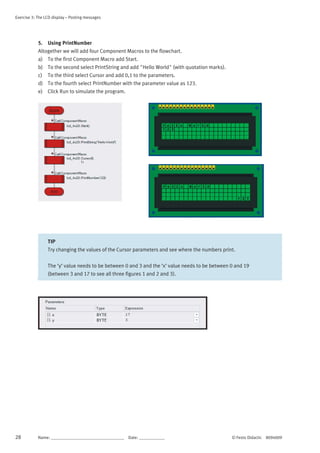
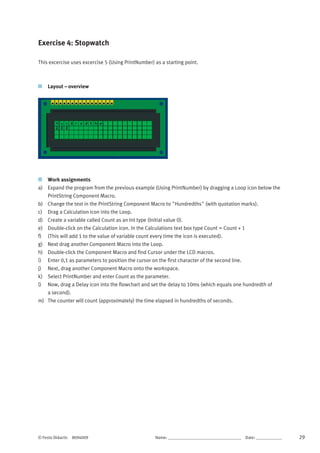
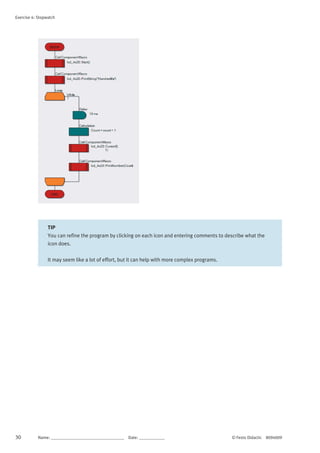

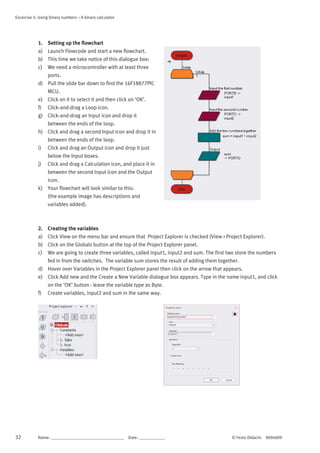
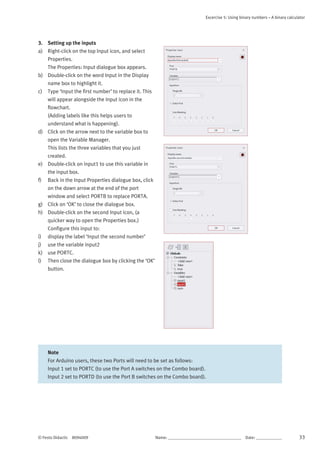
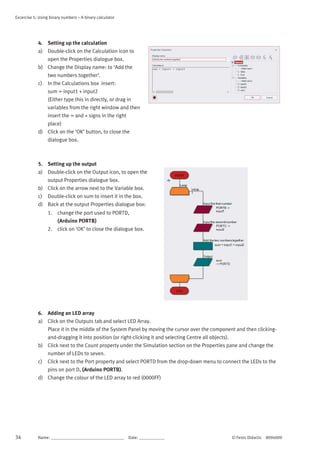
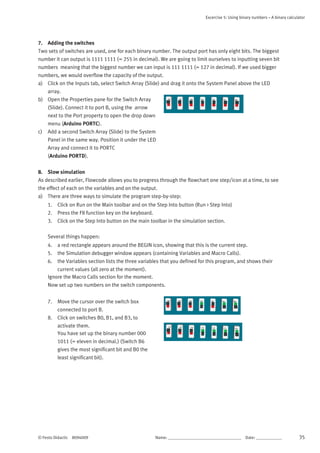







![Excercise 7-5: Programming Excercises – Using Loops
© Festo Didactic 8094009 Name: __________________________________ Date: ____________ 53
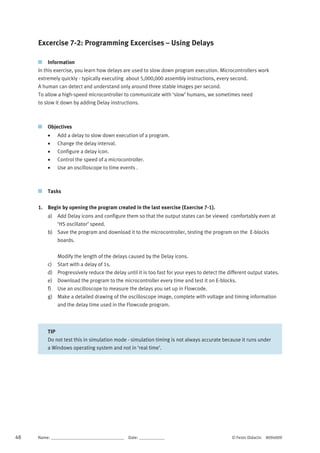
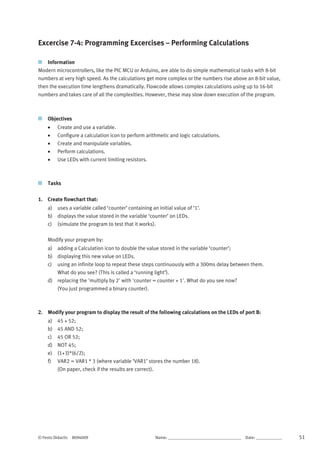
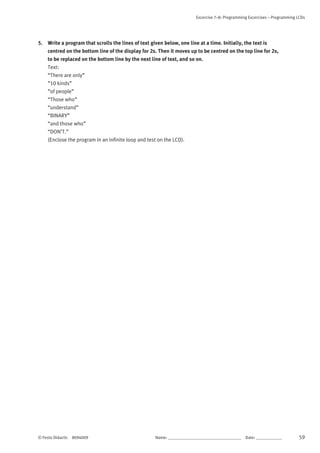
3. Create a flowchart that contains an array of four variables, called ‘Matrix[x]’ which stores the
following values: Matrix[0] =129 Matrix[1] =66 Matrix[2] =36 Matrix[3] =24 (Display the
outputs on the LEDs of port B).
a) Use two ‘do-while’ loops to create an infinite sequence:
b) Matrix[0]-Matrix[1]-Matrix[2]-Matrix[3]-Matrix[2]-Matrix[1]-Matrix[0]-Matrix[1]-..... ;
c) Refer to the four variables as ‘Matrix[x]’ where ‘x’ is a separate variable, known as the index of the
array.
(Download the program to the microcontroller and test it).](https://image.slidesharecdn.com/programmingmicrocontrollerflowcode8-220130110046/85/Programming-microcontroller-in-flowcode-8-63-320.jpg)


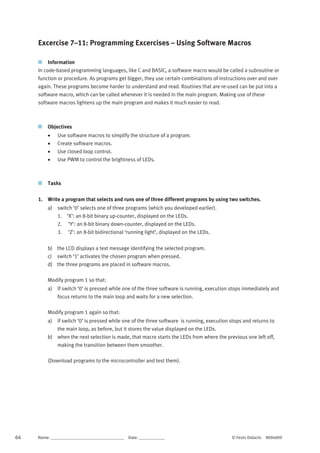
![58 Name: __________________________________ Date: ____________ © Festo Didactic 8094009
Excercise 7–8: Programming Excercises – Programming LCDs
Information
Using LEDs to display outputs can be limiting.
The LCD is an alternative way to display data, both letters and numbers, for ‘non binary’ humans.
Objectives
Control the display of text and numbers on an LCD.
Use an LCD as an output device for the microcontroller.
Configure a Component macro for the LCD.
Tasks
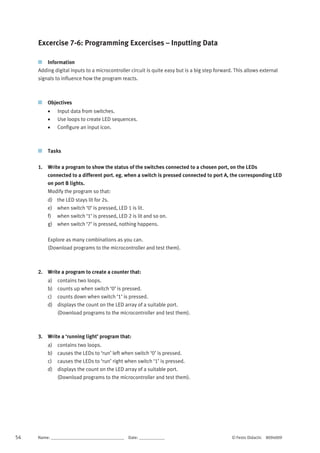
1. Write a program that displays the text “Hello World” in the centre of the bottom line of the LCD.
2. Write a program that shows an increasing count (decimal) on the LCD screen. Modify the program so
that it counts up when a switch is pressed and counts down when a different switch is pressed (use
Loops or Decisions).
3. Write a program to show the status of the switches attached to the first port. Every time a switch is
pressed, the corresponding LED of the second port lights up and the value of the decimal equivalent
is displayed on the LCD.
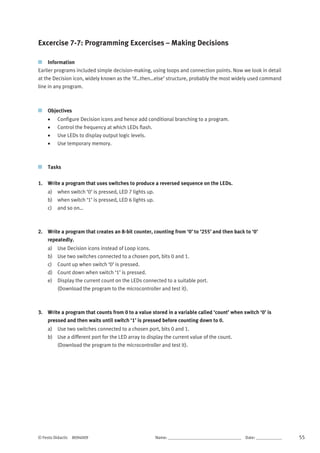
4. Write a program to show the status of the switches attached to the first port on the LEDs of the
second port and on the top line of the LCD and then:
a) multiply this binary number by 100.
b) display the result on the bottom line of the LCD, with “[x 100 = ]” displayed in front of it.](https://image.slidesharecdn.com/programmingmicrocontrollerflowcode8-220130110046/85/Programming-microcontroller-in-flowcode-8-68-320.jpg)





![Embedded System[586]](https://cdn.slidesharecdn.com/ss_thumbnails/viisemesterindustrialtrainingreportpawan586-171104035355-thumbnail.jpg?width=640&height=640&fit=bounds)


