Profiles And Permission Sets
Vishesh Singhal(SFDC)
Table of Content
● Profiles
● Types of Profiles
● Features of Profiles
● Key Aspects of Profiles
● Hands On Demo
● References
Profiles
A Salesforce profile is a set of settings and permissions provided to specific Salesforce users that
define the extent of their actions on the platform.
A profile in Salesforce determines the way in which users can access objects and data to perform
specific business processes.
Types of profiles in Salesforce
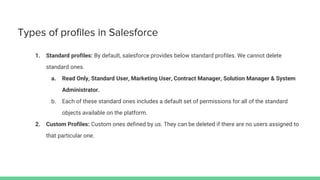
1. Standard profiles: By default, salesforce provides below standard profiles. We cannot delete
standard ones.
a. Read Only, Standard User, Marketing User, Contract Manager, Solution Manager & System
Administrator.
b. Each of these standard ones includes a default set of permissions for all of the standard
objects available on the platform.
2. Custom Profiles: Custom ones defined by us. They can be deleted if there are no users assigned to
that particular one.
Features in Profiles
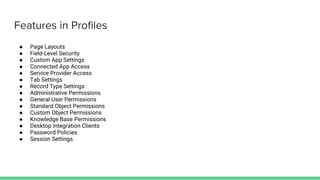
● Page Layouts
● Field-Level Security
● Custom App Settings
● Connected App Access
● Service Provider Access
● Tab Settings
● Record Type Settings
● Administrative Permissions
● General User Permissions
● Standard Object Permissions
● Custom Object Permissions
● Knowledge Base Permissions
● Desktop Integration Clients
● Password Policies
● Session Settings
Continued...
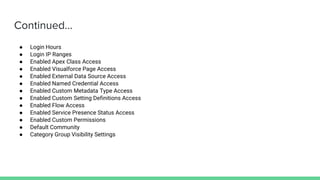
● Login Hours
● Login IP Ranges
● Enabled Apex Class Access
● Enabled Visualforce Page Access
● Enabled External Data Source Access
● Enabled Named Credential Access
● Enabled Custom Metadata Type Access
● Enabled Custom Setting Definitions Access
● Enabled Flow Access
● Enabled Service Presence Status Access
● Enabled Custom Permissions
● Default Community
● Category Group Visibility Settings
Key Aspects of Profiles
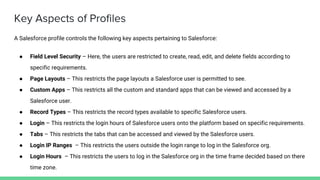
A Salesforce profile controls the following key aspects pertaining to Salesforce:
● Field Level Security – Here, the users are restricted to create, read, edit, and delete fields according to
specific requirements.
● Page Layouts – This restricts the page layouts a Salesforce user is permitted to see.
● Custom Apps – This restricts all the custom and standard apps that can be viewed and accessed by a
Salesforce user.
● Record Types – This restricts the record types available to specific Salesforce users.
● Login – This restricts the login hours of Salesforce users onto the platform based on specific requirements.
● Tabs – This restricts the tabs that can be accessed and viewed by the Salesforce users.
● Login IP Ranges – This restricts the users outside the login range to log in the Salesforce org.
● Login Hours – This restricts the users to log in the Salesforce org in the time frame decided based on there
time zone.
Continued...
● Administrative Permissions – This permission allows them to: Access and change system settings (add
new users, create custom fields, etc.). View, edit, or delete any record, regardless of permissions and
visibility settings.
● Session Settings – This permission will help the administrators to manage session settings at profile level
(i.e Changing the timeout of system)
● Standard Object Permissions – These are the CRED(Create, Read, Edit, Delete), View All, Modify All
permission for Standard object.
● Custom Object Permissions – These are the CRED(Create, Read, Edit, Delete), View All, Modify All
permission for Custom object.
● Password Policies – These permission help to set the policies like password expiration period, max
password attempts etc.
Permission Set
A permission set is a collection of settings and permissions that give users access to various tools
and functions. The settings and permissions in permission sets are also found in profiles, but
permission sets extend users' functional access without changing their profiles.
Permission Set Groups is a new feature that allows Admins to combine multiple permission sets
into a single permission set group for user assignment. With the grouping mechanism, admins can
truly apply role-based access control for managing user entitlements in Salesforce orgs
References
Permission Set Licenses
https://help.salesforce.com/articleView?id=sf.users_permissionset_licenses_about.htm&type=5
Tab Setting
https://help.salesforce.com/articleView?id=sf.permissions_tab_settings_ref.htm&type=5
Thanks You
Q & A

Profiles and permission sets

  • 1.
    Profiles And PermissionSets Vishesh Singhal(SFDC)
  • 2.
    Table of Content ●Profiles ● Types of Profiles ● Features of Profiles ● Key Aspects of Profiles ● Hands On Demo ● References
  • 3.
    Profiles A Salesforce profileis a set of settings and permissions provided to specific Salesforce users that define the extent of their actions on the platform. A profile in Salesforce determines the way in which users can access objects and data to perform specific business processes.
  • 4.
    Types of profilesin Salesforce 1. Standard profiles: By default, salesforce provides below standard profiles. We cannot delete standard ones. a. Read Only, Standard User, Marketing User, Contract Manager, Solution Manager & System Administrator. b. Each of these standard ones includes a default set of permissions for all of the standard objects available on the platform. 2. Custom Profiles: Custom ones defined by us. They can be deleted if there are no users assigned to that particular one.
  • 5.
    Features in Profiles ●Page Layouts ● Field-Level Security ● Custom App Settings ● Connected App Access ● Service Provider Access ● Tab Settings ● Record Type Settings ● Administrative Permissions ● General User Permissions ● Standard Object Permissions ● Custom Object Permissions ● Knowledge Base Permissions ● Desktop Integration Clients ● Password Policies ● Session Settings
  • 6.
    Continued... ● Login Hours ●Login IP Ranges ● Enabled Apex Class Access ● Enabled Visualforce Page Access ● Enabled External Data Source Access ● Enabled Named Credential Access ● Enabled Custom Metadata Type Access ● Enabled Custom Setting Definitions Access ● Enabled Flow Access ● Enabled Service Presence Status Access ● Enabled Custom Permissions ● Default Community ● Category Group Visibility Settings
  • 7.
    Key Aspects ofProfiles A Salesforce profile controls the following key aspects pertaining to Salesforce: ● Field Level Security – Here, the users are restricted to create, read, edit, and delete fields according to specific requirements. ● Page Layouts – This restricts the page layouts a Salesforce user is permitted to see. ● Custom Apps – This restricts all the custom and standard apps that can be viewed and accessed by a Salesforce user. ● Record Types – This restricts the record types available to specific Salesforce users. ● Login – This restricts the login hours of Salesforce users onto the platform based on specific requirements. ● Tabs – This restricts the tabs that can be accessed and viewed by the Salesforce users. ● Login IP Ranges – This restricts the users outside the login range to log in the Salesforce org. ● Login Hours – This restricts the users to log in the Salesforce org in the time frame decided based on there time zone.
  • 8.
    Continued... ● Administrative Permissions– This permission allows them to: Access and change system settings (add new users, create custom fields, etc.). View, edit, or delete any record, regardless of permissions and visibility settings. ● Session Settings – This permission will help the administrators to manage session settings at profile level (i.e Changing the timeout of system) ● Standard Object Permissions – These are the CRED(Create, Read, Edit, Delete), View All, Modify All permission for Standard object. ● Custom Object Permissions – These are the CRED(Create, Read, Edit, Delete), View All, Modify All permission for Custom object. ● Password Policies – These permission help to set the policies like password expiration period, max password attempts etc.
  • 9.
    Permission Set A permissionset is a collection of settings and permissions that give users access to various tools and functions. The settings and permissions in permission sets are also found in profiles, but permission sets extend users' functional access without changing their profiles. Permission Set Groups is a new feature that allows Admins to combine multiple permission sets into a single permission set group for user assignment. With the grouping mechanism, admins can truly apply role-based access control for managing user entitlements in Salesforce orgs
  • 10.
    References Permission Set Licenses https://help.salesforce.com/articleView?id=sf.users_permissionset_licenses_about.htm&type=5 TabSetting https://help.salesforce.com/articleView?id=sf.permissions_tab_settings_ref.htm&type=5
  • 11.