Keeping it Simple with Permission Sets
Administrator Track
Adam Torman, Senior Product Manager, Salesforce.com, @atorman
Doug Bitting, Principal Member Technical Staff, Salesforce.com, @sfdcdoug
Kenton Reed, Administrator, USAA
Jody Hamlett, Managing Director, Configero, @configero
Safe Harbor
 Safe harbor statement under the Private Securities Litigation Reform Act of 1995:

 This presentation may contain forward-looking statements that involve risks, uncertainties, and assumptions. If any such uncertainties
 materialize or if any of the assumptions proves incorrect, the results of salesforce.com, inc. could differ materially from the results
 expressed or implied by the forward-looking statements we make. All statements other than statements of historical fact could be
 deemed forward-looking, including any projections of product or service availability, subscriber growth, earnings, revenues, or other
 financial items and any statements regarding strategies or plans of management for future operations, statements of belief, any
 statements concerning new, planned, or upgraded services or technology developments and customer contracts or use of our services.

 The risks and uncertainties referred to above include – but are not limited to – risks associated with developing and delivering new
 functionality for our service, new products and services, our new business model, our past operating losses, possible fluctuations in our
 operating results and rate of growth, interruptions or delays in our Web hosting, breach of our security measures, the outcome of
 intellectual property and other litigation, risks associated with possible mergers and acquisitions, the immature market in which we
 operate, our relatively limited operating history, our ability to expand, retain, and motivate our employees and manage our growth, new
 releases of our service and successful customer deployment, our limited history reselling non-salesforce.com products, and utilization
 and selling to larger enterprise customers. Further information on potential factors that could affect the financial results of
 salesforce.com, inc. is included in our annual report on Form 10-Q for the most recent fiscal quarter ended July 31, 2012. This
 documents and others containing important disclosures are available on the SEC Filings section of the Investor Information section of
 our Web site.

 Any unreleased services or features referenced in this or other presentations, press releases or public statements are not currently
 available and may not be delivered on time or at all. Customers who purchase our services should make the purchase decisions based
 upon features that are currently available. Salesforce.com, inc. assumes no obligation and does not intend to update these forward-
 looking statements.
Adam Torman
Senior Product Manager
@atorman
Agenda
 Why Permission Sets

 What Are Permission Sets

 USAA Implementation

 Best Practices

 Implementation Tips and Tricks from Configero

 Roadmap

 Q&A
Doug Bitting
Principal Member Technical Staff
@sfdcdoug
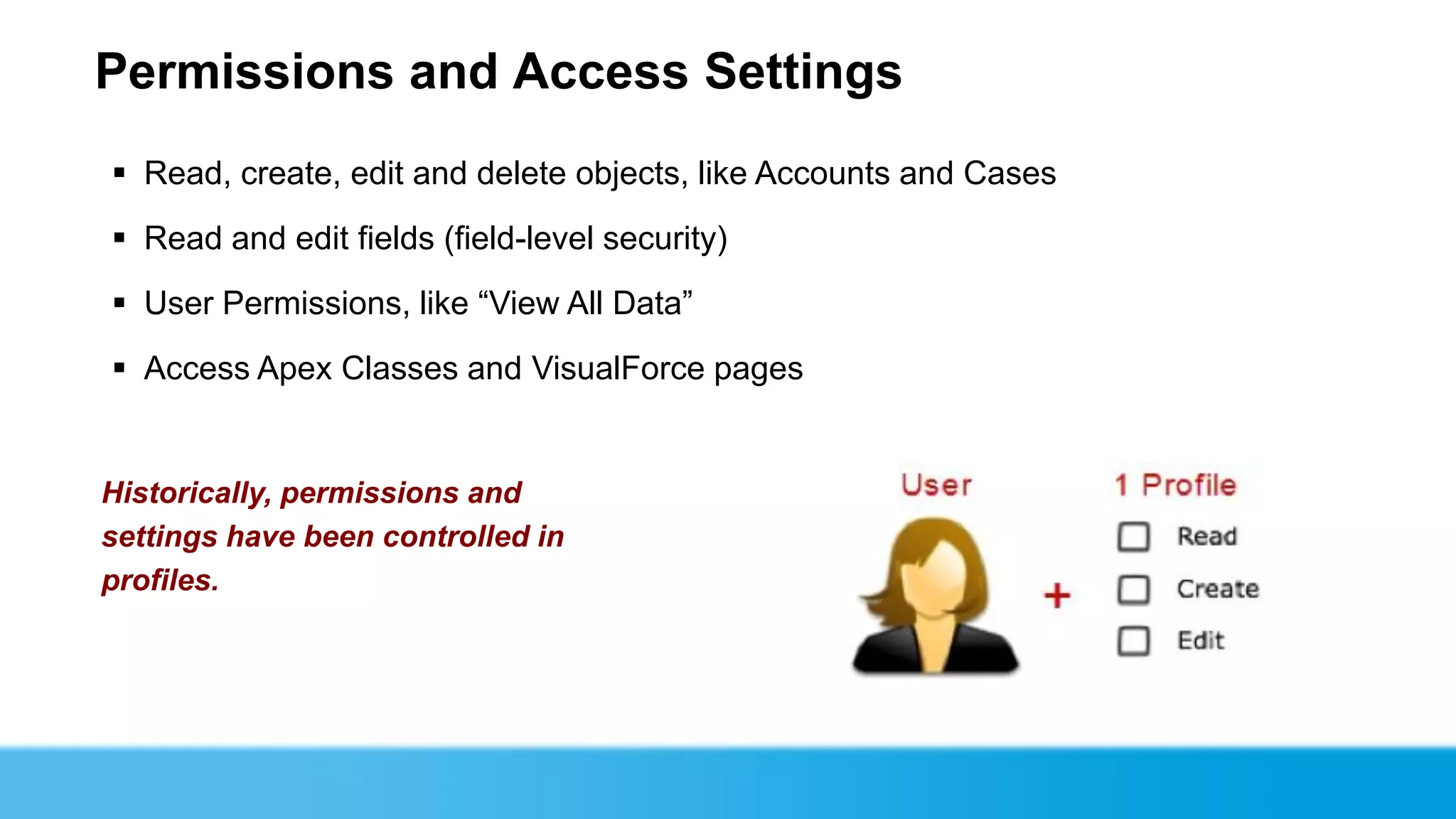
Permissions and Access Settings
 Read, create, edit and delete objects, like Accounts and Cases
 Read and edit fields (field-level security)
 User Permissions, like “View All Data”
 Access Apex Classes and VisualForce pages


Historically, permissions and
settings have been controlled in
profiles.
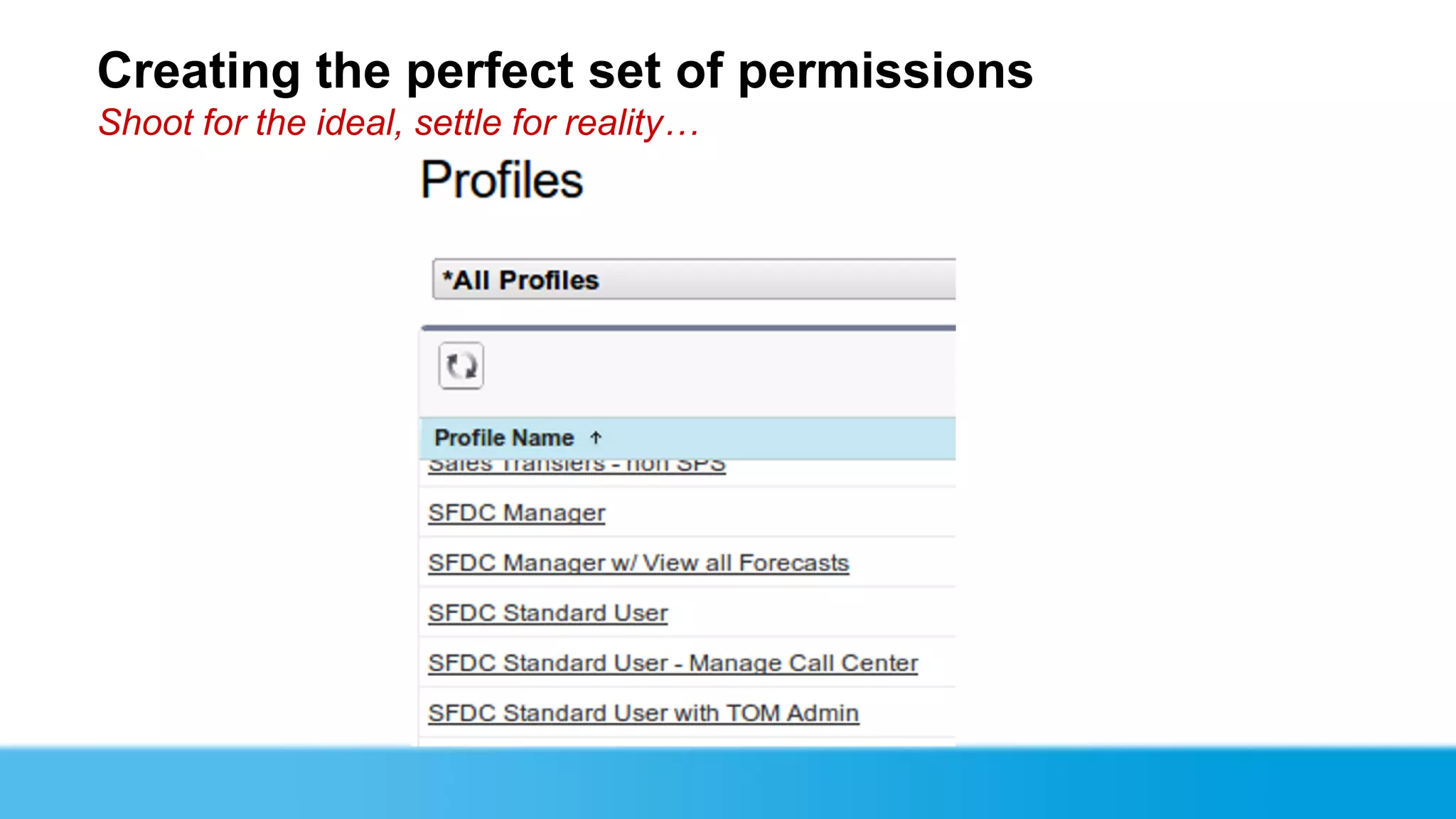
Creating the perfect set of permissions
Shoot for the ideal, settle for reality…
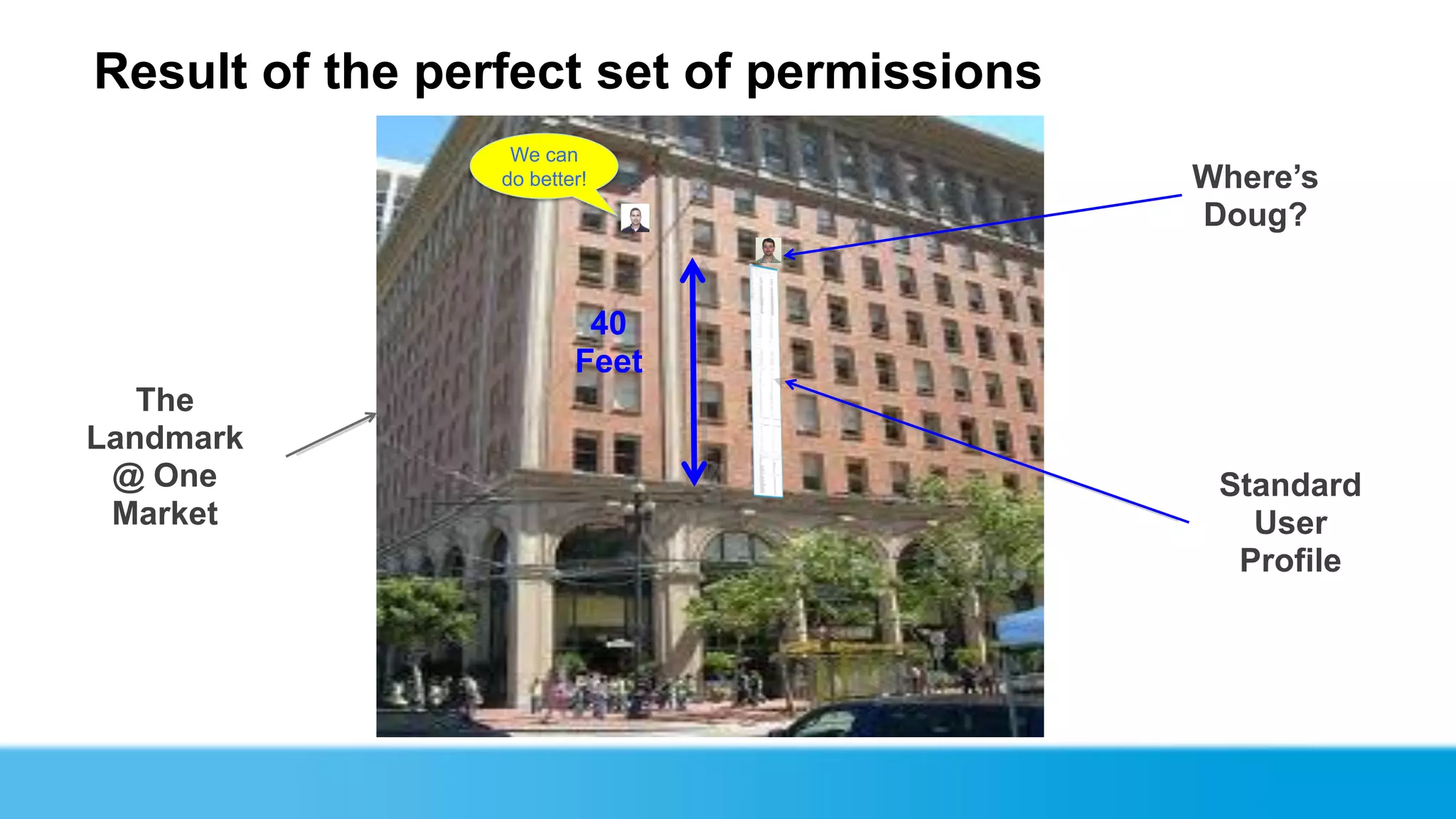
Result of the perfect set of permissions
                  We can
                 do better!                Where’s
                                           Doug?


                          40
                         Feet
   The
Landmark
 @ One                                      Standard
 Market                                       User
                                             Profile
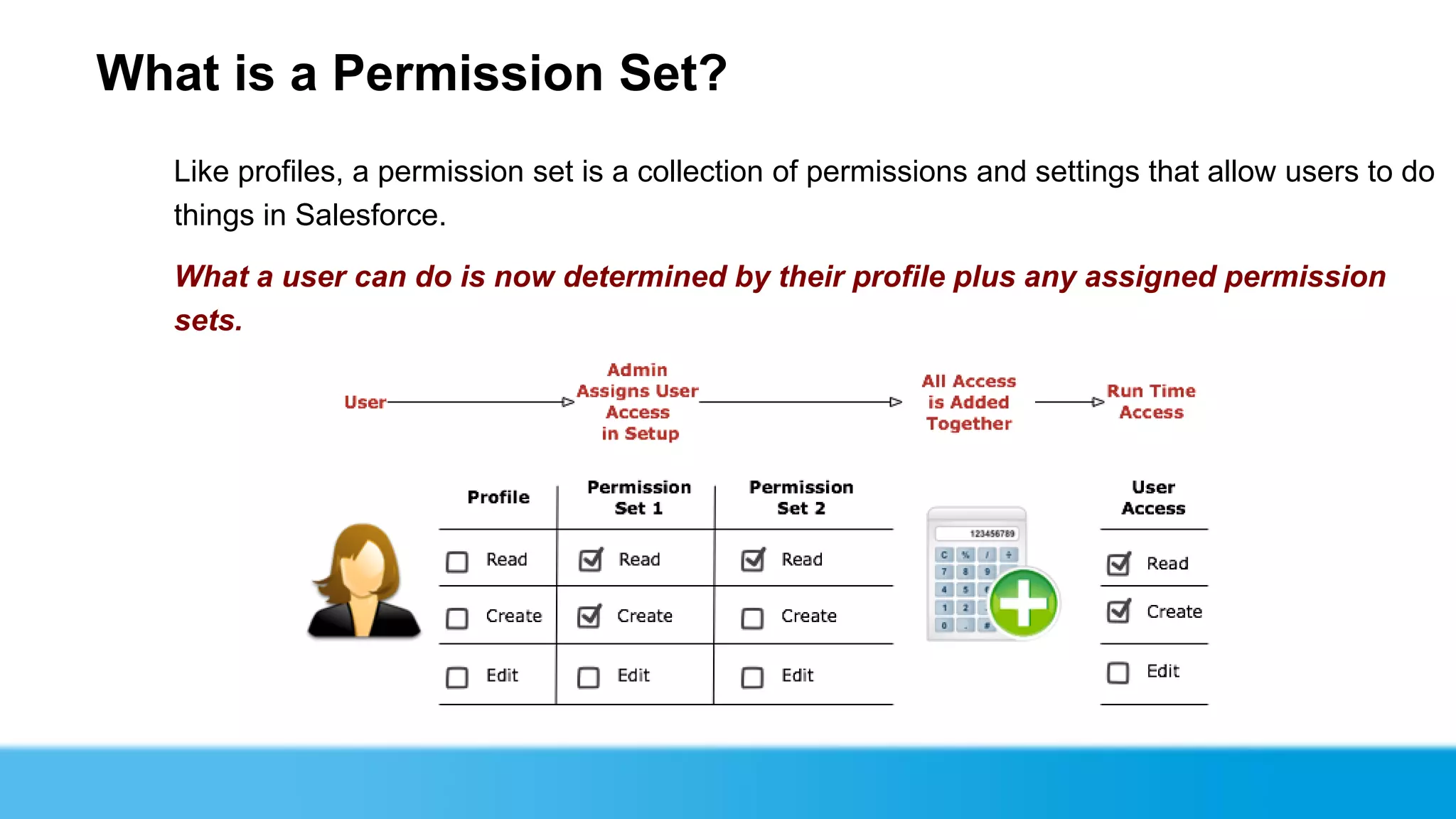
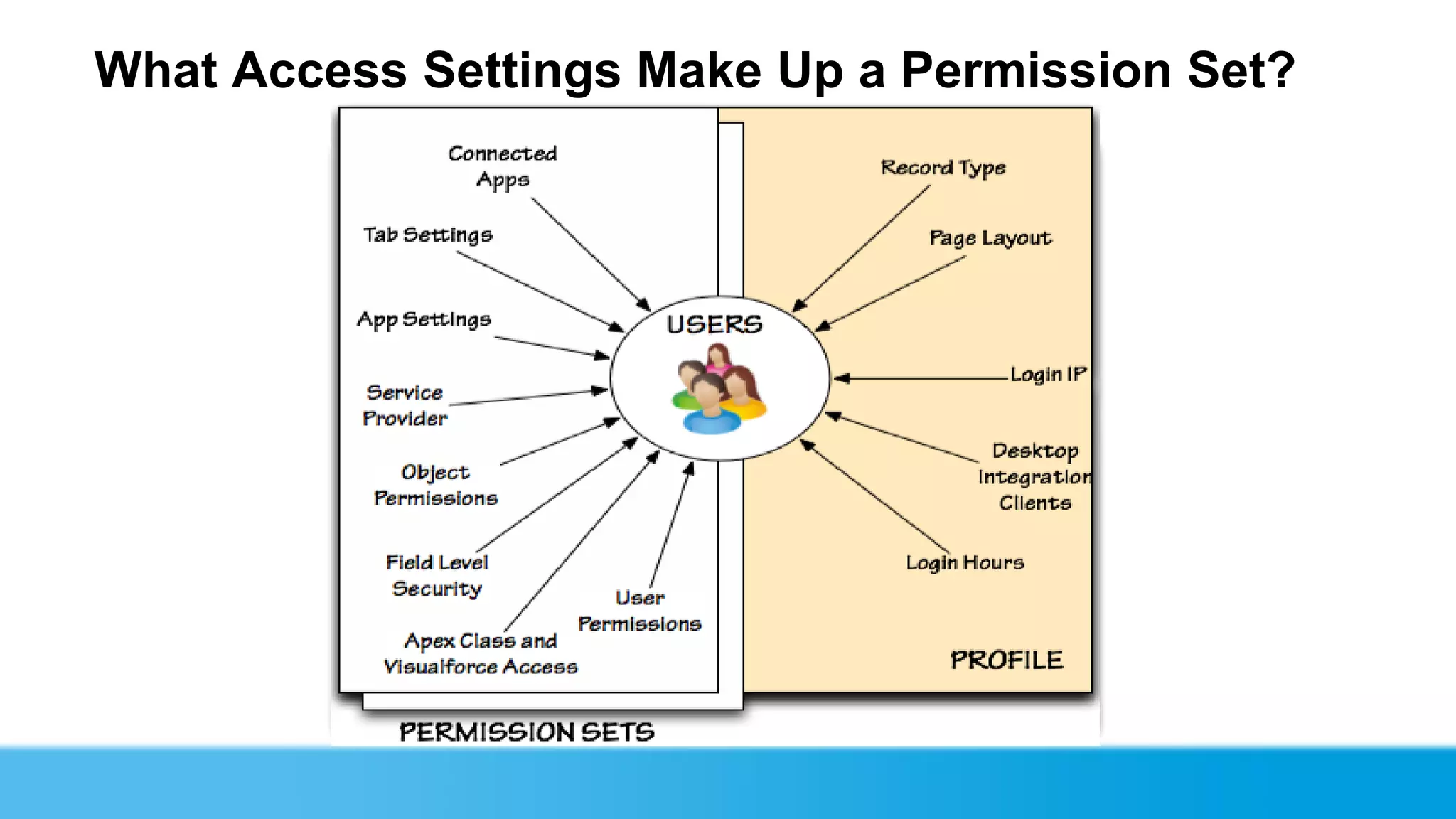
What is a Permission Set?
   Like profiles, a permission set is a collection of permissions and settings that allow users to do
   things in Salesforce.

   What a user can do is now determined by their profile plus any assigned permission
   sets.
What Access Settings Make Up a Permission Set?
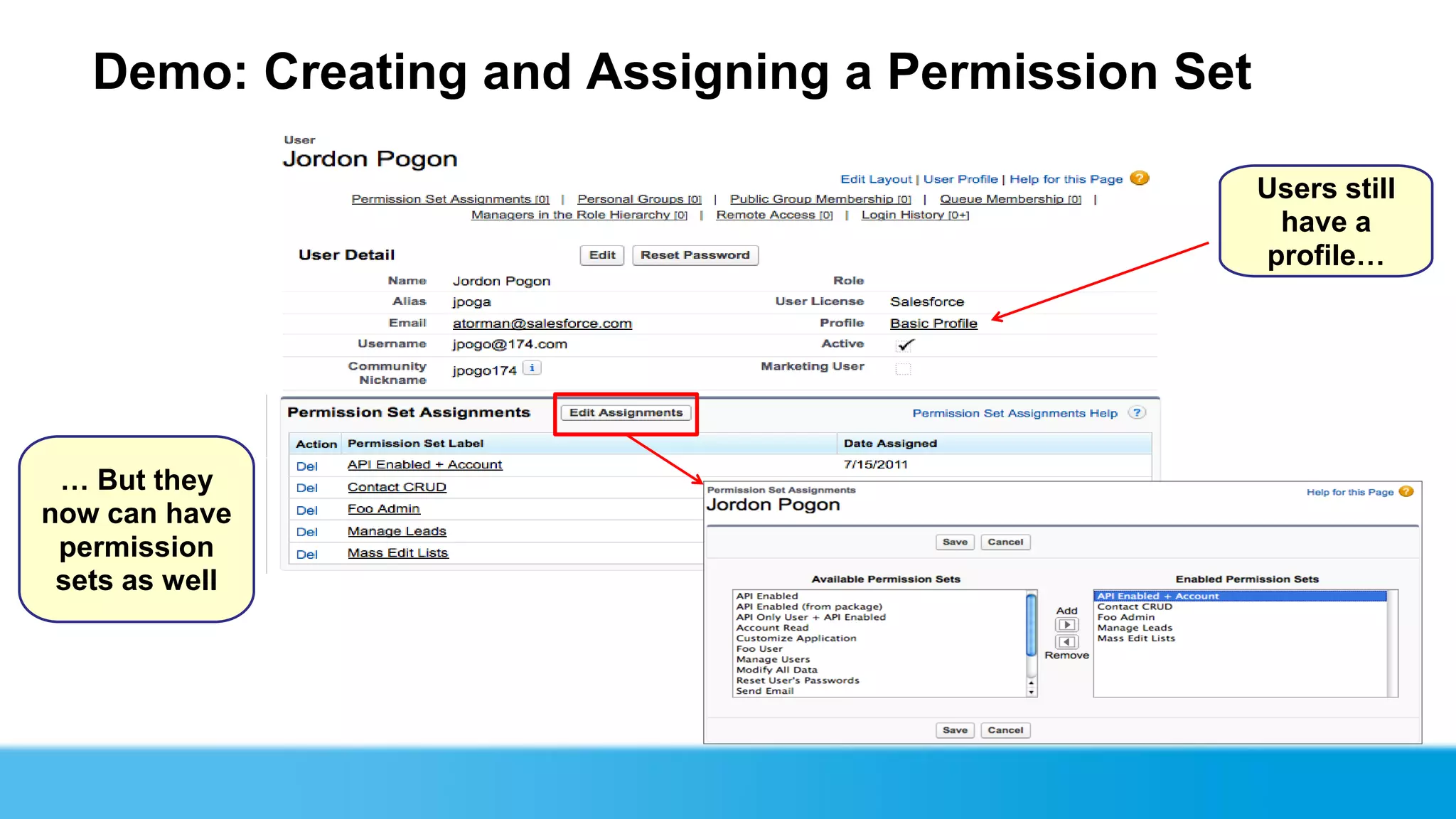
Demo: Creating and Assigning a Permission Set

                                                   Users still
                                                    have a
                                                   profile…


 … But they
now can have
 permission
 sets as well
Kenton Reed
Senior Salesforce Software
Developer & Integrator
A Little About USAA…

We are a financial services company based in San Antonio, Texas
 that provides a full range of highly competitive financial products
 and services to the military and their families.

      Insurance
      Banking
      Investments
      Retirement
      Advice


                            USAA Confidential
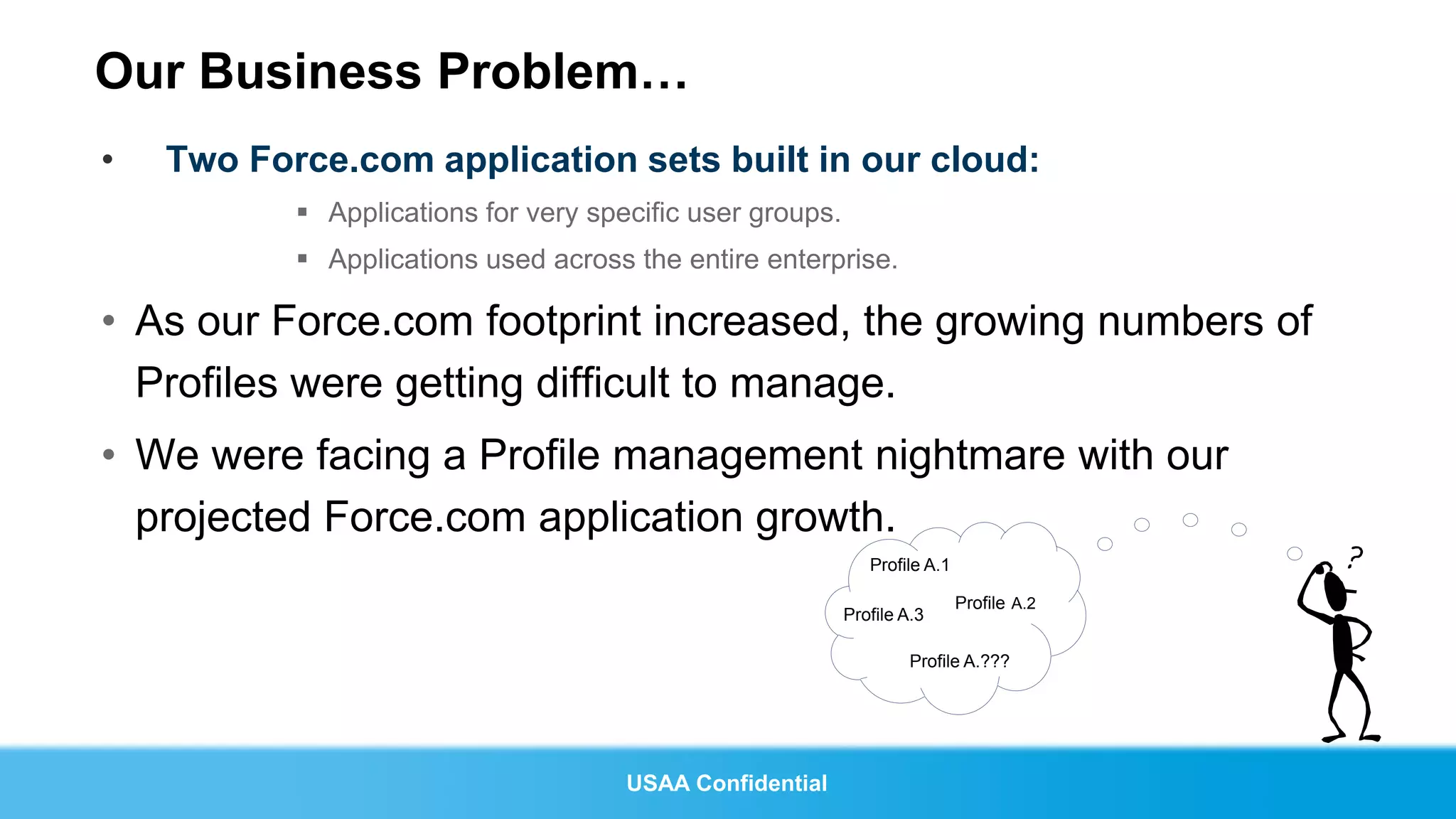
Our Business Problem…
•   Two Force.com application sets built in our cloud:
            Applications for very specific user groups.
            Applications used across the entire enterprise.

• As our Force.com footprint increased, the growing numbers of
  Profiles were getting difficult to manage.
• We were facing a Profile management nightmare with our
  projected Force.com application growth.
                                                              Profile A.1

                                                                            Profile A.2
                                                           Profile A.3

                                                                    Profile A.???


                                      USAA Confidential
Our Business Problem cont…

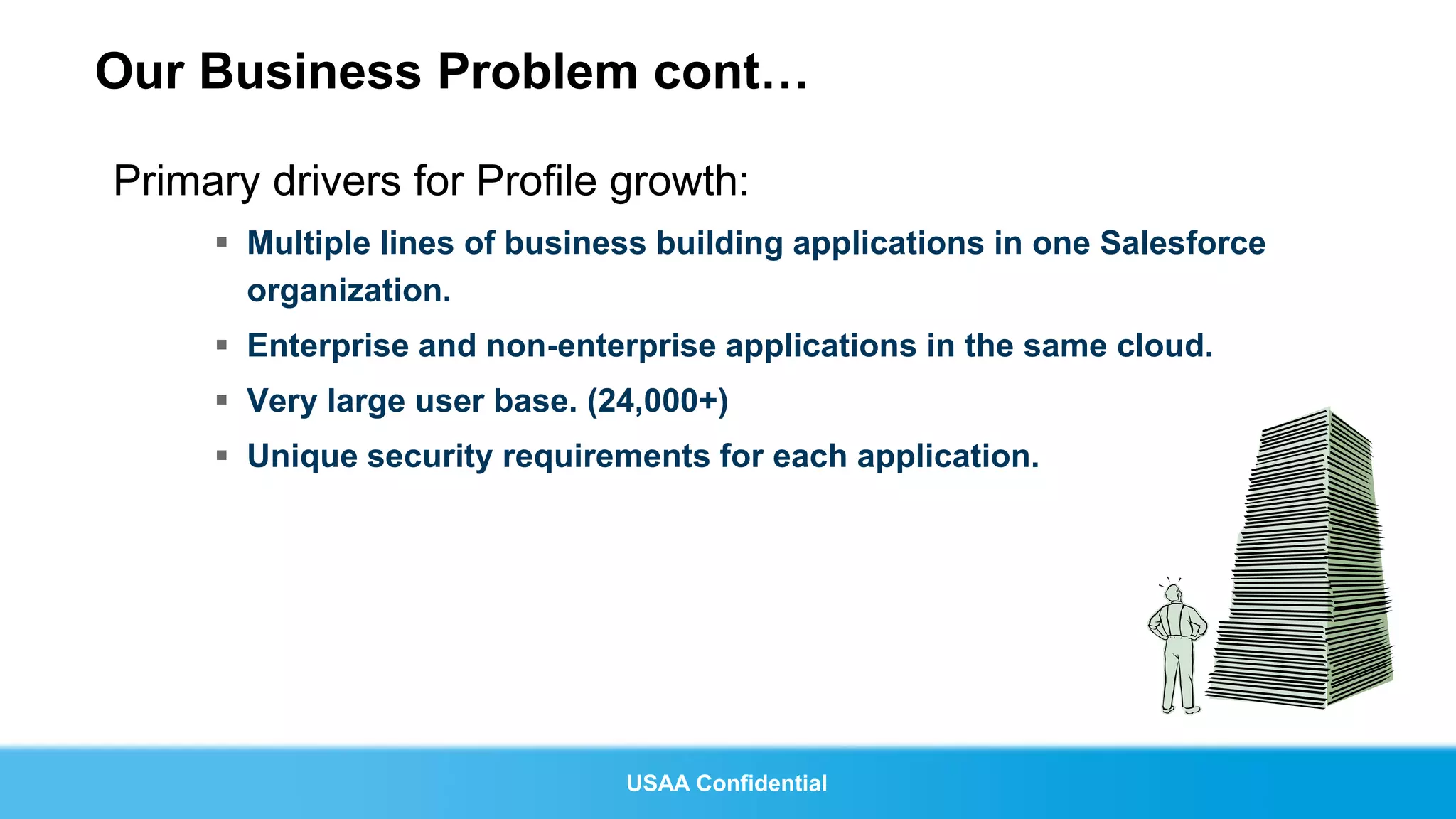
Primary drivers for Profile growth:
      Multiple lines of business building applications in one Salesforce
       organization.
      Enterprise and non-enterprise applications in the same cloud.
      Very large user base. (24,000+)
      Unique security requirements for each application.


                               USAA Confidential
Our Business Solution…Permission Sets

Permission Sets allowed us to bring order to the Profile
 management chaos we were about to face.

      Benefits of Permission Sets:
        1. Allowed us to a move to a more generic line of business Profile structure
           where possible.
        2. Allowed for access to be granted on the application level.
        3. Allowed for a 50% reduction in our planned Profiles.
        4. Allowed us to easily extend with the API to automate the delegation of mass
           Permission Set assignment.


                                  USAA Confidential
After Permission Sets…

• Permission Set proliferation much smaller than expected.
            Most applications have very similar access requirements.

• Ability to retire many existing Profiles.
• Considerable reduction in complexity of application permission
  assignment.


                                 USAA Confidential
Doug Bitting
Best Practices
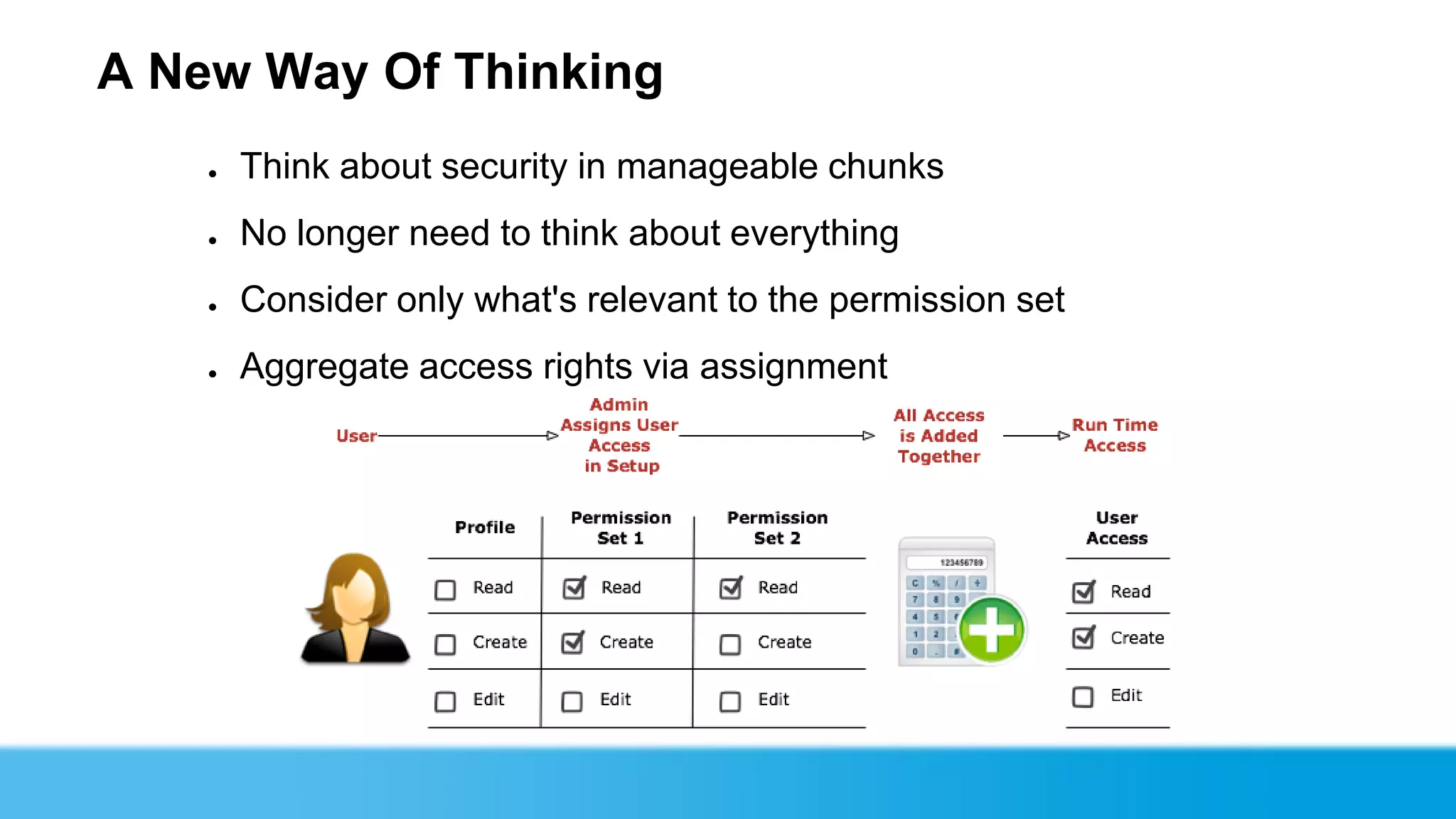
A New Way Of Thinking
    ●   Think about security in manageable chunks
    ●   No longer need to think about everything
    ●   Consider only what's relevant to the permission set
    ●   Aggregate access rights via assignment
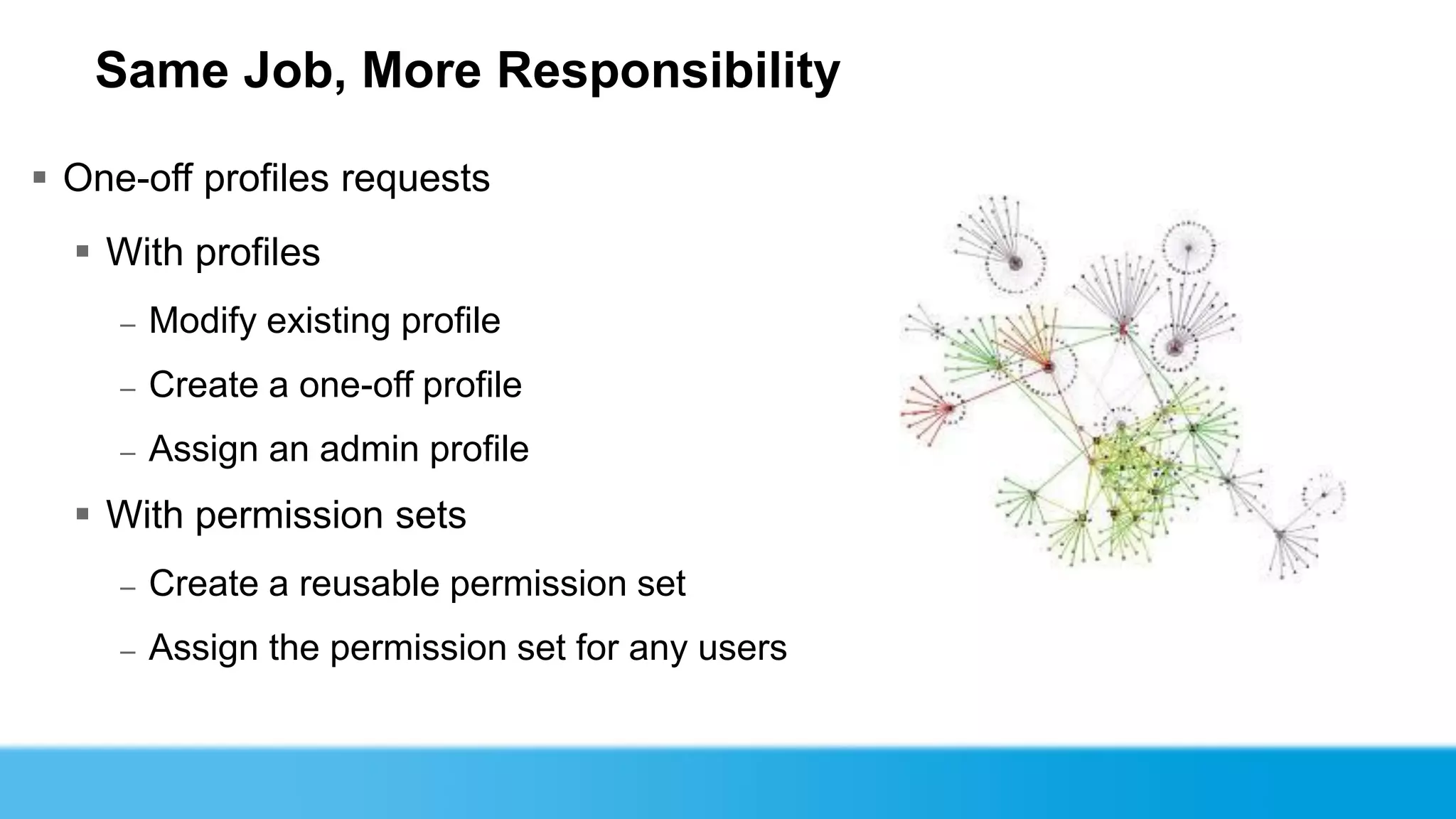
Same Job, More Responsibility

 One-off profiles requests
   With profiles
     –   Modify existing profile
     –   Create a one-off profile
     –   Assign an admin profile
   With permission sets
     –   Create a reusable permission set
     –   Assign the permission set for any users
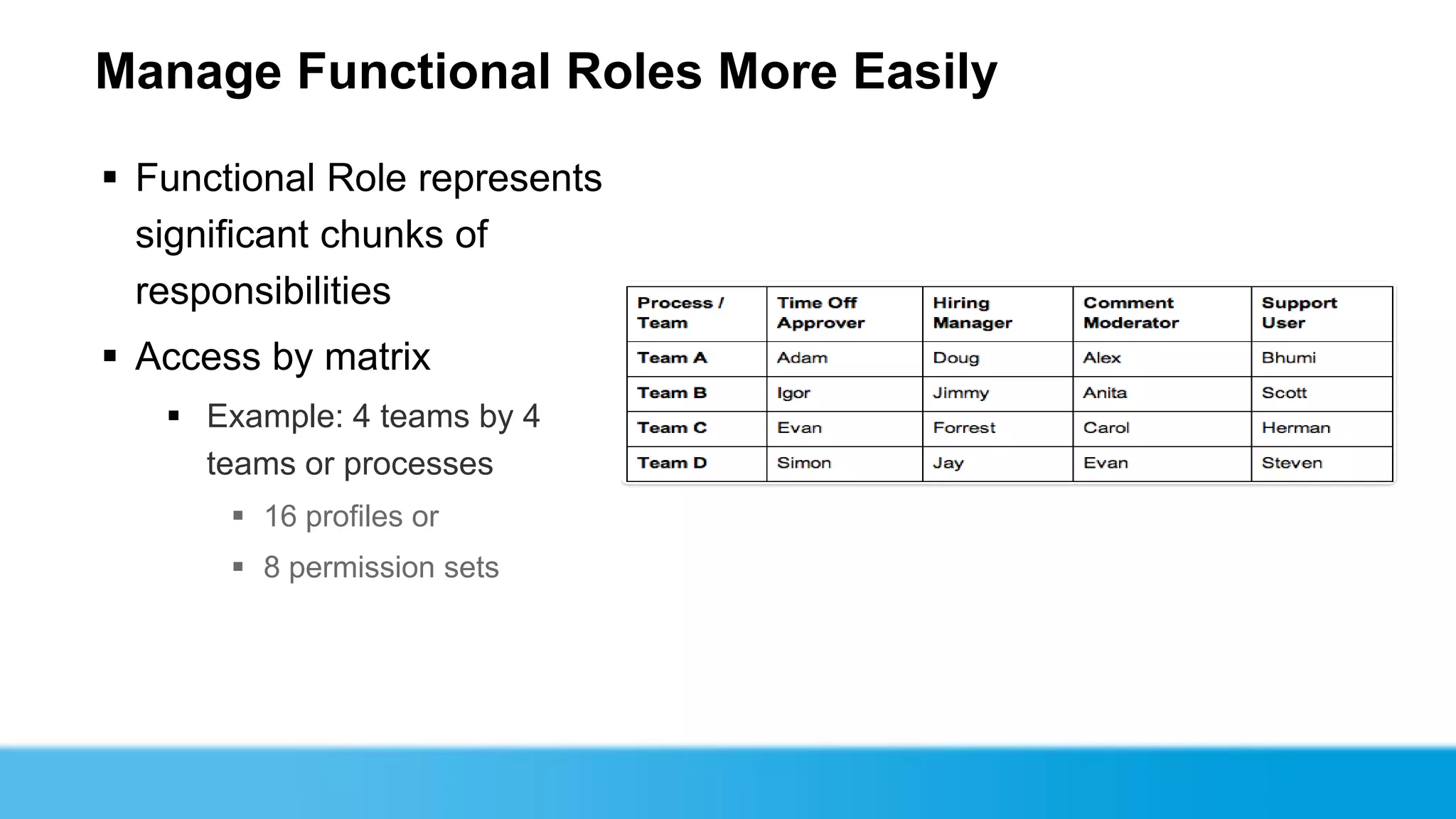
Manage Functional Roles More Easily

 Functional Role represents
  significant chunks of
  responsibilities
 Access by matrix
    Example: 4 teams by 4
     teams or processes
        16 profiles or
        8 permission sets
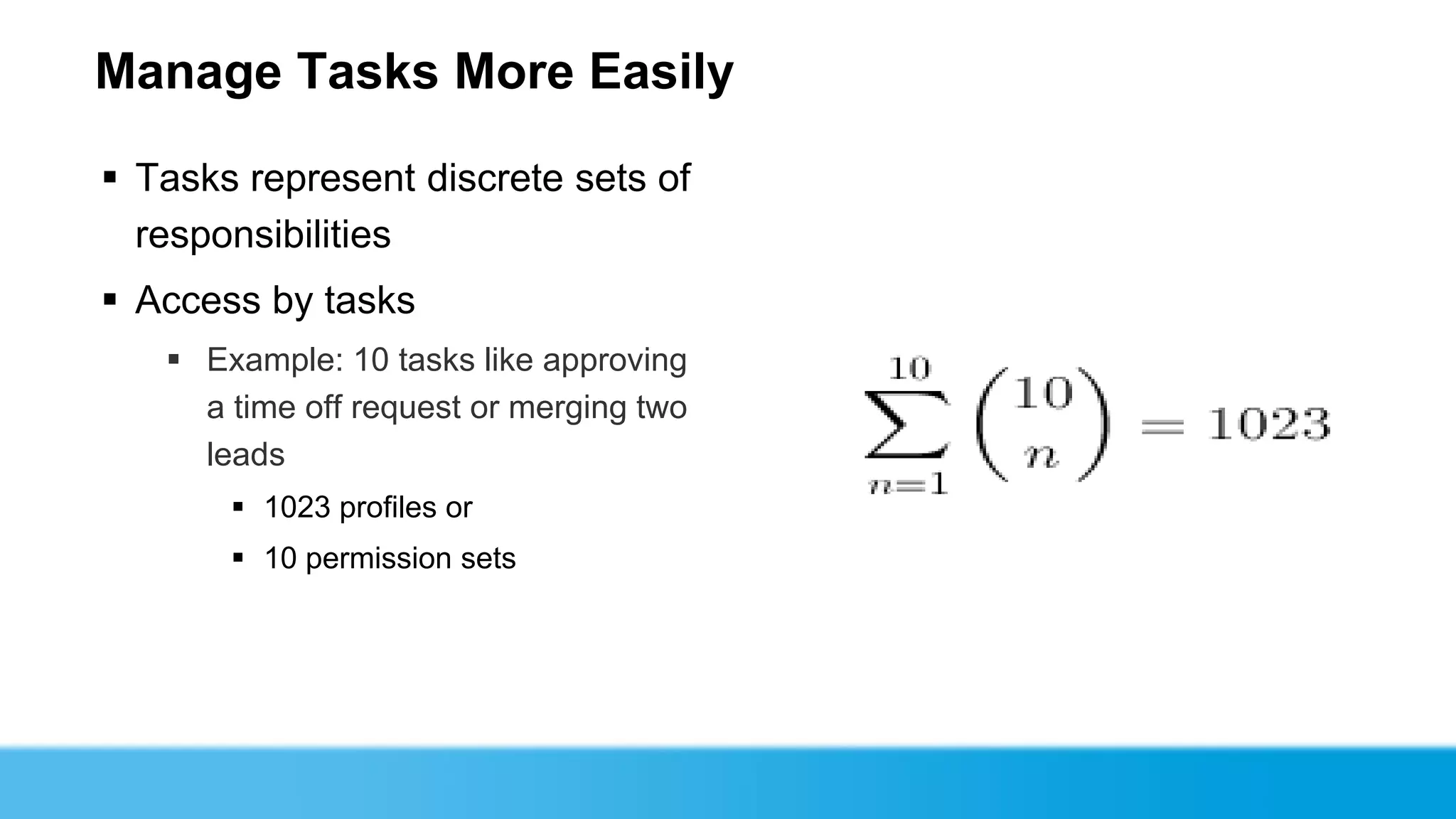
Manage Tasks More Easily

 Tasks represent discrete sets of
  responsibilities
 Access by tasks
    Example: 10 tasks like approving
     a time off request or merging two
     leads
        1023 profiles or
        10 permission sets
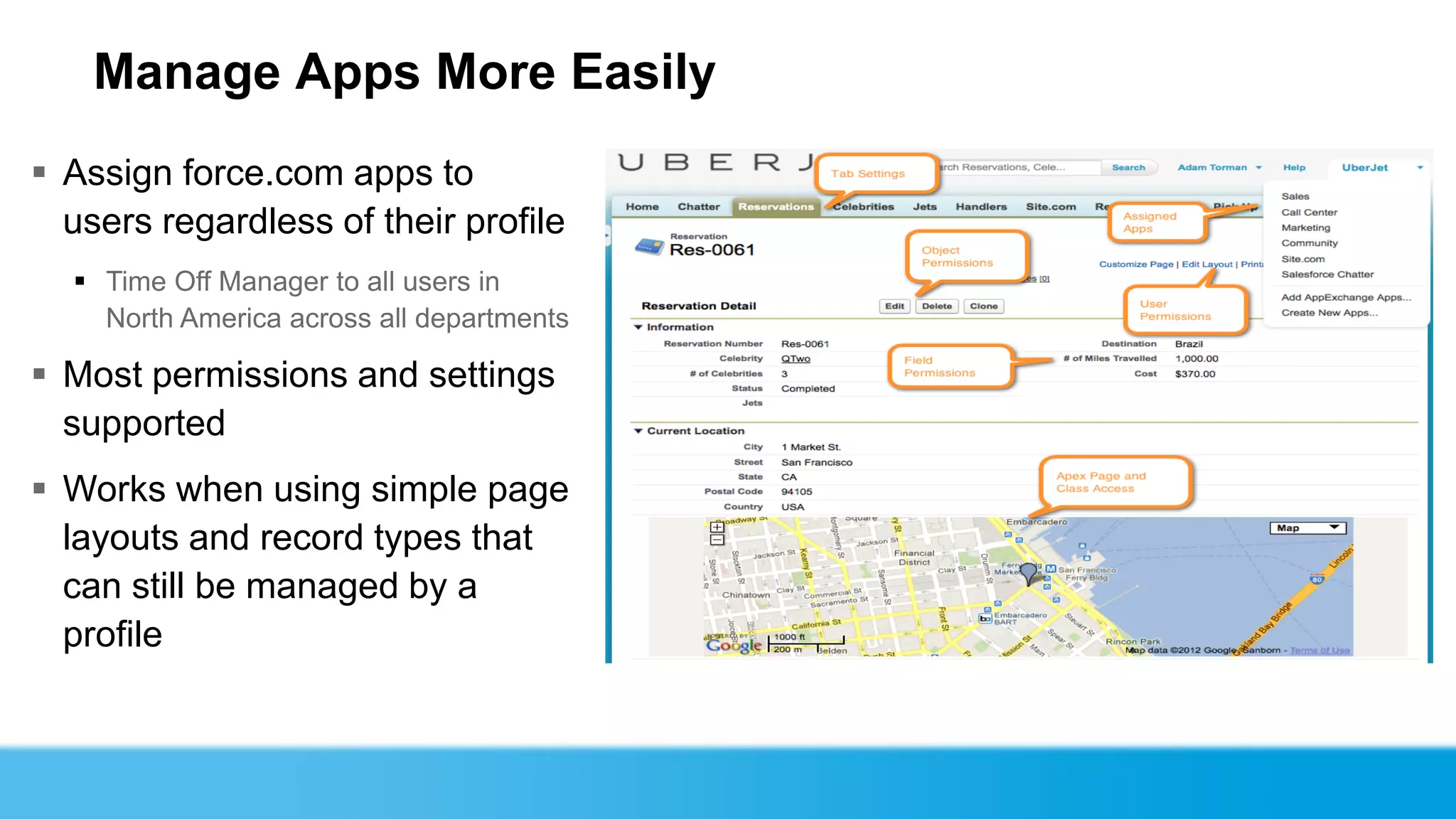
Manage Apps More Easily
 Assign force.com apps to
  users regardless of their profile
   Time Off Manager to all users in
    North America across all departments

 Most permissions and settings
  supported
 Works when using simple page
  layouts and record types that
  can still be managed by a
  profile
Recertify Rights

 Verify the permissions a user needs by taking
  risky permissions away from all users in the
  organization and then granting them back on
  an individual basis through a permission set
  instead of the user's profile.
 View All Data, Modify All Data, Manage Users,
  Customize Application are all great candidates
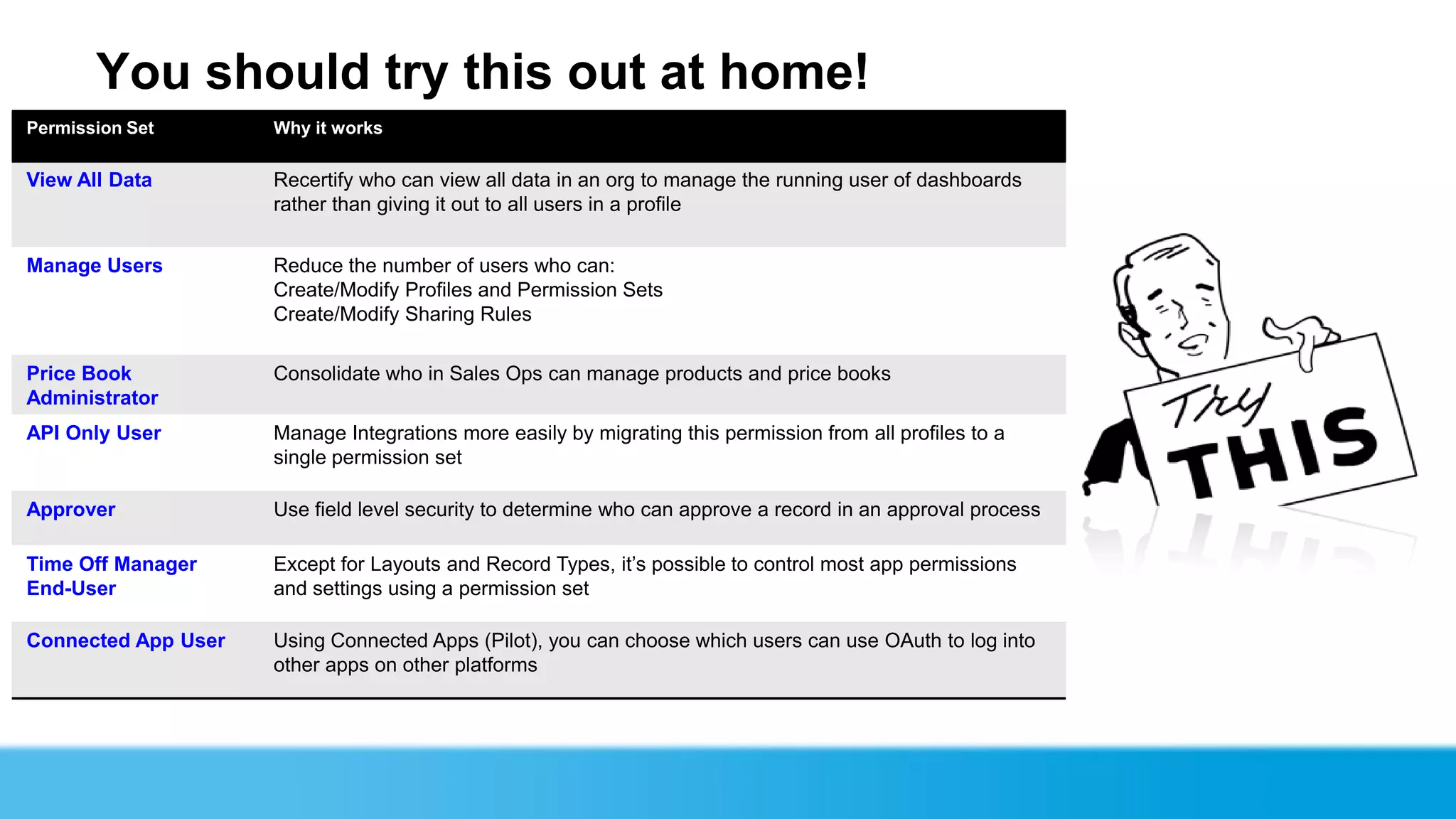
You should try this out at home!
Permission Set       Why it works

View All Data        Recertify who can view all data in an org to manage the running user of dashboards
                     rather than giving it out to all users in a profile


Manage Users         Reduce the number of users who can:
                     Create/Modify Profiles and Permission Sets
                     Create/Modify Sharing Rules

Price Book           Consolidate who in Sales Ops can manage products and price books
Administrator
API Only User        Manage Integrations more easily by migrating this permission from all profiles to a
                     single permission set

Approver             Use field level security to determine who can approve a record in an approval process

Time Off Manager     Except for Layouts and Record Types, it’s possible to control most app permissions
End-User             and settings using a permission set

Connected App User   Using Connected Apps (Pilot), you can choose which users can use OAuth to log into
                     other apps on other platforms
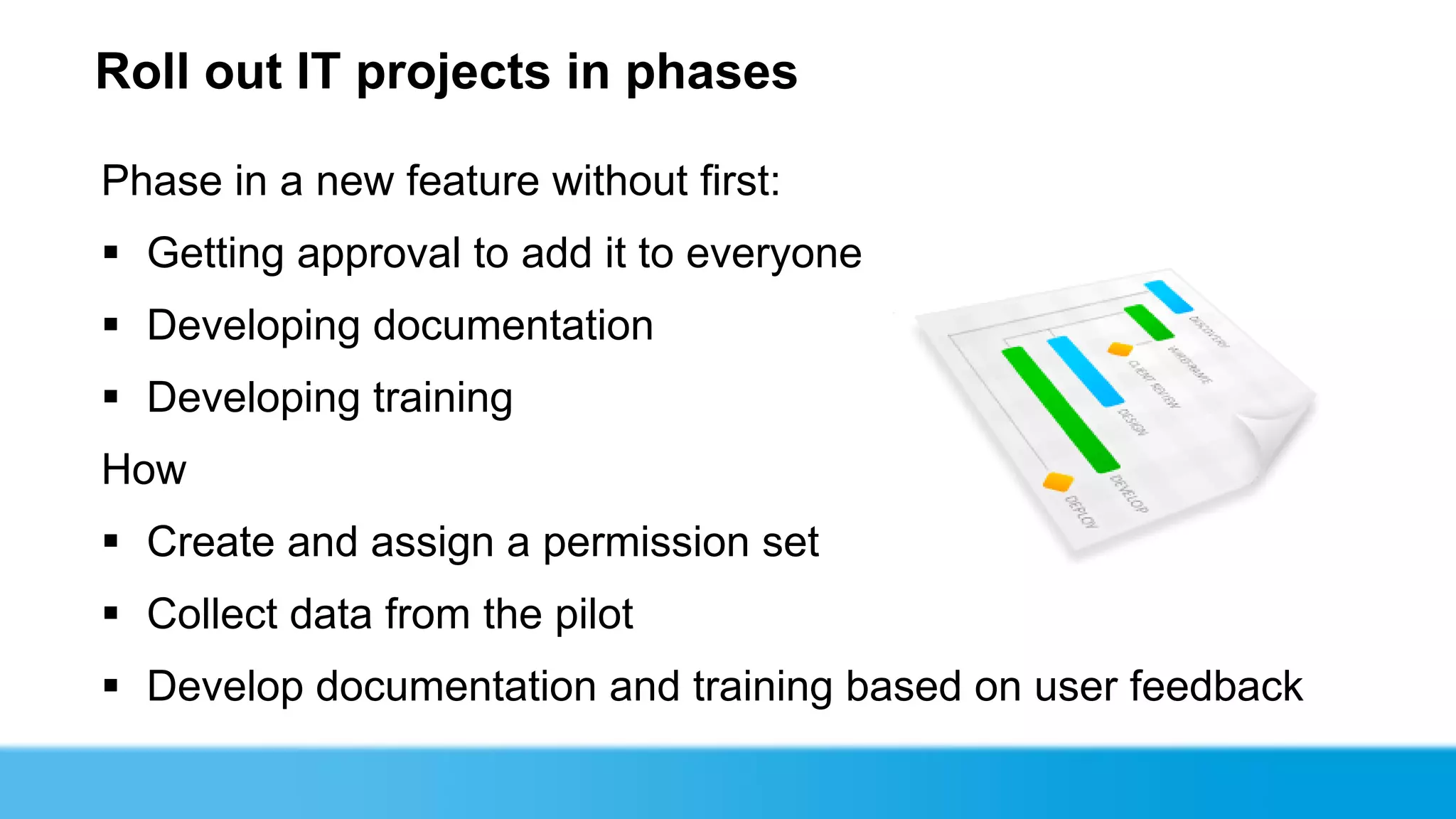
Roll out IT projects in phases

Phase in a new feature without first:
 Getting approval to add it to everyone
 Developing documentation
 Developing training
How
 Create and assign a permission set
 Collect data from the pilot
 Develop documentation and training based on user feedback
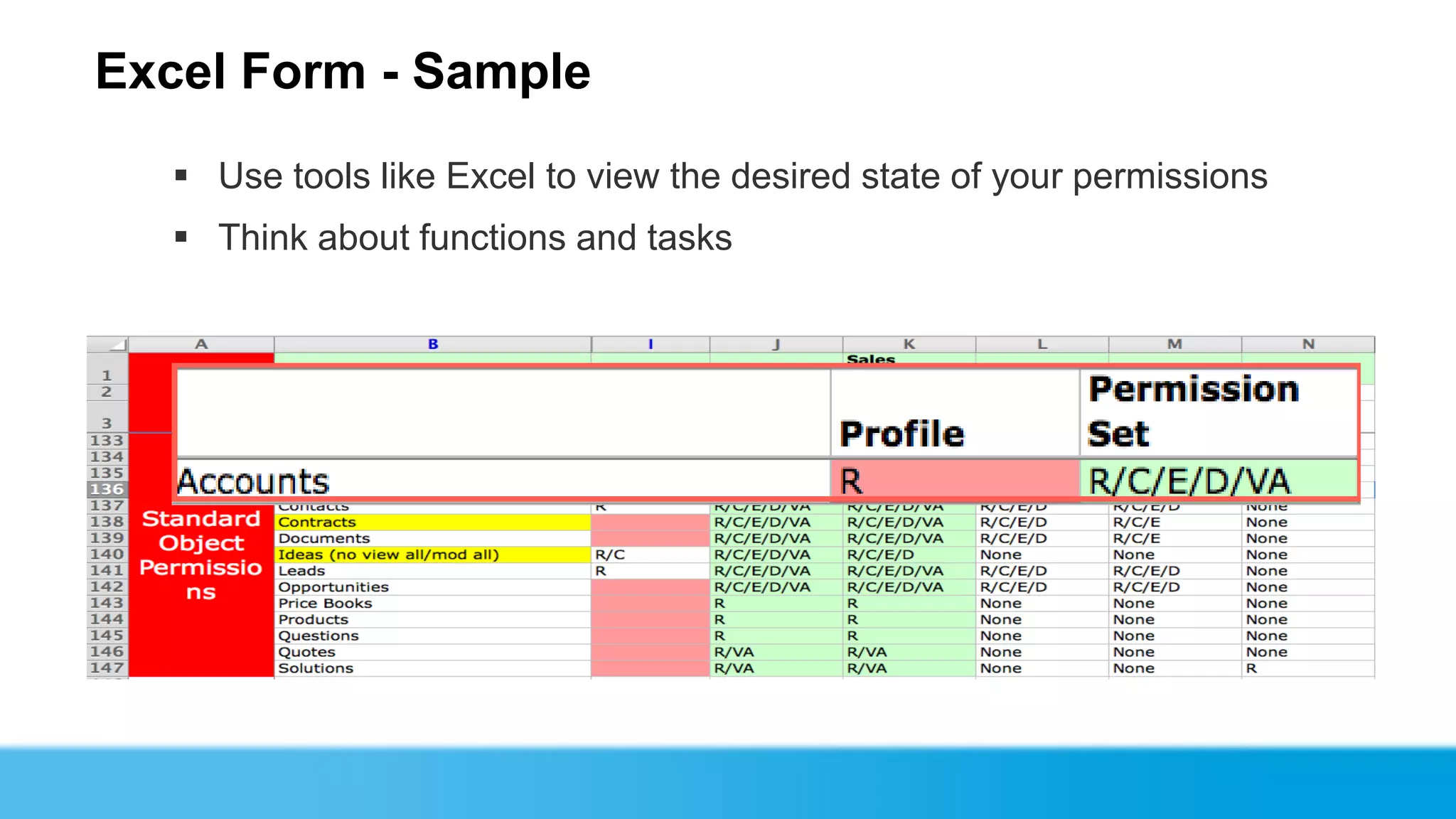
Excel Form - Sample
   Use tools like Excel to view the desired state of your permissions
   Think about functions and tasks
Gotchas

Mass assignment tools
    sObject API support can help
    Workaround: Use the API
Analytical tools
    Who has what permission and why
    Workaround: Use the API
Additional access settings
    Record types, page layouts, etc.
    Workaround: Use Profiles
A new way of thinking

 Think about security the way your organization thinks about
  security
 Identify job functions, tasks, and processes
 Determine the set of access rights necessary for each
 Aggregate access rights via assignment
Jody Hamlett
Managing Director
@configero
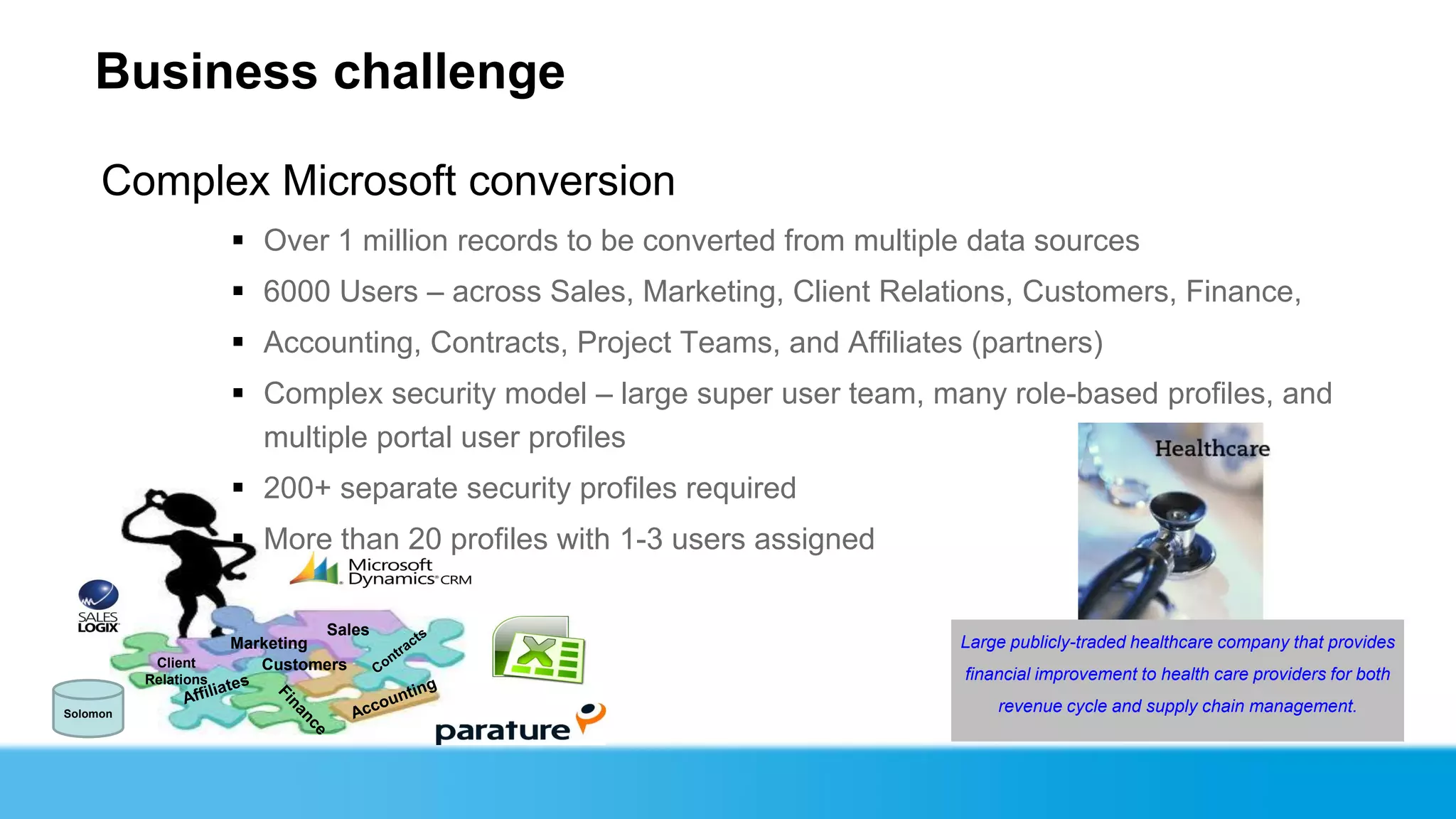
Business challenge

     Complex Microsoft conversion
                       Over 1 million records to be converted from multiple data sources
                       6000 Users – across Sales, Marketing, Client Relations, Customers, Finance,
                       Accounting, Contracts, Project Teams, and Affiliates (partners)
                       Complex security model – large super user team, many role-based profiles, and
                        multiple portal user profiles
                       200+ separate security profiles required
                       More than 20 profiles with 1-3 users assigned

                                Sales
                      Marketing                                             Large publicly-traded healthcare company that provides
           Client        Customers
          Relations                                                         financial improvement to health care providers for both

Solomon
                                                                                revenue cycle and supply chain management.
Solution
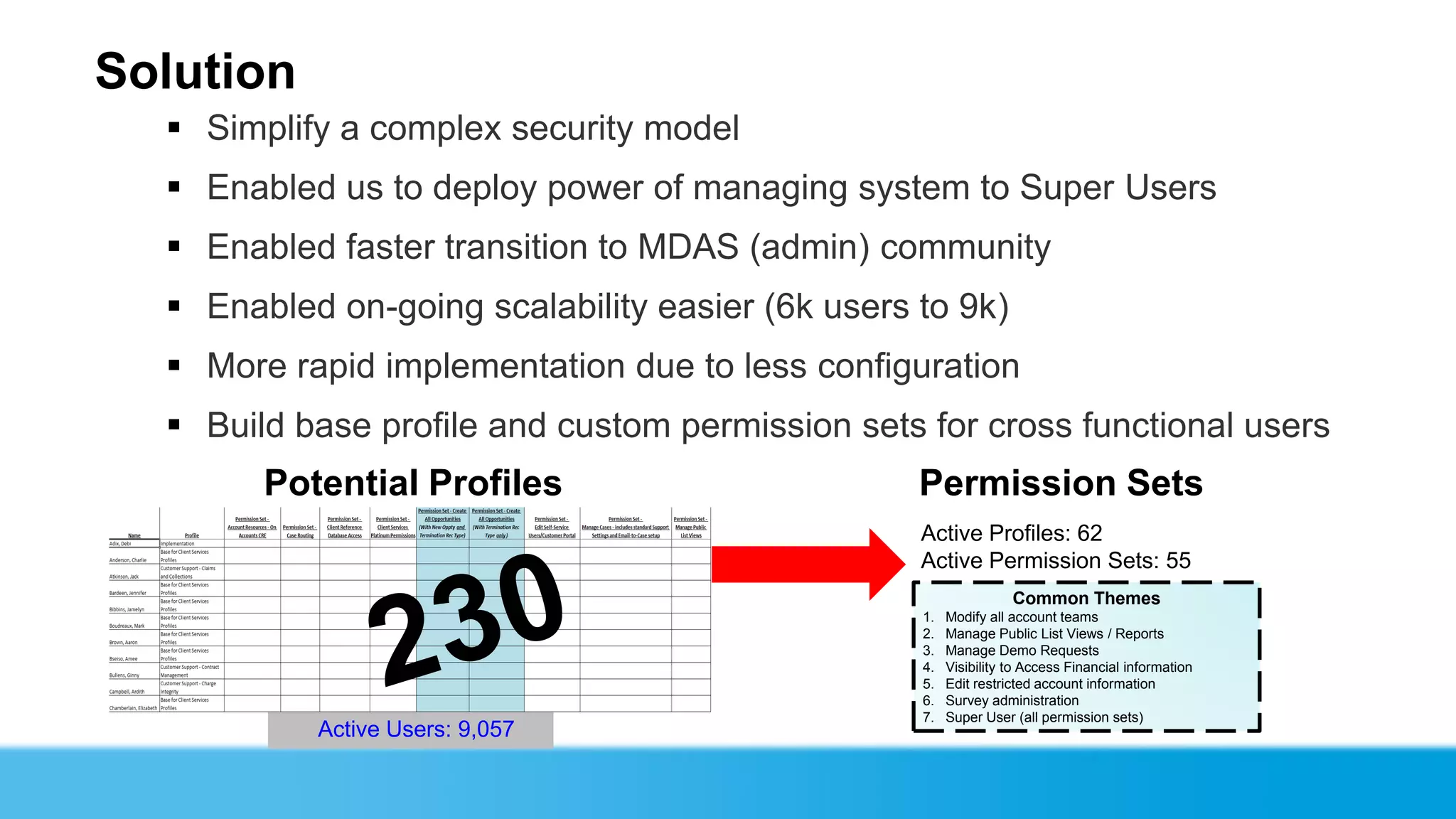
   Simplify a complex security model
   Enabled us to deploy power of managing system to Super Users
   Enabled faster transition to MDAS (admin) community
   Enabled on-going scalability easier (6k users to 9k)
   More rapid implementation due to less configuration
   Build base profile and custom permission sets for cross functional users
        Potential Profiles                        Permission Sets
                                                  Active Profiles: 62
                                                  Active Permission Sets: 55
                                                                  Common Themes
                                                  1.   Modify all account teams
                                                  2.   Manage Public List Views / Reports
                                                  3.   Manage Demo Requests
                                                  4.   Visibility to Access Financial information
                                                  5.   Edit restricted account information
                                                  6.   Survey administration
                                                  7.   Super User (all permission sets)
           Active Users: 9,057
Best Practices
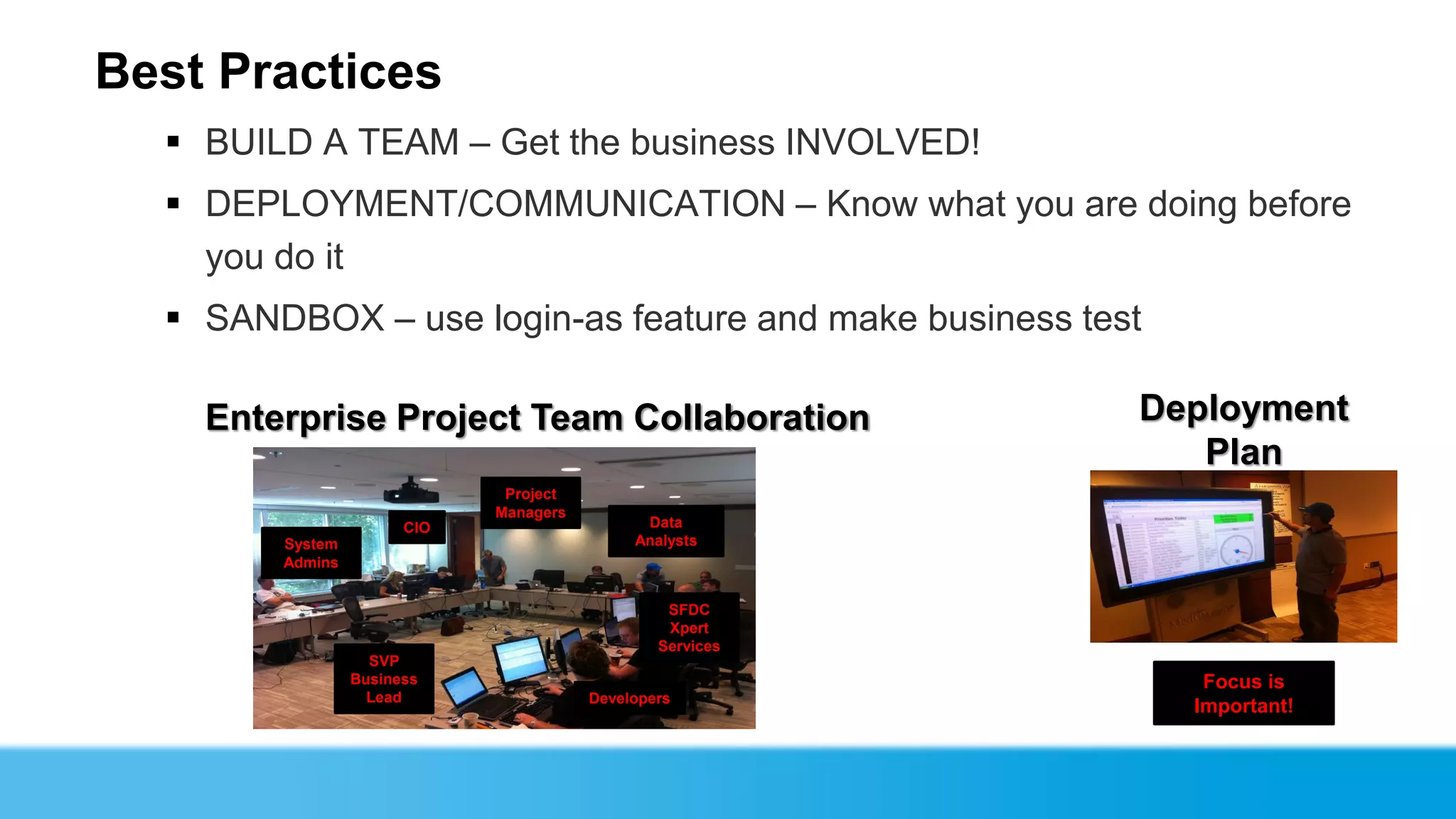
   BUILD A TEAM – Get the business INVOLVED!
   DEPLOYMENT/COMMUNICATION – Know what you are doing before
    you do it
   SANDBOX – use login-as feature and make business test
    Enterprise Project Team Collaboration                  Deployment
                                                              Plan
                              Project
                             Managers
                       CIO                    Data
        System                               Analysts
        Admins


                                                 SFDC
                                                 Xpert
                                                Services
                   SVP
                 Business                                     Focus is
                   Lead                 Developers
                                                             Important!
Implementation Tips and Tricks
  Getting Started…Think of permission sets as an “À la carte” approach
  Getting Started…When building permission sets, consider starting with reviewing
  all ADMIN privileges to determine the permission set needs (Delete or Transfer)
  Ensure you have a Naming Convention is key. Note: Today, there is not an easy
  way to display all Permissions included in one Permission Set “at a glance”
  Permission Sets are License-driven: customer portal, platform, chatter, etc.?
  Before go-live: make sure review each Permission Set’s “Assigned Users”
Adam Torman
Roadmap
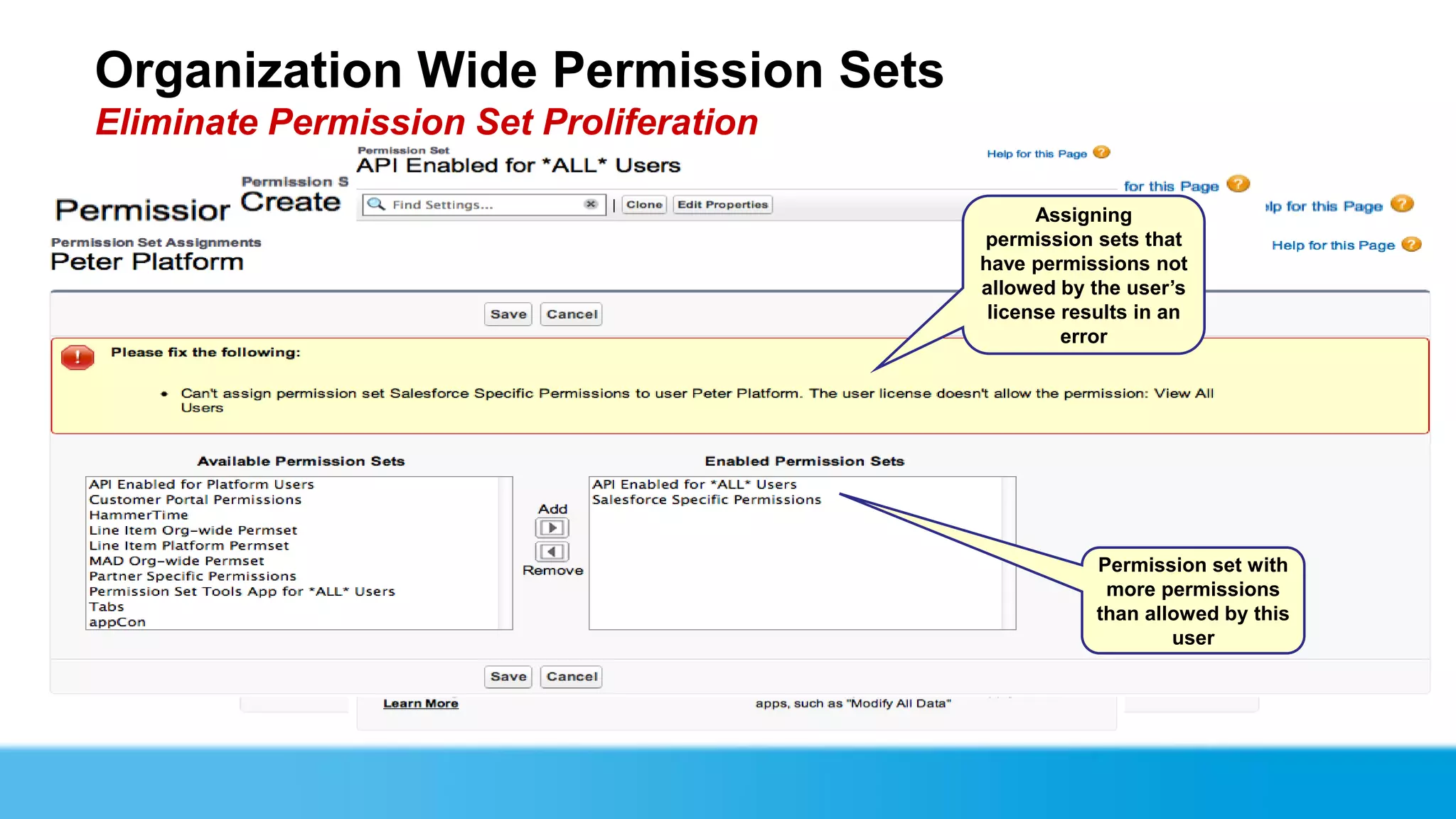
Organization Wide Permission Sets
Eliminate Permission Set Proliferation
                            Create the same way
                                   AFTER: Multiple
                                as permission sets
                                    a normal
                                                           Assigning
                               permission set with
                                  are replaced       permission sets that
                                        just one     have permissions not
                                                     allowed by the user’s
                                                      license results in an
                                                              error

                                                                                  Pick any
  License is left                                                             permission or
      empty                                                                    setting that is
                                                                              allowed on any
                                                                                  license


                                                                 Permission set with
                                                                  more permissions
                                                                 than allowed by this
                            BEFORE: you had                              user
                              to create one
                             permission set
                             per license type
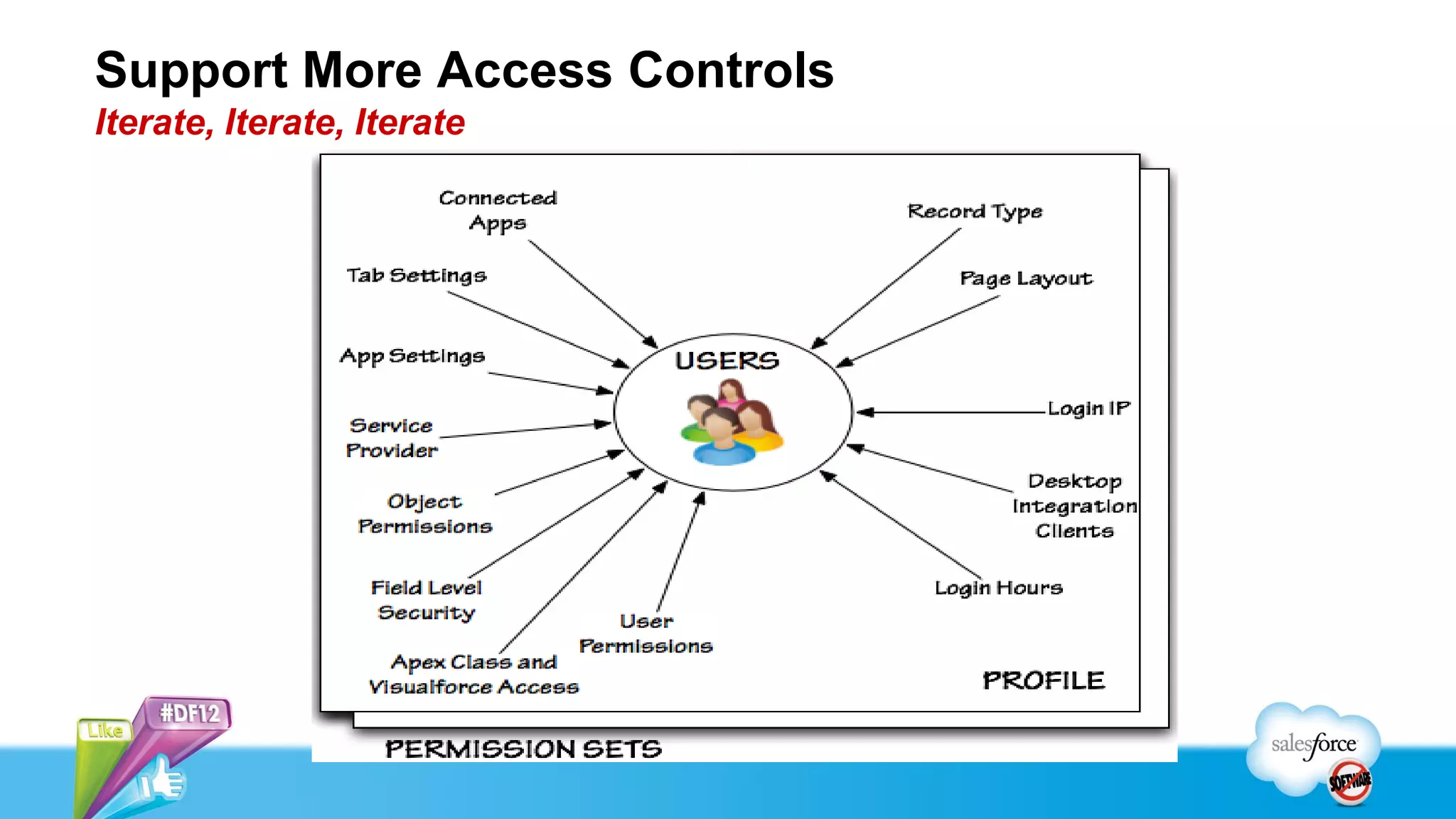
Support More Access Controls
Iterate, Iterate, Iterate
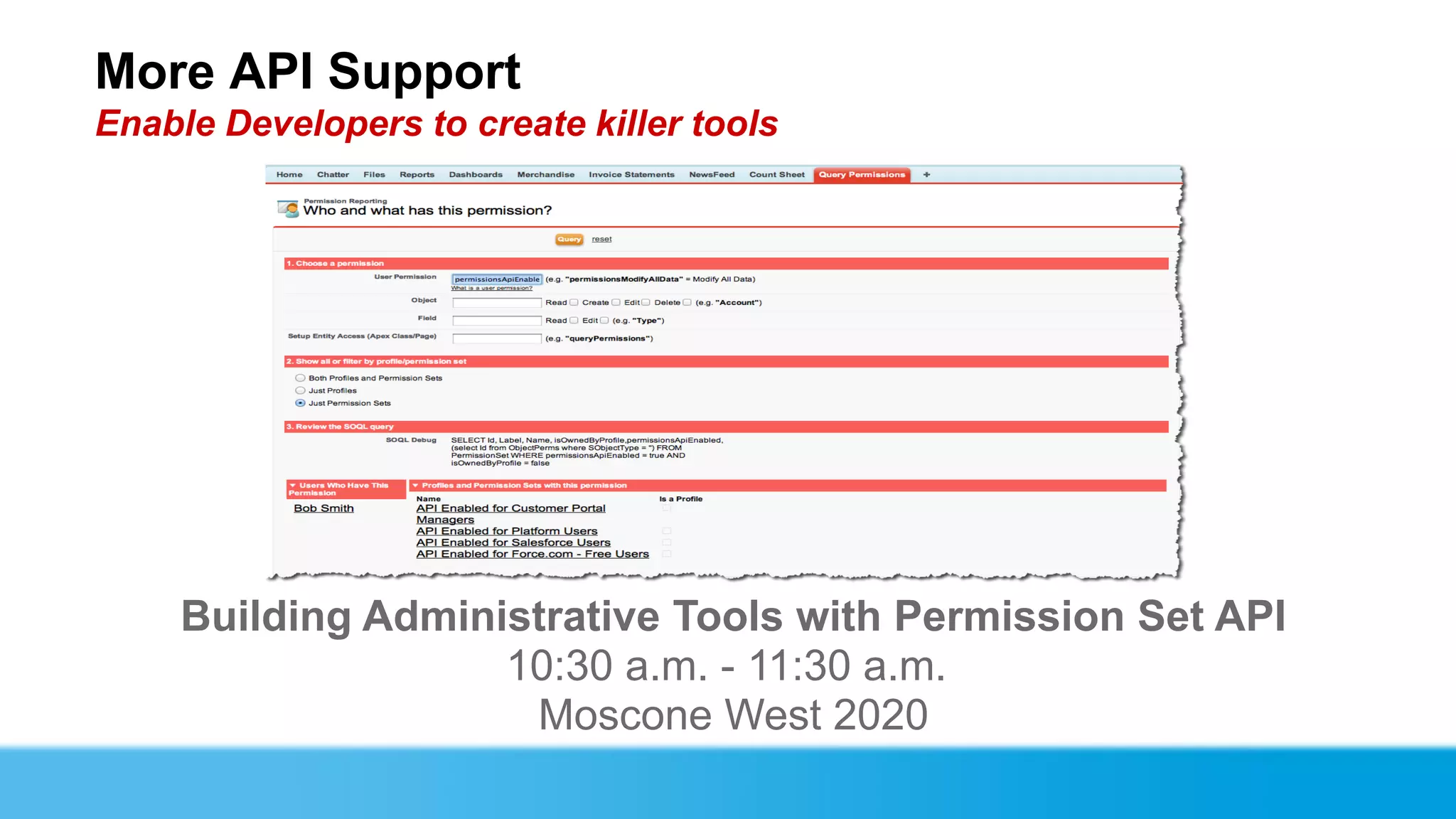
More API Support
Enable Developers to create killer tools


     Building Administrative Tools with Permission Set API
                    10:30 a.m. - 11:30 a.m.
                     Moscone West 2020
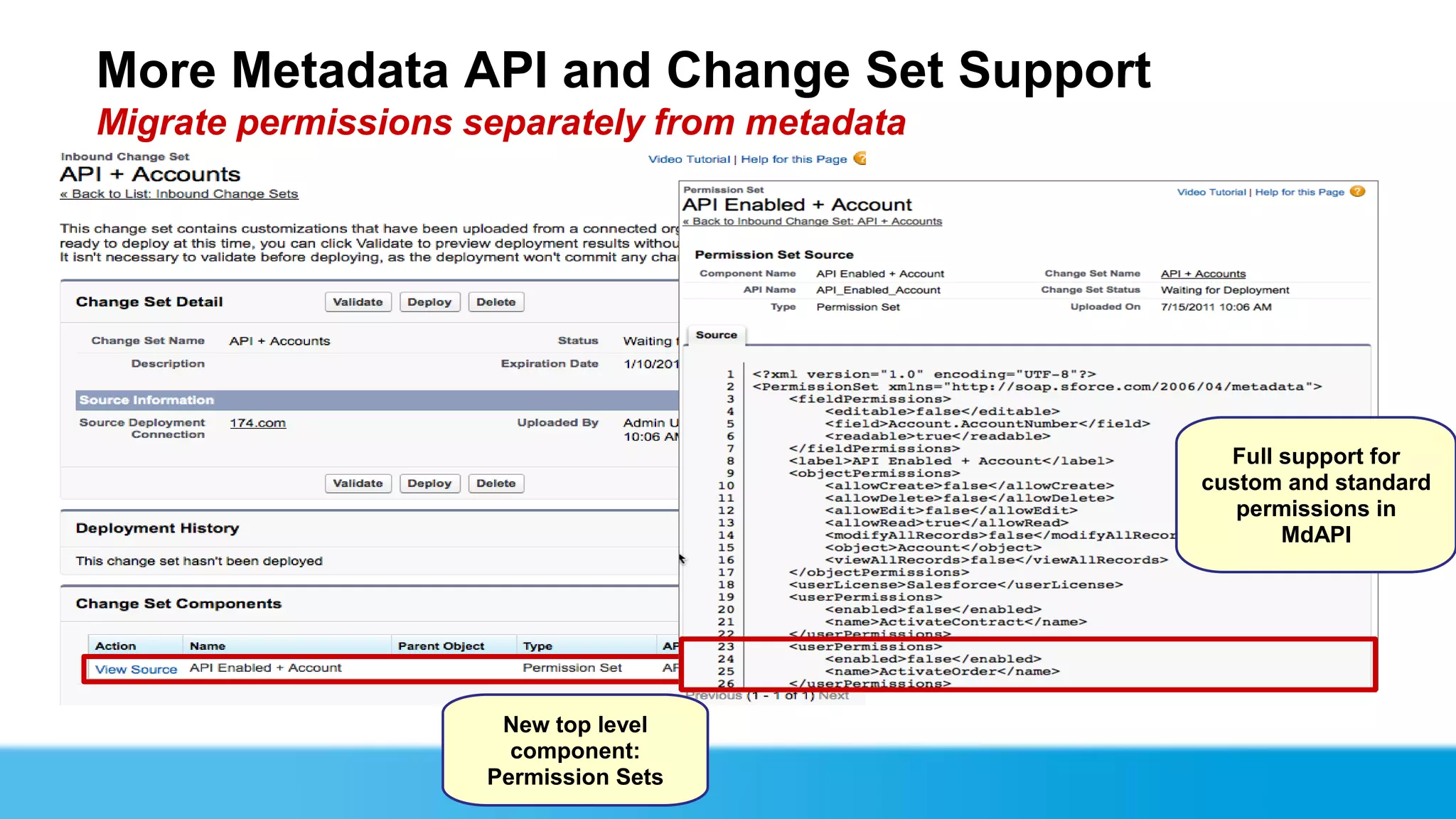
More Metadata API and Change Set Support
Migrate permissions separately from metadata


                                                 Full support for
                                               custom and standard
                                                  permissions in
                                                      MdAPI


                      New top level
                       component:
                     Permission Sets
Kenton Reed              Jody Hamlett          Adam Torman           Doug Bitting
Senior Salesforce Software   Managing Director   Senior Product Manager     PMTS
  Developer & Integrator       @configero               @atorman           @sfdcdoug
Keeping it Simple with Permission Sets

Keeping it Simple with Permission Sets

  • 1.
    Keeping it Simplewith Permission Sets Administrator Track Adam Torman, Senior Product Manager, Salesforce.com, @atorman Doug Bitting, Principal Member Technical Staff, Salesforce.com, @sfdcdoug Kenton Reed, Administrator, USAA Jody Hamlett, Managing Director, Configero, @configero
  • 2.
    Safe Harbor Safeharbor statement under the Private Securities Litigation Reform Act of 1995: This presentation may contain forward-looking statements that involve risks, uncertainties, and assumptions. If any such uncertainties materialize or if any of the assumptions proves incorrect, the results of salesforce.com, inc. could differ materially from the results expressed or implied by the forward-looking statements we make. All statements other than statements of historical fact could be deemed forward-looking, including any projections of product or service availability, subscriber growth, earnings, revenues, or other financial items and any statements regarding strategies or plans of management for future operations, statements of belief, any statements concerning new, planned, or upgraded services or technology developments and customer contracts or use of our services. The risks and uncertainties referred to above include – but are not limited to – risks associated with developing and delivering new functionality for our service, new products and services, our new business model, our past operating losses, possible fluctuations in our operating results and rate of growth, interruptions or delays in our Web hosting, breach of our security measures, the outcome of intellectual property and other litigation, risks associated with possible mergers and acquisitions, the immature market in which we operate, our relatively limited operating history, our ability to expand, retain, and motivate our employees and manage our growth, new releases of our service and successful customer deployment, our limited history reselling non-salesforce.com products, and utilization and selling to larger enterprise customers. Further information on potential factors that could affect the financial results of salesforce.com, inc. is included in our annual report on Form 10-Q for the most recent fiscal quarter ended July 31, 2012. This documents and others containing important disclosures are available on the SEC Filings section of the Investor Information section of our Web site. Any unreleased services or features referenced in this or other presentations, press releases or public statements are not currently available and may not be delivered on time or at all. Customers who purchase our services should make the purchase decisions based upon features that are currently available. Salesforce.com, inc. assumes no obligation and does not intend to update these forward- looking statements.
  • 3.
  • 4.
    Agenda  Why PermissionSets  What Are Permission Sets  USAA Implementation  Best Practices  Implementation Tips and Tricks from Configero  Roadmap  Q&A
  • 5.
    Doug Bitting Principal MemberTechnical Staff @sfdcdoug
  • 6.
    Permissions and AccessSettings  Read, create, edit and delete objects, like Accounts and Cases  Read and edit fields (field-level security)  User Permissions, like “View All Data”  Access Apex Classes and VisualForce pages Historically, permissions and settings have been controlled in profiles.
  • 7.
    Creating the perfectset of permissions Shoot for the ideal, settle for reality…
  • 8.
    Result of theperfect set of permissions We can do better! Where’s Doug? 40 Feet The Landmark @ One Standard Market User Profile
  • 9.
    What is aPermission Set? Like profiles, a permission set is a collection of permissions and settings that allow users to do things in Salesforce. What a user can do is now determined by their profile plus any assigned permission sets.
  • 10.
    What Access SettingsMake Up a Permission Set?
  • 11.
    Demo: Creating andAssigning a Permission Set Users still have a profile… … But they now can have permission sets as well
  • 12.
    Kenton Reed Senior SalesforceSoftware Developer & Integrator
  • 13.
    A Little AboutUSAA… We are a financial services company based in San Antonio, Texas that provides a full range of highly competitive financial products and services to the military and their families.  Insurance  Banking  Investments  Retirement  Advice USAA Confidential
  • 14.
    Our Business Problem… • Two Force.com application sets built in our cloud:  Applications for very specific user groups.  Applications used across the entire enterprise. • As our Force.com footprint increased, the growing numbers of Profiles were getting difficult to manage. • We were facing a Profile management nightmare with our projected Force.com application growth. Profile A.1 Profile A.2 Profile A.3 Profile A.??? USAA Confidential
  • 15.
    Our Business Problemcont… Primary drivers for Profile growth:  Multiple lines of business building applications in one Salesforce organization.  Enterprise and non-enterprise applications in the same cloud.  Very large user base. (24,000+)  Unique security requirements for each application. USAA Confidential
  • 16.
    Our Business Solution…PermissionSets Permission Sets allowed us to bring order to the Profile management chaos we were about to face. Benefits of Permission Sets: 1. Allowed us to a move to a more generic line of business Profile structure where possible. 2. Allowed for access to be granted on the application level. 3. Allowed for a 50% reduction in our planned Profiles. 4. Allowed us to easily extend with the API to automate the delegation of mass Permission Set assignment. USAA Confidential
  • 17.
    After Permission Sets… •Permission Set proliferation much smaller than expected.  Most applications have very similar access requirements. • Ability to retire many existing Profiles. • Considerable reduction in complexity of application permission assignment. USAA Confidential
  • 18.
  • 19.
    A New WayOf Thinking ● Think about security in manageable chunks ● No longer need to think about everything ● Consider only what's relevant to the permission set ● Aggregate access rights via assignment
  • 20.
    Same Job, MoreResponsibility  One-off profiles requests  With profiles – Modify existing profile – Create a one-off profile – Assign an admin profile  With permission sets – Create a reusable permission set – Assign the permission set for any users
  • 21.
    Manage Functional RolesMore Easily  Functional Role represents significant chunks of responsibilities  Access by matrix  Example: 4 teams by 4 teams or processes  16 profiles or  8 permission sets
  • 22.
    Manage Tasks MoreEasily  Tasks represent discrete sets of responsibilities  Access by tasks  Example: 10 tasks like approving a time off request or merging two leads  1023 profiles or  10 permission sets
  • 23.
    Manage Apps MoreEasily  Assign force.com apps to users regardless of their profile  Time Off Manager to all users in North America across all departments  Most permissions and settings supported  Works when using simple page layouts and record types that can still be managed by a profile
  • 24.
    Recertify Rights  Verifythe permissions a user needs by taking risky permissions away from all users in the organization and then granting them back on an individual basis through a permission set instead of the user's profile.  View All Data, Modify All Data, Manage Users, Customize Application are all great candidates
  • 25.
    You should trythis out at home! Permission Set Why it works View All Data Recertify who can view all data in an org to manage the running user of dashboards rather than giving it out to all users in a profile Manage Users Reduce the number of users who can: Create/Modify Profiles and Permission Sets Create/Modify Sharing Rules Price Book Consolidate who in Sales Ops can manage products and price books Administrator API Only User Manage Integrations more easily by migrating this permission from all profiles to a single permission set Approver Use field level security to determine who can approve a record in an approval process Time Off Manager Except for Layouts and Record Types, it’s possible to control most app permissions End-User and settings using a permission set Connected App User Using Connected Apps (Pilot), you can choose which users can use OAuth to log into other apps on other platforms
  • 26.
    Roll out ITprojects in phases Phase in a new feature without first:  Getting approval to add it to everyone  Developing documentation  Developing training How  Create and assign a permission set  Collect data from the pilot  Develop documentation and training based on user feedback
  • 27.
    Excel Form -Sample  Use tools like Excel to view the desired state of your permissions  Think about functions and tasks
  • 28.
    Gotchas Mass assignment tools  sObject API support can help  Workaround: Use the API Analytical tools  Who has what permission and why  Workaround: Use the API Additional access settings  Record types, page layouts, etc.  Workaround: Use Profiles
  • 29.
    A new wayof thinking  Think about security the way your organization thinks about security  Identify job functions, tasks, and processes  Determine the set of access rights necessary for each  Aggregate access rights via assignment
  • 30.
  • 31.
    Business challenge Complex Microsoft conversion  Over 1 million records to be converted from multiple data sources  6000 Users – across Sales, Marketing, Client Relations, Customers, Finance,  Accounting, Contracts, Project Teams, and Affiliates (partners)  Complex security model – large super user team, many role-based profiles, and multiple portal user profiles  200+ separate security profiles required  More than 20 profiles with 1-3 users assigned Sales Marketing Large publicly-traded healthcare company that provides Client Customers Relations financial improvement to health care providers for both Solomon revenue cycle and supply chain management.
  • 32.
    Solution Simplify a complex security model  Enabled us to deploy power of managing system to Super Users  Enabled faster transition to MDAS (admin) community  Enabled on-going scalability easier (6k users to 9k)  More rapid implementation due to less configuration  Build base profile and custom permission sets for cross functional users Potential Profiles Permission Sets Active Profiles: 62 Active Permission Sets: 55 Common Themes 1. Modify all account teams 2. Manage Public List Views / Reports 3. Manage Demo Requests 4. Visibility to Access Financial information 5. Edit restricted account information 6. Survey administration 7. Super User (all permission sets) Active Users: 9,057
  • 33.
    Best Practices  BUILD A TEAM – Get the business INVOLVED!  DEPLOYMENT/COMMUNICATION – Know what you are doing before you do it  SANDBOX – use login-as feature and make business test Enterprise Project Team Collaboration Deployment Plan Project Managers CIO Data System Analysts Admins SFDC Xpert Services SVP Business Focus is Lead Developers Important!
  • 34.
    Implementation Tips andTricks Getting Started…Think of permission sets as an “À la carte” approach Getting Started…When building permission sets, consider starting with reviewing all ADMIN privileges to determine the permission set needs (Delete or Transfer) Ensure you have a Naming Convention is key. Note: Today, there is not an easy way to display all Permissions included in one Permission Set “at a glance” Permission Sets are License-driven: customer portal, platform, chatter, etc.? Before go-live: make sure review each Permission Set’s “Assigned Users”
  • 35.
  • 36.
    Organization Wide PermissionSets Eliminate Permission Set Proliferation Create the same way AFTER: Multiple as permission sets a normal Assigning permission set with are replaced permission sets that just one have permissions not allowed by the user’s license results in an error Pick any License is left permission or empty setting that is allowed on any license Permission set with more permissions than allowed by this BEFORE: you had user to create one permission set per license type
  • 37.
    Support More AccessControls Iterate, Iterate, Iterate
  • 38.
    More API Support EnableDevelopers to create killer tools Building Administrative Tools with Permission Set API 10:30 a.m. - 11:30 a.m. Moscone West 2020
  • 39.
    More Metadata APIand Change Set Support Migrate permissions separately from metadata Full support for custom and standard permissions in MdAPI New top level component: Permission Sets
  • 40.
    Kenton Reed Jody Hamlett Adam Torman Doug Bitting Senior Salesforce Software Managing Director Senior Product Manager PMTS Developer & Integrator @configero @atorman @sfdcdoug