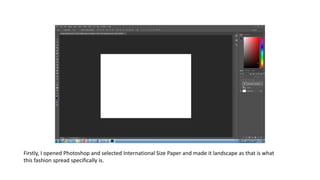
Firstly, I opened Photoshop and selected International Size Paper and made it landscape as that is what
this fashion spread specifically is.
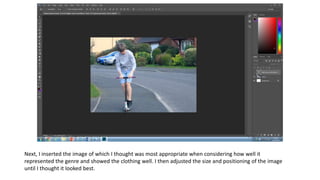
Next, I inserted the image of which I thought was most appropriate when considering how well it
represented the genre and showed the clothing well. I then adjusted the size and positioning of the image
until I thought it looked best.
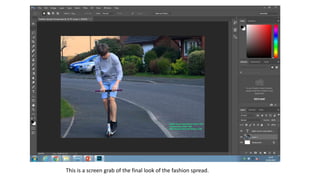
I then added the pricing of the clothes the model is wearing and put it in a lime green, small font in the
bottom corner of the fashion spread, I chose to make it green as it stands out, fits the genre and looks well
with the image also having a lot of green in it.
I decided that the photo would probably look better if I adjusted the brightness and contrast so I did so,
as you can see, it is currently at the default settings.
After playing with the settings for a bit, I settled on lowering the brightness slightly and increasing the
contrast a fair amount, I believe this helps enhance the green in the image and in doing so makes it look
a lot more summery and look better in general.
This is a screen grab of the final look of the fashion spread.

Production process scooter

  • 1.
    Firstly, I openedPhotoshop and selected International Size Paper and made it landscape as that is what this fashion spread specifically is.
  • 2.
    Next, I insertedthe image of which I thought was most appropriate when considering how well it represented the genre and showed the clothing well. I then adjusted the size and positioning of the image until I thought it looked best.
  • 3.
    I then addedthe pricing of the clothes the model is wearing and put it in a lime green, small font in the bottom corner of the fashion spread, I chose to make it green as it stands out, fits the genre and looks well with the image also having a lot of green in it.
  • 4.
    I decided thatthe photo would probably look better if I adjusted the brightness and contrast so I did so, as you can see, it is currently at the default settings.
  • 5.
    After playing withthe settings for a bit, I settled on lowering the brightness slightly and increasing the contrast a fair amount, I believe this helps enhance the green in the image and in doing so makes it look a lot more summery and look better in general.
  • 6.
    This is ascreen grab of the final look of the fashion spread.