Enhancing Web Pages with Media
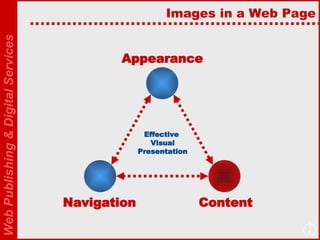
Images in a Web Page Appearance Content Navigation Effective  Visual Presentation
Enhancing Web Pages Today we will enhance web page in several ways: Adding Flash Movie (e.g., movie, buttons, interactive material) Adding digital videos Adding content from YouTube and SlideShare Adding JavaScripts
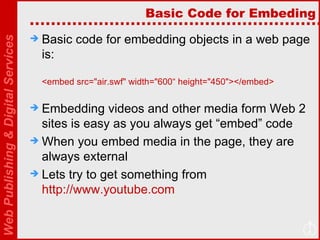
Basic Code for Embeding Basic code for embedding objects in a web page is: <embed src=&quot;air.swf&quot; width=&quot;600“ height=&quot;450&quot;></embed> Embedding videos and other media form Web 2 sites is easy as you always get “embed” code When you embed media in the page, they are always external Lets try to get something from  http://www.youtube.com
SlideShare SlideShare from  http://www.slideshare.net/  allows you to upload your PowerPoint presentation and then have it available as Flash file Let’s try this… Also check  http://flashkit.com/  for good ideas about using some flash movies in web sites.
Web Albums Web albums are popular way to upload images to a web site and then have them displayed in your web page as a slideshow Check Picassa from http://picasa.google.com/ Check Flickr from http://flickr.com/ Alos you can try  http://www.slideroll.com/   There are many others, just search for “free web album” in Google
JavaScript You can find a lot of interesting JavaScripts from  http://javascript.internet.com/   Let’s see how to integrate one of these codes in your webpage
Other things You can also embed MIDI, MP3, Wav files in your page Out of interest, check this out:  http://www.sitepal.com/
Your Project Plan for to integrate these ideas in your project
Project Evaluation The following are criteria for evaluation of your project: Content Coverage (interesting content, complete content, references and links to other web sites, suitability of content for audience)  Interface Effectiveness and navigation Visual/Presentation Design Quality of Media and other Elements (digital story, edited video, content from Web 2 sites such as SlideShare, JavaScript, etc)
For next week Next class will be held on 7 th  of December Teams must prepare a 5 minutes presentation to: Inform about current stage of your project Demonstrate your Prototype Invite feedback What are the main challenges in working the project What will be done next Prepare a short presentation of 3-4 slides for your presentation

Presentations4 Session9

  • 1.
  • 2.
    Images in aWeb Page Appearance Content Navigation Effective Visual Presentation
  • 3.
    Enhancing Web PagesToday we will enhance web page in several ways: Adding Flash Movie (e.g., movie, buttons, interactive material) Adding digital videos Adding content from YouTube and SlideShare Adding JavaScripts
  • 4.
    Basic Code forEmbeding Basic code for embedding objects in a web page is: <embed src=&quot;air.swf&quot; width=&quot;600“ height=&quot;450&quot;></embed> Embedding videos and other media form Web 2 sites is easy as you always get “embed” code When you embed media in the page, they are always external Lets try to get something from http://www.youtube.com
  • 5.
    SlideShare SlideShare from http://www.slideshare.net/ allows you to upload your PowerPoint presentation and then have it available as Flash file Let’s try this… Also check http://flashkit.com/ for good ideas about using some flash movies in web sites.
  • 6.
    Web Albums Webalbums are popular way to upload images to a web site and then have them displayed in your web page as a slideshow Check Picassa from http://picasa.google.com/ Check Flickr from http://flickr.com/ Alos you can try http://www.slideroll.com/ There are many others, just search for “free web album” in Google
  • 7.
    JavaScript You canfind a lot of interesting JavaScripts from http://javascript.internet.com/ Let’s see how to integrate one of these codes in your webpage
  • 8.
    Other things Youcan also embed MIDI, MP3, Wav files in your page Out of interest, check this out: http://www.sitepal.com/
  • 9.
    Your Project Planfor to integrate these ideas in your project
  • 10.
    Project Evaluation Thefollowing are criteria for evaluation of your project: Content Coverage (interesting content, complete content, references and links to other web sites, suitability of content for audience) Interface Effectiveness and navigation Visual/Presentation Design Quality of Media and other Elements (digital story, edited video, content from Web 2 sites such as SlideShare, JavaScript, etc)
  • 11.
    For next weekNext class will be held on 7 th of December Teams must prepare a 5 minutes presentation to: Inform about current stage of your project Demonstrate your Prototype Invite feedback What are the main challenges in working the project What will be done next Prepare a short presentation of 3-4 slides for your presentation