WORDPRESS
@nicolerosedion
YOUR QUESTIONS
Q: My group has a slideshow on the
website and we found one using a
plugin but the plugin has many
different external sheets. Is there a
simpler way to create a slideshow or
should we just keep it the way it is?
A: Just keep it the way it is, this is a
downside of WordPress, almost every
plugin you install often adds its own
Javascript and CSS files and these
add up fast. It is important remember
that if you edit or change a plugin you
can not updated it or you will loose all
your work.
•  Q: If I were to create a cheat sheet for
WordPress for things that I absolutely
must know and remember, what
would be on it? For example, if I were
to have a cheat sheet for coding, I
would have the different tags and
what they meant on it.
A: Wordpress is a very large and
complicated codebase, there are
latterly hundreds of functions and
methods that you have access to
while building your site. That said the
best cheat sheet is actually the codex
[http://codex.wordpress.org/] almost
everything has been laid out for you
in there.
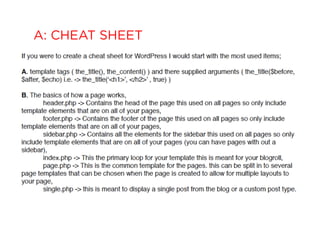
A: CHEAT SHEET
•  Q: Are there ways to create PHPs ? Or
is all the coding found just on the
internet?
•  A: PHP files are text files that the
server recognizes and parses, they
can be created in any text editor.
They do require that the the very first
line before you add code use a ( <?
php ) this tells the server to parse this
section of code and replace it with
the desired result. At the end of the
code block you will need to close the
block with a ( ?> ) tag.
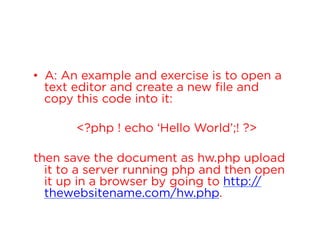
•  A: An example and exercise is to open a
text editor and create a new file and
copy this code into it:
<?php ! echo ‘Hello World’;! ?>
then save the document as hw.php upload
it to a server running php and then open
it up in a browser by going to http://
thewebsitename.com/hw.php.
•  Q: My footer is stuck at the top of my
pages, how do I fix it?
•  A: There are lots of ways but few
really work. Most Devs often figure
out with trial and error. You can
achieve this with jQuery, Css hacks,
Frameworks like Bootstrap &
Foundation (have built it methods).
There is no easy way, and often what
works for one site does not work on
another.
•  Q: How do I remove the "posted by
### at #:##" on all pages?
•  A: This is created by a template tag
http://codex.wordpress.org/
Template_Tags, to remove it you will
need to find it in the template and
delete it or comment it out. For this
particular one you would goto ->
index.php and in the loop look for
posted by <?php the_author(); ?> on
at <?php the_time() ?>
•  Q: How does CSS work with PHP?
Some styling that we (my group and
I) put in worked on the HTML, but
does not on PHP. For example, if we
want to style something specifically,
we would use and id, but what is the
equivalent of id in PHP?
•  A: CSS is specific to html (they are not the
same but complements of each other) and only
affects php after its parsed into an html output,
So there are no php equivalents. That said,
WordPress uses function calls (these are
prebuilt blocks of php that perform specific
functions) these functions do not aways work
with css called from the document but these
functions usually have the ability to supply an
argument that can include css id or class.
<?php the_title(‘<h1 class=“page-title”>’, </h2>’ , true) ?>!
•  Q: If I was to add media to my
website, how could I podcast it using
Wordpress?
•  A: How to podcast with Wordpress
http://codex.wordpress.org/Podcasting
•  Q: What are some tips for learning
PHP and how do you link a PHP
document correctly in Wordpress?
•  A: Google! Find an intro to CS and
Intro to programming theory class.
Lynda.com (best resource in the
world tons of video classes that will
take you through php, html, css,
wordpress). Just get in and play
between google and maybe a cheap
php for dummies book.
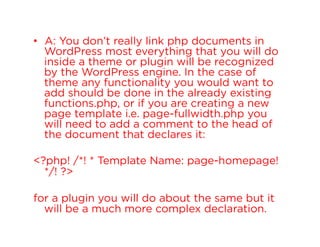
•  A: You don’t really link php documents in
WordPress most everything that you will do
inside a theme or plugin will be recognized
by the WordPress engine. In the case of
theme any functionality you would want to
add should be done in the already existing
functions.php, or if you are creating a new
page template i.e. page-fullwidth.php you
will need to add a comment to the head of
the document that declares it:
<?php! /*! * Template Name: page-homepage!
*/! ?>
for a plugin you will do about the same but it
will be a much more complex declaration.
•  Q: Are there any useful PHP reference
websites?
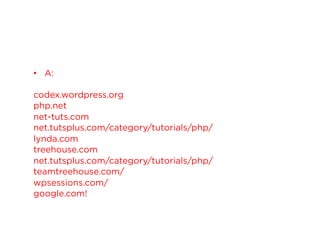
•  A:
codex.wordpress.org
php.net
net-tuts.com
net.tutsplus.com/category/tutorials/php/
lynda.com
treehouse.com
net.tutsplus.com/category/tutorials/php/
teamtreehouse.com/
wpsessions.com/
google.com!
•  Q: What’s the line of code that
connects each page together? I've
noticed that sometimes when we
copy and paste our code into the
WordPress code and we accidentally
delete the wrong code, then the
pages don't connect properly.
•  A: There are a variety of different ways
WordPress pages link together in the template
system
•  based on the pages document name:
–  1) a loop in the index.php page will only pull posts
related to the post section
–  2) a loop in a page.php or a template that has a
template name: declaration will only pull content
related to that page.
–  3) documents are named specifically for specific
functions and are a major part of the linking process.
I.e. archive.php is for search and category requests
on a site, while page.php is for pages created in the
dashboard.
RESOURCE
http://bit.ly/KO8qY5
THANK YOU!
nicole@theabbiagency.com

Wordpress Questions & Answers

  • 1.
  • 2.
  • 3.
    Q: My grouphas a slideshow on the website and we found one using a plugin but the plugin has many different external sheets. Is there a simpler way to create a slideshow or should we just keep it the way it is?
  • 4.
    A: Just keepit the way it is, this is a downside of WordPress, almost every plugin you install often adds its own Javascript and CSS files and these add up fast. It is important remember that if you edit or change a plugin you can not updated it or you will loose all your work.
  • 5.
    •  Q: IfI were to create a cheat sheet for WordPress for things that I absolutely must know and remember, what would be on it? For example, if I were to have a cheat sheet for coding, I would have the different tags and what they meant on it.
  • 6.
    A: Wordpress isa very large and complicated codebase, there are latterly hundreds of functions and methods that you have access to while building your site. That said the best cheat sheet is actually the codex [http://codex.wordpress.org/] almost everything has been laid out for you in there.
  • 7.
  • 9.
    •  Q: Arethere ways to create PHPs ? Or is all the coding found just on the internet?
  • 10.
    •  A: PHPfiles are text files that the server recognizes and parses, they can be created in any text editor. They do require that the the very first line before you add code use a ( <? php ) this tells the server to parse this section of code and replace it with the desired result. At the end of the code block you will need to close the block with a ( ?> ) tag.
  • 11.
    •  A: Anexample and exercise is to open a text editor and create a new file and copy this code into it: <?php ! echo ‘Hello World’;! ?> then save the document as hw.php upload it to a server running php and then open it up in a browser by going to http:// thewebsitename.com/hw.php.
  • 13.
    •  Q: Myfooter is stuck at the top of my pages, how do I fix it?
  • 14.
    •  A: Thereare lots of ways but few really work. Most Devs often figure out with trial and error. You can achieve this with jQuery, Css hacks, Frameworks like Bootstrap & Foundation (have built it methods). There is no easy way, and often what works for one site does not work on another.
  • 15.
    •  Q: Howdo I remove the "posted by ### at #:##" on all pages?
  • 16.
    •  A: Thisis created by a template tag http://codex.wordpress.org/ Template_Tags, to remove it you will need to find it in the template and delete it or comment it out. For this particular one you would goto -> index.php and in the loop look for posted by <?php the_author(); ?> on at <?php the_time() ?>
  • 17.
    •  Q: Howdoes CSS work with PHP? Some styling that we (my group and I) put in worked on the HTML, but does not on PHP. For example, if we want to style something specifically, we would use and id, but what is the equivalent of id in PHP?
  • 18.
    •  A: CSSis specific to html (they are not the same but complements of each other) and only affects php after its parsed into an html output, So there are no php equivalents. That said, WordPress uses function calls (these are prebuilt blocks of php that perform specific functions) these functions do not aways work with css called from the document but these functions usually have the ability to supply an argument that can include css id or class. <?php the_title(‘<h1 class=“page-title”>’, </h2>’ , true) ?>!
  • 20.
    •  Q: IfI was to add media to my website, how could I podcast it using Wordpress?
  • 21.
    •  A: Howto podcast with Wordpress http://codex.wordpress.org/Podcasting
  • 22.
    •  Q: Whatare some tips for learning PHP and how do you link a PHP document correctly in Wordpress?
  • 23.
    •  A: Google!Find an intro to CS and Intro to programming theory class. Lynda.com (best resource in the world tons of video classes that will take you through php, html, css, wordpress). Just get in and play between google and maybe a cheap php for dummies book.
  • 24.
    •  A: Youdon’t really link php documents in WordPress most everything that you will do inside a theme or plugin will be recognized by the WordPress engine. In the case of theme any functionality you would want to add should be done in the already existing functions.php, or if you are creating a new page template i.e. page-fullwidth.php you will need to add a comment to the head of the document that declares it: <?php! /*! * Template Name: page-homepage! */! ?> for a plugin you will do about the same but it will be a much more complex declaration.
  • 26.
    •  Q: Arethere any useful PHP reference websites?
  • 27.
  • 28.
    •  Q: What’sthe line of code that connects each page together? I've noticed that sometimes when we copy and paste our code into the WordPress code and we accidentally delete the wrong code, then the pages don't connect properly.
  • 29.
    •  A: Thereare a variety of different ways WordPress pages link together in the template system •  based on the pages document name: –  1) a loop in the index.php page will only pull posts related to the post section –  2) a loop in a page.php or a template that has a template name: declaration will only pull content related to that page. –  3) documents are named specifically for specific functions and are a major part of the linking process. I.e. archive.php is for search and category requests on a site, while page.php is for pages created in the dashboard.
  • 30.
  • 32.
  • 33.