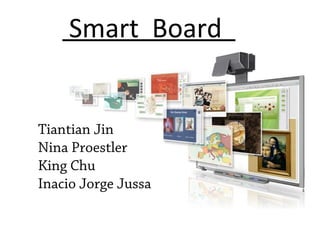
Smart Board
Tiantian Jin
Nina Proestler
King Chu
Inacio Jorge Jussa
Technologies
 Digital Vision Touch (DViT)
 Digital Ink & Pen Tray
DViT
• Touch-sensitive displays
• Control computer
applications, navigate
Web sites or write
notes
• Digital cameras and
sophisticated software
Digital Ink & Pen Tray
• Has neither electronic
components nor ink
• Slots
• Not only the pens
• Control panel
SMART Notebook Math Tools
• Combines everything a math teacher needs
SMART Notebook Math Tools
• Use easily and effectively
• Interactive
Segmenting Principle
• Learners can easily use Smart board tools.
Individuals can learn more when multimedia
messages are presented in learner-paced style.
Smartboard has incorporated their techniques
with segmenting principles into there software.
• The Smartboard integration with solution do not
allow essential overload with learners with
Smartboard in the classroom. The learner can
watch the video by processing the step by step
development.
• The next page is an example of segmenting with
Smartboard.
Segmenting principle:
explaining single steps
Segmenting principle
• Math tools makes it possible for students to create step by step lesson activities
that encourage involvement.
Pretraining Principle
• Smartboard provides the pretraining of their product and it
allows the leaner to process the techniques easily.
• If we view the smartboard video, we can see “create and
explore” this allows the learner to get pretraining for the
product.
• Smartboard builds component models for the learners to
know names, components, and to overcome the overload
problems.
Pretraining Principle
explaining parts of the introduction.
Signaling Principle
• Smart Tech shows signaling principle to
learners. If we take a look in “Evaluate and
Solve, 3:13” video you can see the signaling
principle.
• Signaling principle shows the learner what to
attend to.
Signaling Principle:
Example
Highlighted signaling
Coherence with Smart Board
Contiguity
spatial temporal
Modality
• Smart Board combines animation and
narration
Informal & direct conversation: You & I
Personalization Principle
Voice Principle
Smart Board does not replace teacher’s voice
References
• Wiki – Multiple Media Principles
• Smart Technology
• Mayer, Richard. The Cambridge Handbook of Multimedia
Learning
• Steffe, L. P., & Olive, J. (2002) Design and use of computer
tools for interactive Mathematical Activity (TIMA). Journal of
Educational Computing Research, Vol 27(1-2), 2002,pp. 55-
76.
• Wikipedia

Presentation10 26

Editor's Notes

  • #15 Students learn better when extraneous words, pictures, and sounds are excluded rather than included. It occurs when students better understand an explanation from a multimedia lesson containing less material that from a multimedia lesson containing more material.
  • #16 Spatial Contiguity: Students learn better when corresponding words and pictures are presented near each other rather than far from each other on the page or screen. Temporal Contiguity: Students learn better when corresponding words and pictures are presented simultaneously rather than successively.
  • #17 Students learn better from animation and narration than from animation and on-screen text. http://www.smarttech.com/us/Solutions/Education+Solutions/Products+for+education/Software/SMART+Notebook+collaborative+learning+software/SMART+Notebook+Math+Tools+software 1.22
  • #18 1:50—2:14