BTec Level 3
Extended Diploma in Creative Media Production

     Raster Images.

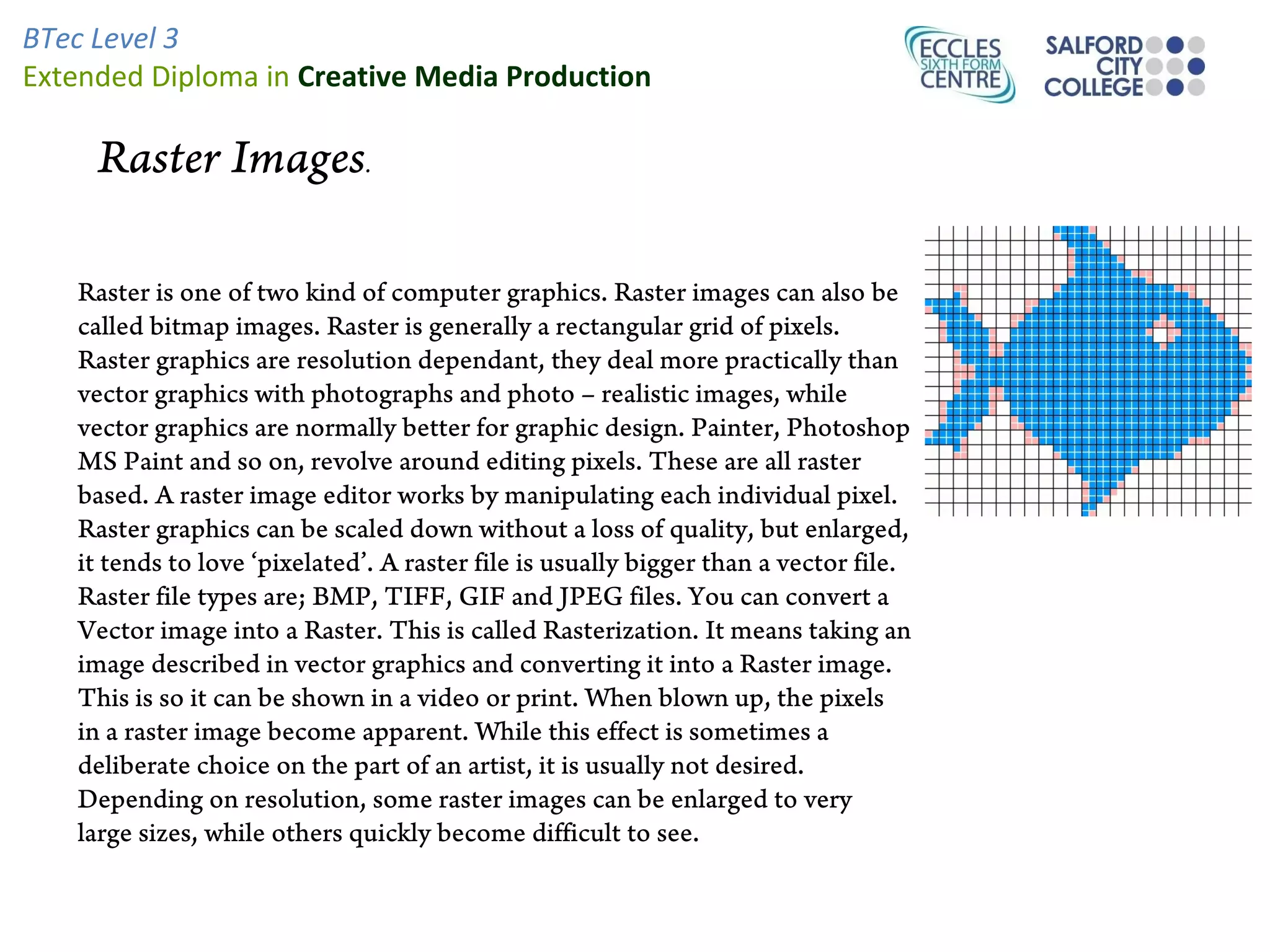
   Raster is one of two kind of computer graphics. Raster images can also be
   called bitmap images. Raster is generally a rectangular grid of pixels.
   Raster graphics are resolution dependant, they deal more practically than
   vector graphics with photographs and photo – realistic images, while
   vector graphics are normally better for graphic design. Painter, Photoshop
   MS Paint and so on, revolve around editing pixels. These are all raster
   based. A raster image editor works by manipulating each individual pixel.
   Raster graphics can be scaled down without a loss of quality, but enlarged,
   it tends to love ‘pixelated’. A raster file is usually bigger than a vector file.
   Raster file types are; BMP, TIFF, GIF and JPEG files. You can convert a
   Vector image into a Raster. This is called Rasterization. It means taking an
   image described in vector graphics and converting it into a Raster image.
   This is so it can be shown in a video or print. When blown up, the pixels
   in a raster image become apparent. While this effect is sometimes a
   deliberate choice on the part of an artist, it is usually not desired.
   Depending on resolution, some raster images can be enlarged to very
   large sizes, while others quickly become difficult to see.
Vector Images.


Vector graphics works as shapes. They are often used for things such
as company logos as they need to be scaled to different sizes. Vector
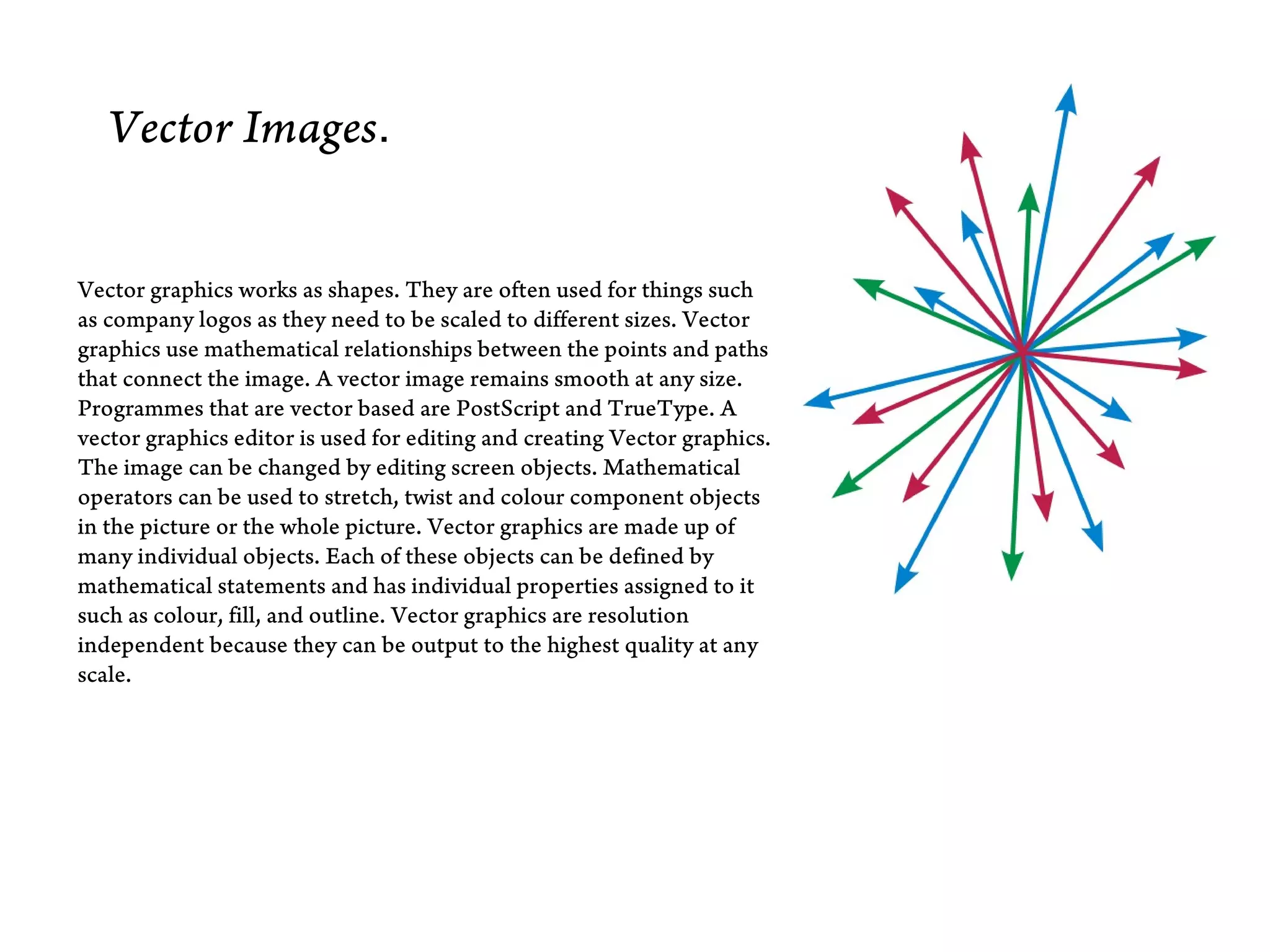
graphics use mathematical relationships between the points and paths
that connect the image. A vector image remains smooth at any size.
Programmes that are vector based are PostScript and TrueType. A
vector graphics editor is used for editing and creating Vector graphics.
The image can be changed by editing screen objects. Mathematical
operators can be used to stretch, twist and colour component objects
in the picture or the whole picture. Vector graphics are made up of
many individual objects. Each of these objects can be defined by
mathematical statements and has individual properties assigned to it
such as colour, fill, and outline. Vector graphics are resolution
independent because they can be output to the highest quality at any
scale.
BTec Level 3
Extended Diploma in Creative Media Production


        Anti aliasing.

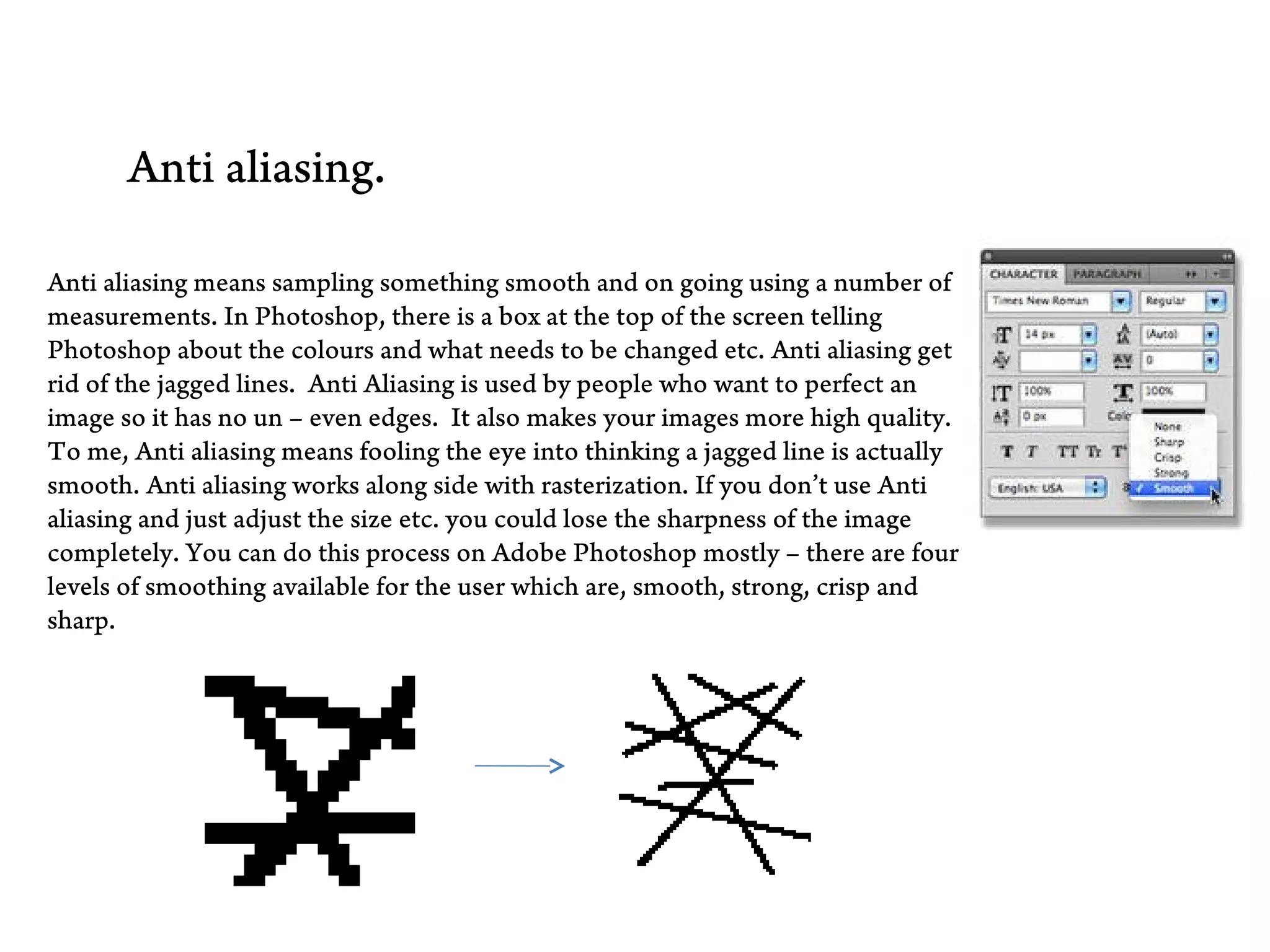
 Anti aliasing means sampling something smooth and on going using a number of
 measurements. In Photoshop, there is a box at the top of the screen telling
 Photoshop about the colours and what needs to be changed etc. Anti aliasing get
 rid of the jagged lines. Anti Aliasing is used by people who want to perfect an
 image so it has no un – even edges. It also makes your images more high quality.
 To me, Anti aliasing means fooling the eye into thinking a jagged line is actually
 smooth. Anti aliasing works along side with rasterization. If you don’t use Anti
 aliasing and just adjust the size etc. you could lose the sharpness of the image
 completely. You can do this process on Adobe Photoshop mostly – there are four
 levels of smoothing available for the user which are, smooth, strong, crisp and
 sharp.
Resolution


•   Image resolution describes the detail an image holds. The term applies to raster, digital images
    film images, and other types of images. Higher resolution means more image detail.
•   Image resolution can be measured in various ways. Basically, resolution quantifies how close
    lines can be to each other and still be visibly resolved.

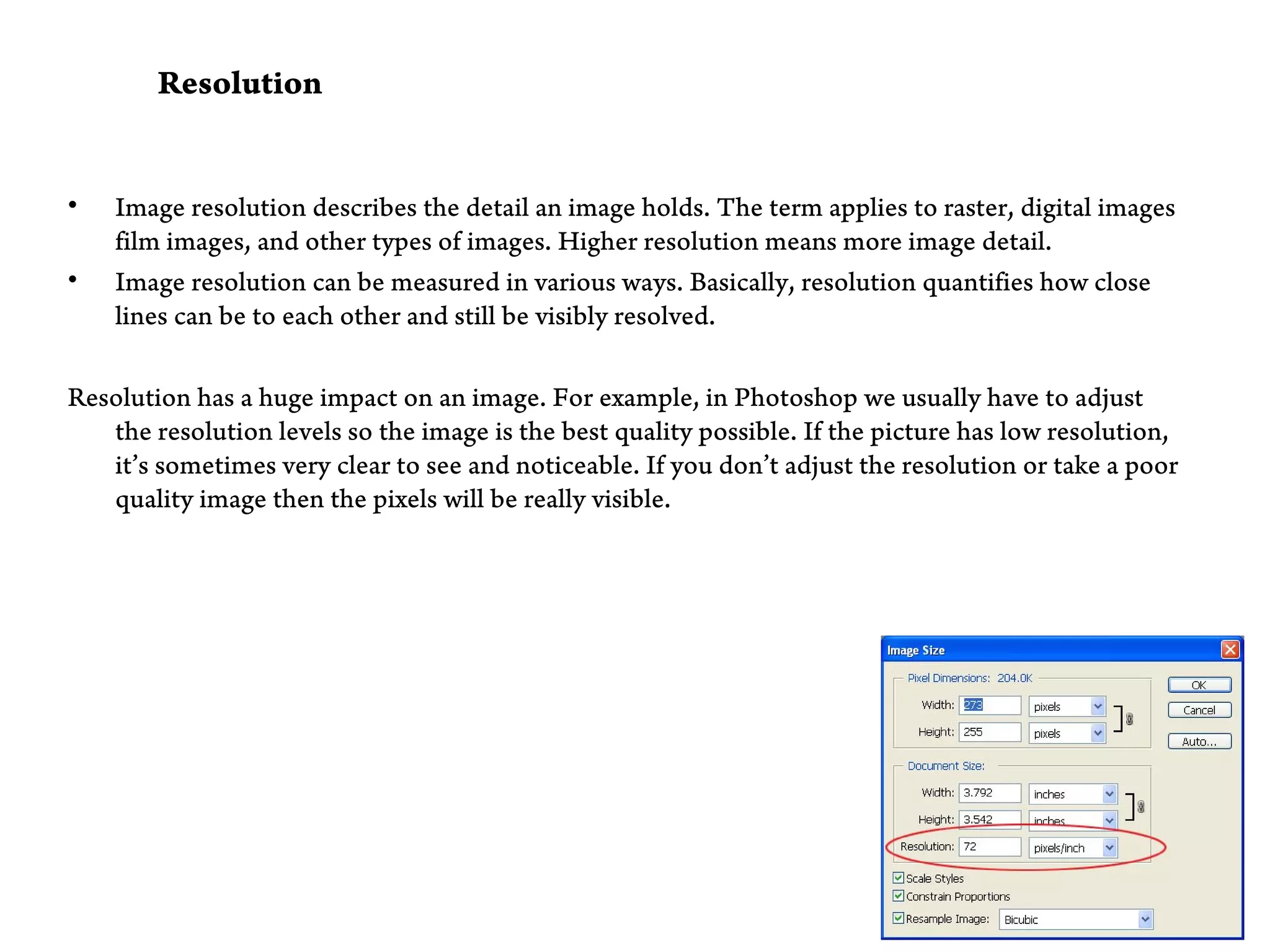
Resolution has a huge impact on an image. For example, in Photoshop we usually have to adjust
   the resolution levels so the image is the best quality possible. If the picture has low resolution,
   it’s sometimes very clear to see and noticeable. If you don’t adjust the resolution or take a poor
   quality image then the pixels will be really visible.
Aspect ratio
Aspect ratio
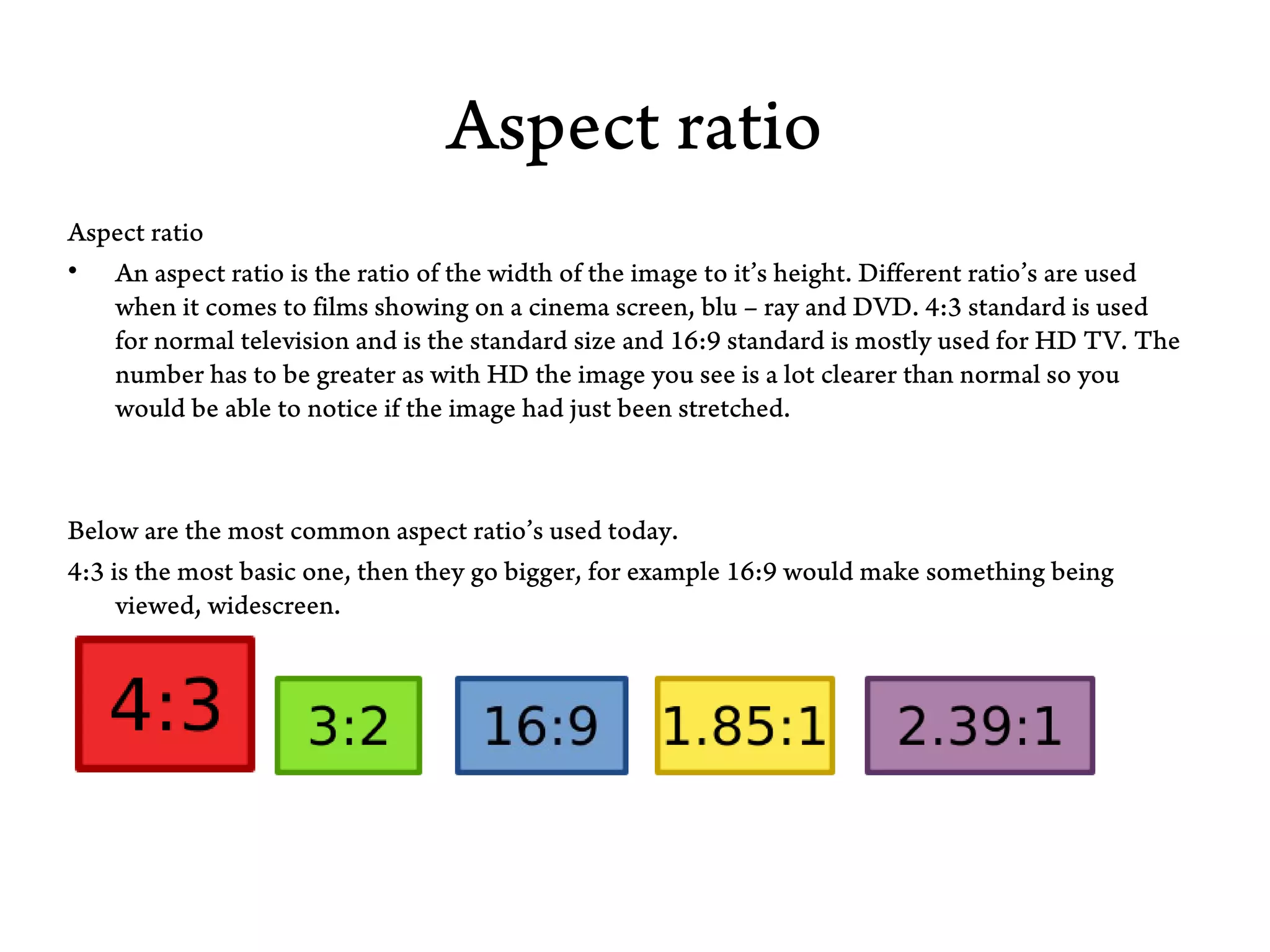
• An aspect ratio is the ratio of the width of the image to it’s height. Different ratio’s are used
   when it comes to films showing on a cinema screen, blu – ray and DVD. 4:3 standard is used
   for normal television and is the standard size and 16:9 standard is mostly used for HD TV. The
   number has to be greater as with HD the image you see is a lot clearer than normal so you
   would be able to notice if the image had just been stretched.


Below are the most common aspect ratio’s used today.
4:3 is the most basic one, then they go bigger, for example 16:9 would make something being
     viewed, widescreen.
File Formats
There are many different types of File Formats. There are different ones for things such as Adobe Photoshop,
    Microsoft Word and so on. The main File Formats are listed below;
•   Jpeg
•   Tiff
•   Eps
•   PSD
•   PDF

Jpeg is mainly used in things such as Adobe Photoshop and Adobe Illustrator. It changes the format to enable you
     to view your work as an image instead of viewing it on the program you created it on. This is the format that
     is most commonly used I think. Most people seem to be more aware of it than the other formats. I think this
     is because it’s quite basic and pretty much everybody uses it at one point or another.

TIFF
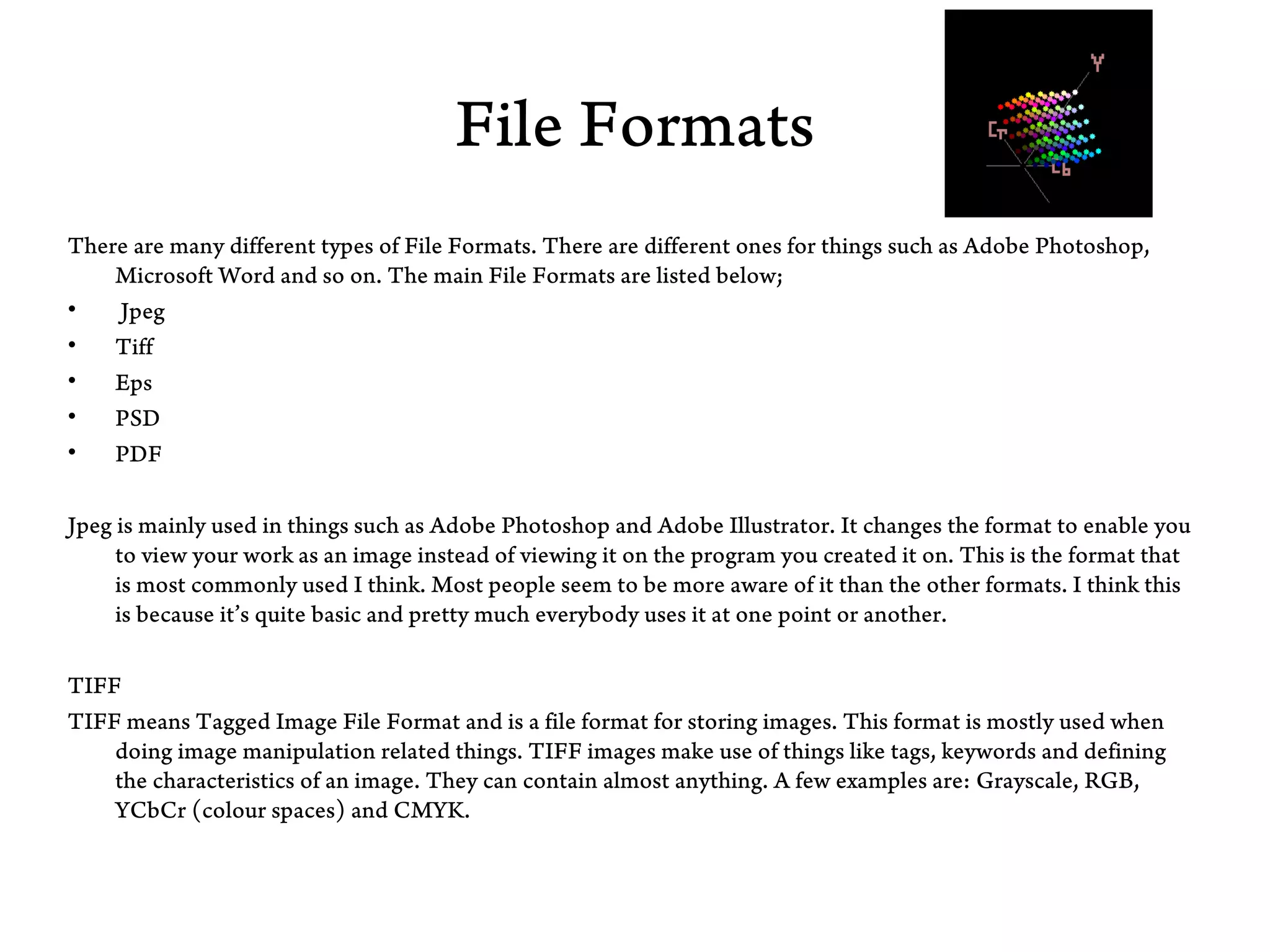
TIFF means Tagged Image File Format and is a file format for storing images. This format is mostly used when
    doing image manipulation related things. TIFF images make use of things like tags, keywords and defining
    the characteristics of an image. They can contain almost anything. A few examples are: Grayscale, RGB,
    YCbCr (colour spaces) and CMYK.
• Eps
Eps, shortened for Encapsulated PostScript is a programme that enables you to edit things into a
    useable graphics file format. Eps was pretty much the first version of Adobe. This was the basic
    alternative. People who use this are graphic art designers.


• PDF
PDF is what people use when they want to exchange a file, for example, so you can view it easily in
   a number of documents. You can also PDF things to show them clearer and bigger.


Gif Graphics Interchange Format - Images using a fixed colour palette (limited to only 256 colours
    - not the full spectrum of colours available to your monitor). The GIF format uses
    compression for smaller files and faster downloads. This format is best for images with solid
    colours or areas of uniform colour such as illustrations and logos. Jpeg Joint Photographic
    Experts Group - Used for photographic (continuous tone) images. Unlike GIF files the JPEG
    format can take advantage of the full spectrum of colours available to your monitor. The JPEG
    format also uses compression for smaller files and faster downloads. However, unlike the
    compression method used in GIF files, the JPEG compression is "lossy" which means it
    discards data in the process. Once a file is saved in JPEG format the data is permanently lost. If
    you want all the image data available for future use, save the image using no compression or
    "lossless”.
Colour Models.

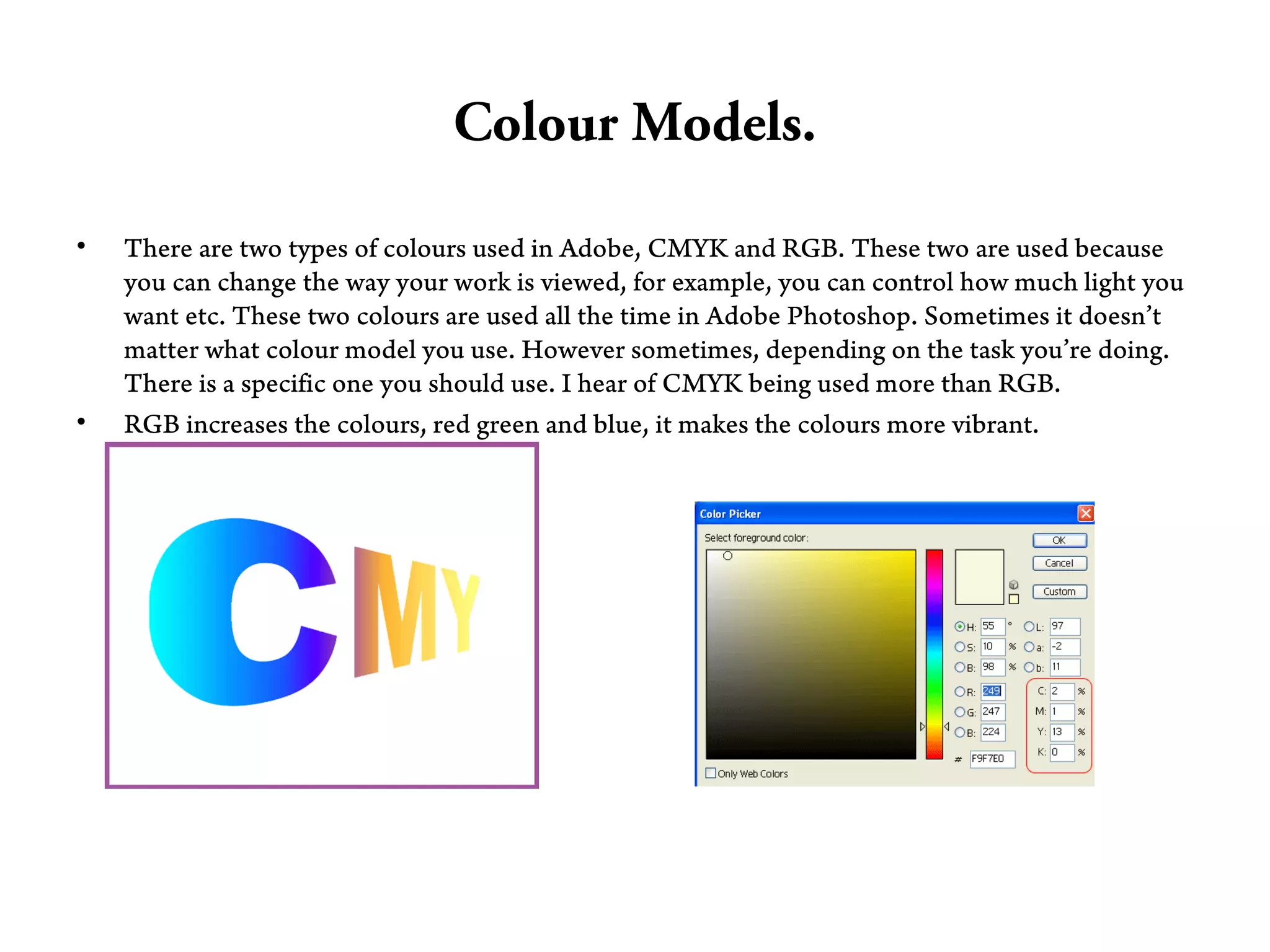
•   There are two types of colours used in Adobe, CMYK and RGB. These two are used because
    you can change the way your work is viewed, for example, you can control how much light you
    want etc. These two colours are used all the time in Adobe Photoshop. Sometimes it doesn’t
    matter what colour model you use. However sometimes, depending on the task you’re doing.
    There is a specific one you should use. I hear of CMYK being used more than RGB.
•   RGB increases the colours, red green and blue, it makes the colours more vibrant.
Adobe Photoshop

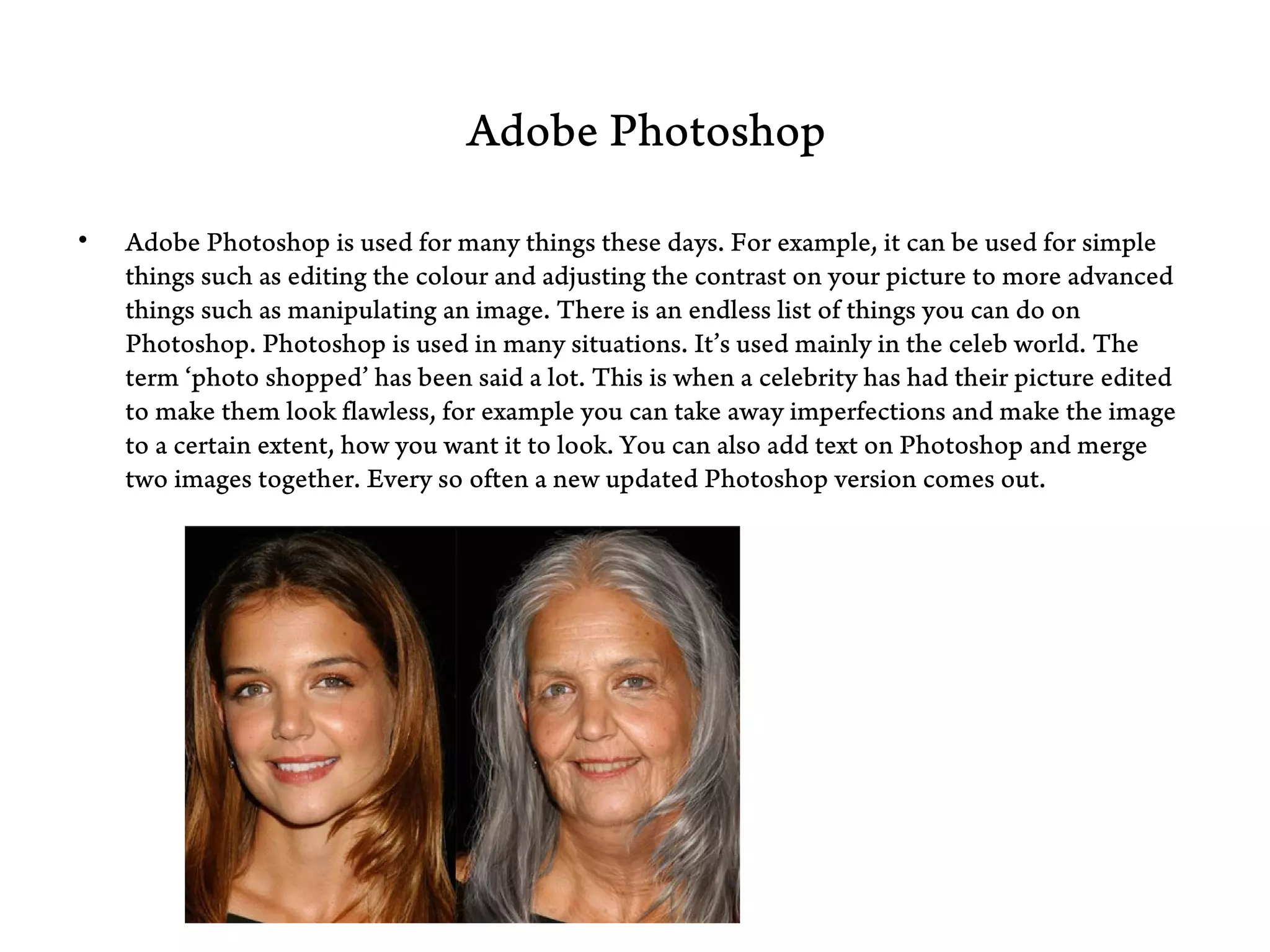
•   Adobe Photoshop is used for many things these days. For example, it can be used for simple
    things such as editing the colour and adjusting the contrast on your picture to more advanced
    things such as manipulating an image. There is an endless list of things you can do on
    Photoshop. Photoshop is used in many situations. It’s used mainly in the celeb world. The
    term ‘photo shopped’ has been said a lot. This is when a celebrity has had their picture edited
    to make them look flawless, for example you can take away imperfections and make the image
    to a certain extent, how you want it to look. You can also add text on Photoshop and merge
    two images together. Every so often a new updated Photoshop version comes out.
Adobe Illustrator

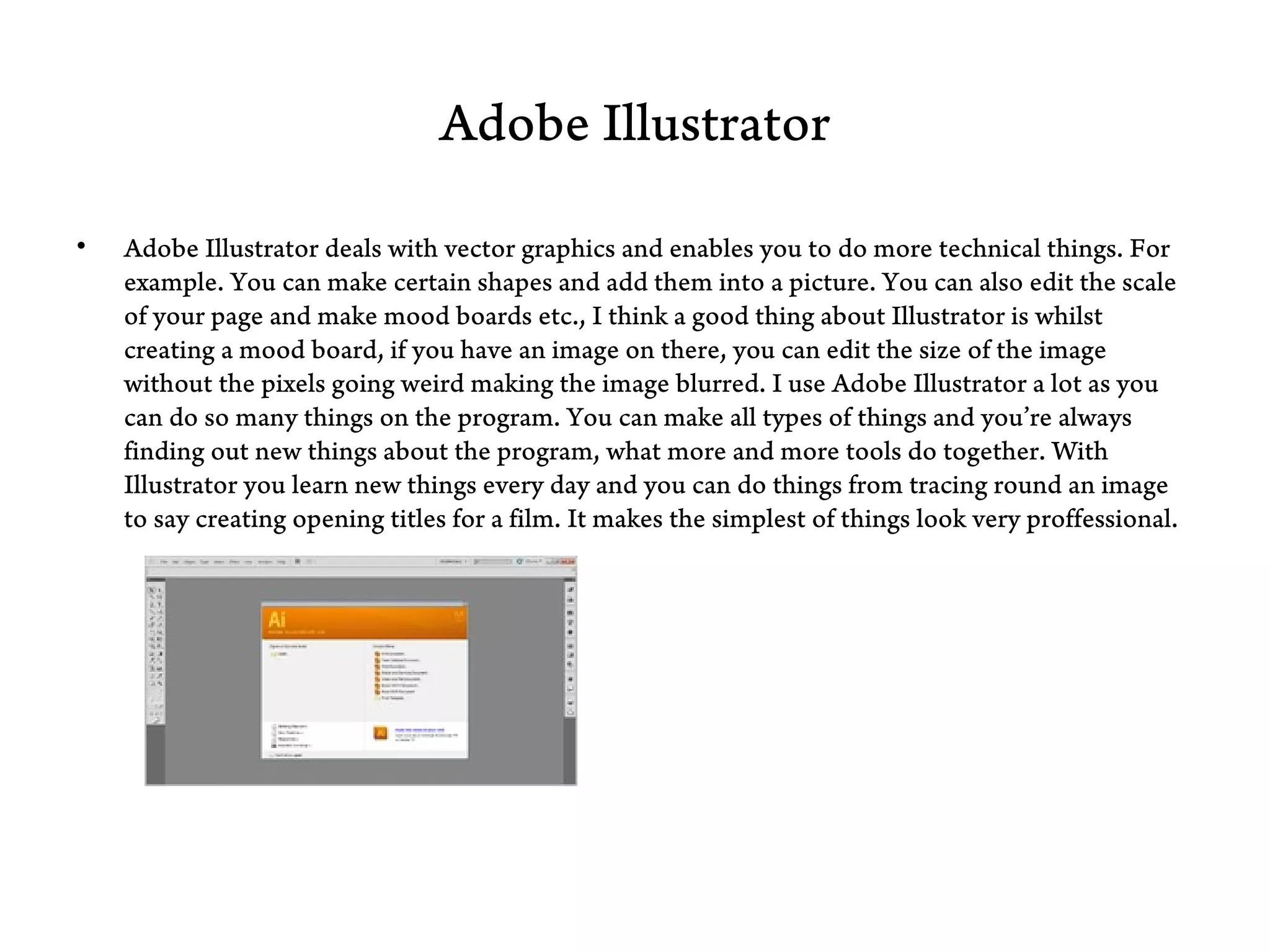
•   Adobe Illustrator deals with vector graphics and enables you to do more technical things. For
    example. You can make certain shapes and add them into a picture. You can also edit the scale
    of your page and make mood boards etc., I think a good thing about Illustrator is whilst
    creating a mood board, if you have an image on there, you can edit the size of the image
    without the pixels going weird making the image blurred. I use Adobe Illustrator a lot as you
    can do so many things on the program. You can make all types of things and you’re always
    finding out new things about the program, what more and more tools do together. With
    Illustrator you learn new things every day and you can do things from tracing round an image
    to say creating opening titles for a film. It makes the simplest of things look very proffessional.
Adobe InDesign

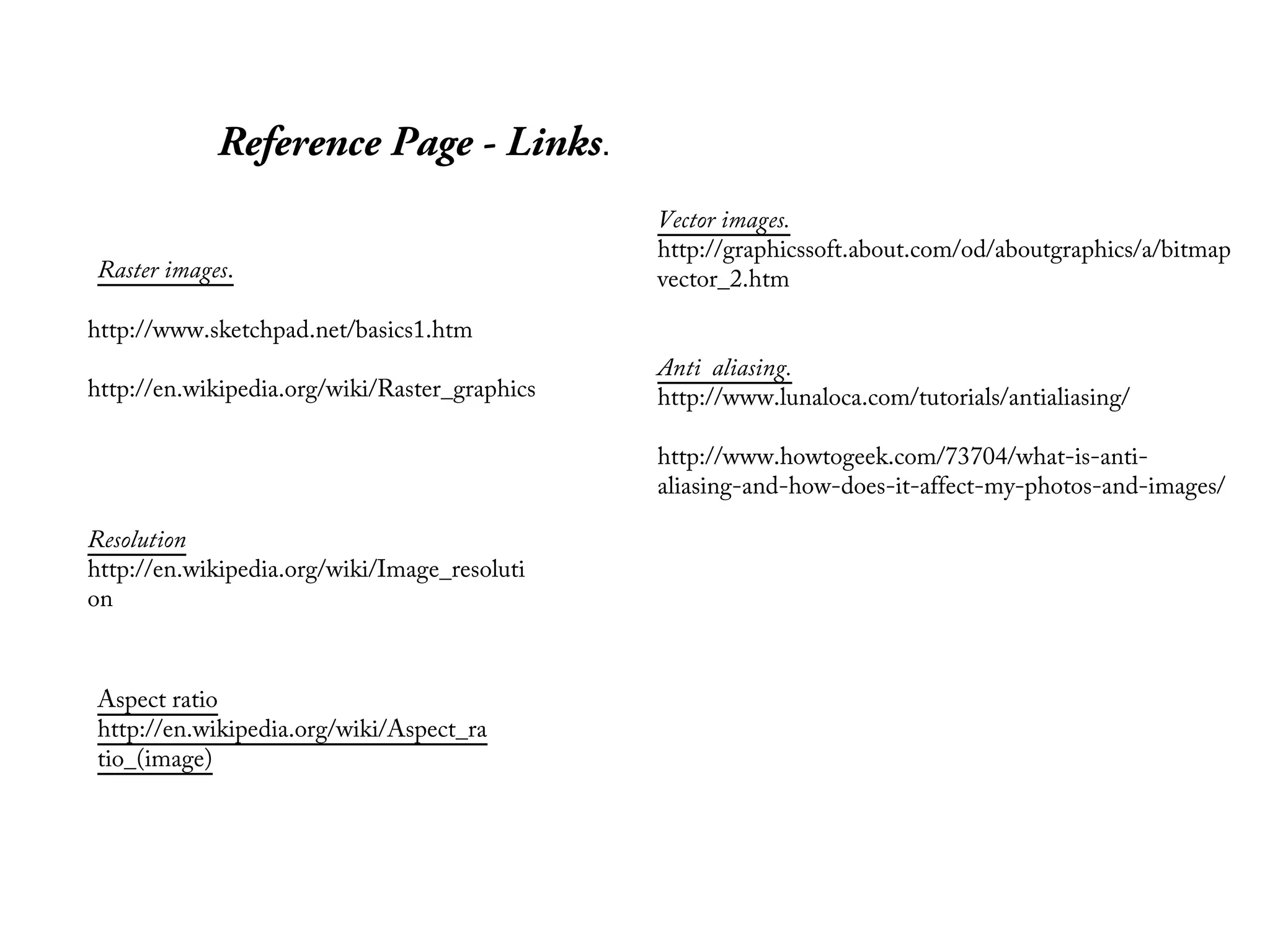
•   Adobe InDesign is run by Adobe Systems as well as Illustrator and Photoshop but InDesign is
    more for making brochures and leaflets etc, it’s more for the advertising side of things. Adobe
    InDesign is set out quite similar to Photoshop in that all of the icons etc are on the left side of
    the screen and all together so I think it would be quite easy to use if you were to be quite
    familiar with Photoshop already. I think Adobe InDesign is a little more technical that
    Illustrator and Photoshop because as text is a main part of Adobe InDesign there are more
    features. You can be more creative on Adobe InDesign than say on Photoshop as you can
    create all different things that vary a lot from each other.
Reference Page - Links.
                                               Vector images.
                                               http://graphicssoft.about.com/od/aboutgraphics/a/bitmap
Raster images.                                 vector_2.htm

http://www.sketchpad.net/basics1.htm
                                               Anti aliasing.
http://en.wikipedia.org/wiki/Raster_graphics   http://www.lunaloca.com/tutorials/antialiasing/

                                               http://www.howtogeek.com/73704/what-is-anti-
                                               aliasing-and-how-does-it-affect-my-photos-and-images/

Resolution
http://en.wikipedia.org/wiki/Image_resoluti
on


Aspect ratio
http://en.wikipedia.org/wiki/Aspect_ra
tio_(image)
Reference Page - Links


Tiff                                      Eps
http://en.wikipedia.org/wiki/Tagge        http://en.wikipedia.org/wiki/Encap
d_Image_File_Format                       sulated_PostScript


Colour Models                               Fvf
http://en.wikipedia.org/wiki/Color_
model

Presentation

  • 1.
    BTec Level 3 ExtendedDiploma in Creative Media Production Raster Images. Raster is one of two kind of computer graphics. Raster images can also be called bitmap images. Raster is generally a rectangular grid of pixels. Raster graphics are resolution dependant, they deal more practically than vector graphics with photographs and photo – realistic images, while vector graphics are normally better for graphic design. Painter, Photoshop MS Paint and so on, revolve around editing pixels. These are all raster based. A raster image editor works by manipulating each individual pixel. Raster graphics can be scaled down without a loss of quality, but enlarged, it tends to love ‘pixelated’. A raster file is usually bigger than a vector file. Raster file types are; BMP, TIFF, GIF and JPEG files. You can convert a Vector image into a Raster. This is called Rasterization. It means taking an image described in vector graphics and converting it into a Raster image. This is so it can be shown in a video or print. When blown up, the pixels in a raster image become apparent. While this effect is sometimes a deliberate choice on the part of an artist, it is usually not desired. Depending on resolution, some raster images can be enlarged to very large sizes, while others quickly become difficult to see.
  • 2.
    Vector Images. Vector graphicsworks as shapes. They are often used for things such as company logos as they need to be scaled to different sizes. Vector graphics use mathematical relationships between the points and paths that connect the image. A vector image remains smooth at any size. Programmes that are vector based are PostScript and TrueType. A vector graphics editor is used for editing and creating Vector graphics. The image can be changed by editing screen objects. Mathematical operators can be used to stretch, twist and colour component objects in the picture or the whole picture. Vector graphics are made up of many individual objects. Each of these objects can be defined by mathematical statements and has individual properties assigned to it such as colour, fill, and outline. Vector graphics are resolution independent because they can be output to the highest quality at any scale.
  • 3.
    BTec Level 3 ExtendedDiploma in Creative Media Production Anti aliasing. Anti aliasing means sampling something smooth and on going using a number of measurements. In Photoshop, there is a box at the top of the screen telling Photoshop about the colours and what needs to be changed etc. Anti aliasing get rid of the jagged lines. Anti Aliasing is used by people who want to perfect an image so it has no un – even edges. It also makes your images more high quality. To me, Anti aliasing means fooling the eye into thinking a jagged line is actually smooth. Anti aliasing works along side with rasterization. If you don’t use Anti aliasing and just adjust the size etc. you could lose the sharpness of the image completely. You can do this process on Adobe Photoshop mostly – there are four levels of smoothing available for the user which are, smooth, strong, crisp and sharp.
  • 4.
    Resolution • Image resolution describes the detail an image holds. The term applies to raster, digital images film images, and other types of images. Higher resolution means more image detail. • Image resolution can be measured in various ways. Basically, resolution quantifies how close lines can be to each other and still be visibly resolved. Resolution has a huge impact on an image. For example, in Photoshop we usually have to adjust the resolution levels so the image is the best quality possible. If the picture has low resolution, it’s sometimes very clear to see and noticeable. If you don’t adjust the resolution or take a poor quality image then the pixels will be really visible.
  • 5.
    Aspect ratio Aspect ratio •An aspect ratio is the ratio of the width of the image to it’s height. Different ratio’s are used when it comes to films showing on a cinema screen, blu – ray and DVD. 4:3 standard is used for normal television and is the standard size and 16:9 standard is mostly used for HD TV. The number has to be greater as with HD the image you see is a lot clearer than normal so you would be able to notice if the image had just been stretched. Below are the most common aspect ratio’s used today. 4:3 is the most basic one, then they go bigger, for example 16:9 would make something being viewed, widescreen.
  • 6.
    File Formats There aremany different types of File Formats. There are different ones for things such as Adobe Photoshop, Microsoft Word and so on. The main File Formats are listed below; • Jpeg • Tiff • Eps • PSD • PDF Jpeg is mainly used in things such as Adobe Photoshop and Adobe Illustrator. It changes the format to enable you to view your work as an image instead of viewing it on the program you created it on. This is the format that is most commonly used I think. Most people seem to be more aware of it than the other formats. I think this is because it’s quite basic and pretty much everybody uses it at one point or another. TIFF TIFF means Tagged Image File Format and is a file format for storing images. This format is mostly used when doing image manipulation related things. TIFF images make use of things like tags, keywords and defining the characteristics of an image. They can contain almost anything. A few examples are: Grayscale, RGB, YCbCr (colour spaces) and CMYK.
  • 7.
    • Eps Eps, shortenedfor Encapsulated PostScript is a programme that enables you to edit things into a useable graphics file format. Eps was pretty much the first version of Adobe. This was the basic alternative. People who use this are graphic art designers. • PDF PDF is what people use when they want to exchange a file, for example, so you can view it easily in a number of documents. You can also PDF things to show them clearer and bigger. Gif Graphics Interchange Format - Images using a fixed colour palette (limited to only 256 colours - not the full spectrum of colours available to your monitor). The GIF format uses compression for smaller files and faster downloads. This format is best for images with solid colours or areas of uniform colour such as illustrations and logos. Jpeg Joint Photographic Experts Group - Used for photographic (continuous tone) images. Unlike GIF files the JPEG format can take advantage of the full spectrum of colours available to your monitor. The JPEG format also uses compression for smaller files and faster downloads. However, unlike the compression method used in GIF files, the JPEG compression is "lossy" which means it discards data in the process. Once a file is saved in JPEG format the data is permanently lost. If you want all the image data available for future use, save the image using no compression or "lossless”.
  • 8.
    Colour Models. • There are two types of colours used in Adobe, CMYK and RGB. These two are used because you can change the way your work is viewed, for example, you can control how much light you want etc. These two colours are used all the time in Adobe Photoshop. Sometimes it doesn’t matter what colour model you use. However sometimes, depending on the task you’re doing. There is a specific one you should use. I hear of CMYK being used more than RGB. • RGB increases the colours, red green and blue, it makes the colours more vibrant.
  • 9.
    Adobe Photoshop • Adobe Photoshop is used for many things these days. For example, it can be used for simple things such as editing the colour and adjusting the contrast on your picture to more advanced things such as manipulating an image. There is an endless list of things you can do on Photoshop. Photoshop is used in many situations. It’s used mainly in the celeb world. The term ‘photo shopped’ has been said a lot. This is when a celebrity has had their picture edited to make them look flawless, for example you can take away imperfections and make the image to a certain extent, how you want it to look. You can also add text on Photoshop and merge two images together. Every so often a new updated Photoshop version comes out.
  • 10.
    Adobe Illustrator • Adobe Illustrator deals with vector graphics and enables you to do more technical things. For example. You can make certain shapes and add them into a picture. You can also edit the scale of your page and make mood boards etc., I think a good thing about Illustrator is whilst creating a mood board, if you have an image on there, you can edit the size of the image without the pixels going weird making the image blurred. I use Adobe Illustrator a lot as you can do so many things on the program. You can make all types of things and you’re always finding out new things about the program, what more and more tools do together. With Illustrator you learn new things every day and you can do things from tracing round an image to say creating opening titles for a film. It makes the simplest of things look very proffessional.
  • 11.
    Adobe InDesign • Adobe InDesign is run by Adobe Systems as well as Illustrator and Photoshop but InDesign is more for making brochures and leaflets etc, it’s more for the advertising side of things. Adobe InDesign is set out quite similar to Photoshop in that all of the icons etc are on the left side of the screen and all together so I think it would be quite easy to use if you were to be quite familiar with Photoshop already. I think Adobe InDesign is a little more technical that Illustrator and Photoshop because as text is a main part of Adobe InDesign there are more features. You can be more creative on Adobe InDesign than say on Photoshop as you can create all different things that vary a lot from each other.
  • 12.
    Reference Page -Links. Vector images. http://graphicssoft.about.com/od/aboutgraphics/a/bitmap Raster images. vector_2.htm http://www.sketchpad.net/basics1.htm Anti aliasing. http://en.wikipedia.org/wiki/Raster_graphics http://www.lunaloca.com/tutorials/antialiasing/ http://www.howtogeek.com/73704/what-is-anti- aliasing-and-how-does-it-affect-my-photos-and-images/ Resolution http://en.wikipedia.org/wiki/Image_resoluti on Aspect ratio http://en.wikipedia.org/wiki/Aspect_ra tio_(image)
  • 13.
    Reference Page -Links Tiff Eps http://en.wikipedia.org/wiki/Tagge http://en.wikipedia.org/wiki/Encap d_Image_File_Format sulated_PostScript Colour Models Fvf http://en.wikipedia.org/wiki/Color_ model