Raster Images & Resizing
 There are only two ways to resize a raster image.
 Change the pixel size (effective resolution)
 Change the number of pixels (resample)
Raster Image
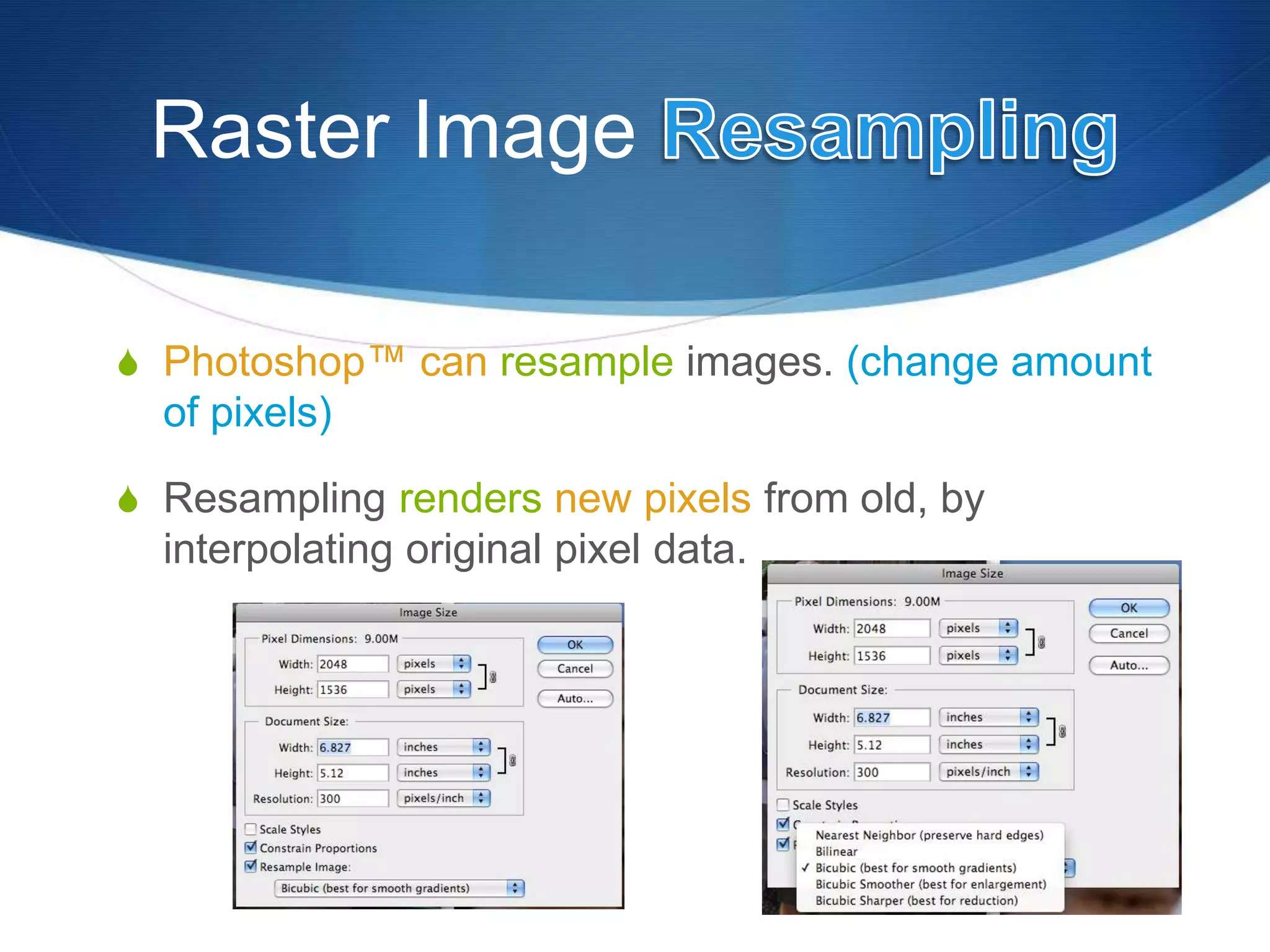
 Photoshop™ can resample images. (change amount
of pixels)
 Resampling renders new pixels from old, by
interpolating original pixel data.
Raster Image
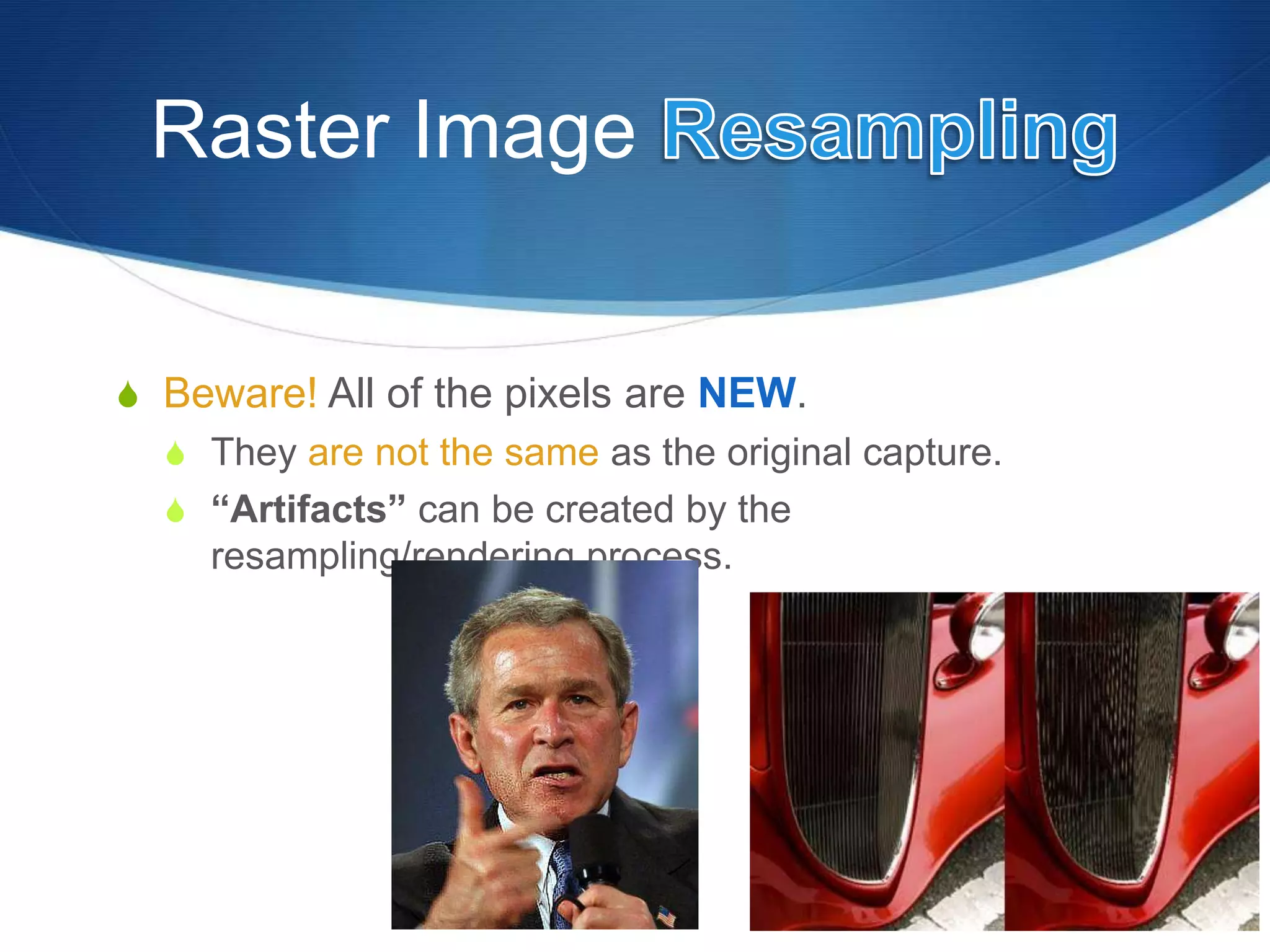
 Beware! All of the pixels are NEW.
 They are not the same as the original capture.
 “Artifacts” can be created by the
resampling/rendering process.
Raster Image Resampling
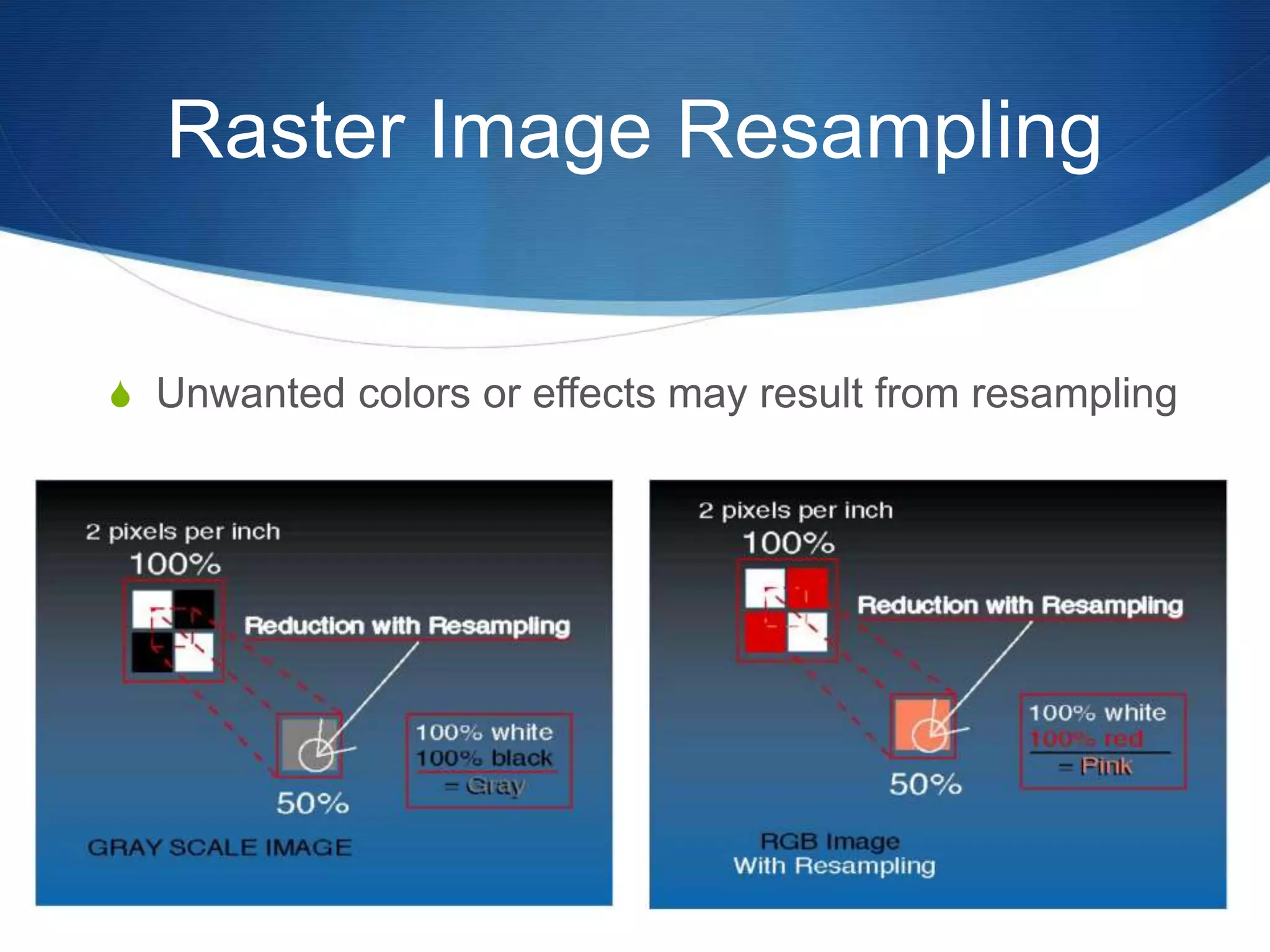
 Unwanted colors or effects may result from resampling
Raster Image
(change the number of pixels)
 Resampling
 Upsampling
 Add pixels to increase resolution
 Downsampling
 Delete pixels to decrease resolution
 Change size of an image and maintain the original
resolution
Raster Image Resampling
 Downsampling
 Good for reducing the file size of a large image
 Upsampling can increase the resolution of an
image with resampling.
 Can reduce jagginess in CT images
 Trade-off is image sharpness
 It will not help BIG enlargements.
Raster Image
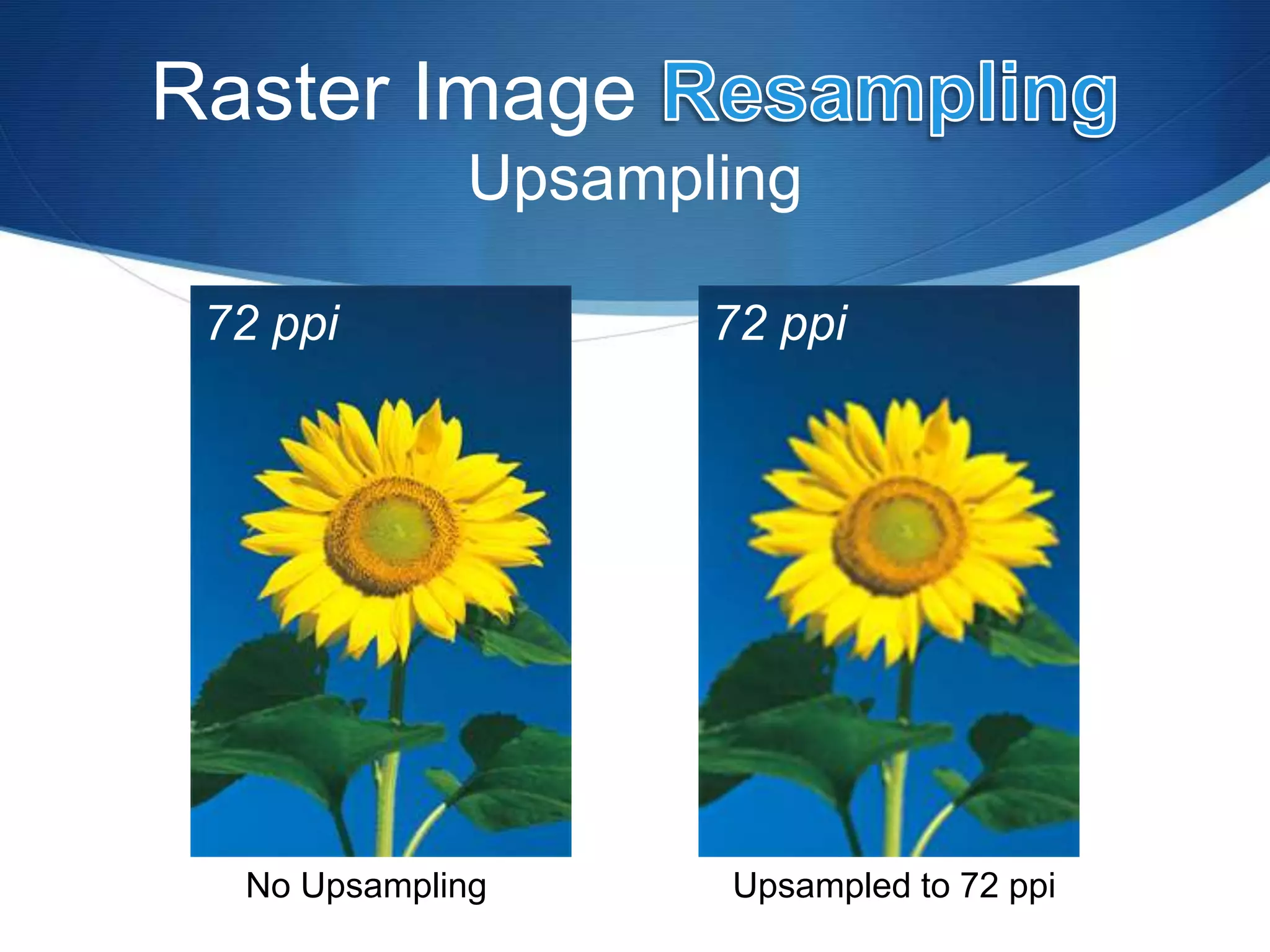
Upsampling
No Upsampling Upsampled to 72 ppi
72 ppi 72 ppi
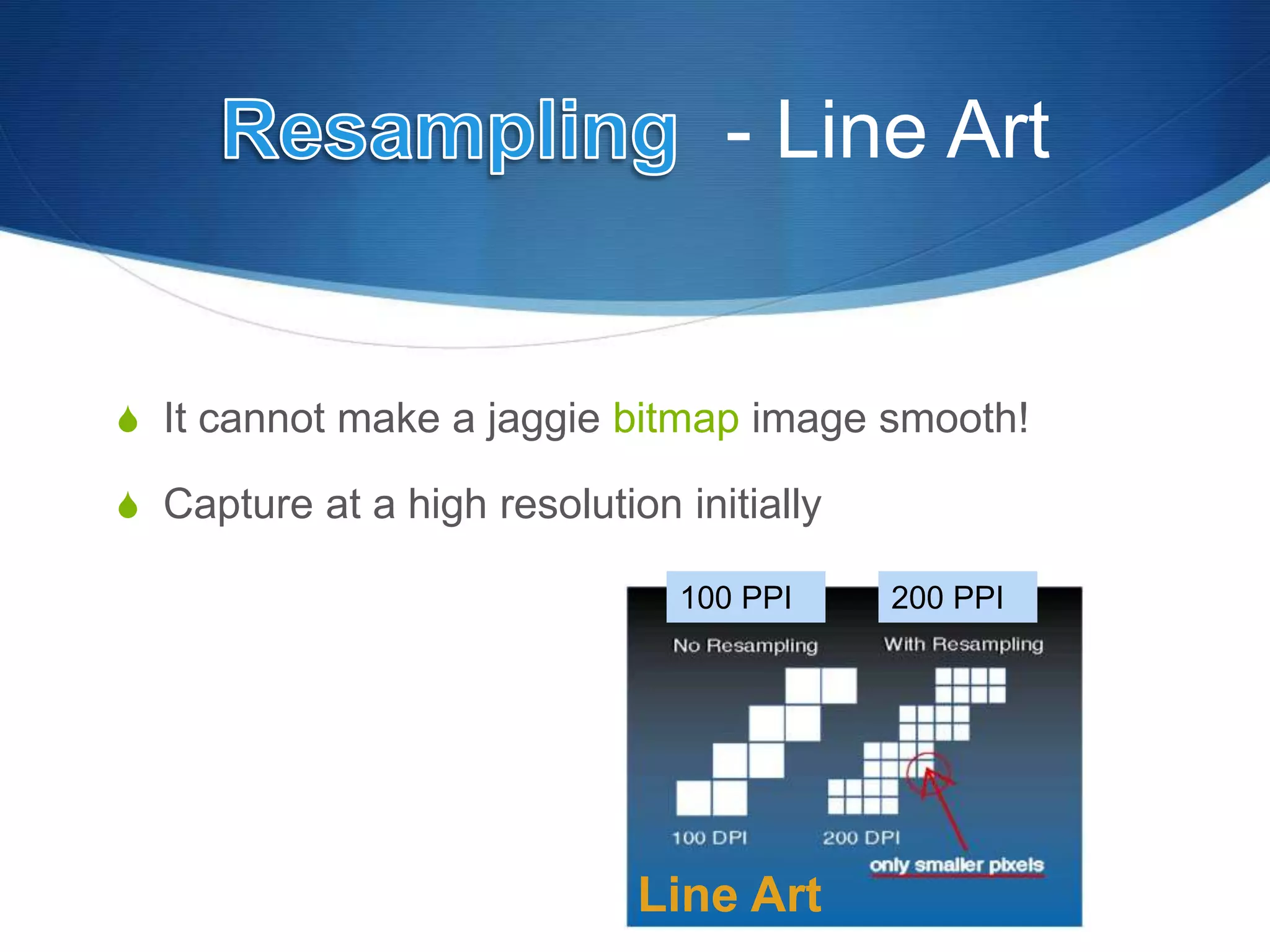
- Line Art
 It cannot make a jaggie bitmap image smooth!
 Capture at a high resolution initially
Line Art
100 PPI 200 PPI
Rasters & Rotation
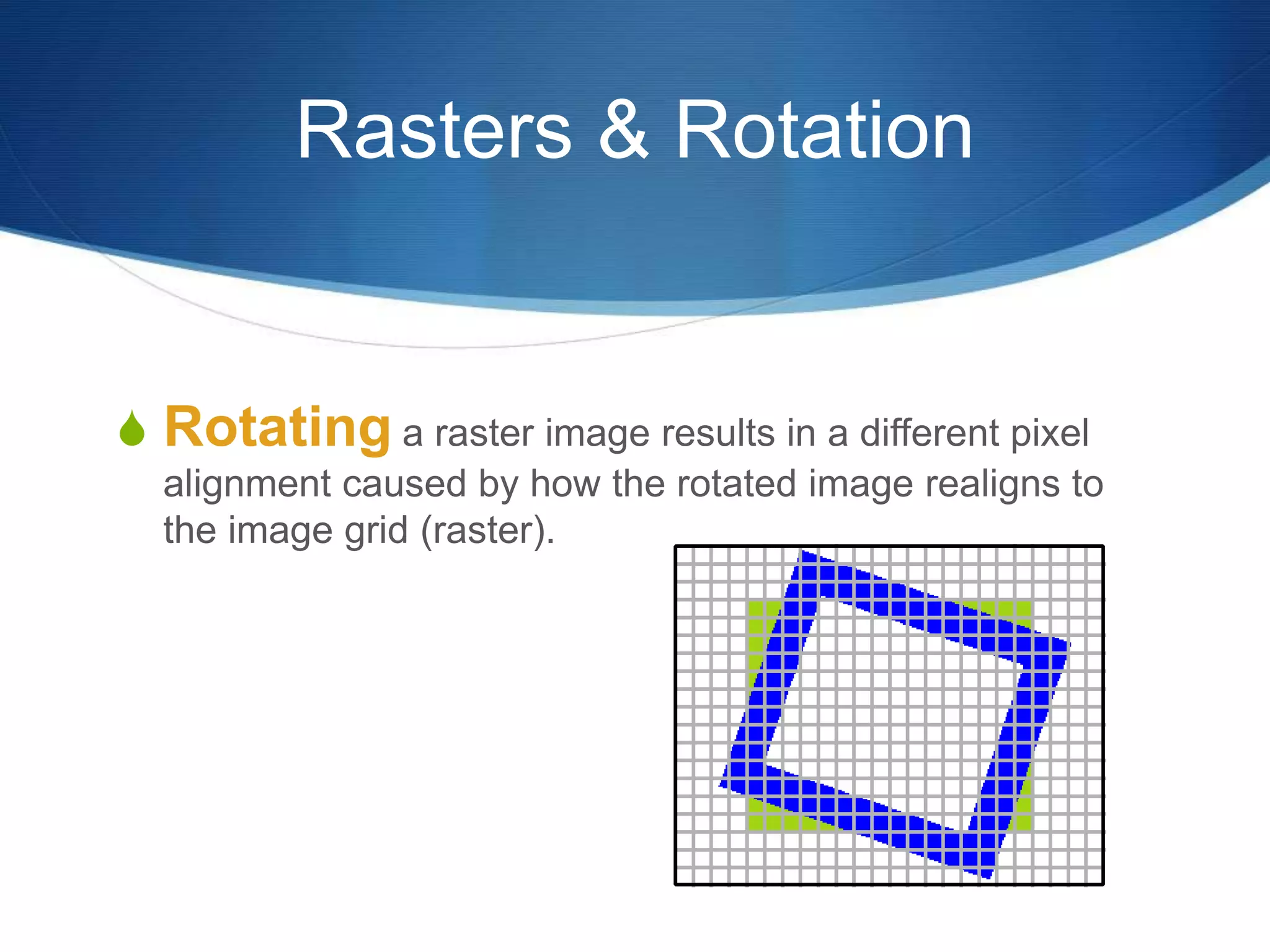
 Rotating a raster image results in a different pixel
alignment caused by how the rotated image realigns to
the image grid (raster).
Rasters & Rotation
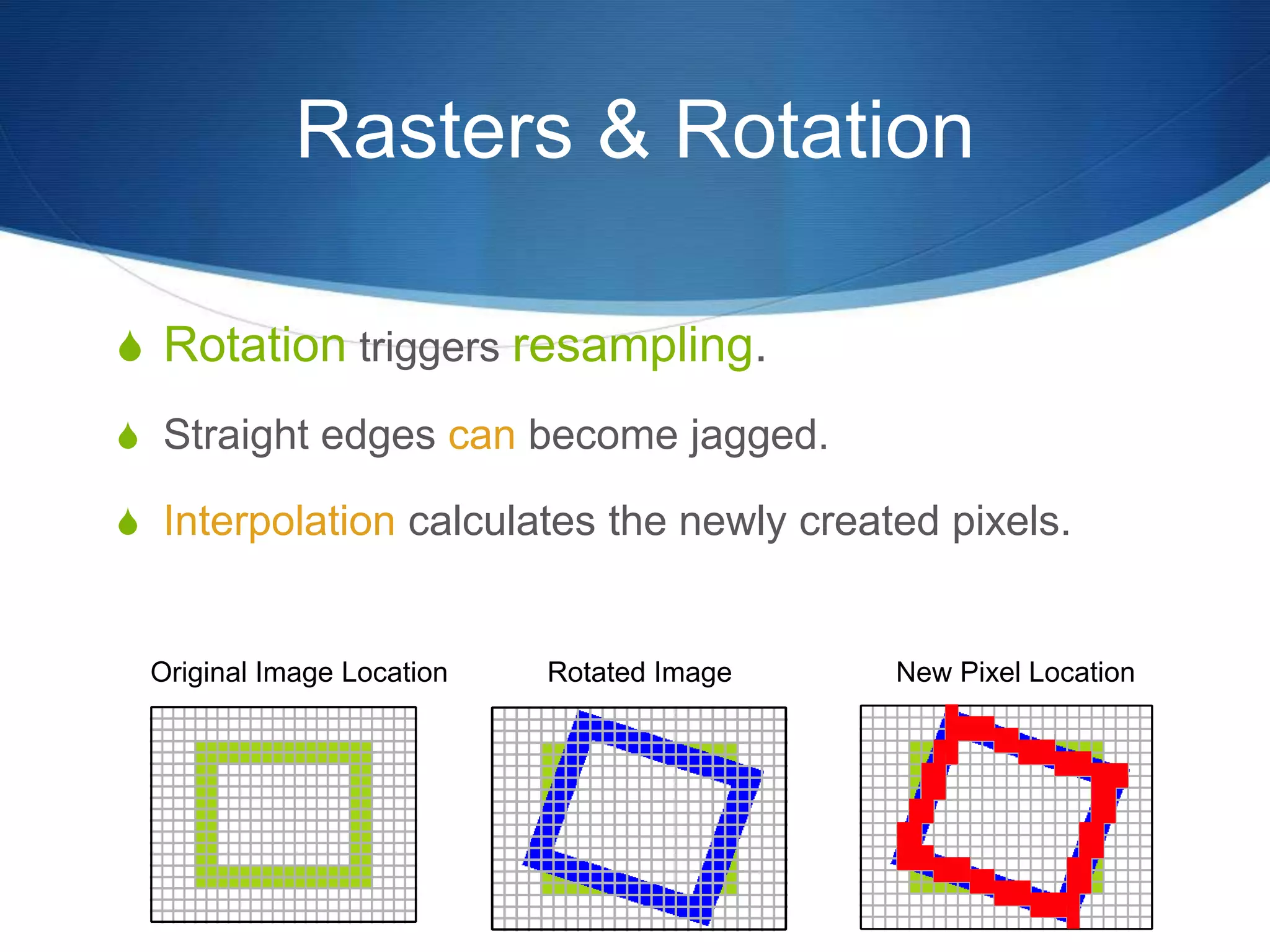
 Rotation triggers resampling.
 Straight edges can become jagged.
 Interpolation calculates the newly created pixels.
Original Image Location Rotated Image New Pixel Location

Bit Depth
Raster Image Characteristic
Raster Image Bit Depth
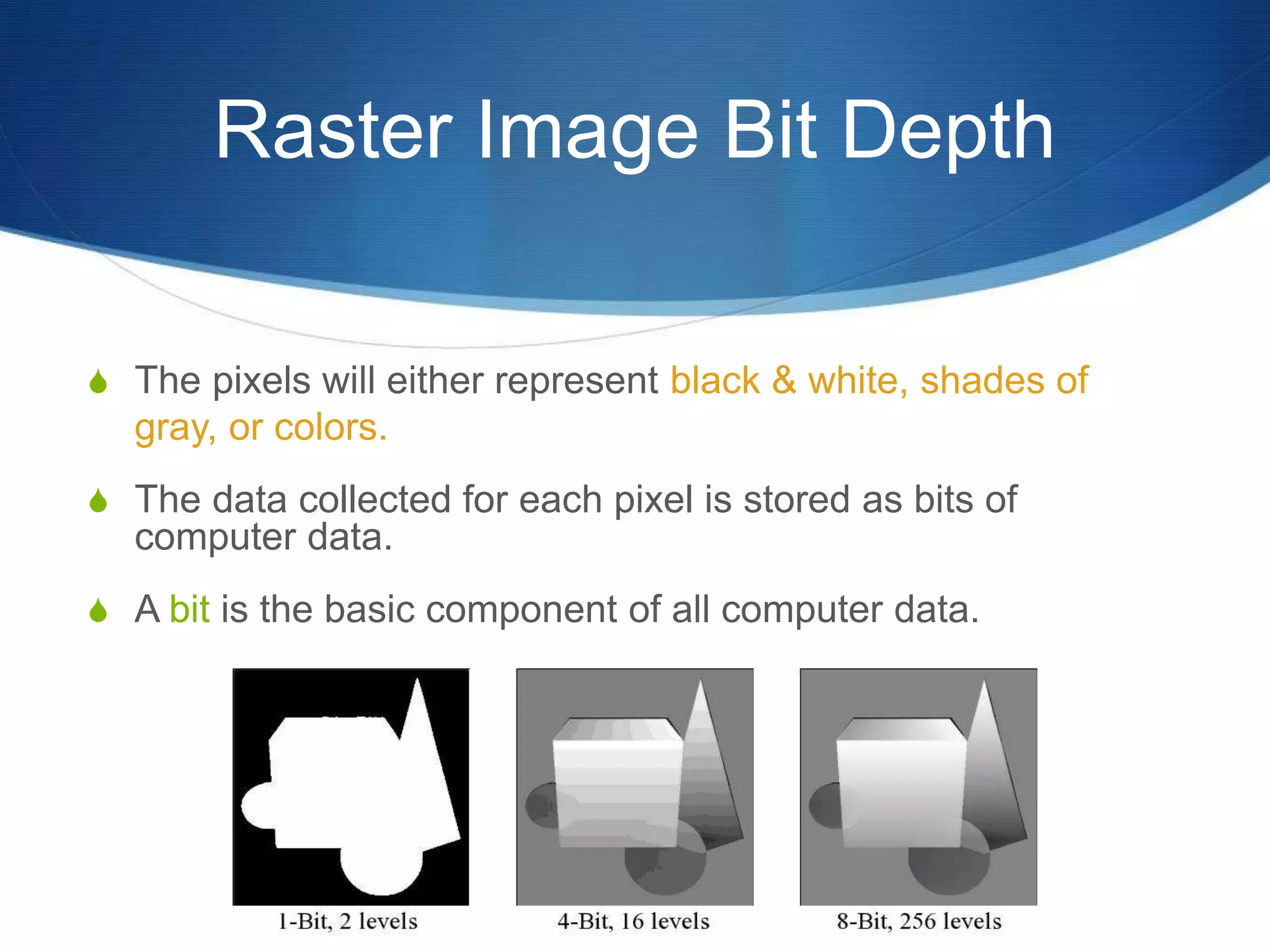
 The pixels will either represent black & white, shades of
gray, or colors.
 The data collected for each pixel is stored as bits of
computer data.
 A bit is the basic component of all computer data.
B&W - Grays
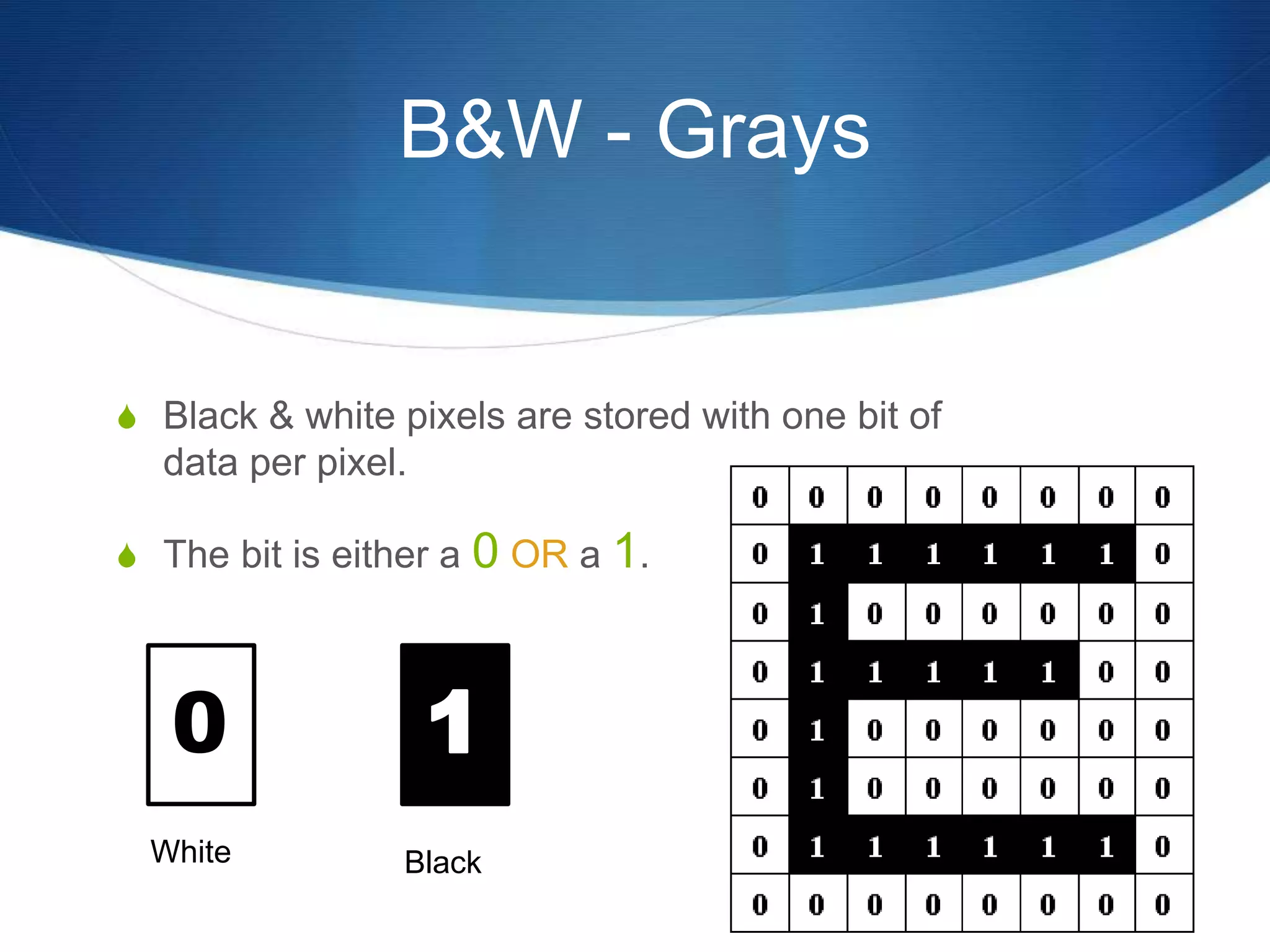
 Black & white pixels are stored with one bit of
data per pixel.
 The bit is either a 0 OR a 1.
0
Black
White
B&W - Grays
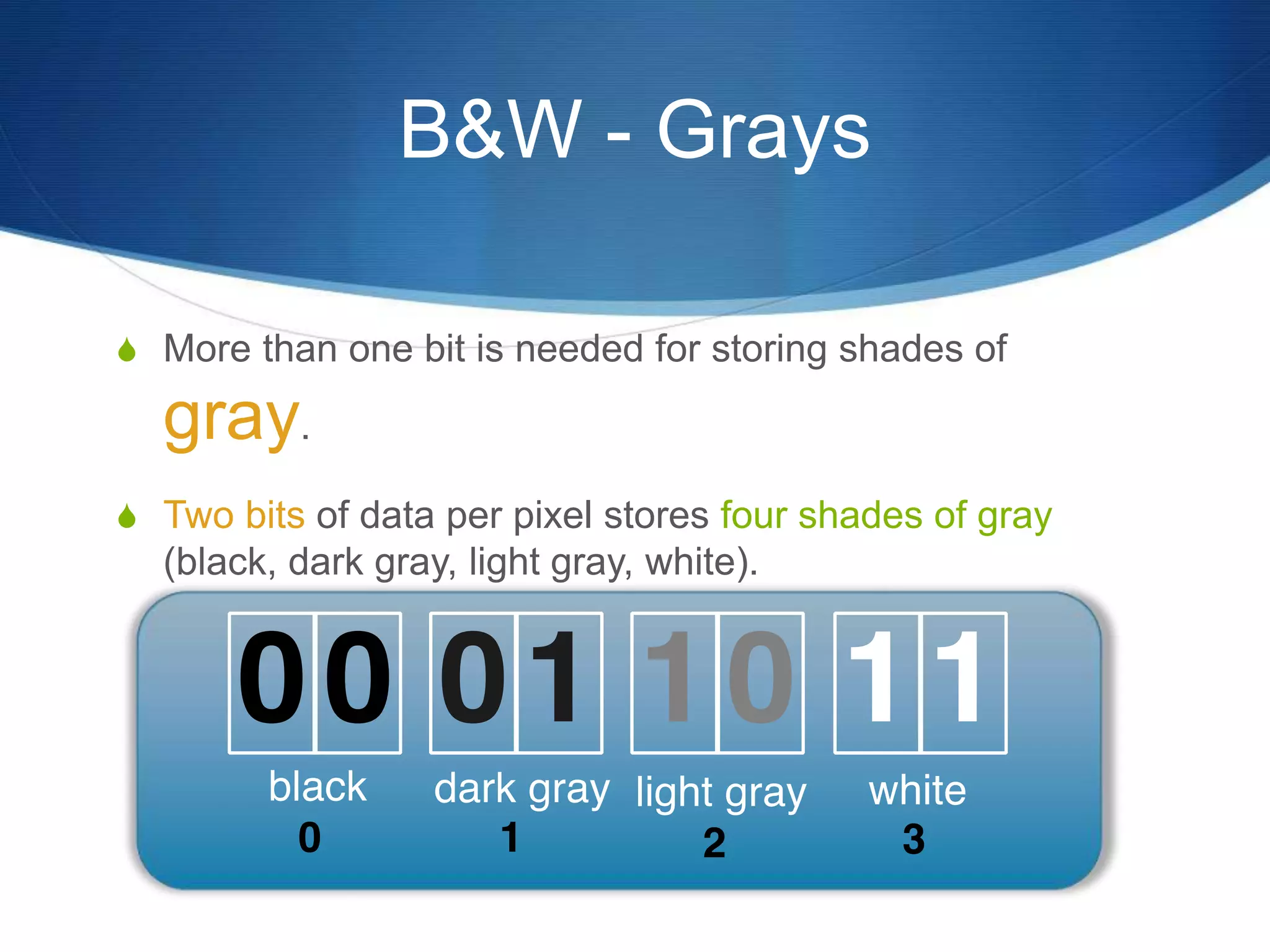
 More than one bit is needed for storing shades of
gray.
 Two bits of data per pixel stores four shades of gray
(black, dark gray, light gray, white).
B&W - Grays
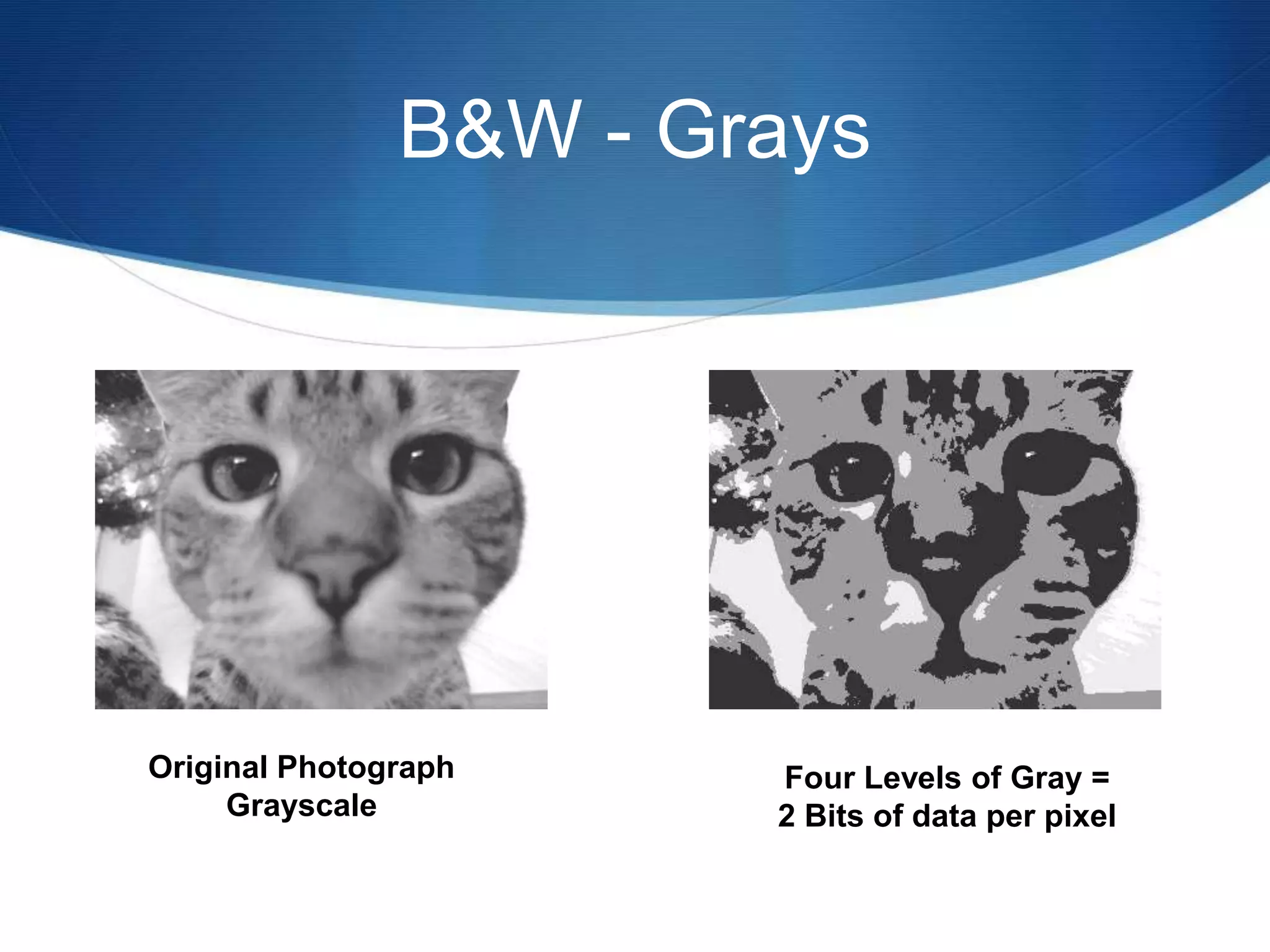
Original Photograph
Grayscale
Four Levels of Gray =
2 Bits of data per pixel
B&W - Grays
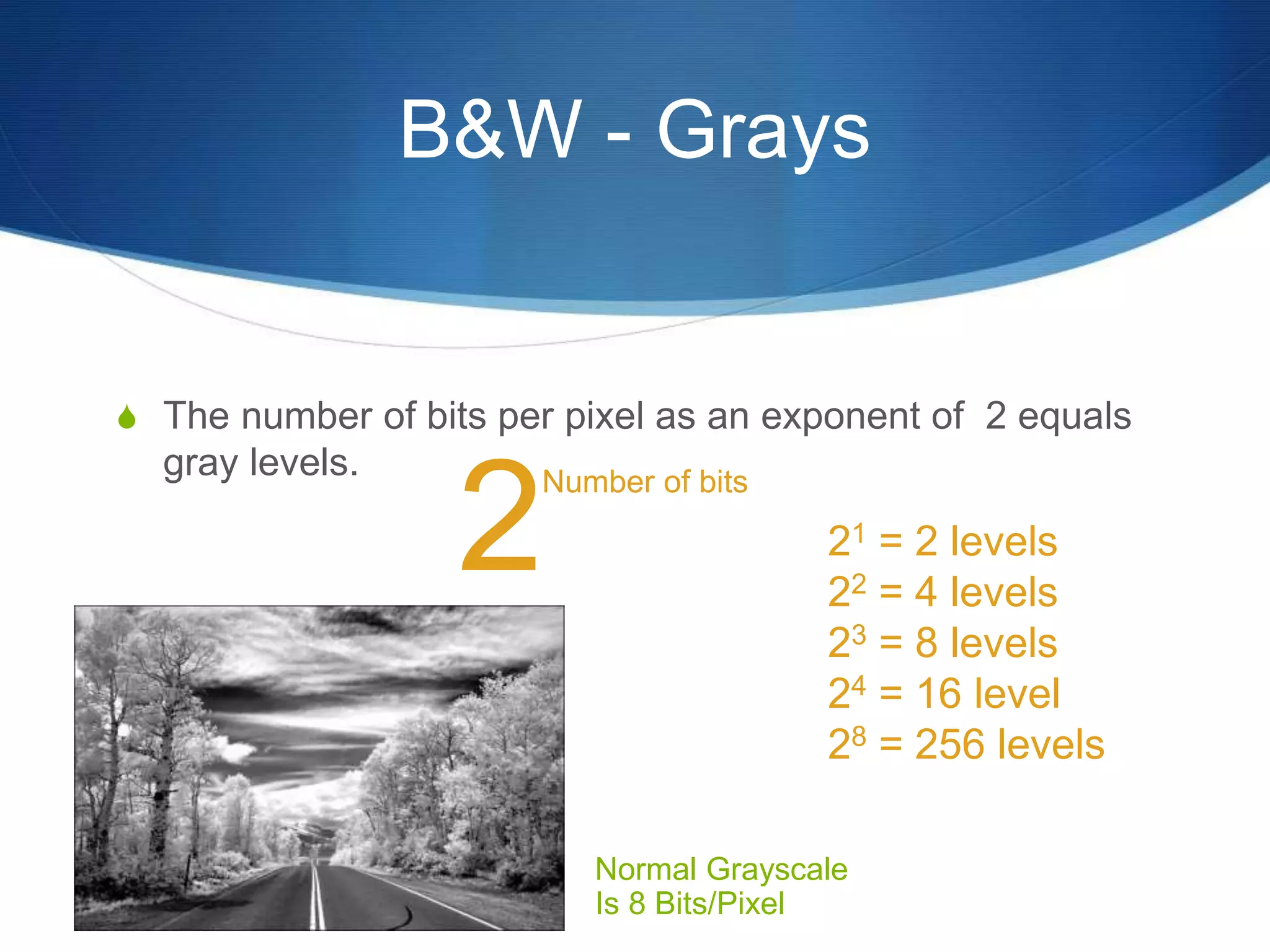
 The number of bits per pixel as an exponent of 2 equals
gray levels.
Normal Grayscale
Is 8 Bits/Pixel
2
Number of bits
21 = 2 levels
22 = 4 levels
23 = 8 levels
24 = 16 level
28 = 256 levels
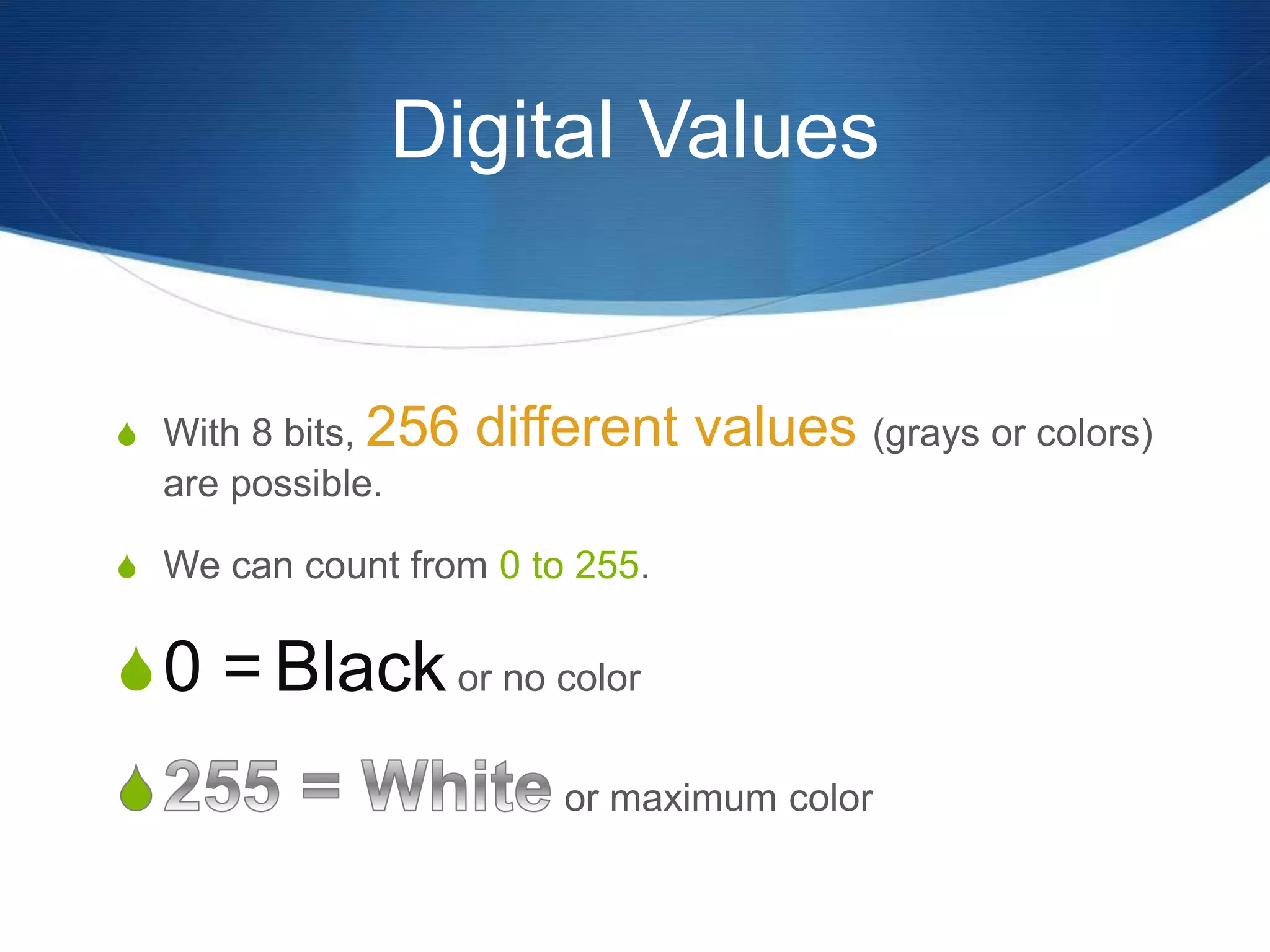
Digital Values
 With 8 bits, 256 different values (grays or colors)
are possible.
 We can count from 0 to 255.
0 = Black or no color
or maximum color
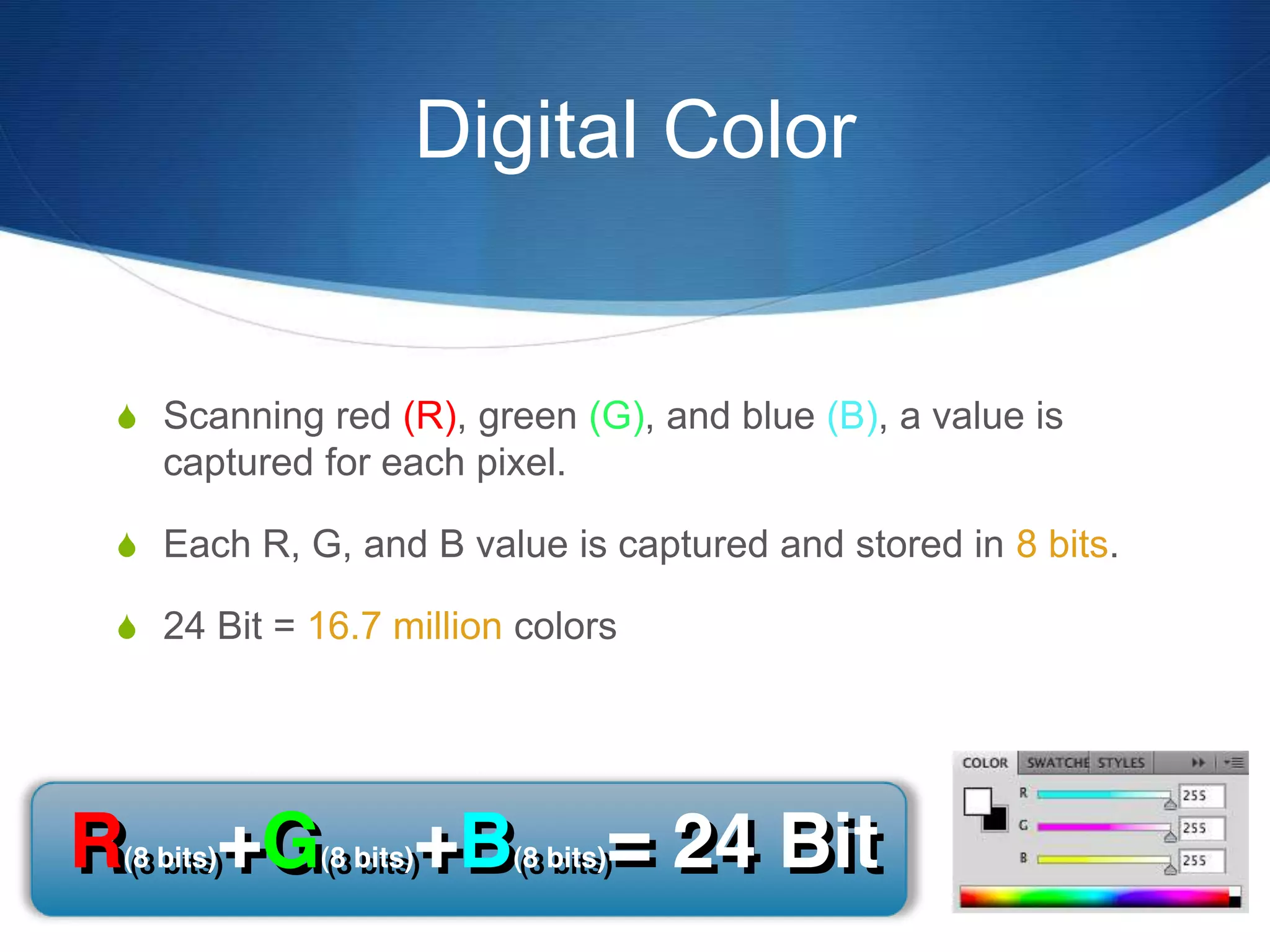
Digital Color
 Scanning red (R), green (G), and blue (B), a value is
captured for each pixel.
 Each R, G, and B value is captured and stored in 8 bits.
 24 Bit = 16.7 million colors
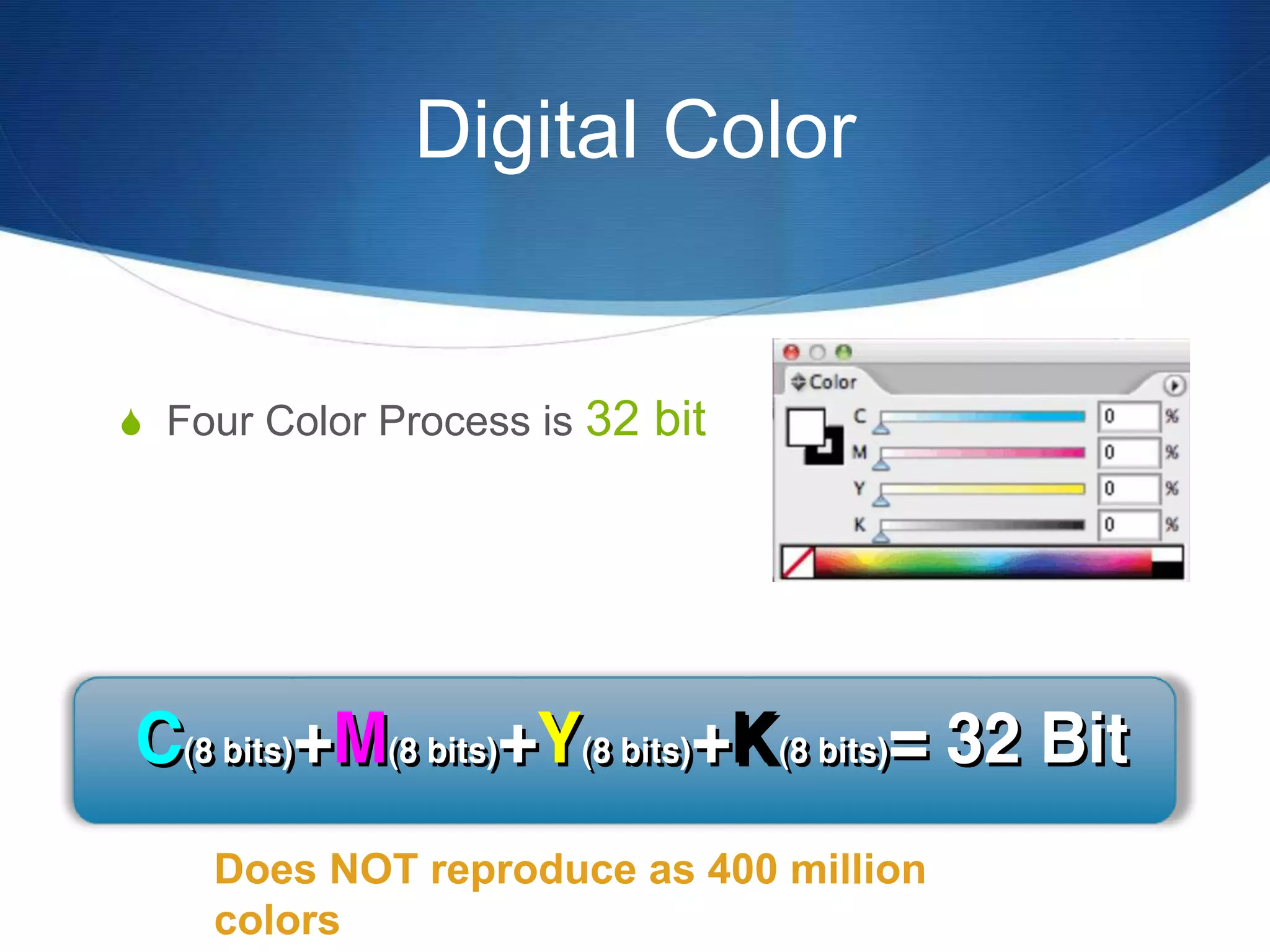
Digital Color
 Four Color Process is 32 bit
Does NOT reproduce as 400 million
colors
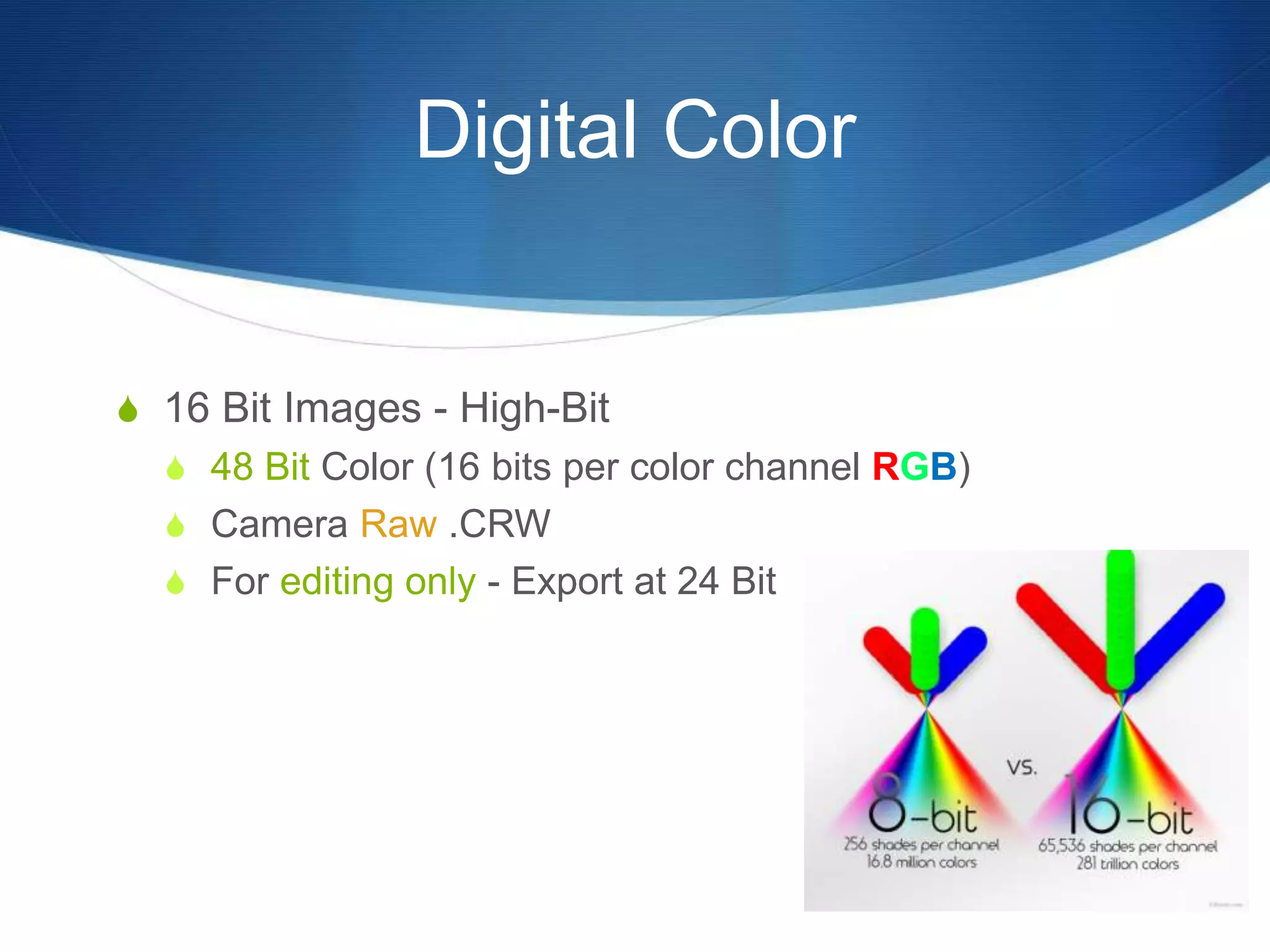
Digital Color
 16 Bit Images - High-Bit
 48 Bit Color (16 bits per color channel RGB)
 Camera Raw .CRW
 For editing only - Export at 24 Bit
Digital Color
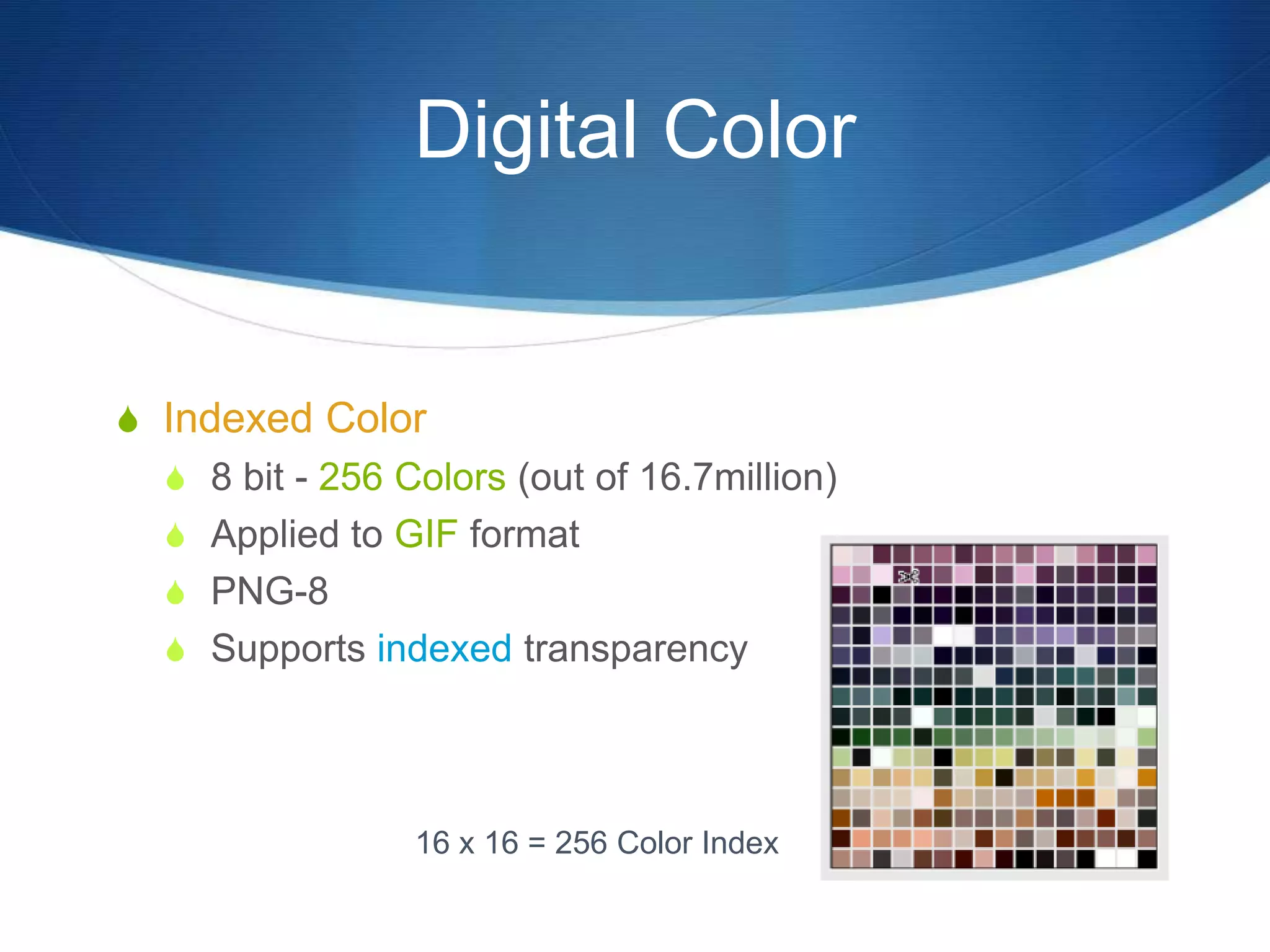
 Indexed Color
 8 bit - 256 Colors (out of 16.7million)
 Applied to GIF format
 PNG-8
 Supports indexed transparency
16 x 16 = 256 Color Index
File Compression
 Large raster files often require compression
 Two basic types of compression
 Lossless - no data is lost in compression and
extraction
 LZW (TIFF, GIF)
 ZIP
 RLE (for line art)
 "Lossy" - data is lost to achieve greater
compression
 JPEG – compress once

VCT 3080 Resample Lecture

  • 1.
    Raster Images &Resizing  There are only two ways to resize a raster image.  Change the pixel size (effective resolution)  Change the number of pixels (resample)
  • 2.
    Raster Image  Photoshop™can resample images. (change amount of pixels)  Resampling renders new pixels from old, by interpolating original pixel data.
  • 3.
    Raster Image  Beware!All of the pixels are NEW.  They are not the same as the original capture.  “Artifacts” can be created by the resampling/rendering process.
  • 4.
    Raster Image Resampling Unwanted colors or effects may result from resampling
  • 5.
    Raster Image (change thenumber of pixels)  Resampling  Upsampling  Add pixels to increase resolution  Downsampling  Delete pixels to decrease resolution  Change size of an image and maintain the original resolution
  • 6.
    Raster Image Resampling Downsampling  Good for reducing the file size of a large image  Upsampling can increase the resolution of an image with resampling.  Can reduce jagginess in CT images  Trade-off is image sharpness  It will not help BIG enlargements.
  • 7.
    Raster Image Upsampling No UpsamplingUpsampled to 72 ppi 72 ppi 72 ppi
  • 8.
    - Line Art It cannot make a jaggie bitmap image smooth!  Capture at a high resolution initially Line Art 100 PPI 200 PPI
  • 9.
    Rasters & Rotation Rotating a raster image results in a different pixel alignment caused by how the rotated image realigns to the image grid (raster).
  • 10.
    Rasters & Rotation Rotation triggers resampling.  Straight edges can become jagged.  Interpolation calculates the newly created pixels. Original Image Location Rotated Image New Pixel Location
  • 11.
  • 12.
    Raster Image BitDepth  The pixels will either represent black & white, shades of gray, or colors.  The data collected for each pixel is stored as bits of computer data.  A bit is the basic component of all computer data.
  • 13.
    B&W - Grays Black & white pixels are stored with one bit of data per pixel.  The bit is either a 0 OR a 1. 0 Black White
  • 14.
    B&W - Grays More than one bit is needed for storing shades of gray.  Two bits of data per pixel stores four shades of gray (black, dark gray, light gray, white).
  • 15.
    B&W - Grays OriginalPhotograph Grayscale Four Levels of Gray = 2 Bits of data per pixel
  • 16.
    B&W - Grays The number of bits per pixel as an exponent of 2 equals gray levels. Normal Grayscale Is 8 Bits/Pixel 2 Number of bits 21 = 2 levels 22 = 4 levels 23 = 8 levels 24 = 16 level 28 = 256 levels
  • 17.
    Digital Values  With8 bits, 256 different values (grays or colors) are possible.  We can count from 0 to 255. 0 = Black or no color or maximum color
  • 18.
    Digital Color  Scanningred (R), green (G), and blue (B), a value is captured for each pixel.  Each R, G, and B value is captured and stored in 8 bits.  24 Bit = 16.7 million colors
  • 19.
    Digital Color  FourColor Process is 32 bit Does NOT reproduce as 400 million colors
  • 20.
    Digital Color  16Bit Images - High-Bit  48 Bit Color (16 bits per color channel RGB)  Camera Raw .CRW  For editing only - Export at 24 Bit
  • 21.
    Digital Color  IndexedColor  8 bit - 256 Colors (out of 16.7million)  Applied to GIF format  PNG-8  Supports indexed transparency 16 x 16 = 256 Color Index
  • 22.
    File Compression  Largeraster files often require compression  Two basic types of compression  Lossless - no data is lost in compression and extraction  LZW (TIFF, GIF)  ZIP  RLE (for line art)  "Lossy" - data is lost to achieve greater compression  JPEG – compress once

Editor's Notes

  • #2 • changing the pixel size is referred to as changing the spatial resolution and this is what you are doing when resizing in a page layout program such as InDesign or Quark. This changes the resolution of the image • Changing the number of pixels is termed resampling. This must be done in Photoshop. Downsample is when you reduce the resolution of an image by getting rid of pixels. Upsampling is increasing the resolution by adding pixels.
  • #4 • Artefacts are extraneous digital info in an image which detract from the quality of the image. See definition in A-Z
  • #5 • You didn’t start out with any gray pixels, but when you resampled the image you could due to averaging of pixels
  • #9 • Line art that is scanned is called bitmap artwork and needs a much higher resolution than photo’s. Line art needs to have a resolution of 800 – 1200 dpi. Resampling does not reduce jaggie edges in lineart.
  • #11 • Rotate the image in Photoshop as opposed to in your page layout. When rotated in a page layout program, it slows down the ripping process. • If you’re scanning an image, rotate it on a piece of paper and scan it rotated.
  • #19 • Scanners and digital cameras have two different types of image sensors for capturing data - CCD charged couple device has either an area array or linear array of light sensitive picture elements. Light hits the elements and produces an electrical charge in proportion to the amt of light received. The voltage is analogue and must be converted to digital to be output • CMOS sensors has light sensitive elements that can capture the light received as an electrical charge, but can also amplify, digitize and transfer the charge. The image processing can take place during the capture rather than at a later point. Becoming common in digital cameras. Cheaper to manufacture • RGB images can not be used for process printing. They must be converted to CMYK
  • #21 • A raw file is a record of the unprocessed data captured by a digital camera. It is the equivalent of a film camera’s negative. • RAW files contain image pixels and image metadata or EFIX, which records information about the exposure, focal length, date and time or any other info you want to add • If you edit a RAW file and don’t like it, you can go back to the original file and start over.
  • #22 • GIF should NEVER be used for offset production printing. Used for web purposes