
Practical Approach to PERL

      Rakesh Mukundan
Scripting Language

    Uses an interpreter to run the code

    No compilation needed, just run it!

    Interpreted line by line

    Fast to learn and program

    Easy debugging

    Every user is a developer :)
PERL
• Practical Extraction and Report Language
• Also known as Practically Everything
  Really Likeable
• Began as the result of one man's frustration
  and, by his own account, inordinate laziness 
• Perl is free. The full source code and
  documentation are free to copy, compile,
  print, and give away
Why Learn Perl
•   Perl is easy and it makes life easy!
•   Its open source
•   Lots of tested modules available for re-use
•   You are too lazy to do mechanical repetitive
    work 
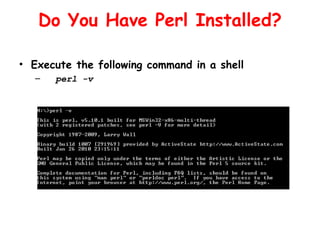
Do You Have Perl Installed?

• Execute the following command in a shell
  –   perl -v
Installation
• UNIX and Linux : Available with installation CD or
  standard repositories if not installed by default

• Windows : Many flavors are available with and without
  IDEs, free and proprietary etc
   – Active State Perl
   – Strawberry Perl
Your First Perl Program
• Open MyFirstProgram.pl from the examples directory
  with your favorite text editor ( gedit,vim,notepad++
  etc )
• To run the program open up a shell and navigate to
  the examples directory
   • perl MyFirstProgram.pl
• In Linux systems perl file can be directly executed,
  provided path to interpreter has been specified
  correctly.
   • chmod a+x MyFirstProgram.pl
   • ./MyFirstProgram.pl
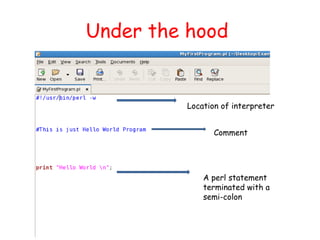
Under the hood


         Location of interpreter


                Comment


             A perl statement
             terminated with a
             semi-colon
Variables
• Place to store data
• A scalar variable stores a single value
• Perl scalar names are prefixed with a dollar
  sign ($)
   – Ex: $name,$password,$ip_address
• No need to define a variable explicitly, use
  directly
• A scalar can hold data of any type, be it a
  string, a number, or whatnot
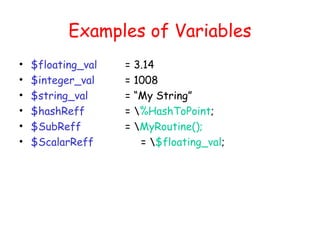
Examples of Variables
•   $floating_val   =   3.14
•   $integer_val    =   1008
•   $string_val     =   “My String”
•   $hashReff       =   %HashToPoint;
•   $SubReff        =   MyRoutine();
•   $ScalarReff          = $floating_val;
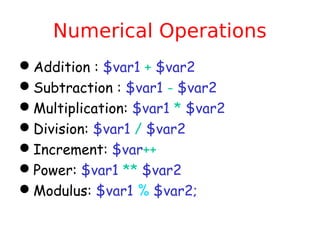
Numerical Operations
Addition : $var1 + $var2
Subtraction : $var1 - $var2
Multiplication: $var1 * $var2
Division: $var1 / $var2
Increment: $var++
Power: $var1 ** $var2
Modulus: $var1 % $var2;
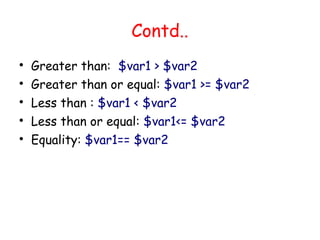
Contd..

    Greater than: $var1 > $var2

    Greater than or equal: $var1 >= $var2

    Less than : $var1 < $var2

    Less than or equal: $var1<= $var2

    Equality: $var1== $var2
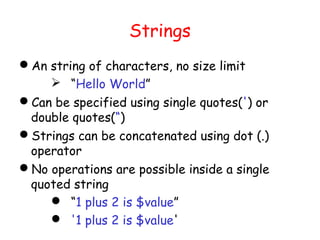
Strings
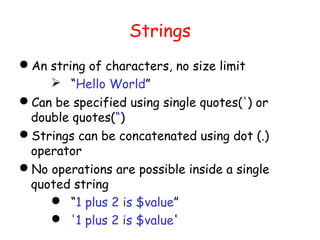
An string of characters, no size limit
     “Hello World”
Can be specified using single quotes(') or
 double quotes(“)
Strings can be concatenated using dot (.)
 operator
No operations are possible inside a single
 quoted string
     “1 plus 2 is $value”
     '1 plus 2 is $value'
Strings
An string of characters, no size limit
     “Hello World”
Can be specified using single quotes(') or
 double quotes(“)
Strings can be concatenated using dot (.)
 operator
No operations are possible inside a single
 quoted string
     “1 plus 2 is $value”
     '1 plus 2 is $value'
Special Characters
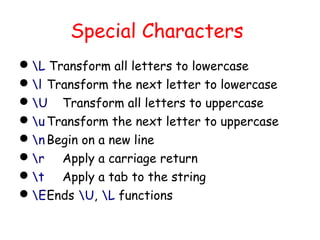
L Transform all letters to lowercase
l Transform the next letter to lowercase
U Transform all letters to uppercase
u Transform the next letter to uppercase
n Begin on a new line
r Apply a carriage return
t Apply a tab to the string
EEnds U, L functions
Print Function
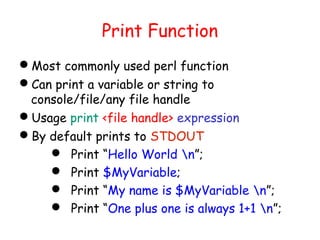
Most commonly used perl function
Can print a variable or string to
 console/file/any file handle
Usage print <file handle> expression
By default prints to STDOUT
     Print “Hello World n”;
     Print $MyVariable;
     Print “My name is $MyVariable n”;
     Print “One plus one is always 1+1 n”;
User Input

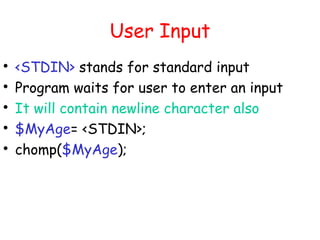
    <STDIN> stands for standard input

    Program waits for user to enter an input

    It will contain newline character also

    $MyAge= <STDIN>;

    chomp($MyAge);
Calculator Program
Ask user to enter two numbers
Do all the numerical operations mentioned in
 previous slide and print the output
String Operations
index(STR,SUBSTR) :Returns the position of
 the first occurrence of SUBSTR in STR
length(EXPR) :Returns the length in
 characters of the value of EXPR
rindex(STR,SUBSTR) :Works just like index
 except that it returns the position of the
 LAST occurrence of SUBSTR in STR
substr(EXPR,OFFSET,LEN):Extracts a sub
 string out of EXPR and returns it
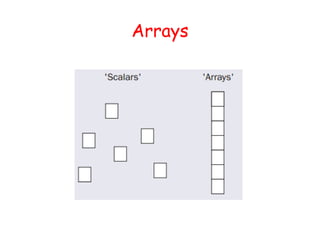
Array
• List of scalars
• Similar to arrays in C,C++ etc..
• Array is identified by @ symbol
  • @FirstArray = (“one”,”two”,”three”);
• Each element can be accessed by its
  corresponding index
  • print $FirstArray[2];
Arrays
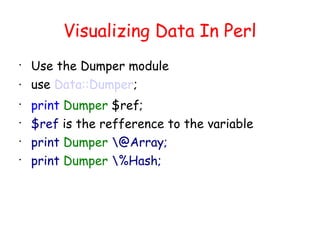
Visualizing Data In Perl

    Use the Dumper module
   use Data::Dumper;

    print Dumper $ref;

    $ref is the refference to the variable

    print Dumper @Array;

    print Dumper %Hash;
Working With Arrays
• An array element can be indexed as
  $MyFirstArray[1]
• push() - adds an element to the end of an
  array.
• unshift() - adds an element to the beginning
  of an array.
• pop() - removes the last element of an array.
• shift() - removes the first element of an
  array.
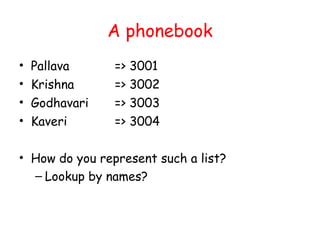
A phonebook
•   Pallava     => 3001
•   Krishna     => 3002
•   Godhavari   => 3003
•   Kaveri      => 3004

• How do you represent such a list?
  – Lookup by names?
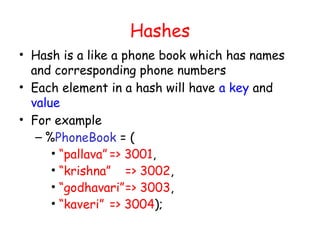
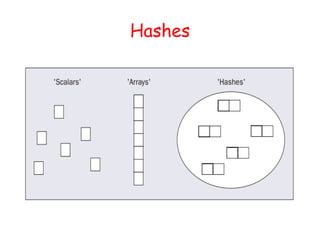
Hashes
• Hash is a like a phone book which has names
  and corresponding phone numbers
• Each element in a hash will have a key and
  value
• For example
   – %PhoneBook = (
      • “pallava” => 3001,
      • “krishna” => 3002,
      • “godhavari”=> 3003,
      • “kaveri” => 3004);
Hashes
Working With Hash Values
• Each value can be accessed by its key
   – $Phonebook{“pallava”}
• To add a new value to hash table
   – $Phonebook{“nilgiris”} =”3005”;
• To delete a value from hash table
   – delete($Phonebook{“nilgiris”});
• Looping through a hashtable
   – while (($key, $value) = each(%Phonebook)){
   – Print $key.$value;
   –}
Contd..
• Checking if a particular key has already added in the
  hash table
   – if (exists($Phonebook{"pallava"}))
   –{
   –}
Program Control
•   If
•   While
•   For
•   Foreach
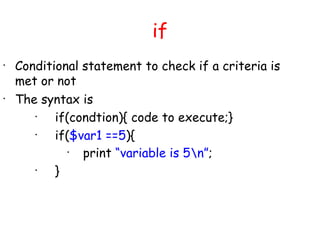
if
•
    Conditional statement to check if a criteria is
    met or not
•
    The syntax is
       •
           if(condtion){ code to execute;}
       •
           if($var1 ==5){
              •
                print “variable is 5n”;
       •
           }
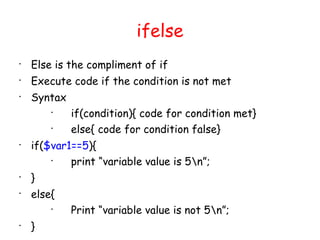
ifelse

    Else is the compliment of if

    Execute code if the condition is not met

    Syntax
        
             if(condition){ code for condition met}
        
             else{ code for condition false}

    if($var1==5){
        
            print “variable value is 5n”;

    }

    else{
        
             Print “variable value is not 5n”;

    }
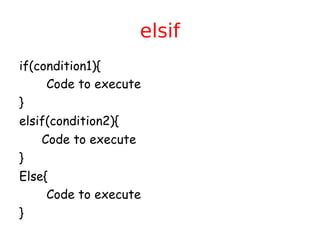
elsif
if(condition1){
     Code to execute
}
elsif(condition2){
    Code to execute
}
Else{
     Code to execute
}
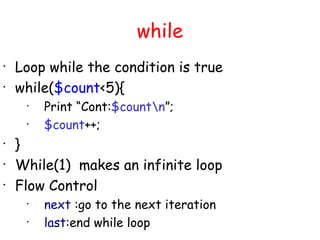
while
•
    Loop while the condition is true
•
    while($count<5){
     •
         Print “Cont:$countn”;
     •
         $count++;
•
    }
•
    While(1) makes an infinite loop
•
    Flow Control
     •
         next :go to the next iteration
     •
         last:end while loop
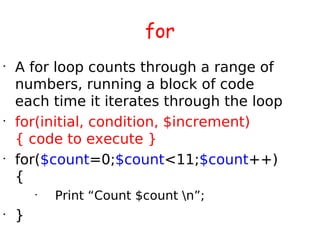
for
•
    A for loop counts through a range of
    numbers, running a block of code
    each time it iterates through the loop
•
    for(initial, condition, $increment)
    { code to execute }
•
    for($count=0;$count<11;$count++)
    {
        •
            Print “Count $count n”;
•
    }
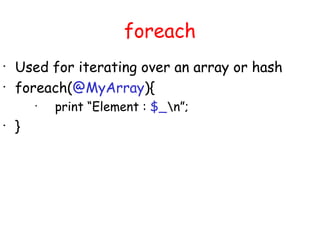
foreach
•
    Used for iterating over an array or hash
•
    foreach(@MyArray){
        •
            print “Element : $_n”;
•
    }
Phonebook Program

    Print existing numbers

    Option to add a new entry

    Option to delete and entry

    Option to exit the program

    Option to search by name
Strict Usage
By default perl doesn't need any variable to be
 declared before use
Simple spelling mistakes in variable names can
 lead to hours of code debugging!
By using the strict method,perl will strictly ask
 you declare variable
   my $MyFirstVar;
   my @MyFirstArray;
   my %MyFirstHash;

Practical approach to perl day1

  • 1.
    Practical Approach toPERL Rakesh Mukundan
  • 2.
    Scripting Language  Uses an interpreter to run the code  No compilation needed, just run it!  Interpreted line by line  Fast to learn and program  Easy debugging  Every user is a developer :)
  • 3.
    PERL • Practical Extractionand Report Language • Also known as Practically Everything Really Likeable • Began as the result of one man's frustration and, by his own account, inordinate laziness  • Perl is free. The full source code and documentation are free to copy, compile, print, and give away
  • 4.
    Why Learn Perl • Perl is easy and it makes life easy! • Its open source • Lots of tested modules available for re-use • You are too lazy to do mechanical repetitive work 
  • 5.
    Do You HavePerl Installed? • Execute the following command in a shell – perl -v
  • 6.
    Installation • UNIX andLinux : Available with installation CD or standard repositories if not installed by default • Windows : Many flavors are available with and without IDEs, free and proprietary etc – Active State Perl – Strawberry Perl
  • 7.
    Your First PerlProgram • Open MyFirstProgram.pl from the examples directory with your favorite text editor ( gedit,vim,notepad++ etc ) • To run the program open up a shell and navigate to the examples directory • perl MyFirstProgram.pl • In Linux systems perl file can be directly executed, provided path to interpreter has been specified correctly. • chmod a+x MyFirstProgram.pl • ./MyFirstProgram.pl
  • 8.
    Under the hood Location of interpreter Comment A perl statement terminated with a semi-colon
  • 9.
    Variables • Place tostore data • A scalar variable stores a single value • Perl scalar names are prefixed with a dollar sign ($) – Ex: $name,$password,$ip_address • No need to define a variable explicitly, use directly • A scalar can hold data of any type, be it a string, a number, or whatnot
  • 10.
    Examples of Variables • $floating_val = 3.14 • $integer_val = 1008 • $string_val = “My String” • $hashReff = %HashToPoint; • $SubReff = MyRoutine(); • $ScalarReff = $floating_val;
  • 11.
    Numerical Operations Addition :$var1 + $var2 Subtraction : $var1 - $var2 Multiplication: $var1 * $var2 Division: $var1 / $var2 Increment: $var++ Power: $var1 ** $var2 Modulus: $var1 % $var2;
  • 12.
    Contd..  Greater than: $var1 > $var2  Greater than or equal: $var1 >= $var2  Less than : $var1 < $var2  Less than or equal: $var1<= $var2  Equality: $var1== $var2
  • 13.
    Strings An string ofcharacters, no size limit  “Hello World” Can be specified using single quotes(') or double quotes(“) Strings can be concatenated using dot (.) operator No operations are possible inside a single quoted string  “1 plus 2 is $value”  '1 plus 2 is $value'
  • 14.
    Strings An string ofcharacters, no size limit  “Hello World” Can be specified using single quotes(') or double quotes(“) Strings can be concatenated using dot (.) operator No operations are possible inside a single quoted string  “1 plus 2 is $value”  '1 plus 2 is $value'
  • 15.
    Special Characters L Transformall letters to lowercase l Transform the next letter to lowercase U Transform all letters to uppercase u Transform the next letter to uppercase n Begin on a new line r Apply a carriage return t Apply a tab to the string EEnds U, L functions
  • 16.
    Print Function Most commonlyused perl function Can print a variable or string to console/file/any file handle Usage print <file handle> expression By default prints to STDOUT  Print “Hello World n”;  Print $MyVariable;  Print “My name is $MyVariable n”;  Print “One plus one is always 1+1 n”;
  • 17.
    User Input  <STDIN> stands for standard input  Program waits for user to enter an input  It will contain newline character also  $MyAge= <STDIN>;  chomp($MyAge);
  • 18.
    Calculator Program Ask userto enter two numbers Do all the numerical operations mentioned in previous slide and print the output
  • 19.
    String Operations index(STR,SUBSTR) :Returnsthe position of the first occurrence of SUBSTR in STR length(EXPR) :Returns the length in characters of the value of EXPR rindex(STR,SUBSTR) :Works just like index except that it returns the position of the LAST occurrence of SUBSTR in STR substr(EXPR,OFFSET,LEN):Extracts a sub string out of EXPR and returns it
  • 20.
    Array • List ofscalars • Similar to arrays in C,C++ etc.. • Array is identified by @ symbol • @FirstArray = (“one”,”two”,”three”); • Each element can be accessed by its corresponding index • print $FirstArray[2];
  • 21.
  • 22.
    Visualizing Data InPerl  Use the Dumper module  use Data::Dumper;  print Dumper $ref;  $ref is the refference to the variable  print Dumper @Array;  print Dumper %Hash;
  • 23.
    Working With Arrays •An array element can be indexed as $MyFirstArray[1] • push() - adds an element to the end of an array. • unshift() - adds an element to the beginning of an array. • pop() - removes the last element of an array. • shift() - removes the first element of an array.
  • 24.
    A phonebook • Pallava => 3001 • Krishna => 3002 • Godhavari => 3003 • Kaveri => 3004 • How do you represent such a list? – Lookup by names?
  • 25.
    Hashes • Hash isa like a phone book which has names and corresponding phone numbers • Each element in a hash will have a key and value • For example – %PhoneBook = ( • “pallava” => 3001, • “krishna” => 3002, • “godhavari”=> 3003, • “kaveri” => 3004);
  • 26.
  • 27.
    Working With HashValues • Each value can be accessed by its key – $Phonebook{“pallava”} • To add a new value to hash table – $Phonebook{“nilgiris”} =”3005”; • To delete a value from hash table – delete($Phonebook{“nilgiris”}); • Looping through a hashtable – while (($key, $value) = each(%Phonebook)){ – Print $key.$value; –}
  • 28.
    Contd.. • Checking ifa particular key has already added in the hash table – if (exists($Phonebook{"pallava"})) –{ –}
  • 29.
    Program Control • If • While • For • Foreach
  • 30.
    if • Conditional statement to check if a criteria is met or not • The syntax is • if(condtion){ code to execute;} • if($var1 ==5){ • print “variable is 5n”; • }
  • 31.
    ifelse  Else is the compliment of if  Execute code if the condition is not met  Syntax  if(condition){ code for condition met}  else{ code for condition false}  if($var1==5){  print “variable value is 5n”;  }  else{  Print “variable value is not 5n”;  }
  • 32.
    elsif if(condition1){ Code to execute } elsif(condition2){ Code to execute } Else{ Code to execute }
  • 33.
    while • Loop while the condition is true • while($count<5){ • Print “Cont:$countn”; • $count++; • } • While(1) makes an infinite loop • Flow Control • next :go to the next iteration • last:end while loop
  • 34.
    for • A for loop counts through a range of numbers, running a block of code each time it iterates through the loop • for(initial, condition, $increment) { code to execute } • for($count=0;$count<11;$count++) { • Print “Count $count n”; • }
  • 35.
    foreach • Used for iterating over an array or hash • foreach(@MyArray){ • print “Element : $_n”; • }
  • 36.
    Phonebook Program  Print existing numbers  Option to add a new entry  Option to delete and entry  Option to exit the program  Option to search by name
  • 37.
    Strict Usage By defaultperl doesn't need any variable to be declared before use Simple spelling mistakes in variable names can lead to hours of code debugging! By using the strict method,perl will strictly ask you declare variable  my $MyFirstVar;  my @MyFirstArray;  my %MyFirstHash;