1/25/2012


                           Jane Betterton
             Betterton Technical Services
                     Bettersw@swcp.com
                          505-292-4262


                                                             1


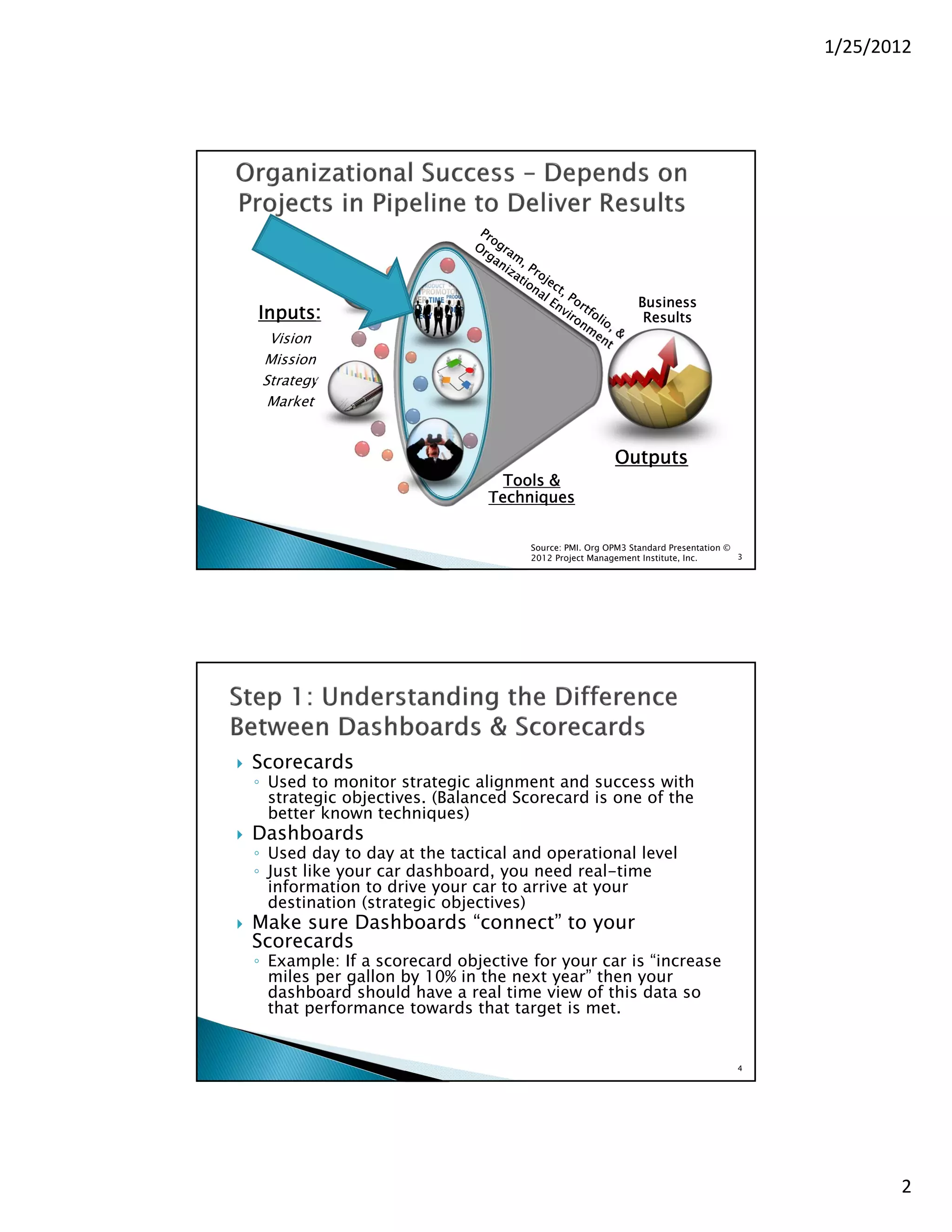
                                       Business
Inputs:                                 Results
 Vision
Mission
Strategy
 Market


                                  Outputs
             Tools &
           Techniques


                Source: PMI. Org OPM3 Standard Presentation ©
                2012 Project Management Institute, Inc.       2


                                                                         1
1/25/2012


                                                               Business
    Inputs:                                                     Results
      Vision
     Mission
     Strategy
      Market


                                                          Outputs
                                    Tools &
                                  Techniques


                                        Source: PMI. Org OPM3 Standard Presentation ©
                                        2012 Project Management Institute, Inc.       3


   Scorecards
    ◦ Used to monitor strategic alignment and success with
      strategic objectives. (Balanced Scorecard is one of the
      better known techniques)
   Dashboards
    ◦ Used day to day at the tactical and operational level
    ◦ Just like your car dashboard, you need real-time
      information to drive your car to arrive at your
      destination (strategic objectives)
   Make sure Dashboards “connect” to your
    Scorecards
    ◦ Example: If a scorecard objective for your car is “increase
      miles per gallon by 10% in the next year” then your
      dashboard should have a real time view of this data so
      that performance towards that target is met.


                                                                                     4


                                                                                                 2
1/25/2012


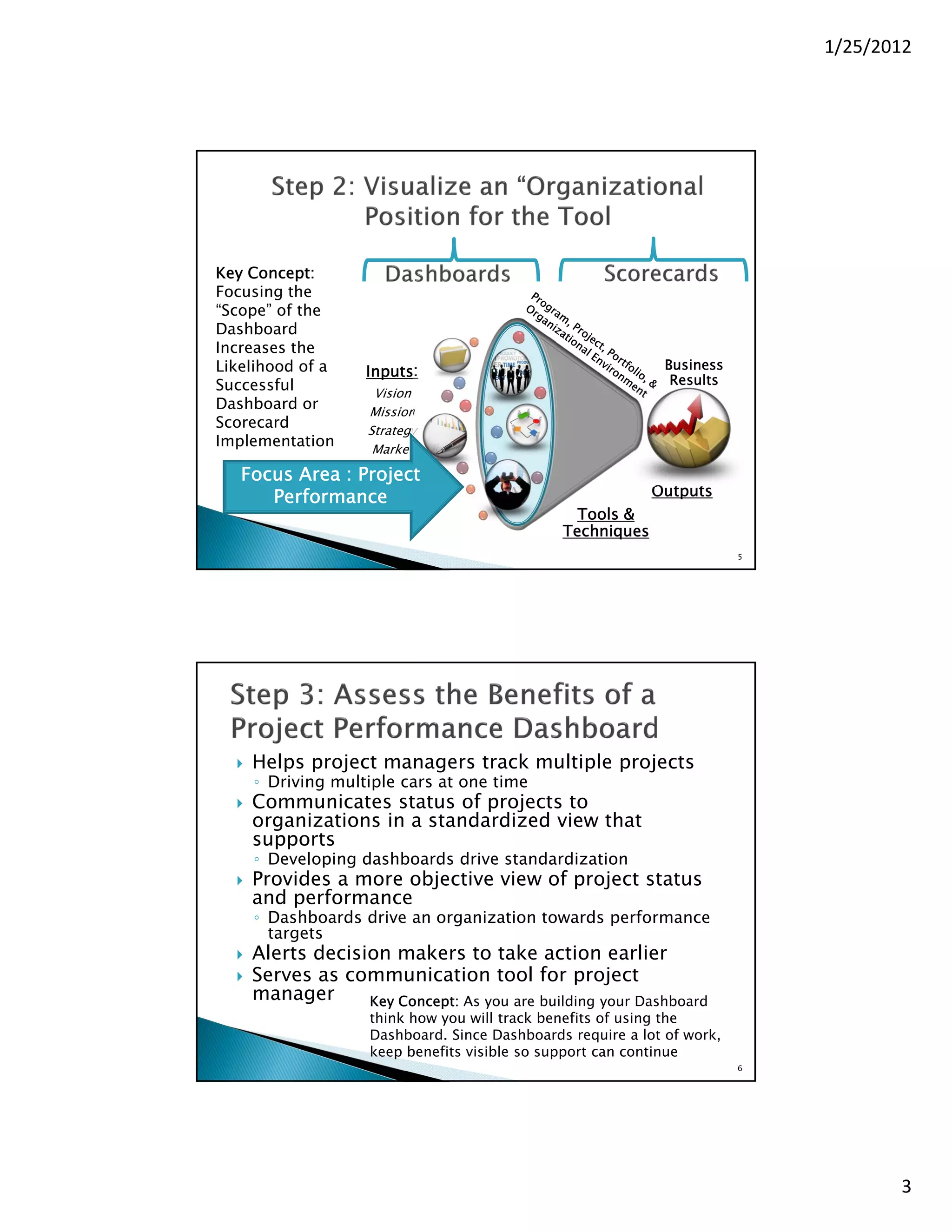
Key Concept:
Focusing the
“Scope” of the
Dashboard
Increases the
Likelihood of a                                               Business
                    Inputs:
Successful                                                     Results
                      Vision
Dashboard or         Mission
Scorecard            Strategy
Implementation        Market

   Focus Area : Project
      Performance                                            Outputs
                                                  Tools &
                                                Techniques
                                                                          5


     Helps project managers track multiple projects
      ◦ Driving multiple cars at one time
     Communicates status of projects to
      organizations in a standardized view that
      supports
      ◦ Developing dashboards drive standardization
     Provides a more objective view of project status
      and performance
      ◦ Dashboards drive an organization towards performance
        targets
     Alerts decision makers to take action earlier
     Serves as communication tool for project
      manager      Key Concept: As you are building your Dashboard
                     think how you will track benefits of using the
                     Dashboard. Since Dashboards require a lot of work,
                     keep benefits visible so support can continue
                                                                          6


                                                                                     3
1/25/2012


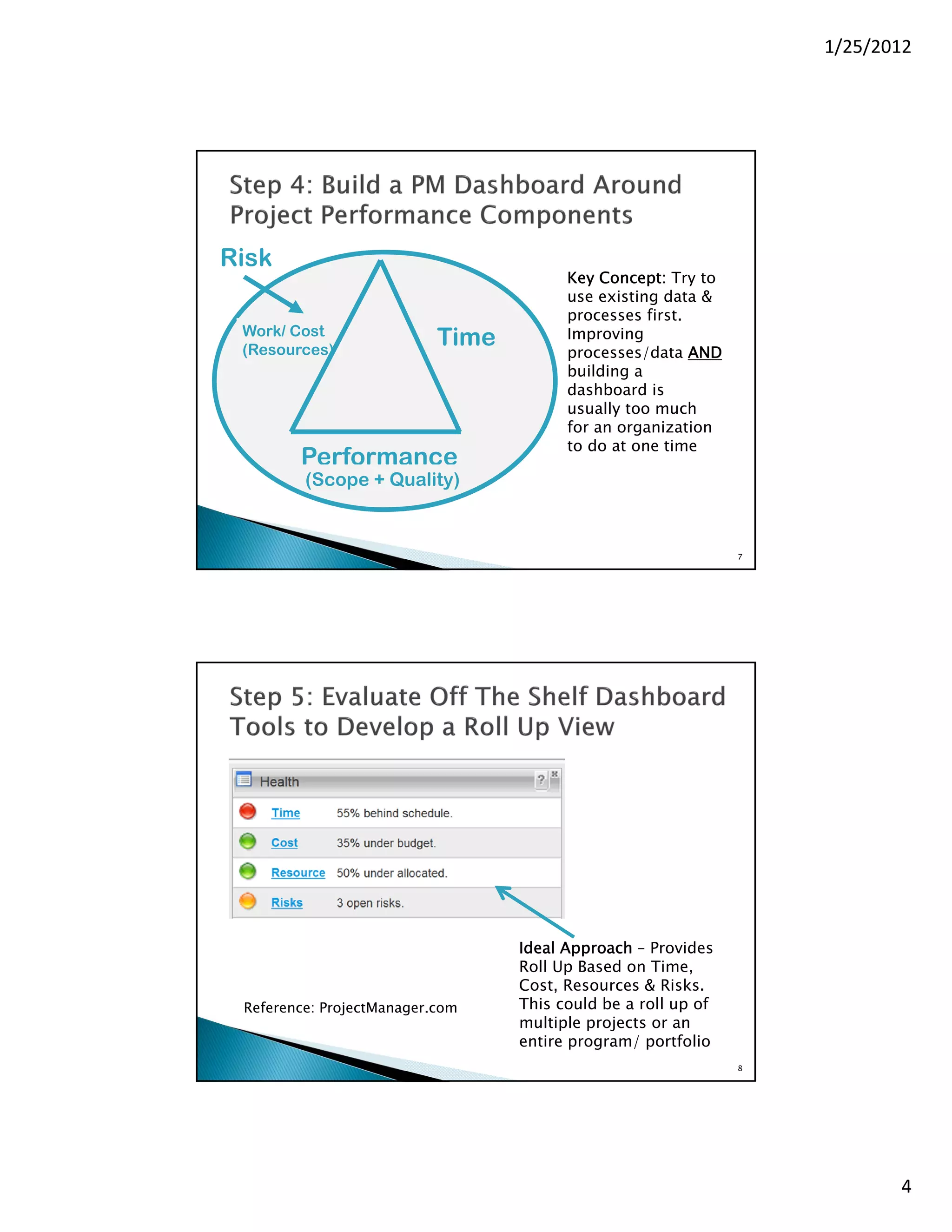
Risk
                                        Key Concept: Try to
                                        use existing data &
                                        processes first.
 Work/ Cost
 (Resources)
                           Time         Improving
                                        processes/data AND
                                        building a
                                        dashboard is
                                        usually too much
                                        for an organization
                                        to do at one time
        Performance
         (Scope + Quality)


                                                               7


                                  Ideal Approach – Provides
                                  Roll Up Based on Time,
                                  Cost, Resources & Risks.
 Reference: ProjectManager.com    This could be a roll up of
                                  multiple projects or an
                                  entire program/ portfolio
                                                               8


                                                                          4
1/25/2012


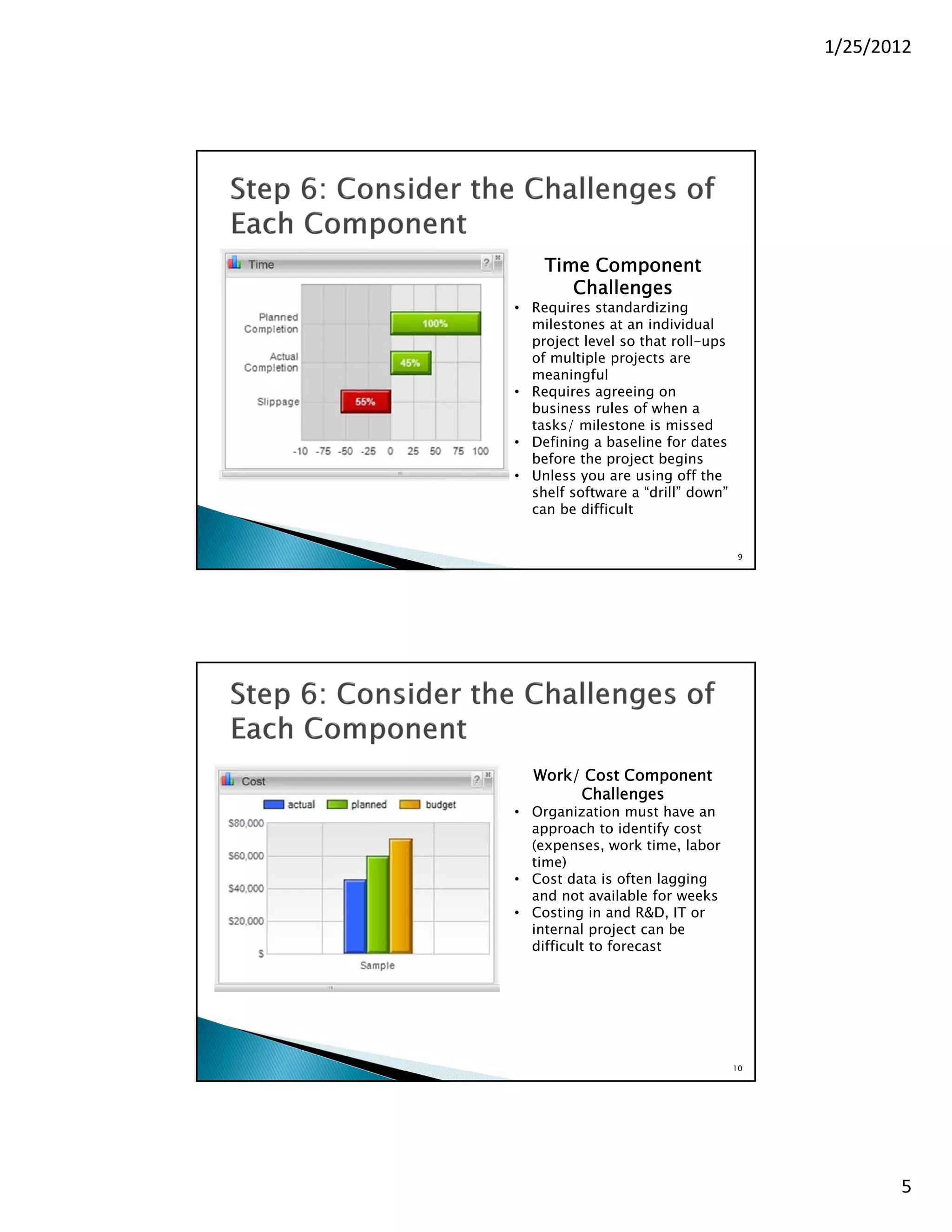
    Time Component
       Challenges
• Requires standardizing
  milestones at an individual
  project level so that roll-ups
  of multiple projects are
  meaningful
• Requires agreeing on
  business rules of when a
  tasks/ milestone is missed
• Defining a baseline for dates
  before the project begins
• Unless you are using off the
  shelf software a “drill” down”
  can be difficult


                                   9


  Work/ Cost Component
       Challenges
• Organization must have an
  approach to identify cost
  (expenses, work time, labor
  time)
• Cost data is often lagging
  and not available for weeks
• Costing in and R&D, IT or
  internal project can be
  difficult to forecast


                                   10


                                               5
1/25/2012


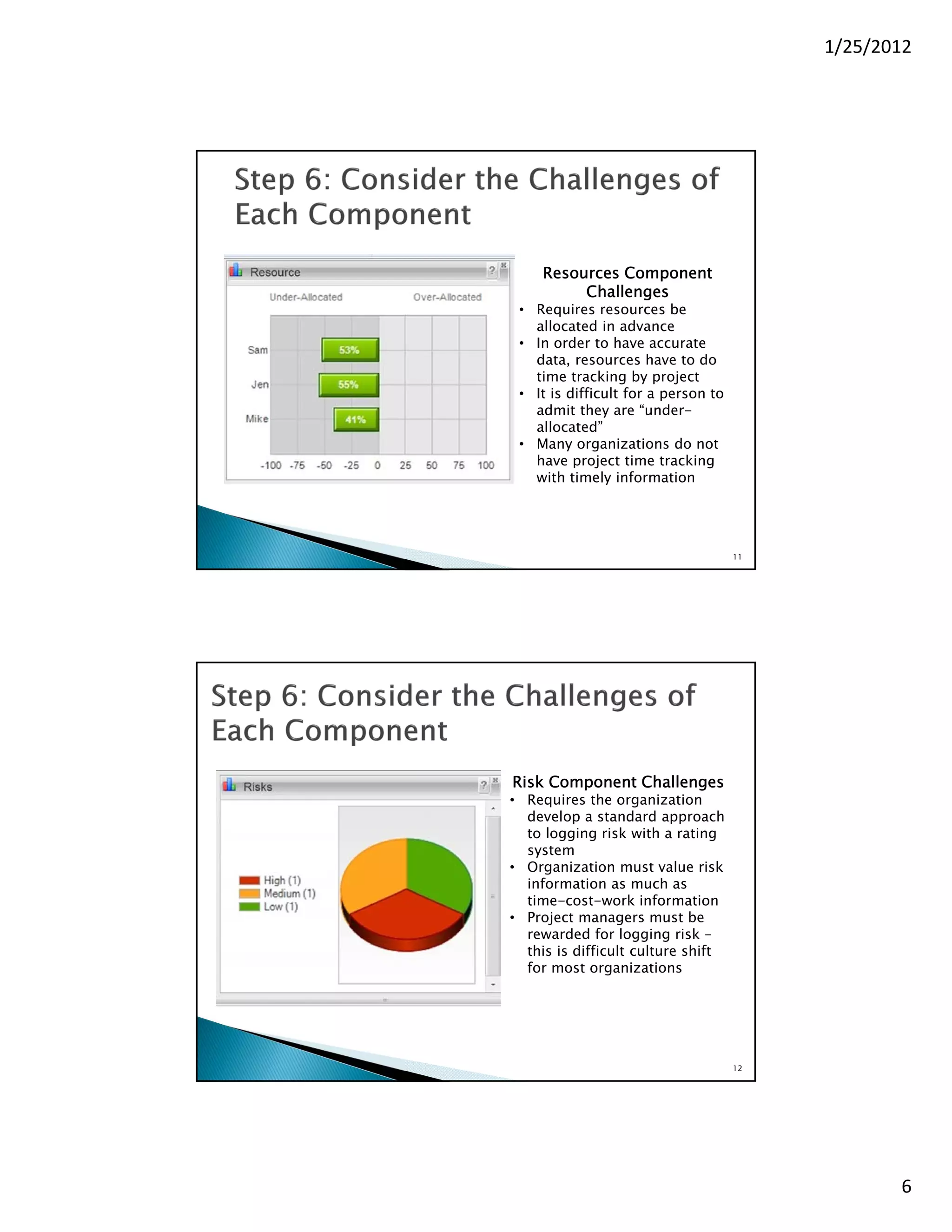
     Resources Component
          Challenges
 • Requires resources be
   allocated in advance
 • In order to have accurate
   data, resources have to do
   time tracking by project
 • It is difficult for a person to
   admit they are “under-
   allocated”
 • Many organizations do not
   have project time tracking
   with timely information


                                     11


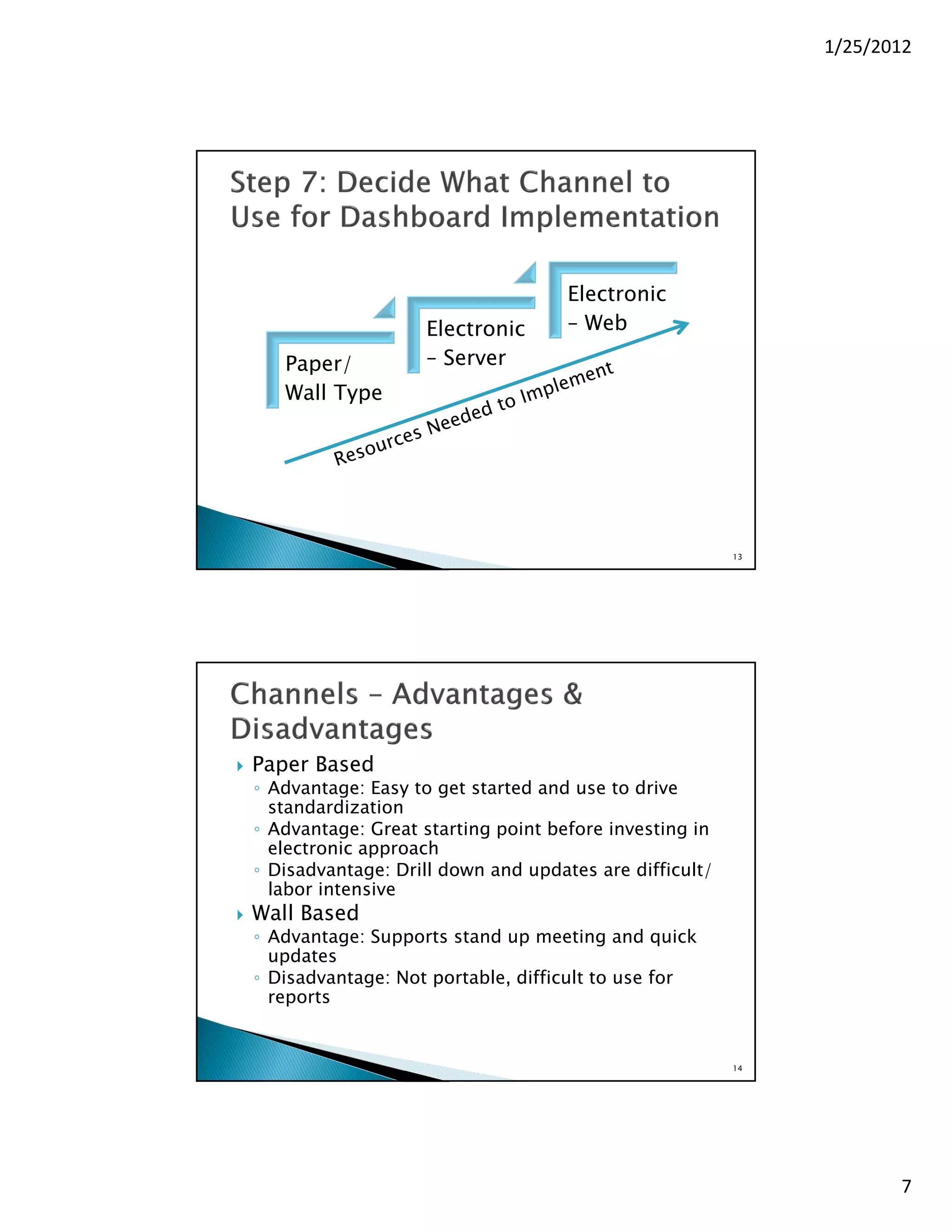
Risk Component Challenges
• Requires the organization
  develop a standard approach
  to logging risk with a rating
  system
• Organization must value risk
  information as much as
  time-cost-work information
• Project managers must be
  rewarded for logging risk –
  this is difficult culture shift
  for most organizations


                                     12


                                                 6
1/25/2012


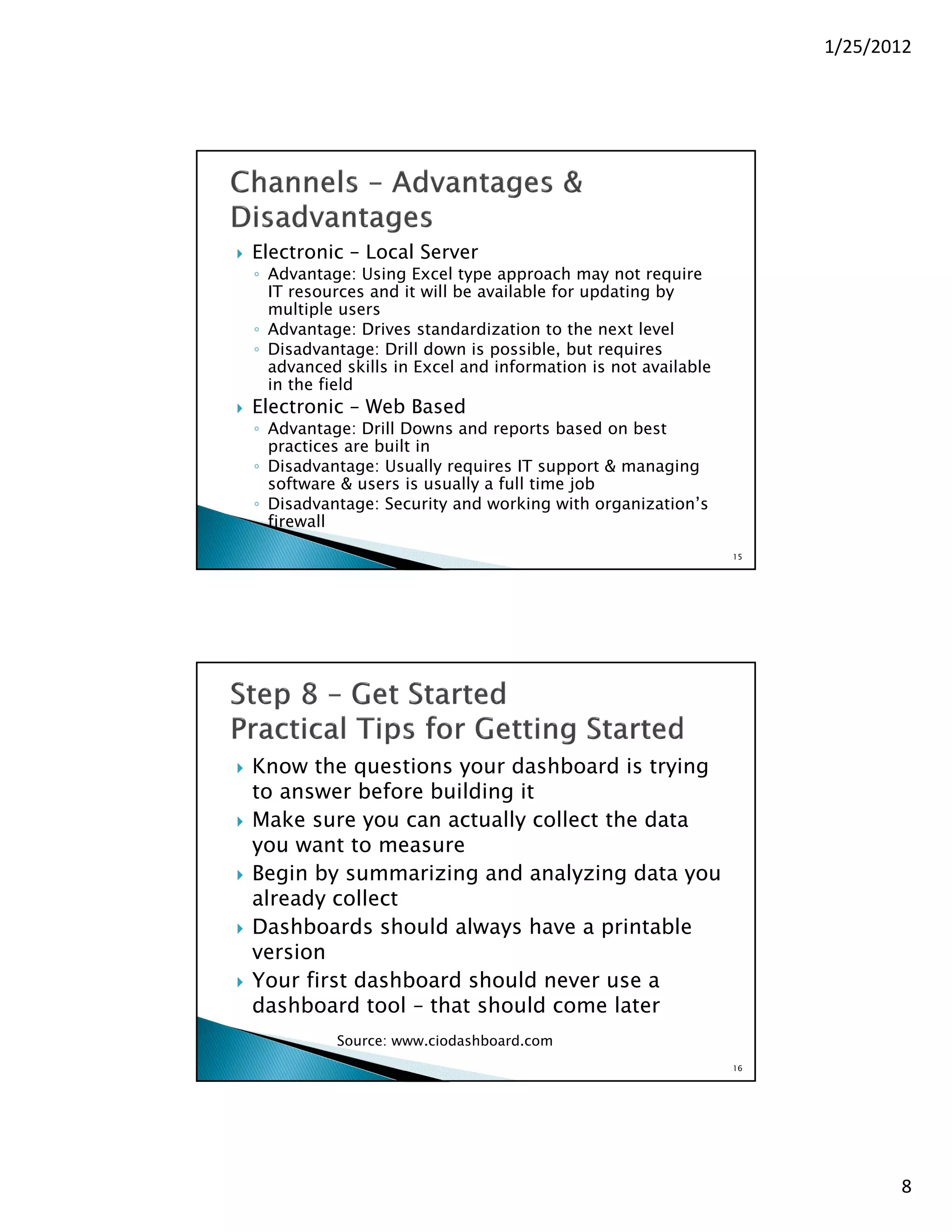
                                        Electronic
                       Electronic       – Web
       Paper/          – Server
       Wall Type


                                                            13


   Paper Based
    ◦ Advantage: Easy to get started and use to drive
      standardization
    ◦ Advantage: Great starting point before investing in
      electronic approach
    ◦ Disadvantage: Drill down and updates are difficult/
      labor intensive
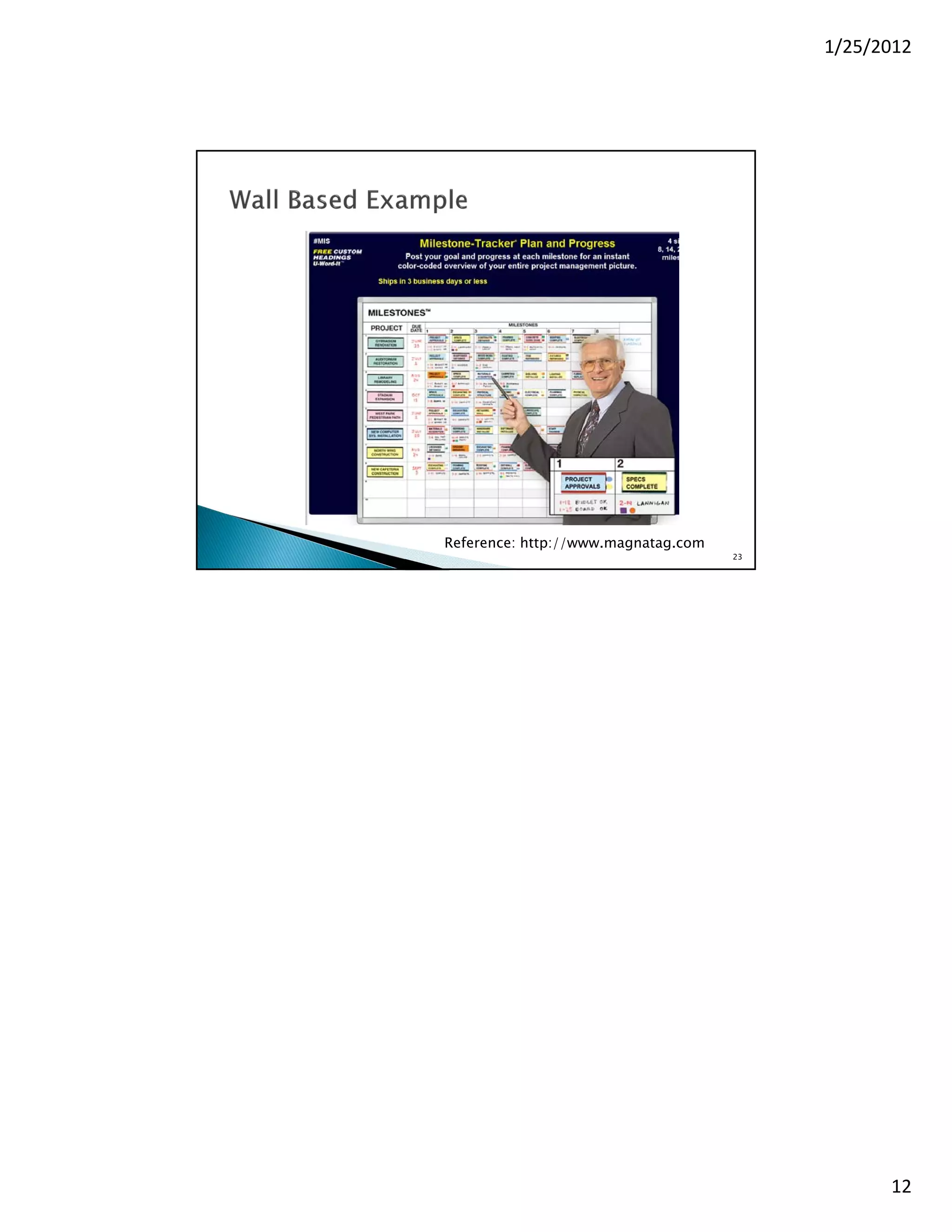
   Wall Based
    ◦ Advantage: Supports stand up meeting and quick
      updates
    ◦ Disadvantage: Not portable, difficult to use for
      reports


                                                            14


                                                                        7
1/25/2012


   Electronic – Local Server
    ◦ Advantage: Using Excel type approach may not require
      IT resources and it will be available for updating by
      multiple users
    ◦ Advantage: Drives standardization to the next level
    ◦ Disadvantage: Drill down is possible, but requires
      advanced skills in Excel and information is not available
      in the field
   Electronic – Web Based
    ◦ Advantage: Drill Downs and reports based on best
      practices are built in
    ◦ Disadvantage: Usually requires IT support & managing
      software & users is usually a full time job
    ◦ Disadvantage: Security and working with organization’s
      firewall
                                                                  15


   Know the questions your dashboard is trying
    to answer before building it
   Make sure you can actually collect the data
    you want to measure
   Begin by summarizing and analyzing data you
    already collect
   Dashboards should always have a printable
    version
   Your first dashboard should never use a
    dashboard tool – that should come later
              Source: www.ciodashboard.com
                                                                  16


                                                                              8
1/25/2012


   Unless you are in a very large organization
    with IT Support – Start small
    ◦ Consider paper approach, standardization is
      sometime harder that you think
    ◦ Consider publishing a companion report with the
      dashboard to avoid putting too much on the
      dashboard
    ◦ Do not be afraid to “Cut & Paste’ information from
      other tools and reports
   Implementing a Dashboard to Monitor Project
    Performance is Complex
    ◦ Write a Project Plan before you start!!!


                                                           17


   What has been your experience implementing
    dashboards?
    ◦ Have you had success or observed success with the
      electronic tools?
   If your company does not have dashboards to
    monitor performance, how do they do this?
   Is the work required to develop a dashboard
    worth it?


                                                           18


                                                                       9
1/25/2012


                                                     19


   Person, Ron. "9 - Developing Executive &
    Operational Dashboards." Balanced Scorecards &
    Operational Dashboards with Microsoft Excel.
    Indianapolis: Wiley, 2009. 107-12. Print.
   Curran, Chris. "10 CIO Dashboard Tips — CIO
    Dashboard." CIO Dashboard — IT Strategies for
    CIOs and IT Leaders. Ciodashboard.com, 25 June
    2009. Web. 25 Jan. 2012.
    <http://www.ciodashboard.com/metrics-and-
    measurement/10-cio-dashboard-tips/>.


                                                     20


                                                                10
1/25/2012


       BTS Principal, Jane Betterton - Since 1992 Jane has utilized best
        practices in project management to provide practical solutions in
        today’s dynamic and complex organizational structures. She has
        extensive strategic planning, project management, organizational
        and personnel development experience. With her academic and
        professional background in chemical engineering, R&D type
        manufacturing, pharmaceuticals and software development, Jane
        has specialized in working with complex technical environments.
        Jane is an expert in MS Project, and Microsoft Office applications
        and their use in communicating effectively in an organization.

       Jane is actively working with PMI’s Organizational Project
        Management Maturity Model (OPM3) to objectively assess an
        organization’s level of maturity in planning, executing and closing
        their projects, managing their programs and leveraging their
        portfolio to reach their strategic goals. Jane is a PMI OPM3 Certified
        Professional.


                                                                                     21


           Organizational Project Management Maturity
                          Model – OPM3

•   Provides a way for organizations to measure
    themselves against best in class practices of
    managing Projects, Programs & Portfolios.

•   Shows the maturity of organizations in implementing
    OPM to achieve their organizational objectives.

•   Highlights needed areas of improvement for
    organizations to help them achieve better business
    results.
                                Source: PMI. Org OPM3 Standard Presentation © 2012
                                Project Management Institute, Inc.

                                                                                     22


                                                                                                11
1/25/2012


Reference: http://www.magnatag.com
                                     23


                                                12

Using Dashboards to Monitor Project Performance - Is there a Practical Approach?

  • 1.
    1/25/2012 Jane Betterton Betterton Technical Services Bettersw@swcp.com 505-292-4262 1 Business Inputs: Results Vision Mission Strategy Market Outputs Tools & Techniques Source: PMI. Org OPM3 Standard Presentation © 2012 Project Management Institute, Inc. 2 1
  • 2.
    1/25/2012 Business Inputs: Results Vision Mission Strategy Market Outputs Tools & Techniques Source: PMI. Org OPM3 Standard Presentation © 2012 Project Management Institute, Inc. 3  Scorecards ◦ Used to monitor strategic alignment and success with strategic objectives. (Balanced Scorecard is one of the better known techniques)  Dashboards ◦ Used day to day at the tactical and operational level ◦ Just like your car dashboard, you need real-time information to drive your car to arrive at your destination (strategic objectives)  Make sure Dashboards “connect” to your Scorecards ◦ Example: If a scorecard objective for your car is “increase miles per gallon by 10% in the next year” then your dashboard should have a real time view of this data so that performance towards that target is met. 4 2
  • 3.
    1/25/2012 Key Concept: Focusing the “Scope”of the Dashboard Increases the Likelihood of a Business Inputs: Successful Results Vision Dashboard or Mission Scorecard Strategy Implementation Market Focus Area : Project Performance Outputs Tools & Techniques 5  Helps project managers track multiple projects ◦ Driving multiple cars at one time  Communicates status of projects to organizations in a standardized view that supports ◦ Developing dashboards drive standardization  Provides a more objective view of project status and performance ◦ Dashboards drive an organization towards performance targets  Alerts decision makers to take action earlier  Serves as communication tool for project manager Key Concept: As you are building your Dashboard think how you will track benefits of using the Dashboard. Since Dashboards require a lot of work, keep benefits visible so support can continue 6 3
  • 4.
    1/25/2012 Risk Key Concept: Try to use existing data & processes first. Work/ Cost (Resources) Time Improving processes/data AND building a dashboard is usually too much for an organization to do at one time Performance (Scope + Quality) 7 Ideal Approach – Provides Roll Up Based on Time, Cost, Resources & Risks. Reference: ProjectManager.com This could be a roll up of multiple projects or an entire program/ portfolio 8 4
  • 5.
    1/25/2012 Time Component Challenges • Requires standardizing milestones at an individual project level so that roll-ups of multiple projects are meaningful • Requires agreeing on business rules of when a tasks/ milestone is missed • Defining a baseline for dates before the project begins • Unless you are using off the shelf software a “drill” down” can be difficult 9 Work/ Cost Component Challenges • Organization must have an approach to identify cost (expenses, work time, labor time) • Cost data is often lagging and not available for weeks • Costing in and R&D, IT or internal project can be difficult to forecast 10 5
  • 6.
    1/25/2012 Resources Component Challenges • Requires resources be allocated in advance • In order to have accurate data, resources have to do time tracking by project • It is difficult for a person to admit they are “under- allocated” • Many organizations do not have project time tracking with timely information 11 Risk Component Challenges • Requires the organization develop a standard approach to logging risk with a rating system • Organization must value risk information as much as time-cost-work information • Project managers must be rewarded for logging risk – this is difficult culture shift for most organizations 12 6
  • 7.
    1/25/2012 Electronic Electronic – Web Paper/ – Server Wall Type 13  Paper Based ◦ Advantage: Easy to get started and use to drive standardization ◦ Advantage: Great starting point before investing in electronic approach ◦ Disadvantage: Drill down and updates are difficult/ labor intensive  Wall Based ◦ Advantage: Supports stand up meeting and quick updates ◦ Disadvantage: Not portable, difficult to use for reports 14 7
  • 8.
    1/25/2012  Electronic – Local Server ◦ Advantage: Using Excel type approach may not require IT resources and it will be available for updating by multiple users ◦ Advantage: Drives standardization to the next level ◦ Disadvantage: Drill down is possible, but requires advanced skills in Excel and information is not available in the field  Electronic – Web Based ◦ Advantage: Drill Downs and reports based on best practices are built in ◦ Disadvantage: Usually requires IT support & managing software & users is usually a full time job ◦ Disadvantage: Security and working with organization’s firewall 15  Know the questions your dashboard is trying to answer before building it  Make sure you can actually collect the data you want to measure  Begin by summarizing and analyzing data you already collect  Dashboards should always have a printable version  Your first dashboard should never use a dashboard tool – that should come later Source: www.ciodashboard.com 16 8
  • 9.
    1/25/2012  Unless you are in a very large organization with IT Support – Start small ◦ Consider paper approach, standardization is sometime harder that you think ◦ Consider publishing a companion report with the dashboard to avoid putting too much on the dashboard ◦ Do not be afraid to “Cut & Paste’ information from other tools and reports  Implementing a Dashboard to Monitor Project Performance is Complex ◦ Write a Project Plan before you start!!! 17  What has been your experience implementing dashboards? ◦ Have you had success or observed success with the electronic tools?  If your company does not have dashboards to monitor performance, how do they do this?  Is the work required to develop a dashboard worth it? 18 9
  • 10.
    1/25/2012 19  Person, Ron. "9 - Developing Executive & Operational Dashboards." Balanced Scorecards & Operational Dashboards with Microsoft Excel. Indianapolis: Wiley, 2009. 107-12. Print.  Curran, Chris. "10 CIO Dashboard Tips — CIO Dashboard." CIO Dashboard — IT Strategies for CIOs and IT Leaders. Ciodashboard.com, 25 June 2009. Web. 25 Jan. 2012. <http://www.ciodashboard.com/metrics-and- measurement/10-cio-dashboard-tips/>. 20 10
  • 11.
    1/25/2012  BTS Principal, Jane Betterton - Since 1992 Jane has utilized best practices in project management to provide practical solutions in today’s dynamic and complex organizational structures. She has extensive strategic planning, project management, organizational and personnel development experience. With her academic and professional background in chemical engineering, R&D type manufacturing, pharmaceuticals and software development, Jane has specialized in working with complex technical environments. Jane is an expert in MS Project, and Microsoft Office applications and their use in communicating effectively in an organization.  Jane is actively working with PMI’s Organizational Project Management Maturity Model (OPM3) to objectively assess an organization’s level of maturity in planning, executing and closing their projects, managing their programs and leveraging their portfolio to reach their strategic goals. Jane is a PMI OPM3 Certified Professional. 21  Organizational Project Management Maturity Model – OPM3 • Provides a way for organizations to measure themselves against best in class practices of managing Projects, Programs & Portfolios. • Shows the maturity of organizations in implementing OPM to achieve their organizational objectives. • Highlights needed areas of improvement for organizations to help them achieve better business results. Source: PMI. Org OPM3 Standard Presentation © 2012 Project Management Institute, Inc. 22 11
  • 12.