Prabhanjan Panigrahi Technical Head - SFC www.webreps.in
www.webreps.in
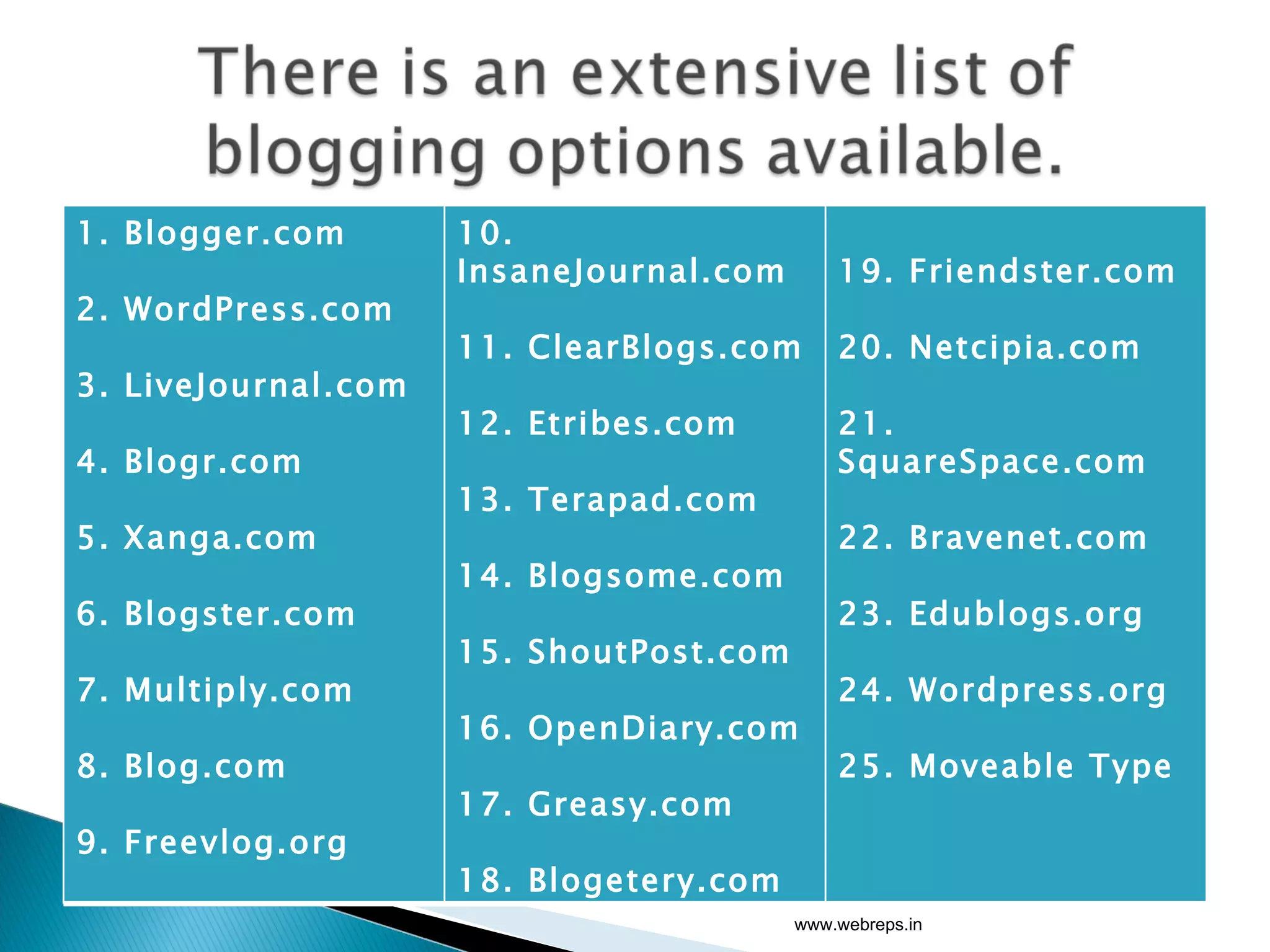
www.webreps.in 1. Blogger.com 2. WordPress.com 3. LiveJournal.com 4. Blogr.com 5. Xanga.com 6. Blogster.com 7. Multiply.com 8. Blog.com 9. Freevlog.org 10. InsaneJournal.com 11. ClearBlogs.com 12. Etribes.com 13. Terapad.com 14. Blogsome.com 15. ShoutPost.com 16. OpenDiary.com 17. Greasy.com 18. Blogetery.com 19. Friendster.com 20. Netcipia.com 21. SquareSpace.com 22. Bravenet.com 23. Edublogs.org 24. Wordpress.org 25. Moveable Type
1. Hosted blog platform.(as a service) 2. Self-Hosted   blog platform.(as an application) www.webreps.in
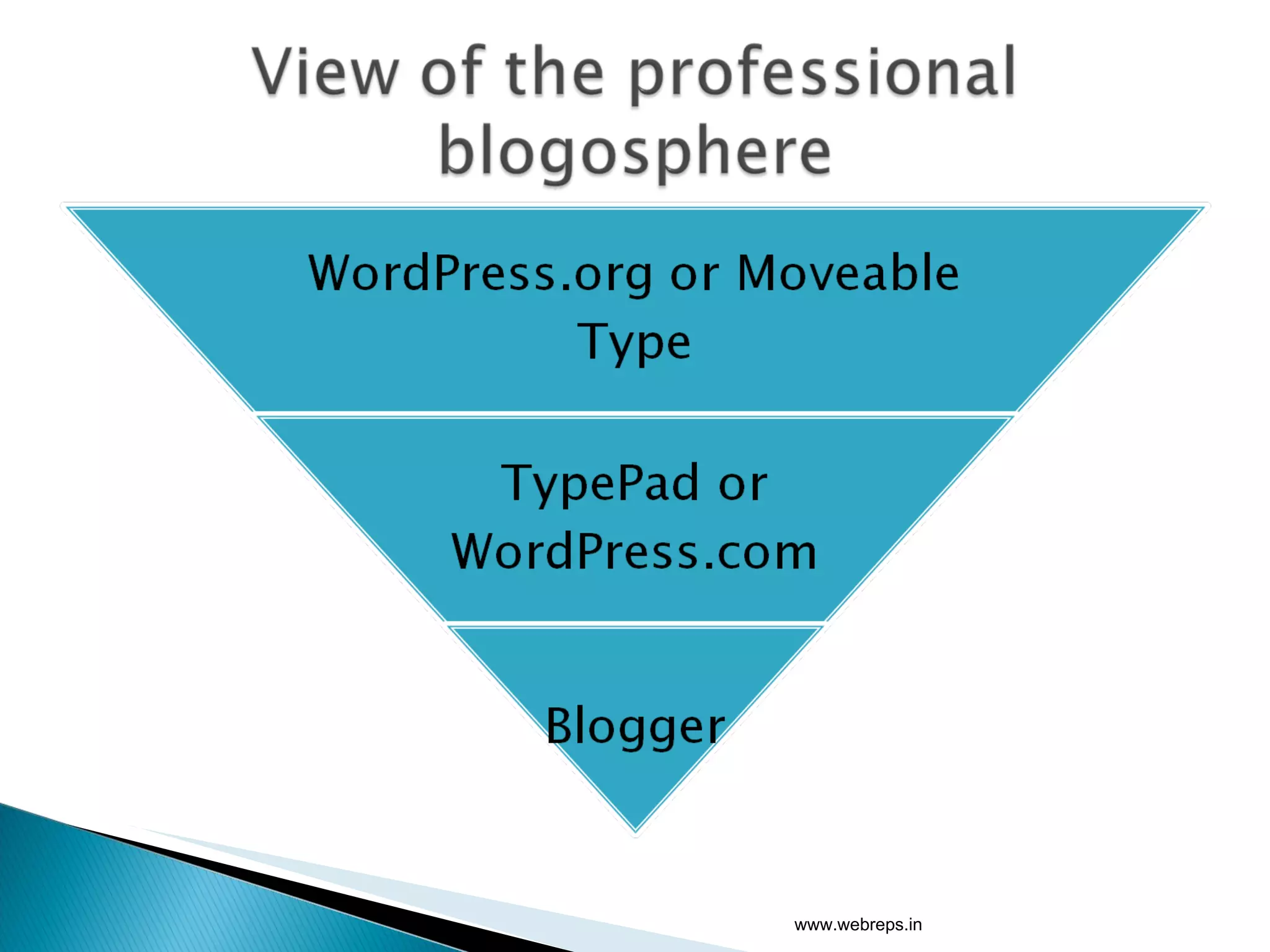
Blogs like blogspot , typepad and wordpress.com are examples of a hosted blog. In this platform the blog is pre-hosted and is provided as a service. www.webreps.in
www.webreps.in
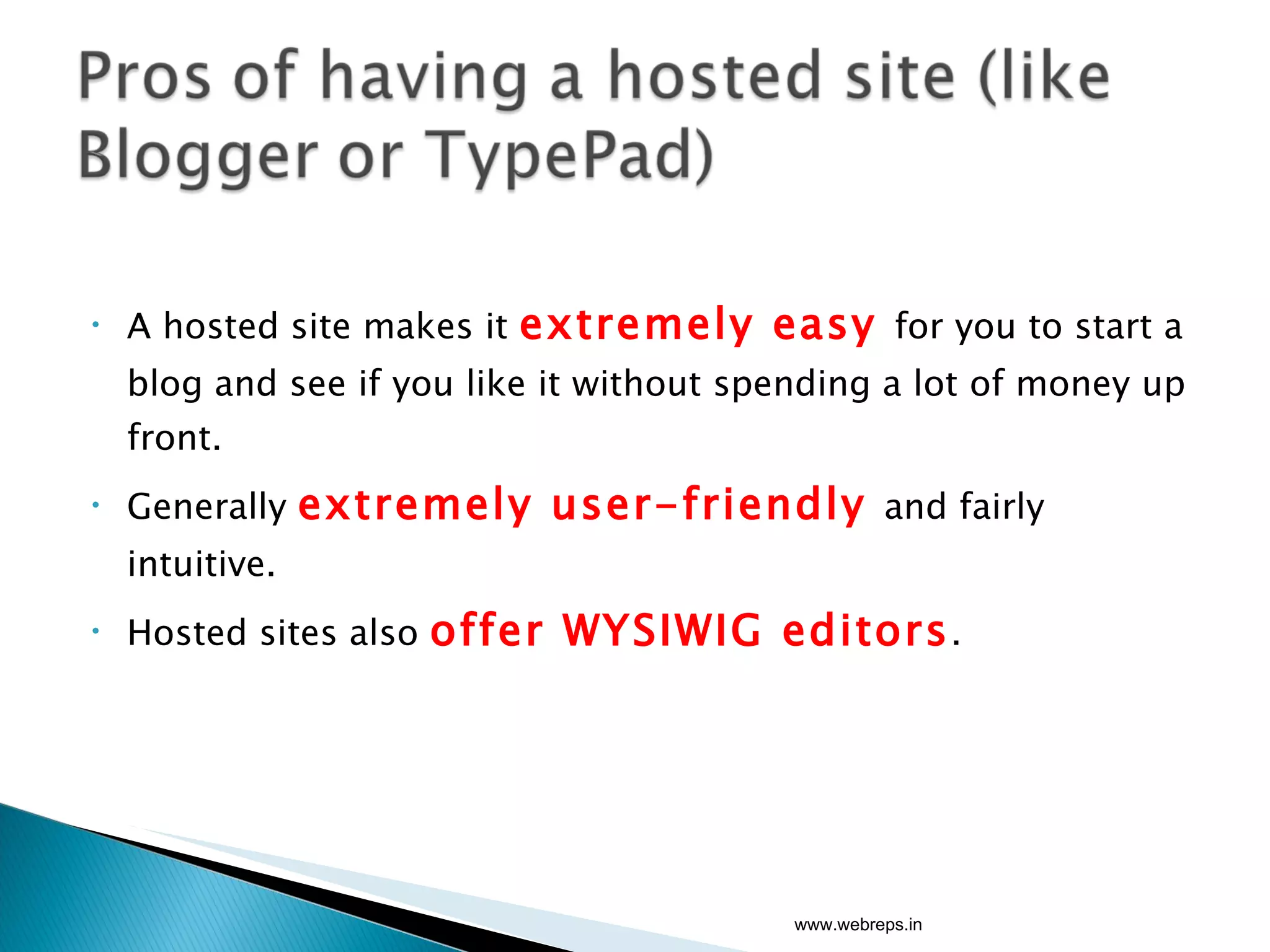
A hosted site makes it  extremely easy  for you to start a blog and see if you like it without spending a lot of money up front. Generally  extremely user-friendly  and fairly intuitive. Hosted sites also  offer WYSIWIG editors . www.webreps.in
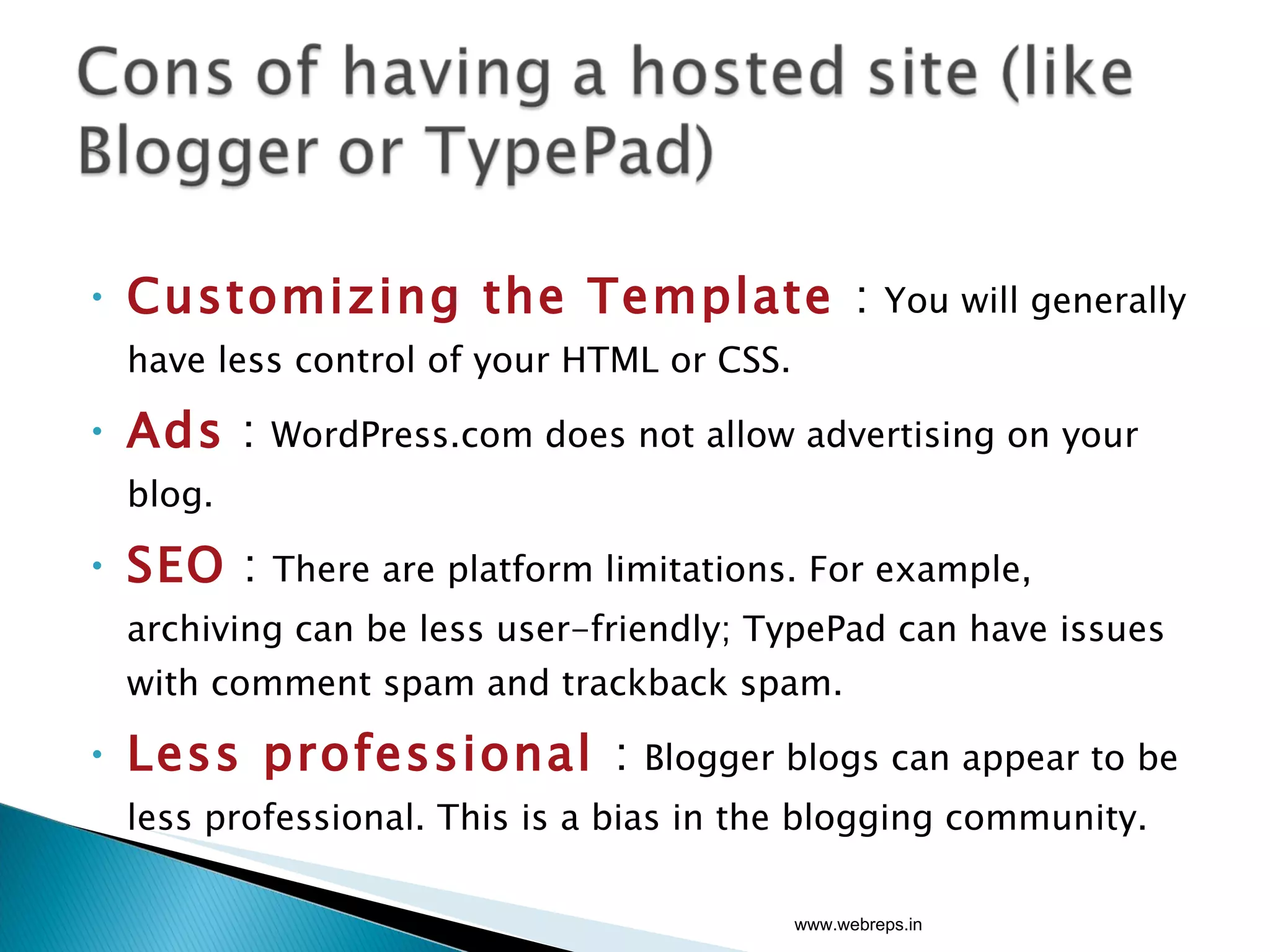
Customizing the Template  :  You will generally have less control of your HTML or CSS.  Ads  :  WordPress.com does not allow advertising on your blog. SEO   :  There are platform limitations. For example, archiving can be less user-friendly; TypePad can have issues with comment spam and trackback spam. Less professional  :  Blogger blogs can appear to be less professional. This is a bias in the blogging community. www.webreps.in
You have control over all of your  HTML and CSS . You have control over  permalinks .  This means that instead of the platform choosing the name of a post, you choose a name. This will help not only with managing permalinks, but with managing your SEO (or search engine optimization). There are  many plug-ins  for the WordPress.org platform that allow you to do everything from managing advertising to managing and responding to comments more efficiently. You have control over how your  archives are managed . www.webreps.in
You need to be  technical   to get a blog  started. You should be more  comfortable with HTML, CSS, and PHP   in order to tweak your templates. Will  cost you money .( domain registration and hosting cost). www.webreps.in
www.webreps.in
www.webreps.in
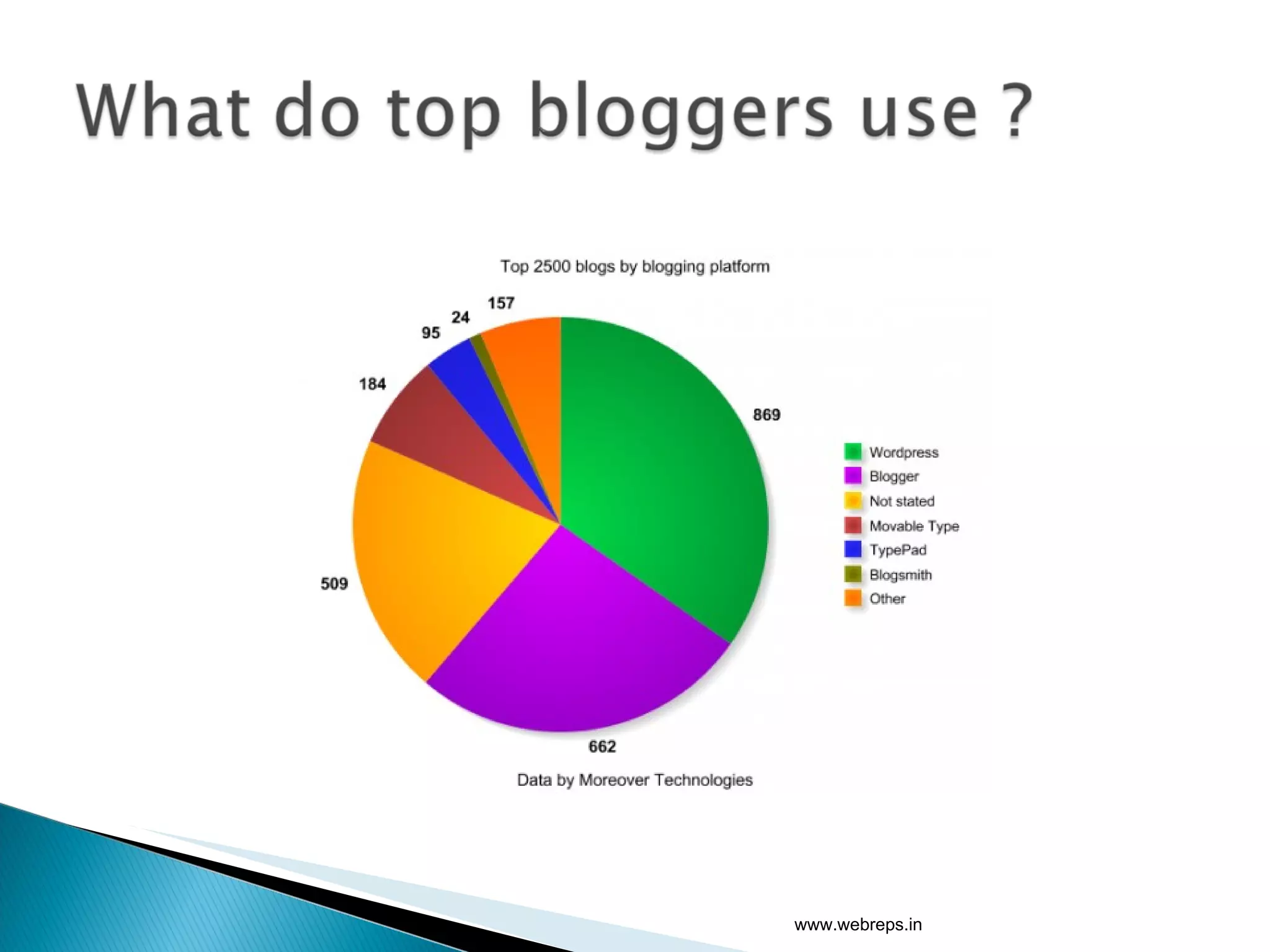
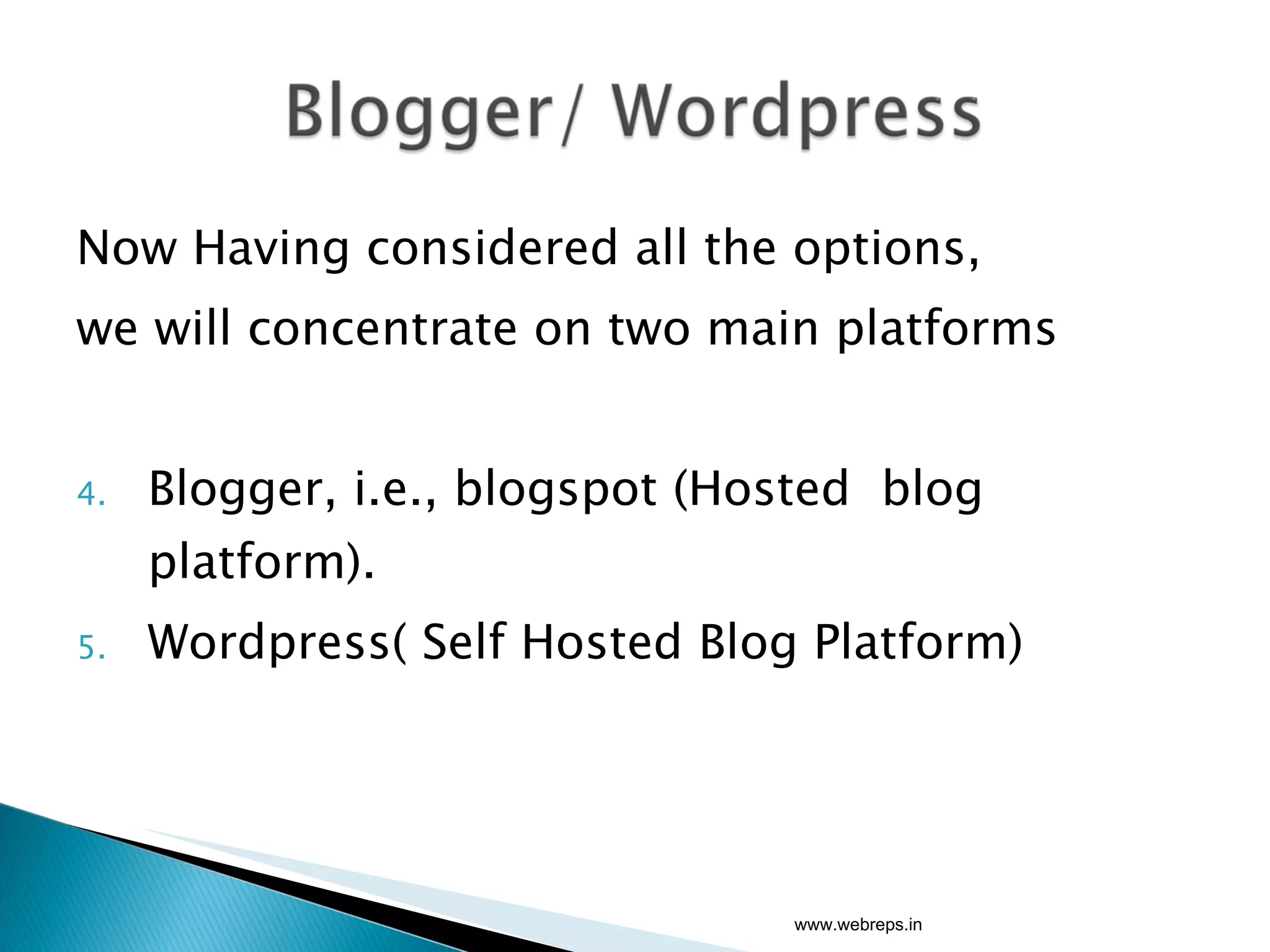
Now Having considered all the options,  we will concentrate on two main platforms  Blogger, i.e., blogspot (Hosted  blog platform). Wordpress( Self Hosted Blog Platform) www.webreps.in
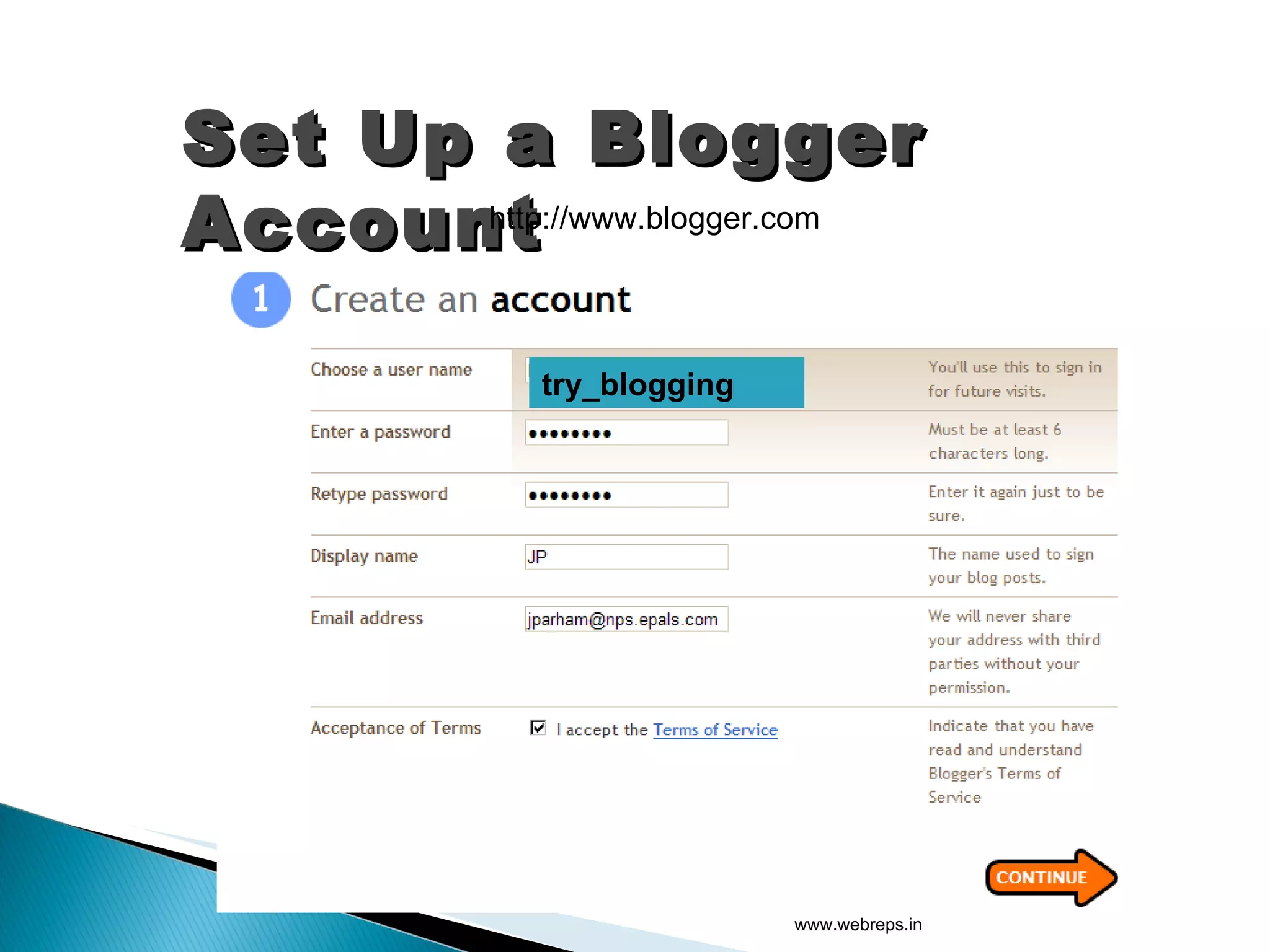
Set Up a Blogger Account http://www.blogger.com www.webreps.in try_blogging
www.webreps.in
www.webreps.in
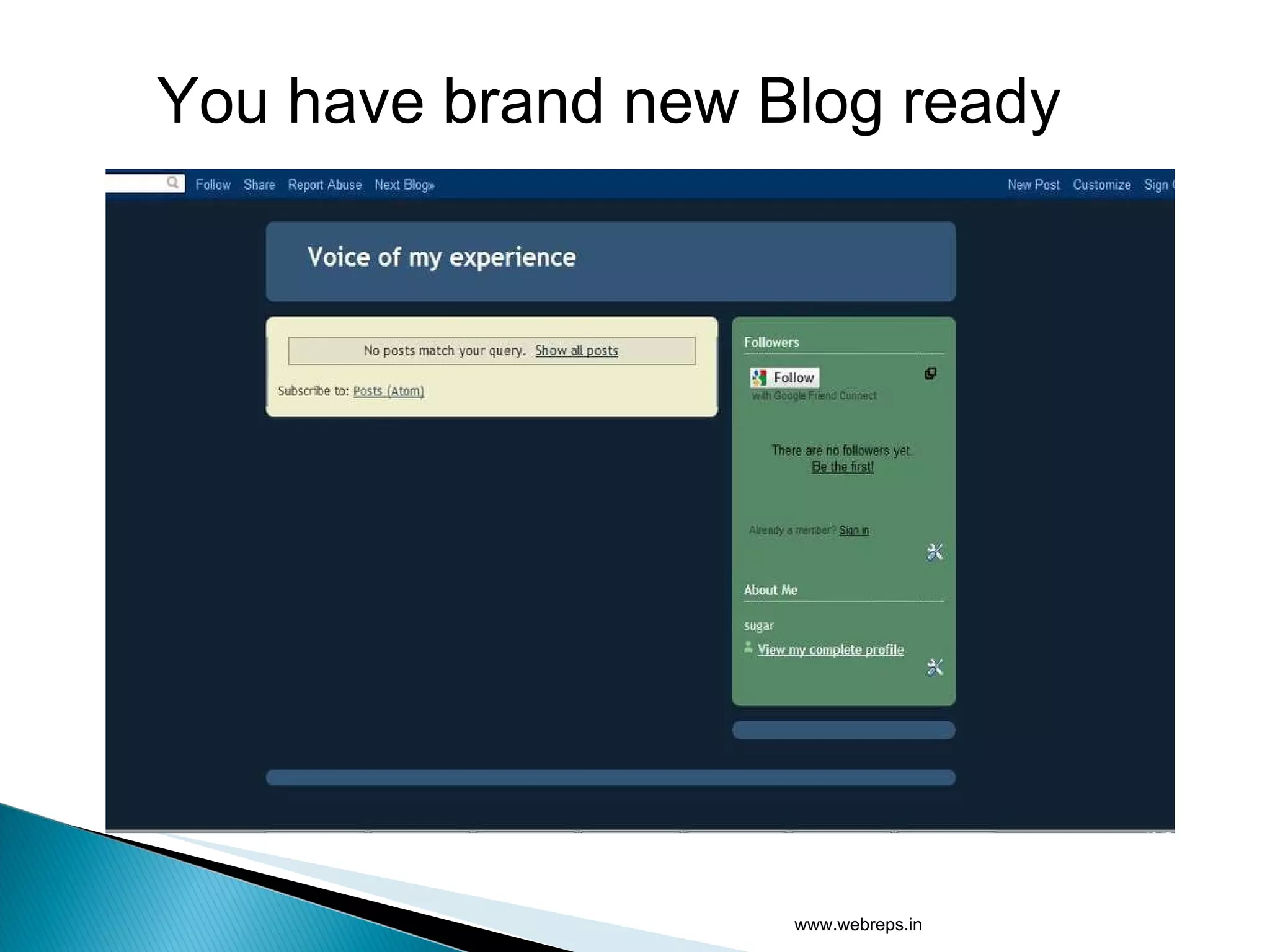
You have brand new Blog ready www.webreps.in
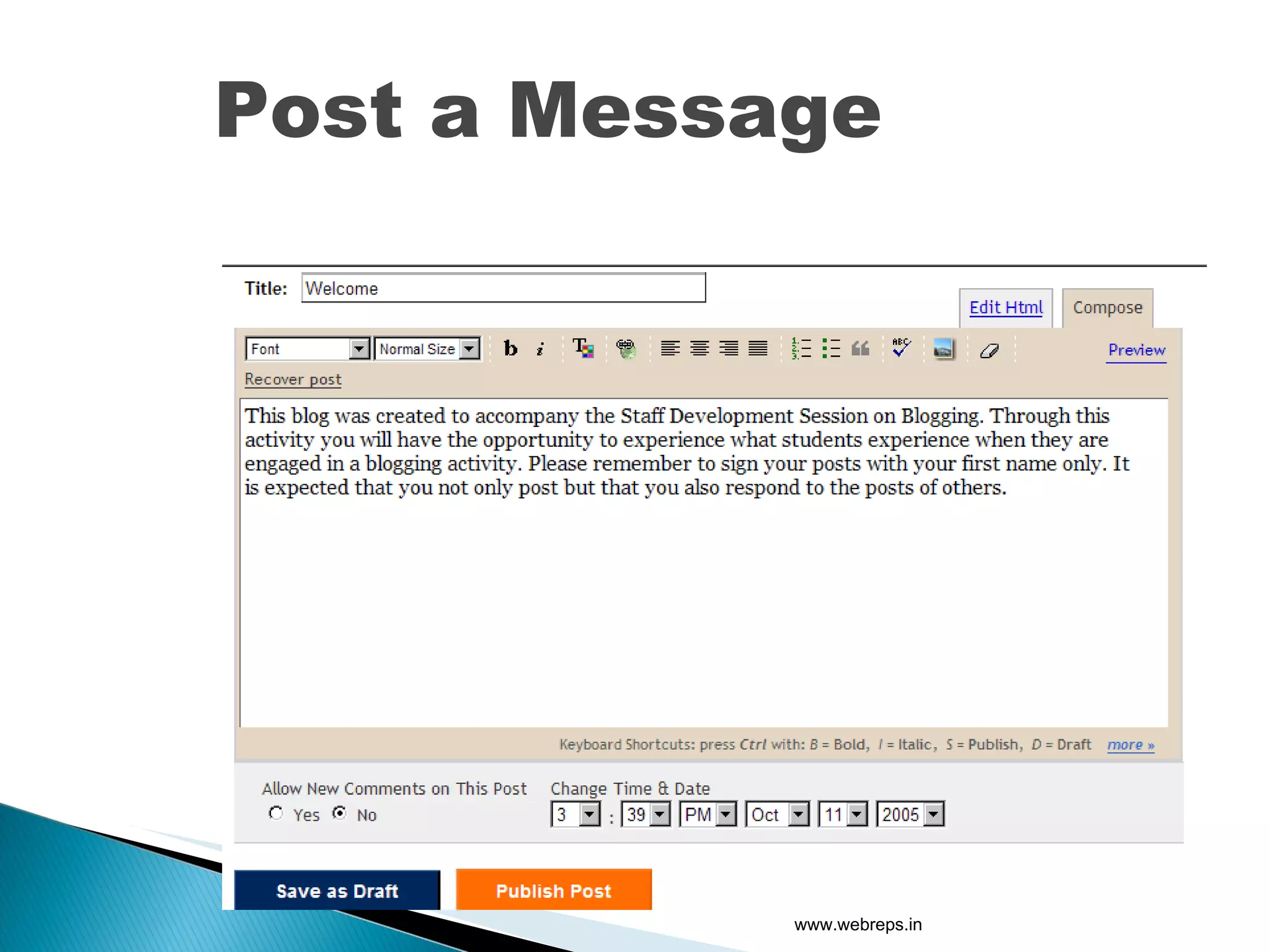
Post a   Message www.webreps.in
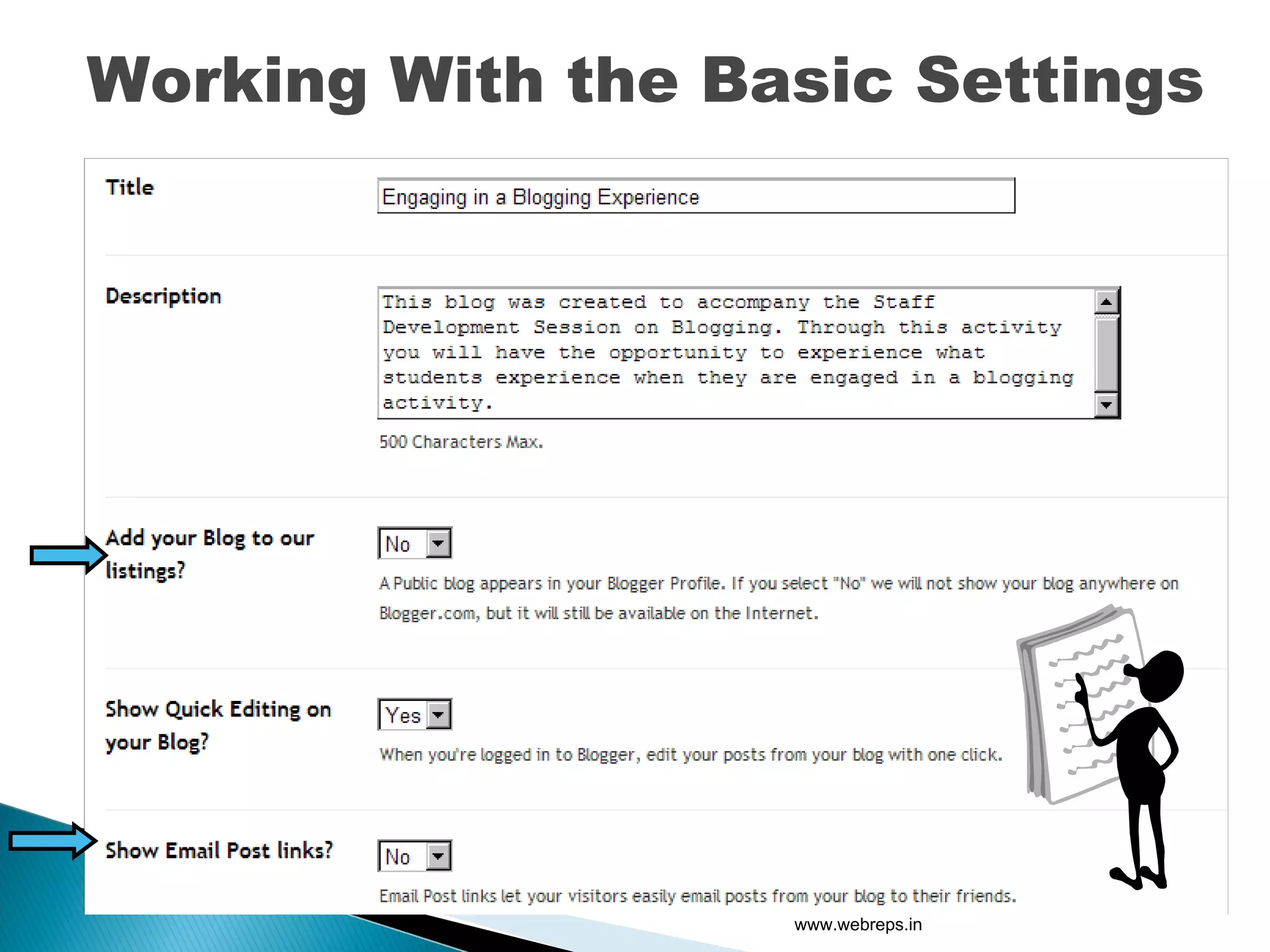
Working With the Basic Settings www.webreps.in
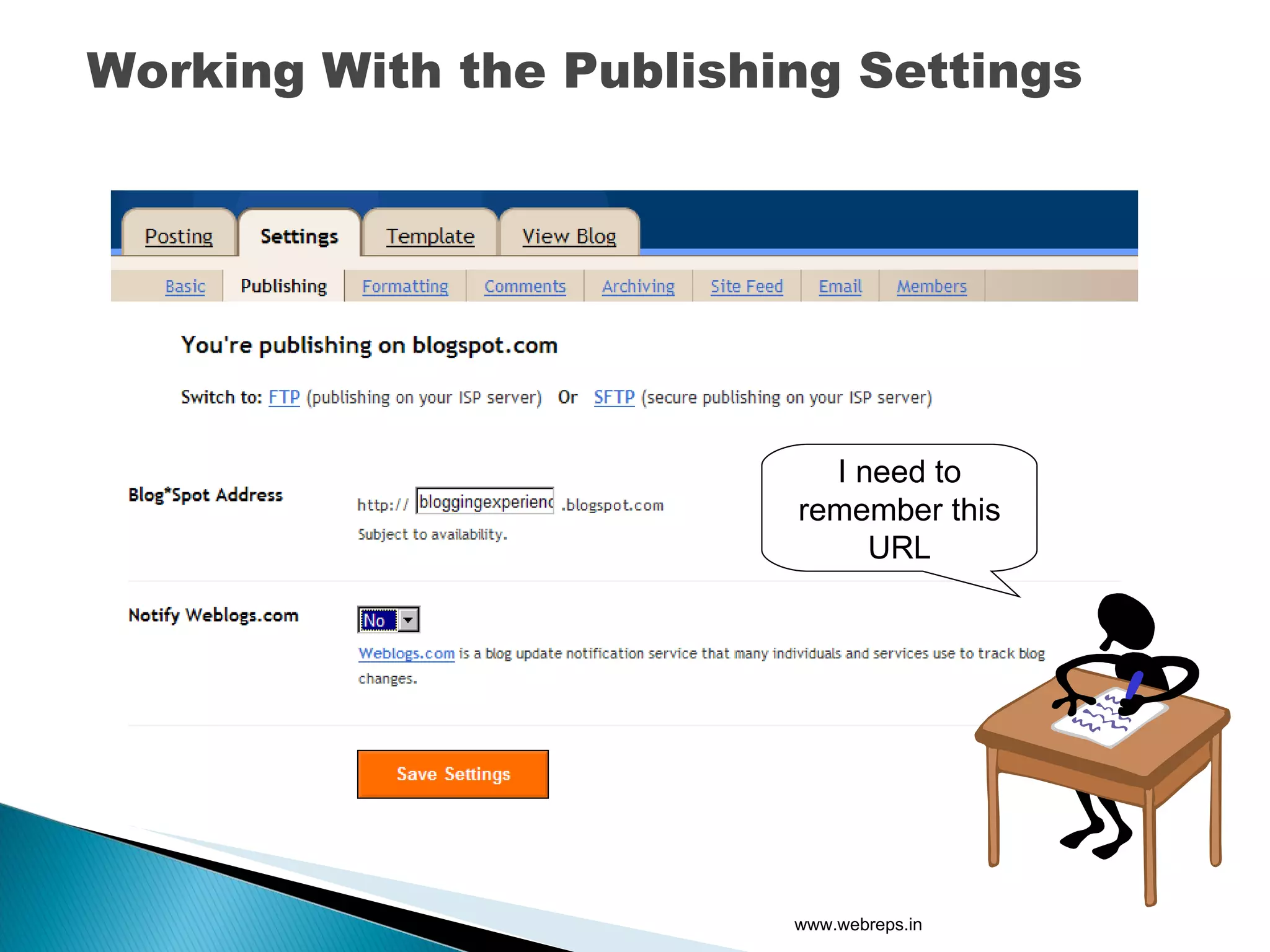
Working With the Publishing Settings I need to remember this URL www.webreps.in
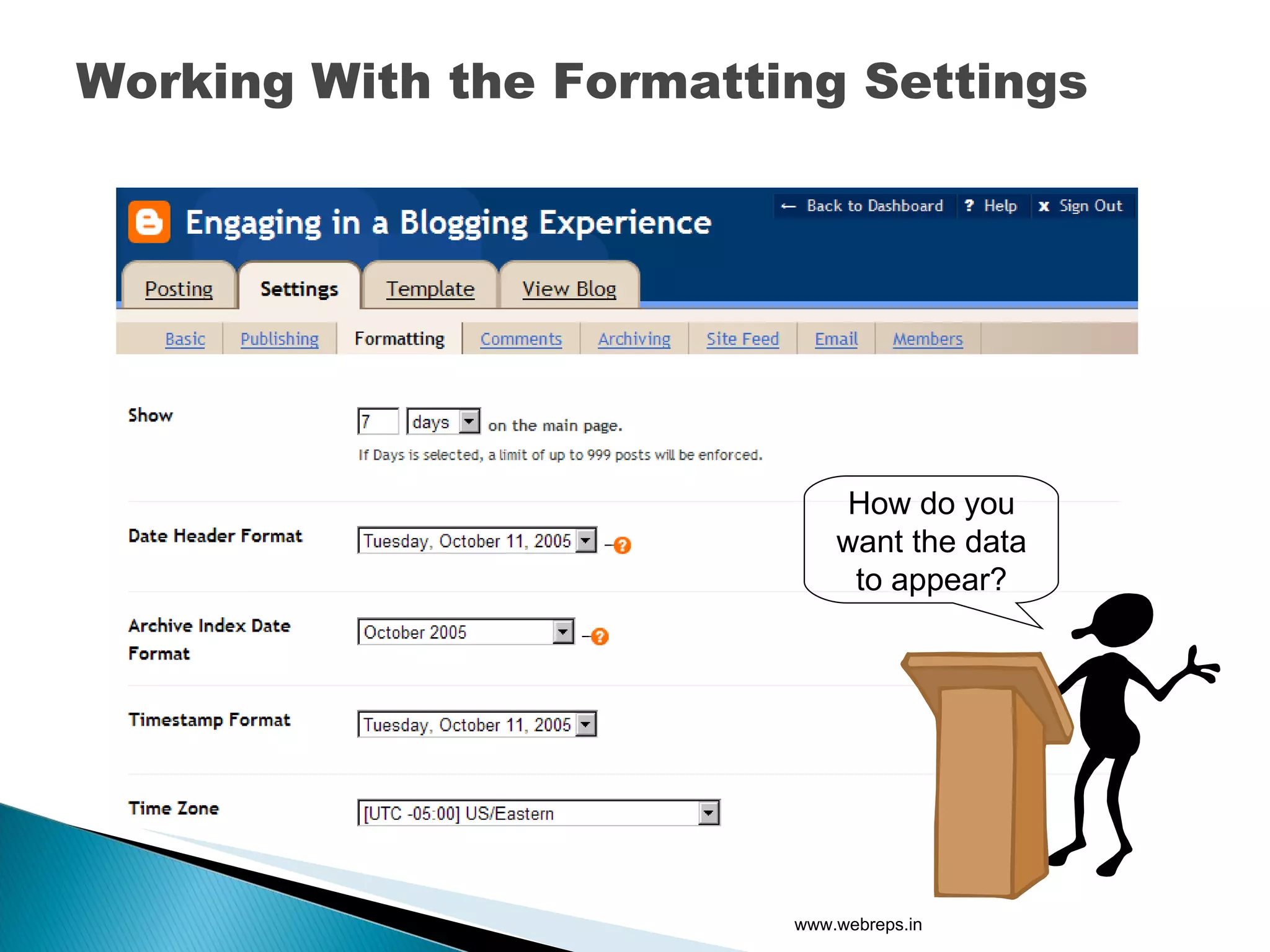
Working With the Formatting Settings How do you want the data to appear? www.webreps.in
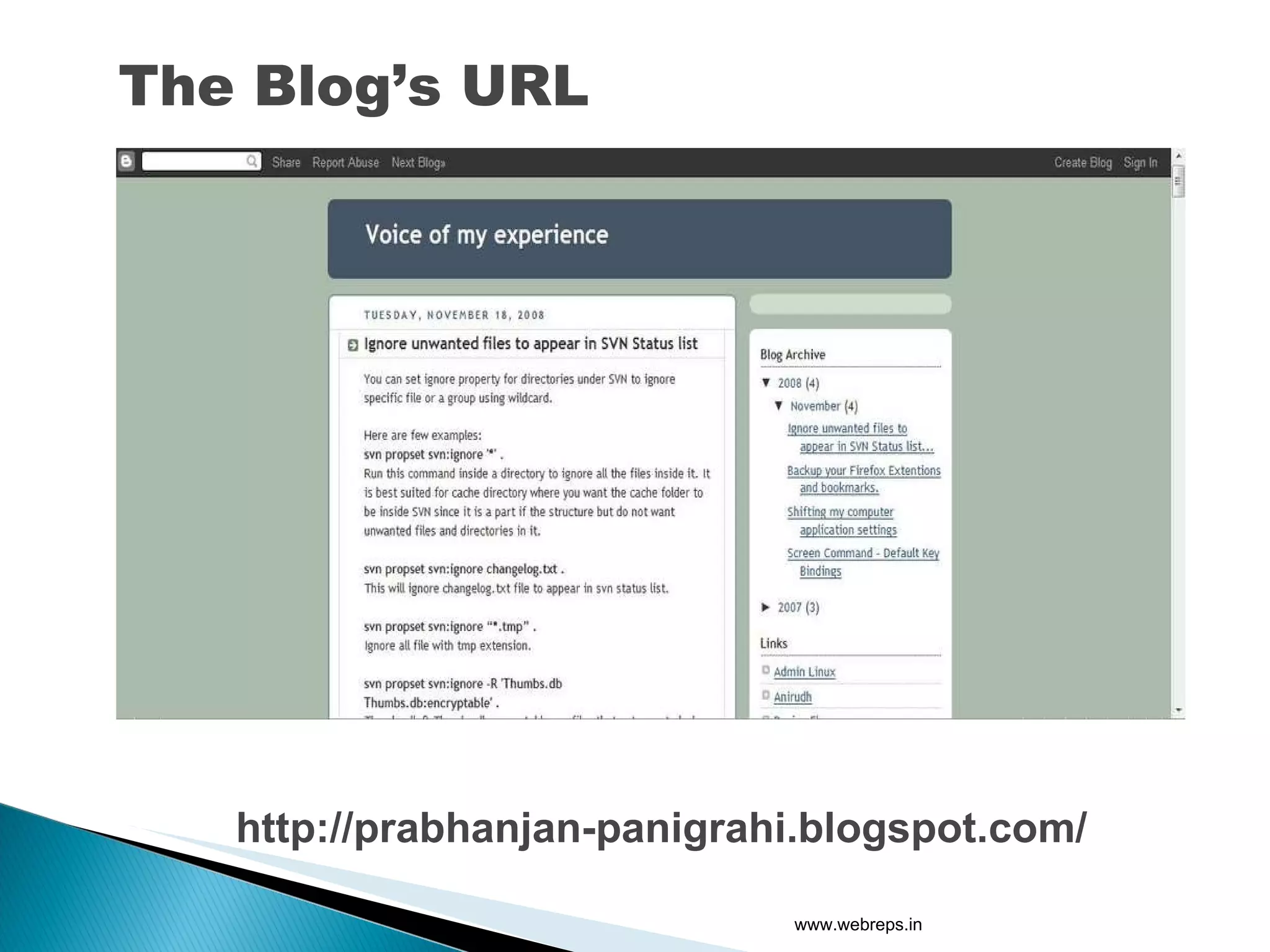
The Blog’s URL http://prabhanjan-panigrahi.blogspot.com/ www.webreps.in
WordPress www.webreps.in
Choosing your domain and getting it registered (godaddy.com). Choosing your hosting space provider. PHP 4.3 or greater MySQL 4.0 or greater The mod_rewrite Apache module Should have ftp or ssh access. www.webreps.in
This is the simplest one. Choose a hosting that provides  Fantastico in its cpanel, this is an application that  automates the installation of web application. And with few button clicks you will have your blog installed. www.webreps.in
Download the wordpress package from wordpress .org. Unzip it. Upload the files to your sites document root. And then type your blogs url and follow the steps and you will have your blog installed. www.webreps.in
The Plugin Functionality The Theme Functionality  Auto Ping Functionality  The Trackback  The Overall Feeling of Simplicity  www.webreps.in
WordPress can become a very good content management  with an very little tweaking. You can create hundreds of pages and build a complete website and blog with the same installation. www.webreps.in
Any questions? www.webreps.in

Prabhanjan Panigrahi

  • 1.
    Prabhanjan Panigrahi TechnicalHead - SFC www.webreps.in
  • 2.
  • 3.
    www.webreps.in 1. Blogger.com2. WordPress.com 3. LiveJournal.com 4. Blogr.com 5. Xanga.com 6. Blogster.com 7. Multiply.com 8. Blog.com 9. Freevlog.org 10. InsaneJournal.com 11. ClearBlogs.com 12. Etribes.com 13. Terapad.com 14. Blogsome.com 15. ShoutPost.com 16. OpenDiary.com 17. Greasy.com 18. Blogetery.com 19. Friendster.com 20. Netcipia.com 21. SquareSpace.com 22. Bravenet.com 23. Edublogs.org 24. Wordpress.org 25. Moveable Type
  • 4.
    1. Hosted blogplatform.(as a service) 2. Self-Hosted blog platform.(as an application) www.webreps.in
  • 5.
    Blogs like blogspot, typepad and wordpress.com are examples of a hosted blog. In this platform the blog is pre-hosted and is provided as a service. www.webreps.in
  • 6.
  • 7.
    A hosted sitemakes it extremely easy for you to start a blog and see if you like it without spending a lot of money up front. Generally extremely user-friendly and fairly intuitive. Hosted sites also offer WYSIWIG editors . www.webreps.in
  • 8.
    Customizing the Template : You will generally have less control of your HTML or CSS. Ads : WordPress.com does not allow advertising on your blog. SEO : There are platform limitations. For example, archiving can be less user-friendly; TypePad can have issues with comment spam and trackback spam. Less professional : Blogger blogs can appear to be less professional. This is a bias in the blogging community. www.webreps.in
  • 9.
    You have controlover all of your HTML and CSS . You have control over permalinks . This means that instead of the platform choosing the name of a post, you choose a name. This will help not only with managing permalinks, but with managing your SEO (or search engine optimization). There are many plug-ins for the WordPress.org platform that allow you to do everything from managing advertising to managing and responding to comments more efficiently. You have control over how your archives are managed . www.webreps.in
  • 10.
    You need tobe technical to get a blog started. You should be more comfortable with HTML, CSS, and PHP in order to tweak your templates. Will cost you money .( domain registration and hosting cost). www.webreps.in
  • 11.
  • 12.
  • 13.
    Now Having consideredall the options, we will concentrate on two main platforms Blogger, i.e., blogspot (Hosted blog platform). Wordpress( Self Hosted Blog Platform) www.webreps.in
  • 14.
    Set Up aBlogger Account http://www.blogger.com www.webreps.in try_blogging
  • 15.
  • 16.
  • 17.
    You have brandnew Blog ready www.webreps.in
  • 18.
    Post a Message www.webreps.in
  • 19.
    Working With theBasic Settings www.webreps.in
  • 20.
    Working With thePublishing Settings I need to remember this URL www.webreps.in
  • 21.
    Working With theFormatting Settings How do you want the data to appear? www.webreps.in
  • 22.
    The Blog’s URLhttp://prabhanjan-panigrahi.blogspot.com/ www.webreps.in
  • 23.
  • 24.
    Choosing your domainand getting it registered (godaddy.com). Choosing your hosting space provider. PHP 4.3 or greater MySQL 4.0 or greater The mod_rewrite Apache module Should have ftp or ssh access. www.webreps.in
  • 25.
    This is thesimplest one. Choose a hosting that provides Fantastico in its cpanel, this is an application that automates the installation of web application. And with few button clicks you will have your blog installed. www.webreps.in
  • 26.
    Download the wordpresspackage from wordpress .org. Unzip it. Upload the files to your sites document root. And then type your blogs url and follow the steps and you will have your blog installed. www.webreps.in
  • 27.
    The Plugin FunctionalityThe Theme Functionality Auto Ping Functionality The Trackback The Overall Feeling of Simplicity www.webreps.in
  • 28.
    WordPress can becomea very good content management with an very little tweaking. You can create hundreds of pages and build a complete website and blog with the same installation. www.webreps.in
  • 29.