


Patch Management: 4 Best Practices and More for Today’s Healthcare ITMay 11th, 201111:00 am PST / 2:00 pm EST
Meet Our SpeakersIan BartellIT DirectorRoswell  Regional HospitalGerald BeaulieuIT Automation Expert Kaseya
Polling Question 1What is your biggest pain point for Patch Management?- workstation- server- laptop- other
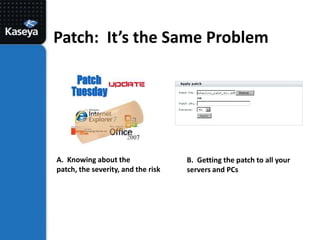
Patch:  It’s the Same ProblemA.  Knowing about the patch, the severity, and the riskB.  Getting the patch to all your servers and PCs
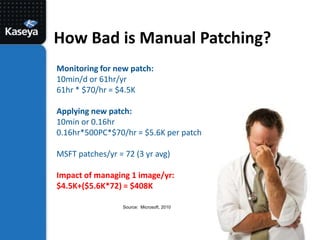
How Bad is Manual Patching?Monitoring for new patch:  10min/d or 61hr/yr61hr * $70/hr = $4.5KApplying new patch:  10min or 0.16hr0.16hr*500PC*$70/hr = $5.6K per patchMSFT patches/yr = 72 (3 yr avg)Impact of managing 1 image/yr:  $4.5K+($5.6K*72) = $408KSource:  Microsoft, 2010
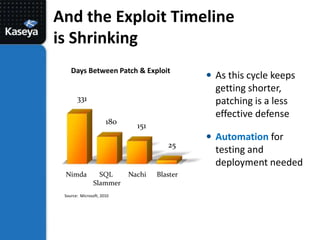
And the Exploit Timeline is ShrinkingDays Between Patch & ExploitAs this cycle keeps getting shorter, patching is a less effective defenseAutomation for testing and deployment needed33118015125NimdaSQL SlammerNachiBlasterSource:  Microsoft, 2010
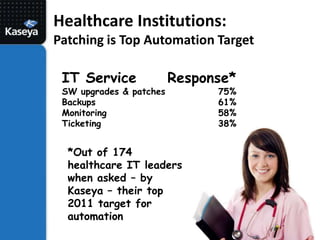
Healthcare Institutions: Patching is Top Automation TargetIT ServiceSW upgrades & patchesBackupsMonitoringTicketingResponse*75%61%58%38%*Out of 174 healthcare IT leaders when asked – by Kaseya – their top 2011 target for automation
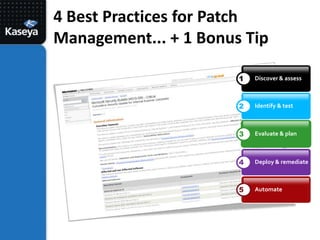
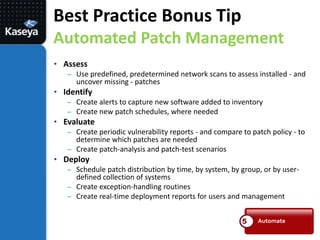
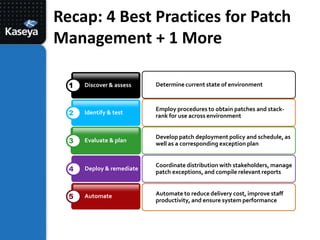
4 Best Practices for Patch Management... + 1 Bonus TipDiscover & assess1Identify & test2Evaluate & plan3Deploy & remediate4Automate5
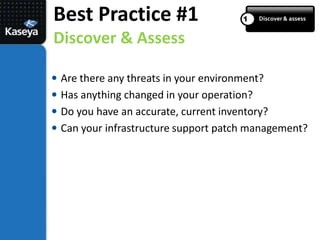
Discover & assessBest Practice #1Discover & Assess1Are there any threats in your environment?Has anything changed in your operation?Do you have an accurate, current inventory?Can your infrastructure support patch management?
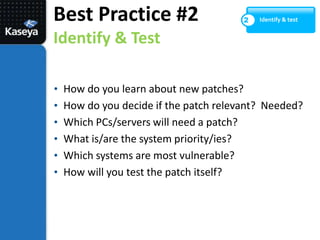
Identify & testBest Practice #2Identify & Test2How do you learn about new patches?
How do you decide if the patch relevant?  Needed?
Which PCs/servers will need a patch?
What is/are the system priority/ies?
Which systems are most vulnerable?
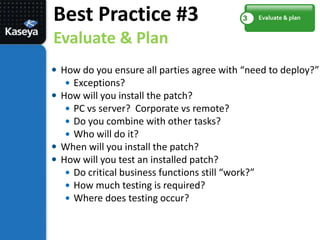
How will you test the patch itself?Evaluate & planBest Practice #3Evaluate & Plan3How do you ensure all parties agree with “need to deploy?”Exceptions?How will you install the patch?PC vs server?  Corporate vs remote?Do you combine with other tasks?Who will do it?When will you install the patch?How will you test an installed patch?Do critical business functions still “work?”How much testing is required?Where does testing occur?
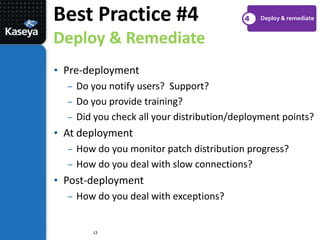
Deploy & remediateBest Practice #4Deploy & Remediate4Pre-deployment
Do you notify users?  Support?
Do you provide training?
Did you check all your distribution/deployment points?
At deployment
How do you monitor patch distribution progress?
How do you deal with slow connections?

Patch Management: 4 Best Practices and More for Today's Healthcare IT

  • 1.
    Patch Management: 4Best Practices and More for Today’s Healthcare ITMay 11th, 201111:00 am PST / 2:00 pm EST
  • 2.
    Meet Our SpeakersIanBartellIT DirectorRoswell Regional HospitalGerald BeaulieuIT Automation Expert Kaseya
  • 3.
    Polling Question 1Whatis your biggest pain point for Patch Management?- workstation- server- laptop- other
  • 4.
    Patch: It’sthe Same ProblemA. Knowing about the patch, the severity, and the riskB. Getting the patch to all your servers and PCs
  • 5.
    How Bad isManual Patching?Monitoring for new patch: 10min/d or 61hr/yr61hr * $70/hr = $4.5KApplying new patch: 10min or 0.16hr0.16hr*500PC*$70/hr = $5.6K per patchMSFT patches/yr = 72 (3 yr avg)Impact of managing 1 image/yr: $4.5K+($5.6K*72) = $408KSource: Microsoft, 2010
  • 6.
    And the ExploitTimeline is ShrinkingDays Between Patch & ExploitAs this cycle keeps getting shorter, patching is a less effective defenseAutomation for testing and deployment needed33118015125NimdaSQL SlammerNachiBlasterSource: Microsoft, 2010
  • 7.
    Healthcare Institutions: Patchingis Top Automation TargetIT ServiceSW upgrades & patchesBackupsMonitoringTicketingResponse*75%61%58%38%*Out of 174 healthcare IT leaders when asked – by Kaseya – their top 2011 target for automation
  • 8.
    4 Best Practicesfor Patch Management... + 1 Bonus TipDiscover & assess1Identify & test2Evaluate & plan3Deploy & remediate4Automate5
  • 9.
    Discover & assessBestPractice #1Discover & Assess1Are there any threats in your environment?Has anything changed in your operation?Do you have an accurate, current inventory?Can your infrastructure support patch management?
  • 10.
    Identify & testBestPractice #2Identify & Test2How do you learn about new patches?
  • 11.
    How do youdecide if the patch relevant? Needed?
  • 12.
  • 13.
    What is/are thesystem priority/ies?
  • 14.
    Which systems aremost vulnerable?
  • 15.
    How will youtest the patch itself?Evaluate & planBest Practice #3Evaluate & Plan3How do you ensure all parties agree with “need to deploy?”Exceptions?How will you install the patch?PC vs server? Corporate vs remote?Do you combine with other tasks?Who will do it?When will you install the patch?How will you test an installed patch?Do critical business functions still “work?”How much testing is required?Where does testing occur?
  • 16.
    Deploy & remediateBestPractice #4Deploy & Remediate4Pre-deployment
  • 17.
    Do you notifyusers? Support?
  • 18.
  • 19.
    Did you checkall your distribution/deployment points?
  • 20.
  • 21.
    How do youmonitor patch distribution progress?
  • 22.
    How do youdeal with slow connections?