A Seminar Presentation
On iPhone
Submitted to:-
Mrs. Sumam Mam
HOD of CSE dept.
Submitted by:-
JawharAli
B.Tech CSE 8th sem
A Seminar Presentation
On
Google Glass
Introduction
Components
Operating System
How Google Glass work?
What makes it work?
Technical Specifications
Applications
Advantages
Disadvantages
Conclusion
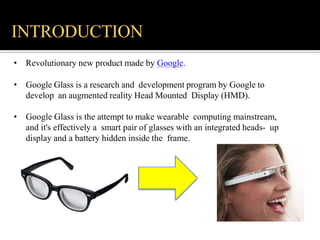
• Revolutionary new product made by Google.
• Google Glass is a research and development program by Google to
develop an augmented reality Head Mounted Display (HMD).
• Google Glass is the attempt to make wearable computing mainstream,
and it's effectively a smart pair of glasses with an integrated heads- up
display and a battery hidden inside the frame.
INTRODUCTION
COMPONENTS
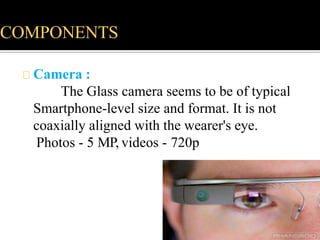
Camera :
The Glass camera seems to be of typical
Smartphone-level size and format. It is not
coaxially aligned with the wearer's eye.
Photos - 5 MP, videos - 720p
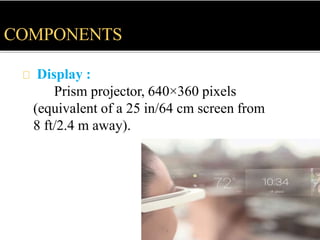
Display :
Prism projector, 640×360 pixels
(equivalent of a 25 in/64 cm screen from
8 ft/2.4 m away).
COMPONENTS
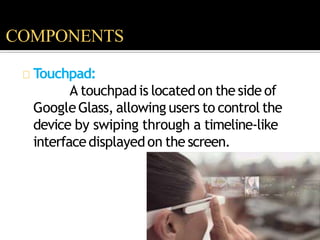
Touchpad:
A touchpadis locatedon the side of
GoogleGlass, allowing users to control the
device by swiping through a timeline-like
interfacedisplayedon the screen.
COMPONENTS
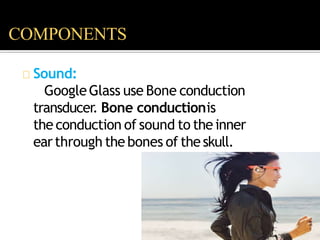
Sound:
GoogleGlass use Bone conduction
transducer. Bone conductionis
the conduction of sound to the inner
earthrough the bones of the skull.
COMPONENTS
Input:
Other than touchpad Google Glass use Voice
command through microphone,
accelerometer, gyroscope, magnetometer,
ambient light sensor, proximity sensor… as input.
COMPONENTS
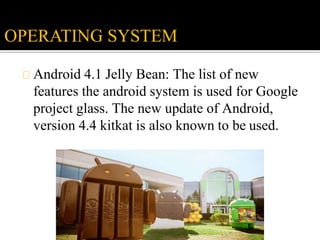
Android 4.1 Jelly Bean: The list of new
features the android system is used for Google
project glass. The new update of Android,
version 4.4 kitkat is also known to be used.
OPERATING SYSTEM
WHAT MAKES IT WORK ?
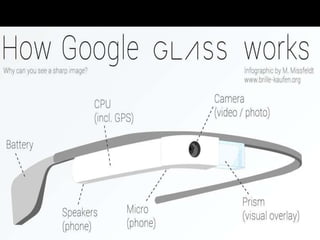
Google Glass contains the fundamental
bits of any computer, including a CPU,
sensors such as GPS, speakers, microphone
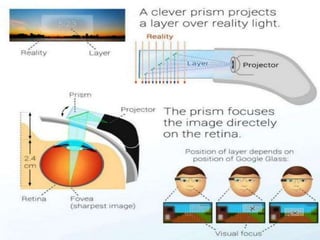
and battery, to which are added a tiny
projector and a prism that redirects the light
onto your retina.
Generally it uses voice recognition
technology to access the menu.
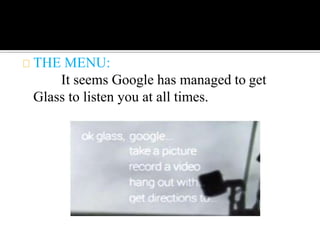
THE MENU:
It seems Google has managed to get
Glass to listen you at all times.
Google Glass menu overview:
1. Google...
2. take a picture
3. record a video
4. get directions to...
1.Google…
Google is the first and most diverse voice
command. The ellipses (...) after the command
indicate that you can follow it up with sub-
commands..
2. Take a picture:
Snapping images with Glass should be an
extremely rewarding and spontaneous experience
– after all you can snap images everywhere
almost instantly.
3. Record a video
Recording a video is another great examples
where the hands-free nature of Google Glass
shines. What makes Glass different from most
head-mounted cameras though is its cellular
connectivity and ability to instantly share the
captured footage.
4. Get directions to...
With Google Maps in the corner of your
eye at all times you can easily navigate
yourself while driving, cycling, walking.
Again, having your display head-mounted and
your hands free is the greatest advantage to
Glass.
• Android 4.0.4 and
higher 640×360
display
• 5-megapixel camera, capable of 720p video recording
Wi-Fi 802.11b/g
• Bluetooth
• 16GB storage (12 GB available)
• Texas Instruments OMAP 4430 SoC 1.2Ghz
Dual(ARMv7) 682MB RAM .
• 3 axis gyroscope
• 3 axis accelerometer
• 3 axis magnetometer (compass)
• Ambient light sensing and proximity
sensor Bone conduction transducer
TECHNICAL SPECIFICATIONS
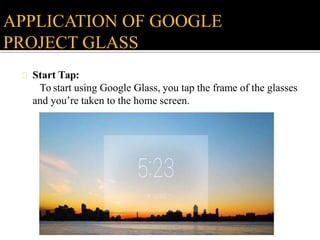
Start Tap:
To start using Google Glass, you tap the frame of the glasses
and you’re taken to the home screen.
APPLICATION OF GOOGLE
PROJECT GLASS
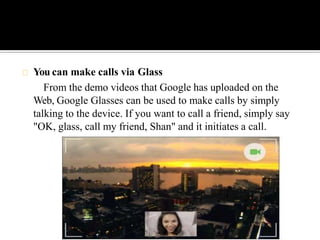
You can make calls via Glass
From the demo videos that Google has uploaded on the
Web, Google Glasses can be used to make calls by simply
talking to the device. If you want to call a friend, simply say
"OK, glass, call my friend, Shan" and it initiates a call.
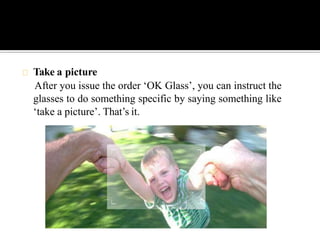
Take a picture
After you issue the order ‘OK Glass’, you can instruct the
glasses to do something specific by saying something like
‘take a picture’. That’s it.
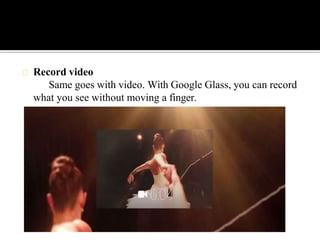
Record video
Same goes with video. With Google Glass, you can record
what you see without moving a finger.
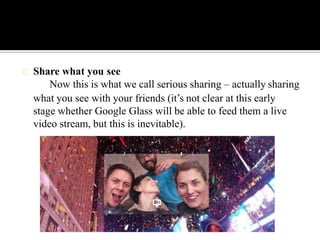
Share what you see
Now this is what we call serious sharing – actually sharing
what you see with your friends (it’s not clear at this early
stage whether Google Glass will be able to feed them a live
video stream, but this is inevitable).
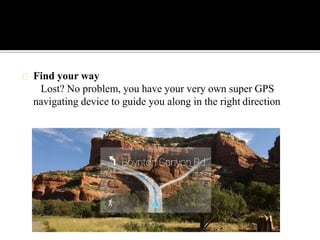
Find your way
Lost? No problem, you have your very own super GPS
navigating device to guide you along in the right direction
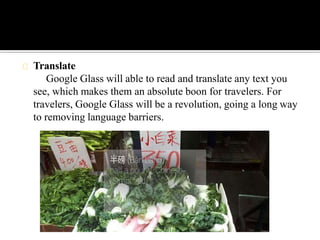
Translate
Google Glass will able to read and translate any text you
see, which makes them an absolute boon for travelers. For
travelers, Google Glass will be a revolution, going a long way
to removing language barriers.
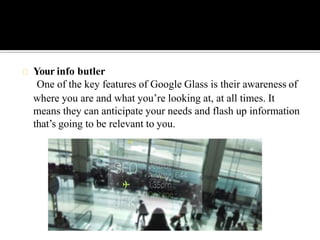
Your info butler
One of the key features of Google Glass is their awareness of
where you are and what you’re looking at, at all times. It
means they can anticipate your needs and flash up information
that’s going to be relevant to you.
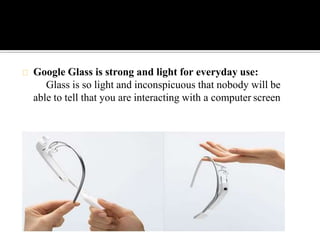
Google Glass is strong and light for everyday use:
Glass is so light and inconspicuous that nobody will be
able to tell that you are interacting with a computer screen
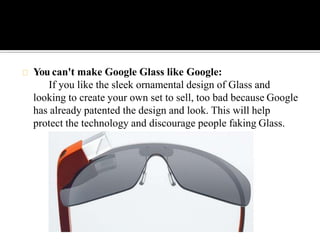
You can't make Google Glass like Google:
If you like the sleek ornamental design of Glass and
looking to create your own set to sell, too bad because Google
has already patented the design and look. This will help
protect the technology and discourage people faking Glass.
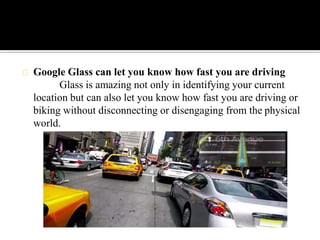
Google Glass can let you know how fast you are driving
Glass is amazing not only in identifying your current
location but can also let you know how fast you are driving or
biking without disconnecting or disengaging from the physical
world.
ADVANTAGES
• Easy to wear and use.
• Sensitive and responsive to the presence of people.
• Fast access of maps, documents, videos, chats and much
more.
• A spectacle based computer to reside directly on your eyes
rather than in your pouch or pocket.
• A useful technology for all kinds of handicapped/disabled
people.
• a better option for a smart phone
• you can use it while doing day to day activities
• capturing video or image is more effective
• sharing is easy
• can use internet and social networking easily.
DISADVANTAGES
• Can be easily broken or damaged. Users will have a tough
• time taking care of it.
• It may lead to accidents while driving.
• The resource for running these glasses is still unknown.
• Will there be a battery or it will run using solar energy?
• Privacy of people may breach with new glasses.
• Can be used only in metro cities.
• As display is too near to the eyeball it may cause serious
damage to eyeball .
Google glasses are basically wearable computers that use the
evolving familiar technologies that brings the sophistication
and ease of communication and information access even for
the physically challenged class of people those literally could
not use general way of palmtops and mobiles. This device will
change the meaning of a technology, this device will change
the medium of communication and will be popular within a
few years.
CONCLUSION
… ???
THANK YOU

powerpoint presentation on Google glass

  • 1.
    A Seminar Presentation OniPhone Submitted to:- Mrs. Sumam Mam HOD of CSE dept. Submitted by:- JawharAli B.Tech CSE 8th sem A Seminar Presentation On Google Glass
  • 2.
    Introduction Components Operating System How GoogleGlass work? What makes it work? Technical Specifications Applications Advantages Disadvantages Conclusion
  • 3.
    • Revolutionary newproduct made by Google. • Google Glass is a research and development program by Google to develop an augmented reality Head Mounted Display (HMD). • Google Glass is the attempt to make wearable computing mainstream, and it's effectively a smart pair of glasses with an integrated heads- up display and a battery hidden inside the frame. INTRODUCTION
  • 4.
    COMPONENTS Camera : The Glasscamera seems to be of typical Smartphone-level size and format. It is not coaxially aligned with the wearer's eye. Photos - 5 MP, videos - 720p
  • 5.
    Display : Prism projector,640×360 pixels (equivalent of a 25 in/64 cm screen from 8 ft/2.4 m away). COMPONENTS
  • 6.
    Touchpad: A touchpadis locatedonthe side of GoogleGlass, allowing users to control the device by swiping through a timeline-like interfacedisplayedon the screen. COMPONENTS
  • 7.
    Sound: GoogleGlass use Boneconduction transducer. Bone conductionis the conduction of sound to the inner earthrough the bones of the skull. COMPONENTS
  • 8.
    Input: Other than touchpadGoogle Glass use Voice command through microphone, accelerometer, gyroscope, magnetometer, ambient light sensor, proximity sensor… as input. COMPONENTS
  • 9.
    Android 4.1 JellyBean: The list of new features the android system is used for Google project glass. The new update of Android, version 4.4 kitkat is also known to be used. OPERATING SYSTEM
  • 12.
    WHAT MAKES ITWORK ? Google Glass contains the fundamental bits of any computer, including a CPU, sensors such as GPS, speakers, microphone and battery, to which are added a tiny projector and a prism that redirects the light onto your retina. Generally it uses voice recognition technology to access the menu.
  • 13.
    THE MENU: It seemsGoogle has managed to get Glass to listen you at all times.
  • 14.
    Google Glass menuoverview: 1. Google... 2. take a picture 3. record a video 4. get directions to...
  • 15.
    1.Google… Google is thefirst and most diverse voice command. The ellipses (...) after the command indicate that you can follow it up with sub- commands.. 2. Take a picture: Snapping images with Glass should be an extremely rewarding and spontaneous experience – after all you can snap images everywhere almost instantly.
  • 16.
    3. Record avideo Recording a video is another great examples where the hands-free nature of Google Glass shines. What makes Glass different from most head-mounted cameras though is its cellular connectivity and ability to instantly share the captured footage.
  • 17.
    4. Get directionsto... With Google Maps in the corner of your eye at all times you can easily navigate yourself while driving, cycling, walking. Again, having your display head-mounted and your hands free is the greatest advantage to Glass.
  • 18.
    • Android 4.0.4and higher 640×360 display • 5-megapixel camera, capable of 720p video recording Wi-Fi 802.11b/g • Bluetooth • 16GB storage (12 GB available) • Texas Instruments OMAP 4430 SoC 1.2Ghz Dual(ARMv7) 682MB RAM . • 3 axis gyroscope • 3 axis accelerometer • 3 axis magnetometer (compass) • Ambient light sensing and proximity sensor Bone conduction transducer TECHNICAL SPECIFICATIONS
  • 19.
    Start Tap: To startusing Google Glass, you tap the frame of the glasses and you’re taken to the home screen. APPLICATION OF GOOGLE PROJECT GLASS
  • 20.
    You can makecalls via Glass From the demo videos that Google has uploaded on the Web, Google Glasses can be used to make calls by simply talking to the device. If you want to call a friend, simply say "OK, glass, call my friend, Shan" and it initiates a call.
  • 21.
    Take a picture Afteryou issue the order ‘OK Glass’, you can instruct the glasses to do something specific by saying something like ‘take a picture’. That’s it.
  • 22.
    Record video Same goeswith video. With Google Glass, you can record what you see without moving a finger.
  • 23.
    Share what yousee Now this is what we call serious sharing – actually sharing what you see with your friends (it’s not clear at this early stage whether Google Glass will be able to feed them a live video stream, but this is inevitable).
  • 24.
    Find your way Lost?No problem, you have your very own super GPS navigating device to guide you along in the right direction
  • 25.
    Translate Google Glass willable to read and translate any text you see, which makes them an absolute boon for travelers. For travelers, Google Glass will be a revolution, going a long way to removing language barriers.
  • 26.
    Your info butler Oneof the key features of Google Glass is their awareness of where you are and what you’re looking at, at all times. It means they can anticipate your needs and flash up information that’s going to be relevant to you.
  • 27.
    Google Glass isstrong and light for everyday use: Glass is so light and inconspicuous that nobody will be able to tell that you are interacting with a computer screen
  • 28.
    You can't makeGoogle Glass like Google: If you like the sleek ornamental design of Glass and looking to create your own set to sell, too bad because Google has already patented the design and look. This will help protect the technology and discourage people faking Glass.
  • 29.
    Google Glass canlet you know how fast you are driving Glass is amazing not only in identifying your current location but can also let you know how fast you are driving or biking without disconnecting or disengaging from the physical world.
  • 30.
    ADVANTAGES • Easy towear and use. • Sensitive and responsive to the presence of people. • Fast access of maps, documents, videos, chats and much more. • A spectacle based computer to reside directly on your eyes rather than in your pouch or pocket. • A useful technology for all kinds of handicapped/disabled people. • a better option for a smart phone • you can use it while doing day to day activities • capturing video or image is more effective • sharing is easy • can use internet and social networking easily.
  • 31.
    DISADVANTAGES • Can beeasily broken or damaged. Users will have a tough • time taking care of it. • It may lead to accidents while driving. • The resource for running these glasses is still unknown. • Will there be a battery or it will run using solar energy? • Privacy of people may breach with new glasses. • Can be used only in metro cities. • As display is too near to the eyeball it may cause serious damage to eyeball .
  • 32.
    Google glasses arebasically wearable computers that use the evolving familiar technologies that brings the sophistication and ease of communication and information access even for the physically challenged class of people those literally could not use general way of palmtops and mobiles. This device will change the meaning of a technology, this device will change the medium of communication and will be popular within a few years. CONCLUSION
  • 33.