Our Focus QuestionHow can students ICT usage assist teachers in engaging students in powerful and purposeful learning?
South west hurricanes
OBJECTIVESTo increase student engagement and outcomes in the following areas:LiteracyNumeracyCivics & CitizenshipArtTo establish joint projects with other schools using Web 2.0 technology
ASSESSMENTOur project is not finished, we plan on running it through the to end of the year and into 2010 with a different cohort of students but we will use:Student polls through EdmodoStudent outcomes through online assessmentsAnecdotal evidence suggests that our project is successful so far in engaging and motivating students involved.
SHARINGSharing of our project and it’s benefits will occur in 2010 via:Our group wikiThe netbook trial wikiOffering PLTs to networks in the region
DocumentationWe have been recording:Student responses to teacher postsStudent comments to teachers and each otherStudent pollsActivities posted by teachersAnecdotal observationsOur project plan using Microsoft OneNoteRecording will continue due to the ongoing nature of the project.
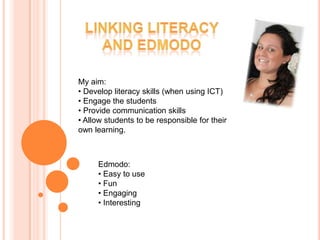
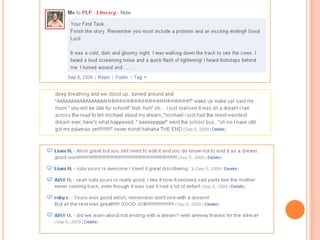
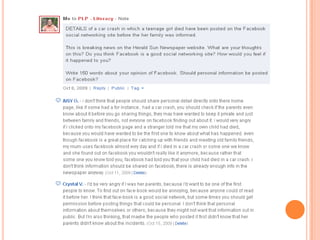
Linking LiteracyAnd edmodoMy aim: Develop literacy skills (when using ICT)
 Engage the students
 Provide communication skills
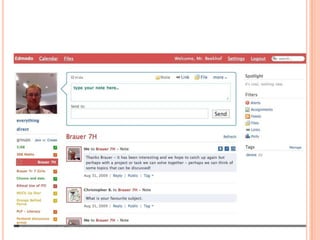
 Allow students to be responsible for their own learning.Edmodo: Easy to use
 Fun
 Engaging
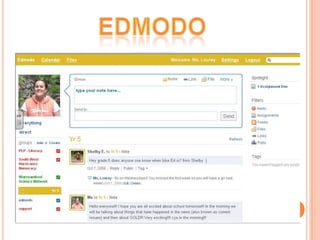
 InterestingEdmodo
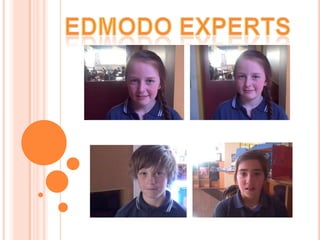
Edmodo experts
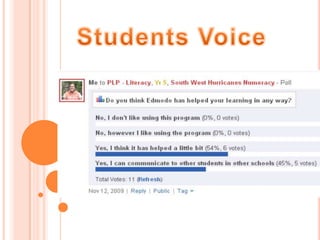
Students Voice
Linking numeracy And edmodoMy Goal:To improve engagement and student outcomes in numeracy.Using:An online forum for students to share their knowledge;Challenging problems for students to solve;Ability to view and give feedback to other students.
			EDMODO
How It WorkedA group of high achieving students in the 5/6 classOnce a week as part of their numeracy groups studentsLog on with their personal log onNavigate to the numeracy groupRead the problemSolve the problemUpload their solution
The ResultsIncrease in student engagement due to:Challenging problems‘Competing’ against students from other schoolsHaving an audience for others to view their work motivated them to check their solutionsBeing able to view and provide feedback to the work of others.
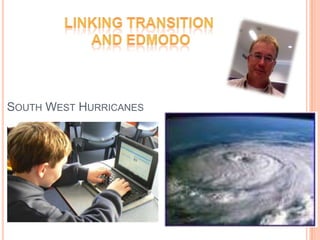
Linking transition And edmodoSouth West Hurricanes
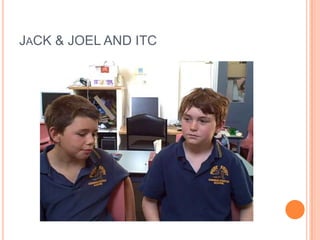
JaCK & JOEL AND ITC
Netbook Reflections STUDENT A – Year 5The Netbooks are really good and it helps me keep all my work together. The Netbooks are also improving my learning by having special programs that are giving me lots challenging activities and games.The Netbooks are a good way of keeping track of your work and ideas which are good because sometimes you need to find something and it will always be on your Netbook.STUDENT B – Year 6The netbooks are great, though unfortunately there seems to always be problems with them. The netbooks all have trojan horses and I think that the screen it too small. The sound is really annoying because it keeps stuffing up and going, then I have to fix it over and over. The netbooks are really cool though because it makes my homework so much easier to do.  It also helps at my home when my two sisters need the computer for homework because one of them can use my laptop while the other one uses the home computer. It just makes a whole heap of work easier, I can't even  remember how I coped without it!! I hate one note, google sketchup and things that are complicated that you don't actually need...I HATE ONE NOTE!! The reason why I hate one note is because its pointless, it's just one of those creations that doesn't need to be made. The actual netbooks are pretty good the only problem is the size because it hurts your eyes and its just unhelpful because you can't see the whole screen. The other annoying thing about the netbooks are that they are slow and the sound always stuffs up. The screen really needs to be bigger. The netbooks are forfulling their purposes, it just that they come with quite a few long, thick strings. Oh yeah and one time I turned my netbook on and I was doing homework and that netbook just turned itself off and then when I turned it back on everything looked like a 1980 computer and it was all grey and all of my stuff was deleted. Then I turned it off and back on and then it was all back and it was normal again....weird.  So to be honest with you I reckon that the creators of the netbook should come back in a few more years with a better netbook
STUDENT C – Year 6     The Net book program has been a great and exciting experience. He programs I like are Encarta Kids and the Internet. While I like them programs I also dislike Google ketchup, Free mind and tux math and tux typing. I also feel that while the Net books are great and easy to use the screen is too hard to see through because it hurts your eyes when you are doing your work and other things. The good things about the Net books are that they are easy to use they are also easy to carry around because if you get a Net book and a proper laptop you may find that the Net book is so much easier to carry around.STUDENT D – Year 5     The Netbook program has been great!! There are lots of programs that are helpful and fun. I have mainly enjoyed the Netbook program because it has helped me learn
STUDENT  E – Year 6I am not sure I like the netbooks. I never use them at home, because of one reason, I have a laptop already and it is two times bigger and much faster than the netbooks. I don't like many of the programs on Netbooks, because they are way to complicated or pointless. I do not like onenote, at all. We already have folders, isn't that enough? I also hate it how addicted people get to it, doing the wrong thing. I have seen many people doing the wrong thing while we are meant to do something else. And some little things I dislike, is that it makes my bag heavy and every night I have to charge it. Things I like are... The use of computers and typing is much quicker, that's all I like though.
The PFCS netbook team focus is:“How can Netbooks help me become a reflective learner?”We use One Note as a digital portfolio, where the kids can put work samples along with reflections on their learning. Kids use text, photos, videos and audio recordings to reflect on their learning.Students will use these to showcase their work at the 3 way conferences.
1. The problem/possibility or question.What is the problem (or opportunity) you wish to address with your project?Describe what you wish to change, for example, aspects of content (e.g. quality of writing), process (e.g. ability to collaborate), climate (e.g. morale), or tech use (e.g. embedded use of technology in instruction). Be as specific as possible in describing what you want to change.
2. Objectives and AssessmentDevelop objectives and authentic assessments for determining what you want learners (adults or students) to be able to know and do after the project and how you will determine they have indeed mastered the objectives your project laid out.
3. Networked DesignThen think about how you will design your project so participants can share, connect, collaborate, or move to some type of collective action (e.g. a social justice piece).
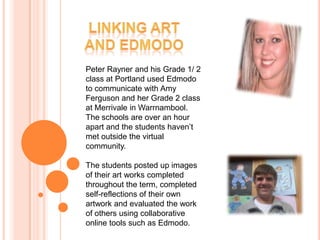
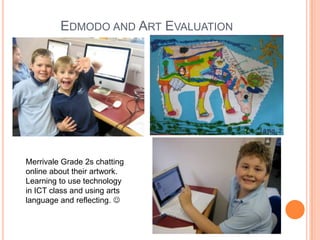
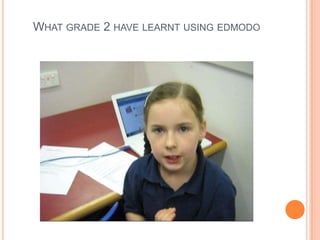
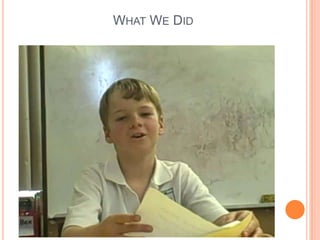
Linking ArtAnd edmodoPeter Rayner and his Grade 1/ 2 class at Portland used Edmodo to communicate with Amy Ferguson and her Grade 2 class at Merrivale in Warrnambool.  The schools are over an hour apart and the students haven’t met outside the virtual community. The students posted up images of their art works completed throughout the term, completed self-reflections of their own artwork and evaluated the work of others using collaborative online tools such as Edmodo.

Plp Presentation

  • 1.
    Our Focus QuestionHowcan students ICT usage assist teachers in engaging students in powerful and purposeful learning?
  • 2.
  • 3.
    OBJECTIVESTo increase studentengagement and outcomes in the following areas:LiteracyNumeracyCivics & CitizenshipArtTo establish joint projects with other schools using Web 2.0 technology
  • 4.
    ASSESSMENTOur project isnot finished, we plan on running it through the to end of the year and into 2010 with a different cohort of students but we will use:Student polls through EdmodoStudent outcomes through online assessmentsAnecdotal evidence suggests that our project is successful so far in engaging and motivating students involved.
  • 5.
    SHARINGSharing of ourproject and it’s benefits will occur in 2010 via:Our group wikiThe netbook trial wikiOffering PLTs to networks in the region
  • 6.
    DocumentationWe have beenrecording:Student responses to teacher postsStudent comments to teachers and each otherStudent pollsActivities posted by teachersAnecdotal observationsOur project plan using Microsoft OneNoteRecording will continue due to the ongoing nature of the project.
  • 7.
    Linking LiteracyAnd edmodoMyaim: Develop literacy skills (when using ICT)
  • 8.
    Engage thestudents
  • 9.
  • 10.
    Allow studentsto be responsible for their own learning.Edmodo: Easy to use
  • 11.
  • 12.
  • 13.
  • 16.
  • 17.
  • 18.
    Linking numeracy AndedmodoMy Goal:To improve engagement and student outcomes in numeracy.Using:An online forum for students to share their knowledge;Challenging problems for students to solve;Ability to view and give feedback to other students.
  • 19.
  • 20.
    How It WorkedAgroup of high achieving students in the 5/6 classOnce a week as part of their numeracy groups studentsLog on with their personal log onNavigate to the numeracy groupRead the problemSolve the problemUpload their solution
  • 21.
    The ResultsIncrease instudent engagement due to:Challenging problems‘Competing’ against students from other schoolsHaving an audience for others to view their work motivated them to check their solutionsBeing able to view and provide feedback to the work of others.
  • 22.
    Linking transition AndedmodoSouth West Hurricanes
  • 23.
  • 24.
    Netbook Reflections STUDENTA – Year 5The Netbooks are really good and it helps me keep all my work together. The Netbooks are also improving my learning by having special programs that are giving me lots challenging activities and games.The Netbooks are a good way of keeping track of your work and ideas which are good because sometimes you need to find something and it will always be on your Netbook.STUDENT B – Year 6The netbooks are great, though unfortunately there seems to always be problems with them. The netbooks all have trojan horses and I think that the screen it too small. The sound is really annoying because it keeps stuffing up and going, then I have to fix it over and over. The netbooks are really cool though because it makes my homework so much easier to do. It also helps at my home when my two sisters need the computer for homework because one of them can use my laptop while the other one uses the home computer. It just makes a whole heap of work easier, I can't even remember how I coped without it!! I hate one note, google sketchup and things that are complicated that you don't actually need...I HATE ONE NOTE!! The reason why I hate one note is because its pointless, it's just one of those creations that doesn't need to be made. The actual netbooks are pretty good the only problem is the size because it hurts your eyes and its just unhelpful because you can't see the whole screen. The other annoying thing about the netbooks are that they are slow and the sound always stuffs up. The screen really needs to be bigger. The netbooks are forfulling their purposes, it just that they come with quite a few long, thick strings. Oh yeah and one time I turned my netbook on and I was doing homework and that netbook just turned itself off and then when I turned it back on everything looked like a 1980 computer and it was all grey and all of my stuff was deleted. Then I turned it off and back on and then it was all back and it was normal again....weird. So to be honest with you I reckon that the creators of the netbook should come back in a few more years with a better netbook
  • 25.
    STUDENT C –Year 6 The Net book program has been a great and exciting experience. He programs I like are Encarta Kids and the Internet. While I like them programs I also dislike Google ketchup, Free mind and tux math and tux typing. I also feel that while the Net books are great and easy to use the screen is too hard to see through because it hurts your eyes when you are doing your work and other things. The good things about the Net books are that they are easy to use they are also easy to carry around because if you get a Net book and a proper laptop you may find that the Net book is so much easier to carry around.STUDENT D – Year 5 The Netbook program has been great!! There are lots of programs that are helpful and fun. I have mainly enjoyed the Netbook program because it has helped me learn
  • 26.
    STUDENT E– Year 6I am not sure I like the netbooks. I never use them at home, because of one reason, I have a laptop already and it is two times bigger and much faster than the netbooks. I don't like many of the programs on Netbooks, because they are way to complicated or pointless. I do not like onenote, at all. We already have folders, isn't that enough? I also hate it how addicted people get to it, doing the wrong thing. I have seen many people doing the wrong thing while we are meant to do something else. And some little things I dislike, is that it makes my bag heavy and every night I have to charge it. Things I like are... The use of computers and typing is much quicker, that's all I like though.
  • 27.
    The PFCS netbookteam focus is:“How can Netbooks help me become a reflective learner?”We use One Note as a digital portfolio, where the kids can put work samples along with reflections on their learning. Kids use text, photos, videos and audio recordings to reflect on their learning.Students will use these to showcase their work at the 3 way conferences.
  • 30.
    1. The problem/possibilityor question.What is the problem (or opportunity) you wish to address with your project?Describe what you wish to change, for example, aspects of content (e.g. quality of writing), process (e.g. ability to collaborate), climate (e.g. morale), or tech use (e.g. embedded use of technology in instruction). Be as specific as possible in describing what you want to change.
  • 31.
    2. Objectives andAssessmentDevelop objectives and authentic assessments for determining what you want learners (adults or students) to be able to know and do after the project and how you will determine they have indeed mastered the objectives your project laid out.
  • 32.
    3. Networked DesignThenthink about how you will design your project so participants can share, connect, collaborate, or move to some type of collective action (e.g. a social justice piece).
  • 33.
    Linking ArtAnd edmodoPeterRayner and his Grade 1/ 2 class at Portland used Edmodo to communicate with Amy Ferguson and her Grade 2 class at Merrivale in Warrnambool. The schools are over an hour apart and the students haven’t met outside the virtual community. The students posted up images of their art works completed throughout the term, completed self-reflections of their own artwork and evaluated the work of others using collaborative online tools such as Edmodo.