PUBLIC
PlantPAx®
: What’s New
and What’s Next
12 • 16 • 2019
PUBLIC | Copyright ©2019 Rockwell Automation, Inc. 2
Unlock the digitalization potential for reduced lifecycle costs
PUBLIC | Copyright ©2019 Rockwell Automation, Inc. 3
Click to add image
PUBLIC | Copyright ©2019 Rockwell Automation, Inc. 4
PlantPAx®
System
Tools and Solutions
• Rapid Code development
• Process System Estimator
• Process Object Library Migration Tool
• Alarm Builder
• Competitive DCS Migration
Library of Objects
• Standard Objects reusable objects
• Class-based solutions
• Known performance characterization
• Instrumentation
Reference Architecture
• Network Infrastructure
• Integration Skids
• Cybersecurity
• Platform Scale
• Known Performance
PUBLIC | Copyright ©2019 Rockwell Automation, Inc. 5
PlantPAx®
System (cont.)
Product Development
• Key Process Features
• Controller
• Power
• HMI
• Historian
• Asset Management
Documentation
• System Guidelines
• System References
• User Manuals
• Selection Guides
• Infrastructure Manual
• Online Help
Bundling and Services
• Process System Lifecycle Support
• Asset Utilization
• Network Services
• Cybersecurity
PUBLIC | Copyright ©2019 Rockwell Automation, Inc. 6
Purpose Built for Plant-wide Control; Spanning Batch, Hybrid, and Heavy Industries
PlantPAx®
System 5.0
Serve larger and more complex operations in a secured
manner
• Simplified Architectures and Fewer Servers
• Higher Performance Redundant Process Controllers
• Native Process Objects
• Alarms in objects for single configuration
• Automatic Hardware Diagnostics
• IEC62443-3-3 cybersecurity Certification
• Improved HART configuration/HART data structures
• New Ownership and Arbitration functionality
• Native Libraries support 21CFR11 audit trails & e-signature
• Full Unicode character support for end-to-end language switching
Benefit
• Intuitive workflows eliminate tasks, simplify design and deploy effort
• Systems that are easier to deploy and simpler to maintain
• Promotes consistent delivery from site to site.
PlantPAx
®
Distributed Control System
5.0
Reduced Footprint
Drives Consistent Delivery
Cybersecurity Enabled
Streamlined Workflows
Our family is growing…
PUBLIC | Copyright ©2019 Rockwell Automation, Inc. 9
Process controller
Expanding our plant-wide infrastructure
PlantPAx®
System
ControlLogix®
controllers
Process Skids
CompactLogix™
controllers
5370 5380 5480 5570 5580
L3
GuardLogix®
L2
L1
Armor™
Armor™
GuardLogix®
5380
5480
GuardLogix®
XT
GuardLogix®
GuardLogix®
XT
Armor™
5580
5570
Process
NEW
Armor™
GuardLogix®
Information-
enabled
NEW
Process
Plant-wide
Scalable
Integrated
PUBLIC | Copyright ©2019 Rockwell Automation, Inc. 10
Process Controller – Expanding the Logix family!
PlantPAx®
System 5.0
• 2 in CompactLogix – 2 Mb, 4 Mb
• 3 in ControlLogix - 3 Mb, 10, Mb, 40 Mb
Features
• 5x80 class performance
• Guardrails – Control strategy loading
• Process tasking model
• Native Process Objects library
• Out of the box process functionality
• Drives consistent delivery
• Streamlines workflows
• Improved redundancy functionality
PUBLIC | Copyright ©2019 Rockwell Automation, Inc. 11
See instruction usage per task for optimal task balancing and visibility
Instruction Usage
Overview
• See a dashboard of each task and the
instructions used.
• Use with embedded webpage to see CPU
utilization and avoid task overlap.
Benefit
• Consistent performance and visibility into
task loading during project creation.
• Easier identification of number of control
strategies.
V33
L8P Exclusive Feature
PUBLIC | Copyright ©2019 Rockwell Automation, Inc. 12
Automatically create consistent task model in Logix Designer
Task Model
Overview
• Start a project with a Fast, Normal, Slow,
System periodic tasks already created.
• Tasks created with period, priority and
names already specified according to
PlantPAx®
guidance
Benefit
• Shorter time dedicated to project creation
and layout.
• Consistent project structure that aligns with
PlantPAx®
program guidelines.
• More predictable performance estimates
and planning.
V33
L8P Exclusive Feature
V33
PUBLIC | Copyright ©2019 Rockwell Automation, Inc. 13
Simplifying lifecycle management
Native Process Library
Reduced footprint (Simplification & Strings)
• Many strings moved from instructions to extended tag properties
• Instructions in firmware (No overhead memory consumed)
• Less Servers, higher data volumes
Drives consistent delivery
• Library native to controller and design pallet
• Simplifies life cycle management
Streamlined workflow
• Controller based alarming
• Instructions native to controller (no importing of AOIs)
• Supports multiple library versions on one system
Process Instructions
PUBLIC | Copyright ©2019 Rockwell Automation, Inc. 14
Process Objects – NG Integrated Configuration
PlantPAx®
System 5.0
Overview
• New SAMA diagram interface
Benefits
• Intuitive design-time configuration interface
• Consistent experience w/ objects and firmware instructions
• Eliminate need for disparate tools
• Greatly reduce # of steps to configure new object
• All objects decorated with screen content
• Online help
PUBLIC | Copyright ©2019 Rockwell Automation, Inc. 15
Managing equipment using native functionality on PlantPAx®
5.0 objects
Organization, Ownership, and Arbitration
Overview
• Organize devices into groups from HMI
• Manage and prioritize ownership of equipment groups
• Propagate commands and statuses through equipment groups
• Alarming
• Physical vs. virtual mode
• Command source
Benefits
• Ability to command devices as an equipment group
• No custom code required to create equipment groups
• Identifies who owns an equipment group
• Queues ownership requests of an equipment group and allows user to set
custom arbitration rules
• Get statuses and issue commands to equipment groups from a single
request
• Propagate commands down from selected parent
• Status propagates up from children
PUBLIC | Copyright ©2019 Rockwell Automation, Inc. 16
Logix Tag-Based Alarms
PlantPAx®
System 5.0
• Simple alarm setup and configuration
• Single environment – deploy alarms when creating control elements in
Logix Designer
• One place to go to add and configure alarms
• One click to add alarms from the objects definition
• Pre defined alarms on every object
• Allow users to select alarms for each instance.
PUBLIC | Copyright ©2019 Rockwell Automation, Inc. 17
Dual Library Support
PlantPAx®
System 5.0
Overview
• PlantPAx 4.x library lives on in parallel with NG
• Both Add-On Instruction and NG objects co-exist together in PlantPAx®
5.0
• Both Add-On Instruction and NG faceplates co-exist together in PlantPAx
5.0
Benefits
• Consistent user experience for Operations
• Allows for phased modernization strategies
PUBLIC | Copyright ©2019 Rockwell Automation, Inc. 18
Access and display diagnostic information without additional programming.
Automatic Diagnostics
Overview
• Provides a maintenance view and banner to the visualization space and
populate automatically with device information.
• Diagnostic events automatically created for devices in IO tree
• Diagnostic events are logged for historical reference in the Alarm & Event
SQL database
Benefits
• No more programming through alarms to get and display diagnostic
information
• Provide contextual information to the right person to properly and
specifically diagnose machine behavior.
• Curate diagnostic list by toggling each device.
V33
Alarms and Events
Database
Maintenance
Screens
Connection Fault North Building rack 8 slot 3
Open Wire Channel 3 module 7 slot 5
PUBLIC | Copyright ©2019 Rockwell Automation, Inc. 19
Highly Integrated HART
Features
• HART bus in Logix Designer I/O Configuration tree
• Device connection fault status representation in I/O tree
• Add and replace HART devices on-line
• Integrated device diagnostics via profile
• Integrated device information view
• PlantPAx®
connection type
Benefits
• Intuitive Integration
• Visible access to HART reference name
• PlantPAx®
data type (connection) pre-defined for
PAH (HART interface) instruction
• Device diagnostics automatically propagated to Logix
• PlantPAx connection type formatted to match instruction
*5094 IO Support in release 1
PUBLIC | Copyright ©2019 Rockwell Automation, Inc. 20
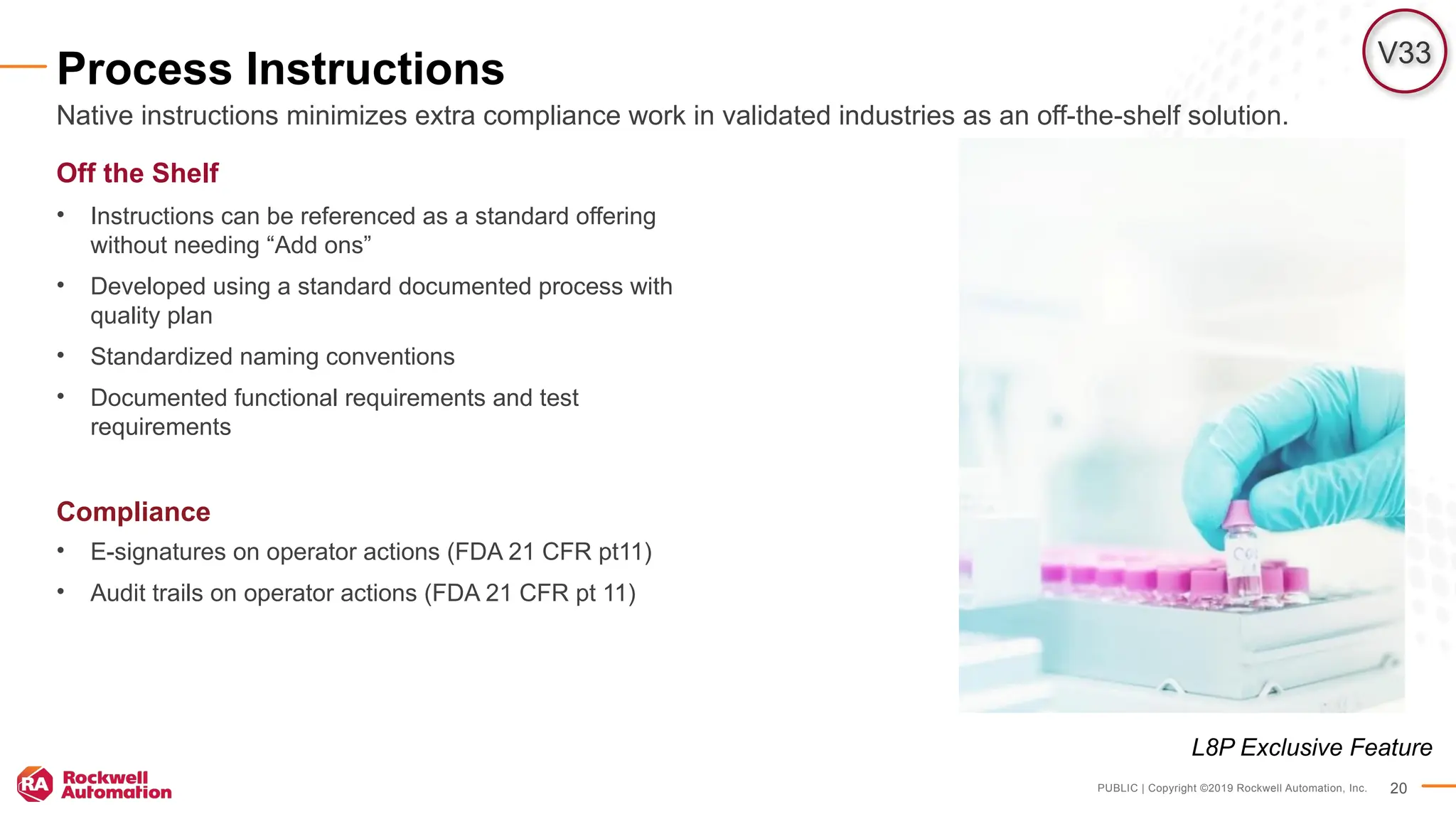
Process Instructions
Off the Shelf
• Instructions can be referenced as a standard offering
without needing “Add ons”
• Developed using a standard documented process with
quality plan
• Standardized naming conventions
• Documented functional requirements and test
requirements
Compliance
• E-signatures on operator actions (FDA 21 CFR pt11)
• Audit trails on operator actions (FDA 21 CFR pt 11)
Native instructions minimizes extra compliance work in validated industries as an off-the-shelf solution.
V33
L8P Exclusive Feature
PUBLIC | Copyright ©2019 Rockwell Automation, Inc. 21
PlantPAx®
5.0 Improved Network Guidance
Selection Guide Improvements
• Application Requirement lead network selection
• Considerations for each Reference Architectures
• Prescribed hardware per Reference Architecture
Process System Estimator
• New Network infrastructure guide to assist the user
through the selection process
• Ability to combine multiple Reference Architectures within
your DCS
• Ability to either select a System(Core) layer switch or use
existing
• Reference Architectures within the
Subsystem(Distribution) layer
System Infrastructure Manual Improvements
• Reference architecture focused configurations
• Recommended system tests to verify configuration
By improving both sales and implementation guides, it has never been easier to deploy a PlantPAx Network!
PUBLIC | Copyright ©2019 Rockwell Automation, Inc. 22
PlantPAx®
5.0 Network Improvements
Enhanced Redundant – PRP Ref Arch
• No Single Points of Failure
• Redundant PRP Redboxes
• Cisco 9k Core Support
Enhanced Resilient – DLR Ref Arch
• EN4T Redundant Adaptor Support
• Redundant Comm Adaptor within 1756 IO Racks
5094 FLEX™
I/O Support
• Supported within both Redundant and Resilient Ref Arch
Cisco 9300 Support
• Characterization complete utilizing Cisco 9300 Core
Switches
• Configuration information provided in Infrastructure Manual
Network Health Monitoring
• Automatic Diagnostics
• FactoryTalk®
Network Manager™
PUBLIC | Copyright ©2019 Rockwell Automation, Inc. 23
Firmware Management of Control Assets
Improved productivity
• Enhanced concurrent flashing for devices with parent/child
relationships and devices on linear/DLR topologies
• Reduced device flashing time for each device
• ControlFLASH Plus™
V3.00.00 Functionality
Improved usability
• Support seamless safety primary and partner controllers flashing
• Added detection for safety-lock state
• Delete multiple firmware kits at once
• Export firmware inventory
• Allow easy access to firmware open source notice
• Firmware inventory building performance improvements
Available now
Improved Productivity, and Usability
Open source
Delete revisions mode
Export revisions
inventory
Open source
PUBLIC | Copyright ©2019 Rockwell Automation, Inc. 24
Firmware Management of Control Assets
Overview
• With V6.20, the FactoryTalk®
Linx OPC UA Connector added an
option for redundant operation
• Second workstation for UA connector operation
• Warm standby operation (similar to FactoryTalk®
Linx)
• Tag requests simultaneously made to both
• Only active server delivers data
• FactoryTalk®
Directory notifies standby to go active
• Minimize secondary activation time
• Ability to force switchover (GUI or @tag)
• Option to switch back to primary when its active
• Access status @diagnostic,S1/S2 for both servers
Benefits
• Permits connectivity to OPC UA servers in systems requiring high
availability
Improved Productivity, and Usability
Software
OPC UA Connector
Primary Secondary
PUBLIC | Copyright ©2019 Rockwell Automation, Inc. 25
Cybersecurity Certifications
ISA99/IEC 62443
• IEC 62443-4-1 – Rockwell has a certified
secure development lifecycle.
• IEC 62443-4-2 – Select products in the
Rockwell portfolio are certified against
this standard as an enabler to system
cybersecurity
• IEC 62443-3-3 – A Rockwell system
reference architecture will have certification
that provides the basis for all customer
systems to get certified.*
• IEC 62443-2-4 – Rockwell delivery arm
(SSB) have processes and certification to
deliver customer system that are cyber
secure
4-1 – Product
Development
Environment
4-2 Secure
Products
3-3 System
Design
2-4 – System
Delivery
*Securing your PlantPAx system in The Connected Enterprise White Paper
PUBLIC | Copyright ©2019 Rockwell Automation, Inc. 26
PlantPAx®
System 5.0
Analytics for PlantPAx Control Strategies
Pump 101 Analytics
A control strategy instance
Pump Monitoring
• Running Status
• Mode Status
• Ownership
• Flow
• SetPoints Hardware Association
• Input Card
• Output Card
• Motor/VFD
• Flow Meters
Diagnostics
• Alarms
• Failed To Start
• Interlocks/ Permissive
• RunTime
• Cavitation
PUBLIC | Copyright ©2019 Rockwell Automation, Inc. 27
PlantPAx®
System 5.0
PTC Integration
New Report Templates
• Alarming
• Others
Augmented Reality Template
• Pre-defined templates for objects
• Simply add your background
PUBLIC | Copyright ©2019 Rockwell Automation, Inc. 28
Self Aware System
PUBLIC | Copyright ©2019 Rockwell Automation, Inc. 29
Focus: Consolidation and Simplification
PlantPAx®
5.0 Documentation Restructure
Combine PROCES-RM001, PROCES-UM001, and PROCES-
UM003 to create one User Manual
Each chapter (main section) based on overall system workflow
• Starts with 2-page cheat sheet that summarizes the section and its
requirements (experienced user).
• Follows with a Before You Begin section that defines expectations (newer
user)
• Collapses detailed steps from existing documentation into higher-level
steps to focus on the ‘Why’
• Links to related product documentation for more information
Benefits
• Combines related content in one publication
• Focuses on PlantPAx specific details
• Provides clearer picture of where to start and where to go
www.rockwellautomation.com
Thank you

PlantPAx_ What's New and What's Next Presentation (1).PPTX

  • 1.
    PUBLIC PlantPAx® : What’s New andWhat’s Next 12 • 16 • 2019
  • 2.
    PUBLIC | Copyright©2019 Rockwell Automation, Inc. 2 Unlock the digitalization potential for reduced lifecycle costs
  • 3.
    PUBLIC | Copyright©2019 Rockwell Automation, Inc. 3 Click to add image
  • 4.
    PUBLIC | Copyright©2019 Rockwell Automation, Inc. 4 PlantPAx® System Tools and Solutions • Rapid Code development • Process System Estimator • Process Object Library Migration Tool • Alarm Builder • Competitive DCS Migration Library of Objects • Standard Objects reusable objects • Class-based solutions • Known performance characterization • Instrumentation Reference Architecture • Network Infrastructure • Integration Skids • Cybersecurity • Platform Scale • Known Performance
  • 5.
    PUBLIC | Copyright©2019 Rockwell Automation, Inc. 5 PlantPAx® System (cont.) Product Development • Key Process Features • Controller • Power • HMI • Historian • Asset Management Documentation • System Guidelines • System References • User Manuals • Selection Guides • Infrastructure Manual • Online Help Bundling and Services • Process System Lifecycle Support • Asset Utilization • Network Services • Cybersecurity
  • 6.
    PUBLIC | Copyright©2019 Rockwell Automation, Inc. 6 Purpose Built for Plant-wide Control; Spanning Batch, Hybrid, and Heavy Industries PlantPAx® System 5.0 Serve larger and more complex operations in a secured manner • Simplified Architectures and Fewer Servers • Higher Performance Redundant Process Controllers • Native Process Objects • Alarms in objects for single configuration • Automatic Hardware Diagnostics • IEC62443-3-3 cybersecurity Certification • Improved HART configuration/HART data structures • New Ownership and Arbitration functionality • Native Libraries support 21CFR11 audit trails & e-signature • Full Unicode character support for end-to-end language switching Benefit • Intuitive workflows eliminate tasks, simplify design and deploy effort • Systems that are easier to deploy and simpler to maintain • Promotes consistent delivery from site to site.
  • 7.
    PlantPAx ® Distributed Control System 5.0 ReducedFootprint Drives Consistent Delivery Cybersecurity Enabled Streamlined Workflows
  • 8.
    Our family isgrowing…
  • 9.
    PUBLIC | Copyright©2019 Rockwell Automation, Inc. 9 Process controller Expanding our plant-wide infrastructure PlantPAx® System ControlLogix® controllers Process Skids CompactLogix™ controllers 5370 5380 5480 5570 5580 L3 GuardLogix® L2 L1 Armor™ Armor™ GuardLogix® 5380 5480 GuardLogix® XT GuardLogix® GuardLogix® XT Armor™ 5580 5570 Process NEW Armor™ GuardLogix® Information- enabled NEW Process Plant-wide Scalable Integrated
  • 10.
    PUBLIC | Copyright©2019 Rockwell Automation, Inc. 10 Process Controller – Expanding the Logix family! PlantPAx® System 5.0 • 2 in CompactLogix – 2 Mb, 4 Mb • 3 in ControlLogix - 3 Mb, 10, Mb, 40 Mb Features • 5x80 class performance • Guardrails – Control strategy loading • Process tasking model • Native Process Objects library • Out of the box process functionality • Drives consistent delivery • Streamlines workflows • Improved redundancy functionality
  • 11.
    PUBLIC | Copyright©2019 Rockwell Automation, Inc. 11 See instruction usage per task for optimal task balancing and visibility Instruction Usage Overview • See a dashboard of each task and the instructions used. • Use with embedded webpage to see CPU utilization and avoid task overlap. Benefit • Consistent performance and visibility into task loading during project creation. • Easier identification of number of control strategies. V33 L8P Exclusive Feature
  • 12.
    PUBLIC | Copyright©2019 Rockwell Automation, Inc. 12 Automatically create consistent task model in Logix Designer Task Model Overview • Start a project with a Fast, Normal, Slow, System periodic tasks already created. • Tasks created with period, priority and names already specified according to PlantPAx® guidance Benefit • Shorter time dedicated to project creation and layout. • Consistent project structure that aligns with PlantPAx® program guidelines. • More predictable performance estimates and planning. V33 L8P Exclusive Feature V33
  • 13.
    PUBLIC | Copyright©2019 Rockwell Automation, Inc. 13 Simplifying lifecycle management Native Process Library Reduced footprint (Simplification & Strings) • Many strings moved from instructions to extended tag properties • Instructions in firmware (No overhead memory consumed) • Less Servers, higher data volumes Drives consistent delivery • Library native to controller and design pallet • Simplifies life cycle management Streamlined workflow • Controller based alarming • Instructions native to controller (no importing of AOIs) • Supports multiple library versions on one system Process Instructions
  • 14.
    PUBLIC | Copyright©2019 Rockwell Automation, Inc. 14 Process Objects – NG Integrated Configuration PlantPAx® System 5.0 Overview • New SAMA diagram interface Benefits • Intuitive design-time configuration interface • Consistent experience w/ objects and firmware instructions • Eliminate need for disparate tools • Greatly reduce # of steps to configure new object • All objects decorated with screen content • Online help
  • 15.
    PUBLIC | Copyright©2019 Rockwell Automation, Inc. 15 Managing equipment using native functionality on PlantPAx® 5.0 objects Organization, Ownership, and Arbitration Overview • Organize devices into groups from HMI • Manage and prioritize ownership of equipment groups • Propagate commands and statuses through equipment groups • Alarming • Physical vs. virtual mode • Command source Benefits • Ability to command devices as an equipment group • No custom code required to create equipment groups • Identifies who owns an equipment group • Queues ownership requests of an equipment group and allows user to set custom arbitration rules • Get statuses and issue commands to equipment groups from a single request • Propagate commands down from selected parent • Status propagates up from children
  • 16.
    PUBLIC | Copyright©2019 Rockwell Automation, Inc. 16 Logix Tag-Based Alarms PlantPAx® System 5.0 • Simple alarm setup and configuration • Single environment – deploy alarms when creating control elements in Logix Designer • One place to go to add and configure alarms • One click to add alarms from the objects definition • Pre defined alarms on every object • Allow users to select alarms for each instance.
  • 17.
    PUBLIC | Copyright©2019 Rockwell Automation, Inc. 17 Dual Library Support PlantPAx® System 5.0 Overview • PlantPAx 4.x library lives on in parallel with NG • Both Add-On Instruction and NG objects co-exist together in PlantPAx® 5.0 • Both Add-On Instruction and NG faceplates co-exist together in PlantPAx 5.0 Benefits • Consistent user experience for Operations • Allows for phased modernization strategies
  • 18.
    PUBLIC | Copyright©2019 Rockwell Automation, Inc. 18 Access and display diagnostic information without additional programming. Automatic Diagnostics Overview • Provides a maintenance view and banner to the visualization space and populate automatically with device information. • Diagnostic events automatically created for devices in IO tree • Diagnostic events are logged for historical reference in the Alarm & Event SQL database Benefits • No more programming through alarms to get and display diagnostic information • Provide contextual information to the right person to properly and specifically diagnose machine behavior. • Curate diagnostic list by toggling each device. V33 Alarms and Events Database Maintenance Screens Connection Fault North Building rack 8 slot 3 Open Wire Channel 3 module 7 slot 5
  • 19.
    PUBLIC | Copyright©2019 Rockwell Automation, Inc. 19 Highly Integrated HART Features • HART bus in Logix Designer I/O Configuration tree • Device connection fault status representation in I/O tree • Add and replace HART devices on-line • Integrated device diagnostics via profile • Integrated device information view • PlantPAx® connection type Benefits • Intuitive Integration • Visible access to HART reference name • PlantPAx® data type (connection) pre-defined for PAH (HART interface) instruction • Device diagnostics automatically propagated to Logix • PlantPAx connection type formatted to match instruction *5094 IO Support in release 1
  • 20.
    PUBLIC | Copyright©2019 Rockwell Automation, Inc. 20 Process Instructions Off the Shelf • Instructions can be referenced as a standard offering without needing “Add ons” • Developed using a standard documented process with quality plan • Standardized naming conventions • Documented functional requirements and test requirements Compliance • E-signatures on operator actions (FDA 21 CFR pt11) • Audit trails on operator actions (FDA 21 CFR pt 11) Native instructions minimizes extra compliance work in validated industries as an off-the-shelf solution. V33 L8P Exclusive Feature
  • 21.
    PUBLIC | Copyright©2019 Rockwell Automation, Inc. 21 PlantPAx® 5.0 Improved Network Guidance Selection Guide Improvements • Application Requirement lead network selection • Considerations for each Reference Architectures • Prescribed hardware per Reference Architecture Process System Estimator • New Network infrastructure guide to assist the user through the selection process • Ability to combine multiple Reference Architectures within your DCS • Ability to either select a System(Core) layer switch or use existing • Reference Architectures within the Subsystem(Distribution) layer System Infrastructure Manual Improvements • Reference architecture focused configurations • Recommended system tests to verify configuration By improving both sales and implementation guides, it has never been easier to deploy a PlantPAx Network!
  • 22.
    PUBLIC | Copyright©2019 Rockwell Automation, Inc. 22 PlantPAx® 5.0 Network Improvements Enhanced Redundant – PRP Ref Arch • No Single Points of Failure • Redundant PRP Redboxes • Cisco 9k Core Support Enhanced Resilient – DLR Ref Arch • EN4T Redundant Adaptor Support • Redundant Comm Adaptor within 1756 IO Racks 5094 FLEX™ I/O Support • Supported within both Redundant and Resilient Ref Arch Cisco 9300 Support • Characterization complete utilizing Cisco 9300 Core Switches • Configuration information provided in Infrastructure Manual Network Health Monitoring • Automatic Diagnostics • FactoryTalk® Network Manager™
  • 23.
    PUBLIC | Copyright©2019 Rockwell Automation, Inc. 23 Firmware Management of Control Assets Improved productivity • Enhanced concurrent flashing for devices with parent/child relationships and devices on linear/DLR topologies • Reduced device flashing time for each device • ControlFLASH Plus™ V3.00.00 Functionality Improved usability • Support seamless safety primary and partner controllers flashing • Added detection for safety-lock state • Delete multiple firmware kits at once • Export firmware inventory • Allow easy access to firmware open source notice • Firmware inventory building performance improvements Available now Improved Productivity, and Usability Open source Delete revisions mode Export revisions inventory Open source
  • 24.
    PUBLIC | Copyright©2019 Rockwell Automation, Inc. 24 Firmware Management of Control Assets Overview • With V6.20, the FactoryTalk® Linx OPC UA Connector added an option for redundant operation • Second workstation for UA connector operation • Warm standby operation (similar to FactoryTalk® Linx) • Tag requests simultaneously made to both • Only active server delivers data • FactoryTalk® Directory notifies standby to go active • Minimize secondary activation time • Ability to force switchover (GUI or @tag) • Option to switch back to primary when its active • Access status @diagnostic,S1/S2 for both servers Benefits • Permits connectivity to OPC UA servers in systems requiring high availability Improved Productivity, and Usability Software OPC UA Connector Primary Secondary
  • 25.
    PUBLIC | Copyright©2019 Rockwell Automation, Inc. 25 Cybersecurity Certifications ISA99/IEC 62443 • IEC 62443-4-1 – Rockwell has a certified secure development lifecycle. • IEC 62443-4-2 – Select products in the Rockwell portfolio are certified against this standard as an enabler to system cybersecurity • IEC 62443-3-3 – A Rockwell system reference architecture will have certification that provides the basis for all customer systems to get certified.* • IEC 62443-2-4 – Rockwell delivery arm (SSB) have processes and certification to deliver customer system that are cyber secure 4-1 – Product Development Environment 4-2 Secure Products 3-3 System Design 2-4 – System Delivery *Securing your PlantPAx system in The Connected Enterprise White Paper
  • 26.
    PUBLIC | Copyright©2019 Rockwell Automation, Inc. 26 PlantPAx® System 5.0 Analytics for PlantPAx Control Strategies Pump 101 Analytics A control strategy instance Pump Monitoring • Running Status • Mode Status • Ownership • Flow • SetPoints Hardware Association • Input Card • Output Card • Motor/VFD • Flow Meters Diagnostics • Alarms • Failed To Start • Interlocks/ Permissive • RunTime • Cavitation
  • 27.
    PUBLIC | Copyright©2019 Rockwell Automation, Inc. 27 PlantPAx® System 5.0 PTC Integration New Report Templates • Alarming • Others Augmented Reality Template • Pre-defined templates for objects • Simply add your background
  • 28.
    PUBLIC | Copyright©2019 Rockwell Automation, Inc. 28 Self Aware System
  • 29.
    PUBLIC | Copyright©2019 Rockwell Automation, Inc. 29 Focus: Consolidation and Simplification PlantPAx® 5.0 Documentation Restructure Combine PROCES-RM001, PROCES-UM001, and PROCES- UM003 to create one User Manual Each chapter (main section) based on overall system workflow • Starts with 2-page cheat sheet that summarizes the section and its requirements (experienced user). • Follows with a Before You Begin section that defines expectations (newer user) • Collapses detailed steps from existing documentation into higher-level steps to focus on the ‘Why’ • Links to related product documentation for more information Benefits • Combines related content in one publication • Focuses on PlantPAx specific details • Provides clearer picture of where to start and where to go
  • 30.

Editor's Notes

  • #7 Ok, enough grounding. Lets get into the details of what we are bringing to our customers in the next release of PlantPAx 5.0. Introducing our next release, PlantPAx 5.0. This is a significant release for us, the first one where we introduce process specific hardware. We will work through some of the things that come in this release. But before we go deep, I wanted to talk about the key themes that this release is focused on. Reduced Footprint Simplified instructions - Only instructions with alarms will use more memory than associated AOI instructions (likely - it’s a wash) Metadata BONUS - Full language switching (extended tag properties) no impact on control configuration memory More memory for users L8 HA – no memory impact from simplex Automatic Diagnostics – memory for L_CPU Drive Consistent Delivery One version of instructions (decorate to customize functionality – cannot redefine instructions) Streamlined Workflow Controller based Alarming (enter only once in the controller) – no manual building of A&E database Ability to run multiple version of controllers on one system means it is not necessary to rebuild whole HMI for each firmware release Cyber Security Enabled IEC-62443 All the functionality we talk about today feed into these ideas.
  • #8 Now that we talked about all that serious stuff… guys, I have something important to share with you. Our family is growing.