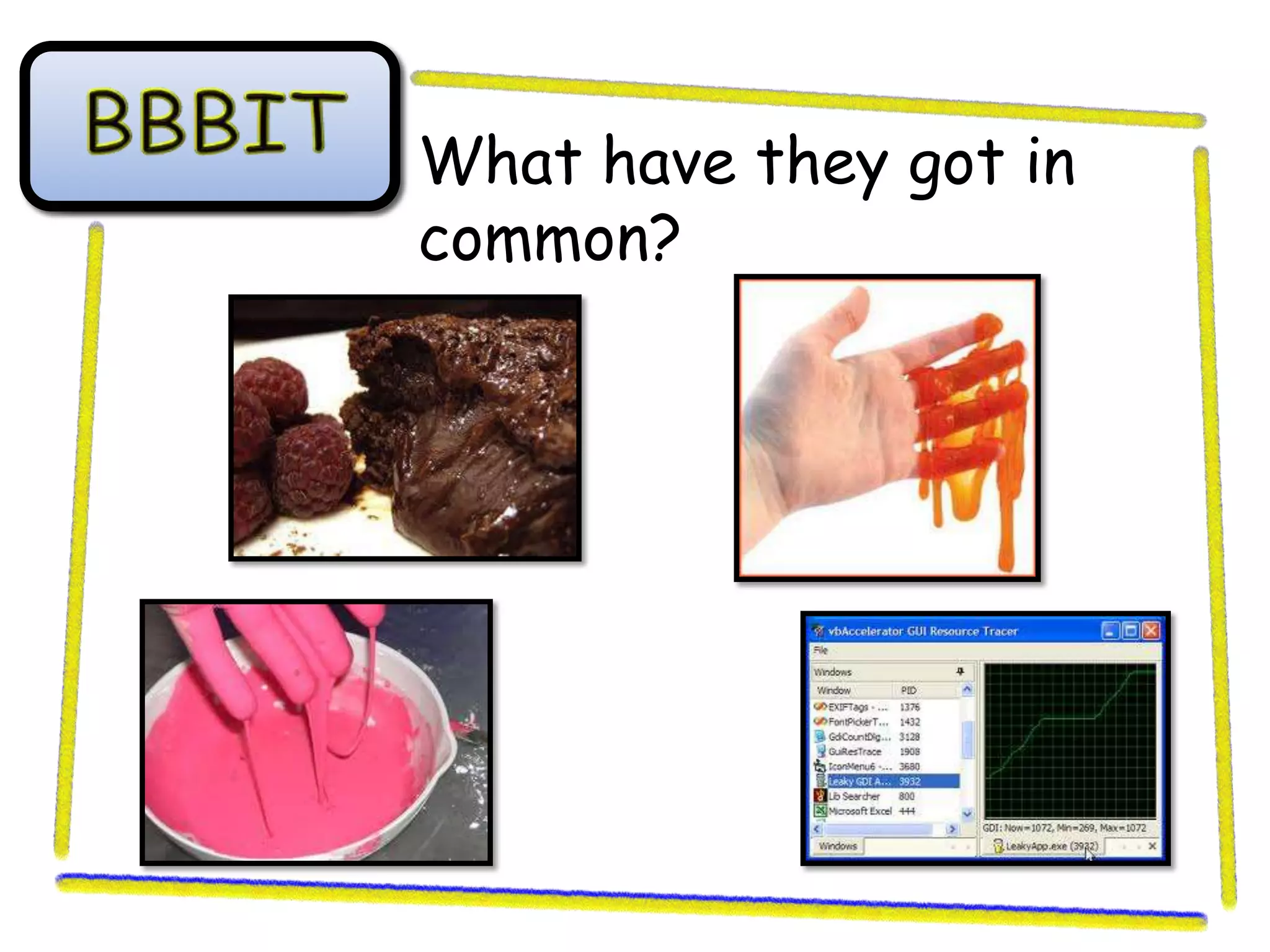
What have they got in
common?
Learning outcomes

By the end of today’s lesson;
• All of you will produce one basic plan
  for a program (D-E)
• Most of you will produce a number of
  detailed plans for a program (B-C)
• Some of you will produce plans for the
  GUI and the programming (A*-A)
Planning a Program
1. Graphical User Interface
2. Pseudo code
3. Flow charts
GUI design
What is it?
Making sure your GUI is user friendly. 3 Key
things to remember are;
• Keep everything that is related in the same place
  (i.e. username and password input boxes should
  always be together).
• Use meaningful labels so the user knows what to
  do.
• All buttons should be together and at the bottom
  of a form. They should all be labelled clearly.
GUI design
How do you do it?
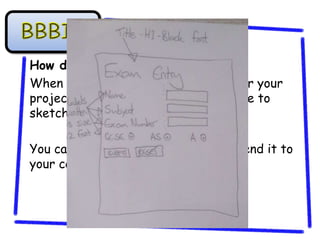
When you are making a GUI design for your
project the easiest way to do it will be to
sketch it on a piece of paper.

You can then take a photo of it and send it to
your computer.
GUI design
How do you do it?
When you are making a GUI design for your
project the easiest way to do it will be to
sketch it on a piece of paper.

You can then take a photo of it and send it to
your computer.
Practice Scenario
You have been asked to create a basic ‘sign up’
page for a new social networking webpage. You
should include a form with;
•   First Name input box
•   Surname input box
•   Password input box
•   Submit and reset buttons


If any of these input boxes are not completed
then a suitable error message will be displayed.
Task 1
You will need to design your GUI to
make it as user friendly as possible.
This should be done on a piece of plain
paper.

Once you have done this you should take
a photo of it and e-mail it to your school
e-mail address.
Pseudo Code
What is it?
When you write your code in plain
English. This is done before you code to
give you an idea of how you want to
structure your code.
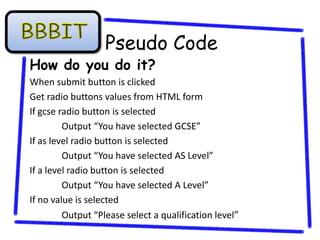
Pseudo Code
How do you do it?
When submit button is clicked
Get radio buttons values from HTML form
If gcse radio button is selected
         Output “You have selected GCSE”
If as level radio button is selected
         Output “You have selected AS Level”
If a level radio button is selected
         Output “You have selected A Level”
If no value is selected
         Output “Please select a qualification level”
Task 2
You will need to write some pseudo code
to plan how your JavaScript will be
written.

Make sure you use the correct key
terms at the beginning of the lines;
when, if, output, get.
Flow Charts
What are they?
When you plan the process of the
choices and decisions that will happen in
your program. These are made to help
you image the correct order of your
code.
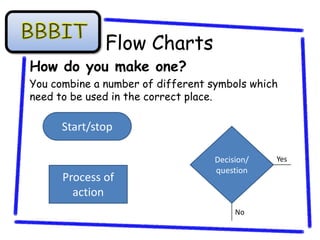
Flow Charts
How do you make one?
You combine a number of different symbols which
need to be used in the correct place.

      Start/stop

                                   Decision/   Yes
                                   question
      Process of
        action
                                        No
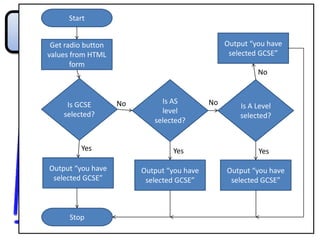
Start


 Get radio button                                Output “you have
values from HTML                                  selected GCSE”
       form
                                                          No


     Is GCSE        No        Is AS         No       Is A Level
    selected?                 level
                                                     selected?
                            selected?


         Yes                     Yes                      Yes

Output “you have         Output “you have        Output “you have
 selected GCSE”           selected GCSE”          selected GCSE”


      Stop
Task 3
You will need to create a flow chart to
plan how the decisions will go in your
‘sign up’ page.

Make sure you use the correct symbols
and include the connector lines.
Feedback
You will need to swap computers with
one of your peers and leave them some
feedback about;
• Quality of the GUI design,
• Structure of the pseudo code,
• Quality of the flow chart,

Planning Your Code

  • 1.
    What have theygot in common?
  • 2.
    Learning outcomes By theend of today’s lesson; • All of you will produce one basic plan for a program (D-E) • Most of you will produce a number of detailed plans for a program (B-C) • Some of you will produce plans for the GUI and the programming (A*-A)
  • 3.
    Planning a Program 1.Graphical User Interface 2. Pseudo code 3. Flow charts
  • 4.
    GUI design What isit? Making sure your GUI is user friendly. 3 Key things to remember are; • Keep everything that is related in the same place (i.e. username and password input boxes should always be together). • Use meaningful labels so the user knows what to do. • All buttons should be together and at the bottom of a form. They should all be labelled clearly.
  • 5.
    GUI design How doyou do it? When you are making a GUI design for your project the easiest way to do it will be to sketch it on a piece of paper. You can then take a photo of it and send it to your computer.
  • 6.
    GUI design How doyou do it? When you are making a GUI design for your project the easiest way to do it will be to sketch it on a piece of paper. You can then take a photo of it and send it to your computer.
  • 7.
    Practice Scenario You havebeen asked to create a basic ‘sign up’ page for a new social networking webpage. You should include a form with; • First Name input box • Surname input box • Password input box • Submit and reset buttons If any of these input boxes are not completed then a suitable error message will be displayed.
  • 8.
    Task 1 You willneed to design your GUI to make it as user friendly as possible. This should be done on a piece of plain paper. Once you have done this you should take a photo of it and e-mail it to your school e-mail address.
  • 9.
    Pseudo Code What isit? When you write your code in plain English. This is done before you code to give you an idea of how you want to structure your code.
  • 10.
    Pseudo Code How doyou do it? When submit button is clicked Get radio buttons values from HTML form If gcse radio button is selected Output “You have selected GCSE” If as level radio button is selected Output “You have selected AS Level” If a level radio button is selected Output “You have selected A Level” If no value is selected Output “Please select a qualification level”
  • 11.
    Task 2 You willneed to write some pseudo code to plan how your JavaScript will be written. Make sure you use the correct key terms at the beginning of the lines; when, if, output, get.
  • 12.
    Flow Charts What arethey? When you plan the process of the choices and decisions that will happen in your program. These are made to help you image the correct order of your code.
  • 13.
    Flow Charts How doyou make one? You combine a number of different symbols which need to be used in the correct place. Start/stop Decision/ Yes question Process of action No
  • 14.
    Start Get radiobutton Output “you have values from HTML selected GCSE” form No Is GCSE No Is AS No Is A Level selected? level selected? selected? Yes Yes Yes Output “you have Output “you have Output “you have selected GCSE” selected GCSE” selected GCSE” Stop
  • 15.
    Task 3 You willneed to create a flow chart to plan how the decisions will go in your ‘sign up’ page. Make sure you use the correct symbols and include the connector lines.
  • 16.
    Feedback You will needto swap computers with one of your peers and leave them some feedback about; • Quality of the GUI design, • Structure of the pseudo code, • Quality of the flow chart,