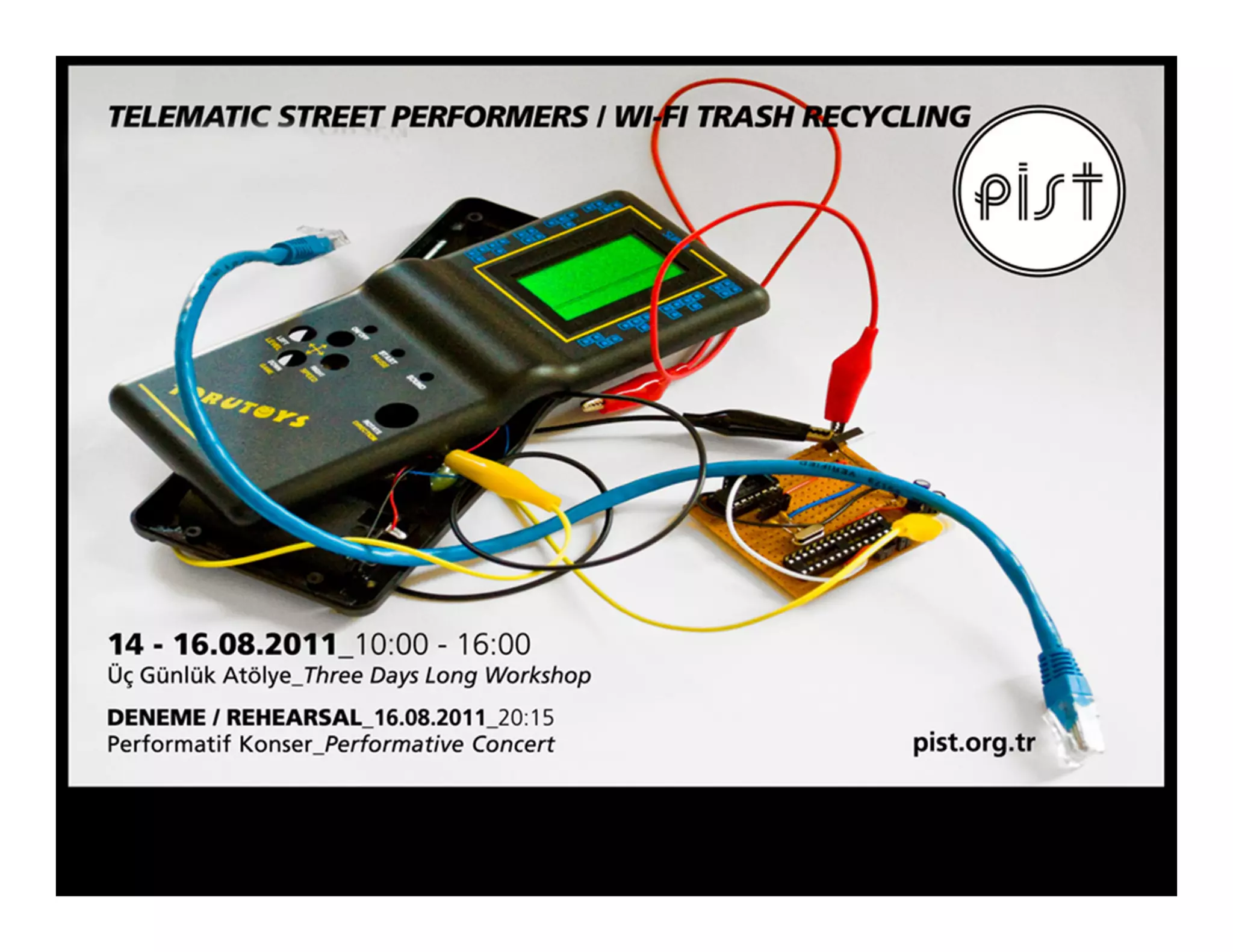
The plan (interim)
Day 1: Getting it
• Introduction to concept
• Visit to junk-market. Shopping for noise-makers
• Taking the devices apart
• Circuit bending: Trying to produce interesting sound
Day 2: Building it
• Introduction to the interface
• Building control electronics.
• Setting up the installation of noisemakers at PiST

Day 3: Coding it
• Connect the noisemakers to the web.
• Program a simple visual interface I HTML (webpage).
• “Rehearsal”

Evening/Performance : Doing it (Tuesday 20:15)
The participants will perform a short piece by controlling the installation from the web.
Afterwards everybody is invited to use the installation - so bring friend, smartphones and laptops.
PiST will supply an open WIFI-network for this evening.
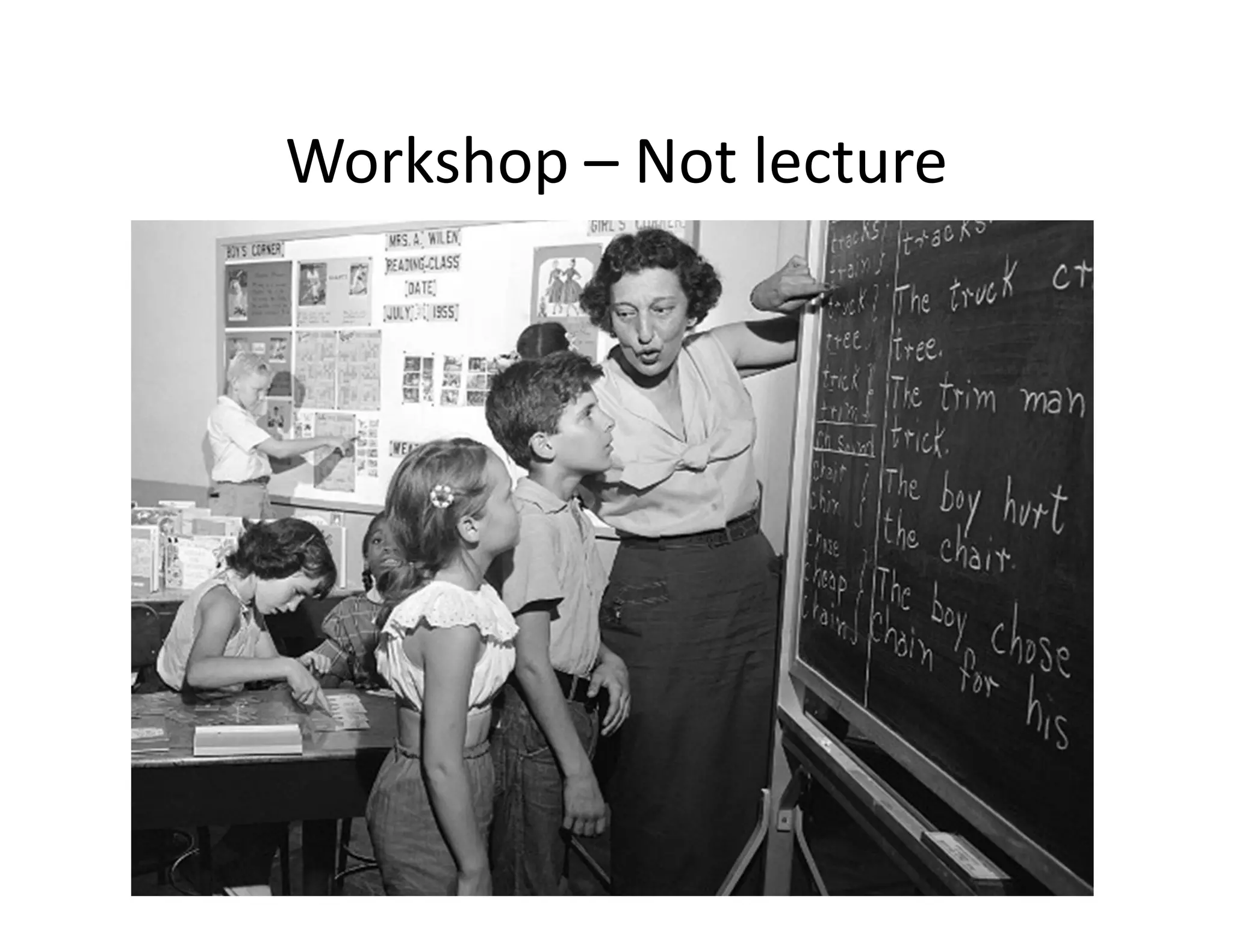
Workshop – Not lecture
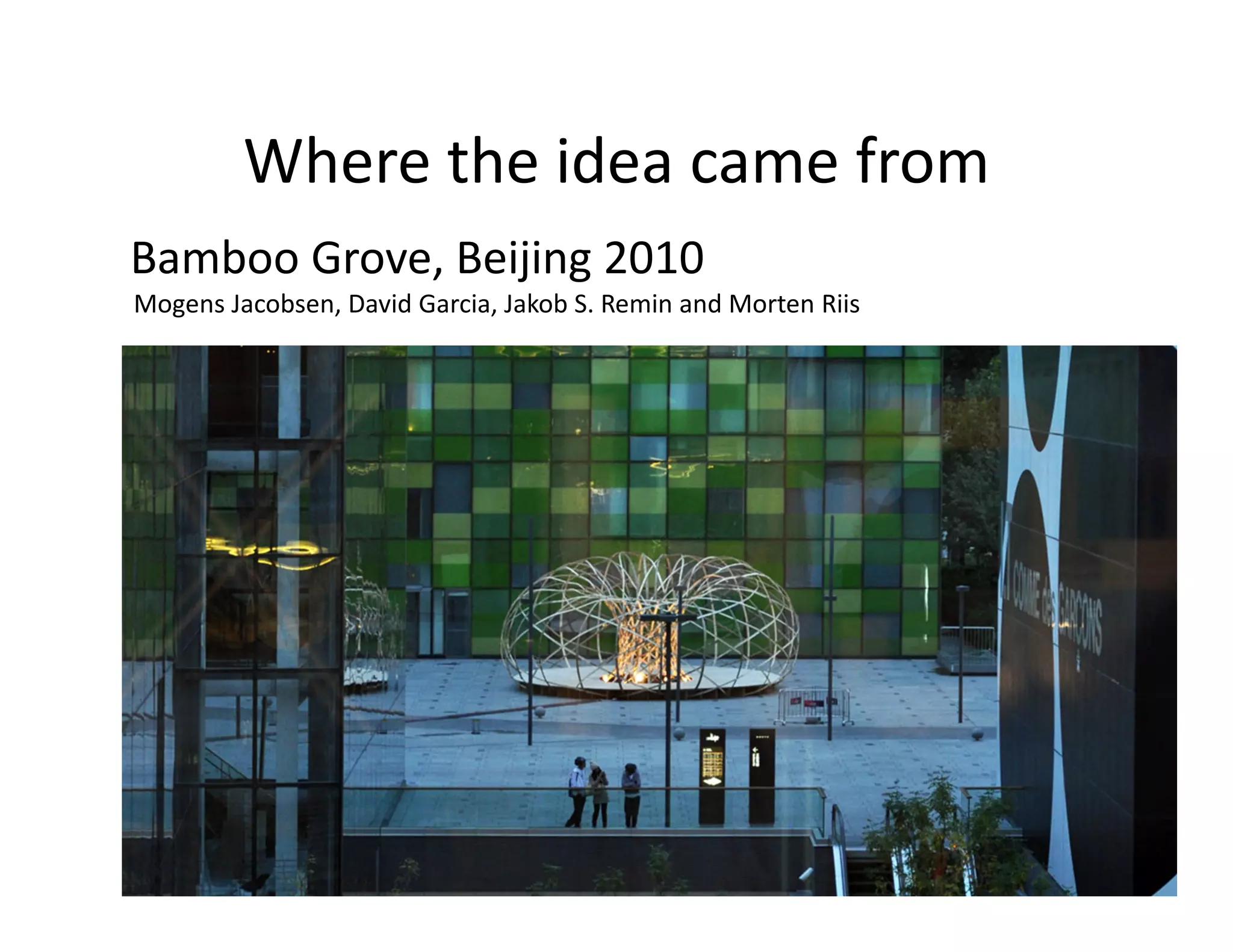
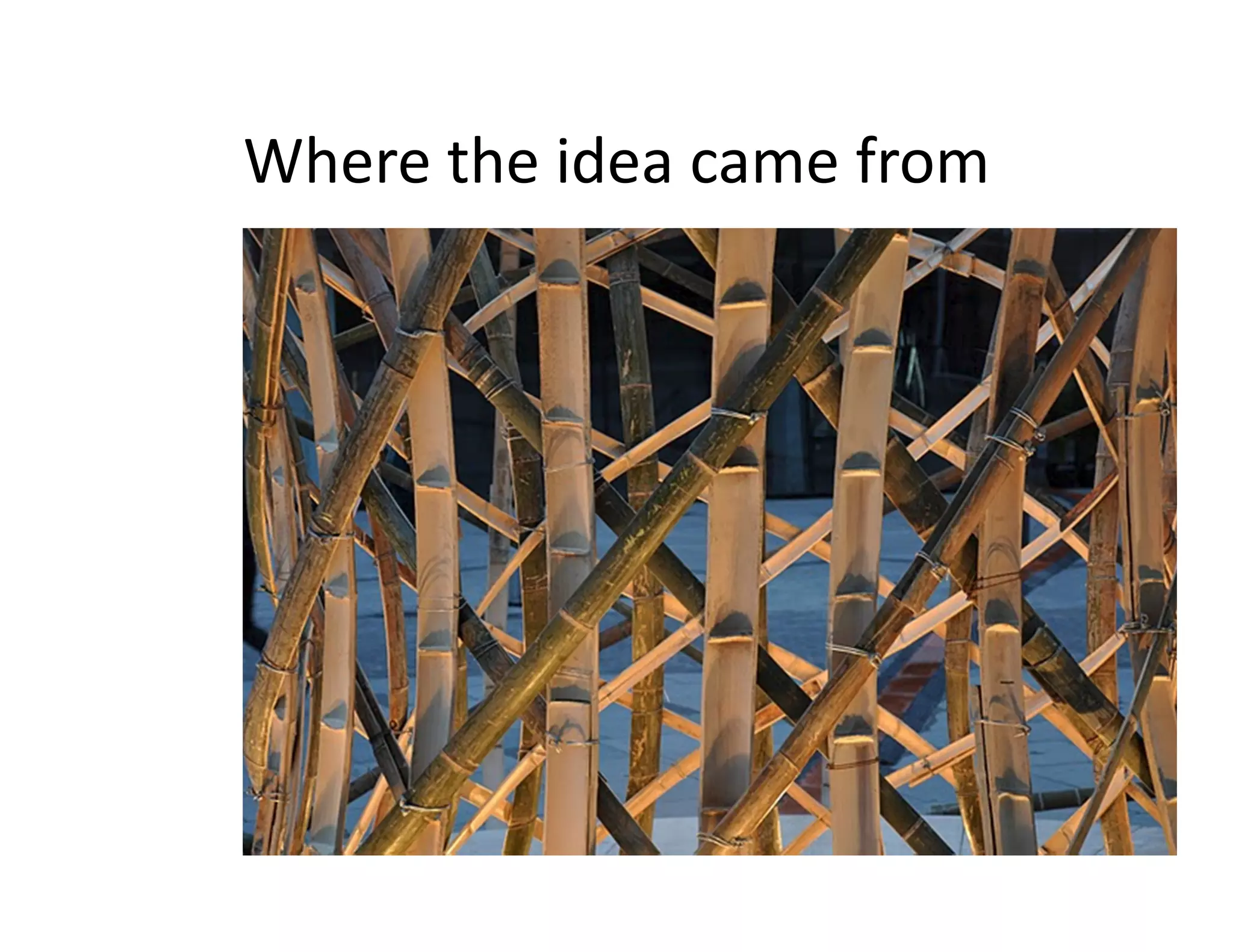
Where the idea came from
Bamboo Grove, Beijing 2010
Mogens Jacobsen, David Garcia, Jakob S. Remin and Morten Riis
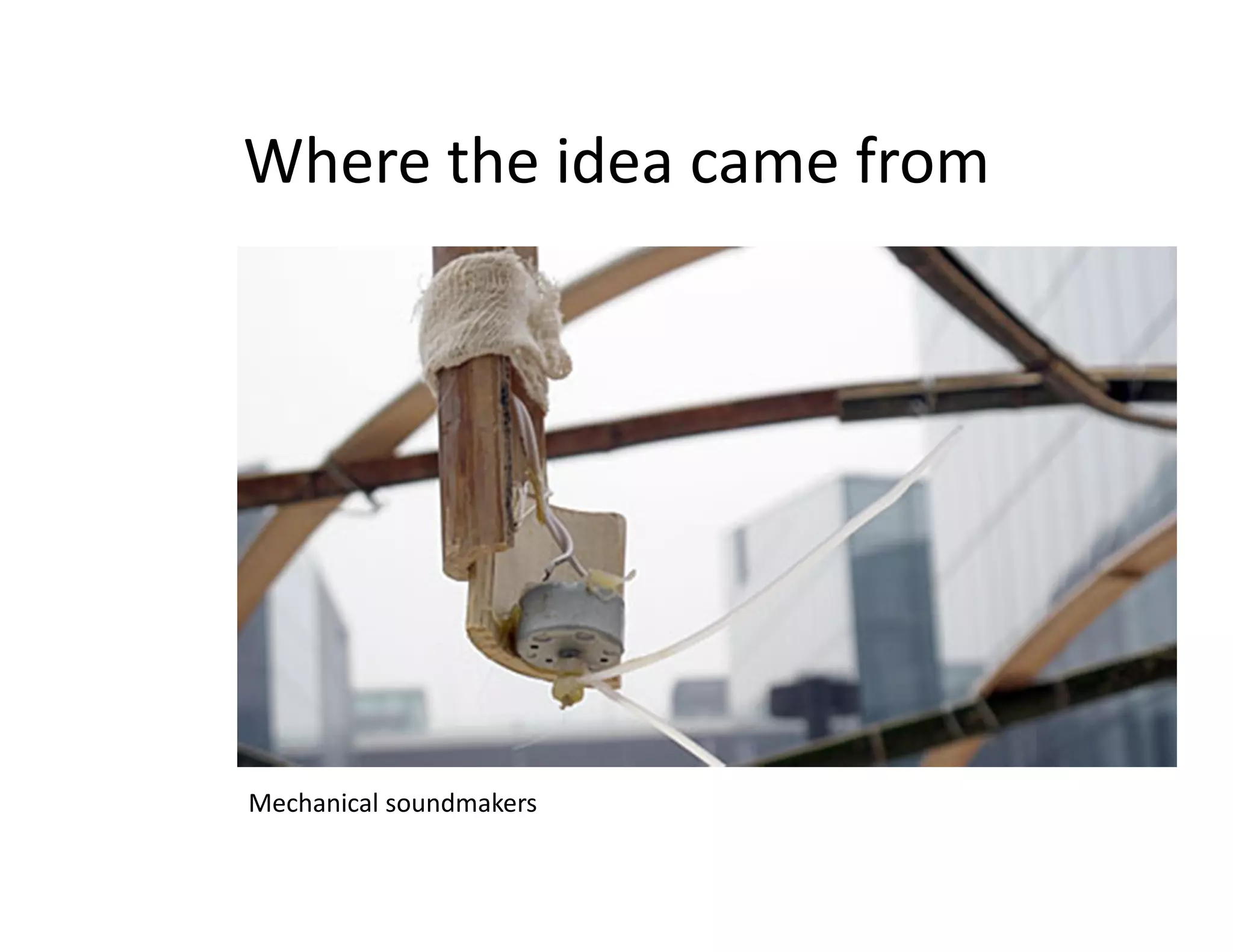
Where the idea came from


Mechanical soundmakers
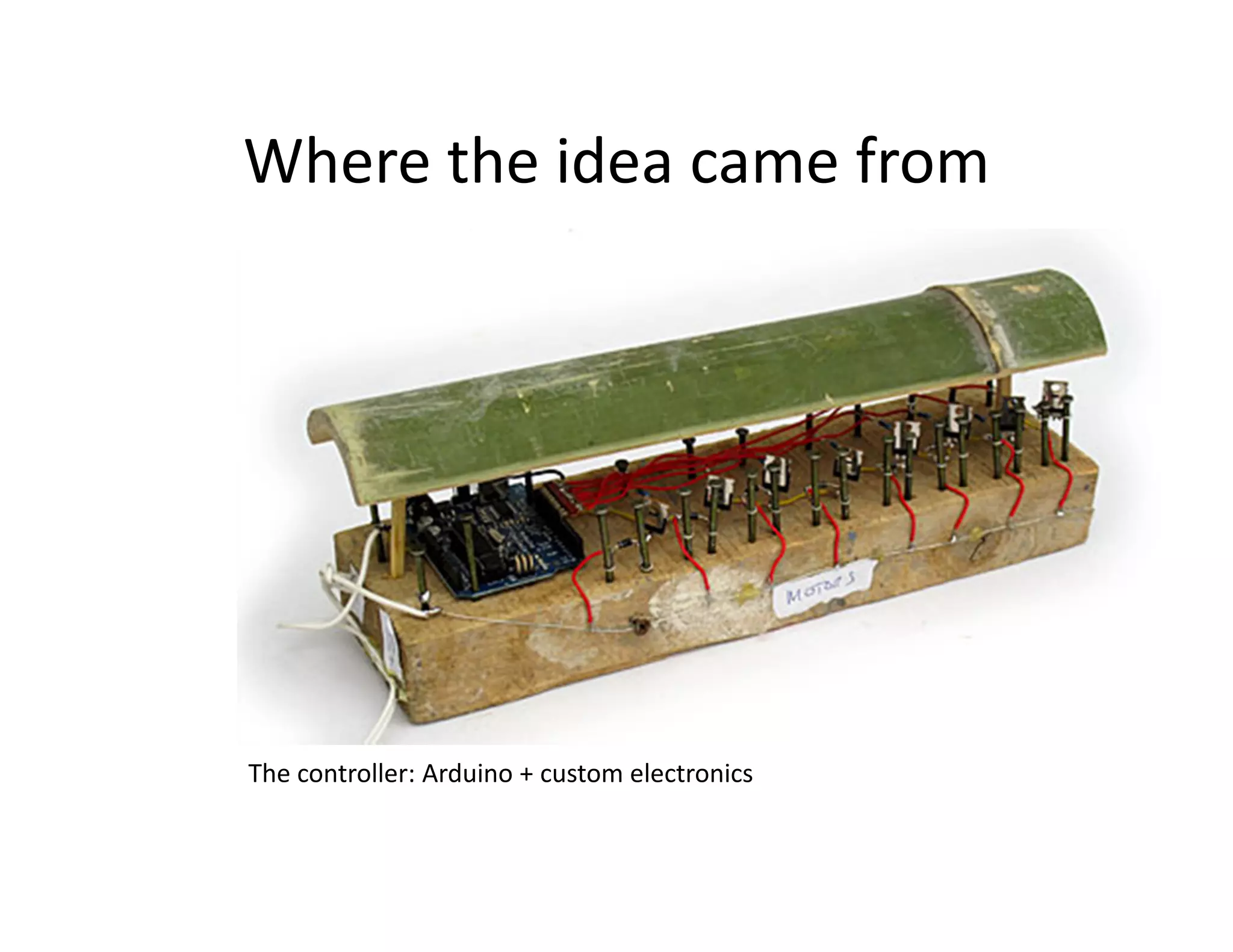
Where the idea came from


The controller: Arduino + custom electronics
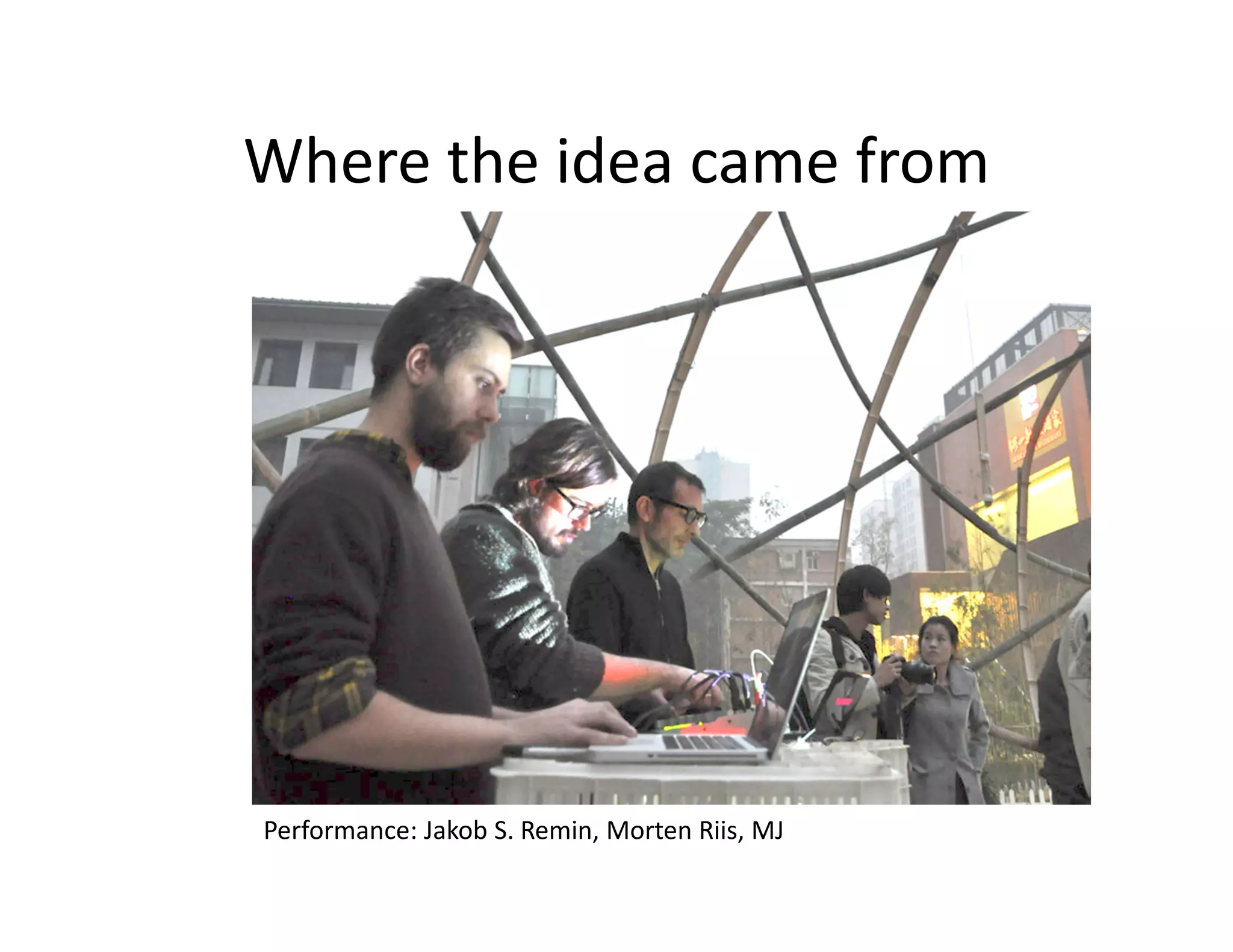
Where the idea came from


Performance: Jakob S. Remin, Morten Riis, MJ
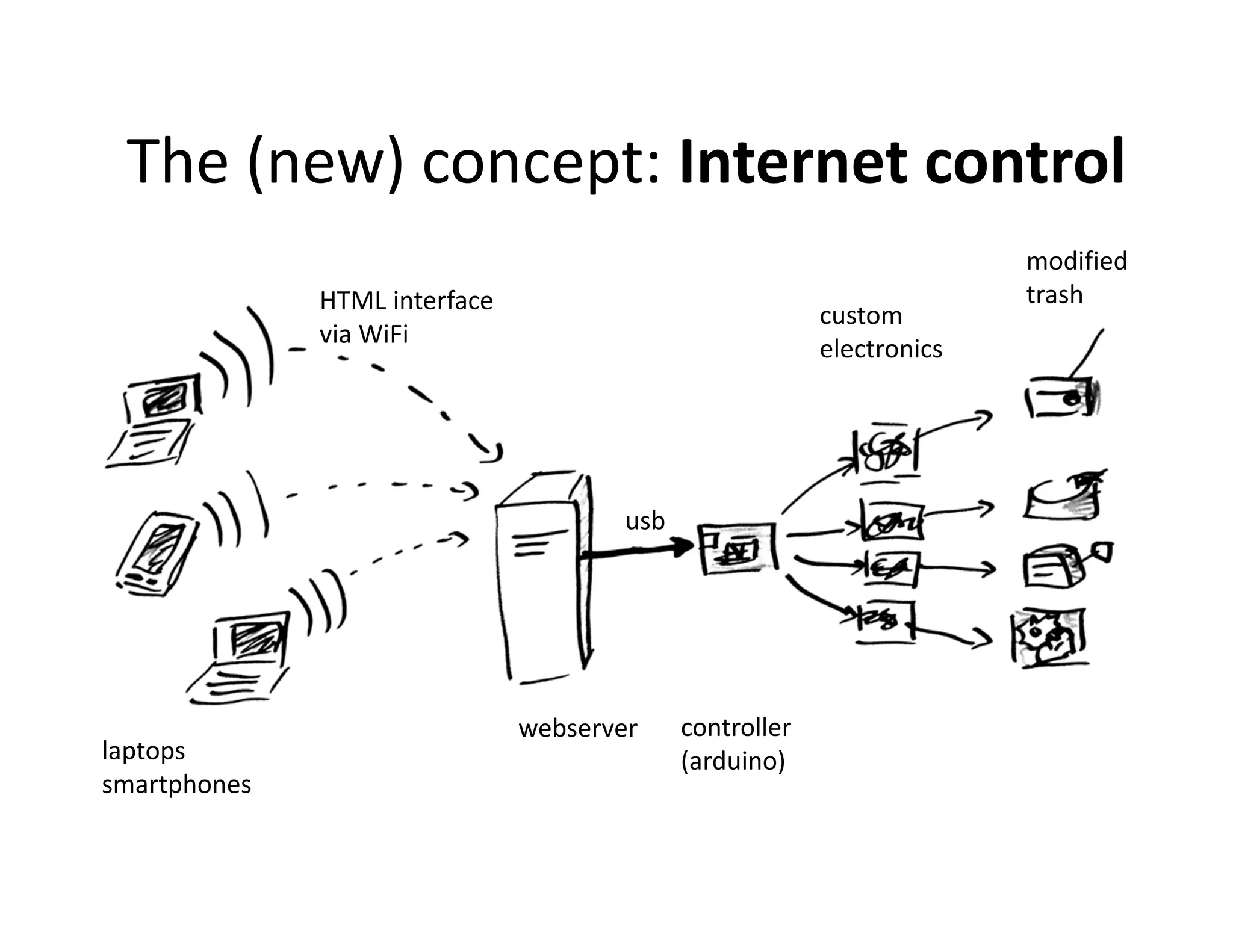
The (new) concept: Internet control
                                                                        modified
              HTML interface                                            trash
                                                          custom
              via WiFi
                                                          electronics


                                       usb


                               webserver     controller
laptops                                      (arduino)
smartphones
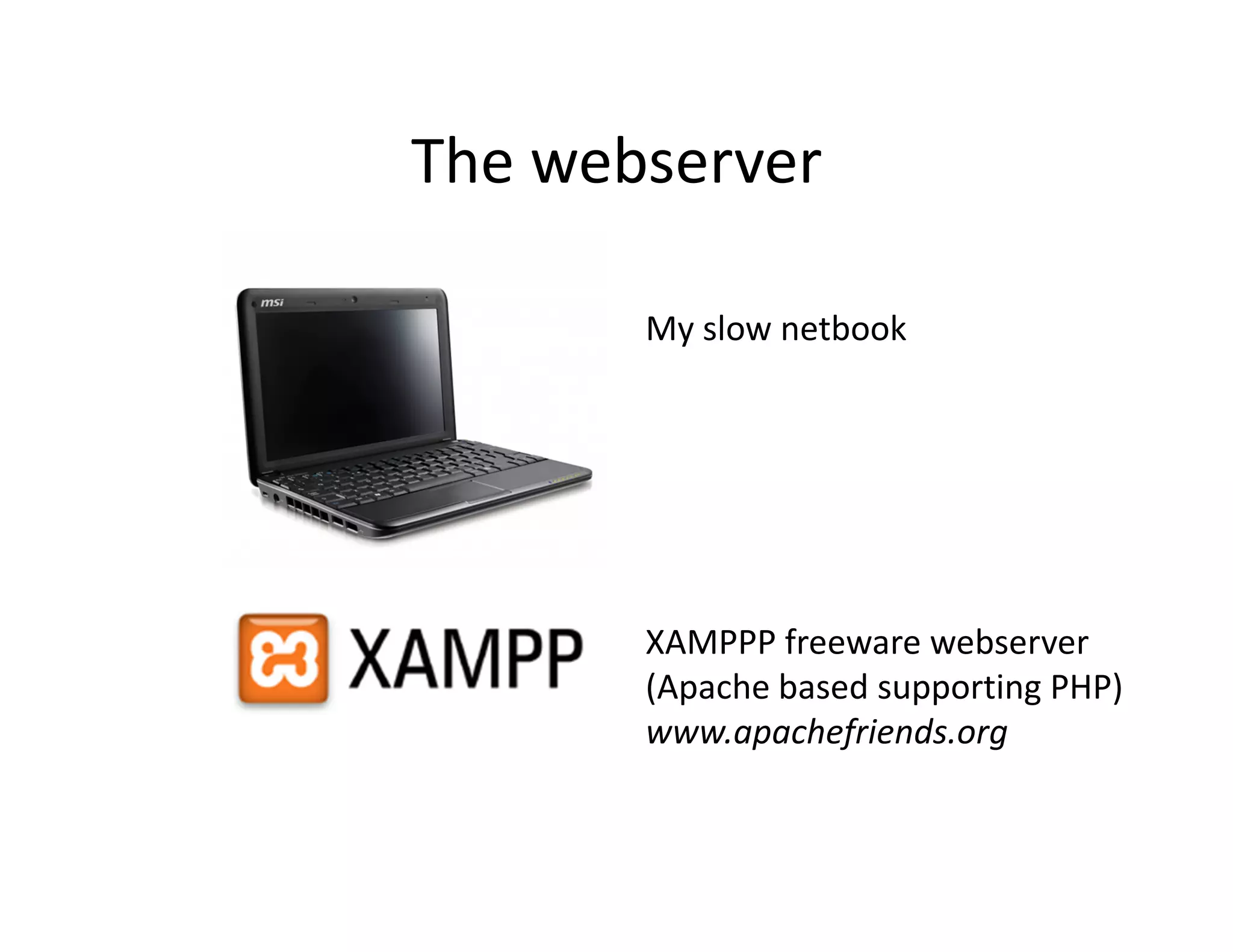
The webserver

       My slow netbook


       XAMPPP freeware webserver
       (Apache based supporting PHP)
       www.apachefriends.org
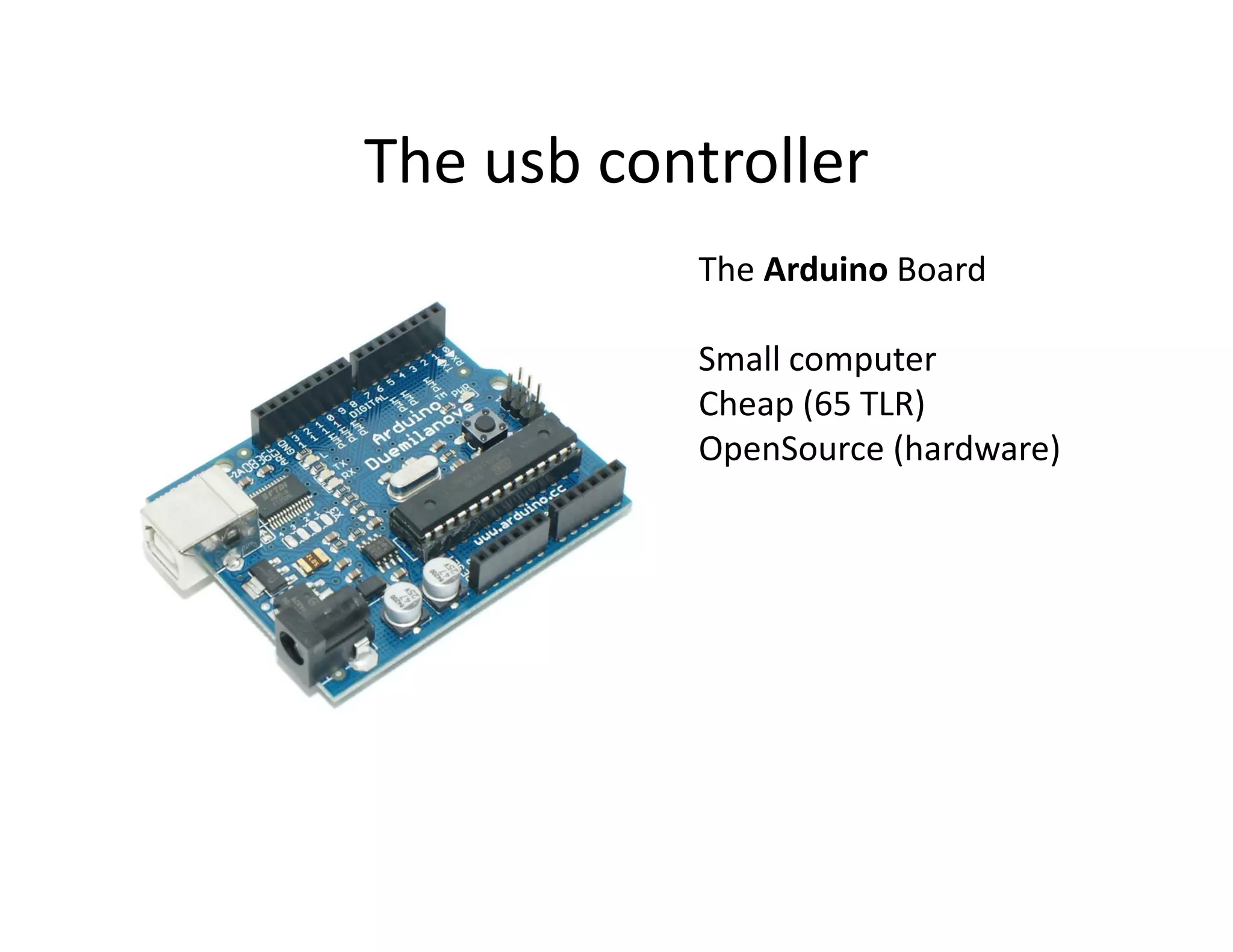
The usb controller
           The Arduino Board

           Small computer
           Cheap (65 TLR)
           OpenSource (hardware)
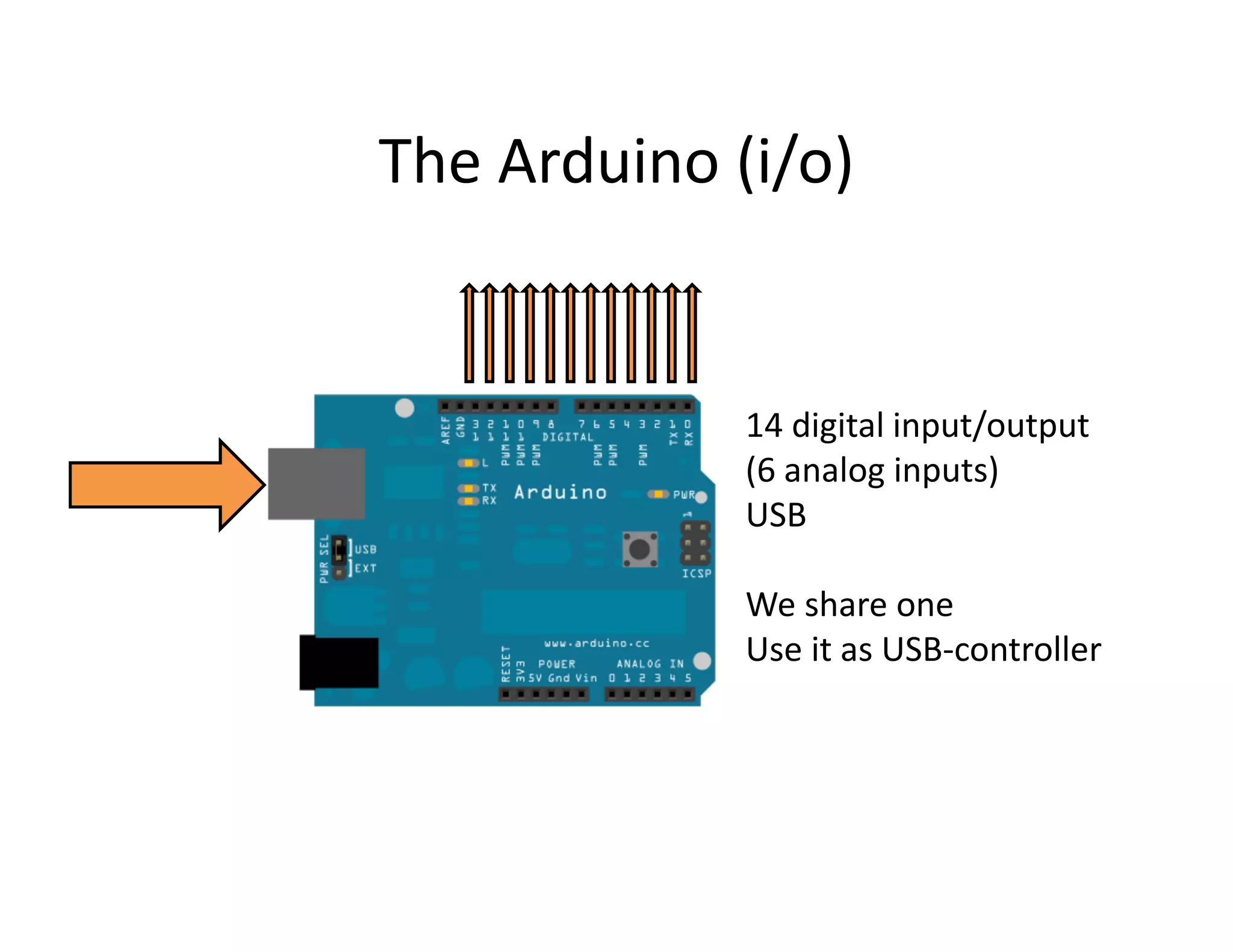
The Arduino (i/o)


             14 digital input/output
             (6 analog inputs)
             USB

             We share one
             Use it as USB-controller
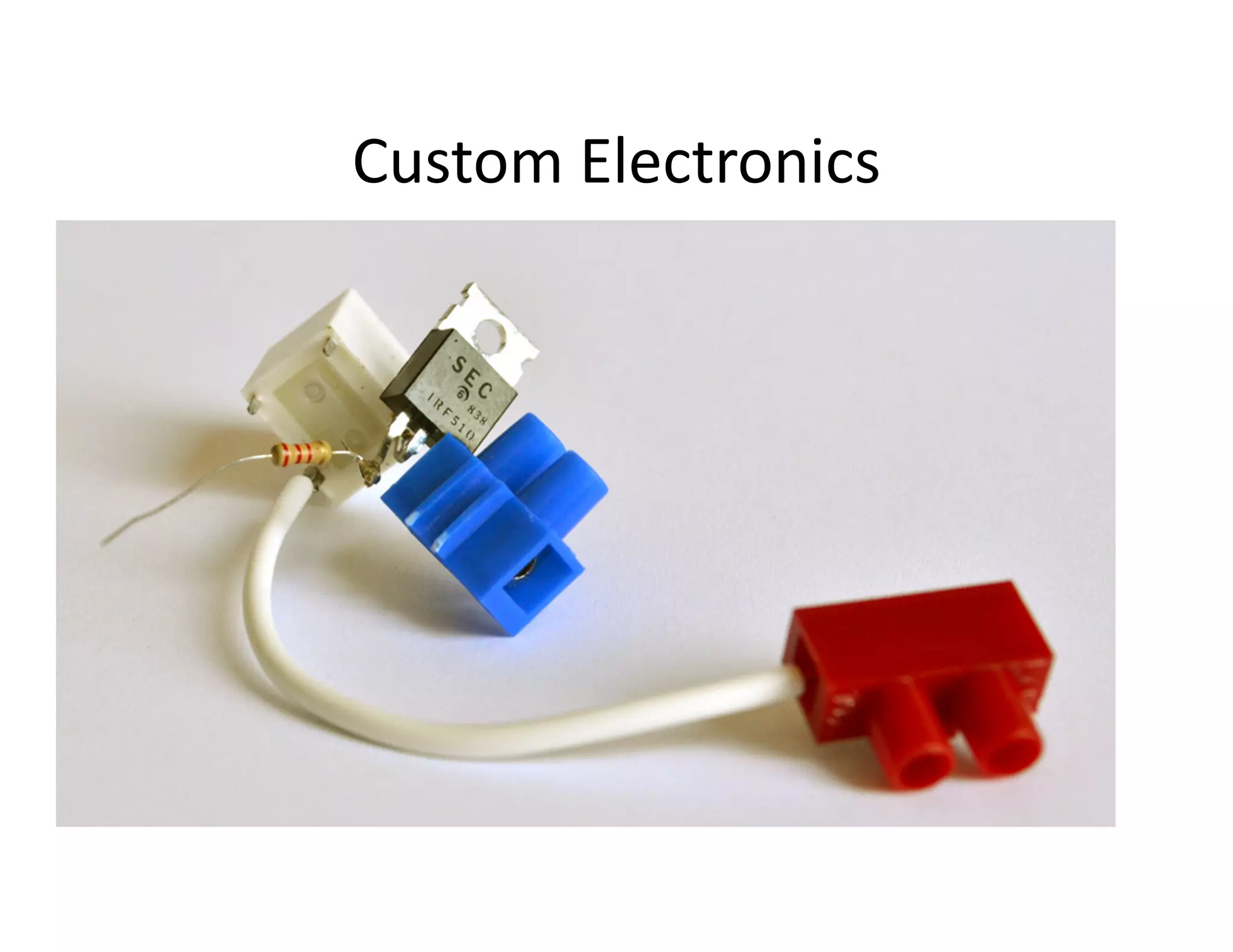
Custom Electronics
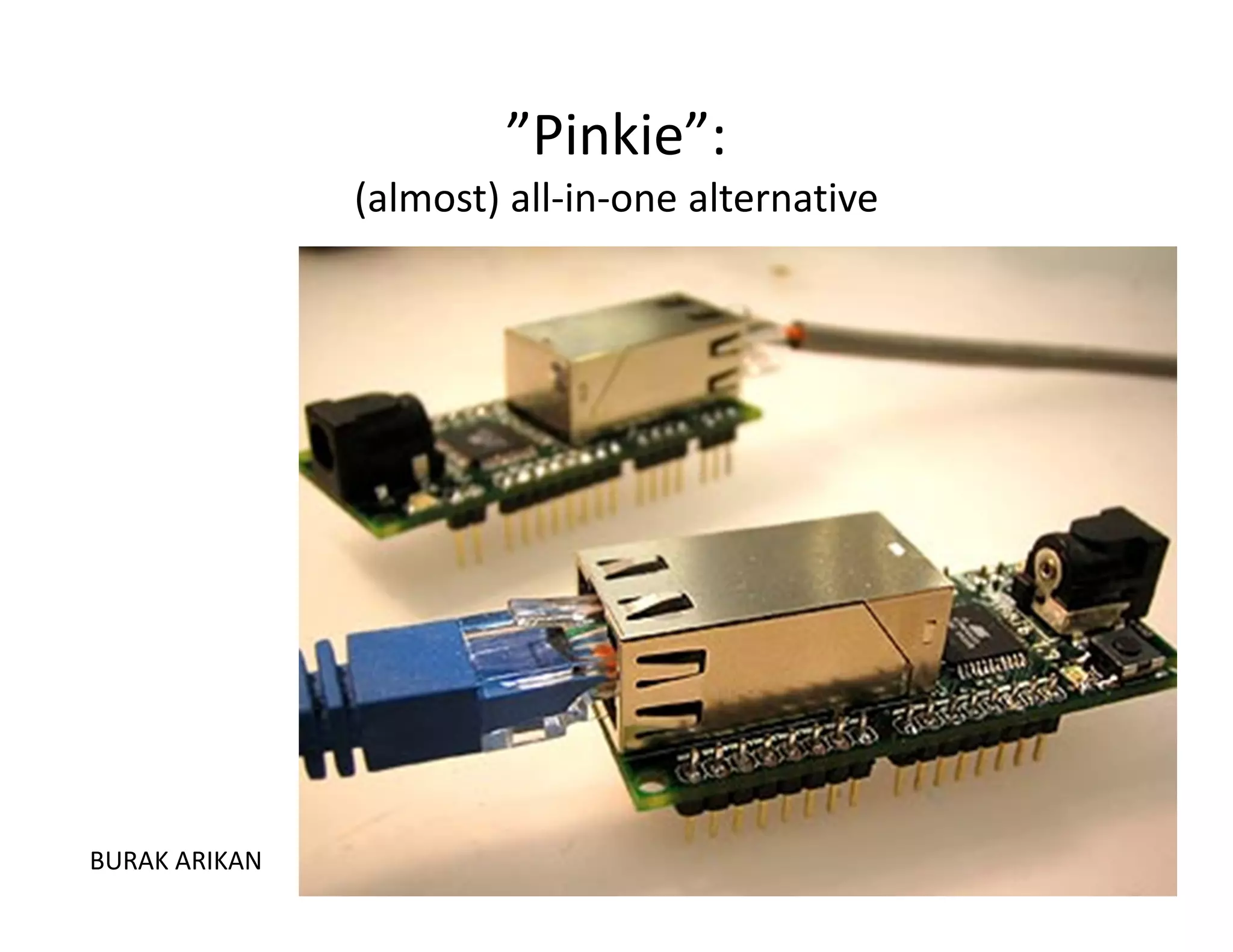
”Pinkie”:
               (almost) all-in-one alternative


BURAK ARIKAN
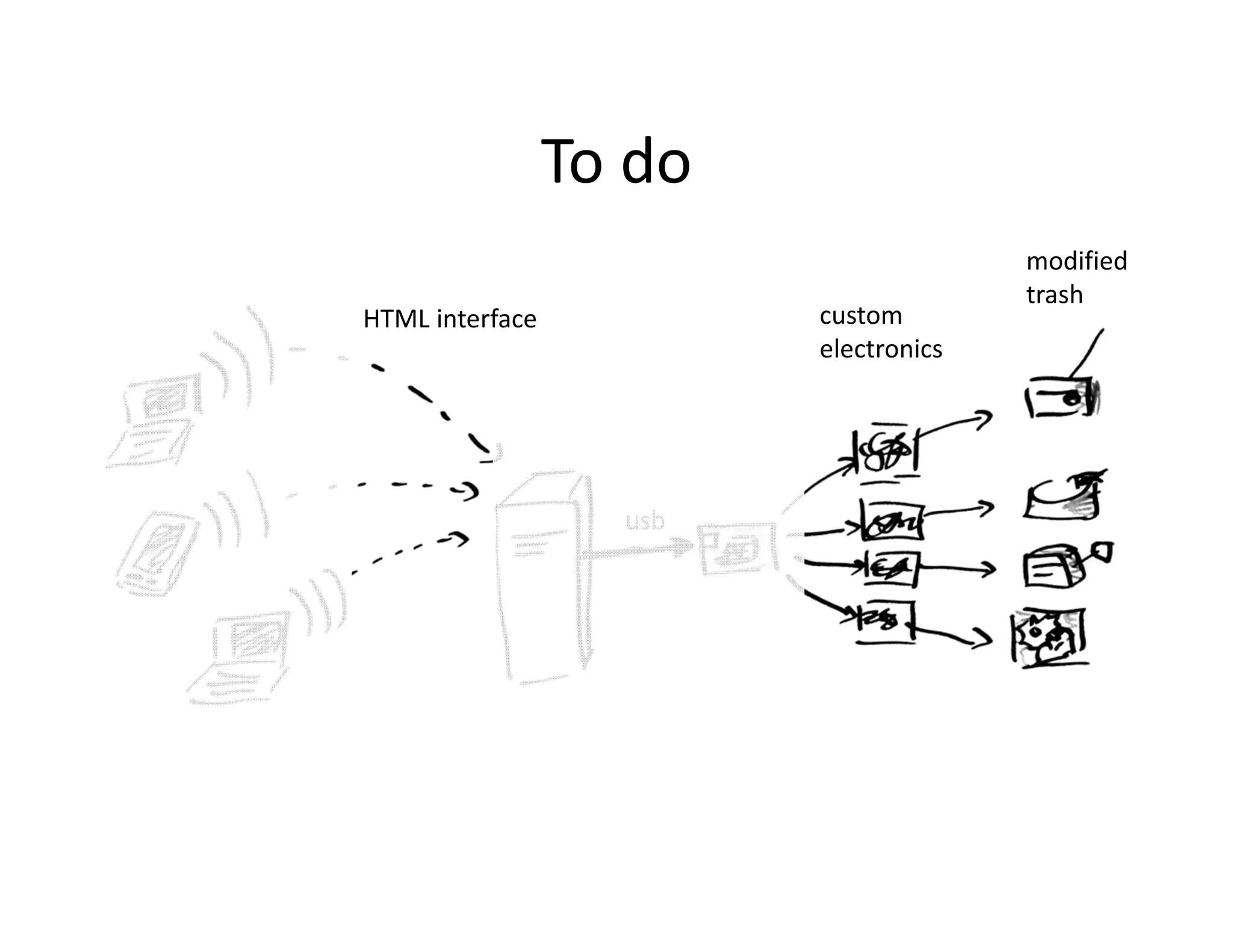
To do
                                       modified
                                       trash
HTML interface           custom
                         electronics


                   usb
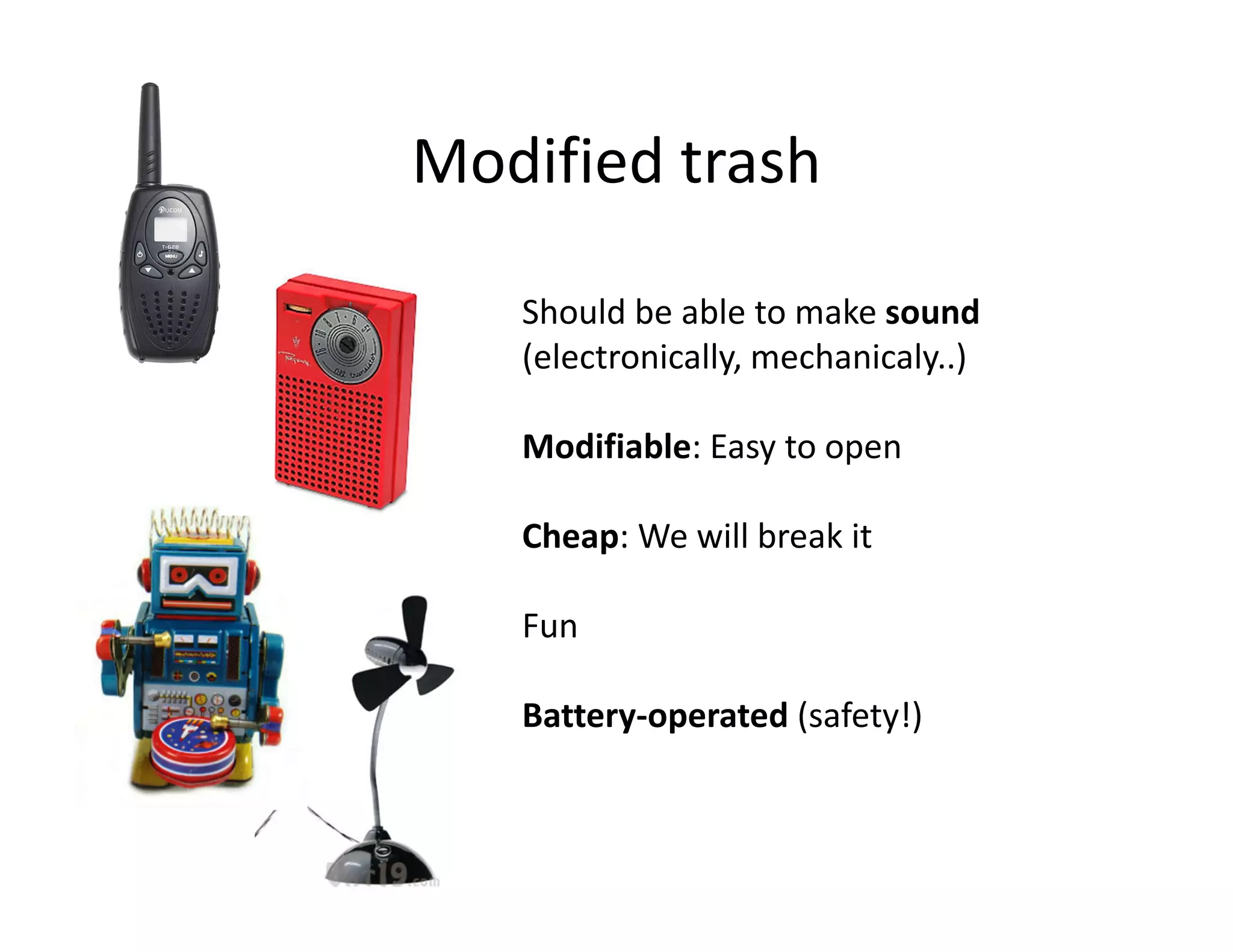
Modified trash

   Should be able to make sound
   (electronically, mechanicaly..)

   Modifiable: Easy to open

   Cheap: We will break it

   Fun

   Battery-operated (safety!)
Getting it:

Let’s go hunting
for good trash
Modify it!
Open it and explore
the audio
possibilities

Using 1 wire (on/off)
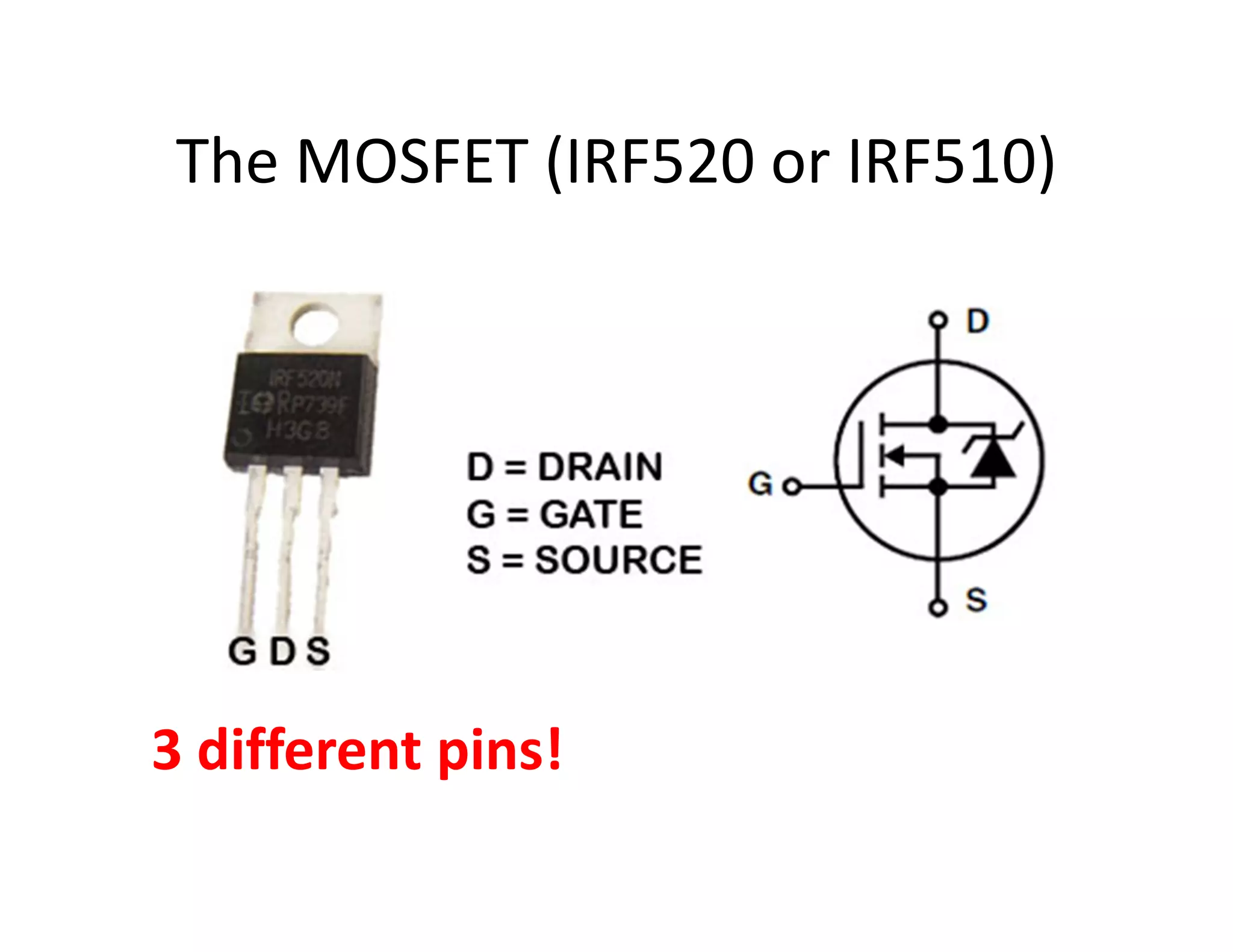
The MOSFET (IRF520 or IRF510)


3 different pins!
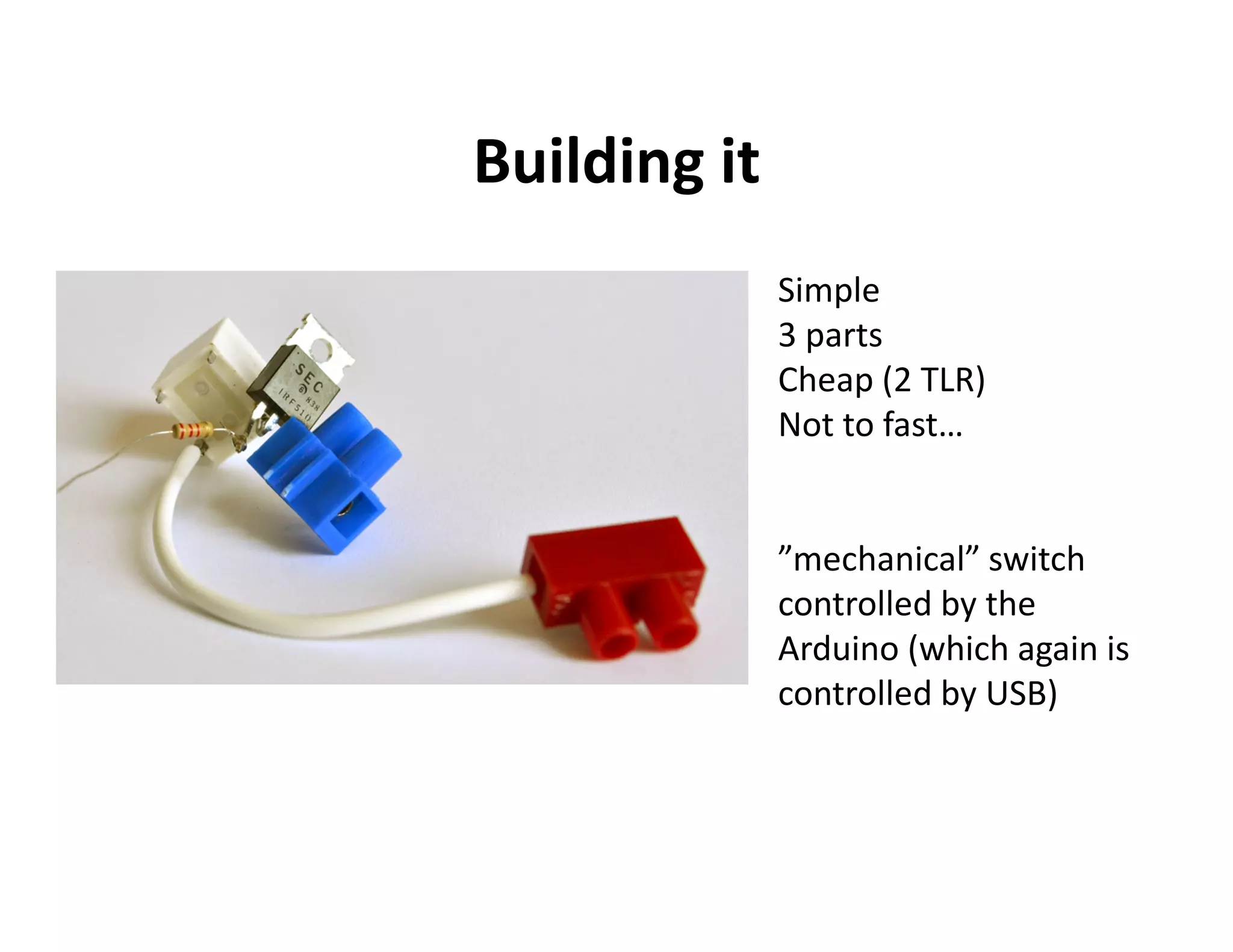
Building it
              Simple
              3 parts
              Cheap (2 TLR)
              Not to fast…


              ”mechanical” switch
              controlled by the
              Arduino (which again is
              controlled by USB)
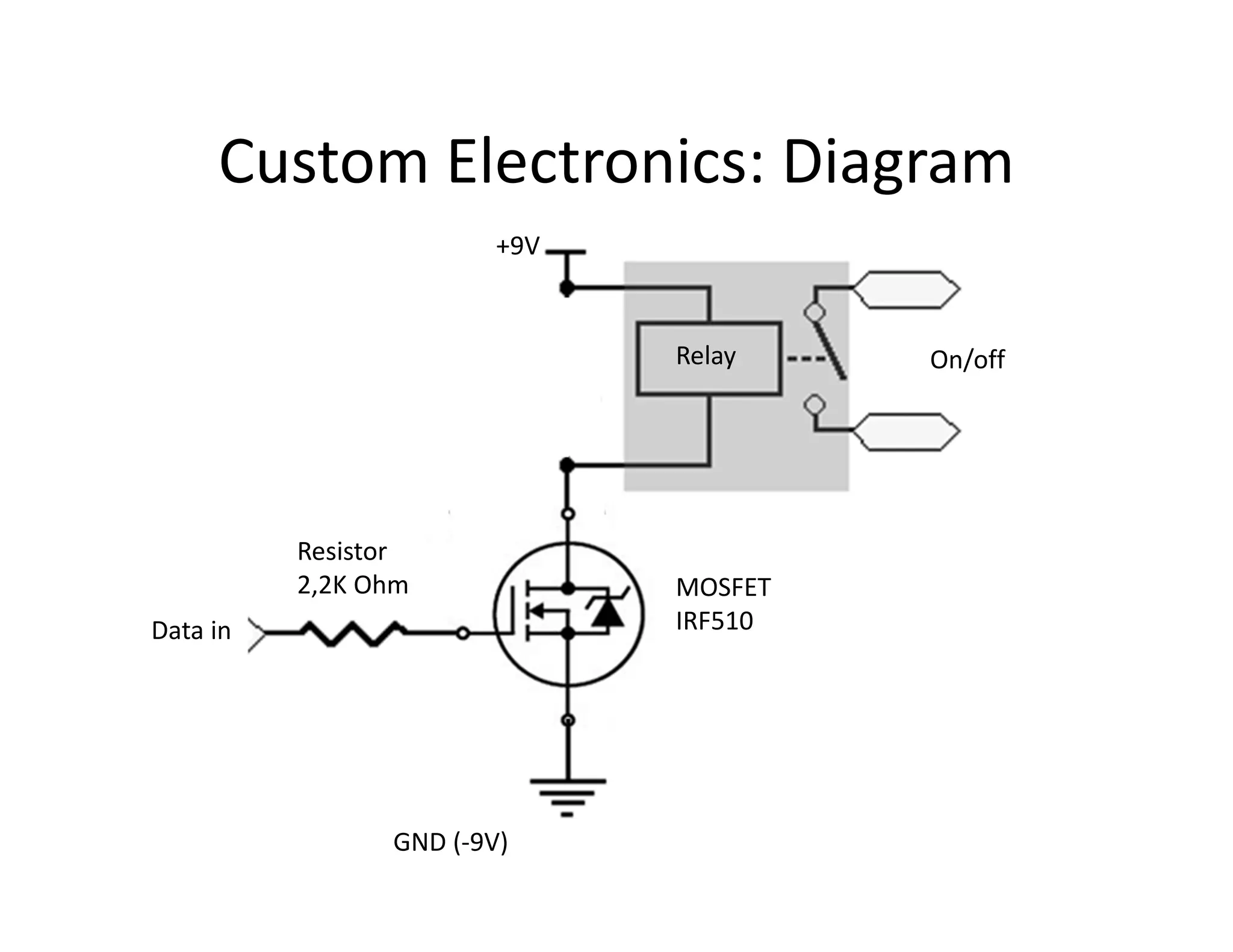
Custom Electronics: Diagram
                        +9V


                              Relay    On/off


          Resistor
          2,2K Ohm            MOSFET
Data in                       IRF510


                GND (-9V)
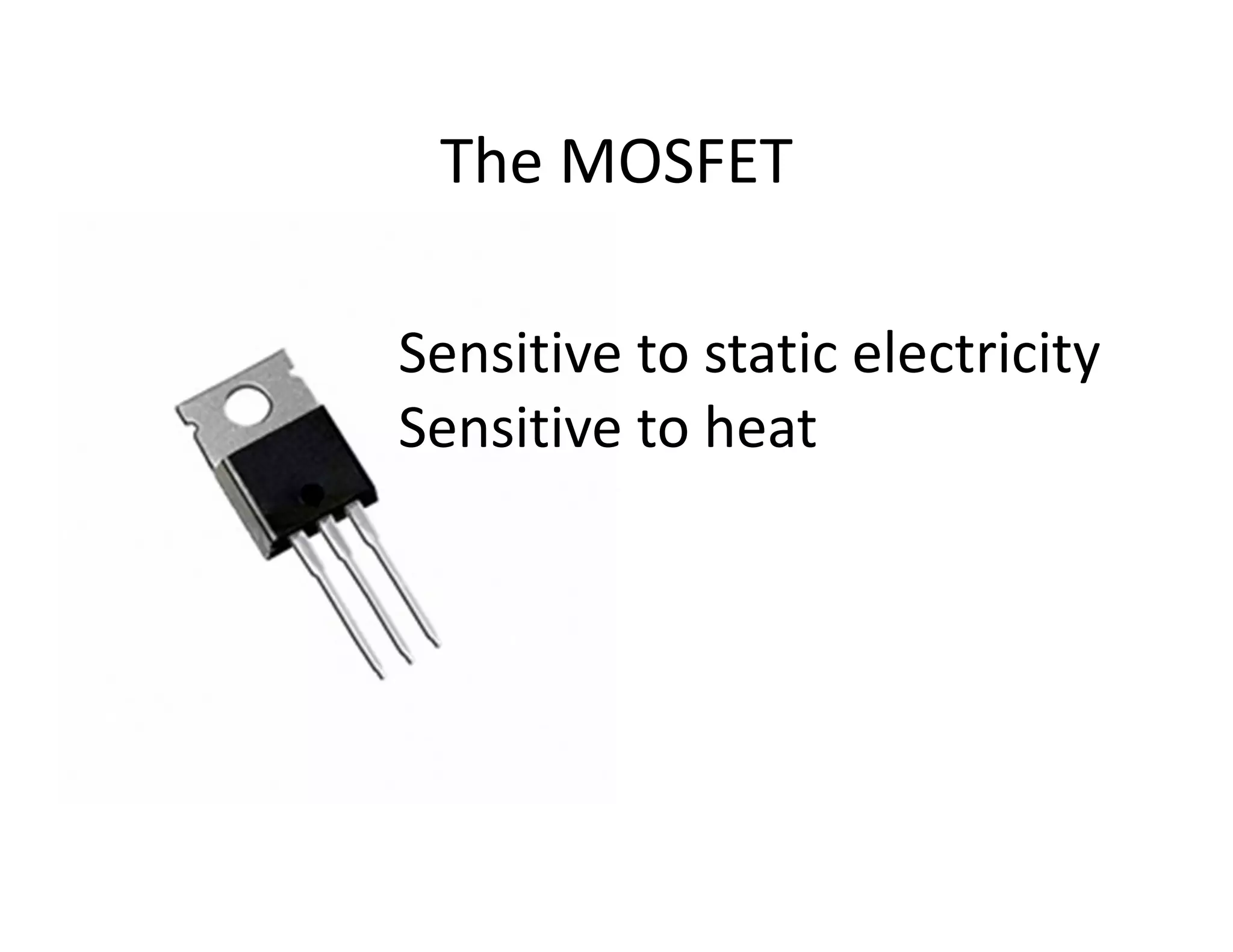
The MOSFET

Sensitive to static electricity
Sensitive to heat
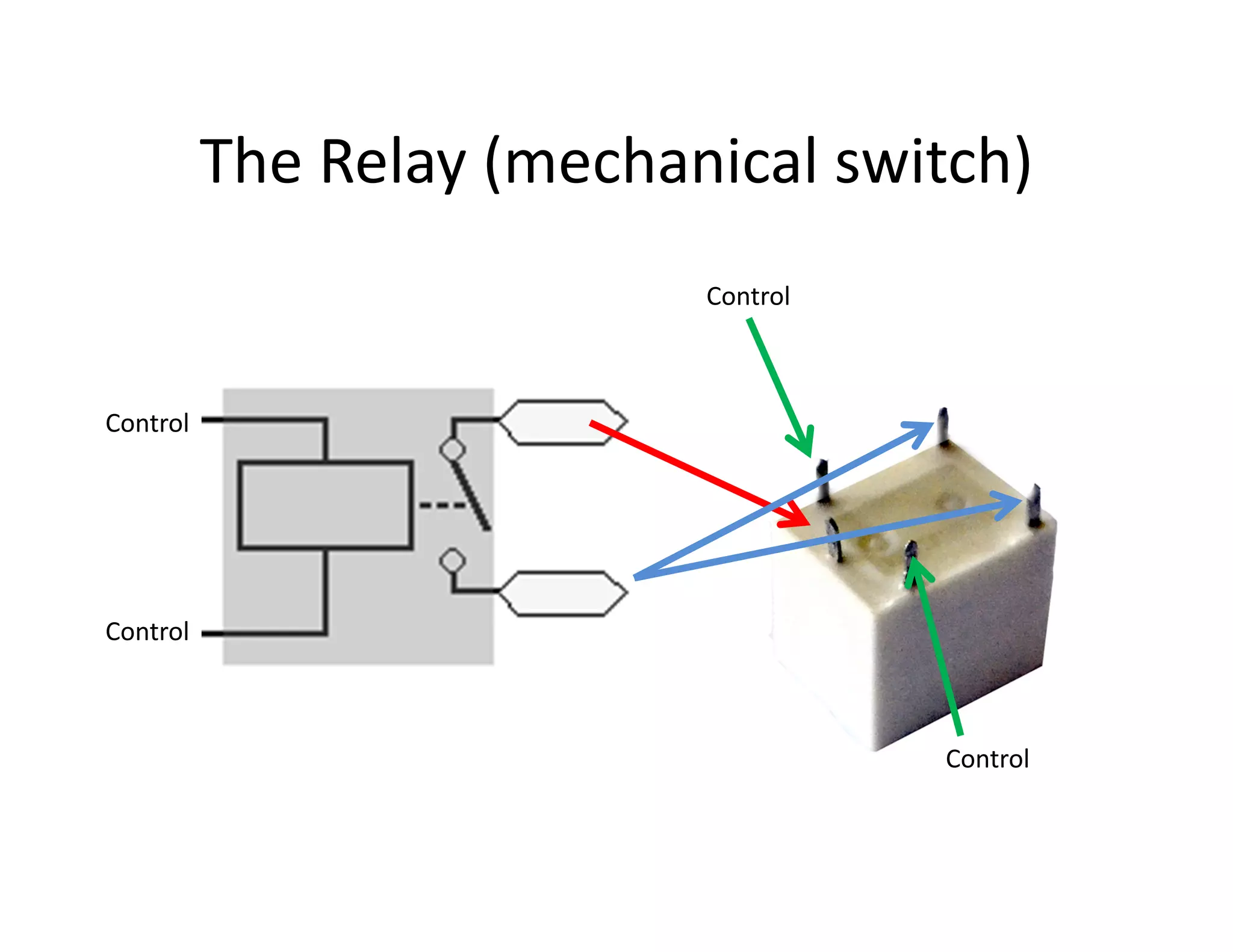
The Relay (mechanical switch)
                           Control


Control


Control


                                     Control
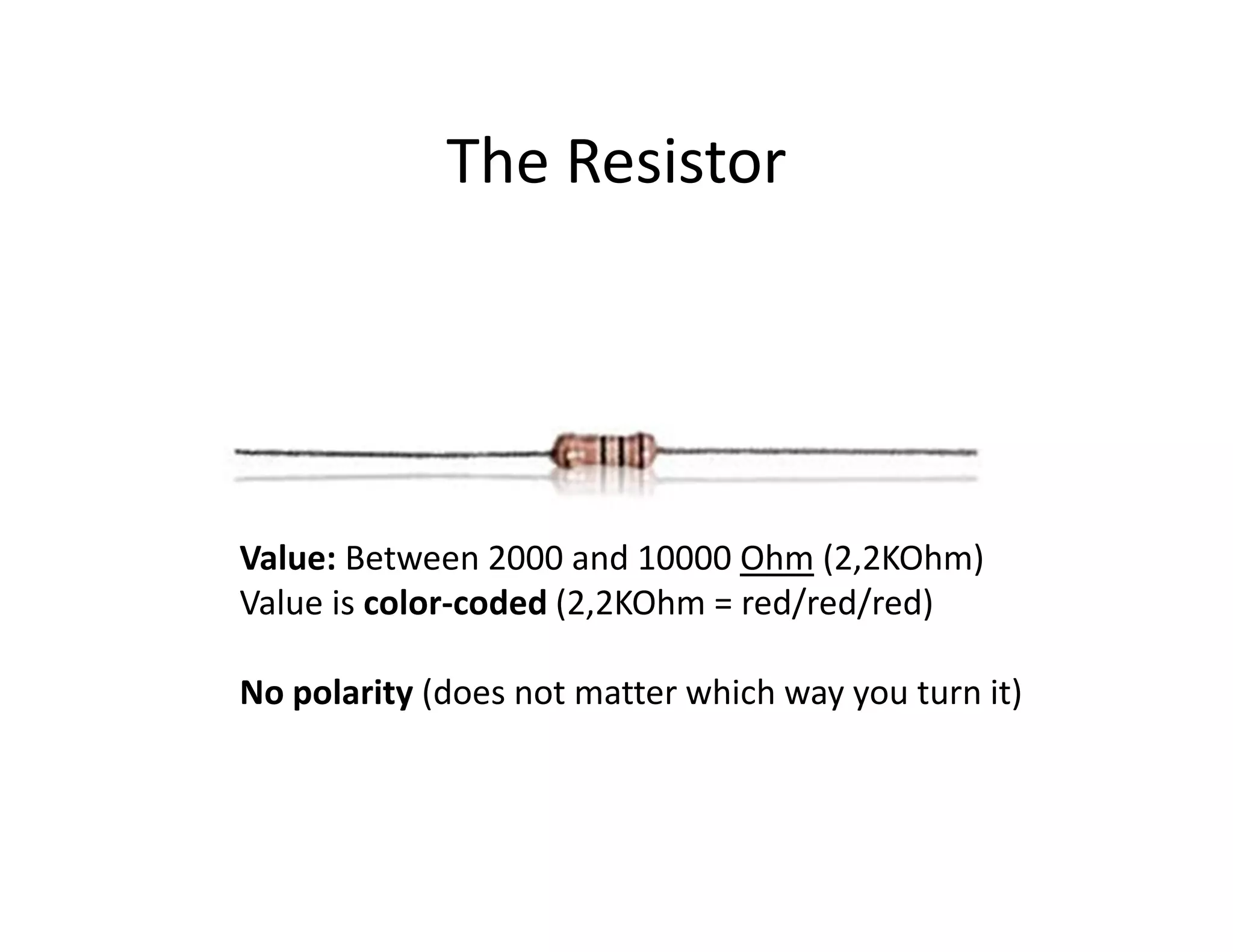
The Resistor


Value: Between 2000 and 10000 Ohm (2,2KOhm)
Value is color-coded (2,2KOhm = red/red/red)

No polarity (does not matter which way you turn it)
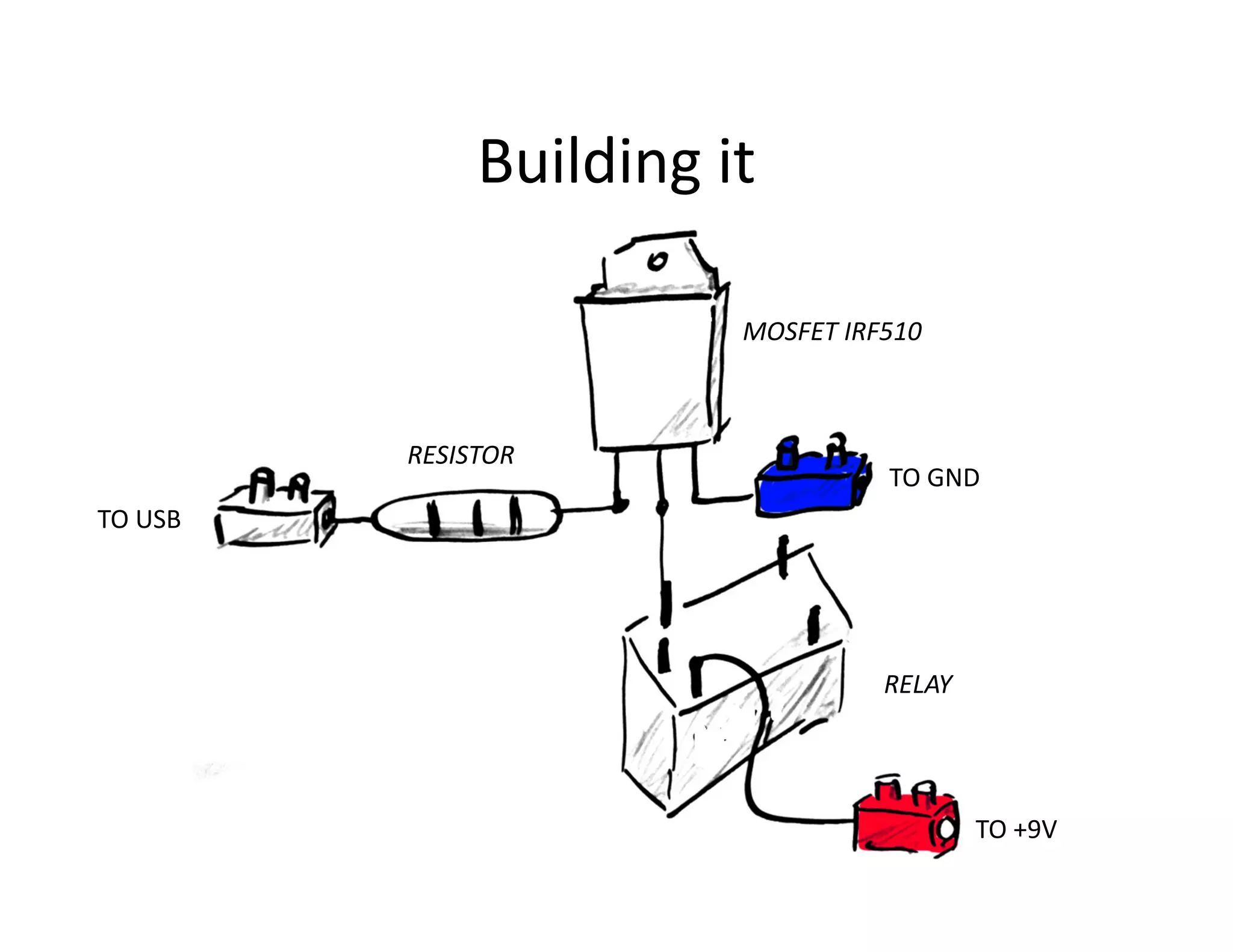
Building it

                        MOSFET IRF510


         RESISTOR
                                  TO GND
TO USB


                                  RELAY


                                          TO +9V
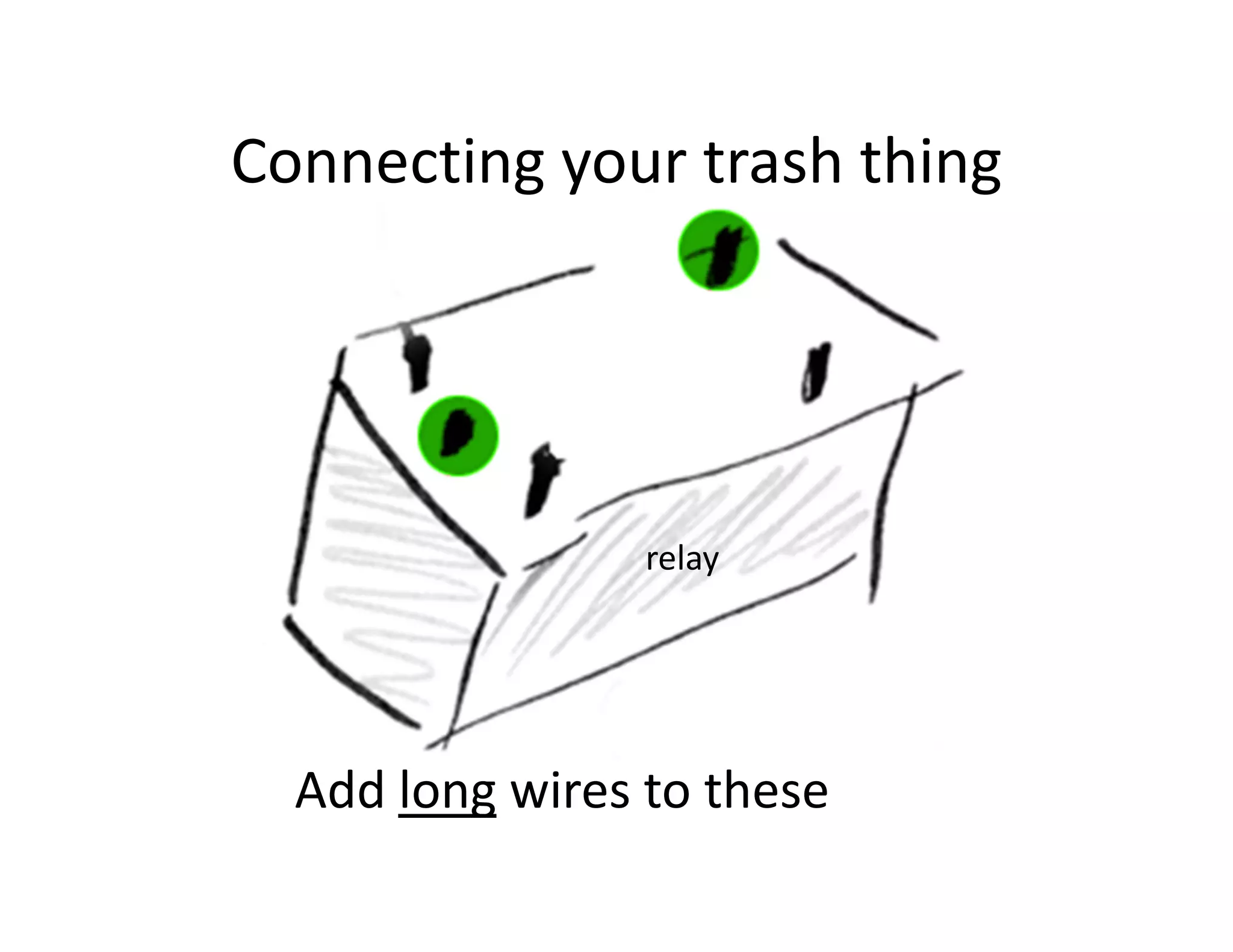
Connecting your trash thing


                 relay


  Add long wires to these
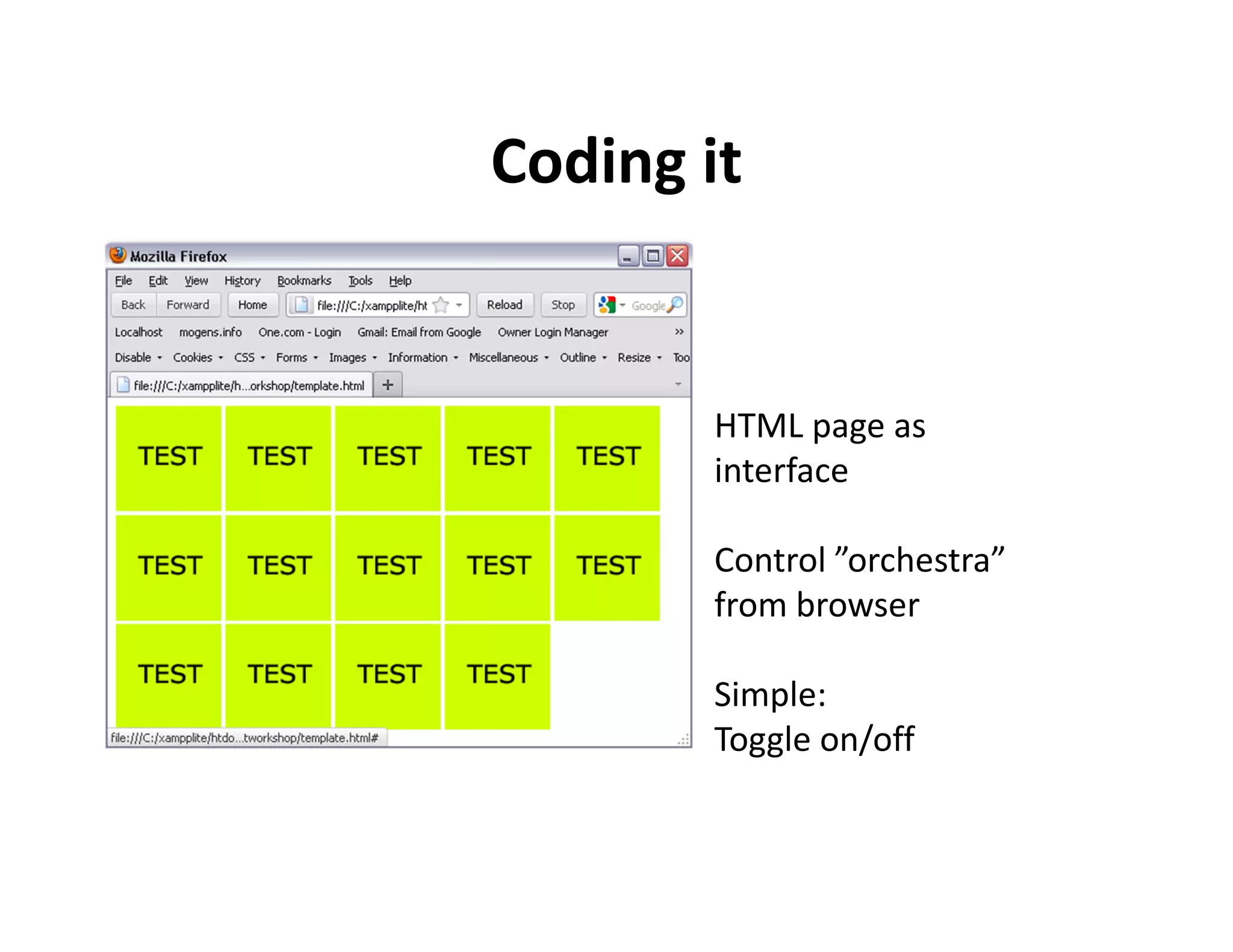
Coding it


       HTML page as
       interface

       Control ”orchestra”
       from browser

       Simple:
       Toggle on/off
Prepare the visuals
• 10 images on a webpage
      drawings, photos, ?

• Clicking an image toggles a piece of trash

• Small images (all has to fit within a webpage)
HTML: Structure of a page

<html>

         <head>
         </head>

         <body>
               CONTENT GOES HERE
         </body>

</html>

                            Save file as: [YOURNAME].html
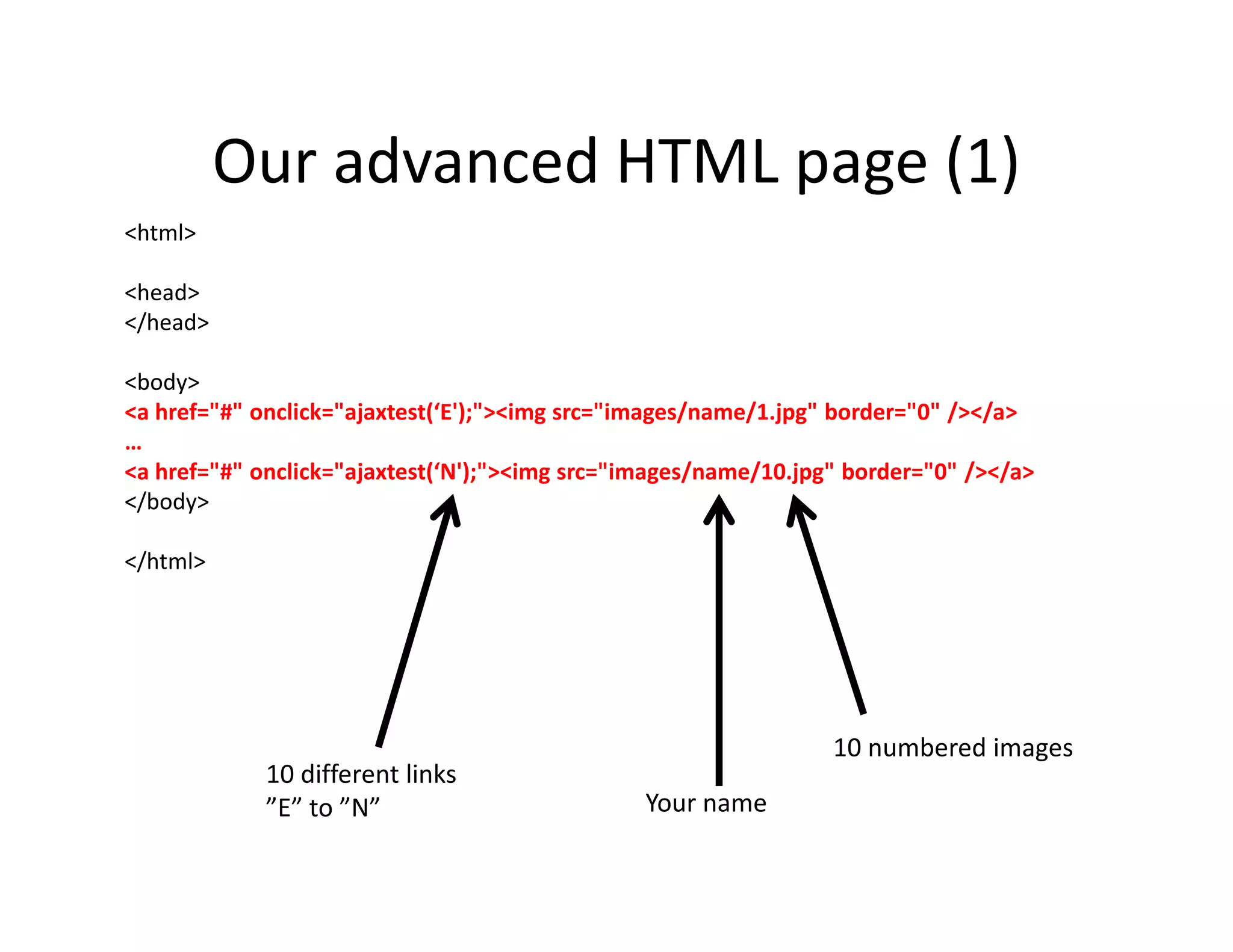
Our advanced HTML page (1)
<html>

<head>
</head>

<body>
<a href="#" onclick="ajaxtest(‘E');"><img src="images/name/1.jpg" border="0" /></a>
…
<a href="#" onclick="ajaxtest(‘N');"><img src="images/name/10.jpg" border="0" /></a>
</body>

</html>


                                                                 10 numbered images
             10 different links
             ”E” to ”N”                         Your name
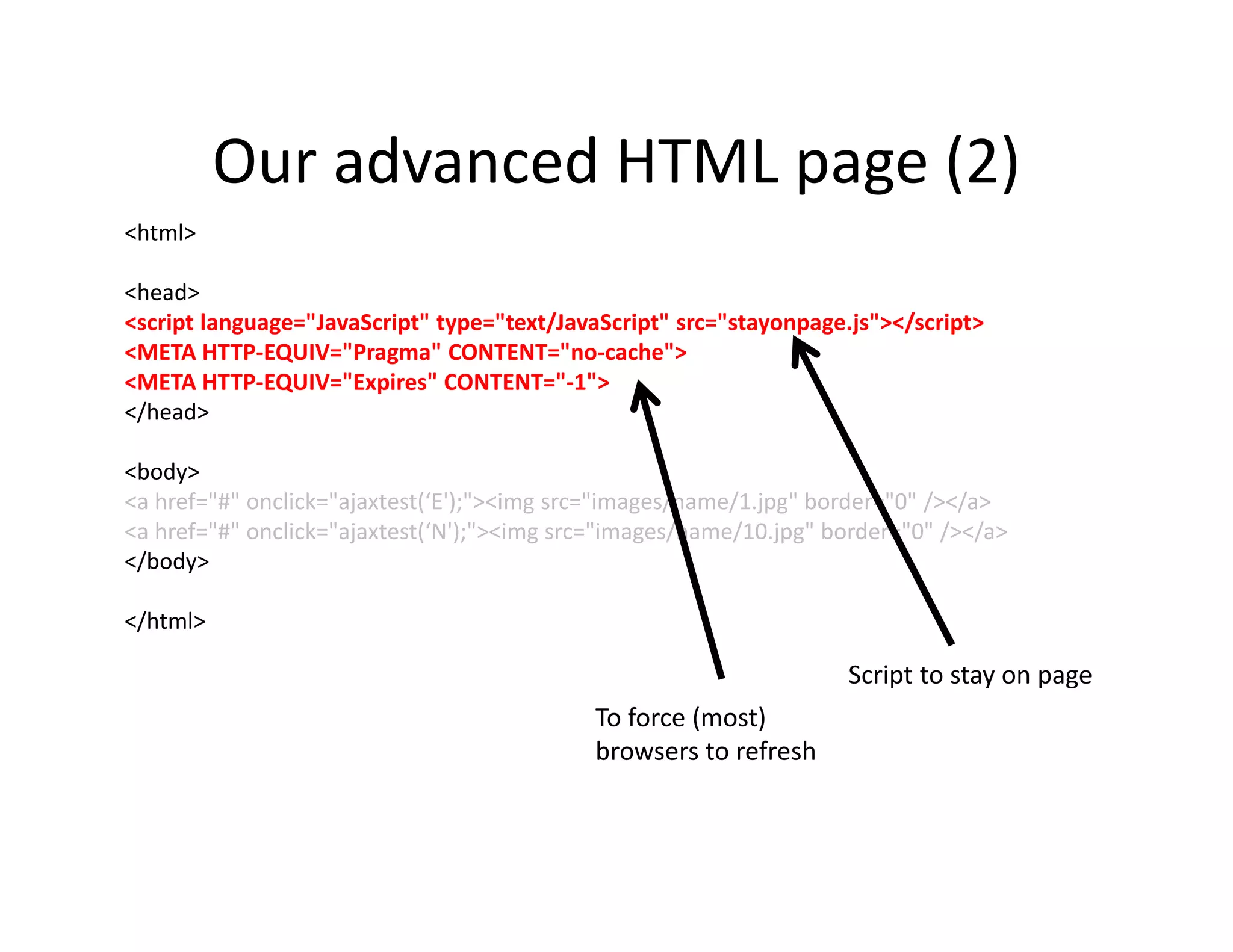
Our advanced HTML page (2)
<html>

<head>
<script language="JavaScript" type="text/JavaScript" src="stayonpage.js"></script>
<META HTTP-EQUIV="Pragma" CONTENT="no-cache">
<META HTTP-EQUIV="Expires" CONTENT="-1">
</head>

<body>
<a href="#" onclick="ajaxtest(‘E');"><img src="images/name/1.jpg" border="0" /></a>
<a href="#" onclick="ajaxtest(‘N');"><img src="images/name/10.jpg" border="0" /></a>
</body>

</html>

                                                                     Script to stay on page
                                            To force (most)
                                            browsers to refresh
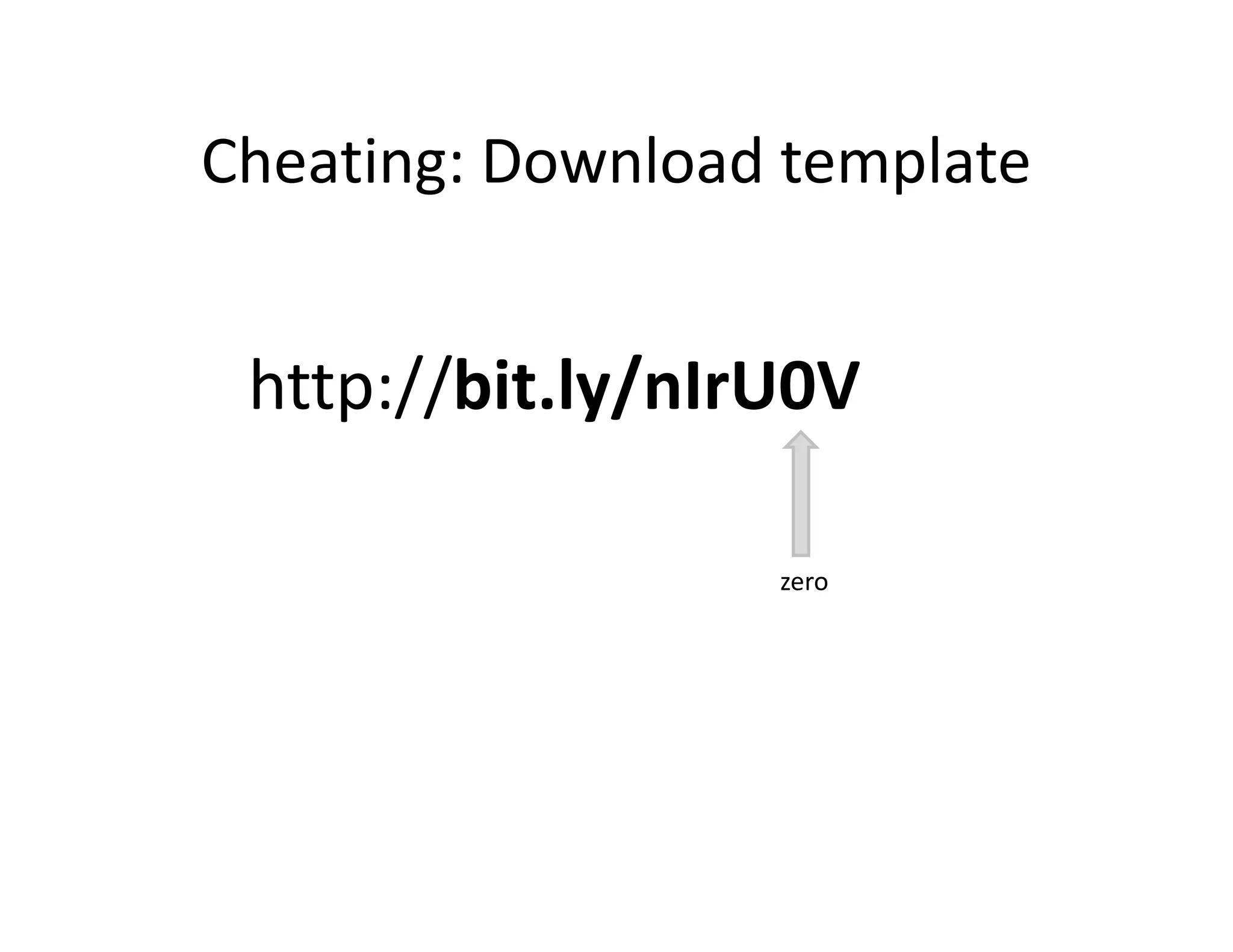
Cheating: Download template


 http://bit.ly/nIrU0V

                  zero
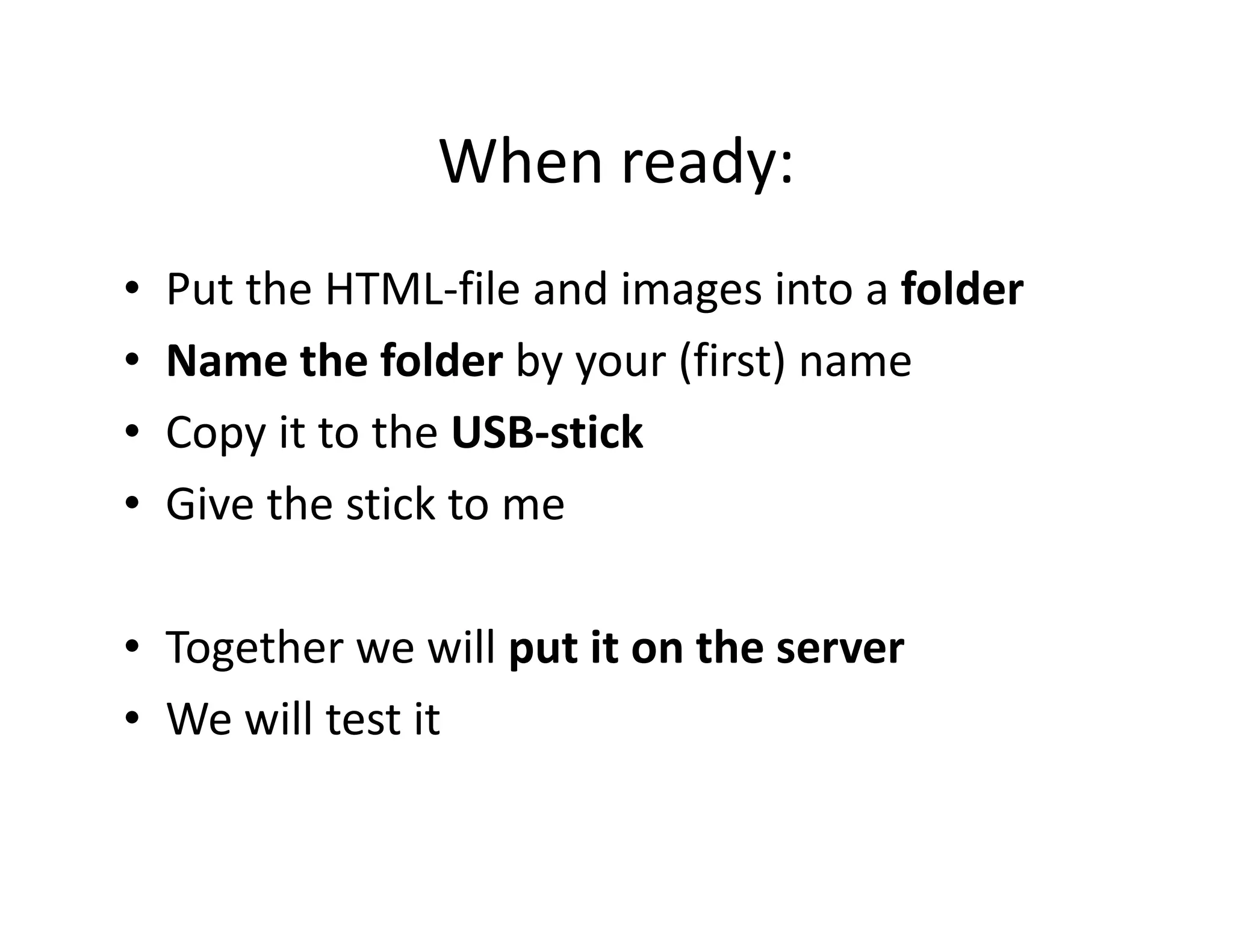
When ready:
•   Put the HTML-file and images into a folder
•   Name the folder by your (first) name
•   Copy it to the USB-stick
•   Give the stick to me

• Together we will put it on the server
• We will test it
Running a webserver

           Open-source web server


+          Server-side scripting language


            http://www.apachefriends.org/en/xampp.html
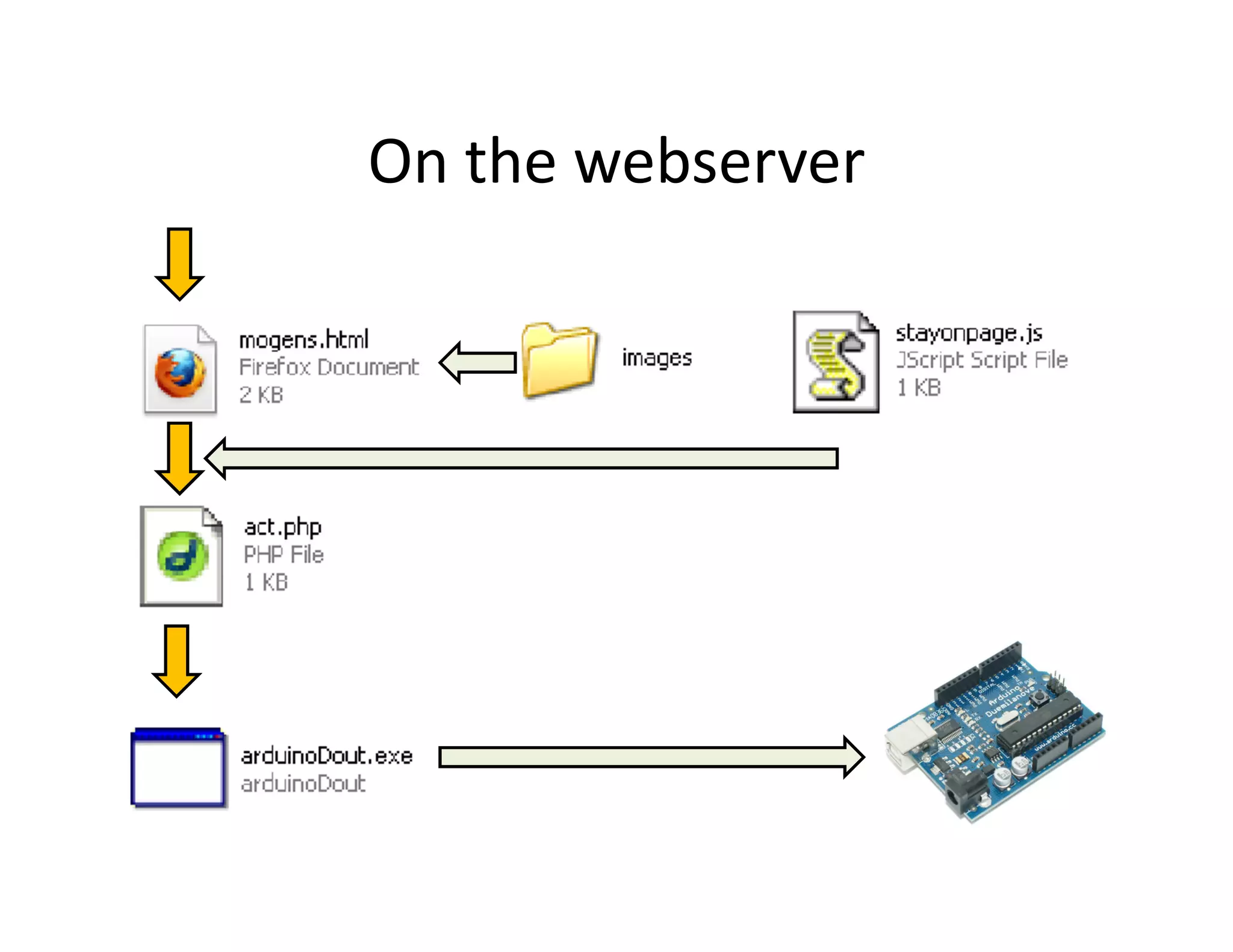
On the webserver
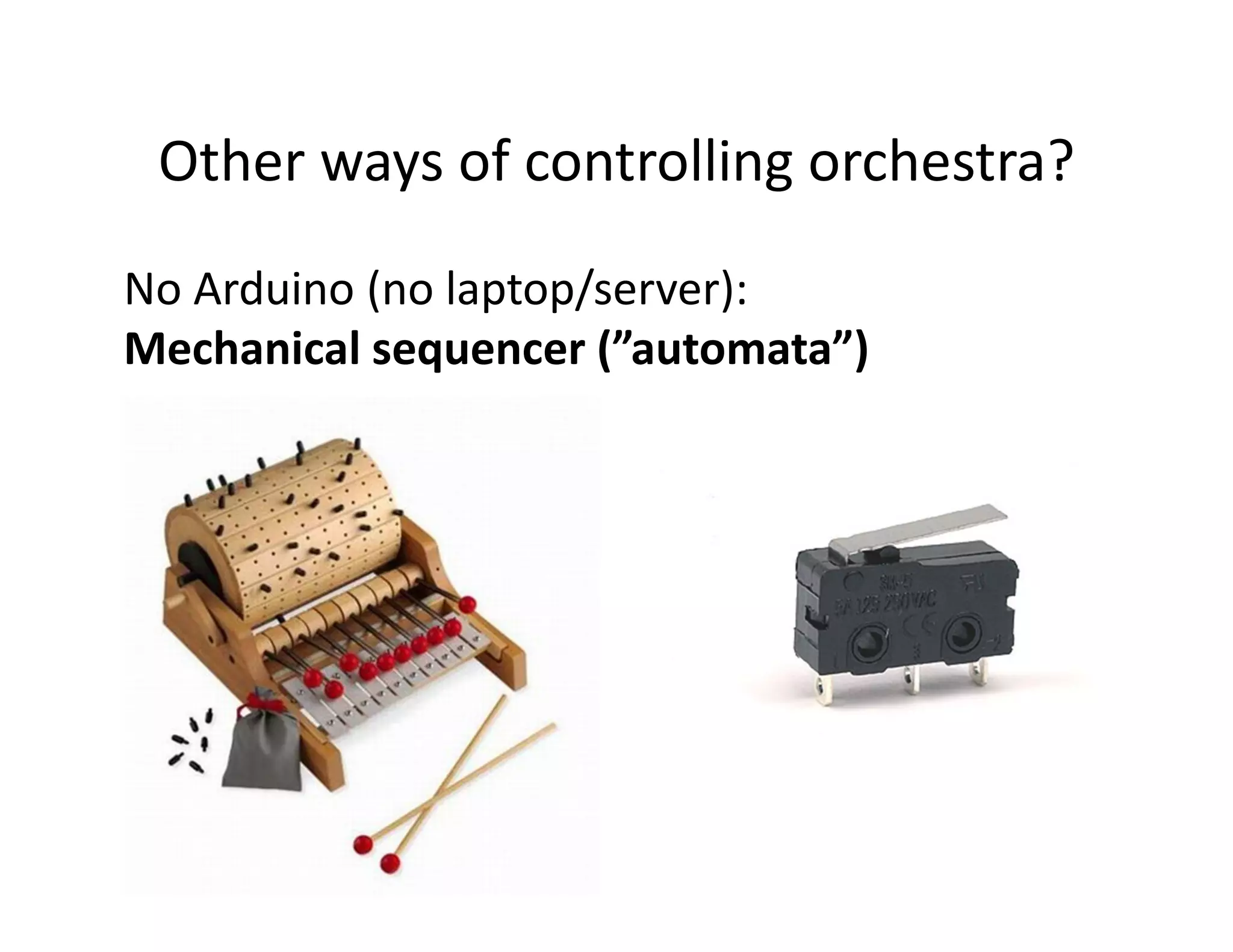
Other ways of controlling orchestra?
Arduino only (no laptop/server):
Random play
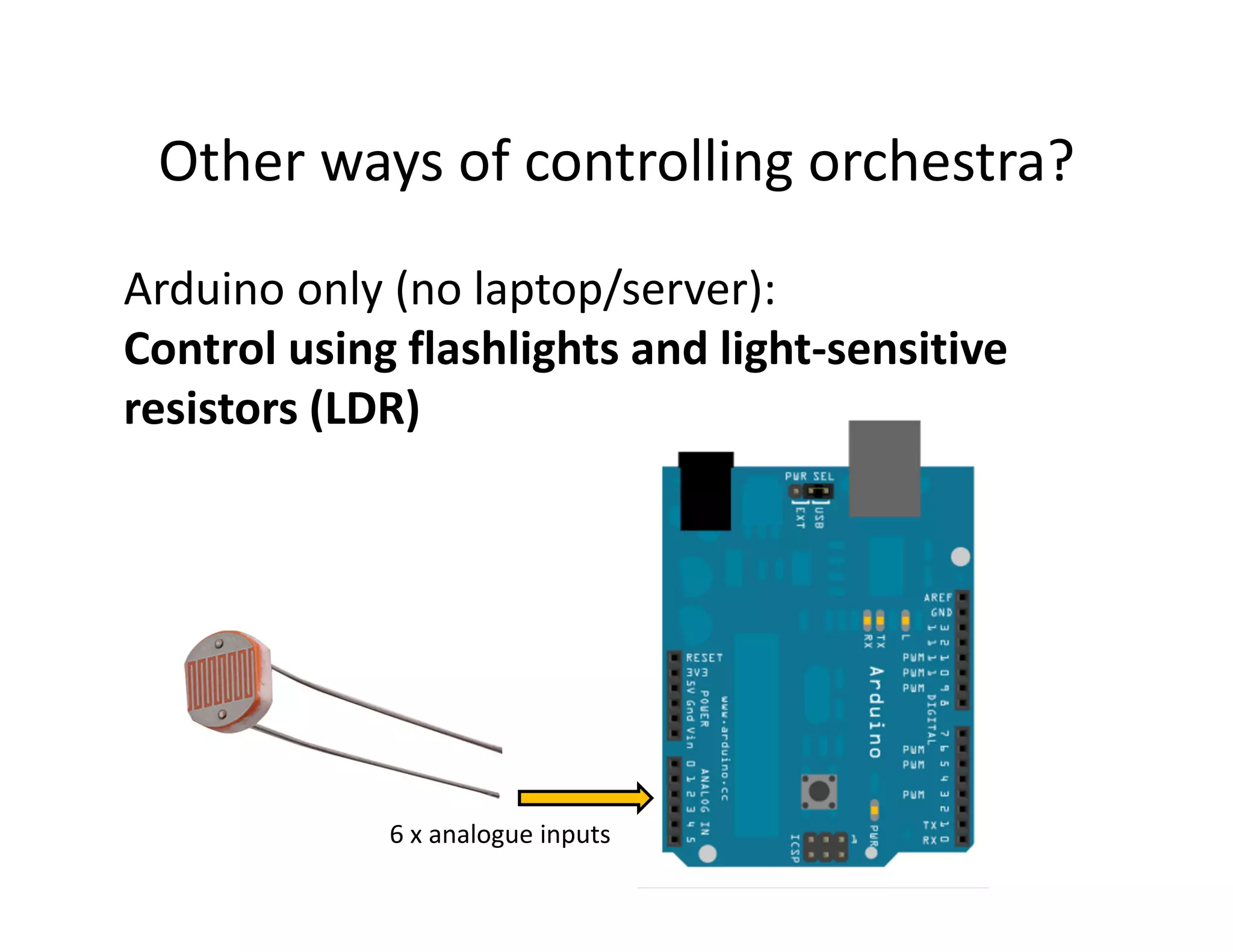
Other ways of controlling orchestra?
Arduino only (no laptop/server):
Control using flashlights and light-sensitive
resistors (LDR)


             6 x analogue inputs
Other ways of controlling orchestra?
No Arduino (no laptop/server):
Mechanical sequencer (”automata”)
The orchestra
• Set up in PiST/// space
• Connect things

• Publish access-info on sign
     Network, username, password
     Address of the server (IP-number)

• Test it
• Correct errors!
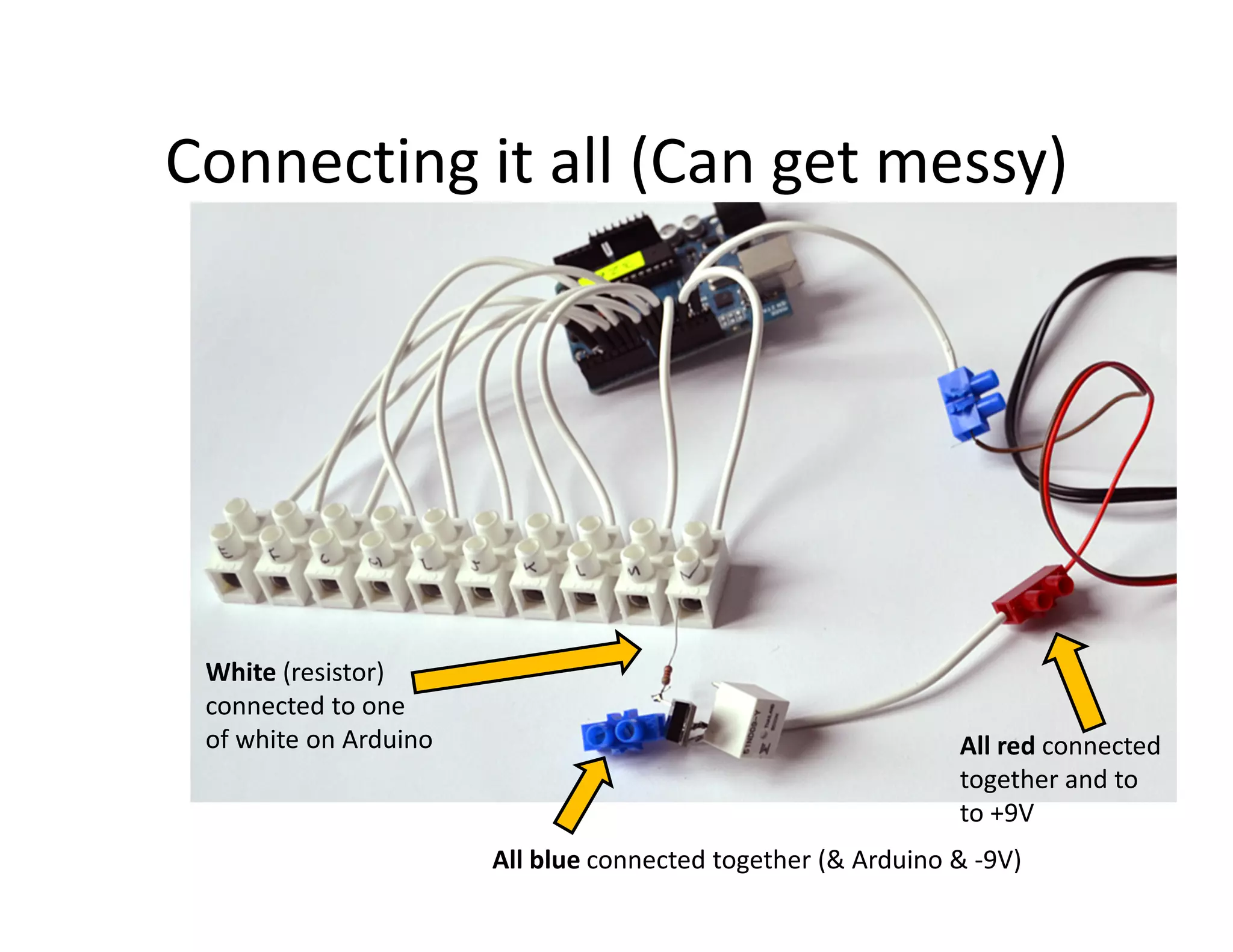
Connecting it all (Can get messy)


 White (resistor)
 connected to one
 of white on Arduino                                          All red connected
                                                              together and to
                                                              to +9V
                       All blue connected together (& Arduino & -9V)
Links
• All material: http://bit.ly/o0TclL
  – (lower case ”o”, Zero, Tc, uppercase ”i” and L)


• My email: jacobsen@artnode.org

PiST/// Workshop

  • 2.
    The plan (interim) Day1: Getting it • Introduction to concept • Visit to junk-market. Shopping for noise-makers • Taking the devices apart • Circuit bending: Trying to produce interesting sound Day 2: Building it • Introduction to the interface • Building control electronics. • Setting up the installation of noisemakers at PiST Day 3: Coding it • Connect the noisemakers to the web. • Program a simple visual interface I HTML (webpage). • “Rehearsal” Evening/Performance : Doing it (Tuesday 20:15) The participants will perform a short piece by controlling the installation from the web. Afterwards everybody is invited to use the installation - so bring friend, smartphones and laptops. PiST will supply an open WIFI-network for this evening.
  • 3.
  • 4.
    Where the ideacame from Bamboo Grove, Beijing 2010 Mogens Jacobsen, David Garcia, Jakob S. Remin and Morten Riis
  • 5.
    Where the ideacame from
  • 6.
    Where the ideacame from Mechanical soundmakers
  • 7.
    Where the ideacame from The controller: Arduino + custom electronics
  • 8.
    Where the ideacame from Performance: Jakob S. Remin, Morten Riis, MJ
  • 9.
    The (new) concept:Internet control modified HTML interface trash custom via WiFi electronics usb webserver controller laptops (arduino) smartphones
  • 10.
    The webserver My slow netbook XAMPPP freeware webserver (Apache based supporting PHP) www.apachefriends.org
  • 11.
    The usb controller The Arduino Board Small computer Cheap (65 TLR) OpenSource (hardware)
  • 12.
    The Arduino (i/o) 14 digital input/output (6 analog inputs) USB We share one Use it as USB-controller
  • 13.
  • 14.
    ”Pinkie”: (almost) all-in-one alternative BURAK ARIKAN
  • 15.
    To do modified trash HTML interface custom electronics usb
  • 16.
    Modified trash Should be able to make sound (electronically, mechanicaly..) Modifiable: Easy to open Cheap: We will break it Fun Battery-operated (safety!)
  • 17.
    Getting it: Let’s gohunting for good trash
  • 18.
    Modify it! Open itand explore the audio possibilities Using 1 wire (on/off)
  • 19.
    The MOSFET (IRF520or IRF510) 3 different pins!
  • 20.
    Building it Simple 3 parts Cheap (2 TLR) Not to fast… ”mechanical” switch controlled by the Arduino (which again is controlled by USB)
  • 21.
    Custom Electronics: Diagram +9V Relay On/off Resistor 2,2K Ohm MOSFET Data in IRF510 GND (-9V)
  • 22.
    The MOSFET Sensitive tostatic electricity Sensitive to heat
  • 23.
    The Relay (mechanicalswitch) Control Control Control Control
  • 24.
    The Resistor Value: Between2000 and 10000 Ohm (2,2KOhm) Value is color-coded (2,2KOhm = red/red/red) No polarity (does not matter which way you turn it)
  • 25.
    Building it MOSFET IRF510 RESISTOR TO GND TO USB RELAY TO +9V
  • 26.
    Connecting your trashthing relay Add long wires to these
  • 27.
    Coding it HTML page as interface Control ”orchestra” from browser Simple: Toggle on/off
  • 28.
    Prepare the visuals •10 images on a webpage drawings, photos, ? • Clicking an image toggles a piece of trash • Small images (all has to fit within a webpage)
  • 29.
    HTML: Structure ofa page <html> <head> </head> <body> CONTENT GOES HERE </body> </html> Save file as: [YOURNAME].html
  • 30.
    Our advanced HTMLpage (1) <html> <head> </head> <body> <a href="#" onclick="ajaxtest(‘E');"><img src="images/name/1.jpg" border="0" /></a> … <a href="#" onclick="ajaxtest(‘N');"><img src="images/name/10.jpg" border="0" /></a> </body> </html> 10 numbered images 10 different links ”E” to ”N” Your name
  • 31.
    Our advanced HTMLpage (2) <html> <head> <script language="JavaScript" type="text/JavaScript" src="stayonpage.js"></script> <META HTTP-EQUIV="Pragma" CONTENT="no-cache"> <META HTTP-EQUIV="Expires" CONTENT="-1"> </head> <body> <a href="#" onclick="ajaxtest(‘E');"><img src="images/name/1.jpg" border="0" /></a> <a href="#" onclick="ajaxtest(‘N');"><img src="images/name/10.jpg" border="0" /></a> </body> </html> Script to stay on page To force (most) browsers to refresh
  • 32.
    Cheating: Download template http://bit.ly/nIrU0V zero
  • 33.
    When ready: • Put the HTML-file and images into a folder • Name the folder by your (first) name • Copy it to the USB-stick • Give the stick to me • Together we will put it on the server • We will test it
  • 34.
    Running a webserver Open-source web server + Server-side scripting language http://www.apachefriends.org/en/xampp.html
  • 35.
  • 36.
    Other ways ofcontrolling orchestra? Arduino only (no laptop/server): Random play
  • 37.
    Other ways ofcontrolling orchestra? Arduino only (no laptop/server): Control using flashlights and light-sensitive resistors (LDR) 6 x analogue inputs
  • 38.
    Other ways ofcontrolling orchestra? No Arduino (no laptop/server): Mechanical sequencer (”automata”)
  • 39.
    The orchestra • Setup in PiST/// space • Connect things • Publish access-info on sign Network, username, password Address of the server (IP-number) • Test it • Correct errors!
  • 40.
    Connecting it all(Can get messy) White (resistor) connected to one of white on Arduino All red connected together and to to +9V All blue connected together (& Arduino & -9V)
  • 41.
    Links • All material:http://bit.ly/o0TclL – (lower case ”o”, Zero, Tc, uppercase ”i” and L) • My email: jacobsen@artnode.org