

Get your hands dirty with Arduino 
Savio Dimatteo 
Heidelberg Web Enthusiasts Meetup - 10 Dec 2014
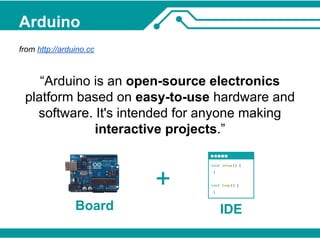
Arduino
Arduino 
from http://arduino.cc 
“Arduino is an open-source electronics 
platform based on easy-to-use hardware and 
software. It's intended for anyone making 
interactive projects.” 
IDE 
+ 
Board
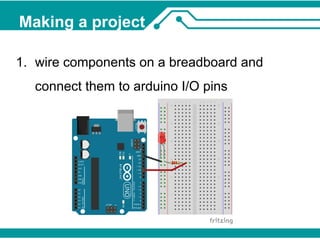
Making a project 
1. wire components on a breadboard and 
connect them to arduino I/O pins
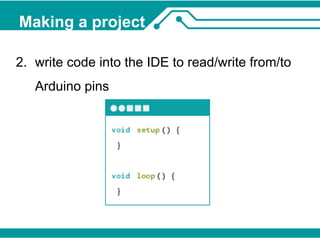
Making a project 
2. write code into the IDE to read/write from/to 
Arduino pins
Making a project 
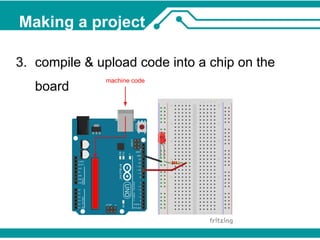
3. compile & upload code into a chip on the 
board machine code
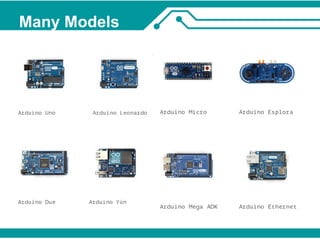
Many Models
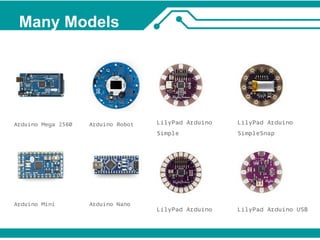
Many Models
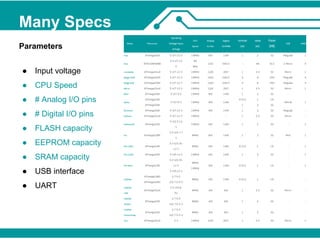
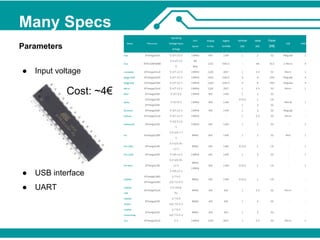
Many Specs 
Parameters 
● Input voltage 
● CPU Speed 
● # Analog I/O pins 
● # Digital I/O pins 
● FLASH capacity 
● EEPROM capacity 
● SRAM capacity 
● USB interface 
● UART
Many Specs 
Parameters 
● Input voltage 
Cost: ~4€ 
● USB interface 
● UART
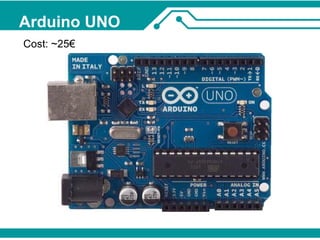
Arduino UNO 
Cost: ~25€
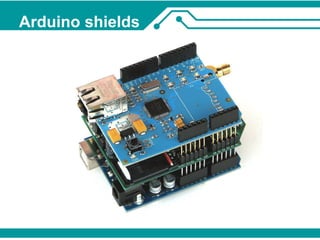
Arduino shields
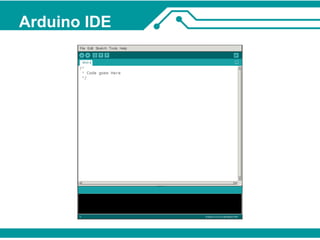
Arduino IDE
Arduino code 
● language is an implementation of Wiring 
● syntax looks like a mix of Java/C/C++ 
● feels almost like a scripting language... 
● code preprocessed into C++ 
● compiled and linked against Arduino libraries 
● machine code into a file ready for upload
Typical workflow 
● write code 
● compile 
● connect Arduino via USB 
● upload 
● see if it works
Debugging 
● write code using Serial.print(...) 
● compile 
● connect Arduino via USB 
● upload 
● open serial monitor 
● see if it works, check serial monitor output
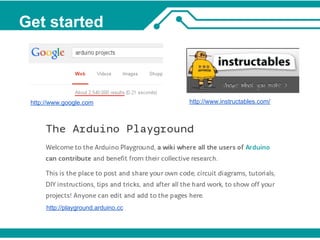
Get started 
http://www.google.com http://www.instructables.com/ 
http://playground.arduino.cc
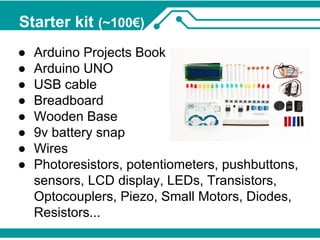
Starter kit (~100€) 
● Arduino Projects Book 
● Arduino UNO 
● USB cable 
● Breadboard 
● Wooden Base 
● 9v battery snap 
● Wires 
● Photoresistors, potentiometers, pushbuttons, 
sensors, LCD display, LEDs, Transistors, 
Optocouplers, Piezo, Small Motors, Diodes, 
Resistors...
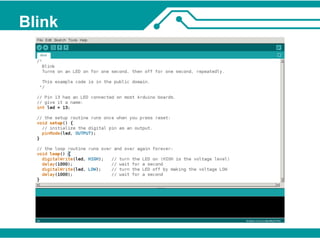
Blink
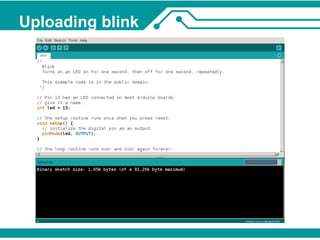
Uploading blink
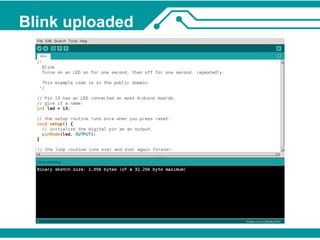
Blink uploaded
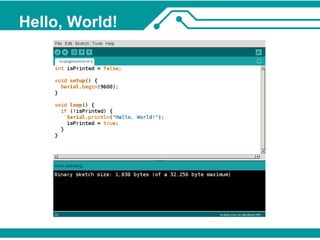
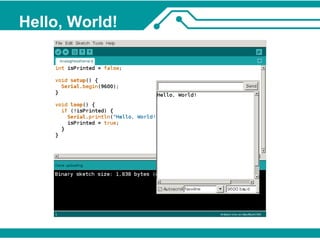
Hello, World!
Hello, World!
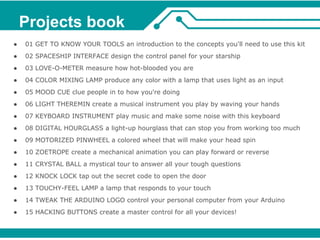
Projects book 
● 01 GET TO KNOW YOUR TOOLS an introduction to the concepts you'll need to use this kit 
● 02 SPACESHIP INTERFACE design the control panel for your starship 
● 03 LOVE-O-METER measure how hot-blooded you are 
● 04 COLOR MIXING LAMP produce any color with a lamp that uses light as an input 
● 05 MOOD CUE clue people in to how you're doing 
● 06 LIGHT THEREMIN create a musical instrument you play by waving your hands 
● 07 KEYBOARD INSTRUMENT play music and make some noise with this keyboard 
● 08 DIGITAL HOURGLASS a light-up hourglass that can stop you from working too much 
● 09 MOTORIZED PINWHEEL a colored wheel that will make your head spin 
● 10 ZOETROPE create a mechanical animation you can play forward or reverse 
● 11 CRYSTAL BALL a mystical tour to answer all your tough questions 
● 12 KNOCK LOCK tap out the secret code to open the door 
● 13 TOUCHY-FEEL LAMP a lamp that responds to your touch 
● 14 TWEAK THE ARDUINO LOGO control your personal computer from your Arduino 
● 15 HACKING BUTTONS create a master control for all your devices!
What did I do with Arduino
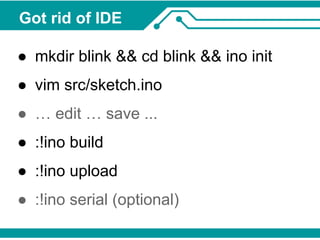
Got rid of IDE 
● mkdir blink && cd blink && ino init 
● vim src/sketch.ino 
● … edit … save ... 
● :!ino build 
● :!ino upload 
● :!ino serial (optional)
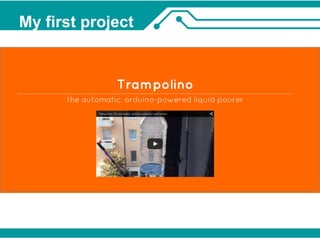
My first project
Trampolino 
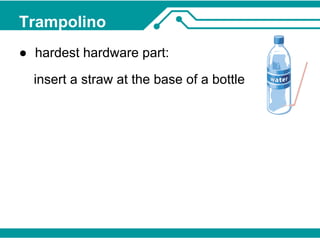
● hardest hardware part: 
insert a straw at the base of a bottle
Trampolino 
● hardest hardware part: 
insert a straw at the base of a bottle 
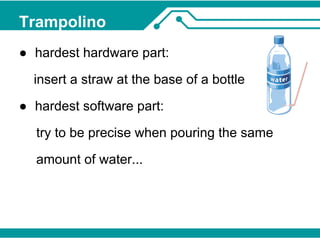
● hardest software part: 
try to be precise when pouring the same 
amount of water...
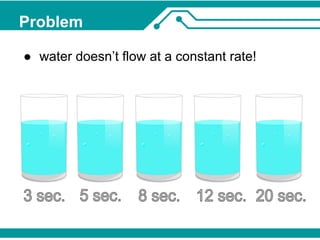
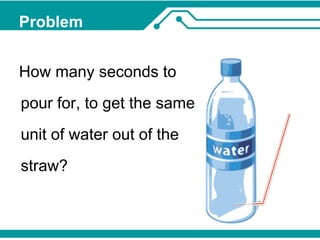
Problem 
● water doesn’t flow at a constant rate!
Problem 
How many seconds to 
pour for, to get the same 
unit of water out of the 
straw?
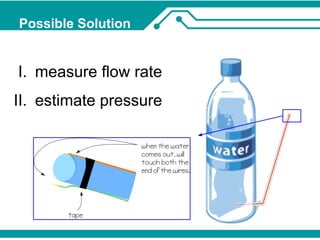
Possible Solution 
I. measure flow rate 
II. estimate pressure
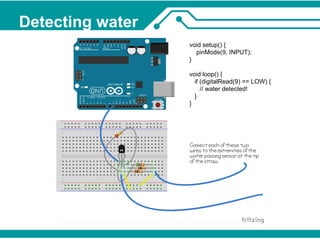
Detecting water 
void setup() { 
pinMode(9, INPUT); 
} 
void loop() { 
if (digitalRead(9) == LOW) { 
// water detected! 
} 
}
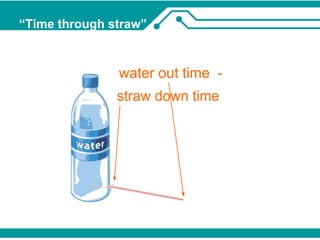
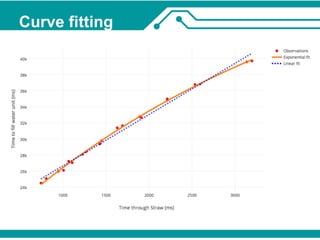
“Time through straw”
Curve fitting
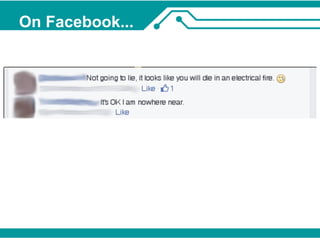
On Facebook...
Conclusions 
● very easy to get started 
● time consuming 
● exciting 
● expensive 
● generally not dangerous
Get your hands dirty with Arduino 
Thank You 
● My Website: http://www.savio.dimatteo.it 
● GitHub: https://github.com/darksmo 
● Twitter: @darksmo 
● E-mail: darksmo@gmail.com 
● Trampolino: http://darksmo.github.io/arduino-trampolino/ 
● Arduino playground: http://playground.arduino.cc

Get your hands dirty with Arduino

  • 1.
    Get your handsdirty with Arduino Savio Dimatteo Heidelberg Web Enthusiasts Meetup - 10 Dec 2014
  • 2.
  • 3.
    Arduino from http://arduino.cc “Arduino is an open-source electronics platform based on easy-to-use hardware and software. It's intended for anyone making interactive projects.” IDE + Board
  • 4.
    Making a project 1. wire components on a breadboard and connect them to arduino I/O pins
  • 5.
    Making a project 2. write code into the IDE to read/write from/to Arduino pins
  • 6.
    Making a project 3. compile & upload code into a chip on the board machine code
  • 7.
  • 8.
  • 9.
    Many Specs Parameters ● Input voltage ● CPU Speed ● # Analog I/O pins ● # Digital I/O pins ● FLASH capacity ● EEPROM capacity ● SRAM capacity ● USB interface ● UART
  • 10.
    Many Specs Parameters ● Input voltage Cost: ~4€ ● USB interface ● UART
  • 11.
  • 12.
  • 13.
  • 14.
    Arduino code ●language is an implementation of Wiring ● syntax looks like a mix of Java/C/C++ ● feels almost like a scripting language... ● code preprocessed into C++ ● compiled and linked against Arduino libraries ● machine code into a file ready for upload
  • 15.
    Typical workflow ●write code ● compile ● connect Arduino via USB ● upload ● see if it works
  • 16.
    Debugging ● writecode using Serial.print(...) ● compile ● connect Arduino via USB ● upload ● open serial monitor ● see if it works, check serial monitor output
  • 17.
    Get started http://www.google.comhttp://www.instructables.com/ http://playground.arduino.cc
  • 18.
    Starter kit (~100€) ● Arduino Projects Book ● Arduino UNO ● USB cable ● Breadboard ● Wooden Base ● 9v battery snap ● Wires ● Photoresistors, potentiometers, pushbuttons, sensors, LCD display, LEDs, Transistors, Optocouplers, Piezo, Small Motors, Diodes, Resistors...
  • 19.
  • 20.
  • 21.
  • 22.
  • 23.
  • 24.
    Projects book ●01 GET TO KNOW YOUR TOOLS an introduction to the concepts you'll need to use this kit ● 02 SPACESHIP INTERFACE design the control panel for your starship ● 03 LOVE-O-METER measure how hot-blooded you are ● 04 COLOR MIXING LAMP produce any color with a lamp that uses light as an input ● 05 MOOD CUE clue people in to how you're doing ● 06 LIGHT THEREMIN create a musical instrument you play by waving your hands ● 07 KEYBOARD INSTRUMENT play music and make some noise with this keyboard ● 08 DIGITAL HOURGLASS a light-up hourglass that can stop you from working too much ● 09 MOTORIZED PINWHEEL a colored wheel that will make your head spin ● 10 ZOETROPE create a mechanical animation you can play forward or reverse ● 11 CRYSTAL BALL a mystical tour to answer all your tough questions ● 12 KNOCK LOCK tap out the secret code to open the door ● 13 TOUCHY-FEEL LAMP a lamp that responds to your touch ● 14 TWEAK THE ARDUINO LOGO control your personal computer from your Arduino ● 15 HACKING BUTTONS create a master control for all your devices!
  • 25.
    What did Ido with Arduino
  • 26.
    Got rid ofIDE ● mkdir blink && cd blink && ino init ● vim src/sketch.ino ● … edit … save ... ● :!ino build ● :!ino upload ● :!ino serial (optional)
  • 27.
  • 28.
    Trampolino ● hardesthardware part: insert a straw at the base of a bottle
  • 29.
    Trampolino ● hardesthardware part: insert a straw at the base of a bottle ● hardest software part: try to be precise when pouring the same amount of water...
  • 30.
    Problem ● waterdoesn’t flow at a constant rate!
  • 31.
    Problem How manyseconds to pour for, to get the same unit of water out of the straw?
  • 32.
    Possible Solution I.measure flow rate II. estimate pressure
  • 33.
    Detecting water voidsetup() { pinMode(9, INPUT); } void loop() { if (digitalRead(9) == LOW) { // water detected! } }
  • 34.
  • 35.
  • 38.
  • 39.
    Conclusions ● veryeasy to get started ● time consuming ● exciting ● expensive ● generally not dangerous
  • 40.
    Get your handsdirty with Arduino Thank You ● My Website: http://www.savio.dimatteo.it ● GitHub: https://github.com/darksmo ● Twitter: @darksmo ● E-mail: darksmo@gmail.com ● Trampolino: http://darksmo.github.io/arduino-trampolino/ ● Arduino playground: http://playground.arduino.cc