& Student
Learning:
Yes!
Learning Targets
1. You will learn what Pinterest is and the vocabulary
used with it.

2. You will see examples of how it can be used in a
subject area.

3. You will be able to create your own Pinterest site that
can be used in your subject or subject areas.
Basic Vocabulary
Board – like a notebook for any subject area.
Pins – items to put in the notebook
Pinners – people who have pinned something before you
Liking – showing appreciation for an item.
Following – Get notifications on your main board when people
you follow add new items.
Re-Pinning – adding the item to your personal boards.
Secret boards- boards you can hide from your followers.
What is Pinterest?
In simple terms, a digital notebook where you can keep photos,
articles, and any other digital items for reference.
You can upload items of your own, or you can look at other
websites, blogs, or photos and pin them.
If the blog, merchant, or website has a Pinterest, there will be a
logo listed. If it doesn’t, you can still pin it, but you may need to
copy the website.

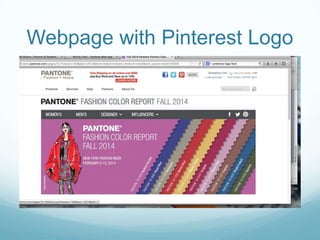
Example of Pinterest Logo, showing a
relationship where the item can be directly
pinned.
Webpage with Pinterest Logo
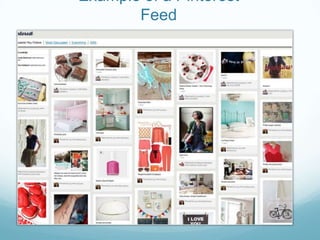
Example of a Pinterest
Feed
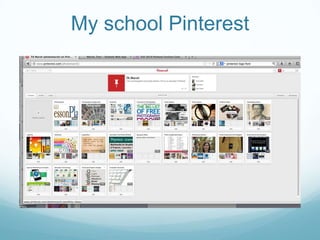
My school Pinterest
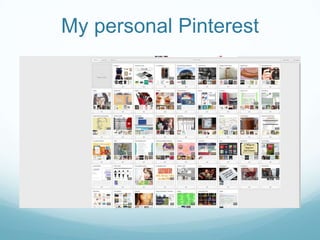
My personal Pinterest
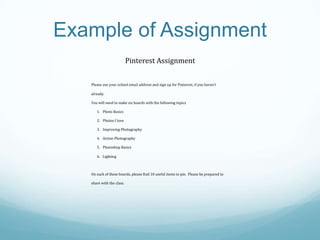
Example of Assignment
Pinterest Assignment
Please use your school email address and sign up for Pinterest, if you haven’t
already.
You will need to make six boards with the following topics
1. Photo Basics
2. Photos I love
3. Improving Photography
4. Action Photography
5. Photoshop Basics
6. Lighting

On each of these boards, please find 10 useful items to pin. Please be prepared to
share with the class.
To get started
1. Login to computer, if you haven’t already.

2. Sign into Pinterest.
3. Determine areas that you would like to find more
information.

4. Start looking.
5. Start pinning.
6. Have fun!!!

Pinterest yes!

  • 1.
  • 2.
    Learning Targets 1. Youwill learn what Pinterest is and the vocabulary used with it. 2. You will see examples of how it can be used in a subject area. 3. You will be able to create your own Pinterest site that can be used in your subject or subject areas.
  • 3.
    Basic Vocabulary Board –like a notebook for any subject area. Pins – items to put in the notebook Pinners – people who have pinned something before you Liking – showing appreciation for an item. Following – Get notifications on your main board when people you follow add new items. Re-Pinning – adding the item to your personal boards. Secret boards- boards you can hide from your followers.
  • 4.
    What is Pinterest? Insimple terms, a digital notebook where you can keep photos, articles, and any other digital items for reference. You can upload items of your own, or you can look at other websites, blogs, or photos and pin them. If the blog, merchant, or website has a Pinterest, there will be a logo listed. If it doesn’t, you can still pin it, but you may need to copy the website. Example of Pinterest Logo, showing a relationship where the item can be directly pinned.
  • 5.
  • 6.
    Example of aPinterest Feed
  • 7.
  • 8.
  • 9.
    Example of Assignment PinterestAssignment Please use your school email address and sign up for Pinterest, if you haven’t already. You will need to make six boards with the following topics 1. Photo Basics 2. Photos I love 3. Improving Photography 4. Action Photography 5. Photoshop Basics 6. Lighting On each of these boards, please find 10 useful items to pin. Please be prepared to share with the class.
  • 10.
    To get started 1.Login to computer, if you haven’t already. 2. Sign into Pinterest. 3. Determine areas that you would like to find more information. 4. Start looking. 5. Start pinning. 6. Have fun!!!