 Variables

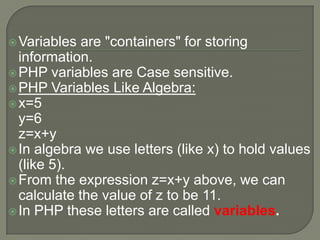
are "containers" for storing
information.
 PHP variables are Case sensitive.
 PHP Variables Like Algebra:
 x=5
y=6
z=x+y
 In algebra we use letters (like x) to hold values
(like 5).
 From the expression z=x+y above, we can
calculate the value of z to be 11.
 In PHP these letters are called variables.
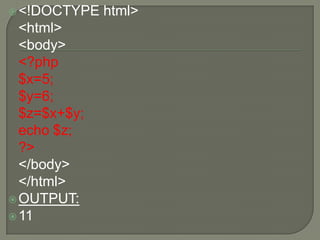
 <!DOCTYPE

<html>
<body>
<?php
$x=5;
$y=6;
$z=$x+$y;
echo $z;
?>
</body>
</html>
 OUTPUT:
 11

html>
A

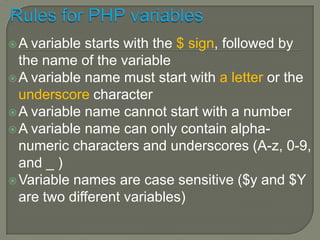
variable starts with the $ sign, followed by
the name of the variable
 A variable name must start with a letter or the
underscore character
 A variable name cannot start with a number
 A variable name can only contain alphanumeric characters and underscores (A-z, 0-9,
and _ )
 Variable names are case sensitive ($y and $Y
are two different variables)
 <!DOCTYPE

html>

<html>
<body>
<?php
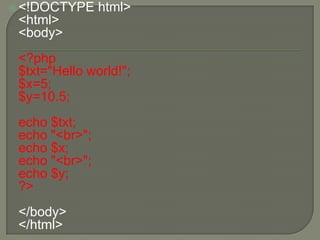
$txt="Hello world!";
$x=5;
$y=10.5;
echo $txt;
echo "<br>";
echo $x;
echo "<br>";
echo $y;
?>
</body>
</html>
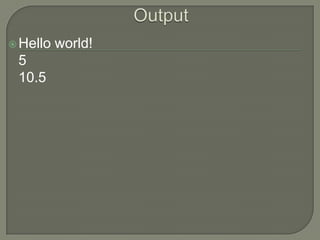
 Hello

5
10.5

world!
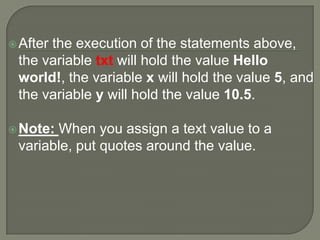
 After

the execution of the statements above,
the variable txt will hold the value Hello
world!, the variable x will hold the value 5, and
the variable y will hold the value 10.5.

 Note:

When you assign a text value to a
variable, put quotes around the value.
 PHP

automatically converts the variable to the
correct data type, depending on its value.
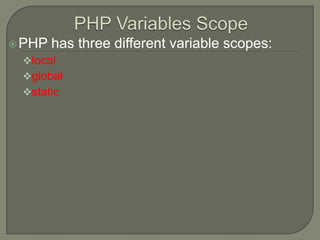
 PHP

has three different variable scopes:

local
global

static
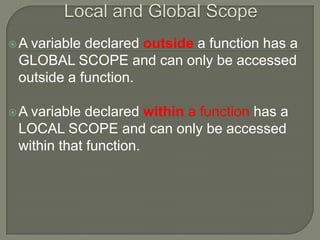
A

variable declared outside a function has a
GLOBAL SCOPE and can only be accessed
outside a function.

A

variable declared within a function has a
LOCAL SCOPE and can only be accessed
within that function.


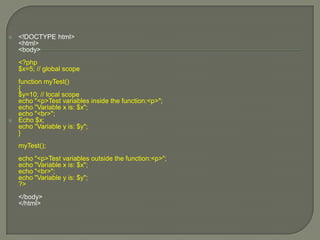
<!DOCTYPE html>
<html>
<body>
<?php
$x=5; // global scope



function myTest()
{
$y=10; // local scope
echo "<p>Test variables inside the function:<p>";
echo "Variable x is: $x";
echo "<br>";
Echo $x;
echo "Variable y is: $y";
}
myTest();
echo "<p>Test variables outside the function:<p>";
echo "Variable x is: $x";
echo "<br>";
echo "Variable y is: $y";
?>

</body>
</html>
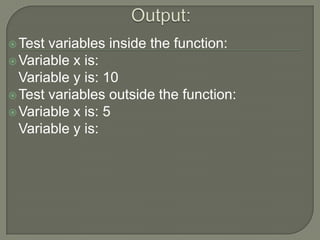
 Test

variables inside the function:
 Variable x is:
Variable y is: 10
 Test variables outside the function:
 Variable x is: 5
Variable y is:
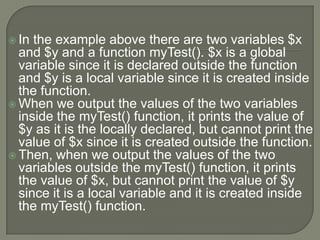
 In

the example above there are two variables $x
and $y and a function myTest(). $x is a global
variable since it is declared outside the function
and $y is a local variable since it is created inside
the function.
 When we output the values of the two variables
inside the myTest() function, it prints the value of
$y as it is the locally declared, but cannot print the
value of $x since it is created outside the function.
 Then, when we output the values of the two
variables outside the myTest() function, it prints
the value of $x, but cannot print the value of $y
since it is a local variable and it is created inside
the myTest() function.
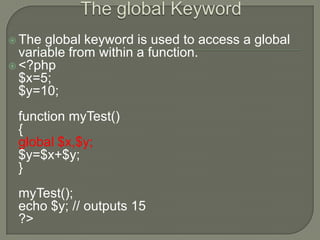
 The

global keyword is used to access a global
variable from within a function.
 <?php
$x=5;
$y=10;
function myTest()
{
global $x,$y;
$y=$x+$y;
}

myTest();
echo $y; // outputs 15
?>
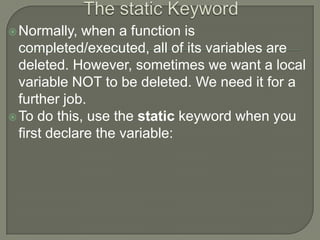
 Normally,

when a function is
completed/executed, all of its variables are
deleted. However, sometimes we want a local
variable NOT to be deleted. We need it for a
further job.
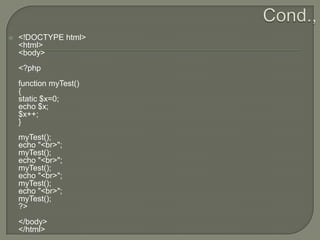
 To do this, use the static keyword when you
first declare the variable:


<!DOCTYPE html>
<html>
<body>
<?php

function myTest()
{
static $x=0;
echo $x;
$x++;
}
myTest();
echo "<br>";
myTest();
echo "<br>";
myTest();
echo "<br>";
myTest();
echo "<br>";
myTest();
?>
</body>
</html>
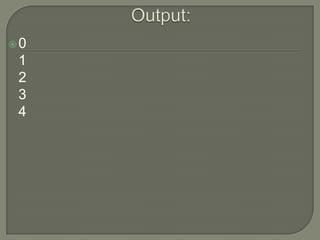
0

1
2
3
4
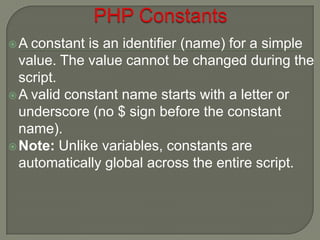
A

constant is an identifier (name) for a simple
value. The value cannot be changed during the
script.
 A valid constant name starts with a letter or
underscore (no $ sign before the constant
name).
 Note: Unlike variables, constants are
automatically global across the entire script.
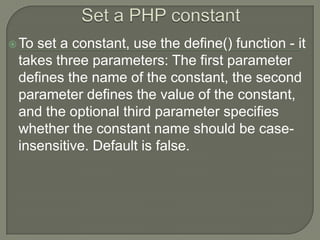
 To

set a constant, use the define() function - it
takes three parameters: The first parameter
defines the name of the constant, the second
parameter defines the value of the constant,
and the optional third parameter specifies
whether the constant name should be caseinsensitive. Default is false.
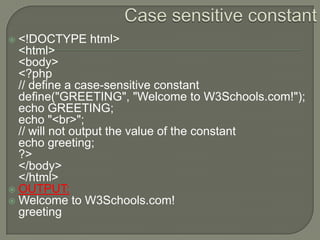
<!DOCTYPE html>
<html>
<body>
<?php
// define a case-sensitive constant
define("GREETING", "Welcome to W3Schools.com!");
echo GREETING;
echo "<br>";
// will not output the value of the constant
echo greeting;
?>
</body>
</html>
 OUTPUT:
 Welcome to W3Schools.com!
greeting

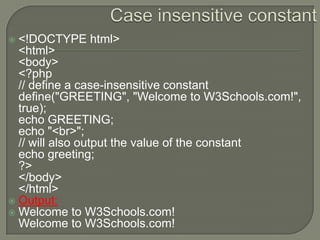
<!DOCTYPE html>
<html>
<body>
<?php
// define a case-insensitive constant
define("GREETING", "Welcome to W3Schools.com!",
true);
echo GREETING;
echo "<br>";
// will also output the value of the constant
echo greeting;
?>
</body>
</html>
 Output:
 Welcome to W3Schools.com!
Welcome to W3Schools.com!

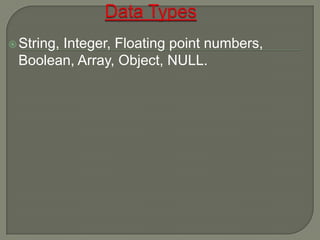
 String,

Integer, Floating point numbers,
Boolean, Array, Object, NULL.
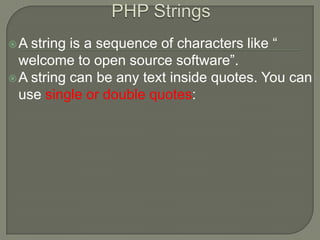
A

string is a sequence of characters like “
welcome to open source software”.
 A string can be any text inside quotes. You can
use single or double quotes:
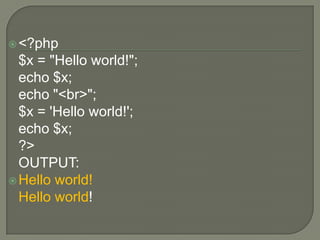
 <?php

$x = "Hello world!";
echo $x;
echo "<br>";
$x = 'Hello world!';
echo $x;
?>
OUTPUT:
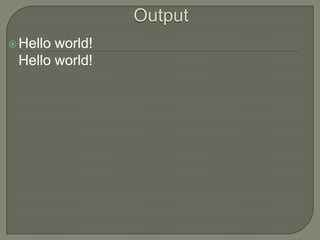
 Hello world!
Hello world!
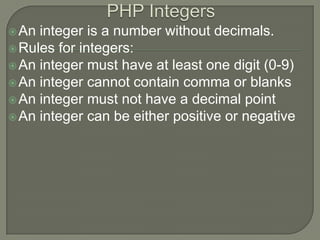
 An

integer is a number without decimals.
 Rules for integers:
 An integer must have at least one digit (0-9)
 An integer cannot contain comma or blanks
 An integer must not have a decimal point
 An integer can be either positive or negative


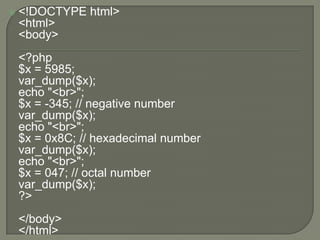
<!DOCTYPE html>
<html>
<body>
<?php
$x = 5985;
var_dump($x);
echo "<br>";
$x = -345; // negative number
var_dump($x);
echo "<br>";
$x = 0x8C; // hexadecimal number
var_dump($x);
echo "<br>";
$x = 047; // octal number
var_dump($x);
?>
</body>
</html>
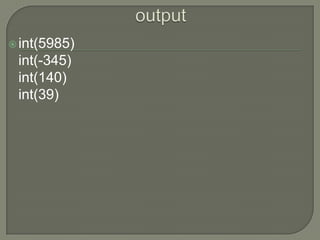
 int(5985)

int(-345)
int(140)
int(39)
A

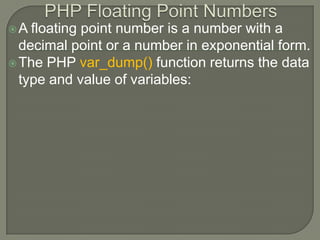
floating point number is a number with a
decimal point or a number in exponential form.
 The PHP var_dump() function returns the data
type and value of variables:
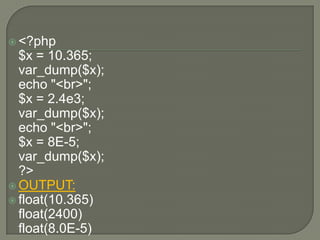
 <?php

$x = 10.365;
var_dump($x);
echo "<br>";
$x = 2.4e3;
var_dump($x);
echo "<br>";
$x = 8E-5;
var_dump($x);
?>
 OUTPUT:
 float(10.365)
float(2400)
float(8.0E-5)
 Booleans

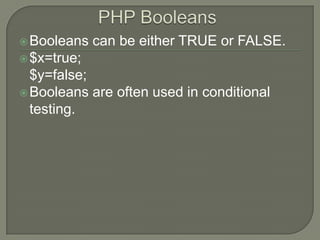
can be either TRUE or FALSE.

 $x=true;

$y=false;
 Booleans are often used in conditional
testing.
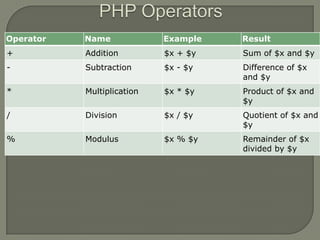
Operator

Name

Example

Result

+

Addition

$x + $y

Sum of $x and $y

-

Subtraction

$x - $y

Difference of $x
and $y

*

Multiplication

$x * $y

Product of $x and
$y

/

Division

$x / $y

Quotient of $x and
$y

%

Modulus

$x % $y

Remainder of $x
divided by $y
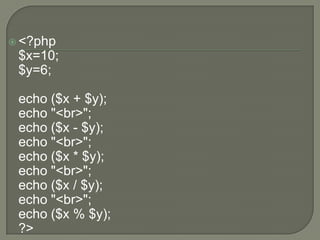
 <?php

$x=10;
$y=6;
echo ($x + $y);
echo "<br>";
echo ($x - $y);
echo "<br>";
echo ($x * $y);
echo "<br>";
echo ($x / $y);
echo "<br>";
echo ($x % $y);
?>
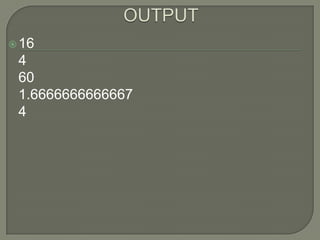
 16

4
60
1.6666666666667
4
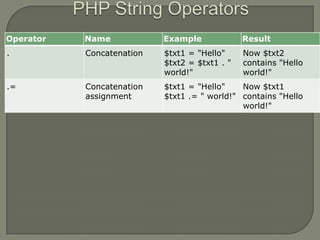
Operator

Name

Example

Result

.

Concatenation

$txt1 = "Hello"
$txt2 = $txt1 . "
world!"

Now $txt2
contains "Hello
world!"

.=

Concatenation
assignment

$txt1 = "Hello"
Now $txt1
$txt1 .= " world!" contains "Hello
world!"
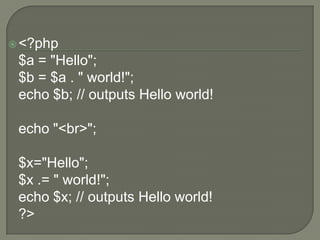
 <?php

$a = "Hello";
$b = $a . " world!";
echo $b; // outputs Hello world!
echo "<br>";
$x="Hello";
$x .= " world!";
echo $x; // outputs Hello world!
?>
 Hello

world!
Hello world!
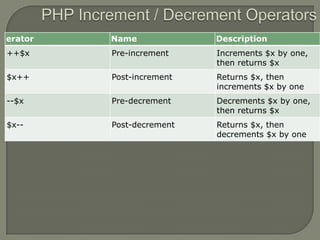
erator

Name

Description

++$x

Pre-increment

Increments $x by one,
then returns $x

$x++

Post-increment

Returns $x, then
increments $x by one

--$x

Pre-decrement

Decrements $x by one,
then returns $x

$x--

Post-decrement

Returns $x, then
decrements $x by one
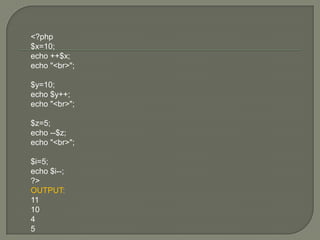
<?php
$x=10;
echo ++$x;
echo "<br>";
$y=10;
echo $y++;
echo "<br>";
$z=5;
echo --$z;
echo "<br>";

$i=5;
echo $i--;
?>
OUTPUT:
11
10
4
5
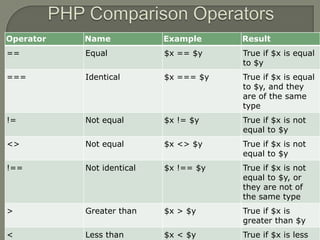
Operator

Name

Example

Result

==

Equal

$x == $y

True if $x is equal
to $y

===

Identical

$x === $y

True if $x is equal
to $y, and they
are of the same
type

!=

Not equal

$x != $y

True if $x is not
equal to $y

<>

Not equal

$x <> $y

True if $x is not
equal to $y

!==

Not identical

$x !== $y

True if $x is not
equal to $y, or
they are not of
the same type

>

Greater than

$x > $y

True if $x is
greater than $y

<

Less than

$x < $y

True if $x is less


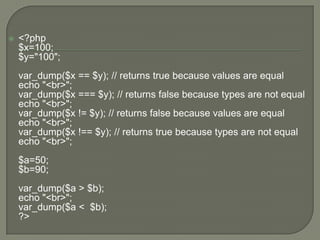
<?php
$x=100;
$y="100";
var_dump($x == $y); // returns true because values are equal
echo "<br>";
var_dump($x === $y); // returns false because types are not equal
echo "<br>";
var_dump($x != $y); // returns false because values are equal
echo "<br>";
var_dump($x !== $y); // returns true because types are not equal
echo "<br>";
$a=50;
$b=90;
var_dump($a > $b);
echo "<br>";
var_dump($a < $b);
?>
PHP  variables
PHP  variables
PHP  variables
PHP  variables
PHP  variables
PHP  variables

PHP variables

  • 2.
     Variables are "containers"for storing information.  PHP variables are Case sensitive.  PHP Variables Like Algebra:  x=5 y=6 z=x+y  In algebra we use letters (like x) to hold values (like 5).  From the expression z=x+y above, we can calculate the value of z to be 11.  In PHP these letters are called variables.
  • 3.
  • 4.
    A variable starts withthe $ sign, followed by the name of the variable  A variable name must start with a letter or the underscore character  A variable name cannot start with a number  A variable name can only contain alphanumeric characters and underscores (A-z, 0-9, and _ )  Variable names are case sensitive ($y and $Y are two different variables)
  • 5.
     <!DOCTYPE html> <html> <body> <?php $txt="Hello world!"; $x=5; $y=10.5; echo$txt; echo "<br>"; echo $x; echo "<br>"; echo $y; ?> </body> </html>
  • 6.
  • 7.
     After the executionof the statements above, the variable txt will hold the value Hello world!, the variable x will hold the value 5, and the variable y will hold the value 10.5.  Note: When you assign a text value to a variable, put quotes around the value.
  • 8.
     PHP automatically convertsthe variable to the correct data type, depending on its value.
  • 9.
     PHP has threedifferent variable scopes: local global static
  • 10.
    A variable declared outsidea function has a GLOBAL SCOPE and can only be accessed outside a function. A variable declared within a function has a LOCAL SCOPE and can only be accessed within that function.
  • 11.
     <!DOCTYPE html> <html> <body> <?php $x=5; //global scope  function myTest() { $y=10; // local scope echo "<p>Test variables inside the function:<p>"; echo "Variable x is: $x"; echo "<br>"; Echo $x; echo "Variable y is: $y"; } myTest(); echo "<p>Test variables outside the function:<p>"; echo "Variable x is: $x"; echo "<br>"; echo "Variable y is: $y"; ?> </body> </html>
  • 12.
     Test variables insidethe function:  Variable x is: Variable y is: 10  Test variables outside the function:  Variable x is: 5 Variable y is:
  • 13.
     In the exampleabove there are two variables $x and $y and a function myTest(). $x is a global variable since it is declared outside the function and $y is a local variable since it is created inside the function.  When we output the values of the two variables inside the myTest() function, it prints the value of $y as it is the locally declared, but cannot print the value of $x since it is created outside the function.  Then, when we output the values of the two variables outside the myTest() function, it prints the value of $x, but cannot print the value of $y since it is a local variable and it is created inside the myTest() function.
  • 14.
     The global keywordis used to access a global variable from within a function.  <?php $x=5; $y=10; function myTest() { global $x,$y; $y=$x+$y; } myTest(); echo $y; // outputs 15 ?>
  • 15.
     Normally, when afunction is completed/executed, all of its variables are deleted. However, sometimes we want a local variable NOT to be deleted. We need it for a further job.  To do this, use the static keyword when you first declare the variable:
  • 16.
     <!DOCTYPE html> <html> <body> <?php function myTest() { static$x=0; echo $x; $x++; } myTest(); echo "<br>"; myTest(); echo "<br>"; myTest(); echo "<br>"; myTest(); echo "<br>"; myTest(); ?> </body> </html>
  • 17.
  • 18.
    A constant is anidentifier (name) for a simple value. The value cannot be changed during the script.  A valid constant name starts with a letter or underscore (no $ sign before the constant name).  Note: Unlike variables, constants are automatically global across the entire script.
  • 19.
     To set aconstant, use the define() function - it takes three parameters: The first parameter defines the name of the constant, the second parameter defines the value of the constant, and the optional third parameter specifies whether the constant name should be caseinsensitive. Default is false.
  • 20.
    <!DOCTYPE html> <html> <body> <?php // definea case-sensitive constant define("GREETING", "Welcome to W3Schools.com!"); echo GREETING; echo "<br>"; // will not output the value of the constant echo greeting; ?> </body> </html>  OUTPUT:  Welcome to W3Schools.com! greeting 
  • 21.
    <!DOCTYPE html> <html> <body> <?php // definea case-insensitive constant define("GREETING", "Welcome to W3Schools.com!", true); echo GREETING; echo "<br>"; // will also output the value of the constant echo greeting; ?> </body> </html>  Output:  Welcome to W3Schools.com! Welcome to W3Schools.com! 
  • 22.
     String, Integer, Floatingpoint numbers, Boolean, Array, Object, NULL.
  • 23.
    A string is asequence of characters like “ welcome to open source software”.  A string can be any text inside quotes. You can use single or double quotes:
  • 24.
     <?php $x ="Hello world!"; echo $x; echo "<br>"; $x = 'Hello world!'; echo $x; ?> OUTPUT:  Hello world! Hello world!
  • 25.
     An integer isa number without decimals.  Rules for integers:  An integer must have at least one digit (0-9)  An integer cannot contain comma or blanks  An integer must not have a decimal point  An integer can be either positive or negative
  • 26.
     <!DOCTYPE html> <html> <body> <?php $x =5985; var_dump($x); echo "<br>"; $x = -345; // negative number var_dump($x); echo "<br>"; $x = 0x8C; // hexadecimal number var_dump($x); echo "<br>"; $x = 047; // octal number var_dump($x); ?> </body> </html>
  • 27.
  • 28.
    A floating point numberis a number with a decimal point or a number in exponential form.  The PHP var_dump() function returns the data type and value of variables:
  • 29.
     <?php $x =10.365; var_dump($x); echo "<br>"; $x = 2.4e3; var_dump($x); echo "<br>"; $x = 8E-5; var_dump($x); ?>  OUTPUT:  float(10.365) float(2400) float(8.0E-5)
  • 30.
     Booleans can beeither TRUE or FALSE.  $x=true; $y=false;  Booleans are often used in conditional testing.
  • 31.
    Operator Name Example Result + Addition $x + $y Sumof $x and $y - Subtraction $x - $y Difference of $x and $y * Multiplication $x * $y Product of $x and $y / Division $x / $y Quotient of $x and $y % Modulus $x % $y Remainder of $x divided by $y
  • 32.
     <?php $x=10; $y=6; echo ($x+ $y); echo "<br>"; echo ($x - $y); echo "<br>"; echo ($x * $y); echo "<br>"; echo ($x / $y); echo "<br>"; echo ($x % $y); ?>
  • 33.
  • 34.
    Operator Name Example Result . Concatenation $txt1 = "Hello" $txt2= $txt1 . " world!" Now $txt2 contains "Hello world!" .= Concatenation assignment $txt1 = "Hello" Now $txt1 $txt1 .= " world!" contains "Hello world!"
  • 35.
     <?php $a ="Hello"; $b = $a . " world!"; echo $b; // outputs Hello world! echo "<br>"; $x="Hello"; $x .= " world!"; echo $x; // outputs Hello world! ?>
  • 36.
  • 37.
    erator Name Description ++$x Pre-increment Increments $x byone, then returns $x $x++ Post-increment Returns $x, then increments $x by one --$x Pre-decrement Decrements $x by one, then returns $x $x-- Post-decrement Returns $x, then decrements $x by one
  • 38.
    <?php $x=10; echo ++$x; echo "<br>"; $y=10; echo$y++; echo "<br>"; $z=5; echo --$z; echo "<br>"; $i=5; echo $i--; ?> OUTPUT: 11 10 4 5
  • 39.
    Operator Name Example Result == Equal $x == $y Trueif $x is equal to $y === Identical $x === $y True if $x is equal to $y, and they are of the same type != Not equal $x != $y True if $x is not equal to $y <> Not equal $x <> $y True if $x is not equal to $y !== Not identical $x !== $y True if $x is not equal to $y, or they are not of the same type > Greater than $x > $y True if $x is greater than $y < Less than $x < $y True if $x is less
  • 40.
     <?php $x=100; $y="100"; var_dump($x == $y);// returns true because values are equal echo "<br>"; var_dump($x === $y); // returns false because types are not equal echo "<br>"; var_dump($x != $y); // returns false because values are equal echo "<br>"; var_dump($x !== $y); // returns true because types are not equal echo "<br>"; $a=50; $b=90; var_dump($a > $b); echo "<br>"; var_dump($a < $b); ?>