INTRO
• PHP isa serverside language
• This means that our code has to pass through the PHP
interpreter, which returns the output to the users browser.
• That's why we need a webserver installed locally to test
your code.
• It handles dynamic content, database as well as session
tracking for the website.
• PHP can handle the forms, such as - collect the data from
users using forms, save it into the database, and return
useful information to the user. For example - Registration
form.
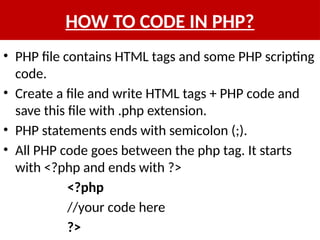
HOW TO CODEIN PHP?
• PHP file contains HTML tags and some PHP scripting
code.
• Create a file and write HTML tags + PHP code and
save this file with .php extension.
• PHP statements ends with semicolon (;).
• All PHP code goes between the php tag. It starts
with <?php and ends with ?>
<?php
//your code here
?>
5.
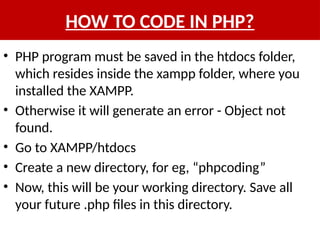
HOW TO CODEIN PHP?
• PHP program must be saved in the htdocs folder,
which resides inside the xampp folder, where you
installed the XAMPP.
• Otherwise it will generate an error - Object not
found.
• Go to XAMPP/htdocs
• Create a new directory, for eg, “phpcoding”
• Now, this will be your working directory. Save all
your future .php files in this directory.
6.
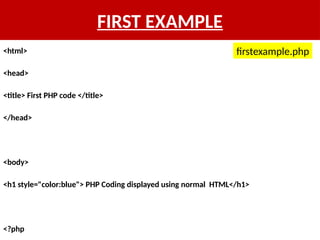
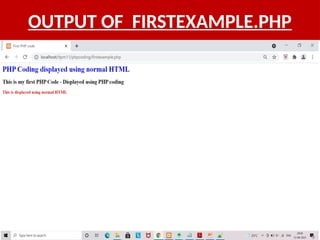
FIRST EXAMPLE
<html>
<head>
<title> FirstPHP code </title>
</head>
<body>
<h1 style="color:blue"> PHP Coding displayed using normal HTML</h1>
<?php
firstexample.php
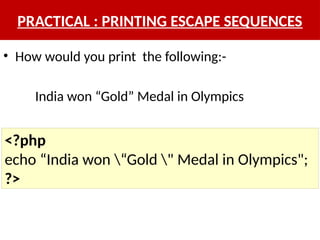
PRACTICAL : PRINTINGESCAPE SEQUENCES
• How would you print the following:-
India won “Gold” Medal in Olympics
<?php
echo “India won “Gold " Medal in Olympics";
?>
9.
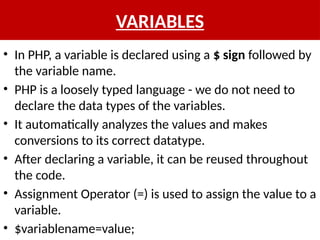
VARIABLES
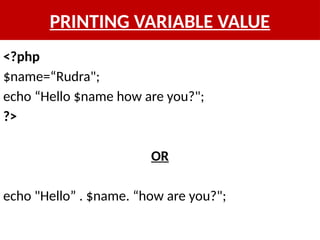
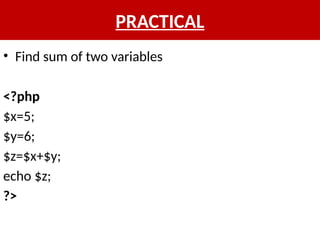
• In PHP,a variable is declared using a $ sign followed by
the variable name.
• PHP is a loosely typed language - we do not need to
declare the data types of the variables.
• It automatically analyzes the values and makes
conversions to its correct datatype.
• After declaring a variable, it can be reused throughout
the code.
• Assignment Operator (=) is used to assign the value to a
variable.
• $variablename=value;
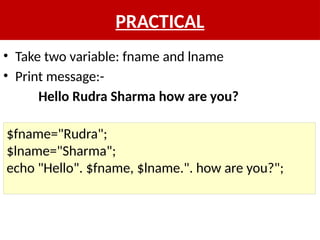
PRACTICAL
• Take twovariable: fname and lname
• Print message:-
Hello Rudra Sharma how are you?
$fname="Rudra";
$lname="Sharma";
echo "Hello". $fname, $lname.". how are you?";
12.
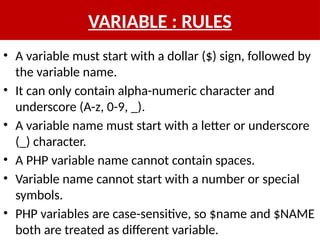
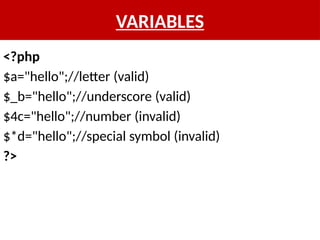
VARIABLE : RULES
•A variable must start with a dollar ($) sign, followed by
the variable name.
• It can only contain alpha-numeric character and
underscore (A-z, 0-9, _).
• A variable name must start with a letter or underscore
(_) character.
• A PHP variable name cannot contain spaces.
• Variable name cannot start with a number or special
symbols.
• PHP variables are case-sensitive, so $name and $NAME
both are treated as different variable.
13.
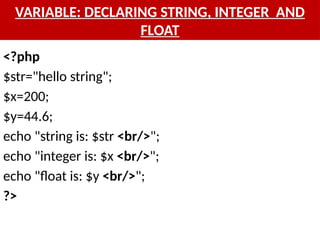
VARIABLE: DECLARING STRING,INTEGER AND
FLOAT
<?php
$str="hello string";
$x=200;
$y=44.6;
echo "string is: $str <br/>";
echo "integer is: $x <br/>";
echo "float is: $y <br/>";
?>
VARIABLES
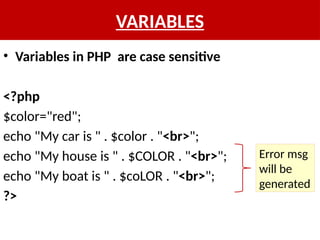
• Variables inPHP are case sensitive
<?php
$color="red";
echo "My car is " . $color . "<br>";
echo "My house is " . $COLOR . "<br>";
echo "My boat is " . $coLOR . "<br>";
?>
Error msg
will be
generated
VARIABLE : SCOPE
•The scope of a variable is defined as its range in the
program under which it can be accessed.
• In other words, "The scope of a variable is the
portion of the program within which it is defined
and can be accessed.“
• PHP has three types of variable scopes:
– Local variable
– Global variable
– Static variable
18.
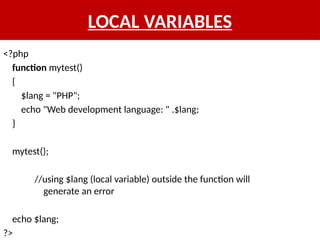
LOCAL VARIABLES
<?php
function mytest()
{
$lang= "PHP";
echo "Web development language: " .$lang;
}
mytest();
//using $lang (local variable) outside the function will
generate an error
echo $lang;
?>
19.
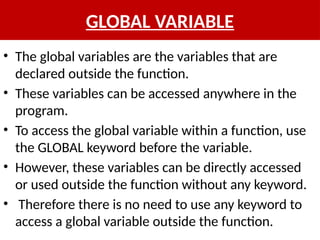
GLOBAL VARIABLE
• Theglobal variables are the variables that are
declared outside the function.
• These variables can be accessed anywhere in the
program.
• To access the global variable within a function, use
the GLOBAL keyword before the variable.
• However, these variables can be directly accessed
or used outside the function without any keyword.
• Therefore there is no need to use any keyword to
access a global variable outside the function.
20.
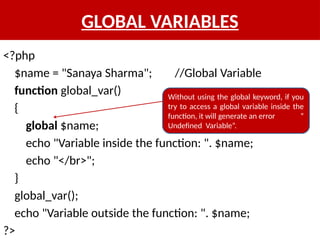
GLOBAL VARIABLES
<?php
$name ="Sanaya Sharma"; //Global Variable
function global_var()
{
global $name;
echo "Variable inside the function: ". $name;
echo "</br>";
}
global_var();
echo "Variable outside the function: ". $name;
?>
Without using the global keyword, if you
try to access a global variable inside the
function, it will generate an error “
Undefined Variable”.
21.
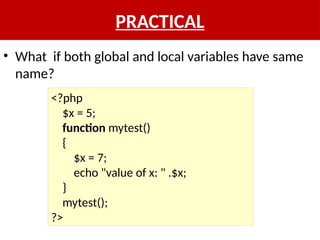
PRACTICAL
• What ifboth global and local variables have same
name?
<?php
$x = 5;
function mytest()
{
$x = 7;
echo "value of x: " .$x;
}
mytest();
?>
22.
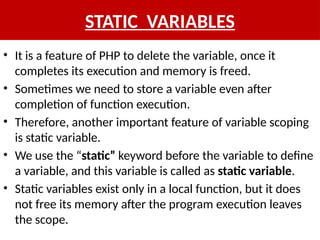
STATIC VARIABLES
• Itis a feature of PHP to delete the variable, once it
completes its execution and memory is freed.
• Sometimes we need to store a variable even after
completion of function execution.
• Therefore, another important feature of variable scoping
is static variable.
• We use the “static” keyword before the variable to define
a variable, and this variable is called as static variable.
• Static variables exist only in a local function, but it does
not free its memory after the program execution leaves
the scope.
23.
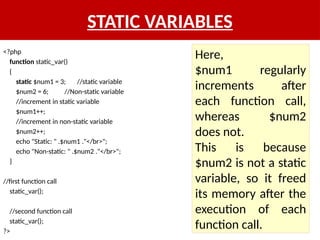
STATIC VARIABLES
<?php
function static_var()
{
static$num1 = 3; //static variable
$num2 = 6; //Non-static variable
//increment in static variable
$num1++;
//increment in non-static variable
$num2++;
echo "Static: " .$num1 ."</br>";
echo "Non-static: " .$num2 ."</br>";
}
//first function call
static_var();
//second function call
static_var();
?>
Here,
$num1 regularly
increments after
each function call,
whereas $num2
does not.
This is because
$num2 is not a static
variable, so it freed
its memory after the
execution of each
function call.
24.
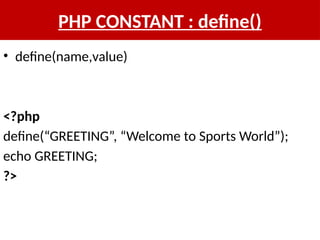
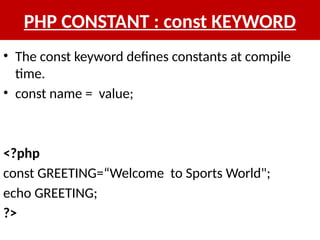
Constants
• PHP constantsare name or identifier that can't be
changed during the execution of the script.
• Exception to this are magic constants, which are
not really constants.
• PHP constants can be defined by 2 ways:
– Using define() function
– Using const keyword
25.
CONSTANTS
• Constants aresimilar to the variable except once they are defined,
they can never be undefined or changed.
• They remain constant across the entire program.
• PHP constants follow the same PHP variable rules.
• For example, it can be started with a letter or underscore only.
• There is no need to use the dollar ($) sign before constant during
the assignment.
• Conventionally, PHP constants should be defined in uppercase
letters.
• Unlike variables, constants are automatically global throughout
the script.
• Constants do not follow any variable scoping rules, and they can
be defined and accessed anywhere.
DATA TYPES
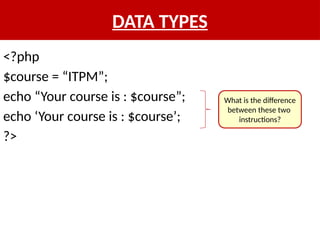
<?php
$course =“ITPM”;
echo “Your course is : $course”;
echo ‘Your course is : $course’;
?>
What is the difference
between these two
instructions?
32.
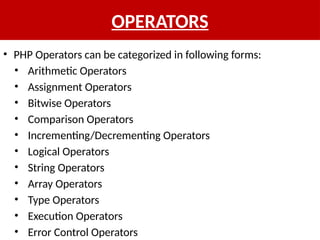
OPERATORS
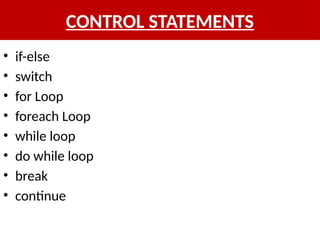
• PHP Operatorscan be categorized in following forms:
• Arithmetic Operators
• Assignment Operators
• Bitwise Operators
• Comparison Operators
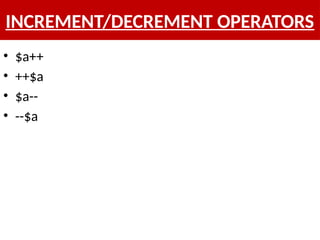
• Incrementing/Decrementing Operators
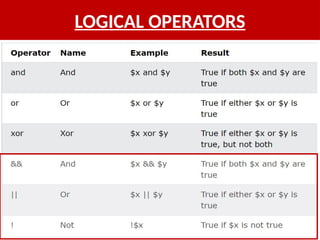
• Logical Operators
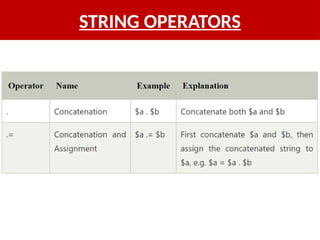
• String Operators
• Array Operators
• Type Operators
• Execution Operators
• Error Control Operators
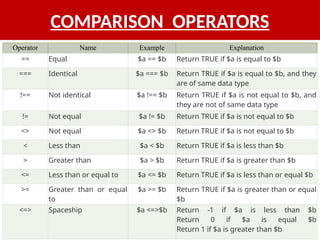
COMPARISON OPERATORS
Operator NameExample Explanation
== Equal $a == $b Return TRUE if $a is equal to $b
=== Identical $a === $b Return TRUE if $a is equal to $b, and they
are of same data type
!== Not identical $a !== $b Return TRUE if $a is not equal to $b, and
they are not of same data type
!= Not equal $a != $b Return TRUE if $a is not equal to $b
<> Not equal $a <> $b Return TRUE if $a is not equal to $b
< Less than $a < $b Return TRUE if $a is less than $b
> Greater than $a > $b Return TRUE if $a is greater than $b
<= Less than or equal to $a <= $b Return TRUE if $a is less than or equal $b
>= Greater than or equal
to
$a >= $b Return TRUE if $a is greater than or equal
$b
<=> Spaceship $a <=>$b Return -1 if $a is less than $b
Return 0 if $a is equal $b
Return 1 if $a is greater than $b
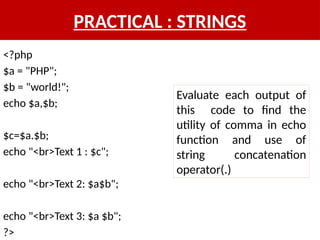
PRACTICAL : STRINGS
<?php
$a= "PHP";
$b = "world!";
echo $a,$b;
$c=$a.$b;
echo "<br>Text 1 : $c";
echo "<br>Text 2: $a$b";
echo "<br>Text 3: $a $b";
?>
Evaluate each output of
this code to find the
utility of comma in echo
function and use of
string concatenation
operator(.)
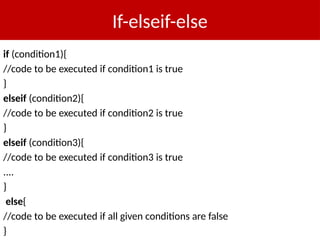
If-elseif-else
if (condition1){
//code tobe executed if condition1 is true
}
elseif (condition2){
//code to be executed if condition2 is true
}
elseif (condition3){
//code to be executed if condition3 is true
....
}
else{
//code to be executed if all given conditions are false
}
41.
PRACTICAL : if-elseif-else
•Write a program to find out the grades of a
student based on the marks obtained by him.
42.
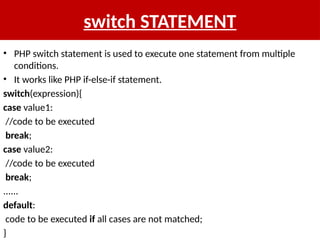
switch STATEMENT
• PHPswitch statement is used to execute one statement from multiple
conditions.
• It works like PHP if-else-if statement.
switch(expression){
case value1:
//code to be executed
break;
case value2:
//code to be executed
break;
......
default:
code to be executed if all cases are not matched;
}
43.
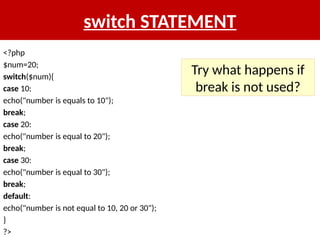
switch STATEMENT
<?php
$num=20;
switch($num){
case 10:
echo("numberis equals to 10");
break;
case 20:
echo("number is equal to 20");
break;
case 30:
echo("number is equal to 30");
break;
default:
echo("number is not equal to 10, 20 or 30");
}
?>
Try what happens if
break is not used?
44.
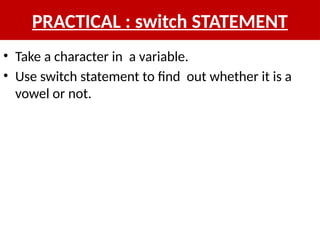
PRACTICAL : switchSTATEMENT
• Take a character in a variable.
• Use switch statement to find out whether it is a
vowel or not.
45.
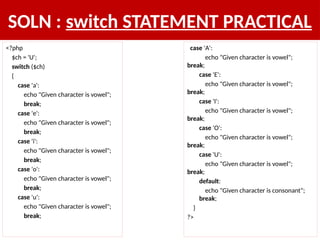
SOLN : switchSTATEMENT PRACTICAL
<?php
$ch = 'U';
switch ($ch)
{
case 'a':
echo "Given character is vowel";
break;
case 'e':
echo "Given character is vowel";
break;
case 'i':
echo "Given character is vowel";
break;
case 'o':
echo "Given character is vowel";
break;
case 'u':
echo "Given character is vowel";
break;
case 'A':
echo "Given character is vowel";
break;
case 'E':
echo "Given character is vowel";
break;
case 'I':
echo "Given character is vowel";
break;
case 'O':
echo "Given character is vowel";
break;
case 'U':
echo "Given character is vowel";
break;
default:
echo "Given character is consonant";
break;
}
?>
46.
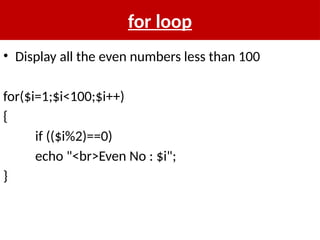
for loop
• Displayall the even numbers less than 100
for($i=1;$i<100;$i++)
{
if (($i%2)==0)
echo "<br>Even No : $i";
}
47.
PRACTICAL : forLOOP
• Take an array of 10 numbers
• Display all the numbers using for loop
• Hint : use count function for array length
count($num)
48.
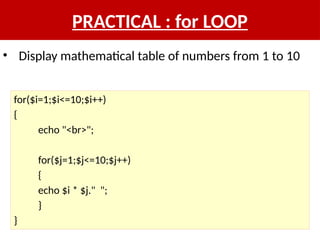
PRACTICAL : forLOOP
for($i=1;$i<=10;$i++)
{
echo "<br>";
for($j=1;$j<=10;$j++)
{
echo $i * $j." ";
}
}
• Display mathematical table of numbers from 1 to 10
49.
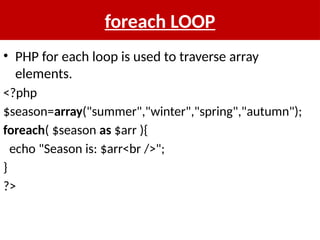
foreach LOOP
• PHPfor each loop is used to traverse array
elements.
<?php
$season=array("summer","winter","spring","autumn");
foreach( $season as $arr ){
echo "Season is: $arr<br />";
}
?>
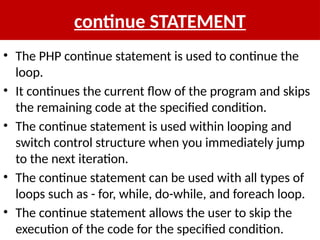
continue STATEMENT
• ThePHP continue statement is used to continue the
loop.
• It continues the current flow of the program and skips
the remaining code at the specified condition.
• The continue statement is used within looping and
switch control structure when you immediately jump
to the next iteration.
• The continue statement can be used with all types of
loops such as - for, while, do-while, and foreach loop.
• The continue statement allows the user to skip the
execution of the code for the specified condition.
52.
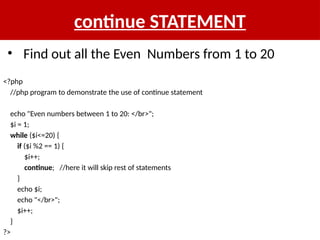
continue STATEMENT
<?php
//php programto demonstrate the use of continue statement
echo "Even numbers between 1 to 20: </br>";
$i = 1;
while ($i<=20) {
if ($i %2 == 1) {
$i++;
continue; //here it will skip rest of statements
}
echo $i;
echo "</br>";
$i++;
}
?>
• Find out all the Even Numbers from 1 to 20
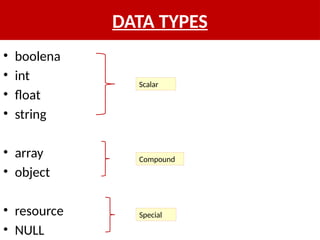
53.
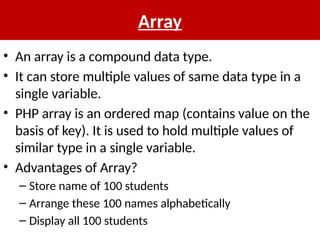
Array
• An arrayis a compound data type.
• It can store multiple values of same data type in a
single variable.
• PHP array is an ordered map (contains value on the
basis of key). It is used to hold multiple values of
similar type in a single variable.
• Advantages of Array?
– Store name of 100 students
– Arrange these 100 names alphabetically
– Display all 100 students
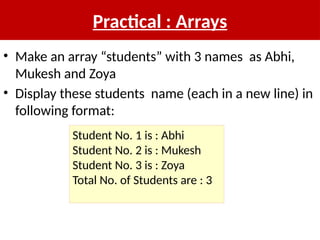
Practical : Arrays
•Make an array “students” with 3 names as Abhi,
Mukesh and Zoya
• Display these students name (each in a new line) in
following format:
Student No. 1 is : Abhi
Student No. 2 is : Mukesh
Student No. 3 is : Zoya
Total No. of Students are : 3
57.
Soln : ArraysPractical
$students=array(“Abhi", “Mukesh", “Zoya");
$i=0;
echo "<br>Student No. ".($i+1)." : $students[$i]";
$i++;
echo "<br>Student No. ".($i+1)." : $students[$i]";
$i++;
echo "<br>Student No. ".($i+1)." : $students[$i]";
$i++;
echo "<br> Total no of student s are : $i";
58.
Soln : ArraysPractical
• Alternative way of previous question:-
for($i=0;$i<3;$i++)
echo "<br> Student No. $i is : $students[$i]";
OR
for($i=0,$j=i+1; $i<3; $i++,$j++)
echo "<br> Student No. $j is : $students[$i]";
59.
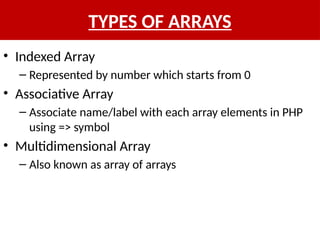
TYPES OF ARRAYS
•Indexed Array
– Represented by number which starts from 0
• Associative Array
– Associate name/label with each array elements in PHP
using => symbol
• Multidimensional Array
– Also known as array of arrays
ASSOCIATIVE ARRAY
• Wecan associate name with each array elements in PHP using => symbol.
$salary=array(“Puneet"=>"350000",“Ajay"=>"450000",“Srikanth"=>"200000"
);
foreach($salary as $k => $v) {
echo "Key: ".$k." Value: ".$v."<br/>";
}
OR
$salary[“Puneet"]="350000";
$salary[“Ajay"]="450000";
$salary[“Srikanth"]="200000";
62.
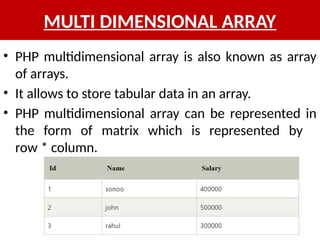
MULTI DIMENSIONAL ARRAY
•PHP multidimensional array is also known as array
of arrays.
• It allows to store tabular data in an array.
• PHP multidimensional array can be represented in
the form of matrix which is represented by
row * column.
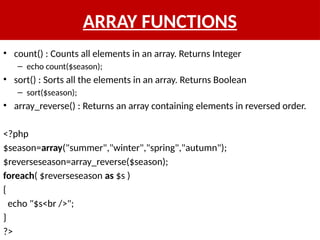
ARRAY FUNCTIONS
• count(): Counts all elements in an array. Returns Integer
– echo count($season);
• sort() : Sorts all the elements in an array. Returns Boolean
– sort($season);
• array_reverse() : Returns an array containing elements in reversed order.
<?php
$season=array("summer","winter","spring","autumn");
$reverseseason=array_reverse($season);
foreach( $reverseseason as $s )
{
echo "$s<br />";
}
?>
65.
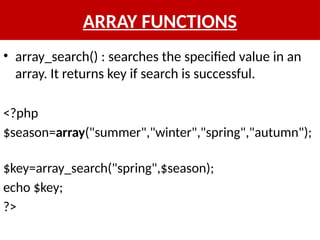
ARRAY FUNCTIONS
• array_search(): searches the specified value in an
array. It returns key if search is successful.
<?php
$season=array("summer","winter","spring","autumn");
$key=array_search("spring",$season);
echo $key;
?>
66.
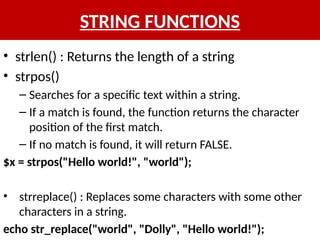
STRING FUNCTIONS
• strlen(): Returns the length of a string
• strpos()
– Searches for a specific text within a string.
– If a match is found, the function returns the character
position of the first match.
– If no match is found, it will return FALSE.
$x = strpos("Hello world!", "world");
• strreplace() : Replaces some characters with some other
characters in a string.
echo str_replace("world", "Dolly", "Hello world!");
67.
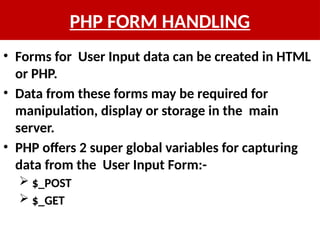
PHP FORM HANDLING
•Forms for User Input data can be created in HTML
or PHP.
• Data from these forms may be required for
manipulation, display or storage in the main
server.
• PHP offers 2 super global variables for capturing
data from the User Input Form:-
$_POST
$_GET
68.
PHP FORM HANDLING
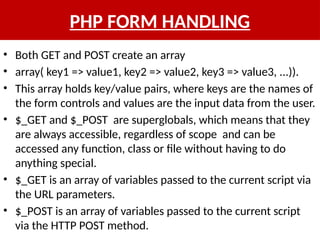
•Both GET and POST create an array
• array( key1 => value1, key2 => value2, key3 => value3, ...)).
• This array holds key/value pairs, where keys are the names of
the form controls and values are the input data from the user.
• $_GET and $_POST are superglobals, which means that they
are always accessible, regardless of scope and can be
accessed any function, class or file without having to do
anything special.
• $_GET is an array of variables passed to the current script via
the URL parameters.
• $_POST is an array of variables passed to the current script
via the HTTP POST method.
69.
PHP FORM HANDLING
<formaction="welcome.php" method=“POST">
Name: <input type="text" name="name"/>
<input type="submit" value="visit"/>
</form>
index.html
<?php
$name=$_POST["name"];//
receiving name field value in $name variable
echo "Welcome, $name";
?>
welcome.php
mysqli_connect() & mysqli_close()
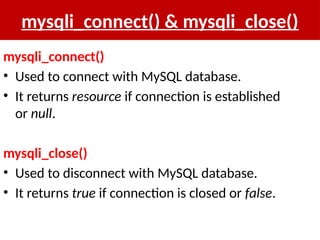
mysqli_connect()
•Used to connect with MySQL database.
• It returns resource if connection is established
or null.
mysqli_close()
• Used to disconnect with MySQL database.
• It returns true if connection is closed or false.
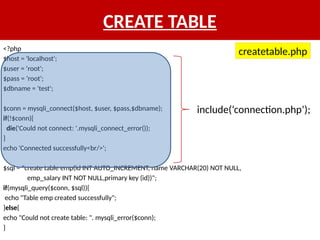
CREATE TABLE
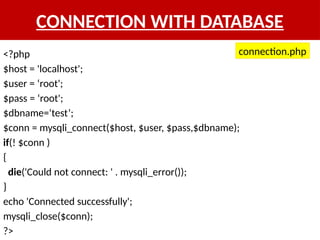
<?php
$host ='localhost';
$user = ‘root';
$pass = ‘root';
$dbname = 'test';
$conn = mysqli_connect($host, $user, $pass,$dbname);
if(!$conn){
die('Could not connect: '.mysqli_connect_error());
}
echo 'Connected successfully<br/>';
$sql = "create table emp(id INT AUTO_INCREMENT, name VARCHAR(20) NOT NULL,
emp_salary INT NOT NULL,primary key (id))";
if(mysqli_query($conn, $sql)){
echo "Table emp created successfully";
}else{
echo "Could not create table: ". mysqli_error($conn);
}
include(‘connection.php’);
createtable.php
74.
PHP include FUNCTION
•PHP allows to include files so that a page content
can be reused many times.
• It is very helpful to include files when you want to
apply the same HTML or PHP code to multiple
pages of a website.
• There are two ways to include file in PHP.
– include
– require
75.
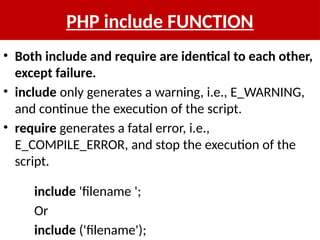
PHP include FUNCTION
•Both include and require are identical to each other,
except failure.
• include only generates a warning, i.e., E_WARNING,
and continue the execution of the script.
• require generates a fatal error, i.e.,
E_COMPILE_ERROR, and stop the execution of the
script.
include 'filename ';
Or
include ('filename');
76.
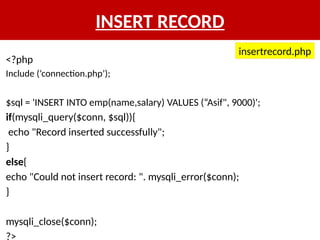
INSERT RECORD
<?php
Include (‘connection.php’);
$sql= 'INSERT INTO emp(name,salary) VALUES (“Asif", 9000)';
if(mysqli_query($conn, $sql)){
echo "Record inserted successfully";
}
else{
echo "Could not insert record: ". mysqli_error($conn);
}
mysqli_close($conn);
?>
insertrecord.php
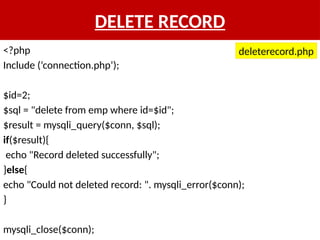
DELETE RECORD
<?php
Include (‘connection.php’);
$id=2;
$sql= "delete from emp where id=$id";
$result = mysqli_query($conn, $sql);
if($result){
echo "Record deleted successfully";
}else{
echo "Could not deleted record: ". mysqli_error($conn);
}
mysqli_close($conn);
deleterecord.php
79.
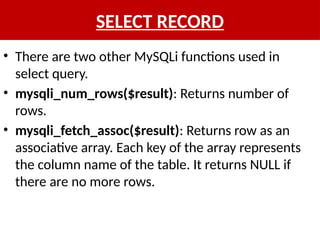
SELECT RECORD
• Thereare two other MySQLi functions used in
select query.
• mysqli_num_rows($result): Returns number of
rows.
• mysqli_fetch_assoc($result): Returns row as an
associative array. Each key of the array represents
the column name of the table. It returns NULL if
there are no more rows.
80.
SELECT RECORD
<?php
include (‘connection.php’);
$sql= 'SELECT * FROM emp';
$result=mysqli_query($conn, $sql);
if(mysqli_num_rows($result) > 0){
while($row = mysqli_fetch_assoc($result)){
echo "EMP ID :$row['id'] <br> ".
"EMP NAME : $row['name'] <br> ".
"EMP SALARY : $row['salary'] <br> ".
"--------------------------------<br>";
} //end of while
}else{
echo "0 results found";
}
mysqli_close($conn);
?>
selectrecord.php
81.
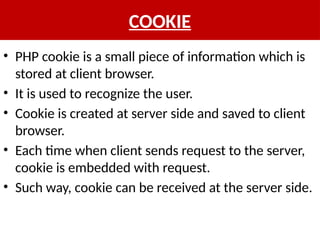
COOKIE
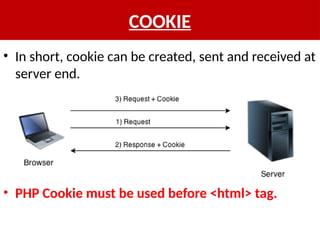
• PHP cookieis a small piece of information which is
stored at client browser.
• It is used to recognize the user.
• Cookie is created at server side and saved to client
browser.
• Each time when client sends request to the server,
cookie is embedded with request.
• Such way, cookie can be received at the server side.
82.
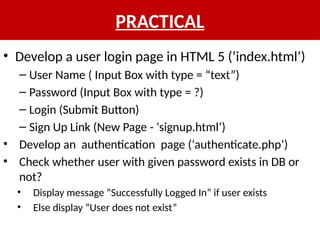
PRACTICAL
• Develop auser login page in HTML 5 (‘index.html’)
– User Name ( Input Box with type = “text”)
– Password (Input Box with type = ?)
– Login (Submit Button)
– Sign Up Link (New Page - ‘signup.html’)
• Develop an authentication page (‘authenticate.php’)
• Check whether user with given password exists in DB or
not?
• Display message “Successfully Logged In” if user exists
• Else display “User does not exist”
83.
COOKIE
• They aretypically used to keeping track of
information such as a username that the site can
retrieve to personalize the page when the user visits
the website next time.
• A cookie can only be read from the domain that it
has been issued from.
• Cookies are usually set in an HTTP header but
JavaScript can also set a cookie directly on a
browser.
84.
COOKIE
• In short,cookie can be created, sent and received at
server end.
• PHP Cookie must be used before <html> tag.
85.
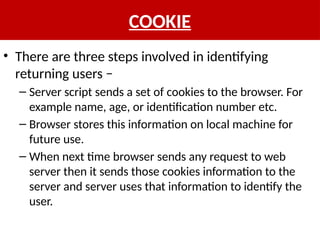
COOKIE
• There arethree steps involved in identifying
returning users −
– Server script sends a set of cookies to the browser. For
example name, age, or identification number etc.
– Browser stores this information on local machine for
future use.
– When next time browser sends any request to web
server then it sends those cookies information to the
server and server uses that information to identify the
user.
86.
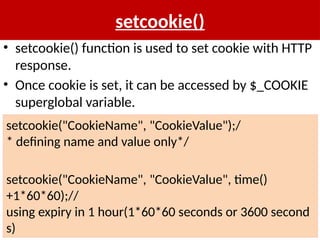
setcookie()
• setcookie() functionis used to set cookie with HTTP
response.
• Once cookie is set, it can be accessed by $_COOKIE
superglobal variable.
setcookie("CookieName", "CookieValue");/
* defining name and value only*/
setcookie("CookieName", "CookieValue", time()
+1*60*60);//
using expiry in 1 hour(1*60*60 seconds or 3600 second
s)
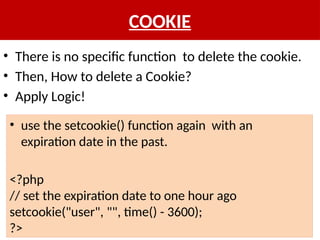
COOKIE
• There isno specific function to delete the cookie.
• Then, How to delete a Cookie?
• Apply Logic!
• use the setcookie() function again with an
expiration date in the past.
<?php
// set the expiration date to one hour ago
setcookie("user", "", time() - 3600);
?>
90.
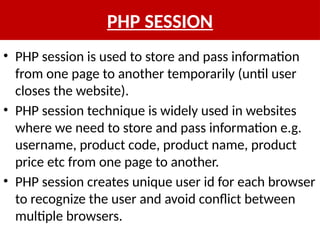
PHP SESSION
• PHPsession is used to store and pass information
from one page to another temporarily (until user
closes the website).
• PHP session technique is widely used in websites
where we need to store and pass information e.g.
username, product code, product name, product
price etc from one page to another.
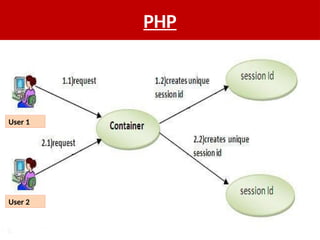
• PHP session creates unique user id for each browser
to recognize the user and avoid conflict between
multiple browsers.
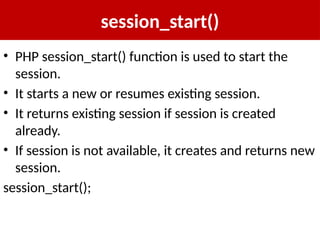
session_start()
• PHP session_start()function is used to start the
session.
• It starts a new or resumes existing session.
• It returns existing session if session is created
already.
• If session is not available, it creates and returns new
session.
session_start();
93.
$_SESSION
• $_SESSION isan associative array that contains all
session variables.
• It is used to set and get session variable values.
$_SESSION["user"] = "Sachin";
echo $_SESSION["user"];



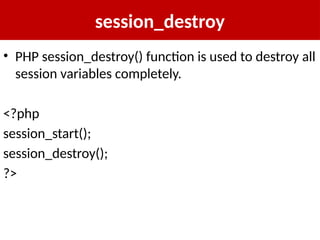
![Array
<?php
$students = array (“Abhi", “Mukesh", “Zoya");
echo "</br>";
echo "Array Element1: $students[0] </br>";
echo "Array Element2: $students[1] </br>";
echo "Array Element3: $students[2] </br>";
?>](https://image.slidesharecdn.com/phprds-251008171327-2c3d7a2b/85/PHP_RDS_secure_web_development_hypertext_preprocessor-pptx-54-320.jpg)
![Soln : Arrays Practical
$students=array(“Abhi", “Mukesh", “Zoya");
$i=0;
echo "<br>Student No. ".($i+1)." : $students[$i]";
$i++;
echo "<br>Student No. ".($i+1)." : $students[$i]";
$i++;
echo "<br>Student No. ".($i+1)." : $students[$i]";
$i++;
echo "<br> Total no of student s are : $i";](https://image.slidesharecdn.com/phprds-251008171327-2c3d7a2b/85/PHP_RDS_secure_web_development_hypertext_preprocessor-pptx-57-320.jpg)
![Soln : Arrays Practical
• Alternative way of previous question:-
for($i=0;$i<3;$i++)
echo "<br> Student No. $i is : $students[$i]";
OR
for($i=0,$j=i+1; $i<3; $i++,$j++)
echo "<br> Student No. $j is : $students[$i]";](https://image.slidesharecdn.com/phprds-251008171327-2c3d7a2b/85/PHP_RDS_secure_web_development_hypertext_preprocessor-pptx-58-320.jpg)
![INDEXED ARRAY
$season=array("summer","winter","spring","autumn");
echo “Seasons: $season[0],$season[1],$season[2],$season[3]”;
OR
$season[0]="summer";
$season[1]="winter";
$season[2]="spring";
$season[3]="autumn";
Use foreach loop to
display all the
elements of array](https://image.slidesharecdn.com/phprds-251008171327-2c3d7a2b/85/PHP_RDS_secure_web_development_hypertext_preprocessor-pptx-60-320.jpg)
![ASSOCIATIVE ARRAY
• We can associate name with each array elements in PHP using => symbol.
$salary=array(“Puneet"=>"350000",“Ajay"=>"450000",“Srikanth"=>"200000"
);
foreach($salary as $k => $v) {
echo "Key: ".$k." Value: ".$v."<br/>";
}
OR
$salary[“Puneet"]="350000";
$salary[“Ajay"]="450000";
$salary[“Srikanth"]="200000";](https://image.slidesharecdn.com/phprds-251008171327-2c3d7a2b/85/PHP_RDS_secure_web_development_hypertext_preprocessor-pptx-61-320.jpg)
![<?php
$emp = array
(
array(1,"sonoo",400000),
array(2,"john",500000),
array(3,"rahul",300000)
);
for ($row = 0; $row < 3; $row++) {
for ($col = 0; $col < 3; $col++) {
echo $emp[$row][$col]." ";
}
echo "<br/>";
}
?>
MULTI DIMENSIONAL ARRAY](https://image.slidesharecdn.com/phprds-251008171327-2c3d7a2b/85/PHP_RDS_secure_web_development_hypertext_preprocessor-pptx-63-320.jpg)
![PHP FORM HANDLING
<form action="welcome.php" method=“POST">
Name: <input type="text" name="name"/>
<input type="submit" value="visit"/>
</form>
index.html
<?php
$name=$_POST["name"];//
receiving name field value in $name variable
echo "Welcome, $name";
?>
welcome.php](https://image.slidesharecdn.com/phprds-251008171327-2c3d7a2b/85/PHP_RDS_secure_web_development_hypertext_preprocessor-pptx-69-320.jpg)
![SELECT RECORD
<?php
include (‘connection.php’);
$sql = 'SELECT * FROM emp';
$result=mysqli_query($conn, $sql);
if(mysqli_num_rows($result) > 0){
while($row = mysqli_fetch_assoc($result)){
echo "EMP ID :$row['id'] <br> ".
"EMP NAME : $row['name'] <br> ".
"EMP SALARY : $row['salary'] <br> ".
"--------------------------------<br>";
} //end of while
}else{
echo "0 results found";
}
mysqli_close($conn);
?>
selectrecord.php](https://image.slidesharecdn.com/phprds-251008171327-2c3d7a2b/85/PHP_RDS_secure_web_development_hypertext_preprocessor-pptx-80-320.jpg)
![$_COOKIE
• $_COOKIE superglobal variable is used to get
cookie.
$value=$_COOKIE["CookieName"];//returns cookie
value](https://image.slidesharecdn.com/phprds-251008171327-2c3d7a2b/85/PHP_RDS_secure_web_development_hypertext_preprocessor-pptx-87-320.jpg)
![COOKIE
<?php
setcookie("user", “Rudra");
?>
<html>
<body>
<?php
if(!isset($_COOKIE["user"])) {
echo "Sorry, cookie is not found!";
} else {
echo "<br/>Cookie Value: " . $_COOKIE["user"];
}
?>
</body>
</html>
Initially cookie is not
set. But, if
you refresh the
page, you will see
cookie is set now.](https://image.slidesharecdn.com/phprds-251008171327-2c3d7a2b/85/PHP_RDS_secure_web_development_hypertext_preprocessor-pptx-88-320.jpg)
![$_SESSION
• $_SESSION is an associative array that contains all
session variables.
• It is used to set and get session variable values.
$_SESSION["user"] = "Sachin";
echo $_SESSION["user"];](https://image.slidesharecdn.com/phprds-251008171327-2c3d7a2b/85/PHP_RDS_secure_web_development_hypertext_preprocessor-pptx-93-320.jpg)
![PRACTICAL : SESSION
<?php
session_start();
?>
<html>
<body>
<?php
$_SESSION["user"] = "Sachin";
echo "Session information are set successfully.<br/>";
?>
<a href="session2.php">Visit next page</a>
</body>
</html>
session1.php](https://image.slidesharecdn.com/phprds-251008171327-2c3d7a2b/85/PHP_RDS_secure_web_development_hypertext_preprocessor-pptx-94-320.jpg)
![PRACTICAL : SESSION
<?php
session_start();
?>
<html>
<body>
<?php
echo "User is: ".$_SESSION["user"];
?>
</body>
</html>
session2.php](https://image.slidesharecdn.com/phprds-251008171327-2c3d7a2b/85/PHP_RDS_secure_web_development_hypertext_preprocessor-pptx-95-320.jpg)
![PRACTICAL : SESSION COUNTER
<?php
session_start();
if (!isset($_SESSION['counter'])) {
$_SESSION['counter'] = 1;
} else {
$_SESSION['counter']++;
}
echo ("Page Views: ".$_SESSION['counter']);
?>
sessioncounter.php](https://image.slidesharecdn.com/phprds-251008171327-2c3d7a2b/85/PHP_RDS_secure_web_development_hypertext_preprocessor-pptx-96-320.jpg)