PHP :\Introduction> Powered by www.RedOffice.com K.Sarveswaran Department of Computer Science, University of Jaffna [email_address]
Some references http://www.php.net http://www.w3schools.com/PHP/ Beginning PHP and MySQL, W.Jason Gilmore, Apress publication - 2009 Programming PHP, Rasmus Lerdorf and Kevin Tatroe, O'REILLY publication - 2002
Scripting languages What are scripting languages? high-level programming language that is  interpreted  by another program at runtime rather than compiled by the computer’s processor as other programming languages (such as C and C++) are.  - webopedia.com "Scripts" are distinct from the core code of the application which is usually written in a different language... Often interpreted from source code or bytecode, wheras the applications they control are traditionally compiled to native machine code.  -http://en.wikipedia.org/wiki/Scripting_language
Scripting languages Web Scripting Client-side scripting scripts are run by the viewing web browser Server-side scripting scripts are run by the web server to generate dynamic web page PHP is a server-side scripting language  PHP parser interprets PHP scripts in Server (written in C)
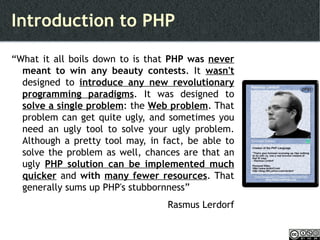
Introduction to PHP “ What it all boils down to is that  PHP was  never  meant to win any beauty contests . It  wasn't  designed to  introduce any new revolutionary programming paradigms . It was designed to  solve a single problem : the  Web problem . That problem can get quite ugly, and sometimes you need an ugly tool to solve your ugly problem. Although a pretty tool may, in fact, be able to solve the problem as well, chances are that an ugly  PHP solution can be implemented much quicker   and  with  many fewer resources . That generally sums up PHP's stubbornness” Rasmus Lerdorf
PHP - History PHP : Personal Home Page – Deprecated PHP Hypertext Preprocessor (From PHP 3.0) 1995 - PHP 1.0 - Personal Home Page Toolkit 1997 – PHP 2.0 – PHP/FI (Form Interpreter) FI – Database tool + Form handling 1998 – PHP 3.0 New PHP Parsing engine
PHP - History 2000 - PHP 4.0  Many features including IIS support, OOP support 2004 – PHP 5.0 More new features including Exception handling, Web Services ? - PHP 6.0 - Dev New features like Native Unicode support and security enhancements http://www.php.net/manual/en/history.php.php
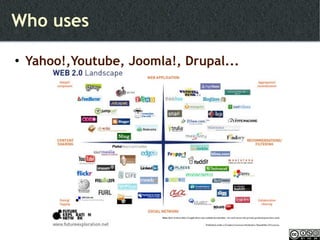
Who uses Yahoo!,Youtube, Joomla!, Drupal...
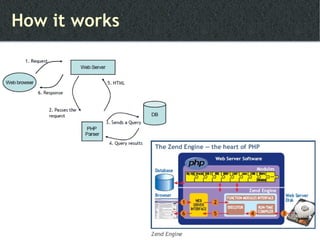
How it works
2. Setting up environment
2.0 Setting up environment Requirements Install XAMPP Test the environment
2.1 Requirements Web server Apache, IIS, GWS, nginx... Apache is selected PHP engine Database server MySQL, IBM DB2, PostgreSQL, SQL Server... MySQL is selected
2.2 Install XAMPP Can download appropriate builds and install  Correct version Correct format Install as a bunch  LAMP / WAMP / MAMP – XAMPP A Platform
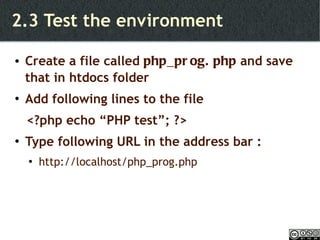
2.3 Test the environment Create a file called  php_prog.php  and save that in htdocs folder Add following lines to the file <?php echo “PHP test”; ?> Type following URL in the address bar : http://localhost/php_prog.php
3.0 PHP programming fundamentals
3.0 PHP Programming fundamentals Syntax definitions Operators Display Control structures Looping statements Function Array
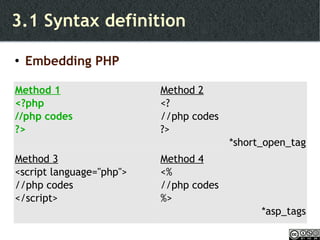
3.1 Syntax definition Embedding PHP Method 1 <?php //php codes ?> Method 2 <? //php codes ?> *short_open_tag Method 3 <script language=''php''> //php codes </script> Method 4 <% //php codes %> *asp_tags
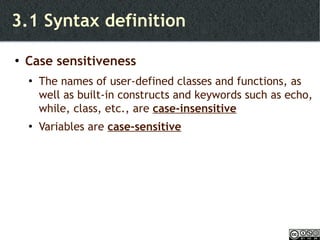
3.1 Syntax definition Case sensitiveness The names of user-defined classes and functions, as well as built-in constructs and keywords such as echo, while, class, etc., are  case-insensitive Variables are  case-sensitive
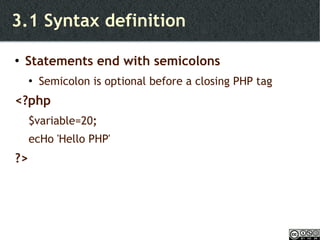
3.1 Syntax definition Statements end with semicolons Semicolon is optional before a closing PHP tag <?php $variable=20 ; ecHo 'Hello PHP' ?>
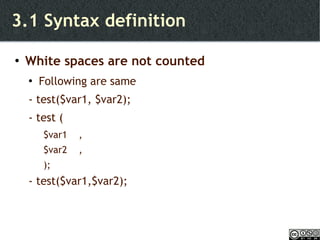
3.1 Syntax definition White spaces are not counted Following are same - test($var1, $var2); - test ( $var1  , $var2  , ); - test($var1,$var2);
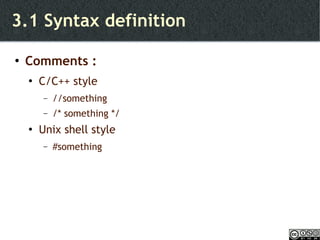
3.1 Syntax definition Comments : C/C++ style //something /* something */ Unix shell style #something
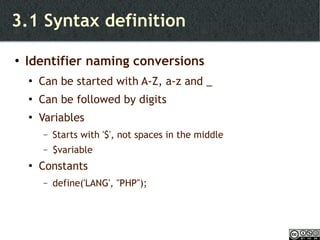
3.1 Syntax definition Identifier naming conversions Can be started with A-Z, a-z and _  Can be followed by digits Variables Starts with '$', not spaces in the middle $variable Constants define('LANG', &quot;PHP&quot;);
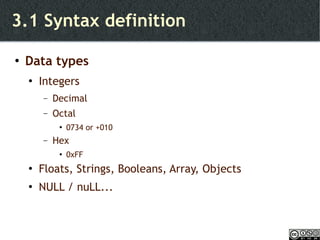
3.1 Syntax definition Data types Integers  Decimal Octal 0734 or +010 Hex 0xFF Floats, Strings, Booleans, Array, Objects NULL / nuLL...
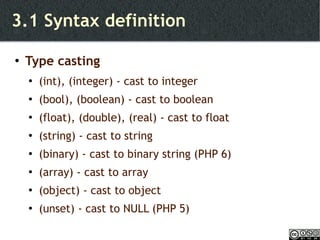
3.1 Syntax definition Type casting (int), (integer) - cast to integer (bool), (boolean) - cast to boolean (float), (double), (real) - cast to float (string) - cast to string (binary) - cast to binary string (PHP 6) (array) - cast to array (object) - cast to object (unset) - cast to NULL (PHP 5)
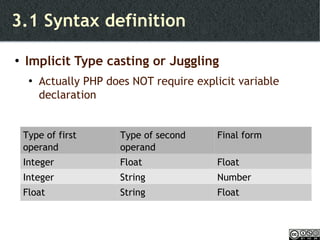
3.1 Syntax definition Implicit Type casting or Juggling Actually PHP does NOT require explicit variable declaration Type of first operand Type of second operand Final form Integer  Float Float Integer String Number Float String Float
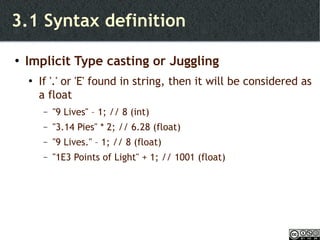
3.1 Syntax definition Implicit Type casting or Juggling If '.' or 'E' found in string, then it will be considered as a float &quot;9 Lives&quot; – 1; // 8 (int) &quot;3.14 Pies&quot; * 2; // 6.28 (float) &quot;9 Lives.&quot; – 1; // 8 (float) &quot;1E3 Points of Light&quot; + 1; // 1001 (float)
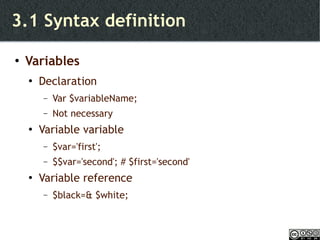
3.1 Syntax definition Variables Declaration Var $variableName; Not necessary Variable variable $var='first'; $$var='second'; # $first='second' Variable reference $black=& $white;
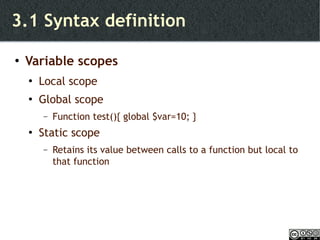
3.1 Syntax definition Variable scopes Local scope Global scope Function test(){ global $var=10; } Static scope Retains its value between calls to a function but local to that function
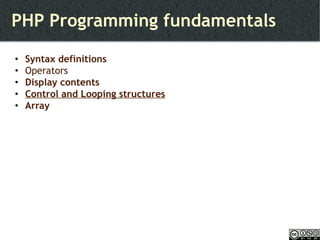
PHP Programming fundamentals Syntax definitions Operators Display contents Control structures Looping statements Function Array
3.2 Operators http://www.w3schools.com/PHP/php_operators.asp String incrementation
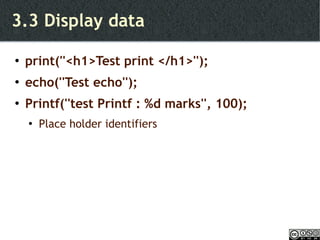
3.3 Display data print(''<h1>Test print </h1>''); echo(''Test echo''); Printf(''test Printf : %d marks'', 100); Place holder identifiers
PHP Programming fundamentals Syntax definitions Operators Display contents Control and Looping structures Array
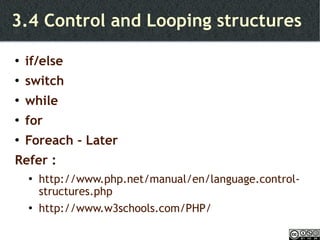
3.4 Control and Looping structures if/else switch while for Foreach - Later Refer :  http://www.php.net/manual/en/language.control-structures.php http://www.w3schools.com/PHP/
3.5 Arrays Method 1 $person[0] = &quot;Saman&quot;; $person[1] = &quot;Ravi&quot;; $person[2] = &quot;Kamal&quot;; Method 2 $method2['Country'] = &quot;Sri Lanka&quot;; $method2['Location'] = &quot;Indian Ocean&quot;;
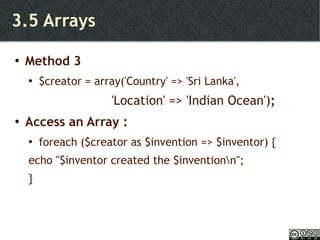
3.5 Arrays Method 3 $creator = array('Country' => 'Sri Lanka', 'Location' => 'Indian Ocean') ; Access an Array : foreach ($creator as $invention => $inventor) { echo &quot;$inventor created the $invention\n&quot;; }
4.0 Form handling
4.0 Form Handling Elements of HTML forms Passing values GET POST
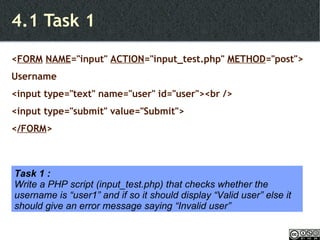
4.1 Task 1 < FORM   NAME =&quot;input&quot;  ACTION =&quot;input_test.php&quot;  METHOD =&quot;post&quot;> Username <input type=&quot;text&quot; name=&quot;user&quot; id=&quot;user&quot;><br /> <input type=&quot;submit&quot; value=&quot;Submit&quot;> < /FORM > Task 1 : Write a PHP script (input_test.php) that checks whether the username is “user1” and if so it should display “Valid user” else it should give an error message saying “Invalid user”
4.2 Handling form data POST $variable=$_POST['variable']; GET $variable=$_GET['variable']
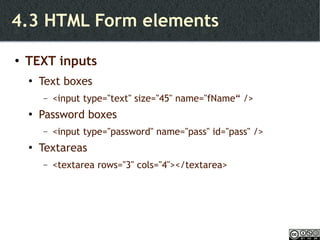
4.3 HTML Form elements TEXT inputs Text boxes <input type=&quot;text&quot; size=&quot;45&quot; name=&quot;fName“ /> Password boxes <input type=&quot;password&quot; name=&quot;pass&quot; id=&quot;pass&quot; /> Textareas <textarea rows=&quot;3&quot; cols=&quot;4&quot;></textarea>
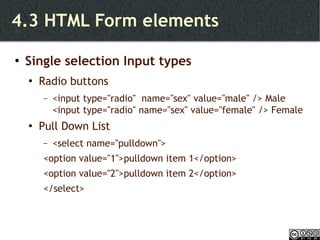
4.3 HTML Form elements Single selection Input types Radio buttons <input type=&quot;radio&quot;  name=&quot;sex&quot; value=&quot;male&quot; /> Male <input type=&quot;radio&quot; name=&quot;sex&quot; value=&quot;female&quot; /> Female Pull Down List <select name=&quot;pulldown&quot;>  <option value=&quot;1&quot;>pulldown item 1</option>  <option value=&quot;2&quot;>pulldown item 2</option> </select>
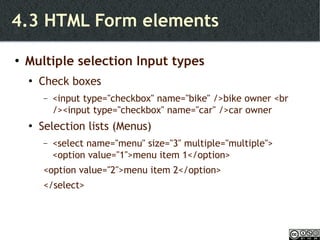
4.3 HTML Form elements Multiple selection Input types Check boxes <input type=&quot;checkbox&quot; name=&quot;bike&quot; />bike owner <br /><input type=&quot;checkbox&quot; name=&quot;car&quot; />car owner Selection lists (Menus) <select name=&quot;menu&quot; size=&quot;3&quot; multiple=&quot;multiple&quot;>  <option value=&quot;1&quot;>menu item 1</option>  <option value=&quot;2&quot;>menu item 2</option>  </select>
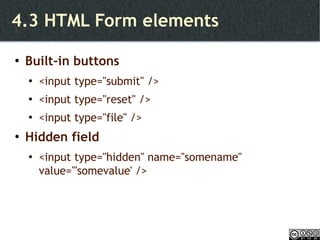
4.3 HTML Form elements Built-in buttons <input type=&quot;submit&quot; /> <input type=&quot;reset&quot; /> <input type=&quot;file&quot; /> Hidden field <input type=&quot;hidden&quot; name=''somename'' value='''somevalue' />
4.4 Task - 2 Task 2 : Write a form to feed user profile information such as : Name Age Gender Academic Qualification (UG / PG/ Other) – Should be able to select one Interests (Computer Games, Reading, Writing) – Can select one or more Short bio Then write a PHP script (profile_display.php) to display the input values. With the profile info, display submitted time as well.
5.0 Some useful in-build functions
5.0 Useful in-build functions String handling http://www.php.net/manual/en/ref.strings.php Date related functions http://www.php.net/manual/en/function.date.php
6.0 File handling
6.0 File handling Read and write to a file Task 3 Integrate source files File uploads Task 4 MIME standards PHP File configurations
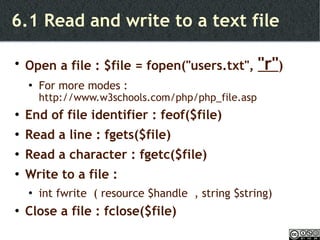
6.1 Read and write to a text file Open a file : $file = fopen(&quot;users.txt&quot;,  &quot;r&quot; ) For more modes :  http://www.w3schools.com/php/php_file.asp End of file identifier : feof($file) Read a line : fgets($file) Read a character : fgetc($file) Write to a file :  int fwrite  ( resource $handle  , string $string) Close a file : fclose($file)
6.2 Task 3 Task 3 : Modify the profile_display.php so that the submitted content can be appended to a file
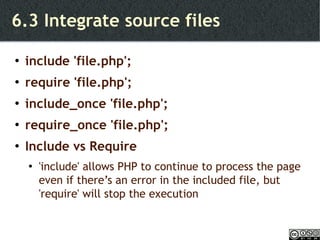
6.3 Integrate source files include 'file.php'; require 'file.php'; include_once 'file.php'; require_once 'file.php'; Include vs Require 'include' allows PHP to continue to process the page even if there’s an error in the included file, but 'require' will stop the execution
6.4 File uploads Useful functions : Set proper enctype in the input form $_FILES[&quot;file&quot;][&quot;name&quot;] - the name of the uploaded file $_FILES[&quot;file&quot;][&quot;type&quot;] - the type of the uploaded file $_FILES[&quot;file&quot;][&quot;size&quot;] - the size in bytes of the uploaded file $_FILES[&quot;file&quot;][&quot;tmp_name&quot;] - the name of the temporary  copy of the file stored on the server $_FILES[&quot;file&quot;][&quot;error&quot;] - the error code resulting from the file upload move_uploaded_file($_FILES[&quot;file&quot;][&quot;tmp_name&quot;], &quot;uploads/&quot; . $_FILES[&quot;file&quot;][&quot;name&quot;])
6.5 Task 4 Task 4 : Modify the profile_input.html so that users can upload their CV. Develop file_upload.php to check whether uploaded CV is in 'doc' format or 'pdf' format and the size of the CV is less than 100KB. Also save the uploaded file in a folder called uploads  within your current directory
Hints for Task 4  MIME standards Content formats in WEB (Rfc2045, rfc2046) http://www.iana.org/assignments/media-types/ HTML Form encoding standards Default : application/x-www-form-urlencoded To upload file : multipart/form-data
6.6 PHP file Configuration directives Following directives control PHP updates These directives can be find in php.ini file_uploads upload_tmp_dir upload_max_filesize
7.0 Database handling
7.0 Database handling PHP Database support MySQL Database handing basics Task 5 Task 6 Data encryption Task 7
7.1 PHP Database support Has in-build functions for more than 20 databases PHP-MySQL is well known pair
7.2 MySQL - 1 RDBMS Open-Source database Cross platform support – more than 20  Part of well known LAMP Used by  Yahoo!, Google, Nokia, YouTube... Has lot features Replication, clustering, High-Volume support etc.
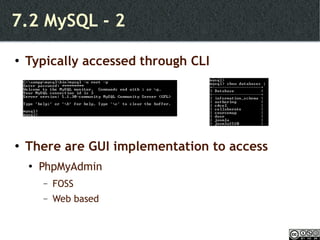
7.2 MySQL - 2 Typically accessed through CLI There are GUI implementation to access PhpMyAdmin FOSS Web based
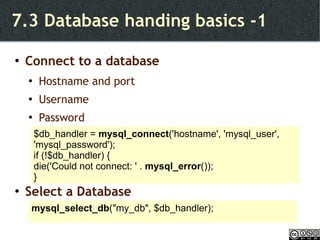
7.3 Database handing basics -1 Connect to a database Hostname and port Username Password Select a Database $db_handler =  mysql_connect ('hostname', 'mysql_user', 'mysql_password'); if (!$db_handler) {  die('Could not connect: ' .  mysql_error ()); } mysql_select_db (&quot;my_db&quot;, $db_handler);
7.3 Database handing basics -2 Tabular data manipulation Retrieve data Inside the SQL queries, all strings values must be single quoted. Insert data Returns true / false $result =  mysql_query (&quot;SELECT * FROM table&quot;); while($row =  mysql_fetch_array ($result)) { echo $row['field1'] . &quot; &quot; . $row['field2']; } mysql_query (&quot;INSERT INTO Table (Field1, Field2) VALUES ('Value1', 'Value2')&quot;);
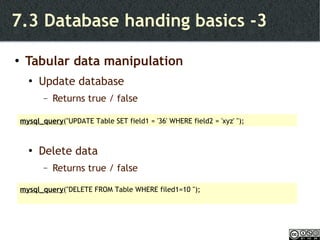
7.3 Database handing basics -3 Tabular data manipulation Update database Returns true / false Delete data Returns true / false mysql_query (&quot;UPDATE Table SET field1 = '36' WHERE field2 = 'xyz' &quot;); mysql_query (&quot;DELETE FROM Table WHERE filed1=10 &quot;);
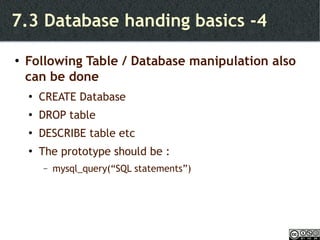
7.3 Database handing basics -4 Following Table / Database manipulation also can be done CREATE Database DROP table DESCRIBE table etc The prototype should be :  mysql_query(“SQL statements”)
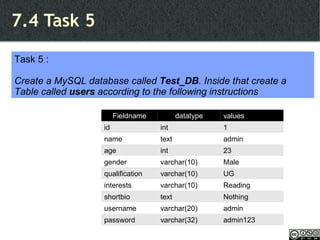
7.4 Task 5 Task 5 : Create a MySQL database called  Test_DB . Inside that create a Table called  users  according to the following instructions Fieldname datatype values id int 1 name text admin age int 23 gender varchar(10) Male qualification varchar(10) UG interests varchar(10) Reading shortbio text Nothing username varchar(20) admin password varchar(32) admin123
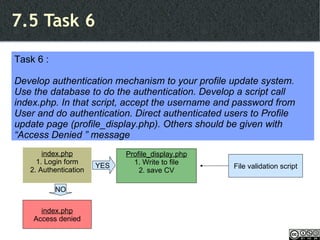
7.5 Task 6 Task 6 : Develop authentication mechanism to your profile update system. Use the database to do the authentication. Develop a script call index.php. In that script, accept the username and password from User and do authentication. Direct authenticated users to Profile update page (profile_display.php). Others should be given with “Access Denied ” message Profile_display.php 1. Write to file 2. save CV index.php Access denied index.php 1. Login form 2. Authentication NO YES File validation script
7.5 Hints for Task 6  PHP encryption support md5 / md5_file http://www.php.net/manual/en/function.md5.php http://www.php.net/manual/en/function.md5-file.php sha1 / sha1_file http://www.php.net/manual/en/function.sha1.php
7.6 Task 7 Task 7 : Alter the profile_display.php so that it displays the existing user details (including a link to CV) at the top and give a input form to add details to database at the bottom. When a new user is added, the CV should be renamed to user's username and added to uploads directory.
8.0 Session handling
8.0 Session handling Why and How? Cookie Session Task 8 PHP configuration directives for Session
8.2 Cookie Create Cookie Prototype : setcookie(name, value, expire) Eg : setcookie(&quot;id&quot;, &quot;123&quot;, time()+3600); This should be before the <HTML> Access Cookie $_COOKIE['name'] Delete Cookie Set the expiration time is passed setcookie(&quot;id&quot;, &quot;&quot;, time()-1000)
8.3 Session Start session session_start(); This must be the very 1 st  statement of a script Access session $_SESSION['sessionName'] Destroy a session variable unset($_SESSION['sessionName']) Destroy whole session session_destroy();
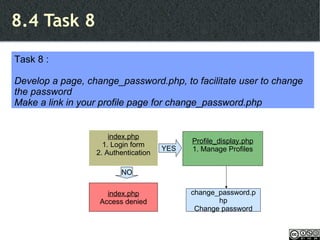
8.4 Task 8 Task 8 : Develop a page, change_password.php, to facilitate user to change the password Make a link in your profile page for change_password.php Profile_display.php 1. Manage Profiles index.php Access denied index.php 1. Login form 2. Authentication NO YES change_password.php Change password
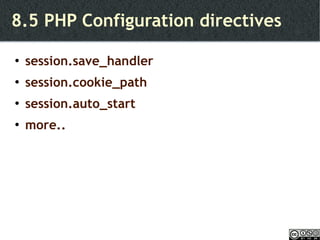
8.5 PHP Configuration directives session.save_handler session.cookie_path session.auto_start more..
9.0 OOP using PHP
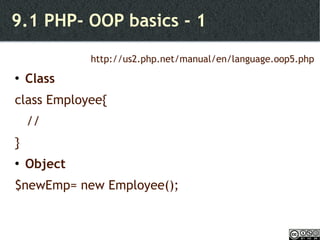
9.1 PHP- OOP basics - 1 http://us2.php.net/manual/en/language.oop5.php Class  class Employee{ //  } Object $newEmp= new Employee();
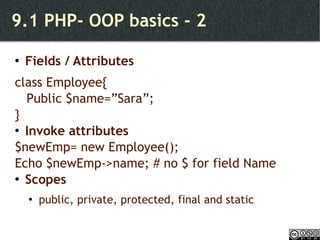
9.1 PHP- OOP basics - 2 Fields / Attributes class Employee{ Public $name=”Sara”;  } Invoke attributes $newEmp= new Employee(); Echo $newEmp->name; # no $ for field Name Scopes public, private, protected, final and static
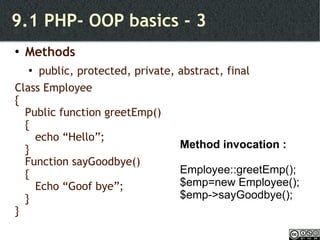
9.1 PHP- OOP basics - 3 Methods public, protected, private, abstract, final Class Employee { Public function greetEmp() {  echo “Hello”; } Function sayGoodbye() { Echo “Goof bye”; } } Method invocation : Employee::greetEmp(); $emp=new Employee(); $emp->sayGoodbye();
9.1 PHP- OOP basics - 4 Constructor  - Destructor Class Employee { function _construct([arg1, arg2...]) { } Function _destruct() { } }
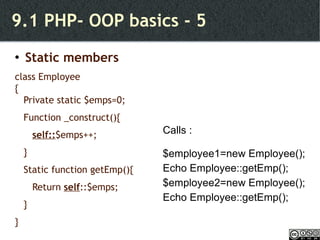
9.1 PHP- OOP basics - 5 Static members class Employee { Private static $emps=0; Function _construct(){  self:: $emps++; } Static function getEmp(){ Return  self ::$emps; } } Calls : $employee1=new Employee(); Echo Employee::getEmp(); $employee2=new Employee(); Echo Employee::getEmp();
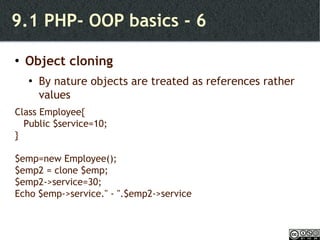
9.1 PHP- OOP basics - 6 Object cloning By nature objects are treated as references rather values Class Employee{ Public $service=10; } $emp=new Employee(); $emp2 = clone $emp; $emp2->service=30; Echo $emp->service.'' - ''.$emp2->service
10.0 PHP runtime Configuration of directives
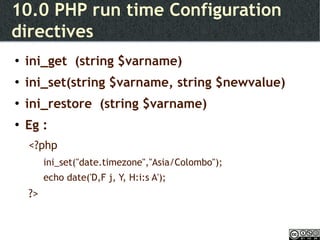
10.0 PHP run time Configuration directives ini_get  (string $varname) ini_set(string $varname, string $newvalue) ini_restore  (string $varname) Eg : <?php ini_set(&quot;date.timezone&quot;,&quot;Asia/Colombo&quot;); echo date('D,F j, Y, H:i:s A'); ?>
11.0 PHP Libraries
11.0 PHP Libraries In-build Libraries  11.1 PEAR 11.2 PDO 3 rd  party Libraries 11.3 PHP Classes
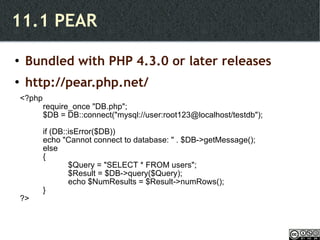
11.1 PEAR Bundled with PHP 4.3.0 or later releases http://pear.php.net/ <?php require_once &quot;DB.php&quot;; $DB = DB::connect(&quot;mysql://user:root123@localhost/testdb&quot;); if (DB::isError($DB)) echo &quot;Cannot connect to database: &quot; . $DB->getMessage(); else {   $Query = &quot;SELECT * FROM users&quot;;   $Result = $DB->query($Query);   echo $NumResults = $Result->numRows(); } ?>
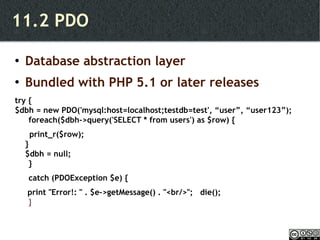
11.2 PDO Database abstraction layer Bundled with PHP 5.1 or later releases try { $dbh = new PDO('mysql:host=localhost;testdb=test', “user”, “user123”);  foreach($dbh->query('SELECT * from users') as $row) { print_r($row); } $dbh = null; }  catch (PDOException $e) {   print &quot;Error!: &quot; . $e->getMessage() . &quot;<br/>&quot;;  die(); }
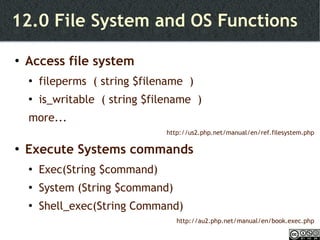
12.0 File System and OS Functions
12.0 File System and OS Functions Access file system fileperms  ( string $filename  ) is_writable  ( string $filename  ) more... http://us2.php.net/manual/en/ref.filesystem.php Execute Systems commands  Exec(String $command) System (String $command) Shell_exec(String Command) http://au2.php.net/manual/en/book.exec.php
13.0 Frameworks
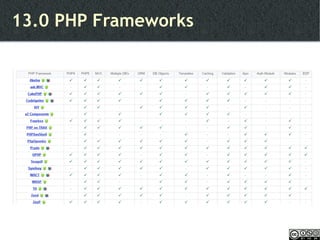
13.0 PHP Frameworks
14.0 PHP Security
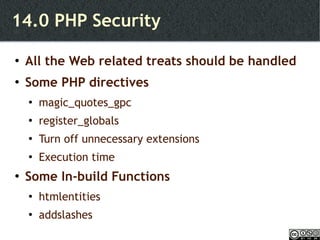
14.0 PHP Security All the Web related treats should be handled Some PHP directives magic_quotes_gpc register_globals Turn off unnecessary extensions Execution time Some In-build Functions htmlentities addslashes
15.0 PHP IDEs
15.0 PHP IDEs Eclipse Komodo** PHP Designer* PhpED** PHPEdit** Zend Studio** http://www.ibm.com/developerworks/library/os-php-ide/index.html
16.0 PHP Systems
16.0 PHP systems Configure PHP based systems Edit configuration files
17.0 Discussions
Thank you ! K.Sarveswaran, iamsarves@gmail.com.  k.sarveswaran.lk

Introduction to PHP

  • 1.
    PHP :\Introduction> Poweredby www.RedOffice.com K.Sarveswaran Department of Computer Science, University of Jaffna [email_address]
  • 2.
    Some references http://www.php.nethttp://www.w3schools.com/PHP/ Beginning PHP and MySQL, W.Jason Gilmore, Apress publication - 2009 Programming PHP, Rasmus Lerdorf and Kevin Tatroe, O'REILLY publication - 2002
  • 3.
    Scripting languages Whatare scripting languages? high-level programming language that is interpreted by another program at runtime rather than compiled by the computer’s processor as other programming languages (such as C and C++) are. - webopedia.com &quot;Scripts&quot; are distinct from the core code of the application which is usually written in a different language... Often interpreted from source code or bytecode, wheras the applications they control are traditionally compiled to native machine code. -http://en.wikipedia.org/wiki/Scripting_language
  • 4.
    Scripting languages WebScripting Client-side scripting scripts are run by the viewing web browser Server-side scripting scripts are run by the web server to generate dynamic web page PHP is a server-side scripting language PHP parser interprets PHP scripts in Server (written in C)
  • 5.
    Introduction to PHP“ What it all boils down to is that PHP was never meant to win any beauty contests . It wasn't designed to introduce any new revolutionary programming paradigms . It was designed to solve a single problem : the Web problem . That problem can get quite ugly, and sometimes you need an ugly tool to solve your ugly problem. Although a pretty tool may, in fact, be able to solve the problem as well, chances are that an ugly PHP solution can be implemented much quicker and with many fewer resources . That generally sums up PHP's stubbornness” Rasmus Lerdorf
  • 6.
    PHP - HistoryPHP : Personal Home Page – Deprecated PHP Hypertext Preprocessor (From PHP 3.0) 1995 - PHP 1.0 - Personal Home Page Toolkit 1997 – PHP 2.0 – PHP/FI (Form Interpreter) FI – Database tool + Form handling 1998 – PHP 3.0 New PHP Parsing engine
  • 7.
    PHP - History2000 - PHP 4.0 Many features including IIS support, OOP support 2004 – PHP 5.0 More new features including Exception handling, Web Services ? - PHP 6.0 - Dev New features like Native Unicode support and security enhancements http://www.php.net/manual/en/history.php.php
  • 8.
    Who uses Yahoo!,Youtube,Joomla!, Drupal...
  • 9.
  • 10.
    2. Setting upenvironment
  • 11.
    2.0 Setting upenvironment Requirements Install XAMPP Test the environment
  • 12.
    2.1 Requirements Webserver Apache, IIS, GWS, nginx... Apache is selected PHP engine Database server MySQL, IBM DB2, PostgreSQL, SQL Server... MySQL is selected
  • 13.
    2.2 Install XAMPPCan download appropriate builds and install Correct version Correct format Install as a bunch LAMP / WAMP / MAMP – XAMPP A Platform
  • 14.
    2.3 Test theenvironment Create a file called php_prog.php and save that in htdocs folder Add following lines to the file <?php echo “PHP test”; ?> Type following URL in the address bar : http://localhost/php_prog.php
  • 15.
    3.0 PHP programmingfundamentals
  • 16.
    3.0 PHP Programmingfundamentals Syntax definitions Operators Display Control structures Looping statements Function Array
  • 17.
    3.1 Syntax definitionEmbedding PHP Method 1 <?php //php codes ?> Method 2 <? //php codes ?> *short_open_tag Method 3 <script language=''php''> //php codes </script> Method 4 <% //php codes %> *asp_tags
  • 18.
    3.1 Syntax definitionCase sensitiveness The names of user-defined classes and functions, as well as built-in constructs and keywords such as echo, while, class, etc., are case-insensitive Variables are case-sensitive
  • 19.
    3.1 Syntax definitionStatements end with semicolons Semicolon is optional before a closing PHP tag <?php $variable=20 ; ecHo 'Hello PHP' ?>
  • 20.
    3.1 Syntax definitionWhite spaces are not counted Following are same - test($var1, $var2); - test ( $var1 , $var2 , ); - test($var1,$var2);
  • 21.
    3.1 Syntax definitionComments : C/C++ style //something /* something */ Unix shell style #something
  • 22.
    3.1 Syntax definitionIdentifier naming conversions Can be started with A-Z, a-z and _ Can be followed by digits Variables Starts with '$', not spaces in the middle $variable Constants define('LANG', &quot;PHP&quot;);
  • 23.
    3.1 Syntax definitionData types Integers Decimal Octal 0734 or +010 Hex 0xFF Floats, Strings, Booleans, Array, Objects NULL / nuLL...
  • 24.
    3.1 Syntax definitionType casting (int), (integer) - cast to integer (bool), (boolean) - cast to boolean (float), (double), (real) - cast to float (string) - cast to string (binary) - cast to binary string (PHP 6) (array) - cast to array (object) - cast to object (unset) - cast to NULL (PHP 5)
  • 25.
    3.1 Syntax definitionImplicit Type casting or Juggling Actually PHP does NOT require explicit variable declaration Type of first operand Type of second operand Final form Integer Float Float Integer String Number Float String Float
  • 26.
    3.1 Syntax definitionImplicit Type casting or Juggling If '.' or 'E' found in string, then it will be considered as a float &quot;9 Lives&quot; – 1; // 8 (int) &quot;3.14 Pies&quot; * 2; // 6.28 (float) &quot;9 Lives.&quot; – 1; // 8 (float) &quot;1E3 Points of Light&quot; + 1; // 1001 (float)
  • 27.
    3.1 Syntax definitionVariables Declaration Var $variableName; Not necessary Variable variable $var='first'; $$var='second'; # $first='second' Variable reference $black=& $white;
  • 28.
    3.1 Syntax definitionVariable scopes Local scope Global scope Function test(){ global $var=10; } Static scope Retains its value between calls to a function but local to that function
  • 29.
    PHP Programming fundamentalsSyntax definitions Operators Display contents Control structures Looping statements Function Array
  • 30.
  • 31.
    3.3 Display dataprint(''<h1>Test print </h1>''); echo(''Test echo''); Printf(''test Printf : %d marks'', 100); Place holder identifiers
  • 32.
    PHP Programming fundamentalsSyntax definitions Operators Display contents Control and Looping structures Array
  • 33.
    3.4 Control andLooping structures if/else switch while for Foreach - Later Refer : http://www.php.net/manual/en/language.control-structures.php http://www.w3schools.com/PHP/
  • 34.
    3.5 Arrays Method1 $person[0] = &quot;Saman&quot;; $person[1] = &quot;Ravi&quot;; $person[2] = &quot;Kamal&quot;; Method 2 $method2['Country'] = &quot;Sri Lanka&quot;; $method2['Location'] = &quot;Indian Ocean&quot;;
  • 35.
    3.5 Arrays Method3 $creator = array('Country' => 'Sri Lanka', 'Location' => 'Indian Ocean') ; Access an Array : foreach ($creator as $invention => $inventor) { echo &quot;$inventor created the $invention\n&quot;; }
  • 36.
  • 37.
    4.0 Form HandlingElements of HTML forms Passing values GET POST
  • 38.
    4.1 Task 1< FORM NAME =&quot;input&quot; ACTION =&quot;input_test.php&quot; METHOD =&quot;post&quot;> Username <input type=&quot;text&quot; name=&quot;user&quot; id=&quot;user&quot;><br /> <input type=&quot;submit&quot; value=&quot;Submit&quot;> < /FORM > Task 1 : Write a PHP script (input_test.php) that checks whether the username is “user1” and if so it should display “Valid user” else it should give an error message saying “Invalid user”
  • 39.
    4.2 Handling formdata POST $variable=$_POST['variable']; GET $variable=$_GET['variable']
  • 40.
    4.3 HTML Formelements TEXT inputs Text boxes <input type=&quot;text&quot; size=&quot;45&quot; name=&quot;fName“ /> Password boxes <input type=&quot;password&quot; name=&quot;pass&quot; id=&quot;pass&quot; /> Textareas <textarea rows=&quot;3&quot; cols=&quot;4&quot;></textarea>
  • 41.
    4.3 HTML Formelements Single selection Input types Radio buttons <input type=&quot;radio&quot; name=&quot;sex&quot; value=&quot;male&quot; /> Male <input type=&quot;radio&quot; name=&quot;sex&quot; value=&quot;female&quot; /> Female Pull Down List <select name=&quot;pulldown&quot;> <option value=&quot;1&quot;>pulldown item 1</option> <option value=&quot;2&quot;>pulldown item 2</option> </select>
  • 42.
    4.3 HTML Formelements Multiple selection Input types Check boxes <input type=&quot;checkbox&quot; name=&quot;bike&quot; />bike owner <br /><input type=&quot;checkbox&quot; name=&quot;car&quot; />car owner Selection lists (Menus) <select name=&quot;menu&quot; size=&quot;3&quot; multiple=&quot;multiple&quot;> <option value=&quot;1&quot;>menu item 1</option> <option value=&quot;2&quot;>menu item 2</option> </select>
  • 43.
    4.3 HTML Formelements Built-in buttons <input type=&quot;submit&quot; /> <input type=&quot;reset&quot; /> <input type=&quot;file&quot; /> Hidden field <input type=&quot;hidden&quot; name=''somename'' value='''somevalue' />
  • 44.
    4.4 Task -2 Task 2 : Write a form to feed user profile information such as : Name Age Gender Academic Qualification (UG / PG/ Other) – Should be able to select one Interests (Computer Games, Reading, Writing) – Can select one or more Short bio Then write a PHP script (profile_display.php) to display the input values. With the profile info, display submitted time as well.
  • 45.
    5.0 Some usefulin-build functions
  • 46.
    5.0 Useful in-buildfunctions String handling http://www.php.net/manual/en/ref.strings.php Date related functions http://www.php.net/manual/en/function.date.php
  • 47.
  • 48.
    6.0 File handlingRead and write to a file Task 3 Integrate source files File uploads Task 4 MIME standards PHP File configurations
  • 49.
    6.1 Read andwrite to a text file Open a file : $file = fopen(&quot;users.txt&quot;, &quot;r&quot; ) For more modes : http://www.w3schools.com/php/php_file.asp End of file identifier : feof($file) Read a line : fgets($file) Read a character : fgetc($file) Write to a file : int fwrite ( resource $handle , string $string) Close a file : fclose($file)
  • 50.
    6.2 Task 3Task 3 : Modify the profile_display.php so that the submitted content can be appended to a file
  • 51.
    6.3 Integrate sourcefiles include 'file.php'; require 'file.php'; include_once 'file.php'; require_once 'file.php'; Include vs Require 'include' allows PHP to continue to process the page even if there’s an error in the included file, but 'require' will stop the execution
  • 52.
    6.4 File uploadsUseful functions : Set proper enctype in the input form $_FILES[&quot;file&quot;][&quot;name&quot;] - the name of the uploaded file $_FILES[&quot;file&quot;][&quot;type&quot;] - the type of the uploaded file $_FILES[&quot;file&quot;][&quot;size&quot;] - the size in bytes of the uploaded file $_FILES[&quot;file&quot;][&quot;tmp_name&quot;] - the name of the temporary copy of the file stored on the server $_FILES[&quot;file&quot;][&quot;error&quot;] - the error code resulting from the file upload move_uploaded_file($_FILES[&quot;file&quot;][&quot;tmp_name&quot;], &quot;uploads/&quot; . $_FILES[&quot;file&quot;][&quot;name&quot;])
  • 53.
    6.5 Task 4Task 4 : Modify the profile_input.html so that users can upload their CV. Develop file_upload.php to check whether uploaded CV is in 'doc' format or 'pdf' format and the size of the CV is less than 100KB. Also save the uploaded file in a folder called uploads within your current directory
  • 54.
    Hints for Task4 MIME standards Content formats in WEB (Rfc2045, rfc2046) http://www.iana.org/assignments/media-types/ HTML Form encoding standards Default : application/x-www-form-urlencoded To upload file : multipart/form-data
  • 55.
    6.6 PHP fileConfiguration directives Following directives control PHP updates These directives can be find in php.ini file_uploads upload_tmp_dir upload_max_filesize
  • 56.
  • 57.
    7.0 Database handlingPHP Database support MySQL Database handing basics Task 5 Task 6 Data encryption Task 7
  • 58.
    7.1 PHP Databasesupport Has in-build functions for more than 20 databases PHP-MySQL is well known pair
  • 59.
    7.2 MySQL -1 RDBMS Open-Source database Cross platform support – more than 20 Part of well known LAMP Used by Yahoo!, Google, Nokia, YouTube... Has lot features Replication, clustering, High-Volume support etc.
  • 60.
    7.2 MySQL -2 Typically accessed through CLI There are GUI implementation to access PhpMyAdmin FOSS Web based
  • 61.
    7.3 Database handingbasics -1 Connect to a database Hostname and port Username Password Select a Database $db_handler = mysql_connect ('hostname', 'mysql_user', 'mysql_password'); if (!$db_handler) { die('Could not connect: ' . mysql_error ()); } mysql_select_db (&quot;my_db&quot;, $db_handler);
  • 62.
    7.3 Database handingbasics -2 Tabular data manipulation Retrieve data Inside the SQL queries, all strings values must be single quoted. Insert data Returns true / false $result = mysql_query (&quot;SELECT * FROM table&quot;); while($row = mysql_fetch_array ($result)) { echo $row['field1'] . &quot; &quot; . $row['field2']; } mysql_query (&quot;INSERT INTO Table (Field1, Field2) VALUES ('Value1', 'Value2')&quot;);
  • 63.
    7.3 Database handingbasics -3 Tabular data manipulation Update database Returns true / false Delete data Returns true / false mysql_query (&quot;UPDATE Table SET field1 = '36' WHERE field2 = 'xyz' &quot;); mysql_query (&quot;DELETE FROM Table WHERE filed1=10 &quot;);
  • 64.
    7.3 Database handingbasics -4 Following Table / Database manipulation also can be done CREATE Database DROP table DESCRIBE table etc The prototype should be : mysql_query(“SQL statements”)
  • 65.
    7.4 Task 5Task 5 : Create a MySQL database called Test_DB . Inside that create a Table called users according to the following instructions Fieldname datatype values id int 1 name text admin age int 23 gender varchar(10) Male qualification varchar(10) UG interests varchar(10) Reading shortbio text Nothing username varchar(20) admin password varchar(32) admin123
  • 66.
    7.5 Task 6Task 6 : Develop authentication mechanism to your profile update system. Use the database to do the authentication. Develop a script call index.php. In that script, accept the username and password from User and do authentication. Direct authenticated users to Profile update page (profile_display.php). Others should be given with “Access Denied ” message Profile_display.php 1. Write to file 2. save CV index.php Access denied index.php 1. Login form 2. Authentication NO YES File validation script
  • 67.
    7.5 Hints forTask 6 PHP encryption support md5 / md5_file http://www.php.net/manual/en/function.md5.php http://www.php.net/manual/en/function.md5-file.php sha1 / sha1_file http://www.php.net/manual/en/function.sha1.php
  • 68.
    7.6 Task 7Task 7 : Alter the profile_display.php so that it displays the existing user details (including a link to CV) at the top and give a input form to add details to database at the bottom. When a new user is added, the CV should be renamed to user's username and added to uploads directory.
  • 69.
  • 70.
    8.0 Session handlingWhy and How? Cookie Session Task 8 PHP configuration directives for Session
  • 71.
    8.2 Cookie CreateCookie Prototype : setcookie(name, value, expire) Eg : setcookie(&quot;id&quot;, &quot;123&quot;, time()+3600); This should be before the <HTML> Access Cookie $_COOKIE['name'] Delete Cookie Set the expiration time is passed setcookie(&quot;id&quot;, &quot;&quot;, time()-1000)
  • 72.
    8.3 Session Startsession session_start(); This must be the very 1 st statement of a script Access session $_SESSION['sessionName'] Destroy a session variable unset($_SESSION['sessionName']) Destroy whole session session_destroy();
  • 73.
    8.4 Task 8Task 8 : Develop a page, change_password.php, to facilitate user to change the password Make a link in your profile page for change_password.php Profile_display.php 1. Manage Profiles index.php Access denied index.php 1. Login form 2. Authentication NO YES change_password.php Change password
  • 74.
    8.5 PHP Configurationdirectives session.save_handler session.cookie_path session.auto_start more..
  • 75.
  • 76.
    9.1 PHP- OOPbasics - 1 http://us2.php.net/manual/en/language.oop5.php Class class Employee{ // } Object $newEmp= new Employee();
  • 77.
    9.1 PHP- OOPbasics - 2 Fields / Attributes class Employee{ Public $name=”Sara”; } Invoke attributes $newEmp= new Employee(); Echo $newEmp->name; # no $ for field Name Scopes public, private, protected, final and static
  • 78.
    9.1 PHP- OOPbasics - 3 Methods public, protected, private, abstract, final Class Employee { Public function greetEmp() { echo “Hello”; } Function sayGoodbye() { Echo “Goof bye”; } } Method invocation : Employee::greetEmp(); $emp=new Employee(); $emp->sayGoodbye();
  • 79.
    9.1 PHP- OOPbasics - 4 Constructor - Destructor Class Employee { function _construct([arg1, arg2...]) { } Function _destruct() { } }
  • 80.
    9.1 PHP- OOPbasics - 5 Static members class Employee { Private static $emps=0; Function _construct(){ self:: $emps++; } Static function getEmp(){ Return self ::$emps; } } Calls : $employee1=new Employee(); Echo Employee::getEmp(); $employee2=new Employee(); Echo Employee::getEmp();
  • 81.
    9.1 PHP- OOPbasics - 6 Object cloning By nature objects are treated as references rather values Class Employee{ Public $service=10; } $emp=new Employee(); $emp2 = clone $emp; $emp2->service=30; Echo $emp->service.'' - ''.$emp2->service
  • 82.
    10.0 PHP runtimeConfiguration of directives
  • 83.
    10.0 PHP runtime Configuration directives ini_get (string $varname) ini_set(string $varname, string $newvalue) ini_restore (string $varname) Eg : <?php ini_set(&quot;date.timezone&quot;,&quot;Asia/Colombo&quot;); echo date('D,F j, Y, H:i:s A'); ?>
  • 84.
  • 85.
    11.0 PHP LibrariesIn-build Libraries 11.1 PEAR 11.2 PDO 3 rd party Libraries 11.3 PHP Classes
  • 86.
    11.1 PEAR Bundledwith PHP 4.3.0 or later releases http://pear.php.net/ <?php require_once &quot;DB.php&quot;; $DB = DB::connect(&quot;mysql://user:root123@localhost/testdb&quot;); if (DB::isError($DB)) echo &quot;Cannot connect to database: &quot; . $DB->getMessage(); else { $Query = &quot;SELECT * FROM users&quot;; $Result = $DB->query($Query); echo $NumResults = $Result->numRows(); } ?>
  • 87.
    11.2 PDO Databaseabstraction layer Bundled with PHP 5.1 or later releases try { $dbh = new PDO('mysql:host=localhost;testdb=test', “user”, “user123”); foreach($dbh->query('SELECT * from users') as $row) { print_r($row); } $dbh = null; } catch (PDOException $e) { print &quot;Error!: &quot; . $e->getMessage() . &quot;<br/>&quot;; die(); }
  • 88.
    12.0 File Systemand OS Functions
  • 89.
    12.0 File Systemand OS Functions Access file system fileperms ( string $filename ) is_writable ( string $filename ) more... http://us2.php.net/manual/en/ref.filesystem.php Execute Systems commands Exec(String $command) System (String $command) Shell_exec(String Command) http://au2.php.net/manual/en/book.exec.php
  • 90.
  • 91.
  • 92.
  • 93.
    14.0 PHP SecurityAll the Web related treats should be handled Some PHP directives magic_quotes_gpc register_globals Turn off unnecessary extensions Execution time Some In-build Functions htmlentities addslashes
  • 94.
  • 95.
    15.0 PHP IDEsEclipse Komodo** PHP Designer* PhpED** PHPEdit** Zend Studio** http://www.ibm.com/developerworks/library/os-php-ide/index.html
  • 96.
  • 97.
    16.0 PHP systemsConfigure PHP based systems Edit configuration files
  • 98.
  • 99.
    Thank you !K.Sarveswaran, iamsarves@gmail.com. k.sarveswaran.lk