This guide provides tutorials for creating basic signatures in Adobe Photoshop. It begins with an overview of the basics of Photoshop tools and layers. Section 1 teaches how to create a simple signature using a render, clouds filter, and grunge brushes. Section 2 demonstrates how to change an eye color using the lasso tool and hue/saturation adjustments. Section 3 instructs on making an abstract signature using C4Ds, smudging, and gradient maps. Throughout the guide, tips are provided on using layers, blending options, and other effects to refine signatures.
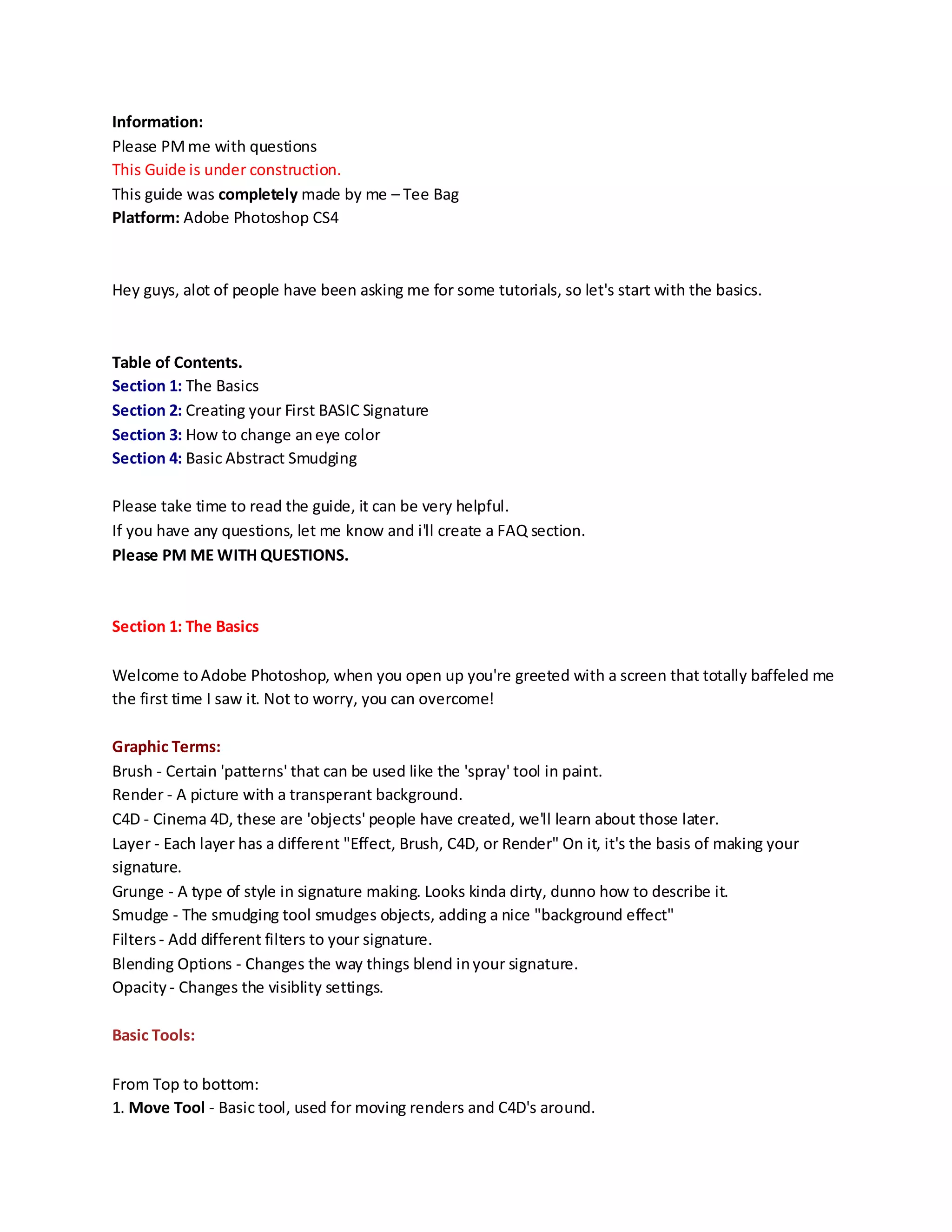
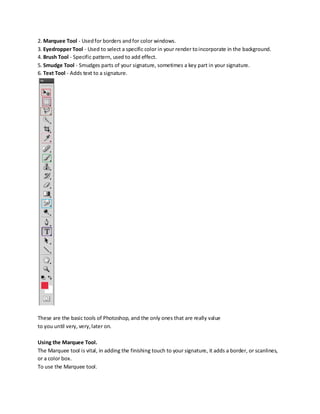
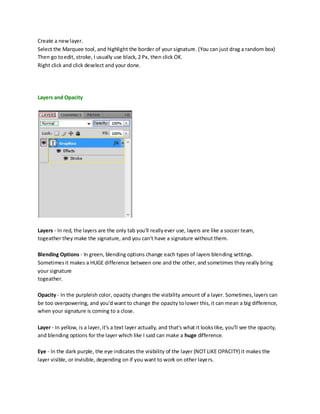
![How to create a Layer -
Click the icon highlighted in Pink, and a drop down, or up (Lol) will pop up, click on new layer, and there
we have it.
Downloading Fonts, and Brush Packs.
Fonts
A good place to find them: Urbanfonts.com
Make sure you have winRAR, it's pretty self explanitory, you find a font you want, and download for
whatever system your using.
Mac/Windows, etc.
Then go to... Start > Control Panel > Search Fonts > and Drag the font into the folder and boom, you're
done.
You can now use this font in signatures.
Brushes
Brushes can make or break your signature and it's important to have nice brushes.
A nice brush site: Brusheezy.com
From here, you can find nice brushes for photoshop, download them, and drag them into your
photoshop window,
or you can right click them. Look for some brushes that look appealing to you, a nice collection to have
are Grunge brushes.
Hotkeys [IMPORTANT]
Hotkeys can be a very important part of your career, and can just make things easyer, let's get started.
Hotkeys everyone should know:
V - Selects your move tool.
Ctrl + T - Free Transform, allows you to resize your image, they can be rather large. RESIZE FROM
CORNERS.
Ctrl + J - Duplicates a layer, usefull for duplicating renders to create a background.
M - Selects your marquee tool.
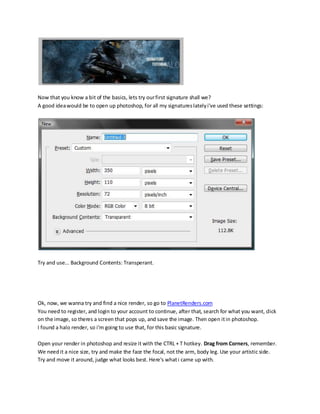
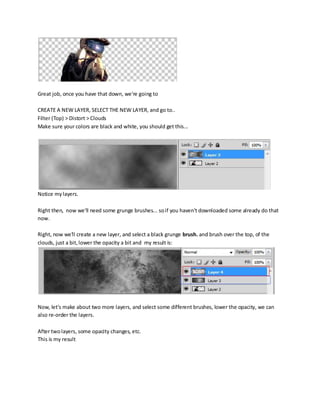
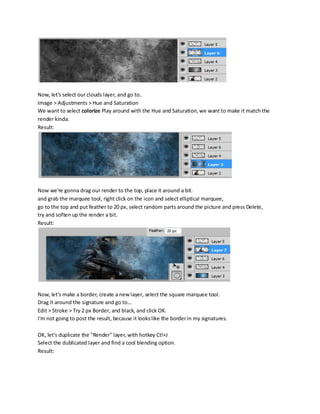
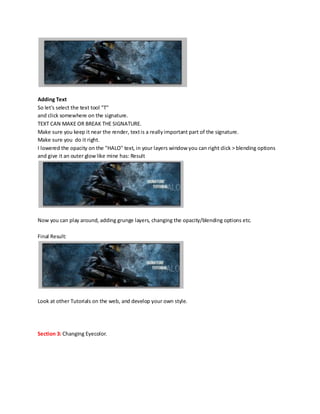
Section 2: Creating your First BASIC Signature](https://image.slidesharecdn.com/photoshopguide-090624234206-phpapp02/85/Photoshop-Guide-4-320.jpg)


![Refleja[2]. Celebra La Vida.](https://cdn.slidesharecdn.com/ss_thumbnails/refleja2-celebralavida-090824114202-phpapp02-thumbnail.jpg?width=640&height=640&fit=bounds)


