2015 Pebble Developer Retreat
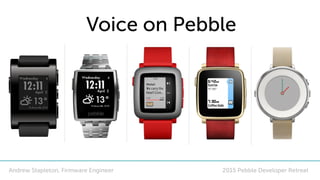
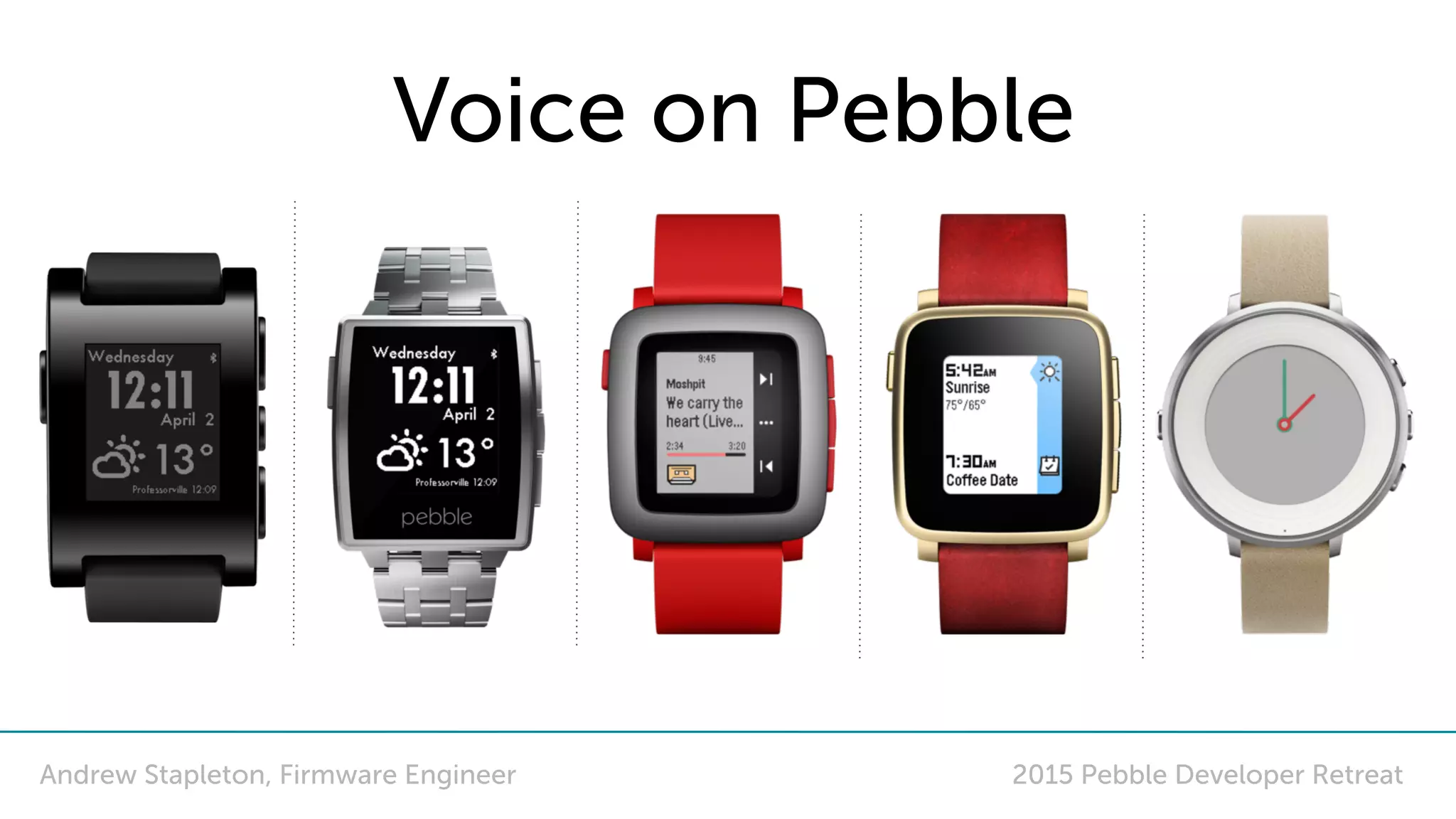
Voice on Pebble
Andrew Stapleton, Firmware Engineer
Voice
• Intro
• Basic overview
• Dictation API - Intro
• Dictation API - Example app
• How it works
• Do’s and don’ts with the API
• Development Help
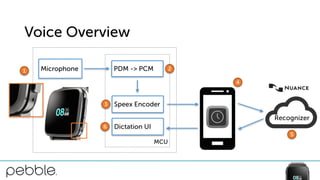
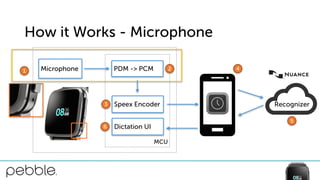
Voice Overview
Microphone
MCU
PDM -> PCM
Speex Encoder
Dictation UI
Recognizer
6
1 2
3
4
5
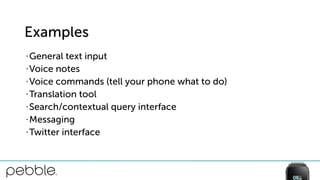
Examples
• General text input
• Voice notes
• Voice commands (tell your phone what to do)
• Translation tool
• Search/contextual query interface
• Messaging
• Twitter interface
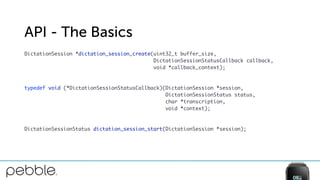
API - The Basics
DictationSession *dictation_session_create(uint32_t buffer_size,

DictationSessionStatusCallback callback,

void *callback_context);


typedef void (*DictationSessionStatusCallback)(DictationSession *session,

DictationSessionStatus status, 

char *transcription,

void *context);


DictationSessionStatus dictation_session_start(DictationSession *session);
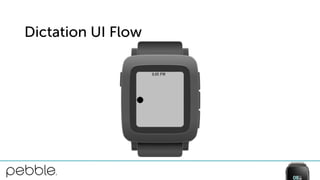
Dictation UI Flow
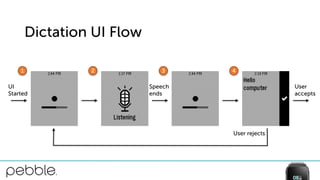
Dictation UI Flow
UI
Started
Speech
ends
User
accepts
User rejects
1 2 3 4
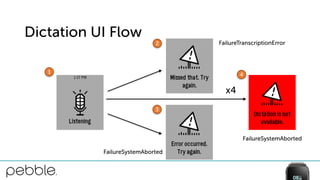
Dictation UI Flow
x4
1
2
3
4
FailureTranscriptionError
FailureSystemAborted
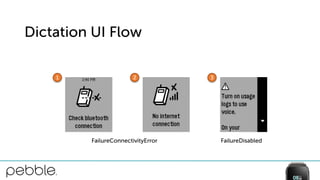
Dictation UI Flow
1 2 3
FailureConnectivityError FailureDisabled
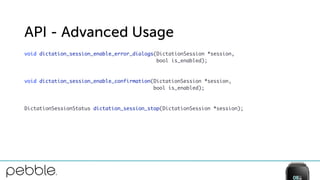
API - Advanced Usage
void dictation_session_enable_error_dialogs(DictationSession *session,

bool is_enabled);


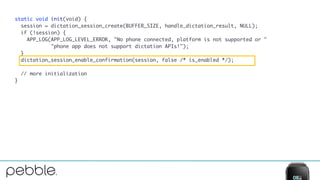
void dictation_session_enable_confirmation(DictationSession *session,

bool is_enabled);


DictationSessionStatus dictation_session_stop(DictationSession *session);
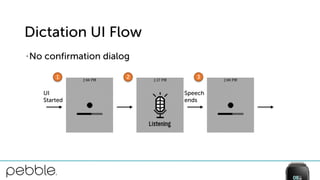
Dictation UI Flow
• No confirmation dialog
UI
Started
Speech
ends
1 2 3
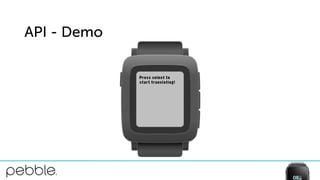
API - Demo
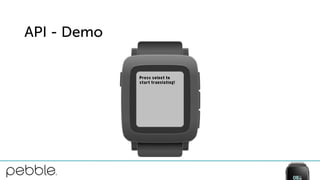
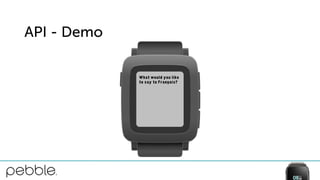
• Translation tool
• Use dictation session to get text to be translated from user
• Use Google Translate API to translate the text
• Display response in the form of text to user
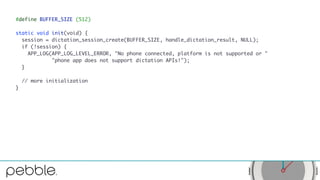
#define BUFFER_SIZE (512)
static void init(void) {
session = dictation_session_create(BUFFER_SIZE, handle_dictation_result, NULL);
if (!session) {
APP_LOG(APP_LOG_LEVEL_ERROR, "No phone connected, platform is not supported or "
"phone app does not support dictation APIs!");
}
// more initialization
}
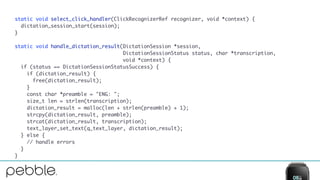
static void select_click_handler(ClickRecognizerRef recognizer, void *context) {
dictation_session_start(session);
}
static void handle_dictation_result(DictationSession *session,
DictationSessionStatus status, char *transcription,
void *context) {
if (status == DictationSessionStatusSuccess) {
if (dictation_result) {
free(dictation_result);
}
const char *preamble = "ENG: ";
size_t len = strlen(transcription);
dictation_result = malloc(len + strlen(preamble) + 1);
strcpy(dictation_result, preamble);
strcat(dictation_result, transcription);
text_layer_set_text(q_text_layer, dictation_result);
} else {
// handle errors
}
}
API - Demo
API - Demo
static void init(void) {
session = dictation_session_create(BUFFER_SIZE, handle_dictation_result, NULL);
if (!session) {
APP_LOG(APP_LOG_LEVEL_ERROR, "No phone connected, platform is not supported or "
"phone app does not support dictation APIs!");
}
dictation_session_enable_confirmation(session, false /* is_enabled */);
// more initialization
}
API - Demo
Recognizer
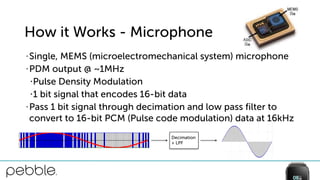
How it Works - Microphone
Microphone
MCU
PDM -> PCM
Speex Encoder
Dictation UI6
1 2
3
4
5
How it Works - Microphone
• Single, MEMS (microelectromechanical system) microphone
• PDM output @ ~1MHz
•Pulse Density Modulation
•1 bit signal that encodes 16-bit data
• Pass 1 bit signal through decimation and low pass filter to
convert to 16-bit PCM (Pulse code modulation) data at 16kHz
Decimation
+ LPF
Recognizer
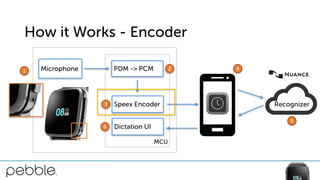
How it Works - Encoder
Microphone
MCU
PDM -> PCM
Speex Encoder
Dictation UI6
1 2
3
4
5
How it Works - Encoder
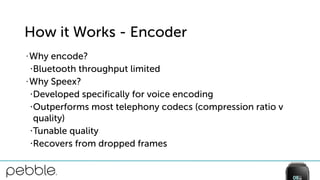
• Why encode?
•Bluetooth throughput limited
• Why Speex?
•Developed specifically for voice encoding
•Outperforms most telephony codecs (compression ratio v
quality)
•Tunable quality
•Recovers from dropped frames
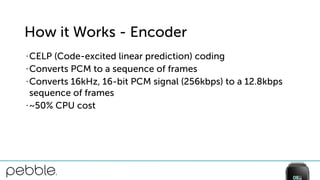
How it Works - Encoder
• CELP (Code-excited linear prediction) coding
• Converts PCM to a sequence of frames
• Converts 16kHz, 16-bit PCM signal (256kbps) to a 12.8kbps
sequence of frames
• ~50% CPU cost
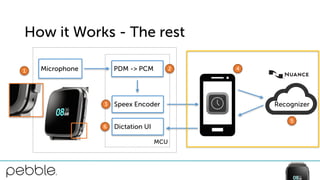
How it Works - The rest
Microphone
MCU
PDM -> PCM
Speex Encoder
Dictation UI6
1 2
3
4
5
Recognizer
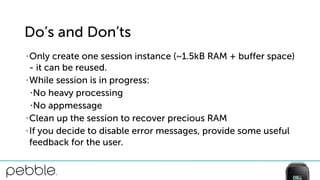
Do’s and Don’ts
• Only create one session instance (~1.5kB RAM + buffer space)
- it can be reused.
• While session is in progress:
•No heavy processing
•No appmessage
• Clean up the session to recover precious RAM
• If you decide to disable error messages, provide some useful
feedback for the user.
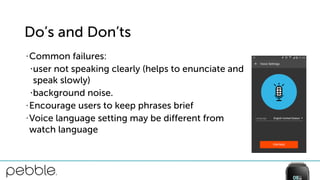
Do’s and Don’ts
• Common failures:
•user not speaking clearly (helps to enunciate and 

speak slowly)
•background noise.
• Encourage users to keep phrases brief
• Voice language setting may be different from 

watch language
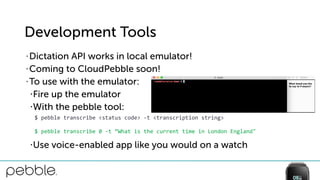
Development Tools
• Dictation API works in local emulator!
• Coming to CloudPebble soon!
• To use with the emulator:
•Fire up the emulator
•With the pebble tool:
•Use voice-enabled app like you would on a watch
$	
  pebble	
  transcribe	
  <status	
  code>	
  -­‐t	
  <transcription	
  string>	
  
$	
  pebble	
  transcribe	
  0	
  -­‐t	
  “What	
  is	
  the	
  current	
  time	
  in	
  London	
  England"
More Info
• API Documentation: http://developer.getpebble.com/docs/c/
preview/Foundation/Dictation/
• Guide: https://developer.getpebble.com/guides/pebble-
apps/sensors/dictation/
• Example: https://github.com/pebble-hacks/voice-demo
Questions?

#PDR15 - Voice API

  • 1.
    2015 Pebble DeveloperRetreat Voice on Pebble Andrew Stapleton, Firmware Engineer
  • 2.
    Voice • Intro • Basicoverview • Dictation API - Intro • Dictation API - Example app • How it works • Do’s and don’ts with the API • Development Help
  • 3.
    Voice Overview Microphone MCU PDM ->PCM Speex Encoder Dictation UI Recognizer 6 1 2 3 4 5
  • 4.
    Examples • General textinput • Voice notes • Voice commands (tell your phone what to do) • Translation tool • Search/contextual query interface • Messaging • Twitter interface
  • 5.
    API - TheBasics DictationSession *dictation_session_create(uint32_t buffer_size,
 DictationSessionStatusCallback callback,
 void *callback_context); 
 
 typedef void (*DictationSessionStatusCallback)(DictationSession *session,
 DictationSessionStatus status, 
 char *transcription,
 void *context); 
 
 DictationSessionStatus dictation_session_start(DictationSession *session);
  • 6.
  • 7.
  • 8.
  • 9.
    Dictation UI Flow 12 3 FailureConnectivityError FailureDisabled
  • 10.
    API - AdvancedUsage void dictation_session_enable_error_dialogs(DictationSession *session,
 bool is_enabled); 
 
 void dictation_session_enable_confirmation(DictationSession *session,
 bool is_enabled); 
 
 DictationSessionStatus dictation_session_stop(DictationSession *session);
  • 11.
    Dictation UI Flow •No confirmation dialog UI Started Speech ends 1 2 3
  • 12.
    API - Demo •Translation tool • Use dictation session to get text to be translated from user • Use Google Translate API to translate the text • Display response in the form of text to user
  • 13.
    #define BUFFER_SIZE (512) staticvoid init(void) { session = dictation_session_create(BUFFER_SIZE, handle_dictation_result, NULL); if (!session) { APP_LOG(APP_LOG_LEVEL_ERROR, "No phone connected, platform is not supported or " "phone app does not support dictation APIs!"); } // more initialization }
  • 14.
    static void select_click_handler(ClickRecognizerRefrecognizer, void *context) { dictation_session_start(session); } static void handle_dictation_result(DictationSession *session, DictationSessionStatus status, char *transcription, void *context) { if (status == DictationSessionStatusSuccess) { if (dictation_result) { free(dictation_result); } const char *preamble = "ENG: "; size_t len = strlen(transcription); dictation_result = malloc(len + strlen(preamble) + 1); strcpy(dictation_result, preamble); strcat(dictation_result, transcription); text_layer_set_text(q_text_layer, dictation_result); } else { // handle errors } }
  • 15.
  • 16.
  • 17.
    static void init(void){ session = dictation_session_create(BUFFER_SIZE, handle_dictation_result, NULL); if (!session) { APP_LOG(APP_LOG_LEVEL_ERROR, "No phone connected, platform is not supported or " "phone app does not support dictation APIs!"); } dictation_session_enable_confirmation(session, false /* is_enabled */); // more initialization }
  • 18.
  • 19.
    Recognizer How it Works- Microphone Microphone MCU PDM -> PCM Speex Encoder Dictation UI6 1 2 3 4 5
  • 20.
    How it Works- Microphone • Single, MEMS (microelectromechanical system) microphone • PDM output @ ~1MHz •Pulse Density Modulation •1 bit signal that encodes 16-bit data • Pass 1 bit signal through decimation and low pass filter to convert to 16-bit PCM (Pulse code modulation) data at 16kHz Decimation + LPF
  • 21.
    Recognizer How it Works- Encoder Microphone MCU PDM -> PCM Speex Encoder Dictation UI6 1 2 3 4 5
  • 22.
    How it Works- Encoder • Why encode? •Bluetooth throughput limited • Why Speex? •Developed specifically for voice encoding •Outperforms most telephony codecs (compression ratio v quality) •Tunable quality •Recovers from dropped frames
  • 23.
    How it Works- Encoder • CELP (Code-excited linear prediction) coding • Converts PCM to a sequence of frames • Converts 16kHz, 16-bit PCM signal (256kbps) to a 12.8kbps sequence of frames • ~50% CPU cost
  • 24.
    How it Works- The rest Microphone MCU PDM -> PCM Speex Encoder Dictation UI6 1 2 3 4 5 Recognizer
  • 25.
    Do’s and Don’ts •Only create one session instance (~1.5kB RAM + buffer space) - it can be reused. • While session is in progress: •No heavy processing •No appmessage • Clean up the session to recover precious RAM • If you decide to disable error messages, provide some useful feedback for the user.
  • 26.
    Do’s and Don’ts •Common failures: •user not speaking clearly (helps to enunciate and 
 speak slowly) •background noise. • Encourage users to keep phrases brief • Voice language setting may be different from 
 watch language
  • 27.
    Development Tools • DictationAPI works in local emulator! • Coming to CloudPebble soon! • To use with the emulator: •Fire up the emulator •With the pebble tool: •Use voice-enabled app like you would on a watch $  pebble  transcribe  <status  code>  -­‐t  <transcription  string>   $  pebble  transcribe  0  -­‐t  “What  is  the  current  time  in  London  England"
  • 28.
    More Info • APIDocumentation: http://developer.getpebble.com/docs/c/ preview/Foundation/Dictation/ • Guide: https://developer.getpebble.com/guides/pebble- apps/sensors/dictation/ • Example: https://github.com/pebble-hacks/voice-demo
  • 29.