Downloaded 11 times
![# import pandas as pd
import pandas as pd
# simple array
data = [1, 2, 3, 4]
ser = pd.Series(data)
print(ser)
The axis labels are collectively called index.
Creating a Pandas Series
In the real world, a Pandas Series will be created by loading the datasets from
existing storage, storage can be SQL Database, CSV file, and Excel file.
Pandas Series can be created from the lists, dictionary, and from a scalar value
etc. Series can be created in different ways.
Creating a series from array: In order to create a series from array, we have to
import a numpy module and have to use array () function.](https://image.slidesharecdn.com/pandas-230824063833-1f6c29ee/85/Pandas-pptx-2-320.jpg)
![# import pandas as pd
import pandas as pd
# import numpy as np
import numpy as np
# simple array
data = np.array([‘r',’k',’r',’e',’d’,’d’,’y’])
ser = pd.Series(data)
print(ser)](https://image.slidesharecdn.com/pandas-230824063833-1f6c29ee/85/Pandas-pptx-3-320.jpg)
![Accessing element of Series
There are two ways through which we can access element of series, they are :
• Accessing Element from Series with Position
• Accessing Element Using Label (index)
Accessing Element from Series with Position: In order to access the series element refers
to the index number. Use the index operator [ ] to access an element in a series. The
index must be an integer. In order to access multiple elements from a series, we use Slice
operation.
Accessing first 5 elements of Series
# import pandas and numpy
import pandas as pd
import numpy as np
# creating simple array
data = np.array([‘A’,’v',’a’,’n',’t',‘h’,’i',’c',’o',’l',’l'])
ser = pd.Series(data)
#retrieve the first element
print (ser [:5])](https://image.slidesharecdn.com/pandas-230824063833-1f6c29ee/85/Pandas-pptx-4-320.jpg)
![Accessing Element Using Label (index):
In order to access an element from series, we have to set values by index label.
A Series is like a fixed-size dictionary in that you can get and set values by index
label.
Accessing a single element using index label
# import pandas and numpy
import pandas as pd
import numpy as np
# creating simple array
data = np.array([([‘A’,’v',’a’,’n',’t',‘h’,’i',’c',’o',’l',’l'])
ser = pd.Series(data,index=[10,11,12,13,14,15,16,17,18,19,20,21,22])
# accessing a element using index element
print(ser[16])](https://image.slidesharecdn.com/pandas-230824063833-1f6c29ee/85/Pandas-pptx-5-320.jpg)
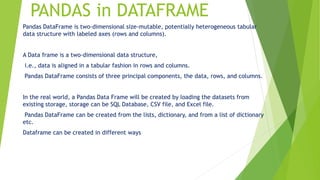
![Creating a dataframe using List:
DataFrame can be created using a single list or a list of lists.
# import pandas as pd
import pandas as pd
# list of strings
lst = [‘RK’, ‘For’, ‘Python’, ‘in’, ’Avanthi’, ‘college', ‘avnt’]
# Calling DataFrame constructor on list
df = pd.DataFrame(lst)
print(df)](https://image.slidesharecdn.com/pandas-230824063833-1f6c29ee/85/Pandas-pptx-7-320.jpg)
![PANDAS
Creating DataFrame from dict of ndarray/lists:
To create DataFrame from dict of narray/list, all the narray must be of same length.
If index is passed then the length index should be equal to the length of arrays.
If no index is passed, then by default, index will be range(n) where n is the array length.
import pandas as pd
# intialise data of lists.
data = {'Name':['Tom', 'nick', 'krish', 'jack'],
'Age':[20, 21, 19, 18]}
# Create DataFrame
df = pd.DataFrame(data)
# Print the output.
print(df)
Dealing with Rows and Columns
A Data frame is a two-dimensional data structure, i.e., data is aligned in a tabular fashion in rows and columns.
We can perform basic operations on rows/columns like selecting, deleting, adding, and renaming.
Column Selection: In Order to select a column in Pandas DataFrame, we can either access the columns by calling
them by their columns name.](https://image.slidesharecdn.com/pandas-230824063833-1f6c29ee/85/Pandas-pptx-8-320.jpg)
![PANDAS
# Import pandas package
import pandas as pd
# Define a dictionary containing employee data
data = {'Name':['Jai', 'Princi', 'Gaurav', 'Anuj'],
'Age':[27, 24, 22, 32],
'Address':['Delhi', 'Kanpur', 'Allahabad', 'Kannauj'],
'Qualification':['Msc', 'MA', 'MCA', 'Phd']}
# Convert the dictionary into DataFrame
df = pd.DataFrame(data)
# select two columns
print(df[['Name', 'Qualification']])
# importing pandas package
import pandas as pd
# making data frame from
csv file
data =
pd.read_csv("nba.csv",
index_col ="Name")
# retrieving row by loc
method
first = data.loc["Avery
Bradley"]
second = data.loc["R.J.
Hunter"]
print(first, "nnn", second)](https://image.slidesharecdn.com/pandas-230824063833-1f6c29ee/85/Pandas-pptx-9-320.jpg)
![PANDAS
Selecting a single columns
In order to select a single column, we simply put the name of the column in-between the
brackets
nba
# importing pandas package
import pandas as pd
# making data frame from csv file
data = pd.read_csv("nba.csv", index_col ="Name")
# retrieving columns by indexing operator
first = data["Age"]
print(first)
Selecting a single row
In order to select a single row
using .loc[], we put a single
row label in a .loc function.
# importing pandas package
import pandas as pd
# making data frame from csv
file
data = pd.read_csv("nba.csv",
index_col ="Name")
# retrieving row by loc method
first = data.loc["Avery Bradley"]
second = data.loc["R.J.
Hunter"]
print(first, "nnn", second)](https://image.slidesharecdn.com/pandas-230824063833-1f6c29ee/85/Pandas-pptx-10-320.jpg)
![Reshaping
For reshaping the Pandas Series we are using reshape() method of Pandas Series object.
Syntax: Pandas.Series.values.reshape((dimension))
# import pandas library
import pandas as pd
# make an array
array = [2, 4, 6, 8, 10, 12]
# create a series
series_obj = pd.Series(array)
# convert series object into array
arr = series_obj.values
# reshaping series
reshaped_arr = arr.reshape((3, 2))
# show
print(reshaped_arr)](https://image.slidesharecdn.com/pandas-230824063833-1f6c29ee/85/Pandas-pptx-11-320.jpg)
![# import pandas library
import pandas as pd
# make an array
array = ["ankit","shaurya","shivangi", "priya","jeet","ananya"]
# create a series
series_obj = pd.Series(array)
print("Given Series:n", series_obj)
# convert series object into array
arr = series_obj.values
# reshaping series
reshaped_arr = arr.reshape((2, 3))
# show
print("After Reshaping: n", reshaped_arr)](https://image.slidesharecdn.com/pandas-230824063833-1f6c29ee/85/Pandas-pptx-12-320.jpg)

Pandas is a popular Python library used for working with labeled/relational data and time series data. It provides data structures like Series and DataFrames. Series are one-dimensional arrays that can hold data of any type. DataFrames are two-dimensional structures like tables, with labeled rows and columns. DataFrames can be created from lists, dictionaries, or CSV/Excel files. Columns and rows can be accessed, selected, and manipulated. The values of Series can be reshaped into different dimensions.


