Python with AI –
Turtle
Turtle module
• Turtle is a library that helps you make graphics
Turtle module
• Turtle is a library that helps you make graphics
• One of the first robots designed had a turtle shape and a pen
attached to it, which is where the name comes from
• If using repl, choose language that allows
import of turtle
Turtle module
• Import the module
Turtle module
• Import the module
• Create a turtle object
Popular methods in turtle
• forward(x): moves the pen in the forward direction by x unit.
• backward(x): moves the pen in the backward direction by x unit.
• right(x): rotate the pen in the clockwise direction by an angle x.
• left(x): rotate the pen in the anticlockwise direction by an angle x.
• setheading(x): Set the angle at which it is headed
• penup(): stop drawing of the turtle pen.
• pendown(): start drawing of the turtle pen.
• circle(x): draw a circle of radius x
How do you find current turtle state
• pos() – Find the current position of the turtle
• towards(x,y) – Angle between turtle and a given location
• xcor() – turtles x-coordinate
• ycor() – turtles y-corodinate
• heading(x) – turtles angle
• distance(x,y) – turtles distance from a given location
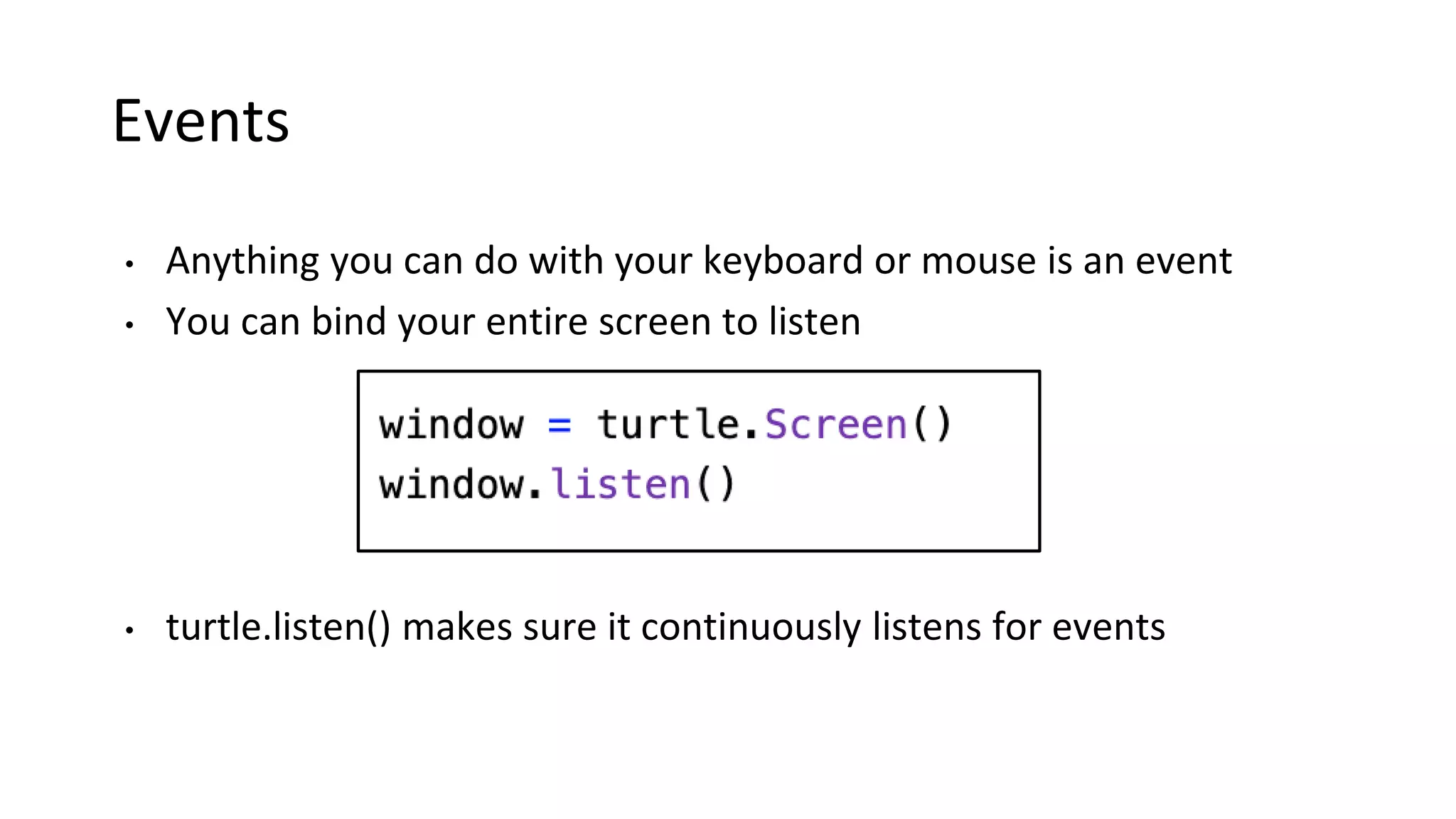
Events
• Anything you can do with your keyboard or mouse is an event
• You can bind your entire screen to listen
• turtle.listen() makes sure it continuously listens for events
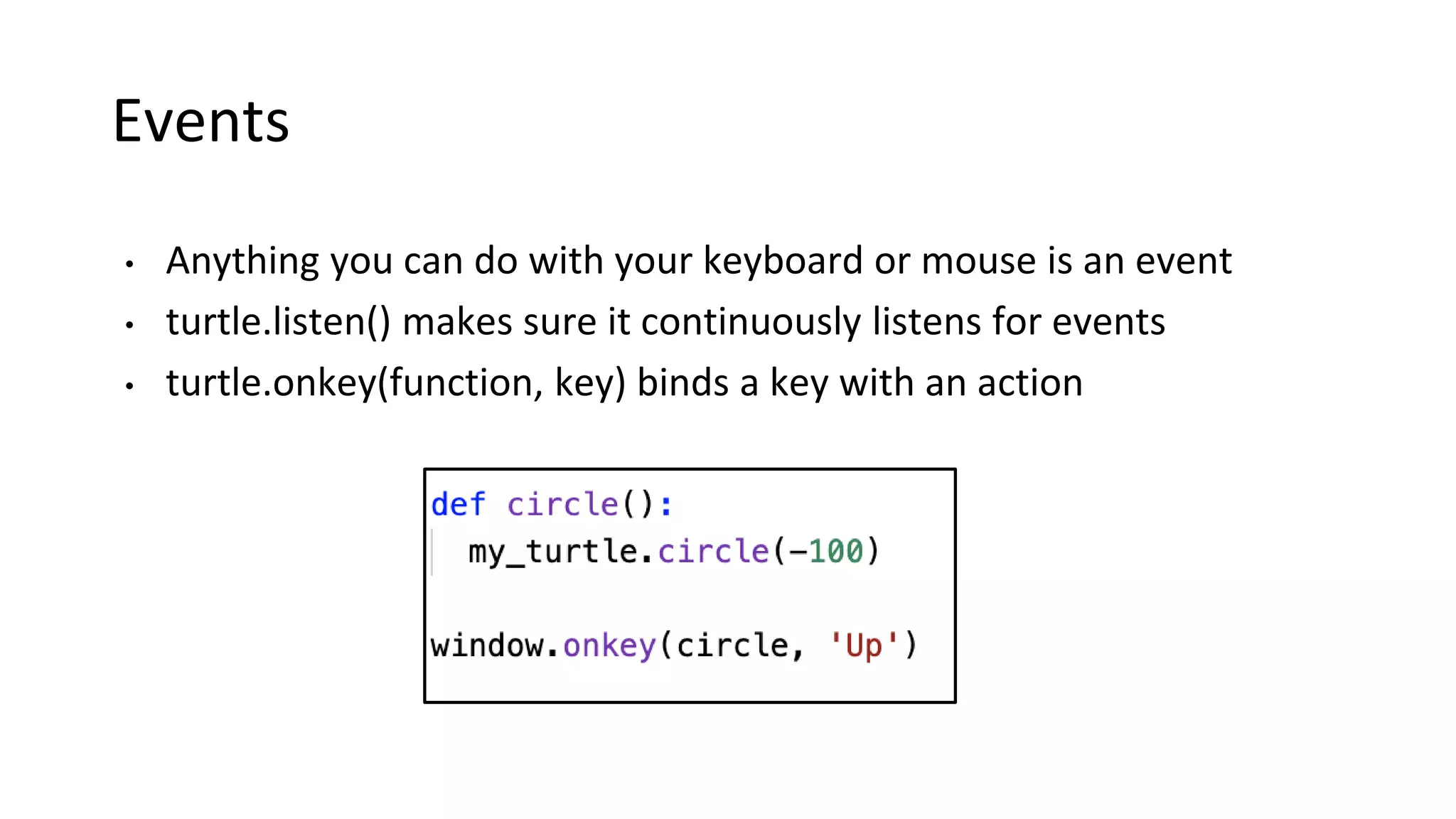
Events
• Anything you can do with your keyboard or mouse is an event
• turtle.listen() makes sure it continuously listens for events
• turtle.onkey(function, key) binds a key with an action
Example – golf
• Create a circle at a random location, bring turtle back to (0,0)
• Ask user to input an angle and distance
• Move the turtle at the provided angle and distance
• When the turtle is close enough to the circle, game over
• Score is given by how many tries you took
Example – golf
• Create a circle at a random location, bring turtle back to (0,0)
• Ask user to input an angle and distance
• Move the turtle at the provided angle and distance
• When the turtle is close enough to the circle, game over
• Score is given by how many tries you took
• Repl link: https://repl.it/@AIClubAcademy/turtleGame#main.py
http://aiclub.world

Pa1 turtle

  • 1.
    Python with AI– Turtle
  • 2.
    Turtle module • Turtleis a library that helps you make graphics
  • 3.
    Turtle module • Turtleis a library that helps you make graphics • One of the first robots designed had a turtle shape and a pen attached to it, which is where the name comes from • If using repl, choose language that allows import of turtle
  • 4.
  • 5.
    Turtle module • Importthe module • Create a turtle object
  • 6.
    Popular methods inturtle • forward(x): moves the pen in the forward direction by x unit. • backward(x): moves the pen in the backward direction by x unit. • right(x): rotate the pen in the clockwise direction by an angle x. • left(x): rotate the pen in the anticlockwise direction by an angle x. • setheading(x): Set the angle at which it is headed • penup(): stop drawing of the turtle pen. • pendown(): start drawing of the turtle pen. • circle(x): draw a circle of radius x
  • 7.
    How do youfind current turtle state • pos() – Find the current position of the turtle • towards(x,y) – Angle between turtle and a given location • xcor() – turtles x-coordinate • ycor() – turtles y-corodinate • heading(x) – turtles angle • distance(x,y) – turtles distance from a given location
  • 8.
    Events • Anything youcan do with your keyboard or mouse is an event • You can bind your entire screen to listen • turtle.listen() makes sure it continuously listens for events
  • 9.
    Events • Anything youcan do with your keyboard or mouse is an event • turtle.listen() makes sure it continuously listens for events • turtle.onkey(function, key) binds a key with an action
  • 10.
    Example – golf •Create a circle at a random location, bring turtle back to (0,0) • Ask user to input an angle and distance • Move the turtle at the provided angle and distance • When the turtle is close enough to the circle, game over • Score is given by how many tries you took
  • 11.
    Example – golf •Create a circle at a random location, bring turtle back to (0,0) • Ask user to input an angle and distance • Move the turtle at the provided angle and distance • When the turtle is close enough to the circle, game over • Score is given by how many tries you took • Repl link: https://repl.it/@AIClubAcademy/turtleGame#main.py
  • 12.