Government Polytechnic Arvi
Industrial Training Presentation
IBase Technology Amravati
Under
Supervision Of
Mr. Nakul Deshmukh
iBase Technology
Topic : Internship In Python
Training Mode : Online
Training Organization : iBase Technology PVT.LTD
Start Date : 05 July 2022
End Date : 16 August 2022
Duration : 6 weeks
Guided By
Prof.G.R.Sawant
Presented By
Shivam Denge
INTRODUCTION
 Python Is a general purpose programming language that is applied in scripting roles
 Python is also called as Interpreted language
 Python support multiple paradigms including imperative , procedural, Functional
and object oriented programming style
 Python Can be used for – System Programming , Graphical User Interface
Programming, Internet Scripting , Component integration, Database Programming,
Gaming ,Image, XML, Robot And More
 Python relies on indentation, using whitespace, to define scope; such as the scope
of loops, functions and classes. Other programming languages often use curly-
brackets for this purpose
 Python is invented by Guido van Rossum
Features
• Easy to Learn and Use
• Expressive Language
• Interpreted Language
• Cross-platform Language
• Free and Open Source
• Object-Oriented Language
• Extensible
• Large Standard Library
• GUI Programming Support
• Integrated
Variable
 Variable is a name that is used to refer to memory location.
Python variable is also known as an identifier and used to
hold value.
 In Python, we don't need to specify the type of variable
because Python is a infer language and smart enough to get
variable type.
 Variable names can be a group of both the letters and digits,
but they have to begin with a letter or an underscore.
 It is recommended to use lowercase letters for the variable
name. Rahul and rahul both are two different variables.
Python Loops
 For Loop - This type of loop executes a code block multiple times and abbreviates the code that manages the loop variable..
Syntax - for value in sequence:
{ code block }
 While Loop - Repeats a statement or group of statements while a given condition is TRUE. It tests the condition before
executing the loop body
Syntax - while <condition>:
{ code block }
 Nested Loop - We can iterate a loop inside another loop.
Syntax - for value in sequence:
for value in sequence
{ code block }
Data Structure
 List - Lists are used to store data of different data types in a sequential manner.
There are addresses assigned to every element of the list, which is called as
Index. Ex. Mylist = [1,2,3,”XYZ”,1.2]
 Dictionary – An unordered collection of data in key:value pair form collection
of such pair is enclosed in curly brackets
 Ex. {1:”xzy”,2:”ABC”,3:PQR”}
 Tuple – Similar to list but it contain of tuple cannot be modified .it is
immutable after the tuple is created Ex. (1,”Ravi”,70.5,True)
 String - A collection of one or more character put in single, double or triple
quote. Ex . ‘Hello’, ”Hello”, ”’Hello’”, ””Hello””
 Sets - Python Set is an unordered collection of data that is mutable and does
not allow any duplicate element. Ex myset={1,2,3,4,4,5,5}
output=1,2,3,4,5
)
Numpy in Python
 NumPy is a Python library used for working with arrays.
 It also has functions for working in domain of linear algebra, fourier
transform, and matrices.
 In Python we have lists that serve the purpose of arrays, but they are
slow to process.
 NumPy aims to provide an array object that is up to 50x faster than
traditional Python lists.
 Ex. Import numpy
arr = numpy.array([1,2,3,4,5])
print(arr)
Output - [1 2 3 4 5]
Tkinter Module in Python
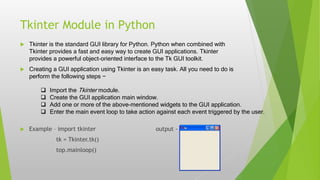
 Tkinter is the standard GUI library for Python. Python when combined with
Tkinter provides a fast and easy way to create GUI applications. Tkinter
provides a powerful object-oriented interface to the Tk GUI toolkit.
 Creating a GUI application using Tkinter is an easy task. All you need to do is
perform the following steps −
 Example – import tkinter output -
tk = Tkinter.tk()
top.mainloop()
 Import the Tkinter module.
 Create the GUI application main window.
 Add one or more of the above-mentioned widgets to the GUI application.
 Enter the main event loop to take action against each event triggered by the user.
Turtle Module in Python
 turtle is a pre-installed Python library that enables users to create pictures and shapes by
providing them with a virtual canvas.
 The onscreen pen that you use for drawing is called the turtle and this is what gives the
library its name.
 The on-screen pen can be moved using the functions like turtle.forward(), turtle.left(),
etc. For example turtle.forward(10) will move the pen in the forward direction by 10
pixels.
 Example – import turtle output -
turtle.forward(110)
turtle.left(110)
turtle.forward(110)
Mysql Database in Python
 Python being a high-level language provides support for various databases. We can
connect and run queries for a particular database using Python and without writing raw
queries in the terminal or shell of that particular database, we just need to have that
database installed in our system.
 MySQL is a relational database management system based on the Structured Query
Language, which is the popular language for accessing and managing the records in the
database. MySQL is open-source and free software under the GNU license. It is
supported by Oracle Company.
 MySQL is a Relational Database Management System (RDBMS) software that
provides many things, which are as follows:
 It allows us to implement database operations on tables, rows, columns, and indexes
 It defines the database relationship in the form of tables (collection of rows and columns),
also known as relations.
 It provides the Referential Integrity between rows or columns of various tables.
 It allows us to updates the table indexes automatically. o It uses many SQL queries and
combines useful information from multiple tables for the end- users.
 Example –
 Import pymysql
mydb=pymysql.connect(host=“localhost”,user=“root”,password=“1234” )
cur = mydb.cursor()
cur.execute(“create database if not exist Audiobook”)
cur.execute(“create table if not exists Audiobook(file_name
varchar(90),file_path varchar(90)”)
Shivam PPT.pptx

Shivam PPT.pptx

  • 1.
    Government Polytechnic Arvi IndustrialTraining Presentation IBase Technology Amravati Under Supervision Of Mr. Nakul Deshmukh iBase Technology Topic : Internship In Python Training Mode : Online Training Organization : iBase Technology PVT.LTD Start Date : 05 July 2022 End Date : 16 August 2022 Duration : 6 weeks Guided By Prof.G.R.Sawant Presented By Shivam Denge
  • 2.
    INTRODUCTION  Python Isa general purpose programming language that is applied in scripting roles  Python is also called as Interpreted language  Python support multiple paradigms including imperative , procedural, Functional and object oriented programming style  Python Can be used for – System Programming , Graphical User Interface Programming, Internet Scripting , Component integration, Database Programming, Gaming ,Image, XML, Robot And More  Python relies on indentation, using whitespace, to define scope; such as the scope of loops, functions and classes. Other programming languages often use curly- brackets for this purpose  Python is invented by Guido van Rossum
  • 3.
    Features • Easy toLearn and Use • Expressive Language • Interpreted Language • Cross-platform Language • Free and Open Source • Object-Oriented Language • Extensible • Large Standard Library • GUI Programming Support • Integrated
  • 4.
    Variable  Variable isa name that is used to refer to memory location. Python variable is also known as an identifier and used to hold value.  In Python, we don't need to specify the type of variable because Python is a infer language and smart enough to get variable type.  Variable names can be a group of both the letters and digits, but they have to begin with a letter or an underscore.  It is recommended to use lowercase letters for the variable name. Rahul and rahul both are two different variables.
  • 5.
    Python Loops  ForLoop - This type of loop executes a code block multiple times and abbreviates the code that manages the loop variable.. Syntax - for value in sequence: { code block }  While Loop - Repeats a statement or group of statements while a given condition is TRUE. It tests the condition before executing the loop body Syntax - while <condition>: { code block }  Nested Loop - We can iterate a loop inside another loop. Syntax - for value in sequence: for value in sequence { code block }
  • 6.
    Data Structure  List- Lists are used to store data of different data types in a sequential manner. There are addresses assigned to every element of the list, which is called as Index. Ex. Mylist = [1,2,3,”XYZ”,1.2]  Dictionary – An unordered collection of data in key:value pair form collection of such pair is enclosed in curly brackets  Ex. {1:”xzy”,2:”ABC”,3:PQR”}  Tuple – Similar to list but it contain of tuple cannot be modified .it is immutable after the tuple is created Ex. (1,”Ravi”,70.5,True)  String - A collection of one or more character put in single, double or triple quote. Ex . ‘Hello’, ”Hello”, ”’Hello’”, ””Hello””  Sets - Python Set is an unordered collection of data that is mutable and does not allow any duplicate element. Ex myset={1,2,3,4,4,5,5} output=1,2,3,4,5 )
  • 7.
    Numpy in Python NumPy is a Python library used for working with arrays.  It also has functions for working in domain of linear algebra, fourier transform, and matrices.  In Python we have lists that serve the purpose of arrays, but they are slow to process.  NumPy aims to provide an array object that is up to 50x faster than traditional Python lists.  Ex. Import numpy arr = numpy.array([1,2,3,4,5]) print(arr) Output - [1 2 3 4 5]
  • 8.
    Tkinter Module inPython  Tkinter is the standard GUI library for Python. Python when combined with Tkinter provides a fast and easy way to create GUI applications. Tkinter provides a powerful object-oriented interface to the Tk GUI toolkit.  Creating a GUI application using Tkinter is an easy task. All you need to do is perform the following steps −  Example – import tkinter output - tk = Tkinter.tk() top.mainloop()  Import the Tkinter module.  Create the GUI application main window.  Add one or more of the above-mentioned widgets to the GUI application.  Enter the main event loop to take action against each event triggered by the user.
  • 9.
    Turtle Module inPython  turtle is a pre-installed Python library that enables users to create pictures and shapes by providing them with a virtual canvas.  The onscreen pen that you use for drawing is called the turtle and this is what gives the library its name.  The on-screen pen can be moved using the functions like turtle.forward(), turtle.left(), etc. For example turtle.forward(10) will move the pen in the forward direction by 10 pixels.  Example – import turtle output - turtle.forward(110) turtle.left(110) turtle.forward(110)
  • 10.
    Mysql Database inPython  Python being a high-level language provides support for various databases. We can connect and run queries for a particular database using Python and without writing raw queries in the terminal or shell of that particular database, we just need to have that database installed in our system.  MySQL is a relational database management system based on the Structured Query Language, which is the popular language for accessing and managing the records in the database. MySQL is open-source and free software under the GNU license. It is supported by Oracle Company.  MySQL is a Relational Database Management System (RDBMS) software that provides many things, which are as follows:  It allows us to implement database operations on tables, rows, columns, and indexes  It defines the database relationship in the form of tables (collection of rows and columns), also known as relations.  It provides the Referential Integrity between rows or columns of various tables.  It allows us to updates the table indexes automatically. o It uses many SQL queries and combines useful information from multiple tables for the end- users.
  • 11.
     Example – Import pymysql mydb=pymysql.connect(host=“localhost”,user=“root”,password=“1234” ) cur = mydb.cursor() cur.execute(“create database if not exist Audiobook”) cur.execute(“create table if not exists Audiobook(file_name varchar(90),file_path varchar(90)”)