ELEC/TELE/PHTN 3117:
Electrical Engineering Design
        Oral Presentation
Week 12 Seminar: Process
•  Absolute quiet in the laboratory!!
•  Speak/demonstrate for 10 minutes max
  –  typically 5 minutes for each team member
  –  penalties for going over time
•  Questions for 2 to 3 minutes
  –  keep your answers short!!
  –  marked by myself & lab demonstrators
  –  marks not necessarily equal for each team member
•  Setup & get going in less than 1 minute!
Week 12 Seminar: Equipment
•  Portable projector screen
•  Overhead and Data projector
  –  Consider how much you use the data projector, in
     view of the strict time limit
  –  Be prepared to write on the whiteboard, issue
     handouts and/or use overhead transparencies in case
     of technical difficulties
Week 12 Seminar: Scenario
•  Presentation to management
  –  Summarise important points
  –  Highlight particularly novel/creative aspects
     •  Briefly point out any special circuit features, as you see fit
     •  But, usually no point in showing PCB layout
  –  Demonstrate prototype
     •  Briefly discuss performance attributes or specifications
         –  these might be deduced from testing your prototype
     •  Remember to tie everything back to user requirements
  –  Build case to proceed with development
  –  Even if outcome was not good
     •  There may be a positive message or ideas for going forward
        with a related product. You must have learned something.
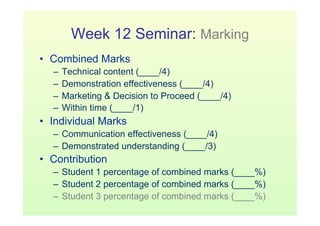
Week 12 Seminar: Marking
•  Combined Marks
   –  Technical content (____/4)
   –  Demonstration effectiveness (____/4)
   –  Marketing & Decision to Proceed (____/4)
   –  Within time (____/1)
•  Individual Marks
   –  Communication effectiveness (____/4)
   –  Demonstrated understanding (____/3)
•  Contribution
   –  Student 1 percentage of combined marks (____%)
   –  Student 2 percentage of combined marks (____%)
   –  Student 3 percentage of combined marks (____%)
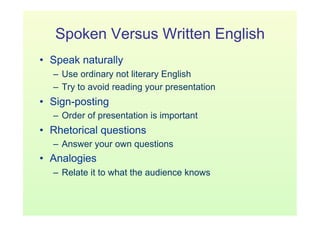
Spoken Versus Written English
•  Speak naturally
  –  Use ordinary not literary English
  –  Try to avoid reading your presentation
•  Sign-posting
  –  Order of presentation is important
•  Rhetorical questions
  –  Answer your own questions
•  Analogies
  –  Relate it to what the audience knows
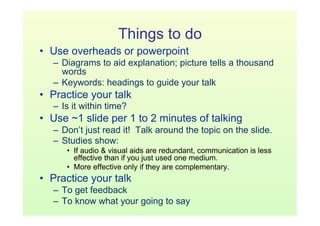
Things to do
•  Use overheads or powerpoint
   –  Diagrams to aid explanation; picture tells a thousand
      words
   –  Keywords: headings to guide your talk
•  Practice your talk
   –  Is it within time?
•  Use ~1 slide per 1 to 2 minutes of talking
   –  Don’t just read it! Talk around the topic on the slide.
   –  Studies show:
      •  If audio & visual aids are redundant, communication is less
         effective than if you just used one medium.
      •  More effective only if they are complementary.
•  Practice your talk
   –  To get feedback
   –  To know what your going to say
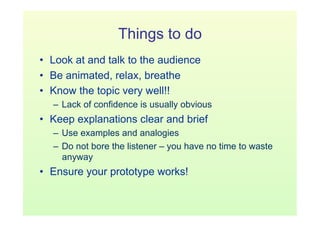
Things to do
•  Look at and talk to the audience
•  Be animated, relax, breathe
•  Know the topic very well!!
  –  Lack of confidence is usually obvious
•  Keep explanations clear and brief
  –  Use examples and analogies
  –  Do not bore the listener – you have no time to waste
     anyway
•  Ensure your prototype works!
Things NOT to do
•  Don’t put so much on a slide that the audience is
   distracted trying to read it all.
  –  You don’t want to try to put everything you are going
     to say on the slide.
•  Don’t use such a small font the audience has
   trouble reading it!
•  Don’t be late for your presentation!
Things NOT to do
•    Read from a script
•    Go over the allotted time
•    Fail to demonstrate your project
•    Stand in front of the projector/screen
     –  Or the marker
•  Argue when questions are asked
•  Take too long to answer a question
     –  There are probably more to come; if you don’t have
        time to answer them, your mark may hurt

Oral presentation

  • 1.
  • 2.
    Week 12 Seminar:Process •  Absolute quiet in the laboratory!! •  Speak/demonstrate for 10 minutes max –  typically 5 minutes for each team member –  penalties for going over time •  Questions for 2 to 3 minutes –  keep your answers short!! –  marked by myself & lab demonstrators –  marks not necessarily equal for each team member •  Setup & get going in less than 1 minute!
  • 3.
    Week 12 Seminar:Equipment •  Portable projector screen •  Overhead and Data projector –  Consider how much you use the data projector, in view of the strict time limit –  Be prepared to write on the whiteboard, issue handouts and/or use overhead transparencies in case of technical difficulties
  • 4.
    Week 12 Seminar:Scenario •  Presentation to management –  Summarise important points –  Highlight particularly novel/creative aspects •  Briefly point out any special circuit features, as you see fit •  But, usually no point in showing PCB layout –  Demonstrate prototype •  Briefly discuss performance attributes or specifications –  these might be deduced from testing your prototype •  Remember to tie everything back to user requirements –  Build case to proceed with development –  Even if outcome was not good •  There may be a positive message or ideas for going forward with a related product. You must have learned something.
  • 5.
    Week 12 Seminar:Marking •  Combined Marks –  Technical content (____/4) –  Demonstration effectiveness (____/4) –  Marketing & Decision to Proceed (____/4) –  Within time (____/1) •  Individual Marks –  Communication effectiveness (____/4) –  Demonstrated understanding (____/3) •  Contribution –  Student 1 percentage of combined marks (____%) –  Student 2 percentage of combined marks (____%) –  Student 3 percentage of combined marks (____%)
  • 6.
    Spoken Versus WrittenEnglish •  Speak naturally –  Use ordinary not literary English –  Try to avoid reading your presentation •  Sign-posting –  Order of presentation is important •  Rhetorical questions –  Answer your own questions •  Analogies –  Relate it to what the audience knows
  • 7.
    Things to do • Use overheads or powerpoint –  Diagrams to aid explanation; picture tells a thousand words –  Keywords: headings to guide your talk •  Practice your talk –  Is it within time? •  Use ~1 slide per 1 to 2 minutes of talking –  Don’t just read it! Talk around the topic on the slide. –  Studies show: •  If audio & visual aids are redundant, communication is less effective than if you just used one medium. •  More effective only if they are complementary. •  Practice your talk –  To get feedback –  To know what your going to say
  • 8.
    Things to do • Look at and talk to the audience •  Be animated, relax, breathe •  Know the topic very well!! –  Lack of confidence is usually obvious •  Keep explanations clear and brief –  Use examples and analogies –  Do not bore the listener – you have no time to waste anyway •  Ensure your prototype works!
  • 9.
    Things NOT todo •  Don’t put so much on a slide that the audience is distracted trying to read it all. –  You don’t want to try to put everything you are going to say on the slide. •  Don’t use such a small font the audience has trouble reading it! •  Don’t be late for your presentation!
  • 10.
    Things NOT todo •  Read from a script •  Go over the allotted time •  Fail to demonstrate your project •  Stand in front of the projector/screen –  Or the marker •  Argue when questions are asked •  Take too long to answer a question –  There are probably more to come; if you don’t have time to answer them, your mark may hurt