—
Tips and Tricks
Oracle EBS Upgrade Roy Kidron
Product Manager
Panaya
Short Introduction
—
The versions - 11i vs. 12.1 vs 12.2
—
What an upgrade typically includes
—
Project planning and best practices
—
Common corrections
—
Q&A
3
4
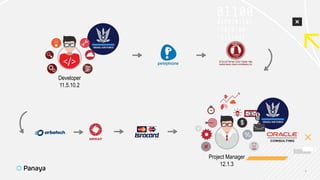
Project Manager
12.1.3
Developer
11.5.10.2
5
Product Manager
6
Polling question
7
Support ended on
December 31st, 2015
Support will end on
December 31st, 2021
Support is currently planned to end on
December 31st, 2031
The releases
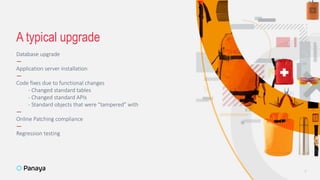
Database upgrade
—
Application server installation
—
Code fixes due to functional changes
- Changed standard tables
- Changed standard APIs
- Standard objects that were “tampered” with
—
Online Patching compliance
—
Regression testing
A typical upgrade
8
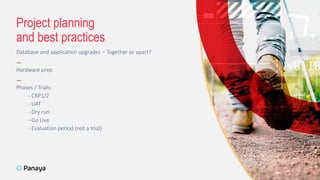
Database and application upgrades – Together or apart?
—
Hardware prep
—
Phases / Trials:
- CRP1/2
- UAT
- Dry run
- Go Live
- Evaluation period (not a trial)
Project planning
and best practices
9
10
Polling question
Changed/deleted DB objects (tables, views, APIs)
—
Changed/deleted forms/blocks
—
Changed/deleted concurrent programs
—
Online Patching compliance
- Direct calls to owner
- Registering custom schemas
Common corrections
11
Code/setup corrections due to:
If you are still on EBS version 11i or 12.1, it is recommended to upgrade to 12.2
—
Prepare with infrastructure (servers, databases, WebLogic) well in advance
—
Map out the work you need to do
—
Learn from each phase
Takeaways
12
13
Roy Kidron
Product Manager
rkidron@panaya.com
Thank you
15
Panaya.com

Oracle EBS Upgrade - Tips and Tricks

Editor's Notes

  • #4 <detail what are the takeaways for each chapter> First off, I’ll introduce myself and what I’ve done to get here. In the versions chapter, we’ll go over the different versions, what each of them brought to the table, and what their end of support date is. On the next chapter, we’ll see what an upgrade typically include, including the different tracks you have to take care of – the servers, the DBs, the actual code corrections, etc. The I’ll go into how to plan for a project like this, and what the best practices are, and what I’ve personally done before. In the “common corrections” chapter we’ll dive a bit deeper into the changes that must be made in order for the system to work, because it definitely WILL BREAK. And lastly, I hope we’ll have time for Q&A, because that’s what I look forward the most to. Throughout this session, please write any questions you have in the chat, and I’ll make sure to answer those in the end, and if we won’t have time, then I’ll answer by email.
  • #5 I started off as an EBS developer in the Israeli Air Force. I was there for 5 and a half years, and I led the finance team (developers and functional) when we upgraded from 11.5.5 to 11.5.10.2 Afterwards, I was in a telecom company for 4 years, developing CRM and financial modules. Then I went to a cement company, where we developed a 12.1.3 system from scratch, logistics, asset maintenance, financials, the works! Then I was in several other companies, developing and maintaining 12.1.3 implementations, and then I was offered by to come back to the air force, to manage their upgrade to from 11.5.10.2 to 12.1.3 as a project manager for Oracle Consulting, and I was there for almost 7 years, taking care of the ongoing activities.
  • #6 And after all that, I joined Panaya as a Product Manager, leading the Oracle product portfolio. Panaya is a product company, that helps organizations manage their changes (upgrades and ongoing), in Oracle EBS, SAP and Salesforce. Now, I want to start with a quick poll. Which version are you currently on?
  • #7 Let’s take 10-15 seconds to answer. I don’t want to waste too time on this. <Look at the results> That’s a good segway to our next slide.
  • #8 The last 11i release was 11.5.10.2 which hasn’t been supported since 2015. Some organizations are still running 11i, but it’s relatively uncommon. It introduced OAF which is Oracle Application Framework, a standard web interface you can code in Java, and Forms Personalization, which was a new way to customize standard forms, and is easier than changing the custom.pll file. (Click) Release 12.1 brought a LOT of functional changes, especially in the financials, including Multi Org Accounting, Subledger Accounting and a separate Tax module. Those upgrades were tough, because the standard has changed so much. The latest and most stable release of 12.1 is 12.1.3, which I think most of you are on now. It is reaching end of support the end this year, 2021. (Click) Release 12.2 brought a big architecture change in Online Patching, or OLP for short, which piggie-backs on the database’s new EBR technology, that’s Edition Based Redefinition, enables organizations to shorten their downtimes drastically, because you basically have two instances, you change one while everybody’s connected to the other, switch between in a couple of minutes (the time it takes to stop and start the application) and then change the second instance. R12.2 also brings a lot of innovation, including Enterprise Command Centers, which are role specific dashboards, that enable you to drill down all the way to the transaction itself, which you can’t do in BI, of course. The end of support is currently planned for 2031, but that’s a rolling deadline, and in the meantime they’ve put out a new release each year around September. The latest one is 12.2.10 which was released on September 25th, 2020.
  • #9 A typical upgrade will consist of a database upgrade, because different application versions comply with different database versions. In the case of 12.1 to 12.2, I’m guessing most of you are currently on DB version 11.2.0.3 or 4, but some of you might have already moved to DB version 12.1. That doesn’t really matter, because very soon, about a year from now, the only version that will be supported and complies with EBS 12.1 AND 12.2 is DB version 19. You also have to upgrade the application server. Version 12.2 requires a WebLogic server to run on, so that’s something your DBAs will need to learn about, how to install and configure those. In every upgrade, the standard code changes, and the data model too. That means that you have to change your code and setup that relies on changed standard code and tables, to comply with the newest version. That’s the BIGGEST and MOST complex part of any EBS upgrade. Because if you’ve missed something, that code might break. If code breaks, that pretty easy. It stands out. You see a package is now invalid. The problem is that in most cases, the code doesn’t SEEM to break, but there still damage done to the business process. That can be due to deleted tables, changed columns in tables, EVEN ADDED columns can break code. When the standard code changes and breaks your customized code, most of the times it’s when using standard APIs that have changed. New parameters, different parameters, obsolete APIs, etc. The online patching compliance means that every time you reference a standard table, and I need to emphasize it, EVERY TIME you reference a standard table, you need to do it through a synonym or an editioning view, and not directly to that table. Because when you reference a table directly, you’re looking into a specific edition, and that’s wrong. And after you’ve done ALL THAT, you need to test. Pretty much the entire system. The good thing is that there will be less and less changes to do in each trial, and I’ll talk more about that in the next slide.
  • #10 Before we start with the trials, let’s talk about the prep work. I recommend taking the time and thinking if you want to do the DB upgrade at the same as the application upgrade, because there’s a tradeoff between these options. You can decide to do both at the same time, but that means a longer downtime and higher risk to the project, but you save all that QA time, because you only have to test once. On the other hand, you can split up the two go lives. They can be months apart, because 12.1 works with DB version 19 as well. DB upgrades are usually simpler, and that split drastically reduces your risk, but you do have to test the entire system twice. There isn’t a definitive answer, both are acceptable. It’s a matter of the amount of time you have, and other factors, like QA availability. Regarding hardware, I would suggest setting up two different environments with servers and databases, and then alternating between the two. If you have two application servers in Prod, if you have two DB servers with a Real Application Cluster, use that same architecture for each environment, and create two. Clone your existing Prod to one of them, run the pre upgrade, upgrade and post upgrade activities, then develop and test on the environment, while you’re setting up the second environment. Then, while you’re working on the second phase, reinstall the first environment for the third phase, and so on. That’s just a better use of time and resources. Now, on to the project itself. The different phases are: Classroom Pilot one and two. Sometimes, a CRP1 is done without fixing the code, and then a lot of things will break, but you’re learning about the pre upgrade activities, the upgrade itself, done by the DBAs, the post upgrade activities, and you’re starting to learn the new standard business processes. In the second one, the CRP2, you’d want to test your different interfaces as well, before the end users see the system. UAT are user acceptance tests, that’s when you bring in your key users, end users, and have them test their business processes in the new system. Usually that’s when you stop developing and go into a code freeze, because you can’t keep developing things that you don’t have time to test. A dry run is always recommended. It’s a very short phase, but it gives you a good idea of the amount of downtime you need to prep for. I recommend getting servers that are as close as possible to Production servers, same number of CPUs, memory, same storage, so they’ll run about the same amount of time. It’s also a good final exercise, as everybody goes through the motions, around two weeks before doing it in Production. Then comes the production phase, when you run the upgrade patches in production. Regarding evaluation period, it’s not a trial, but you need to prepare for extensive post go live support. Now we’ll do our last polling question.
  • #11 Let’s take 10-15 seconds to answer. I don’t want to waste too time on this. <Look at the results> That’s a good segway to our next slide.
  • #13 First, if you’re still on 11 or 12.1, it is very recommended to upgrade. There’s a lot innovation in 12.2, and you continue to get critical support from Oracle, which is very important, security patches, all those things. Then, you need to understand the infrastructure change, and prepare for that. It is a big part of this upgrade, and it could fail the entire project. Then, you need to map out your work. As I said, the most complex and most time consuming part of an EBS upgrade project is understanding how the standard code impacted your codeand your setup and fixing it so the business process will continue to work. And lastly, do a lessons learned after each phase. Understand what worked, what didn’t, specifically on the upgrade activities themselves, and improve on the next phase.
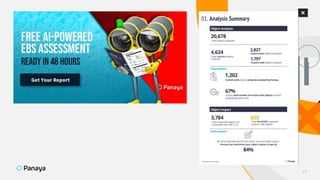
  • #14 Before we start the Q and A section, I’ll just tell you that Panaya, my company, is giving away EBS upgrade assessments. They don’t cost you anything, and you’ll get a detailed report of the amount of code objects you need to change, setup, etc. And it’s all based on your specific system, code and usage. This is a sample page here on the left. Eyal, please put a link in the chat, and we’ll go into Q&A.
  • #15 Q&A time.
  • #16 So thank you all for your time. I hope you enjoyed this session. I certainly did. I hope you’ve learned something and I do encourage you get Panaya’s upgrade assessment. It is free, and it gives you a good idea of the amount of code you need to fix.