Presentation Agenda on nhibernate:


                     By: Shahzad Sarwar
                     To: Development Team
Part 1: 1st Aug 2009 3:30 PM


Part 2: Later
    • Version 2.1 new features
    • Performance tuning
    • Proxing
    • Cache
    • Design pattern for NHibernate
    • Case Specific provider
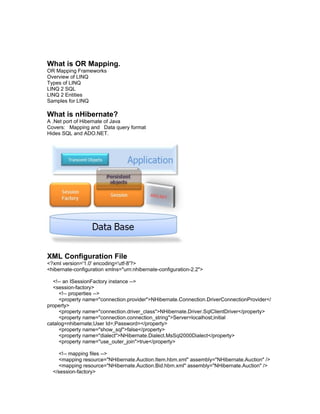
What is OR Mapping.
OR Mapping Frameworks
Overview of LINQ
Types of LINQ
LINQ 2 SQL
LINQ 2 Entities
Samples for LINQ

What is nHibernate?
A .Net port of Hibernate of Java
Covers: Mapping and Data query format
Hides SQL and ADO.NET.


XML Configuration File
<?xml version='1.0' encoding='utf-8'?>
<hibernate-configuration xmlns="urn:nhibernate-configuration-2.2">

  <!-- an ISessionFactory instance -->
  <session-factory>
     <!-- properties -->
     <property name="connection.provider">NHibernate.Connection.DriverConnectionProvider</
property>
     <property name="connection.driver_class">NHibernate.Driver.SqlClientDriver</property>
     <property name="connection.connection_string">Server=localhost;initial
catalog=nhibernate;User Id=;Password=</property>
     <property name="show_sql">false</property>
     <property name="dialect">NHibernate.Dialect.MsSql2000Dialect</property>
     <property name="use_outer_join">true</property>

     <!-- mapping files -->
     <mapping resource="NHibernate.Auction.Item.hbm.xml" assembly="NHibernate.Auction" />
     <mapping resource="NHibernate.Auction.Bid.hbm.xml" assembly="NHibernate.Auction" />
  </session-factory>
</hibernate-configuration>


Persistent vs transient Objects
Level of abstraction
Page/Application level scope.
Eg:
   Datetime dt;
   Session/application level vatables
DB Level
Even shutdown of machine
Searlization as file /DB

POCO vs POJO
Samples

Nhibernate Basic
Mapping file - hbm.xml
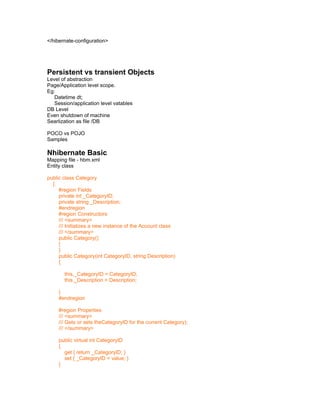
Entity class

public class Category
  {
     #region Fields
     private int _CategoryID;
     private string _Description;
     #endregion
     #region Constructors
     /// <summary>
     /// Initializes a new instance of the Account class
     /// </summary>
     public Category()
     {
     }
     public Category(int CategoryID, string Description)
     {

       this._CategoryID = CategoryID;
       this._Description = Description;

     }
     #endregion

     #region Properties
     /// <summary>
     /// Gets or sets theCategoryID for the current Category);
     /// </summary>

     public virtual int CategoryID
     {
       get { return _CategoryID; }
       set { _CategoryID = value; }
     }
/// <summary>
    /// Gets or sets theDescription for the current Category);
    /// </summary>

    public virtual string Description
    {
      get { return _Description; }
      set { _Description = value; }
    }

    #endregion

  }
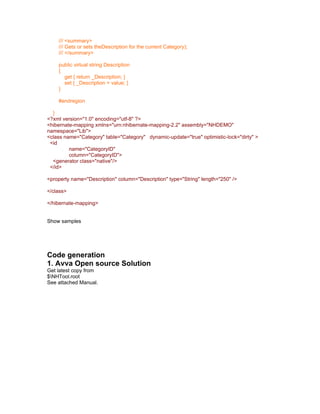
<?xml version="1.0" encoding="utf-8" ?>
<hibernate-mapping xmlns="urn:nhibernate-mapping-2.2" assembly="NHDEMO"
namespace="Lib">
<class name="Category" table="Category" dynamic-update="true" optimistic-lock="dirty" >
 <id
         name="CategoryID"
         column="CategoryID">
  <generator class="native"/>
 </id>

<property name="Description" column="Description" type="String" length="250" />

</class>

</hibernate-mapping>


Show samples


Code generation
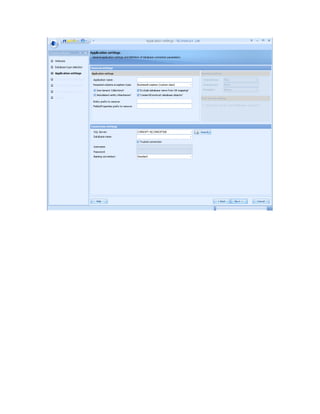
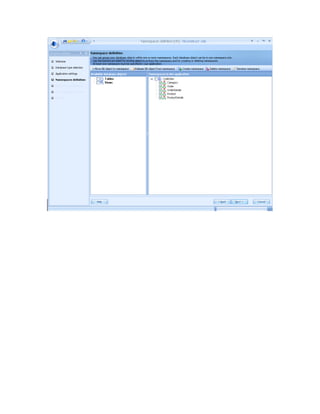
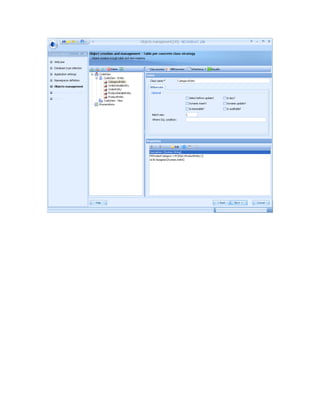
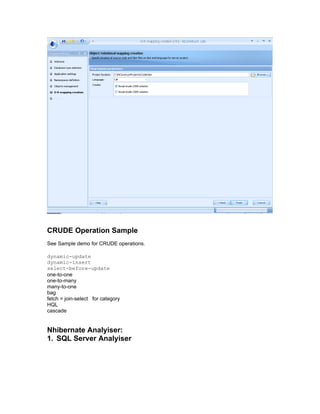
1. Avva Open source Solution
Get latest copy from
$NHTool.root
See attached Manual.
Introduction

Here is a tool for the use of your own applications that NHibernate. You can easily install and use
this helper kit. To download, please click the link at the top of the page. If you are using
NHibernate, you need to write a lot of persistent classes and XML mapping for each persistent
class. Also, you need to write the NHibernate config file. At this point, using this tool, you can
automatically create all these files in a few seconds.

Using

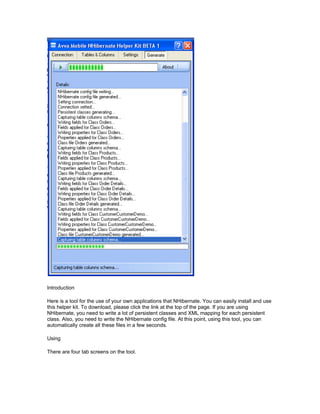
There are four tab screens on the tool.
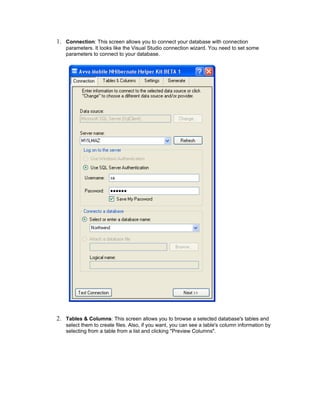
1. Connection: This screen allows you to connect your database with connection
   parameters. It looks like the Visual Studio connection wizard. You need to set some
   parameters to connect to your database.


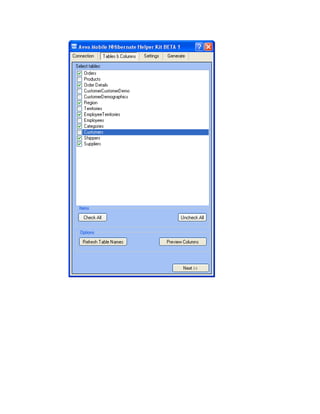
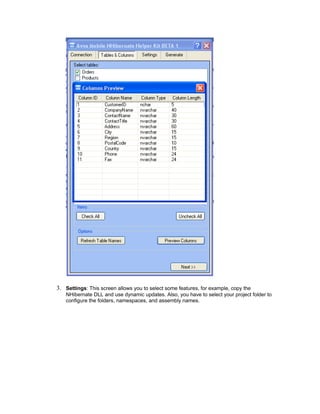
2. Tables & Columns: This screen allows you to browse a selected database's tables and
   select them to create files. Also, if you want, you can see a table's column information by
   selecting from a table from a list and clicking "Preview Columns".
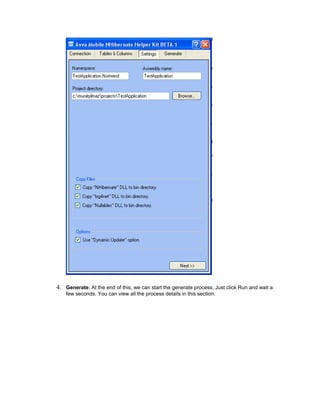
3. Settings: This screen allows you to select some features, for example, copy the
   NHibernate DLL and use dynamic updates. Also, you have to select your project folder to
   configure the folders, namespaces, and assembly names.
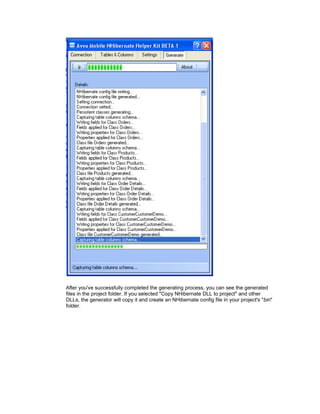
4. Generate: At the end of this, we can start the generate process. Just click Run and wait a
    few seconds. You can view all the process details in this section.
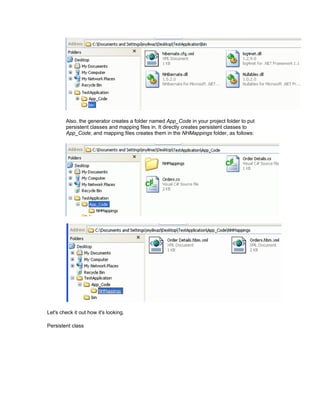
After you've successfully completed the generating process, you can see the generated
files in the project folder. If you selected "Copy NHibernate DLL to project" and other
DLLs, the generator will copy it and create an NHibernate config file in your project's "bin"
folder.
Also, the generator creates a folder named App_Code in your project folder to put
        persistent classes and mapping files in. It directly creates persistent classes to
        App_Code, and mapping files creates them in the NHMappings folder, as follows:


Let's check it out how it's looking.

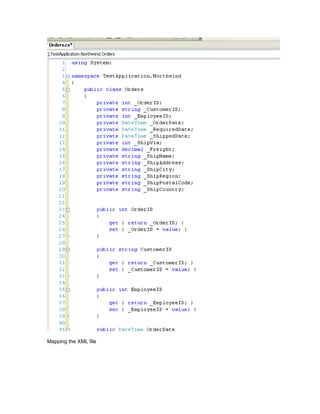
Persistent class
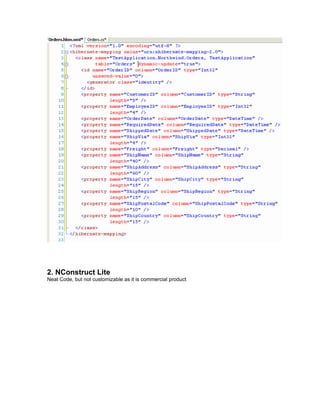
Mapping the XML file
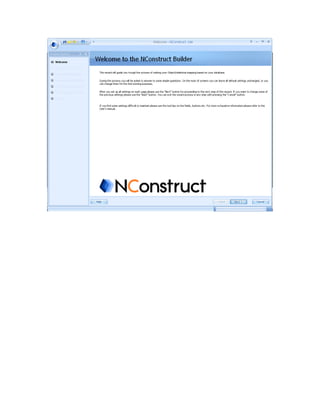
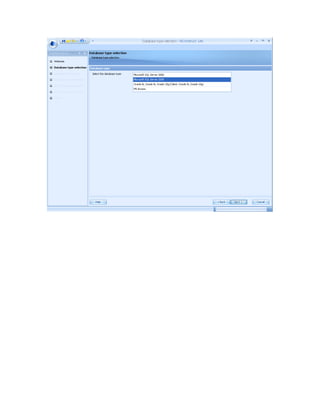
2. NConstruct Lite
Neat Code, but not customizable as it is commercial product
CRUDE Operation Sample
See Sample demo for CRUDE operations.

dynamic-update
dynamic-insert
select-before-update
one-to-one
one-to-many
many-to-one
bag
fetch = join-select for category
HQL
cascade


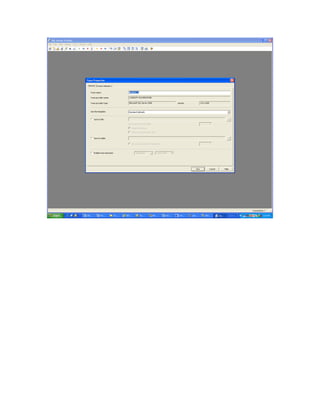
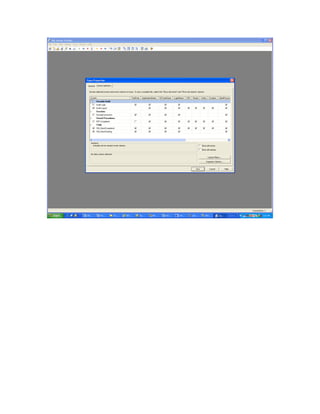
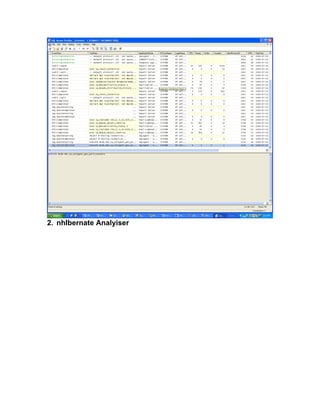
Nhibernate Analyiser:
1. SQL Server Analyiser
2. nhIbernate Analyiser
3.

OR Mapping- nhibernate Presentation

  • 1.
    Presentation Agenda onnhibernate: By: Shahzad Sarwar To: Development Team
  • 2.
    Part 1: 1stAug 2009 3:30 PM Part 2: Later • Version 2.1 new features • Performance tuning • Proxing • Cache • Design pattern for NHibernate • Case Specific provider
  • 3.
    What is ORMapping. OR Mapping Frameworks Overview of LINQ Types of LINQ LINQ 2 SQL LINQ 2 Entities Samples for LINQ What is nHibernate? A .Net port of Hibernate of Java Covers: Mapping and Data query format Hides SQL and ADO.NET. XML Configuration File <?xml version='1.0' encoding='utf-8'?> <hibernate-configuration xmlns="urn:nhibernate-configuration-2.2"> <!-- an ISessionFactory instance --> <session-factory> <!-- properties --> <property name="connection.provider">NHibernate.Connection.DriverConnectionProvider</ property> <property name="connection.driver_class">NHibernate.Driver.SqlClientDriver</property> <property name="connection.connection_string">Server=localhost;initial catalog=nhibernate;User Id=;Password=</property> <property name="show_sql">false</property> <property name="dialect">NHibernate.Dialect.MsSql2000Dialect</property> <property name="use_outer_join">true</property> <!-- mapping files --> <mapping resource="NHibernate.Auction.Item.hbm.xml" assembly="NHibernate.Auction" /> <mapping resource="NHibernate.Auction.Bid.hbm.xml" assembly="NHibernate.Auction" /> </session-factory>
  • 4.
    </hibernate-configuration> Persistent vs transientObjects Level of abstraction Page/Application level scope. Eg: Datetime dt; Session/application level vatables DB Level Even shutdown of machine Searlization as file /DB POCO vs POJO Samples Nhibernate Basic Mapping file - hbm.xml Entity class public class Category { #region Fields private int _CategoryID; private string _Description; #endregion #region Constructors /// <summary> /// Initializes a new instance of the Account class /// </summary> public Category() { } public Category(int CategoryID, string Description) { this._CategoryID = CategoryID; this._Description = Description; } #endregion #region Properties /// <summary> /// Gets or sets theCategoryID for the current Category); /// </summary> public virtual int CategoryID { get { return _CategoryID; } set { _CategoryID = value; } }
  • 5.
    /// <summary> /// Gets or sets theDescription for the current Category); /// </summary> public virtual string Description { get { return _Description; } set { _Description = value; } } #endregion } <?xml version="1.0" encoding="utf-8" ?> <hibernate-mapping xmlns="urn:nhibernate-mapping-2.2" assembly="NHDEMO" namespace="Lib"> <class name="Category" table="Category" dynamic-update="true" optimistic-lock="dirty" > <id name="CategoryID" column="CategoryID"> <generator class="native"/> </id> <property name="Description" column="Description" type="String" length="250" /> </class> </hibernate-mapping> Show samples Code generation 1. Avva Open source Solution Get latest copy from $NHTool.root See attached Manual.
  • 6.
    Introduction Here is atool for the use of your own applications that NHibernate. You can easily install and use this helper kit. To download, please click the link at the top of the page. If you are using NHibernate, you need to write a lot of persistent classes and XML mapping for each persistent class. Also, you need to write the NHibernate config file. At this point, using this tool, you can automatically create all these files in a few seconds. Using There are four tab screens on the tool.
  • 7.
    1. Connection: Thisscreen allows you to connect your database with connection parameters. It looks like the Visual Studio connection wizard. You need to set some parameters to connect to your database. 2. Tables & Columns: This screen allows you to browse a selected database's tables and select them to create files. Also, if you want, you can see a table's column information by selecting from a table from a list and clicking "Preview Columns".
  • 9.
    3. Settings: Thisscreen allows you to select some features, for example, copy the NHibernate DLL and use dynamic updates. Also, you have to select your project folder to configure the folders, namespaces, and assembly names.
  • 10.
    4. Generate: Atthe end of this, we can start the generate process. Just click Run and wait a few seconds. You can view all the process details in this section.
  • 11.
    After you've successfullycompleted the generating process, you can see the generated files in the project folder. If you selected "Copy NHibernate DLL to project" and other DLLs, the generator will copy it and create an NHibernate config file in your project's "bin" folder.
  • 12.
    Also, the generatorcreates a folder named App_Code in your project folder to put persistent classes and mapping files in. It directly creates persistent classes to App_Code, and mapping files creates them in the NHMappings folder, as follows: Let's check it out how it's looking. Persistent class
  • 13.
  • 14.
    2. NConstruct Lite NeatCode, but not customizable as it is commercial product
  • 20.
    CRUDE Operation Sample SeeSample demo for CRUDE operations. dynamic-update dynamic-insert select-before-update one-to-one one-to-many many-to-one bag fetch = join-select for category HQL cascade Nhibernate Analyiser: 1. SQL Server Analyiser
  • 23.
  • 24.