

Operating System
Ashish Kumar
Center for Tourism Management
MBA in Travel and Tourism Management
Dev Sanskriti Vishwavidyalaya
Gayatrikunj-Shantikunj
Haridwar
- An Operating system is the most important system software.
- It is a set of programs that control and supervise the hardware of a
computer and also provide services to application software,
programmers and users.
- It manages all hardware and software, input, output and processing
activities within the computer system, the flow of information to
and from the processor, sets priorities for handling different tasks,
and so on.
Operating System
- Operating system is the first program that is loaded into its
memory.
- A user cannot communicate directly with the computer
hardware, so the operating system acts as an interface between
the user and the computer hardware.
- Some of the popular operating systems used in personal
computers are DOS, Windows, Unix, Linux, Solaris, etc.
Operating System
An operating system can be a Single User or a Multiuser
operating system.
A single user operating system allows only one user to work at
any time.
A multiuser operating system allows two or more users to use a
powerful computer at the same time.
For example Windows 7 is a single user operating system while
Linux is a multiuser operating system.
Operating System
1. Application programs can run
2. Interface between the computer and the user
3. It operates, controls and executes various
applications
4. It also allows the computer to manage its own
resources such as memory, monitor, keyboard, printer
etc.
5. Controls the various system hardware and software
Need for an Operating System
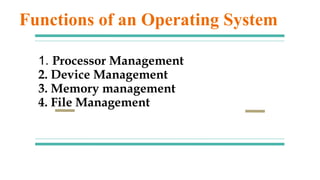
1. Processor Management
2. Device Management
3. Memory management
4. File Management
Functions of an Operating System
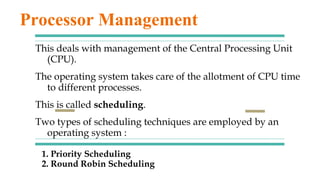
1. Priority Scheduling
2. Round Robin Scheduling
This deals with management of the Central Processing Unit
(CPU).
The operating system takes care of the allotment of CPU time
to different processes.
This is called scheduling.
Two types of scheduling techniques are employed by an
operating system :
Processor Management
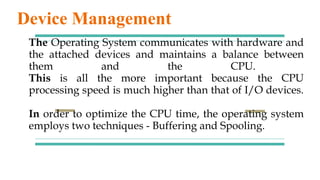
The Operating System communicates with hardware and
the attached devices and maintains a balance between
them and the CPU.
This is all the more important because the CPU
processing speed is much higher than that of I/O devices.
In order to optimize the CPU time, the operating system
employs two techniques - Buffering and Spooling.
Device Management
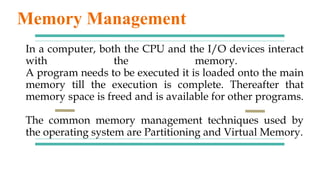
In a computer, both the CPU and the I/O devices interact
with the memory.
A program needs to be executed it is loaded onto the main
memory till the execution is complete. Thereafter that
memory space is freed and is available for other programs.
The common memory management techniques used by
the operating system are Partitioning and Virtual Memory.
Memory Management
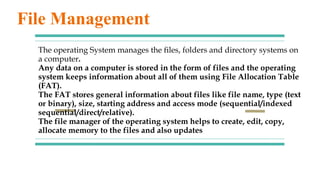
The operating System manages the files, folders and directory systems on
a computer.
Any data on a computer is stored in the form of files and the operating
system keeps information about all of them using File Allocation Table
(FAT).
The FAT stores general information about files like file name, type (text
or binary), size, starting address and access mode (sequential/indexed
sequential/direct/relative).
The file manager of the operating system helps to create, edit, copy,
allocate memory to the files and also updates
File Management
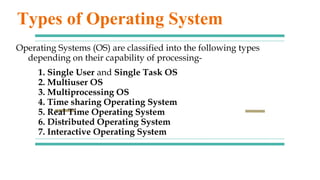
1. Single User and Single Task OS
2. Multiuser OS
3. Multiprocessing OS
4. Time sharing Operating System
5. Real Time Operating System
6. Distributed Operating System
7. Interactive Operating System
Operating Systems (OS) are classified into the following types
depending on their capability of processing-
Types of Operating System

Operating system

  • 1.
    Operating System Ashish Kumar Centerfor Tourism Management MBA in Travel and Tourism Management Dev Sanskriti Vishwavidyalaya Gayatrikunj-Shantikunj Haridwar
  • 2.
    - An Operatingsystem is the most important system software. - It is a set of programs that control and supervise the hardware of a computer and also provide services to application software, programmers and users. - It manages all hardware and software, input, output and processing activities within the computer system, the flow of information to and from the processor, sets priorities for handling different tasks, and so on. Operating System
  • 3.
    - Operating systemis the first program that is loaded into its memory. - A user cannot communicate directly with the computer hardware, so the operating system acts as an interface between the user and the computer hardware. - Some of the popular operating systems used in personal computers are DOS, Windows, Unix, Linux, Solaris, etc. Operating System
  • 4.
    An operating systemcan be a Single User or a Multiuser operating system. A single user operating system allows only one user to work at any time. A multiuser operating system allows two or more users to use a powerful computer at the same time. For example Windows 7 is a single user operating system while Linux is a multiuser operating system. Operating System
  • 5.
    1. Application programscan run 2. Interface between the computer and the user 3. It operates, controls and executes various applications 4. It also allows the computer to manage its own resources such as memory, monitor, keyboard, printer etc. 5. Controls the various system hardware and software Need for an Operating System
  • 6.
    1. Processor Management 2.Device Management 3. Memory management 4. File Management Functions of an Operating System
  • 7.
    1. Priority Scheduling 2.Round Robin Scheduling This deals with management of the Central Processing Unit (CPU). The operating system takes care of the allotment of CPU time to different processes. This is called scheduling. Two types of scheduling techniques are employed by an operating system : Processor Management
  • 8.
    The Operating Systemcommunicates with hardware and the attached devices and maintains a balance between them and the CPU. This is all the more important because the CPU processing speed is much higher than that of I/O devices. In order to optimize the CPU time, the operating system employs two techniques - Buffering and Spooling. Device Management
  • 9.
    In a computer,both the CPU and the I/O devices interact with the memory. A program needs to be executed it is loaded onto the main memory till the execution is complete. Thereafter that memory space is freed and is available for other programs. The common memory management techniques used by the operating system are Partitioning and Virtual Memory. Memory Management
  • 10.
    The operating Systemmanages the files, folders and directory systems on a computer. Any data on a computer is stored in the form of files and the operating system keeps information about all of them using File Allocation Table (FAT). The FAT stores general information about files like file name, type (text or binary), size, starting address and access mode (sequential/indexed sequential/direct/relative). The file manager of the operating system helps to create, edit, copy, allocate memory to the files and also updates File Management
  • 11.
    1. Single Userand Single Task OS 2. Multiuser OS 3. Multiprocessing OS 4. Time sharing Operating System 5. Real Time Operating System 6. Distributed Operating System 7. Interactive Operating System Operating Systems (OS) are classified into the following types depending on their capability of processing- Types of Operating System